change time MERCEDES-BENZ CLA 2019 User Guide
[x] Cancel search | Manufacturer: MERCEDES-BENZ, Model Year: 2019, Model line: CLA, Model: MERCEDES-BENZ CLA 2019Pages: 330, PDF Size: 23.57 MB
Page 153 of 330
The speed indicated in the speedometer maydiffer slightly from the speed stored.
Important safety notes
If you fail to adapt your driving style, cruise con-trol can neither reduce the risk of an accidentnor override the laws of physics. Cruise controlcannot take into account the road, traffic andweather conditions. Cruise control is only anaid. You are responsible for the distance to thevehicle in front, for vehicle speed, for braking ingood time and for staying in your lane.
Do not use cruise control:
Rin road and traffic conditions which do notallow you to maintain a constant speed, e.g. inheavy traffic or on winding roads
Ron slippery road surfaces. Braking or accel-erating could cause the drive wheels to losetraction and the vehicle could then skid
Rin poor visibility, e.g. due to fog, heavy rain orsnow
If there is a change of drivers, advise the newdriver of the speed stored.
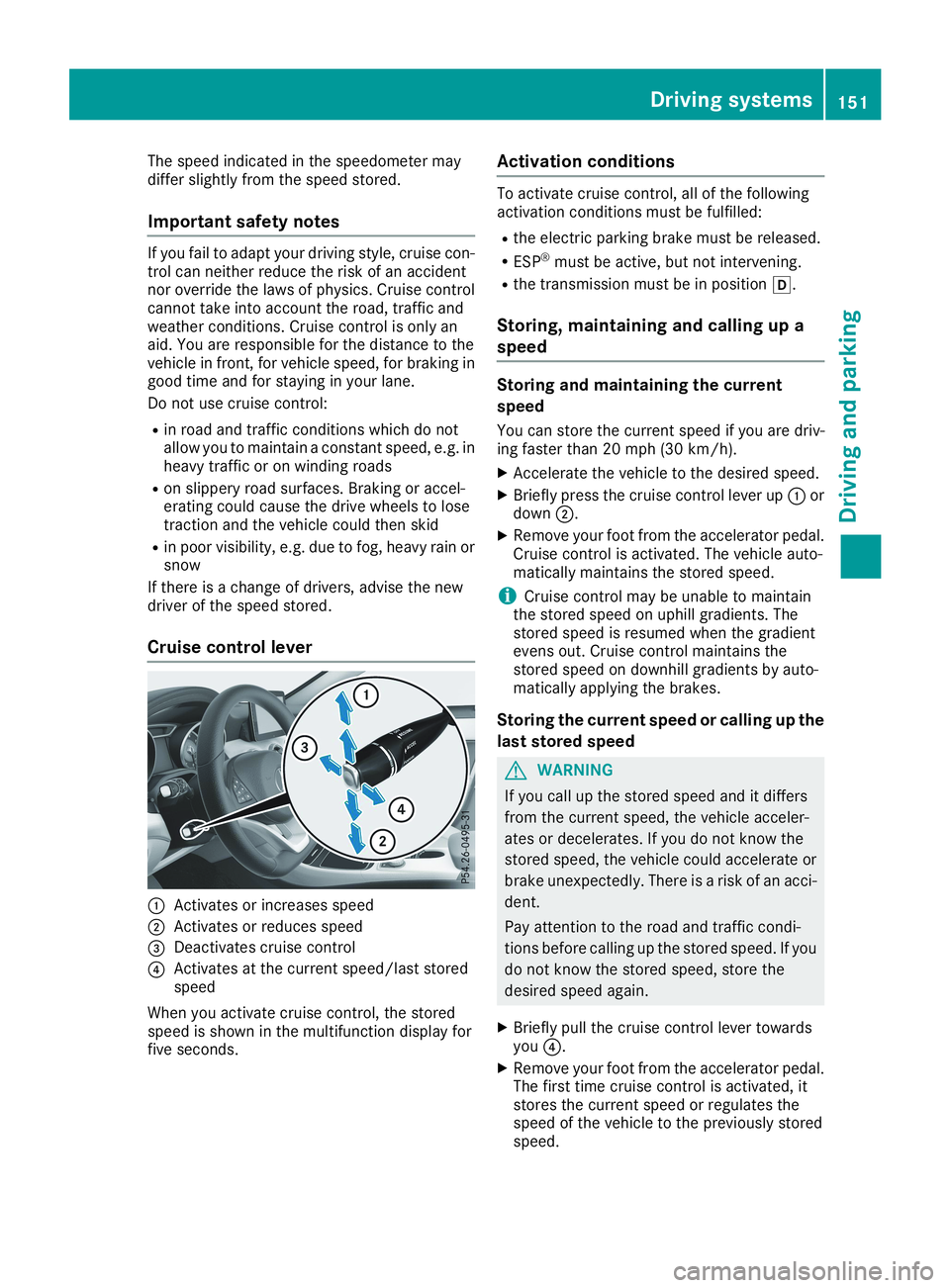
Cruise control lever
CActivates or increases speed
DActivates or reduces speed
Page 158 of 330
![MERCEDES-BENZ CLA 2019 User Guide When Active Distance Assist DISTRONIC is acti-vated, the transmission is shifted automaticallyto position]if:
Rthe driver's seat belt is not fastened and thedriver's door is open.
Rthe engine](/img/4/59041/w960_59041-157.png "MERCEDES-BENZ CLA 2019 User Guide When Active Distance Assist DISTRONIC is acti-vated, the transmission is shifted automaticallyto position]if:
Rthe driver's seat belt is not fastened and thedriver's door is open.
Rthe engine")
When Active Distance Assist DISTRONIC is acti-vated, the transmission is shifted automaticallyto position]if:
Rthe driver's seat belt is not fastened and thedriver's door is open.
Rthe engine is switched off, unless it is auto-matically switched off by the ECO start/stopfunction.
The electric parking brake is applied automati-cally if Active Distance Assist DISTRONIC isactive when the vehicle is stationary and:
Ra system malfunction occurs.
Rthe power supply is insufficient.
If a malfunction occurs, the transmission mayalso shift to position]automatically.
Setting a speed
Keep in mind that it may take a brief momentuntil the vehicle has accelerated or braked tothe speed set.
XPress the cruise control lever upCfor ahigher speed or downDfor a lower speed.
XTo adjust the set speed in 1 mph incre-ments (1 km/h increments):briefly pushthe cruise control lever upCor downDtothe pressure point.The last stored speed increases or decreasesin 1 mph (1 km/h) increments.
XTo adjust the set speed in 5 mph incre-ments (10 km/h increments):briefly pushthe cruise control lever upCor downDbeyond the pressure point.The last stored speed increases or decreasesin 5 mph (10 km/h) increments.
iActive Distance Assist DISTRONIC is notdeactivated if you depress the acceleratorpedal. If you accelerate to overtake, ActiveDistance Assist DISTRONIC adjusts the vehi-cle's speed to the last speed stored, after youhave finished overtaking.
Setting a specified minimum distance
You can set the specified minimum distance forActive Distance Assist DISTRONIC by varyingthe time span between one and two seconds.This determines the distance that Active Dis-tance Assist DISTRONIC is to maintain from thevehicle in front, depending on the road speed.You can see this distance in the multifunctiondisplay (Ypage 157).
The specified minimum distance can bechanged while Active Distance AssistDISTRONIC is switched on or off.
iMake sure that you maintain the minimumdistance to the vehicle in front as required bylaw. Adjust the distance to the vehicle in frontif necessary.
XTo increase:turn control
Page 170 of 330
As soon as the parking procedure is complete,theActive Parking Assist FinishedActive Parking Assist Finishedmes-sage appears and a warning tone sounds. Thevehicle is now parked.
The vehicle is kept stationary without the driverhaving to depress the brake pedal. The brakingeffect is canceled when you depress the accel-erator pedal.
Active Parking Assist no longer supports youwith steering interventions and brake applica-tions. When Active Parking Assist is finished,you must steer and brake again yourself. ActiveParking Assist is still available.
Parking tips:
RThe way your vehicle is positioned in the park-ing space after parking is dependent on vari-ous factors. These include the position andshape of the vehicles parked in front andbehind it and the conditions of the location. Itmay be the case that Active Parking Assistguides you too far into a parking space, or notfar enough into it. In some cases, it may alsolead you across or onto the curb. If necessary,cancel the parking procedure with ActiveParking Assist.
RYou can also preselect transmission position[. The vehicle redirects and does not driveas far into the parking space. Should thetransmission change take place too early, theparking procedure is canceled. A sensibleparking position can no longer be achievedfrom this position.
Exiting a parking space
In order that Active Parking Assist can supportyou when exiting the parking space:
Ryou need to have parked using Active ParkingAssist.
Rthe border of the parking space must be highenough at the front and the rear. A curb stoneis too small, for example.
Rthe border of the parking space must not betoo wide, as the position of the vehicle mustnot exceed an angle of 45° to the startingposition as it is maneuvered into the parkingspace.
Ra maneuvering distance of at least 3.3 ft(1.0m) must be available.
Active Parking Assist can only assist you withexiting a parking space if you have parked thevehicle parallel to the direction of travel usingActive Parking Assist.
iIf Active Parking Assist detects obstacles,Active Parking Assist brakes automaticallywhile the vehicle is exiting the parking space.You are responsible for braking in good time.
XStart the engine.
XRelease the electric parking brake.
XSwitch on the turn signal in the direction youwill drive out of the parking space.
XShift the transmission to position[or^.TheStart Parking Assist?Start Parking Assist?Yes: OKYes: OKNo:No:8message appears on the multifunctiondisplay.
XTo cancel the procedure:press the8button on the multifunction steering wheel orpull away.
or
XTo exit a parking space using Active Park-ing Assist:press thevbutton on the mul-tifunction steering wheel.TheParkingParkingAssistAssistActiveActiveAccelerateAccelerateand Brakeand BrakeObserve SurroundingsObserve Surroundingsmes-sage appears on the multifunction display.
XLet go of the multifunction steering wheel.
XPull away, being ready to brake at all times. Donot exceed a maximum speed of approx-imately 6 mph (10 km/h) when exiting a park-ing space. Otherwise, Active Parking Assistwill be canceled.
XDepending on the message or as required,shift the transmission to position[or^.Active Parking Assist immediately steers inthe other direction. TheParking AssistParking AssistActive Accelerate and BrakeActive Accelerate and BrakeObserveObserveSurroundingsSurroundingsmessage appears on the mul-tifunction display.
iYou will achieve the best results by waitingfor the steering procedure to complete beforepulling away.
If you back up after activation, the steeringwheel is moved to the straight-ahead posi-tion.
XDrive forwards and reverse as prompted bythe Active Parking Assist warning displays,several times if necessary.
Once you have exited the parking space com-pletely, the steering wheel is moved to thestraight-ahead position. You hear a tone and theActive Parking Assist FinishedActive Parking Assist Finishedmessageappears on the multifunction display. You willthen have to steer and merge into traffic on yourown. Active Parking Assist is still available. You
168Driving systems
Driving an d parking
Page 178 of 330
Switching on Blind Spot Assist
XMake sure that Blind Spot Assist is activatedin the on-board computer (Ypage 188).
XTurn the SmartKey to positionHin the igni-tion lock.Warning lampsCin the exterior mirrors lightup red for approximately 1.5 seconds andthen turn yellow.
Lane Keeping Assist
General notes
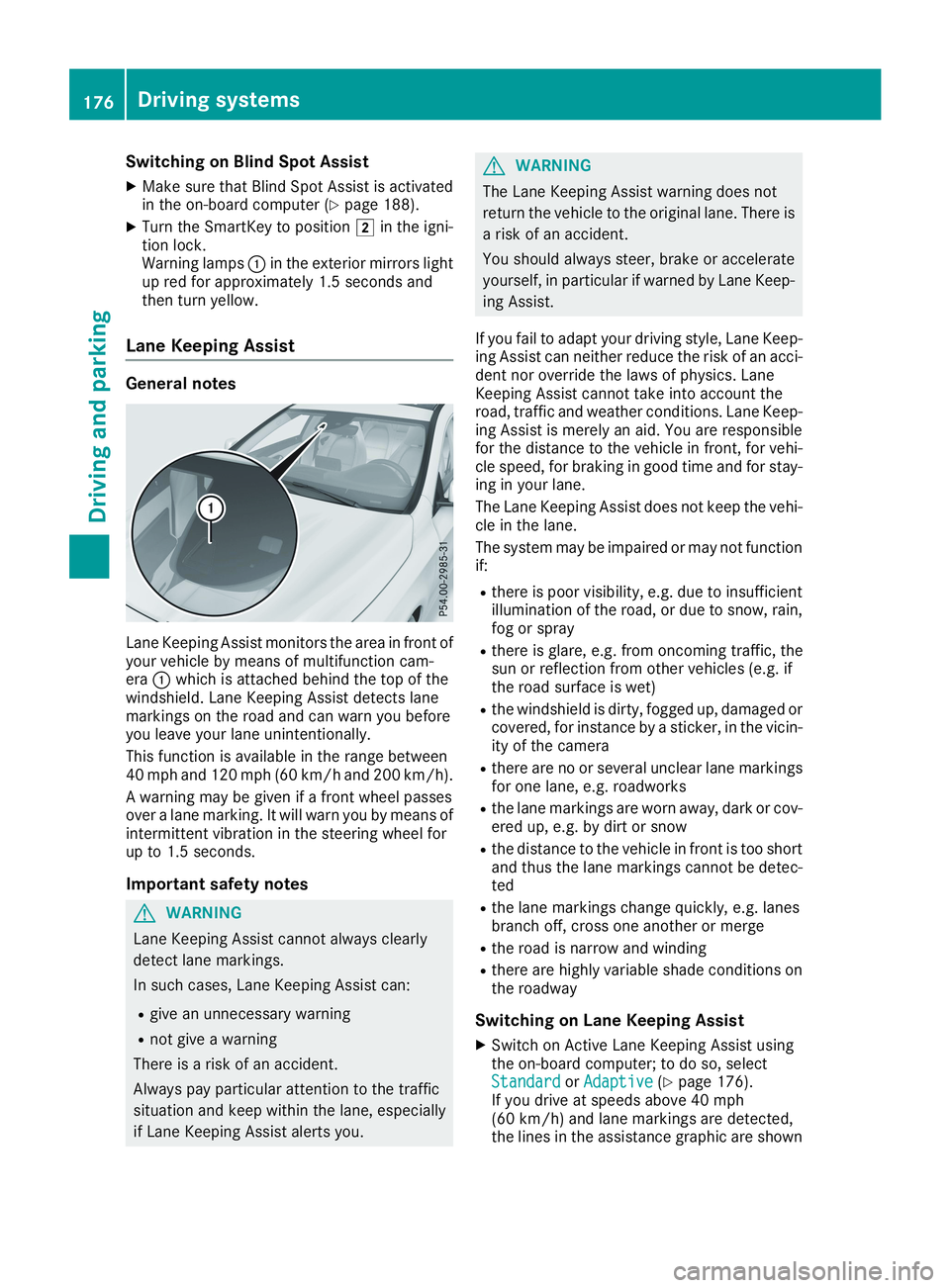
Lane Keeping Assist monitors the area in front ofyour vehicle by means of multifunction cam-eraCwhich is attached behind the top of thewindshield. Lane Keeping Assist detects lanemarkings on the road and can warn you beforeyou leave your lane unintentionally.
This function is available in the range between40 mph and 120 mph (60 km/h and 200 km/h).
A warning may be given if a front wheel passesover a lane marking. It will warn you by means ofintermittent vibration in the steering wheel forup to 1.5 seconds.
Important safety notes
GWARNING
Lane Keeping Assist cannot always clearly
detect lane markings.
In such cases, Lane Keeping Assist can:
Rgive an unnecessary warning
Rnot give a warning
There is a risk of an accident.
Always pay particular attention to the traffic
situation and keep within the lane, especially
if Lane Keeping Assist alerts you.
GWARNING
The Lane Keeping Assist warning does not
return the vehicle to the original lane. There is
a risk of an accident.
You should always steer, brake or accelerate
yourself, in particular if warned by Lane Keep-
ing Assist.
If you fail to adapt your driving style, Lane Keep-ing Assist can neither reduce the risk of an acci-dent nor override the laws of physics. LaneKeeping Assist cannot take into account theroad, traffic and weather conditions. Lane Keep-ing Assist is merely an aid. You are responsiblefor the distance to the vehicle in front, for vehi-cle speed, for braking in good time and for stay-ing in your lane.
The Lane Keeping Assist does not keep the vehi-cle in the lane.
The system may be impaired or may not functionif:
Rthere is poor visibility, e.g. due to insufficientillumination of the road, or due to snow, rain,fog or spray
Rthere is glare, e.g. from oncoming traffic, thesun or reflection from other vehicles (e.g. ifthe road surface is wet)
Rthe windshield is dirty, fogged up, damaged orcovered, for instance by a sticker, in the vicin-ity of the camera
Rthere are no or several unclear lane markingsfor one lane, e.g. roadworks
Rthe lane markings are worn away, dark or cov-ered up, e.g. by dirt or snow
Rthe distance to the vehicle in front is too shortand thus the lane markings cannot be detec-ted
Rthe lane markings change quickly, e.g. lanesbranch off, cross one another or merge
Rthe road is narrow and winding
Rthere are highly variable shade conditions onthe roadway
Switching on Lane Keeping Assist
XSwitch on Active Lane Keeping Assist usingthe on-board computer; to do so, selectStandardStandardorAdaptiveAdaptive(Ypage 176).If you drive at speeds above 40 mph(60 km/h) and lane markings are detected,the lines in the assistance graphic are shown
176Driving systems
Driving and parking
Page 179 of 330
in green (Ypage 187). Lane Keeping Assist isready for use.
IfStandardStandardis selected, no warning vibrationoccurs if:
Ryou have switched on the turn signal. In thisevent, the warnings are suppressed for a cer-tain period of time.
Ra driving safety system intervenes, e.g. ABS,
BAS or ESP®.
WhenAdaptiveAdaptiveis selected, no warning vibra-tion occurs if:
Ryou have switched on the turn signal. In thisevent, the warnings are suppressed for a cer-tain period of time.
Ra driving safety system intervenes, e.g. ABS,
BAS or ESP®.
Ryou accelerate hard, e.g. kickdown.
Ryou brake hard.
Ryou steer actively, e.g. swerve to avoid anobstacle or change lanes quickly.
Ryou cut the corner on a sharp bend.
In order that you are warned only when neces-sary and in good time if you cross the lane mark-ing, the system detects certain conditions andwarns you accordingly.
The warning vibration occurs earlier if:
Ryou approach the outer lane marking on abend
Rthe road has very wide lanes, e.g. a freeway
Rthe system detects solid lane markings
The warning vibration occurs later if:
Rthe road has narrow lanes.
Ryou cut the corner on a bend
Driving systems177
Driving and parking
Z
Page 233 of 330
General notes
The multimedia system section in this Opera-tor's Manual describes the basic principles foroperation. More information can be found in theDigital Operator's Manual.
Important safety notes
GWARNING
If you operate information systems and com-
munication equipment integrated in the vehi-
cle when driving, you may be distracted from
the traffic situation. You could also lose con-
trol of the vehicle. There is a risk of an acci-
dent.
Only operate this equipment when the traffic
situation permits. If you are not sure that this
is possible, park the vehicle paying attention
to traffic conditions and operate the equip-
ment when the vehicle is stationary.
You must observe the legal requirements for thecountry in which you are currently driving whenoperating the multimedia system.
The multimedia system calculates the route tothe destination without taking the following intoaccount, for example:
Rtraffic lights
Rstop and yield signs
Rparking or stopping restrictions
Rroad narrowing
Rother road and traffic rules and regulations
The multimedia system may give incorrect nav-igation recommendations if the actual street/traffic situation does not correspond with thedigital map's data.
For example:
Ra diverted route
Rthe road layout or the direction of a one-waystreet has been changed
For this reason, you must always observe roadand traffic rules and regulations during yourjourney. Road and traffic rules and regulationsalways have priority over multimedia systemdriving recommendations.
Navigation announcements are intended todirect you while driving without diverting yourattention from the road and driving.
Please always use this feature instead of con-sulting the map display for directions. Lookingat the icons or map display can distract you fromtraffic conditions and driving, and increase therisk of an accident.
This equipment complies with FCC radiationexposure limits set forth for uncontrolled equip-ment and meets the FCC radio frequency (RF)Exposure Guidelines in Supplement C to OET65.
This equipment has very low levels of RF energythat is deemed to comply without maximumpermissive exposure evaluation (MPE). How-ever, it is recommended to install it at a distanceof at least 8 inches (approx. 20 cm) between theradiation source and a person's body (notincluding limbs such as hands, wrists, feet andlegs).
GWARNING
Modifications to electronic components, their
software as well as wiring can impair their
function and/or the function of other net-
worked components. In particular, systems
relevant to safety could also be affected. As a
result, these may no longer function as inten-
ded and/or jeopardize the operating safety of
the vehicle. There is an increased risk of an
accident and injury.
Never tamper with the wiring as well as elec-
tronic components or their software. You
should have all work to electrical and elec-
tronic equipment carried out at a qualified
specialist workshop.
Function restrictions
For safety reasons, some functions are restric-ted or unavailable while the vehicle is in motion.You will notice this, for example, because eitheryou will not be able to select certain menu itemsor a message will appear to this effect.
Function restrictions231
Multimedia system
Z
Page 234 of 330
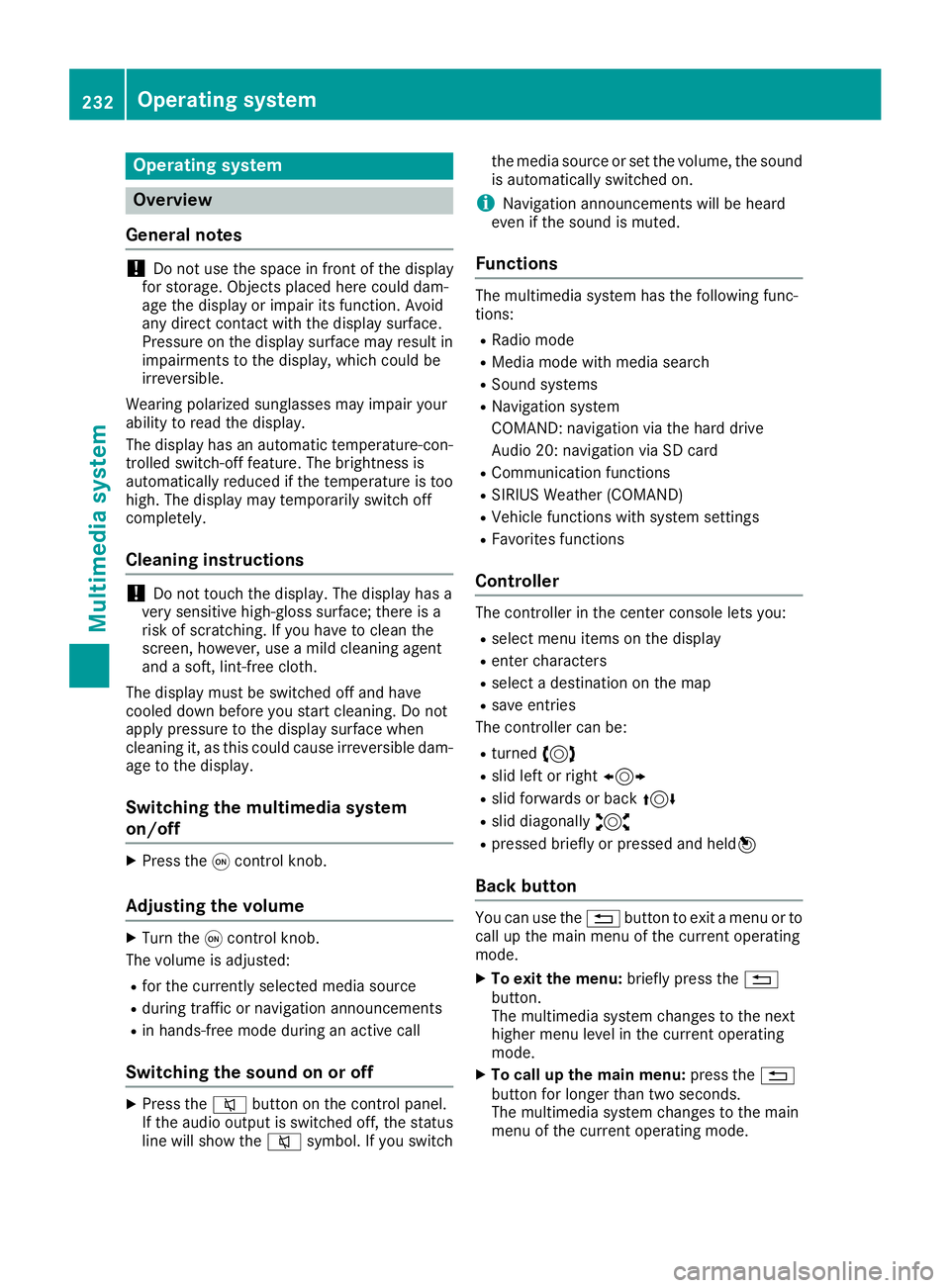
Operating system
Overview
General notes
!Do not use the space in front of the displayfor storage. Objects placed here could dam-age the display or impair its function. Avoidany direct contact with the display surface.Pressure on the display surface may result inimpairments to the display, which could beirreversible.
Wearing polarized sunglasses may impair yourability to read the display.
The display has an automatic temperature-con-trolled switch-off feature. The brightness isautomatically reduced if the temperature is toohigh. The display may temporarily switch offcompletely.
Cleaning instructions
!Do not touch the display. The display has avery sensitive high-gloss surface; there is arisk of scratching. If you have to clean thescreen, however, use a mild cleaning agentand a soft, lint-free cloth.
The display must be switched off and havecooled down before you start cleaning. Do notapply pressure to the display surface whencleaning it, as this could cause irreversible dam-age to the display.
Switching the multimedia system
on/off
XPress theCcontrol knob.
Adjusting the volume
XTurn theCcontrol knob.
The volume is adjusted:
Rfor the currently selected media source
Rduring traffic or navigation announcements
Rin hands-free mode during an active call
Switching the sound on or off
XPress thecbutton on the control panel.If the audio output is switched off, the statusline will show thecsymbol. If you switch
the media source or set the volume, the soundis automatically switched on.
iNavigation announcements will be heardeven if the sound is muted.
Functions
The multimedia system has the following func-tions:
RRadio mode
RMedia mode with media search
RSound systems
RNavigation system
COMAND: navigation via the hard drive
Audio 20: navigation via SD card
RCommunication functions
RSIRIUS Weather (COMAND)
RVehicle functions with system settings
RFavorites functions
Controller
The controller in the center console lets you:
Rselect menu items on the display
Renter characters
Rselect a destination on the map
Rsave entries
The controller can be:
Rturned3
Rslid left or right1
Rslid forwards or back4
Rslid diagonally2
Rpressed briefly or pressed and held7
Back button
You can use the8button to exit a menu or tocall up the main menu of the current operatingmode.
XTo exit the menu:briefly press the8button.The multimedia system changes to the nexthigher menu level in the current operatingmode.
XTo call up the main menu:press the8button for longer than two seconds.The multimedia system changes to the mainmenu of the current operating mode.
232Operating system
Multimedia system
Page 237 of 330
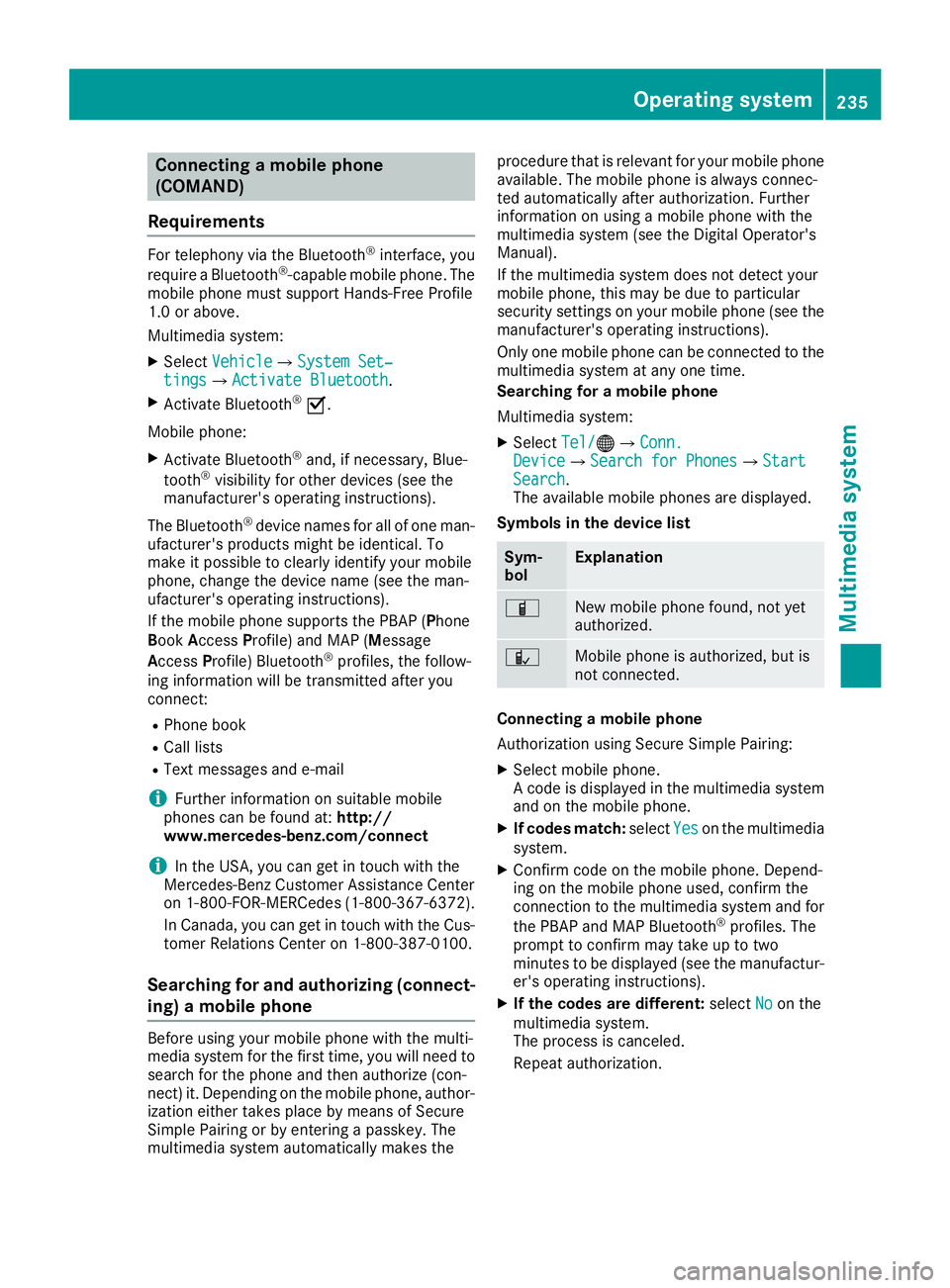
Connecting a mobile phone
(COMAND)
Requirements
For telephony via the Bluetooth®interface, you
require a Bluetooth®-capable mobile phone. Themobile phone must support Hands-Free Profile1.0 or above.
Multimedia system:
XSelectVehicleVehicle{System Set‐System Set‐tingstings{Activate BluetoothActivate Bluetooth.
XActivate Bluetooth®s.
Mobile phone:
XActivate Bluetooth®and, if necessary, Blue-
tooth®visibility for other devices (see themanufacturer's operating instructions).
The Bluetooth®device names for all of one man-ufacturer's products might be identical. Tomake it possible to clearly identify your mobilephone, change the device name (see the man-ufacturer's operating instructions).
If the mobile phone supports the PBAP (PhoneBookAccessProfile) and MAP (Message
AccessProfile) Bluetooth®profiles, the follow-ing information will be transmitted after youconnect:
RPhone book
RCall lists
RText messages and e-mail
iFurther information on suitable mobilephones can be found at:http://www.mercedes-benz.com/connect
iIn the USA, you can get in touch with theMercedes-Benz Customer Assistance Centeron 1-800-FOR-MERCedes (1-800-367-6372).
In Canada, you can get in touch with the Cus-tomer Relations Center on 1-800-387-0100.
Searching for and authorizing (connect-
ing) a mobile phone
Before using your mobile phone with the multi-media system for the first time, you will need tosearch for the phone and then authorize (con-nect) it. Depending on the mobile phone, author-ization either takes place by means of SecureSimple Pairing or by entering a passkey. Themultimedia system automatically makes the
procedure that is relevant for your mobile phoneavailable. The mobile phone is always connec-ted automatically after authorization. Furtherinformation on using a mobile phone with themultimedia system (see the Digital Operator'sManual).
If the multimedia system does not detect yourmobile phone, this may be due to particularsecurity settings on your mobile phone (see themanufacturer's operating instructions).
Only one mobile phone can be connected to themultimedia system at any one time.
Searching for a mobile phone
Multimedia system:
XSelectTel/Tel/
Page 238 of 330
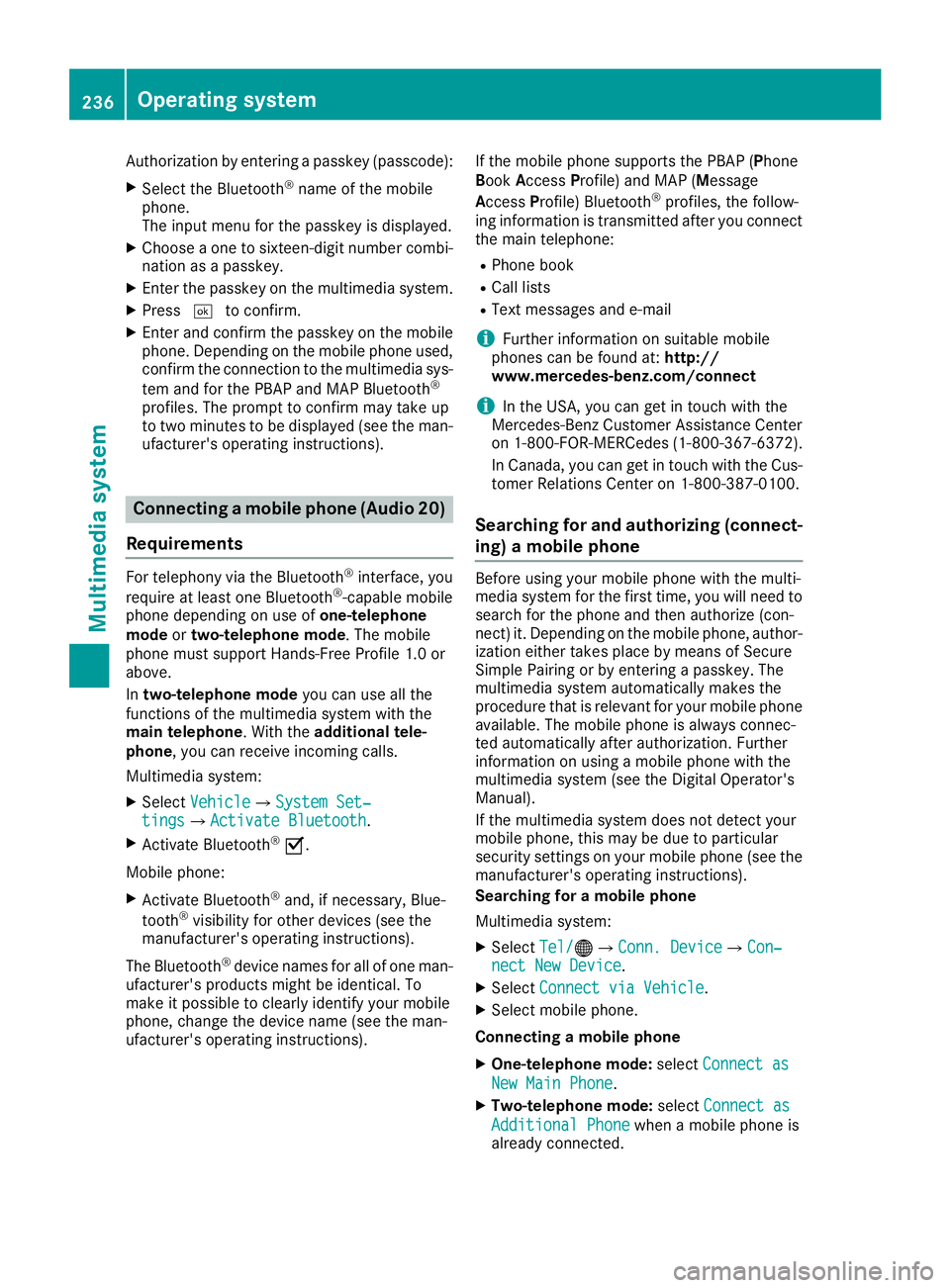
Authorization by entering a passkey (passcode):
XSelect the Bluetooth®name of the mobilephone.The input menu for the passkey is displayed.
XChoose a one to sixteen-digit number combi-nation as a passkey.
XEnter the passkey on the multimedia system.
XPressTto confirm.
XEnter and confirm the passkey on the mobilephone. Depending on the mobile phone used,confirm the connection to the multimedia sys-
tem and for the PBAP and MAP Bluetooth®
profiles. The prompt to confirm may take upto two minutes to be displayed (see the man-ufacturer's operating instructions).
Connecting a mobile phone (Audio 20)
Requirements
For telephony via the Bluetooth®interface, you
require at least one Bluetooth®-capable mobilephone depending on use ofone-telephonemodeortwo-telephone mode. The mobilephone must support Hands-Free Profile 1.0 orabove.
Intwo-telephone modeyou can use all thefunctions of the multimedia system with themain telephone. With theadditional tele-phone, you can receive incoming calls.
Multimedia system:
XSelectVehicleVehicle{System Set‐System Set‐tingstings{Activate BluetoothActivate Bluetooth.
XActivate Bluetooth®s.
Mobile phone:
XActivate Bluetooth®and, if necessary, Blue-
tooth®visibility for other devices (see themanufacturer's operating instructions).
The Bluetooth®device names for all of one man-ufacturer's products might be identical. Tomake it possible to clearly identify your mobilephone, change the device name (see the man-ufacturer's operating instructions).
If the mobile phone supports the PBAP (PhoneBookAccessProfile) and MAP (Message
AccessProfile) Bluetooth®profiles, the follow-ing information is transmitted after you connectthe main telephone:
RPhone book
RCall lists
RText messages and e-mail
iFurther information on suitable mobilephones can be found at:http://www.mercedes-benz.com/connect
iIn the USA, you can get in touch with theMercedes-Benz Customer Assistance Centeron 1-800-FOR-MERCedes (1-800-367-6372).
In Canada, you can get in touch with the Cus-tomer Relations Center on 1-800-387-0100.
Searching for and authorizing (connect-
ing) a mobile phone
Before using your mobile phone with the multi-media system for the first time, you will need tosearch for the phone and then authorize (con-nect) it. Depending on the mobile phone, author-ization either takes place by means of SecureSimple Pairing or by entering a passkey. Themultimedia system automatically makes theprocedure that is relevant for your mobile phoneavailable. The mobile phone is always connec-ted automatically after authorization. Furtherinformation on using a mobile phone with themultimedia system (see the Digital Operator'sManual).
If the multimedia system does not detect yourmobile phone, this may be due to particularsecurity settings on your mobile phone (see themanufacturer's operating instructions).
Searching for a mobile phone
Multimedia system:
XSelectTel/Tel/
Page 239 of 330
XAuthorization using Secure Simple Pair-ing:
A code is displayed in the multimedia systemand on the mobile phone.
XConfirm code on the mobile phone. Depend-ing on the mobile phone used, confirm theconnection to the multimedia system and for
the PBAP and MAP Bluetooth®profiles. Theprompt to confirm may take up to twominutes to be displayed (see the manufactur-er's operating instructions).
XIf the codes are different: selectNoNoon themultimedia system.The process is canceled.
Repeat authorization.
or
XAuthorization by entering a passkey(passcode):enter any one- to sixteen-digitnumber sequence which you have chosenyourself into the passkey input menu.
XPressTto confirm.
XEnter and confirm the passkey on the mobilephone. Depending on the mobile phone used,confirm the connection to the multimedia sys-
tem and for the PBAP and MAP Bluetooth®
profiles. The prompt to confirm may take upto two minutes to be displayed (see the man-ufacturer's operating instructions).
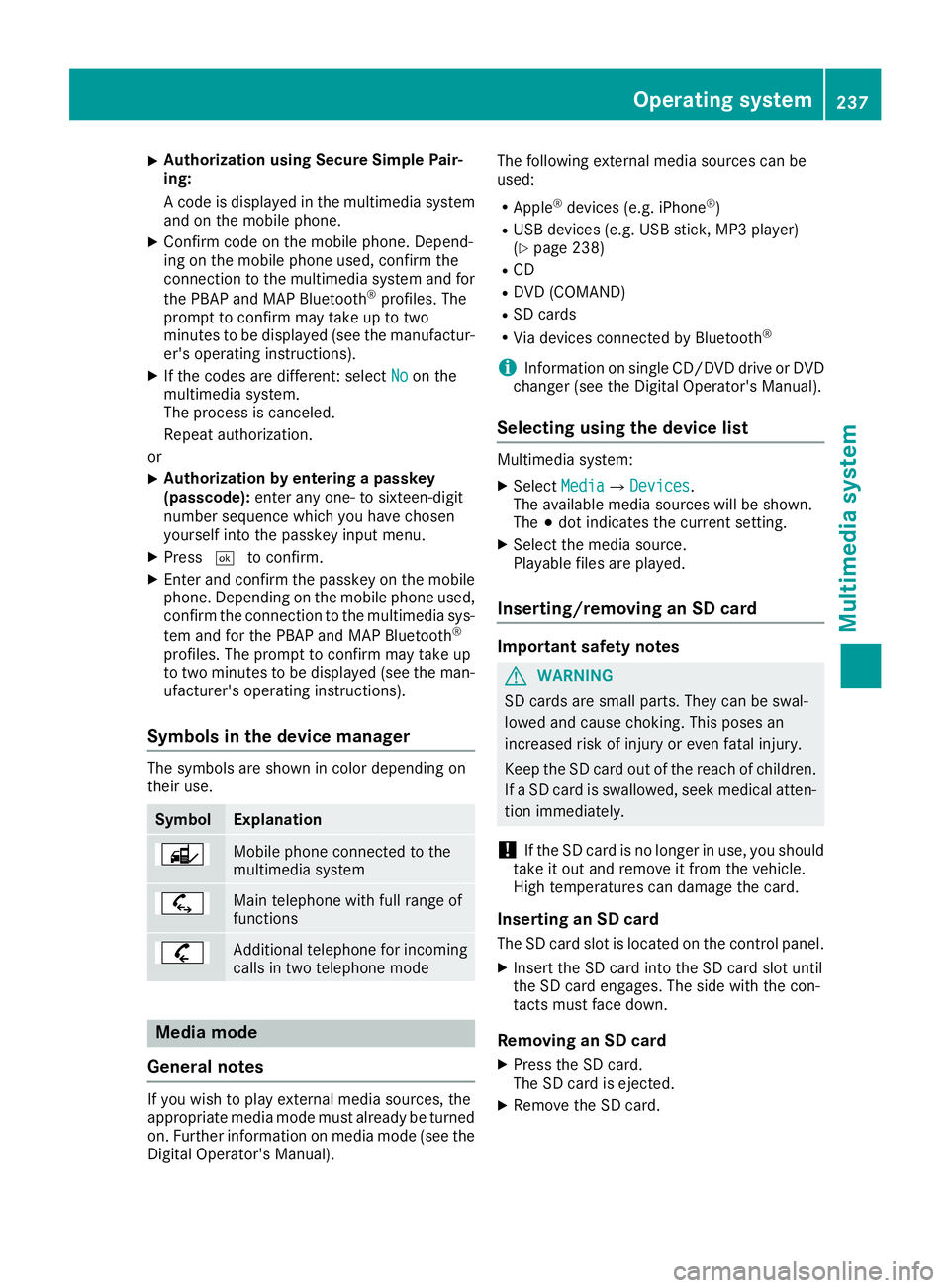
Symbols in the device manager
The symbols are shown in color depending ontheir use.
SymbolExplanation
Mobile phone connected to themultimedia system
Main telephone with full range offunctions
Additional telephone for incomingcalls in two telephone mode
Media mode
General notes
If you wish to play external media sources, theappropriate media mode must already be turnedon. Further information on media mode (see theDigital Operator's Manual).
The following external media sources can beused:
RApple®devices (e.g. iPhone®)
RUSB devices (e.g. USB stick, MP3 player)(Ypage 238)
RCD
RDVD (COMAND)
RSD cards
RVia devices connected by Bluetooth®
iInformation on single CD/DVD drive or DVDchanger (see the Digital Operator's Manual).
Selecting using the device list
Multimedia system:
XSelectMediaMedia{DevicesDevices.The available media sources will be shown.The;dot indicates the current setting.
XSelect the media source.Playable files are played.
Inserting/removing an SD card
Important safety notes
GWARNING
SD cards are small parts. They can be swal-
lowed and cause choking. This poses an
increased risk of injury or even fatal injury.
Keep the SD card out of the reach of children.
If a SD card is swallowed, seek medical atten-
tion immediately.
!If the SD card is no longer in use, you shouldtake it out and remove it from the vehicle.High temperatures can damage the card.
Inserting an SD card
The SD card slot is located on the control panel.
XInsert the SD card into the SD card slot untilthe SD card engages. The side with the con-tacts must face down.
Removing an SD card
XPress the SD card.The SD card is ejected.
XRemove the SD card.
Operating system237
Multimedia system
Z