warning MERCEDES-BENZ CLA 2019 User Guide
[x] Cancel search | Manufacturer: MERCEDES-BENZ, Model Year: 2019, Model line: CLA, Model: MERCEDES-BENZ CLA 2019Pages: 330, PDF Size: 23.57 MB
Page 16 of 330
N
Navigation
Entering a destination .................... 233
Menu (on-board computer) ............ 183
see also Digital Operator's Man-
ual.................................................. 231
Notes on breaking-in a new vehi-
cle....................................................... 122
O
Occupant Classification System
(OCS)
Conditions ....................................... 48
Faults ............................................... 51
Operation ......................................... 48
System self-test ............................... 50
Occupant safety
Air bags ........................................... 45
Automatic measures after an acci-
dent ................................................. 54
Belt warning ..................................... 44
Children in the vehicle ..................... 54
Important safety notes .................... 40
Introduction to the restraint sys-
tem .................................................. 40
Occupant Classification System
(OCS) ............................................... 47
PASSENGER AIR BAG indicator
lamps ............................................... 41
Pets in the vehicle ........................... 60
Restraint system warning lamp ........ 41
Seat belt .......................................... 41
Odometer........................................... 182
On-board computer
AMG menu ..................................... 190
Assistance graphic menu ............... 187
Assistance menu ........................... 186
Audio menu ................................... 184
Convenience submenu .................. 190
Display messages .......................... 193
Displaying a service message ........ 264
Factory settings ............................. 190
Important safety notes .................. 178
Instrument cluster submenu .......... 188
Lighting submenu .......................... 189
Menu overview .............................. 181
Message memory .......................... 193
Navigation menu ............................ 183
Operation ....................................... 179
RACETIMER ................................... 191
Service menu ................................. 188
Settings menu ............................... 188
Standard display ............................ 182
Telephone menu ............................ 185
Trip menu ...................................... 182
Vehicle submenu ........................... 189
Video DVD operation ..................... 185
Opening and closing the side trim
panels................................................. 107
Operating safety
Declaration of conformity ................ 27
Important safety notes .................... 27
Operating system
see On-board computer
Operation
Digital Operator's Manual................ 23
Operator's Manual
Vehicle equipment ........................... 25
Outside temperature display........... 178
Overhead control panel...................... 39
Override feature
Rear side windows........................... 60
P
Paint code number............................ 318
Paintwork (cleaning instructions)... 267
Panic alarm.......................................... 40
Panorama roof with power tilt/
sliding panel
Important safety notes .................... 86
Operating ......................................... 87
Operating the roller sunblinds for
the sliding sunroof ........................... 88
Problem (malfunction) ..................... 89
Reversing feature ............................. 87
Parking
Important safety notes .................. 142
Parking brake ................................ 143
Parking position for the exterior
mirror on the front-passenger
side .................................................. 99
Rear view camera .......................... 169
14Index
Page 17 of 330
Parking aid
see Exterior mirrors
see Rear view camera
Parking Assist PARKTRONIC
Deactivating/activating ................. 164
Driving system ...............................162
Function/notes .............................162
Important safety notes .................. 162
Problems (malfunctions) ................ 165
Sensor range ................................. 163
Warning display............................. 164
Parking assistance
see Parking Assist PARKTRONIC
Parking brake
Applying automatically................... 144
Applying or releasing manually ...... 144
Display message ............................ 196
Electric parking brake .................... 143
Emergency braking ........................ 145
General notes ................................ 143
Releasing automatically................. 145
Warning lamp ................................. 226
Parking lamps
Switching on/off........................... 102
PASSENGER AIR BAG
Display message ............................ 202
Indicator lamps ................................ 41
Problem (malfunction) ................... 202
Pets in the vehicle............................... 60
Phone book
see also Digital Operator's Man-
ual .................................................. 231
Plastic trim (cleaning instruc-
tions).................................................. 270
Power washers.................................. 266
Power windows
see Side windows
Protection against theft
ATA (Anti-Theft Alarm system) ......... 68
Immobilizer ...................................... 68
Protection of the environment
General notes .................................. 24
Pulling away
Automatic transmission ................. 126
General notes ................................ 126
Hill start assist ............................... 126
Q
QR code
Mercedes-Benz Guide App ................. 1
Rescue card ..................................... 29
Qualified specialist workshop........... 28
R
RACE START
Important safety notes .................. 160
RACE START (Mercedes-AMG vehi-
cles).................................................... 160
RACE TIMER (on-board computer,
Mercedes-AMG vehicles).................. 191
Radio
Selecting a station ......................... 184
see Digital Operator's Manual
Radio mode
see also Digital Operator's Man-
ual .................................................. 231
Radio-wave reception/transmis-
sion in the vehicle
Declaration of conformity ................ 27
Rain closing feature (panorama
roof with power tilt/sliding panel).... 88
Reading lamp..................................... 104
Rear compartment
Setting the air vents ...................... 121
Rear fog lamp
Display message ............................ 205
Replacing bulbs............................. 107
Switching on/off........................... 102
Rear lamps
see Lights
Rear seats
Folding the backrest forwards/
back ............................................... 242
Rear view camera
"Reverse parking" function ............ 171
Cleaning instructions ..................... 269
Display in the multimedia system .. 170
Function/notes............................. 169
General notes ................................ 169
Switching on/off........................... 170
Rear window defroster
Problem (malfunction) ................... 120
Switching on/off........................... 120
Index15
Page 18 of 330
Rear-view mirror
Anti-glare (manual) .......................... 97
Dipping (automatic) ......................... 98
Reflective safety jacket.................... 273
Refrigerant (air-conditioning sys-
tem)
Important safety notes .................. 324
Refueling
Fuel gauge....................................... 33
Important safety notes .................. 139
Refueling process .......................... 140
see Fuel
Remote control
Garage door opener ....................... 255
Programming (garage door
opener) .......................................... 255
Replacing bulbs
Brake lamp .................................... 107
High-beam headlamps................... 107
Important safety notes .................. 105
Installing/removing the cover
(front wheel arch) .......................... 106
Low-beam headlamps.................... 106
Overview of bulb types .................. 105
Rear fog lamp ................................ 107
Turn signals (front) ......................... 107
Turn signals (rear) .......................... 107
Reporting safety defects.................... 28
Rescue card......................................... 29
Reserve (fuel tank)
see Fuel
Reserve fuel
Display message ............................ 208
Warning lamp ................................. 226
see Fuel
Residual heat (climate control)........ 120
Restraint system
Display message ............................ 201
Introduction ..................................... 40
Warning lamp ................................. 226
Warning lamp (function) ................... 41
Reverse gear (selector lever)........... 133
Reversing feature
Roller sunblind ................................. 88
Side windows ................................... 83
Tailgate ............................................ 78
Roadside Assistance (breakdown).... 26
Roller sunblind
Panorama roof with power tilt/
sliding panel ..................................... 88
Roof carrier........................................ 244
Roof lining and carpets (cleaning
guidelines)......................................... 272
Roof load (maximum)........................ 325
Route guidance
see also Digital Operator's Man-
ual .................................................. 231
S
Safety
Children in the vehicle ..................... 54
see Occupant safety
Safety system
see Driving safety systems
SD card
Inserting ........................................ 237
Inserting/removing ........................ 237
Removing ....................................... 237
SD memory card
see also Digital Operator's Man-
ual .................................................. 231
Search & Send
see also Digital Operator's Man-
ual .................................................. 231
Seat
Correct driver's seat position ........... 91
Seat belts
Adjusting the height ......................... 44
Cleaning ......................................... 271
Correct usage .................................. 43
Fastening ......................................... 44
Important safety guidelines ............. 42
Introduction ..................................... 41
Releasing ......................................... 44
Warning lamp ................................. 220
Warning lamp (function) ................... 44
Seats
Adjusting (electrically) ..................... 93
Adjusting (manually) ........................ 93
Adjusting (Performance Seat) .......... 95
Adjusting the 4-way lumbar sup-
port .................................................. 95
Adjusting the head restraint ............ 94
Cleaning the cover ......................... 271
16Index
Page 20 of 330
Specialist workshop............................28
Speed, controlling
see Cruise control
Speedometer
Activating/deactivating the addi-
tional speedometer ........................ 189
Digital ............................................ 183
In the Instrument cluster ................. 33
Segments ...................................... 178
Selecting the display unit ............... 188
SPORT handling mode
Deactivating/activating
(Mercedes-AMG vehicles) ................66
Warning lamp ................................. 224
Standing lamps
Display message ............................205
Switching on/off ........................... 102
Start-off assist
Activating ....................................... 160
Important safety notes .................. 159
Start/Stop button
Removing ....................................... 124
Starting the engine ........................ 125
Start/stop function
see ECO start/stop function
Starting (engine)................................ 124
STEER CONTROL.................................. 68
Steering
Display message ............................ 218
Steering assistant STEER CON-
TROL
see STEER CONTROL
Steering wheel
Adjusting (manually)........................ 96
Button overview ............................... 34
Buttons (on-board computer) ......... 179
Cleaning ......................................... 271
Important safety notes .................... 96
Paddle shifters ............................... 137
Steering wheel paddle shifters........ 137
Stopwatch (RACETIMER)................... 191
Stowage compartments
Armrest (front) ............................... 240
Armrest (under) ............................. 241
Center console .............................. 240
Center console (rear) ..................... 241
Cup holders ................................... 244
Eyeglasses compartment ............... 240
Glove box ....................................... 240
Important safety information ......... 239
Map pockets .................................. 241
Stowage net ................................... 241
Stowage net....................................... 241
Stowage well beneath the trunk
floor.................................................... 243
Summer tires..................................... 292
Sun visor............................................ 246
Suspension setting
AMG adaptive sport suspension
system ........................................... 161
Switching air-recirculation mode
on/off................................................. 120
Switching on media mode
Via the device list .......................... 237
T
Tachometer........................................ 178
Tail lamps
Display message ............................ 205
see Lights
Tailgate
Limiting the opening angle ............... 81
Obstruction detection...................... 78
Opening dimensions ...................... 325
Opening/closing automatically
from outside .................................... 79
Tank
see Fuel tank
Tank content
Fuel gauge ....................................... 33
Technical data
Capacities ...................................... 319
Information .................................... 317
Tires/wheels ................................. 315
Vehicle data ................................... 325
Telephone
Accepting a call (multifunction
steering wheel) .............................. 186
Authorizing a mobile phone (con-
necting) ......................................... 235
Authorizing a mobile phone via the
device manager (connecting) ......... 236
Connecting a mobile phone
(device manager) ........................... 236
18Index
Page 21 of 330
Connecting a mobile phone (gen-
eral information) ............................ 235
Display message ............................ 218
Introduction ...................................185
Menu (on-board computer) ............ 185
Number from the phone book ........186
Redialing ........................................ 186
Rejecting/ending a call ................. 186
see also Digital Operator's Man-
ual ..................................................231
Temperature
Coolant .......................................... 179
Coolant (on-board computer,
Mercedes-AMG vehicles) ...............190
Engine oil (on-board computer,
Mercedes-AMG vehicles) ...............190
Outside temperature ......................178
Setting (climate control) ................ 117
Transmission oil (on-board com-
puter, Mercedes-AMG vehicles) ..... 190
Through-loading feature................... 241
Timing (RACETIMER)......................... 191
Tire pressure
Calling up (on-board computer) ..... 297
Checking manually ........................ 296
Display message ............................ 213
Maximum ....................................... 296
Not reached (TIREFIT) .................... 277
Notes ............................................. 295
Reached (TIREFIT) .......................... 278
Recommended ............................... 293
Tire pressure loss warning system
General notes ................................ 296
Important safety notes .................. 297
Restarting ...................................... 297
Tire pressure monitor
Checking the tire pressure elec-
tronically ........................................ 299
Function/notes .............................297
General notes ................................ 297
Important safety notes .................. 298
Radio type approval for the tire
pressure monitor ........................... 300
Restarting ...................................... 300
Warning lamp ................................. 230
Warning message .......................... 299
TIREFIT kit.......................................... 276
Important safety notes .................. 276
Storage location ............................ 274
Tire pressure not reached .............. 277
Tire pressure reached .................... 278
Tires
Aspect ratio (definition) ................. 310
Average weight of the vehicle
occupants (definition) .................... 308
Bar (definition) ............................... 308
Changing a wheel .......................... 310
Characteristics .............................. 308
Checking ........................................ 290
Curb weight (definition) ................. 309
Definition of terms ......................... 308
Direction of rotation...................... 311
Display message ............................ 213
Distribution of the vehicle occu-
pants (definition) ............................ 310
DOT (Department of Transporta-
tion) (definition) ............................. 308
DOT, Tire Identification Number
(TIN) ............................................... 308
GAWR (Gross Axle Weight Rating)
(definition) ..................................... 309
General notes ................................ 315
GVW (Gross Vehicle Weight) (def-
inition) ........................................... 309
GVWR (Gross Vehicle Weight Rat-
ing) (definition) .............................. 309
Important safety notes .................. 290
Increased vehicle weight due to
optional equipment (definition) ...... 309
Information on driving .................... 290
Kilopascal (kPa) (definition) ........... 309
Labeling (overview) ........................ 305
Load bearing index (definition) ...... 310
Load index ..................................... 307
Load index (definition) ................... 309
M+S tires ....................................... 292
Maximum load on a tire (defini-
tion) ............................................... 309
Maximum loaded vehicle weight
(definition) ..................................... 309
Maximum permissible tire pres-
sure (definition) ............................. 309
Maximum tire load ......................... 307
Maximum tire load (definition) ....... 309
MOExtended tires.......................... 292
Index19
Page 23 of 330
U
Unlocking
Emergency unlocking .......................77
From inside the vehicle (central
unlocking button) ............................. 76
Upshift indicator (on-board com-
puter, Mercedes-AMG vehicles)....... 190
USB devices
Connecting to the Media Inter-
face ............................................... 238
V
Vanity mirror (in the sun visor)........ 246
Vehicle
Correct use ...................................... 28
Data acquisition ............................... 29
Display message............................ 215
Equipment ....................................... 25
Individual settings .......................... 188
Limited Warranty ............................. 29
Loading .......................................... 301
Locking (in an emergency) ............... 77
Locking (SmartKey).......................... 70
Lowering ........................................ 314
Maintenance .................................... 26
Parking for a long period ................ 145
Pulling away ................................... 126
Raising ........................................... 312
Reporting problems ......................... 28
Securing from rolling away ............ 312
Transporting .................................. 287
Unlocking (in an emergency) ........... 77
Unlocking (SmartKey)...................... 70
Vehicle data ................................... 325
Vehicle data
Roof load (maximum) ..................... 325
Vehicle dimensions........................... 325
Vehicle emergency locking................ 77
Vehicle identification number
see VIN
Vehicle identification plate.............. 318
Vehicle tool kit.................................. 274
Ventilation
Setting the vents ........................... 121
Video
Operating the DVD ......................... 185
see also Digital Operator's Man-
ual .................................................. 231
VIN
Seat ............................................... 319
Type plate ...................................... 318
W
Warning and indicator lamps
ABS ................................................ 222
Active Brake Assist ........................ 229
Brakes ........................................... 221
Check Engine ................................. 226
Coolant .......................................... 227
Distance warning ........................... 229
ESP®.............................................. 223
ESP®OFF ....................................... 224
Fuel tank ........................................ 226
Overview .......................................... 33
PASSENGER AIR BAG ...................... 41
Reserve fuel ................................... 226
Restraint system ............................ 226
Seat belt ........................................ 220
SPORT handling mode ................... 224
Tire pressure monitor .................... 230
Warranty.............................................. 25
Washer fluid
Display message ............................ 218
Weather display (COMAND)
see also Digital Operator's Man-
ual .................................................. 231
Wheel and tire combinations
Tires ............................................... 315
Wheel bolt tightening torque........... 314
Wheel chock...................................... 312
Wheels
Changing a wheel.......................... 310
Checking ........................................ 290
Cleaning ......................................... 268
Emergency spare wheel ................. 315
Important safety notes .................. 290
Information on driving .................... 290
Interchanging/changing ................ 310
Mounting a new wheel ................... 313
Removing a wheel.......................... 313
Storing ........................................... 311
Tightening torque ........................... 314
Wheel size/tire size ....................... 315
Index21
Page 29 of 330
Operating safety
Important safety notes
GWARNING
If you do not have the prescribed service/
maintenance work or any required repairs
carried out, this can result in malfunctions or
system failures. There is a risk of an accident.
Always have the prescribed service/mainte-
nance work as well as any required repairs
carried out at a qualified specialist workshop.
GWARNING
Flammable material such as leaves, grass or
twigs may ignite if they come into contact with
hot parts of the exhaust system. There is a risk
of fire.
When driving on an unpaved road or off-road,
check the vehicle underside regularly. In par-
ticular, remove trapped plant parts or other
flammable material. Contact a qualified spe-
cialist workshop immediately if damage is
detected.
GWARNING
Modifications to electronic components, their
software as well as wiring can impair their
function and/or the function of other net-
worked components. In particular, systems
relevant to safety could also be affected. As a
result, these may no longer function as inten-
ded and/or jeopardize the operating safety of
the vehicle. There is an increased risk of an
accident and injury.
Never tamper with the wiring as well as elec-
tronic components or their software. You
should have all work to electrical and elec-
tronic equipment carried out at a qualified
specialist workshop.
!There is a risk of damage to the vehicle if:
Rthe vehicle becomes stuck, e.g. on a highcurb or an unpaved road
Ryou drive too fast over an obstacle, e.g. acurb, a speed bump or a pothole in the road
Ra heavy object strikes the underbody orparts of the chassis
In situations like this, the body, the under-body, chassis parts, wheels or tires could bedamaged without the damage being visible.Components damaged in this way can unex-pectedly fail or, in the case of an accident, nolonger withstand the loads they are designedto.
If the underbody paneling is damaged, com-bustible materials such as leaves, grass ortwigs can gather between the underbody andthe underbody paneling. If these materialscome in contact with hot parts of the exhaustsystem, they can catch fire.
In such situations, have the vehicle checkedand repaired immediately at a qualified spe-cialist workshop. If on continuing your jour-ney you notice that driving safety is impaired,pull over and stop the vehicle immediately,paying attention to road and traffic condi-tions. In such cases, consult a qualified spe-cialist workshop.
Declarations of conformity
USA:"The wireless devices of this vehicle com-ply with Part 15 of the FCC Rules. Operation issubject to the two following two conditions: 1)These devices may not cause harmful interfer-ence, and 2) These devices must accept anyinterference received, including interferencethat may cause undesired operation. Changesor modifications not expressly approved by theparty responsible for compliance could void theuser’s authority to operate the equipment."
Canada:"The wireless devices of this vehiclecomply with Industry Canada license-exemptRSS standard(s). Operation is subject to the fol-lowing two conditions: (1) These devices maynot cause interference, and (2) These devicesmust accept any interference, including inter-ference that may cause undesired operation ofthe device."
Operating safety27
Introduction
Z
Page 30 of 330
Diagnostic connector
The diagnostics connection is only intended forthe connection of diagnostic equipment at aqualified specialist workshop.
GWARNING
If you connect equipment to a diagnostics
connection in the vehicle, it may affect the
operation of vehicle systems. As a result, the
operating safety of the vehicle could be affec-
ted. There is a risk of an accident.
Only connect equipment to a diagnostics con-
nection in the vehicle, which is approved for
your vehicle by Mercedes-Benz.
GWARNING
Objects in the driver's footwell can restrict the
pedal travel or obstruct a depressed pedal.
The operating and road safety of the vehicle is
jeopardized. There is a risk of an accident.
Make sure that all objects in the vehicle are
stowed correctly, and that they cannot enter
the driver's footwell. Install the floormats
securely and as specified in order to ensure
sufficient clearance for the pedals. Do not use
loose floormats and do not place floormats on
top of one another.
!If the engine is switched off and equipmenton the diagnostics connection is used, thestarter battery may discharge.
Connecting equipment to the diagnostics con-nection can lead to emissions monitoring infor-mation being reset, for example. This may leadto the vehicle failing to meet the requirements ofthe next emissions test during the main inspec-tion.
Qualified specialist workshop
An authorized Mercedes-Benz Center is a quali-fied specialist workshop. It has the necessaryspecialist knowledge, tools and qualifications tocorrectly carry out the work required on yourvehicle. This is especially the case for work rel-evant to safety.
Observe the notes in the Maintenance Booklet.
Always have the following work carried out at anauthorized Mercedes-Benz Center:
Rwork relevant to safety
Rservice and maintenance work
Rrepair work
Ralterations, installation work and modifica-tions
Rwork on electronic components
Correct use
If you remove any warning stickers, you or oth-ers could fail to recognize certain dangers.Leave warning stickers in position.
Observe the following information when drivingyour vehicle:
Rthe safety notes in this manual
Rtechnical data for the vehicle
Rtraffic rules and regulations
Rlaws and safety standards pertaining to motorvehicles
Problems with your vehicle
If you should experience a problem with yourvehicle, particularly one that you believe mayaffect its safe operation, we urge you to contactan authorized Mercedes-Benz Center immedi-ately to have the problem diagnosed and recti-fied. If the problem is not resolved to your sat-isfaction, please discuss the problem again withan authorized Mercedes-Benz Center or, if nec-essary, contact us at one of the followingaddresses.
In the USA
Customer Assistance Center
Mercedes-Benz USA, LLC
3 Mercedes Drive
Montvale, NJ 07645-0350
In Canada
Customer Relations Department
Mercedes-Benz Canada, Inc.
98 Vanderhoof Avenue
Toronto, Ontario M4G 4C9
Reporting safety defects
USA only:
28Operating safety
Int roduction
Page 32 of 330
After a malfunction has been rectified, the infor-mation is deleted from the malfunction memoryor is continually overwritten.
When operating the vehicle, situations are con-ceivable in which this technical data, in connec-tion with other information (if necessary, underconsultation with an authorized expert), couldbe traced to a person.
Examples include:
Raccident reports
Rdamage to the vehicle
Rwitness statements
Further additional functions that have been con-tractually agreed upon with the customer allowcertain vehicle data to be conveyed by the vehi-cle as well. The additional functions include, forexample, vehicle location in case of an emer-gency.
COMAND/Mercedes me connect
If the vehicle is equipped with COMAND orMercedes me connect, additional data aboutthe vehicle's operation, the use of the vehicle incertain situations, and the location of the vehi-cle is compiled through COMAND or theMercedes me connect system.
For additional information, please refer to theCOMAND User Manual or Digital Operator'sManual and/or the Mercedes me connectTerms and Conditions.
Event data recorders
This vehicle is equipped with an event datarecorder (EDR). This vehicle is equipped with anevent data recorder (EDR). The main purpose ofan EDR is to record, in certain crash or nearcrash-like situations, such as an air bag deploy-ment or hitting a road obstacle, data that willassist in understanding how a vehicle's systemsperformed. The EDR is designed to record datarelating to vehicle dynamics and safety systemsfor a short period of time, typically 30 secondsor less.
The EDR in this vehicle is designed to recordsuch data as:
RHow various systems in your vehicle wereoperating
RWhether or not the driver and passengersafety belts were buckled/fastened
RHow far (if at all) the driver was depressing theaccelerator and/or brake pedal; and,
RHow fast the vehicle was traveling
These data can help provide a better under-standing of the circumstances in which crashesand injuries occur. NOTE: EDR data are recordedby your vehicle only if a non-trivial crash situa-tion occurs; no data are recorded by the EDRunder normal driving conditions and no personaldata (e.g. name, gender, age and crash location)are recorded. However, other parties, such aslaw enforcement could combine the EDR datawith the type of personally identifying data rou-tinely acquired during a crash investigation.
Access to the vehicle and/or the EDR is neededto read data that is recorded by an EDR, andspecial equipment is required. In addition to thevehicle manufacturer, other parties that havethe special equipment, such as law enforce-ment, can read the information by accessing thevehicle or the EDR.
EDR data may be used in civil and criminal mat-ters as a tool in accident reconstruction, acci-dent claims and vehicle safety. Since the CrashData Retrieval CDR tool that is used to extractdata from the EDR is commercially available,Mercedes-Benz USA, LLC ("MBUSA") expresslydisclaims any and all liability arising from theextraction of this information by unauthorizedMercedes-Benz personnel.
MBUSA will not share EDR data with otherswithout the consent of the vehicle owners or, ifthe vehicle is leased, without the consent of thelessee. Exceptions to this representationinclude responses to subpoenas by law enforce-ment; by federal, state or local government; inconnection with or arising out of litigation involv-ing MBUSA or its subsidiaries and affiliates; or,as required by law.
Warning: The EDR is a component of theRestraint System Module. Tampering with, alter-ing, modifying or removing the EDR componentmay result in a malfunction of the Restraint Sys-tem Module and other systems.
State laws or regulations regarding EDRs thatconflict with federal regulation are pre-empted.This means that in the event of such conflict, thefederal regulation governs. As of February 2013,13 states have enacted laws relating to EDRs.
30Data storage
Introduction
Page 35 of 330
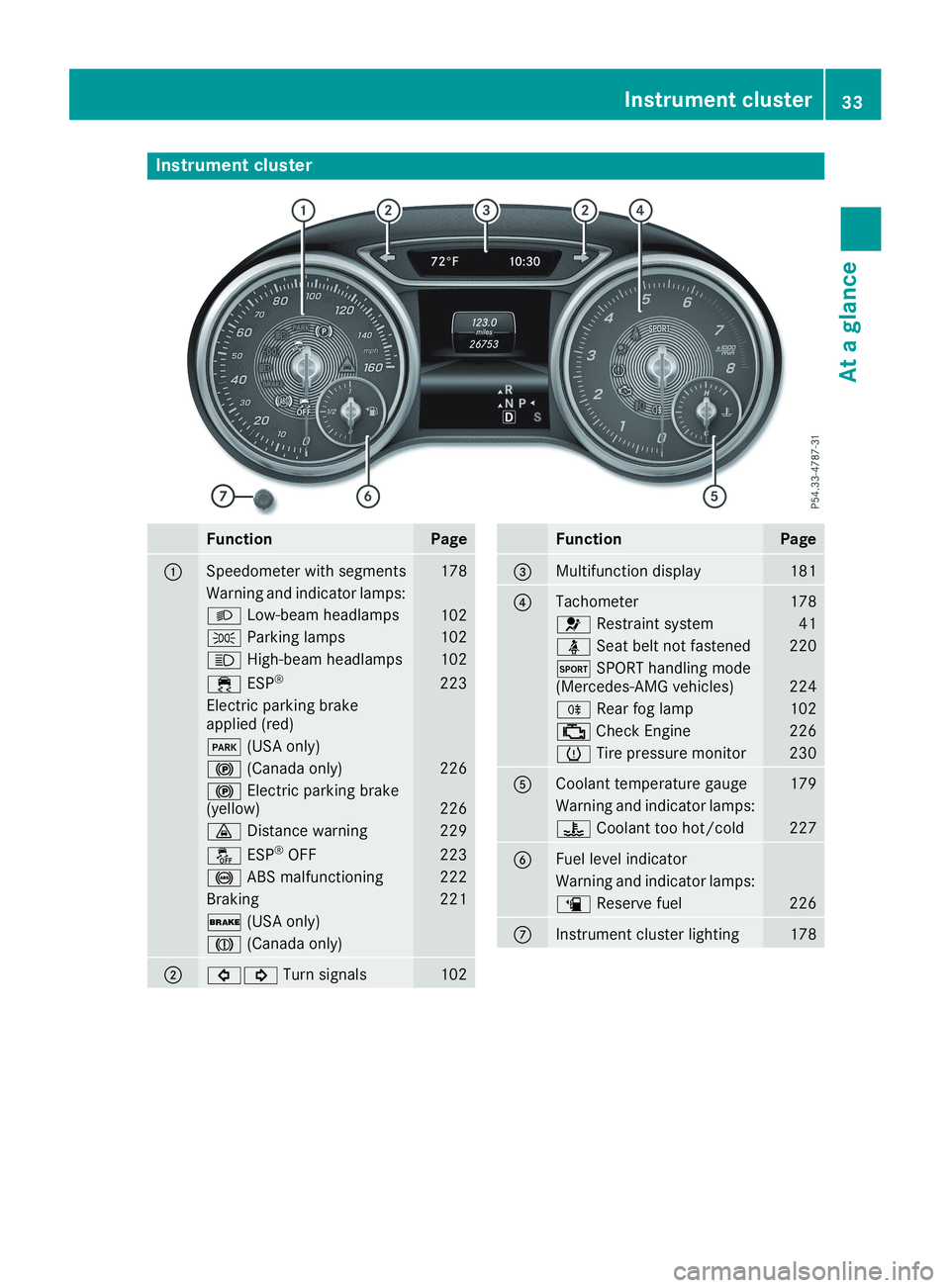
Instrument cluster
FunctionPage
CSpeedometer with segments178
Warning and indicator lamps:
XLow-beam headlamps102
`Parking lamps102
WHigh-beam headlamps102