display MERCEDES-BENZ CLA 2020 Owner's Guide
[x] Cancel search | Manufacturer: MERCEDES-BENZ, Model Year: 2020, Model line: CLA, Model: MERCEDES-BENZ CLA 2020Pages: 570, PDF Size: 18.59 MB
Page 206 of 570
Vehicle
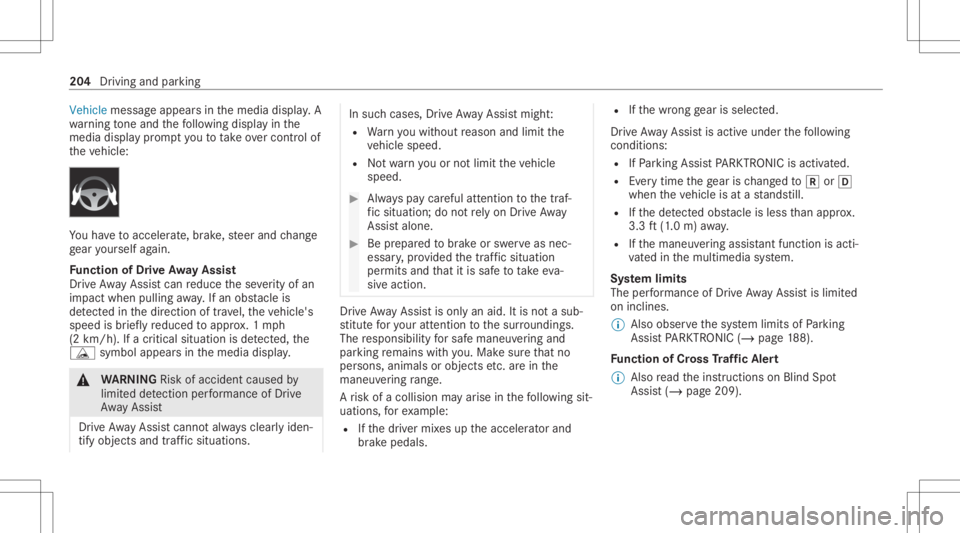
messageappea rsinthemedia display.A
wa rning tone and thefo llo wing displa yin the
media display pr om ptyouto take ove rcontr olof
th eve hicle: Yo
uha ve toacc eler ate, brak e, steer and chang e
ge ar yourself again.
Fu nction ofDrive Awa yAssis t
Dr ive Aw ayAssi stcan reduce these verity of an
impact when pulling away.If an obs tacle is
de tected inthedir ect ion oftrav el, theve hicle's
speed isbrief lyreduced toappr ox.1 mp h
(2 km/ h).Ifacr itic alsituat ionisde tected, the
É symbol appearsinthemedia display. &
WARNIN GRisk ofacci dent caused by
limit eddetection perform anc eof Drive
Aw ayAssi st
Dr ive Aw ayAssi stcanno tal wa ys cle arly iden‐
tify obje ctsand traf fic situ ations. In
such case s,Dr ive Aw ayAssi stmight :
R Warnyouwit hout reason andlimit the
ve hicle speed.
R Notwa rnyouor notlimit theve hicle
speed. #
Alw ayspa ycar eful attention tothetra f‐
fi c situ ation; donotre ly on Drive Aw ay
Assi stalon e. #
Beprepar edtobrak eor sw erve as nec ‐
essar y,prov ided thetra ffic situat ion
per mitsand that itis saf eto take eva‐
siv eact ion. Dr
ive Aw ayAssi stisonl yan aid. Itis no ta sub‐
st itut efo ryo ur att entio nto thesur round ings.
The responsibili tyforsaf emaneu vering and
pa rking remains withyo u. Mak esur eth at no
per son s,anim alsorobj ect set c. arein the
maneu vering rang e.
A risk ofacollision mayar ise inthefo llo wing sit‐
uation s,forex am ple:
R Ifth edr iver mix esup theaccelera torand
br ak epeda ls. R
Ifth ewr ong gear isselec ted.
Dr ive Aw ayAssi stisact ive under thefo llo wing
con dition s:
R IfPa rking AssistPA RK TRONI Cis act ivat ed.
R Everytime thege ar isch ang edto005E or005B
when theve hicle isat ast ands till.
R Ifth ede tected obs tacle isless than appr ox.
3.3 ft(1.0 m) away.
R Ifth emaneuv ering assis tant func tionis acti ‐
va tedin themultimedia system.
Sy stem limit s
The perform anc eof Drive Aw ayAssi stislimit ed
on inclines .
% Also obser vethesy stem limits ofParking
Ass istPA RK TRONI C(/ page18 8).
Fu nction ofCross Traf fic Aler t
% Alsore ad theins truction son Blind Spot
Assis t(/ page209). 20
4
Driving andparking
Page 208 of 570
Yo
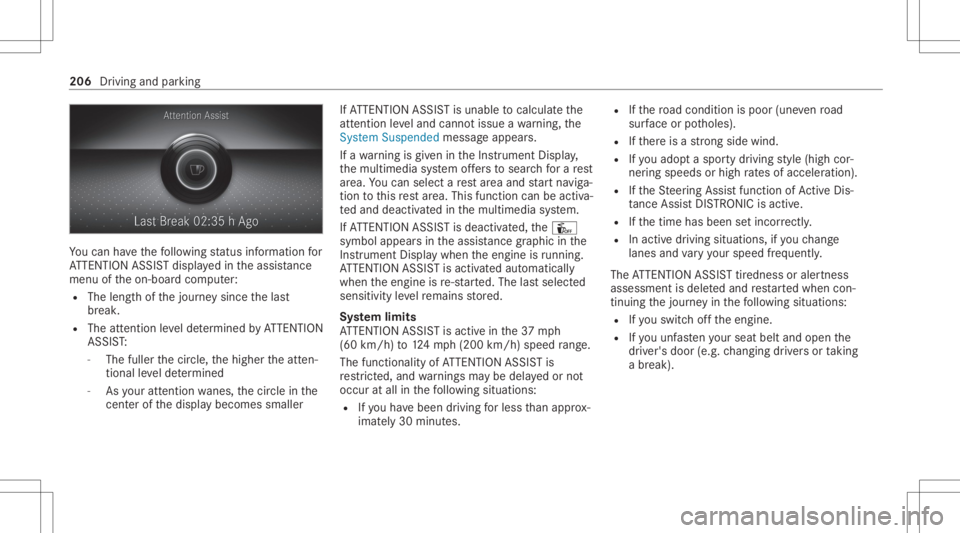
ucan have thefo llo wing status informat ionfor
AT TENTION ASSISTdispla yedin theassis tance
menu oftheon- boar dcom puter:
R The lengt hof thejour neysince thelas t
br eak .
R The attent ion leve lde term ined byATTENTION
ASS IST:
- The fuller thecir cle, thehigher theatt en‐
tion alleve lde term ined
- Asyour att entio nwa nes, thecir cle inthe
cent erofthedispla ybecomes smaller If
AT TENTION ASSISTis unable tocal cul ateth e
att ent ion leve land cannotissue awa rning, the
Sys tem Suspend edmes sage appear s.
If awa rning isgiv en intheIns trument Display,
th emultimedia system offers to sear chfora re st
ar ea. Youcan selectare st area and star tna vig a‐
tio nto this rest area. This function can beact iva‐
te dand deactiv ated inthemultimedia system.
If AT TENTION ASSISTis deactiv ated, theÛ
symbol appearsin theassis tance grap hicin the
Ins trument Displaywhen theengine isrunning .
AT TENTION ASSISTis activ ated aut omaticall y
when theengine isre-sta rted. The lastselect ed
sensit ivityleve lre mains stor ed.
Sy stem limit s
AT TENTION ASSISTis activ ein the37 mph
(60 km/ h)to 124mp h(2 00 km/h) speedra ng e.
The func tional ity ofATTENTION ASSISTis
re strict ed, and warnings maybe dela yedor not
occ uratall inthefo llo wing situat ions:
R Ifyo uha ve been driving forless than appr ox‐
imat ely30 min utes. R
Ifth ero ad con dition ispoor (unevenro ad
sur face orpotholes).
R Ifth er eis ast ro ng side wind.
R Ifyo uadop ta spor tydrivin gst yle (high cor‐
ner ing speeds orhigh ratesof acceler ation).
R Ifth eSt eer ing Assis tfunc tion ofActiveDis ‐
ta nce AssistDIS TRONI Cis acti ve.
R Ifth etime hasbeen setincor rectly .
R Inacti vedriving situation s,ifyo uch ang e
lane sand vary your spee dfreq uen tly.
The ATTENTION ASSISTtir edness oraler tnes s
assessment isdele tedand restar tedwhen con‐
tin uing thejour neyin thefo llo wing situat ions:
R Ifyo uswit choffth eengine.
R Ifyo uunf astenyo ur seat beltandopen the
dr iver's door (e.g.chang ingdriver sor taking
a br ea k). 20
6
Driving and parking
Page 209 of 570
Se
tting ATTENTI ONASSIST
Multimedia system:
4 © 5
Set ting s5
Assist ance
5 Atten tion Assist
Se tting options #
Select Standard, SensitiveorOff.
Sugg esting are st area #
Select SuggestRes tArea. #
Activateor deacti vate thefunc tion.
If AT TENTION ASSISTde tects fatig ue or
incr easing lack ofatt ention ,it sugg ests a
re st area inthevicinit y. #
Select thesugg estedre st area.
Yo uar eguided totheselect edrest area. Tr
af fic Sign Assis t Fu
nction ofTraf fic Sign Assis t Tr
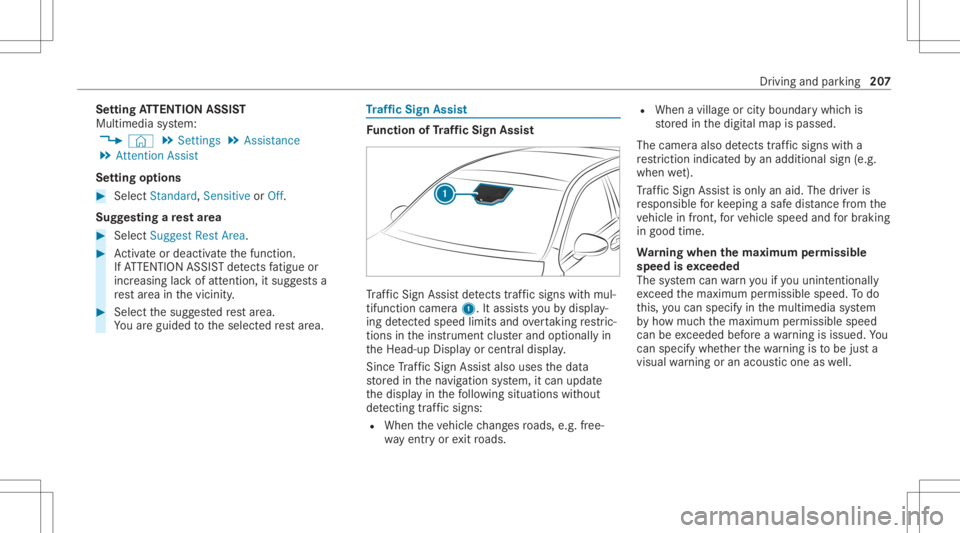
af fic Sign Assistdetects traf fic sig ns with mul‐
tifunction camera1. Itassi stsyo uby displa y‐
ing detected spe edlimits andovertakin gre stric‐
tions intheins trument clusterand optionally in
th eHead-up Displayor cent raldispla y.
Since Traf fic Sign Assistalso uses thedat a
st or ed inthena vig ation system, itcan updat e
th edispla yin thefo llo wing situat ionswithout
de tecting traf fic sig ns:
R Whe nth eve hicle chang esroads, e.g.fr ee‐
wa yen try or exitro ads. R
When avillag eor cityboun darywhic his
st or ed inthedigit almap ispassed.
The camer aalso detects traf fic sig ns with a
re striction indicatedbyan addit ionalsign (e.g.
when wet).
Tr af fic Sign Assistisonl yan aid. Thedriver is
re sponsible forke eping asaf edis tance from the
ve hicle infront, forve hicle speed andforbr aking
in good time.
Wa rning when thema xim um permis sible
speed isexc eeded
The system can warnyouif yo uunin tentio nally
exc eed themaximum permissible speed.Todo
th is, youcan spec ifyinthemultimedia system
by howmuc hth emaximum permissible speed
can beexc eeded beforeawa rning isissued. You
can specify whether thewa rning isto be justa
visual warning oran acous ticone aswell. Dr
ivin gand parking20
7
Page 210 of 570
Disp
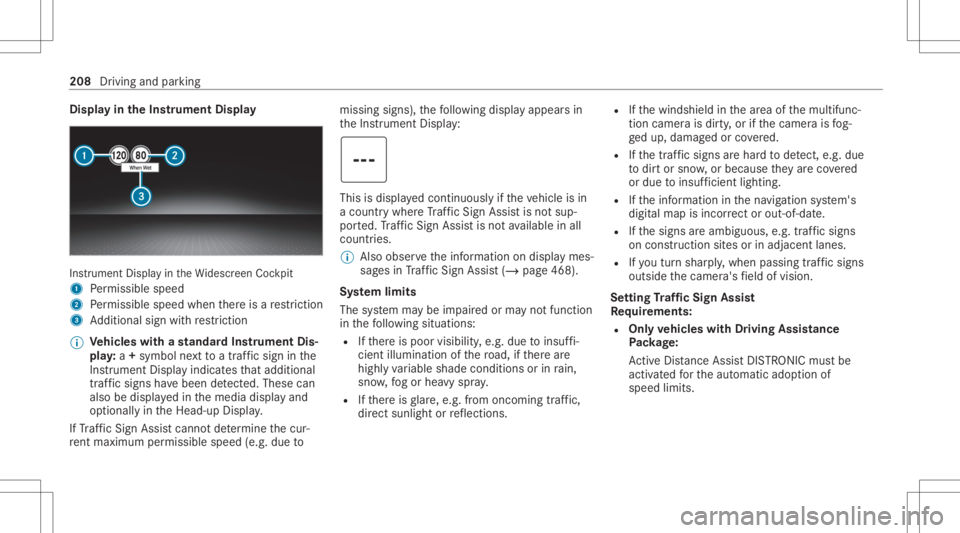
layin theIns trum ent Displa y In
stru ment Displa yin theWi descr eenCockpit
1 Perm issible speed
2 Perm issible speedwhenther eis are striction
3 Addition alsign withre striction
% Ve
hicl eswith ast andar dIns trument Dis‐
pla y:a+ symbo lne xt to atraf fic sig nin the
Ins trument Displayindicat esthat addit ional
traf fic sig ns have been detected. Thesecan
al so be displ ayed inthemedia displayand
op tion ally intheHead-up Display.
If Traf fic Sign Assistcanno tde term ine thecur‐
re nt ma ximu mperm issible speed(e.g.dueto missi
ngsigns), thefo llo wing displa yappear sin
th eIns trument Display: This
isdispla yedcon tinuousl yif th eve hicle isin
a countr ywher eTr af fic Sign Assistisno tsup‐
por ted. Traf fic Sign Assistisno tav ailable inall
coun tries.
% Alsoobse rveth einf ormation ondispla ymes‐
sag esinTraf fic Sign Assist(/ pag e468 ).
Sy stem limit s
The system maybe impair edorma yno tfunc tion
in thefo llo wing situat ions:
R Ifth er eis poor visibility ,e.g. due toinsuf fi‐
cie ntillu mina tionofthero ad, ifth er ear e
highl yva riable shade condition sor inrain,
sno w,fogor hea vyspr ay.
R Ifth er eis glar e, e.g .fr om oncom ingtraf fic,
di re ct sunli ght orreflect ions. R
Ifth ewindshield inthear ea ofthemultifunc ‐
tion camer ais dir ty,or ifth ecamer ais fog‐
ge dup, damag edorcovered.
R Ifth etra ffic sign sar ehar dto detect, e.g. due
to dir tor sno w,orbecause they areco vered
or due toinsuf ficie ntlighti ng.
R Ifth einf ormation inthena vig ation system's
digit almap isincor rect or out-of-da te.
R Ifth esigns areambiguous, e.g.traffic sign s
on con stru ction sites orinad jace ntlanes.
R Ifyo utur nshar ply, when passin gtraf fic sig ns
ou tsid eth ecamer a'sfield ofvision.
Se tting Traf fic Sign Assis t
Re quirement s:
R Onl yve hicl eswith Drivin gAss istanc e
Pa ckag e:
Ac tiveDis tance AssistDIS TRONI Cmu stbe
activ ated forth eaut omatic adoptionof
speed limits. 208
Driving andparking
Page 211 of 570
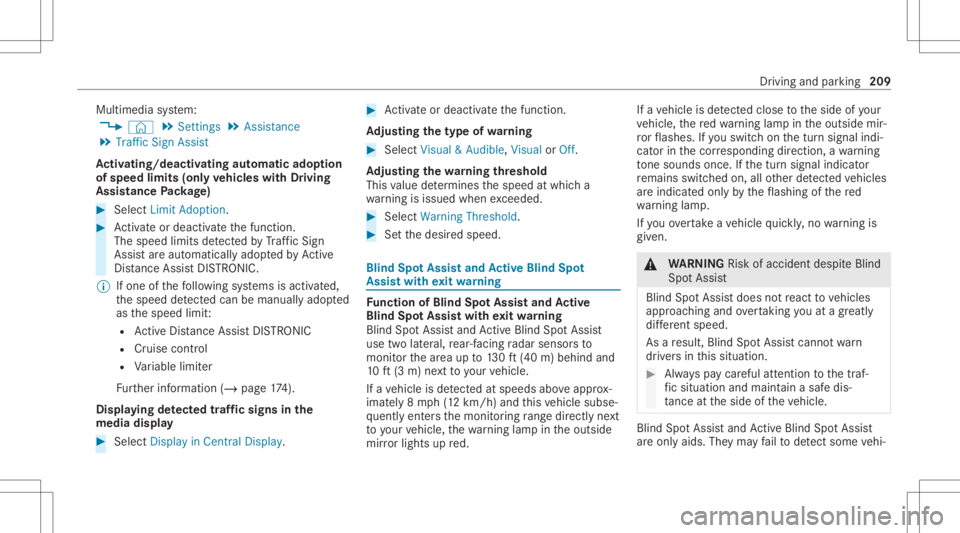
Multimedia
system:
4 © 5
Set ting s5
Assist ance
5 Traffic SignAssist
Ac tiv atin g/deac tivatin gaut omati cadop tion
of spe edlimits (onlyve hicl eswith Drivin g
Ass istanc ePa ckag e) #
Select LimitAdoptio n. #
Activateor deacti vate thefunc tion.
The speed limitsdetected byTraf fic Sign
Assi stareaut omat icallyadop tedby Active
Dis tance AssistDIS TRONI C.
% Ifone ofthefo llo wing systems isactiv ated,
th espeed detected can bemanu ally ad op ted
as thespeed limit:
R ActiveDis tance AssistDIS TRONI C
R Cruise contr ol
R Variable limiter
Fu rther information (/page17 4).
Dis playin gde tected traf fic signs inthe
me diadispla y #
Select DisplayinCentra lDispl ay. #
Activateor deacti vate thefunc tion.
Ad jus tingthe type ofwa rning #
Selec tVisual &Audible ,Visual orOff .
Ad jus tingthe warning threshold
This value determ ines thespeed atwhic ha
wa rning isissued whenexceeded. #
Select Warning Threshold. #
Setth edesir edspeed. Blind
SpotAssis tand Activ eBli nd Spo t
As sist wit hex itwa rning Fu
nction ofBlind SpotAssis tand Activ e
Bli nd Spo tAs sist wit hex itwa rning
Blin dSpo tAss istand ActiveBli nd Spo tAssi st
use twolat eral, rear-facin gra dar sensor sto
monit orthear ea up to130ft (40 m)behind and
10 ft(3 m) next to your vehicle.
If ave hicle isde tected atspe eds aboveappr ox‐
imat ely8 mp h(12 km/h) andthis vehicle subse‐
qu ent lyent ersth emonit oring rang edire ctly next
to your vehicle, thewa rning lam pin theoutside
mir rorlig hts upred. If
ave hicle isde tected clos eto theside ofyour
ve hicle, there dwa rning lam pin theoutside mir‐
ro rflashes .If yo uswit chon thetur nsignal indi‐
cat orinthecor responding direction, awa rning
to ne sou nds once .If th etur nsignal indicat or
re mains switchedon,allother detected vehicles
ar eindicat edonlyby theflashin gof there d
wa rning lam p.
If yo uove rtak eave hicle quickl y, no warning is
giv en. &
WARNIN GRisk ofacci dent despite Blind
Spo tAssi st
Bli nd Spo tAssi stdoes notre act tovehicles
appr oaching andovertakin gyo uat agr ea tly
di ffer ent speed.
As are sult, Blind SpotAssis tcanno twa rn
dr iver sin this situat ion. #
Alw ayspa ycar eful attention tothetra f‐
fi c situ ation and maintain asaf edis‐
ta nce attheside oftheve hicle. Blind
SpotAssis tand ActiveBli nd Spo tAssi st
ar eon lyaids. Theyma yfa ilto detect some vehi‐ Dr
iving andparking 209
Page 217 of 570
Ins
trum ent Disp layove rview
Mer cedes- AMGvehicl es:besur eto obser ve
th eno tesin theSupplement .Ot her wise, you
ma yfa ilto recogni zedangers. &
WARNIN GRisk ofacci dent dueto an
ins trumen tdispla ymalf unction
If th eIns trument Displayhas failed ormal‐
func tioned,youma yno tre cogni zefuncti on
re strictions applyi ngtosaf etyre leva nt sys‐
te ms.
The oper ating safetyof your vehicle maybe
im pair ed. #
Drive on car efull y. #
Have theve hicle checkedimmediat ely
at aqu alif ied spec ialistwo rkshop. If
th eoper ating safetyof your vehicle is
im pair ed,parkth eve hicle immediat elyand
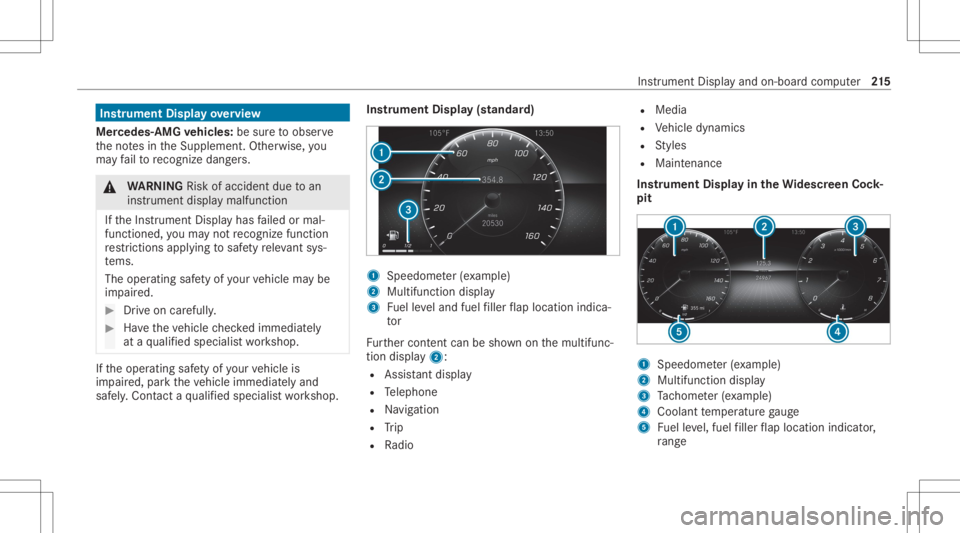
saf ely. Con tact aqu alif ied spec ialistwo rkshop. Ins
trument Display(s tandar d) 1
Speedome ter(e xa mp le)
2 Multif unction displa y
3 Fuelleve land fuel filler flap locatio nind ica‐
to r
Fu rther cont entcan besho wnonthemultifunc ‐
tion displa y2:
R Assis tant displ ay
R Telephon e
R Navig ation
R Trip
R Radio R
Media
R Vehicle dynamics
R Styles
R Maint enanc e
Ins trument Displayin theWi des cree nCo ck‐
pit 1
Spee dometer (exa mp le)
2 Multif unction displa y
3 Tach ome ter(e xa mp le)
4 Coolant temp eratur ega ug e
5 Fuelleve l,fuel filler flap locatio nind icat or,
ra ng e Ins
trum ent Disp lay and on-b oard com puter 21
5
Page 218 of 570
%
Inaddi tion tomultifu nctiondisplay 2, fur‐
th er con tent can besho wnondispl ays1
and 3(/ page21 9).
Th ese gm ents on spee do me ter1 indica tethe
sy stem status forth efo llo wing:
R Cruise control (/ page17 0)
R ActiveDis tance AssistDIS TRONI C
(/ page 173)
* NO
TEEngi nedama gedue toexcess ively
hig hengi nespe eds The
enginewillbe damag edifyo udr ive wit h
th eengine intheov errevving rang e. #
Donotdr ive wi th theengine intheove r‐
re vving rang e. The
fuelsu pp lywillbe interru pted toprotect the
engine whenthere dmar kon theta ch ome ter
(o ve rrev ving rang e) isreac hed.
Ve hicl eswith aWi des cree nCo ckpit: during
nor malop erati ng cond itions, coolanttemp era‐
tur edispla y4 mayrise tothere dmar k. &
WARNIN GDang erofburnswhen open‐
ing thehood
If yo uopen thehood when theengine has
ove rheat edordur ing afire intheengine
com partmen t,yo uco uld come intoco ntact
wit hho tga ses orother escaping operating
fl uids. #
Beforeopen ingthehood, allowthe
engine tocool down. #
Intheeve ntofafire intheengine com‐
par tmen t,ke ep thehood closed and
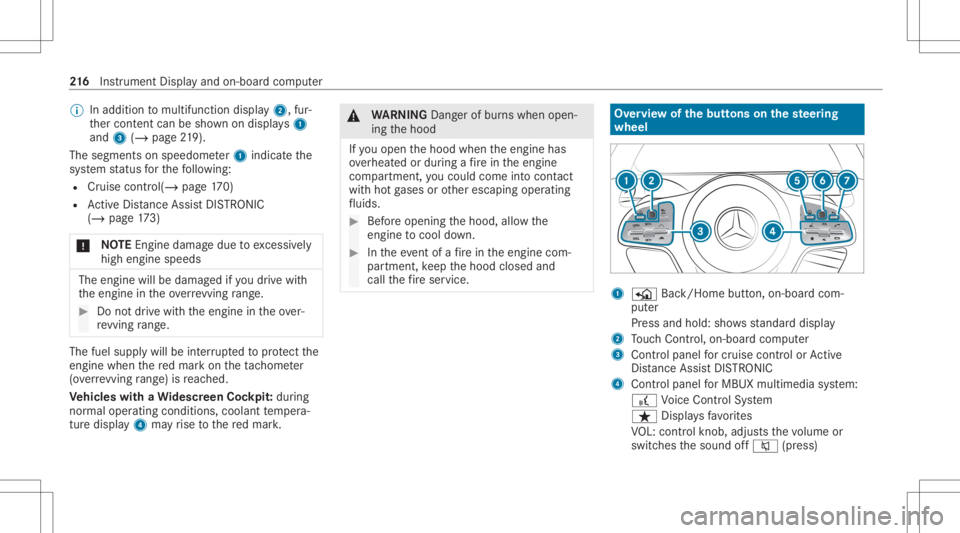
call thefire ser vice. Ov
ervie wof thebut tons on thest eer ing
wheel 1
P Back/Hom ebutt on,on-boar dcom ‐
put er
Pr ess and hold: showsstandar ddispla y
2 Touc hCon trol, on-bo ardco mp uter
3 Con trol pan elforcr uis econtr olor Active
Dis tance AssistDIS TRONI C
4 Contr olpa nel forMBUX multimediasy stem:
£ Voice Cont rolSy stem
ß Displa ysfavo rite s
VO L:contr olknob, adjuststhevo lume or
switc hesthesound off0063 (press) 21
6
Instrument Displayand on-boar dcom puter
Page 219 of 570
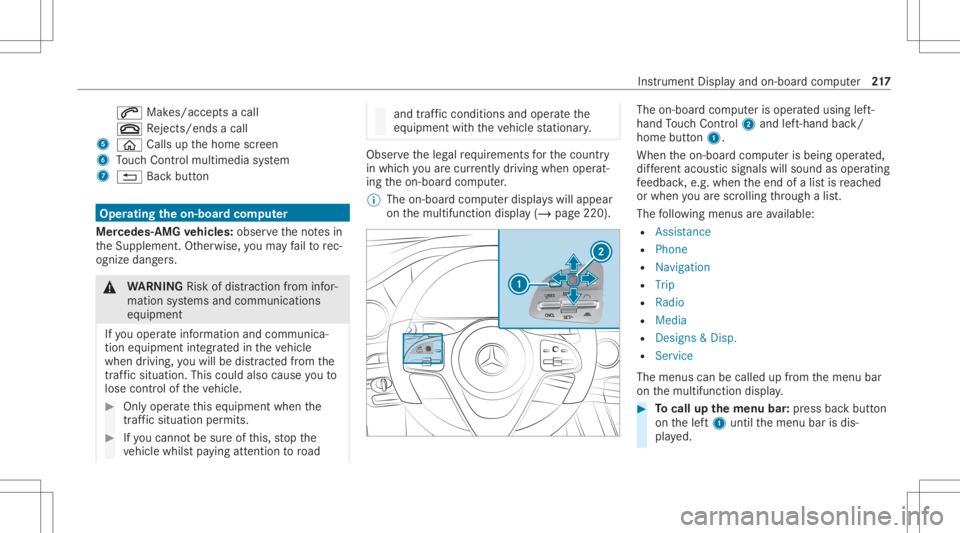
0061
Makes/accep tsacall
0076 Rejects /end sa cal l
5 00E2 Calls up thehome screen
6 Touc hCon trol mult imed iasystem
7 0038 Backbutt on Oper
ating theon-boa rdcom puter
Mer cede s-AMG vehicl es:obse rveth eno tesin
th eSupplement .Ot her wise, youma yfa ilto rec‐
ogni zedangers. &
WARNIN GRisk ofdist ra ction from infor‐
mati onsystems andcomm unication s
eq uipment
If yo uoper ateinf ormat ionand comm unic a‐
tio neq uipme ntintegratedin theve hicle
when driving, youwill bedistract ed from the
tr af fic situ ation. Thiscou ldalso cau seyouto
lose control of theve hicle. #
Onlyoper ateth is eq uipmen twhen the
tr af fic situ ation per mits. #
Ifyo ucan notbe sur eof this, stop the
ve hicle whilstpa ying attention toroad and
traffic condi tions andoperate the
eq uipment withth eve hicle statio nary. Obser
vetheleg alrequ iremen tsforth ecount ry
in whic hyo uar ecur rently drivi ng when operat‐
ing theon- boar dcom puter.
% The on-boar dcom puterdispla yswill appear
on themultifunc tiondispla y(/ page220). The
on-boar dcom puterisoper ated using left-
hand Touc hCon trol 2 and left-han dbac k/
hom ebut ton1.
Whe nth eon- boar dcom puterisbeing operated,
dif fere nt aco ustic signa lswillsou ndasoperati ng
fe edbac k,e.g. when theend ofalis tis reac hed
or when youar esc rolling thro ugh alis t.
The follo wing menusareav ailable:
R Assist anc e
R Phon e
R Navi gation
R Trip
R Radio
R Media
R Design s& Dis p.
R Service
The men uscan becalle dup from themenu bar
on themultifunc tiondispla y. #
Tocall upthemenu bar:press backbutt on
on thelef t1 until themenu barisdis‐
pla yed. Ins
trument Displayand on-boar dcom puter 217
Page 220 of 570
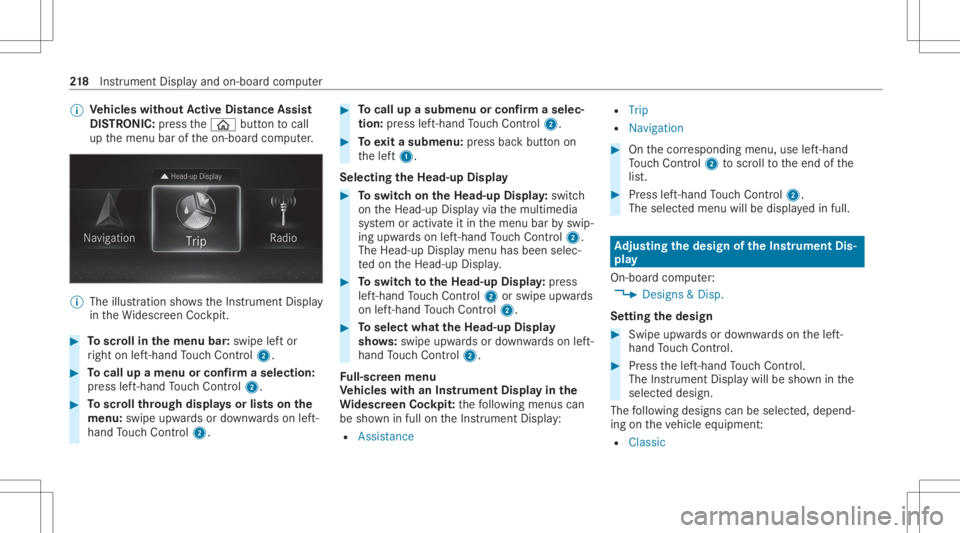
%
Ve
hicl eswithout Activ eDi stance Assist
DI ST RO NIC :pr ess the00E2 buttontocal l
up themenu baroftheon- boar dcom puter. %
The illustration showstheIns trument Display
in theWi descr eenCockpit. #
Toscr ollinthemenu bar:swipe leftor
ri ght onleft-h and Touc hCon trol 2. #
Tocall upamen uor conf irm aselect ion:
pr ess left-han dTo uc hCon trol 2. #
Toscr ollthrough displa ysorlists on the
menu :swipe upwards ordown wardson left-
hand Touc hCon trol 2. #
Tocall upasub men uor conf irm aselec‐
tion :pr ess left-han dTo uc hCon trol 2. #
Toexitasubm enu:press backbutt onon
th elef t1.
Selecting theHead -upDispla y #
Toswitc hon theHead -upDispla y:switc h
on theHead-up Displayvia themultimedia
sy stem oractiv ateit in themenu barbyswip‐
ing upw ards on left-hand Touc hCon trol 2.
The Head -upDisplaymen uhas been selec‐
te don theHead-up Display. #
Toswitc hto theHead -upDispla y:press
lef t-hand Touc hCon trol 2 orswipe upwards
on left-han dTo uc hCon trol 2. #
Toselect whattheHead -upDispla y
sho ws:sw ipe up wa rdsor down wardson left-
hand Touc hCon trol 2.
Fu ll-scr eenmenu
Ve hicl eswith anIns trument Displayin the
Wi des cree nCo ckpit: thefo llo wing menuscan
be sho wninfull ontheIns trument Display:
R Assist ance R
Trip
R Navigation #
Onthecor responding menu,useleft-hand
To uc hCon trol 2 toscr olltotheend ofthe
lis t. #
Press left-hand Touc hCon trol 2.
The selected men uwill bedispl ayedin full. Ad
jus tingthe design of the Instru men tDi s‐
pla y
On-b oard com puter:
4 Designs&Dis p.
Se ttin gthe design #
Swi peupwa rdsor down wardson thelef t-
hand Touc hCon trol. #
Press thelef t-hand Touc hCon trol.
The Instru ment Displa ywil lbe sho wninthe
select eddesign.
The follo wing design scan beselec ted, depend‐
ing ontheve hicle equipment :
R Classi c 21
8
Instrument Displayand on-boar dcom puter
Page 221 of 570
R
Spor t
R Progressive
R Unde rstated
R Stand ardDisp lays Sho
wing displa yco nten ton the inst ru men t
cl us ter
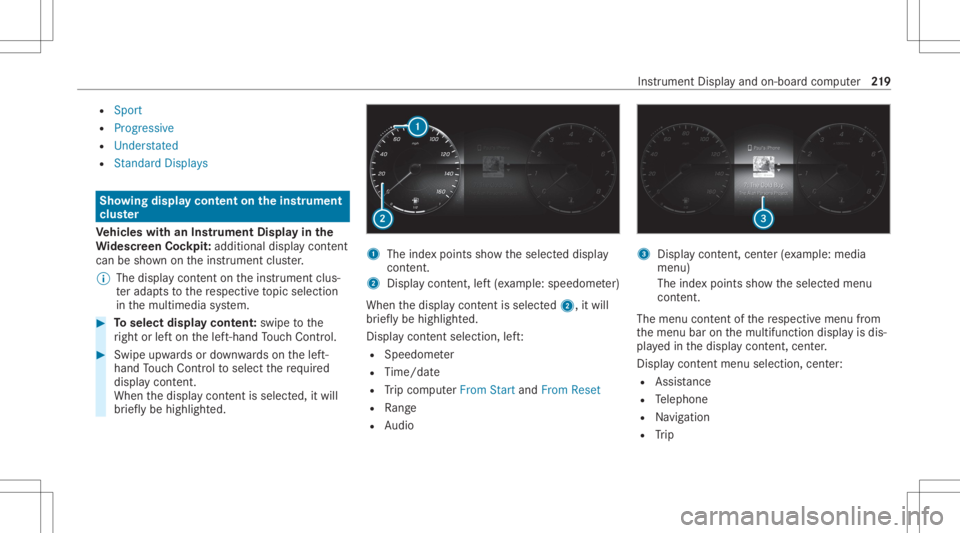
Ve hicl eswith anIns trument Displayin the
Wi des cree nCo ckpit :ad ditiona ldi spl aycont ent
can besho wnontheins trument cluster.
% The displa ycont entontheins trument clus‐
te rada ptsto there spectiv eto pic select ion
in themultimedia system. #
Toselect displaycont ent:swipe tothe
ri ght orlefton thelef t-hand Touc hCon trol. #
Swip eupw ards ordown wardson thelef t-
hand Touc hCon trol to select there qu ired
displa ycon tent.
Whe nth edispla ycon tent issel ect ed,it wi ll
br iefly be high lighted. 1
The inde xpoint ssho wtheselect eddispla y
con tent.
2 Disp lay cont ent, left (exa mp le:speedom eter)
When thedispla ycon tent issel ect ed2, itwi ll
br iefly be high lighted.
Displa ycon tent sel ecti on, left:
R Spee dometer
R Time/dat e
R Trip com puterFro mStart and FromReset
R Range
R Audio 3
Displa ycon tent, cent er(exa mp le:media
men u)
The inde xpoint ssho wtheselect edmenu
con tent.
The menu contentofthere spectiv emenu from
th emenu baronthemultifunc tiondispla yis dis‐
pla yedin thedispla ycon tent, cent er.
Disp lay cont entmenu selecti on, cent er:
R Assi stanc e
R Telephon e
R Navig ation
R Trip Ins
trumen tDisp lay and on-boar dcom puter 21
9