ESP MERCEDES-BENZ CLA 2020 Manual PDF
[x] Cancel search | Manufacturer: MERCEDES-BENZ, Model Year: 2020, Model line: CLA, Model: MERCEDES-BENZ CLA 2020Pages: 570, PDF Size: 18.59 MB
Page 215 of 570
R
ï :Ac tiveLa ne Keeping Assistis deactiv a‐
te dor ther eis amalfunct ion.
Ac tiveLa ne Keeping Assistcan neither reduce
th erisk ofan accident ifyo ufa ilto adap tyo ur
dr ivin gst yle nor override thelaws ofphysics. It
can notta ke intoacc ount road, weather ortraf fic
condi tions.Ac tiveLa ne Keeping Assistis onl yan
aid. Youar ere sponsible formaint ainingasaf e
dis tance totheve hicle infront, forve hicle
speed, forbr aking ingood timeandforst ay ing
in lane.
Ac tiveLa ne Keeping Assistcan bring theve hicle
bac kint oth elane withalane-c orrecting brak e
ap plica tion. Inthecase ofabr ok en lane marking
being detected, abr ak eap plica tion willonly be
mad eif ave hicle hasbeen detected intheadja‐
cent lane. Oncoming traf fic can bedetected.
Ve hicl eswith Drivin gAss istanc ePa ckag eor
Dr ivi ng Ass istan cePlus Packag e:ove rtakin g
ve hicles andvehicles inadjacent lanescanalso
be detected.
Ve hicl eswithout Drivin gAss istanc ePa ck‐
ag eor Drivi ng Ass istan cePlus Packag e:a
la ne-cor recting brak eap plica tion also take s place
when, inaddition toabr ok en lane mark‐
ing ,th eedg eof afirm road sur face isde tected
(e.g .centr alreser vatio n).
Ac tiveLa ne Keeping Assistis available inthe
speed rang ebe twee n37 mph(60 km/h) and
12 4mp h(200 km/h). If
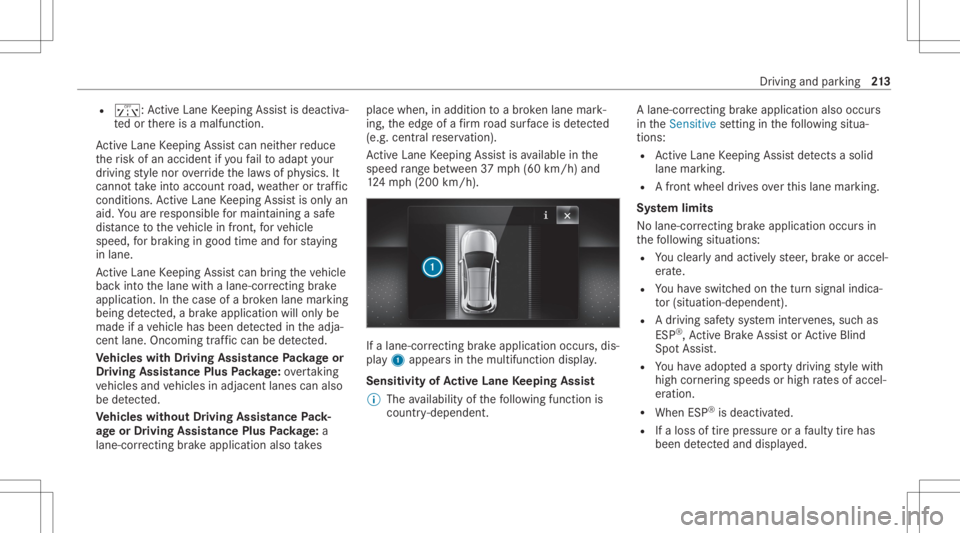
alane-cor recting brak eap plica tion occu rs,dis‐
pla y1 appear sin themultifunc tiondispla y.
Sensitivity ofActiv eLan eKe eping Assist
% The availabilit yof thefo llo wing function is
coun try- dependen t. A
lane-c orrecting brak eap plica tion also occu rs
in theSens itivesetting inthefo llo wing situa‐
tion s:
R ActiveLa ne Keeping Assistde tects asol id
la ne mar king.
R Afront whe eldrives ove rth is lane marking.
Sy stem limit s
No lane- correcting brak eap plica tion occu rsin
th efo llo wing situat ions:
R Youcle arly and activel yst eer ,br ak eor accel‐
er ate.
R Youha ve switc hedonthetur nsignal indica‐
to r(situ ation-dep endent).
R Adr iving safetysy stem interve nes, such as
ES P®
,Ac tiveBr ak eAssi stor ActiveBli nd
Spo tAssi st.
R Youha ve adop tedaspor tydriving style wit h
high corner ing speeds orhigh ratesof accel‐
er ation.
R When ESP®
is deactiv ated.
R Ifaloss oftirepr essur eor afa ulty tirehas
been detected and displ aye d. Dr
iving andparking 21
3
Page 218 of 570
%
Inaddi tion tomultifu nctiondisplay 2, fur‐
th er con tent can besho wnondispl ays1
and 3(/ page21 9).
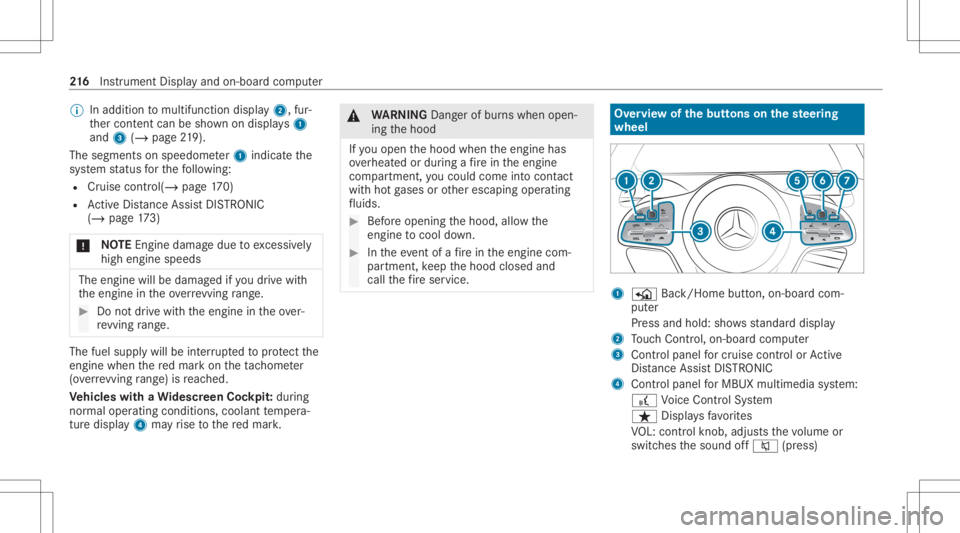
Th ese gm ents on spee do me ter1 indica tethe
sy stem status forth efo llo wing:
R Cruise control (/ page17 0)
R ActiveDis tance AssistDIS TRONI C
(/ page 173)
* NO
TEEngi nedama gedue toexcess ively
hig hengi nespe eds The
enginewillbe damag edifyo udr ive wit h
th eengine intheov errevving rang e. #
Donotdr ive wi th theengine intheove r‐
re vving rang e. The
fuelsu pp lywillbe interru pted toprotect the
engine whenthere dmar kon theta ch ome ter
(o ve rrev ving rang e) isreac hed.
Ve hicl eswith aWi des cree nCo ckpit: during
nor malop erati ng cond itions, coolanttemp era‐
tur edispla y4 mayrise tothere dmar k. &
WARNIN GDang erofburnswhen open‐
ing thehood
If yo uopen thehood when theengine has
ove rheat edordur ing afire intheengine
com partmen t,yo uco uld come intoco ntact
wit hho tga ses orother escaping operating
fl uids. #
Beforeopen ingthehood, allowthe
engine tocool down. #
Intheeve ntofafire intheengine com‐
par tmen t,ke ep thehood closed and
call thefire ser vice. Ov
ervie wof thebut tons on thest eer ing
wheel 1
P Back/Hom ebutt on,on-boar dcom ‐
put er
Pr ess and hold: showsstandar ddispla y
2 Touc hCon trol, on-bo ardco mp uter
3 Con trol pan elforcr uis econtr olor Active
Dis tance AssistDIS TRONI C
4 Contr olpa nel forMBUX multimediasy stem:
£ Voice Cont rolSy stem
ß Displa ysfavo rite s
VO L:contr olknob, adjuststhevo lume or
switc hesthesound off0063 (press) 21
6
Instrument Displayand on-boar dcom puter
Page 220 of 570
%
Ve
hicl eswithout Activ eDi stance Assist
DI ST RO NIC :pr ess the00E2 buttontocal l
up themenu baroftheon- boar dcom puter. %
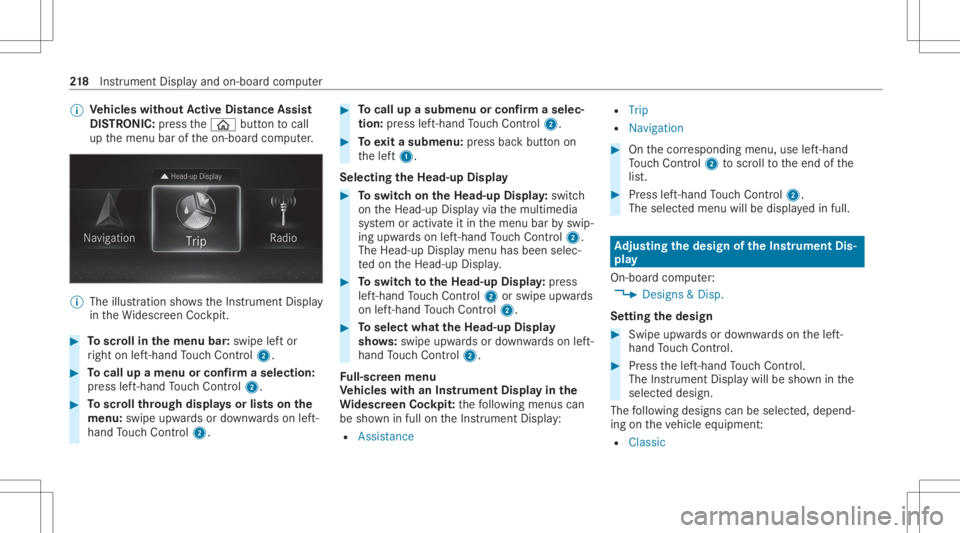
The illustration showstheIns trument Display
in theWi descr eenCockpit. #
Toscr ollinthemenu bar:swipe leftor
ri ght onleft-h and Touc hCon trol 2. #
Tocall upamen uor conf irm aselect ion:
pr ess left-han dTo uc hCon trol 2. #
Toscr ollthrough displa ysorlists on the
menu :swipe upwards ordown wardson left-
hand Touc hCon trol 2. #
Tocall upasub men uor conf irm aselec‐
tion :pr ess left-han dTo uc hCon trol 2. #
Toexitasubm enu:press backbutt onon
th elef t1.
Selecting theHead -upDispla y #
Toswitc hon theHead -upDispla y:switc h
on theHead-up Displayvia themultimedia
sy stem oractiv ateit in themenu barbyswip‐
ing upw ards on left-hand Touc hCon trol 2.
The Head -upDisplaymen uhas been selec‐
te don theHead-up Display. #
Toswitc hto theHead -upDispla y:press
lef t-hand Touc hCon trol 2 orswipe upwards
on left-han dTo uc hCon trol 2. #
Toselect whattheHead -upDispla y
sho ws:sw ipe up wa rdsor down wardson left-
hand Touc hCon trol 2.
Fu ll-scr eenmenu
Ve hicl eswith anIns trument Displayin the
Wi des cree nCo ckpit: thefo llo wing menuscan
be sho wninfull ontheIns trument Display:
R Assist ance R
Trip
R Navigation #
Onthecor responding menu,useleft-hand
To uc hCon trol 2 toscr olltotheend ofthe
lis t. #
Press left-hand Touc hCon trol 2.
The selected men uwill bedispl ayedin full. Ad
jus tingthe design of the Instru men tDi s‐
pla y
On-b oard com puter:
4 Designs&Dis p.
Se ttin gthe design #
Swi peupwa rdsor down wardson thelef t-
hand Touc hCon trol. #
Press thelef t-hand Touc hCon trol.
The Instru ment Displa ywil lbe sho wninthe
select eddesign.
The follo wing design scan beselec ted, depend‐
ing ontheve hicle equipment :
R Classi c 21
8
Instrument Displayand on-boar dcom puter
Page 225 of 570
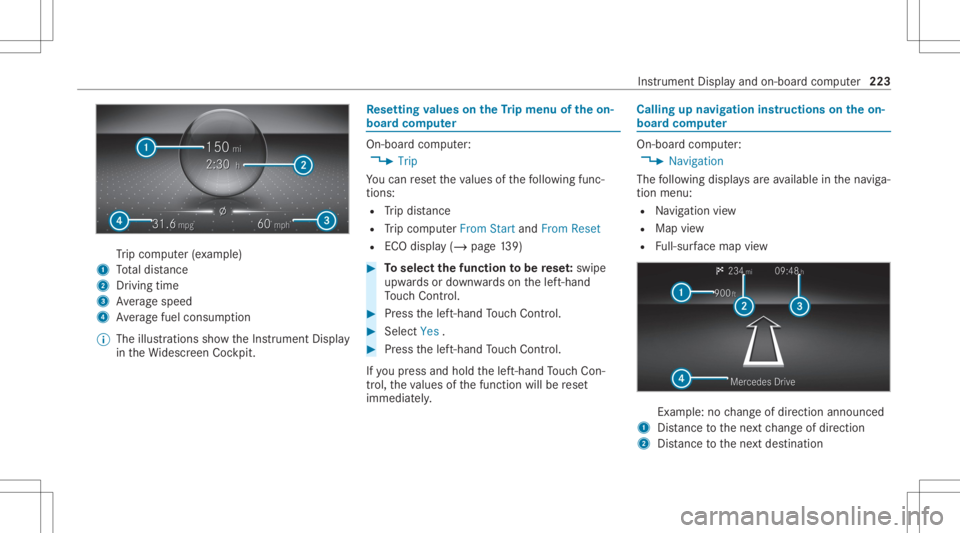
Tr
ip com puter(exa mp le)
1 Totaldis tance
2 Driving time
3 Averag espeed
4 Averag efuel consum ption
% The illustration ssho wtheIns trument Display
in theWi descr eenCockpit. Re
setting values ontheTr ip menu oftheon-
boar dcom puter On-boar
dcom puter:
4 Trip
Yo ucan rese tth eva lues ofthefo llo wing func‐
tion s:
R Trip dis tance
R Trip com puterFro mStart and FromReset
R ECOdispla y(/ page13 9) #
Toselect thefun ction tobe rese t:swipe
upw ards ordown wardson thelef t-hand
To uc hCon trol. #
Press thelef t-hand Touc hCon trol. #
Select Yes . #
Press thelef t-hand Touc hCon trol.
If yo upr ess and hold thelef t-hand Touc hCon ‐
tr ol, theva lues ofthefunc tion willberese t
immediat ely. Callin
gup navig ation instruct ions ontheon-
boar dcom puter On-boar
dcom puter:
4 Navigation
The follo wing displa ysareav ailable inthena vig a‐
tion menu:
R Navig ation view
R Map view
R Full-sur face map view Ex
am ple: no chang eof dir ect ion ann oun ced
1 Distance tothene xt chang eof dir ect ion
2 Distance tothene xt des tinat ion Ins
trument Displayand on-boar dcom puter 223
Page 230 of 570
Tr
af fic Sign Assist
Assi stant displa y
5 Toselect these ttings
6 Inde xpoint s
Displa yar eas 2to4 that areno tre qu ired can
be hidden .
% Inaudio mode, thest atio nnam e,trac kor
las tcalls willbesho wntemp orarily when the
audio sourceisbein gact ivel yoperat ed. #
Toselect adispla y:swipe upwards ordown‐
wa rdson thelef t-hand Touc hCon trol. Hea
d-up Disp lay Fu
nction oftheHead -upDispla y The
Head- upDis playpr oje ctsinf ormat ionabove
th ecoc kpit intoth edr iver's field ofvision, e.g.
th espeed oftheve hicle, information from the
na vig ation system ordriver assis tance systems
and some warning mess ages.
Depe ndingon theve hicle's equipment, differe nt
cont entcan besho wnintheth re edispla yar eas
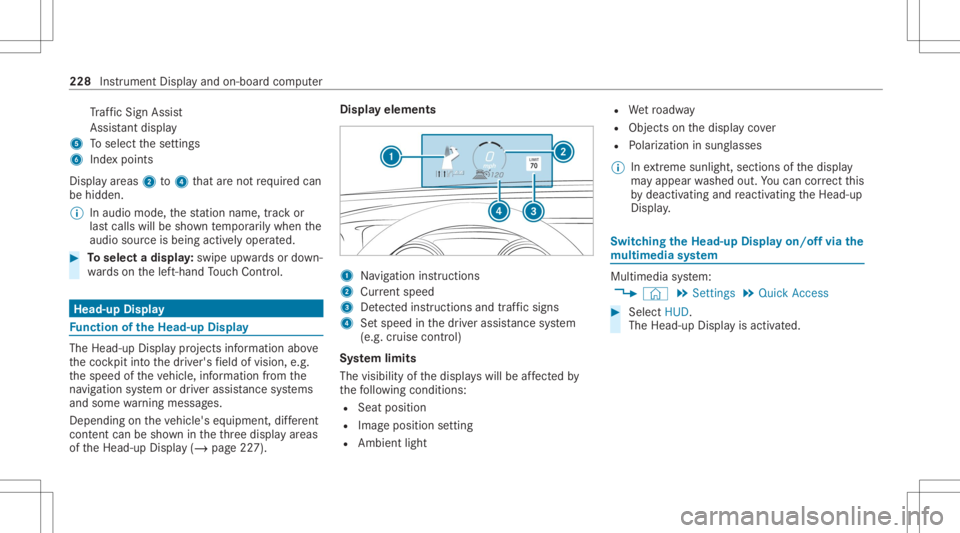
of theHead-up Display(/ page22 7). Displa
yelements 1
Navig ation instructions
2 Current speed
3 Detected instructi ons and traf fic sig ns
4 Setspe edinthedr iver assis tance system
(e.g. cruise control)
Sy stem limit s
The visib ilityofthedispla yswill beaffect ed by
th efo llo wing condition s:
R Seat position
R Imag eposit ionsetting
R Ambient light R
Wetro adw ay
R Objects onthedispla yco ver
R Polar izat ion insung lasses
% Inextreme sunli ght, sectio nsofthedispla y
ma yappear washed out.Youcan correct this
by deactiv atingandreact ivatin gth eHead-up
Displa y. Switc
hingtheHead -upDispla yon/of fvia the
mu ltim edia system Multi
media system:
4 © 5
Set ting s5
Quick Access #
Select HUD.
The Head-up Displayis activ ated. 228
Instrument Displayand on-boar dcom puter
Page 231 of 570
No
teson oper ating safety &
WARNIN GRisk ofdist ra ction from infor‐
mati onsystems andcomm unication s
eq uipment
If yo uoper ateinf ormat ionand comm unic a‐
tio neq uipme ntintegratedin theve hicle
when driving, youwill bedistract ed from the
tr af fic situ ation. Thiscou ldalso cau seyouto
lose control of theve hicle. #
Onlyoper ateth is eq uipmen twhen the
tr af fic situ ation per mits. #
Ifyo ucan notbe sur eof this, stop the
ve hicle whilstpa ying attention toroad
and traffic condi tions andoperate the
eq uipment withth eve hicle statio nary. &
WARNIN GRisk ofan acci dent from
ope rating mob ile comm unicati onequip ‐
ment while th eve hicle isin mo tion
Mobile communication sde vices distract the
dr iver from thetraf fic situ ation. Thiscou ld al
so cau sethedr iver tolose control of the
ve hicle. #
Asthedr iver ,onl yoper atemobile com‐
municat ionsdevices when theve hicle is
st atio nary. #
Asave hicle occupant, onlyuse mobile
communication sde vices inthear eas
int ended forth is pur pose, e.g.inthe
re ar passe nger com partment . &
WARNIN GRisk ofinju rydue toobject s
being stowe dincor rectl y
If obje ctsintheve hicle interior arestowe d
inc orrectly ,th ey can slide orbe throw n
ar oun dand hitvehicle occupants. Inaddi‐
tion, cupholder s,open stow agespac esand
mobi lephon ere cep tacle scanno tal wa ys
re tain all obje ctsth ey cont ain.
The reisarisk ofinjur y,par ticular lyin the
ev ent ofsudden braking orasudden chang e
in dir ect ion. #
Alw aysst ow object sso that they can‐
no tbe throw nar ou nd insuch situa‐
tions. #
Alw aysmak esur eth at obj ect sdo not
pr otru de from stow agespac es,lugg age
ne ts or stow agene ts. #
Close theloc kable stow agespac es
bef orest ar tin gajo ur ne y. #
Alw aysst ow and securehea vy,har d,
poin ted, shar p-edg ed,fragile orbulky
objec tsinthetrunk/ loadcompartmen t. Fo
ryo ur ow nsa fety,al wa ys obser vethefo llo w‐
ing point swhen operatingmobile communic a‐
tion seq uipmen tand espec iallyyo ur voice con ‐
tr ol system:
R Obser vetheleg alrequ iremen tsforth ecoun‐
tr y in whic hyo uar edr ivin g.
R While drivin g,on lyop eratemobi lecom mun i‐
cat ionseq uipme ntand your voice con trol
sy stem when thetra ffic con dition sper mit it.
Yo uma yot her wise bedistract ed from the
tr af fic condi tions andcausean acci dent,
inju ring yourself and other s. Vo
ice Cont rolSy stem 229
Page 234 of 570
Multimedia
system:
4 © 5
Set ting s5
System
5 LINGUA TRONIC
Switc hingvoice activ ation oftheVo ice Con‐
tr ol Sy stem on/of f #
Sele ctVoic eAc tivation "HeyMercedes".
Dep endingonthepr ev ious status ,th efunc ‐
tion isactiv ated ordeactiv ated.
When thefunc tion isactiv e,the"Hi
Mer cedes" voice com mand canactivat eth e
dialog.
Ac tiv atin g/deac tivatin gon line voice contr ol #
ActivateOnl ine VoiceControl .
% Online voice con trol isact ivat ed atthefa c‐
to ry. #
Select Onli neVoi ceControl Subscr..
Yo uwill beconn ect edwithth eMer cedes me
por tal. #
Activateonl ine voice con trol intheMer cedes
me portal. Ac
tiv atin gco ntacts foron line use #
Select Contacts forOnl ine Use .
Wh enthefunc tion isactiv e,con tacts willbe
fo und moreeasil yand accuratelyusin gvo ice
in put. Thequalit yof theenunc iation ofcon ‐
ta ct name sby thesy stem will also be
im prov ed.
Switc hingonvoice interru ption #
Selec tSpeak DuringVoice Output .
If th efunc tion isactiv e,acomm andcanbe
int erjec teddur ing voice output ofthesy s‐
te m. Usin
gth eVo ice Contr olSy stem effectiv ely Vo
ice Contr olSy stem aud ible help functions Usin
gth ecor responding voice com mand syo u
re cei vethefo llo wing informatio nand assis tance
in thefo llo wing cases :
R Forop timal operatio n:sayth eVoice con-
trol tutor ialvoice com mand orcall upthe
Dig ital Op erator' sMa nua lwi th Could yougo
to theVoic eCon trol Sys tem tut orial pleas e?, fo
rex am ple. Thefullextent oftheDigit al
Oper ator's Manual isavailable whentheve hi‐
cle isstatio nary.Her eyo ucan also find
ex planat oryvideos whichint roduce youto
th efunc tionsof theVo ice Cont rolSy stem.
R Cur rent app lication: onthemultifunc tion
st eer ing wheel, press the£ rock er switc h
up and sayth eHelp voice com mand .Yo uwill
re cei vesugg estions andinformation about
oper ation oftheVo ice Cont rolSy stem forth e
cur rent applica tion.
R Conti nue ddial og:sa yth eHelp voice com ‐
mand during avo ice dialog. Foreve rystep of
th edialog youre cei vematc hinginformation.
R Speci fic fu ncti on:sayth evo ice com mand
fo rth edesir edfunc tion,e.g. with"Hello
Mer cedes, Ineed helpwithth era dio" orafte r
pr essing the£ rock er switc hon themulti‐
func tion steer ing wheel up,sayth eHelp for
the telephon evo ice com mand ,fo rex am ple. 232
Voice Cont rolSy stem
Page 245 of 570
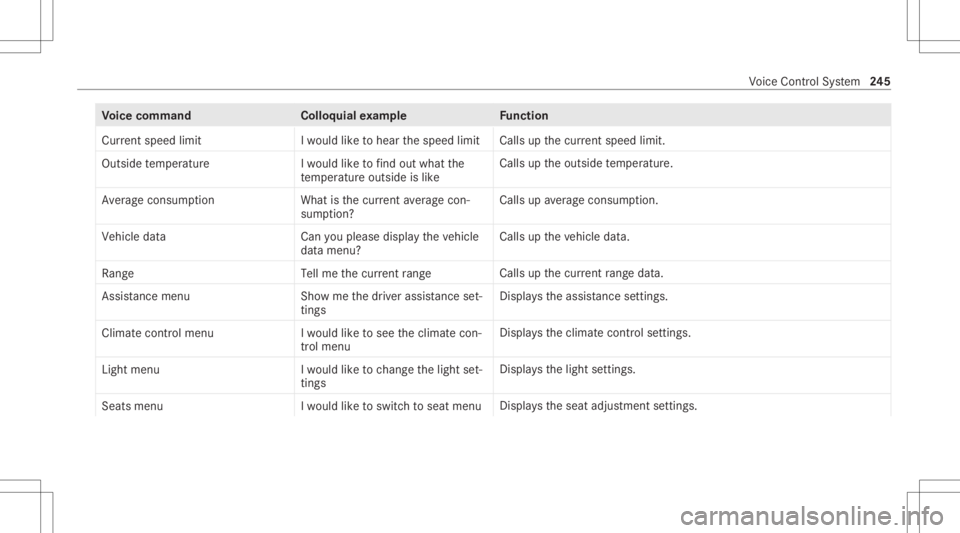
Messag
evo ice comm ands Vo
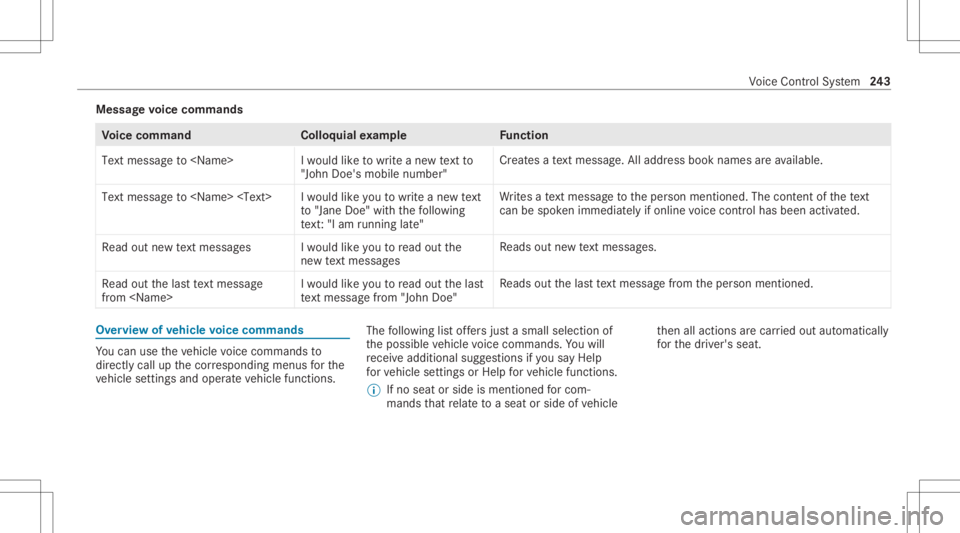
ice comm and Colloquialexam ple Function
Text message to
"John Doe's mobile number" Cr
eat esate xt mes sage .All address bookname sar eav ailable.
Tex tmes sage to
to "Jane Doe"with thefoll owin g
te xt:"I am runninglate " Wr
ites ate xt mes sage totheper son ment ioned. Thecontent ofthete xt
can bespo kenimm ediate ly ifonlin evo ice con trol has been activat ed.
Read outnew textmess ages Iwould likeyou toread outthe
new textmess ages Re
ads outnewtext mes sage s.
Read outthelast text message
from
woul dlike you toread outthelast
text message from"John Doe" Re
ads outthelas tte xt mes sage from theper son ment ioned. Ov
ervie wof vehicl evo ice comm ands Yo
ucan usetheve hicle voice com mand sto
dir ect lycall upthecor responding menusforth e
ve hicle settin gsand oper ateve hicle functions. The
follo wing listof fers jus ta sma llsel ecti onof
th epossible vehicle voice com mand s.Yo uwill
re cei veaddit ionalsugg estio ns ifyo usa yHel p
for veh icle settings orHel pfor veh icle function s.
% Ifno seat orside ismen tionedfo rcom‐
mands that relat eto aseat orside ofvehicle th
en allaction sar ecar ried out automatic ally
fo rth edr iver's seat. Vo
ice Cont rolSy stem 24
3
Page 247 of 570
Vo
ice comm and Colloquialexam ple Function
Current speedlimit Iwould liketohear thespeed limit Calls
upthecur rent spe edlimit.
Ou tsid etemp erature Iwo uld like tofind outwh atthe
temp erature outsid eis like Ca
lls up theoutside temp eratur e.
Aver ageconsumption Whatisthe curren taverage con-
sumption ? Calls
upave rage consu mption.
Veh icleda ta Canyo uplea se disp laythe vehicle
da ta menu ? Ca
lls up theve hicle data.
Range Tellmethe current range Call
sup thecur rent rang eda ta.
Assi stance menu Showmethe driver assista nce set-
ting s Dis
play sth eassis tance settings .
Cl ima tecontro lmenu Iwo uld like tosee theclima tecon-
trol menu Disp
lays theclimat econ trol settings.
Light menu Iwould liketochange thelight set-
ting s Displa
ysthelight settings.
Seats menu Iwould liketoswitch toseat menu Displa
ystheseat adjus tmentse ttings. Vo
ice Cont rolSy stem 24
5
Page 274 of 570
Glob
alsear ch Glob
alsear chove rview
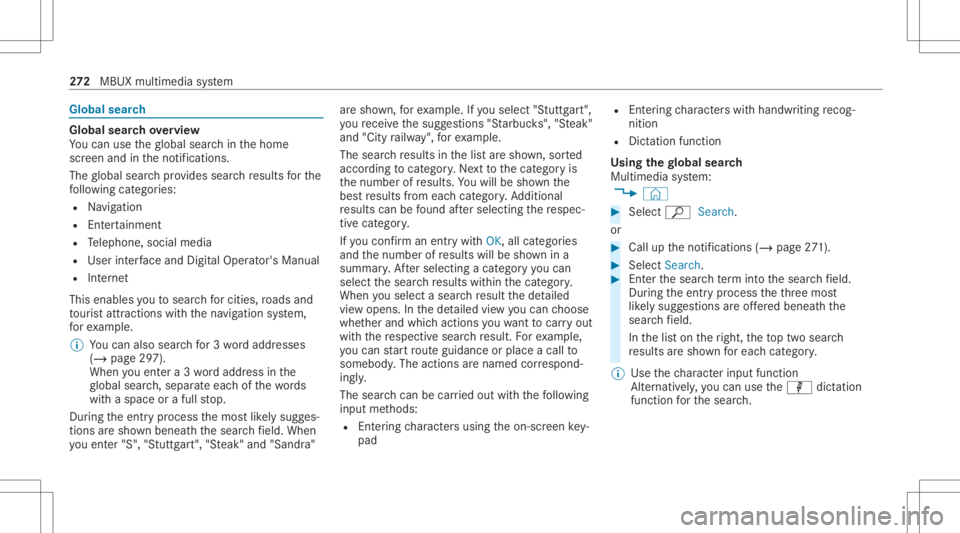
Yo ucan usetheglobal searchinthehome
scr een and intheno tification s.
The global searchprov ides searchresults forth e
fo llo wing categor ies:
R Navig ation
R Entertainm ent
R Telephon e,soc ialmedia
R User interface and DigitalOper ator's Manual
R Interne t
This enables youto sear chforcities, roads and
to ur istatt ractions with thena vig ation system,
fo rex am ple.
% Youcan also searchfor3 wo rdaddr esse s
(/ page29 7).
When youen tera 3 wo rdaddr essinthe
gl obal search,separ ateeac hof thewo rds
wit haspac eor afull stop.
Dur ing theent ryprocess themos tlik elysugg es‐
tion sar esho wnbeneat hth esear chfield. When
yo uen ter"S", "Stuttg art", "Steak" and "San dra" ar
esho wn, forex am ple. Ifyo usele ct"Stut tgar t",
yo ure cei vethesugg estion s"S tarbuc ks","S teak"
and "City railw ay",forex am ple.
The sear chresults inthelis tar esho wn, sorted
acc ordin gto cat ego ry.Ne xtto thecat egor yis
th enumber ofresults. Youwill besho wnthe
bes tre sults from eachcat egor y.Ad dition al
re sults canbefound afte rsele cting there spec‐
tiv ecat egor y.
If yo uco nfirm an entry wit hOK, allcat egor ies
and thenumber ofresults willbesho wnina
summar y.Aftersele cting acat egor yyo ucan
sele ctthesear chresults within thecat egor y.
When yousele ctasear chresult thede tailed
vie wopen s.In thede tailed viewyo ucan choose
whe ther and whic haction syo uwa nttocar ryout
wit hth ere spectiv esear chresult. Forex am ple,
yo ucan star tro uteguidan ceorplac eacall to
somebody .The actions arenamed correspond‐
ing ly.
The sear chcan becar ried out withth efo llo wing
in put methods:
R Entering charact ersusin gth eon- screen key‐
pad R
Entering charact erswit hhan dwr iting recog‐
nitio n
R Dict ation functi on
Usi ngthe global search
Multimedia system:
4 © #
Select ªSearch.
or #
Call uptheno tification s(/ page27 1). #
Select Search . #
Enterthesear chterm intoth esear chfield.
Dur ing theent ryprocess theth re emos t
lik elysugg estion sar eof fere dbeneat hth e
sear chfield.
In thelis ton theright, theto ptw osear ch
re sults aresho wnforeac hcat egor y.
% Use thech aract erinput function
Alt ernat ivel y, yo ucan usethep dictation
func tion forth esear ch. 27
2
MBUX multimedia system