Comand MERCEDES-BENZ CLA-Class 2014 C117 Comand Manual
[x] Cancel search | Manufacturer: MERCEDES-BENZ, Model Year: 2014, Model line: CLA-Class, Model: MERCEDES-BENZ CLA-Class 2014 C117Pages: 270, PDF Size: 5.82 MB
Page 28 of 270
Function Page
006E
Number pad
• Selects stations via the
station presets
188
• Stores stations manually 188
• Mobile phone authoriza-
tion 128
• Telephone number entry 132
• Sends DTMF tones 134
• Character entry 35
• Selects a location for the
weather forecast from the
memory 261
0090
Displays the current
track being played 201
007D
Selects stations by
entering the frequency
manually 188
007D
Selects a track 199
006F
Switches COMAND on/off 29
Adjusts the volume 29 Function Page
0070
SD memory card slot 196
0071
Calls up the system menu 42
0072
Accepts a call 132
Dials a number 132
Redial 133
Accepts a waiting call 134
0073
Switches the sound on or
off
29
Switches the microphone
on/off
134
Cancels the text message
read-aloud function
145
Switches off navigation
announcements
29
0074
Rejects a call 132
Ends an active call 135
Rejects a waiting call 134
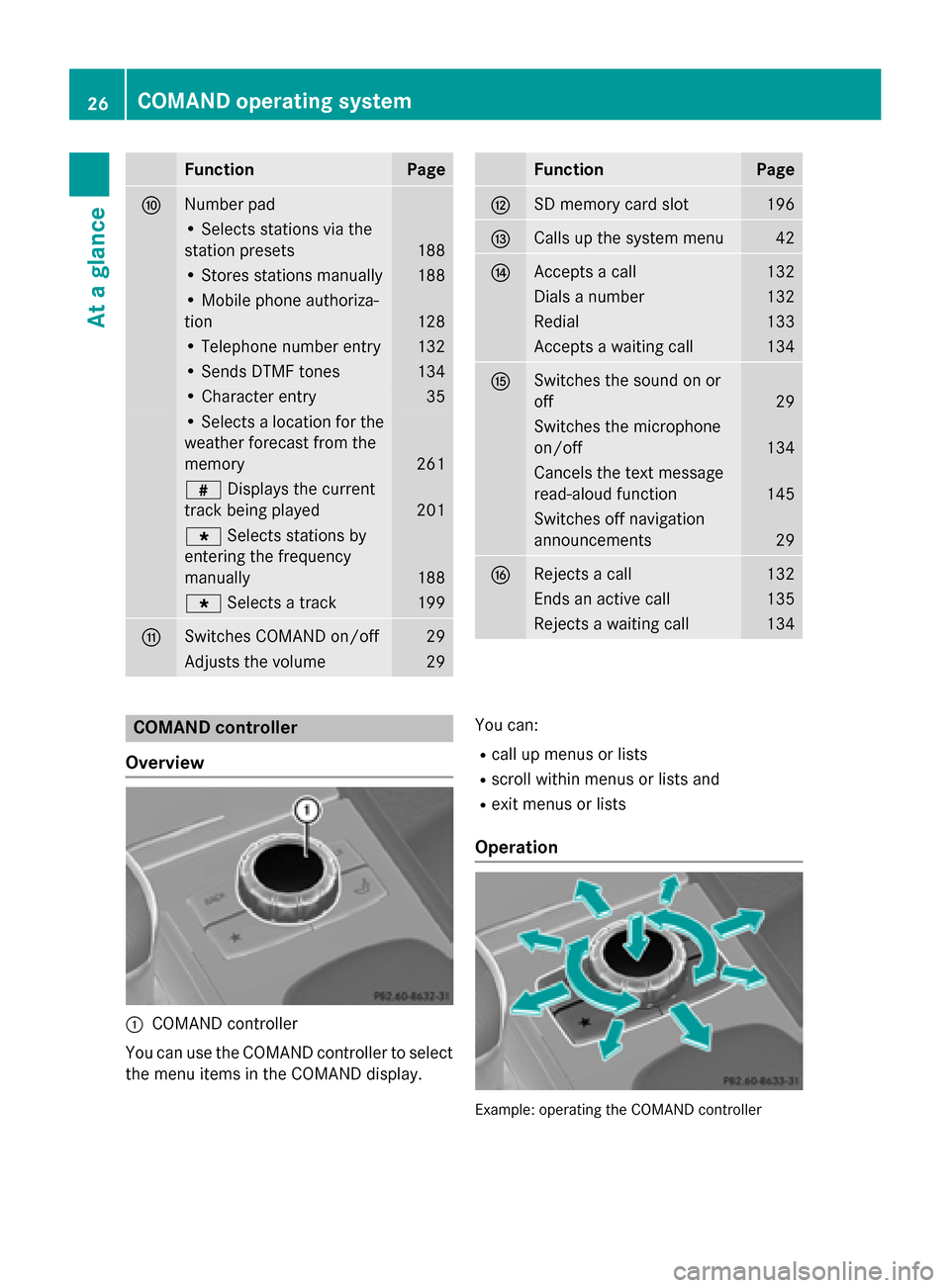
COMAND controller
Overview 0043
COMAND controller
You can use the COMAND controller to select
the menu items in the COMAND display. You can:
R call up menus or lists
R scroll within menus or lists and
R exit menus or lists
Operation Example: operating the COMAND controller26
COMAND operating systemAt a glance
Page 29 of 270
The COMAND controller can be:
R pressed briefly or pressed and held 0098
R turned clockwise or counter-clockwise
00790052007A
R slid left or right 009500520096
R slid forwards or backwards 009700520064
R slid diagonally 009100520078
Example of operation In the instructions, operating sequences are
described as follows:
X Press the 002Abutton.
Radio mode is activated.
X Select Radio
Radio by sliding 00520064and turning
00790052007A the COMAND controller and press 0098
to confirm.
X Confirm Station List
Station List by pressing0098.
The station list appears. Buttons on the COMAND controller
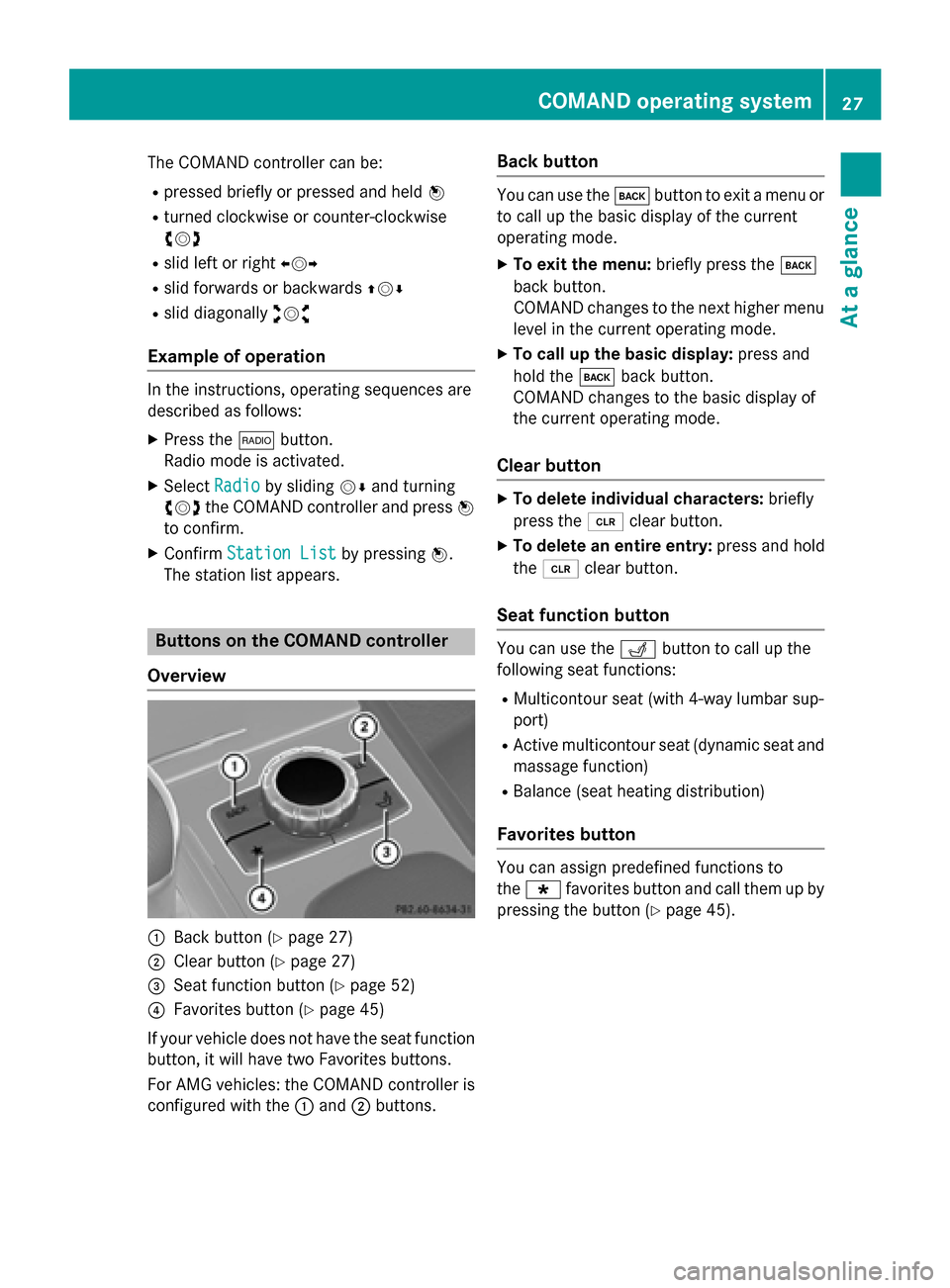
Overview 0043
Back button (Y page 27)
0044 Clear button (Y page 27)
0087 Seat function button (Y page 52)
0085 Favorites button (Y page 45)
If your vehicle does not have the seat function button, it will have two Favorites buttons.
For AMG vehicles: the COMAND controller is
configured with the 0043and 0044buttons. Back button You can use the
003Dbutton to exit a menu or
to call up the basic display of the current
operating mode.
X To exit the menu: briefly press the003D
back button.
COMAND changes to the next higher menu
level in the current operating mode.
X To call up the basic display: press and
hold the 003Dback button.
COMAND changes to the basic display of
the current operating mode.
Clear button X
To delete individual characters: briefly
press the 0084clear button.
X To delete an entire entry: press and hold
the 0084 clear button.
Seat function button You can use the
0050button to call up the
following seat functions:
R Multicontour seat (with 4-way lumbar sup-
port)
R Active multicontour seat (dynamic seat and
massage function)
R Balance (seat heating distribution)
Favorites button You can assign predefined functions to
the 0080 favorites button and call them up by
pressing the button (Y page 45). COMAND operating system
27At a glance
Page 30 of 270
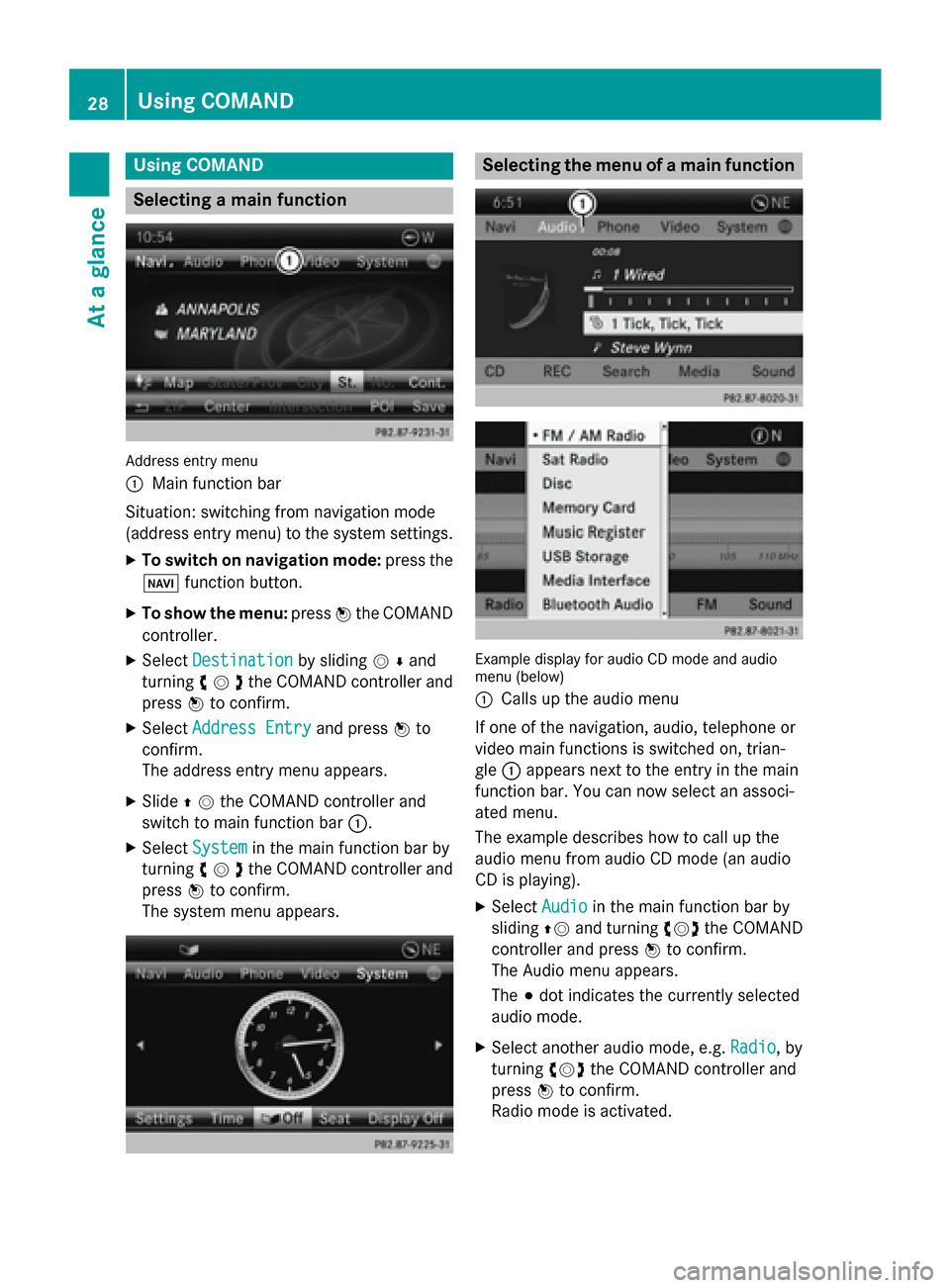
Using COMAND
Selecting a main function
Address entry menu
0043
Main function bar
Situation: switching from navigation mode
(address entry menu) to the system settings.
X To switch on navigation mode: press the
00BE function button.
X To show the menu: press0098the COMAND
controller.
X Select Destination
Destination by sliding00520064and
turning 00790052007Athe COMAND controller and
press 0098to confirm.
X Select Address Entry Address Entry and press0098to
confirm.
The address entry menu appears.
X Slide 00970052the COMAND controller and
switch to main function bar 0043.
X Select System
System in the main function bar by
turning 00790052007Athe COMAND controller and
press 0098to confirm.
The system menu appears. Selecting the menu of a main function
Example display for audio CD mode and audio
menu (below)
0043
Calls up the audio menu
If one of the navigation, audio, telephone or
video main functions is switched on, trian-
gle 0043appears next to the entry in the main
function bar. You can now select an associ-
ated menu.
The example describes how to call up the
audio menu from audio CD mode (an audio
CD is playing).
X Select Audio Audioin the main function bar by
sliding 00970052and turning 00790052007Athe COMAND
controller and press 0098to confirm.
The Audio menu appears.
The 003Bdot indicates the currently selected
audio mode.
X Select another audio mode, e.g. Radio Radio, by
turning 00790052007Athe COMAND controller and
press 0098to confirm.
Radio mode is activated. 28
Using COMANDAt a glance
Page 31 of 270
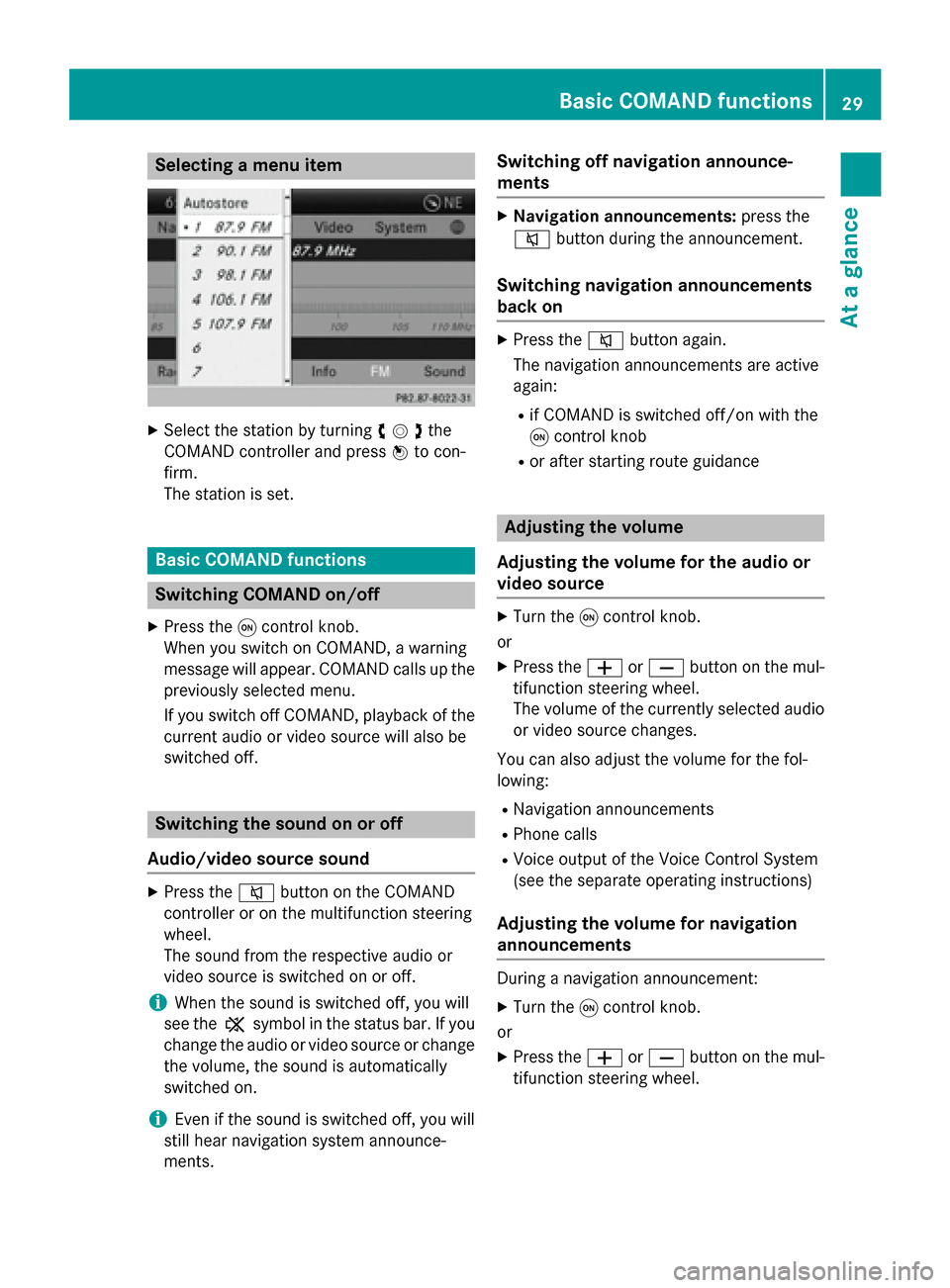
Selecting a menu item
X
Select the station by turning 00790052007Athe
COMAND controller and press 0098to con-
firm.
The station is set. Basic COMAND functions
Switching COMAND on/off
X Press the 0043control knob.
When you switch on COMAND, a warning
message will appear. COMAND calls up the previously selected menu.
If you switch off COMAND, playback of the
current audio or video source will also be
switched off. Switching the sound on or off
Audio/video source sound X
Press the 0063button on the COMAND
controller or on the multifunction steering
wheel.
The sound from the respective audio or
video source is switched on or off.
i When the sound is switched off, you will
see the 006Bsymbol in the status bar. If you
change the audio or video source or change
the volume, the sound is automatically
switched on.
i Even if the sound is switched off, you will
still hear navigation system announce-
ments. Switching off navigation announce-
ments X
Navigation announcements: press the
0063 button during the announcement.
Switching navigation announcements
back on X
Press the 0063button again.
The navigation announcements are active
again:
R if COMAND is switched off/on with the
0043 control knob
R or after starting route guidance Adjusting the volume
Adjusting the volume for the audio or
video source X
Turn the 0043control knob.
or X Press the 0081or0082 button on the mul-
tifunction steering wheel.
The volume of the currently selected audio
or video source changes.
You can also adjust the volume for the fol-
lowing:
R Navigation announcements
R Phone calls
R Voice output of the Voice Control System
(see the separate operating instructions)
Adjusting the volume for navigation
announcements During a navigation announcement:
X Turn the 0043control knob.
or
X Press the 0081or0082 button on the mul-
tifunction steering wheel. Basic COMAND functions
29At a glance
Page 32 of 270
Adjusting the volume for phone calls
You can adjust the volume for hands-free
mode during a telephone call.
X Turn the 0043control knob.
or X Press the 0081or0082 button on the mul-
tifunction steering wheel. Adjusting the sound settings
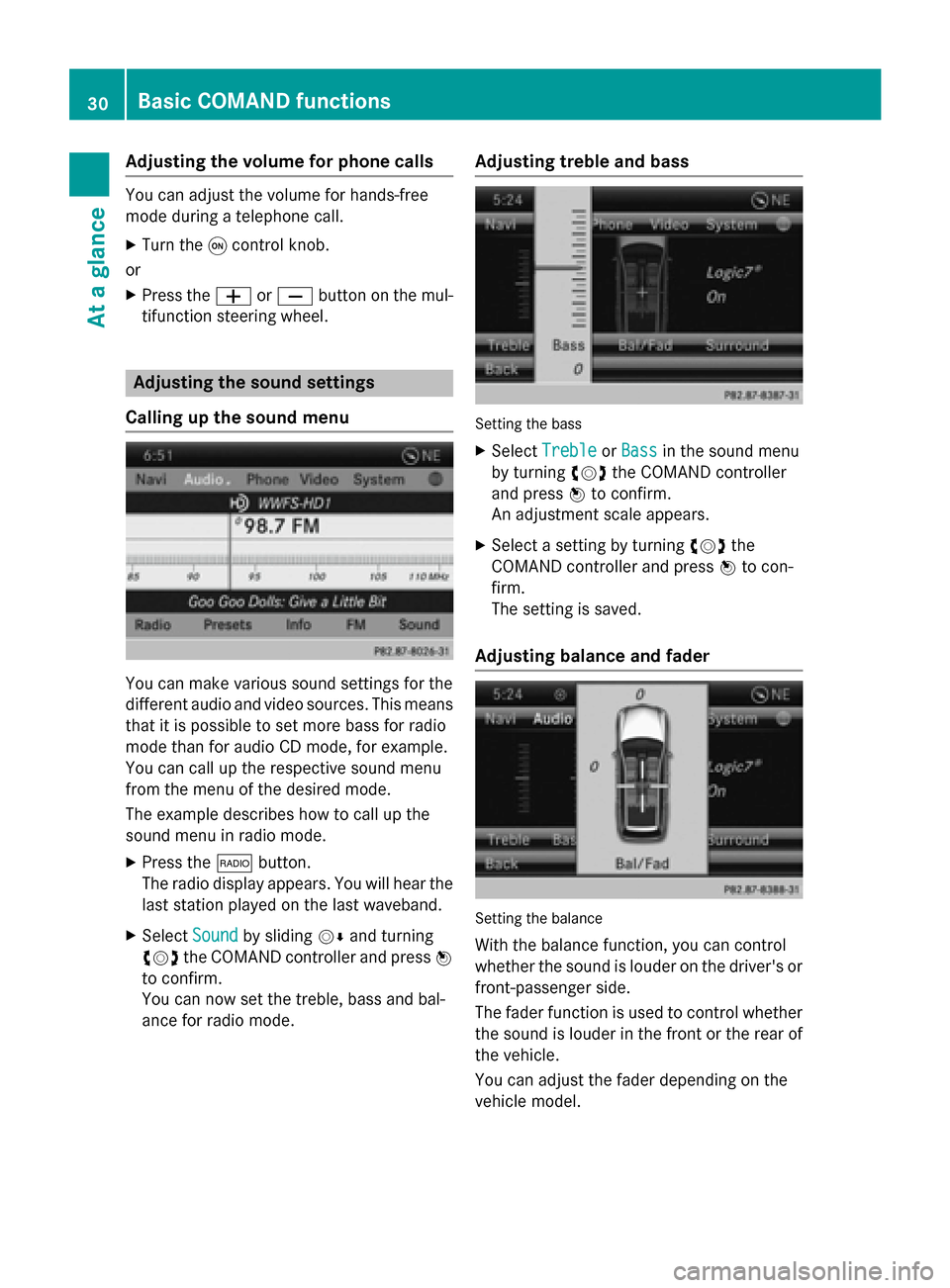
Calling up the sound menu You can make various sound settings for the
different audio and video sources. This means
that it is possible to set more bass for radio
mode than for audio CD mode, for example.
You can call up the respective sound menu
from the menu of the desired mode.
The example describes how to call up the
sound menu in radio mode.
X Press the 002Abutton.
The radio display appears. You will hear the
last station played on the last waveband.
X Select Sound
Sound by sliding 00520064and turning
00790052007A the COMAND controller and press 0098
to confirm.
You can now set the treble, bass and bal-
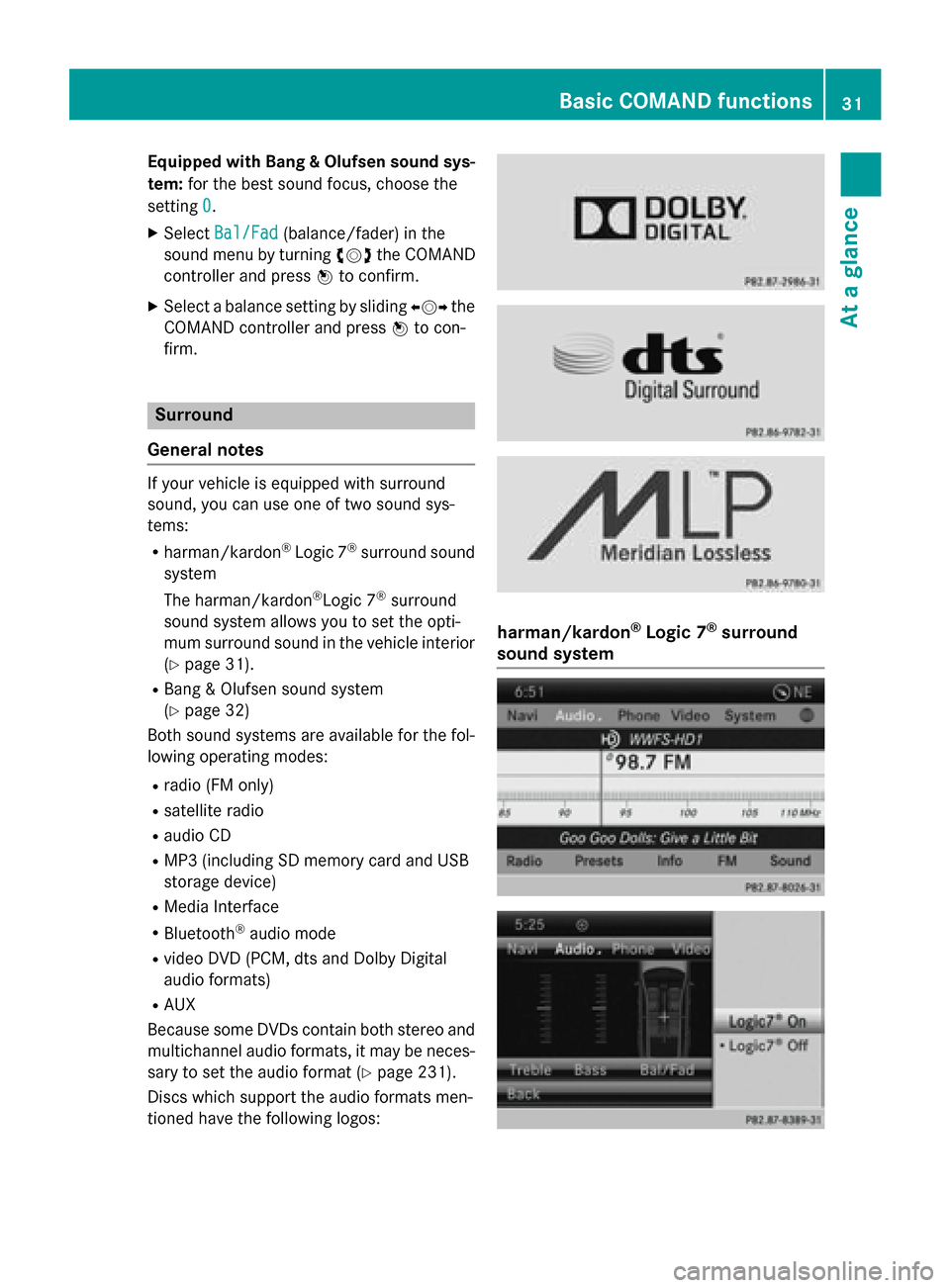
ance for radio mode. Adjusting treble and bass Setting the bass
X Select Treble Treble orBass
Bass in the sound menu
by turning 00790052007Athe COMAND controller
and press 0098to confirm.
An adjustment scale appears.
X Select a setting by turning 00790052007Athe
COMAND controller and press 0098to con-
firm.
The setting is saved.
Adjusting balance and fader Setting the balance
With the balance function, you can control
whether the sound is louder on the driver's or front-passenger side.
The fader function is used to control whether
the sound is louder in the front or the rear of the vehicle.
You can adjust the fader depending on the
vehicle model. 30
Basic COMAND functionsAt a glance
Page 33 of 270
Equipped with Bang & Olufsen sound sys-
tem: for the best sound focus, choose the
setting 0
0.
X Select Bal/Fad
Bal/Fad (balance/fader) in the
sound menu by turning 00790052007Athe COMAND
controller and press 0098to confirm.
X Select a balance setting by sliding 009500520096the
COMAND controller and press 0098to con-
firm. Surround
General notes If your vehicle is equipped with surround
sound, you can use one of two sound sys-
tems:
R harman/kardon ®
Logic 7 ®
surround sound
system
The harman/kardon ®
Logic 7 ®
surround
sound system allows you to set the opti-
mum surround sound in the vehicle interior
(Y page 31).
R Bang & Olufsen sound system
(Y page 32)
Both sound systems are available for the fol-
lowing operating modes:
R radio (FM only)
R satellite radio
R audio CD
R MP3 (including SD memory card and USB
storage device)
R Media Interface
R Bluetooth ®
audio mode
R video DVD (PCM, dts and Dolby Digital
audio formats)
R AUX
Because some DVDs contain both stereo and multichannel audio formats, it may be neces-
sary to set the audio format (Y page 231).
Discs which support the audio formats men-
tioned have the following logos: harman/kardon
®
Logic 7 ®
surround
sound system Basic COMAND functions
31At a glance
Page 34 of 270
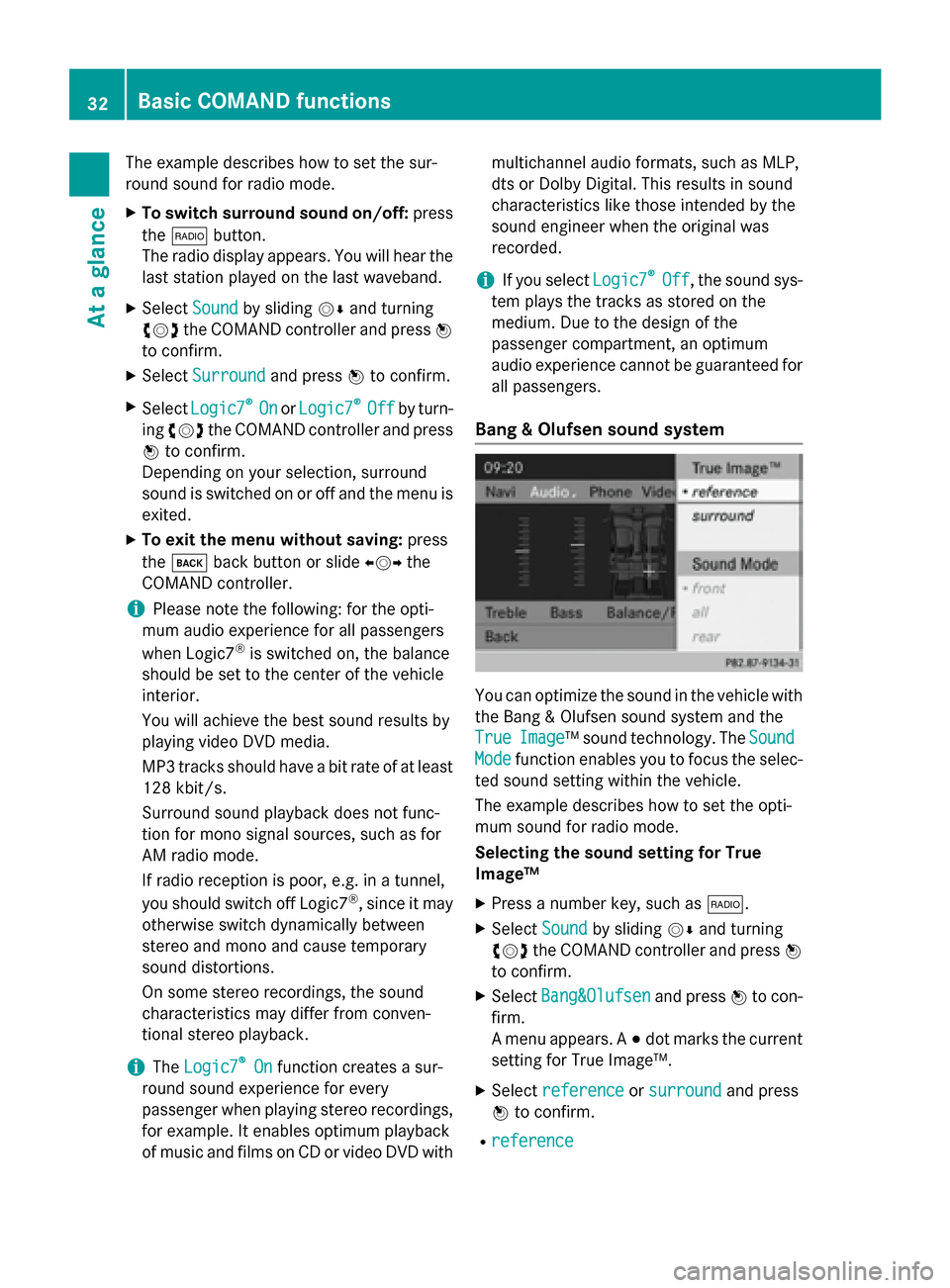
The example describes how to set the sur-
round sound for radio mode.
X To switch surround sound on/off: press
the 002A button.
The radio display appears. You will hear the
last station played on the last waveband.
X Select Sound
Soundby sliding 00520064and turning
00790052007A the COMAND controller and press 0098
to confirm.
X Select Surround
Surround and press0098to confirm.
X Select Logic7
Logic7 ®
®
On
On orLogic7
Logic7 ®
®
Off
Off by turn-
ing 00790052007A the COMAND controller and press
0098 to confirm.
Depending on your selection, surround
sound is switched on or off and the menu is
exited.
X To exit the menu without saving: press
the 003D back button or slide 009500520096the
COMAND controller.
i Please note the following: for the opti-
mum audio experience for all passengers
when Logic7 ®
is switched on, the balance
should be set to the center of the vehicle
interior.
You will achieve the best sound results by
playing video DVD media.
MP3 tracks should have a bit rate of at least
128 kbit/ s.
Surround sound playback does not func-
tion for mono signal sources, such as for
AM radio mode.
If radio reception is poor, e.g. in a tunnel,
you should switch off Logic7 ®
, since it may
otherwise switch dynamically between
stereo and mono and cause temporary
sound distortions.
On some stereo recordings, the sound
characteristics may differ from conven-
tional stereo playback.
i The
Logic7 Logic7 ®
®
On
On function creates a sur-
round sound experience for every
passenger when playing stereo recordings, for example. It enables optimum playback
of music and films on CD or video DVD with multichannel audio formats, such as MLP,
dts or Dolby Digital. This results in sound
characteristics like those intended by the
sound engineer when the original was
recorded.
i If you select
Logic7 Logic7®
®
Off
Off , the sound sys-
tem plays the tracks as stored on the
medium. Due to the design of the
passenger compartment, an optimum
audio experience cannot be guaranteed for
all passengers.
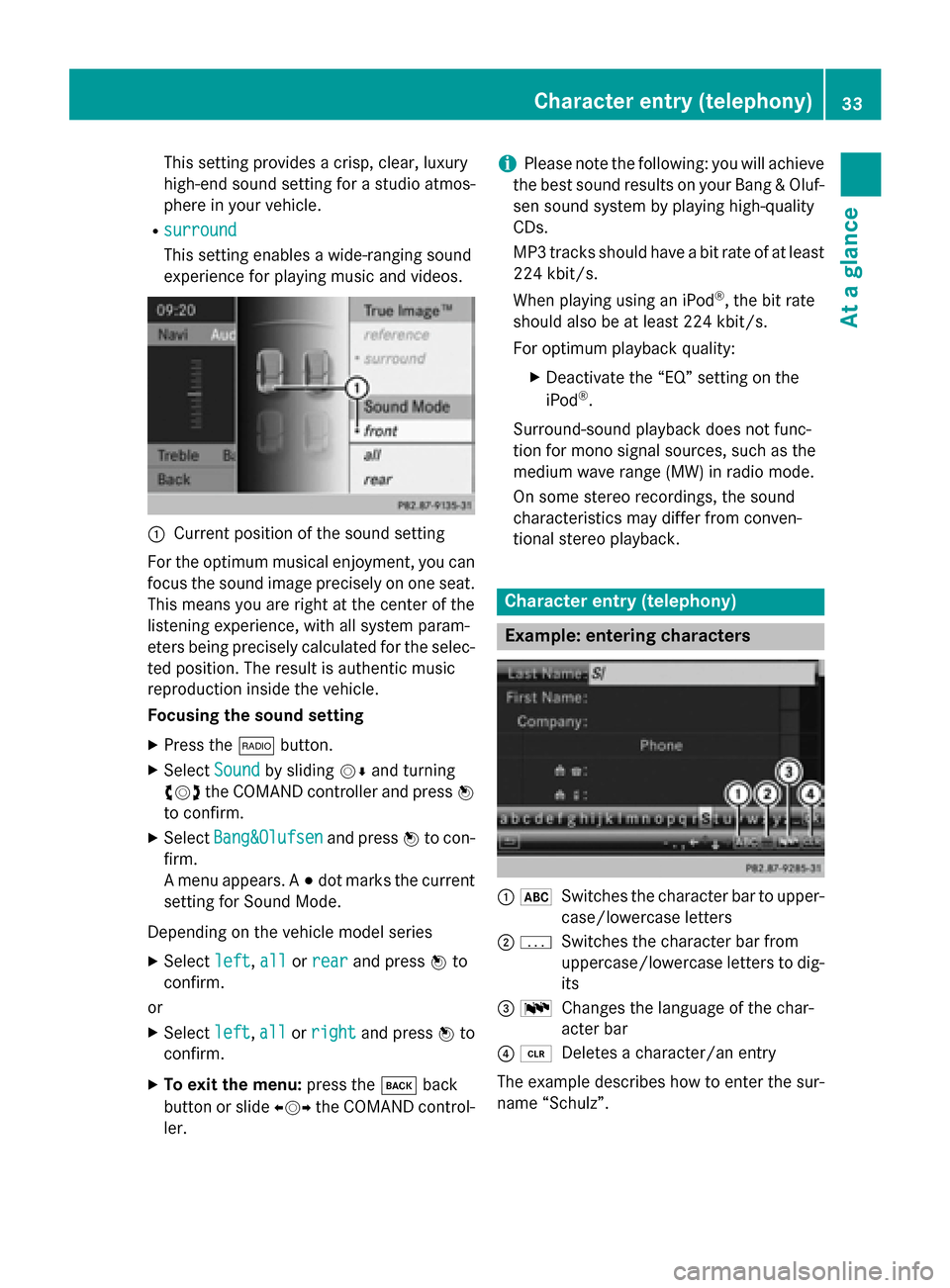
Bang & Olufsen sound system You can optimize the sound in the vehicle with
the Bang & Olufsen sound system and the
True True Image
Image™ sound technology. The Sound
Sound
Mode
Mode function enables you to focus the selec-
ted sound setting within the vehicle.
The example describes how to set the opti-
mum sound for radio mode.
Selecting the sound setting for True
Image™
X Press a number key, such as 002A.
X Select Sound Soundby sliding 00520064and turning
00790052007A the COMAND controller and press 0098
to confirm.
X Select Bang&Olufsen
Bang&Olufsen and press0098to con-
firm.
A menu appears. A 003Bdot marks the current
setting for True Image™.
X Select reference reference orsurround
surround and press
0098 to confirm.
R reference
reference 32
Basic COMAND functionsAt a glance
Page 35 of 270
This setting provides a crisp, clear, luxury
high-end sound setting for a studio atmos-
phere in your vehicle.
R surround
surround
This setting enables a wide-ranging sound
experience for playing music and videos. 0043
Current position of the sound setting
For the optimum musical enjoyment, you can
focus the sound image precisely on one seat. This means you are right at the center of the
listening experience, with all system param-
eters being precisely calculated for the selec-
ted position. The result is authentic music
reproduction inside the vehicle.
Focusing the sound setting
X Press the 002Abutton.
X Select Sound Soundby sliding 00520064and turning
00790052007A the COMAND controller and press 0098
to confirm.
X Select Bang&Olufsen
Bang&Olufsen and press0098to con-
firm.
A menu appears. A 003Bdot marks the current
setting for Sound Mode.
Depending on the vehicle model series X Select left
left, all allorrear
rear and press 0098to
confirm.
or
X Select left
left,all
allorright
right and press 0098to
confirm.
X To exit the menu: press the003Dback
button or slide 009500520096the COMAND control-
ler. i
Please note the following: you will achieve
the best sound results on your Bang & Oluf- sen sound system by playing high-quality
CDs.
MP3 tracks should have a bit rate of at least
224 kbit/s.
When playing using an iPod ®
, the bit rate
should also be at least 224 kbit/s.
For optimum playback quality:
XDeactivate the “EQ” setting on the
iPod ®
.
Surround-sound playback does not func-
tion for mono signal sources, such as the
medium wave range (MW) in radio mode.
On some stereo recordings, the sound
characteristics may differ from conven-
tional stereo playback. Character entry (telephony)
Example: entering characters
0043
0069
Switches the character bar to upper-
case/lowercase letters
0044 0042
Switches the character bar from
uppercase/lowercase letters to dig-
its
0087 0054
Changes the language of the char-
acter bar
0085 0084
Deletes a character/an entry
The example describes how to enter the sur-
name “Schulz”. Character entry (telephony)
33At a glance
Page 36 of 270
X
Call up the input menu with data fields
(Y page 139).
X Select S
S and confirm 0098with the COMAND
controller.
S
S appears in the data field.
X Select c cand confirm 0098with the COMAND
controller.
The letter c
c is added to S Sin the data field.
X Repeat the process until the name has
been entered in full.
Other input menu functions:
R Deleting a character/an entry
(Y page 35)
R Switching between upper/lower-case let-
ters (Y page 34)
R Changing the character set (Y page 35)
R Moving the cursor to the next data field
(Y page 35)
X To enter a phone number: select the dig-
its one by one in the corresponding data
field by turning 00790052007Aand sliding 009700520064the
COMAND controller and press 0098to con-
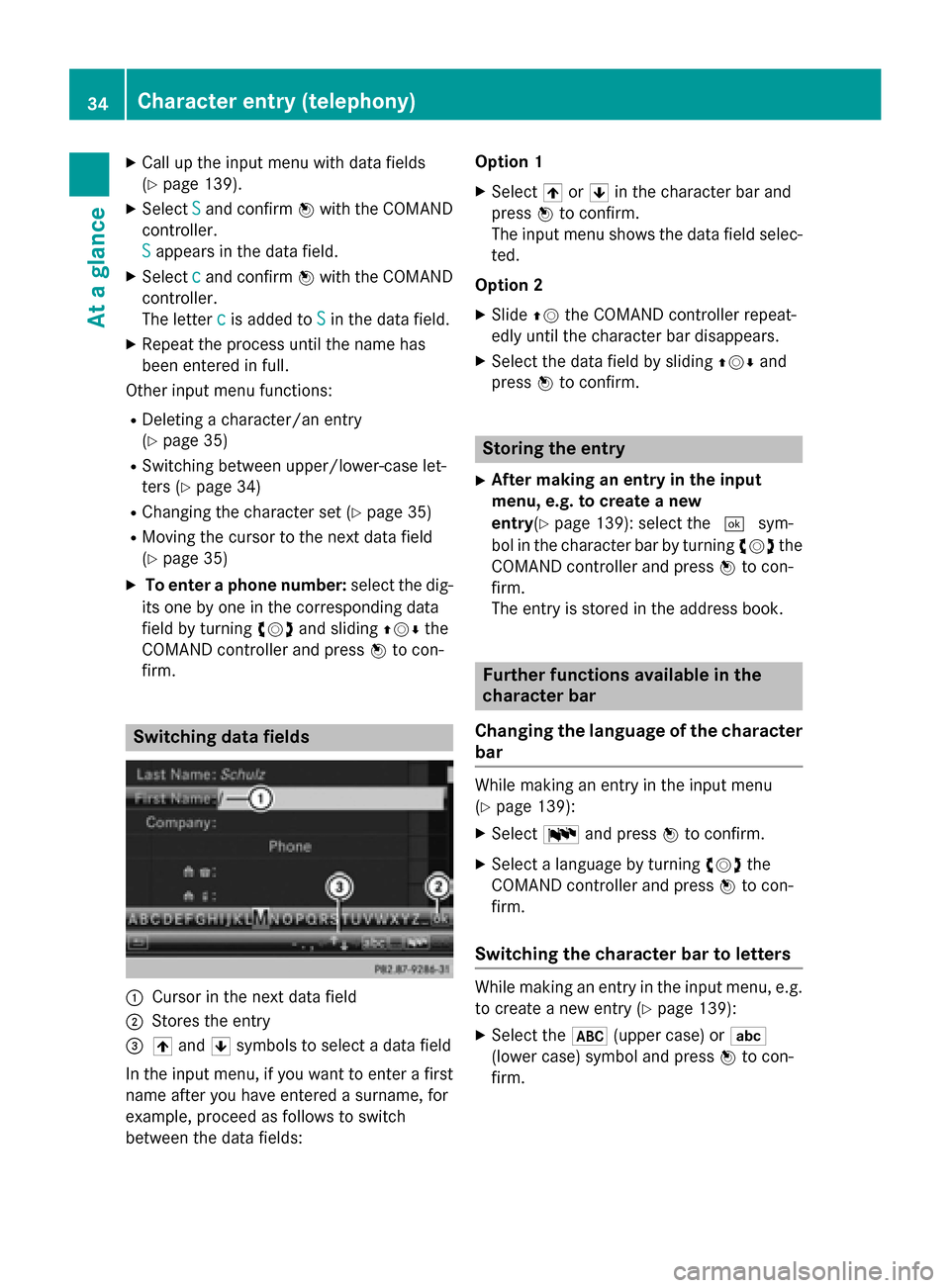
firm. Switching data fields
0043
Cursor in the next data field
0044 Stores the entry
0087 005F and 0060symbols to select a data field
In the input menu, if you want to enter a first name after you have entered a surname, for
example, proceed as follows to switch
between the data fields: Option 1
X Select 005For0060 in the character bar and
press 0098to confirm.
The input menu shows the data field selec- ted.
Option 2
X Slide 00970052the COMAND controller repeat-
edly until the character bar disappears.
X Select the data field by sliding 009700520064and
press 0098to confirm. Storing the entry
X After making an entry in the input
menu, e.g. to create a new
entry (Ypage 139): select the 0054sym-
bol in the character bar by turning 00790052007Athe
COMAND controller and press 0098to con-
firm.
The entry is stored in the address book. Further functions available in the
character bar
Changing the language of the character bar While making an entry in the input menu
(Y
page 139):
X Select 0054and press 0098to confirm.
X Select a language by turning 00790052007Athe
COMAND controller and press 0098to con-
firm.
Switching the character bar to letters While making an entry in the input menu, e.g.
to create a new entry (Y page 139):
X Select the 0069(upper case) or 0041
(lower case) symbol and press 0098to con-
firm. 34
Character entry (telephony)At a glance
Page 37 of 270
Changing the character set
While making an entry in the input menu
(Y
page 139):
X Select the 0042symbol and press 0098to
confirm.
R ABC ABC (upper/lower case)
R 123
123 (digits)
R Other
Other (special characters such as @, €,
etc.)
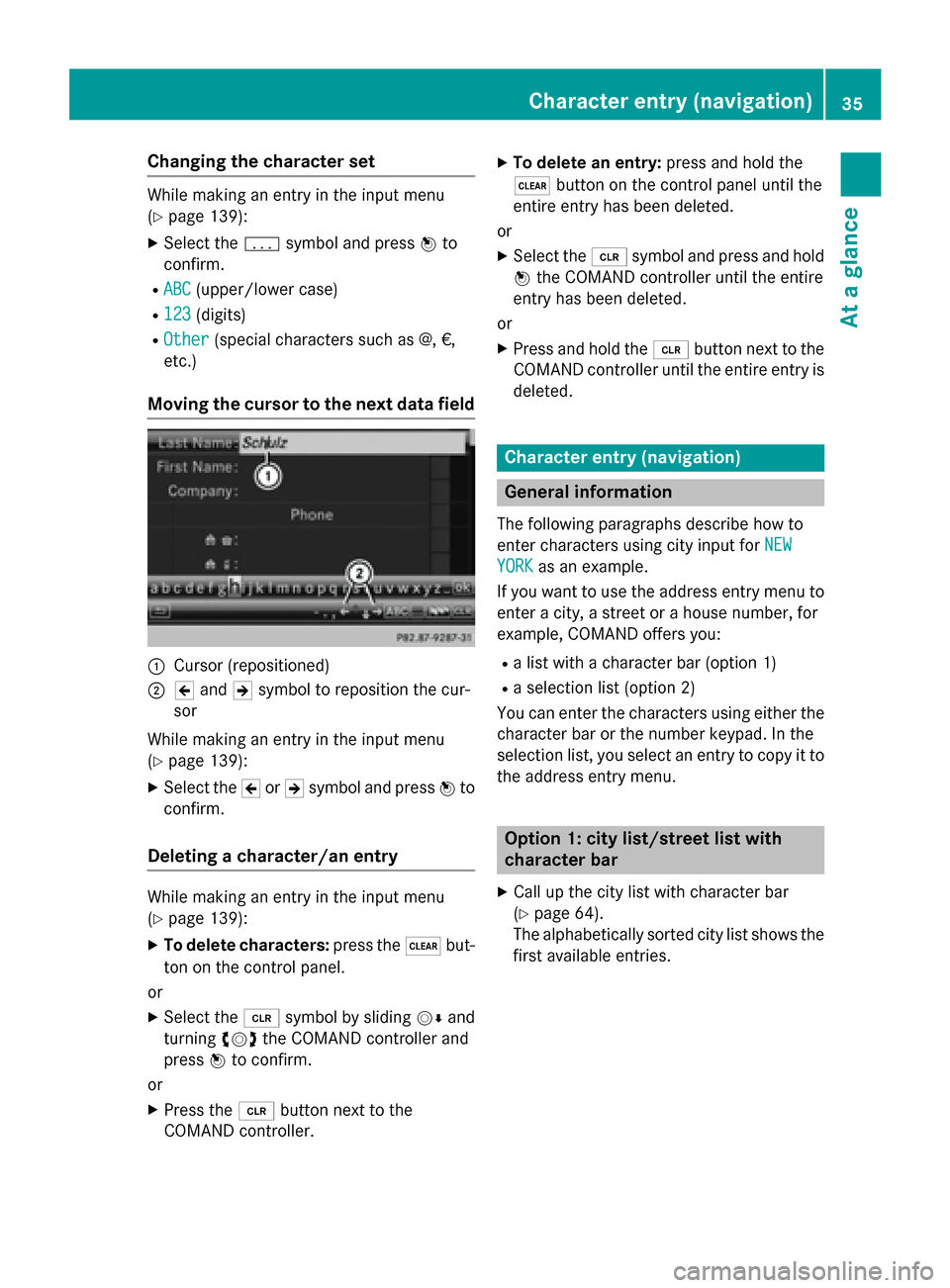
Moving the cursor to the next data field 0043
Cursor (repositioned)
0044 005D and 005Esymbol to reposition the cur-
sor
While making an entry in the input menu
(Y page 139):
X Select the 005Dor005E symbol and press 0098to
confirm.
Deleting a character/an entry While making an entry in the input menu
(Y page 139):
X To delete characters: press the0037but-
ton on the control panel.
or
X Select the 0084symbol by sliding 00520064and
turning 00790052007Athe COMAND controller and
press 0098to confirm.
or
X Press the 0084button next to the
COMAND controller. X
To delete an entry: press and hold the
0037 button on the control panel until the
entire entry has been deleted.
or X Select the 0084symbol and press and hold
0098 the COMAND controller until the entire
entry has been deleted.
or
X Press and hold the 0084button next to the
COMAND controller until the entire entry is
deleted. Character entry (navigation)
General information
The following paragraphs describe how to
enter characters using city input for NEW NEW
YORK
YORK as an example.
If you want to use the address entry menu to enter a city, a street or a house number, for
example, COMAND offers you:
R a list with a character bar (option 1)
R a selection list (option 2)
You can enter the characters using either the
character bar or the number keypad. In the
selection list, you select an entry to copy it to the address entry menu. Option 1: city list/street list with
character bar
X Call up the city list with character bar
(Y page 64).
The alphabetically sorted city list shows the first available entries. Character entry (navigation)
35At a glance