lock MERCEDES-BENZ CLA-Class 2016 C117 Comand Manual
[x] Cancel search | Manufacturer: MERCEDES-BENZ, Model Year: 2016, Model line: CLA-Class, Model: MERCEDES-BENZ CLA-Class 2016 C117Pages: 246, PDF Size: 6.73 MB
Page 107 of 246
XTo select an area:when the map with
crosshair appears, press the controller.
A red square appears on the map, symbol-
izing the area to be blocked.
XTo change the size of the area, turn the
controller.
The map scale is shown at the bottom of the
display. The needle points to the map scale
currently selected.
XWhen the desired size is set, press the con- troller.
The area is entered into the list.
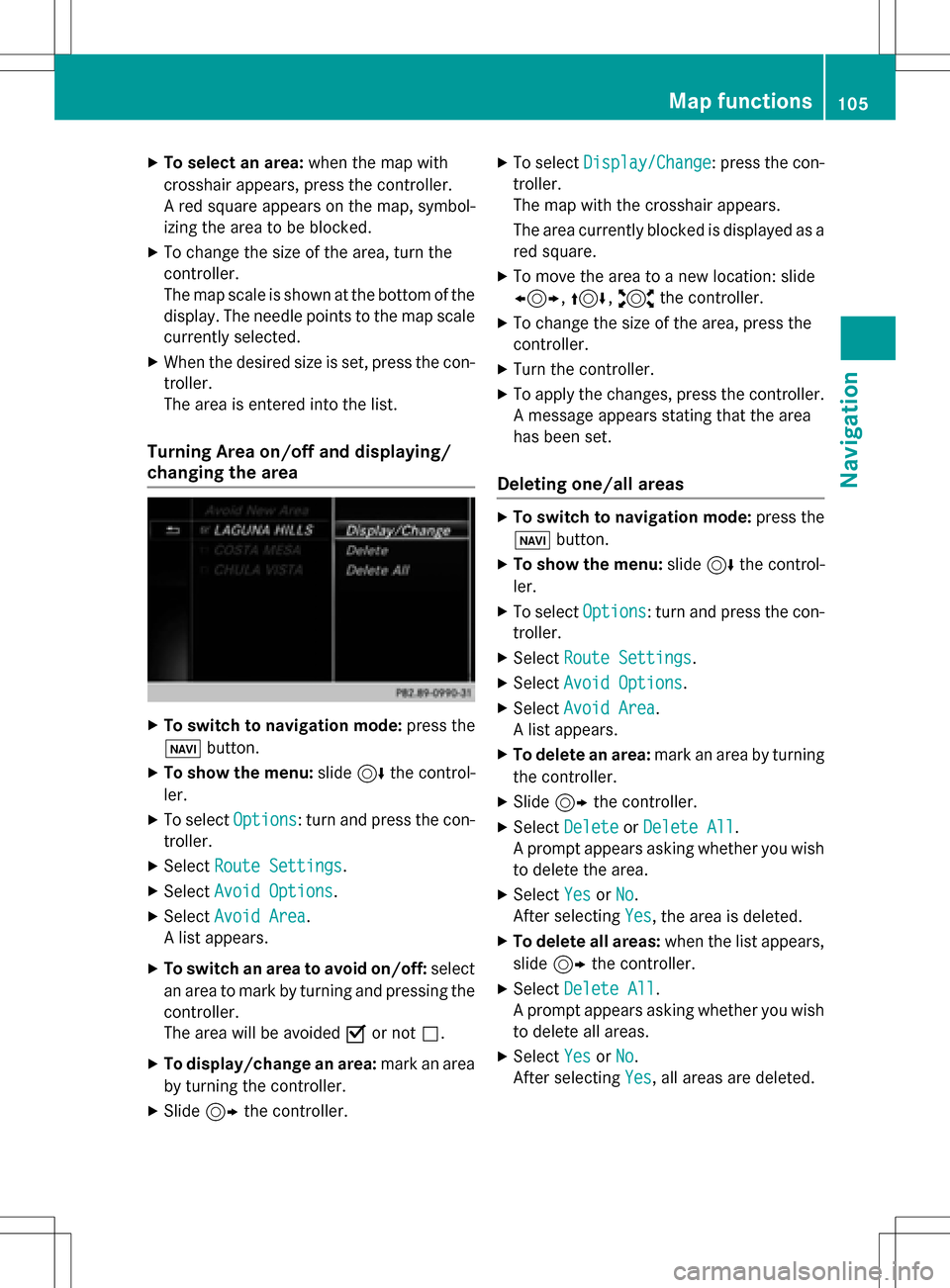
Turning Area on/off and displaying/
changing the area
XTo switch to navigation mode: press the
ß button.
XTo show the menu: slide6the control-
ler.
XTo select Options: turn and press the con-
troller.
XSelect Route Settings.
XSelectAvoid Options.
XSelectAvoid Area.
A list appears.
XTo switch an area to avoid on/off: select
an area to mark by turning and pressing the
controller.
The area will be avoided Oor not ª.
XTo display/change an area: mark an area
by turning the controller.
XSlide 9the controller.
XTo select Display/Change: press the con-
troller.
The map with the crosshair appears.
The area currently blocked is displayed as a
red square.
XTo move the area to a new location: slide
1, 4,2the controller.
XTo change the size of the area, press the
controller.
XTurn the controller.
XTo apply the changes, press the controller.
A message appears stating that the area
has been set.
Deleting one/all areas
XTo switch to navigation mode: press the
ß button.
XTo show the menu: slide6the control-
ler.
XTo select Options: turn and press the con-
troller.
XSelect Route Settings.
XSelectAvoid Options.
XSelectAvoid Area.
A list appears.
XTo delete an area: mark an area by turning
the controller.
XSlide 9the controller.
XSelect DeleteorDelete All.
A prompt appears asking whether you wish
to delete the area.
XSelect YesorNo.
After selecting Yes
, the area is deleted.
XTo delete all areas: when the list appears,
slide 9 the controller.
XSelect Delete All.
A prompt appears asking whether you wish
to delete all areas.
XSelect YesorNo.
After selecting Yes
, all areas are deleted.
Map functions105
Navigation
Z
Page 140 of 246
Function restrictions
Text messages cannotbewritten while the
vehicle is inmotion.
Requirements
To use the message functions, the connected
mobilephone must support the MAP Blue-
tooth
®profile . When connecting the mobile
phone, you may have to accept the prompt for
the MAP Bluetooth
®profile .
With some mob ilephones, some settings still
have to bemade after connecting to
COMAND (see the manufacturer's operating
instructions). The messages are displayed the
next time you connect to COMAND.
An e-mail account must beset up on the
mob ilephone for the e-mail function (see the
manufacturer’s operating instructions).
To read and write e-mails inCOMAND, the e-
mail account first needs to be configured
(
Ypage 139).
Some mobile phones with the MAP Blue-
toot h
®profile:
Ronly show new text messages.
Rdonot support the deleting or editing of
text messages.
Rdo not support the drafts folder for text
messages.
Rdo not support the sending of text mes-
sages.
Rdo not support the e-mail function.
Rdonot send messages ina locked status.
Not all mob ilephones availab leon the market
are equally suitable. You can obtain further
information about settings and supported
functions of Bluetooth
®-capable mobile
phones on the Internet at www.mercedes-
benz-
mobile.com .
You can also obtain more information bycall-
ing.
In the USA, you can get intouch with the
Mercedes-Benz Customer Assistance Center
on 1-800-FOR-M ERCedes (1-800-367-6372 ).In Canada, you can get in touch with the Cus-
tomer Relations Center on 1-800-387-0100.
Settings
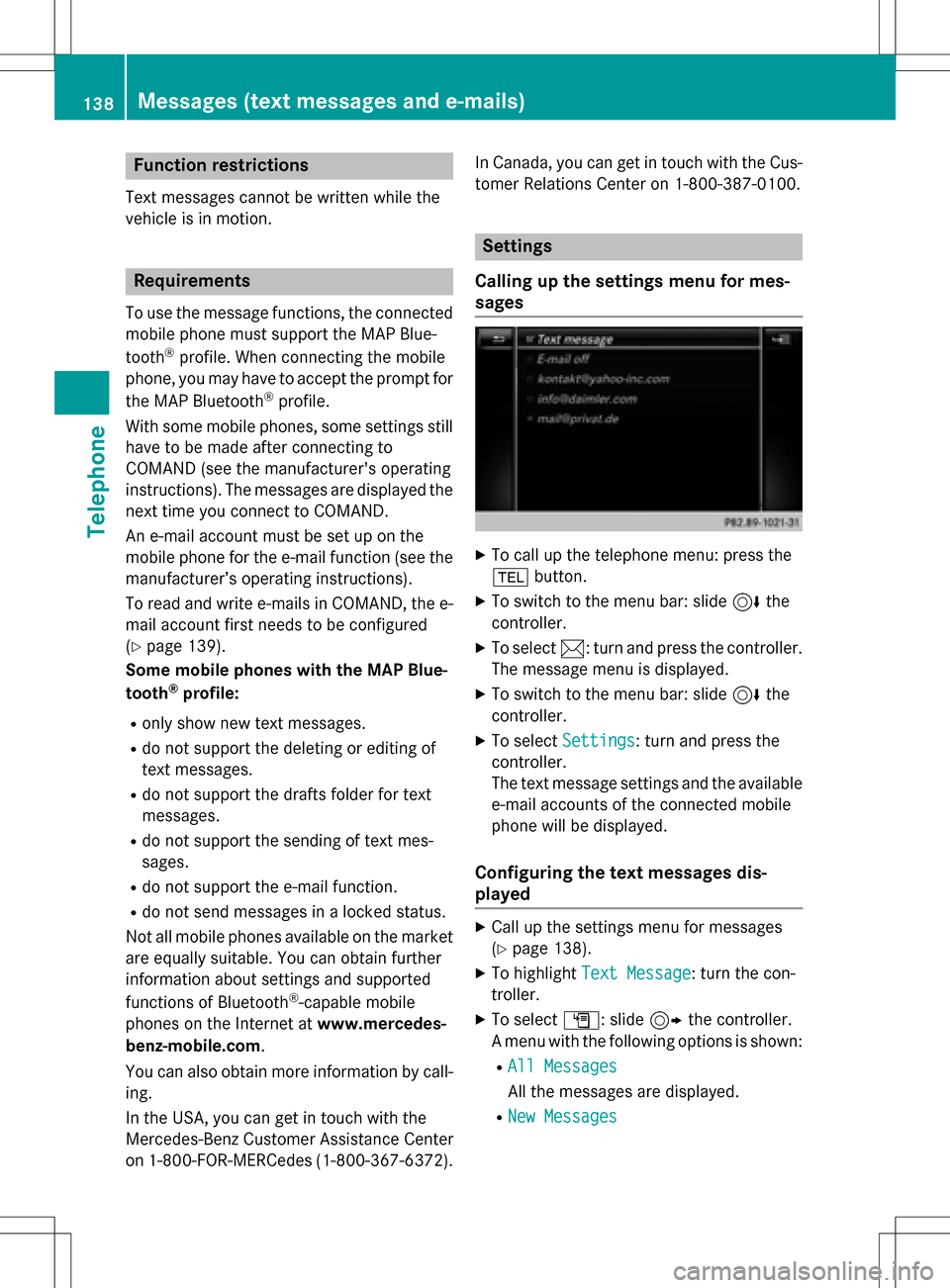
Calling up the settings menu for mes-
sages
XTo call up the telephone menu: press the
% button.
XTo switch to the menu bar: slide 6the
controller.
XTo select 1: turn and press the controller.
The message menu is displayed.
XTo switch to the menu bar: slide 6the
controller.
XTo select Settings: turn and press the
controller.
The text message settings and the available
e-mail accounts of the connected mobile
phone will be displayed.
Configuring the text messages dis-
played
XCall up the settings menu for messages
(
Ypage 138).
XTo highlight Text Message: turn the con-
troller.
XTo select G: slide 9the controller.
A menu with the following options is shown:
RAll Messages
All the messages are displayed.
RNew Messages
138Messages (text messages and e-mails)
Telephone
Page 149 of 246
Prerequisites
RCarPlay®can be used from iPhone 5
upwards. CarPlay functions optimally with
the iOS 8 operating system.
RDeactivate the key lock of your mobile
phone.
RApple CarPlay®functions best when the
mobile phone is connected to the Internet.
Activating/deactivating automatic
connection
When you connect a CarPlay-enabled mobile
phone to COMAND for the first time, you are
asked if activation should be done automati-
cally or manually in future.
XTo call up the telephone menu: press the
% button.
XTo show the main function bar: slide 5
the controller.
XTo select Tel/®: turn and press the con-
troller.
XSelect Apple CarPlay.
XTo select Start Apple CarPlay Auto‐
matically: press the controller.
You can allow Oor suppress ªthe auto-
matic connection function.
XConnect the iPhone via the USB port (USB
2).
Apple CarPlay is automatically activated.
Activating manually
XTo call up the telephone menu: press the
% button.
XTo show the main function bar: slide 5
the controller.
XTo select Tel/®: turn and press the con-
troller.
XSelect Apple CarPlay.
XConnect the iPhone via the USB port (USB
2).
TheConfirm to Start Apple CarPlay
message appears.
XTo confirm the message: press the control-
ler.
You will see the Apple Carplay
®menu.
Terminating CarPlay mode
XRemove the USB cable from the USB port
(USB 2).
TheNo
AppleCarPlaydeviceconnec‐
ted. Please ensure that your
deviceisconnectedtothecorrect
USB port (USB 2).message appears.
Apple CarPlay®147
Telephone
Z
Page 165 of 246
XTo show the menu:press the%but-
ton.
XTo select 3: turn and press the control-
ler.
A menu appears. The #dot indicates the
current setting.
XSelect Zoom.
XTo navigate on the web page: slide 1,
4 or2 the controller.
XTo zoom in on the web page: turn the con-
troller.
Jumping from link to link
You can use this function to skip from one link
to the next on a website.
XTo show the menu: press the%but-
ton.
XTo select 3: turn and press the control-
ler.
A menu appears. The #dot indicates the
current setting.
XSelect Jump From Link To Link.
If a website has been called up and the
controller is turned, the cursor jumps from
link to link.
Directional scrolling
You can use this function to scroll up and
down on the web page.
XTo show the menu: press the%but-
ton.
XTo select 3: turn and press the control-
ler.
A menu appears. The #dot indicates the
current setting.
XSelect Directional Scrolling.
If a website has been called up and the
controller is turned, the cursor moves up or
down depending on the direction of the
turn.
Settings
Overview
XTo show the menu: press the%but-
ton.
XTo select 3: turn and press the control-
ler.
A menu appears.
XSelect Settings.
You can activate or deactivate the following
settings:
RDownload Images Automatically
It may take some time to download the
contents of websites that contain a large
amount of images. Therefore, it may be
useful to deactivate this option.
RBlock Pop-Ups
Pop-ups are windows (usually with adver-
tisements) which are displayed automati-
cally when you call up a website. You can
block these displays.
RActivate Javascript
Javascript makes it possible to display and
interact with dynamic content on the web-
site.
RAllow Cookies
Some websites save information in small
text files (cookies) on your system. You can
determine whether cookies may be stored.
REnable Internet Audio
You can switch the browser's audio play-
back on or off here.
RHide Scroll Bars
You can show or hide the scroll bar here.
RShow Link Target
You can display the link's URL here.
RCharacter Size
You can select the font size which is used
when displaying the website.
RCharacter Code
You can select a different character set
here, e.g. if the characters of a website
appear distorted.
Web browser163
Online and Internet functions
Z
Page 174 of 246
XTo selectInformationin the radio menu
bar: turn and press the controller.
Information on the currently received pro-
gram is displayed.
If available, you will see:
Rthe track that is currently being played
Rthe artist of the track that is currently being
played
Rthe album name
Rthe channel abbreviation
Rthe logo of the station or Artist Experience®
Back to radio display:
XTo select Information: slide6and
press the controller.
or
XPress the %button.
Satellite radio
General notes
The satellite radio mode requires satellite
radio equipment and registration with a sat-
ellite radio provider.
Note that the categories and channels shown
in the illustrations depend on the program
content offered by the provider. The illustra-
tions and descriptions in these operating
instructions may therefore differ from the
channels and categories offered by the pro-
vider.
Satellite radio mode may be temporarily
unavailable or interrupted for a variety of rea-
sons. These include environmental or topo-
graphical conditions as well as other factors
beyond the control of Mercedes-Benz USA,
LLC. This means operation may not be possi-
ble in certain areas.
These include:
Rtunnels
Rparking garages
Rlocations inside or next to buildings
Rlocations in the vicinity of other structures SIRIUS XM Satellite Radio offers more than
140 digital-quality radio channels providing
100% commercial-free music, sports, news
and entertainment.
SIRIUS XM Satellite Radio employs a fleet of
high-performance satellites to broadcast
around the clock throughout the USA and
Canada.
The satellite radio program is available for a
monthly fee. Details are available from the
SIRIUS XM Service Center and at
http://www.siriusxm.com
(USA) or
http://www.siriusxm.ca (Canada).
Your new Mercedes-Benz vehicle comes with
SIRIUS XM Satellite Radio pre-installed at the factory. This service is free for a six-month
trial period. About a month before the trial
period ends, information will be provided on
how to extend this subscription. An acoustic
signal sounds and a message is shown,
describing how the subscription can be
extended.
Registering satellite radio
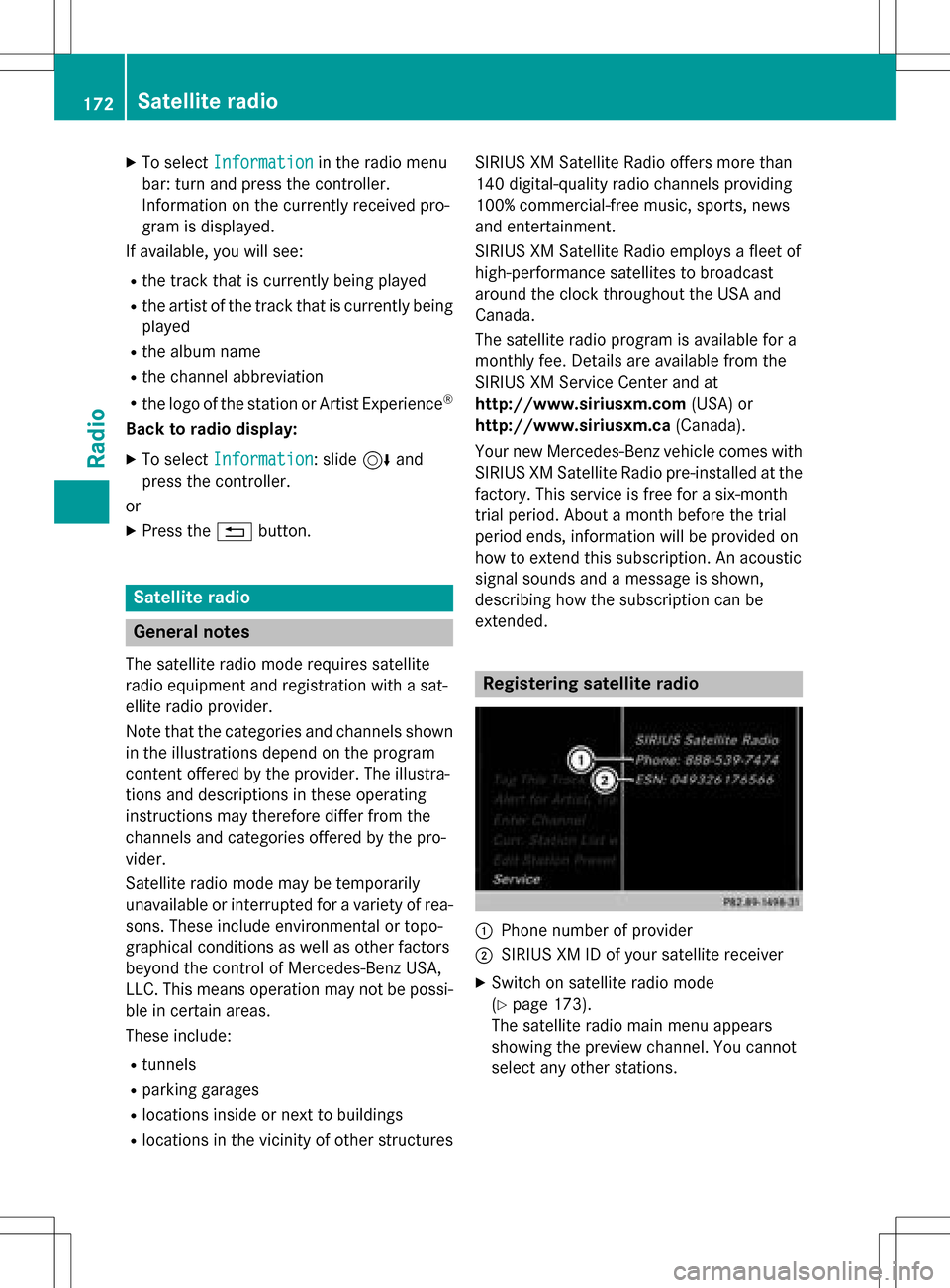
:Phone number of provider
;SIRIUS XM ID of your satellite receiver
XSwitch on satellite radio mode
(
Ypage 173).
The satellite radio main menu appears
showing the preview channel. You cannot
select any other stations.
172Satellite radio
Radio
Page 204 of 246
The following options are available for the
screen format for the DVD being played:
RAuto
R16:9
R4:3
RZoom
XTo set the picture format:turn and press
the controller.
The dot before the menu entry shows the
selected format.
Manual image enhancement
XTo select Bright.,Contrastor Color:
turn and press the controller.
A sliding menu appears.
XTo select the required value: turn the con-
troller.
XTo exit the sliding menu: slide8 the
controller.
DVD's control menu
Most DVDs have their own control menu
which can be operated using the controller.
Showing the DVD's control menu
XTo select Menufrom the DVD overlay menu:
turn and press the controller.
The menu of the DVD overlay menu is hid-
den and the DVD's menu entries (e.g.
scenes, language, trailers) are displayed.
XTo select a menu entry: slide and press the
controller.
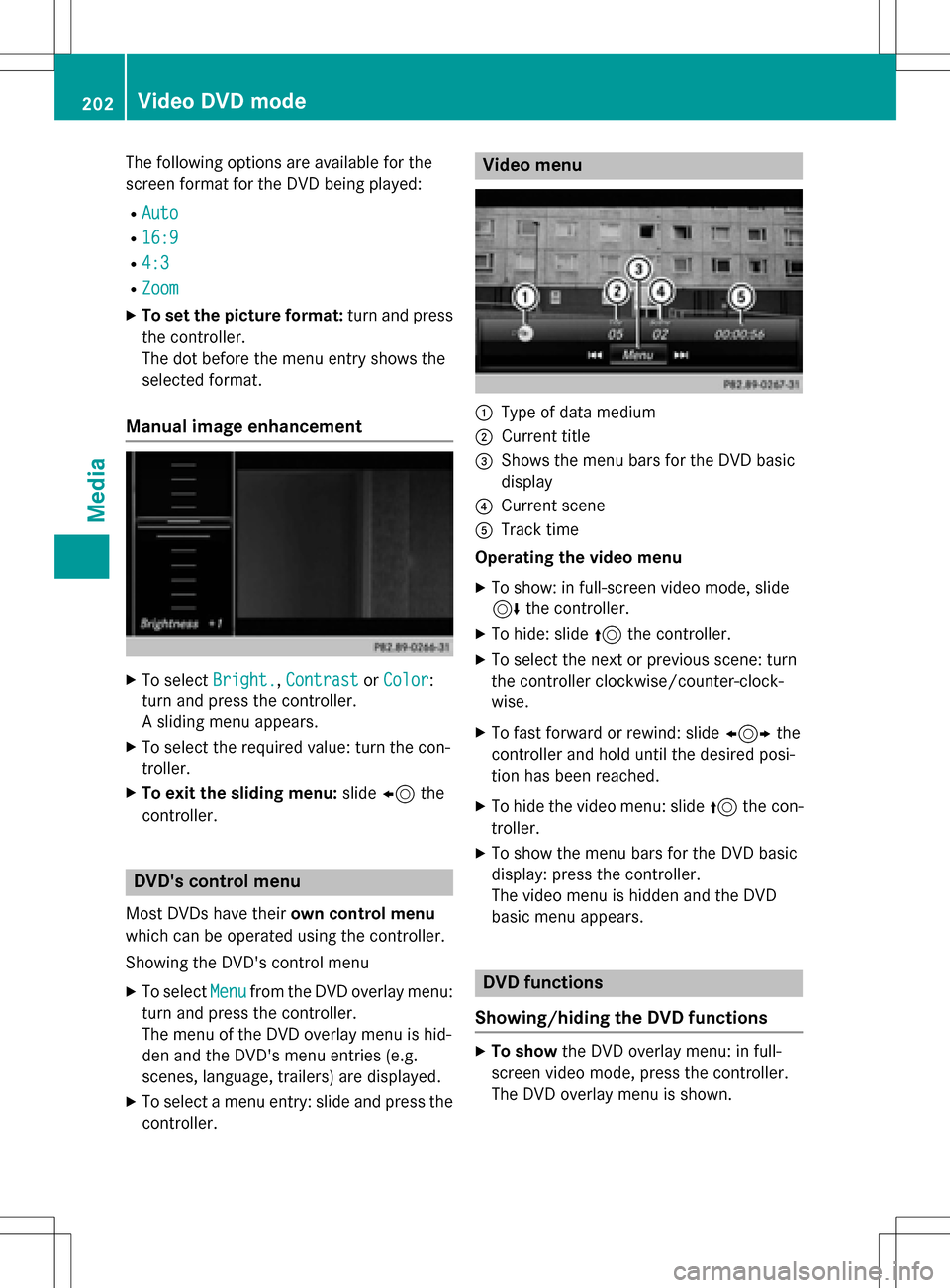
Video menu
:Type of data medium
;Current title
=Shows the menu bars for the DVD basic
display
?Current scene
ATrack time
Operating the video menu
XTo show: in full-screen video mode, slide
6 the controller.
XTo hide: slide 5the controller.
XTo select the next or previous scene: turn
the controller clockwise/counter-clock-
wise.
XTo fast forward or rewind: slide 1the
controller and hold until the desired posi-
tion has been reached.
XTo hide the video menu: slide 5the con-
troller.
XTo show the menu bars for the DVD basic
display: press the controller.
The video menu is hidden and the DVD
basic menu appears.
DVD functions
Showing/hiding the DVD functions
XTo show the DVD overlay menu: in full-
screen video mode, press the controller.
The DVD overlay menu is shown.
202Video DVD mode
Media
Page 207 of 246
Starting a slide show
XWhile viewing a picture, press the control-
ler.
The image menu appears.
XTo selectStart Slideshow: turn and
press the controller.
The slide show starts.
XTo end the slide show: press the controller.
The image menu appears.
XSelect End Slide Show.
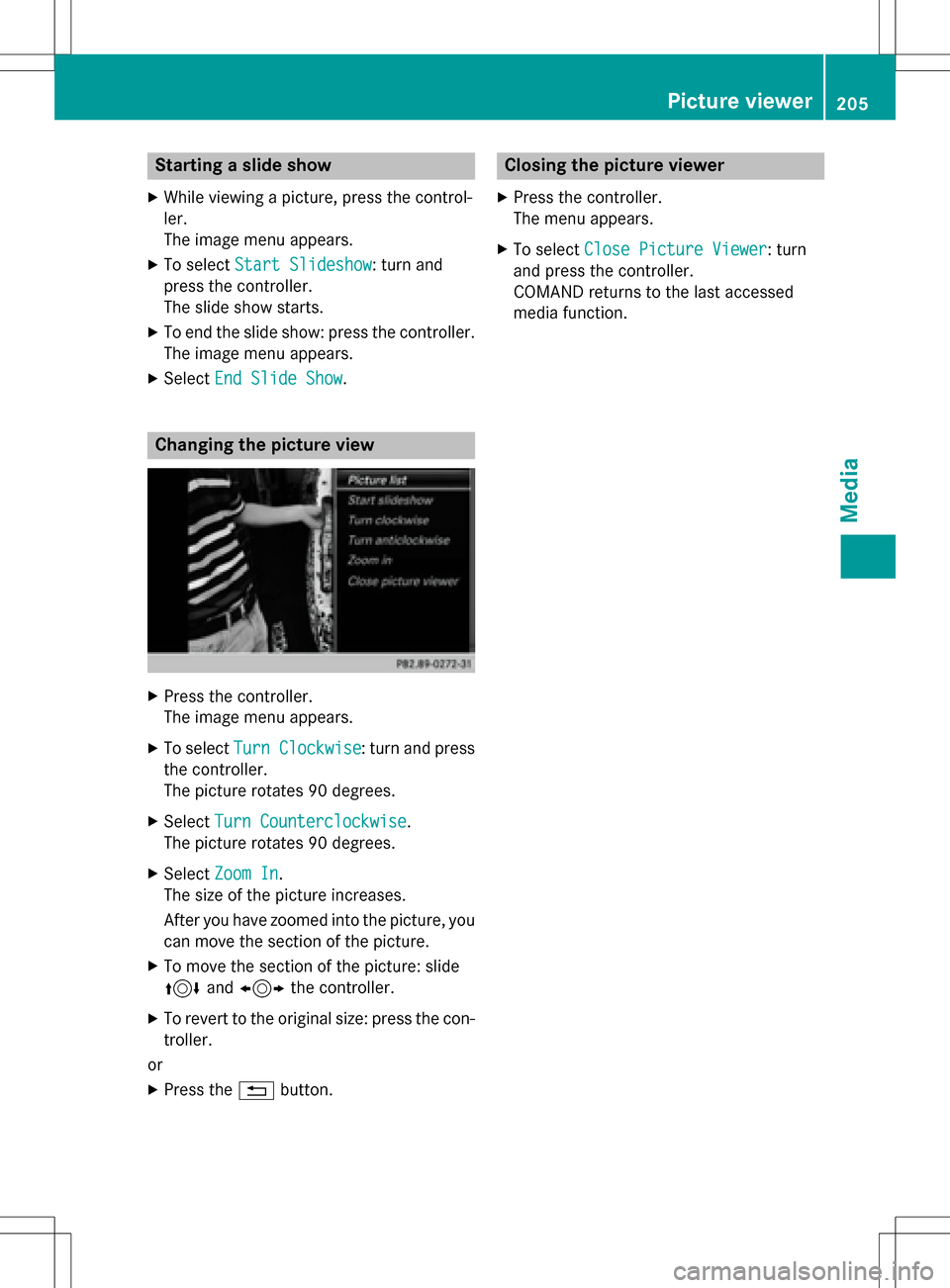
Changing the picture view
XPress the controller.
The image menu appears.
XTo select Turn Clockwise: turn and press
the controller.
The picture rotates 90 degrees.
XSelect Turn Counterclockwise.
The picture rotates 90 degrees.
XSelect Zoom In.
The size of the picture increases.
After you have zoomed into the picture, you
can move the section of the picture.
XTo move the section of the picture: slide
4 and1 the controller.
XTo revert to the original size: press the con-
troller.
or
XPress the %button.
Closing the picture viewer
XPress the controller.
The menu appears.
XTo select Close Picture Viewer: turn
and press the controller.
COMAND returns to the last accessed
media function.
Picture viewer205
Media
Z
Page 228 of 246
Your COMANDequipment
These operatin ginstruction sdescribe all th e
standar dan doptional equipmen tof your
COMAN Dsystem, as available at th etime of
going to print .Country-specifi cdifference s
are possible. Bear in min dthat your vehicle
may no tfeature all function sdescribed here.
Thi salso applies to safety-relevan tsystems
an dfunctions.
Read th einformation on qualified specialis t
workshop sin th evehicle Operator's Manual.
Overview
Important safet ynotes
GWARNING
The CD/DVD drive is aclass 1lase rproduct.
If you ope nth ehousin gof th eCD/DVD drive,
there is aris kof exposure to invisible lase r
radiation .Thi slase rradiation could damage
your retina. There is aris kof injury.
Never ope nth ehousing. Always hav emain -
tenanc ean drepair wor kcarrie dout at aquali -
fie dspecialis tworkshop .
GWARNING
If objects suc has headphones/headset sor
external audio/video sources are no tsecure d
in th epassenger compartment, they can be
flun garound an dhit vehicle occupants .There
is aris kof injury, fo rexample in th eevent of
sudden braking or asudden change in direc -
tion .
Always stow these items or similar objects
carefully so that they canno tbe flun garound ,
fo rexample in alockable vehicle stowag e
compartment.
Equipment
Observ ethat arange of Rear Seat Entertain -
men tSystems are available fo rMercedes -
Benz vehicles .In this Operator's Manual, th e
Rear Seat Entertainmen tSyste mCode 86 4is used fo
rillustration purposes. If you hav e a
differen tRear Seat Entertainmen tSyste min
your vehicle, pleas erefer to th emanufactur-
er' soperatin ginstructions.
Component s
The Rear Seat Entertainmen tSyste m
includes :
Rtwoscreens fo rth erea rbehin dth efront-
seat head restraints
Rtw oremot econtrols
Rasingle drive (rear-compartmen tdrive)
RAU Xjack son bot hrea rscreens (AUX dis -
play) an don th erear-compartmen tdrive
(AUX drive)
Rheadphone sfo reac hrea rscree n
Rtwoset sof cordless headphone s
226Overview
Rear Seat Entertainment
Page 229 of 246
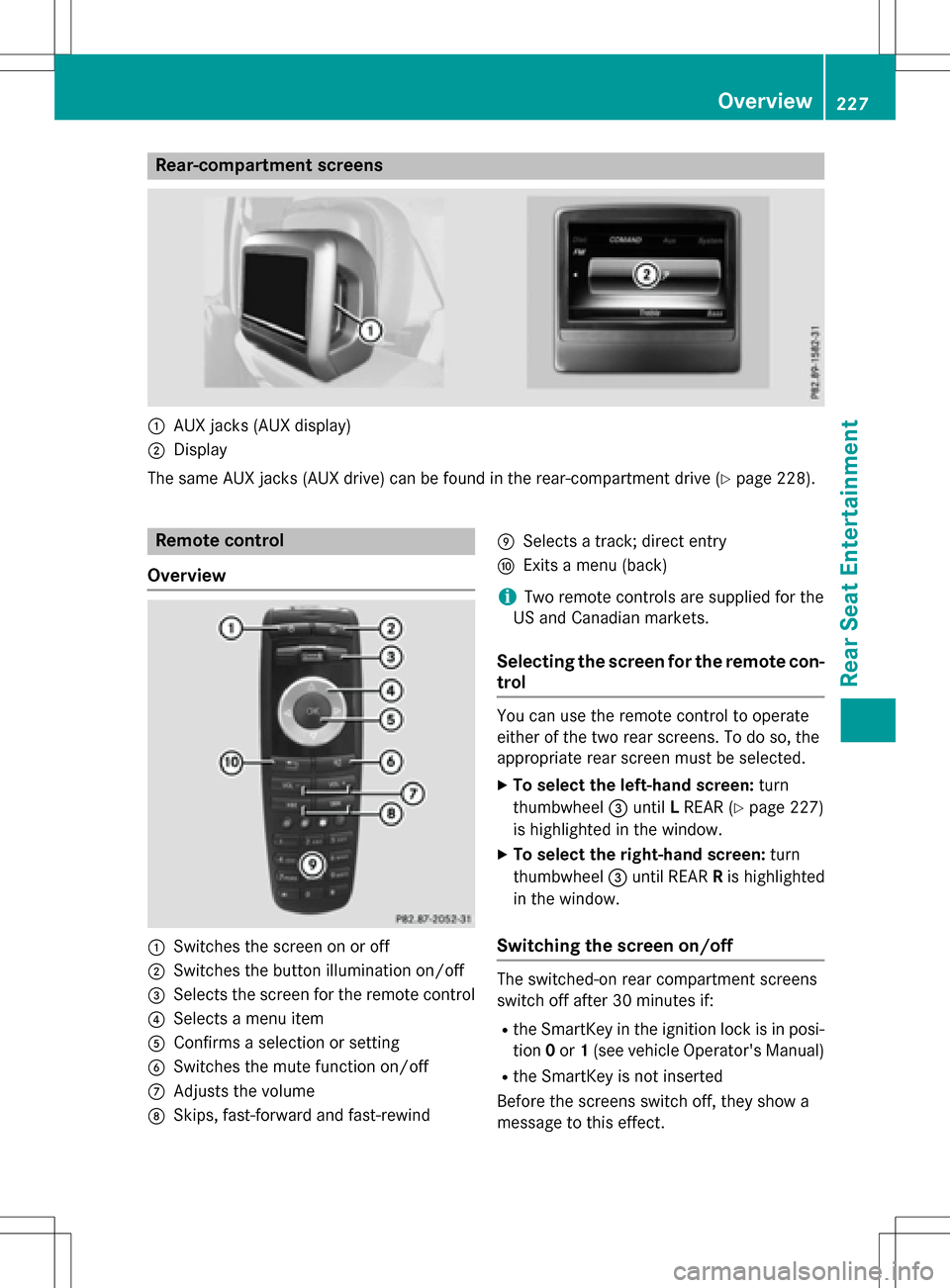
Rear-compartment screens
:AUX jacks (AUX display)
;Display
The same AUX jacks (AUX drive) can be found in the rear-compartment drive (
Ypage 228).
Remote control
Overview
:Switches the screen on or off
;Switches the button illumination on/off
=Selects the screen for the remote control
?Selects a menu item
AConfirms a selection or setting
BSwitches the mute function on/off
CAdjusts the volume
DSkips, fast-forward and fast-rewind
ESelects a track; direct entry
FExits a menu (back)
iTwo remote controls are supplied for the
US and Canadian markets.
Selecting the screen for the remote con-
trol
You can use the remote control to operate
either of the two rear screens. To do so, the
appropriate rear screen must be selected.
XTo select the left-hand screen: turn
thumbwheel =until LREAR (
Ypage 227)
is highlighted in the window.
XTo select the right-hand screen: turn
thumbwheel =until REAR Ris highlighted
in the window.
Switching the screen on/off
The switched-on rear compartment screens
switch off after 30 minutes if:
Rthe SmartKey in the ignition lock is in posi-
tion 0or 1(see vehicle Operator's Manual)
Rthe SmartKey is not inserted
Before the screens switch off, they show a
message to this effect.
Overview227
Rear Seat Entertainment
Z
Page 233 of 246
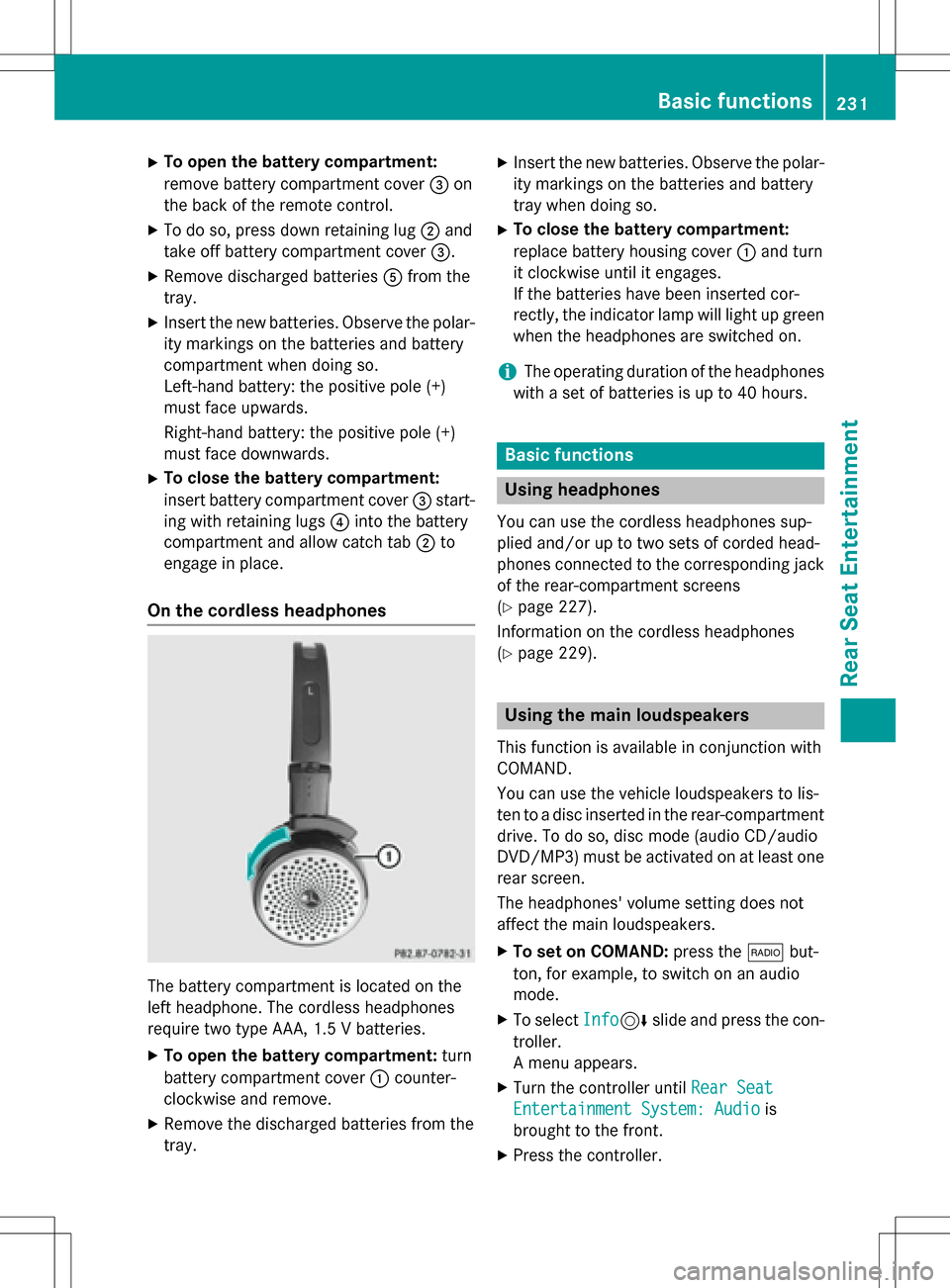
XTo open the battery compartment:
remove battery compartment cover=on
the back of the remote control.
XTo do so, press down retaining lug ;and
take off battery compartment cover =.
XRemove discharged batteriesAfrom the
tray.
XInsert the new batteries. Observe the polar-
ity markings on the batteries and battery
compartment when doing so.
Left-hand battery: the positive pole (+)
must face upwards.
Right-hand battery: the positive pole (+)
must face downwards.
XTo close the battery compartment:
insert battery compartment cover =start-
ing with retaining lugs ?into the battery
compartment and allow catch tab ;to
engage in place.
On the cordless headphones
The battery compartment is located on the
left headphone. The cordless headphones
require two type AAA, 1.5 V batteries.
XTo open the battery compartment: turn
battery compartment cover :counter-
clockwise and remove.
XRemove the discharged batteries from the
tray.
XInsert the new batteries. Observe the polar-
ity markings on the batteries and battery
tray when doing so.
XTo close the battery compartment:
replace battery housing cover :and turn
it clockwise until it engages.
If the batteries have been inserted cor-
rectly, the indicator lamp will light up green
when the headphones are switched on.
iThe operating duration of the headphones
with a set of batteries is up to 40 hours.
Basic functions
Using headphones
You can use the cordless headphones sup-
plied and/or up to two sets of corded head-
phones connected to the corresponding jack
of the rear-compartment screens
(
Ypage 227).
Information on the cordless headphones
(
Ypage 229).
Using the main loudspeakers
This function is available in conjunction with
COMAND.
You can use the vehicle loudspeakers to lis-
ten to a disc inserted in the rear-compartment
drive. To do so, disc mode (audio CD/audio
DVD/MP3) must be activated on at least one
rear screen.
The headphones' volume setting does not
affect the main loudspeakers.
XTo set on COMAND: press the$but-
ton, for example, to switch on an audio
mode.
XTo select Info6slide and press the con-
troller.
A menu appears.
XTurn the controller until Rear Seat
Entertainment System: Audiois
brought to the front.
XPress the controller.
Basic functions231
Rear Seat Entertainment
Z