phone MERCEDES-BENZ CLA-Class 2016 C117 Comand Manual
[x] Cancel search | Manufacturer: MERCEDES-BENZ, Model Year: 2016, Model line: CLA-Class, Model: MERCEDES-BENZ CLA-Class 2016 C117Pages: 246, PDF Size: 6.73 MB
Page 34 of 246
or
XSelect+: while route guidance is active,
show the menu and press the controller
(
Ypage 90).
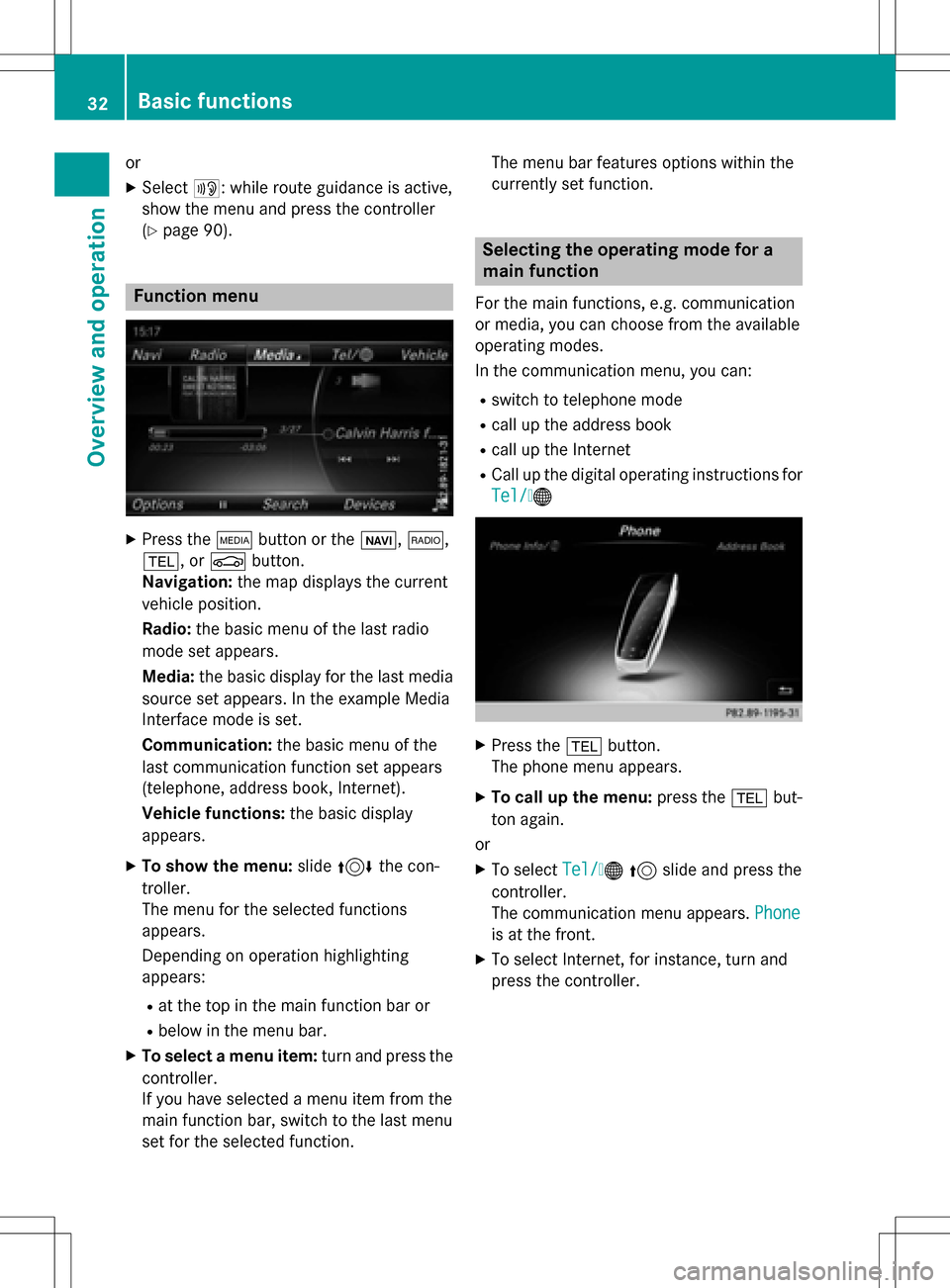
Function menu
XPress the Õbutton or the ß,$,
%, or Øbutton.
Navigation: the map displays the current
vehicle position.
Radio: the basic menu of the last radio
mode set appears.
Media: the basic display for the last media
source set appears. In the example Media
Interface mode is set.
Communication: the basic menu of the
last communication function set appears
(telephone, address book, Internet).
Vehicle functions: the basic display
appears.
XTo show the menu: slide4 the con-
troller.
The menu for the selected functions
appears.
Depending on operation highlighting
appears:
Rat the top in the main function bar or
Rbelow in the menu bar.
XTo select a menu item: turn and press the
controller.
If you have selected a menu item from the
main function bar, switch to the last menu
set for the selected function. The menu bar features options within the
currently set function.
Selecting the operating mode for a
main function
For the main functions, e.g. communication
or media, you can choose from the available
operating modes.
In the communication menu, you can:
Rswitch to telephone mode
Rcall up the address book
Rcall up the Internet
RCall up the digital operating instructions for
Tel/
®
XPress the
%button.
The phone menu appears.
XTo call up the menu: press the%but-
ton again.
or
XTo select Tel/®5 slide and press the
controller.
The communication menu appears. Phone
is at the front.
XTo select Internet, for instance, turn and
press the controller.
32Basic functions
Overview and operation
Page 35 of 246
Character entry (telephony)
Entering characters using the charac-
ter bar
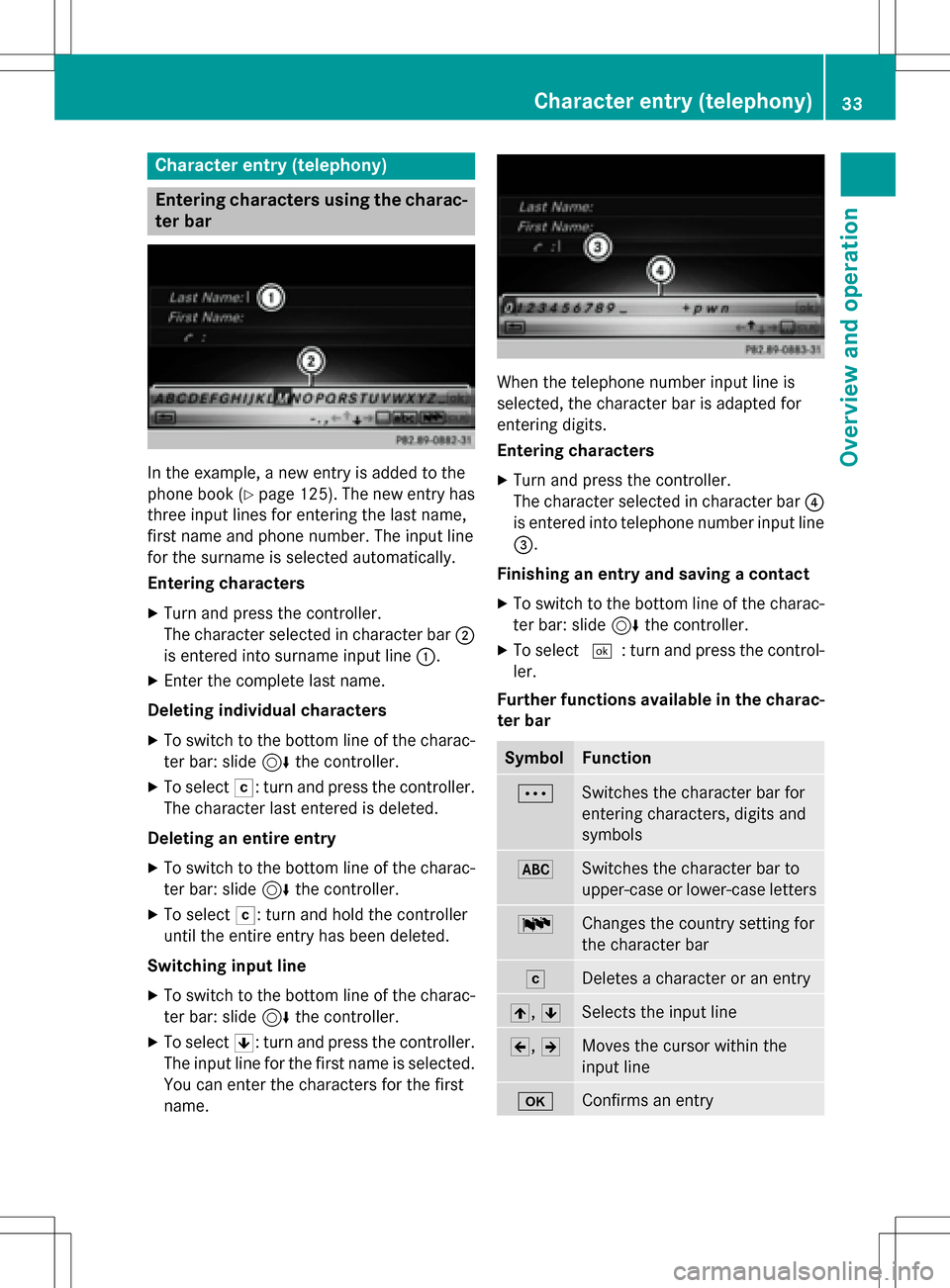
In the example, a new entry is added to the
phone book (
Ypage 125). The new entry has
three input lines for entering the last name,
first name and phone number. The input line
for the surname is selected automatically.
Entering characters
XTurn and press the controller.
The character selected in character bar ;
is entered into surname input line :.
XEnter the complete last name.
Deleting individual characters
XTo switch to the bottom line of the charac-
ter bar: slide 6the controller.
XTo select F: turn and press the controller.
The character last entered is deleted.
Deleting an entire entry
XTo switch to the bottom line of the charac-
ter bar: slide 6the controller.
XTo select F: turn and hold the controller
until the entire entry has been deleted.
Switching input line
XTo switch to the bottom line of the charac-
ter bar: slide 6the controller.
XTo select 5: turn and press the controller.
The input line for the first name is selected.
You can enter the characters for the first
name.
When the telephone number input line is
selected, the character bar is adapted for
entering digits.
Entering characters
XTurn and press the controller.
The character selected in character bar ?
is entered into telephone number input line
=.
Finishing an entry and saving a contact
XTo switch to the bottom line of the charac-
ter bar: slide 6the controller.
XTo select ¬: turn and press the control-
ler.
Further functions available in the charac-
ter bar
SymbolFunction
ÄSwitches the character bar for
entering characters, digits and
symbols
*Switches the character bar to
upper-case or lower-case letters
BChanges the country setting for
the character bar
FDeletes a character or an entry
4, 5Selects the input line
2,3Moves the cursor within the
input line
bConfirms an entry
Character entry (telephony)33
Overview and operation
Page 38 of 246
XTo display the favorites overview:press
the favorites button on the controller.
The favorites are displayed.
XTo show the menu bar: slide6the con-
troller.
You can manage a total of 20 favorites.
Further information on how to select and dis-
play a favorite (
Ypage 36).
Displaying and selecting favorites
XPress the favorites button on the controller. The favorites are displayed.
XTo call up a favorite: turn and press the
controller.
Adding favorites
Adding predefined favorites
XPress the favorites button on the controller. The favorites are displayed.
XTo show the menu bar: slide6the con-
troller.
XTo select Reassign: turn and press the
controller.
The categories for the available favorites
are displayed.
XTo select a category: turn the controller
and press to confirm.
The corresponding favorites are displayed.
XTo select a favorite: turn and press the
controller.
XTo store a favorite in the desired order:
turn and press the controller.
The favorite has been added.
If one favorite is stored over another one,
this is then is deleted.
Adding your own favorites
You can create your own favorites to help you
to use these functions, for example:
RCalling up telephone numbers from the
telephone book
RSelecting a radio station
RSkipping to a specific place in a track or an audio book
RCalling up preferred media
RSelecting navigation destinations for route
calculation
The example shows how to store a telephone
number from the telephone book as a favor-
ite.
XCall up the phone book.
XSearch for the contact and display the
phone number.
XTo store a phone number as a favorite:
press and hold the favorites button on the
controller until the favorites are displayed.
XTo store a favorite in the desired order:
turn and press the controller.
The favorite is added.
If one favorite is stored over another one,
this is then is deleted.
Renaming favorites
XPress the favorites button on the controller.
The favorites are displayed.
XTo select a favorite to be renamed: turn
the controller.
XTo show the menu bar: slide6the con-
troller.
XTo select Rename: turn and press the con-
troller.
XEnter characters using the controller.
XTo finish the entry: selectOK.
The favorite is renamed.
36Favorites
Overview and operation
Page 46 of 246
Text reader settings
XPress theØbutton on the COMAND
control panel.
or
XPress Vehiclein the main function bar.
The vehicle menu is displayed.
XTo select System Settings: slide6,
turn and press the controller.
A menu appears.
XTo select Text Reader Speed: turn and
press the controller.
A list appears.
XSelect Fast,Mediumor Slow.
The #dot indicates the current setting.
Voice Control System settings
Opening/closing the help window
i
If the set system language is not suppor-
ted by the Voice Control System, English
will be selected.
The help window also shows you information
on audible instructions:
Rduring individualization
Rduring subsequent operation of the Voice
Control System
XPress the Øbutton on the COMAND
control panel.
XTo select System Settings: slide6,
turn and press the controller.
A menu appears.
XTo select Voice Control: turn and press
the controller.
XSelect Help Window.
You have switched the help window on O
or off ª.
More information on the Voice Control Sys-
tem is available in the separate operating
instructions.
Individualization
Using individualization, you can fine-tune the
Voice Control System to your own voice. This
will help improve voice recognition (see the
separate operating instructions).
WiFi
Overview
USA:
To establish a WiFi connection between
COMAND and a WiFi-enabled device, such as
a tablet computer or smartphone:
RActivate WiFi on COMAND and WiFi on the
device you wish to connect.
If COMAND is to be used as a WiFi hotspot:
RCOMAND must be connected to an Inter-
net-enabled mobile phone via Bluetooth®
or USB.
RThe Internet access data for the mobile
phone network provider must be selected
or set for COMAND.
REstablish an Internet connection with
COMAND.
Canada:
Prerequisites for establishing a WiFi connec-
tion between COMAND and a WiFi hotspot of a WiFi-enabled device, such as a smartphone,
or another hotspot:
RSwitch on WiFi on COMAND.
RSwitch on WiFi hotspot on an external
device (see the manufacturer's operating
instructions).
44WiFi
System settings
Page 50 of 246
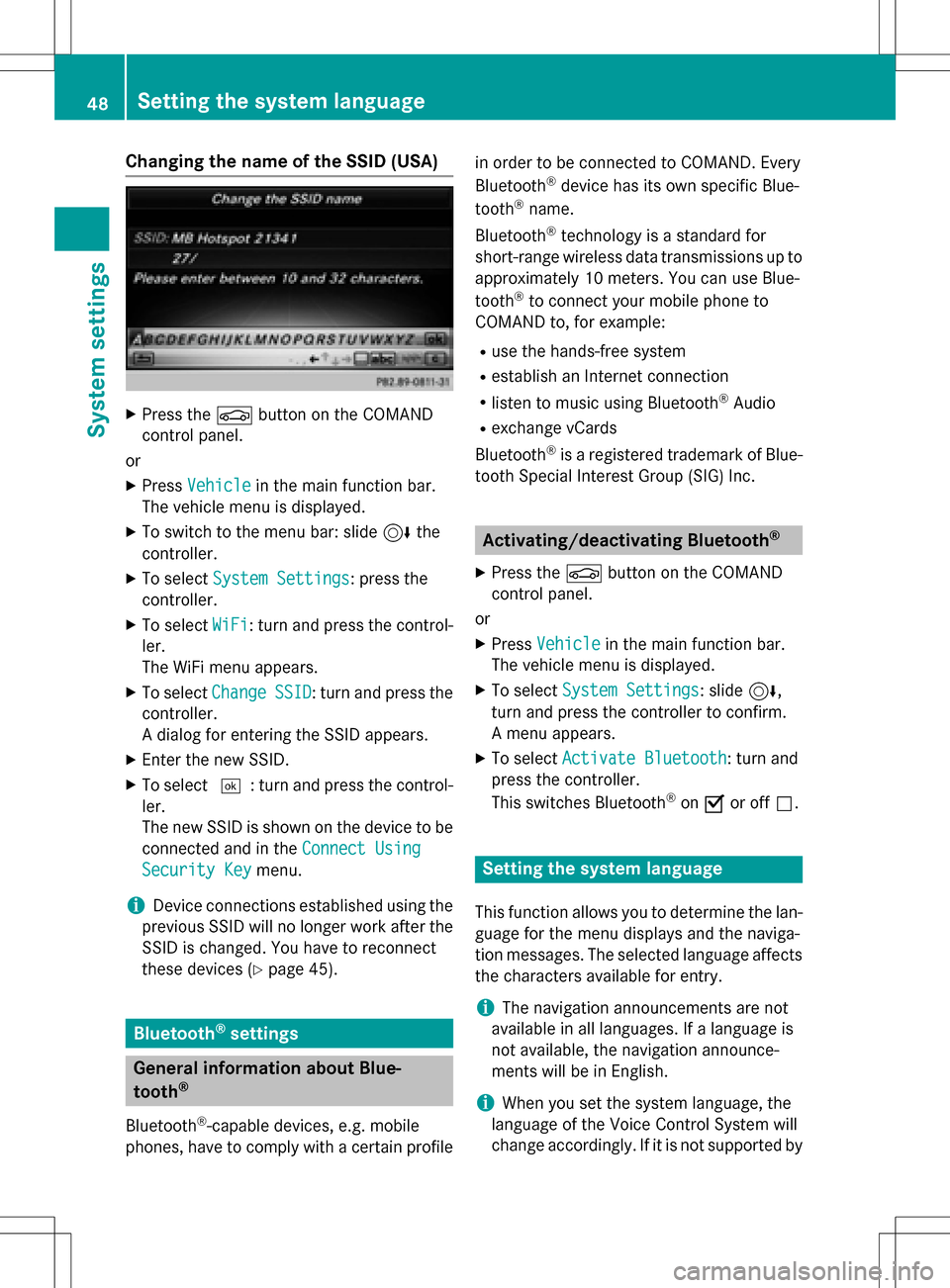
Changing the name of the SSID (USA)
XPress theØbutton on the COMAND
control panel.
or
XPress Vehiclein the main function bar.
The vehicle menu is displayed.
XTo switch to the menu bar: slide 6the
controller.
XTo select System Settings: press the
controller.
XTo select WiFi: turn and press the control-
ler.
The WiFi menu appears.
XTo select ChangeSSID: turn and press the
controller.
A dialog for entering the SSID appears.
XEnter the new SSID.
XTo select ¬: turn and press the control-
ler.
The new SSID is shown on the device to be
connected and in the Connect Using
Security Keymenu.
iDevice connections established using the
previous SSID will no longer work after the
SSID is changed. You have to reconnect
these devices (
Ypage 45).
Bluetooth®settings
General information about Blue-
tooth®
Bluetooth®-capable devices, e.g. mobile
phones, have to comply with a certain profile in order to be connected to COMAND. Every
Bluetooth
®device has its own specific Blue-
tooth®name.
Bluetooth
®technology is a standard for
short-range wireless data transmissions up to
approximately 10 meters. You can use Blue-
tooth
®to connect your mobile phone to
COMAND to, for example:
Ruse the hands-free system
Restablish an Internet connection
Rlisten to music using Bluetooth®Audio
Rexchange vCards
Bluetooth
®is a registered trademark of Blue-
tooth Special Interest Group (SIG) Inc.
Activating/deactivating Bluetooth®
X
Press the Øbutton on the COMAND
control panel.
or
XPress Vehiclein the main function bar.
The vehicle menu is displayed.
XTo select System Settings: slide6,
turn and press the controller to confirm.
A menu appears.
XTo select Activate Bluetooth: turn and
press the controller.
This switches Bluetooth
®on O or off ª.
Setting the system language
This function allows you to determine the lan-
guage for the menu displays and the naviga-
tion messages. The selected language affects
the characters available for entry.
iThe navigation announcements are not
available in all languages. If a language is
not available, the navigation announce-
ments will be in English.
iWhen you set the system language, the
language of the Voice Control System will
change accordingly. If it is not supported by
48Setting the system language
System settings
Page 51 of 246
the Voice Control System, English will be
selected.
XPress theØbutton on the COMAND
control panel.
or
XPress Vehiclein the main function bar.
The vehicle menu is displayed.
XTo select System Settings: slide6,
turn and press the controller.
A menu appears.
XTo select Language: turn and press the
controller.
The list of languages appears. The #dot
indicates the current setting.
XSelect the desired language.
COMAND loads the selected language and
sets it.
Calling up the favorite functions
The favorites function can be called up as fol-
lows:
Rvia the System Settingsmenu
Rvia the Favorites button on the controller
(
Ypage 24)
Rvia the Favorites button on the touchpad
(
Ypage 25)
Calling up the Favorites function via the
system menu:
XPress the Øbutton on the COMAND
control panel.
or
XPress Vehiclein the main function bar.
The vehicle menu is displayed.
XTo select SystemSettings: slide6and
press the controller.
A menu appears.
XTo select Favorite Functions: press the
controller.
The favorites are displayed.
XTo select the desired function, e.g. Phone‐
book: turn and press the controller.
A menu appears. Calling up the Favorites function using
the controller:
XPress the favorites button on the controller.
The favorites are displayed.
XTo select the desired function, e.g. Phone‐
book: turn and press the controller.
Calling up the Favorites function via the
touchpad:
XPress the favorites button on the touchpad.
The favorites are displayed.
XTo select the desired function, e.g. Phone‐
book: turn and press the controller.
The Favorites function can be exited at any
time. To exit the Favorites function:
XPress the Favorites button again
or
XPress %on the controller.
or
XPress the %button on the touchpad.
or
XTo select %in the display: turn and
press the controller.
Further information on the Favorites function
(
Ypage 35).
Importing/exporting data
General notes
!
Never remove the stick or card when writ-
ing data to the USB stick or the memory
card. You may otherwise lose data.
Importing/exporting data49
System settings
Z
Page 53 of 246
XPress theØbutton on the COMAND
control panel.
or
XPress Vehiclein the main function bar.
The vehicle menu is displayed.
XTo select SystemSettings: slide6and
press the controller.
A menu appears.
XTo select Data Import/Export: turn and
press the controller.
XSelect Import DataorExport Data.
iIf you import data, such as address data,
the existing data on COMAND is overwrit-
ten. You will see a message to this effect.
COMAND is restarted after the data import.
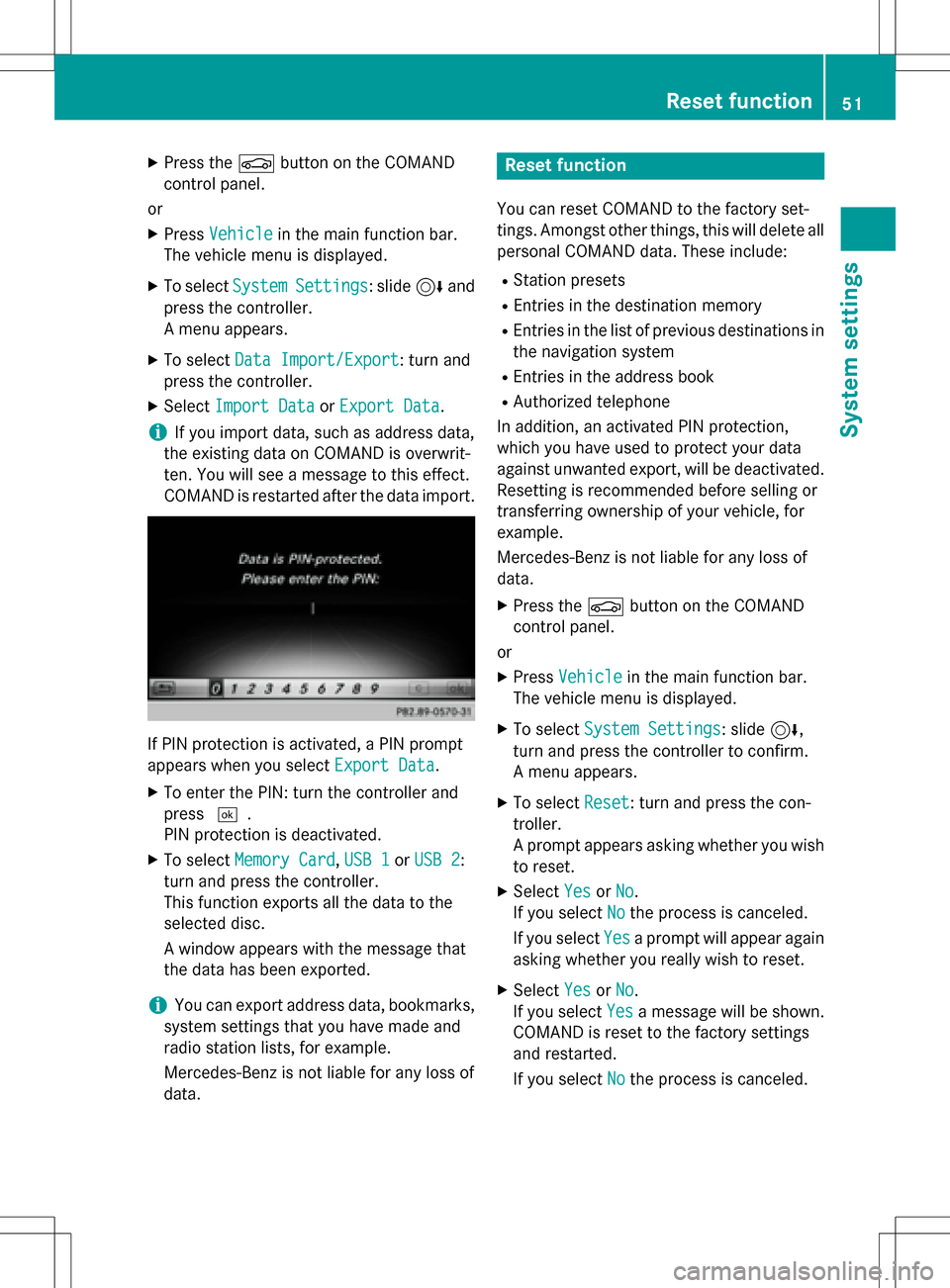
If PIN protection is activated, a PIN prompt
appears when you select Export Data
.
XTo enter the PIN: turn the controller and
press¬.
PIN protection is deactivated.
XTo select Memory Card,USB 1or USB 2:
turn and press the controller.
This function exports all the data to the
selected disc.
A window appears with the message that
the data has been exported.
iYou can export address data, bookmarks,
system settings that you have made and
radio station lists, for example.
Mercedes-Benz is not liable for any loss of
data.
Reset function
You can reset COMAND to the factory set-
tings. Amongst other things, this will delete all
personal COMAND data. These include:
RStation presets
REntries in the destination memory
REntries in the list of previous destinations in
the navigation system
REntries in the address book
RAuthorized telephone
In addition, an activated PIN protection,
which you have used to protect your data
against unwanted export, will be deactivated.
Resetting is recommended before selling or
transferring ownership of your vehicle, for
example.
Mercedes-Benz is not liable for any loss of
data.
XPress the Øbutton on the COMAND
control panel.
or
XPress Vehiclein the main function bar.
The vehicle menu is displayed.
XTo select System Settings: slide6,
turn and press the controller to confirm.
A menu appears.
XTo select Reset: turn and press the con-
troller.
A prompt appears asking whether you wish
to reset.
XSelect YesorNo.
If you select No
the process is canceled.
If you select Yes
a prompt will appear again
asking whether you really wish to reset.
XSelect YesorNo.
If you select Yes
a message will be shown.
COMAND is reset to the factory settings
and restarted.
If you select No
the process is canceled.
Reset function51
System settings
Z
Page 66 of 246
Your COMANDequipment
These operatin ginstruction sdescribe all th e
standar dan doptional equipmen tof your
COMAN Dsystem, as available at th etime of
going to print .Country-specifi cdifference s
are possible. Bear in min dthat your vehicle
may no tfeature all function sdescribed here.
Thi salso applies to safety-relevan tsystems
an dfunctions.
Read th einformation on qualified specialis t
workshop sin th evehicle Operator's Manual.
Introduction
Important safet ynotes
GWARNING
If you operat einformation systems an dcom-
munication equipment integrated in th evehi-
cl e whil edriving, you will be distracted from
traffic conditions. You could also los econtro l
of th evehicle. There is aris kof an accident.
Only operat eth eequipment when th etraffic
situation permits. If you are no tsur ethat this
is possible, par kth evehicle payin gattention
to traffic condition san doperat eth eequip-
men twhen th evehicle is stationary.
You mus tobserv eth elega lrequirements fo r
th ecountry in whic hyou are currentl ydrivin g
when operatin gCOMAND.
COMAN Dcalculates th erout eto th edestina -
tion without taking accoun tof th efollowing,
fo rexample:
Rtraffic lights
Rstop an dyield signs
Rmergin glanes
Rparking or stoppin gin ano parking/n o
stoppin gzone
Rother road an dtraffic rule san dregulation s
Rnarrow bridge s
COMAN Dcan giv eincorrec tnavigation com-
mands if th eactual street/traffic situation
doe sno tcorrespon dwit hth edigita lmap's data. Digital map
sdo no tcover all areas no r
all routes in an area. Fo rexamp le,arou
t emay
hav ebee ndiverted or th edirection of aone-
way stree tmay hav echanged .
Fo rthis reason ,you mus talways observ e
road an dtraffic rule san dregulation sdurin g
your journey. Road an dtraffic rule san dreg -
ulation salways hav epriorit yover th esys -
tem' sdrivin grecommendations.
Navigation announcement sare intended to
direc tyou whil edrivin gwithout divertin gyour
attention from th eroad an ddriving.
Please always use this feature instead of con-
sultin gth emap display fo rdirections. Look -
in g at th eicon sor map display can distract
you from traffic condition san ddriving, an d
increase th eris kof an accident.
General notes
Operationa lreadines sof th enavigation
syste m
The navigation syste mmus tdetermin eth e
position of th evehicle befor efirst use or
wheneve roperational status is restored .
Therefore, you may hav eto drive fo r awhil e
befor eprecise rout eguidance is possible.
GP Sreception
Amon gother things, correc tfunctionin gof
th enavigation syste mdepend son GPS recep-
tion .In certain situations, GPS reception may
be impaired, there may be interferenc eor
there may be no reception at all, e.g. in tun-
nels or parking garages .
iUsing roof carriers may impair th ecorrec t
functionin gof aroof antenn a(phone, sat -
ellite radio, GPS).
Entry restriction
Fo rvehicles in certain countries, there is a
dat aentr yrestriction .
Entries can be mad ewhen th eselecto rlever
is in position Por th evehicle is stationary.
64Introduction
Navigation
Page 70 of 246
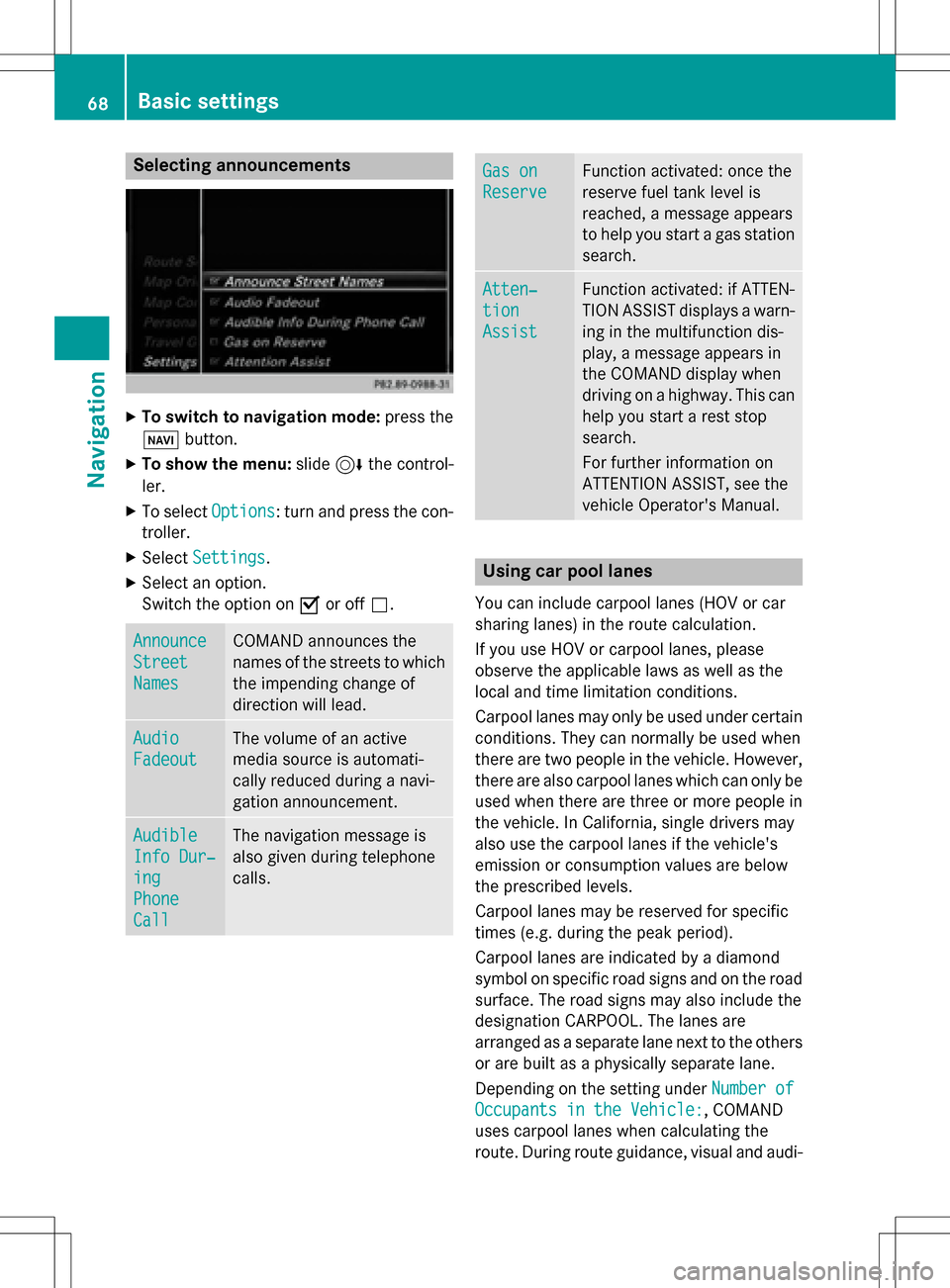
Selecting announcements
XTo switch to navigation mode:press the
Ø button.
XTo show the menu: slide6the control-
ler.
XTo select Options: turn and press the con-
troller.
XSelect Settings.
XSelect an option.
Switch the option on Oor off ª.
Announce
Street
Names
COMAND announces the
names of the streets to which
the impending change of
direction will lead.
Audio
Fadeout
The volume of an active
media source is automati-
cally reduced during a navi-
gation announcement.
Audible
Info Dur‐
ing
Phone
Call
The navigation message is
also given during telephone
calls.
Gas on
Reserve
Function activated: once the
reserve fuel tank level is
reached, a message appears
to help you start a gas station
search.
Atten‐
tion
Assist
Function activated: if ATTEN-
TION ASSIST displays a warn-
ing in the multifunction dis-
play, a message appears in
the COMAND display when
driving on a highway. This can
help you start a rest stop
search.
For further information on
ATTENTION ASSIST, see the
vehicle Operator's Manual.
Using car pool lanes
You can include carpool lanes (HOV or car
sharing lanes) in the route calculation.
If you use HOV or carpool lanes, please
observe the applicable laws as well as the
local and time limitation conditions.
Carpool lanes may only be used under certain
conditions. They can normally be used when
there are two people in the vehicle. However,
there are also carpool lanes which can only be
used when there are three or more people in
the vehicle. In California, single drivers may
also use the carpool lanes if the vehicle's
emission or consumption values are below
the prescribed levels.
Carpool lanes may be reserved for specific
times (e.g. during the peak period).
Carpool lanes are indicated by a diamond
symbol on specific road signs and on the road
surface. The road signs may also include the
designation CARPOOL. The lanes are
arranged as a separate lane next to the others
or are built as a physically separate lane.
Depending on the setting under Number of
Occupants in the Vehicle:, COMAND
uses carpool lanes when calculating the
route. During route guidance, visual and audi-
68Basic settings
Navigation
Page 75 of 246
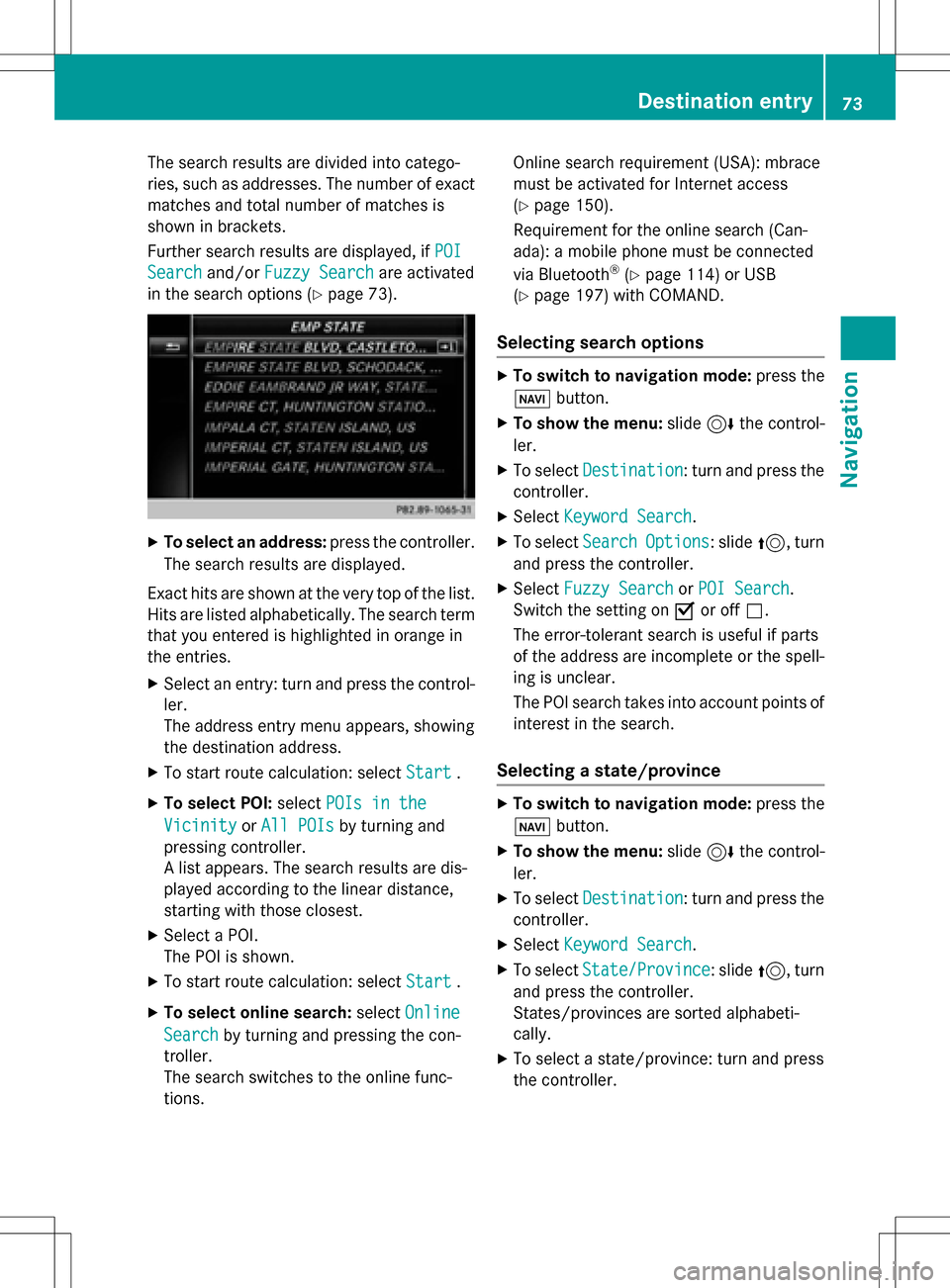
The search results are divided into catego-
ries, such as addresses. The number of exact
matches and total number of matches is
shown in brackets.
Further search results are displayed, ifPOI
Searchand/orFuzzy Searchare activated
in the search options (
Ypage 73).
XTo select an address: press the controller.
The search results are displayed.
Exact hits are shown at the very top of the list.
Hits are listed alphabetically. The search term that you entered is highlighted in orange in
the entries.
XSelect an entry: turn and press the control-ler.
The address entry menu appears, showing
the destination address.
XTo start route calculation: select Start.
XTo select POI:selectPOIs in the
VicinityorAll POIsby turning and
pressing controller.
A list appears. The search results are dis-
played according to the linear distance,
starting with those closest.
XSelect a POI.
The POI is shown.
XTo start route calculation: select Start.
XTo select online search:selectOnline
Searchby turning and pressing the con-
troller.
The search switches to the online func-
tions. Online search requirement (USA): mbrace
must be activated for Internet access
(
Ypage 150).
Requirement for the online search (Can-
ada): a mobile phone must be connected
via Bluetooth
®(Ypage 114) or USB
(
Ypage 197) with COMAND.
Selecting search options
XTo switch to navigation mode: press the
Ø button.
XTo show the menu: slide6the control-
ler.
XTo select Destination: turn and press the
controller.
XSelect Keyword Search.
XTo select SearchOptions: slide5, turn
and press the controller.
XSelect Fuzzy SearchorPOI Search.
Switch the setting on Oor off ª.
The error-tolerant search is useful if parts
of the address are incomplete or the spell-
ing is unclear.
The POI search takes into account points of interest in the search.
Selecting a state/province
XTo switch to navigation mode: press the
Ø button.
XTo show the menu: slide6the control-
ler.
XTo select Destination: turn and press the
controller.
XSelect Keyword Search.
XTo select State/Province: slide5, turn
and press the controller.
States/provinces are sorted alphabeti-
cally.
XTo select a state/province: turn and press
the controller.
Destination entry73
Navigation
Z