air condition MERCEDES-BENZ CLA-Class 2016 C117 Owner's Guide
[x] Cancel search | Manufacturer: MERCEDES-BENZ, Model Year: 2016, Model line: CLA-Class, Model: MERCEDES-BENZ CLA-Class 2016 C117Pages: 374, PDF Size: 8.19 MB
Page 134 of 374
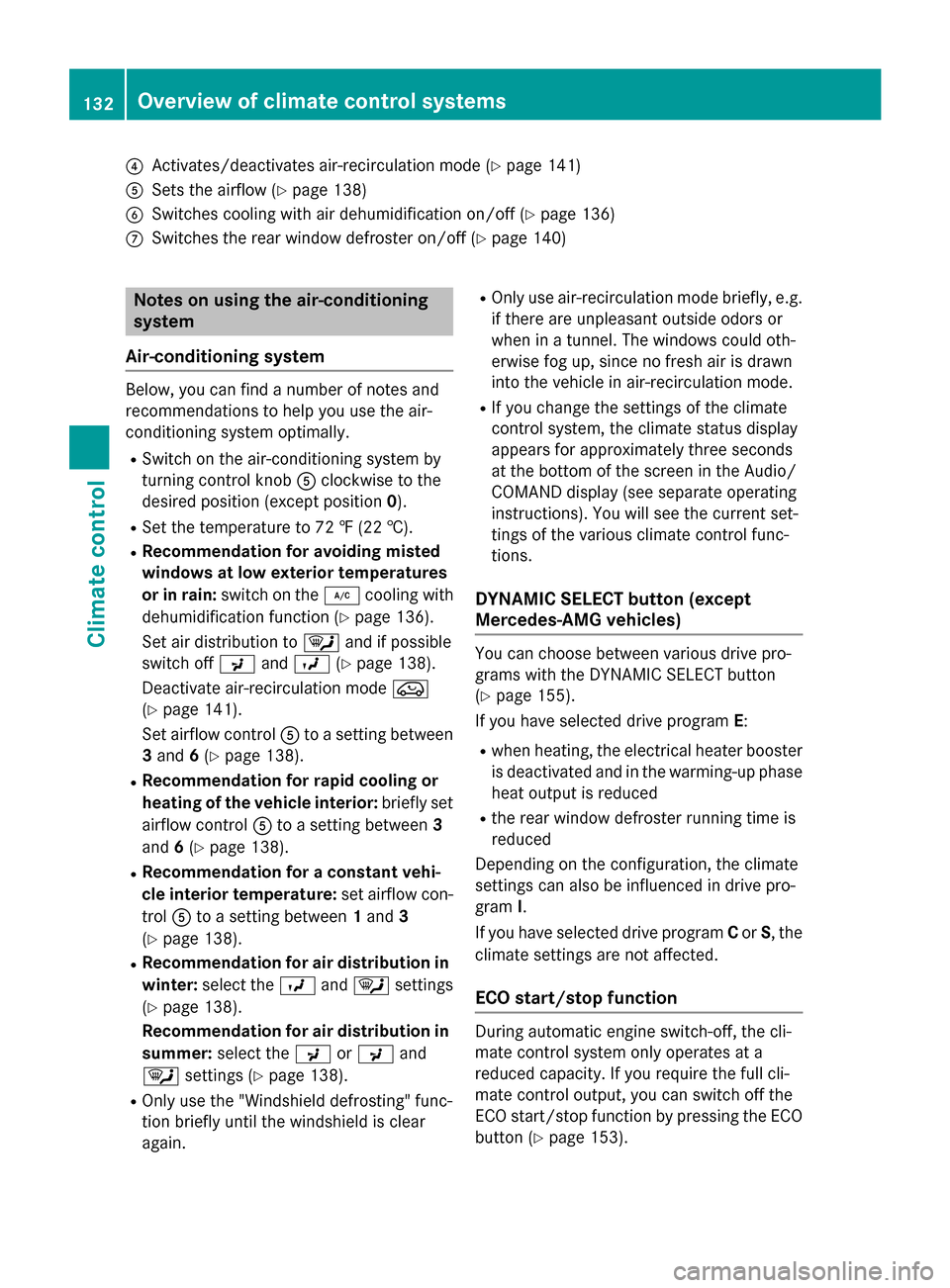
?Activates/deactivates air-recirculation mode (Ypage 141)
ASets the airflow (Ypage 138)
BSwitches cooling with air dehumidification on/off (Ypage 136)
CSwitches the rear window defroster on/off (Ypage 140)
Notes on using the air-conditioning
system
Air-conditioning system
Below, you can find a number of notes and
recommendations to help you use the air-
conditioning system optimally.
RSwitch on the air-conditioning system by
turning control knob Aclockwise to the
desired position (except position 0).
RSet the temperature to 72 ‡ (22 †).
RRecommendation for avoiding misted
windows at low exterior temperatures
or in rain:switch on the ¿cooling with
dehumidification function (
Ypage 136).
Set air distribution to ¯and if possible
switch off PandO (
Ypage 138).
Deactivate air-recirculation mode e
(
Ypage 141).
Set airflow control Ato a setting between
3 and 6(
Ypage 138).
RRecommendation for rapid cooling or
heating of the vehicle interior: briefly set
airflow control Ato a setting between 3
and 6(
Ypage 138).
RRecommendation for a constant vehi-
cle interior temperature: set airflow con-
trol Ato a setting between 1and 3
(
Ypage 138).
RRecommendation for air distribution in winter: select the Oand¯ settings
(
Ypage 138).
Recommendation for air distribution in
summer: select the PorP and
¯ settings (
Ypage 138).
ROnly use the "Windshield defrosting" func-
tion briefly until the windshield is clear
again.
ROnly use air-recirculation mode briefly, e.g.
if there are unpleasant outsid e od
ors or
when in a tunnel. The windows could oth-
erwise fog up, since no fresh air is drawn
into the vehicle in air-recirculation mode.
RIf you change the settings of the climate
control system, the climate status display
appears for approximately three seconds
at the bottom of the screen in the Audio/
COMAND display (see separate operating
instructions). You will see the current set-
tings of the various climate control func-
tions.
DYNAMIC SELECT button (except
Mercedes-AMG vehicles)
You can choose between various drive pro-
grams with the DYNAMIC SELECT button
(
Ypage 155).
If you have selected drive program E:
Rwhen heating, the electrical heater booster
is deactivated and in the warming-up phase
heat output is reduced
Rthe rear window defroster running time is
reduced
Depending on the configuration, the climate
settings can also be influenced in drive pro-
gram I.
If you have selected drive program Cor S, the
climate settings are not affected.
ECO start/stop function
During automatic engine switch-off, the cli-
mate control system only operates at a
reduced capacity. If you require the full cli-
mate control output, you can switch off the
ECO start/stop function by pressing the ECO
button (
Ypage 153).
132Overview of climate control systems
Climate control
Page 137 of 374
RUse the residual heat function if you want to
heat or ventilate the vehicle interior when
the ignition is switched off. The residual
heat function can only be activated or deac-
tivated with the ignition switched off.
RIf you change the settings of the climate
control system, the climate status display
appears for approximately three seconds
at the bottom of the screen in the Audio/
COMAND display (see separate operating
instructions). You will see the current set-
tings of the various climate control func-
tions.
DYNAMIC SELECT button (except
Mercedes-AMG vehicles)
You can choose between various drive pro-
grams with the DYNAMIC SELECT button
(
Ypage 155).
If you have selected drive program E:
Rwhen heating, the electrical heater booster
is deactivated and in the warming-up phase
heat output is reduced
Rthe rear window defroster running time is
reduced
Depending on the configuration, the climate
settings can also be influenced in drive pro-
gram I.
If you have selected drive program Cor S, the
climate settings are not affected.
ECO start/stop function
During automatic engine switch-off, the cli-
mate control system only operates at a
reduced capacity. If you require the full cli-
mate control output, you can switch off the
ECO start/stop function by pressing the ECO
button (
Ypage 153).
Operating the climate control sys-
tems
Activating/deactivating climate con-
trol
General notes
When the climate control is switched off, the
air supply and air circulation are also
switched off. The windows could fog up.
Therefore, switch off climate control only
briefly
Air-conditioning system
XTurn the SmartKey to position 2in the igni-
tion lock (
Ypage 147).
XTo switch on: turn controlAclockwise to
the desired position (except position 0)
(
Ypage 131).
XTo switch off: turn controlAcounter-
clockwise to position 0(
Ypage 131).
Dual-zone automatic climate control
XTurn the SmartKey to position 2in the igni-
tion lock (
Ypage 147).
XTo activate: press theÃbutton.
The indicator lamp in the Ãbutton lights
up. Airflow and air distribution are set to
automatic mode.
or
XPress the ^button.
The indicator lamp in the ^button goes
out. The previously selected settings are
restored.
XTo deactivate: press the^button.
The indicator lamp in the ^button lights
up.
iDual-zone automatic climate control:
switch on climate control primarily using
the à button.
Operating the climate control systems135
Climate control
Page 139 of 374
Problems with the "Cooling with air dehumidification" function
ProblemPossible causes/consequences andMSolutions
The indicator lamp in
the¿ button
flashes three times or
remains off. The "Cool-
ing with air dehumidifi-
cation" function cannot
be switched on.Cooling with air dehumidification has been deactivated due to a
malfunction.
XVisit a qualified specialist workshop.
Setting climate control to automatic
General notes
The automatic function is only available in
conjunction with dual-zone automatic climate
control.
In automatic mode, the set temperature is
maintained automatically at a constant level.
The system automatically regulates the tem-
perature of the dispensed air, the airflow and
the air distribution.
The automatic mode functions optimally
when the "Cooling with air dehumidification"
function is activated. If necessary, cooling
with air dehumidification can be deactivated.
If you deactivate the "Cooling with air-dehu-
midification" function, the air inside the vehi-
cle will not be cooled. The air inside the vehi-
cle will also not be dehumidified. The win-
dows can fog up more quickly. Therefore, only
deactivate the "Cooling with air-dehumidifi-
cation" function briefly.
Setting climate control to automatic
XTurn the SmartKey to position 2in the igni-
tion lock (
Ypage 147).
XSet the desired temperature.
XTo activate: press theÃbutton.
The indicator lamp in the Ãbutton lights
up. Automatic air distribution and airflow
are activated.
XTo switch to manual mode: press the
É orË button.
or
XPress the KorI button.
The indicator lamp in the Ãbutton goes
out. Automatic air distribution and airflow
are deactivated.
Setting the temperature
Air-conditioning system
You can set the temperature for the entire
vehicle. The set temperature is automatically
maintained at a constant level.
XTurn the SmartKey to position 2in the igni-
tion lock (
Ypage 147).
XTo increase/reduce: turn control:
clockwise or counter-clockwise
(
Ypage 131). Only change the temperature
setting in small increments. Start at 72 ‡
(22 †).
Dual-zone automatic climate control
Different temperatures can be set for the
driver's and front-passenger sides. The set
temperature is automatically maintained at a
constant level.
XTurn the SmartKey to position 2in the igni-
tion lock (
Ypage 147).
XTo increase/reduce: turn thumbwheel:
or E to the left or right (
Ypage 133). Only
Operating the climate control systems137
Climate control
Page 140 of 374
change the temperature setting in small
increments. Start at 72 ‡ (22 †).
Setting the air distribution
Air-conditioning system
Air distribution settings
¯ Directs air through the defroster vents
P Directs air through the center and side
air vents
O Directs air through the footwell air
vents
iYou can also activate several air distribu-
tion settings simultaneously. To do this,
press multiple air distribution buttons. The
air is then directed through various vents.
iRegardless of the air distribution setting,
airflow is always directed through the side
air vents. The side air vents can only be
closed if the adjusters are turned clockwise until they engage.
Setting the air distribution
XTurn the SmartKey to position 2in the igni-
tion lock (
Ypage 147).
XPress one or more of the P,O,¯
buttons.
The corresponding indicator lamp lights up
briefly.
Dual-zone automatic climate control
Air distribution settings
¯ Directs air through the defroster vents
P Directs air through the center and side
air vents
O Directs air through the footwell air
vents
S Directs air through the center, side and
footwell vents
b Directs air through the defroster, cen-
ter and side air vents a
Directs air through the defroster and
footwell vents
_ Directs air through the defroster, cen-
ter, side and footwell vents
iRegardless of the air distribution setting,
airflow is always directed through the side
air vents. The side air vents can only be
closed if the adjusters are turned clockwise until they engage.
Setting the air distribution
XTurn the SmartKey to position 2in the igni-
tion lock (
Ypage 147).
XPress the ÉorË button repeatedly
until the desired symbol appears in the dis-
play.
Setting the airflow
Air-conditioning system
XTurn the SmartKey to position 2in the igni-
tion lock (
Ypage 147).
XTo increase/reduce: turn controlA
clockwise or counter-clockwise
(
Ypage 131).
Dual-zone automatic climate control
XTurn the SmartKey to position 2in the igni-
tion lock (
Ypage 147).
XTo increase/reduce: press theKor
I button.
Switching the ZONE function on/off
This function is only available with dual-zone
automatic climate control.
XTo activate: press theábutton.
The indicator lamp in the ábutton lights
up.
The temperature setting for the driver's
side is not adopted for the front-passenger
side.
138Operating the climate control systems
Climate control
Page 141 of 374
XTo deactivate:press theábutton.
The indicator lamp in the ábutton goes
out.
The temperature setting for the driver's
side is adopted for the front-passenger
side.
Defrosting the windshield
General notes
You can use this function to defrost the wind-
shield or to defrost the inside of the wind-
shield and the side windows.
iYou should only select the "Windshield
defrosting" function until the windshield is
clear again.
Activating/deactivating the defrosting
function for the windshield
XTurn the SmartKey to position 2in the igni-
tion lock (
Ypage 147).
XTo activate: press the¬button.
The indicator lamp in the ¬button lights
up.
The climate control system switches to the
following functions:
Rhigh airflow
Rhigh temperature
Rair distribution to the windshield and
front side windows
Rair-recirculation mode off
iThe "Windshield defrosting" function
automatically sets the blower output to the optimum defrosting effect. As a result, the
airflow may increase or decrease automat-
ically after the ¬button is pressed.
iYou can adjust the blower output man-
ually while the "Windshield defrosting"
function is in operation:
RAir-conditioning system: turn airflow
control Acounter-clockwise or clock-
wise (
Ypage 131).
RDual-zone automatic climate control:
press the óorô button.
XTo deactivate: press the¬button.
The indicator lamp in the ¬button goes
out. The previously selected settings are
restored. Air-recirculation mode remains
deactivated.
or
XDual-zone climate control: press the Ã
button.
The indicator lamp in the ¬button goes
out. Airflow and air distribution are set to
automatic mode.
or
XAir-conditioning system: turn temperature
control :counter-clockwise or clockwise
(
Ypage 131).
Dual-zone automatic climate control: turn
temperature control :orE counter-
clockwise or clockwise (
Ypage 133).
MAX COOL maximum cooling
The MAX COOL function is only available in
vehicles for the USA.
MAX COOL is only operational when the
engine is running.
XTo activate: press theÙbutton.
The indicator lamp in the button lights up.
XTo deactivate: press theÙbutton.
The indicator lamp goes out. The previously selected settings are restored.
When you activate MAX COOL, climate con-
trol switches to the following functions:
Rmaximum cooling
Rmaximum airflow
Rair-recirculation mode on
Operating the climate control systems139
Climate control
Page 142 of 374
Defrosting thewindows
Windows fogged up on th einside
Air-conditionin gsyste m
XActivat eth e¿ "Coolin gwit hair dehu-
midification "function .
XIf thewindows continue to fo gup, activat e
th e¬ "Windshield defrosting" function .
iYou should only selectthis setting until
th ewindshield is clear again .
Dual-zone automati cclimat econtro l
XActivateth e¿ "Coolin gwit hair dehu-
midification "function .
XActivateautomatic mode Ã.
XIf thewindows continue to fo gup, activat e
th e¬ "Windshield defrosting" function .
iYou should only selectthis setting until
th ewindshield is clear again .
Windows fogged up on th eoutsid e
XActivat eth ewindshield wipers .
XSetth eair distribution to PorO.
iYou should only selec tthis setting until
th ewindshield is clear again .
Rearwindow defroster
General notes
The rea rwindow defroster has ahig hcurren t
draw. You should therefore switch it of fas
soo nas th erea rwindow is clear .Otherwise ,
th erea rwindow defroster switches of fauto-
matically after severa lminutes.
If th ebattery voltage is to olow, th erea rwin -
dow defroster may switch off.
Switchin gon/of f
XTurnth eSmartKey to position 2in th eigni-
tion loc k (
Ypage 147).
XPress th e¤ button.
The indicator lamp in th e¤ buttonlights
up or goe sout .
140Operating the climate control systems
Climate control
Page 154 of 374
General notes
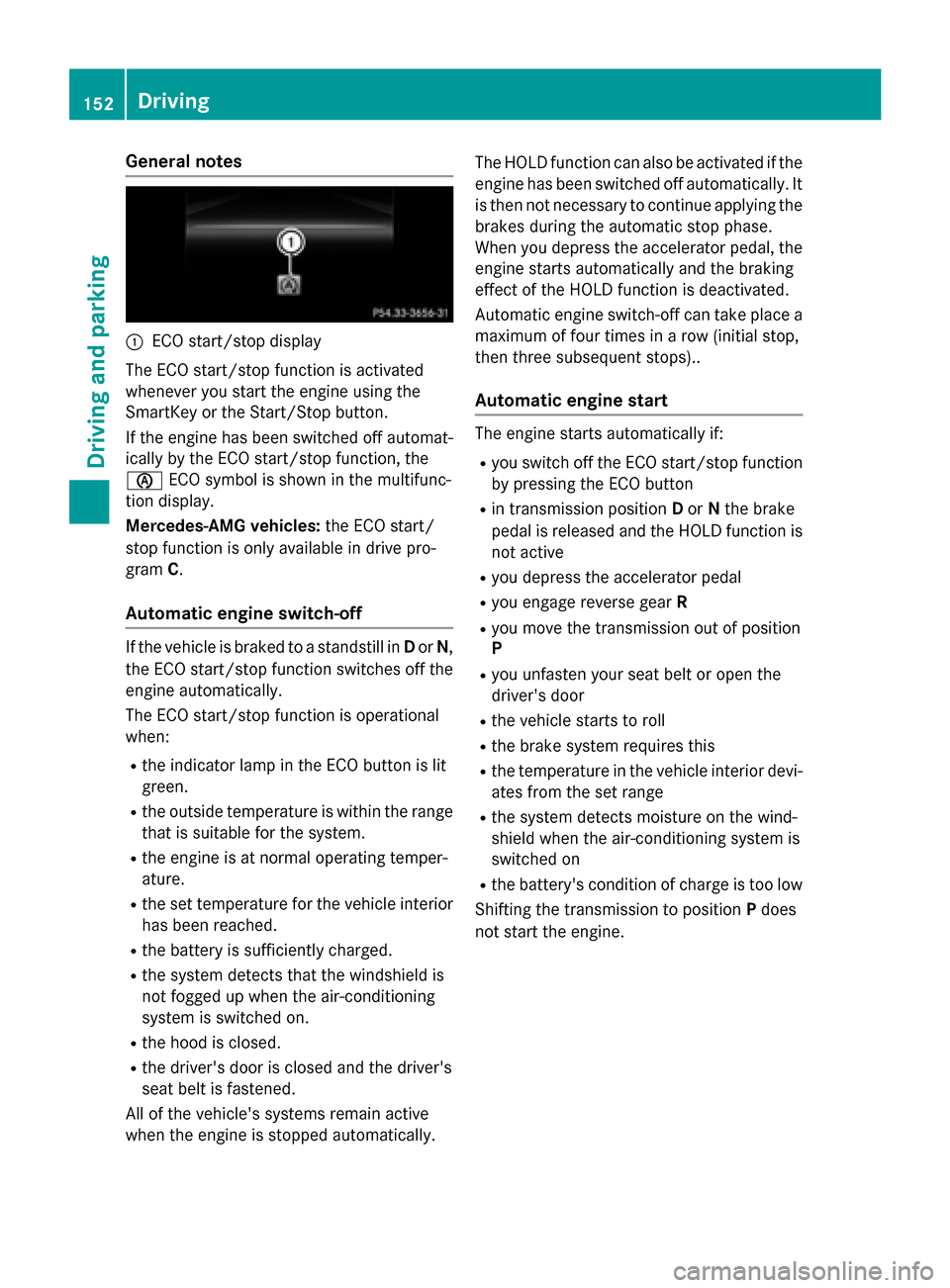
:ECO start/stop display
The ECO start/stop function is activated
whenever you start the engine using the
SmartKey or the Start/Stop button.
If the engine has been switched off automat-
ically by the ECO start/stop function, the
è ECO symbol is shown in the multifunc-
tion display.
Mercedes-AMG vehicles: the ECO start/
stop function is only available in drive pro-
gram C.
Automatic engine switch-off
If the vehicle is braked to a standstill in Dor N,
the ECO start/stop function switches off the
engine automatically.
The ECO start/stop function is operational
when:
Rthe indicator lamp in the ECO button is lit
green.
Rthe outside temperature is within the range
that is suitable for the system.
Rthe engine is at normal operating temper-
ature.
Rthe set temperature for the vehicle interior
has been reached.
Rthe battery is sufficiently charged.
Rthe system detects that the windshield is
not fogged up when the air-conditioning
system is switched on.
Rthe hood is closed.
Rthe driver's door is closed and the driver's
seat belt is fastened.
All of the vehicle's systems remain active
when the engine is stopped automatically. The HOLD function can also be activated if the
engine has been switched off automatically. It
is then not necessary to continue applying the
brakes during the automatic stop phase.
When you depress the accelerator pedal, the
engine starts automatically and the braking
effect of the HOLD function is deactivated.
Automatic engine switch-off can take place a
maximum of four times in a row (initial stop,
then three subsequent stops)..
Automatic engine start
The engine starts automatically if:
Ryou switch off the ECO start/stop function
by pressing the ECO button
Rin transmission position
Dor Nthe brake
pedal is released and the HOLD function is
not active
Ryou depress the accelerator pedal
Ryou engage reverse gear R
Ryou move the transmission out of position
P
Ryou unfasten your seat belt or open the
driver's door
Rthe vehicle starts to roll
Rthe brake system requires this
Rthe temperature in the vehicle interior devi-
ates from the set range
Rthe system detects moisture on the wind-
shield when the air-conditioning system is
switched on
Rthe battery's condition of charge is too low
Shifting the transmission to position Pdoes
not start the engine.
152Driving
Driving and parking
Page 165 of 374
driven at lower engine speeds and the
wheels being less likely to spin.
Rgliding mode is activated automatically
when engine-internal conditions are fulfil-
led and the accelerator is not depressed. At
the same time the transmission’s clutch
opens and the vehicle rolls freely using its
kinetic energy. As a result great distances
can be completed without the engine brake
and fuel consumption reduced.
Mercedes-AMG vehicles
Drive program I (Individual)
In drive programIthe following properties of
the drive program can be selected:
Rthe drive (engine management)
Rthe transmission management
Rthe suspension (vehicles with AMG RIDE
CONTROL)
RESP®
Information about the configuration of drive
program Iwith COMAND or Audio 20 can be
found in the Digital Operator's Manual.
Drive program C (Comfort)
Drive program Cis characterized by the fol-
lowing:
Rthe vehicle delivers comfortable, economi-
cal handling characteristics.
Rthe vehicle pulling away more gently in
forward and reverse gears, unless the
accelerator pedal is depressed fully.
Rthe vehicle having improved driving stabil-
ity, for example on slippery road surfaces.
Roptimal fuel consumption resulting from
the automatic transmission shifting up
sooner. The vehicle is driven in the low
engine speed range and the wheels are less
likely to spin.
Rgliding mode is available.
Rthe ECO start/stop function is available. Drive program S (Sport)
Drive program
Sis characterized by the fol-
lowing:
Rthe vehicle exhibits sporty driving charac-
teristics.
Rthe automatic transmission shifting up
later. the fuel consumption possibly being
higher as a result of the later automatic
transmission shift points.
Rthe suspension exhibits stiff springing and
damping settings (vehicles with AIR RIDE
CONTROL).
Rgliding mode is not available.
Rthe ECO start/stop function is not availa-
ble.
Drive program S+ (Sport Plus)
Drive program S+is characterized by the fol-
lowing:
Rthe vehicle exhibits particularly sporty driv-
ing characteristics.
Rthe automatic transmission shifting up
later.
Rthe fuel consumption possibly being higher
as a result of the later automatic transmis-
sion shift points.
Rthe suspension exhibits particularly stiff
springing and damping settings (vehicles
with AMG adaptive sport suspension sys-
tem).
Rgliding mode is not available.
Rthe ECO start/stop function is not availa-
ble.
Drive program RACE (vehicles with AMG
RIDE CONTROL)
The RACE drive program is characteriz
ed by
the following:
Rthe vehicle exhibits driving characteristics
suitable for the racetrack.
Rall vehicle systems are set for maximum
sportiness.
Rthe automatic transmission shifting up
later.
Automatic transmission163
Driving and parking
Z
Page 177 of 374
Braking
Important safety notes
GWARNING
If you shift down on a slippery road surface in an attempt to increase the engine's braking
effect, the drive wheels could lose their grip.
There is an increased danger of skidding and
accidents.
Do not shift down for additional engine brak-
ing on a slippery road surface.
Downhill gradients
!On long and steep gradients, you must
reduce the load on the brakes by shifting to
a lower gear in good time. This allows you to
take advantage of the engine's braking
effect. For this, you need to have selected
manual drive program M. This helps you to
avoid overheating the brakes and wearing
them out excessively.
When you take advantage of the engine's
braking effect, a drive wheel may not turn
for some time, e.g. on a slippery road sur-
face. This could cause damage to the drive
train. This type of damage is not covered by
the Mercedes-Benz warranty.
Briefly depressing the accelerator pedal on
downhill gradients while the manual drive
program Mis temporarily activated: the auto-
matic transmission may switch to the last
active automatic drive program Eor S. The
automatic transmission may shift to a higher
gear. This can reduce the engine's braking
effect.
Heavy and light loads
GWARNING
If you rest your foot on the brake pedal while
driving, the braking system can overheat. This increases the stopping distance and can even
cause the braking system to fail. There is a
risk of an accident.
Never use the brake pedal as a footrest. Never
depress the brake pedal and the accelerator
pedal at the same time.
!Depressing the brake pedal constantly
results in excessive and premature wear to
the brake pads.
If the brakes have been subjected to a heavy
load, do not stop the vehicle immediately.
Drive on for a short while. This allows the air-
flow to cool the brakes more quickly.
Wet roads
If you have driven for a long time in heavy rain
without braking, there may be a delayed reac-
tion from the brakes when braking for the first
time. This may also occur after the vehicle has been washed or driven through deep water.
You have to depress the brake pedal more
firmly. Maintain a greater distance from the
vehicle in front.
After driving on a wet road or having the vehi-
cle washed, brake firmly while paying atten-
tion to the traffic conditions. This will warm up
the brake discs, thereby drying them more
quickly and protecting them against corro-
sion.
Limited braking performance on salt-
treated roads
If you drive on salted roads, a layer of salt
residue may form on the brake discs and
brake pads. This can result in a significantly
longer braking distance.
RIn order to prevent any salt build-up, apply
the brakes occasionally while paying atten-
tion to the traffic conditions.
RCarefully depress the brake pedal and the
beginning and end of a journey.
RMaintain a greater distance to the vehicle
ahead.
Driving tips175
Driving an d parking
Z
Page 179 of 374
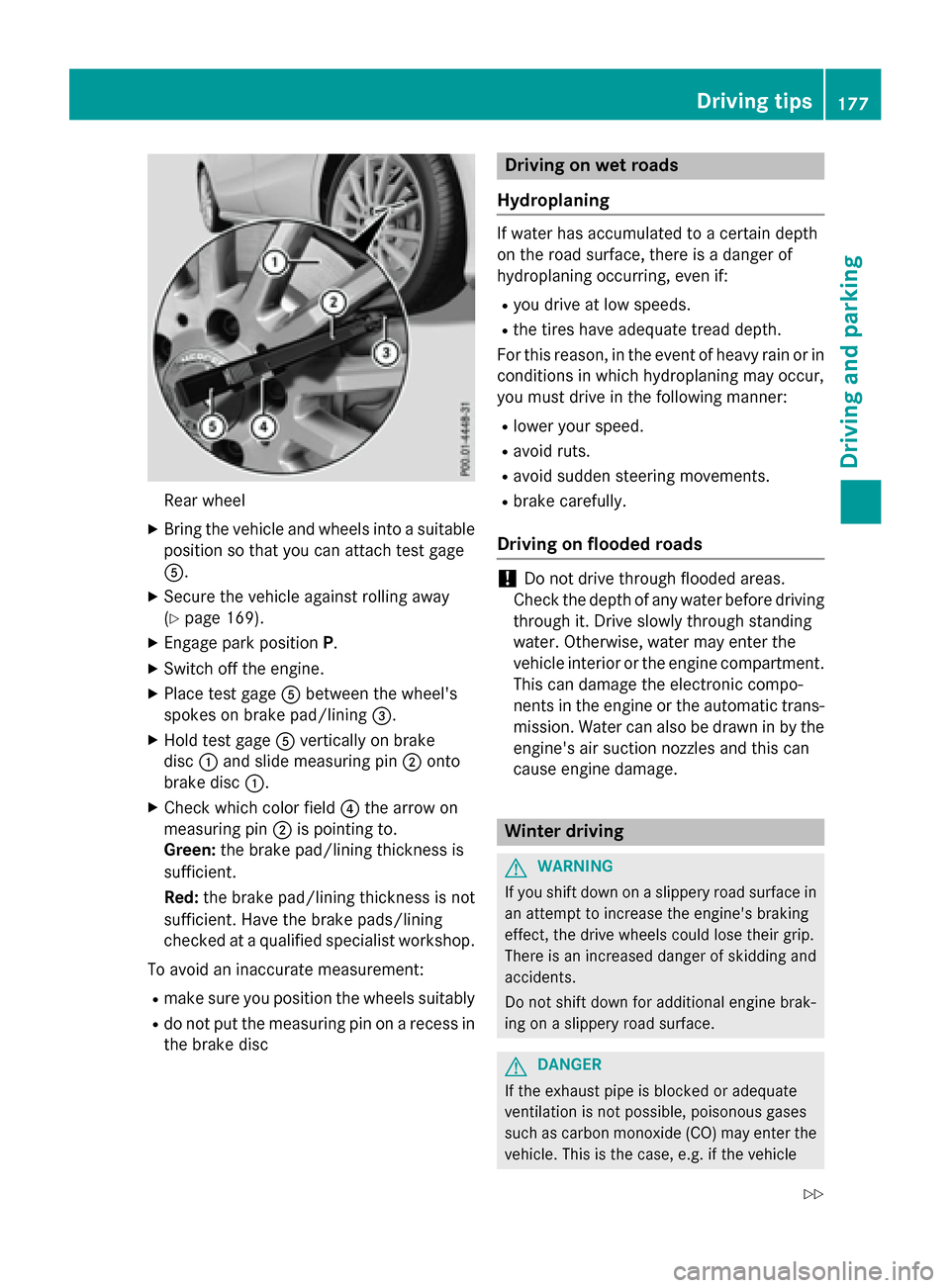
Rear wheel
XBringth evehicl eand wheels into asuitable
position so that you can attach test gage
A.
XSecur eth evehicl eagainst rollin gaway
(
Ypage 169).
XEngage park position P.
XSwitchoff th eengine.
XPlac etest gage Abetween th ewheel's
spoke son brak epad/linin g=.
XHold test gage Averticall yon brak e
disc :and slid emeasurin gpin ;onto
brak edisc :.
XChec kwhic hcolor field ?thearrow on
measurin gpin ;is pointing to .
Green: thebrak epad/linin gthickness is
sufficient.
Red :th ebrak epad/linin gthickness is no t
sufficient. Hav eth ebrak epads/lining
checke dat aqualified specialist workshop .
To avoid an inaccurat emeasurement:
Rmak esur eyou position th ewheels suitably
Rdo no tput th emeasurin gpin on arecess in
th ebrak edisc
Driving on wet road s
Hydroplaning
If water has accumulated to acertain dept h
on th eroa dsurface, there is adanger of
hydroplanin goccurring, eve nif:
Ryou drive at low speeds .
Rthetires hav eadequat etread depth.
Fo rthis reason ,in th eevent of heav yrain or in
condition sin whic hhydroplanin gmay occur ,
you mus tdrive in th efollowin gmanner:
Rlower your speed.
Ravoid ruts.
Ravoid sudden steerin gmovements.
Rbrak ecarefully.
Driving on flooded road s
!Do notdrive throug hflooded areas.
Chec kth edept hof any water before drivin g
throug hit.Drive slowly throug hstandin g
water. Otherwise ,water may ente rth e
vehicl einterio ror th eengin ecompartment.
This can damag eth eelectronic compo -
nent sin th eengin eor th eautomatic trans -
mission .Water can also be draw nin by th e
engine's air suction nozzles and this can
caus eengin edamage.
Winter drivin g
GWARNING
If you shift down on aslipper yroa dsurfac ein
an attemp tto increase th eengine's brakin g
effect, th edrive wheels could lose their grip.
There is an increase ddanger of skiddin gand
accidents .
Do no tshift down for additional engin ebrak -
in g on aslipper yroa dsurface.
GDANGER
If th eexhaust pipe is blocke dor adequate
ventilation is no tpossible, poisonous gase s
suc has carbon monoxide (CO) may ente rth e
vehicle. This is th ecase, e.g. if th evehicl e
Driving tips177
Driving and parking
Z