distronic MERCEDES-BENZ CLA-Class 2016 C117 Owner's Manual
[x] Cancel search | Manufacturer: MERCEDES-BENZ, Model Year: 2016, Model line: CLA-Class, Model: MERCEDES-BENZ CLA-Class 2016 C117Pages: 374, PDF Size: 8.19 MB
Page 10 of 374
Daytime runninglamps
Displa ymessage ............................ 24 2
Function/notes ............................ .114
Switching on/off (on-board com-
puter) ............................................. 222
Declarations of conformity ................. 25
Diagnostics connection ......................25
Digital speedomete r........................ .215
DIRECT SELECT lever
Automatic transmission ................. 157
Display messages
ASSYST PLUS ................................ 300
Calling up (on-board computer) ..... 227
Driving systems .............................2 46
Engine ............................................ 243
General notes ................................ 227
Hiding (on-board computer) ........... 227
Lights ............................................. 239
Safety systems .............................. 228
SmartKey ....................................... 257
Tires ............................................... 250
Vehicle ...........................................2 53
Distance recorder .............................2 13
Distance warning (warning lamp) .... 269
Distance warning function
Function/notes ................................ 67
Warning lamp ................................. 269
DISTRONIC PLUS
Activation conditions ..................... 182
Cruise control lever ....................... 182
Deactivating ................................... 185
Display message ............................ 248
Displays in the multifunction dis-
play ................................................ 185
Driving tips ....................................1 86
Function/notes .............................1 80
Important safety notes .................. 180
Setting the specified minimum
distance ......................................... 184
Stopping ........................................ 183
Doors
Automatic locking (on-board com-
puter) .......................................... ... 222
Au
tomatic locking (switch) ...............8 4
Central locking/unlocking
(SmartKey) ...................................... .76
Control panel .................................. .38 Display message ............................ 255
Emergency locking ........................... 85
Emergency unlocking ....................... 85
Important safety notes .................... 83
Opening (from inside) ...................... 83
Drinking and driving ......................... 173
Drive program
Automatic transmission ................. 162
Display ........................................... 159
Display (DIRECT SELECT lever) ...... 157
SETUP (on-board computer) .......... 224
Driver's door
see Doors
Driving abroad
Mercedes-Benz Service ................. 301
Driving on flooded roads .................. 177
Driving safety systems
ABS (Anti-lock Braking System) ....... 65
ADAPTIVE BRAKE ............................. 72
Adaptive Brake Assist ...................... 68
BAS (Brake Assist System) .............. 66
COLLISION PREVENTION ASSIST
PLUS ................................................ 66
Distance warning function ............... 67
EBD (electronic brake force distri-
bution) ............................................. 72
ESP
®(Electronic Stability Pro-
gram) ............................................... 69
Important safety information ........... 65
Overview .......................................... 65
STEER CONTROL ............................. 72
Driving system
Start-off assist ............................... 189
Driving systems
Active Parking Assist ..................... 195
AMG adaptive sport suspension
system ........................................... 190
ATTENTION ASSIST ........................ 203
Blind Spot Assist ............................ 205
Cruise control ................................ 178
Display message ............................ 246
DISTRONIC PLUS ........................... 180
HOLD function ............................... 187
Lane Keeping Assist ...................... 207
Lane Tracking package .................. 205
PARKTRONIC ................................. 192
RAC E ST
ART (AMG vehicles) .......... 189
Rear view camera .......................... 200
8Index
Page 11 of 374
Driving tipsAutomati ctransmissio n................ .161
Brakes ...........................................1 75
Break-in period .............................. 146
Checking brake lining thickness .... 176
DISTRONIC PLUS ........................... 186
Downhill gradient ........................... 175
Drinking and driving ....................... 173
Driving in winter .............................1 77
Driving on flooded roads ................ 177
Driving on wet roads ......................1 77
Exhaust check ............................... 173
Fuel ................................................ 173
General .......................................... 172
Hydroplaning ................................. 177
Icy road surfaces ........................... 177
Limited braking efficiency on sal-
ted roads ....................................... 175
Snow chains .................................. 331
The first 1000 miles (1500 km) ..... 146
Wet road surface ........................... 175
DVD video
Operating (on-board computer) ..... 217
DYNAMIC SELECT button
Climate control (3-zone automatic
climate control) .............................1 35
Climate control (air-conditioning
system) .......................................... 132
DYNAMIC SELECT button (all vehi-
cles except Mercedes-AMG vehi-
cles) .................................................... 155
DYNAMIC SELECT controller
(Mercedes-AMG vehicles) ................. 156
E
EBD (electronic brake force distri-
bution)
Display message ............................ 230
Function/notes ................................ 72
ECO display
Function/notes .............................1 74
On-board computer ....................... 214
ECO start/stop function
Automatic engine start .................. 152
Automatic engine switch-off .......... 152
Deactivating/activating ................. 153
General information ....................... 152 Important safety notes .................. 151
Introduction ................................... 151
Electronic Stability Program
see ESP
®(Electronic Stability Program)
Emergency
Automatic measures after an acci-
dent ................................................. 58
Emergency release
Driver's door ....................................8 5
Trunk ............................................... 87
Vehicle ............................................. 85
Emergency Tensioning Devices
Activation ......................................... 56
Emissions control
Service and warranty information ....2 2
Engine
Check Engine warning lamp .......... .267
Display message ............................ 243
ECO start/stop function ................ 151
Engine number ............................... 365
Irregular running ............................ 154
Jump-starting ................................. 319
Starting (important safety notes) ... 149
Starting problems .......................... 154
Starting the engine with the
SmartKey ....................................... 149
Starting with the Start/Stop but-
ton ................................................. 150
Switching off .................................. 170
Tow-starting (vehicle) ..................... 325
Engine electronics
Problem (malfunction) ................... 154
Engine jump starting
see Jump starting (engine)
Engine oil
Adding ........................................... 298
Additives ........................................ 369
Checking the oil level ..................... 297
Checking the oil level using the
dipstick .......................................... 298
Display message ............................ 245
Filling ca
pacity ............................... 368
Notes about oil grades ................... 368
Notes on oil level/consumption .... 297
Temperature (on-board computer,
Mercedes-AMG vehicles) ............... 223
Viscosity ........................................ 369
Index9
Page 14 of 374
Lane Keeping AssistActivating/deactivating (on-
board computer) ............................ 220
Display message ............................ 246
Function/information .................... 207
Lane Tracking package .....................205
Lap time (RACETIMER) ......................224
LATCH-type (ISOFIX) child seat
anchors ................................................ 60
License plate lamp (display mes-
sage) ................................................... 241
Light function, active
Display message ............................ 242
Light sensor (display message) ....... 242
Lights
Adaptive Highbeam Assist ............. 118
Automatic headlamp mode ............ 114
Cornering light function ................. 117
Fog lamps ...................................... 115
Fogged up headlamps .................... 119
Hazard warning lamps ................... 117
High beam flasher .......................... 117
High-beam headlamps ................... 116
Light switch ................................... 114
Low-beam headlamps .................... 115
Parking lamps ................................ 116
Rear fog lamp ................................ 116
Setting exterior lighting ................. 114
Standing lamps .............................. 116
Switching the daytime running
lamps on/off (on-board com-
puter) ............................................. 222
Turn signals ................................... 116
LIM indicator lamp
DISTRONIC PLUS ........................... 182
Loading guidelines ............................ 272
Locking
see Central locking
Locking (doors)
Automatic ........................................ 84
Emergency locking ........................... 85
From inside (central locking but-
ton) ..................................................8 4
Locking centrally
see Cent ral loc
king
Locking verification signal (on-
board computer) .............................. .222 Low-beam headlamps
Changing bulbs .............................. 122
Display message ............................ 240
Switching on/off ........................... 115
Lumbar support
Adjusting the 4-way lumbar sup-
port ................................................ 104
M
M+S tires ............................................ 330
Malfunction message
see Display messages
Matte finish (cleaning instruc-
tions) ..................................................3 04
mbrace
Call priority ....................................2 85
Display message ............................ 234
Downloading destinations
(COMAND) ..................................... 286
Downloading routes ....................... 289
Emergency call .............................. 283
General notes ................................ 282
Geo fencing ................................... 289
Locating a stolen vehicle ...............2 88
MB info call button ........................ 285
Remote fault diagnosis .................. 288
Remote vehicle locking .................. 287
Roadside Assistance button .......... 284
Search & Send ............................... 286
Self-test ......................................... 282
Speed alert .................................... 289
System .......................................... 282
Triggering the vehicle alarm ........... 289
Vehicle remote unlocking .............. 287
Mechanical key
Function/notes ................................ 78
Inserting .......................................... 79
Locking vehicle ................................ 85
Removing ......................................... 79
Unlocking the driver's door .............. 85
Memory card (audio) ......................... 217
Memory function ............................... 110
Message memory (on-board com-
puter) .................................................. 227
Messages
see Display messages
12Index
Page 15 of 374
Mirror turn signalCleaning .........................................3 05
Mirrors
see Exterior mirrors
see Rear-view mirror
see Vanity mirror (in the sun visor)
Mobile phone
Frequencies ................................... 362
Installation ..................................... 362
Menu (on-board computer) ............ 218
Transmission output (maximum) .... 362
Modifying the programming
(SmartKey) ...........................................7 8
MOExtended tires .............................. 311
Mounting wheels
Lowering the vehicle ...................... 355
Mounting a new wheel ................... 354
Preparing the vehicle .....................3 51
Raising the vehicle ......................... 352
Removing a wheel .......................... 354
Securing the vehicle against roll-
ing away ........................................ 352
MP3
Operation ....................................... 217
Multifunction display
Function/notes .............................2 13
Permanent display ......................... 222
Multifunction steering wheel
Operating the on-board computer .. 211
Overview .......................................... 33
N
NavigationMenu (on-board computer) ............ 215
Notes on breaking-in a new vehi-
cle ....................................................... 146
O
Occupant Classification System
(OCS)
Conditions ....................................... 51
Faults ............................................... 55
Operation ......................................... 51
System self-test ............................... 53 Occupant safety
Automatic measures after an acci-
dent ................................................. 58
Children in the vehicle ..................... 58
Important safety notes .................... 43
Introduction to the restraint sys-
tem ..................................................4 2
Occupant Classification System
(OCS) ............................................... 51
PASSENGER AIR BAG indicator
lamps ............................................... 43
Pets in the vehicle ........................... 64
Restraint system warning lamp ........ 43
Seat belt .......................................... 44
OCS
Conditions ....................................... 51
Faults ............................................... 55
Operation ......................................... 51
System self-test ...............................5 3
Odometer .......................................... .213
On-board computer
AMG menu ..................................... 223
Assistance graphic menu ...............2 19
Assistance menu ........................... 219
Audio menu ................................... 217
Convenience submenu .................. 223
Display messages .......................... 227
Displaying a service message ........3 01
DISTRONIC PLUS ........................... 185
Factory settings .............................2 23
Important safety notes .................. 210
Instrument cluster submenu .......... 221
Lighting submenu .......................... 222
Menu overview .............................. 213
Message memory .......................... 227
Navigati on menu ............................ 215
Operati
on ....................................... 211
RACETIMER ................................... 224
Service menu ................................. 221
Settings menu ............................... 221
Standard display ............................ 213
Telephone menu ............................ 218
Trip menu ...................................... 213
Vehicle submenu ........................... 222
Video DVD operation ..................... 217
Opening and closing the side trim
panels ................................................. 123
Index13
Page 22 of 374
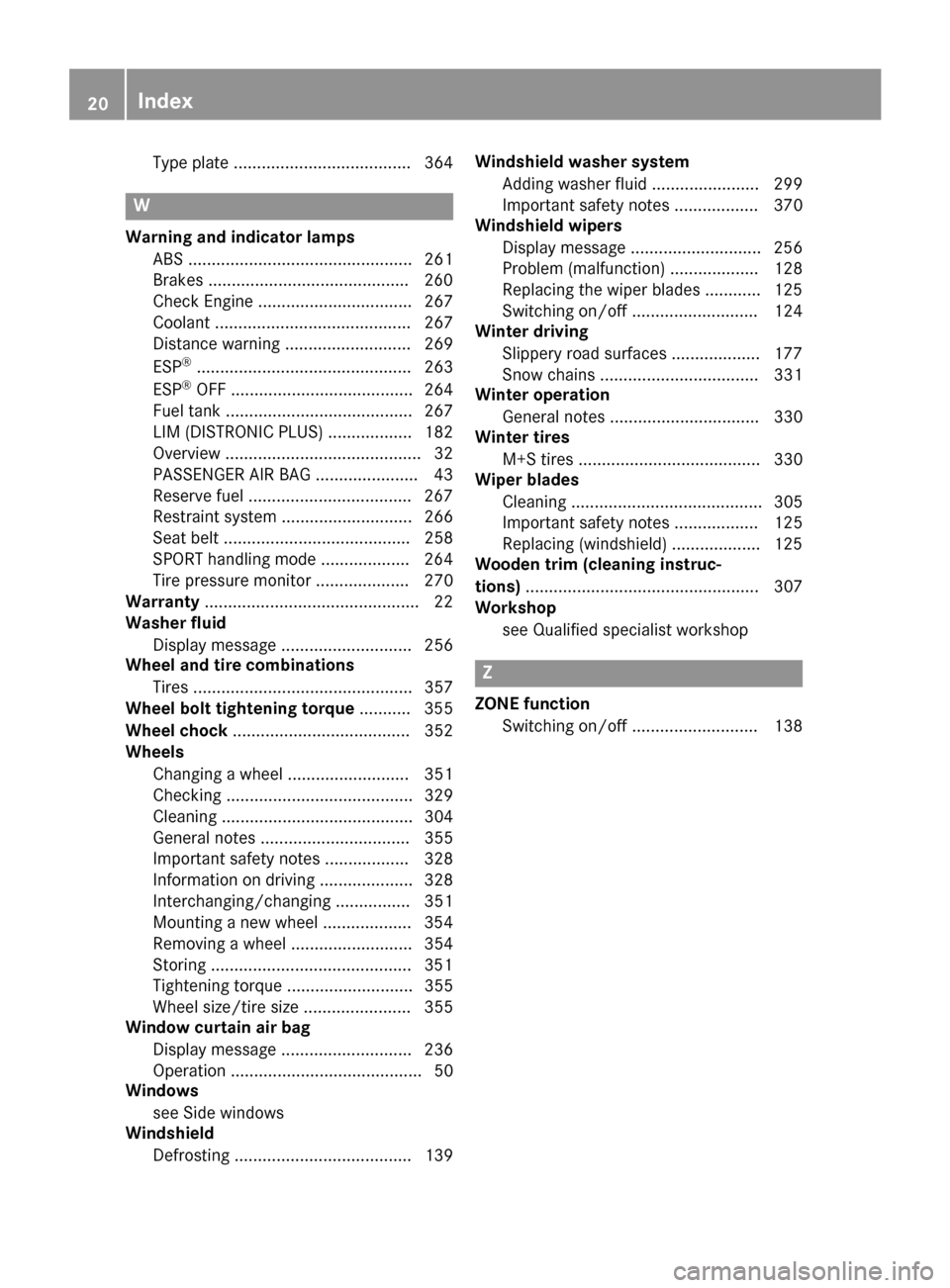
Type plate ...................................... 364
W
Warning and indicator lampsABS ................................................ 261
Brakes ...........................................2 60
Check Engine ................................. 267
Coolant .......................................... 267
Distance warning ........................... 269
ESP
®.............................................. 263
ESP®OFF ....................................... 264
Fuel tank ........................................ 267
LIM (DISTRONIC PLUS) .................. 182
Overview .......................................... 32
PASSENGER AIR BAG ......................4 3
Reserv efuel .................................. .267
Restraint system ............................ 266
Seat belt ........................................ 258
SPORT handling mode ................... 264
Tire pressure monitor .................... 270
Warranty .............................................. 22
Washer fluid
Display message ............................ 256
Wheel and tire combinations
Tires ............................................... 357
Wheel bolt tightening torque ........... 355
Wheel chock ...................................... 352
Wheels
Changing a wheel .......................... 351
Checking ........................................ 329
Cleaning ......................................... 304
General notes ................................ 355
Important safety notes .................. 328
Information on driving .................... 328
Interchanging/changing ................ 351
Mounting a new wheel ................... 354
Removing a wheel .......................... 354
Storing ...........................................3 51
Tightening torque ........................... 355
Wheel size/tire size ....................... 355
Window curtain air bag
Display message ............................ 236
Operation ......................................... 50
Windows
see Side windows
Windshield
Defrosting ...................................... 139 Windshield washer system
Adding wa sher fl
uid ....................... 299
Important safety notes .................. 370
Windshield wipers
Display message ............................ 256
Problem (malfunction) ................... 128
Replacing the wiper blades ............ 125
Switching on/off ........................... 124
Winter driving
Slippery road surfaces ................... 177
Snow chains .................................. 331
Winter operation
General notes ................................ 330
Winter tires
M+S tires ....................................... 330
Wiper blades
Cleaning ......................................... 305
Important safety notes .................. 125
Replacing (windshield) ................... 125
Wooden trim (cleaning instruc-
tions) .................................................. 307
Workshop
see Qualified specialist workshop
Z
ZONE functionSwitching on/off ........................... 138
20Index
Page 69 of 374
the distance warning function and the auton-
omous braking function are also deactivated.
If COLLISION PREVENTION ASSIST PLUS is
deactivated, theæsymbol appears in the
assistance graphics display.
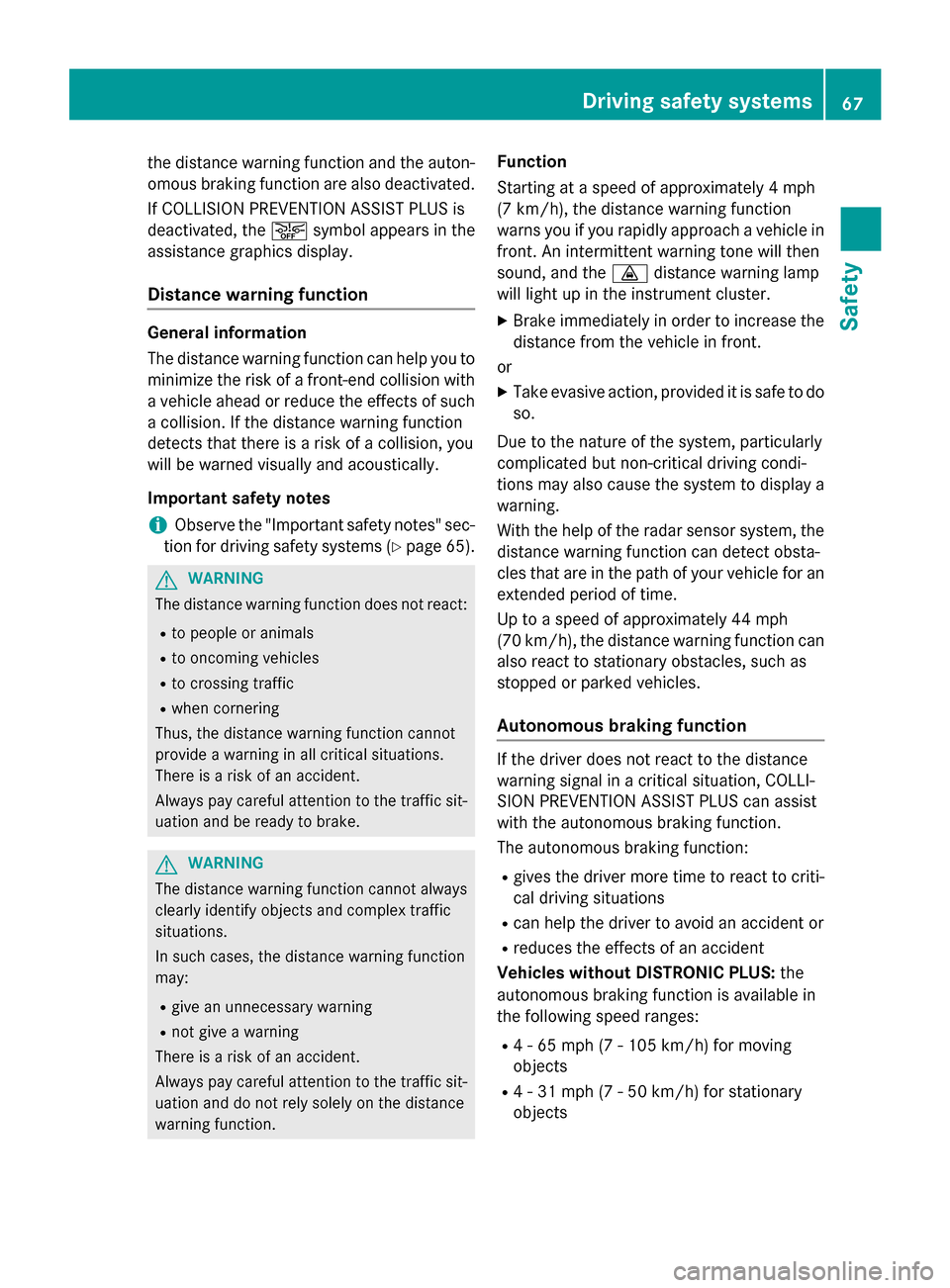
Distance warning function
General information
The distance warning function can help you to
minimize the risk of a front-end collision with a vehicle ahead or reduce the effects of such
a collision. If the distance warning function
detects that there is a risk of a collision, you
will be warned visually and acoustically.
Important safety notes
iObserve the "Important safety notes" sec-
tion for driving safety systems (
Ypage 65).
GWARNING
The distance warning function does not react:
Rto people or animals
Rto oncoming vehicles
Rto crossing traffic
Rwhen cornering
Thus, the distance warning function cannot
provide a warning in all critical situations.
There is a risk of an accident.
Always pay careful attention to the traffic sit-
uation and be ready to brake.
GWARNING
The distance warning function cannot always
clearly identify objects and complex traffic
situations.
In such cases, the distance warning function
may:
Rgive an unnecessary warning
Rnot give a warning
There is a risk of an accident.
Always pay careful attention to the traffic sit-
uation and do not rely solely on the distance
warning function.
Function
Starting at a speed of approximately 4 mph
(7 km/h), the distance warning function
warns you if you rapidly approach a vehicle in
front. An intermittent warning tone will then
sound, and the ·distance warning lamp
will light up in the instrument cluster.
XBrake immediately in order to increase the distance from the vehicle in front.
or
XTake evasive action, provided it is safe to do
so.
Due to the nature of the system, particularly
complicated but non-critical driving condi-
tions may also cause the system to display a warning.
With the help of the radar sensor system, the
distance warning function can detect obsta-
cles that are in the path of your vehicle for an
extended period of time.
Up to a speed of approximately 44 mph
(70 km/h), the distance warni
ng function can
also react to stationary obstacles, such as
stopped or parked vehicles.
Autonomous braking function
If the driver does not react to the distance
warning signal in a critical situation, COLLI-
SION PREVENTION ASSIST PLUS can assist
with the autonomous braking function.
The autonomous braking function:
Rgives the driver more time to react to criti-
cal driving situations
Rcan help the driver to avoid an accident or
Rreduces the effects of an accident
Vehicles without DISTRONIC PLUS: the
autonomous braking function is available in
the following speed ranges:
R4 - 65 mph (7 - 105 km/h) for moving
objects
R4 - 31 mph (7 - 50 km/h) for stationary
objects
Driving safet ysystem s67
Safety
Z
Page 70 of 374
Vehicles with DISTRONIC PLUS:the auton-
omous braking function is available in the fol- lowing speed ranges:
R4 - 124 mph (7 - 200 km/h) for moving
objects
R4 - 31 mph (7 - 50 km/h) for stationary
objects
Due to the nature of the system, particularly
complicated but non-critical driving condi-
tions may also cause the Autonomous Brak-
ing Function to intervene.
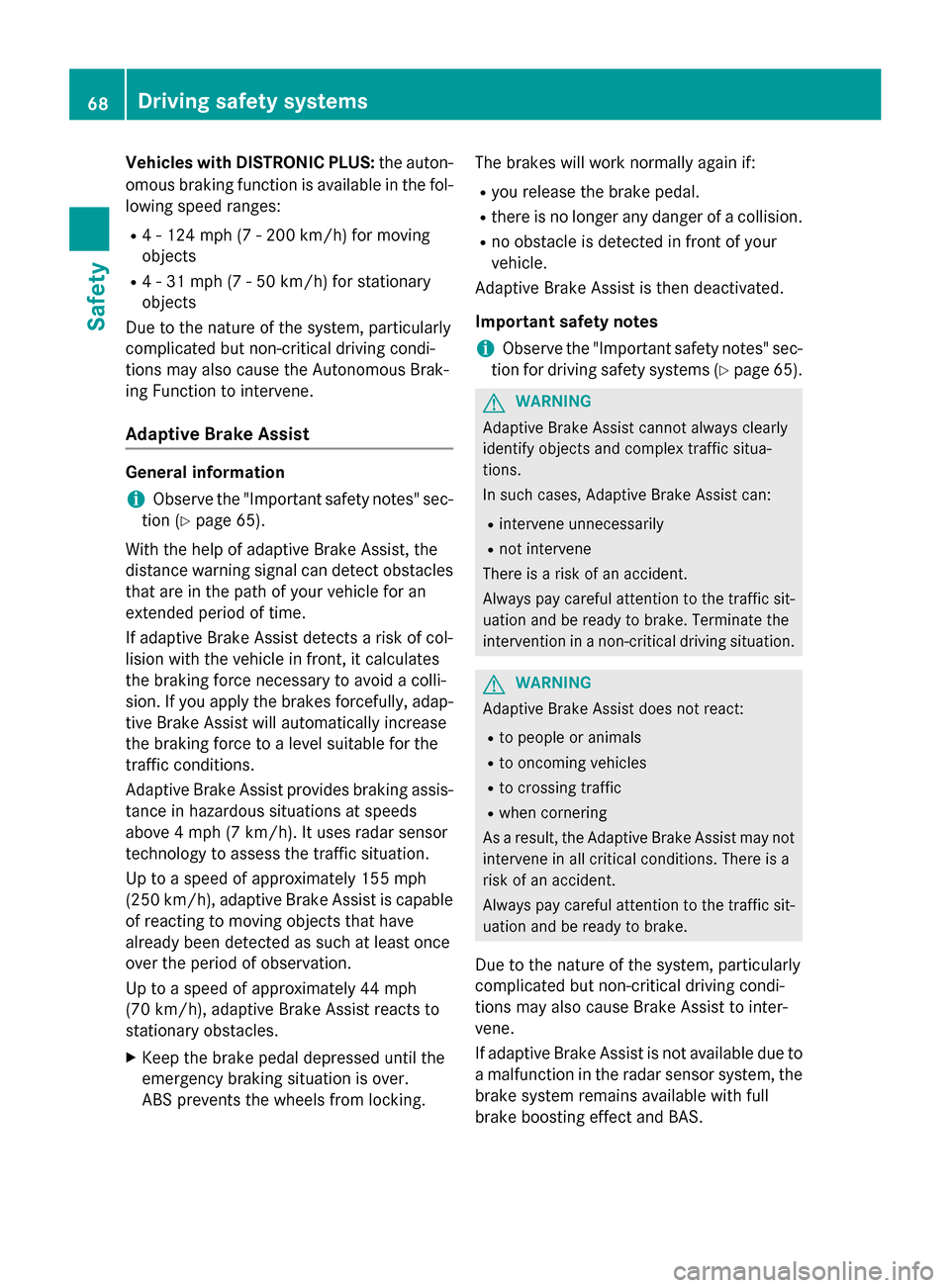
Adaptive Brake Assist
General information
iObserve the "Important safety notes" sec-
tion (
Ypage 65).
With the help of adaptive Brake Assist, the
distance warning signal can detect obstacles
that are in the path of your vehicle for an
extended period of time.
If adaptive Brake Assist detects a risk of col-
lision with the vehicle in front, it calculates
the braking force necessary to avoid a colli-
sion. If you apply the brakes forcefully, adap-
tive Brake Assist will automatically increase
the braking force to a level suitable for the
traffic conditions.
Adaptive Brake Assist provides braking assis-
tance in hazardous situations at speeds
above 4 mph (7 km/h). It uses radar sensor
technology to assess the traffic situation.
Up to a speed of approximately 155 mph
(250 km/h), adaptive Brake Assist is capable
of reacting to moving objects that have
already been detected as such at least once
over the period of observation.
Up to a speed of approximately 44 mph
(70 km/h), adaptive Brake Assist reacts to
stationary obstacles.
XKeep the brake pedal depressed until the
emergency braking situation is over.
ABS prevents the wheels from locking. The brakes will work normally again if:
Ryou release the brake pedal.
Rthere is no longer any danger of a collision.
Rno obstacle is detected in front of your
vehicle.
Adaptive Brake Assist is then deactivated.
Important safety notes
iObserve the "Important safety notes" sec-
tion for driving safety systems (
Ypage 65).
GWARNING
Adaptive Brake Assist cannot always clearly
identify objects and complex traffic situa-
tions.
In such cases, Adaptive Brake Assist can:
Rintervene unnecessarily
Rnot intervene
There is a risk of an accident.
Always pay careful attention to the traffic sit- uation and be ready to brake. Terminate the
intervention in a non-critical driving situation.
GWARNING
Adaptive Brake Assist does not react:
Rto people or animals
Rto oncoming vehicles
Rto crossing traffic
Rwhen cornering
As a result, the Adaptive Brake Assist may not
intervene in all critical conditions. There is a
risk of an accident.
Always pay careful attention to the traffic sit- uation and be ready to brake.
Due to the nature of the system, particularly
complicated but non-critical driving condi-
tions may also cause Brake Assist to inter-
vene.
If adaptive Brake Assist is not available due to
a malfunction in the radar sensor system, the
brake system remains available with full
brake boosting effect and BAS.
68Driving safety systems
Safety
Page 156 of 374
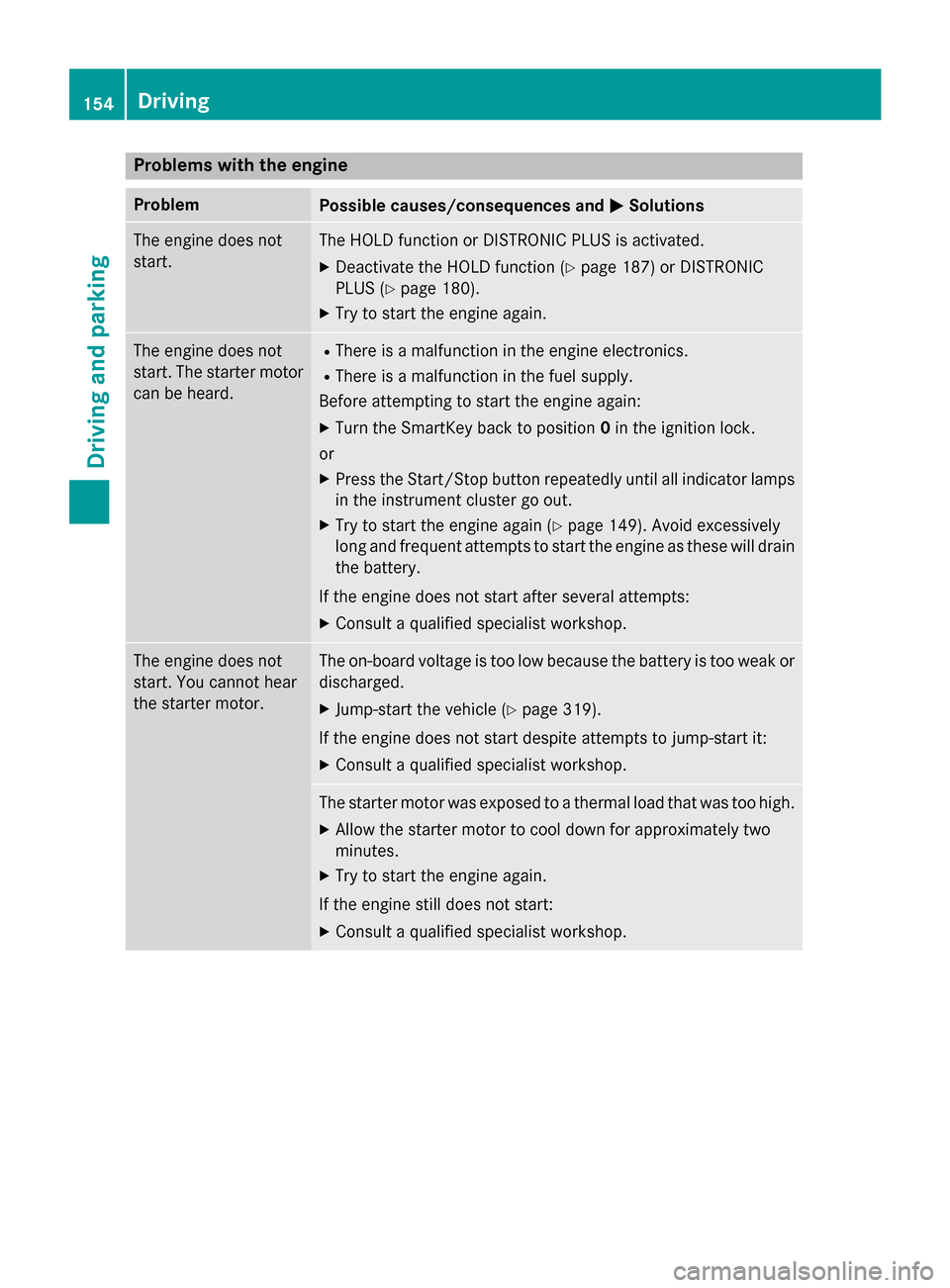
Problems with the engine
ProblemPossible causes/consequences andMSolutions
The engine does not
start.The HOLD function or DISTRONIC PLUS is activated.
XDeactivate the HOLD function (Ypage 187) or DISTRONIC
PLUS (
Ypage 180).
XTry to start the engine again.
The engine does not
start. The starter motor
can be heard.RThere is a malfunction in the engine electronics.
RThere is a malfunction in the fuel supply.
Before attempting to start the engine again:
XTurn the SmartKey back to position 0in the ignition lock.
or
XPress the Start/Stop button repeatedly until all indicator lamps in the instrument cluster go out.
XTry to start the engine again (Ypage 149). Avoid excessively
long and frequent attempts to start the engine as these will drain
the battery.
If the engine does not start after several attempts:
XConsult a qualified specialist workshop.
The engine does not
start. You cannot hear
the starter motor.The on-board voltage is too low because the battery is too weak or
discharged.
XJump-start the vehicle (Ypage 319).
If the engine does not start despite attempts to jump-start it:
XConsult a qualified specialist workshop.
The starter motor was exposed to a thermal load that was too high.
XAllow the starter motor to cool down for approximately two
minutes.
XTry to start the engine again.
If the engine still does not start:
XConsult a qualified specialist workshop.
154Driving
Driving and parking
Page 160 of 374
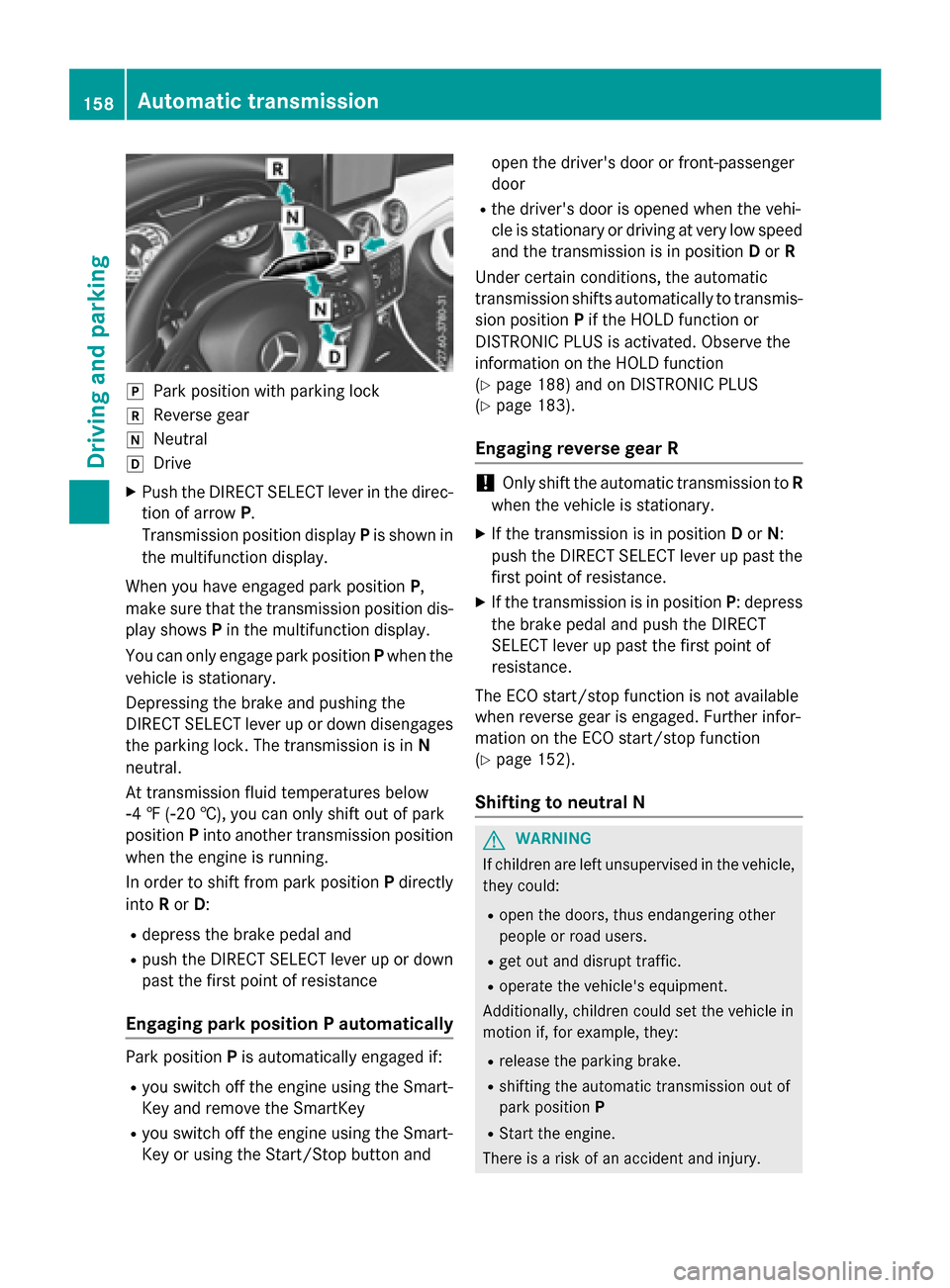
jPark position with parking lock
kReverse gear
iNeutral
hDrive
XPush the DIRECT SELECT lever in the direc-
tion of arrowP.
Transmission position display Pis shown in
the multifunction display.
When you have engaged park position P,
make sure that the transmission position dis-
play shows Pin the multifunction display.
You can only engage park position Pwhen the
vehicle is stationary.
Depressing the brake and pushing the
DIRECT SELECT lever up or down disengages
the parking lock. The transmission is in N
neutral.
At transmission fluid temperatures below
Ò4 ‡ (Ò20 †), you can only shift out of park
position Pinto another transmission position
when the engine is running.
In order to shift from park position Pdirectly
into Ror D:
Rdepress the brake pedal and
Rpush the DIRECT SELECT lever up or down
past the first point of resistance
Engaging park position P automatically
Park position Pis automatically engaged if:
Ryou switch off the engine using the Smart-
Key and remove the SmartKey
Ryou switch off the engine using the Smart-
Key or using the Start/Stop button and open the driver's door or front-passenger
door
Rthe driver's door is opened when the vehi-
cle is stationary or driving at very low speed
and the transmission is in position Dor R
Under certain conditions, the automatic
transmission shifts automatically to transmis-
sion position Pif the HOLD function or
DISTRONIC PLUS is activated. Observe the
information on the HOLD function
(
Ypage 188) and on DISTRONIC PLUS
(
Ypage 183).
Engaging reverse gear R
!Only shift the automatic transmission to R
when the vehicle is stationary.
XIf the transmission is in position Dor N:
push the DIRECT SELECT lever up past the
first point of resistance.
XIf the transmission is in position P: depress
the brake pedal and push the DIRECT
SELECT lever up past the first point of
resistance.
The ECO start/stop function is not available
when reverse gear is engaged. Further infor-
mation on the ECO start/stop function
(
Ypage 152).
Shifting to neutral N
GWARNING
If children are left unsupervised in the vehicle,
they could:
Ropen the doors, thus endangering other
people or road users.
Rget out and disrupt traffic.
Roperate the vehicle's equipment.
Additionally, children could set the vehicle in
motion if, for example, they:
Rrelease the parking brake.
Rshifting the automatic transmission out of
park position P
RStart the engine.
There is a risk of an accident and injury.
158Automatic transmission
Driving and parking
Page 174 of 374
The electric parking brake is also engaged
automatically if:
RDISTRONIC PLUS brings the vehicle to a
standstill or
Rthe HOLD function is keeping the vehicle
stationary
RActive Parking Assist is keeping the vehicle
stationary
In addition, at least one of the following con-
ditions must be fulfilled:
Rthere is a system malfunction.
Rthe power supply is insufficient.
Rthe vehicle is stationary for a lengthy
period.
The red F(USA only) or !(Canada
only) indicator lamp in the instrument cluster goes out.
The electric parking brake is not automati-
cally engaged if the engine is switched off by
the ECO start/stop function.
Releasing automatically
Your vehicle's electric parking brake is auto-
matically released if all of the following con-
ditions are met:
Rthe engine is running.
Rthe transmission is in position Dor R.
Rthe seat belt has been fastened.
Ryou depress the accelerator pedal.
If the transmission is in position R, the trunk
lid must be closed.
If your seat belt is not fastened, the following
conditions must be fulfilled to automatically
release the electric parking brake:
Rthe driver's door is closed.
Ryou have shifted out of transmission posi-
tion Por you have previously driven faster
than 2 mph (3 km/h).
Ensure that you do not depress the acceler-
ator pedal unintentionally. Otherwise the
parking brake will be released and the vehicle
will start to move.
Emergency braking
The vehicle can also be braked during an
emergency by using the electric parking
brake.
XWhile driving, push handle :of the electric
parking brake (
Ypage 171).
The vehicle is braked as long as you keep
handle :of the electric parking brake
pressed. The longer the electric parking
brake handle :is depressed, the greater
the braking force.
During braking:
Ra warning tone sounds
Rthe Release Parking Brakemessage
appears
Rthe red F(USA only) or !(Canada
only) indicator lamp in the instrument clus- ter flashes
When the vehicle has been braked to a stand-
still, the electric parking brake is engaged.
Parking the vehicle for a long period
If you leave the vehicle parked for longer than
four weeks, the battery may be damaged by
exhaustive discharging.
If you leave the vehicle parked for longer than
six weeks, the vehicle may suffer damage as a
result of lack of use.
XVisit a qualified specialist workshop and
seek advice.
iYou can obtain information about trickle
chargers from a qualified specialist work-
shop.
Driving tips
General notes
Important safety notes
GWARNING
If you switch off the ignition while driving,
safety-relevant functions are only available
172Driving tips
Driving and parking