turn signal MERCEDES-BENZ CLA-Class 2016 C117 Owner's Manual
[x] Cancel search | Manufacturer: MERCEDES-BENZ, Model Year: 2016, Model line: CLA-Class, Model: MERCEDES-BENZ CLA-Class 2016 C117Pages: 374, PDF Size: 8.19 MB
Page 8 of 374
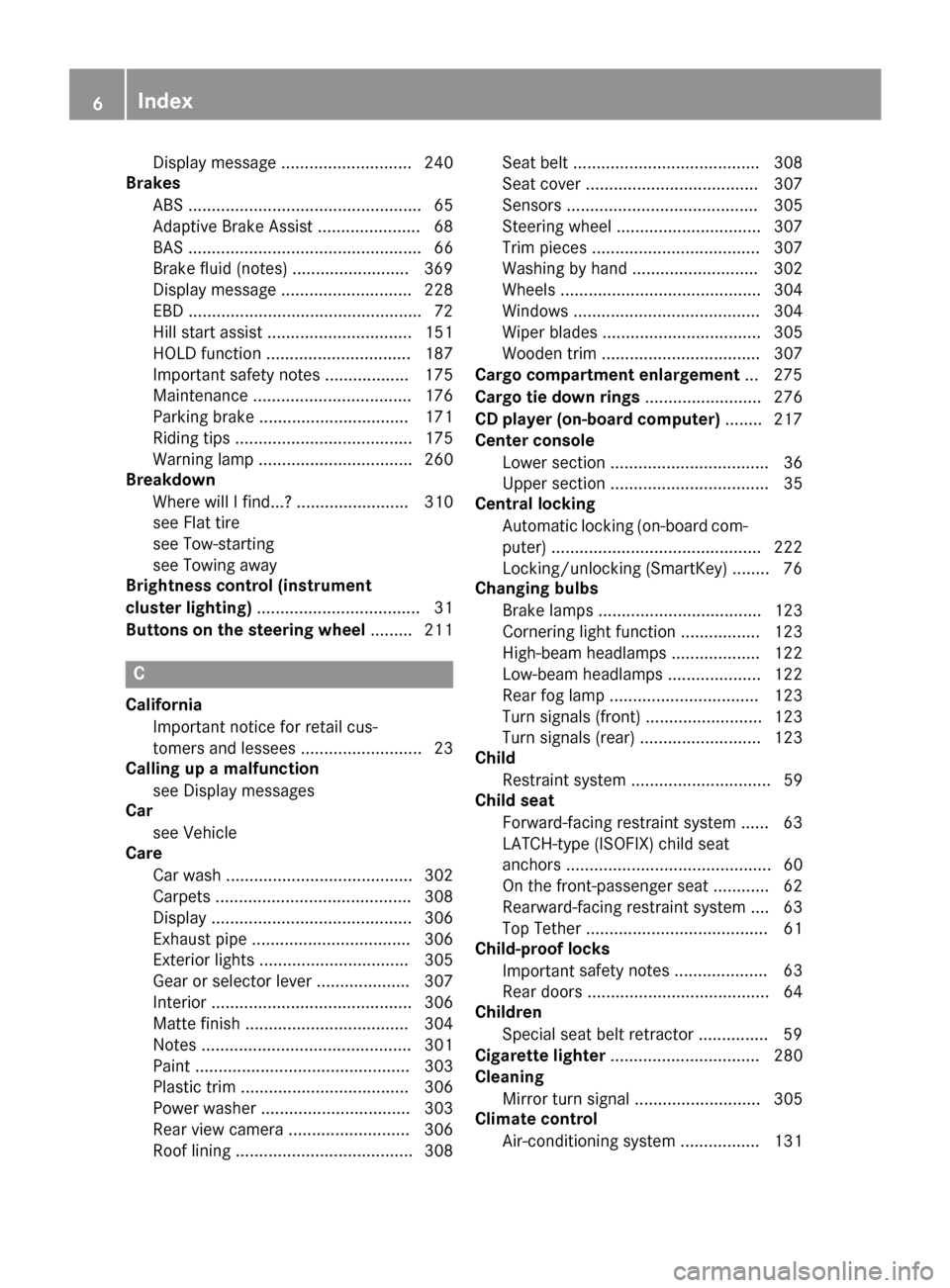
Display message ............................ 240
Brakes
ABS .................................................. 65
Adaptive Brake Assist ...................... 68
BAS .................................................. 66
Brake fluid (notes) .........................3 69
Display message ............................ 228
EBD ..................................................7 2
Hill start assist ............................... 151
HOLD function ............................... 187
Important safety notes .................. 175
Maintenance .................................. 176
Parking brake ................................ 171
Riding tips ...................................... 175
Warning lamp ................................. 260
Breakdown
Where will I find...? ........................ 310
see Flat tire
see Tow-starting
see Towing away
Brightness control (instrument
cluster lighting) ................................... 31
Buttons on the steering wheel ......... 211
C
California
Important notice for retail cus-
tomers and lessees .......................... 23
Calling up a malfunction
see Display messages
Car
see Vehicle
Care
Car wash ........................................ 302
Carpets .......................................... 308
Display ........................................... 306
Exhaust pipe .................................. 306
Exterior lights ................................ 305
Gear or selector lever .................... 307
Interior ........................................... 306
Matte finish ................................... 304
Notes ............................................. 301
Paint .............................................. 303
Plastic trim .................................... 306
Power washer ................................ 303
Rear view camera .......................... 306
Roof lining ...................................... 308 Seat belt ........................................ 308
Seat cover ..................................... 307
Sensors ......................................... 305
Steering wheel ............................... 307
Trim pieces .................................... 307
Washing by hand ........................... 302
Wheels ........................................... 304
Windows ........................................ 304
Wiper blades .................................. 305
Wooden trim .................................. 307
Cargo compartment enlargement ... 275
Cargo tie down rings ......................... 276
CD player (on-board computer) ........ 217
Center console
Lower section .................................. 36
Upper section .................................. 35
Central locking
Automatic locking (on-board com-puter) ............................................. 222
Locking/unlocking (SmartKey) ........ 76
Changing bulbs
Brake lamps ................................... 123
Cornering light function ................. 123
High-beam headlamps ................... 122
Low-beam headlamps .................... 122
Rear fog lamp ................................ 123
Turn signals (front) ......................... 123
Turn signals (rear) .......................... 123
Child
Restraint system .............................. 59
Child seat
Forward-facing restraint system ...... 63
LATCH-type (ISOFIX) child seat
anchors ............................................ 60
On the front-passenger seat ............ 62
Rearward-facing restraint system .... 63
Top Tether ....................................... 61
Child-proof locks
Important safety no
tes .................... 63
Rear doors ....................................... 64
Children
Special seat belt retractor ............... 59
Cigarette lighter ................................ 280
Cleaning
Mirror turn signal ........................... 305
Climate control
Air-conditioning system ................. 131
6Index
Page 13 of 374
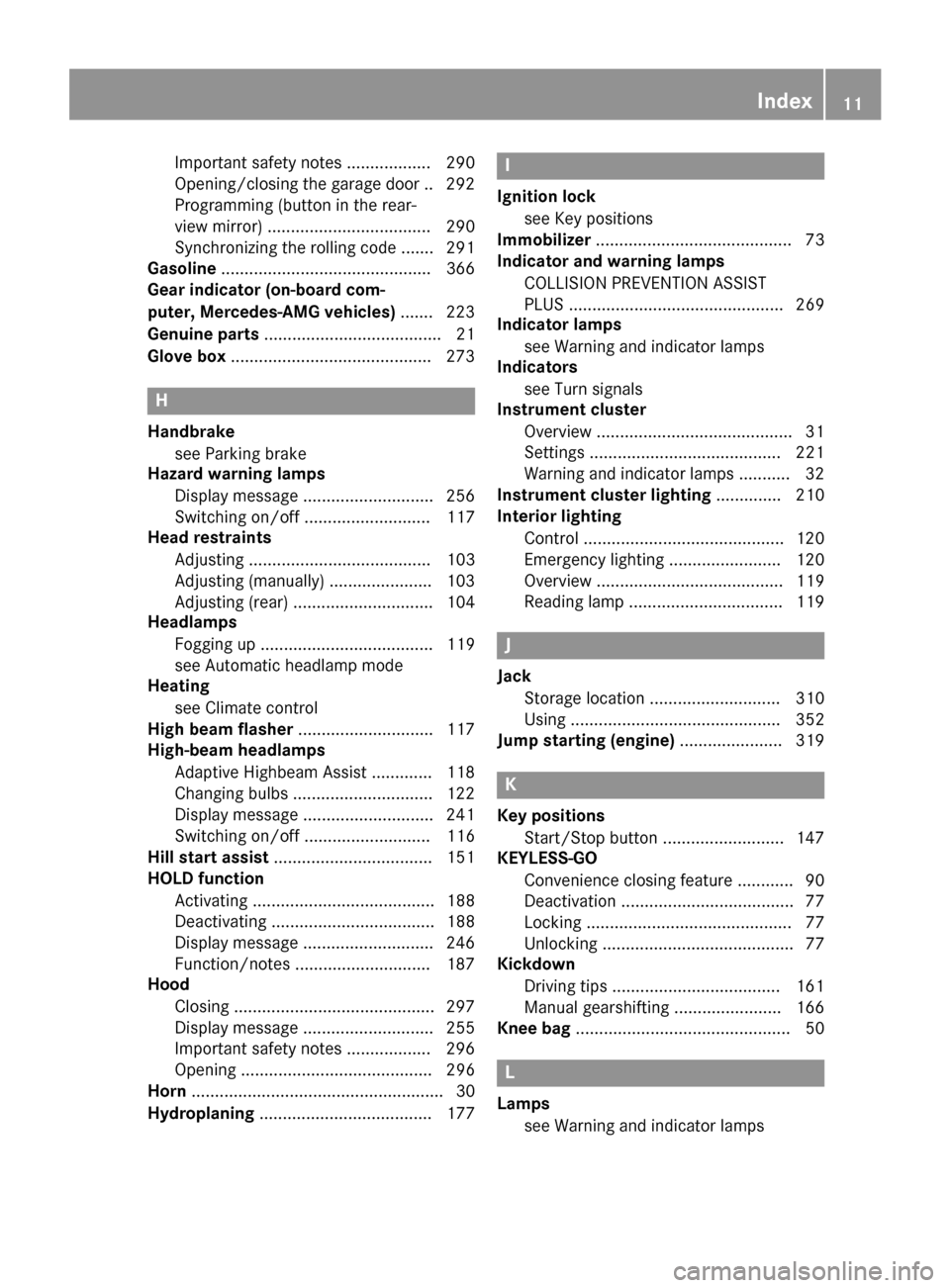
Important safety notes .................. 290
Opening/closing the garage door .. 292
Programming (button in the rear-
view mirror) ................................... 290
Synchronizing the rolling code ....... 291
Gasoline .............................................3 66
Gear indicator (on-board com-
puter, Mercedes-AMG vehicles) ....... 223
Genuine parts ...................................... 21
Glove box ...........................................2 73
H
Handbrake
see Parking brake
Hazard warning lamps
Display message ............................ 256
Switching on/off ........................... 117
Head restraints
Adjusting ....................................... 103
Adjusting (manually) ......................1 03
Adjusting (rear) .............................. 104
Headlamps
Fogging up ..................................... 119
see Automatic headlamp mode
Heating
see Climate control
High beam flasher .............................1 17
High-beam headlamps
Adaptive Highbeam Assist ............. 118
Changing bulbs .............................. 122
Display message ............................ 241
Switching on/off ........................... 116
Hill start assist .................................. 151
HOLD function
Activating ....................................... 188
Deactivating ................................... 188
Display message ............................ 246
Function/notes .............................1 87
Hood
Closing ...........................................2 97
Display message ............................ 255
Important safety notes .................. 296
Opening ......................................... 296
Horn ...................................................... 30
Hydroplaning ..................................... 177
I
Ignition lock
see Key positions
Immobilizer .......................................... 73
Indicator and warning lamps
COLLISION PREVENTION ASSIST
PLUS .............................................. 269
Indicator lamps
see Warning and indicator lamps
Indicators
see Turn signals
Instrument cluster
Overview .......................................... 31
Settings ......................................... 221
Warning and indicator lamps ........... 32
Instrument cluster lighting .............. 210
Interior lighting
Control ...........................................1 20
Emergency lighting ........................ 120
Overview ........................................ 119
Reading lamp ................................. 119
J
Jack
Storage location ............................ 310
Using ............................................. 352
Jump starting (engine) ......................319
K
Key positions
Start/Stop button .......................... 147
KEYLESS-GO
Convenience closing feature ............ 90
Deactivation ..................................... 77
Locking ............................................ 77
Unlocking ......................................... 77
Kickdown
Driving tips ....................................1 61
Manual gearshifting ....................... 166
Knee bag .............................................. 50
L
Lamps
see Warning and indicator lamps
Index11
Page 14 of 374
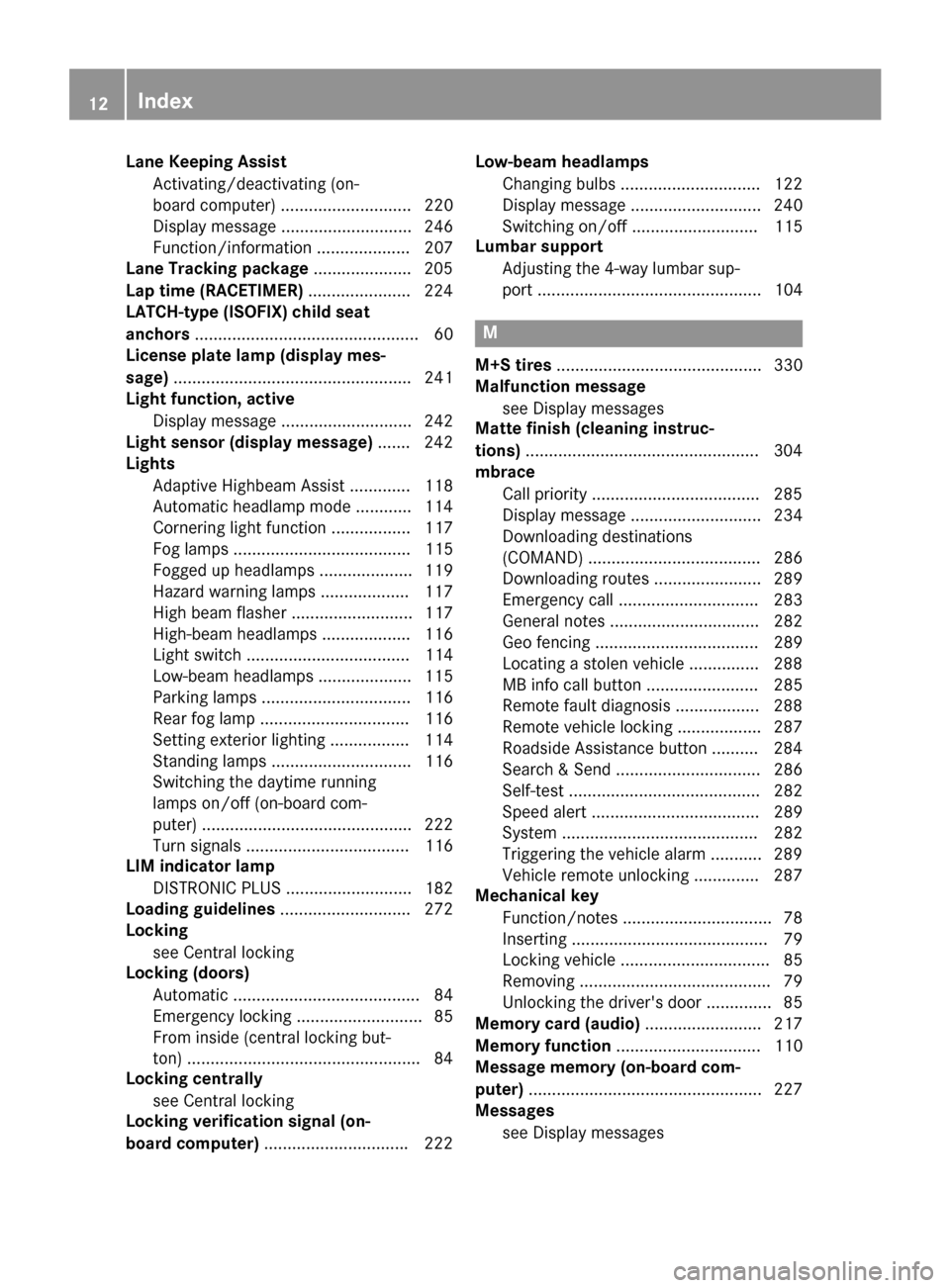
Lane Keeping AssistActivating/deactivating (on-
board computer) ............................ 220
Display message ............................ 246
Function/information .................... 207
Lane Tracking package .....................205
Lap time (RACETIMER) ......................224
LATCH-type (ISOFIX) child seat
anchors ................................................ 60
License plate lamp (display mes-
sage) ................................................... 241
Light function, active
Display message ............................ 242
Light sensor (display message) ....... 242
Lights
Adaptive Highbeam Assist ............. 118
Automatic headlamp mode ............ 114
Cornering light function ................. 117
Fog lamps ...................................... 115
Fogged up headlamps .................... 119
Hazard warning lamps ................... 117
High beam flasher .......................... 117
High-beam headlamps ................... 116
Light switch ................................... 114
Low-beam headlamps .................... 115
Parking lamps ................................ 116
Rear fog lamp ................................ 116
Setting exterior lighting ................. 114
Standing lamps .............................. 116
Switching the daytime running
lamps on/off (on-board com-
puter) ............................................. 222
Turn signals ................................... 116
LIM indicator lamp
DISTRONIC PLUS ........................... 182
Loading guidelines ............................ 272
Locking
see Central locking
Locking (doors)
Automatic ........................................ 84
Emergency locking ........................... 85
From inside (central locking but-
ton) ..................................................8 4
Locking centrally
see Cent ral loc
king
Locking verification signal (on-
board computer) .............................. .222 Low-beam headlamps
Changing bulbs .............................. 122
Display message ............................ 240
Switching on/off ........................... 115
Lumbar support
Adjusting the 4-way lumbar sup-
port ................................................ 104
M
M+S tires ............................................ 330
Malfunction message
see Display messages
Matte finish (cleaning instruc-
tions) ..................................................3 04
mbrace
Call priority ....................................2 85
Display message ............................ 234
Downloading destinations
(COMAND) ..................................... 286
Downloading routes ....................... 289
Emergency call .............................. 283
General notes ................................ 282
Geo fencing ................................... 289
Locating a stolen vehicle ...............2 88
MB info call button ........................ 285
Remote fault diagnosis .................. 288
Remote vehicle locking .................. 287
Roadside Assistance button .......... 284
Search & Send ............................... 286
Self-test ......................................... 282
Speed alert .................................... 289
System .......................................... 282
Triggering the vehicle alarm ........... 289
Vehicle remote unlocking .............. 287
Mechanical key
Function/notes ................................ 78
Inserting .......................................... 79
Locking vehicle ................................ 85
Removing ......................................... 79
Unlocking the driver's door .............. 85
Memory card (audio) ......................... 217
Memory function ............................... 110
Message memory (on-board com-
puter) .................................................. 227
Messages
see Display messages
12Index
Page 15 of 374
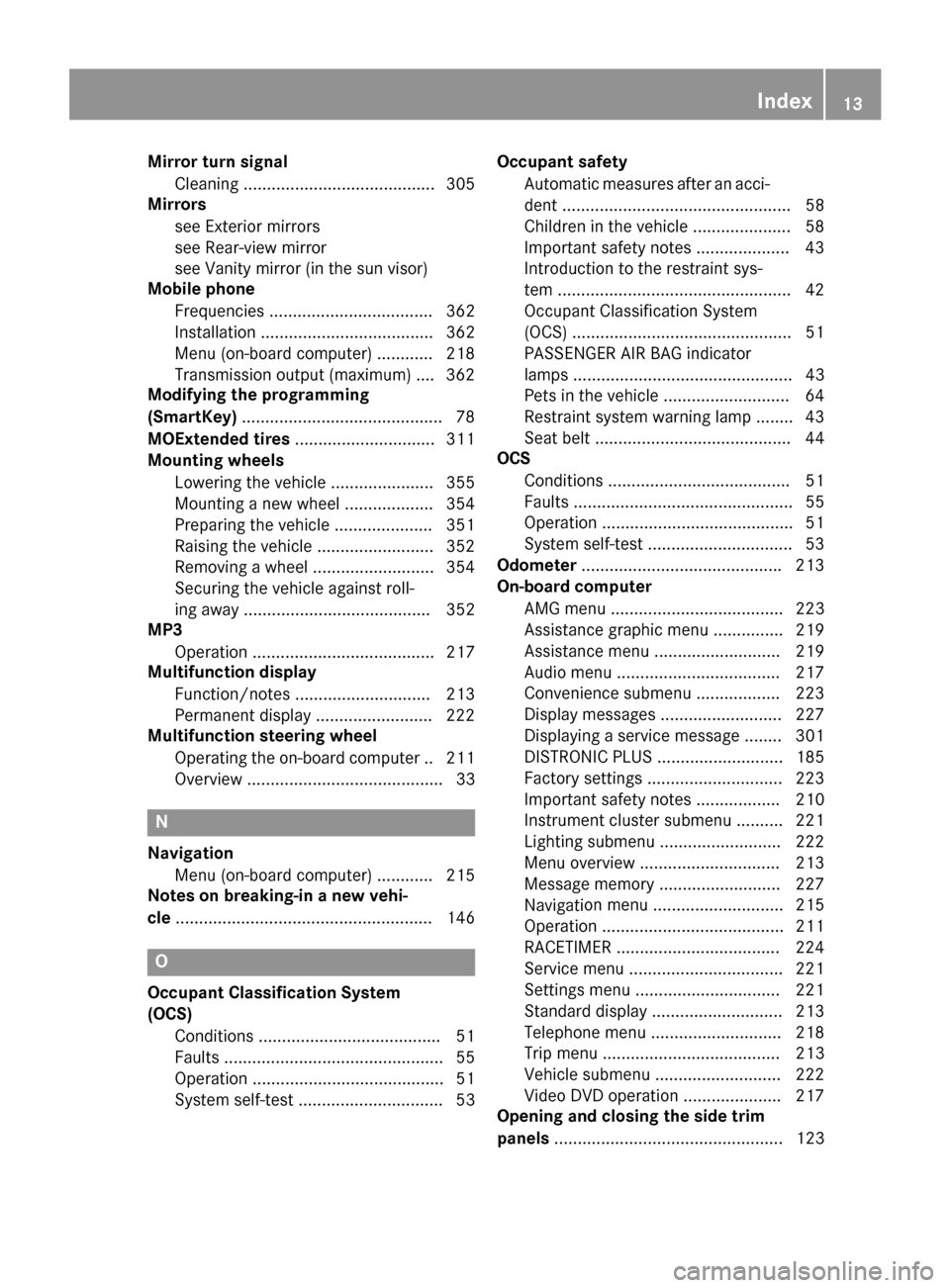
Mirror turn signalCleaning .........................................3 05
Mirrors
see Exterior mirrors
see Rear-view mirror
see Vanity mirror (in the sun visor)
Mobile phone
Frequencies ................................... 362
Installation ..................................... 362
Menu (on-board computer) ............ 218
Transmission output (maximum) .... 362
Modifying the programming
(SmartKey) ...........................................7 8
MOExtended tires .............................. 311
Mounting wheels
Lowering the vehicle ...................... 355
Mounting a new wheel ................... 354
Preparing the vehicle .....................3 51
Raising the vehicle ......................... 352
Removing a wheel .......................... 354
Securing the vehicle against roll-
ing away ........................................ 352
MP3
Operation ....................................... 217
Multifunction display
Function/notes .............................2 13
Permanent display ......................... 222
Multifunction steering wheel
Operating the on-board computer .. 211
Overview .......................................... 33
N
NavigationMenu (on-board computer) ............ 215
Notes on breaking-in a new vehi-
cle ....................................................... 146
O
Occupant Classification System
(OCS)
Conditions ....................................... 51
Faults ............................................... 55
Operation ......................................... 51
System self-test ............................... 53 Occupant safety
Automatic measures after an acci-
dent ................................................. 58
Children in the vehicle ..................... 58
Important safety notes .................... 43
Introduction to the restraint sys-
tem ..................................................4 2
Occupant Classification System
(OCS) ............................................... 51
PASSENGER AIR BAG indicator
lamps ............................................... 43
Pets in the vehicle ........................... 64
Restraint system warning lamp ........ 43
Seat belt .......................................... 44
OCS
Conditions ....................................... 51
Faults ............................................... 55
Operation ......................................... 51
System self-test ...............................5 3
Odometer .......................................... .213
On-board computer
AMG menu ..................................... 223
Assistance graphic menu ...............2 19
Assistance menu ........................... 219
Audio menu ................................... 217
Convenience submenu .................. 223
Display messages .......................... 227
Displaying a service message ........3 01
DISTRONIC PLUS ........................... 185
Factory settings .............................2 23
Important safety notes .................. 210
Instrument cluster submenu .......... 221
Lighting submenu .......................... 222
Menu overview .............................. 213
Message memory .......................... 227
Navigati on menu ............................ 215
Operati
on ....................................... 211
RACETIMER ................................... 224
Service menu ................................. 221
Settings menu ............................... 221
Standard display ............................ 213
Telephone menu ............................ 218
Trip menu ...................................... 213
Vehicle submenu ........................... 222
Video DVD operation ..................... 217
Opening and closing the side trim
panels ................................................. 123
Index13
Page 21 of 374
Notes for 4MATIC vehicles ............ 324
Removing the towing eye ............... 323
Transporting the vehicle ................ 324
With both axles on the ground ....... 323
With front axle raised .....................323
Towing eye ......................................... 310
Transmission
see Automatic transmission
Transmission position display
(DIRECT SELECT lever) ......................157
Transporting the vehicle .................. 324
Trim pieces (cleaning instruc-
tions) ..................................................3 07
Trip computer (on-board com-
puter) ..................................................2 14
Trip odometer
Calling up ....................................... 213
Resetting (on-board computer) ...... 215
Trunk
Emergency release .......................... 87
Emergency release button ...............8 8
Important safety notes .................... 85
Opening (automatically from out-
side) .................................................8 6
Opening automatically from
inside ............................................... 87
Opening/closing (manually from
outside) ............................................ 86
Trunk emergency release button .......88
Trunk lid
Display message ............................ 255
Opening dimensions ...................... 371
Trunk load (maximum) ...................... 371
Turn signals
Changing bulbs (front) ................... 123
Changing bulbs (rear) .................... 123
Display message ............................ 240
Switching on/off ........................... 116
Two-way radio
Frequencies ................................... 362
Installation ..................................... 362
Transmission output (maximum) .... 362
Type identification plate
see Vehicle identification plateU
UnlockingEmergency unlocking ....................... 85
From inside the vehicle (central
unlocking button) ............................. 84
Upshift indicator (on-board com-
puter, Mercedes-AMG vehicles) ....... 223
V
Vanity mirror (in the sun visor)........ 279
Vehicle
Correct use ...................................... 26
Data acquisition ............................... 27
Display message ............................ 253
Equipment ....................................... 22
Individual settings .......................... 221
Limited Warranty ............................. 26
Loading .......................................... 339
Locking (in an emergency) ............... 85
Locking (SmartKey) .......................... 76
Lowering ........................................ 355
Maintenance .................................... 23
Parking for a long period ................ 172
Pulling away ................................... 150
Raising ........................................... 352
Reporting problems ......................... 26
Securing from rolling away ............ 352
Transporting .................................. 324
Unlocking (in an emergency) ........... 85
Unlocking (SmartKey) ...................... 76
Vehicle data ................................... 371
Vehicle data
Roof load (maximum) ..................... 371
Trunk load (maximum) ................... 371
Vehicle dimensions ........................... 371
Vehicle emergency locking ................ 85
Vehicle identification number
see VIN
Vehicle identification plate .............. 364
Vehicle tool kit .................................. 310
Ventilation
Setting the vents ........................... 142
Video
Operating the DVD ......................... 217
VIN
Seat ............................................... 364
Index19
Page 34 of 374
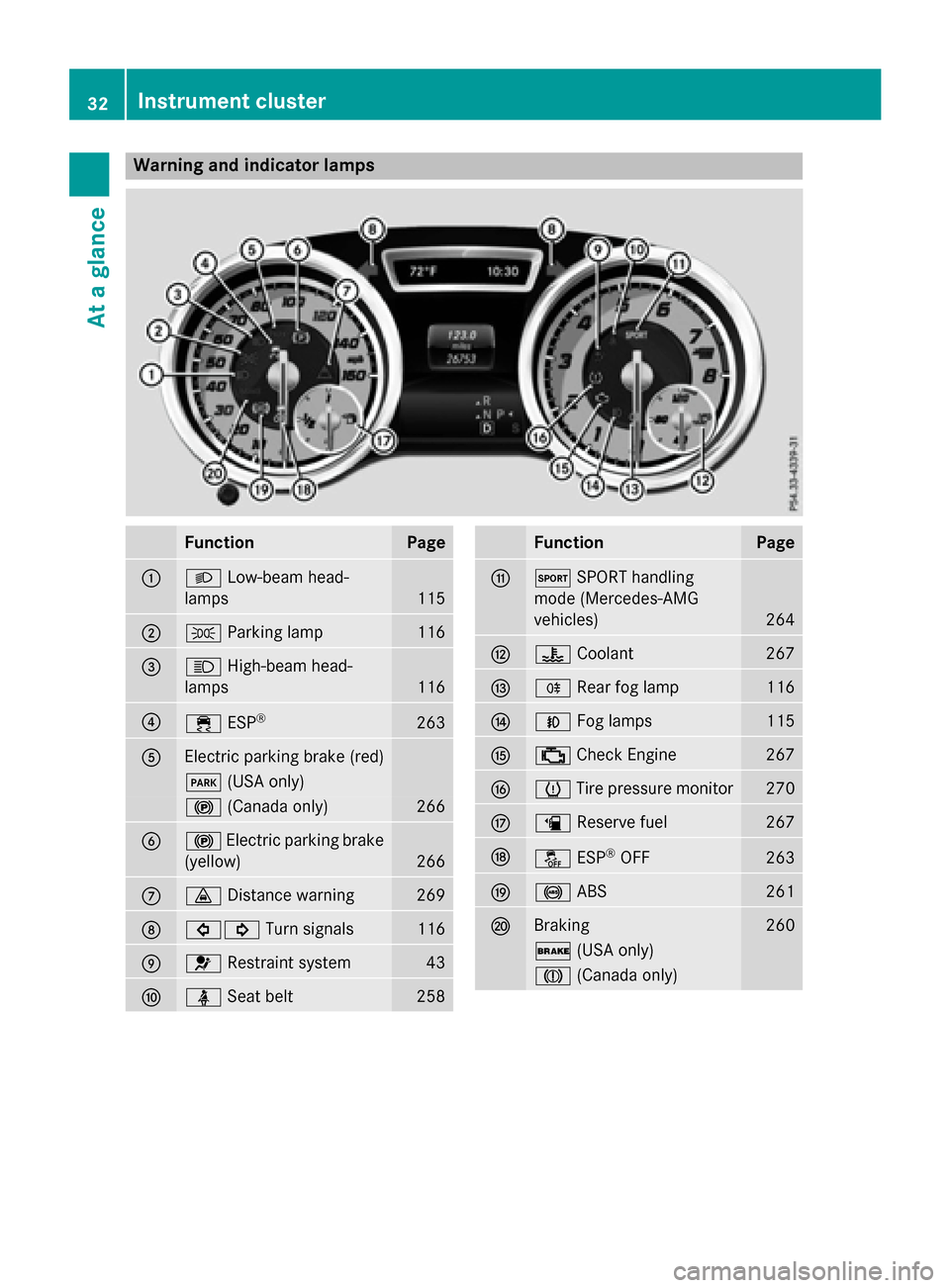
Warning and indicator lamps
FunctionPage
:LLow-beam head-
lamps
115
;T Parking lamp116
=KHigh-beam head-
lamps
116
?÷ ESP®263
AElectric parking brake (red)
F(USA only)
!(Canada only)266
B!Electric parking brake
(yellow)
266
C· Distance warning269
D#! Turn signals116
E6Restraint system43
FüSeat belt258
FunctionPage
GMSPORT handling
mode (Mercedes-AMG
vehicles)
264
H? Coolant267
IRRear fog lamp116
JNFog lamps115
K;Check Engine267
Lh Tire pressure monitor270
Mæ Reserve fuel267
NåESP®OFF263
O!ABS261
PBraking260
$(USA only)
J(Canada only)
32Instrument cluster
At a glance
Page 79 of 374
The SmartKey centrally locks/unlocks:
Rthe doors
Rthe trunk lid
Rthe fuel filler flap
The turn signals flash once when unlocking
and three times when locking.
When the locator lighting is activated in Audio
20/COMAND, it lights up when it is dark after the vehicle is unlocked with the remote con-
trol (see separate operating instructions).
You can also set an audible signal to confirm
that the vehicle has been locked. The audible
signal can be activated and deactivated using
the on-board computer (
Ypage 222).
XTo open the trunk lid automatically:
press and hold the Fbutton until the
trunk lid opens (
Ypage 86).
KEYLESS-GO
General notes
Bear in mind that the engine can be started by
any of the vehicle occupants if there is a
SmartKey in the vehicle.
Locking and unlocking
You can start, lock or unlock the vehicle using
KEYLESS-GO. To do this, you only need carry the SmartKey with you. You can combine the
functions of KEYLESS-GO with those of a con-ventional SmartKey. Unlock the vehicle by
using KEYLESS-GO, for instance, and lock it
using the &button on the SmartKey.
The driver's door and the door at which the
handle is used, must both be closed. The
SmartKey must be outside the vehicle. When
locking or unlocking with KEYLESS-GO, the
distance between the SmartKey and the cor-
responding door handle must not be greater
than 3 ft (1 m). A check which periodically establishes a radio
connection between the vehicle and the
SmartKey determines whether a valid Smart-
Key is in the vehicle. This occurs, for example:
Rwhen starting the engine
Rwhilst driving
Rwhen the external door handles are
touched
Rduring convenience closing
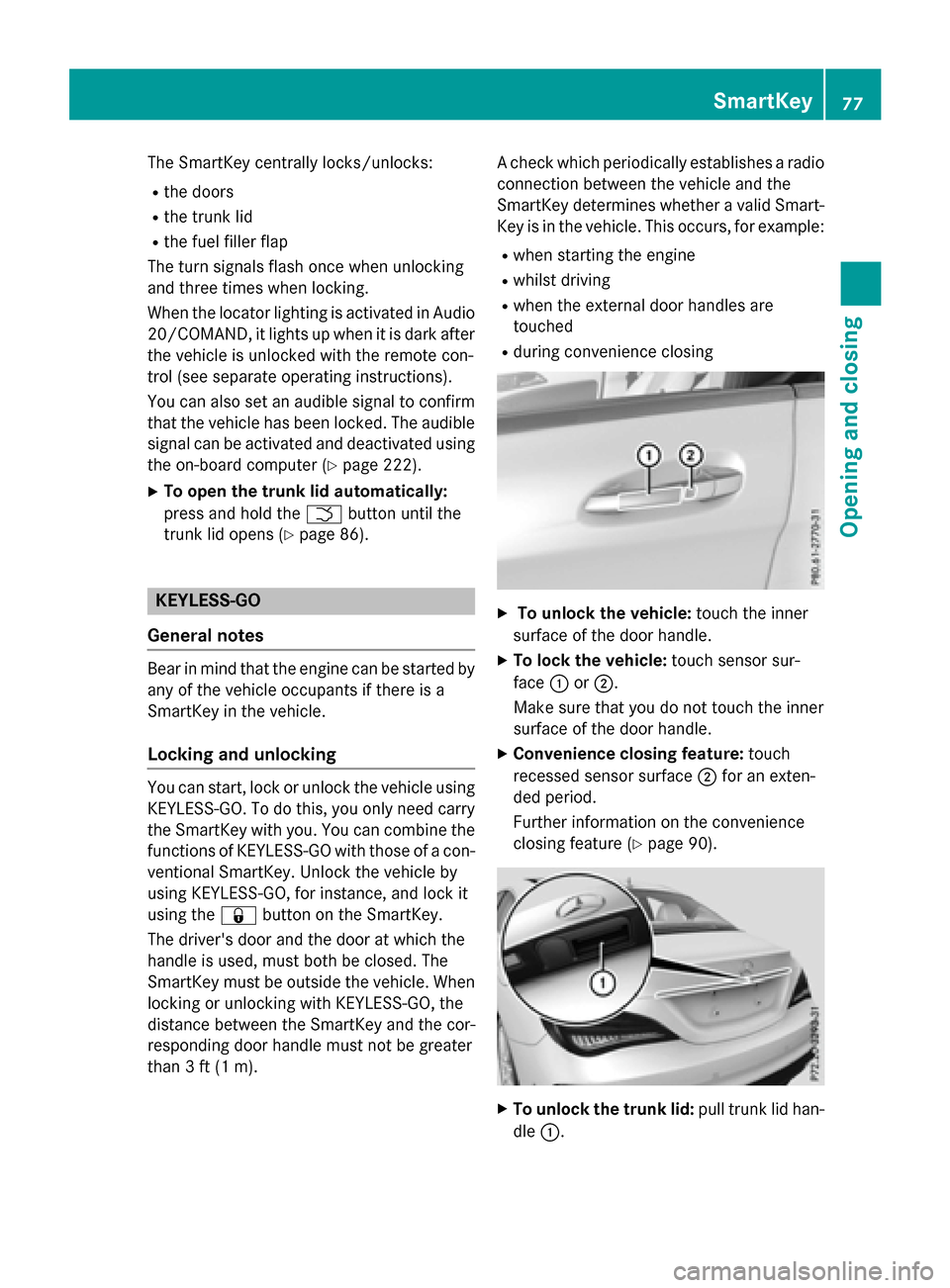
XTo unlock the vehicle:
touch the inner
surface of the door handle.
XTo lock the vehicle: touch sensor sur-
face :or;.
Make sure that you do not touch the inner
surface of the door handle.
XConvenience closing feature: touch
recessed sensor surface ;for an exten-
ded period.
Further information on the convenience
closing feature (
Ypage 90).
XTo unlock the trunk lid: pull trunk lid han-
dle :.
SmartKey77
Opening and closing
Z
Page 80 of 374
Deactivating andactivating
If you do no tintend to use th evehicle fo r a
longer period of time, you can deactivat eKEY-
LESS-GO .The SmartKey will then use ver ylit -
tl e power, thereby conservin gbattery power.
Fo rth epurposes of activation/deactivation ,
th evehicle mus tno tbe nearby.
XTo deactivate :press th e& buttonon
th eSmartKey twic ein rapid succession .
The battery chec klamp of th eSmartKey
flashes twic ebriefly and lights up once ,
then KEYLESS-GO is deactivated
(
Ypage 79) .
XTo activate :press any butto non th e
SmartKey.
or
XInser tth eSmartKey into th eignition lock.
KEYLESS-GO and all of it sassociated fea-
tures are available again .
KEYLESS-GOstar tfunction
General notes
Bear in min dthat th eengin ecan be started by
any of th evehicle occupant sif there is a
SmartKey in th evehicle.
Changin gth esettings of th elocking
syste m
You can chang eth esetting sof th elocking
system. Thi smeans that only th edriver's doo r
and th efue lfiller flap are unlocke dwhen th e
vehicle is unlocked. Thi sis useful if you fre-
quentl ytrave lon your own .
XTo change th esetting: press and hol dth e
% and& buttons simultaneousl yfo r approximately six seconds until th
ebattery
indicator lamp flashes twic e (
Ypage 79).
If th esetting of th elocking system is changed
within th esignal range of th evehicle, press-
in g th e& or% button:
Rlocks or
Runlocks th evehicle
The SmartKey no wfunction sas follows :
XTo unlock :press th e% buttononce .
XTo unlock centrally :press th e% but-
to ntwice.
XTo lock centrally :press th e& button.
The KEYLESS-GO function is changed as fol-
lows :
XTo unlock th edriver's door: touch the
inne rsurfac eof th edoo rhandle on th e
driver's door.
XTo unlock centrally :touch th einne rsur -
fac eof th edoo rhandle on th efront-
passenger doo ror th erea rdoor.
XTo lock centrally :touch th eouter sensor
surfac eon on eof th edoo rhandles .
XTo restor eth efactory settings: press
and hol dth e% and& buttons simul-
taneousl yfo rapproximately six seconds
until th ebattery chec klamp flashes twic e
(
Ypage 79).
Mechanica lkey
General notes
If th evehicle can no longer be locke dor
unlocke dwit hth eSmartKey or KEYLESS-GO ,
use th emechanical key.
If you use th emechanical ke yto unloc kand
ope nth edriver's doo ror th etrunk lid, th e
anti-thef talar msystem will be triggere d
(
Ypage 73).
There are severa lways to turn of fth ealarm:
XTo deactivate th ealarm wit hth ekey :
press th e% or& buttonon th ekey.
or
78SmartKey
Opening and closing
Page 118 of 374
Rear fog lamp
The rear fog lamp improves visibility of your
vehicle for the traffic behind in the event of
thick fog. Please take note of the country-
specific regulations for the use of rear fog
lamps.
XTo switch on the rear fog lamp:turn the
SmartKey in the ignition lock to position 2
or start the engine.
XTurn the light switch to LorÃ.
XPress the Rbutton.
The yellow Rindicator lamp in the
instrument cluster lights up.
XTo switch off the rear fog lamp: press the
R button.
The yellow Rindicator lamp in the
instrument cluster goes out.
iWhen the rear fog lamp is switched on,
the center brake lamp in the tail lamp
switches off due to a legal requirement.
Parking lamps
!If the battery has been excessively dis-
charged, the parking lamps or standing
lamps are automatically switched off to
enable the next engine start. Always park
your vehicle safely and sufficiently lit
according to legal standards. Avoid the
continuous use of the Tparking lamps
for several hours. If possible, switch on the
X right or the Wleft standing lamp.
XTo switch on: turn the light switch to T.
The green Tindicator lamp in the instru-
ment cluster lights up.
Standing lamps
Switching on the standing lamps ensures the
corresponding side of the vehicle is illumina-
ted.
XTo switch on the standing lamps: the
SmartKey should not be in the ignition lock
or it should be in position 0.
XTurn the light switch to W(left-hand side
of the vehicle) or X(right-hand side of
the vehicle).
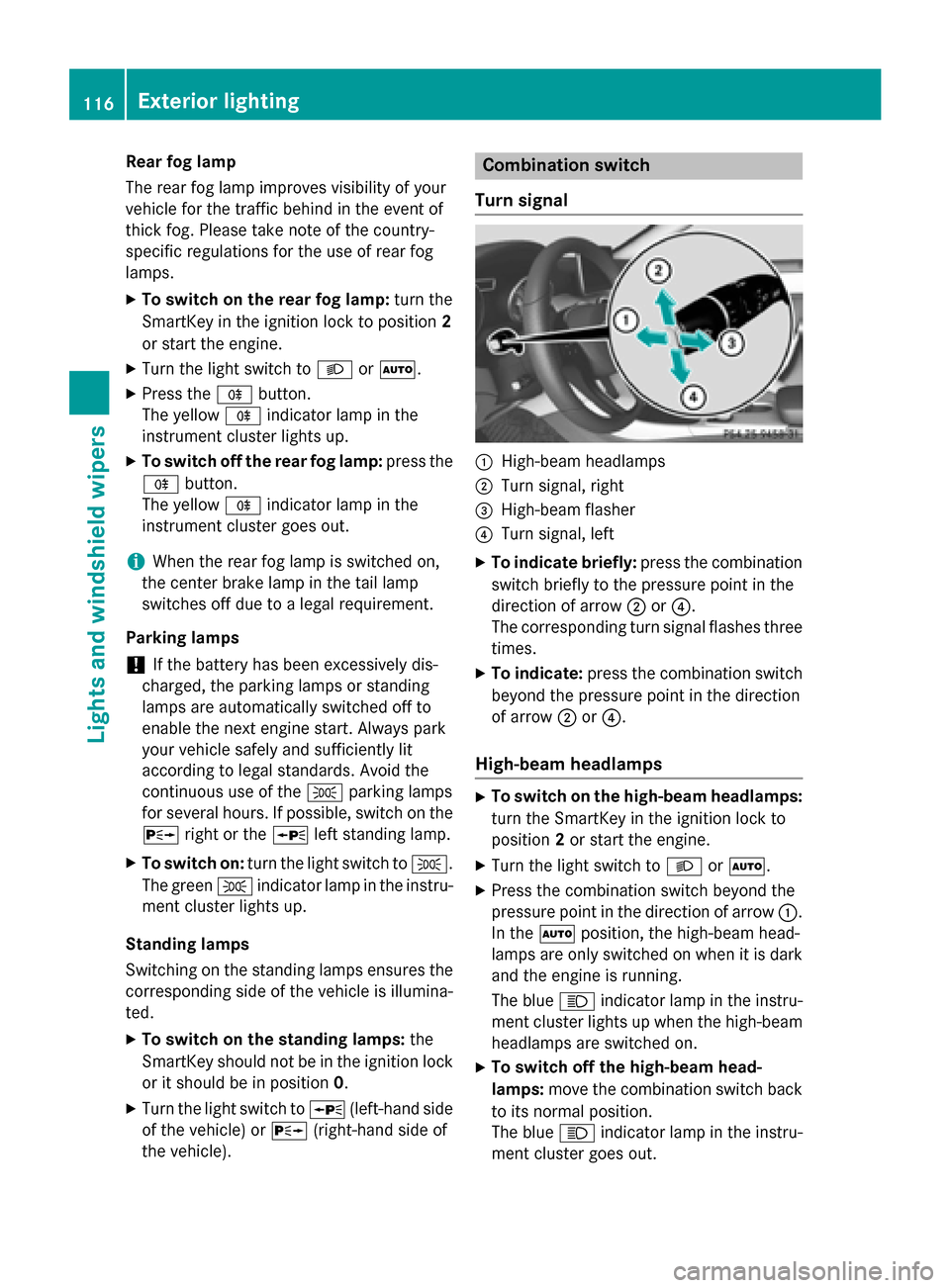
Combination switch
Turn signal
:High-beam headlamps
;Turn signal, right
=High-beam flasher
?Turn signal, left
XTo indicate briefly: press the combination
switch briefly to the pressure point in the
direction of arrow ;or?.
The corresponding turn signal flashes three
times.
XTo indicate: press the combination switch
beyond the pressure point in the direction
of arrow ;or?.
High-beam headlamps
XTo switch on the high-beam headlamps:
turn the SmartKey in the ignition lock to
position 2or start the engine.
XTurn the light switch to LorÃ.
XPress the combination switch beyond the
pressure point in the direction of arrow :.
In the Ãposition, the high-beam head-
lamps are only switched on when it is dark
and the engine is running.
The blue Kindicator lamp in the instru-
ment cluster lights up when the high-beam
headlamps are switched on.
XTo switch off the high-beam head-
lamps: move the combination switch back
to its normal position.
The blue Kindicator lamp in the instru-
ment cluster goes out.
116Exterior lighting
Lights and windshield wipers
Page 119 of 374
Vehicles with Adaptive Highbeam Assist:
when Adaptive Highbeam Assist is active, it
controls activation and deactivation of the
high-beam headlamps (
Ypage 118).
High-beam flasher
XTo switch on:turn the SmartKey in the
ignition lock to position 1or 2, or start the
engine.
XPull the combination switch in the direction
of arrow =.
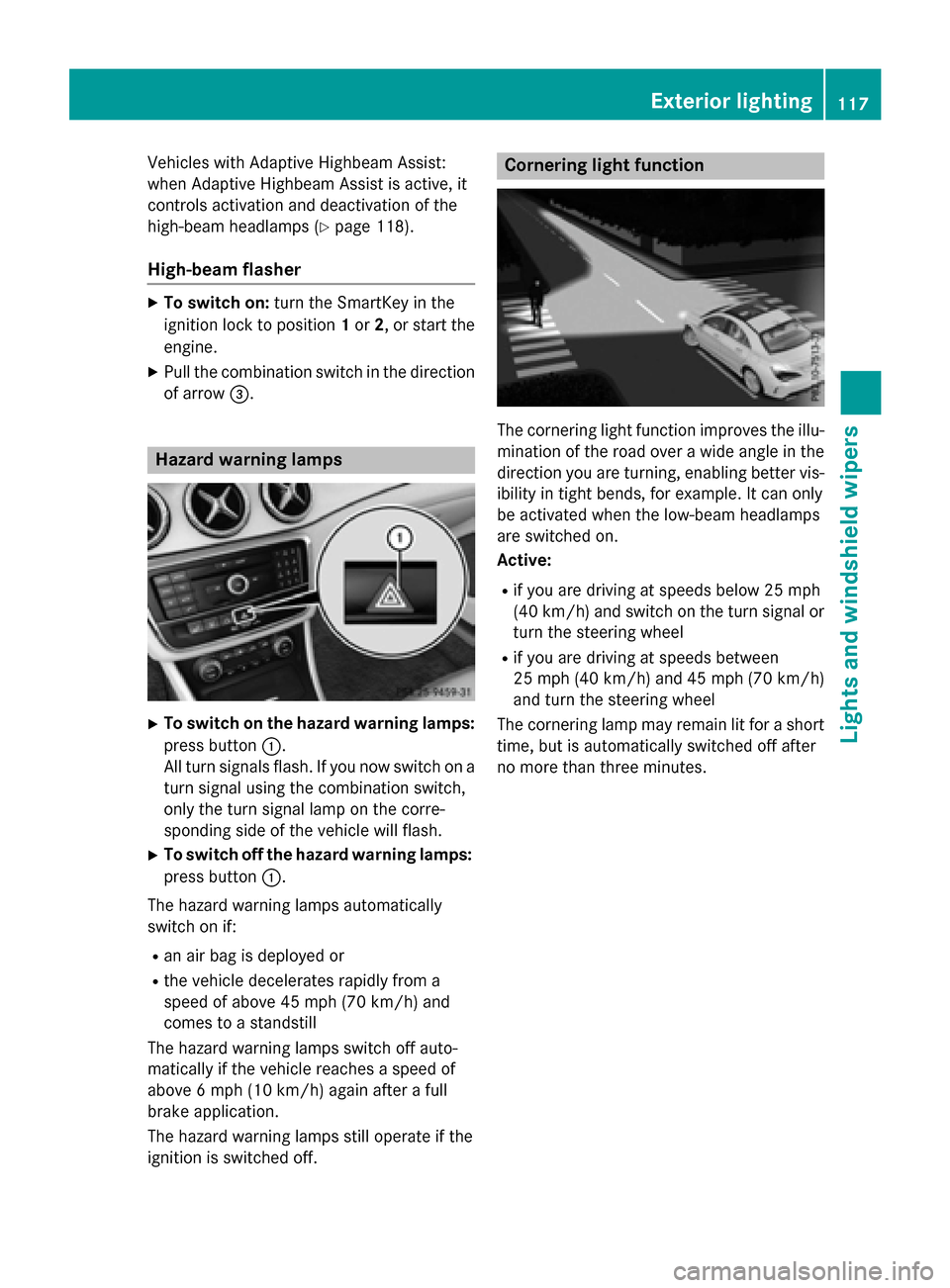
Hazard warning lamps
XTo switch on the hazard warning lamps:
press button :.
All turn signals flash. If you now switch on a
turn signal using the combination switch,
only the turn signal lamp on the corre-
sponding side of the vehicle will flash.
XTo switch off the hazard warning lamps:
press button :.
The hazard warning lamps automatically
switch on if:
Ran air bag is deployed or
Rthe vehicle decelerates rapidly from a
speed of above 45 mph (70 km/h) and
comes to a standstill
The hazard warning lamps switch off auto-
matically if the vehicle reaches a speed of
above 6 mph (10 km/h) again after a full
brake application.
The hazard warning lamps still operate if the
ignition is switched off.
Cornering light function
The cornering light function improves the illu-
mination of the road over a wide angle in the
direction you are turning, enabling better vis-
ibility in tight bends, for example. It can only
be activated when the low-beam headlamps
are switched on.
Active:
Rif you are driving at speeds below 25 mph
(40 km/h) and switch on the turn signal or
turn the steering wheel
Rif you are driving at speeds between
25 mph (40 km/h) and 45 mph (70 km/h)
and turn the steering wheel
The cornering lamp may remain lit for a short
time, but is automatically switched off after
no more than three minutes.
Exterior lighting117
Lights and windshield wipers
Z