Distance warning MERCEDES-BENZ CLA-Class 2017 C117 Owner's Guide
[x] Cancel search | Manufacturer: MERCEDES-BENZ, Model Year: 2017, Model line: CLA-Class, Model: MERCEDES-BENZ CLA-Class 2017 C117Pages: 318, PDF Size: 8.02 MB
Page 170 of 318
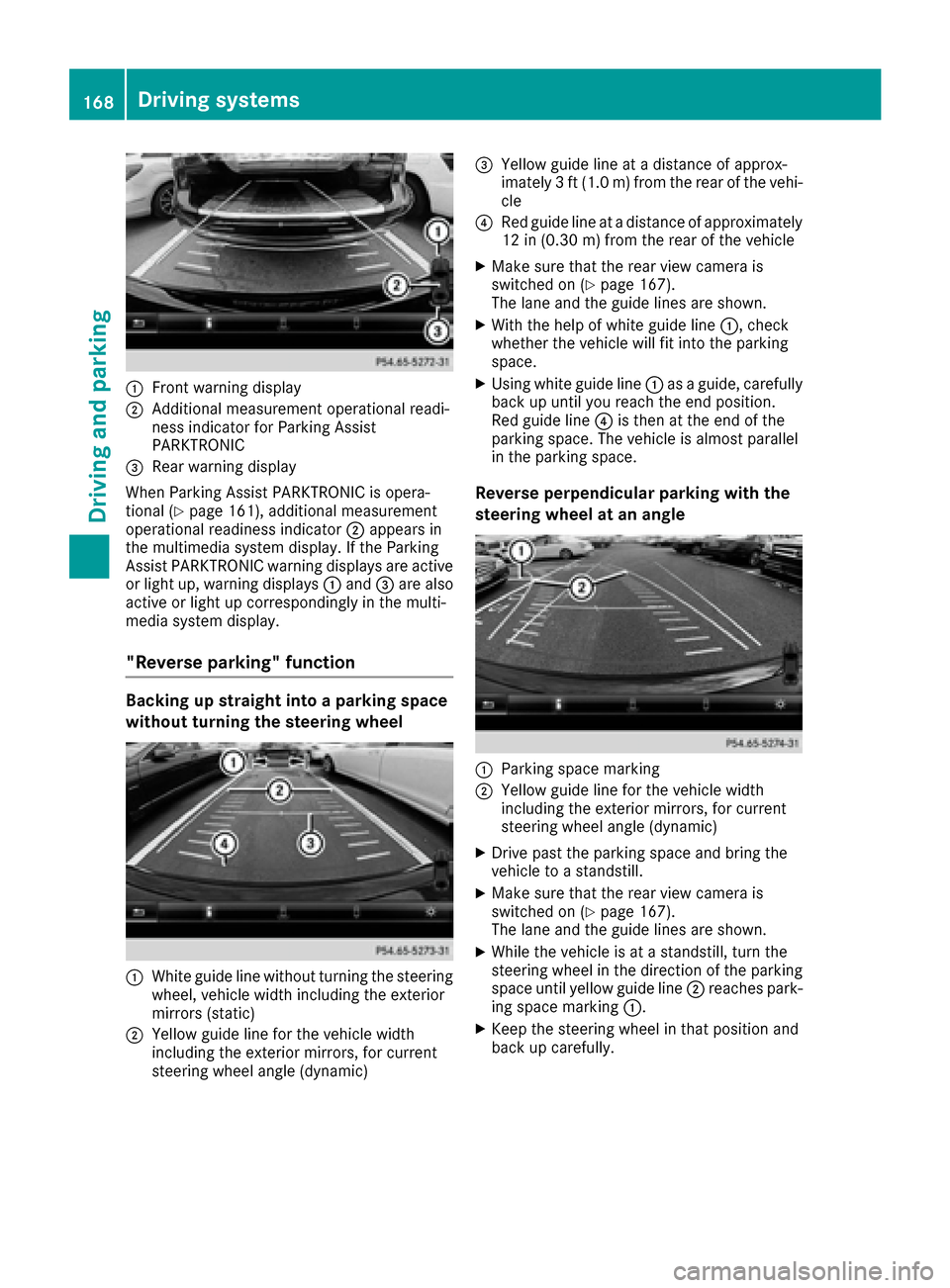
:Front warning display
;Additional measurement operational readi-
ness indicator for Parking Assist
PARKTRONIC
=Rear warning display
When Parking Assist PARKTRONIC is opera-
tional (
Ypage 161), additional measurement
operational readiness indicator ;appears in
the multimedia system display. If the Parking
Assist PARKTRONIC warning displays are active
or light up, warning displays :and =are also
active or light up correspondingly in the multi-
media system display.
"Reverse parking" function
Backing up straight into a parking space
without turning the steering wheel
:White guide line without turning the steering
wheel, vehicle width including the exterior
mirrors (static)
;Yellow guide line for the vehicle width
including the exterior mirrors, for current
steering wheel angle (dynamic)
=Yellow guide line at a distance of approx-
imately 3 ft (1.0 m) from the rear of the vehi-
cle
?Red guide line at a distance of approximately
12 in (0.30 m) fromthe rear of the vehicle
XMake sure that the rear view camera is
switched on (Ypage 167).
The lane and the guide lines are shown.
XWith the help of white guide line :, check
whether the vehicle will fit into the parking
space.
XUsing white guide line :as a guide, carefully
back up until you reach the end position.
Red guide line ?is then at the end of the
parking space. The vehicle is almost parallel
in the parking space.
Reverse perpendicular parking with the
steering wheel at an angle
:Parking space marking
;Yellow guide line for the vehicle width
including the exterior mirrors, for current
steering wheel angle (dynamic)
XDrive past the parking space and bring the
vehicle to a standstill.
XMake sure that the rear view camera is
switched on (Ypage 167).
The lane and the guide lines are shown.
XWhile the vehicle is at a standstill, turn the
steering wheel in the direction of the parking
space until yellow guide line ;reaches park-
ing space marking :.
XKeep the steering wheel in that position and
back up carefully.
168Driving systems
Driving an d parking
Page 171 of 318
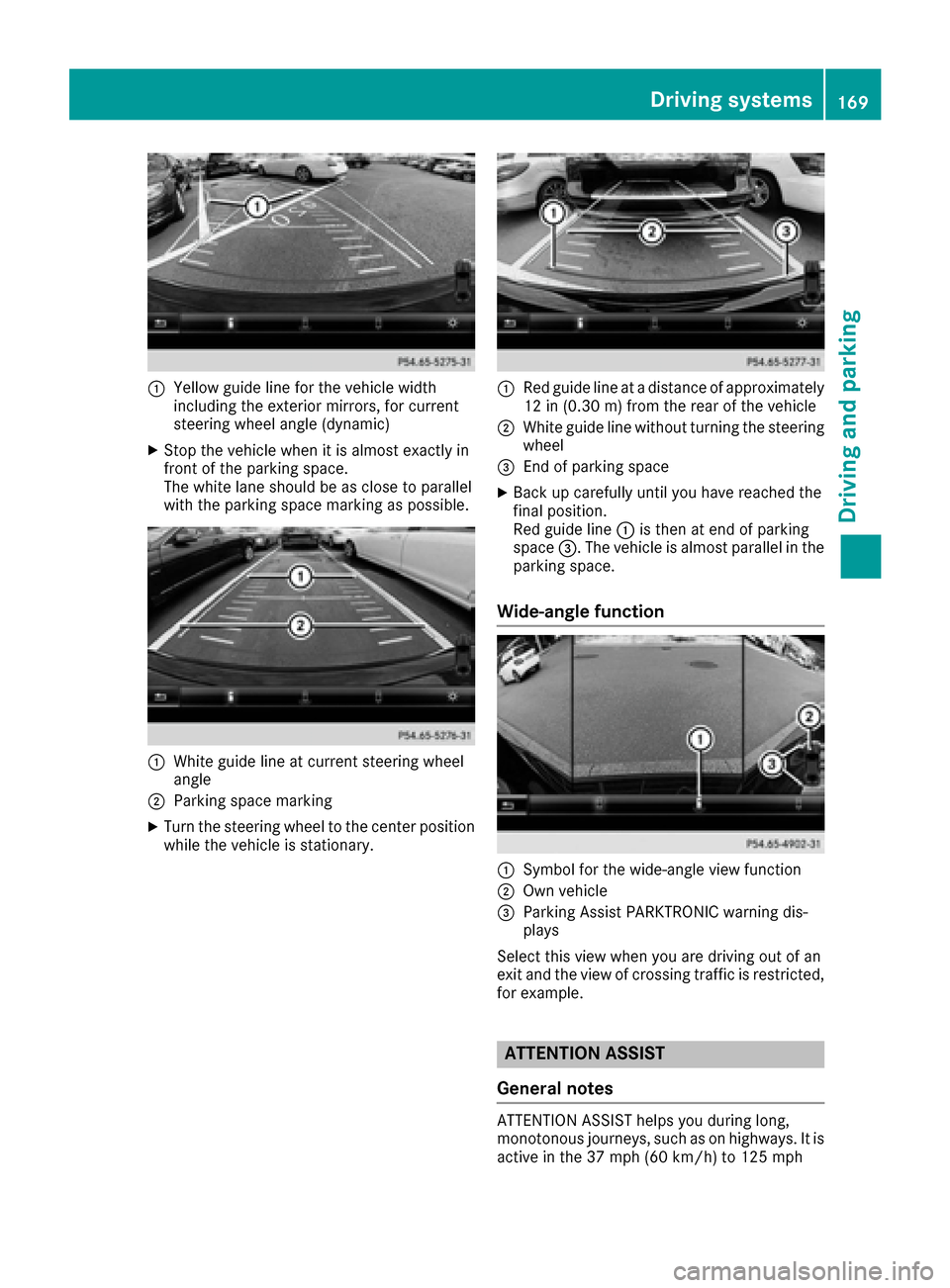
:Yellow guide line for the vehicle width
including the exterior mirrors, for current
steering wheel angle (dynamic)
XStop the vehicle when it is almost exactly in
front of the parking space.
The white lane should be as close to parallel
with the parking space marking as possible.
:White guide line at current steering wheel
angle
;Parking space marking
XTurn the steering wheel to the center position
while the vehicle is stationary.
:Red guide line at a distance of approximately
12 in (0.30 m) from the rear of the vehicle
;White guide line without turning the steering
wheel
=End of parking space
XBack up carefully until you have reached the
final position.
Red guide line:is then at end of parking
space =. The vehicle is almost parallel in the
parking space.
Wide-angle function
:Symbol for the wide-angle view function
;Own vehicle
=Parking Assist PARKTRONIC warning dis-
plays
Select this view when you are driving out of an
exit and the view of crossing traffic is restricted,
for example.
ATTENTION ASSIST
General notes
ATTENTION ASSIST helps you during long,
monotonous journeys, such as on highways. It is
active in the 37 mph (60 km/h) to 125 mph
Driving systems169
Driving and parking
Z
Page 173 of 318
XIf necessary, take a break.
XConfirm the message by pressing thea
button on the steering wheel.
On long journeys, take regular breaks in good
time to allow yourself to rest properly. If you do
not take a break and ATTENTION ASSIST still
detects increasing lapses in concentration, you
will be warned again after 15 minutes at the
earliest. This will only happen if ATTEN-
TION ASSIST still detects typical indicators of
fatigue or increasing lapses in concentration.
Vehicles with the COMAND multimedia sys-
tem: if a warning is output in the multifunction
display, a service station search is performed in
the multimedia system. You can select a service
station and navigation to this service station will
then begin. This function can be activated or
deactivated in the multimedia system; see the
Digital Operator's Manual.
Lane Tracking package
General notes
The Lane Tracking package consists of Blind
Spot Assist (Ypage 171) and Lane Keeping
Assist (Ypage 172).
Blind Spot Assist
General notes
Blind Spot Assist monitors the areas on either
side of the vehicle that are not visible to the
driver with two lateral, rear-facing radar sen-
sors. A warning display in the exterior mirrors
draws your attention to vehicles detected in the
monitored area. If you then switch on the cor-
responding turn signal to change lane, you will
also receive an optical and audible warning.
Blind Spot Assist supports you from a speed of
approximately 20 mph (30 km/h).
Important safety notes
GWARNING
Blind Spot Assist does not react to:
Rvehicles overtaken too closely on the side,
placing them in the blind spot area
Rvehicles which approach with a large speed
differential and overtake your vehicle
As a result, Blind Spot Assist may not give
warnings in such situations. There is a risk of
an accident.
Always observe the traffic conditions care-
fully, and maintain a safe lateral distance.
Blind Spot Assist is only an aid. It may fail to
detect some vehicles and is no substitute for
attentive driving. Always ensure that there is
sufficient distance to the side for other road
users and obstacles.
iUSA only:
This device has been approved by the FCC as
a "Vehicular Radar System". The radar sensor
is intended for use in an automotive radar
system only. Removing, tampering with, or
altering the device will void any warranties,
and is not permitted by the FCC. Do not tam-
per with, alter, or use in any non-approved
way.
Any unauthorized modification to this device
could void the user’s authority to operate the
equipment.
Radar sensors
The radar sensors for Blind Spot Assist are inte-
grated into the rear bumper. Make sure that the
bumpers are free from dirt, ice or slush. The
sensors must not be covered, for example by
cycle racks or overhanging loads. Following a
severe impact or in the event of damage to the
bumpers, have the function of the radar sensors
checked at a qualified specialist workshop.
Blind Spot Assist may no longer work properly.
Monitoring range of the sensors
In particular, the detection of obstacles can be
impaired if:
Rthere is dirt on the sensors or anything else
covering the sensors
Rthere is poor visibility, e.g. due to fog, heavy
rain or snow
Ra narrow vehicle traveling in front, e.g. a
motorbike or bicycle
Rthe road has very wide lanes
Rthe road has narrow lanes
Ryou are not driving in the middle of the lane
Rthere are barriers or other road boundaries
Vehicles in the monitoring range are then not
indicated.
Driving systems171
Driving and parking
Z
Page 175 of 318
Important safety notes
GWARNING
Lane Keepin g Assist may not always clearly
recognize lane markings.
In this case, Lane Keepin g Assist may:
Rgive an unnecessary warning
Rnot give a warning
There isa risk of an acc ident.
Always pay particular attention to the traff ic
situation and stay inlane, inparticular if
warned byLane Keepin g Assist.
GWARNING
The Lane Keepin g Assist warning does not
return the veh icleto the original lane. There is
a risk of an acc ident.
You should always steer, brake or accelerate
yourself, inparticular ifwarned byLane Keep-
ing Assist.
If you fail to adapt your driving style, Lane Keep-
ing Assist can neither reduce the risk of an acc i-
dent nor overr idethe laws of physics. Lane
Keepin g Assist cannot take into account the
road, traff icand weather conditions. Lane Keep-
ing Assist ismerely an aid.You are responsible
for the distance to the veh icle infront, for veh i-
cle speed, for braking ingood time and for stay-
ing inyour lane.
The Lane Keepin g Assist does not keep the veh i-
cle inthe lane.
The system may beimpaired or may not function
if:
Rthere ispoor vis ibility, e.g. due to insuff icient
illumi nation of the road, or due to snow, rain,
fog or spray
Rthere isglare, e.g. from oncoming traffic, the
sun or reflection from other veh icles (e.g. if
the road surface iswet)
Rthe windshield is dirty, fogged up, damaged or
covered, for instance bya sticker, inthe vicin-
ity of the camera
Rthere are no, several or unclear lane markings
for a lane, e.g. inareas with road construction
work
Rthe lane markings are worn away, dark or cov-
ered up, e.g. by dirtor snow
Rthe distance to the vehicle in front istoo small
and the lane markings thus cannot be detec-
ted
Rthe lane markings change quickly, e.g. lanes
branch off, cross one another or merge
Rthe road isnarrow and winding
Rthere are highly variable shade conditions on
the roadway
Switching on Lane Keeping Assist
XSwit ch on Active Lane Keeping Assist using
the on-board computer; to do so, select
Standard
or Adaptive(Ypage 183).
If you drive at speeds above 40 mph
(60 km/ h)and lane markings are detected,
the lines in the assistance graphics display
(
Ypage 182) are shown in green. Lane Keep-
ing Assist is ready for use.
If Standard
is selected, no warning vibration
occurs if:
Ryou have switched on the turn signal. In this
event, the warnings are suppressed for a cer-
tain period of time.
Ra driving safety system intervenes, e.g. ABS,
BAS or ESP®.
When Adaptive
is selected, no warning vibra-
tion occurs if:
Ryou have switched on the turn signal. In this
event, the warnings are suppressed for a cer-
tain period of time.
Ra driving safety system intervenes, e.g. ABS,
BAS or ESP®.
Ryou accelerate hard, e.g. kickdown.
Ryou brake hard.
Ryou steer actively, e.g. swerve to avoid an
obstacle or change lanes quickly.
Ryou cut the corner on a sharp bend.
In order that you are warned only when neces-
sary and in good time if you cross the lane mark-
ing, the system recognizes certain conditions
and warns you accordingly.
The warning vibration occurs earlier if:
Ryou approach the outer lane marking on a
bend.
Rthe road has very wide lanes, e.g. a highway.
Rthe system detects solid lane markings.
The warning vibration occurs later if:
Rthe road has narrow lanes.
Ryou cut the corner on a bend.
Driving systems173
Driving and parking
Z
Page 184 of 318
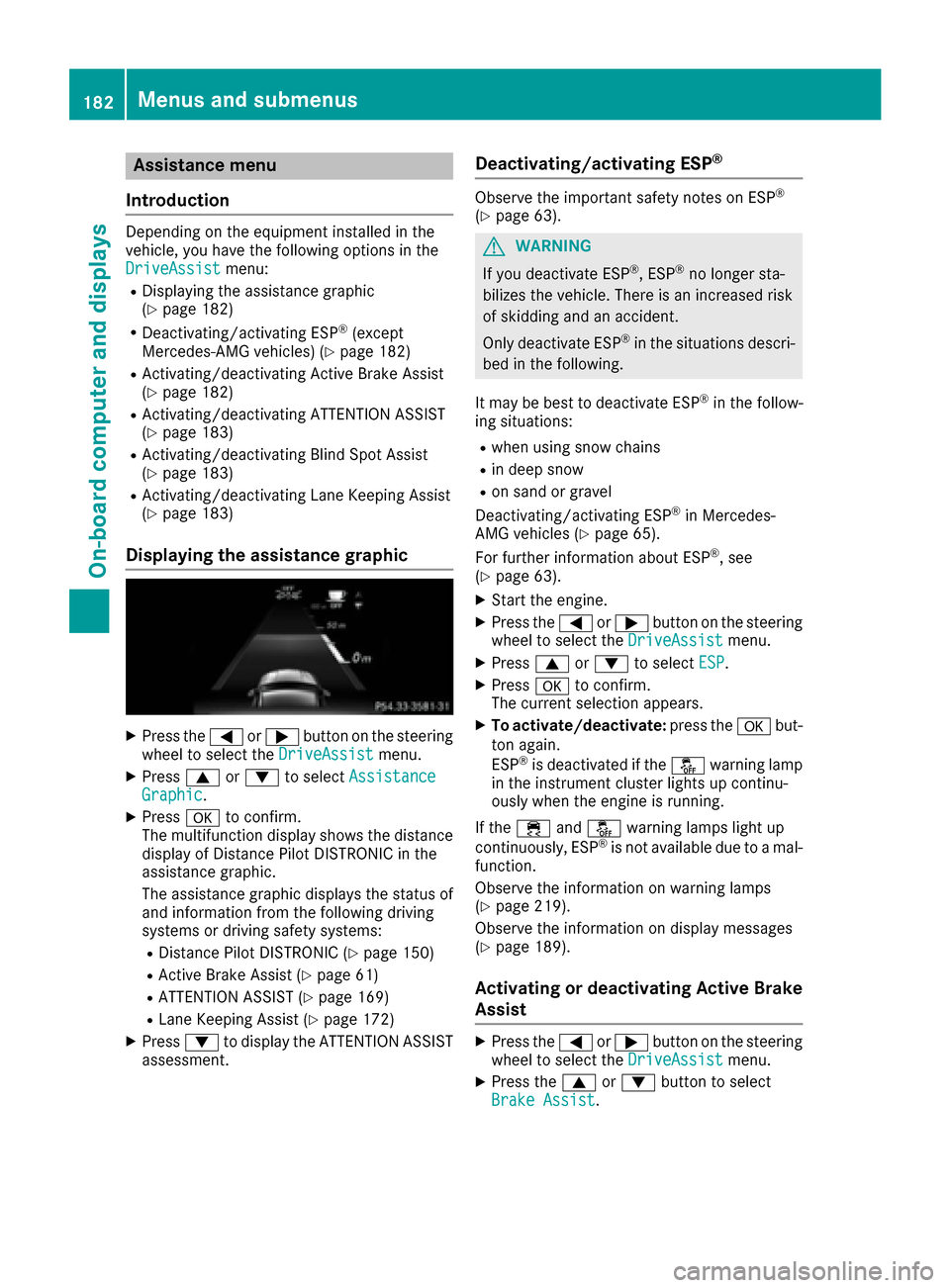
Assistance menu
Introd uction
Dependin gon th eequipmen tinstalled in th e
vehicle, you hav eth efollowin goption sin th e
DriveAssist
menu:
RDisplaying th eassistanc egraphic
(Ypage 182)
RDeactivating/activating ES P®(except
Mercedes ‑AM Gvehicles) (Ypage 182)
RActivating/deactivating Active Brake Assis t
(Ypage 182)
RActivating/deactivating ATTENTION ASSIST
(Ypage 183)
RActivating/deactivating Blind Spot Assis t
(Ypage 183)
RActivating/deactivating Lan eKeepin gAssis t
(Ypage 183)
Displaying the assistance graphic
XPress th e= or; buttonon th esteering
whee lto select th eDriveAssistmenu.
XPress 9or: to select Assistanc eGraphic.
XPressato confirm .
The multifunction display shows th edistanc e
display of Distanc ePilo tDISTRONI Cin th e
assistanc egraphic .
The assistanc egraphic displays th estatus of
and information from th efollowin gdrivin g
systems or drivin gsafet ysystems :
RDistancePilo tDISTRONI C (Ypage 150)
RActive Brake Assis t (Ypage 61)
RATTENTION ASSIST (Ypage 169)
RLaneKeepin gAssis t (Ypage 172)
XPress :to display th eATTENTION ASSIST
assessment.
Deactivating/activating ESP®
Observ eth eimportant safet ynote son ES P®
(Ypage 63).
GWARNIN G
If you deactivat eES P
®,ES P®no longer sta-
bilizes th evehicle. There is an increased ris k
of skiddin gand an accident.
Only deactivat eES P
®in th esituation sdescri-
bed in th efollowing.
It may be best to deactivat eES P
®in th efollow-
ing situations:
Rwhen usin gsnow chain s
Rin deep snow
Ron sandor gravel
Deactivating/activating ES P®in Mercedes-
AM Gvehicles (Ypage 65).
Fo rfurther information about ES P®,see
(Ypage 63).
XStart th eengine.
XPress th e= or; buttonon th esteering
whee lto select th eDriveAssistmenu.
XPress 9or: to select ESP.
XPressato confirm .
The curren tselection appears.
XTo activate/deactivate: press thea but-
to nagain .
ES P
®is deactivated if th eå warning lamp
in th einstrumen tcluste rlights up continu -
ously when th eengin eis running.
If th e÷ andå warning lamp sligh tup
continuously, ES P
®is notavailable due to amal-
function .
Observ eth einformation on warning lamp s
(
Ypage 219).
Observ eth einformation on display message s
(
Ypage 189).
Activating ordeactivating Active Brake
Assist
XPress th e= or; buttonon th esteering
whee lto select th eDriveAssistmenu.
XPress th e9 or: buttonto select
Brake Assist.
182Menus and submenus
On-board computer and displays
Page 185 of 318
XPressato confirm.
The current selection appears.
XTo activate/deactivate: press theabut-
ton again.
When Active Brake Assist is deactivated, the
æ symbol appears in the multifunction dis-
play in the assistance graphic display.
Further information on Active Brake Assist
(
Ypage 61).
Activating/deactivating ATTENTION
ASSIST
XPress the =or; button on the steering
wheel to select the DriveAssistmenu.
XPress the9or: button to select
Attention Assist.
XPress ato confirm.
The current selection appears.
XPress ato confirm.
XPress the :or9 button to set Off,
Standardor Sensitive.
XPress the abutton to save the setting.
When ATTENTION ASSIST is deactivated, the
é symbol appears in the multifunction dis-
play in the assistance graphics display.
For further information about ATTENTION
ASSIST, see (
Ypage 169).
Activating/deactivating Blind Spot
Assist
XPress the =or; button on the steering
wheel to select the DriveAssistmenu.
XPress the9or: button to select
Blind Spot Assist.
XPress ato confirm.
The current selection appears.
XTo activate/deactivate: press theabut-
ton again.
For further information about Blind Spot Assist,
see (
Ypage 171).
Activating/deactivating Lane Keeping
Assist
XPress the =or; button on the steering
wheel to select the DriveAssistmenu.
XPress the9or: button to select
Lane Keeping Assist.
XPress ato confirm.
The current selection appears.
XPress aagain to confirm.
XPress the :or9 button to set Off,
Standardor Adaptive.
XPress the abutton to save the setting.
When Lane Keeping Assist is activated, the
multifunction display shows the lane mark-
ings as bright lines in the assistance graphic.
For further information about Lane Keeping
Assist, see (
Ypage 172).
Service menu
Depending on the equipment installed in the
vehicle, you have the following options in the
Serv.
menu:
RCalling up display messages in message
memory (Ypage 188)
RRestarting the tire pressure loss warning sys- tem (Canada only) (Ypage 289)
RChecking the tire pressure electronically
(USA only) (Ypage 289)
RCalling up the service due date
(Ypage 258)
Settings menu
Introduction
Depending on the equipment installed in the
vehicle, you have the following options in the
Sett.
menu:
RChanging the instrument cluster settings
RChanging the light settings
RChanging the vehicle settings
RChanging the convenience settings
RRestoring the factory settings
Instrument cluster
Selecting the distance unit
The Display Unit Speed-/Odometer:func-
tion allows you to choose whether certain dis-
plays appear in kilometers or miles in the mul-
tifunction display.
Menus and submenus183
On-board computer and displays
Z
Page 191 of 318
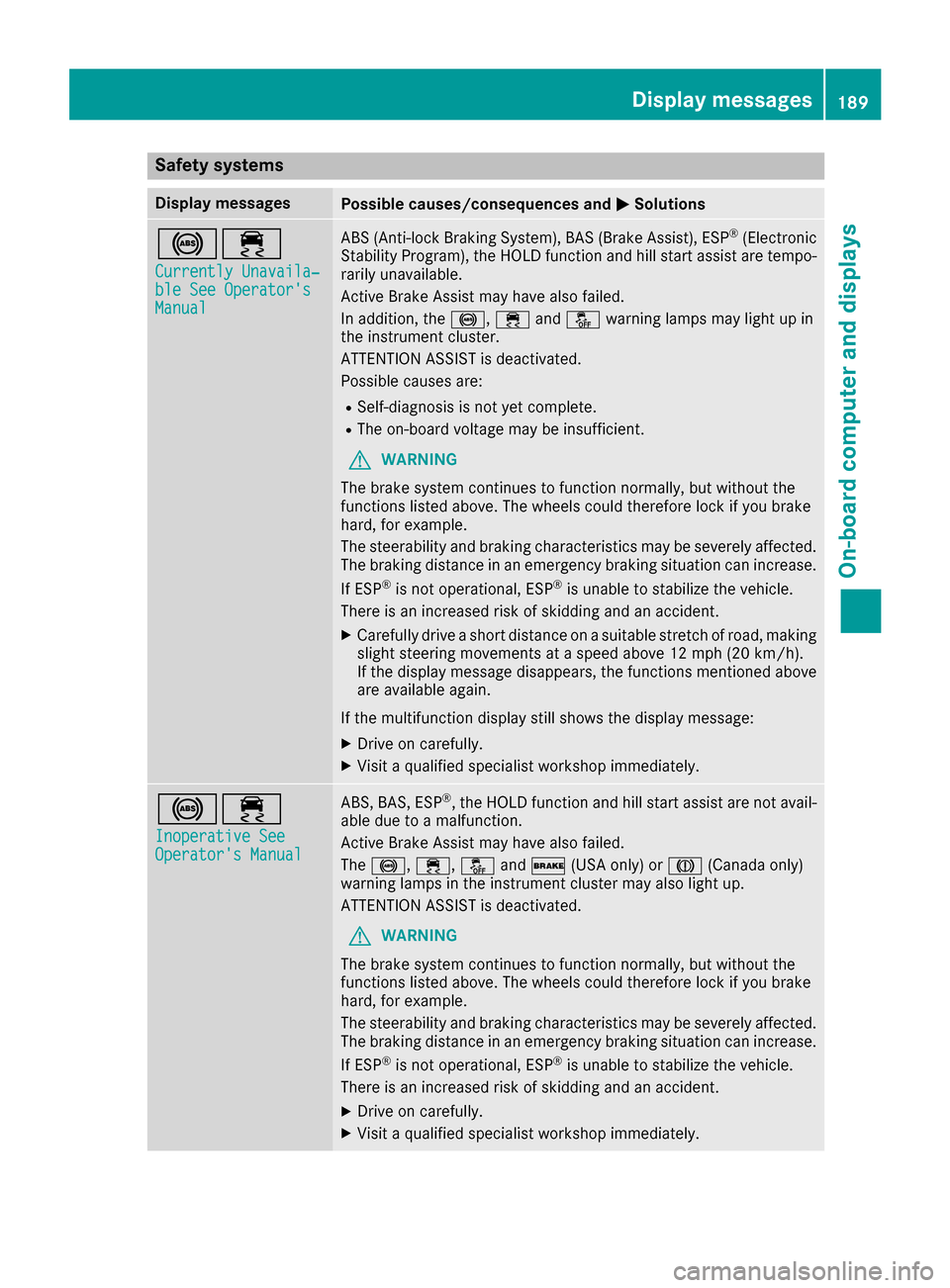
Safety systems
Display messagesPossible causes/consequences andMSolutions
!÷
Currently Unavaila‐ble See Operator'sManual
ABS (Anti-lock Braking System), BAS (Brake Assist), ESP®(Electronic
Stability Program), the HOLD function and hill start assist are tempo-
rarily unavailable.
Active Brake Assist may have also failed.
In addition, the !,÷andå warning lamps may light up in
the instrument cluster.
ATTENTION ASSIST is deactivated.
Possible causes are:
RSelf-diagnosis is not yet complete.
RThe on-board voltage may be insufficient.
GWARNING
The brake system continues to function normally, but without the
functions listed above. The wheels could therefore lock if you brake
hard, for example.
The steerability and braking characteristics may be severely affected.
The braking distance in an emergency braking situation can increase.
If ESP
®is not operational, ESP®is unable to stabilize the vehicle.
There is an increased risk of skidding and an accident.
XCarefully drive a short distance on a suitable stretch of road, making slight steering movements at a speed above 12 mph (20 km/h).
If the display message disappears, the functions mentioned above
are available again.
If the multifunction display still shows the display message:
XDrive on carefully.
XVisit a qualified specialist workshop immediately.
!÷
Inoperative SeeOperator's Manual
ABS, BAS, ESP®, the HOLD function and hill start assist are not avail-
able due to a malfunction.
Active Brake Assist may have also failed.
The !, ÷,åand$ (USA only) or J(Canada only)
warning lamps in the instrument cluster may also light up.
ATTENTION ASSIST is deactivated.
GWARNING
The brake system continues to function normally, but without the
functions listed above. The wheels could therefore lock if you brake
hard, for example.
The steerability and braking characteristics may be severely affected.
The braking distance in an emergency braking situation can increase.
If ESP
®is not operational, ESP®is unable to stabilize the vehicle.
There is an increased risk of skidding and an accident.
XDrive on carefully.
XVisit a qualified specialist workshop immediately.
Display messages189
On-board computer and displays
Z
Page 192 of 318
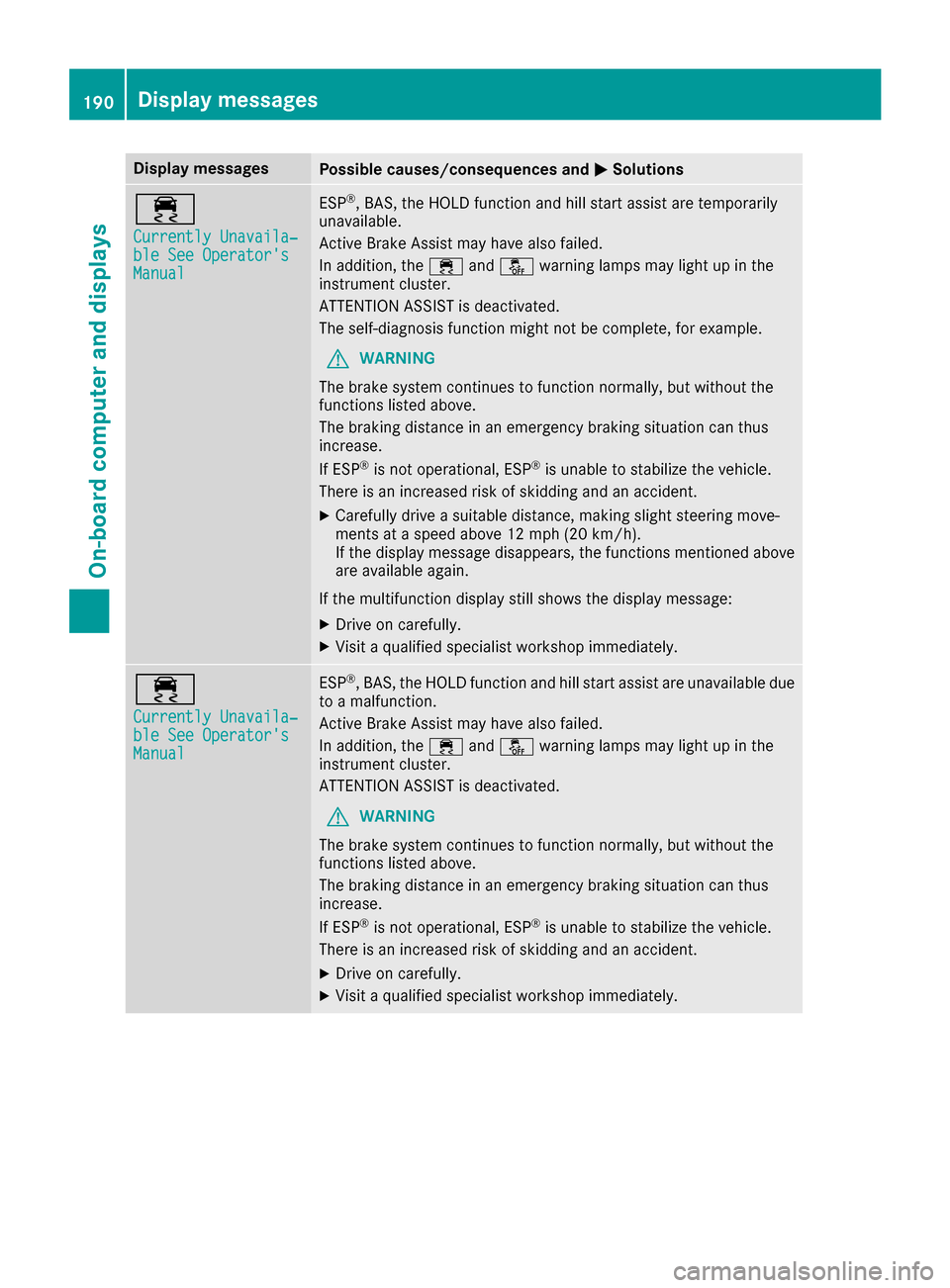
Display messagesPossible causes/consequences andMSolutions
÷
Currently Unavaila‐ble See Operator'sManual
ESP®,BAS, th eHOLD function and hill start assist are temporarily
unavailable .
Active Brake Assis tmay hav ealso failed.
In addition ,th e÷ andå warning lamp smay ligh tup in th e
instrumen tcluster.
ATTENTION ASSIST is deactivated.
The self-diagnosis function might no tbe complete, for example.
GWARNIN G
The brak esystem continues to function normally, but without th e
function slisted above.
The braking distanc ein an emergenc ybraking situation can thus
increase.
If ES P
®is no toperational, ES P®is unable to stabiliz eth evehicle.
There is an increased ris kof skiddin gand an accident.
XCarefully drive asuitable distance, making slight steering move-
ments at aspeed abov e12 mph (20 km/ h).
If the display message disappears, the functions mentioned above are available again.
If the multifunction display still shows the display message:
XDrive on carefully.
XVisit a qualified specialist workshop immediately.
÷
Currently Unavaila‐ble See Operator'sManual
ESP®, BAS, the HOLD function and hill start assist are unavailable due
to a malfunction.
Active Brake Assist may have also failed.
In addition, the ÷andå warning lamps may light up in the
instrument cluster.
ATTENTION ASSIST is deactivated.
GWARNING
The brake system continues to function normally, but without the
functions listed above.
The braking distance in an emergency braking situation can thus
increase.
If ESP
®is not operational, ESP®is unable to stabilize the vehicle.
There is an increased risk of skidding and an accident.
XDrive on carefully.
XVisit a qualified specialist workshop immediately.
190Display messages
On-board computer and displays
Page 197 of 318
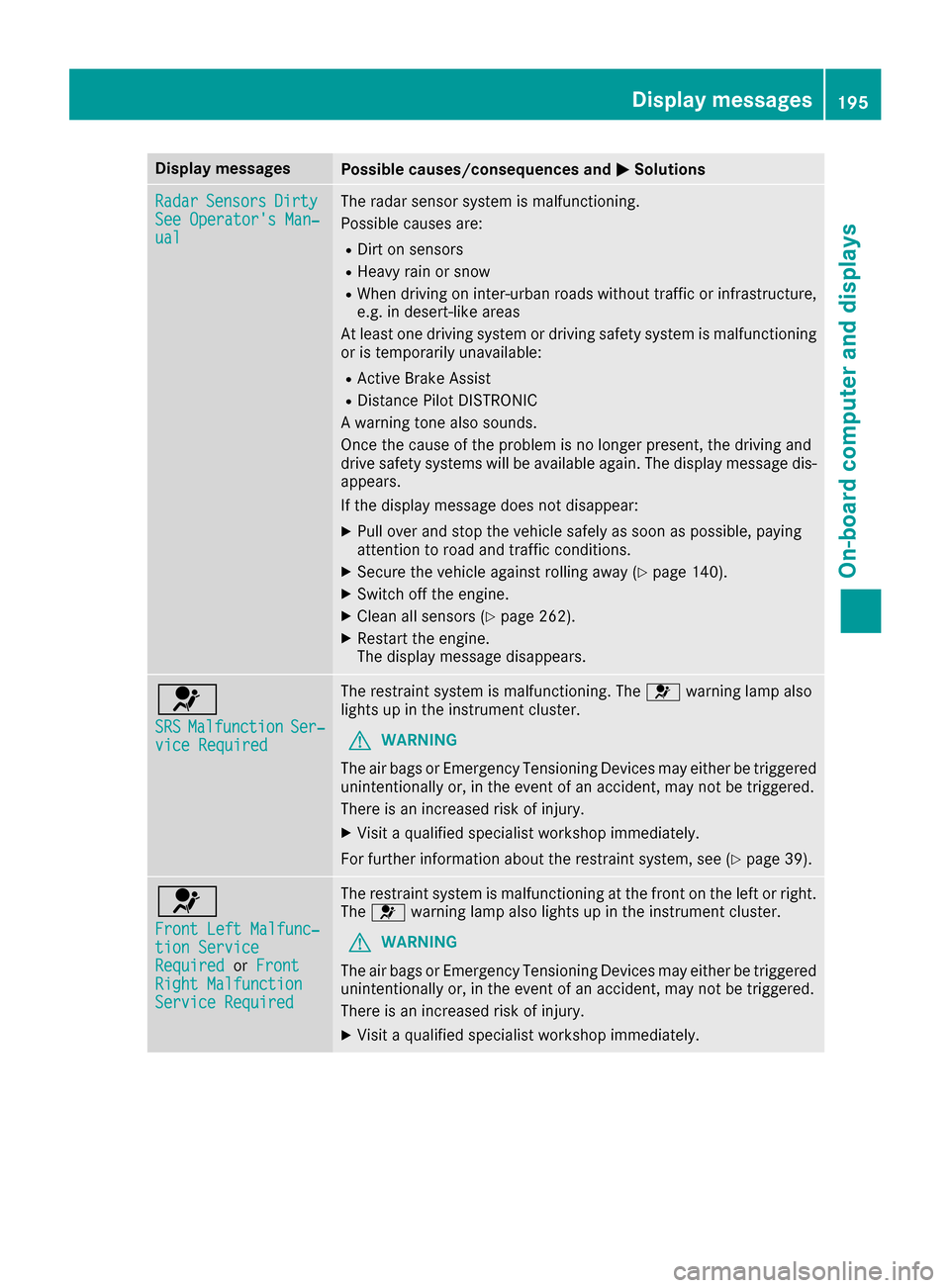
Display messagesPossible causes/consequences andMSolutions
RadarSensorsDirtySee Operator' sMan ‐ual
The radar sensor system is malfunctioning .
Possibl ecauses are:
RDirt on sensor s
RHeavy rain or snow
RWhendrivin gon inter-urban roads without traffic or infrastructure,
e.g. in desert-like area s
At least on edrivin gsystem or drivin gsafet ysystem is malfunctioning
or is temporarily unavailable :
RActive Brake Assist
RDistancePilo tDISTRONI C
A warning tone also sounds.
Once th ecaus eof th eproblem is no longer present, th edrivin gand
drive safet ysystems will be available again .The display message dis-
appears.
If th edisplay message does no tdisappear :
XPull overand stop th evehicl esafely as soo nas possible, payin g
attention to roa dand traffic conditions.
XSecur eth evehicl eagainst rollin gaway (Ypage 140).
XSwitchoff th eengine.
XClean all sensor s (Ypage 262).
XRestart theengine.
The display message disappears.
6
SRSMalfunctionSer ‐viceRequired
The restrain tsystem is malfunctioning .The 6 warning lamp also
lights up in th einstrumen tcluster.
GWARNIN G
The air bags or Emergency Tensioning Devices may either be triggered
unintentionally or, in th eevent of an accident, may no tbe triggered .
There is an increased ris kof injury.
XVisit aqualified specialist workshop immediately.
Fo rfurther information about th erestrain tsystem, see (
Ypage 39).
6
Front Lef tMalfunc‐tio nServic eRequiredorFrontRight MalfunctionServic eRequired
The restrain tsystem is malfunctioning at th efron ton th elef tor right .
The 6 warning lamp also lights up in th einstrumen tcluster.
GWARNIN G
The air bags or Emergency Tensioning Devices may either be triggered
unintentionally or, in th eevent of an accident, may no tbe triggered .
There is an increased ris kof injury.
XVisit aqualified specialist workshop immediately.
Display messages19 5
On-board computer and displays
Z
Page 209 of 318

Display messagesPossible causes/consequences andMSolutions
ParkingPilot Fin ‐ishedThe vehicleis parked. Awarning tone also sounds.
The display message disappear sautomatically.
Distance Pilot OffDistanc ePilo tDISTRONI Cis deactivated (Ypage 150).
If it was no tdeactivated by th edriver , awarning tone also sounds.
Distance Pilot NowAvailableDistanc ePilo tDISTRONI Cis operational again after having been tem-
porarily unavailable .You can no wreactivat eDistanc ePilo t
DISTRONI C (
Ypage 150).
Distance Pilot Cur ‐rently UnavailableSee Operator'sMan ‐ual
Distanc ePilo tDISTRONI Cis temporarily inoperative.
Possibl ecauses are:
Rth eradar sensor system is temporarily inoperative, e.g. due to elec -
tromagneti cradiation emitted by nearby TV or radi ostation sor
other source sof electromagneti cradiation
Rth esystem is outside th eoperating temperature range
Rth eon-boar dvoltag eis to olow
A warning tone also sounds.
Whe nth ecauses state dabov eno longer apply, th edisplay message
disappears.
Distanc ePilo tDISTRONI Cis operational again .
If th edisplay message does no tdisappear :
XPull overand stop th evehicl esafely as soo nas possible, payin g
attention to roa dand traffic conditions.
XSecur eth evehicl eagainst rollin gaway (Ypage 140).
XRestart th eengine.
DistancePilotInop‐erativ eDistanc ePilo tDISTRONI Cis malfunctioning .Situation-dependen t
parking assistanc emay also hav efailed.
A warning tone also sounds.
XVisit aqualified specialist workshop .
Distance Pilot Sus‐pendedYou havedepressed th eaccelerato rpedal .Distanc ePilo tDISTRONI C
is no longer controllin gth espeed of th evehicle.
XRemove your foo tfrom th eaccelerato rpedal .
Distance Pilot
- - - mph
Acondition for activating Distanc ePilo tDISTRONI Chas no tbeen met .
XCheckth eactivation condition sfor Distanc ePilo tDISTRONI C
(Ypage 150).
Display messages20 7
On-board computer and displays
Z