remote control MERCEDES-BENZ CLK-CLASS 2000 User Guide
[x] Cancel search | Manufacturer: MERCEDES-BENZ, Model Year: 2000, Model line: CLK-CLASS, Model: MERCEDES-BENZ CLK-CLASS 2000Pages: 299, PDF Size: 7.58 MB
Page 35 of 299
Central locking system
Te ch n ica l
data Instruments
and controlsOperationDrivingInstrument
cluster displayPractical hints Car care Index
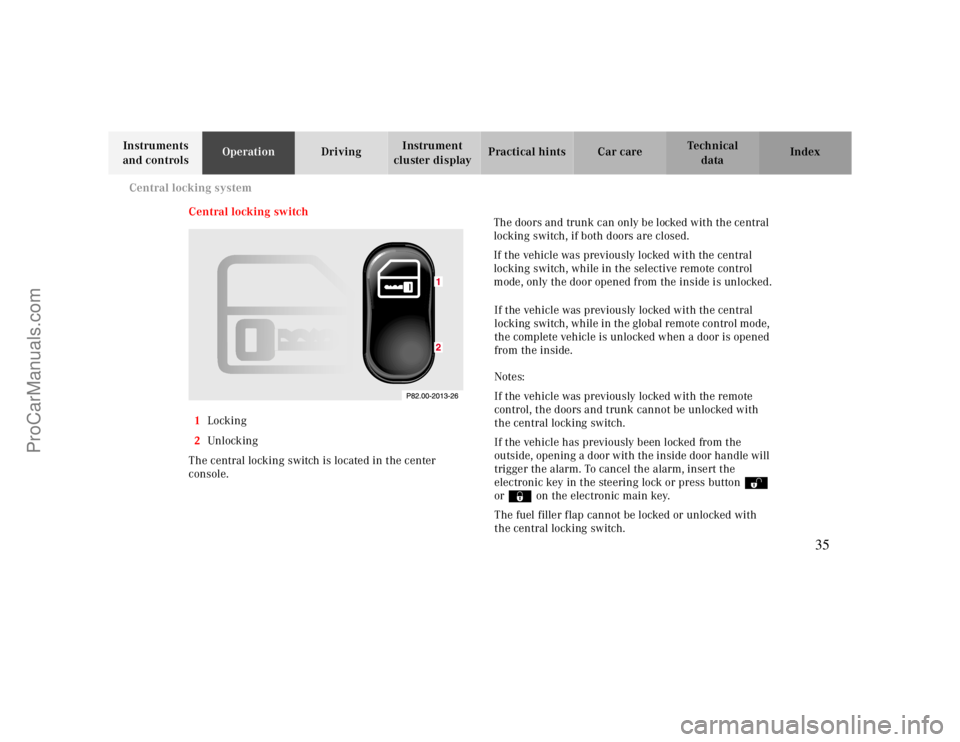
Central locking switch
1Locking
2Unl ock ing
The central locking switch is located in the center
console.The doors and trunk can only be locked with the central
locking switch, if both doors are closed.
If the vehicle was previously locked with the central
locking switch, while in the selective remote control
mode, only the door opened from the inside is unlocked.
If the vehicle was previously locked with the central
locking switch, while in the global remote control mode,
the complete vehicle is unlocked when a door is opened
from the inside.
Notes:
If the vehicle was previously locked with the remote
control, the doors and trunk cannot be unlocked with
the central locking switch.
If the vehicle has previously been locked from the
outside, opening a door with the inside door handle will
trigger the alarm. To cancel the alarm, insert the
electronic key in the steering lock or press buttonŒ
or‹ on the electronic main key.
The fuel filler flap cannot be locked or unlocked with
the central locking switch.
35
ProCarManuals.com
Page 40 of 299
Central locking system
Te ch n ica l
data Instruments
and controlsOperationDrivingInstrument
cluster displayPractical hints Car care Index
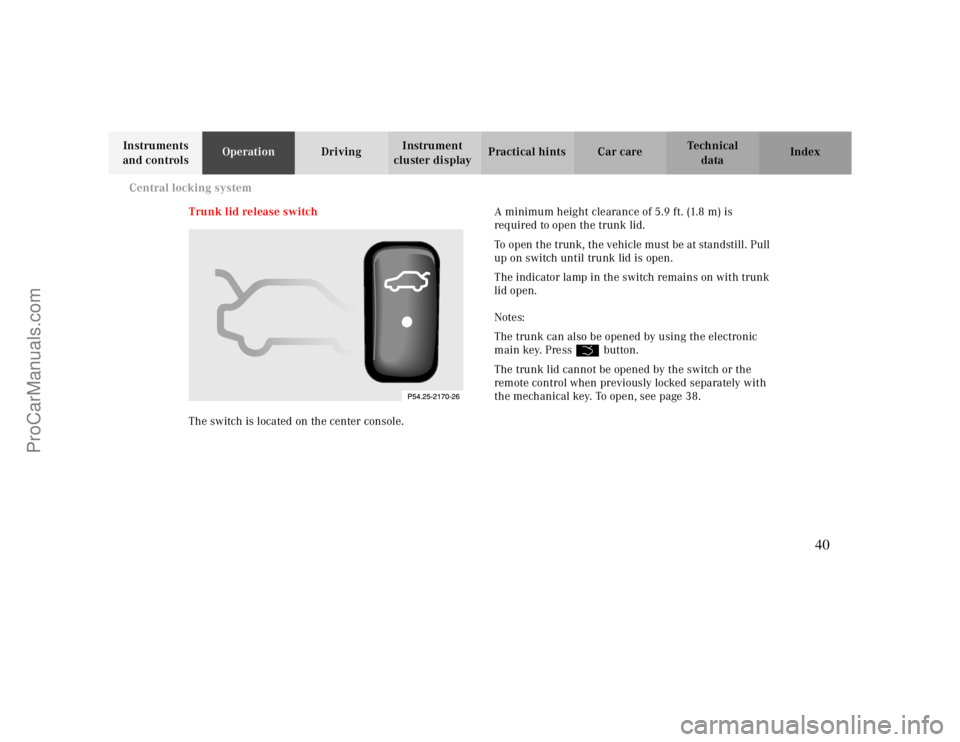
Trunk lid release switch
The switch is located on the center console.A minimum height clearance of 5.9 ft. (1.8 m) is
required to open the trunk lid.
To open the trunk, the vehicle must be at standstill. Pull
up on switch until trunk lid is open.
The indicator lamp in the switch remains on with trunk
lid open.
Notes:
The trunk can also be opened by using the electronic
main key. Press Š button.
The trunk lid cannot be opened by the switch or the
remote control when previously locked separately with
the mechanical key. To open, see page 38.
40
ProCarManuals.com
Page 41 of 299
Antitheft alarm system
Te ch n ica l
data Instruments
and controlsOperationDrivingInstrument
cluster displayPractical hints Car care Index
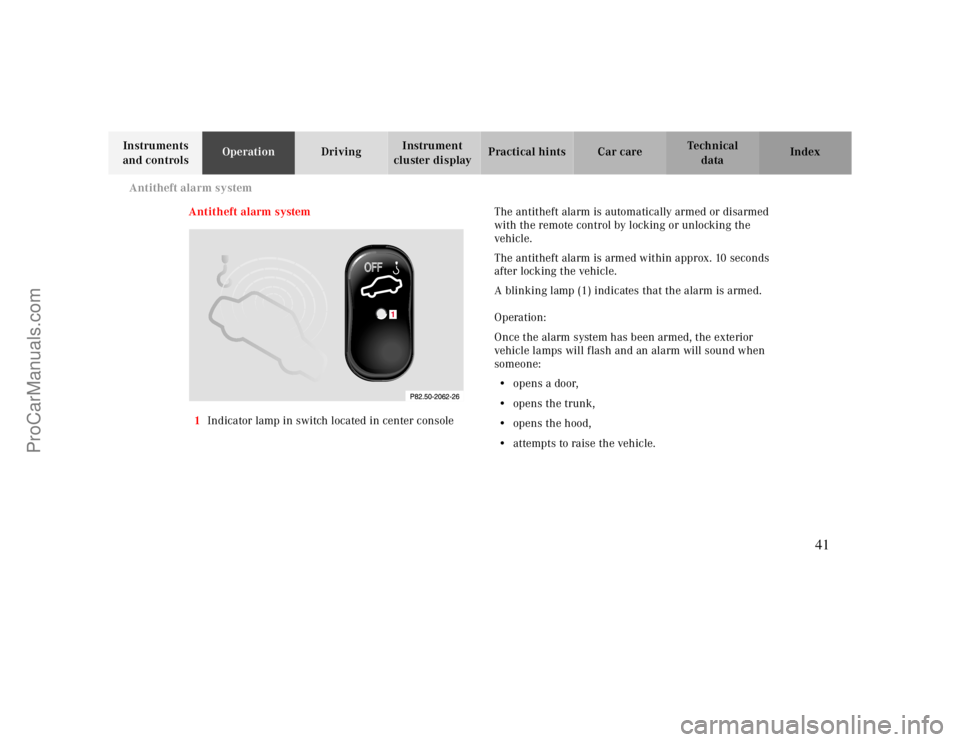
Antitheft alarm system
1Indicator lamp in switch located in center consoleThe antitheft alarm is automatically armed or disarmed
with the remote control by locking or unlocking the
vehicle.
The antitheft alarm is armed within approx. 10 seconds
after locking the vehicle.
A blinking lamp (1) indicates that the alarm is armed.
Operation:
Once the alarm system has been armed, the exterior
vehicle lamps will flash and an alarm will sound when
someone:
•opens a door,
•opens the trunk,
•opens the hood,
•attempts to raise the vehicle.
1
41
ProCarManuals.com
Page 43 of 299
Tow-away alarm
Te ch n ica l
data Instruments
and controlsOperationDrivingInstrument
cluster displayPractical hints Car care Index
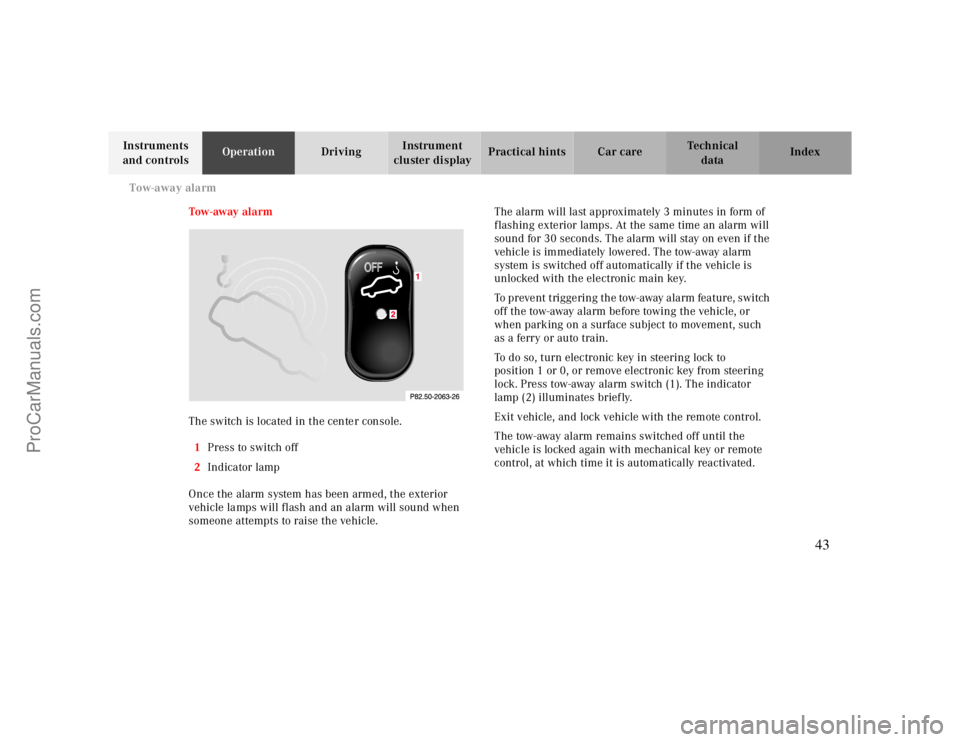
Tow - aw ay al a rm
The switch is located in the center console.
1Press to switch off
2Indicator lamp
Once the alarm system has been armed, the exterior
vehicle lamps will flash and an alarm will sound when
someone attempts to raise the vehicle.The alarm will last approximately 3 minutes in form of
flashing exterior lamps. At the same time an alarm will
sound for 30 seconds. The alarm will stay on even if the
vehicle is immediately lowered. The tow-away alarm
system is switched off automatically if the vehicle is
unlocked with the electronic main key.
To prevent triggering the tow-away alarm feature, switch
off the tow-away alarm before towing the vehicle, or
when parking on a surface subject to movement, such
as a ferry or auto train.
To do so, turn electronic key in steering lock to
position 1 or 0, or remove electronic key from steering
lock. Press tow-away alarm switch (1). The indicator
lamp (2) illuminates briefly.
Exit vehicle, and lock vehicle with the remote control.
The tow-away alarm remains switched off until the
vehicle is locked again with mechanical key or remote
control, at which time it is automatically reactivated.
43
ProCarManuals.com
Page 141 of 299
Interior equipment
Te ch n ica l
data Instruments
and controlsOperationDrivingInstrument
cluster displayPractical hints Car care Index
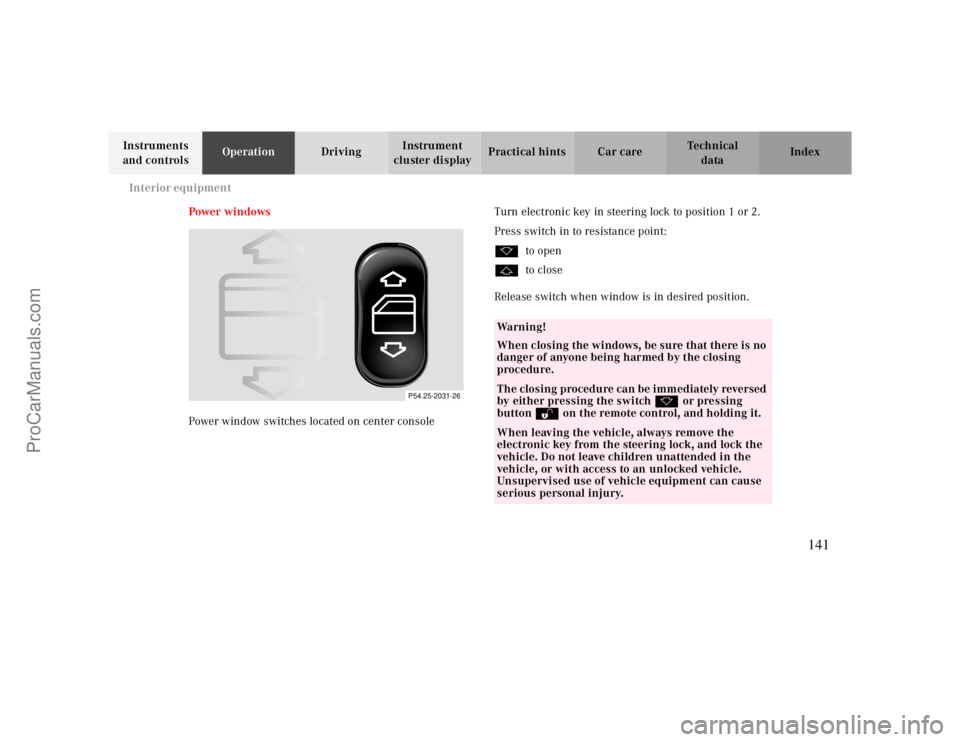
Power w indows
Power window switches located on center consoleTurn electronic key in steering lock to position 1 or 2.
Press switch in to resistance point:
kto open
jto close
Release switch when window is in desired position.
P54.25-2031-26
Wa r n i n g !
When closing the windows, be sure that there is no
danger of anyone being harmed by the closing
procedure.The closing procedure can be immediately reversed
by either pressing the switch k or pressing
button Πon the remote control, and holding it.When leaving the vehicle, always remove the
electronic key from the steering lock, and lock the
vehicle. Do not leave children unattended in the
vehicle, or with access to an unlocked vehicle.
Unsupervised use of vehicle equipment can cause
serious personal injury.
141
ProCarManuals.com
Page 142 of 299
Interior equipment
Te ch n ica l
data Instruments
and controlsOperationDrivingInstrument
cluster displayPractical hints Car care Index Express opening and closing of front door windows
Press switch k or j past resistance point and
release — window opens or closes completely.
To interrupt procedure, briefly press k or j.
If the upward movement of the window is blocked
during the closing procedure, the window will stop
during the last few inches before closure and open
slightly.
When pressing and holding the switch j to close the
window, and upward movement of the window is
blocked during the last few inches before closure, it will
stop but not
open slightly.Note:
The power windows can also be closed with the infrared
remote control while locking the vehicle doors or trunk,
see page30.
Synchronizing power windows
If the power supply was interrupted (battery
disconnected or low), the windows cannot be opened by
the express feature.
To resynchronize the express feature, press j side of
power window switch until the window is completely
closed and hold for additional 2 seconds. Repeat
procedure for each window.
The automatic full opening procedure of the windows
should now be restored.
Warning!
When leaving the vehicle, always remove the
electronic key from the steering lock and lock the
vehicle. Do not leave children unattended in the
vehicle, or with access to an unlocked vehicle.
Unsupervised use of vehicle equipment can cause
serious personal injury.
142
ProCarManuals.com
Page 143 of 299
Interior equipment
Te ch n ica l
data Instruments
and controlsOperationDrivingInstrument
cluster displayPractical hints Car care Index
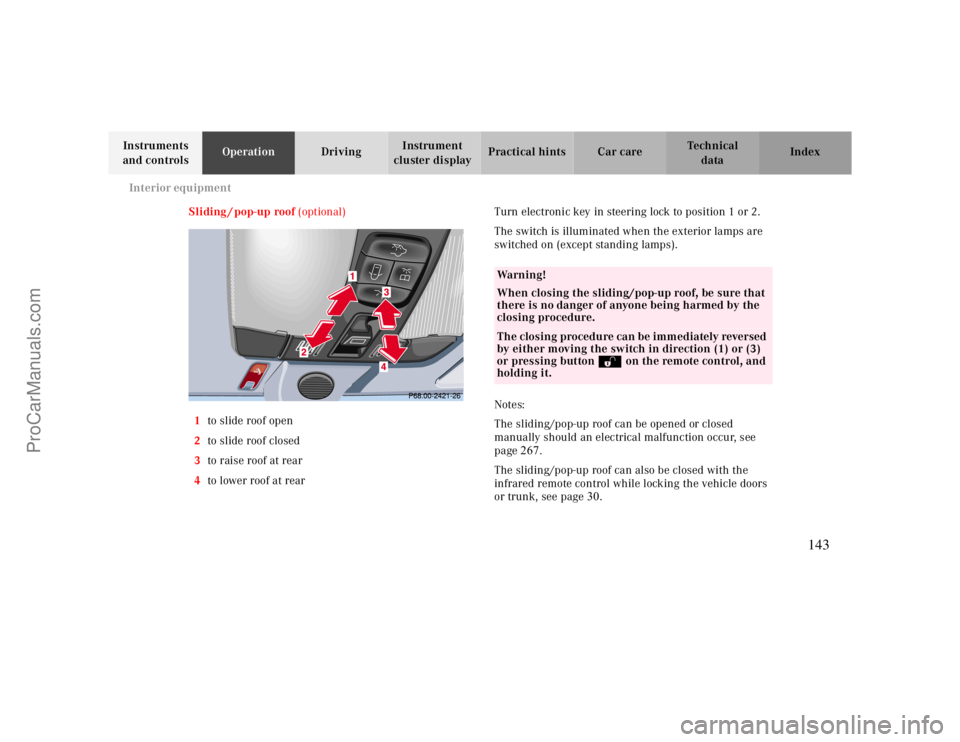
Sliding / pop-up roof (optional)
1to slide roof open
2to slide roof closed
3to raise roof at rear
4to lower roof at rearTurn electronic key in steering lock to position 1 or 2.
The switch is illuminated when the exterior lamps are
switched on (except standing lamps).
Notes:
The sliding/pop-up roof can be opened or closed
manually should an electrical malfunction occur, see
page
267.
The sliding/pop-up roof can also be closed with the
infrared remote control while locking the vehicle doors
or trunk, see page
30
.
Wa r n i n g !
When closing the sliding/pop-up roof, be sure that
there is no danger of anyone being harmed by the
closing procedure.The closing procedure can be immediately reversed
by either moving the switch in direction (1) or (3)
or pressing button Πon the remote control, and
holding it.
143
ProCarManuals.com
Page 157 of 299
Garage door opener
Te ch n ica l
data Instruments
and controlsOperationDrivingInstrument
cluster displayPractical hints Car care Index
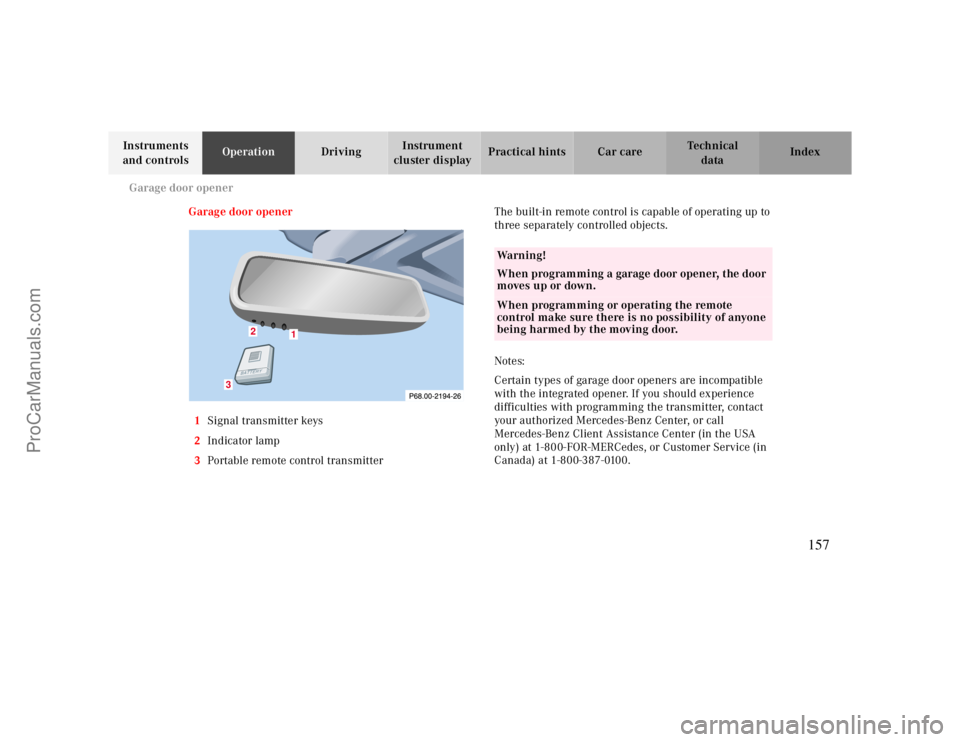
Garage door opener
1Signal transmitter keys
2Indicator lamp
3Portable remote control transmitterThe built-in remote control is capable of operating up to
three separately controlled objects.
Notes:
Certain types of garage door openers are incompatible
with the integrated opener. If you should experience
difficulties with programming the transmitter, contact
your authorized Mercedes-Benz Center, or call
Mercedes-Benz Client Assistance Center (in the USA
only) at 1-800-FOR-MERCedes, or Customer Service (in
Canada) at 1-800-387-0100.
1
2
3
Wa r n i n g !
When programming a garage door opener, the door
moves up or down.When programming or operating the remote
control make sure there is no possibility of anyone
being harmed by the moving door.
157
ProCarManuals.com
Page 158 of 299
Garage door opener
Te ch n ica l
data Instruments
and controlsOperationDrivingInstrument
cluster displayPractical hints Car care Index For operation in the USA only: This device complies
with Part
15 of the FCC Rules.
Operation is subject to the following two conditions:
(1) This device may not cause harmful interference, and
(2) this device must accept any interference received,
including interference that may cause undesired
operation.
WARNING: Changes or modification not expressly
approved by party responsible for compliance could void
the user’s authority to operate the equipment.
Programming or reprogramming the integrated
remote control:
1. Turn electronic key in steering lock to position 1
or 2.
2. Hold the end of the hand-held transmitter of the
device you wish to train approximately 2 to 5 inches
(5 cm to 12 cm) away from the surface of the
integrated remote control located on the inside rear
view mirror, keeping the indicator lamp in view.3. Using both hands, simultaneously push the hand-
held transmitter button and the desired integrated
remote control button. Do not release the buttons
until completing step 4.
4. The indicator lamp on the integrated remote control
will flash, first slowly and then rapidly. When the
indicator lamp flashes rapidly, both buttons may be
released (the rapid flashing lamp indicates
successful programming of the new frequency
signal). To program the remaining two buttons,
follow steps 1 though 4.
Note:
If after repeated attempts, you do not successfully
program the integrated remote control device to learn
the signal of the hand-held transmitter, the garage door
opener could be equipped with the “rolling code
feature”.
158
ProCarManuals.com
Page 159 of 299
Garage door opener
Te ch n ica l
data Instruments
and controlsOperationDrivingInstrument
cluster displayPractical hints Car care Index
Rolling code programming:
To train a garage door opener (or other rolling code
devices) with the rolling code feature, follow these
instructions after completing the “Programming”
portion of this text. (A second person may make the
following training procedures quicker and easier.)
1. Locate training button on the garage door opener
motor head unit. Exact location and color of the
button may vary by garage door opener brand. If
there is difficulty locating the transmitting button,
reference to garage door opener operator’s manual.
2. Press “training” button on the garage door opener
motor head unit (which activated the “training
light”).
Note:
Following step 2, there are 30 seconds to initiate
step 3.3. Firmly press and release the programmed
integrated remote control transmit button. Press
and release same button a second time to complete
the training process. (Some garage door openers
may requires you to do this procedure a third time
to complete the training.)
4. Confirm the garage door operation by pressing the
programmed button on the integrated remote
control transmitter.
Canadian programming:
During programming, your hand-held transmitter may
automatically stop transmitting. Continue to press and
hold the integrated remote control transmitter button
(note steps 2 through 4 in the “Programming” portion)
while you press and re-press (“cycle”) your hand-held
transmitter every two seconds until the frequency
signal has been learned. The indicator lamp will flash
slowly and then rapidly after several seconds upon
successful training.
159
ProCarManuals.com