steering MERCEDES-BENZ CLK-CLASS 2002 Manual Online
[x] Cancel search | Manufacturer: MERCEDES-BENZ, Model Year: 2002, Model line: CLK-CLASS, Model: MERCEDES-BENZ CLK-CLASS 2002Pages: 341, PDF Size: 10.67 MB
Page 154 of 341
151 Interior equipment
Te ch n i c a l
data Instruments
and controlsOperationDrivingInstrument
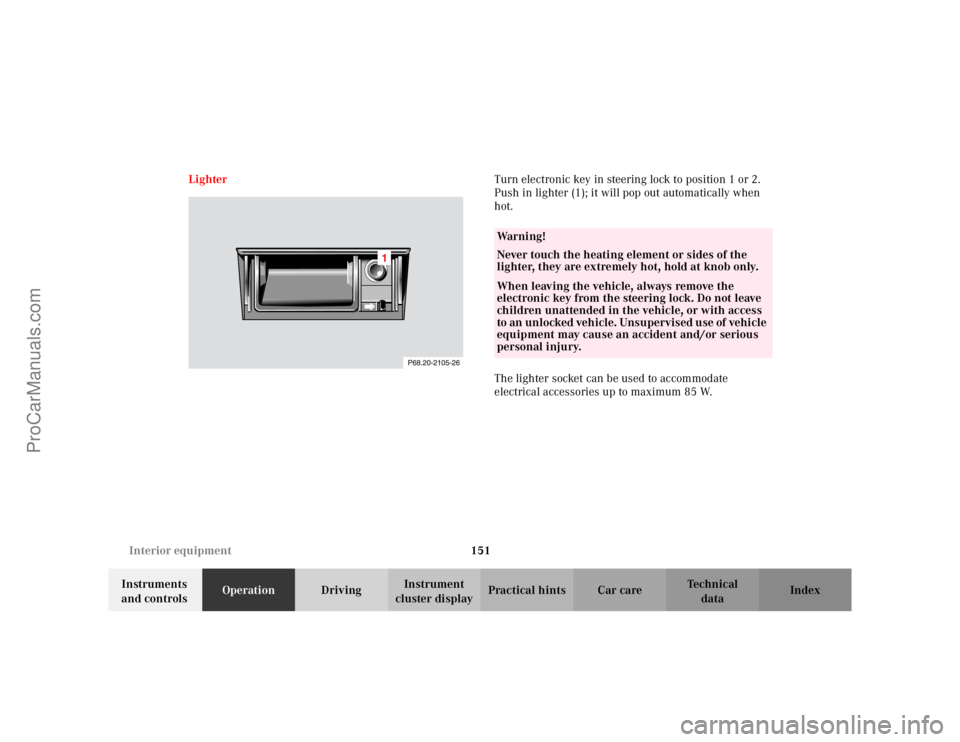
cluster displayPractical hints Car care Index LighterTurn electronic key in steering lock to position 1 or 2.
Push in lighter (1); it will pop out automatically when
hot.
The lighter socket can be used to accommodate
electrical accessories up to maximum 85 W.
Wa r n i n g !
Never touch the heating element or sides of the
lighter, they are extremely hot, hold at knob only.When leaving the vehicle, always remove the
electronic key from the steering lock. Do not leave
children unattended in the vehicle, or with access
to an unlocked vehicle. Unsupervised use of vehicle
equipment may cause an accident and/or serious
personal injury.
ProCarManuals.com
Page 158 of 341
155 Garage door opener
Te ch n i c a l
data Instruments
and controlsOperationDrivingInstrument
cluster displayPractical hints Car care Index For operation in the USA only: This device complies
with Part 15 of the FCC Rules. Operation is subject to
the following two conditions:
(1) This device may not cause harmful interference, and
(2) this device must accept any interference received,
including interference that may cause undesired
operation.
Any unauthorized modification to this device could void
to the user’s authority to operate the equipment.
Programming or reprogramming the integrated
remote control:
1. Turn electronic key in steering lock to position 1
or 2.
2. Hold the end of the hand-held transmitter of the
device you wish to train approximately 2 to 5 inches
(5 cm to 12 cm) away from the surface of the
integrated remote control located on the inside rear
view mirror, keeping the indicator lamp in view.3. Using both hands, simultaneously push the hand-
held transmitter button and the desired integrated
remote control button. Do not release the buttons
until completing step 4.
4. The indicator lamp on the integrated remote control
will flash, first slowly and then rapidly. When the
indicator lamp flashes rapidly, both buttons may be
released (the rapid flashing lamp indicates
successful programming of the new frequency
signal). To program the remaining two buttons,
follow steps 1 though 4.
Note:
If after several attempts, you do not successfully
program the integrated remote control device to learn
the signal of the hand-held transmitter, the garage door
opener could be equipped with the “rolling code
feature”.
ProCarManuals.com
Page 160 of 341
157 Garage door opener
Te ch n i c a l
data Instruments
and controlsOperationDrivingInstrument
cluster displayPractical hints Car care Index Operation of remote control:
1. Turn electronic key in steering lock to position 1
or 2.
2. Select and press the appropriate button to activate
the remote controlled device. The integrated remote
control transmitter continues to send the signal as
long as the button is pressed – up to 20 seconds.Erasing the remote control memory:
1. Turn electronic key in steering lock to position 1
or 2.
2. Simultaneously holding down the left and right side
buttons for approximately 20 seconds, or until the
control lamp blinks rapidly, will erase the codes of
all three channels.
ProCarManuals.com
Page 163 of 341
160 Soft top
Te ch n i c a l
data Instruments
and controlsOperationDrivingInstrument
cluster displayPractical hints Car care Index
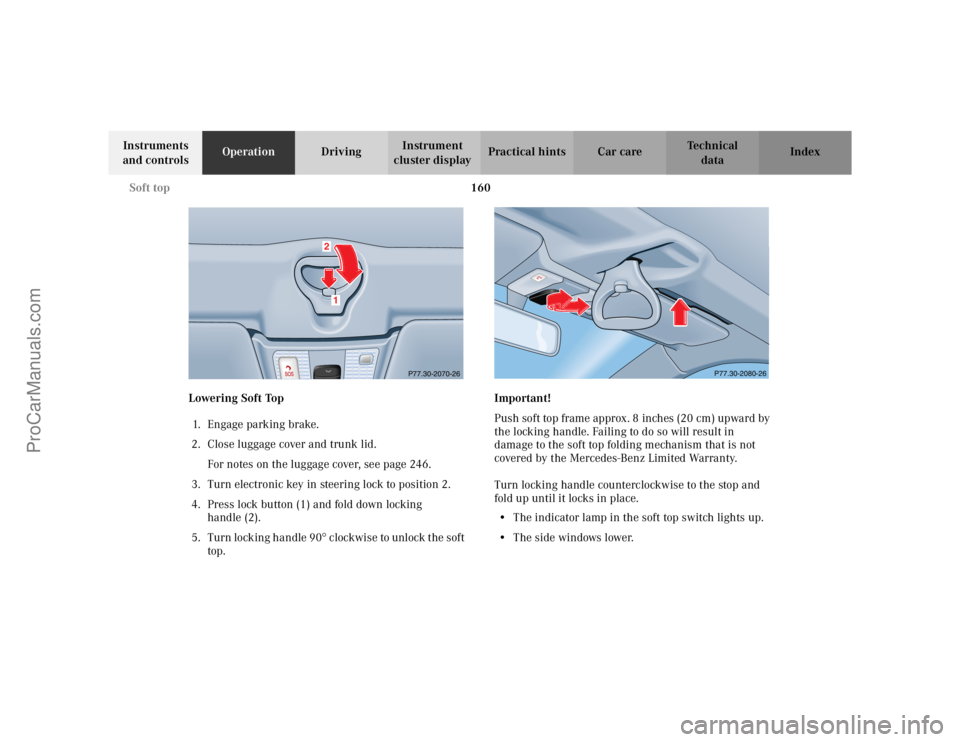
Lowering Soft Top
1. E n ga ge p a rk i n g b ra ke .
2. Close luggage cover and trunk lid.
For notes on the luggage cover, see page 246.
3. Turn electronic key in steering lock to position 2.
4. Press lock button (1) and fold down locking
handle (2).
5. Turn locking handle 90
° clockwise to unlock the soft
top.Important!
Push soft top frame approx. 8 inches (20 cm) upward by
the locking handle. Failing to do so will result in
damage to the soft top folding mechanism that is not
covered by the Mercedes-Benz Limited Warranty.
Turn locking handle counterclockwise to the stop and
fold up until it locks in place.
•The indicator lamp in the soft top switch lights up.
•The side windows lower.
P77.30-2070-26
12
P77.30-2080-26
ProCarManuals.com
Page 165 of 341
162 Soft top
Te ch n i c a l
data Instruments
and controlsOperationDrivingInstrument
cluster displayPractical hints Car care Index
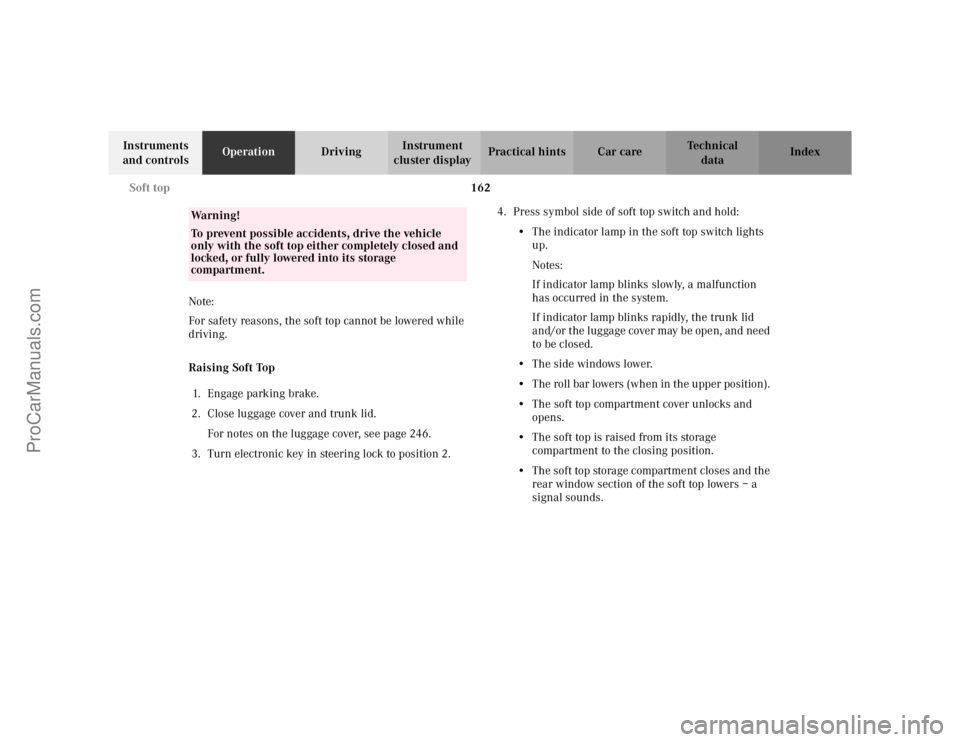
Note:
For safety reasons, the soft top cannot be lowered while
driving.
Raising Soft Top
1. E n ga ge p a rk i n g b ra ke .
2. Close luggage cover and trunk lid.
For notes on the luggage cover, see page 246.
3. Turn electronic key in steering lock to position 2.4. Press symbol side of soft top switch and hold:
•The indicator lamp in the soft top switch lights
up.
Notes:
If indicator lamp blinks slowly, a malfunction
has occurred in the system.
If indicator lamp blinks rapidly, the trunk lid
and/or the luggage cover may be open, and need
to be closed.
•The side windows lower.
•The roll bar lowers (when in the upper position).
•The soft top compartment cover unlocks and
opens.
•The soft top is raised from its storage
compartment to the closing position.
•The soft top storage compartment closes and the
rear window section of the soft top lowers – a
signal sounds.
Wa r n i n g !
To prevent possible accidents, drive the vehicle
only with the soft top either completely closed and
locked, or fully lowered into its storage
compartment.
ProCarManuals.com
Page 167 of 341
164 Soft top
Te ch n i c a l
data Instruments
and controlsOperationDrivingInstrument
cluster displayPractical hints Car care Index
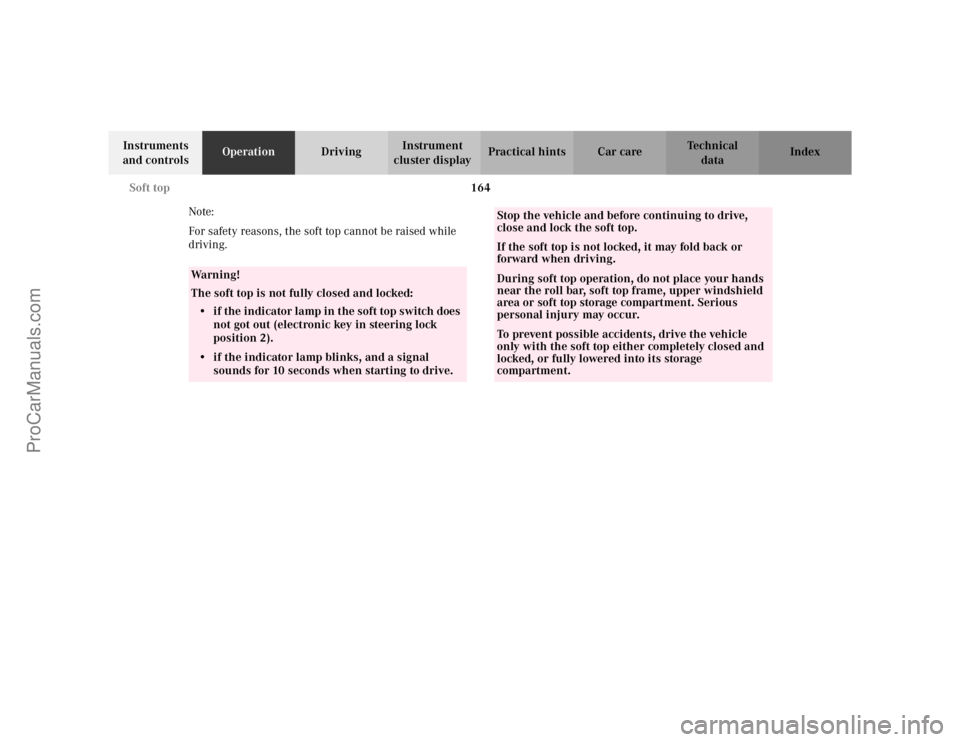
Note:
For safety reasons, the soft top cannot be raised while
driving.
Wa r n i n g !
The soft top is not fully closed and locked:
• if the indicator lamp in the soft top switch does
not got out (electronic key in steering lock
position 2). • if the indicator lamp blinks, and a signal
sounds for 10 seconds when starting to drive.
Stop the vehicle and before continuing to drive,
close and lock the soft top. If the soft top is not locked, it may fold back or
forward when driving. During soft top operation, do not place your hands
near the roll bar, soft top frame, upper windshield
area or soft top storage compartment. Serious
personal injury may occur. To prevent possible accidents, drive the vehicle
only with the soft top either completely closed and
locked, or fully lowered into its storage
compartment.
ProCarManuals.com
Page 168 of 341
165 Soft top
Te ch n i c a l
data Instruments
and controlsOperationDrivingInstrument
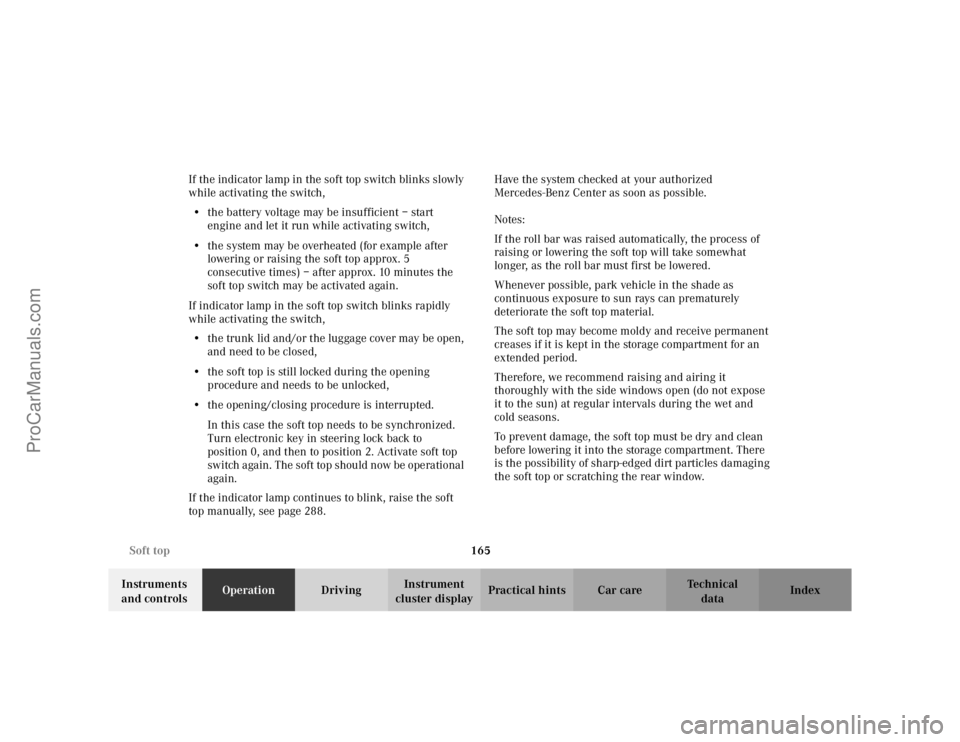
cluster displayPractical hints Car care Index If the indicator lamp in the soft top switch blinks slowly
while activating the switch,
•the battery voltage may be insufficient – start
engine and let it run while activating switch,
•the system may be overheated (for example after
lowering or raising the soft top approx. 5
consecutive times) – after approx. 10 minutes the
soft top switch may be activated again.
If indicator lamp in the soft top switch blinks rapidly
while activating the switch,
•the trunk lid and/or the luggage cover may be open,
and need to be closed,
•the soft top is still locked during the opening
procedure and needs to be unlocked,
•the opening/closing procedure is interrupted.
In this case the soft top needs to be synchronized.
Turn electronic key in steering lock back to
position 0, and then to position 2. Activate soft top
switch again. The soft top should now be operational
again.
If the indicator lamp continues to blink, raise the soft
top manually, see page 288. Have the system checked at your authorized
Mercedes-Benz Center as soon as possible.
Notes:
If the roll bar was raised automatically, the process of
raising or lowering the soft top will take somewhat
longer, as the roll bar must first be lowered.
Whenever possible, park vehicle in the shade as
continuous exposure to sun rays can prematurely
deteriorate the soft top material.
The soft top may become moldy and receive permanent
creases if it is kept in the storage compartment for an
extended period.
Therefore, we recommend raising and airing it
thoroughly with the side windows open (do not expose
it to the sun) at regular intervals during the wet and
cold seasons.
To prevent damage, the soft top must be dry and clean
before lowering it into the storage compartment. There
is the possibility of sharp-edged dirt particles damaging
the soft top or scratching the rear window.
ProCarManuals.com
Page 176 of 341
173
Te ch n i c a l
data Instruments
and controlsOperationDrivingInstrument
cluster displayPractical hints Car care Index
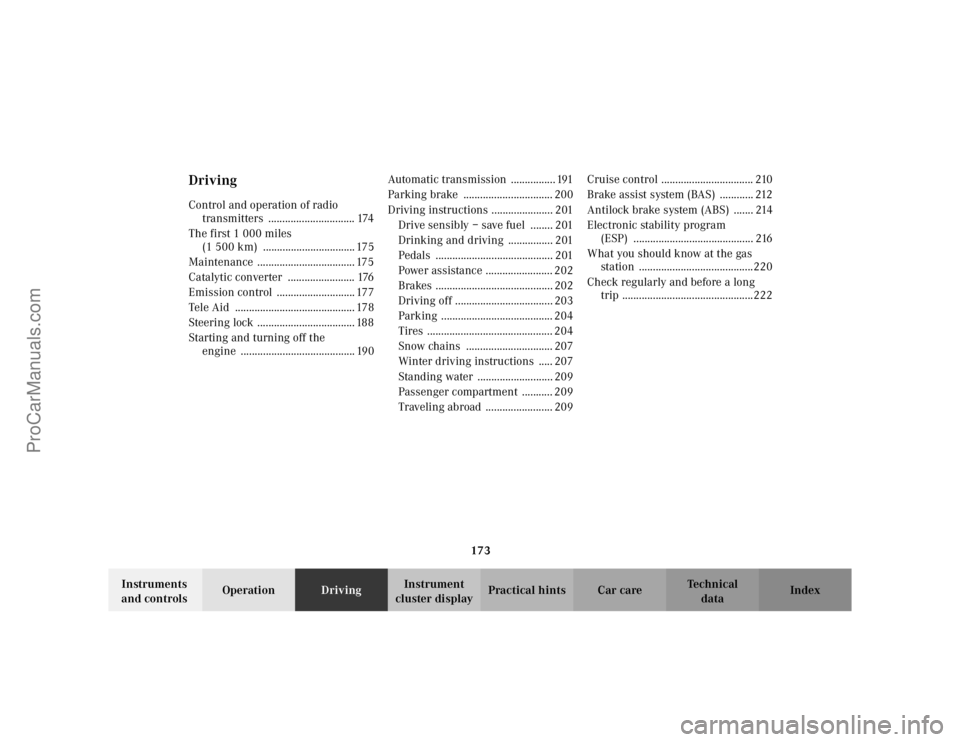
DrivingControl and operation of radio
transmitters ............................... 174
The first 1 000 miles
(1 500 km) ................................. 175
Maintenance ................................... 175
Catalytic converter ........................ 176
Emission control ............................ 177
Tele Aid ........................................... 178
Steering lock ................................... 188
Starting and turning off the
engine ......................................... 190Automatic transmission ................ 191
Parking brake ................................ 200
Driving instructions ...................... 201
Drive sensibly – save fuel ........ 201
Drinking and driving ................ 201
Pedals .......................................... 201
Power assistance ........................ 202
Brakes .......................................... 202
Driving off ................................... 203
Parking ........................................ 204
Tires ............................................. 204
Snow chains ............................... 207
Winter driving instructions ..... 207
Standing water ........................... 209
Passenger compartment ........... 209
Traveling abroad ........................ 209Cruise control ................................. 210
Brake assist system (BAS) ............ 212
Antilock brake system (ABS) ....... 214
Electronic stability program
(ESP) ........................................... 216
What you should know at the gas
station .........................................220
Check regularly and before a long
trip ...............................................222
ProCarManuals.com
Page 181 of 341
178 Tele Aid
Te ch n i c a l
data Instruments
and controlsOperationDrivingInstrument
cluster displayPractical hints Car care Index
Te l e A i d (optional for Canada)
Important!
The initial activation of the Tele Aid system may only be
performed by completing the subscriber agreement and
placing an acquaintance call using the SOS button.
Failure to complete either of these steps will result in a
system that is not activated. If the system is not
activated the indicator lamp in the SOS button stays on
after turning electronic key in starter switch to
position 2 and the message “TELE AID – NOT
ACTIVATED” will be shown in the multifunction display
for approx. 10 seconds.
If you have any questions regarding activation, please
call the Response Center at 1-800-756-9018 (in the USA)
or 1-888-923-8367 (in Canada).
(Te l ematic Alarm Identification on Demand)
The Tele Aid system consists of three types of response;
automatic and manual emergency, roadside assistance
and information.
The Tele Aid system is operational providing that the
vehicle’s battery is charged, properly connected, not
damaged and cellular and GPS coverage is available.The speaker volume of a Tele Aid call can be adjusted
when using the volume control on the multifunction
steering wheel, for raising press buttonæ and for
lowering press buttonç.
To activate, press the SOS button, the Roadside
Assistance button• or the Information button¡,
depending on the type of response required.
Shortly after the completion of your Acquaintance Call,
you will receive a user ID and password via first call
mail. By visiting www.mbusa.com and selecting “Tele
Aid” (USA only), you will have access to account
information, remote door unlock, profile and more.
Important!
Tele Aid utilizes the cellular network for
communication and the GPS (Global Positioning
System) satellites for vehicle location. If either of these
signals are unavailable, the Tele Aid system may not
function and if this occurs, assistance must be
summoned by other means.
ProCarManuals.com
Page 186 of 341
183 Tele Aid
Te ch n i c a l
data Instruments
and controlsOperationDrivingInstrument
cluster displayPractical hints Car care Index If the indicator lamp in the Roadside Assistance
button• is illuminated continuously and there was
no voice connection to the Response Center established,
then the Tele Aid system could not initiate an Roadside
Assistance call (e.g. the relevant cellular phone network
is not available). The message “ROADSIDE
ASSISTANCE – CALL FAILED” appears in the
multifunction display.
Roadside Assistance calls can be terminated using the
ìbutton on the multifunction steering wheel.
Information button ¡
Located below the center armrest cover is the
Information button¡. Pressing and holding the
button (for longer than 2 seconds) will initiate a call to
the Customer Assistance Center. The button will flash
while the call is in progress. The message “INFO –
CONNECTING CALL” will appear in the multifunction
display. When the connection is established, the
message “INFO – CALL CONNECTED” appears in the
multifunction display. The Tele Aid system will transmit
data generating the vehicle identification number,
model, color and location (subject to availability of
cellular and GPS signals).A voice connection between the Customer Assistance
Center representative and the occupants of the vehicle
will be established. When a voice connection is
established the audio system mutes and the message
“TELE AID – INFO CALL ACTIVE” appears in the
multifunction display. Information regarding the
operation of your vehicle, the nearest Mercedes-Benz
Center or Mercedes-Benz USA products and services is
ava i l ab le to yo u .
For more details concerning Tele Aid, please visit
www.mbusa.com and use your ID and password, sent to
you separately, to learn more (USA only).
Notes:
The indicator lamp in the Information button¡
remains illuminated in red for approx. 10 seconds
during the system self-check after turning electronic
key in starter switch to position 2 (together with the
SOS button and the Roadside Assistance button•).
See system self-check on page 179 when the indicator
lamp does not light up in red or stays on longer than
approximately 10 seconds.
If the indicator lamp in the Information button¡ is
illuminated continuously and there was no voice
connection to the Response Center established, then the
ProCarManuals.com