trunk MERCEDES-BENZ CLS 2017 User Guide
[x] Cancel search | Manufacturer: MERCEDES-BENZ, Model Year: 2017, Model line: CLS, Model: MERCEDES-BENZ CLS 2017Pages: 334, PDF Size: 10.18 MB
Page 79 of 334
tions of KEYLESS-GO with those of a conven-
tional SmartKey. Unlock the vehicle by using
KEYLESS-GO, for instance, and lock it using the
7 button on the SmartKey.
When locking or unlocking with KEYLESS-GO,
the distance between the SmartKey and the cor-
responding door handle must not be greater
than 3 ft (1 m).
A brief radio connection between the vehicle
and the SmartKey determines whether a valid
SmartKey is in, or in the direct vicinity of, the
vehicle. This occurs, for example: R
when the external door handles are touched R
when starting the engine R
while the vehicle is in motion
X
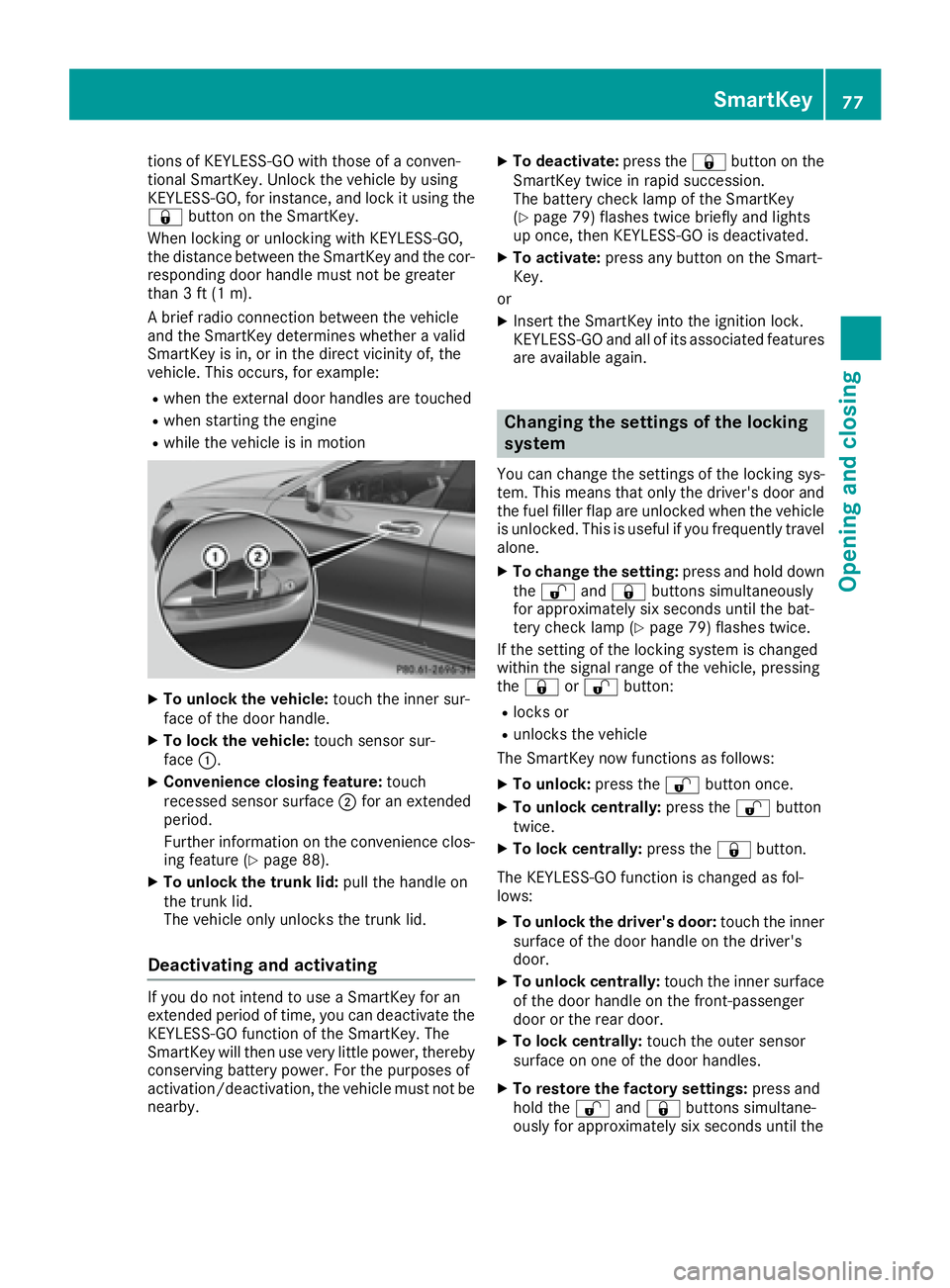
To unlock the vehicle: touch the inner sur-
face of the door handle. X
To lock the vehicle: touch sensor sur-
face C .X
Convenience closing feature: touch
recessed sensor surface D for an extended
period.
Further information on the convenience clos-
ing feature ( Y
page 88).X
To unlock the trunk lid: pull the handle on
the trunk lid.
The vehicle only unlocks the trunk lid.
Deactivating and activating If you do not intend to use a SmartKey for an
extended period of time, you can deactivate the
KEYLESS-GO function of the SmartKey. The
SmartKey will then use very little power, thereby
conserving battery power. For the purposes of
activation/deactivation, the vehicle must not be
nearby. X
To deactivate: press the 7 button on the
SmartKey twice in rapid succession.
The battery check lamp of the SmartKey
( Y
page 79) flashes twice briefly and lights
up once, then KEYLESS-GO is deactivated. X
To activate: press any button on the Smart-
Key.
or X
Insert the SmartKey into the ignition lock.
KEYLESS-GO and all of its associated features
are available again.
Changing the settings of the locking
system You can change the settings of the locking sys-
tem. This means that only the driver's door and
the fuel filler flap are unlocked when the vehicle
is unlocked. This is useful if you frequently travel
alone. X
To change the setting: press and hold down
the 6 and 7 buttons simultaneously
for approximately six seconds until the bat-
tery check lamp ( Y
page 79) flashes twice.
If the setting of the locking system is changed
within the signal range of the vehicle, pressing
the 7 or 6 button: R
locks or R
unlocks the vehicle
The SmartKey now functions as follows: X
To unlock: press the 6 button once.X
To unlock centrally: press the 6 button
twice. X
To lock centrally: press the 7 button.
The KEYLESS-GO function is changed as fol-
lows: X
To unlock the driver's door: touch the inner
surface of the door handle on the driver's
door. X
To unlock centrally: touch the inner surface
of the door handle on the front-passenger
door or the rear door. X
To lock centrally: touch the outer sensor
surface on one of the door handles. X
To restore the factory settings: press and
hold the 6 and 7 buttons simultane-
ou
sly fo r approximately six seconds until theSmartKey 77
Opening and closing Z
Page 80 of 334
battery check lamp ( Y
page 79) flashes
twice.
Mechanical key
General notes If the vehicle can no longer be locked or
unlocked with the SmartKey, use the mechani-
cal key.
If you use the mechanical key to unlock and
open the driver's door or the trunk lid, the anti-
theft alarm system will be triggered. Switch off
the alarm ( Y
page 75).
If you unlock the vehicle using the mechanical
key, the fuel filler flap will not be unlocked auto-
matically. X
To unlock the fuel filler flap: insert the
SmartKey into the ignition lock.
Removing the mechanical key
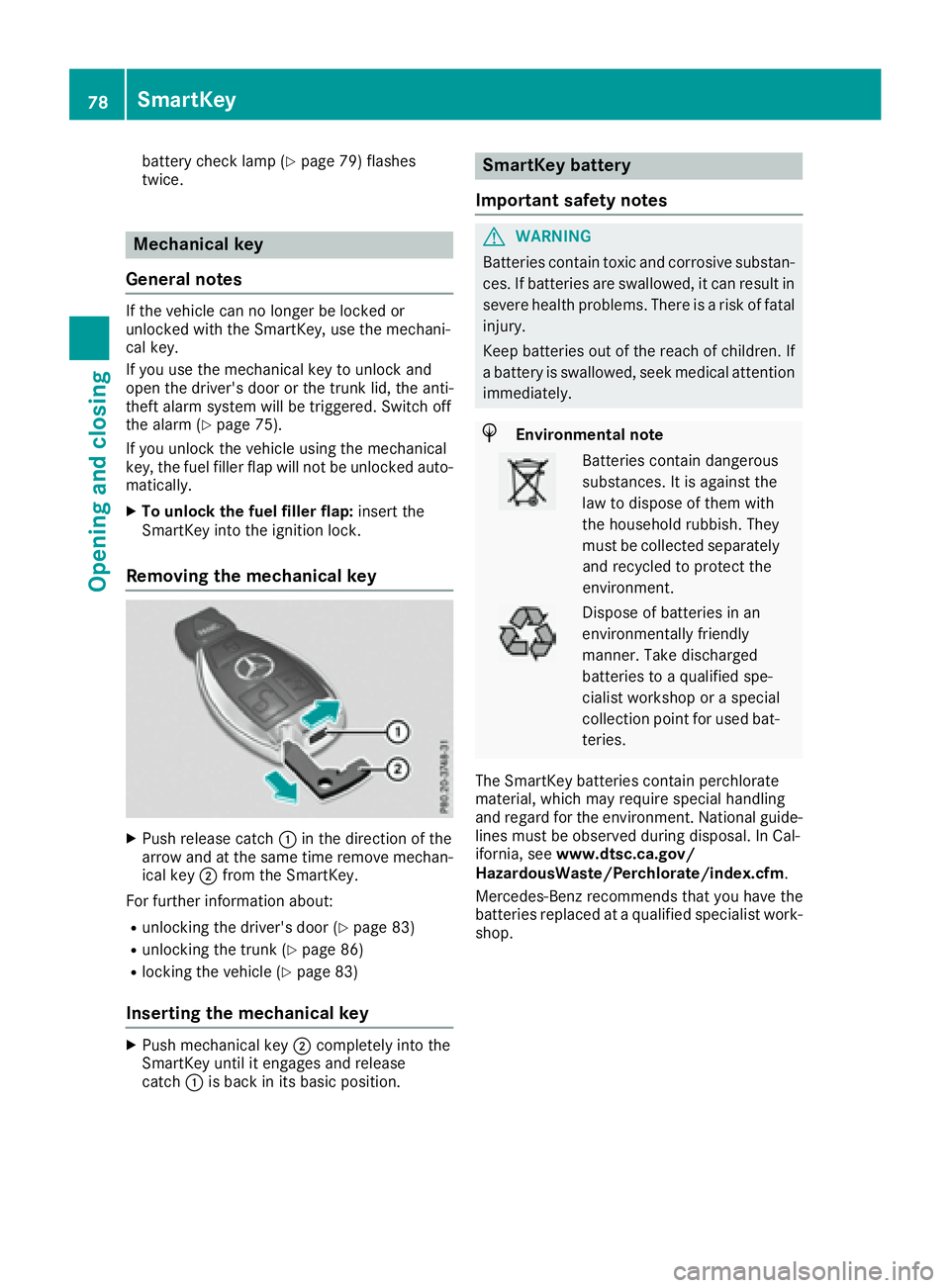
X
Push release catch C in the direction of the
arrow and at the same time remove mechan-
ical key D from the SmartKey.
For further information about: R
unlocking the driver's door ( Y
page 83)R
unlocking the trunk ( Y
page 86)R
locking the vehicle ( Y
page 83)
Inserting the mechanical key X
Push mechanical key D completely into the
SmartKey until it engages and release
catch C is back in its basic position. SmartKey battery
Important safety notes
G WARNING
Batteries contain toxic and corrosive substan-
ces. If batteries are swallowed, it can result in
severe health problems. There is a risk of fatal
injury.
Keep batteries out of the reach of children. If
a battery is swallowed, seek medical attention
immediately.
H Environmental note
Batteries contain dangerous
substances. It is against the
law to dispose of them with
the household rubbish. They
must be collected separately
and recycled to protect the
environment.
Dispose of batteries in an
environmentally friendly
manner. Take discharged
batteries to a qualified spe-
cialist workshop or a special
collection point for used bat-
teries.
The SmartKey batteries contain perchlorate
material, which may require special handling
and regard for the environment. National guide-
lines must be observed during disposal. In Cal-
ifornia, see www.dtsc.ca.gov/
HazardousWaste/Perchlorate/index.cfm .
Mercedes-Benz recommends that you have the
batteries replaced at a qualified specialist work-
shop.78
SmartKey
Opening and closing
Page 85 of 334
Locking/unlocking driver's door with
the mechanical key
i If you want to centrally lock the vehicle using
the mechanical key, begin by pressing the
locking button for the interior locking mech-
anism while the driver's door is open. Then
lock the driver's door using the mechanical
key.
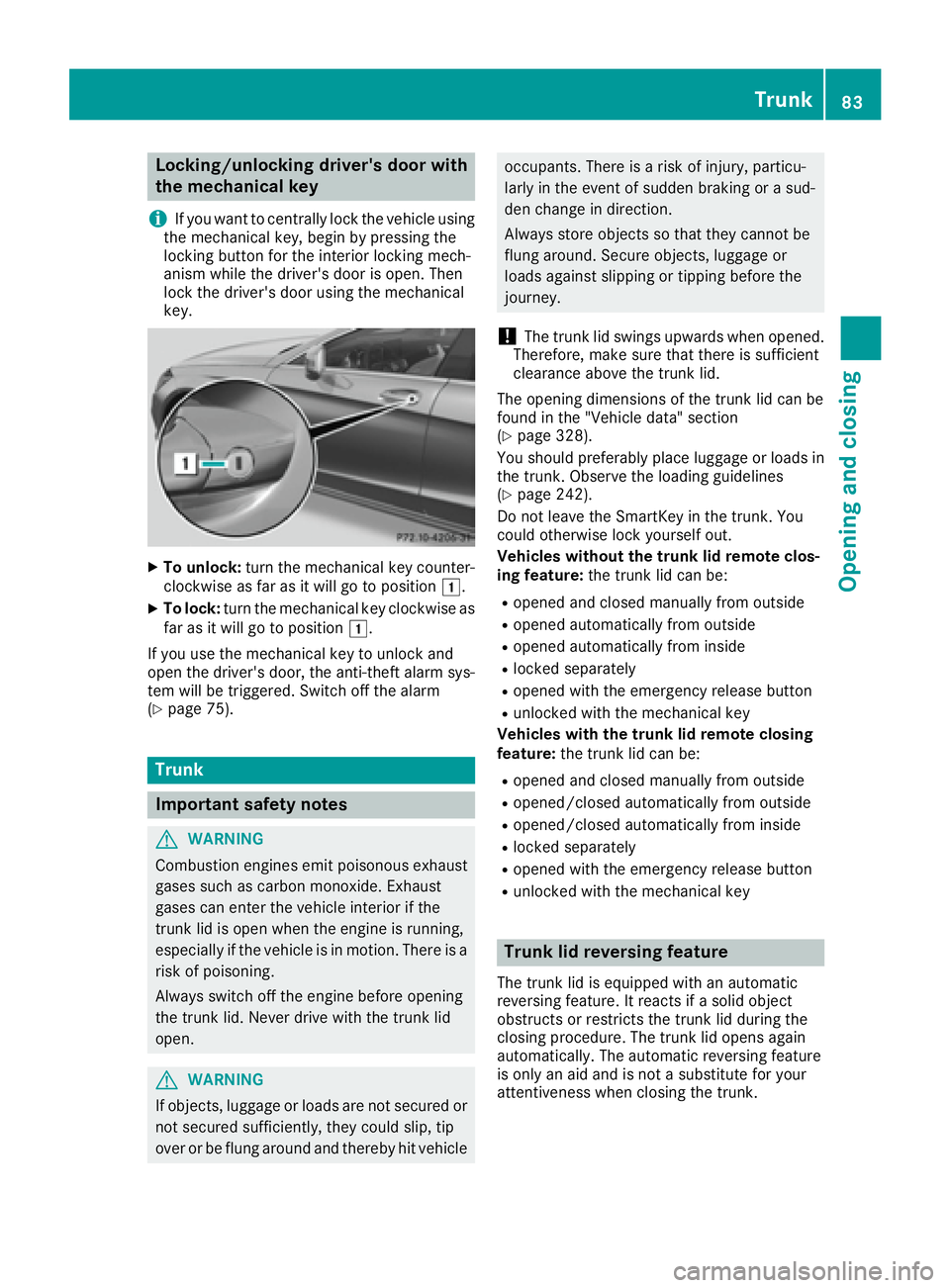
X
To unlock: turn the mechanical key counter-
clockwise as far as it will go to position G .X
To lock: turn the mechanical key clockwise as
far as it will go to position G .
If you use the mechanical key to unlock and
open the driver's door, the anti-theft alarm sys-
tem will be triggered. Switch off the alarm
( Y
page 75).
Trunk
Important safety notes
G WARNING
Combustion engines emit poisonous exhaust
gases such as carbon monoxide. Exhaust
gases can enter the vehicle interior if the
trunk lid is open when the engine is running,
especially if the vehicle is in motion. There is a
risk of poisoning.
Always switch off the engine before opening
the trunk lid. Never drive with the trunk lid
open.
G WARNING
If objects, luggage or loads are not secured or
not secured sufficiently, they could slip, tip
over or be flung around and thereby hit vehicle occupants. There is a risk of injury, particu-
larly in the event of sudden braking or a sud-
den change in direction.
Always store objects so that they cannot be
flung around. Secure objects, luggage or
loads against slipping or tipping before the
journey.
! The trunk lid swings upwards when opened.
Therefore, make sure that there is sufficient
clearance above the trunk lid.
The opening dimensions of the trunk lid can be
found in the "Vehicle data" section
( Y
page 328).
You should preferably place luggage or loads in
the trunk. Observe the loading guidelines
( Y
page 242).
Do not leave the SmartKey in the trunk. You
could otherwise lock yourself out.
Vehicles without the trunk lid remote clos-
ing feature: the trunk lid can be: R
opened and closed manually from outside R
opened automatically from outside R
opened automatically from inside R
locked separately R
opened with the emergency release button R
unlocked with the mechanical key
Vehicles with the trunk lid remote closing
feature: the trunk lid can be: R
opened and closed manually from outside R
opened/closed automatically from outside R
opened/closed automatically from inside R
locked separately R
opened with the emergency release button R
unlocked with the mechanical key
Trunk lid reversing feature The trunk lid is equipped with an automatic
reversing feature. It reacts if a solid object
obstructs or restricts the trunk lid during the
closing procedure. The trunk lid opens again
automatically. The automatic reversing feature
is only an aid and is not a substitute for your
attentiveness when closing the trunk. Trunk 83
Opening and closing Z
Page 86 of 334
G WARNING
The reversing feature does not respond: R
to soft, light and thin objects, e.g. fingers R
over the last 1/3 in (8 mm) of the closing
movement
The reversing feature cannot prevent some-
one being trapped in these situations in par-
ticular. There is a risk of injury.
Make sure that no body parts are in close
proximity during the closing procedure.
If somebody becomes trapped: R
press the T button on the SmartKey, orR
pull or press the remote operating switch
on the driver's door or R
press the closing or locking button on the
trunk lid, or R
pull on the trunk lid handle
Opening/closing from outside
Opening
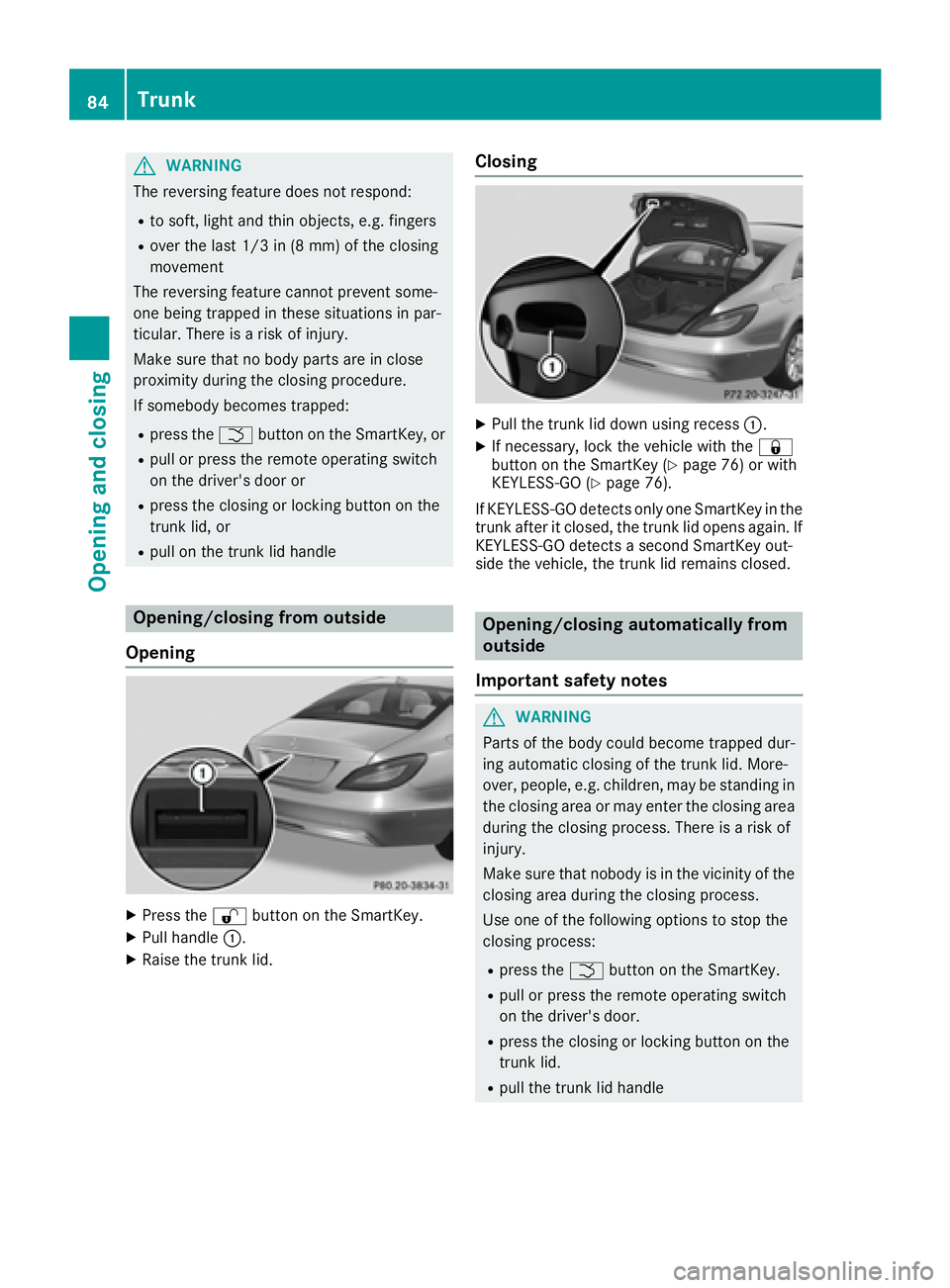
X
Press the 6 button on the SmartKey.X
Pull handle C .X
Raise the trunk lid. Closing X
Pull the trunk lid down using recess C .X
If necessary, lock the vehicle with the 7
button on the SmartKey ( Y
page 76) or with
KEYLESS-GO ( Y
page 76).
If KEYLESS-GO detects only one SmartKey in the
trunk after it closed, the trunk lid opens again. If
KEYLESS-GO detects a second SmartKey out-
side the vehicle, the trunk lid remains closed.
Opening/closing automatically from
outside
Important safety notes
G WARNING
Parts of the body could become trapped dur-
ing automatic closing of the trunk lid. More-
over, people, e.g. children, may be standing in
the closing area or may enter the closing area
during the closing process. There is a risk of
injury.
Make sure that nobody is in the vicinity of the
closing area during the closing process.
Use one of the following options to stop the
closing process: R
press the T button on the SmartKey. R
pull or press the remote operating switch
on the driver's door. R
press the closing or locking button on the
trunk lid. R
pull the trunk lid handle84
Trunk
Opening and closing
Page 87 of 334
G WARNING
Combustion engines emit poisonous exhaust
gases such as carbon monoxide. Exhaust
gases can enter the vehicle interior if the
trunk lid is open when the engine is running,
especially if the vehicle is in motion. There is a
risk of poisoning.
Always switch off the engine before opening
the trunk lid. Never drive with the trunk lid
open.
! The trunk lid swings upwards when opened.
Therefore, make sure that there is sufficient
clearance above the trunk lid.
The opening dimensions of the trunk lid can be
found in the "Vehicle data" section
( Y
page 328).
Opening You can open the trunk lid automatically using
the SmartKey or the handle in the trunk lid. X
Press and hold the T button on the Smart-
Key until the trunk lid opens.
or X
If the trunk is unlocked, pull the trunk lid han-
dle and release it again immediately
( Y
page 84).
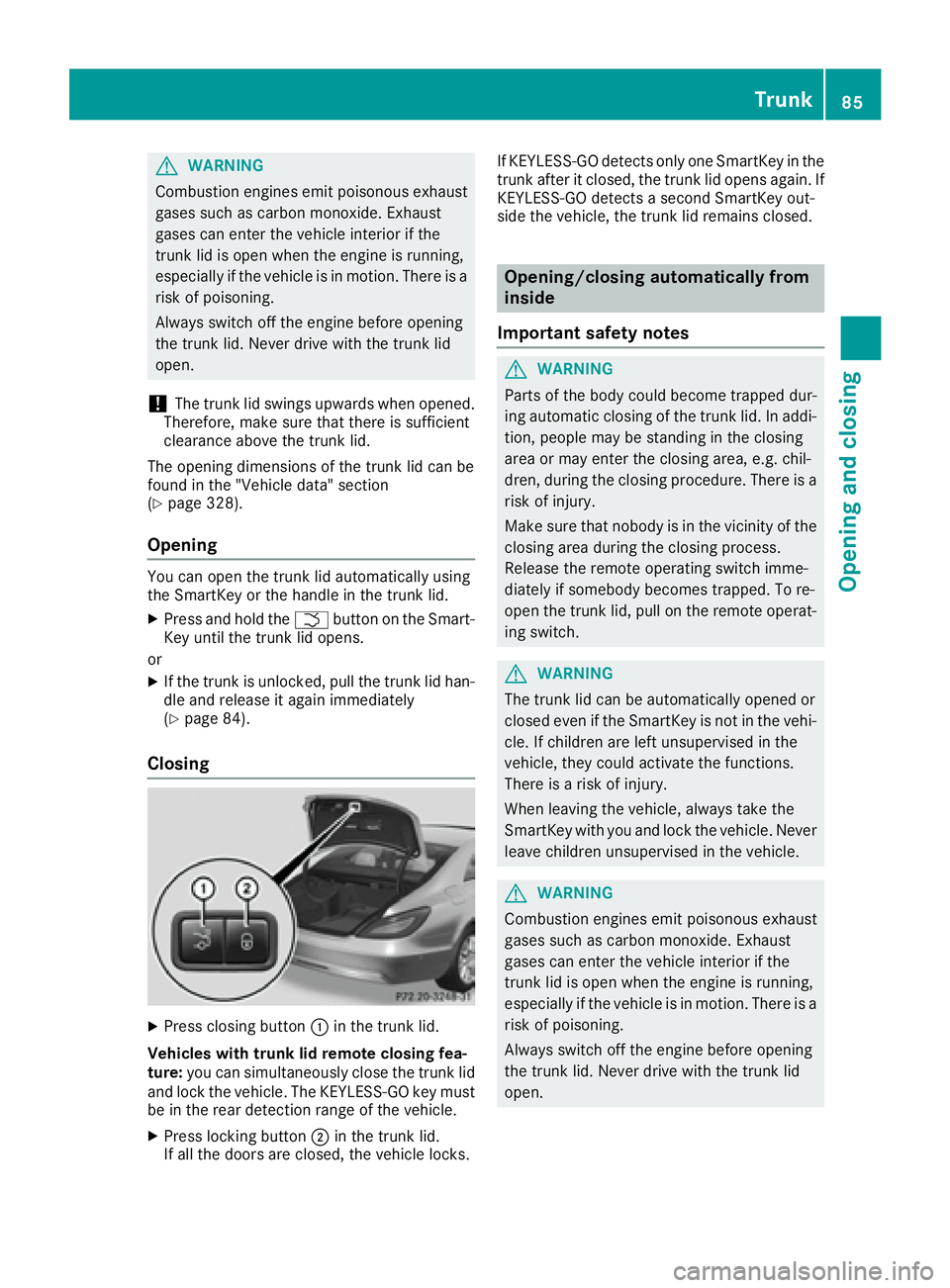
Closing
X
Press closing button C in the trunk lid.
Vehicles with trunk lid remote closing fea-
ture: you can simultaneously close the trunk lid
and lock the vehicle. The KEYLESS-GO key must
be in the rear detection range of the vehicle. X
Press locking button D in the trunk lid.
If all the doors are closed, the vehicle locks. If KEYLESS-GO detects only one SmartKey in the
trunk after it closed, the trunk lid opens again. If
KEYLESS-GO detects a second SmartKey out-
side the vehicle, the trunk lid remains closed.
Opening/closing automatically from
inside
Important safety notes
G WARNING
Parts of the body could become trapped dur-
ing automatic closing of the trunk lid. In addi-
tion, people may be standing in the closing
area or may enter the closing area, e.g. chil-
dren, during the closing procedure. There is a
risk of injury.
Make sure that nobody is in the vicinity of the
closing area during the closing process.
Release the remote operating switch imme-
diately if somebody becomes trapped. To re-
open the trunk lid, pull on the remote operat-
ing switch.
G WARNING
The trunk lid can be automatically opened or
closed even if the SmartKey is not in the vehi-
cle. If children are left unsupervised in the
vehicle, they could activate the functions.
There is a risk of injury.
When leaving the vehicle, always take the
SmartKey with you and lock the vehicle. Never
leave children unsupervised in the vehicle.
G WARNING
Combustion engines emit poisonous exhaust
gases such as carbon monoxide. Exhaust
gases can enter the vehicle interior if the
trunk lid is open when the engine is running,
especially if the vehicle is in motion. There is a
risk of poisoning.
Always switch off the engine before opening
the trunk lid. Never drive with the trunk lid
open. Trunk 85
Opening and closing Z
Page 88 of 334
! The trunk lid swings upwards when opened.
Therefore, make sure that there is sufficient
clearance above the trunk lid.
The opening dimensions of the trunk lid can be
found in the "Vehicle data" section
( Y
page 328).
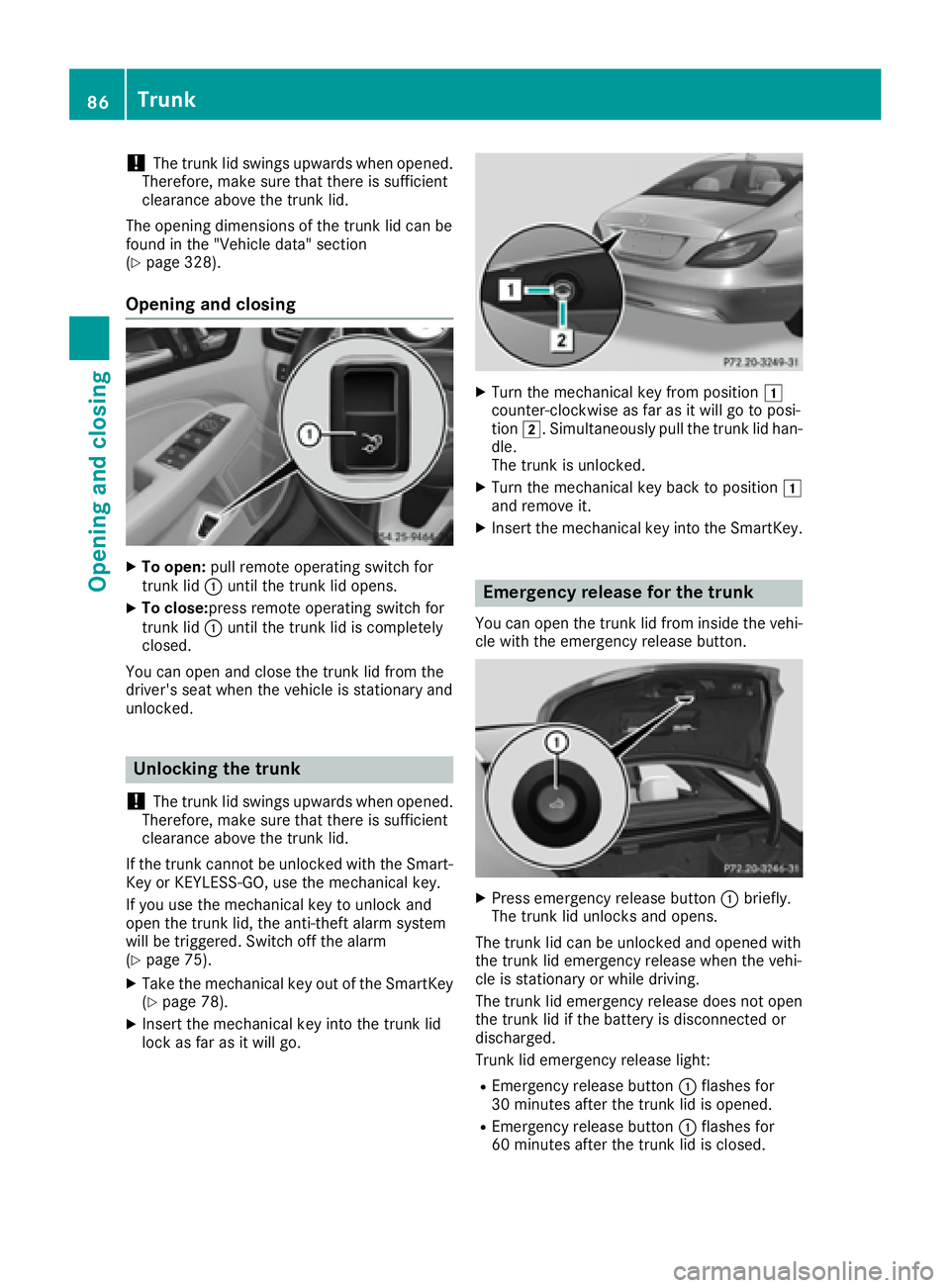
Opening and closing X
To open: pull remote operating switch for
trunk lid C until the trunk lid opens.X
To close: press remote operating switch for
trunk lid C until the trunk lid is completely
closed.
You can open and close the trunk lid from the
driver's seat when the vehicle is stationary and
unlocked.
Unlocking the trunk
! The trunk lid swings upwards when opened.
Therefore, make sure that there is sufficient
clearance above the trunk lid.
If the trunk cannot be unlocked with the Smart-
Key or KEYLESS-GO, use the mechanical key.
If you use the mechanical key to unlock and
open the trunk lid, the anti-theft alarm system
will be triggered. Switch off the alarm
( Y
page 75). X
Take the mechanical key out of the SmartKey
( Y
page 78).X
Insert the mechanical key into the trunk lid
lock as far as it will go. X
Turn the mechanical key from position G
counter-clockwise as far as it will go to posi-
tion H . Simultaneously pull the trunk lid han-
dle.
The trunk is unlocked. X
Turn the mechanical key back to position G
and remove it. X
Insert the mechanical key into the SmartKey.
Emergency release for the trunk You can open the trunk lid from inside the vehi-
cle with the emergency release button.
X
Press emergency release button C briefly.
The trunk lid unlocks and opens.
The trunk lid can be unlocked and opened with
the trunk lid emergency release when the vehi-
cle is stationary or while driving.
The trunk lid emergency release does not open
the trunk lid if the battery is disconnected or
discharged.
Trunk lid emergency release light: R
Emergency release button C flashes for
30 minutes after the trunk lid is opened. R
Emergency release button C flashes for
60 minutes after the trunk lid is closed.86
Trunk
Opening and closing
Page 143 of 334
Problem
Possible causes/consequences and P Solutions
The SmartKey battery is discharged or nearly discharged. X
Unlock the vehicle using the mechanical key ( Y
page 78).X
Open the trunk lid. X
Manually unlock the fuel filler flap using the emergency release
( Y
page 140).
The fuel filler flap is unlocked, but the opening mechanism is jammed. X
Consult a qualified specialist workshop.
Parking
Important safety notes
G WARNING
Flammable material such as leaves, grass or
twigs may ignite if they come into contact with
hot parts of the exhaust system or exhaust
gas flow. There is a risk of fire.
Park the vehicle so that no flammable mate-
rials come into contact with parts of the vehi-
cle which are hot. Take particular care not to
park on dry grassland or harvested grain
fields.
G WARNING
If you leave children unsupervised in the vehi-
cle, they could set it in motion by, for example: R
release the parking brake. R
shift the automatic transmission out of the
parking position P .R
start the engine.
In addition, they may operate vehicle equip-
ment and become trapped. There is a risk of
an accident and injury.
When leaving the vehicle, always take the
SmartKey with you and lock the vehicle. Never
leave children unsupervised in the vehicle.
! Always secure the vehicle correctly against
rolling away. Otherwise, the vehicle or its driv-
etrain could be damaged. To ensure that the vehicle is secured against
rolling away unintentionally: R
the parking brake must be applied. R
the transmission must be in position P and the
Smartkey must be removed from the ignition
lock. R
the front wheels must be turned towards the
curb on steep uphill or downhill gradients.
Switching off the engine
Important safety notes
G WARNING
The automatic transmission switches to neu-
tral position N when you switch off the engine.
The vehicle may roll away. There is a risk of an
accident.
After switching off the engine, always switch
to parking position P . Prevent the parked vehi-
cle from rolling away by applying the parking
brake.
Vehicles with automatic transmission X
Apply the parking brake firmly. X
All vehicles (except Mercedes-AMG vehi-
cles): shift the transmission to position P .Parking 141
Driving and parking Z
Page 172 of 334
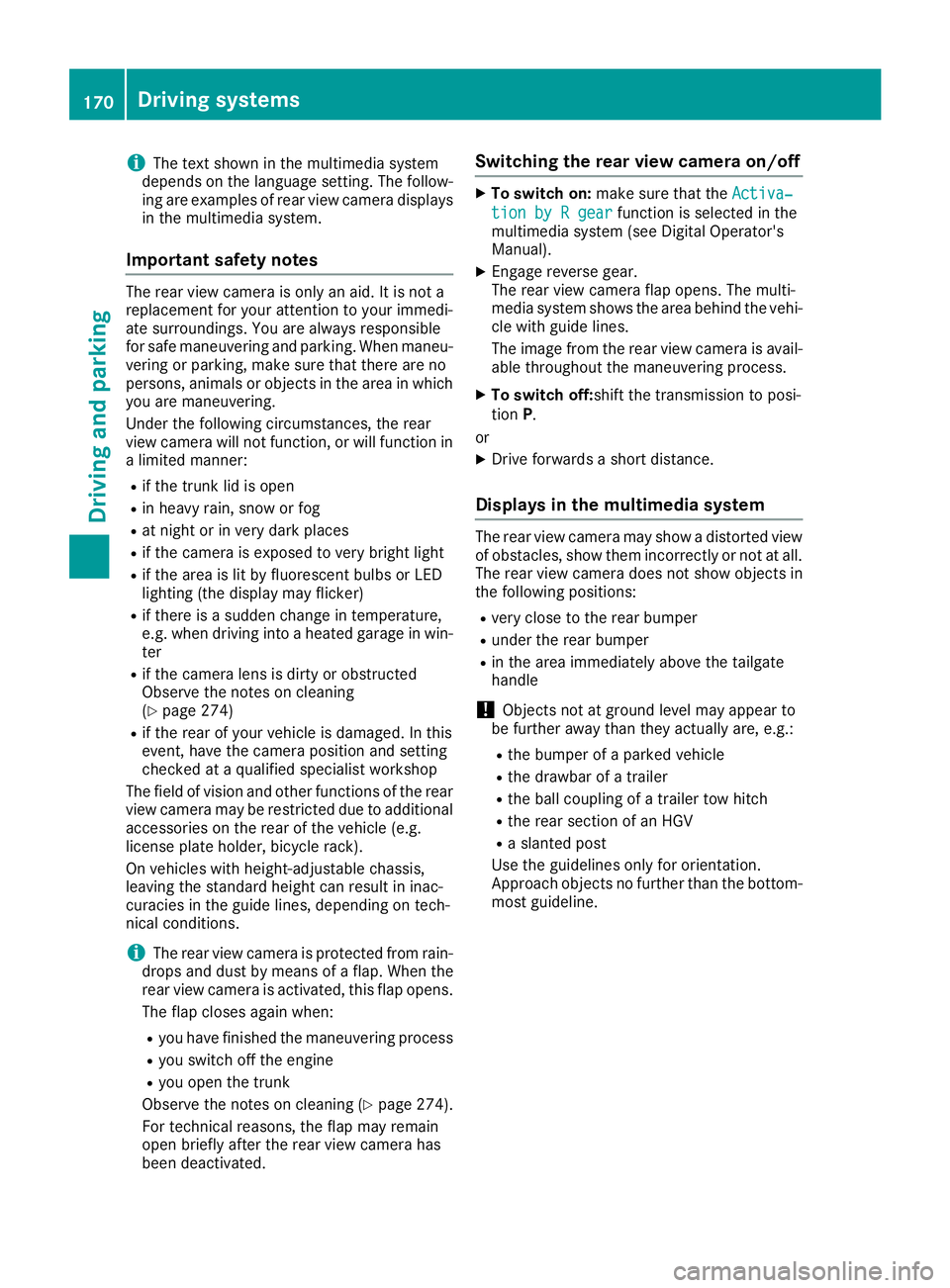
i The text shown in the multimedia system
depends on the language setting. The follow-
ing are examples of rear view camera displays
in the multimedia system.
Important safety notes The rear view camera is only an aid. It is not a
replacement for your attention to your immedi-
ate surroundings. You are always responsible
for safe maneuvering and parking. When maneu-
vering or parking, make sure that there are no
persons, animals or objects in the area in which
you are maneuvering.
Under the following circumstances, the rear
view camera will not function, or will function in
a limited manner: R
if the trunk lid is open R
in heavy rain, snow or fog R
at night or in very dark places R
if the camera is exposed to very bright light R
if the area is lit by fluorescent bulbs or LED
lighting (the display may flicker) R
if there is a sudden change in temperature,
e.g. when driving into a heated garage in win-
ter R
if the camera lens is dirty or obstructed
Observe the notes on cleaning
( Y
page 274)R
if the rear of your vehicle is damaged. In this
event, have the camera position and setting
checked at a qualified specialist workshop
The field of vision and other functions of the rear
view camera may be restricted due to additional
accessories on the rear of the vehicle (e.g.
license plate holder, bicycle rack).
On vehicles with height-adjustable chassis,
leaving the standard height can result in inac-
curacies in the guide lines, depending on tech-
nical conditions.
i The rear view camera is protected from rain-
drops and dust by means of a flap. When the
rear view camera is activated, this flap opens.
The flap closes again when: R
you have finished the maneuvering process R
you switch off the engine R
you open the trunk
Observe the notes on cleaning ( Y
page 274).
For technical reasons, the flap may remain
open briefly after the rear view camera has
been deactivated. Switching the rear view camera on/off X
To switch on: make sure that the Activa‐
tion by R gear function is selected in the
multimedia system (see Digital Operator's
Manual). X
Engage reverse gear.
The rear view camera flap opens. The multi-
media system shows the area behind the vehi-
cle with guide lines.
The image from the rear view camera is avail-
able throughout the maneuvering process. X
To switch off: shift the transmission to posi-
tion P .
or X
Drive forwards a short distance.
Displays in the multimedia system The rear view camera may show a distorted view
of obstacles, show them incorrectly or not at all.
The rear view camera does not show objects in
the following positions: R
very close to the rear bumper R
under the rear bumper R
in the area immediately above the tailgate
handle
! Objects not at ground level may appear to
be further away than they actually are, e.g.: R
the bumper of a parked vehicle R
the drawbar of a trailer R
the ball coupling of a trailer tow hitch R
the rear section of an HGV R
a slanted post
Use the guidelines only for orientation.
Approach objects no further than the bottom-
most guideline.170
Driving systems
Driving and parking
Page 176 of 334
R
yello w brackets wit h thin lines: PARKTRONI C
is active R
yello w brackets wit h normal lines: an objec t is
presen t in close range of th e vehicl eR
red line: an objec t is presen t in th e immediat e
close range of th e vehicl e
Impor tant safety notesThe 360°camera is only an aid and may sho w a
distorted vie w of obstacles, sho w them incor-
rectl y or no t at all. The 360°camera is no t a
substitut e for attentive driving.
You are always responsibl e for saf e maneuver-
in g and parking. Whe n maneuverin g or parking,
mak e sur e that there are no persons, animals or
objects in th e area in whic h you are maneuver-
ing.
You are always responsibl e for safety, and mus t
always pay attention to your surroundings when
parkin g and maneuvering. This applies to th e
area s behind , in fron t of and beside th e vehicle.
You could otherwise endanger yourself and oth-
ers .
The 360° camera will no t function or will func-
tion in a limite d manner:R
if th e doors are openR
if th e exterio r mirror s are folded inR
if th e trunk lid is openR
in heav y rain , snow or fogR
at night or in ver y dark placesR
if th e cameras are exposed to ver y bright ligh tR
if th e area is lit by fluorescent bulbs or LE D
lighting (the display may flicker) R
if there is a sudden chang e in temperature,
e.g. when drivin g into a heated garage in win -
te r R
if th e camera lenses are dirty or coveredR
if th e vehicl e component s in whic h th e cam -
eras are installed are damaged. In this event ,
h a v e th e camera position and setting checke d
at a qualified specialist workshop
Do no t use th e 360° camera in this case. You
can otherwise injur e other s or caus e damage to
objects or th e vehicle.
Guide lines are always shown at roa d level.
The field of vision and other function s of th e
camera system may be restricted due to addi-
tional attachments (e.g. license plat e holder,
rear bicycle carrier). On vehicles wit h height-adjustable chassis,
dependin g on technical conditions, leavin g th e
standard height can result in :R
inaccuracies in th e guide linesR
inaccuracies in th e display of generated
images (top view)
Activati on conditionsThe imag e from th e 360° camera appears if:R
th e multimedia system is switched on R
th e 360 ° Camera function is switched on
Switching on the 360° camera X
Press th e
Page 177 of 334
Selecting the split-screen view or full
screen mode Switching between split screen views: X
To switch to the line with the vehicle icons:
slide 5 the controller.X
To select one of the vehicle icons: turn 3
the controller.
Switching to full screen mode: X
To switch to 180° View : turn 3 the con-
troller to select and press 7 to confirm.
i The full screen option is only available in the
following views: R
Top view with picture from the rear view
camera R
Top view with picture from the front camera
Displays in the multimedia system
Important safety notes The camera system may show a distorted view
of obstacles, show them incorrectly or not at all.
Obstacles are not shown by the system in the
following locations: R
under the front and rear bumpers R
very close to the front and rear bumpers R
in close range above the handle on the trunk
lid R
very close to the exterior mirrors R
in the transitional areas between the various
cameras in the virtual top view
! Objects not at ground level may appear to
be further away than they actually are, e.g.: R
the bumper of a parked vehicle R
the drawbar of a trailer R
the ball coupling of a trailer tow hitch R
the rear section of an HGV R
a slanted post
Use the guidelines only for orientation.
Approach objects no further than the bottom-
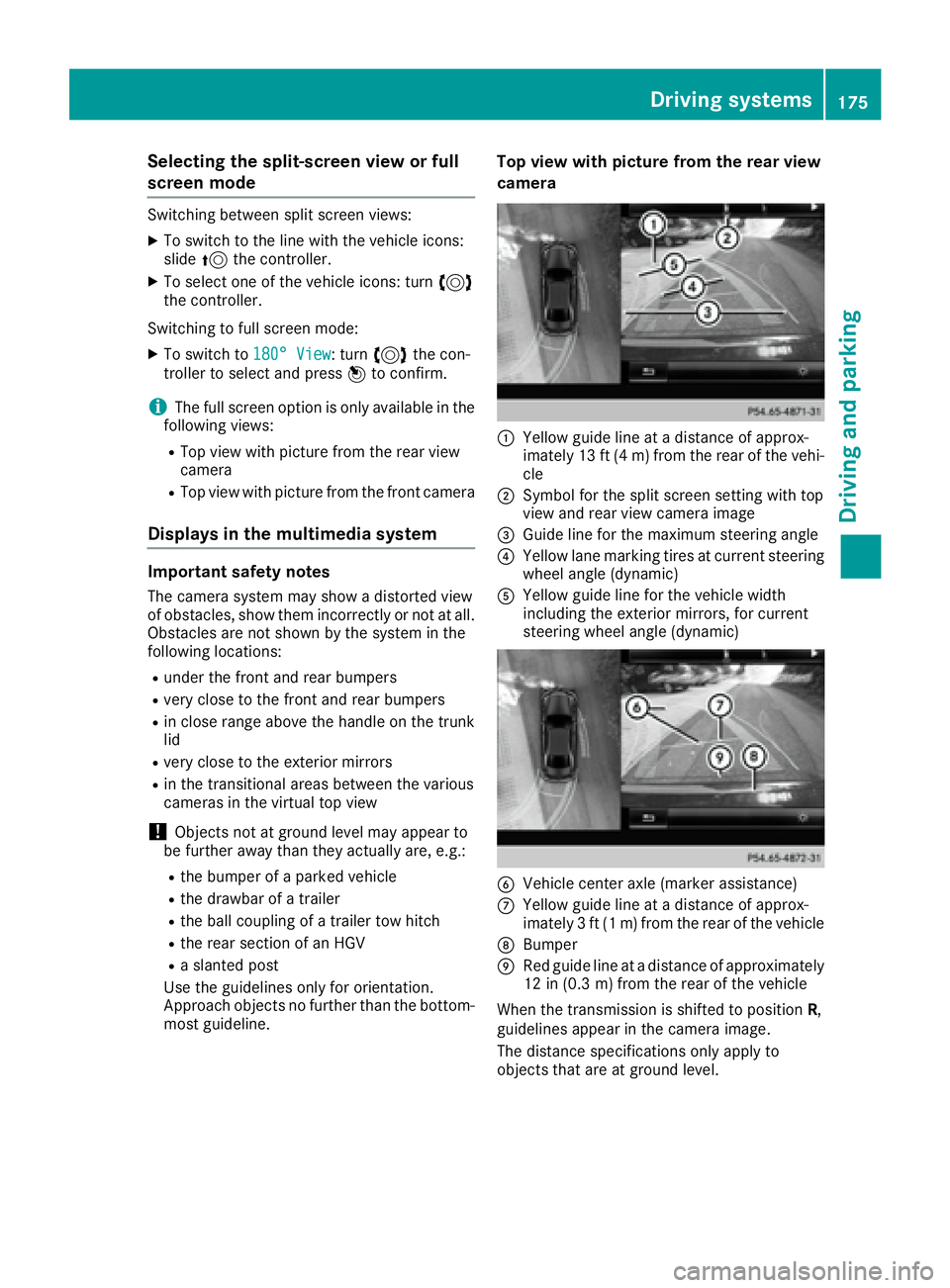
most guideline. Top view with picture from the rear view
camera
C
Yellow guide line at a distance of approx-
imately 13 ft (4 m) from the rear of the vehi-
cle D
Symbol for the split screen setting with top
view and rear view camera image