ECO mode MERCEDES-BENZ CLS 2018 User Guide
[x] Cancel search | Manufacturer: MERCEDES-BENZ, Model Year: 2018, Model line: CLS, Model: MERCEDES-BENZ CLS 2018Pages: 334, PDF Size: 7.87 MB
Page 195 of 334
able to complete the next two changes of direc-
tion without changing lane.
Other status indicators of the naviga-
tion system
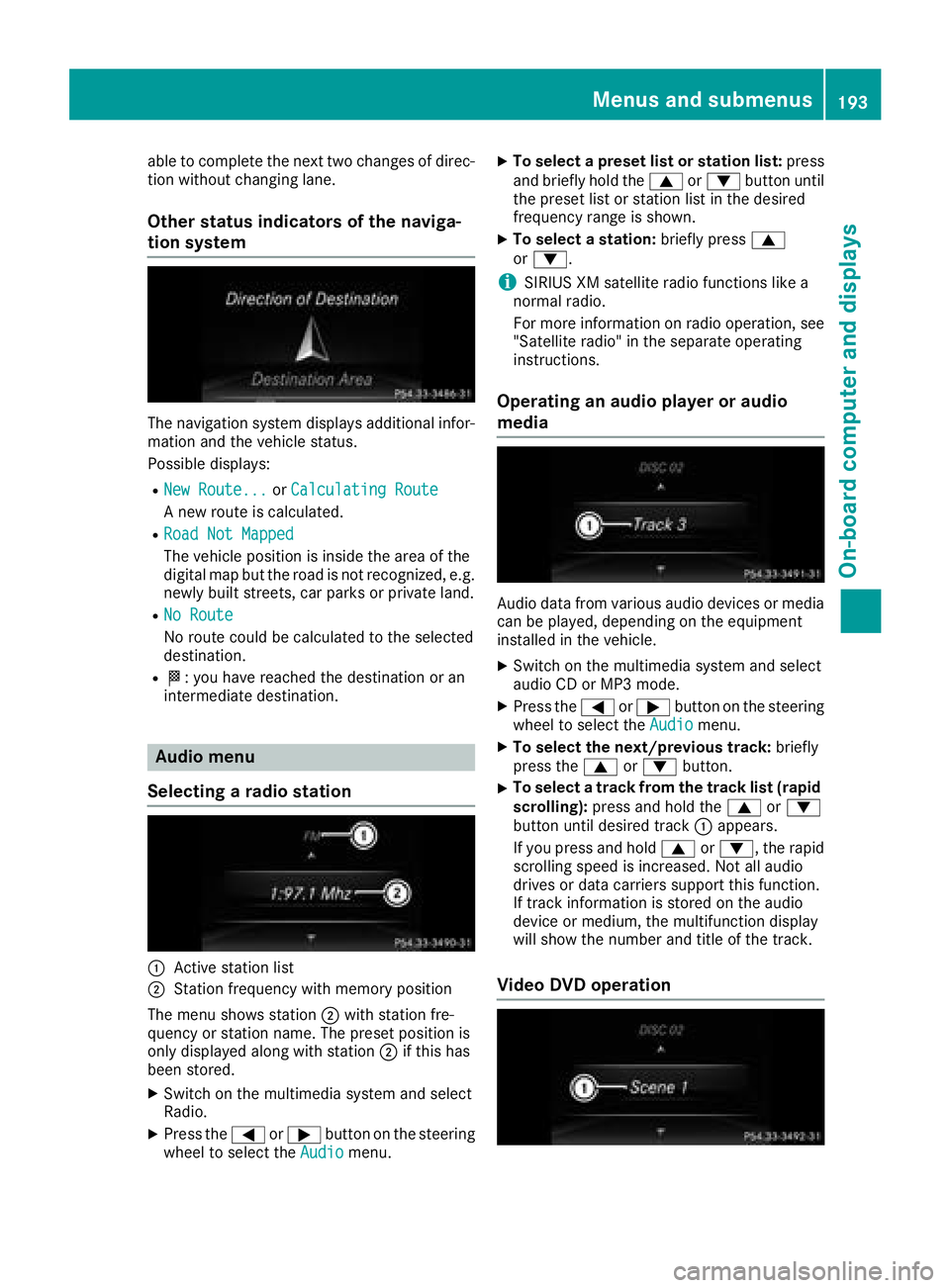
The navigation system displays additional infor-
mation and the vehicle status.
Possible displays: R
New Route... or Calculating Route
A new route is calculated. R
Road Not Mapped
The vehicle position is inside the area of the
digital map but the road is not recognized, e.g.
newly built streets, car parks or private land. R
No Route
No route could be calculated to the selected
destination. R
K : you have reached the destination or an
intermediate destination.
Audio menu
Selecting a radio station
C
Active station list
D
Station frequency with memory position
The menu shows station D with station fre-
quency or station name. The preset position is
only displayed along with station D if this has
been stored. X
Switch on the multimedia system and select
Radio. X
Press the Y or e button on the steering
wheel to select the Audio menu. X
To select a preset list or station list: press
and briefly hold the c or d button until
the preset list or station list in the desired
frequency range is shown. X
To select a station: briefly press c
or d .
i SIRIUS XM satellite radio functions like a
normal radio.
For more information on radio operation, see
"Satellite radio" in the separate operating
instructions.
Operating an audio player or audio
media
Audio data from various audio devices or media
can be played, depending on the equipment
installed in the vehicle. X
Switch on the multimedia system and select
audio CD or MP3 mode. X
Press the Y or e button on the steering
wheel to select the Audio menu.X
To select the next/previous track: briefly
press the c or d button.X
To select a track from the track list (rapid
scrolling): press and hold the c or d
button until desired track C appears.
If you press and hold c or d , the rapid
scrolling speed is increased. Not all audio
drives or data carriers support this function.
If track information is stored on the audio
device or medium, the multifunction display
will show the number and title of the track.
Video DVD operationMenus and submenus 193
On-board computer and displays Z
Page 201 of 334
Deactivating delayed switch-off of the exterior
lighting temporarily: X
Before leaving the vehicle, turn the SmartKey
to position 0 in the ignition lock.X
Turn the SmartKey to position 2 in the ignition
lock.
The exterior lighting delayed switch-off is
deactivated.
Delayed switch-off of the exterior lighting is
reactivated the next time you start the engine.
If you have activated the Surround Lighting
function and the light switch is set to the X
position, the following functions are activated
when it is dark: R
surround lighting: the exterior lighting
remains lit for 40 seconds af ter unlocking
with the SmartKey. If you start the engine, the
surround lighting is switched off and auto-
matic headlamp mode is activated
( Y
page 105). R
exterior lighting delayed switch-off: the
exterior lighting remains lit for 60 seconds
after the engine is switched off. If you close all
the doors and the trunk lid/tailgate, the exte-
rior lighting goes off after 15 second s.
i Depending on your vehicle's equipment,
when the surround lighting and delayed
switch-off exterior lighting are on, the follow-
ing light up: R
Parking lamps R
Side marker lamps R
Surround lighting in the exterior mirrors
Activating/deactivating the interior light-
ing delayed switch-off
If you activate the Light. Delay function, the
interior lighting remains on for 20 second sa fter
you remove the SmartKey from the ignition lock. X
Press the Y or e button on the steering
wheel to select the Sett. menu.X
Press the d or c button to select the
Lights submenu.X
Press v to confirm.X
Press the d or c button to select the
Light. Delay function.
When the Light. Delay function is activa-
ted, the vehicle interior is displayed in orange
in the multifunction display. X
Press the v button to save the setting. Vehicle Activating/deactivating the automatic
door locking mechanism X
Press the Y or e button on the steering
wheel to select the Sett. menu.X
Press the d or c button to select the
Vehicle submenu. X
Press v to confirm. X
Press the d or c button to select the
Auto. Door Locks function.
If the Auto. Door Locks function is switched
on, the multifunction display shows the vehi-
cle's doors in orange. X
Press the v button to save the setting.
If you activate the Auto.
Door Locks function,
the vehicle is centrally locked above a speed of
around 9 mph (15 km/h).
For further information on the automatic locking
feature, see ( Y
page 82).
Activating/deactivating the acoustic
locking verification signal If you switch on the Acoustic Lock function, an
acoustic signal sounds when you lock the vehi-
cle. X
Press the Y or e button on the steering
wheel to select the Sett. menu.X
Press the d or c button to select the
Vehicle submenu. X
Press v to confirm. X
Press the d or c button to select the
Acoustic Lock function.
If the Acoustic Lock function is activated,
the 7 symbol in the multifunction display
lights up orange. X
Press the v button to save the setting.
Comfort
Activating/deactivating the EASY-
ENTRY/EXIT feature
G WARNING
When the EASY-ENTRY/EXIT feature adjusts
the steering wheel, you and other vehicle
occupants – particularly children – could
become trapped. There is a risk of injury.
While the EASY-ENTRY/EXIT feature is mak-
ing adjustments, make sure that no one hasMenus and submenus 199
On-board computer and displays Z
Page 239 of 334
Operating system
Overview
General notes
! Do not use the space in front of the display
for storage. Objects placed here could dam-
age the display or impair its function. Avoid
any direct contact with the display surface.
Pressure on the display surface may result in
impairments to the display, which could be
irreversible.
Wearing polarized sunglasses may impair your
ability to read the display.
The display has an automatic temperature-con-
trolled switch-off feature. The brightness is
automatically reduced if the temperature is too
high. The display may temporarily switch off
completely.
Cleaning instructions
! Do not touch the display. The display has a
very sensitive high-gloss surface; there is a
risk of scratching. If you have to clean the
screen, however, use a mild cleaning agent
and a soft, lint-free cloth.
The display must be switched off and have
cooled down before you start cleaning. Do not
apply pressure to the display surface when
cleaning it, as this could cause irreversible dam-
age to the display.
Switching the multimedia system
on/off X
Press the C control knob.
Adjusting the volume X
Turn the C control knob.
The volume is adjusted: R
for the currently selected media source R
during traffic or navigation announcements R
in hands-free mode during a phone call
Switching the sound on or off X
Press the c button on the control panel.
If the audio output is switched off, the status
line will show the c symbol. If you switch the media source or set the volume, the sound
is automatically switched on.
i Navigation announcements will be heard
even if the sound is muted.
Functions The multimedia system has the following func-
tions: R
Radio mode R
Media mode with media search R
Sound systems R
Navigation system
COMAND: navigation via the hard drive
Audio 20: navigation via SD card R
Communication functions R
SIRIUS Weather (COMAND) R
Vehicle functions with system settings R
Favorites functions
Controller The controller in the center console lets you: R
select menu items on the display R
enter characters R
select a destination on the map R
save entries
The controller can be: R
turned 3 R
slid left or right 1 R
slid forwards or back 4R
slid diagonally 2 R
pressed briefly or pressed and held 7
Back button You can use the 8 button to exit a menu or to
call up the basic display of the current operating
mode. X
To exit the menu: briefly press the 8
button.
The multimedia system changes to the next
higher menu level in the current operating
mode. X
To call up the basic display: press the 8
button for longer than two seconds.
The multimedia system changes to the basic
display of the current operating mode.Operating system 237
Multimedia system Z
Page 280 of 334
i Example: equipment and country-specific
variations possible.
Vehicles with alloy wheels and hub caps On vehicles with alloy wheels and hub caps, a
socket is also provided.
Flat tire
Preparing the vehicle Your vehicle may be equipped with: R
MOExtended tires (tires with run-flat proper-
ties) ( Y
page 278)
Vehicle preparation is not necessary on vehi-
cles with MOExtended tires R
a TIREFIT kit ( Y
page 277)R
an emergency spare wheel ( Y
page 317)
Vehicles equipped with MOExtended tires are
not equipped with a TIREFIT kit at the factory. It
is therefore recommended that you additionally
equip your vehicle with a TIREFIT kit if you mount
tires that do not feature run-flat properties, e.g.
winter tires. A TIREFIT kit may be obtained from
a qualified specialist workshop.
Information on changing and mounting wheels
( Y
page 312). X
Stop the vehicle on solid, non-slippery and
level ground, as far away as possible from
traffic. X
Switch on the hazard warning lamps. X
Secure the vehicle against rolling away
( Y
page 141).X
If possible, bring the front wheels into the
straight-ahead position. X
Vehicles with AIRMATIC: make sure that "nor-
mal" level is selected ( Y
page 159).X
Switch off the engine. X
Remove the SmartKey from the ignition lock.
or, on vehicles with KEYLESS ‑ GO:X
Open the driver's door.
T he vehicle electronics now have status 0 .
This is the same as the SmartKey having been
removed. X
Remove the Start/Stop button from the igni-
tion lock ( Y
page 123).X
Make sure that the passengers are not endan-
gered as they do so. Make sure that no one is
near the danger area while a wheel is being changed. Anyone who is not directly assisting
in the wheel change should, for example,
stand behind the barrier. X
Get out of the vehicle. Pay attention to traffic
conditions when doing so. X
Close the driver's door.
MOExtended tires (tires with run-flat
properties)
General notes With MOExtended tires (tires with run flat char-
acteristics), you can continue to drive your vehi-
cle even if there is a total loss of pressure in one
or more tires. The affected tire must not show
any clearly visible damage.
You can recognize MOExtended tires by the
MOExtended marking which appears on the
sidewall of the tire. You will find this marking
next to the tire size designation, the load-bear-
ing capacity and the speed index ( Y
page 307).
MOExtended tires may only be used in conjunc-
tion with an active tire pressure loss warning
system or with an active tire pressure monitor.
If a pressure loss warning message appears
in the multifunction display: R
observe the instructions in the display mes-
sages ( Y
page 221). R
check the tire for damage. R
if driving on, observe the following notes.
The driving distance possible in run-flat mode is
approximately 50 miles (80 km) when the vehi-
cle is partially laden. When the vehicle is fully
laden it is approximately 19 miles (30 km).
In addition to the vehicle load, the driving dis-
tance possible depends upon: R
Vehicle speed R
Road condition R
Outside temperature
The driving distance p ossible in run-flat mode
may be reduced by extreme driving conditions
or maneuvers, or it can be increased through a
moderate style of driving.
The driving distance possible in run-flat mode is
counted from the moment the tire pressure loss
warning appears in the multifunction display.
You must not exceed a maximum permissible
speed of 50 mph (80 km/h).278
Flat tire
Breakdown assistance
Page 281 of 334
When replacing one or all tires, please observe
the following specifications for your vehicle's
tires: R
size R
the type and R
the "MOExtended" mark
If a tire has gone flat and cannot be replaced
with a MOExtended tire, a standard tire may be
used as a temporary measure. Make sure that
you use the proper size and type (summer or
winter tires).
Vehicles equipped with MOExtended tires are
not equipped with a TIREFIT kit at the factory. It
is therefore recommended that you additionally
equip your vehicle with a TIREFIT kit if you mount
tires that do not feature run-flat properties, e.g.
winter tires. A TIREFIT kit may be obtained from
a qualified specialist workshop.
Important safety notes
G WARNING
When driving in emergency mode, the driving
characteristics deteriorate, e.g. when corner-
ing, accelerating quickly and when braking.
There is a risk of an accident.
Do not exceed the stated maximum speed.
Avoid abrupt steering and driving maneuvers,
and driving over obstacles (curbs, potholes,
off-road). This applies in particular to a laden
vehicle.
Stop driving in emergency mode if: R
you hear banging noises. R
the vehicle starts to shake. R
you see smoke and smell rubber. R
ESP ®
is intervening constantly.R
there are tears in the sidewalls of the tire.
After driving in emergency mode, have the
wheel rims checked at a qualified specialist
workshop with regard to their further use. The
defective tire must be replaced in every case. TIREFIT kit
Important safety notes TIREFIT is a tire sealant.
You can use TIREFIT to seal punctures of up to
0.16 in (4 mm), particularly those in the tire
tread. You can use TIREFIT at outside tempera-
tures down to
Page 294 of 334
Important safety notes
G WARNIN G
If wheels and tires of th e wrong siz e are used,
th e whee l brakes or suspension component s
may be damaged. Ther e is a ris k of an acci-
dent.
Always replace wheels and tires wit h those
that fulfill th e specification s of th e original
part .
When replacing wheels, mak e sur e to use th e
correct: R
designation R
model
When replacing tires , mak e sur e to use th e
correct: R
designation R
manufacturer R
model
G WARNIN G
A flat tire severely impairs th e driving , steer -
ing and braking characteristics of th e vehicle.
Ther e is a ris k of accident.
Tires without run-flat characteristics :R
do no t driv e wit h a flat tire.R
immediately replace th e flat tire wit h your
emergenc y spar e whee l or spar e wheel, or
consult a qualified specialist workshop.
Tires wit h run-flat characteristics :R
pay attention to th e information and warn -
ing notice s on MOExtended tires (tire s wit h
run-flat characteristics).
Accessories that are no t approve d for your vehi-
cle by Mercedes-Ben z or are no t bein g used cor-
rectl y can impair th e operating safety.
Before purchasing and usin g non-approve d
accessories, visit a qualified specialist work-
sho p and ask about :R
suitabilit yR
legal stipulation sR
factory recommendation s Further information regarding wheels and tires
can be foun d under "Wheel/tire combinations"
( Y
page 317).
You can ask for information regarding permitte d
wheel-tire combination s at an authorize d
Mercedes-Ben z Center.
Information on tire pressur e can be found:R
on th e Tir e and Loading Information placard
on th e B-pillar on th e driver' s side
( Y
page 302) R
in th e tire pressur e table in th e fuel filler flap
( Y
page 139) R
under "Tir e pressure" ( Y
page 295)
Operation
Information on driving Chec k th e tire pressur e when th e vehicl e is
heavily laden and adjust prio r to a trip.
While driving , pay attention to vibrations, noises
and unusual handlin g characteristics , e.g. pull-
ing to on e side . This may indicat e that th e
wheels or tires are damaged. If you suspec t that
a tire is defective, reduce your spee d immedi-
ately. Stop th e vehicl e as soo n as possible to
chec k th e wheels and tires for damage. Hidden
tire damag e could also be causing th e unusual
handlin g characteristics . If you fin d no sign s of
damage, hav e th e tires and wheels checke d at a
qualified specialist workshop.
When parking your vehicle, mak e sur e that th e
tires do no t get deformed by th e cur b or other
obstacles. If they canno t be avoided, driv e ove r
obstacles suc h as curbs slowly and at an obtuse
angle. Otherwise, you may damag e th e wheels
or tires .
Regular checking of wheels and tires
G WARNIN G
Damaged tires can caus e tire inflation pres-
sur e loss . As a result , you could lose control of
your vehicle. Ther e is a ris k of accident.
Chec k th e tires regularly for sign s of damag e
and replace any damaged tires immediately.
Chec k wheels and tires for damag e at least once
a month . Chec k wheels and tires after driving292
Operation
Wheels and tires
Page 326 of 334
Other identifications, for example: R
0 W-30 R
5 W-30 R
5 W-40
Fuel
Important safety notes
G WARNING
Fuel is highly flammable. If you handle fuel
incorrectly, there is a risk of fire and explo-
sion.
You must avoid fire, open flames, creating
sparks and smoking. Switch off the engine
and, if applicable, the auxiliary heating before
refueling.
G WARNING
Fuel is poisonous and hazardous to health.
There is a risk of injury.
You must make sure that fuel does not come
into contact with your skin, eyes or clothing
and that it is not swallowed. Do not inhale fuel
vapors. Keep fuel away from children.
If you or others come into contact with fuel,
observe the following: R
Wash away fuel from skin immediately
using soap and water. R
If fuel comes into contact with your eyes,
immediately rinse them thoroughly with
clean water. Seek medical assistance with-
out delay. R
If fuel is swallowed, seek medical assis-
tance without delay. Do not induce vomit-
ing. R
Immediately change out of clothing which
has come into contact with fuel. Tank capacity Missing values were not available at time of
going to print.
Model Total capa-
city
Mercedes ‑ AMG vehicles
All other models
21.1 US gal
(80.0 l)
Model Of which
reserve
Mercedes ‑ AMG vehicles
All other models
Approx.
2.4 US gal
(9.0 l)
Gasoline
Fuel grade
! Do not use diesel to refuel vehicles with a
gasoline engine. Do not switch on the ignition
if you accidentally refuel with the wrong fuel.
Otherwise, the fuel will enter the fuel system.
Even small amounts of the wrong fuel could
result in damage to the fuel system and the
engine. Notify a qualified specialist workshop
and have the fuel tank and fuel lines drained
completely.
! Only refuel using unleaded premium grade
gasoline with at least 91 AKI/95 RON.
i E10 fuel contains up to 10% bioethanol.
Your vehicle is E10-compatible. You can
refuel your vehicle using E10 fuel.
! Only use the fuel recommended. Operating
the vehicle with other fuels can lead to dam-
age to the fuel system, engine and exhaust
system.
! Do not use the following: R
Gasoline with more than 10% ethanol R
E100 (1 00% ethanol) R
Gasoline with methanol R
M100 (1 00% methanol) R
Gasoline with metalliferous additives R
Diesel324
Service products and filling capacities
Technical data
Page 329 of 334
The coolant is a mixture of water and anti-
freeze/corrosion inhibitor. It performs the fol-
lowing tasks: R
Anti-corrosion protection R
Antifreeze protection R
Raising the boiling point
If the coolant has antifreeze protection down to
-35 ‡ (-37 †), the boiling point of the coolant
during operation is approximately 266 ‡
(130 †).
The antifreeze concentrate/corrosion inhibitor
concentration in the engine cooling system
should: R
be at least 50%. This will protect the engine
cooling system against freezing down to
approximately -35 ‡ (-37 †). R
not exceed 55% (antifreeze protection down
to -49 ‡[ -45 †]) . Otherwise , hea t will no t be
dissipated as effectively.
Mercedes-Ben z recommends an antifreeze/
corrosion inhibitor concentrat e in accordance
wit h MB Specification s fo r Servic e Products
310.1.
i Whe n th e vehicle is first delivered, it is filled
wit h a coolan t mixture that ensures adequat e
antifreez e an d anti-corrosio n protection .
i The coolan t is checke d wit h ever y mainte-
nanc e interval at a qualifie d specialis t work-
shop.
Filling capacities Model Capacity
CLS 400
CLS 400 4MATIC Approx . 10.9 US qt
(10. 3 l)
CLS 550
CLS 550 4MATIC Approx . 11.5 US qt
(10. 9 l)
Mercedes ‑ AMG
vehicles Approx . 11.4 US qt
(10. 8 l)
Windshield washer syste m
Importan t safet y notes
G WARNING
Windshield washer concentrat e could ignit e if
it come s into contact wit h hot engin e compo- nent s or th e exhaus t system. There is a ris k of
fir e an d injury.
Mak e sur e that no windshield washer con-
centrat e is spilled next to th e filler neck .
! Only use washer fluid that is suitable fo r
plasti c lam p lenses , e.g. MB SummerFit or MB
WinterFit . Unsuitable washer fluid could dam -
age th e plasti c lenses of th e headlamps.
! Only MB SummerFit an d MB WinterFit
washer fluid should be mixed together . The
spray nozzles may otherwise becom e
blocked.
Do no t use distilled or de-ionized water . Other -
wise , th e level sensor may giv e a false reading.
Whe n handlin g washer fluid, observe th e impor -
tant safet y note s on servic e products
( Y
page 323) .
At temperature s abov e freezing:X
Fill th e washer fluid reservoir wit h a mixture of
water an d windshield washer fluid, e.g. MB
SummerFit .
Ad d 1 par t MB SummerFit to 10 0 parts water .
At temperature s below freezing: X
Fill th e washer fluid reservoir wit h a mixture of
water an d washer fluid, e.g. MB WinterFit .
Fo r th e correc t mixin g ratio refe r to th e infor-
mation on th e antifreez e reservoir.
i Ad d windshield washer fluid, e.g. MB Sum -
me rFit or MB WinterFit , to th e washer fluid all
year round.
Climat e contro l syste m refrigerant
Important safety notes The climate control system of your vehicle is fil-
led with refrigerant R ‑ 134a.
The instruction label regarding the refrigerant
type used can be found on the radiator cross
member.
! Only the refrigerant R ‑ 134a and the PAG oil
approved by Mercedes-Benz may be used.
The approved PAG oil may not be mixed with
any other PAG oil that is not approved for
R-134a refrigerant. Otherwise, the climate
control system may be damaged.Service products and filling capacities 327
Technical data Z