change time MERCEDES-BENZ CLS-Class 2016 W218 Comand Manual
[x] Cancel search | Manufacturer: MERCEDES-BENZ, Model Year: 2016, Model line: CLS-Class, Model: MERCEDES-BENZ CLS-Class 2016 W218Pages: 206, PDF Size: 6.66 MB
Page 113 of 206
Automa tically importing contacts
fr om the phone
Dependin gon th emobile phone used ,you can
set whether th econtact sshould be called up
automatically after th emobile phone is connec -
te dto th emultimedia system.
XConnect amobile phone (Ypage 94).
XCall up th eaddress book (Ypage 107).
XTo switch to th emen ubar: slid e6 thecon-
troller .
XTo select Options:tur nand press th econ-
troller .
XTo select Automaticall yImport Con ‐tacts fromPhone:tur nand press th econ-
troller .
You can allow Oor suppres sª theauto -
matic download. If th efunction is deactiva-
ted, contact swhic hhav ealready been called
up will continu eto be displayed.
Saving a contact
Saved contact sare indicated in th ephone book
by differen tsymbols (Ypage 103).
XCall up th eaddress book (Ypage 107).
XTo selectacontact :tur nand press th econ-
troller .
The details for th econtact are displayed.
XTo select G:slide9 thecontroller .
XTo selectSave:tur nand press th econtroller .
The contact has no wbeen saved.
iIf th esaved address book entr ycontain s a
phone number ,th eentr yis also displayed in
th ephone book .
Saving or editing th econtact dat ain th emul-
timedia system does no tchang eth econtact s
on th emobile phone .If automatic download-
ing of phone contact sis activated, th emulti-
media system displays th ecopy ¥withth e
changed data. To add additional data, suc has
additional phone number sor e-mail
addresses, select this contact .In this way,
you avoi dcreating additional copies of th e
mobile phone entry.
Deleting a name
XCall up th eaddress book (Ypage 107).
XSearchfor acontact (Ypage 107).
XTo select G:slide9 thecontroller .
XTo select Delete Entry:tur nand press th e
controller .
XTo select Yes:tur nand press th econtroller .
The contact is deleted.
or
XTo select No:tur nand press th econtroller .
The process is canceled.
Closing the address book
XPress the% button.
Import ing contacts
Information and requirements
Contacts can be imported as vCards (vc ffiles). A
vCar dis an electronic business card. Amemory
card, US Bdevice or aBluetoot h
®connection
can be used for importing .
iUp to 2000 entries can be imported int oth e
address book . Amessage notifie syou when
th emaximum number is reached. In order to
be able to then import ne wcontacts, you hav e
to delete existing contact s (
Ypage 111).
SourcePrerequisites
Memory cardThe SD memory car dis inser-
ted. It contain simportable
contact details.
US BdeviceThe US Bdevice is inserted
int oth eUS Bport. It contain s
importable contact details.
Bluetoot h®
connection
If thesendin gof vCards is
supported via Bluetoot h®,
vCards can be received on
mobile phone sor netbooks,
for example.
Bluetoot h
®mustbe activa-
te din th emultimedia system
and on th erespective device
(see th emanufacturer' s
operating instructions).
Importing contacts111
Telephone
Z
Page 123 of 206

XEnter characters using the controller
(Ypage 28) or the number keypad.
XTo adopt changes to the text template, select
¬: turn and press the controller.
The text template has been changed.
Calling a text message sender
XDisplay the message (Ypage 117).
XTo call up a menu: press the controller.
XTo selectCall Sender: turn and press the
controller.
The call is made.
Using a phone number in the text
Numbers in text messages that are highlighted
can be used.
XTo highlight and select a usable phone num-
ber while the message is displayed: turn and
press the controller.
XTo select Use: press the controller.
XTo selectCall Number: turn and press the
controller.
The call is made.
iIt is possible that a highlighted numerical
sequence may not contain a telephone num-
ber.
iYou can use the "New entry" or "Add no."
functions to save this telephone number or to
add it to an existing entry.
Storing sender as a new contact
Storing the sender of a text message
XTo call up the menu when a text message is
displayed: press the controller.
XTo select Save Number: turn and press the
controller.
XSelect a number category, e.g. Home.
XSelect a telephone category, e.g. MobilePhone.
XSelectContinue.
The input line for the name of the new contact
is displayed. The input line for the telephone
number is filled in automatically.
XEnter characters using the controller
(Ypage 28) or the number keypad.
XTo finish the entry: select OK.
The new contact has been created.
Saving the sender of an e-mail
XTo call up the menu when an e-mail is dis-
played: press the controller.
XTo select SaveSender'sE-MailAddress:
turn and press the controller.
The input line for the name of the new contact
is displayed. The input line for the e-mail
address is filled in automatically.
XEnter characters using the controller
(Ypage 28) or the number keypad.
XTo finish the entry: select OK.
The new contact has been created.
Deleting messages
XCall up the message folder (Ypage 118).
XTo select the message: turn and press the
controller.
XTo select G: slide 9the controller.
XTo select Delete: turn and press the control-
ler.
XTo select Yes: turn and press the controller.
The message is deleted in the multimedia sys-
tem and from the mobile phone.
or
XTo select No: turn and press the controller.
The process is canceled.
iThis delete function is not supported by all
mobile phones. The Delete failed.mes-
sage then appears.
Dictation function
Prerequisites
To use the dictation function, the connected
mobile phone must support the MAP Bluetooth®
profile. When connecting the mobile phone, you
may have to accept the prompt for the MAP
Bluetooth
®profile.
With some mobile phones, some settings still
have to be made after connecting to the multi-
media system (see the manufacturer's operat-
ing instructions).
Dictation function121
Telephone
Z
Page 124 of 206

An e-mail account must be set up on the mobile
phone for the e-mail function (see the manufac-
turer’s operating instructions).
To read and write e-mails in the multimedia sys-tem, the e-mail account first needs to be con-
figured (
Ypage 117).
Some mobile phones with the MAP Blue-
tooth
®profile:
Rdo not support the deleting or editing of text
messages.
Rdo not support the drafts folder for text mes- sages.
Rdo not support the sending of text messages.
Rdo not support the e-mail function.
Rdo not send messages in a locked status.
Calling up text messages or e-mails in
the message menu
XTo call up the telephone menu: press the
% button.
XTo switch to the menu bar: slide 6the con-
troller.
XTo select 1: turn and press the controller.
The message menu is displayed.
XTo switch to the menu bar: slide 6the con-
troller.
XTo select New: turn and press the controller.
XTo selectText MessageorE-Mail: turn and
press the controller.
The input menu for the message is displayed.
Calling up and using the dictation
function
XSelect the omicrophone.
The app for the dictation function is loaded.
If there was no prior Internet connection, a
connection is now established.
XTo start the dictation function: press the
controller.
XSay your message.
The dictation ends automatically after you
have finished speaking.
After the spoken message has been pro-
cessed, it is shown as text on the display.
XTurn and press the controller to select words.
XIn the correction menu, you can:
Rchange the capitalization of words
Radd words
Rdelete words
Rreplace the dictated message with a new
one
XTo exit the menu: selectDone.
Sending messages
The dictated text is displayed in the message
input window.
XEnter the telephone number or e-mail address
into the addressee line.
XTo send the message: select OK.
MirrorLink®
Introduction
MirrorLink®is a standard for the connection
between the multimedia system and your
mobile phone. With MirrorLink
®, the content of
the display on your mobile phone can be dis-
played in the multimedia system. Audio content
from your mobile phone can also be played back in the multimedia system. The availability of Mir-
rorLink
®and MirrorLink®apps may vary accord-
ing to the country. Whether buttons are suppor-
ted in the vehicle depends on the mobile phone
and the apps available. You will find an overview
of the multimedia system's control panel and
available buttons here (
Ypage 17).
Prerequisites
RThe mobile phone must support MirrorLink®
version 1.1.
RThe mobile phone is switched on
RA MirrorLink®certified app must be installed
on the phone. An Internet connection is nec-
essary for regular updates.
RThe full range of functions for MirrorLink®is
only possible with an Internet connection.
RThe mobile phone is connected to the multi-
media system via the USB port çusing a
suitable USB cable.
RThe mobile phone must be connected to the
multimedia system via Bluetooth®for the
telephone functions.
122MirrorLink®
Telephone
Page 127 of 206
Changing the activation mode
When the telephone is disconnected from the
multimedia system, the activation mode can be
changed.
XTo call up the telephone menu:press the
% button.
XTo select Tel/®: turn and press the control-
ler.
XSelect Apple CarPlay.
XTo show the menu bar: slide 6the control-
ler.
XSelect Options.
XStart Apple CarPlay Automaticallydeactivate ªor activate O.
Ending Apple CarPlay®mode
XRemove the USB cable from the USB port.
TheNo Apple CarPlay Device Connec‐
ted Please ensure that your deviceisconnectedtothecorrectUSBport.message appears.
Apple CarPlay®125
Telephone
Z
Page 139 of 206
XTo show the menu:press the%button.
XTo select 3: turn and press the controller.
A menu appears. The #dot indicates the cur-
rent setting.
XSelect Jump From Link To Link.
If a website has been called up and the con-
troller is turned, the cursor jumps from link to
link.
Directional scrolling
You can use this function to scroll up and down
on the web page.
XTo show the menu: press the%button.
XTo select 3: turn and press the controller.
A menu appears. The #dot indicates the cur-
rent setting.
XSelect Directional Scrolling.
If a website has been called up and the con-
troller is turned, the cursor moves up or down
depending on the direction of the turn.
Settings
Overview
XTo show the menu: press the%button.
XTo select 3: turn and press the controller.
A menu appears.
XSelect Settings.
You can activate or deactivate the following set-
tings:
RDownload Images Automatically
It may take some time to download the con-
tents of websites that contain a large amount
of images. Therefore, it may be useful to deac-
tivate this option.
RBlock Pop-Ups
Pop-ups are windows (usually with advertise-
ments) which are displayed automatically
when you call up a website. You can block
these displays.
RActivate Javascript
Javascript makes it possible to display and
interact with dynamic content on the website.
RAllow Cookies
Some websites save information in small text
files (cookies) on your system. You can deter-
mine whether cookies may be stored.
REnable Internet Audio
You can switch the browser's audio playback
on or off here.
RHide Scroll Bars
You can show or hide the scroll bar here.
RShow Link Target
You can display the link's URL here.
RCharacter Size
You can select the font size which is used
when displaying the website.
RCharacter Code
You can select a different character set here, e.g. if the characters of a website appear dis-
torted.
Changing settings
XTo select the desired setting: turn and press
the controller.
Switch the setting on Oor off ª.
Changing the character size or character
code
XSelect CharacterSizeorCharacterCode.
XTo select the setting you require: turn and
press the controller.
iIf you change the settings, the websites may
not be displayed correctly.
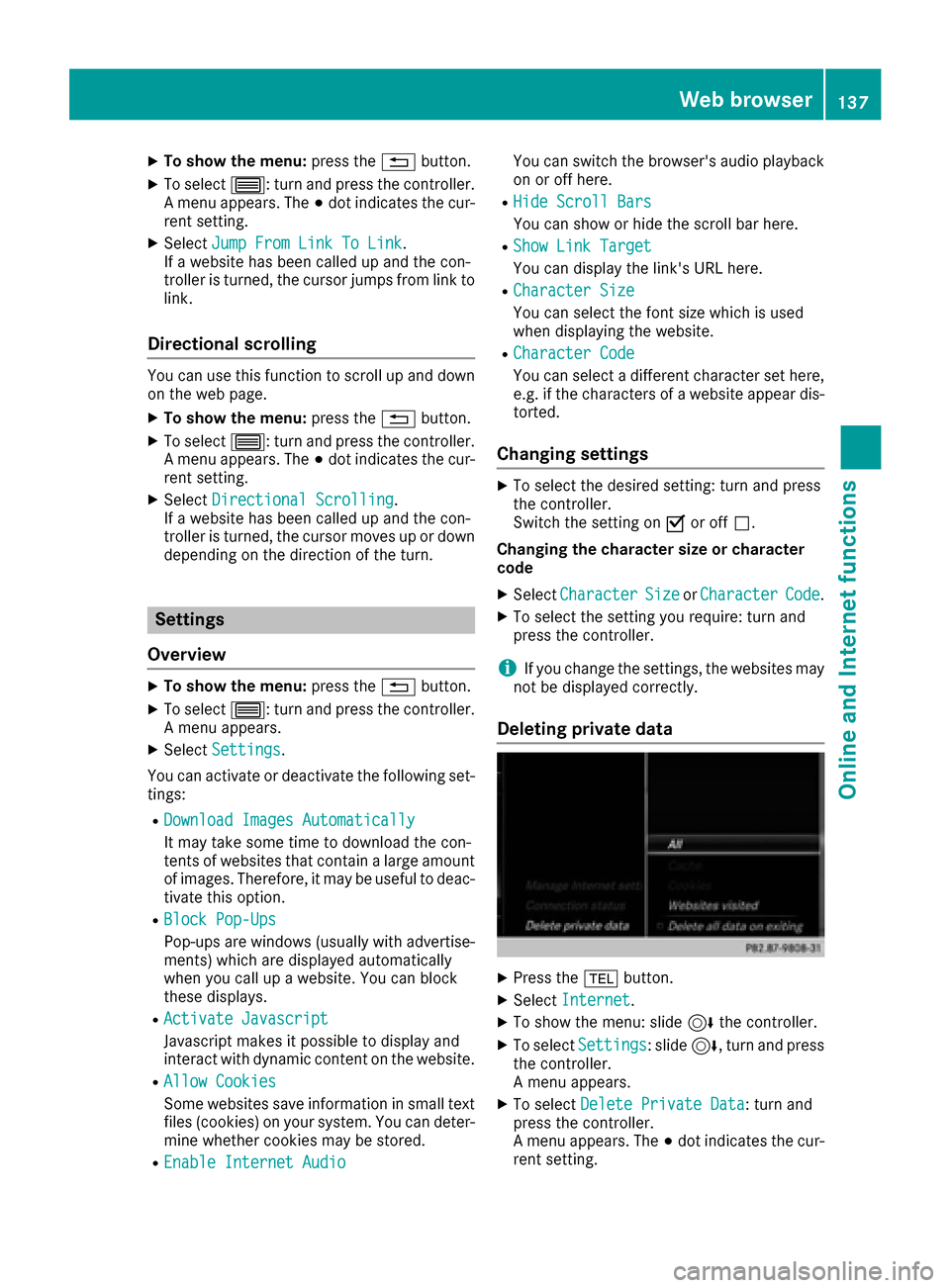
Deleting private data
XPress the %button.
XSelect Internet.
XTo show the menu: slide 6the controller.
XTo select Settings: slide6, turn and press
the controller.
A menu appears.
XTo select Delete Private Data: turn and
press the controller.
A menu appears. The #dot indicates the cur-
rent setting.
Web browser137
Online and Internet functions
Z
Page 151 of 206

Your multimediasyste mequipment
These operatin ginstruction sdescribe all th e
standar dan doptional equipment of your multi-
media system, as available at th etime of going
to press. Country-specifi cdifference sare pos -
sible. Bear in min dthat your vehicle may no t
feature all function sdescribed here. Thi salso
applies to safety-relevan tsystems an dfunc-
tions.
Read th einformation on qualifie dspecialis t
workshop sin th evehicle Operator's Manual.
Activating medi amode
General notes
There are severa lways to activat emedia sour-
ce susin gth emultimedia system.
The relevant section sof th eOperator's Manual
describe th esimples tway to activat e amedia
source.
Thi ssection describes all option sfo ractivatin g
media sources.
Button activation
XPress th eÕ button.
The last media sourc eyou hav eset is dis -
played.
XPress th eÕ buttonagain .
The men uappears wit hth eavailable media
sources.
XTo selec tmedia sources: turn th econtroller
until th edesire dmedia sourc eis in th ecenter.
Press th econtroller .
Dependin gon th evehicle equipment ,th efol-
lowing media sources will be available :
RDisc
RMemory Card
RMedia Interface 1
RMedia Interface 2
RBluetoothAudi oIf playable music files are found ,they will be
playe dby th emultimedia system.
Switching on automatically
Whe nan external media sourc eis connected,
CD an dSD memor ycar dfunction sare automat -
ically switched on by th emultimedia system.
Whe nusin gwit hUS Bdevices, switch to th e
respective basi cdisplay.
External media sources:
RApple®devices (e.g. iPhon e®)
RUSBdevices (e.g. US Bstick, MP3 player)
RCD
RDV Dvideo
RSD cards
Rdevices connecte dvia Bluetoot h®
If playable music files are found ,they will be
playe dby th emultimedia system.
iIf amedia function is already switched on in
th emultimedia system, this will be interrup-
te dan dth ebasi cdisplay of th enewly con-
nected devic ewill appear (except when usin g
wit hUSB/iPo d
®). If another function ,suc has
navigation ,is bein goperated, th ebasi cdis -
play will no tchange.
Usin gth emain function ba r
XTo display themain function bar :slid e5 the
controller .
XTo selectMedi a:turn an dpress th econtroller .
The last media sourc eyou hav eset is dis -
played.
Activating media mode149
Media
Page 154 of 206

Notes on copyright
Audio/video files that you create or reproduce
yourself for playback are generally subject to
copyright protection.
In many countries, reproductions, even for pri-
vate use, are not permitted without the prior
consent of the copyright holder.
Make sure that you know about the applicable
copyright regulations and that you comply with
these.
Notes on CDs/DVDs
!The drive is designed to accept discs which
correspond to the EN 60908 norm. You can
therefore only use discs with a maximum
thickness of 1.3 mm.
If you insert thicker discs, e.g. those that con-
tain data on both sides (DVD on one side and
audio data on the other), they cannot be ejec- ted and can damage the device.
Use round discs with a diameter of 12 cm. Do
not use discs with a diameter of 8 cm, even if
used in conjunction with an adapter.
Discs with copy protection are not compatible
with the audio CD standard and therefore may
not be able to be played.
Playback problems may occur when playing
copied discs.
There may be playback problems if you play CDs that you have copied yourself with a storage
capacity of more than 700 MB.
Menu overview
CD mode basic display
:
Main function bar
;Display for the active data medium
=Media menu bar
?Title display in the media list
ACurrent track and number in the track list
BNumerical time display
CGraphic time display
DAlbum cover (if available)
Inserting and removing a disc from
the single CD/DVD drive
XTo insert: press theþbutton on the single
drive.
If there is a disc already inserted, it will be
ejected.
XInsert a disc into the disc slot with the printed
side facing upwards.
The drive closes and the disc is played.
If the CD/DVD is operated in Media mode, the
corresponding basic menu will be shown. If
the CD/DVD is started using another appli-
cation (e.g. navigation), the display will not
change.
iThe drive may not be able to play discs with
copy protection.
XTo remove: press theþbutton.
The drive ejects the disc.
XRemove the ejected disc from the slot.
If you do not take the disc out of the slot, it is drawn in again automatically after a short
while.
Inserting discs into the DVD changer
The DVD changer has a magazine with six trays.
XTo insert the CD/DVD into the magazine
tray: press the Vbutton.
The magazine menu appears.
XTo select the magazine tray to be filled:
turn and press the controller or press the
152Audio/video mode
Media
Page 155 of 206

number buttons (1-6) on the multimedia sys-
tem.
The DVD changer switches to the selected
magazine tray.
ThePlease Wait...
message appears.
You will then see the Please
insertdisc1.message.
XInsert a disc into the disc slot with the printed
side facing upwards.
XTo load all empty magazine trays: press the
V button
The magazine menu appears.
XTo select LoadEmptySlots: slide6, turn
and press the controller to confirm.
The multimedia system switches to the next
empty magazine tray.
The Please Wait...
message appears.
You will then see the Please
insertdisc1.message.
XInsert a disc into the disc slot with the printed
side facing upwards.
Once the disc is loaded, the DVD changer
switches to the next empty tray.
XRepeat these steps until all magazine trays
are filled.
The DVD changer plays the last inserted disc.
XTo exit the DVD changer menu: press the
V button.
Ejecting discs from the DVD changer
i
If you remove one disc while playing another
disc, the DVD changer interrupts playback.
Playback continues once the disc has been
ejected.
XTo eject a single CD/DVD: press theV
button.
The magazine menu appears. The current disc
is marked.
:Type of data medium
;Active ejection
=Disc name
?Empty tray no. 4
ACurrent disc
XTo select the data medium: turn and press the
controller or press the number buttons (1-6)
on the multimedia system.
The DVD changer ejects the disc.
XTake the disc out of the slot.
XTo eject all CDs/DVDs: press theVbut-
ton.
The magazine menu appears.
XSelect Eject All.
The last active disc is ejected.
The Please remove disc 1.
message
appears.
XRemove the disc.
The DVD changer ejects the disc.
XRepeat the last step until the magazine is
empty.
XTo exit the menu: press theVbutton.
or
XSelect %in the magazine menu.
Inserting/removing an SD memory
card
Important safety notes
GWARNING
SD memory cards are small parts. They can be
swallowed and cause asphyxiation. This
Audio/video mode153
Media
Z
Page 158 of 206

XSelect a sub-category, e.g.Rock.
XSelect a track in the sub-category for playing.
All of the tracks in this sub-category are
played.
Gracenote®Media Database
General notes
This function is available in CD audio, MP3 and
iPod®mode.
There is a version of Gracenote®music recog-
nition technology, Emeryville, California, USA on
the hard disk of the multimedia system. You will recognize this by the logo in the bottom right-
hand corner of certain audio displays. If the
audio CD does not contain any CD text informa-
tion, the multimedia system can use the Grace-
note
®Media Database to identify unknown
audio tracks when in audio CD mode.
In addition the cover art for the main display
field, the album list and the "Select by cover"
function from the Gracenote
®Media Database
are displayed for the music files and the iPod®.
This occurs when the cover art is not contained
in the files but in the Gracenote
®Media Data-
base.
Online prompt for metadata
A connection to the Gracenote®Data Server is
made automatically when an audio CD is inser-
ted. The missing data is loaded, saved in the
multimedia system and shown on the display. If
the search for metadata is unsuccessful, no data
can be displayed. If no phone is connected or
configured for data use, this function is unavail-
able.
An Internet connection is required for this
(
Ypage 129).
Saving audio CDs
General notes
iStore your audio CDs in a safe place. Any
malfunction in the multimedia system may
result in the loss of stored files. Mercedes-
Benz is not liable for any loss of data. No individual music tracks can be stored or
deleted, only a maximum of 12 complete audio
CDs.
If 12 audio CDs are stored, the
REC
option in the
Media menu bar is grayed out and has no func-
tion. One audio CD must be deleted before a
new audio CD can be copied.
Copying an audio CD
XInsert an audio CD.
XIn media mode, slide 6the controller.
The media menu bar appears.
XTo start the copying process: selectRECby
turning and pressing the controller.
XTo select Start: press the controller.
The copying procedure starts and is shown in
the progress bar.
It may take some time for the copying process
to be completed, depending on the amount of
data.
If the copying process is successful, the
Music files copied.
message appears
XTo cancel copying: selectCancel.
The files copied up to the point of cancellation
are lost.
iDuring the copying process, you can switch
to another function (e.g. radio) or to another
media source (e.g. USB). The copying proce-
dure continues in the background. It is how-
ever not possible to select another CD in the
CD changer.
Playing audio CDs
XIn Media mode, slide 6the controller.
The media menu bar appears.
XTo select Search: turn and press the control-
ler.
The category list appears.
XTo select StoredAudioCDsin the category
list: turn and press the controller.
A selection list for the copied audio CDs is
displayed.
XTo select the desired audio CD: turn and press
the controller.
The track list is displayed.
XTo select a track: turn the controller and press
to confirm.
156Audio/video mode
Media
Page 159 of 206

The tracks on the stored audio CDs can also be
found and played using other media search
functions (
Ypage 157).
Deleting stored audio CDs
If music is being played from the saved audio
CDs, the function for deleting audio CDs is avail-
able.
XIn media mode, slide6the controller.
The media menu bar appears.
XTo select Options: turn and press the con-
troller.
XTo select DeleteStoredAudioCDs: press
the controller.
A selection list for the stored audio CDs is
displayed.
XTo select the desired audio CD: turn and press
the controller.
The audio CD is deleted.
Media search
General notes
The multimedia system plays back files from the following data media:
RDisc (CD/DVD)
RMemory card
RUSB storage device
RApple®devices (folder, year and photos are
not available)
The categories are shown according to the data
available, whereby a database is created for
iPod
®and for all the other media sources (CD,
USB, SD card) respectively. During the search
the relevant database is accessed depending on
the active media source.
Starting the media search
XIn Media mode, slide 6the controller.
The media menu bar appears.
XTo select Search: turn and press the control-
ler.
The category list appears.
Category list
XIn Media mode, slide 6the controller.
The media menu bar is shown.
XTo select Search: turn and press the control-
ler.
The category list is shown.
Depending on the connected media sources and
files, the following categories are listed:
RCurrent Tracklist
RFolder
RSelect By Cover
RKeyword Search
RPlaylists
RArtists
RAlbums
RTracks
RGenres
RYear
RComposers
RStored Audio CDs
RVideos
RPhotos
iThe categories are available as soon as the
entire media content has been read and ana-
lyzed.
If the same device is reconnected with
unchanged media content, these categories
are available more quickly.
When connecting Apple
®devices, the cate-
gories “Folder”, “Year” and “Photos” are not
available.
Searching by current track list
Media search157
Media
Z