steering wheel MERCEDES-BENZ CLS-Class 2016 W218 Owner's Manual
[x] Cancel search | Manufacturer: MERCEDES-BENZ, Model Year: 2016, Model line: CLS-Class, Model: MERCEDES-BENZ CLS-Class 2016 W218Pages: 342, PDF Size: 8.28 MB
Page 4 of 342
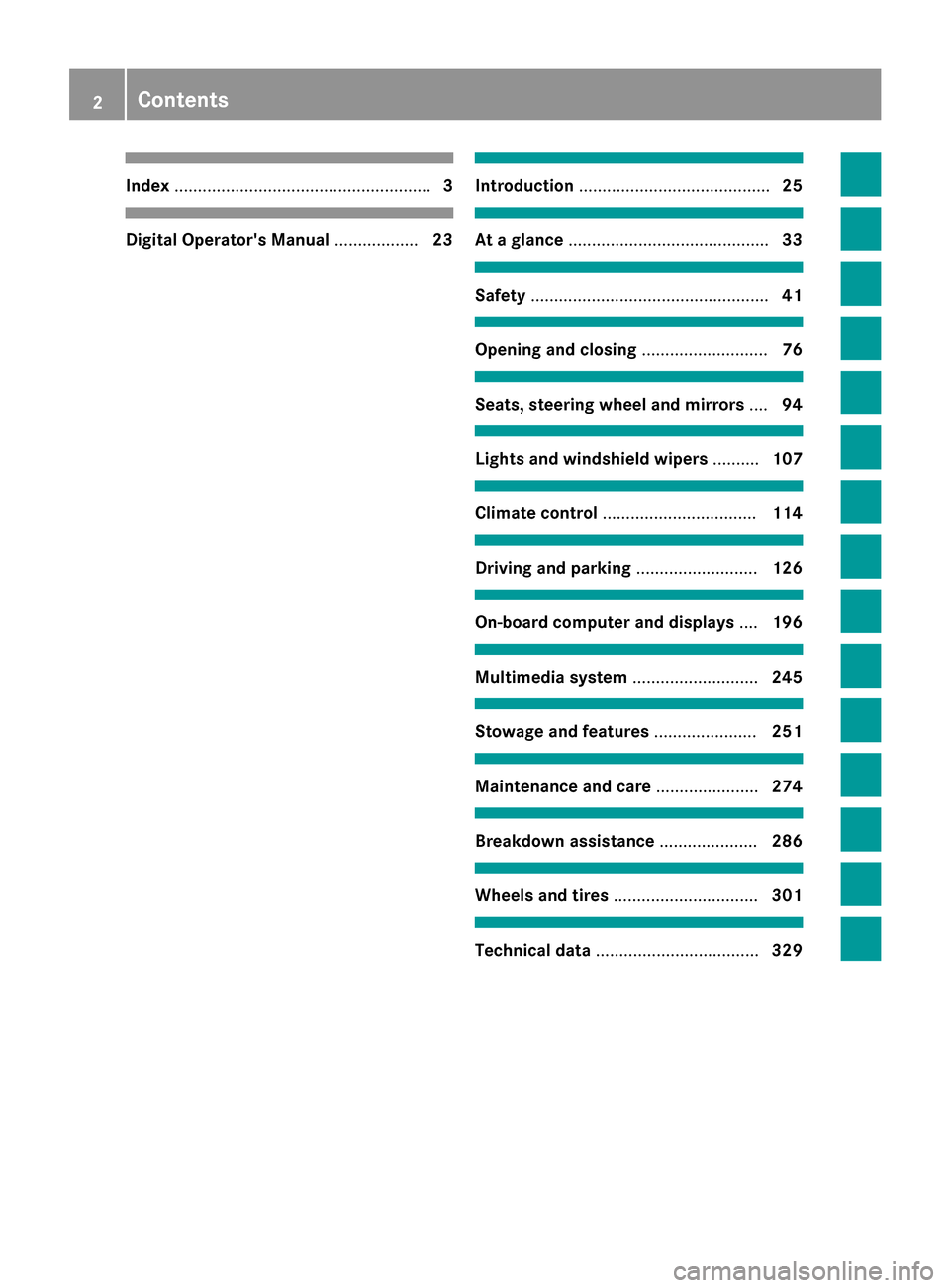
Index....................................................... 3
Digital Operator's Manual..................23
Introduction ......................................... 25
At a glance........................................... 33
Safety................................................... 41
Opening and closing...........................76
Seats, steering wheel and mirrors ....94
Lights and windshield wipers ..........107
Climate control ................................. 114
Driving and parking..........................126
On-board computer and displays ....196
Multimedia system ...........................245
Stowage and features ......................251
Maintenance and care ......................274
Breakdown assistance .....................286
Wheels and tires ............................... 301
Technical data................................... 329
2Contents
Page 6 of 342
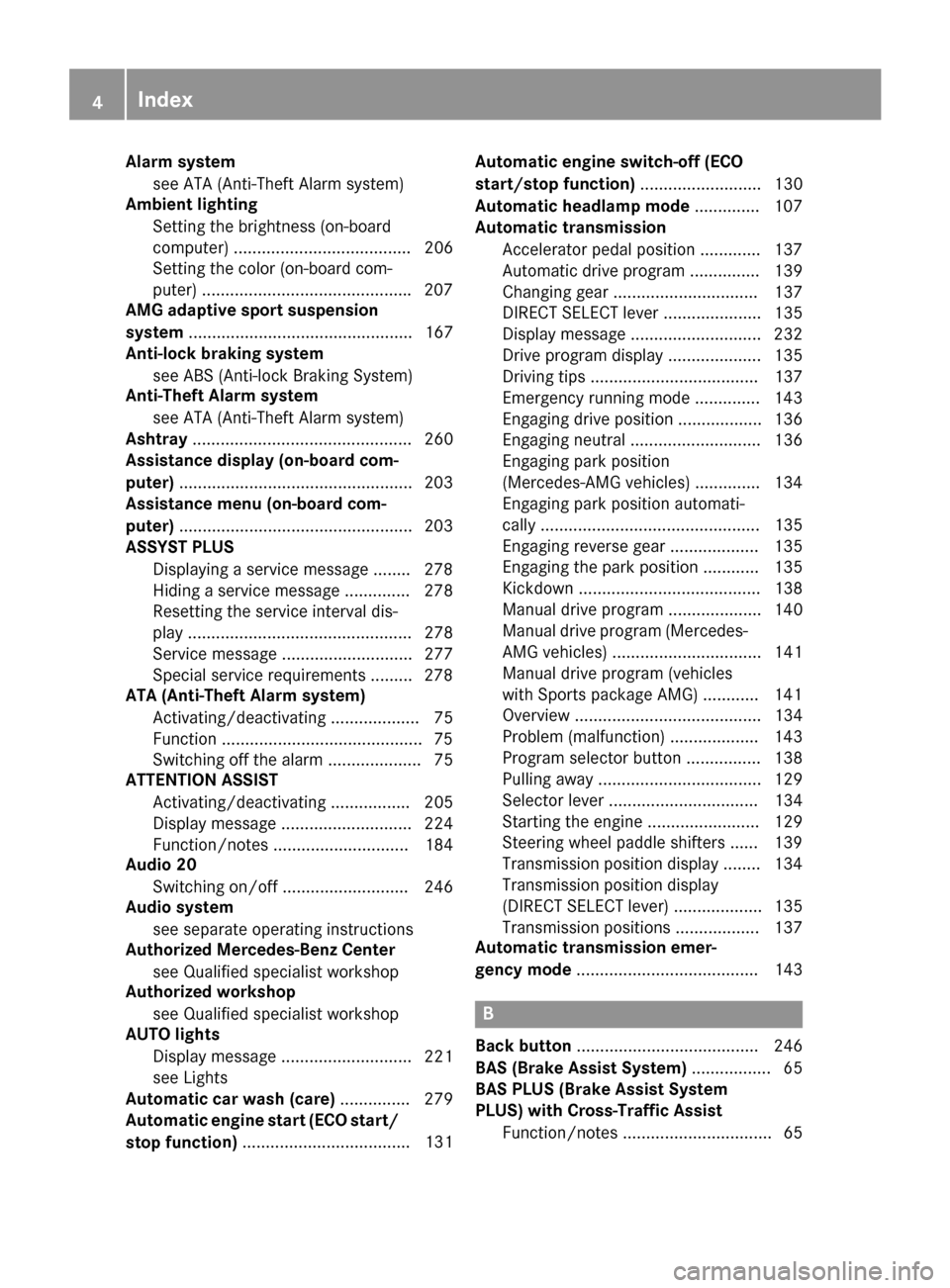
Alarm systemsee ATA (Anti-Theft Alarm system)
Amb ient lighting
Se tting the brightness (on-board
computer) ...................................... 206
Se tting the color (on-board com-
puter) ............................................ .207
AMG adaptive sport suspension
system ................................................ 167
Anti-lock braking system
see ABS (Anti-lock Braking System)
Anti-Theft Alarm system
see ATA (Anti-Theft Alarm system)
Ashtray ............................................... 260
Assistance display (on-board com-
puter) ..................................................2 03
Assistance menu (on-board com-
puter) ..................................................2 03
ASSYST PLUS
Displaying a service message ........2 78
Hiding a service message .............. 278
Resetting the service interval dis-
play ................................................ 278
Service message ............................ 277
Special service requirements ......... 278
ATA (Anti-Theft Alarm system)
Activating/deactivating ................... 75
Function ...........................................7 5
Switching off the alarm .................... 75
ATTENTION ASSIST
Activating/deactivating ................. 205
Display message ............................ 224
Function/notes ............................. 184
Audio 20
Switching on/off ........................... 246
Audio system
see separate operating instructions
Authorized Mercedes-Benz Center
see Qualified specialist workshop
Authorized workshop
see Qualified specialist workshop
AUTO lights
Display message ............................ 221
see Lights
Automatic car wash (care) ............... 279
Automatic engine start (ECO start/
stop functio n)
.................................... 131 A
utomatic engine switch-off (ECO
start/stop function) .......................... 130
Automatic headlamp mode .............. 107
Automatic transmission
Accelerator pedal position ............. 137
Automatic drive program ............... 139
Changing gear ............................... 137
DIRECT SELECT lever ..................... 135
Display message ............................ 232
Drive program display .................... 135
Driving tips .................................... 137
Emergency running mode .............. 143
Engaging drive position .................. 136
Engaging neutral ............................ 136
Engaging park position
(Mercedes-AMG vehicles) .............. 134
Engaging park position automati-
cally ............................................... 135
Engaging reverse gear ................... 135
Engaging the park position ............ 135
Kickdown ....................................... 138
Manual drive program .................... 140
Manual drive program (Mercedes-
AMG vehicles) ................................ 141
Manual drive program (vehicles
with Sports package AMG) ............ 141
Overview ........................................ 134
Problem (malfunction) ................... 143
Program selector button ................ 138
Pulling away ................................... 129
Selector lever ................................ 134
Starting the engine ........................ 129
Steering wheel paddle shifters ...... 139
Transmission position display ........ 134
Transmission position display
(DIRECT SELECT lever) ................... 135
Transmission positions .................. 137
Automatic transmission emer-
gency mode ....................................... 143
B
Back button ....................................... 246
BAS (Brake Assist System) ................. 65
BAS PLUS (Brake Assist System
PLUS) with Cross-Traffic Assist
Function/notes ................................ 65
4Index
Page 7 of 342
BAS PLUS with Cross-Traffic Assist
(Brake Assist PLUS with Cross-
Traffic Assist)Important safety notes .................... 65
Battery (SmartKey)
Checking .......................................... 79
Important safety notes .................... 78
Replacing ......................................... 79
Battery (vehicle)
Charging ........................................ 293
Display message ............................ 223
Important safety notes .................. 291
Jump starting ................................. 294
Belt
see Seat belts
Blind Spot Assist
Activating/deactivating (on-
board computer) ............................ 205
Display message ............................ 226
Notes/function .............................. 187
see Active Blind Spot Assist
Bluetooth
®
Connecting another mobile
phone ............................................ 250
Searching for a mobile phone ........ 249
see also Digital Operator's Man-
ual .................................................. 245
Telephony ...................................... 248
Box (trunk) ......................................... 255
Brake Assist
see BAS (Brake Assist System)
Brake fluid
Display message ............................ 215
Notes ............................................. 334
Brake force distribution
see EBD (electronic brake force
distribution)
Brake lamps
Display message ............................ 221
Brakes
ABS .................................................. 64
Adaptive Brake Assist ...................... 68
BAS .................................................. 65
BAS PLUS with Cross-Traffic
Assist ............................................... 65
Brake fluid (notes) ......................... 334
Display message ............................ 213
High-performance brake system .... 151 HOLD function ............................... 164
Important safety notes .................. 150
Maintenance .................................. 151
Parking brake ................................ 147
Riding tips ...................................... 150
Warning lamp ................................. 237
Breakdown
Where will I find...? ........................ 286
see Flat tire
see Towing away
Brightness control (instrument
cluster lighting) ................................... 34
C
California
Important notice for retail cus-
tomers and lessees .......................... 26
Calling up a malfunction
see Display messages
Car
see Vehicle
Care
360° camera ................................. 283
Car wash ........................................ 279
Carpets .......................................... 285
Display ........................................... 283
Exhaust pipe .................................. 283
Exterior lights ................................ 282
Gear or selector lever .................... 284
Interior ........................................... 283
Matte finish ................................... 281
Notes ............................................. 279
Paint .............................................. 280
Plastic trim .................................... 283
Power washer ................................ 280
Rear view camera .......................... 282
Roof lining ...................................... 285
Seat belt ........................................ 284
Seat cover ..................................... 284
Sensors ......................................... 282
Steering wheel ............................... 284
Trim pieces .................................... 284
Washing by hand ........................... 280
Wheels ........................................... 281
Windows ........................................ 281
Wiper blades .................................. 282
Wooden trim .................................. 284
Index5
Page 15 of 342
General notes .................................. 78
Inserting .......................................... 78
Locking vehicle ................................ 83
Removing .........................................78
Unlocking the driver's door .............. 83
Media Interface
USB port in the armrest of the
center console ...............................2 53
see Separate operating instructions
Memory card (audio) ......................... 201
Memory function ............................... 105
Mercedes-Benz Intelligent Drive
360°camera .................................. 181
Active Blind Spot Assist ................. 190
Active Lane Keeping Assist ............ 193
Active Parking Assist ..................... 173
ATTENTION ASSIST ........................ 184
Blind Spot Assist ............................ 187
Cruise control ................................ 153
DISTRONIC PLUS ........................... 155
DISTRONIC PLUS with Steering
Assist and Stop&Go Pilot ...............1 62
General notes ................................ 153
Lane Keeping Assist ......................1 89
PARKTRONIC ................................. 170
PRE-SAFE
®(anticipatory occu-
pant protection) ............................... 56
PRE-SAFE
®PLUS (anticipatory
occupant protection PLUS) .............. 57
Rear view camera .......................... 177
Traffic Sign Assist .......................... 186
Message memory (on-board com-
puter) ..................................................2 12
Messages
see Display messages
Mirrors
see Exterior mirrors
see Vanity mirror (in the sun visor)
Mobile phone
Connecting (Bluetooth
®inter-
face) .............................................. 248
Connecting another mobile
phone ............................................ 250
Frequencies ................................... 329
Installation ............................ ......... 329
Menu (on-board computer) ............ 202
Tra
nsmission output (maximum) .... 329 Modifying the programming
(SmartKey)
...........................................7 7
MOExtended tires .............................. 287
Mounting wheels
Lowering the vehicle ...................... 324
Mounting a new wheel ................... 324
Preparing the vehicle .....................3 21
Raising the vehicle ......................... 322
Removing a wheel .......................... 323
Securing the vehicle against roll-
ing away ........................................ 321
MP3
Operation ....................................... 201
see also Digital Operator's Man-
ual ..................................................2 45
Multicontour seat
Adjusting (on the seat) ..................... 97
Multifunction display
Function/notes .............................1 98
Permanent display ......................... 206
Multifunction steering wheel
Operating the on-board computer .. 197
Overview .......................................... 35
Multimedia system
see Separate operating instructions
Music files
see also Digital Operator's Man-
ual ..................................................2 45
N
Navigation
Menu (on-board computer) ............ 200
see also Digital Operator's Man-
ual ..................................................2 45
NECK-PRO head restraints
Operation ......................................... 55
Resetting triggered .......................... 56
NECK-PRO luxury head restraints
Important safety notes .................... 55
Operation ......................................... 55
Resetting when triggered ................. 56
Notes on breaking-in a new vehi-
cle ....................................................... 126
Index13
Page 20 of 342
SteeringDisplay message ............................2 34
Steering Assist and Stop&Go Pilot
(DISTRONIC PLUS)
Activating/deactivating ................. 204
Display message ............................ 229
Steering wheel
Adjusting (electrically) ................... 100
Button overview ............................... 35
Buttons (on-board computer) ......... 197
Cleaning ......................................... 284
Important safety notes .................. 100
Paddle shifters ............................... 139
Steering wheel heating .................. 100
Storing settings (memory func-
tion) ............................................... 105
Steering wheel heating
Problem (malfunction) ................... 102
Switching on/off ........................... 100
Steering wheel paddle shifters ........139
Stopwatch (RACETIMER) ................... 210
Stowage areas ................................... 251
Stowage compartments
Armrest (under) .............................2 53
Center console .............................. 252
Center console (rear) ..................... 253
Cup holders ................................... 257
Eyeglasses compartment ...............2 52
Glove box ....................................... 252
Important safety information ......... 251
Rear ............................................... 253
Stowage net ................................... 254
Under driver's seat/front-
passenger seat .............................. 253
Stowage net ....................................... 254
Stowage well beneath the trunk
floor .................................................... 256
Summer tires ..................................... 303
Sun visor ............................................ 259
Surround lighting (on-board com-
puter) .................................................. 207
Suspension setting
AIRMATIC ...................................... 167
AMG adaptive sport suspension
system ........................................... 168
Suspension settings
SETUP (on-board computer) .......... 209 Switching air-recirculation mode
on/off
................................................. 124
Switching on media mode
Via the device list .......................... 250
T
Tachometer ........................................ 196
Tail lamps
Display message ............................ 221
Tank
see Fuel tank
Tank content
Fuel gauge ....................................... 34
Technical data
Capacities ...................................... 331
Emergency spare wheel ................. 326
Information .................................... 329
Tires/wheels ................................. 325
Vehicle data ................................... 336
Telephone
Accepting a call (multifunction
steering wheel) .............................. 202
Authorizing a mobile phone (con-
necting) ......................................... 249
Connecting a mobile phone (gen-
eral information) ............................ 248
Display message ............................ 234
Menu (on-board computer) ............ 202
Number from the phone book ........ 203
Redialing ........................................ 203
Rejecting/ending a call ................. 203
see also Digital Operator's Man-
ual .................................................. 245
Switching between mobile
phones ........................................... 250
Temperature
Coolant .......................................... 196
Coolant (on-board computer,
Mercedes-AMG vehicles) ............... 209
Engine oil (on-board computer,
Mercedes-AMG vehicles) ............... 209
Outside temperature ...................... 196
Setting (climate control) ................ 121
Timing (RACETIMER) ......................... 210
Tire pressure
Calling up (on-board computer) ..... 308
Checking manually ........................ 307
18Index
Page 35 of 342
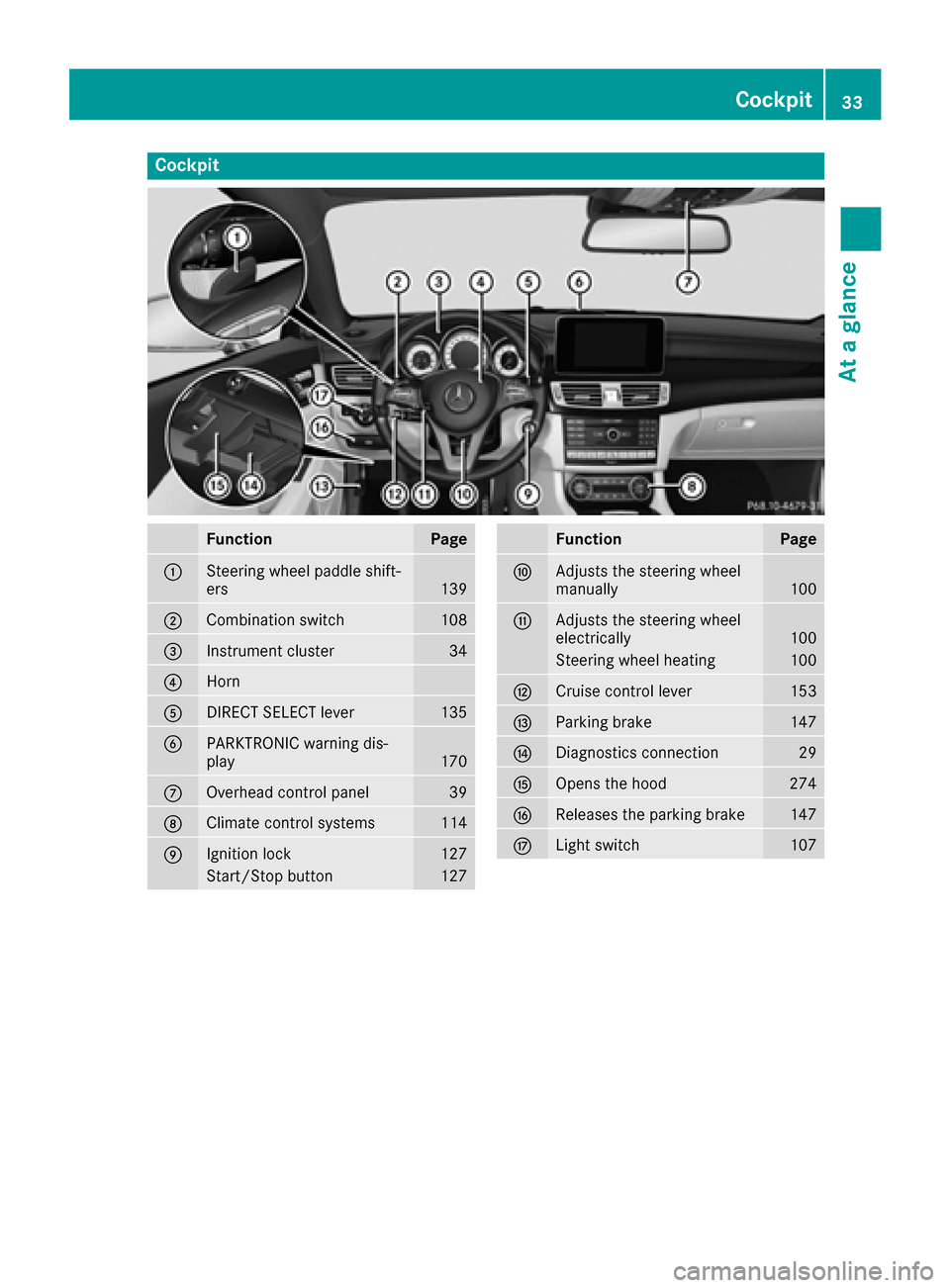
Cockpit
FunctionPage
:Steering wheel paddle shift-
ers139
;Combination switch108
=Instrument cluster34
?Horn
ADIRECT SELECT lever135
BPARKTRONIC warning dis-
play170
COverhead control panel39
DClimate control systems114
EIgnition lock127
Start/Stop button127
FunctionPage
FAdjusts the steering wheel
manually100
GAdjusts the steering wheel
electrically100
Steering wheel heating100
HCruise control lever153
IParking brake147
JDiagnostics connection29
KOpens the hood274
LReleases the parking brake147
MLight switch107
Cockpit33
At a glance
Page 37 of 342
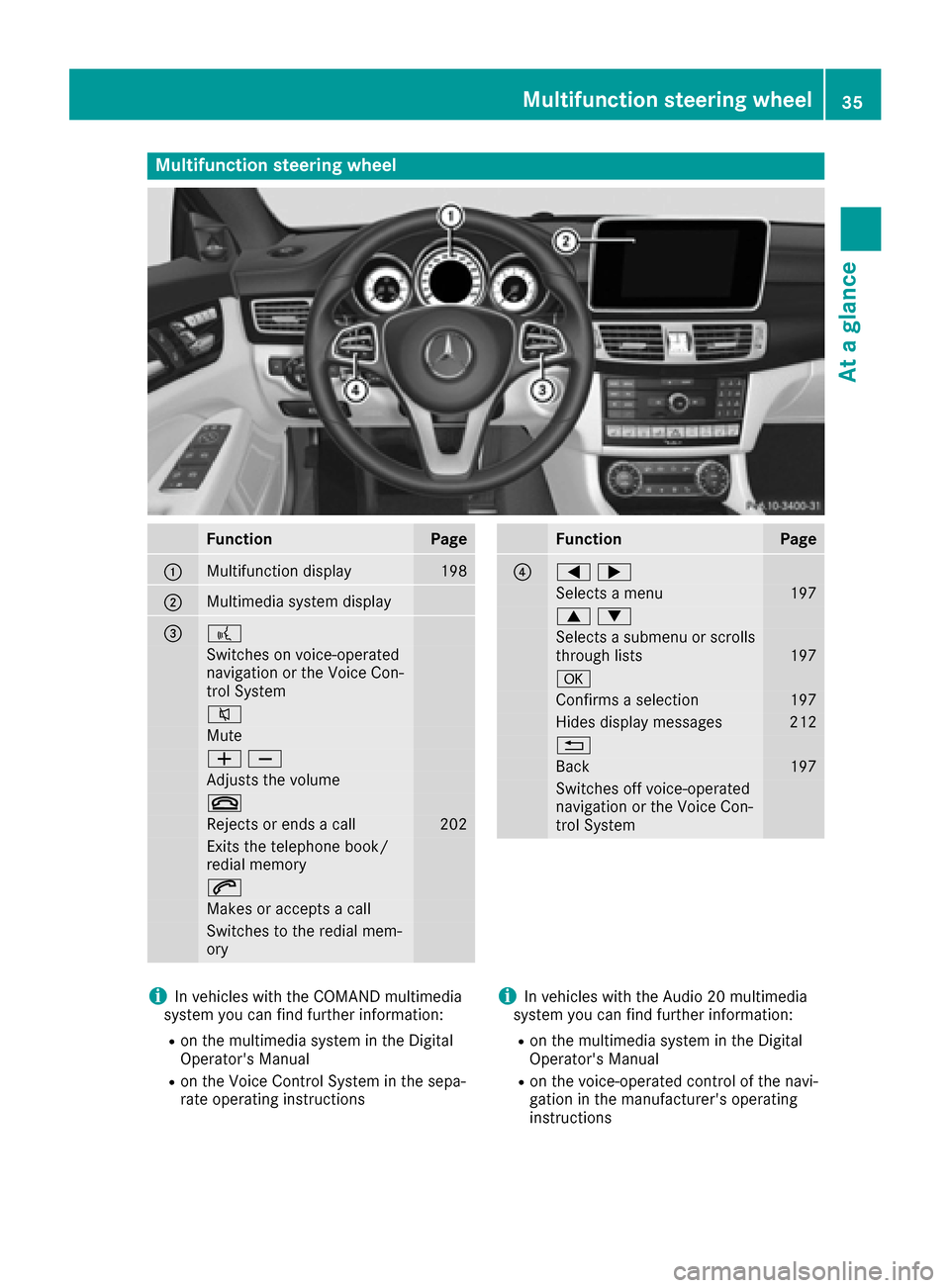
Multifunction steering wheel
FunctionPage
:Multifunction display198
;Multimedia system display
=?
Switches on voice-operated
navigation or the Voice Con-
trol System
8
Mute
WX
Adjusts the volume
~
Rejects or ends a call202
Exits the telephone book/
redial memory
6
Makes or accepts a call
Switches to the redial mem-
ory
FunctionPage
?=;
Selects a menu197
9:
Selects a submenu or scrolls
through lists197
a
Confirms a selection197
Hides display messages212
%
Back197
Switches off voice-operated
navigation or the Voice Con-
trol System
iIn vehicles with the COMAND multimedia
system you can find further information:
Ron the multimedia system in the Digital
Operator's Manual
Ron the Voice Control System in the sepa-
rate operating instructions
iIn vehicles with the Audio 20 multimedia
system you can find further information:
Ron the multimedia system in the Digital
Operator's Manual
Ron the voice-operated control of the navi-
gation in the manufacturer's operating
instructions
Multifunction steering wheel35
At a glance
Page 43 of 342
Panic alarm
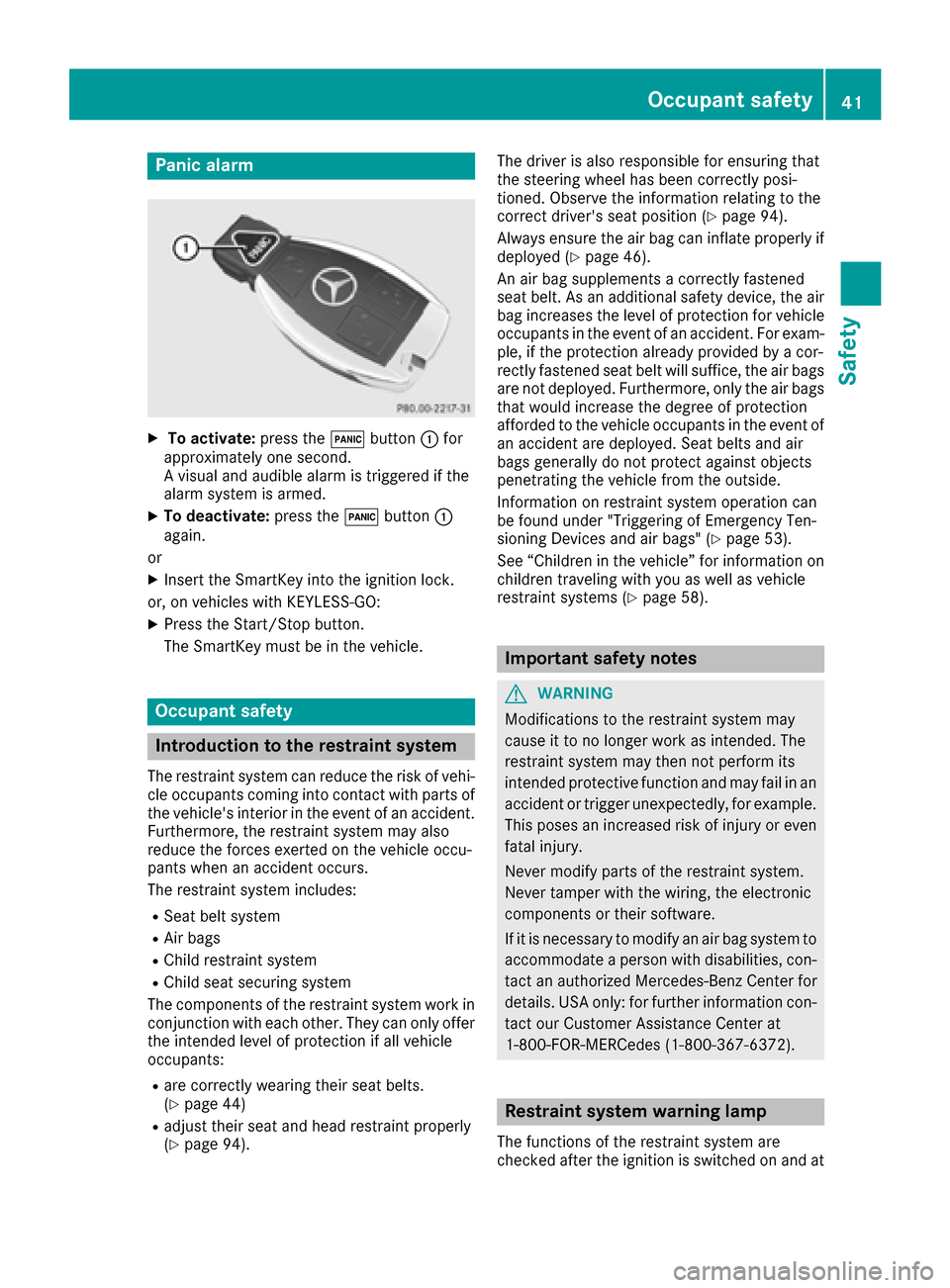
XTo activate:press the!button :for
approximately one second.
A visual and audible alarm is triggered if the
alarm system is armed.
XTo deactivate: press the!button :
again.
or
XInsert the SmartKey into the ignition lock.
or, on vehicles with KEYLESS‑GO:
XPress the Start/Stop button.
The SmartKey must be in the vehicle.
Occupant safety
Introduction to the restraint system
The restraint system can reduce the risk of vehi- cle occupants coming into contact with parts of
the vehicle's interior in the event of an accident.
Furthermore, the restraint system may also
reduce the forces exerted on the vehicle occu-
pants when an accident occurs.
The restraint system includes:
RSeat belt system
RAir bags
RChild restraint system
RChild seat securing system
The components of the restraint system work in
conjunction with each other. They can only offer
the intended level of protection if all vehicle
occupants:
Rare correctly wearing their seat belts.
(Ypage 44)
Radjust their seat and head restraint properly
(Ypage 94). The driver is also responsible for ensuring that
the steering wheel has been correctly posi-
tioned. Observe the information relating to the
correct driver's seat position (
Ypage 94).
Always ensure the air bag can inflate properly if
deployed (
Ypage 46).
An air bag supplements a correctly fastened
seat belt. As an additional safety device, the air
bag increases the level of protection for vehicle
occupants in the event of an accident. For exam-
ple, if the protection already provided by a cor-
rectly fastened seat belt will suffice, the air bags
are not deployed. Furthermore, only the air bags that would increase the degree of protection
afforded to the vehicle occupants in the event of
an accident are deployed. Seat belts and air
bags generally do not protect against objects
penetrating the vehicle from the outside.
Information on restraint system operation can
be found under "Triggering of Emergency Ten-
sioning Devices and air bags" (
Ypage 53).
See “Children in the vehicle” for information on
children traveling with you as well as vehicle
restraint systems (
Ypage 58).
Important safety notes
GWARNING
Modifications to the restraint system may
cause it to no longer work as intended. The
restraint system may then not perform its
intended protective function and may fail in an
accident or trigger unexpectedly, for example.
This poses an increased risk of injury or even fatal injury.
Never modify parts of the restraint system.
Never tamper with the wiring, the electronic
components or their software.
If it is necessary to modify an air bag system to
accommodate a person with disabilities, con-
tact an authorized Mercedes-Benz Center for
details. USA only: for further information con-
tact our Customer Assistance Center at
1-800-FOR-MERCedes (1‑800‑367‑6372).
Restraint system warning lamp
The functions of the restraint system are
checked after the ignition is switched on and at
Occupant safety41
Safety
Z
Page 48 of 342
seconds or once the driver's seat belt is fas-
tened.
If the vehicle's speed exceeds 15 mph
(25 km/h) once and the driver's and front-
passenger seat belts are not fastened, a warning
tone sounds. A warning tone also sounds with
increasing intensity for 60 seconds or until the
driver or front passenger have fastened their
seat belts.
If the driver or front passenger unfasten their
seat belts during the journey, the seat belt warn-
ing is activated again.
iMore information on the7seat belt
warning lamp can be found under "Warning
and indicator lamps in the instrument cluster,
seat belt" (
Ypage 236).
Air bags
Introduction
The air bag installation point is identified by the
label AIR BAG.
An air bag supplements a correctly fastened
seat belt. However, it is not intended as a sub-
stitute for the seat belt. Air bags provide addi-
tional protection in the event of an accident.
Not all air bags are deployed in an accident. The
various air bag systems work independently of
each other (
Ypage 53).
There is, however, no system available today
that can completely rule out injury or death.
It is also not possible to rule out a risk of injury
caused by an air bag due to the high speed at
which the air bag must be deployed.
Important safety notes
GWARNING
If you do not sit in the correct seat position,
the air bag cannot protect as intended and
could even cause additional injury when
deployed. This poses an increased risk of
injury or even fatal injury.
To avoid hazardous situations, always make
sure that all of the vehicle's occupants:
Rhave fastened their seat belts correctly,
including pregnant women
Rare sitting correctly and maintain the great-
est possible distance to the air bags
Rfollow the following instructions
Always make sure that there are no objects
between the air bag and the vehicle's occu-
pants.
RAdjust the seats properly before beginning
your journey. Always make sure that the seat
is in an almost upright position. The center of
the head restraint must support the head at
about eye level.
RMove the driver's and front-passenger seats
as far back as possible. The driver's seat posi-
tion must allow the vehicle to be driven safely.
ROnly hold the steering wheel on the outside.
This allows the air bag to be fully deployed.
RAlways lean against the backrest while driv-
ing. Do not lean forwards or lean against the
door or side window. You may otherwise be in
the deployment area of the air bags.
RAlways keep your feet in the footwell in front
of the seat. Do not put your feet on the dash-
board, for example. Your feet may otherwise
be in the deployment area of the air bag.
RFor this reason, always secure persons less
than 5 ft (1.50 m) tall in suitable restraint sys-
tems. Up to this height, the seat belt cannot
be worn correctly.
If a child is traveling in your vehicle, also
observe the following notes:
RAlways secure children under twelve years of
age and less than 5 ft (1.50 m)tall in suitable
child restraint systems.
RChild restraint systems should be installed on
the rear seats.
ROnly secure a child in a rearward-facing child
restraint system on the front-passenger seat
when the front-passenger front air bag is
deactivated. If the PASSENGER AIR BAG OFF
indicator lamp is permanently lit, the front-
p
assenger front air bag is deactivated
(
Ypage 42).
RAlways observe the instructions and safety
notes on the "Occupant Classification System
(OCS)" (
Ypage 49) and on "Children in the
46Occupant safety
Safety
Page 49 of 342
vehicle" (Ypage 58) in addition to the child
restraint system manufacturer's installation
and operating instructions.
Objects in the vehicle interior may prevent
an air bag from functioning correctly. Before
starting your journey and to avoid risks resulting
from the speed of the air bag as it deploys, make sure that:
Rthere are no people, animals or objects
between the vehicle occupants and an air
bag.
Rthere are no objects between the seat, door
and B-pillar.
Rno hard objects, e.g. coat hangers, hang on
the grab handles or coat hooks.
Rno accessories, such as cup holders, are
attached to the vehicle within the deployment
area of an air bag, e.g. to doors, side windows,
rear side trim or side walls.
Rno heavy, sharp-edged or fragile objects are in
the pockets of your clothing. Store such
objects in a suitable place.
GWARNING
If you modify the air bag cover or affix objects
such as stickers to it, the air bag can no longer
function correctly. There is an increased risk
of injury.
Never modify an air bag cover or affix objects
to it.
GWARNING
Sensors to control the air bags are located in
the doors. Modifications or work not per-
formed correctly to the doors or door panel-
ing, as well as damaged doors, can lead to the
function of the sensors being impaired. The air
bags might therefore not function properly
anymore. Consequently, the air bags cannot
protect vehicle occupants as they are
designed to do. There is an increased risk of
injury.
Never modify the doors or parts of the doors.
Always have work on the doors or door pan-
eling carried out at a qualified specialist work-
shop.
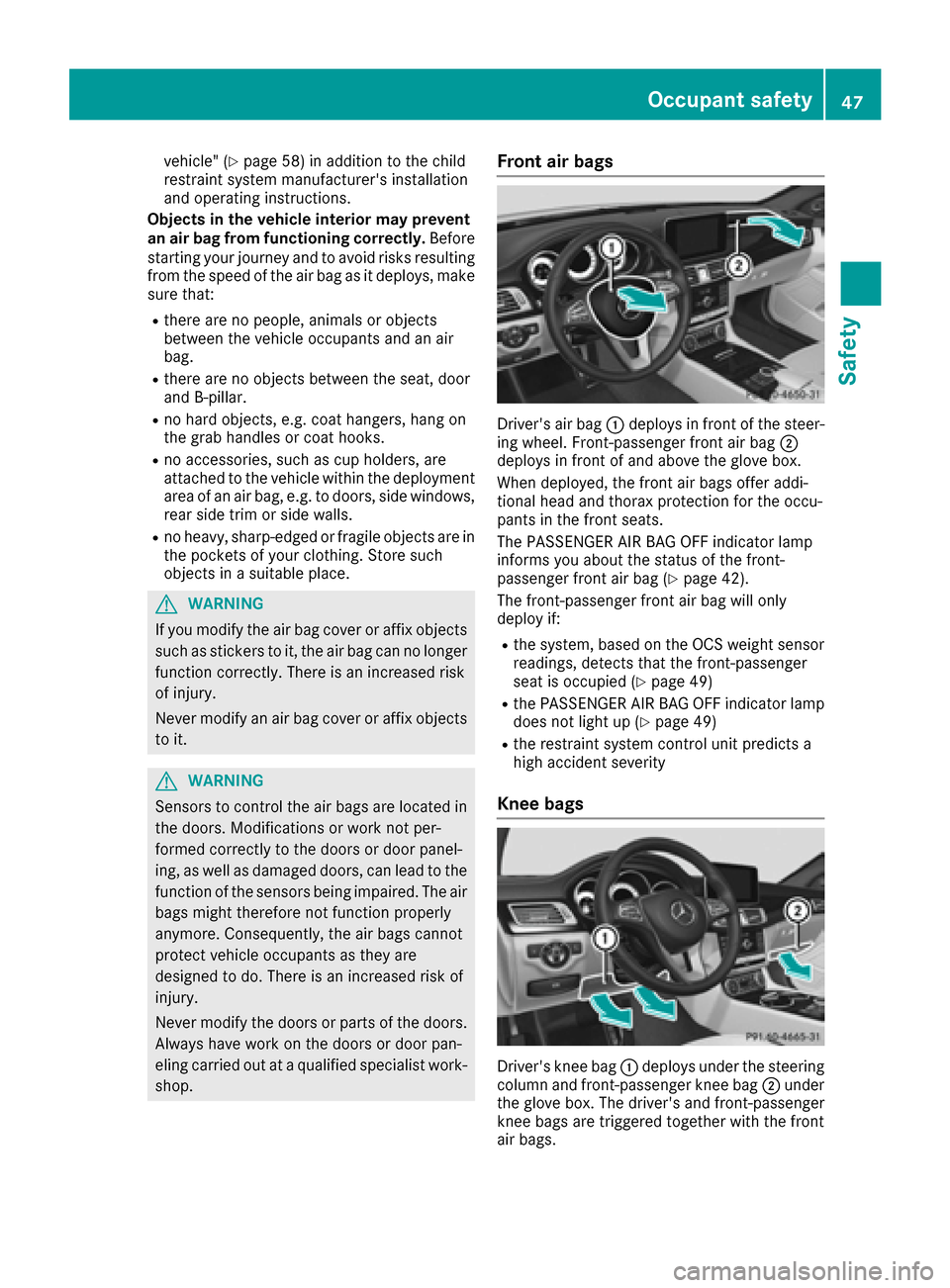
Front air bags
Driver's air bag :deploys in front of the steer-
ing wheel. Front-passenger front air bag ;
deploys in front of and above the glove box.
When deployed, the front air bags offer addi-
tional head and thorax protection for the occu-
pants in the front seats.
The PASSENGER AIR BAG OFF indicator lamp
informs you about the status of the front-
passenger front air bag (
Ypage 42).
The front-passenger front air bag will only
deploy if:
Rthe system, based on the OCS weight sensor
readings, detects that the front-passenger
seat is occupied (
Ypage 49)
Rthe PASSENGER AIR BAG OFF indicator lamp
does not light up (Ypage 49)
Rthe restraint system control unit predicts a
high accident severity
Knee bags
Driver's knee bag :deploys under the steering
column and front-passenger knee bag ;under
the glove box. The driver's and front-passenger
knee bags are triggered together with the front
air bags.
Occupant safety47
Safety
Z