climate control MERCEDES-BENZ CLS COUPE 2010 Owners Manual
[x] Cancel search | Manufacturer: MERCEDES-BENZ, Model Year: 2010, Model line: CLS COUPE, Model: MERCEDES-BENZ CLS COUPE 2010Pages: 337, PDF Size: 7.36 MB
Page 6 of 337
Index
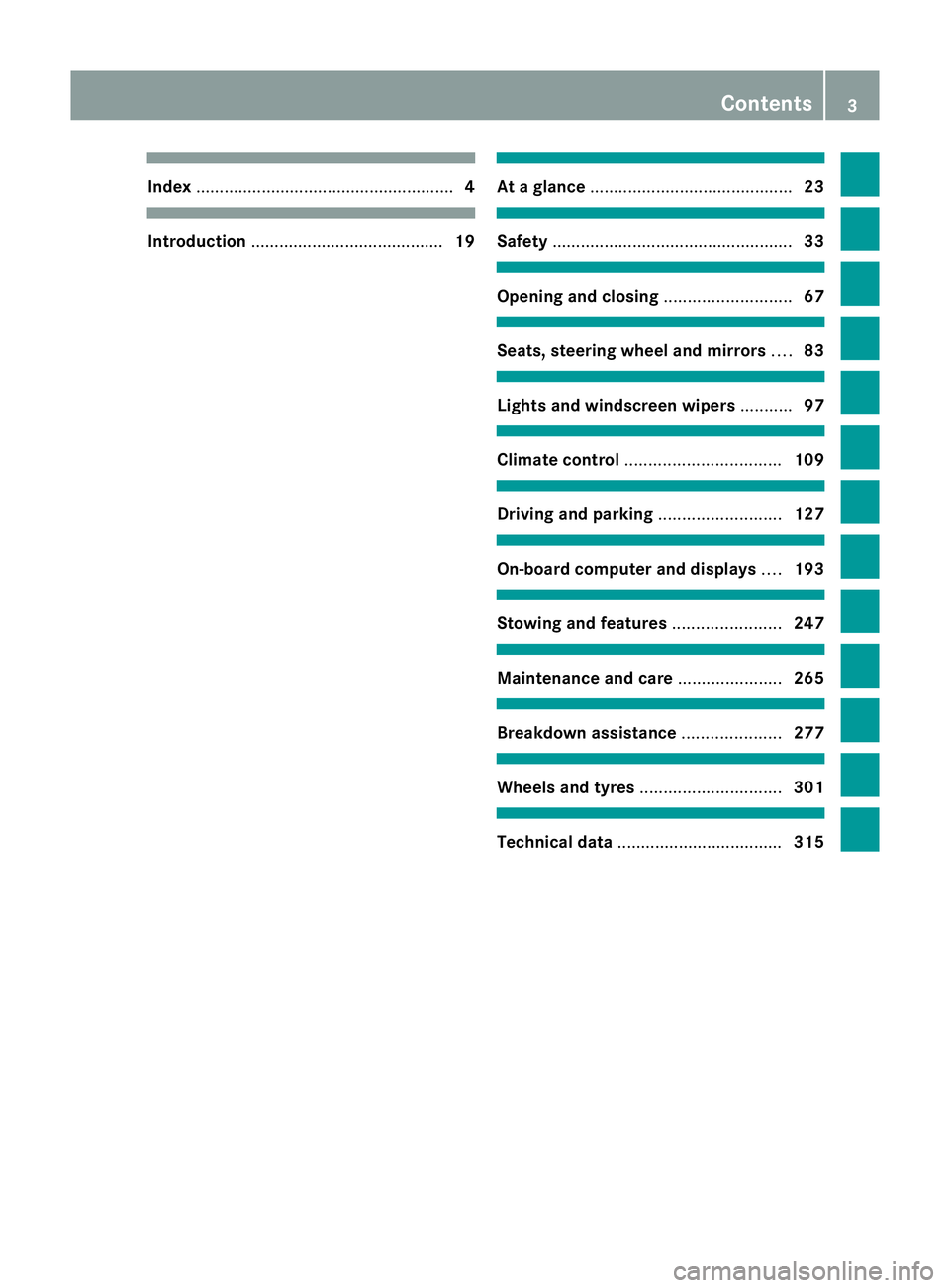
....................................................... 4Introduction
......................................... 19 At
ag lance ........................................... 23 Safety
................................................... 33 Opening and closing
...........................67 Seats, steering wheel and mirrors
....83 Lights and windscreen wipers
...........97 Climate control
................................. 109 Driving and parking
..........................127 On-board computer and displays
....193 Stowing and features
.......................247 Maintenance and care
......................265 Breakdown assistance
.....................277 Wheels and tyres
.............................. 301 Technical data
................................... 315 Contents
3
Page 7 of 337
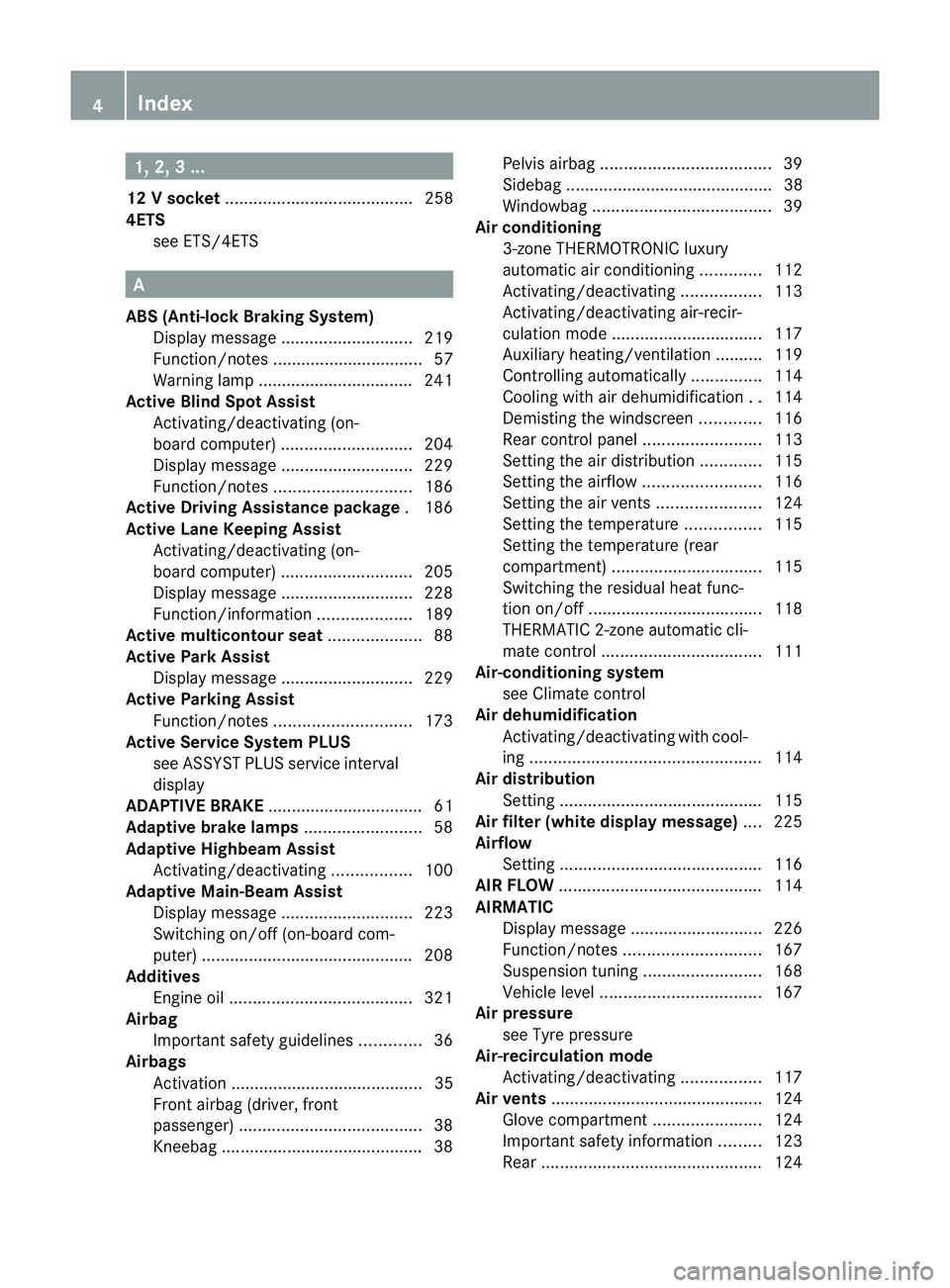
1, 2, 3 ...
12 Vsocket ........................................ 258
4ETS see ETS/4ETS A
ABS (Anti-lock Braking System) Display message ............................ 219
Function/notes ................................ 57
Warning lamp ................................. 241
Active Blin dSpot Assist
Activating/deactivating (on-
board computer) ............................ 204
Display message ............................ 229
Function/notes ............................. 186
Active Driving Assistance package .186
Active Lane Keeping Assist Activating/deactivating (on-
board computer) ............................ 205
Display message ............................ 228
Function/informatio n.................... 189
Active multicontour seat ....................88
Active Park Assist Display message ............................ 229
Active Parking Assist
Function/notes ............................. 173
Active Service Syste mPLUS
see ASSYS TPLUS service interval
display
ADAPTIVE BRAKE .................................61
Adaptive brake lamps .........................58
Adaptive Highbeam Assist Activating/deactivating .................100
Adaptive Main-Beam Assist
Display message ............................ 223
Switching on/off (on-board com-
puter) ............................................. 208
Additives
Engine oil ....................................... 321
Airbag
Important safety guidelines .............36
Airbags
Activation ......................................... 35
Front airbag (driver, front
passenger )....................................... 38
Kneebag .......................................... .38Pelvis airbag
.................................... 39
Sidebag ............................................ 38
Windowba g...................................... 39
Airc onditioning
3-zone THERMOTRONIC luxury
automatic air conditioning .............112
Activating/deactivating .................113
Activating/deactivating air-recir-
culation mode ................................ 117
Auxiliary heating/ventilation .......... 119
Controlling automatically ...............114
Cooling with aird ehumidification..114
Demisting the windscreen .............116
Rea rcontrol panel ......................... 113
Setting the aird istribution.............115
Setting the airflow .........................116
Setting the airv ents...................... 124
Setting the temperature ................115
Setting the temperature (rear
compartment) ................................ 115
Switching the residual hea tfunc-
tion on/off ..................................... 118
THERMATIC 2-zone automatic cli-
mate control .................................. 111
Air-conditioning system
see Climate control
Air dehumidification
Activating/deactivating with cool-
ing................................................. 114
Aird istribution
Settin g........................................... 115
Airf ilter (white display message) ....225
Airflow Setting ........................................... 116
AIRF LOW ........................................... 114
AIRMATIC Display message ............................ 226
Function/notes ............................. 167
Suspensio ntunin g......................... 168
Vehicle leve l.................................. 167
Air pressure
see Tyre pressure
Air-recirculation mode
Activating/deactivating .................117
Airv ents ............................................ .124
Glove compartment .......................124
Important safety information .........123
Rea r............................................... 1244
Index
Page 10 of 337
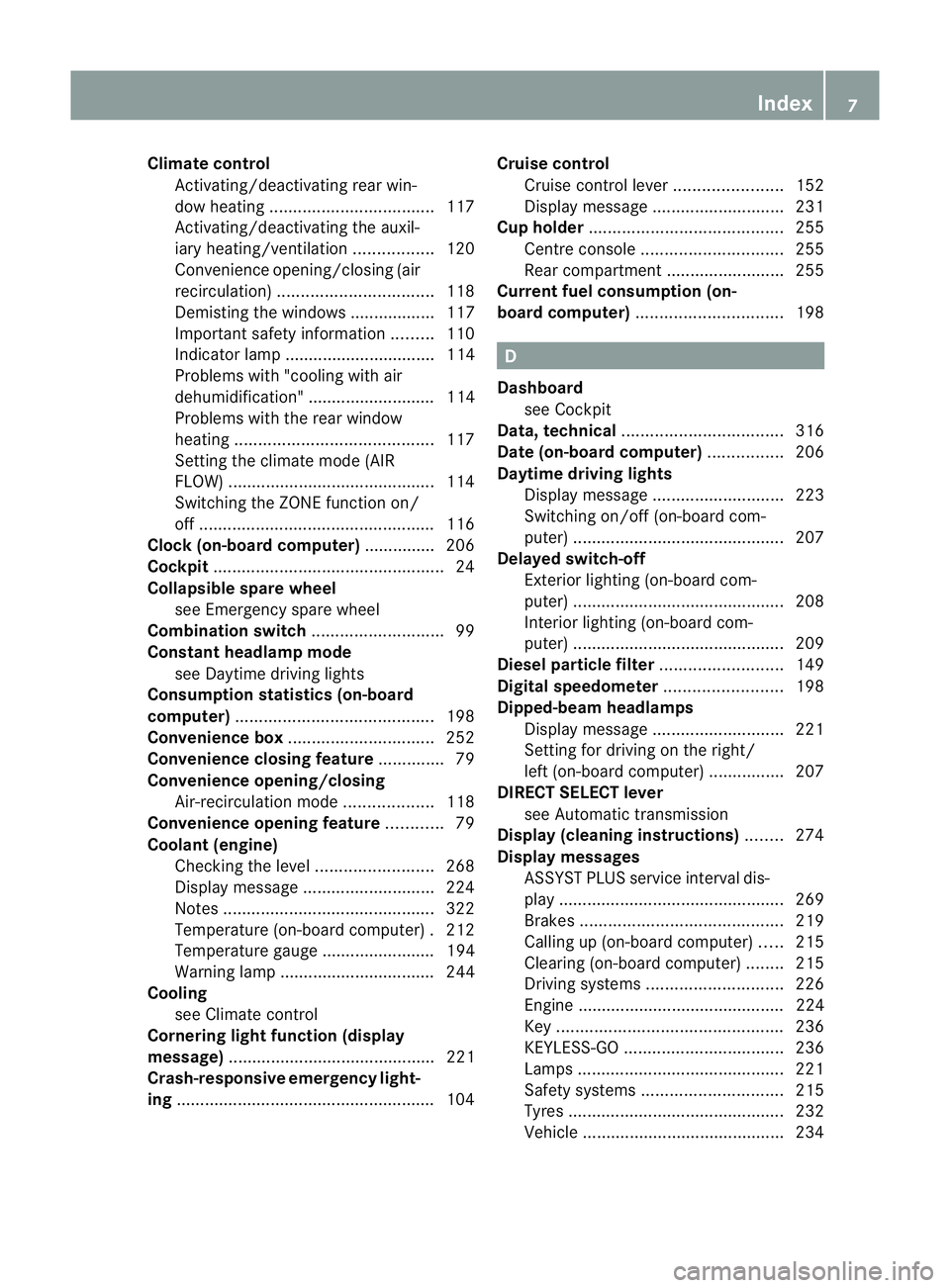
Climate control
Activating/deactivating rear win-
dow heating ................................... 117
Activating/deactivating the auxil-
iary heating/ventilatio n................. 120
Convenience opening/closing (air
recirculation) ................................. 118
Demisting the windows .................. 117
Important safety information .........110
Indicator lamp ................................ 114
Problems with "cooling with air
dehumidification" ........................... 114
Problems with the rear window
heating .......................................... 117
Setting the climate mode (AIR
FLOW) ............................................ 114
Switching the ZONE function on/
off .................................................. 116
Clock( on-board computer) ...............206
Cockpit ................................................. 24
Collapsible spare wheel see Emergency spare wheel
Combination switch ............................99
Constant headlamp mode see Daytime driving lights
Consumption statistics (on-board
computer) .......................................... 198
Convenience box ............................... 252
Convenience closing feature ..............79
Convenience opening/closing Air-recirculation mode ...................118
Convenience opening feature ............79
Coolan t(engine)
Checkin gthe level ......................... 268
Display message ............................ 224
Notes ............................................. 322
Temperature (on-board computer) .212
Temperature gauge ........................ 194
Warning lamp ................................. 244
Cooling
see Climate control
Cornering light function (display
message) ............................................ 221
Crash-responsive emergency light-
ing ....................................................... 104Cruise control
Cruise control leve r....................... 152
Display message ............................ 231
Cup holder ......................................... 255
Centre console .............................. 255
Rea rcompartmen t......................... 255
Current fuel consumption (on-
board computer) ............................... 198 D
Dashboard see Cockpit
Data, technical .................................. 316
Date (on-board computer) ................206
Daytime driving lights Display message ............................ 223
Switching on/off (on-board com-
puter) ............................................. 207
Delaye dswitch-off
Exterio rlighting (on-board com-
puter )............................................. 208
Interior lighting (on-board com-
puter) ............................................. 209
Diesel particle filter ..........................149
Digital speedometer .........................198
Dipped-beam headlamps Display message ............................ 221
Setting for driving on the right/
left (on-board computer) ................207
DIREC TSELECT lever
see Automatic transmission
Display (cleaning instructions) ........274
Display messages ASSYST PLUS service interval dis-
play................................................ 269
Brakes ........................................... 219
Calling up (on-board computer) .....215
Clearing (on-board computer) ........215
Driving systems ............................. 226
Engine ............................................ 224
Key ................................................ 236
KEYLESS-GO .................................. 236
Lamp s............................................ 221
Safety systems .............................. 215
Tyres .............................................. 232
Vehicle .......................................... .234 Index
7
Page 27 of 337
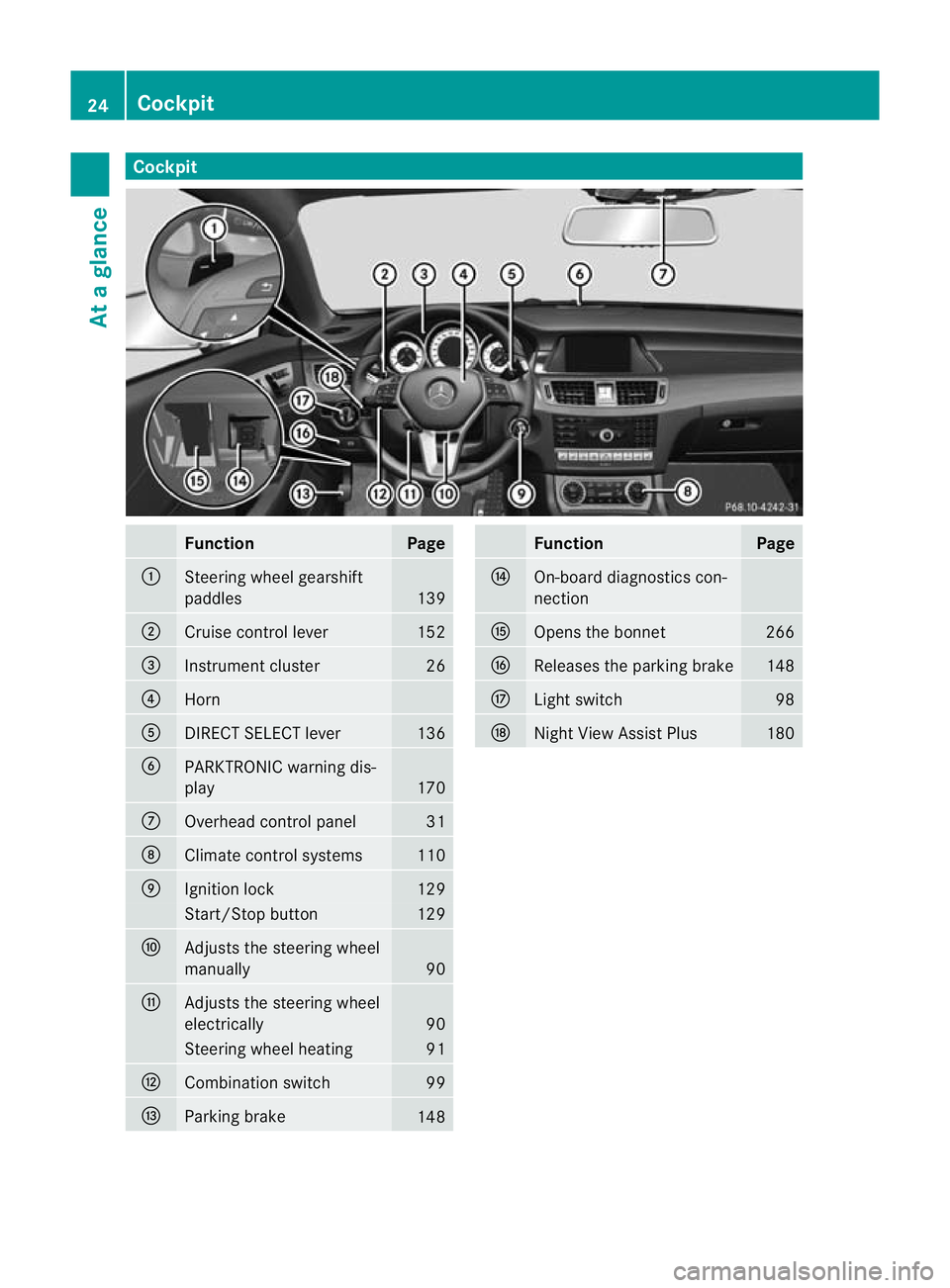
Cockpit
Function Page
:
Steering wheel gearshift
paddles
139
;
Cruise control lever 152
=
Instrument cluster 26
?
Horn
A
DIRECT SELECT lever 136
B
PARKTRONIC warning dis-
play
170
C
Overhead control panel 31
D
Climate control systems 110
E
Ignition lock 129
Start/Stop button 129
F
Adjusts the steering wheel
manually
90
G
Adjusts the steering wheel
electrically
90
Steering wheel heating 91
H
Combination switch 99
I
Parking brake
148 Function Page
J
On-board diagnostics con-
nection K
Opens the bonnet 266
L
Releases the parking brake 148
M
Ligh
tswitch 98
N
Night View Assist Plus 18024
CockpitAt a glance
Page 28 of 337
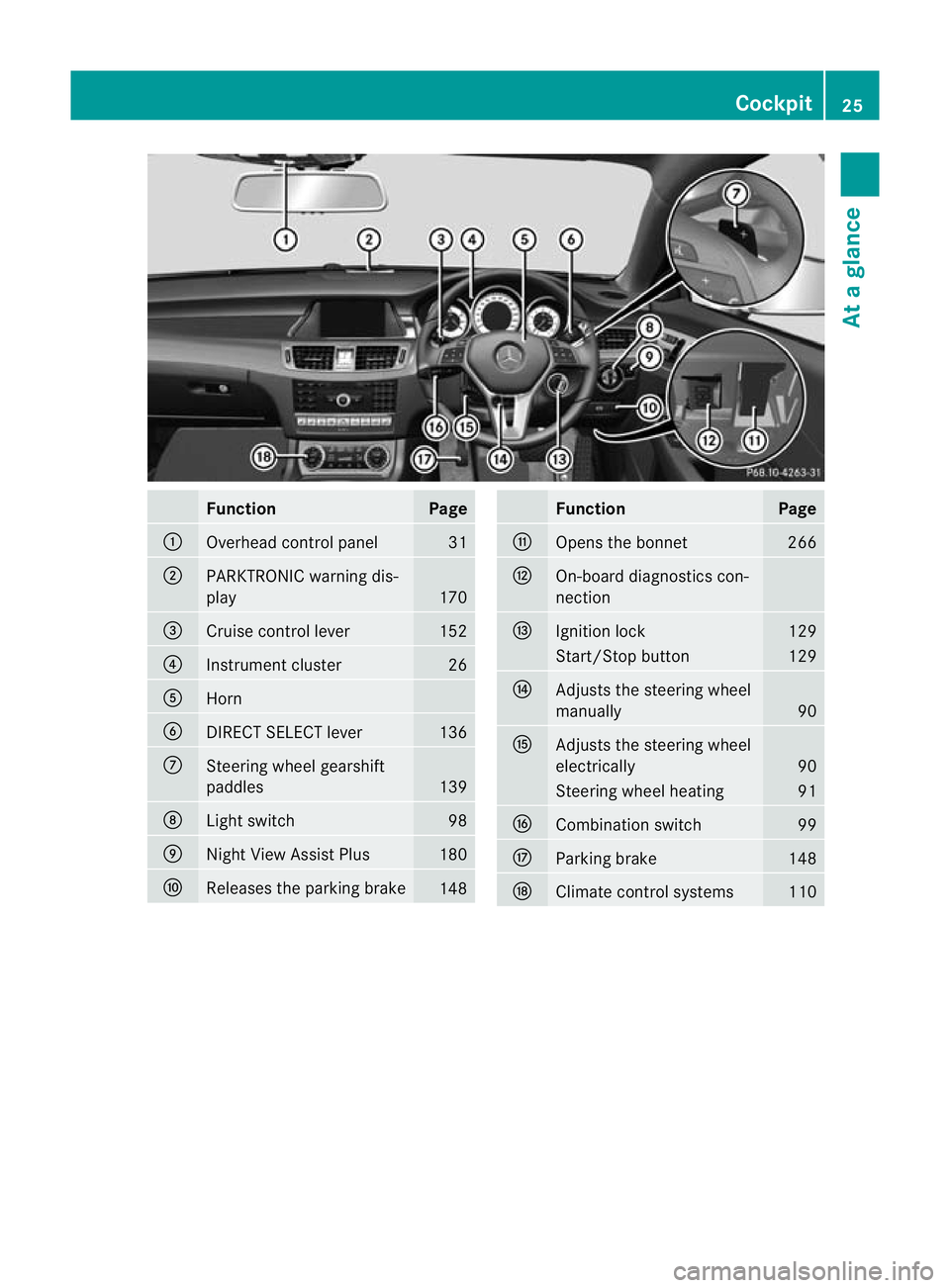
Function Page
:
Overhead control panel 31
;
PARKTRONIC warning dis-
play
170
=
Cruise control lever 152
?
Instrument cluster 26
A
Horn
B
DIRECT SELECT lever 136
C
Steering wheel gearshift
paddles
139
D
Ligh
tswitch 98
E
Nigh
tView Assist Plus 180
F
Releases the parking brake
148 Function Page
G
Opens the bonnet 266
H
On-board diagnostics con-
nection
I
Ignition lock 129
Start/Stop button 129
J
Adjusts the steering wheel
manually
90
K
Adjusts the steering wheel
electrically
90
Steering wheel heating 91
L
Combination switch 99
M
Parking brake 148
N
Climate control systems 110Cockpit
25At a glance
Page 112 of 337
Vehicle equipment
............................110
Overview of climate control sys-
tems ................................................... 110
Operating the climate control sys-
tem ..................................................... 113
Adjusting the air vents .....................123 109Climate control
Page 113 of 337
Vehicle equipment
i This manual describes all the standard
and optional equipment of your vehicle
available at the time of publicatio nofthe
Owner's Manual. Country-specific differen-
ces are possible. Please note that your
vehicle may not be equipped with all fea-
tures described. This also applies to safety-
relevant systems and functions. Overview of climate control systems
Important safety notes
G
Risk of accident
Observe the settings recommended on the
following pages. Otherwise, the windows
could mist up. This may obstruct your view of
the traffic situation and, as a result, you may
cause an accident.
THERMATIC 2-zone automatic climate con-
trol/THERMOTRONIC luxury 3-zone auto-
matic climate control controls the tempera-
ture and the humidity of the vehicle interior
and filters out undesirable substances from
the air.
THERMATIC 2-zone automatic climate con-
trol/THERMOTRONIC luxury 3-zone auto-
matic climate control is only operational
when the engine is running 24
.O ptimum oper-
ation is only achieved if you drive with the side
windows and sliding sunroof/panorama slid-
ing sunroof closed.
i Ventilate the vehicle for a brief period
during warm weather, e.g. using the con-
venience opening feature (Y page 79). This
will speed up the cooling process and the
desired vehicle interior temperature will be
reached more quickly.
i The integrated filter can filter out most
particles of dust and completely filters out
pollen. Aclogged filter reduces the amount of air supplied to the vehicle interior
.For
this reason, you should always observe the
interval for replacing the filter, which is
specified in the Service Booklet .As it
depends on environmental conditions, e.g.
heavy air pollution, the interval may be
shorter than stated in the Service Booklet.
24 THERMOTRONIC luxury 3-zone automatic climate control: the residual heat function can only be switched
on/off if the ignition is switched off. 110
Overview of climate control systemsClimate control
Page 114 of 337
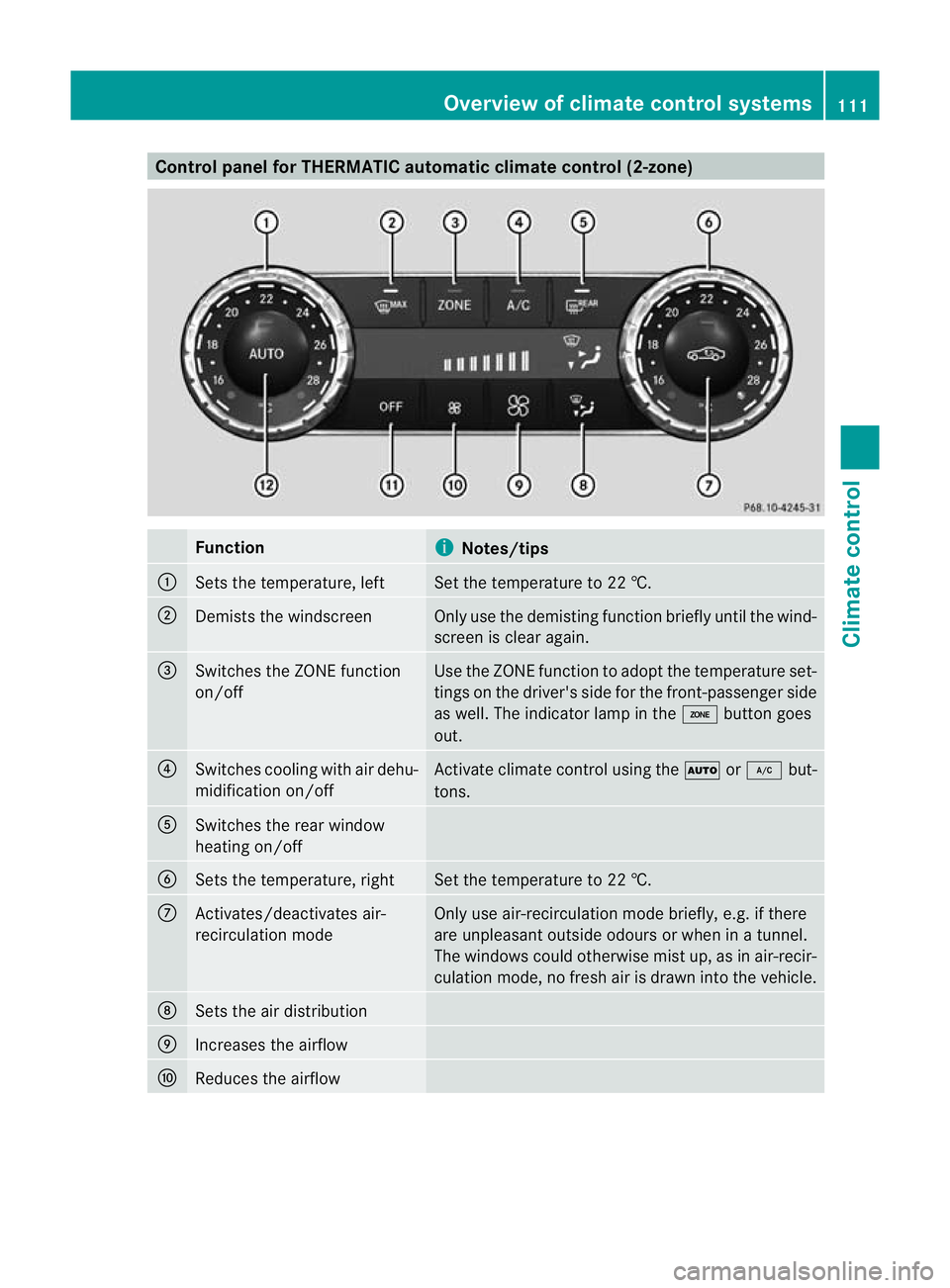
Control panel for THERMATIC automatic climate control (2-zone)
Function
i
Notes/tips
:
Sets the temperature, left Set the temperature to 22 †.
;
Demists the windscreen Only use the demisting function briefly until the wind-
scree nis clear again. =
Switches the ZONE function
on/off Use the ZONE function to adopt the temperature set-
tings on the driver's side for the front-passenger side
as well.T he indicator lamp in the ábutton goes
out. ?
Switches cooling with air dehu-
midification on/off Activate climate control using the
Ãor¿ but-
tons. A
Switches the rear window
heating on/off
B
Sets the temperature, right Set the temperature to 22 †.
C
Activates/deactivates air-
recirculation mode Only use air-recirculation mode briefly, e.g. if there
are unpleasant outside odours or when in a tunnel.
The windows could otherwise mist up, as in air-recir-
culation mode, no fresh air is drawn into the vehicle. D
Sets the air distribution
E
Increases the airflow
F
Reduces the airflow Overview of climate control systems
111Climate control Z
Page 115 of 337
Function
i
Notes/tips
G
Switches climate control on/
off Activate climate control primarily using the
Ã
or ¿ buttons. H
Sets climate control to auto-
matic Activate climate control using the
Ãor¿ but-
tons .The indicator lamps in the Ãand¿ but-
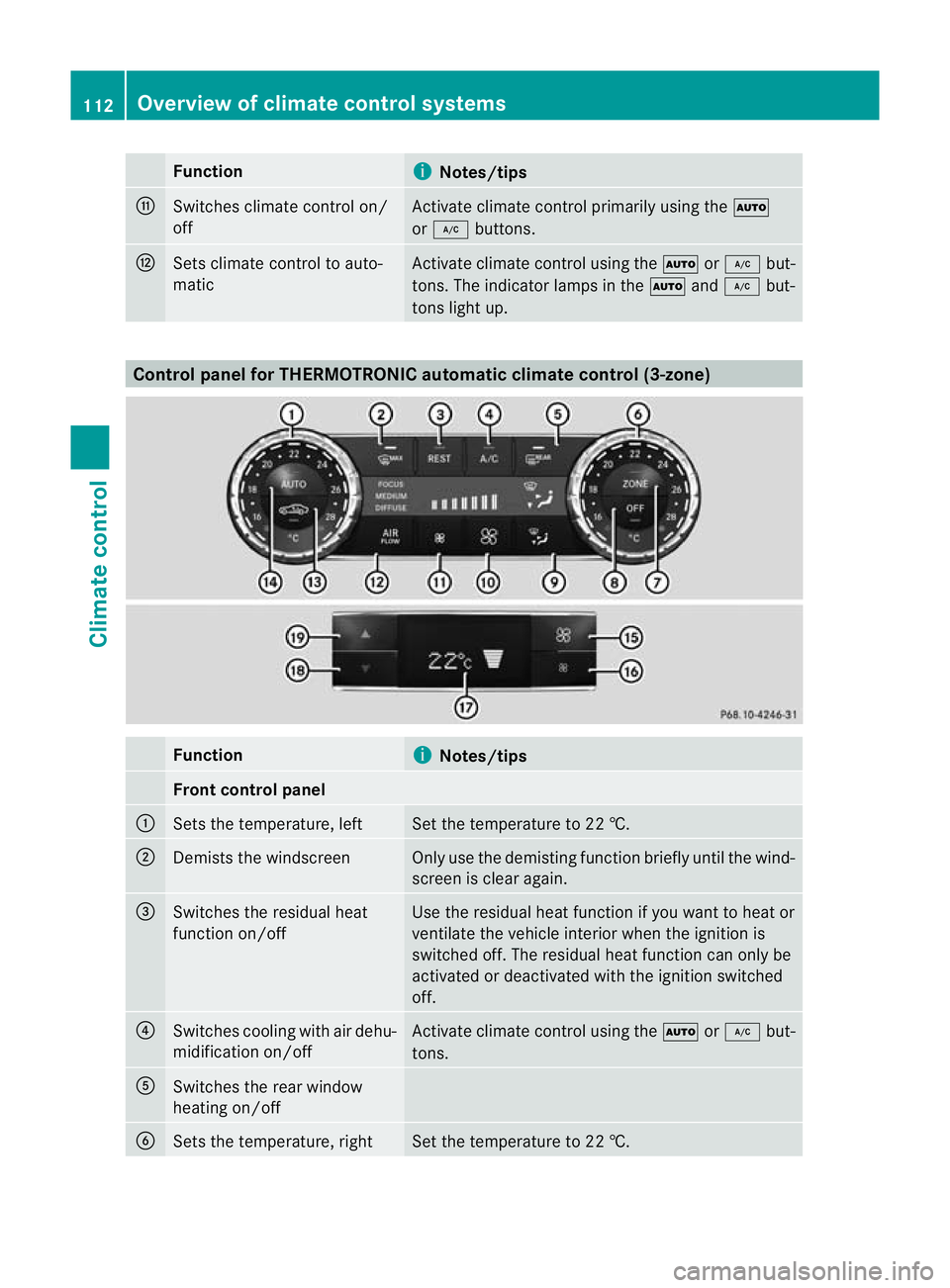
tons light up. Control panel for THERMOTRONIC automatic climate control (3-zone)
Function
i
Notes/tips
Front control panel
:
Sets the temperature, left Set the temperature to 22 †.
;
Demists the windscreen Only use the demisting function briefly until the wind-
screen is clear again.
=
Switches the residual heat
function on/off Use the residual heat function if you want to heat or
ventilate the vehicle interior when the ignition is
switched off. The residual heat function can only be
activated or deactivated with the ignition switched
off.
?
Switches cooling with air dehu-
midification on/off Activate climate control using the
Ãor¿ but-
tons. A
Switches the rear window
heating on/off
B
Sets the temperature, right Set the temperature to 22 †.112
Overview of climate control systemsClimate control
Page 116 of 337
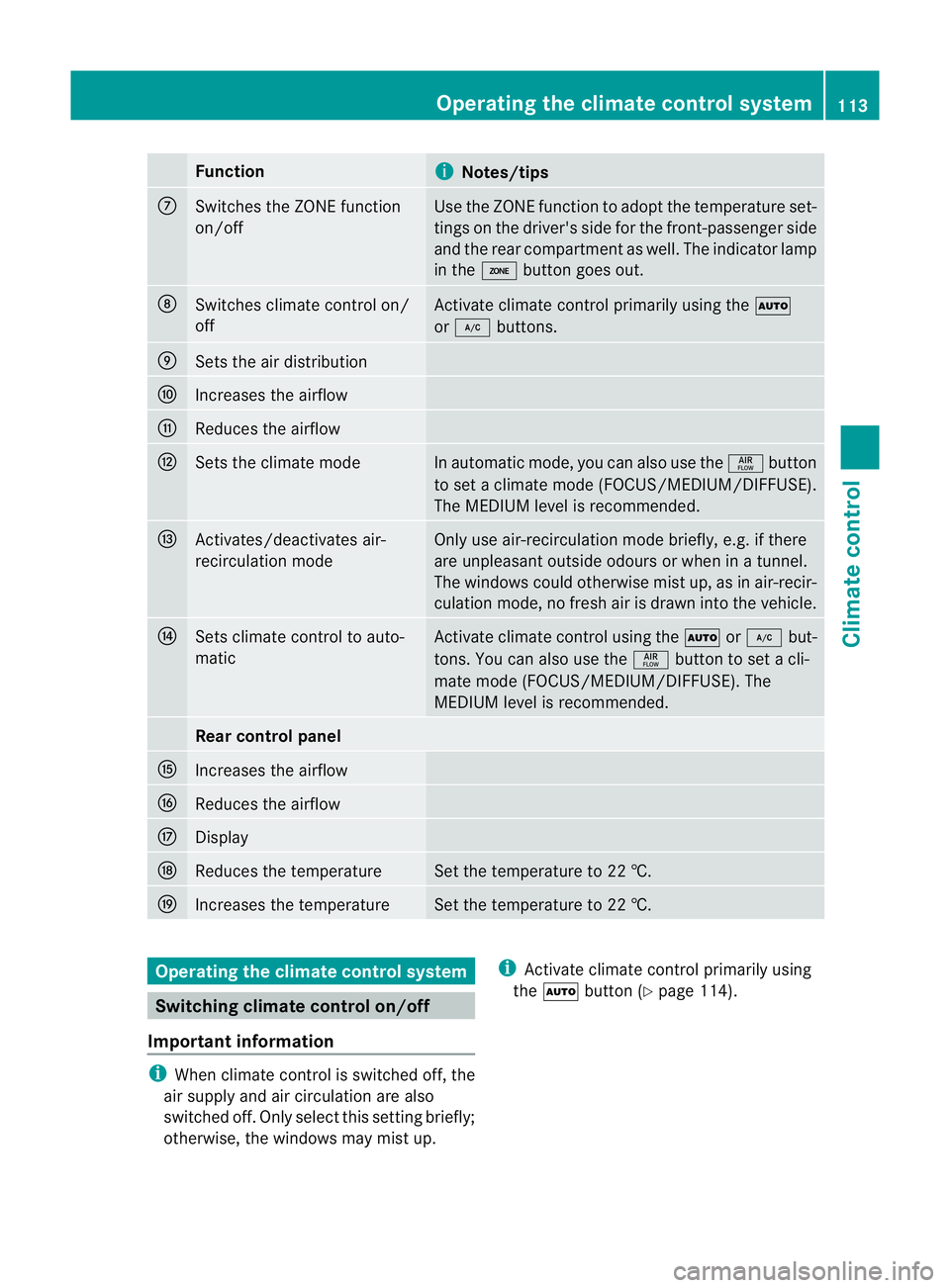
Function
i
Notes/tips
C
Switches the ZONE function
on/off Use the ZONE function to adopt the temperature set-
tings on the driver's side for the front-passenger side
and the rear compartmen tas well.T he indicator lamp
in the ábutton goes out. D
Switches climate control on/
off Activate climate control primarily using the
Ã
or ¿ buttons. E
Sets the air distribution
F
Increases the airflow
G
Reduces the airflow
H
Sets the climate mode In automatic mode, you can also use the
ñbutton
to set a climate mode (FOCUS/MEDIUM/DIFFUSE).
The MEDIUM level is recommended. I
Activates/deactivates air-
recirculation mode Only use air-recirculation mode briefly, e.g. if there
are unpleasant outside odours or when in a tunnel.
The windows could otherwise mist up, as in air-recir-
culation mode, no fresh air is drawn into the vehicle. J
Sets climate control to auto-
matic Activate climate control using the
Ãor¿ but-
tons. You can also use the ñbutton to set a cli-
mate mode (FOCUS/MEDIUM/DIFFUSE). The
MEDIUM level is recommended. Rear control panel
K
Increases the airflow
L
Reduces the airflow
M
Display
N
Reduces the temperature Set the temperature to 22 †.
O
Increases the temperature Set the temperature to 22 †.
Operating the climate control system
Switching climate control on/off
Important information i
When climate control is switched off, the
air supply and air circulation are also
switched off. Only select this setting briefly;
otherwise, the windows may mist up. i
Activate climate control primarily using
the à button (Y page 114). Operating the climate control system
113Climate control Z