interior lights MERCEDES-BENZ CLS COUPE 2012 Owners Manual
[x] Cancel search | Manufacturer: MERCEDES-BENZ, Model Year: 2012, Model line: CLS COUPE, Model: MERCEDES-BENZ CLS COUPE 2012Pages: 373, PDF Size: 9.12 MB
Page 8 of 373
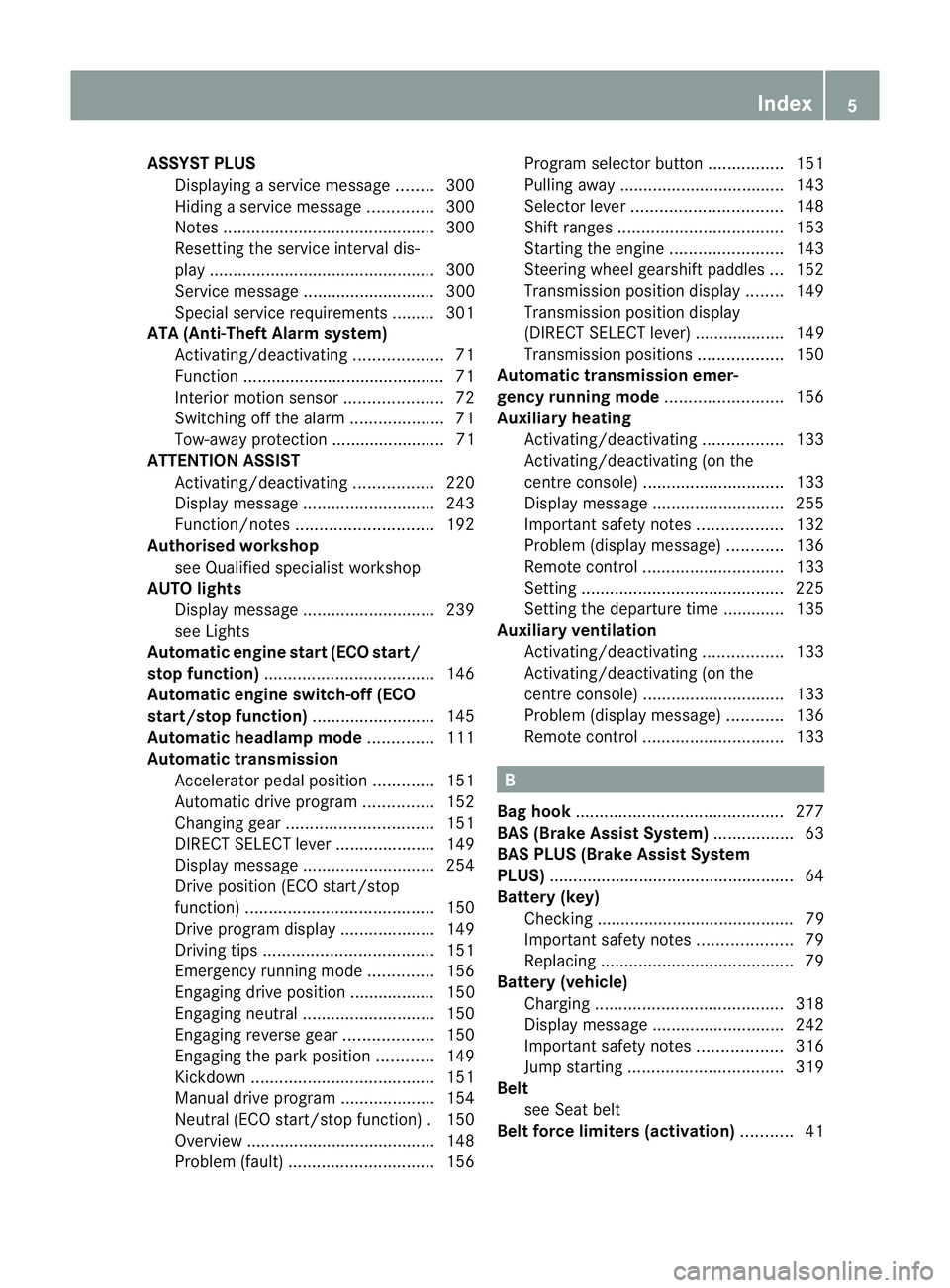
ASSYS
TPLUS
Displaying aservice message ........300
Hiding aservice message ..............300
Notes ............................................. 300
Resetting the service interva ldis-
pla y................................................ 300
Service message ............................ 300
Specia lservice requirements ......... 301
ATA (Anti-Theft Alarm system)
Activating/deactivating ...................71
Function .......................................... .71
Interior motion sensor .....................72
Switching off the alarm ....................71
Tow-awa yprotectio n........................ 71
ATTENTIO NASSIST
Activating/deactivating .................220
Display message ............................ 243
Function/notes ............................. 192
Authorised workshop
see Qualified specialist workshop
AUTO lights
Display message ............................ 239
see Lights
Automatic engine start (ECO start/
stop function) .................................... 146
Automatic engine switch-off (ECO
start/stop function) ..........................145
Automatic headlamp mode ..............111
Automatic transmission Accelerator pedal position .............151
Automatic drive program ...............152
Changing gea r............................... 151
DIRECT SELECT leve r..................... 149
Display message ............................ 254
Drive position (ECO start/stop
function) ........................................ 150
Drive program displa y.................... 149
Driving tips .................................... 151
Emergency running mode ..............156
Engaging drive position .................. 150
Engaging neutra l............................ 150
Engaging revers egear ................... 150
Engaging the par kposition ............ 149
Kickdow n....................................... 151
Manual drive program ....................154
Neutral (ECO start/stop function) .150
Overview ........................................ 148
Problem (fault) ............................... 156Progra
mselector button ................151
Pulling away ................................... 143
Selector leve r................................ 148
Shift range s................................... 153
Starting the engine ........................143
Steering wheel gearshift paddle s... 152
Transmission position displa y........ 149
Transmission position display
(DIREC TSELECT lever) ................... 149
Transmission positions ..................150
Automatic transmission emer-
gency runnin gmode ......................... 156
Auxiliary heating Activating/deactivating .................133
Activating/deactivating (on the
centre console ).............................. 133
Display message ............................ 255
Important safety notes ..................132
Problem (display message) ............136
Remote control .............................. 133
Setting ........................................... 225
Setting the departur etime ............ .135
Auxiliary ventilation
Activating/deactivating .................133
Activating/deactivating (on the
centre console ).............................. 133
Problem (display message) ............136
Remote control .............................. 133 B
Bag hook ............................................ 277
BAS (Brake Assist System) .................63
BAS PLU S(Brake Assist System
PLUS) .................................................... 64
Battery (key) Checking .......................................... 79
Important safety notes ....................79
Replacing ......................................... 79
Battery (vehicle)
Charging ........................................ 318
Display message ............................ 242
Important safety notes ..................316
Jump starting ................................. 319
Belt
see Seat belt
Belt force limiters (activation) ...........41 Index
5
Page 11 of 373
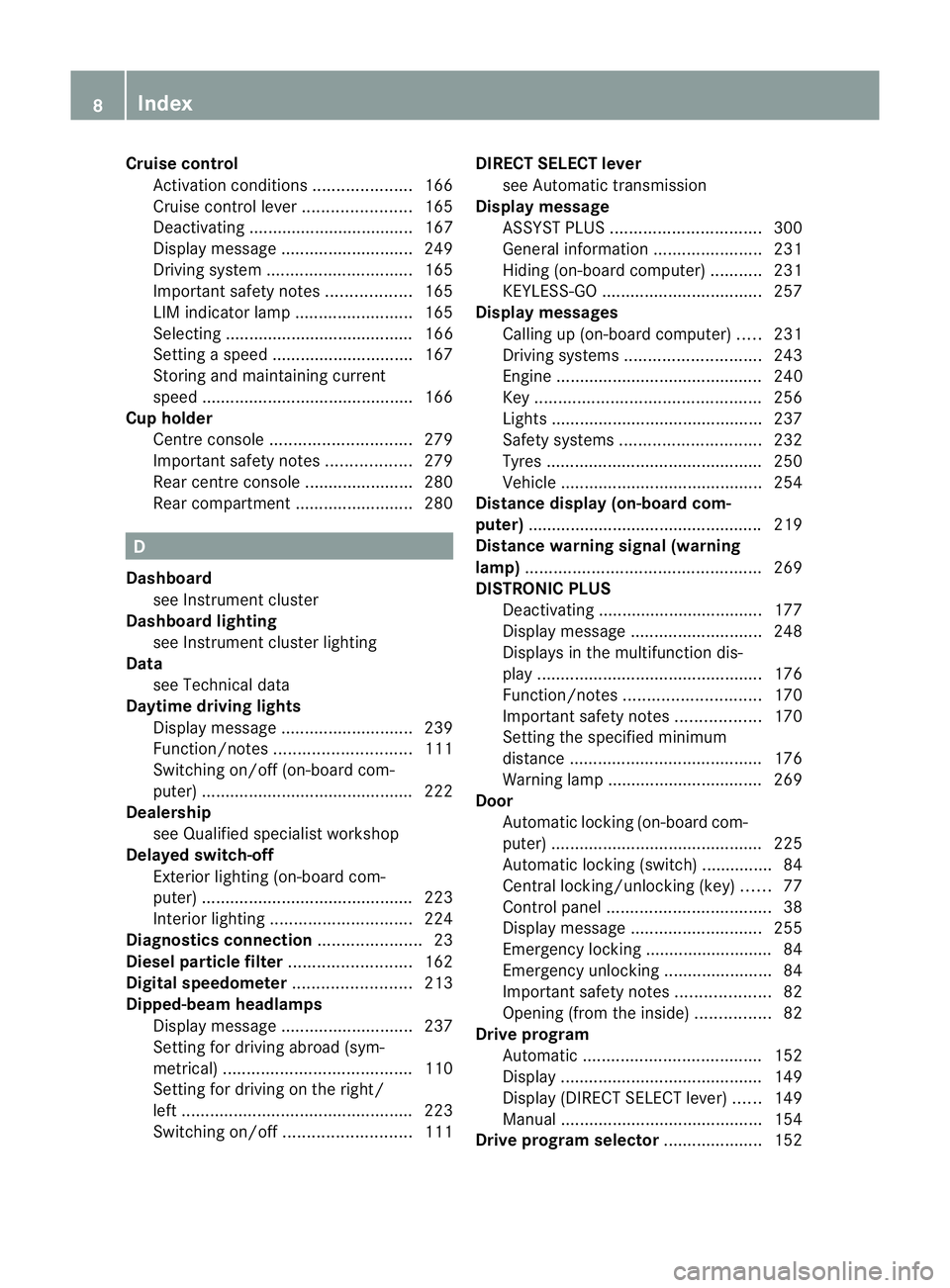
Cruise control
Activatio ncondition s..................... 166
Cruise control leve r....................... 165
Deactivating ................................... 167
Display message ............................ 249
Driving system ............................... 165
Important safety notes ..................165
LIM indicator lamp .........................165
Selecting ........................................ 166
Setting aspeed .............................. 167
Storing and maintaining current
speed ............................................ .166
Cup holder
Centre console .............................. 279
Important safety notes ..................279
Rea rcentre console ....................... 280
Rea rcompartmen t......................... 280 D
Dashboard see Instrument cluster
Dashboard lighting
see Instrument cluster lighting
Data
see Technical data
Daytime drivin glights
Display message ............................ 239
Function/notes ............................. 111
Switching on/off (on-board com-
puter) ............................................. 222
Dealership
see Qualified specialist workshop
Delaye dswitch-off
Exterio rlighting (on-board com-
puter )............................................. 223
Interior lighting .............................. 224
Diagnostic sconnection ...................... 23
Diese lparticle filter .......................... 162
Digital speedometer .........................213
Dipped-beam headlamps Display message ............................ 237
Setting for driving abroad (sym-
metrical) ........................................ 110
Setting for driving on the right/
left ................................................. 223
Switching on/off ........................... 111DIRECT SELECTl
ever
see Automatic transmission
Displa ymessage
ASSYS TPLUS ................................ 300
General information .......................231
Hiding (on-board computer) ...........231
KEYLESS-GO .................................. 257
Display messages
Calling up (on-board computer) .....231
Driving systems ............................. 243
Engine ............................................ 240
Key ................................................ 256
Lights ............................................ .237
Safety systems .............................. 232
Tyres .............................................. 250
Vehicle .......................................... .254
Distanc edisplay (on-board com-
puter) ................................................. .219
Distanc ewarning signal (warning
lamp) .................................................. 269
DISTRONIC PLUS Deactivating ................................... 177
Display message ............................ 248
Displaysint he multifunctio ndis-
play ................................................ 176
Function/notes ............................. 170
Important safety notes ..................170
Setting the specified minimum
distance ......................................... 176
Warning lamp ................................. 269
Door
Automatic locking (on-board com-
puter) ............................................. 225
Automatic locking (switch) .............. .84
Central locking/unlocking (key) ......77
Control pane l................................... 38
Display message ............................ 255
Emergency locking ........................... 84
Emergency unlocking .......................84
Important safety notes ....................82
Opening (from the inside) ................82
Driv eprogram
Automatic ...................................... 152
Display ........................................... 149
Display (DIREC TSELECT lever) ......149
Manual .......................................... .154
Driv eprogram selector .....................1528
Index
Page 16 of 373
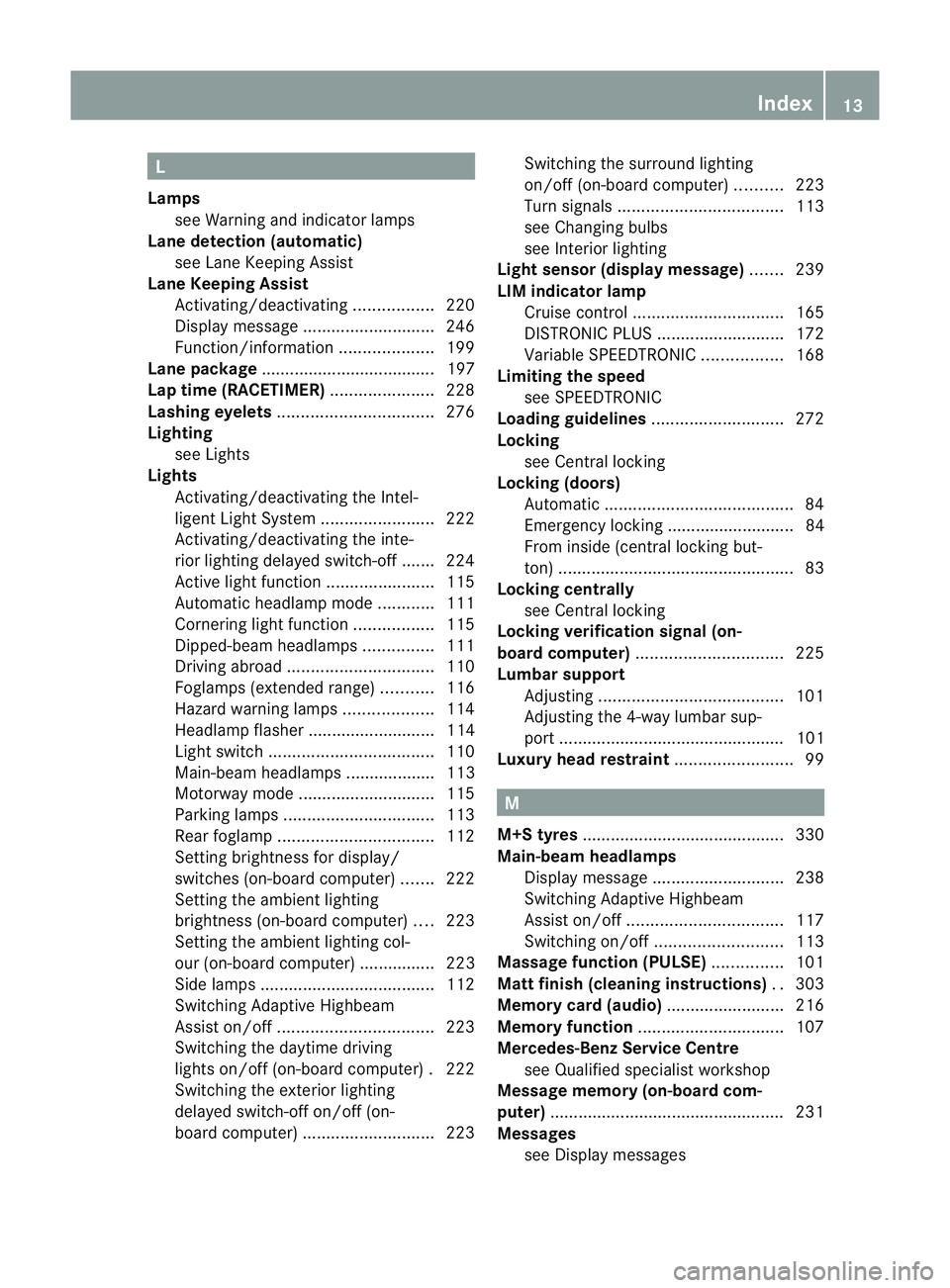
L
Lamps see Warning and indicator lamps
Lane detection (automatic)
see Lan eKeeping Assist
Lane Keeping Assist
Activating/deactivating .................220
Display message ............................ 246
Function/informatio n.................... 199
Lane package ..................................... 197
Lap time (RACETIMER) ......................228
Lashing eyelets ................................. 276
Lighting see Lights
Lights
Activating/deactivating the Intel-
ligent Ligh tSystem ........................ 222
Activating/deactivating the inte-
rior lighting delayed switch-off .......224
Active light function .......................115
Automatic headlamp mode ............111
Cornering light function .................115
Dipped-bea mheadlamps ............... 111
Driving abroad ............................... 110
Foglamps (extende drange )........... 116
Hazard warning lamps ...................114
Headlamp flasher ........................... 114
Ligh tswitc h................................... 110
Main-beam headlamps ................... 113
Motorway mode ............................. 115
Parking lamps ................................ 113
Rea rfoglamp ................................. 112
Setting brightness for display/
switches (on-board computer) .......222
Setting the ambient lighting
brightness (on-board computer) ....223
Setting the ambient lighting col-
our (on-board computer) ................ 223
Side lamps ..................................... 112
Switching Adaptive Highbeam
Assist on/off ................................. 223
Switching the daytime driving
lights on/off (on-board computer) .222
Switching the exterio rlighting
delayed switch-off on/off (on-
board computer )............................ 223Switching the surround lighting
on/off (on-board computer)
..........223
Turn signals ................................... 113
see Changing bulbs
see Interior lighting
Light sensor (display message) .......239
LIMi ndicator lamp
Cruise control ................................ 165
DISTRONI CPLUS ........................... 172
Variabl eSPEEDTRONIC .................168
Limiting the speed
see SPEEDTRONIC
Loading guidelines ............................272
Locking see Centra llocking
Locking (doors)
Automatic ........................................ 84
Emergency locking ........................... 84
From insid e(central locking but-
ton) .................................................. 83
Locking centrally
see Centra llocking
Locking verification signal (on-
board computer) ............................... 225
Lumbar support Adjusting ....................................... 101
Adjusting the 4-way lumba rsup-
por t................................................ 101
Luxu ry head restraint .........................99 M
M+S tyres ........................................... 330
Main-beam headlamps Display message ............................ 238
Switching Adaptive Highbeam
Assist on/off ................................. 117
Switching on/off ........................... 113
Massag efunction (PULSE) ...............101
Matt finish (cleaning instructions) ..303
Memory card (audio) .........................216
Memory function ............................... 107
Mercedes-Benz Service Centre see Qualified specialist workshop
Message memory (on-board com-
puter) ................................................. .231
Messages see Display messages Index
13
Page 44 of 373
To ensure that the restraint systems can
deliver their full potential protection, make
sure that:
R
the seat and head restraint are adjusted
properly (Y page 96).
R the seat belt has been fastened properly
(Y page 48).
R the airbags can inflate unrestricted if
deployed (Y page 42).
R the steerin gwheel is adjusted properly
(Y page 102).
R the restraint systems have not been modi-
fied.
An airbag increases the protection of vehicle
occupant swearing aseat belt. However, air-
bags are only an additional restraint system
which complements, but does not replace,
the seat belt. All vehicle occupant smust wear
their seat belt correctly at all times, even if
the vehicle is equipped with airbags. The air-
bags are not deployed in all types of acci-
dents .For example, if the protective capacity
of correctly fastened seat belts is not
increased by deploying the airbags, the air-
bags will not deploy.
Airbag deployment only provides increased
protection if the seat belt is worn correctly.
First,t he seat belt helps to keep the vehicle
occupant in the best position in relation to the
airbag. Second, in ahead-on collision, for
example, the seat belt prevent sthe vehicle
occupant from being propelled towards the
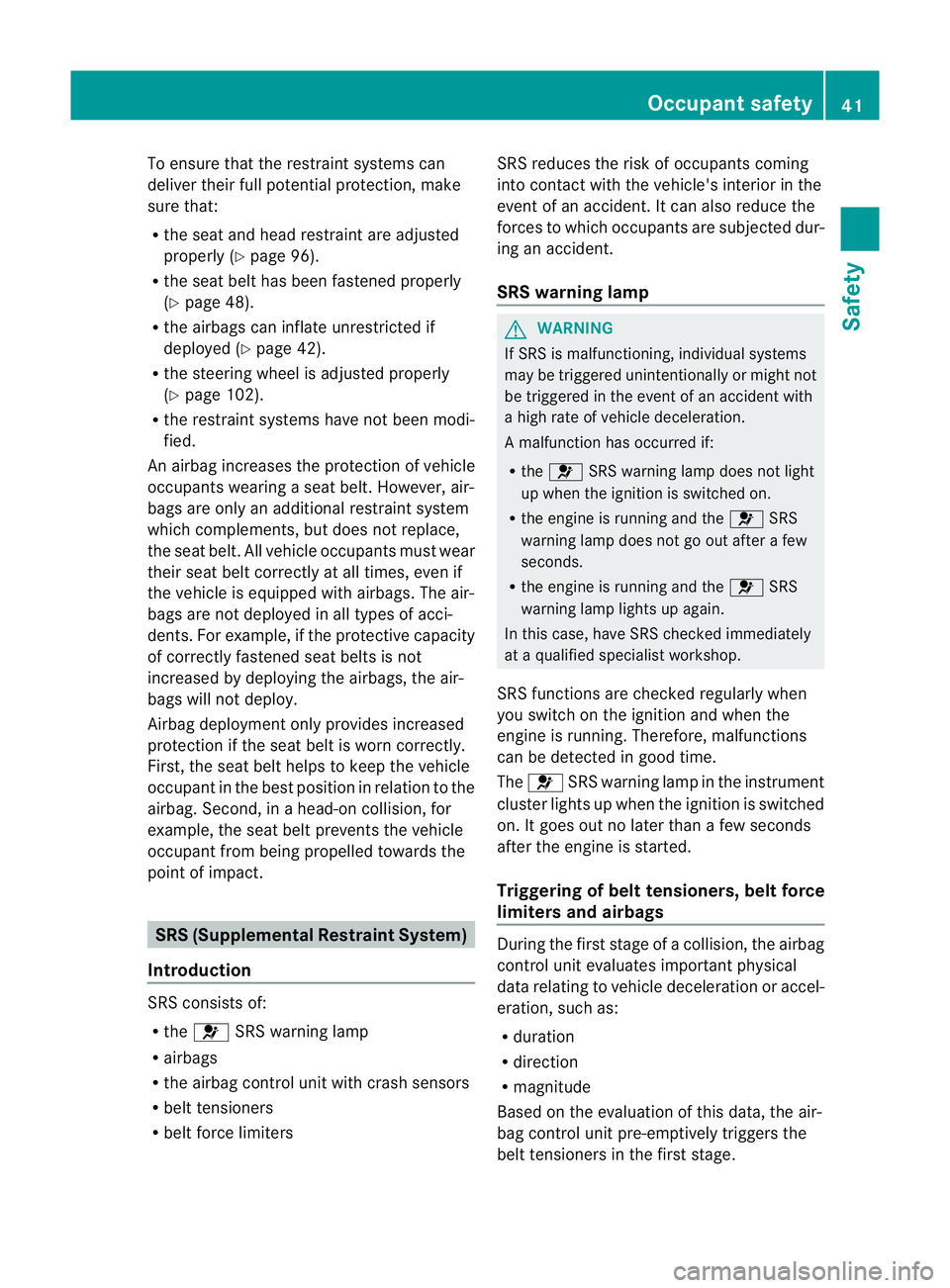
point of impact. SRS (Supplemental Restraint System)
Introduction SRS consist
sof:
R the 6 SRS warning lamp
R airbags
R the airbag control unit with crash sensors
R belt tensioners
R belt force limiters SRS reduces the risk of occupant
scoming
into contact with the vehicle's interior in the
event of an accident .Itcan also reduce the
forces to which occupant sare subjected dur-
ing an accident.
SRS warnin glamp G
WARNING
If SRS is malfunctioning, individuals ystems
may be triggere dunintentionally or might not
be triggere dinthe event of an accident with
ah igh rate of vehicl edeceleration.
Am alfunction has occurred if:
R the 6 SRS warning lamp does not light
up when the ignitio nisswitched on.
R the engine is running and the 6SRS
warning lamp does not go out after afew
seconds.
R the engine is running and the 6SRS
warning lamp lights up again.
In this case, have SRS checked immediately
at aq ualified specialist workshop.
SRS functionsa re checked regularly when
you switch on the ignition and when the
engine is running. Therefore, malfunctions
can be detected in good time.
The 6 SRS warning lamp in the instrument
cluster lights up when the ignition is switched
on. It goes out no later than afew seconds
after the engine is started.
Triggering of belt tensioners, belt force
limiters and airbags During the first stage of
acollision, the airbag
control unit evaluates important physical
data relating to vehicle deceleration or accel-
eration, such as:
R duration
R direction
R magnitude
Based on the evaluation of this data, the air-
bag control unit pre-emptively triggers the
belt tensioners in the first stage. Occupant safety
41Safety Z
Page 112 of 373
Useful information
............................110
Exterior lighting ................................ 110
Interior lighting ................................. 118
Replacing bulbs ................................. 119
Windscreen wipers ...........................121 109Lights and windscreen wipers
Page 121 of 373
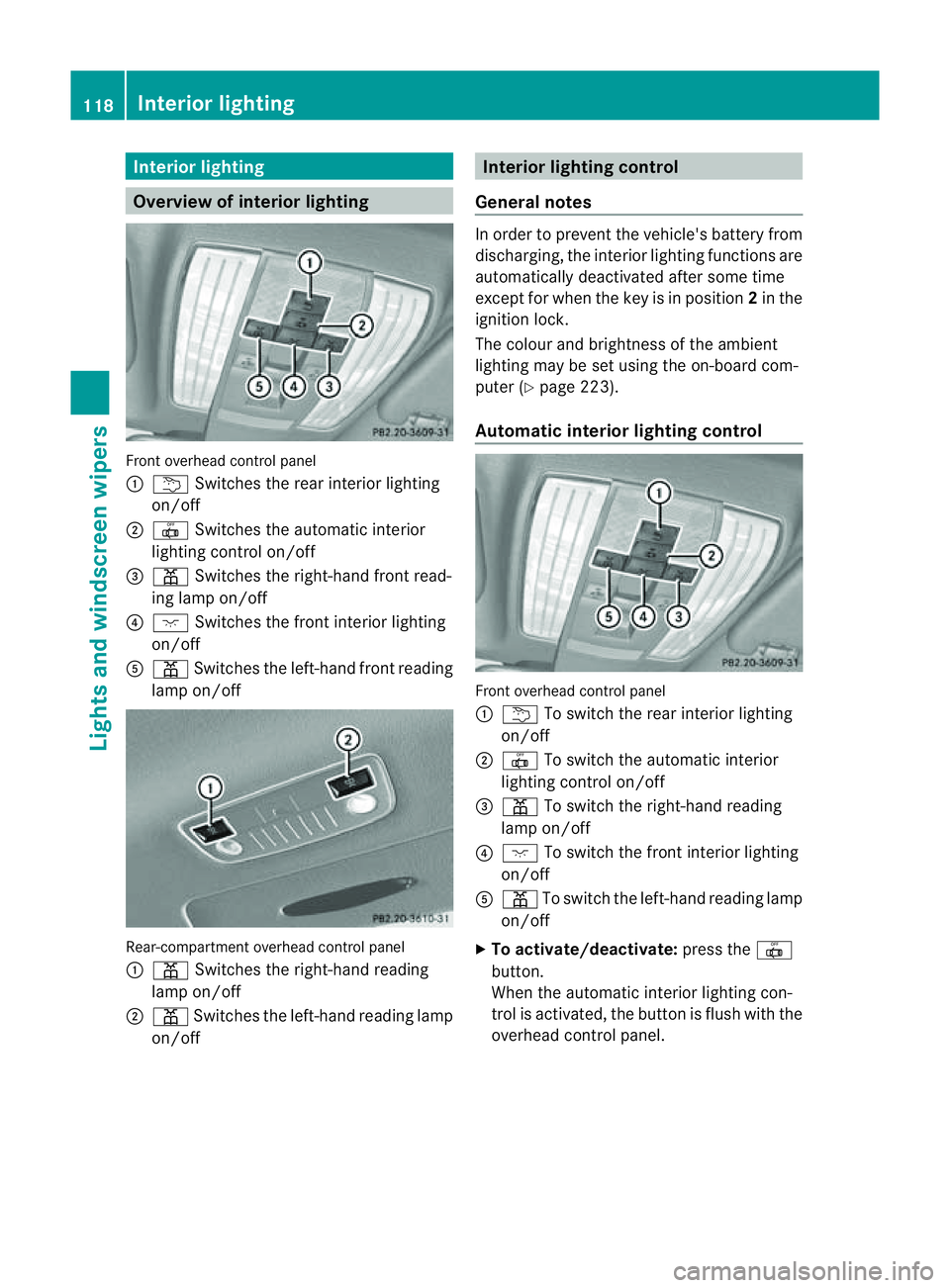
Interior lighting
Overview of interior lighting
Fron
toverhead control panel
: u Switches th erear interio rlighting
on/off
; | Switches the automatic interior
lighting control on/off
= p Switches the right-han dfront read-
ing lamp on/off
? c Switches the front interior lighting
on/off
A p Switches the left-han dfront reading
lamp on/off Rear-compartment overhead control panel
:
p Switches the right-han dreading
lamp on/off
; p Switches the left-han dreadin glamp
on/off Interior lighting control
General notes In order to prevent the vehicle's battery from
discharging, the interior lighting function
sare
automatically deactivated after some time
except for when the key is in position 2in the
ignition lock.
The colour and brightnes softhe ambient
lighting may be set using the on-board com-
puter (Y page 223).
Automatic interior lighting control Front overhead control panel
:
u To switc hthe rear interior lighting
on/off
; | To switc hthe automatic interior
lighting control on/off
= p To switc hthe right-han dreading
lamp on/off
? c To switch the fron tinterior lighting
on/off
A p To switch the left-hand reading lamp
on/off
X To activate/deactivate: press the|
button.
When the automatic interior lighting con-
trol is activated, the button is flush with the
overhead control panel. 118
Interior lightingLights and windscreen wipers
Page 122 of 373
The interior lighting automatically switches
on if you:
R unlock the vehicle
R open adoor
R remove the key from the ignition lock
The interior lighting is activated for ashort
time when the key is removed from the igni-
tion lock. You can activat ethis delayed
switch-off using the on-board computer
(Y page 224).
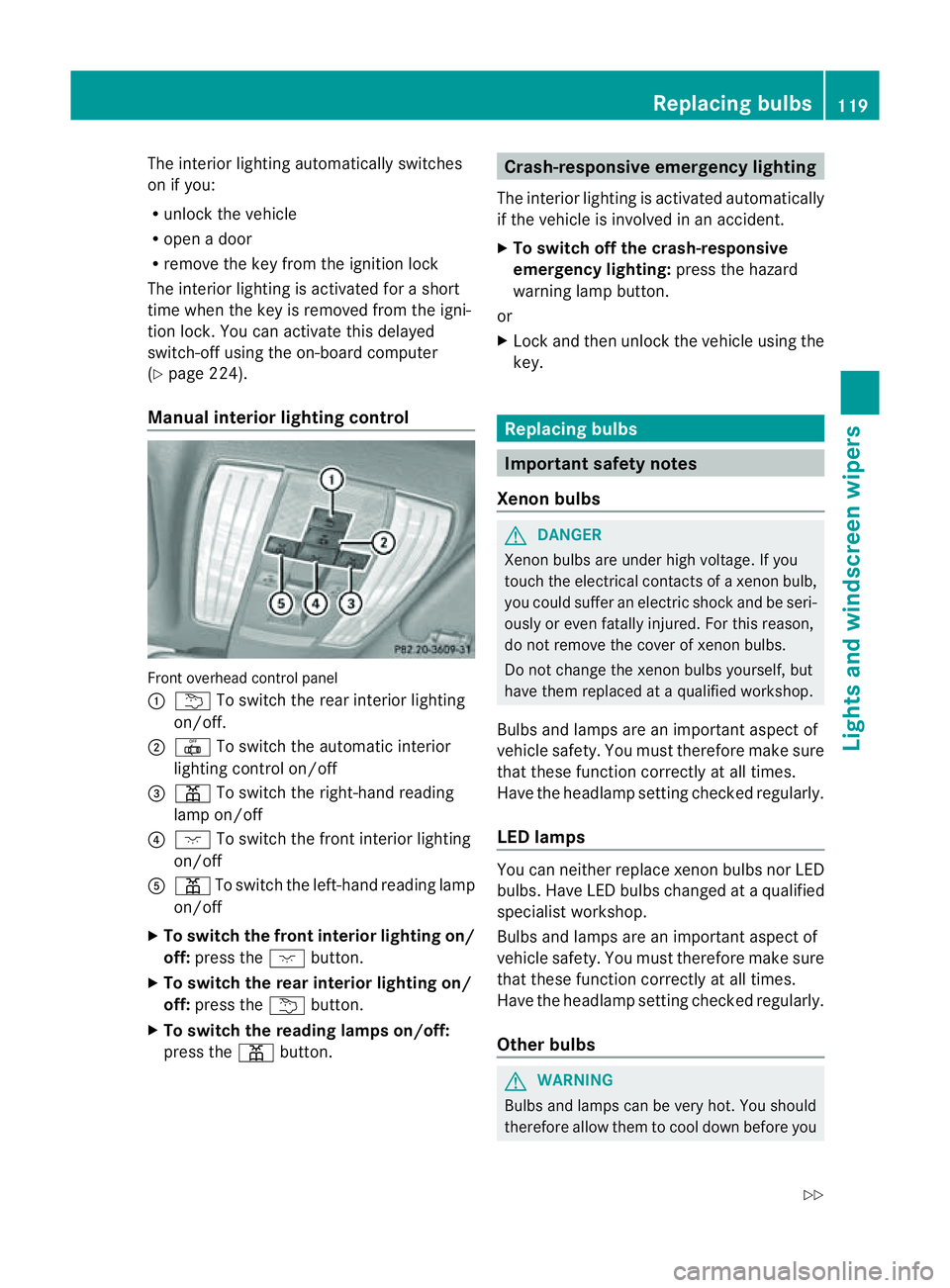
Manua linterior lighting control Fronto
verhead control panel
: u To switch the rear interior lighting
on/off.
; | To switch the automatic interior
lighting control on/off
= p To switch the right-hand reading
lamp on/off
? c To switch the fronti nterior lighting
on/off
A p To switch the left-hand reading lamp
on/off
X To switch the front interior lighting on/
off: press the cbutton.
X To switch the rear interior lighting on/
off: press the ubutton.
X To switch the reading lampso n/off:
press the pbutton. Crash-responsive emergency lighting
The interior lighting is activated automatically
if the vehicle is involved in an accident.
X To switch off the crash-responsive
emergency lighting: press the hazard
warning lamp button.
or
X Lock and then unlock the vehicle using the
key. Replacing bulbs
Important safety notes
Xenon bulbs G
DANGER
Xenon bulbs are under high voltage. If you
touch the electrical contacts of axenon bulb,
you could suffer an electric shock and be seri-
ously or even fatally injured. For this reason,
do not remove the cover of xenon bulbs.
Do not change the xenon bulbs yourself, but
have them replaced at aqualified workshop.
Bulbs and lamps are an importan taspect of
vehicle safety. You must therefore make sure
that these function correctly at all times.
Have the headlamp setting checked regularly.
LED lamps You can neither replace xenon bulbsn
or LED
bulbs. Have LED bulbsc hanged ataqualified
specialist workshop.
Bulbs and lamps are an important aspect of
vehicle safety. You must therefore make sure
that these function correctly at all times.
Have the headlamp setting checked regularly.
Other bulbs G
WARNING
Bulbs and lamps can be very hot. You should
therefore allow them to cool down before you Replacing bulbs
119Lights and windscreen wipers
Z
Page 130 of 373
Information abou
tusing
THERMOTRONIC automatic climate
control
The following contains instructions and rec-
ommendations to enable you to get the most
out of your THERMOTRONIC automatic cli-
mate control.
R Activate climate control using the Ãand
¿ buttons. The indicato rlamps above
the à and¿ buttons light up.
R In automatic mode, you can also use the
ñ buttontos etac limate mode
(FOCUS/MEDIUM/DIFFUSE). The
MEDIUM leve lisrecommended.
R Set th etem peratur eto22†.
R Only use th edemisting function briefly until
th ew indscree nisclear again.
R Only use the air-recirculation mode briefly,
e.g. if there are unpleasant outside odours
or when in atunnel. The windows could
otherwise mist up as no fresh air is drawn
into the vehicle in air-recirculation mode.
R Use the ZONE function to adopt the tem-
perature settings on the driver's side for
the front-passenger side and the rear com-
partment as well.T he indicator lamp above
the á button goes out.
R Use the residual heat function if you want
to heat or ventilate the vehicle interior
when the ignition is switched off. The resid-
ual heat function can only be activated or
deactivated with the ignition switched off. Operating the climate control system
Switching climate control on/off
Points to observe before use i
If climate control is switched off, the air
supply and air circulation are also switched
off. Only use this settingf orab rief period.
The windows could otherwise mist up.
i Switch on climate control primarily using
the à button (Y page 128). Switching on/off X
Turn the key to position 2in the ignition
lock.
X To switch on: press theÃbutton.
The indicator lamp in the Ãbutton lights
up. Airflow and air distribution are set to
automatic mode.
or
X Press the ^button.
The indicator lamp in the ^button goes
out. The previous settings are reactivated.
X To switch off: press the^button.
The indicator lamp in the ^button lights
up. Activating/deactivating the cooling
with air dehumidification function
Points to observe before use G
WARNING
If the "cooling with air dehumidification" func-
tion is deactivated, the air inside the vehicle
will not be cooled (during warm weather) or
dehumidified. The windows could mist up
more quickly. This may prevent you from
observing the traffic conditions, thereby caus-
ing an accident.
The cooling with air dehumidification function
is only available when the engine is running.
The air inside the vehicle is cooled and dehu-
midified according to the temperature selec-
ted.
Condensation may drip from the underside of
the vehicle when cooling mode is active. This
is normal and not asign that there is amal-
function.
i The cooling with air dehumidification
function uses refrigerant R134a. This
refrigerant does not contain chlorofluoro-
carbons, and therefore does not damage
the ozone layer. Operating the climate control system
127Climatecontrol Z
Page 134 of 373
Rear windo
wheating
Switchin gon/off G
WARNING
Clea rall windows of ice or sno wbefor esetting
off .O therwise, impaire dvisibility could
endanger yo uand others.
Th er earw indow heatin ghasah igh current
draw. You should therefore switc hitoff as
soon as the window is clear .Itotherwise
switches off automaticall yafter several
minutes.
If the battery voltag eistoo low, the rea rwin-
dow heatin gmay switc hoff.
X Turn the key to position 2in the ignition
lock.
X Press the ¤button.
The indicator lamp in the ¤button lights
up or goes out.
Problems with th erearw indow heating The rear window heatin
ghas switched off
prematurely or cannot be activated.
X Switch off any consumers that are not
required, e.g. readin glamps or interior
lighting.
When the battery is sufficiently charged,
the rear window heatin gisactivate dagain
automatically. Activating/deactivating air-recircula-
tion mode G
WARNING
Only switc hover to air-recirculatio nmode
briefly at low outside temperatures. Other-
wise, the windows could mist up, thus impair-
ing visibility and endangering yourself and
others. This may prevent you from observing
the traffic conditions, thereby causing an
accident. You can deactivate the flow of fresh air if
unpleasant odours are entering the vehicle
from outside. The air already inside the vehi-
cle will then be recirculated.
The operation of air-recirculation mode is the
same for all control panels.
X
Turn the key to position 2in the ignition
lock.
X To activate: press thegbutton.
The indicator lamp in the gbutton lights
up.
i In the event of high pollution levels 1
or at
high outside temperatures, air-recircula-
tion mode is automatically activated. When
air-recirculation mode is activated auto-
matically, the indicator lamp above the
g button does not light up.
Outside air is added after about
30 minutes.
X To deactivate: press thegbutton.
The indicator lamp in the gbutton goes
out.
i Air-recirculation mode deactivates auto-
matically:
R after approximately five minutes at out-
side temperatures below approximately
5†
R after approximately five minutes if cool-
ing with air dehumidification is deactiva-
ted
R after approximately 30 minutes at out-
side temperatures above approximately
5† Convenience opening/closing using
the air-recirculation button
G
WARNING
Make sure that nobody can become trapped
between the side window and the door frame
as the side windows are opened and closed.
Make sure that all object sand body parts are
clear of the side windows when they are being
1 THERMOTRONIC automatic climate contro lonly. Operatin
gthe climate contro lsystem
131Climate control
Z
Page 135 of 373
opened or closed. You or the object
scould be
drawn in or become trapped between the side
window and the door frame as the window
moves. If there is arisk of entrapment, oper-
ate the Wswitchtom ove the side window
in the opposit edirection.
Make sure that nobody can becom etrapped
as the slidin gsunroof/panorama slidin gsun-
roof is opened and closed. If there is arisk of
entrapment, operat ethe 3 switchtom ove
the slidin gsunroof/panorama slidin gsunroof
in the opposit edirection.
X Convenience closing feature: press and
hold the gbutton until the side win-
dows and the sliding sunroof/panorama
sliding sunroof are closed.
The indicator lamp in the gbutton lights
up. Air-recirculation mode is activated.
X Convenience opening feature: press and
hold the gbutton until the side win-
dows and the sliding sunroof/panorama
sliding sunroof are opened. The side win-
dows and the sliding sunroof/panorama
sliding sunroof move back to their original
position.
The indicator lamp in the gbutton goes
out. Air-recirculation mode is deactivated.
i If you open the side windows or the sliding
sunroof/panorama sliding sunroof man-
ually after closing the mwith the conveni-
enc eclosing feature, the ywill remain in this
position when opened using the conveni-
enc eopening feature. Activating/deactivating th
eresidual
heat function
The residual heat function is only available
with THERMOTRONI Cautomatic climate con-
trol.
It is possible to mak euse of the residual heat
of the engine to continue heatin gthe station-
ary vehicle for up to 30 minutes after the
engine has been switched off .The heating time depends on the temperature that has
been set for the vehicle interior.
X
To activate: press theÌbutton.
The indicator lamp in the Ìbutton lights
up.
i The blower will run at alow speed regard-
less of the airflow setting.
i If you activate the residual heat function
at high temperatures, only the ventilation
will be activated. The blower runs at
medium speed.
X To deactivate: press theÌbutton.
The indicator lamp in the Ìbutton goes
out.
i It is possible that the residual heat func-
tion may be activated automatically an hour
after the key has been removed. The vehi-
cle is then ventilated for 30minutes to dry
the air-conditioning system.
Residual heat is deactivated automatically:
R after approximately 30 minutes
R when the ignition is switched on
R if the battery voltage drops Auxiliary heating
Important safety notes G
WARNING
Exhaust fumes are produced when the auxili-
ary heating is in operation. Inhaling these
exhaust fumes can be poisonous. You should
therefore switch off the auxiliary heating in
confined spaces without an extraction sys-
tem, e.g. agarage. G
WARNING
When operating the auxiliary heating parts of
the vehicle can get very hot. Make sure that
the exhaust system does not under any cir-
cumstances come into contact with easily
ignitable material such as dry grass or fuels.
The material could otherwise ignite and set 132
Operating the climate control systemClimatec
ontrol