ignition MERCEDES-BENZ CLS COUPE 2018 Repair Manual
[x] Cancel search | Manufacturer: MERCEDES-BENZ, Model Year: 2018, Model line: CLS COUPE, Model: MERCEDES-BENZ CLS COUPE 2018Pages: 589, PDF Size: 10.95 MB
Page 481 of 589
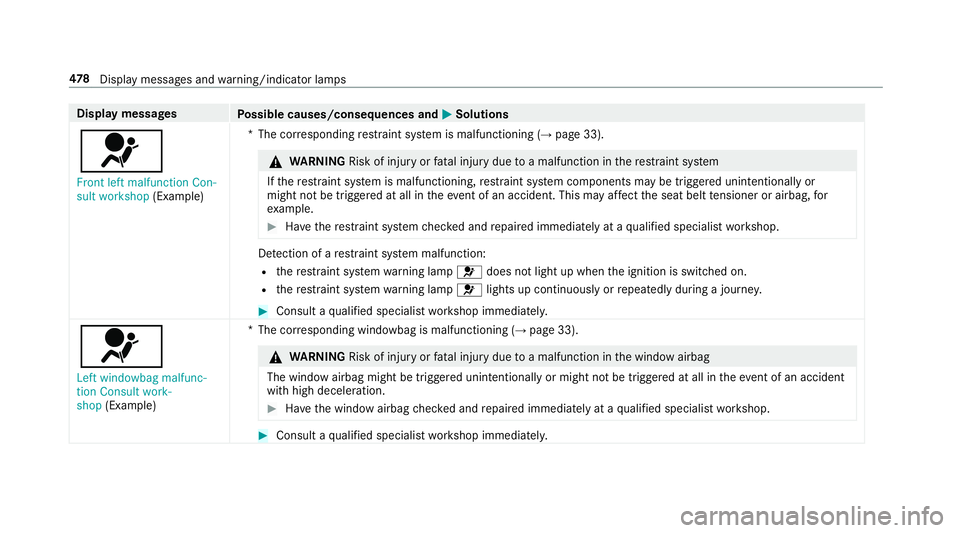
Display messages
Possible causes/consequences and M
MSolutions
6 Front left malfunction Con-
sult workshop (Example) *T
he cor responding restra int sy stem is malfunctioning (→ page 33). &
WARNING Risk of inju ryor fata l injury due toa malfunction in there stra int sy stem
If th ere stra int sy stem is malfunctioning, restra int sy stem components may be triggered unintentionally or
might not be triggered at all in theeve nt of an accident. This may af fect the seat belt tensioner or airbag, for
ex ample. #
Have there stra int sy stem checked and repaired immediately at a qualified specialist workshop. De
tection of a restra int sy stem malfunction:
R there stra int sy stem warning lamp 6does not light up when the ignition is switched on.
R there stra int sy stem warning lamp 6lights up continuously or repeatedly during a journe y. #
Consult a qualified specialist workshop immediatel y.
6
Left windowbag malfunc-
tion Consult work-
shop (Example) *T
he cor responding windowbag is malfunctioning (→ page 33). &
WARNING Risk of inju ryor fata l injury due toa malfunction in the window airbag
The window airbag might be triggered unintentionally or might not be triggered at all in theeve nt of an accident
wi th high deceleration. #
Have the window airbag checked and repaired immediately at a qualified specialist workshop. #
Consult a qualified specialist workshop immediatel y.478
Displaymessa ges and warning/indicator lamps
Page 500 of 589
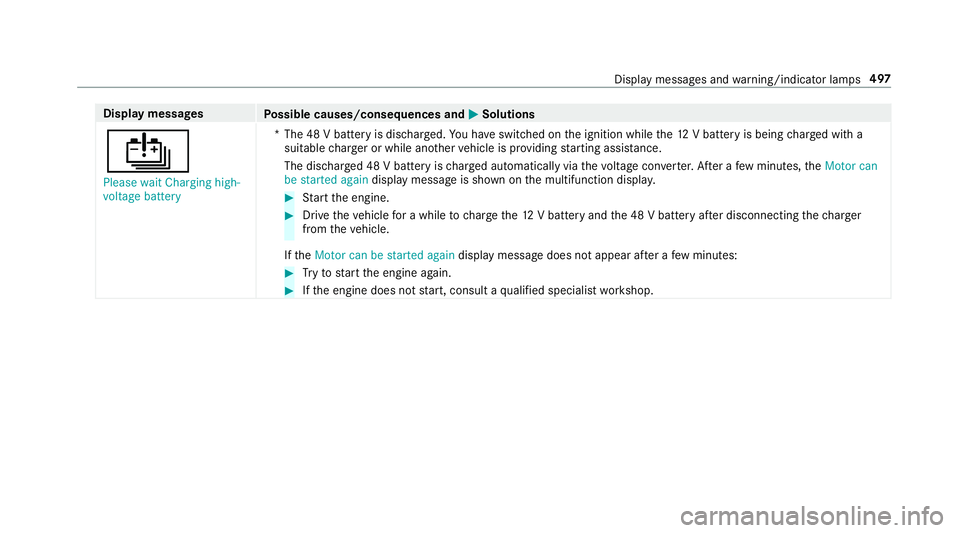
Display messages
Possible causes/consequences and M
MSolutions
Û Please wait Charging high-
voltage battery *T
he 48 V battery is dischar ged. You ha veswitched on the ignition while the12 V battery is being charge d with a
suitable charge r or while ano ther vehicle is pr oviding starting assis tance.
The discha rged 48 V battery is charge d automatically via thevo ltage con verter. Af ter a few minutes, theMotor can
be started again display message is shown on the multifunction displa y. #
Start the engine. #
Drive theve hicle for a while tocharge the12 V battery and the 48 V battery af ter disconnecting thech arger
from theve hicle.
If th eMotor can be started again display message does not appear af ter a few minutes: #
Tryto start the engine again. #
Ifth e engine does not start, consult a qualified specialist workshop. Display messages and
warning/indicator lamps 497
Page 505 of 589
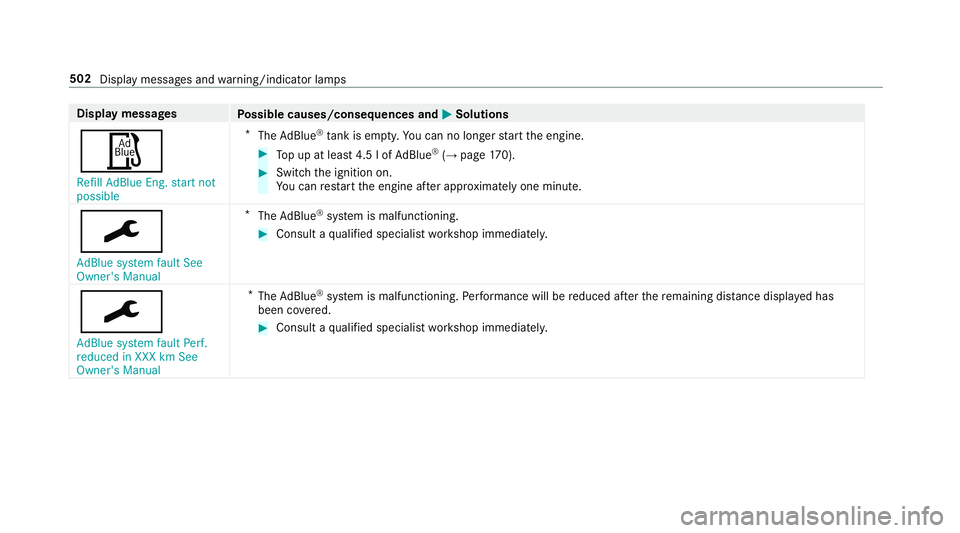
Display messages
Possible causes/consequences and M
MSolutions
Ø Refill AdBlue Eng. start not
possible *
The AdBlue ®
tank is em pty. Yo u can no lon gerst art the engine. #
Top up at least 4.5 lof Ad Blue ®
(→ page 170). #
Switch the ignition on.
Yo u can restart the engine af ter appro ximately one minu te.
¯
AdBlue system fault See
Owner's Manual *
The AdBlue ®
sy stem is malfunctioning. #
Consult a qualified specialist workshop immediatel y.
¯
AdBlue system fault Perf.
reduced in XXX km See
Owner's Manual *
The AdBlue ®
sy stem is malfunctioning. Performance will be reduced af terth ere maining dis tance displ ayed has
been co vered. #
Consult a qualified specialist workshop immediatel y.502
Display messages and warning/indicator lamps
Page 514 of 589
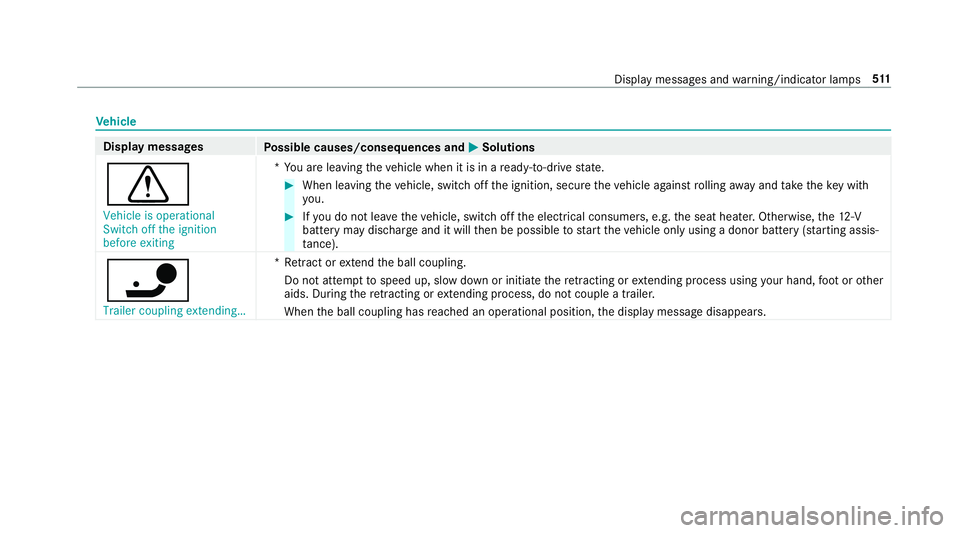
Ve
hicle Display messages
Possible causes/consequences and M
MSolutions
d Vehicle is operational
Switch off the ignition
before exiting *Y
ou are leaving theve hicle when it is in a ready-to-drive state. #
When leaving theve hicle, switch off the ignition, secure theve hicle against rolling away and take theke y with
yo u. #
Ifyo u do not lea vetheve hicle, switch off the electrical consumers, e.g. the seat heater. Otherwise, the12 ‑V
battery may discharge and it will then be possible tostart theve hicle only using a donor battery (s tarting assis‐
ta nce).
ï Trailer coupling extending… *R
etra ct or extend the ball coupling.
Do not attem pttospeed up, slow down or initiate there tracting or extending process using your hand, foot or other
aids. During there tracting or extending process, do not couple a traile r.
When the ball coupling has reached an operational position, the display message disappears. Display messages and
warning/indicator lamps 511
Page 526 of 589
Display messages
Possible causes/consequences and M
MSolutions
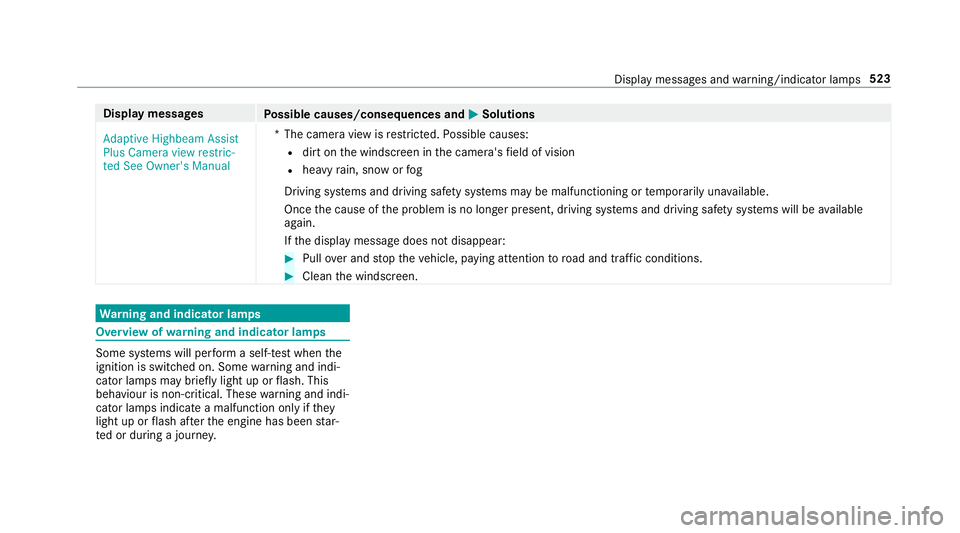
Adaptive Highbeam Assist
Plus Camera view restric-
ted See Owner's Manual *T
he camera view is restricted. Possible causes:
R dirt on the windscreen in the camera's field of vision
R heavy rain, snow or fog
Driving sy stems and driving saf ety sy stems may be malfunctioning or temp orarily una vailable.
Once the cause of the problem is no longer present, driving sy stems and driving saf ety sy stems will be available
again.
If th e display message does not disappear: #
Pull over and stop theve hicle, paying attention toroad and traf fic conditions. #
Clean the windscreen. Wa
rning and indicator lamps Overview of
warning and indicator lamps Some sy
stems will per form a self-test when the
ignition is switched on. Some warning and indi‐
cator lamps may brief lylight up or flash. This
behaviour is non-critical. These warning and indi‐
cator lamps indicate a malfunction only if they
light up or flash af terth e engine has been star‐
te d or during a journe y. Displ
aymessa ges and warning/indicator lamps 523
Page 557 of 589
Risk of
vehicle rolling Driver door
open and transmission not in P ............514
# See Owner's Manual ................... 494
Speed limit (winter tyres) XXX km/h ... 492
ÐSt eering malfunction Drive
carefully Visit workshop ....................... 517
Ð Steering malfunction Incre ased
ph ysical ef fort See Owner's Manual ....51 8
Ð Steering malfunction Stop
immediately See Owner's Manual ........517
St op vehicle Lea veengine running
Wa itTransmission cooling ....................516
# Stop vehicle Lea veengine run‐
ning ..................................................... 495
#St opvehicle See Owner's Man‐
ual .......................................................4 95
ÉSt opvehicle Vehicle too low ........ 484
çsuspended ................................... 491
bSwitch off lights .......................... 522
bSwitch on headlamps .................. 522To
shift out of P or N,depress brake
and start engine .................................. .514
To p up coolant See Owner ’sManual ... 493
¥To p upwasher fluid .................... .520
Tr af fic Sign Assi stCamera view
re stricted See Owner's Manual ........... 489
Tr af fic Sign Assi stcur rently una vaila‐
ble See Owner's Manual ...................... 489
Tr af fic Sign Assi stinope rative ............. 489
ïTr ailer coupling extending… .........511
Tr ansmission Malfunction Stop ............ 51 5
! Turn on the ignition torelease
th e parking brake ................................. 471
h Tyre press. monitor cur rently
una vailable .......................................... 506
hTy repress. monitor inoperative
No wheel sensors ................................ 507
hTy repress. monitor inoperative ...507
Ty re pressure Check tyres ...................504
Ty re(s) ove rheated ...............................5 08dVe
hicle is operational Switch
off the ignition before exiting .............. .511
É Vehicle rising Please wait............ 483
ÉVe hiclerising ...............................4 83
hWa rning tyre defect .....................506
hWheel sensor(s) missing .............. 507
Wi thout changing gear, consult work‐
shop ..................................................... 51 5
Display on the windscreen
see Head-up display
Distance control see Active Dis tance Assi stDISTRONIC
Di stance recorder
see Trip dis tance
DI STRO NIC
see Active Dis tance Assi stDISTRONIC
Door Additional door lock ...............................71
Child saf ety lock (rear door) .................. 63
Locking (emer gency key) ...................... .75
Opening (from the inside) ......................71
Un locking (emer gency key) .................... 75554
Index
Page 562 of 589

H
Handbrake see Electric parking brake
Handling characteristics (unusual) ....... 428
HANDS-FREE ACCESS ................................ 79
Haza rdwa rning lights ............................ .125
HD prog rammes
see CI+ module
Head restra int
Fr ont (adjusting mechanically) .............. 96
Fr ont (luxury head restra int) .................. 97
Re ar (adjusting) .................................... .98
Head-up display ....................................... 264
Ad justing display elements (on-board
compu ter) ............................................ 264
Ad justing the brightness (on-board
computer) ............................................ 264
Fu nction .............................................. 265
Menu (on-board compu ter) .................. 264
Operating the memory function ..........1 04
Setting the position (on-board com‐
puter) .................................................. 264
Switching on/off ................................. 266 Headla
mpflasher ................................... .124
Heating see Climate control
High beam Switching on/off ................................. 124
High-pressure cleaner (care) ................. 396
Hill Start Assist ....................................... 208
HOLD function ......................................... 208
Fu nction/no tes ................................... 208
Switching on/off ................................. 208
Hooking the luggage net .........................112
Hotspot Setting up (Wi-Fi) ................................. 293 I
i-Size child seat securing sy stem ............ 50
Fitting .................................................... 51
No tes ..................................................... 50
Seats suitable for attaching ................... 61
Identification pla te
Engine ................................................. 450
Ve hicle ................................................ 450 Ignition
Switching on (S tart/S top button) ........ 14 9
Ignition key
see Key
Immobiliser ................................................ 89
Implied warranty
Ve hicle .................................................. 28
In Car Of fice
Calling up ............................................ 340
Fe atures .............................................. 339
Marking a to-do entry as compl eted ....3 40
Noting an incoming call ....................... 340
Selecting functions .............................. 340
Switching auto maticstart on/off ........ 340
Indicator lamps see Warning/indicator lamps
Individual drive prog ram
Con figuring .......................................... 16 0
Selecting ............................................. 16 0
Instrument clus ter
see Instrument display
Instrument display ..................................2 53
Ad justing the lighting .......................... 258 Index
559
Page 576 of 589
Speech dialogue sy
stem
see LINGU ATRO NIC
Speed Limit Assist .................................. 237
Fu nction/no tes ................................... 237
Setting .................................................2 38
Sy stem limitations ...............................2 37
Speed limitation for winter tyres
Setting ................................................ .196
Speedome ter
Digital .................................................. 259
St andby mode
Ac tivating/deactivating ...................... .180
Fu nction .............................................. 180
St anding lights ........................................ 12 2
St art/s top button
Pa rking theve hicle .............................. 172
St arting theve hicle ............................. 15 0
Switching on the po wer supply or
ignition ................................................ 14 9
St art/s top function
see ECO start/ stop function
St arting assi stance
see Jump -star t connection St
arting the engine
see Vehicle
St arting-o ffaid
see Hill Start Assist
St ation
Deleting ............................................... 374
Direct frequency entry ......................... 374
Fr equency fix ....................................... 375
Moving .................................................3 74
Sea rching ............................................. 374
Setting ................................................. 374
St oring .................................................3 74
St ation list
Calling up ............................................. 374
St ation presets
Modifying ............................................. 374
St ation tracking
Setting ................................................. 375
St ationary heater/ventilation
Displ ays (remo tecontrol) .................... 14 5
Problems (remo tecontrol) ................... 14 6
Re placing the battery (remo tecon‐
trol) ...................................................... 14 5
Setting (multimedia sy stem) ................1 44Setting (remo
tecontrol) ...................... 14 4
Switching on/off (control panel) ......... 14 2
ST EER CONT ROL
Fu nction/no tes .................................... 187
Ste ering wheel ........................................ 254
Ad justing (electrically) ........................ .102
Ad justing (manually) ............................ 101
Buttons ................................................ 254
Ope rating the memory function ..........1 04
St eering wheel heater .......................... 103
Ste ering wheel gearshift paddles ..........16 3
Ste ering wheel heater
Swit ching on/off ................................ .103
St ow age areas
see Loading
see Stow age compartment
St ow age comp artment........................... 107
Armrest ............................................... 107
Centre console .................................... 107
Door .................................................... 107
Glo vebox .............................................1 07
Re ar armrest ...................................... .108
Spectacles compartment .................... 107 Index
573