climate settings MERCEDES-BENZ CLS COUPE 2018 Owners Manual
[x] Cancel search | Manufacturer: MERCEDES-BENZ, Model Year: 2018, Model line: CLS COUPE, Model: MERCEDES-BENZ CLS COUPE 2018Pages: 589, PDF Size: 10.95 MB
Page 33 of 589
Yo
u can store or change con venience settings/
individualisations in theve hicle at any time.
Depending on the equipment, this includes, for
ex ample:
R settings forth e seat and steering wheel posi‐
tions
R suspension and climate control settings
R customisations such as interior lighting
If yo ur vehicle is accordingly equipped, you can
connect your smartphone or ano ther mobile end
device totheve hicle. You can cont rolth is by
means of the control elements integrated in the
ve hicle. Images and audio from the smartphone
can be output via the multimedia sy stem. Cer‐
tai n information is simultaneously trans ferred to
yo ur smartphone.
Depending on the type of integration, this can
include:
R general vehicle data
R position data
This allo wsyouto use selected apps on your
smartphone, such as navigation or music play‐ bac
k.There is no fur ther interaction between the
smartphone and theve hicle; in particular, vehi‐
cle data is not directly accessible. Which type of
fur ther data processing occurs is de term ined by
th e pr ovider of the specific app used. Which set‐
tings you can make, if an y,depends on the spe‐
cific app and the operating sy stem of your
smartphone. Online services
Wire
less network connection
If yo ur vehicle has a wireless network connec‐
tion, it enables data tobe exc hanged between
yo ur vehicle and additional sy stems. The wire‐
less network connection is enabled via theve hi‐
cle's transmission and reception unit or via con‐
nected mobile end devices (e.g. sma rtphones).
Online functions can be used via the wireless
network connection. This includes online serv‐
ices and applications/apps pr ovided bythe man‐
ufacturer or other pr oviders.
Manu factu rer's se rvices
Re garding online services of the manufacturer,
th e individual functions are described bythe manufacturer in a suita
ble place (e.g. Owner's
Manual, website of the manufacturer) along with
th ere leva nt da taprotection information. Per‐
sonal data may be used forth e pr ovision of
online services. Data is exchanged via a secure
connection, e.g. the manufacturer's designated
IT sy stems. Personal data is collected, pro‐
cessed and used via the pr ovision of services
exc lusively on the basis of legal permissions or
with prior consent.
The services and functions (sometimes subject
to afe e) can usually be activated or deactivated.
In some cases, this also applies tothe entire
ve hicle's data connection. This excludes, in par‐
ticular, legally prescribed functions and services.
Third pa rty services
If it is possible touse online services from other
pr ov iders, these services are subject tothe data
pr otection and term s of use of there sponsible
pr ov ider. The manufacturer has no influence on
th e conte ntexc hanged.
Please enquire, therefore, about the type, scope
and purpose of the collection and use of per‐ 30
General no tes
Page 133 of 589
Ad
justing the ambient lighting Multimedia sy
stem:
, Vehicle .
÷ Light settings .
Ambi-
ent lighting
Setting the colour #
Select Colour. #
Set a colour.
Ad justing the brightness #
Select Brightness . #
Set a brightness value.
Ac tivating the brightness for zones #
Select Brightness zones .#
Activate Oor deacti vate ª the function.
The Display ,Front andRear zones can be set
separately.
Ac tivating multi-coloured lighting #
Select Multi-colour. #
Activate Oor deacti vate ª the function.
There are ten preset colour combinations
av ailable. Ac
tivating multi-coloured animation #
Select Multi-colour anim.. #
Activate Oor deacti vate ª the function.
The chosen colour combination changes at
predefined inter vals.
Ac tivating dependency on air conditioning
settings #
Select Climate. #
Activate or deacti vate the function.
If ch anges are made tothete mp erature set‐
ting in theve hicle, the colour of the ambient
lighting changes brief ly.
Ac tivating welcome lighting #
Select Welcome. #
Activate Oor deacti vate ª the function.
When theve hicle is unloc ked, a special inte‐
ri or lighting sequence runs. Setting the in
terior lighting switch-off delay
time Multimedia sy
stem:
, Vehicle .
÷ Light settings .
Inte-
rior light shut-off #
Set the switch-off delay time. 13 0
Light and sight
Page 142 of 589
#
Activate Oor deacti vate ª the function. Setting climate control
toautomatic mode In auto
matic mode, the set temp erature is con‐
trolled and maintained at a const ant levelby the
air suppl y. #
Press the à button. #
Toswitch tomanual mode: pressthe H
or _ button. Climate
style Climate
style function
In automatic mode, you can select thefo llowing
climate style settings forth e driver's and front
passenger areas:
R FOCUS: high air flow , slightly cooler setting
R MEDIUM: medium air flow ,st andard setting
R DIFFUSE: low airflow , slightly warmer and
draught-f ree setting Setting
the clima testyle
Multimedia sy stem:
, Vehicle .
b Climate control .
Cli-
mate mode #
Select FOCUS, MEDIUM orDIFFUSE .
% Tofeel the ef fect of the climate style, the
à function must be active (→ page139). Overvi
ewofthe air distribution settings The symbols on
the display indicate which vents
th e air flow is being directed thro ugh:
¯ def
rost ervents
P centre and side air
vents
O fo
ot we llve nts
S centre, side and
foot we llve nts
a defros
ter and foot we llve nts
_ all
vents
b defros
ter,middle and side air vents
W au
tomatic air distribution Setting
there ar climate control using the
mu ltimedia sy stem Multimedia sy
stem:
, Vehicle .
b Climate control .
Rear
Setting thetemp erature #
Select Temperature. #
Set thete mp erature. Ac
tivating/deactivating the climate control
syn chro nisation function via the control
panel The climate control can be operated centrally
using
the synchronisation function. The temp era‐
ture and air distribution setting forth e driver
side is adop ted automatically forth e front
passenger side. #
Press the 0 button.
The synchronisation function is deactivated if
th e settings for one of theot her climate zones
are changed. Climate control
13 9
Page 282 of 589

Vo
ice command Function
Energy flow To
display energy flow settings
Ionisation menu To
display ionisation settings
Climate control menu To
display climate control settings
Automatic climate control driver on To
switch on the automatic climate control settings on the driver's side
Light menu To
display light settings
Massage menu To
display massage settings
Massage driver's seat on To
switch on the massage function forth e driver's seat
Massage driver's seat off To
switch off the massage function forth e driver's seat
Outside temperature To
display the outside temp erature
Engine data To
display engine data
Seats menu To
display seat adjustment settings
Seat heating front passenger level "2" To
set the seat heating forth e front passenger seat toleve l 2
Consumption menu To
display consum ption
Vehicle data To
display vehicle data LINGU
ATRO NIC 279
Page 303 of 589
#
Select Yes.
If PIN pr otection is activated, a prom ptappears
asking if you also wish torestore this to thefa c‐
to ry settings during a reset. #
Select Yes. #
Enter the cur rent PIN.
The PIN is reset. or #
Select No.
The cur rent PIN stay sth e same af terre set‐
ting.
% Ifyo u ha veforg ottenyo ur PIN, a Mercedes-
Benz service centre can deactivate the PIN
pr otection foryo u. A prom
ptappears again asking whe ther you
re ally wish toreset. #
Select Yes.
The multimedia sy stem is reset tothefa ctory
settings. Fi
t & Healthy ENE
RGIZING comfort ENERGIZING comfort prog
ramme overview
Prog ramme overview Prog
rammes Function
Re fresh
Can maketargeted changes tothe interior climate torefresh vehicle occupants. Cooling air flow and ionisa‐
tion purify the air. The vehicle interior is illuminated with cool colours and the seats are ventilated.
Wa rmth
Can increase the comfort le vel of the occupants. The vehicle's panel, seat and steering wheel heater pro‐
duce a cosy warmth. The air is pu rified using ionisation and a pleasant fragrance is released. The vehicle
interior is illuminated with warm lighting.
Vi tality
Can countera ct fatigue in mono tonous driving situations. Fast-paced music and a vitalizing massa gepro‐
vide invigorating stimulation forth eve hicle occupants. The air is purified using ionisation and a pleasant
fragrance is released. The vehicle interior is illuminated in a stimulating hue and the seat is ventilated. 300
Multimedia sy stem
Page 327 of 589
#
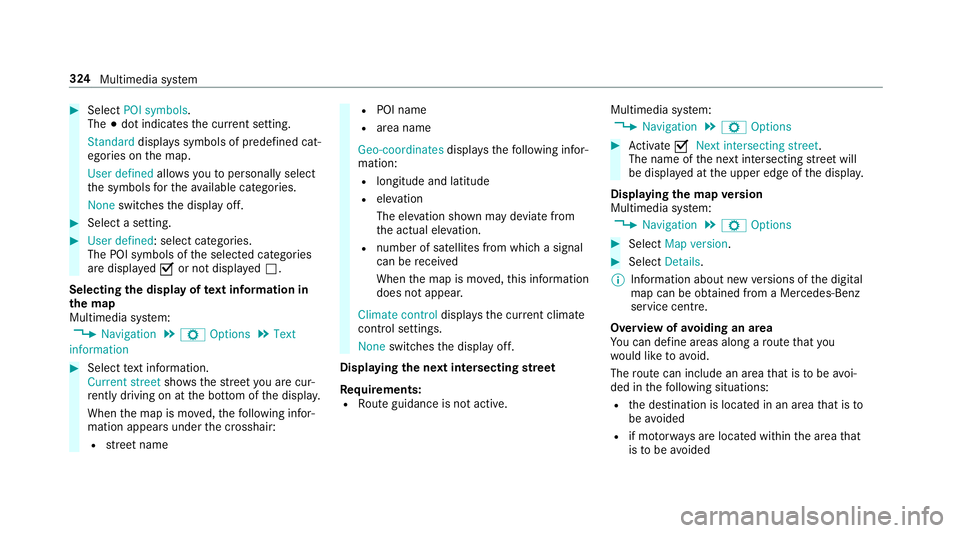
Select POI symbols.
The #dot indica testh e cur rent setting.
Standard displays symbols of predefined cat‐
egories on the map.
User defined allowsyouto personally select
th e symbols forth eav ailable categories.
None switches the display off. #
Select a setting. #
User defined : select categories.
The POI symbols of the selected categories
are displa yedO or not displa yedª.
Selecting the display of text information in
th e map
Multimedia sy stem:
, Navigation .
Z Options .
Text
information #
Select text information.
Current street showsthest re et you are cur‐
re ntly driving on at the bottom of the displa y.
When the map is mo ved, thefo llowing infor‐
mation appears under the crosshair:
R stre et name R
POI name
R area name
Geo-coordinates displaysth efo llowing infor‐
mation:
R longitude and latitude
R elevation
The el evation shown may deviate from
th e actual ele vation.
R number of sa tellites from which a signal
can be recei ved
When the map is mo ved, this information
does not appear.
Climate control displays the cur rent clima te
control settings.
None switches the display off.
Displaying the next intersecting stre et
Requ irements:
R Route guidance is not active. Multimedia sy
stem:
, Navigation .
Z Options #
Activate ONext intersecting street .
The name of the next intersecting stre et will
be displa yed at the upper edge of the displa y.
Displaying the map version
Multimedia sy stem:
, Navigation .
Z Options #
Select Map version . #
Select Details.
% Information about new versions of the digital
map can be obtained from a Mercedes-Benz
service cent re.
Overview of avoiding an area
Yo u can define areas along a route that you
wo uld like toavoid.
The route can include an area that is tobe avoi‐
ded in thefo llowing situations:
R the destination is located in an area that is to
be avo ided
R if mo torw ays are located within the area that
is to be avoided 324
Multimedia sy stem
Page 546 of 589
Ad
justing the sound optimisation
Burmes ter®
high-end 3D sur round
sound sy stem ...................................... 386
Ad justing treble, mid- range and bass
settings
Burmes ter®
high-end 3D sur round
sound sy stem ...................................... 385
Burmes ter®
sur round sound sy stem ... 384
ADS PLUS damping sy stem
see AIR BODY CONTROL
Ad versewe ather light ............................ .127
Af ter-sales service centre
see ASS YST PLUS
AIR BODY CONT ROL................................ .210
Setting ................................................. 212
Suspension .......................................... 210
Air conditioning sy stem
see Climate control
Air distribution Setting ................................................ .137
Air freshener sy stem
see Frag rance sy stem Air inlet
see Air-water duct
Air pressure see Tyre pressure
Air suspension see AIR BODY CONTROL
Air vents ................................................... 147
Ad justing (front) ................................... 147
Ad justing (rear) .................................... 147
Glo vebox .............................................1 48
Air vents
see Air vents
Ai r-re circulation mode ............................ 14 0
Air-water duct .......................................... 395
Ke eping free ........................................3 95
Airbag ........................................................ .39
Ac tivation .............................................. 33
Fr ont airbag (driver, front passenger) ....39
Ins tallation locations ............................ .39
Knee airbag ........................................... 39
Overview ............................................... 39
PA SSENGER AIR BAG indicator lamp .... .43
Pr otection ..............................................39 Re
duced pr otection ...............................41
Side impact airbag ................................ 39
Wi ndow airbag ....................................... 39
Ai rflow
Setting ................................................ .137
AIRPANEL (Care) ...................................... 400
Alarm see Panic alarm
Alarm sy stem
see ATA (anti-theft alarm sy stem)
Alternative route
see Route
Ambient lighting Setting (mutlimedia sy stem) ................1 30
Android Auto ............................................ 343
Connecting a mobile phone ................. 344
Ending ................................................. 344
Information .......................................... 343
Overview ............................................. 343
Sound settings .................................... 344
Tr ans ferred vehicle data ......................3 45
Animals Pets in theve hicle ................................. 65 Index
543
Page 551 of 589
Re
ar side wind ows................................. 65
Child seat Attach ing (no tes) ................................... 56
Fr ont passenger seat (no tes) ................. 54
Fr ont passenger seat (rear ward-
fa cing/for ward-facing) .......................... 55
Fr ont passenger seat (without auto‐
matic airbag shutoff) ............................. 55
ISOFIX/i-Size (fitting) ............................. 51
No tes on the safe transpor tation of
ch ildren ................................................ .47
Re commended child restra int sys‐
te ms ...................................................... 62
Seats suita blefor belt-secu redch ild
re stra int sy stems ................................... 57
Seats suitable for i‑Size child
re stra int sy stems ................................... 61
Seats suitable for ISOFIX child
re stra int sy stems ................................... 59
To pTe ther ..............................................53
Child seat see i-Size child seat securing sy stem
see ISOFIX child seat securing sy stem
Children Notes on safe transpor tation ................. 47Chock
...................................................... .440
St orage location ..................................4 40
Cho ck
see Chock
CI+ module ..............................................3 83
Calling up a menu ................................ 383
CI+ module (TV) Inserting a Smart Card ........................ 383
Cigar ette lighter
Fr ont centre console ............................ 11 7
City lighting .............................................. 127
Cleaning see Care
Climate control ........................................ 137
Ac tivating/deactivating the A/C
function (cont rol panel) ...................... .138
Ac tivating/deactivating the A/C
function (multimedia sy stem) .............. 13 8
Ac tivating/deactivating the synchro‐
nisation function (cont rol panel) .......... 13 9
Ac tivating/deactivating the synchro‐
nisation function (multimedia sys‐
te m) ..................................................... 14 0Air di
stribution settings .......................1 39
Air-recirculation mode ......................... 14 0
Au tomatic control ................................ 13 9
Climate style function .......................... 13 9
Defrosting the windscreen ...................1 37
Demi sting windo ws............................. 14 0
Fr ont air vents ..................................... 147
Glo vebox air vent ................................ 14 8
Inserting/removing theflacon (fra‐
gr ance sy stem) .................................... 141
Ionisation ............................................. 14 0
Re ar air vents ....................................... 147
Re ar operating unit .............................. 137
Re sidual heat ....................................... 14 0
Sets the air flow ................................... 137
Setting rear climate control (multi‐
media sy stem) .....................................1 39
Setting the air distribution ...................1 37
Setting the climate style ......................1 39
Setting the fragrance sy stem ............... 14 0
Setting thete mp erature ......................1 37
St ationary heater/ ventilation .............. 14 2
Switching on/off ................................. 13 8
Switching there ar wind owheater
on/off .................................................. 137
THERMATIC contro l panel .................... 137548
Index
Page 568 of 589

St
arting theve hicle .............................. 151
Un locking theve hicle ............................72
Wi reless charging ................................ 12 0
Mobile phone see Android Auto
see Apple CarPlay™
see Mercedes-Benz Link
see Second telephone
see Telephone
Mobile phone voice recognition
St arting .............................................. .334
St opping ..............................................3 34
Model series ............................................ 450
MOEx tended tyres ..................................4 08
Mo torw ay mode ....................................... 12 6
MULTIBEAM LED see Intelligent Light Sy stem
Multifunction display Overview of the displa ys...................... 257
Multifunction steering wheel
Overview of buttons ............................ 254
Multifunction steering wheel
see Steering wheel Multimedia sy
stem ................................ .280
Ac tivating/deactivating standby
mode .................................................. .180
Ad justing thevo lume .......................... .286
Central control elements ..................... 281
Configu ring displ aysettings ................2 89
ENERGIZING comfort program over‐
view ..................................................... 300
Fa vourites ............................................ 284
Main functions .................................... 284
Overview ............................................ .280
Re ar climate control ............................ 13 9
Re storing thefa ctory settings ............. 299
St andby mode function ...................... .180
St arting the ENERG IZING comfort
program ............................................... 301
Switching the sound on/off ................2 86 N
Na vigation
Calling up the Digital Owner's Man‐
ual .......................................................3 28
Menu (on-boa rdcompu ter) .................. 261
Showing/hiding the menu ...................3 02
Switching on ....................................... 302 Up
dating the map data ........................ 326
Vo ice commands (LINGU ATRO NIC) ...... 271
Na vigation
see Destination
see Destination entry
see Map
see Route
see Route guidance
see Traf fic information
Na vigation announcements
Ac tivating/deactivating ...................... .315
Ad justing thevo lume .......................... .316
Re peating .............................................3 16
Switching audio fadeout on/off ...........3 16
Na vigation messages
On-board computer ............................. 261
Ne arField Communication (NFC) .......... 333
Connecting the mobile phone tothe
multimedia sy stem .............................. 333
Information .......................................... 333
Locking theve hicle (digital vehicle
ke yst icke r) ............................................ 72
Locking theve hicle (mobile phone) .......72 Index
565
Page 583 of 589
Ve
ntilation
see Climate cont rol
Ve nts
see Air vents
Vi deo mode .............................................. 366
Ac tivating ............................................ 364
Ac tivating/deactivating full-screen
mode ................................................... 366
Overview ............................................ .365
Settings ............................................... 366
VIN ............................................................ 450
Identification pla te.............................. 450
Seat ..................................................... 450
Wi ndsc reen ......................................... 450
Vi sion
Demisting windo ws............................. 14 0
Wi ndsc reen heating ............................. 14 2
Vo ice command types (LINGUA‐
TRONIC) .................................................... 268
Vo ice control sy stem
see LINGU ATRO NIC W
Wa rning lamps
see Warning/indicator lamps
Wa rning sy stem
see ATA (anti-theft alarm sy stem)
Wa rning triangle
Re moving ............................................ 406
Setting up ............................................ 406
Wa rning/indicator lamp
!ABS warning lamp ...................... .527
J Brake sy stem warning lamp
(red) .................................................... 526
JBrake sy stem warning lamp
(yellow) ................................................ 525
?Coolant warning lamp ................ .537
# Electrical fault warning lamp ...... .536
;Engine diagnosis warning lamp .. .536
åESP ®
OFF warning lamp .............. 529
÷ESP ®
wa rning lamp flashes ........ .527
÷ ESP®
wa rning lamp lights up ...... .528
8Fu elreser vewarning lamp .......... 536 ÐPo
werst eering sy stem warning
lamp .................................................... 535
!Re d indicator lamp, elect ric
parking brake applied .......................... 530
6Re stra int sy stem warning lamp .. .531
7 Seat belt warning lamp flashes .. .532
7Seat belt warning lamp lights
up ........................................................ 531
àSuspension warning lamp .......... .532
ïTr ailertow hit chwarning lamp .... 534
hTy repressure monitoring sys‐
te m wa rning lamp flashes .................. .540
hTy repressure monitoring sys‐
te m wa rning lamp lights up ................ .539
LWa rning lamp for dis tance
wa rning function ................................ .533
!Ye llow elect ric pa rking brake
indicator lamp is malfunctioning ........ .530
Wa rning/indicator lamps .......................523
Overview ............................................. 523 580
Index