phone MERCEDES-BENZ E-CLASS 2000 Owner's Manual
[x] Cancel search | Manufacturer: MERCEDES-BENZ, Model Year: 2000, Model line: E-CLASS, Model: MERCEDES-BENZ E-CLASS 2000Pages: 341, PDF Size: 15.37 MB
Page 179 of 341
176 Control and operation of radio transmitters
Te ch n ica l
data Instruments
and controlsOperationDrivingInstrument
cluster displayPractical hints Car care Index
Control and operation of radio transmitters
COMAND, radio and telephone
1 Observe all legal requirements.
Telephones and two-way radio
Radio transmitters, such as a portable telephone or a
citizens band unit should only be used inside the
vehicle if they are connected to an antenna that is
installed on the outside of the vehicle.
Refer to the radio transmitter operation instructions
regarding use of an external antenna.
Wa r n i n g !
Please do not forget that your primary
responsibility is to drive the vehicle. Only operate
the COMAND (Cockpit Management and Data
System), radio or telephone
1 if road and traffic
conditions permit.
Bear in mind that at a speed of just 30 mph
(approximately 50 km / h), your vehicle is covering
a distance of approximately 50 feet (approximately
14 m ) e v e r y s e c o n d .
Wa r n i n g !
Never operate radio transmitters equipped with a
built-in or attached antenna (i.e. without being
connected to an external antenna) from inside the
vehicle while the engine is running. Doing so could
lead to a malfunction of the vehicle’s electronic
system, possibly resulting in an accident and
personal injury.
ProCarManuals.com
Page 183 of 341
180 Tele Aid
Te ch n ica l
data Instruments
and controlsOperationDrivingInstrument
cluster displayPractical hints Car care Index
The Tele Aid system is available if:
•it has been activated and is operational. Activation
requires a subscription for monitoring services and
cellular air time
•the relevant cellular phone network and GPS signals
are available and pass the information on to the
response center.
Note:
Location of the vehicle on a map is possible if the
vehicle is able to receive signals from the GPS satellite
network and pass the information on to the response
center.
Wa r n i n g !
If the indicator lamp in the “SOS” button is
illuminated continuously and there was no voice
connection to the Response Center established,
then the Tele Aid system could not initiate an
emergency call (e.g. the relevant cellular phone
network is not available). The message
“EMERGENCY CALL – CALL FAILED” appears in
the multifunction display for approx. 10 seconds.Should this occur, assistance must be summoned
by oth er means.
ProCarManuals.com
Page 186 of 341
183 Tele Aid
Te ch n ica l
data Instruments
and controlsOperationDrivingInstrument
cluster displayPractical hints Car care Index If the indicator lamp in the Roadside Assistance
button• is illuminated continuously and there was
no voice connection to the Response Center established,
then the Tele Aid system could not initiate an Roadside
Assistance call (e.g. the relevant cellular phone network
is not available). The message “ROADSIDE
ASSISTANCE – CALL FAILED” appears in the
multifunction display.
Roadside Assistance calls can be terminated using the
ìbutton on the multifunction steering wheel.
Information button ¡
Located below the center armrest cover is the
Information button¡. Pressing and holding the
button (for longer than 2 seconds) will initiate a call to
the Client Assistance Center. The button will flash while
the call is in progress. The message “INFO –
CONNECTING CALL” will appear in the multifunction
display. When the connection is established, the
message “INFO – CALL CONNECTED” appears in the
multifunction display. The Tele Aid system will transmit
data generating the vehicle identification number,
model, color and location (subject to availability of
cellular and GPS signals).A voice connection between the Client Assistance
Center representative and the occupants of the vehicle
will be established. When a voice connection is
established the audio system mutes and the message
“TELE AID – INFO CALL ACTIVE” appears in the
multifunction display. Information regarding the
operation of your vehicle, the nearest Mercedes-Benz
Center or Mercedes-Benz USA products and services is
ava il ab l e to you .
For more details concerning Tele Aid, please visit
www.mbusa.com and use your ID and password, sent to
you separately, to learn more (USA only).
Notes:
The indicator lamp in the Information button¡
remains illuminated in red for approximately
10 seconds during the system self-check after turning
electronic key in starter switch to position 2 (together
with the “SOS” button and the Roadside Assistance
button•).
See system self-check on page 178 when the indicator
lamp does not light up in red or stays on longer than
approximately 10 seconds.
ProCarManuals.com
Page 187 of 341
184 Tele Aid
Te ch n ica l
data Instruments
and controlsOperationDrivingInstrument
cluster displayPractical hints Car care Index
If the indicator lamp in the Information button¡ is
illuminated continuously and there was no voice
connection to the Response Center established, then the
Tele Aid system could not initiate an Information call
(e.g. the relevant cellular phone network is not
available). The message “INFO – CALL FAILED” appears
in the multifunction display.
Information calls can be terminated using the
ìbutton on the multifunction steering wheel.
Important!
If the indicator lamps do not start flashing after
pressing one of the buttons or remain illuminated (in
red) at any time, the Tele Aid system has detected a fault
or the service is not currently active, and may not
initiate a call. Visit your Mercedes-Benz Center and
have the system checked or contact the Response Center
at 1-800-756-9018 (in the USA) or 1-888-923-8367 (in
Canada) as soon as possible.Upgrade Signals
Tele Aid system processes calls using the following
priority.
•Automatic emergency – First priority
•Manual emergency – Second priority
•Roadside assistance – Third priority
•Information – Fourth priority
Should a higher priority call be initiated while you are
connected, an upgrade (alternating) tone will be heard,
and the appropriate indicator lamp will flash. If certain
information such as vehicle identification number or
client information is not available, the operator may
need to retransmit. During this time you will hear a
chirp and voice contact will be interrupted. Voice
contact will resume once the retransmission is
completed. Once a call is concluded, a chirp will be
heard and the appropriate indicator lamp will stop
flashing. The COMAND system operation will resume
(only vehicles with COMAND).
ProCarManuals.com
Page 188 of 341
185 Tele Aid
Te ch n ica l
data Instruments
and controlsOperationDrivingInstrument
cluster displayPractical hints Car care Index Important!
If the indicator lamp continues to flash or the system
does not reset, contact the Response Center at
1-800-756-9018 (in the USA) or 1-888-923-8367 (in
Canada), or Mercedes-Benz Client Assistance at
1-800-FOR-MERCedes (1-800-367-6372) in the USA or
Customer Service at 1-800-387-0100 in Canada.
Notes:
The indicator lamp in the respective button f lashes until
the call is concluded. Calls can only be terminated by a
Response Center or Client Assistance Center
representative except Roadside Assistance and
Information calls, which can also be terminated by
pressing ìbutton on the multifunction steering
wheel.When a Tele Aid call has been initiated, the audio
system or the COMAND system audio (only vehicles
with COMAND) is muted and the selected mode (radio,
tape or CD) pauses. The optional cellular phone (if
installed) switches off. If you must use this phone, the
vehicle must be parked. Disconnect the coiled cord and
place the call. The navigation system (if engaged) will
continue to run. The display in the instrument cluster is
available for use and spoken commands are only
available by pressing the RPT button on the COMAND
unit. A pop-up window will appear in the COMAND
display to indicate that a Tele Aid call is in progress.
ProCarManuals.com
Page 189 of 341
186 Tele Aid
Te ch n ica l
data Instruments
and controlsOperationDrivingInstrument
cluster displayPractical hints Car care Index
Remote door unlock
In the case you have your vehicle locked unintentionally
(e.g. key inside vehicle), and the reserve key is not
handy, contact the Mercedes-Benz Response Center at
1-800-756-9018 (in the USA) or 1-888-923-8367 (in
Canada). You will be asked to provide your password
which you provided when you completed the subscriber
agreement.
Then return to your vehicle and press trunk lock for
minimum of 20 seconds until the “SOS” button is
flashing. The message “EMERGENCY CALL –CALL
CONNECTED” appears in the multifunction display.
As an alternative, you may unlock the vehicle via
Internet using the ID and password sent to you shortly
after the completion of your Acquaintance Call.
The Response Center will then unlock your vehicle with
the remote door unlocking feature.Notes:
The remote door unlock feature is available if the
relevant cellular phone network is available.
The SOS button will flash and the message
“EMERGENCY CALL – CALL CONNECTED” will appear
in the multifunction display to indicate receipt of the
door unlock command.
Once the vehicle is unlocked, a Response Center
specialist will attempt to establish voice contact with the
vehicle occupants.
If the trunk lock was pressed for more than 20 seconds
before door unlock authorization was received by the
Response Center, you must wait 15 minutes before
pressing trunck lock again.
ProCarManuals.com
Page 263 of 341
260 Engine compartment
Te ch n ica l
data Instruments
and controlsOperation DrivingInstrument
cluster displayPractical hintsCar care Index
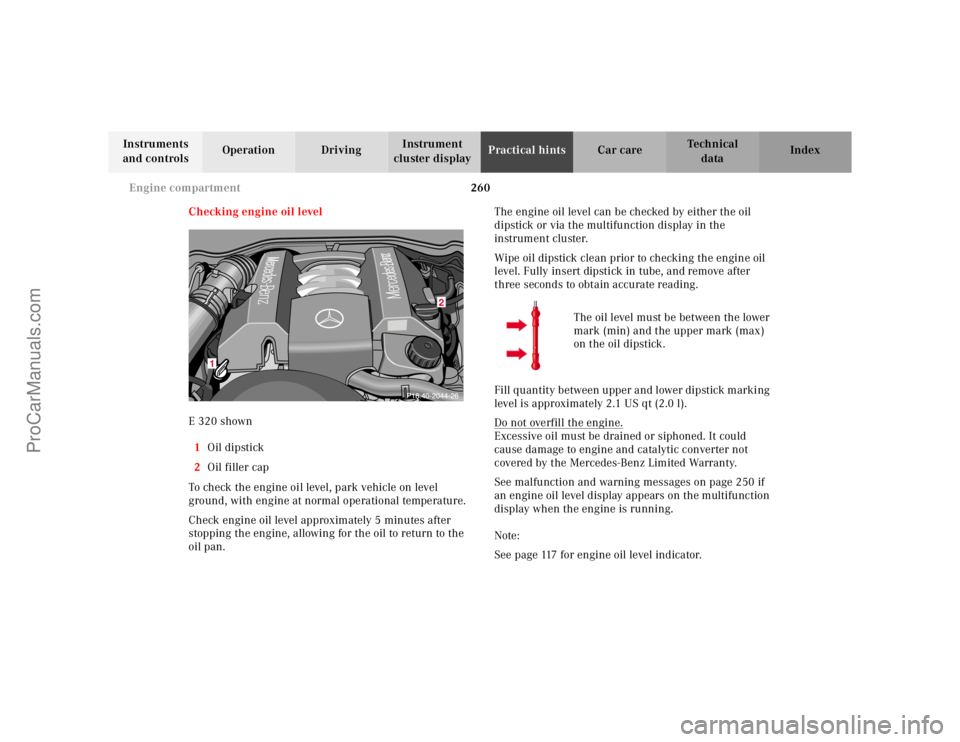
Checking engine oil level
E 320 shown
1Oil dipstick
2Oil filler cap
To check the engine oil level, park vehicle on level
ground, with engine at normal operational temperature.
Check engine oil level approximately 5 minutes after
stopping the engine, allowing for the oil to return to the
oil pan.The engine oil level can be checked by either the oil
dipstick or via the multifunction display in the
instrument cluster.
Wipe oil dipstick clean prior to checking the engine oil
level. Fully insert dipstick in tube, and remove after
three seconds to obtain accurate reading.
The oil level must be between the lower
mark (min) and the upper mark (max)
on the oil dipstick.
Fill quantity between upper and lower dipstick marking
level is approximately 2.1 US qt (2.0 l).
Do not overfill the engine.
Excessive oil must be drained or siphoned. It could
cause damage to engine and catalytic converter not
covered by the Mercedes-Benz Limited Warranty.
See malfunction and warning messages on page 250 if
an engine oil level display appears on the multifunction
display when the engine is running.
Note:
See page 117 for engine oil level indicator.
2
1
ProCarManuals.com
Page 329 of 341
326 Index
Te ch n ica l
data Instruments
and controlsOperation DrivingInstrument
cluster displayPractical hints Car careIndex
Index
AABS (Antilock brake system) ....................................... 217
Malfunction indicator lamp .....................................237
ABS-SYSTEM -
malfunction and warning messages ......................242
Adjusting steering wheel ................................................ 81
Air conditioner refrigerant ...........................................320
Air distribution .............................................................. 130
Air volume ...................................................................... 130
Airbag deactivation system ............................................ 67
AIRBAG OFF indicator lamp ........................................238
Airbags .............................................................................. 70
Alarm system ............................................................. 43, 45
Anticorrosion/antifreeze .................... 210, 262, 319, 322
Antilock brake system (ABS) ....................................... 217
Malfunction indicator lamp .....................................237
Antitheft alarm system ................................................... 43
Aquaplaning ...................................................................207
Armrest, rear bench ...................................................... 162
Ashtrays .......................................................................... 166
Center console ........................................................... 166
Rear doors .................................................................. 167Aud io system
Anti-theft system ....................................................... 137
Button and soft key operation ................................. 138
Cassette mode ............................................................143
CD changer .................................................................148
CD mode ..................................................................... 147
Operating and display elements ............................. 136
Operating safety ........................................................ 135
Operation – audio and telephone ........................... 135
Radio mode ................................................................ 141
Telephone operation ................................................. 151
Audio systems ...................................................................97
Cassette player ............................................................99
CD player ......................................................................98
Radio .............................................................................97
Automatic central locking ..............................................38
Automatic climate control ............................................126
Activated charcoal filter ........................................... 132
Air distribution .......................................................... 130
Air recirculation ........................................................ 131
Air volume .................................................................. 130
Basic setting ...............................................................129
Defogging windows ...................................................129
Defrosting ...................................................................129
Display and controls .................................................128
Dust filter ................................................................... 131
ProCarManuals.com
Page 330 of 341
327 Index
Te ch n ica l
data Instruments
and controlsOperation DrivingInstrument
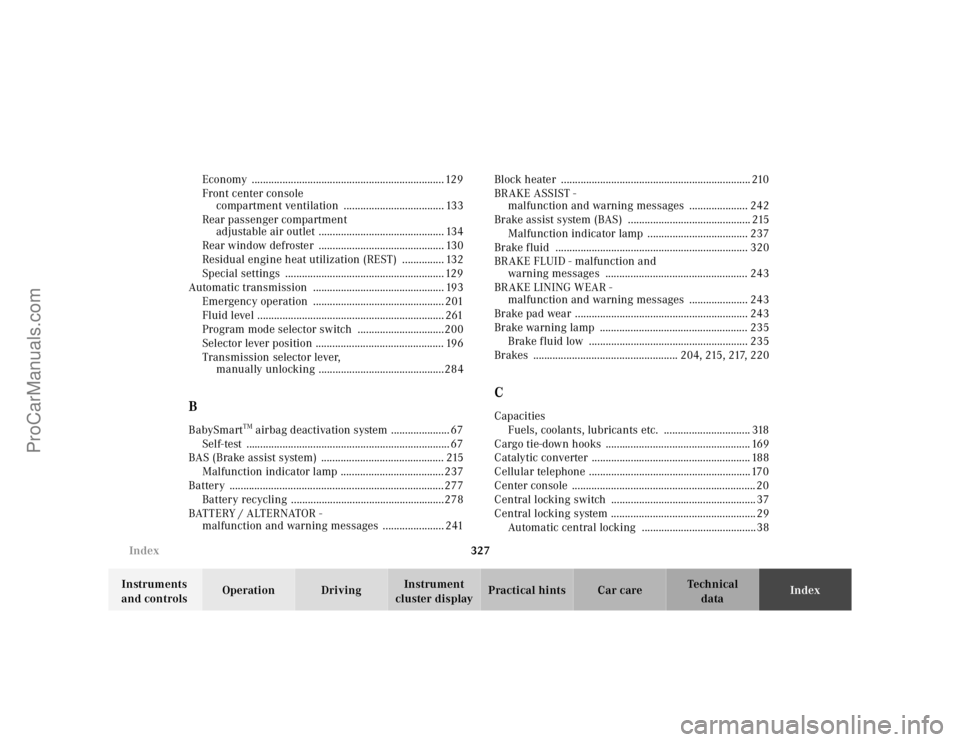
cluster displayPractical hints Car careIndex Economy ..................................................................... 129
Front center console
compartment ventilation .................................... 133
Rear passenger compartment
adjustable air outlet ............................................. 134
Rear window defroster ............................................. 130
Residual engine heat utilization (REST) ............... 132
Special settings ......................................................... 129
Automatic transmission ............................................... 193
Emergency operation ............................................... 201
Fluid level ................................................................... 261
Program mode selector switch ...............................200
Selector lever position .............................................. 196
Transmission selector lever,
manually unlocking .............................................284
BBabySmart
TM airbag deactivation system ..................... 67
Self-test ......................................................................... 67
BAS (Brake assist system) ............................................ 215
Malfunction indicator lamp .....................................237
Battery .............................................................................277
Battery recycling .......................................................278
BATTERY / ALTERNATOR -
malfunction and warning messages ...................... 241Block heater .................................................................... 210
BRAKE ASSIST -
malfunction and warning messages ..................... 242
Brake assist system (BAS) ............................................ 215
Malfunction indicator lamp .................................... 237
Brake fluid ..................................................................... 320
BRAKE FLUID - malfunction and
warning messages ................................................... 243
BRAKE LINING WEAR -
malfunction and warning messages ..................... 243
Brake pad wear .............................................................. 243
Brake warning lamp ..................................................... 235
Brake fluid low ......................................................... 235
Brakes .................................................... 204, 215, 217, 220
CCapacities
Fuels, coolants, lubricants etc. ............................... 318
Cargo tie-down hooks .................................................... 169
Catalytic converter ......................................................... 188
Cellular telephone ..........................................................170
Center console .................................................................. 20
Central locking switch .................................................... 37
Central locking system .................................................... 29
Automatic central locking .........................................38
ProCarManuals.com
Page 331 of 341
328 Index
Te ch n ica l
data Instruments
and controlsOperation DrivingInstrument
cluster displayPractical hints Car careIndex
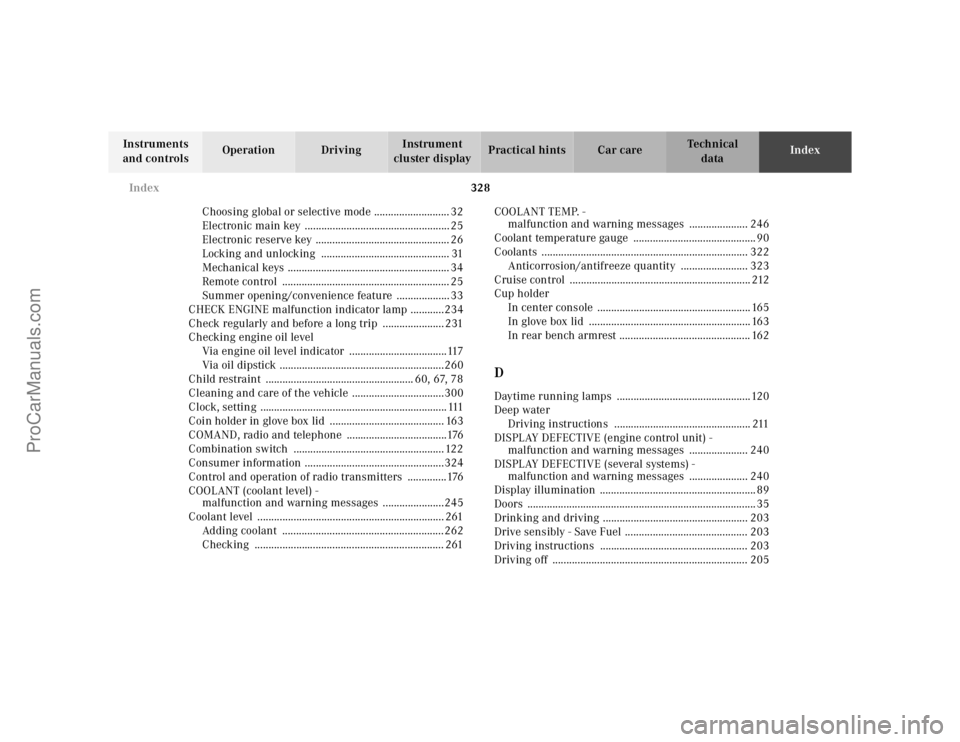
Choosing global or selective mode ........................... 32
Electronic main key .................................................... 25
Electronic reserve key ................................................ 26
Locking and unlocking .............................................. 31
Mechanical keys .......................................................... 34
Remote control ............................................................ 25
Summer opening/convenience feature ................... 33
CHECK ENGINE malfunction indicator lamp ............234
Check regularly and before a long trip ...................... 231
Checking engine oil level
Via engine oil level indicator ...................................117
Via oil dipstick ...........................................................260
Child restraint ..................................................... 60, 67, 78
Cleaning and care of the vehicle .................................300
Clock, setting ................................................................... 111
Coin holder in glove box lid ......................................... 163
COMAND, radio and telephone ....................................176
Combination switch ...................................................... 122
Consumer information ..................................................324
Control and operation of radio transmitters ..............176
COOLANT (coolant level) -
malfunction and warning messages ......................245
Coolant level ................................................................... 261
Adding coolant ..........................................................262
Checking .................................................................... 261COOLANT TEMP. -
malfunction and warning messages ..................... 246
Coolant temperature gauge ............................................ 90
Coolants .......................................................................... 322
Anticorrosion/antifreeze quantity ........................ 323
Cruise control ................................................................. 212
Cup holder
In center console ....................................................... 165
In glove box lid .......................................................... 163
In rear bench armrest ............................................... 162
DDaytime running lamps ................................................120
Deep water
Driving instructions ................................................. 211
DISPLAY DEFECTIVE (engine control unit) -
malfunction and warning messages ..................... 240
DISPLAY DEFECTIVE (several systems) -
malfunction and warning messages ..................... 240
Display illumination ........................................................ 89
Doors .................................................................................. 35
Drinking and driving .................................................... 203
Drive sensibly - Save Fuel ............................................ 203
Driving instructions ..................................................... 203
Driving off ...................................................................... 205
ProCarManuals.com