key MERCEDES-BENZ E-Class 2001 W210 Repair Manual
[x] Cancel search | Manufacturer: MERCEDES-BENZ, Model Year: 2001, Model line: E-Class, Model: MERCEDES-BENZ E-Class 2001 W210Pages: 421, PDF Size: 20.52 MB
Page 111 of 421
108 Rear view mirrors
Te ch n ica l
data Instruments
and controlsOperationDrivingInstrument
cluster displayPractical hints Car care Index
Parking position
The passenger-side exterior mirror can be adjusted and
programmed to assist the driver during parking
maneuvers (e.g. to observe the curb or other objects
close to the vehicle).
With the electronic key in starter switch position 2, and
the exterior rear view mirror switch in the passenger-
side position, the passenger-side mirror will be turned
downward when placing the gear selector lever in “R”
reverse.
The mirror position can now be adjusted as desired.
At speeds above approximately 6 mph (10 km / h), upon
shifting gear selector lever from “R” Reverse, or upon
pressing the driver’s side mirror button, the passenger-
side mirror will return to its previous position.To store passenger mirror parking position:
1. Turn electronic key to starter switch position 1 or 2.
The vehicle must be stationary.
2. Select passenger-side mirror& and adjust the
mirror to view the curb.
3. Push the memory button “M” (4).
4. Within 3 seconds push bottom of adjustment
button (3).
The mirror should not move.
Repeat the memory procedure if the mirror moves.
5. Select driver side mirror. The passenger-side mirror
will return to its previous position.
Note:
One stored parking position is available for each of the
two electronic main keys or each of the KEYLESS-GO-
cards (vehicles with KEYLESS-GO).
Page 113 of 421
110 Rear view mirrors
Te ch n ica l
data Instruments
and controlsOperationDrivingInstrument
cluster displayPractical hints Car care Index
Driver’s side exterior mirror, antiglare mode
Antiglare mode:
With the electronic key in starter switch position 2, the
mirror reflection brightness responds to changes in
light sensitivity.
With the gear selector lever in position “R”, or with the
interior light switched on, the mirror brightness does
not respond to changes in light sensitivity.
Note:
The automatic antiglare function does not react, if
incoming light is not aimed directly at sensors in the
mirror.Important!
Electrolyte drops coming into contact with the vehicle
paint finish can only be completely removed while in
their liquid state, by applying plenty of water.
Wa r n i n g !
In the case of an accident liquid electrolyte may
escape the mirror housing when the mirror glass
breaks.Electrolyte has an irritating effect. Do not allow the
liquid come into contact with eyes, skin, clothing,
or respiratory system. In cases it does, immediately
flush affected area with water, and seek medical
help if necessary.
Page 114 of 421
111 Memory function
Te ch n ica l
data Instruments
and controlsOperationDrivingInstrument
cluster displayPractical hints Car care Index Memory function
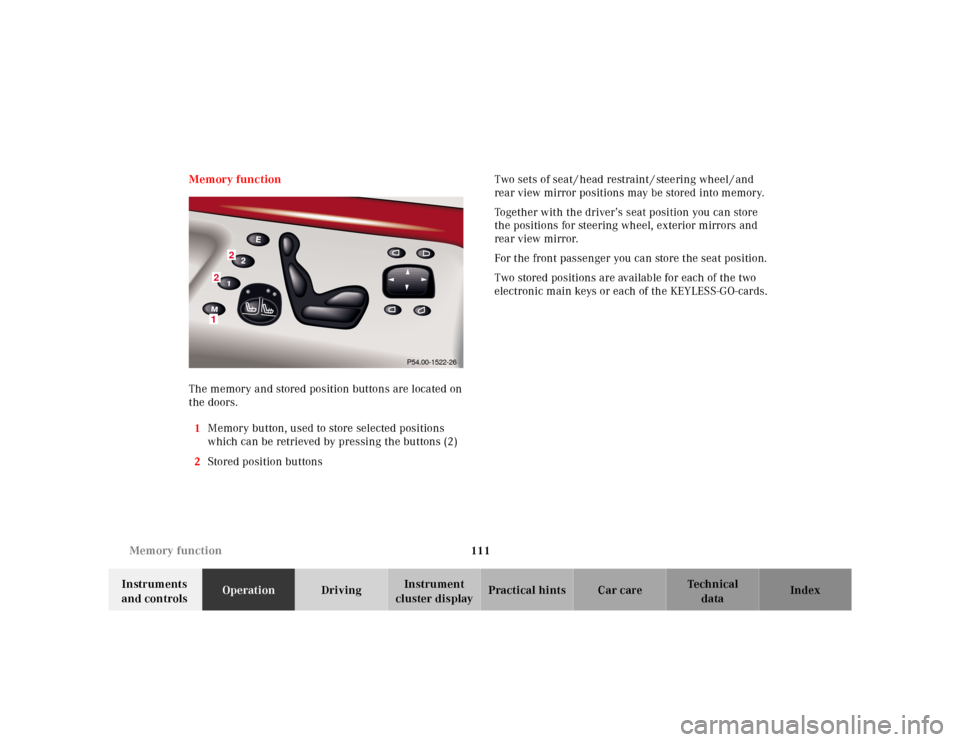
The memory and stored position buttons are located on
the doors.
1Memory button, used to store selected positions
which can be retrieved by pressing the buttons (2)
2Stored position buttonsTwo sets of seat / head restraint / steering wheel / and
rear view mirror positions may be stored into memory.
Together with the driver’s seat position you can store
the positions for steering wheel, exterior mirrors and
rear view mirror.
For the front passenger you can store the seat position.
Two stored positions are available for each of the two
electronic main keys or each of the KEYLESS-GO-cards.
2
21
P54.00-1522-26
Page 115 of 421
112 Memory function
Te ch n ica l
data Instruments
and controlsOperationDrivingInstrument
cluster displayPractical hints Car care Index
Storing positions into memory:
Driver’s seat: with the electronic key in starter switch
position 1 or 2 or with the driver’s door open and the
electronic key inserted in the starter switch.
Front passenger seat and rear seats: with electronic key
in starter switch position 1 or 2 or the relevant doors
open.
Adj ust t he seat a nd mul ticontou r back re st to t he d esired
position. You can also adjust the steering wheel, the
exterior mirrors electrically and the interior rear-view
mirror by hand for the driver’s seat. See page 107 for
exterior mirror adjustment and page 105 for steering
wheel adjustment.
Push memory button “M”, release and push a stored
position button “1”, or “2” within 3 seconds.Recalling positions from memory:
To recall a seat / head restraint / steering wheel and
exterior rear view mirror position, push and hold
button “1” or “2” until seat / head restraint / steering
wheel and exterior rear view mirror movement has
sto pp ed.
The seat / head restraint / steering wheel and exterior
rear view mirror movement stops when the button is
released.
Caution!
Do not operate the power seats using the memory
button if the seat backrest is in an excessively reclined
position. Doing so could cause damage to front or rear
seats.
First move backrest to an upright position.
Page 119 of 421
116 Instrument cluster
Te ch n ica l
data Instruments
and controlsOperationDrivingInstrument
cluster displayPractical hints Car care Index
Activating instrument cluster display
The instrument cluster is activated by:
•Opening the door
1.
•Pressing button Jon the instrument cluster
1.
•Turning the electronic key in starter switch to
position 1 or 2.
•Switching on the exterior lamps.
1 The instrument cluster is activated for approximately 30 seconds.Instrument cluster illumination
The instrument cluster illumination is dimmed or
brightened automatically to suit daylight lighting
conditions.Display illumination, changing basic settings for driving
at dusk or in darkness:
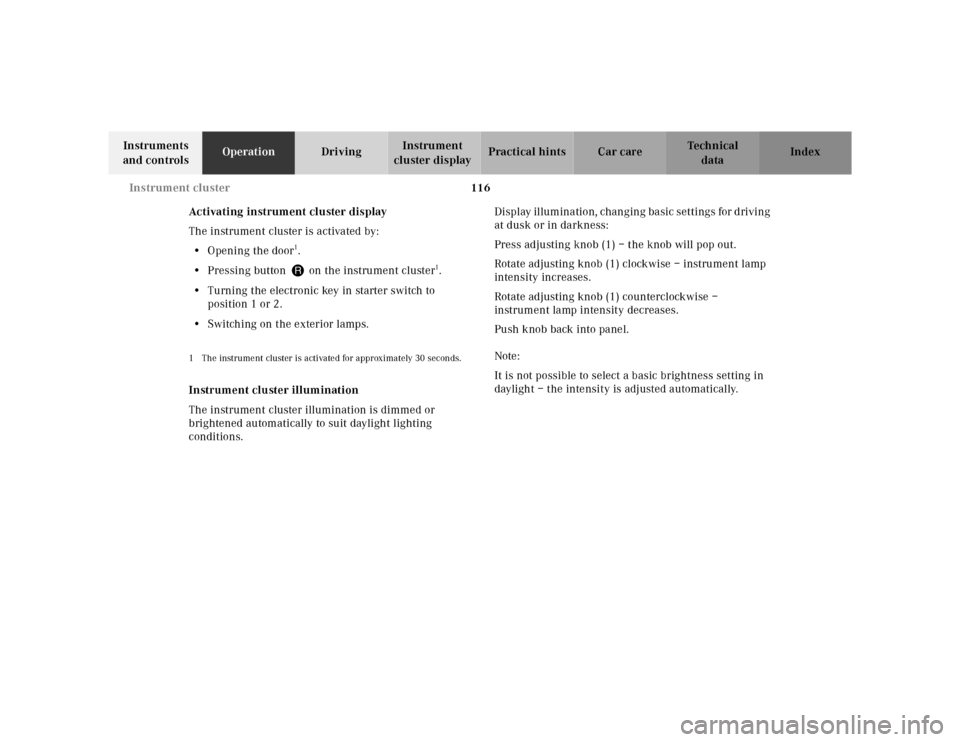
Press adjusting knob (1) – the knob will pop out.
Rotate adjusting knob (1) clockwise – instrument lamp
intensity increases.
Rotate adjusting knob (1) counterclockwise –
instrument lamp intensity decreases.
Push knob back into panel.
Note:
It is not possible to select a basic brightness setting in
daylight – the intensity is adjusted automatically.
Page 126 of 421
123 Multifunction steering wheel, multifunction display
Te ch n ica l
data Instruments
and controlsOperationDrivingInstrument
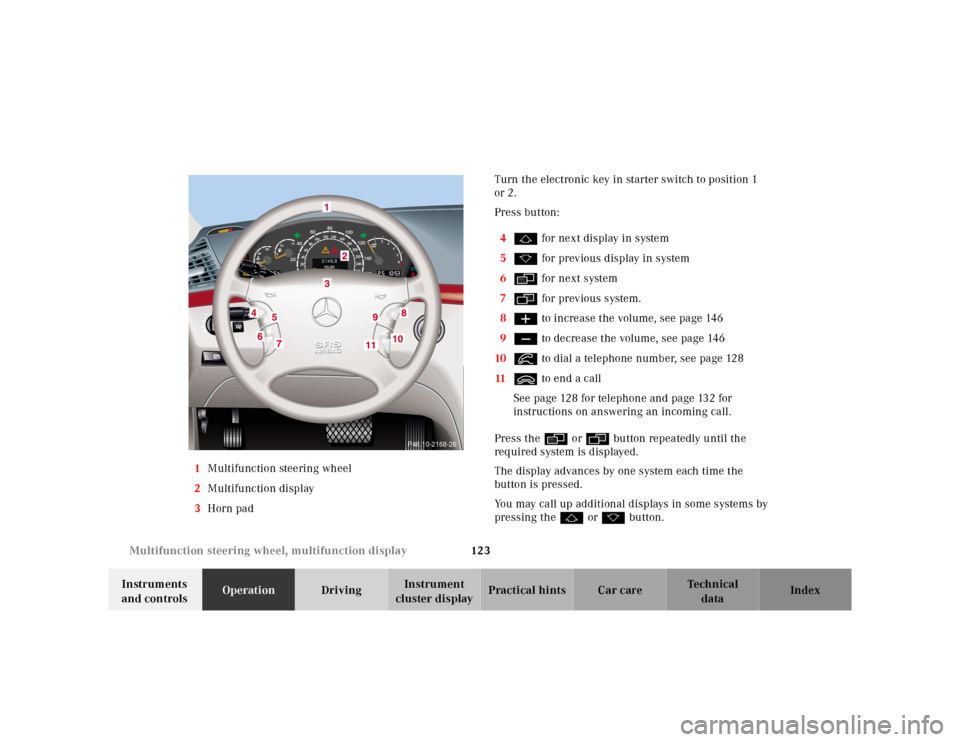
cluster displayPractical hints Car care Index 1Multifunction steering wheel
2Multifunction display
3Horn padTurn the electronic key in starter switch to position 1
or 2.
Press button:
4j for next display in system
5k for previous display in system
6è for next system
7ÿ for previous system.
8æ to increase the volume, see page 146
9ç to decrease the volume, see page 146
10í to dial a telephone number, see page 128
11ì to end a call
See page 128 for telephone and page 132 for
instructions on answering an incoming call.
Press the è or ÿ button repeatedly until the
required system is displayed.
The display advances by one system each time the
button is pressed.
You may call up additional displays in some systems by
pressing the j or k button.
P46.10-2168-26
Page 129 of 421
126 Multifunction steering wheel, multifunction display
Te ch n ica l
data Instruments
and controlsOperationDrivingInstrument
cluster displayPractical hints Car care Index
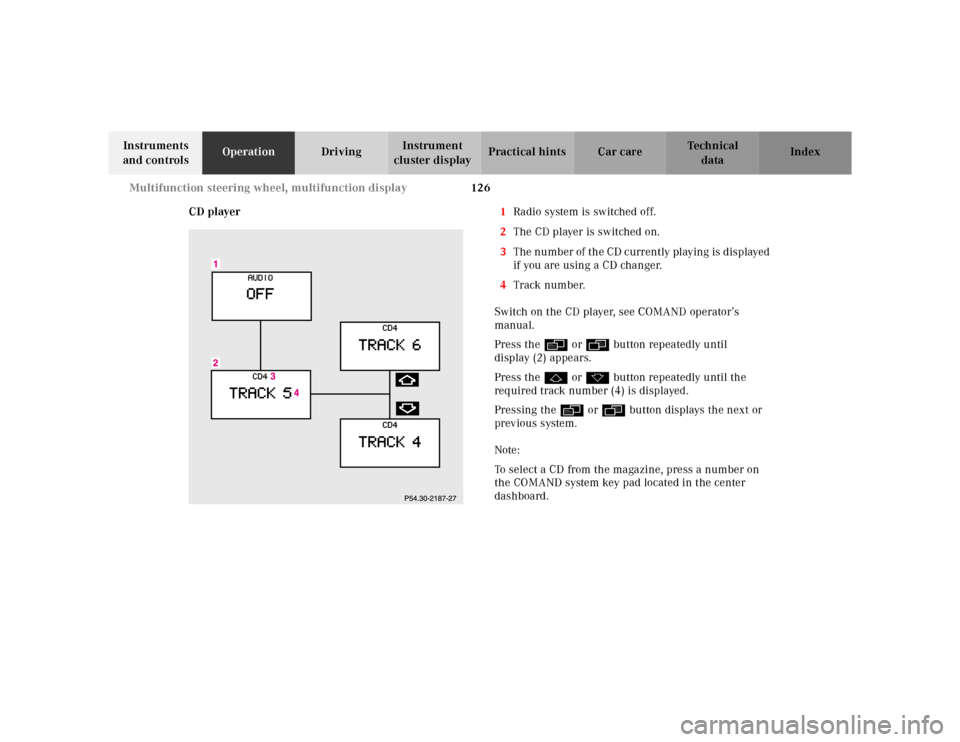
CD player1Radio system is switched off.
2The CD player is switched on.
3The number of the CD currently playing is displayed
if you are using a CD changer.
4Track number.
Switch on the CD player, see COMAND operator’s
manual.
Press the è or ÿ button repeatedly until
display (2) appears.
Press the j or k button repeatedly until the
required track number (4) is displayed.
Pressing the è or ÿ button displays the next or
previous system.
Note:
To select a CD from the magazine, press a number on
the COMAND system key pad located in the center
dashboard.
Page 140 of 421
137 Multifunction steering wheel, multifunction display
Te ch n ica l
data Instruments
and controlsOperationDrivingInstrument
cluster displayPractical hints Car care Index Press the è or ÿ button repeatedly until the
message memory (1 or 2) is displayed.
Press the j or k button if display (2) appears.
The stored messages will now be displayed in order.
See page 303 for malfunction and warning messages.
Display (2) will reappear after you have scanned all the
malfunction and warning messages.
Should any malfunction or warning messages be stored
while driving, they will reappear in the display (2) when
the electronic key is in starter switch position 0 or
removed from the starter switch.
The malfunction or warning messages will now be
displayed for approximately 5 seconds each. Pressing
the Jbutton in the instrument cluster displays the
next malfunction and warning message immediately.The message memory will be cleared when the
electronic key is turned in the starter switch to
position 1 or 2. Should any subsequent faults occur,
they will be displayed in the message memory.
Pressing the è or ÿ button displays the next or
previous system.
Important!
Malfunction and warning messages are only indicated
for certain systems and displayed to a low level of detail.
The malfunction and warning messages are simply a
reminder with respect to the operation of certain
systems and do not replace the driver’s responsibility to
maintain the vehicle’s operating safety by having all
required maintenance and safety checks performed on
the vehicle and by bringing the vehicle to an authorized
Mercedes-Benz Center to address the malfunction and
warning messages. See page 303.
Page 142 of 421
139 Multifunction steering wheel, multifunction display
Te ch n ica l
data Instruments
and controlsOperationDrivingInstrument
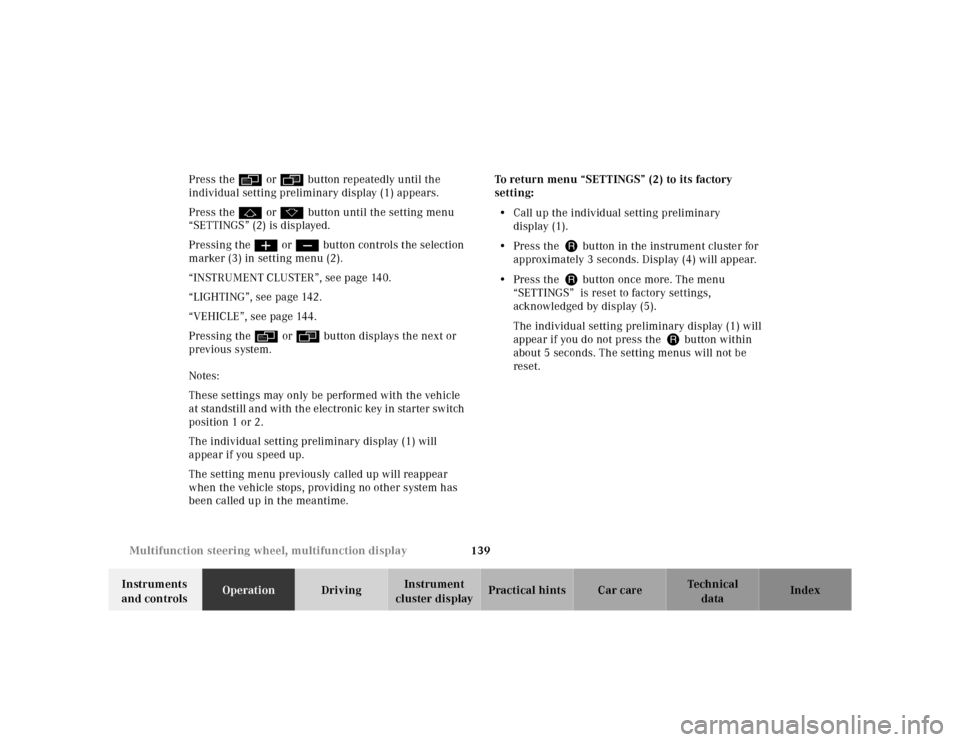
cluster displayPractical hints Car care Index Press the è or ÿ button repeatedly until the
individual setting preliminary display (1) appears.
Press the j or k button until the setting menu
“SETTINGS” (2) is displayed.
Pressing the æ or ç button controls the selection
marker (3) in setting menu (2).
“INSTRUMENT CLUSTER”, see page 140.
“LIGHTING”, see page 142.
“VEHICLE”, see page 144.
Pressing the è or ÿ button displays the next or
previous system.
Notes:
These settings may only be performed with the vehicle
at standstill and with the electronic key in starter switch
position 1 or 2.
The individual setting preliminary display (1) will
appear if you speed up.
The setting menu previously called up will reappear
when the vehicle stops, providing no other system has
been called up in the meantime.To return menu “SETTINGS” (2) to its factory
setting:
•Call up the individual setting preliminary
display (1).
•Press the Jbutton in the instrument cluster for
approximately 3 seconds. Display (4) will appear.
•Press the Jbutton once more. The menu
“SETTINGS” is reset to factory settings,
acknowledged by display (5).
The individual setting preliminary display (1) will
appear if you do not press the Jbutton within
about 5 seconds. The setting menus will not be
reset.
Page 150 of 421
147 Flexible service system
Te ch n ica l
data Instruments
and controlsOperationDrivingInstrument
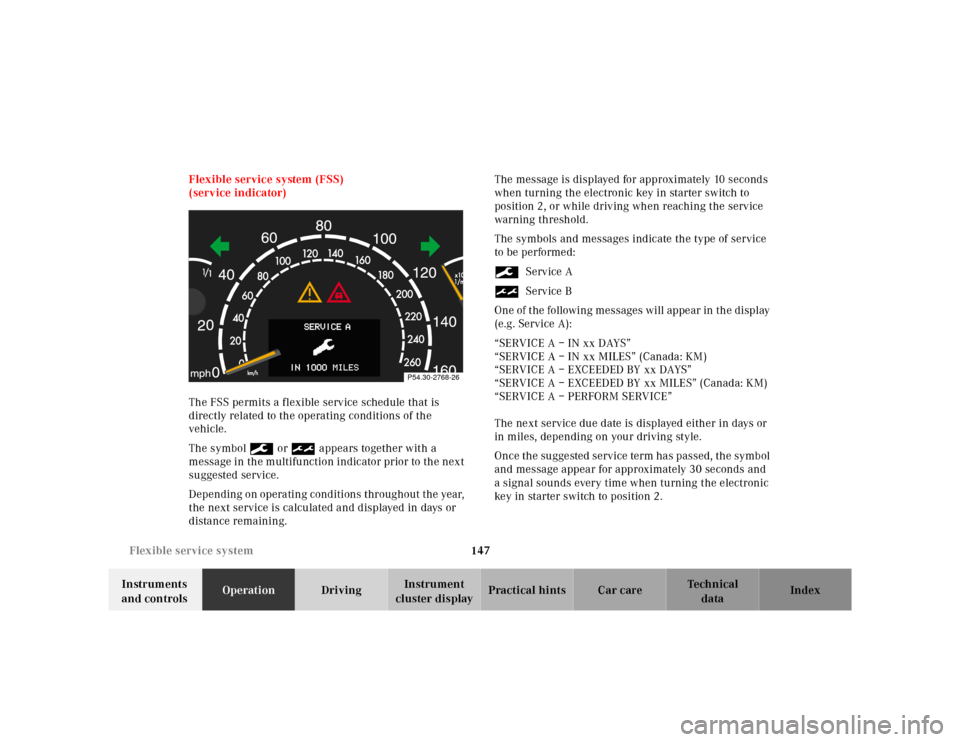
cluster displayPractical hints Car care Index Flexible service system (FSS)
(service indicator)
The FSS permits a flexible service schedule that is
directly related to the operating conditions of the
vehicle.
The symbol 9 or ½ appears together with a
message in the multifunction indicator prior to the next
suggested service.
Depending on operating conditions throughout the year,
the next service is calculated and displayed in days or
distance remaining.The message is displayed for approximately 10 seconds
when turning the electronic key in starter switch to
position 2, or while driving when reaching the service
warning threshold.
The symbols and messages indicate the type of service
to be performed:
9Service A
½Service B
One of the following messages will appear in the display
(e.g. Service A):
“SERVICE A – IN xx DAYS”
“SERVICE A – IN xx MILES” (Canada: KM)
“SERVICE A – EXCEEDED BY xx DAYS”
“SERVICE A – EXCEEDED BY xx MILES” (Canada: KM)
“SERVICE A – PERFORM SERVICE”
The next service due date is displayed either in days or
in miles, depending on your driving style.
Once the suggested service term has passed, the symbol
and message appear for approximately 30 seconds and
a signal sounds every time when turning the electronic
key in starter switch to position 2.
P54.30-2768-26