AUX MERCEDES-BENZ E-Class 2012 W212 Comand Manual
[x] Cancel search | Manufacturer: MERCEDES-BENZ, Model Year: 2012, Model line: E-Class, Model: MERCEDES-BENZ E-Class 2012 W212Pages: 234, PDF Size: 6.74 MB
Page 216 of 234
i
The headphones' volumesettingdoes not
affect themain loudspeakers. Adjust
ingthe sound settings
You canselect thesound settings inthe audio
CD/D VD/MP3, video DVDandAUX modes.
X Switc hon anoperating mode(e.g.audio
CD mode) (Ypage 217).
X Select Treble or
Bass using
the :=; buttonson the remote
cont roland press the9button toconf irm.
An adjustmen tscal eap pea rs.
X Sel ect asetti ngusing the 9:
bu ttons andpressthe 9button toconfi rm. Multi
pleusers
Simul taneoususeofthe rear-
co mpartment discdrive The
two rear-comp artmentscree nscan be
ope rate dalmost entirelyind epe ndentl yfrom
one another. However,there canbeaconfl ict
in some menusif the two scree nsare used
sim ultaneo usly.
If the rear-comp artmentdisc drive isbei ng
us ed for both scree nssim ultaneo usly,
sel ecting certainmenu sor setti ngsonone of
the scree nsalso affe ctsthe othe rscree n.
The followi ng functi onsaffectboth scree ns:
R cha nging play ba ck opti ons
R sel ecting atrack (fromatra cklist or folder)
R us ing the play ,pa useand stopfu nctio ns
R fast for wa rding/r ewind ing orscro lling
R cal ling up the DVD menu andnavigati ng
wi thi nit
R setting thelangua ge,subtitles andcamera
angle
R calling upinteract iveDVD content The
followi ngfunction saffect onlyone
screen:
R audi oand video function sas well aspicture
settings
R switching betweenfullscreen andthe
menu
Switching betweenoperating modes When
youexit anoperating mode(e.g.audio
CD mode), thecurrent settingissaved. Ifyou
call upthis operating modeagainlate r,th ere
are two poss ibilities:
R theoper atingmod ehas been chang edon
th eot her scree n.
R theoper atingmod ehas notb een changed.
In the first case, theoperatin gmode appears
as itis on the other screen .
In the secon dcase, thesett ingappears onthe
screen asitwas when youlast exitedthe
operatin gmode. Pictur
esettings
Overview You
canselect thesesettings invideo DVD
and AUX mode. Instruct ions forAUX mode
are detailed later(Y page 228).
Adju sting thebright ness,contra stand
color X
Switc hon video DVDmode (Ypage 221).
X To show themenu: pressthe9button
on the remot econ trol.
or
X Select (Ypage 188)Menu while
the
navigation menuisshown andpress the
9 button tocon firm.
X Select DVD-Vid eo using
the :=; buttonsand press the
9 button tocon firm. 214
Ba
sic functionsRear SeatEntert ainment System
Page 230 of 234
Vide
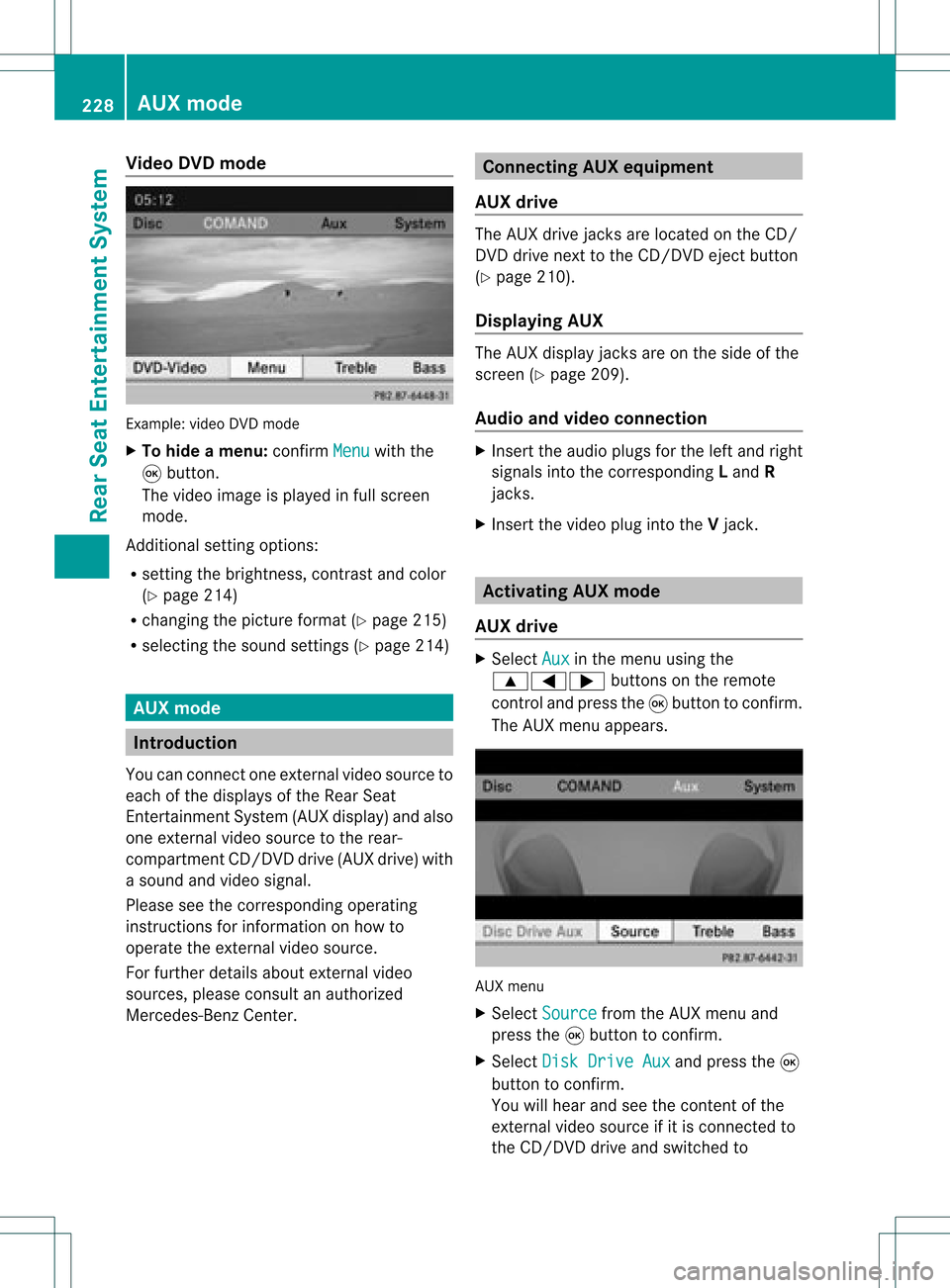
oDVD mode Examp
le:vid eo DVD mode
X To hide amen u:confi rmMen u wi
th the
9 button.
The video ima geisplay ed inful lscre en
mod e.
Add itiona lsetti ngoptio ns:
R setti ngthe brightne ss,contra stand color
(Y page 214)
R cha nging the pictur eform at(Y pa ge 215)
R sel ecti ngthe soundsetti ngs(Y pa ge 214) AU
Xmode In
troduc tion
Yo ucan conne ctone exter nalvideo sou rce to
ea ch ofthe displ aysof the Rear Sea t
Enterta inmentSys tem (AUX displ ay)and also
one exter nalvideo sou rce tothe rear-
comp artment CD/DV Ddri ve (AUX drive) with
a sou ndand video signa l.
Pl ea se see thecorre sponding opera ting
ins truc tions for info rma tionon how to
op era tethe exter nalvideo sou rce.
For further detai lsab ou te xterna lvid eo
sou rces ,pl ea se consu ltan author ized
Mer cedes-B enzCenter. Co
nnectin gAU Xequi pmen t
AU Xdriv e The
AUX drive jacks arelocate don the CD/
DVD drive next tothe CD/DV Deje ctbutton
(Y page 210) .
Di spl aying AUX The
AUX displ ayjacks areon the side ofthe
scre en(Ypage 209) .
Au dio and video conn ectio n X
Inse rtthe audio plug sfor the left and right
si gna lsinto thecorr espond ingLand R
jacks .
X Inse rtthe video plug into theVjack. Ac
tiv atin gAU Xmode
AU Xdriv e X
Sel ect Aux in
the menu using the
9=; buttons onthe rem ote
contro land pressthe 9button toconfi rm.
The AUX menu appe ars. AUX
menu
X Sel ect Source from
theAUX menu and
pre ssthe 9button toconfi rm.
X Sel ect DiskDri veAux and
pressthe 9
bu tton toconfi rm.
Yo uwi llhea rand see theconte ntofthe
exte rnalvid eo sou rce ifit is conne ctedto
the CD/DV Ddri ve and switch edto 22
8 AU
XmodeRear Seat Entertai nmentSys tem
Page 231 of 234
playback.
Ifno video image isavailable
from theAUX source connected, youwill
see anaudio menu.
Displaying AUX X
Select thescre enbyturn ingthe scro ll
wheel onremot econ trol(Y page 210)until
"L REAR "(left scre en)or"REAR R"(right
scre en)ishighl ighted inthe windo w.
X Sel ect Aux in
the menu using the
9=; buttons onthe rem ote
contro land pressthe 9button toconfi rm.
X Sel ect Source from
theAUX menu and
pre ssthe 9button toconfi rm.
X Sel ect Displa yAux and
pressthe 9
bu tton toconfi rm.
Yo uwi llsee and hearthe cont entofthe
video source ifit is switched toplay back. If
no video image isavaila blefrom theAUX
source connected, youwillsee anaudi o
menu. Adjust
ingtreble andbass
X Select Treble or
Bass in
the AUX menu
and press the9button onthe remote
cont roltoconfirm .
An adjustment scaleappea rs.
X Select asettin gusing the9 or:
button andpress the9button toconfirm . Adjust
ingthe brightness, contrastor
colo r
X Select Display Aux or
Disc Drive Aux in
the AUX menu andpress the9button
to confirm .
X Select Brightness ,
Contrast or
Color and
press the9button toconfirm .
An adjustment scaleappea rs.
X Select asettin gusing the9 or:
button andpress the9button toconfirm . Changing
thepicture format
X Select Display Aux or
Disc Drive Aux in
the AUX menu andpress the9button
to confirm .
X Select 16:9Optimized ,
4:3 or
Widescreen using
the9: buttons
and press the9button toconfirm .
The dotinfront ofamenu itemindicates
the current setting. AUX
mode
229RearSeatEnterta inment System Z