internet MERCEDES-BENZ E-Class 2013 W212 Comand Manual
[x] Cancel search | Manufacturer: MERCEDES-BENZ, Model Year: 2013, Model line: E-Class, Model: MERCEDES-BENZ E-Class 2013 W212Pages: 274, PDF Size: 4.07 MB
Page 155 of 274
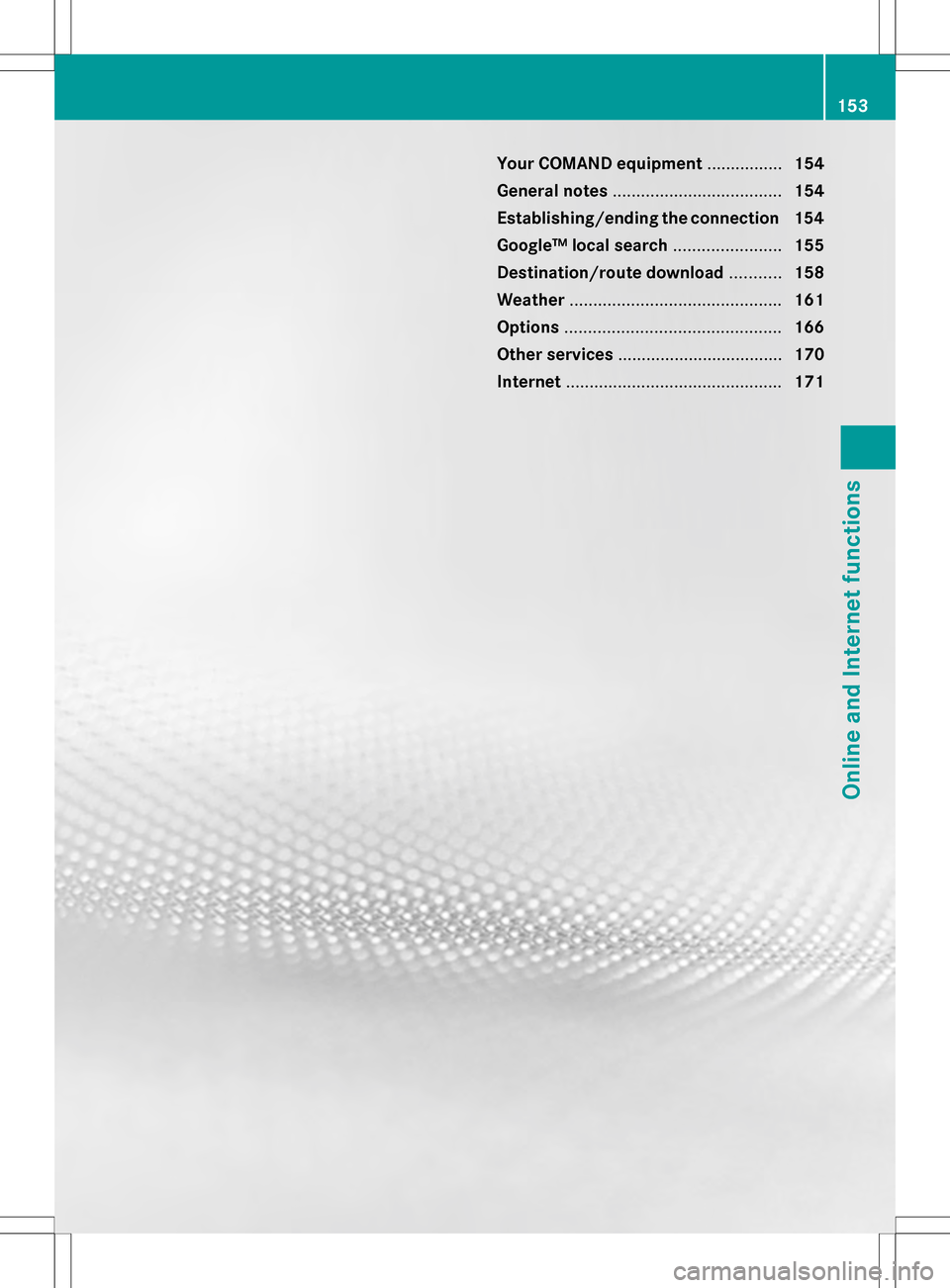
Your COMAND equipment
................154
General notes .................................... 154
Establishing/ending the connection 154
Google™ local search .......................155
Destination/route download ...........158
Weather ............................................. 161
Options .............................................. 166
Other services ................................... 170
Internet .............................................. 171 153Online and Internet functions
Page 156 of 274

Your COMAND equipment
These operating instructions describe all the
standard and optional equipment for your
COMAND system, as available at the time of
going to print. Country-specific differences
are possible. Please note that your COMAND
system may not be equipped with all the
features described. General notes
Conditions for access
To use COMAND Mercedes-Benz Apps and
Internet access, the following conditions
must be fulfilled:
R mbrace is activated and operational
R mbrace is activated for COMAND
Mercedes-Benz Apps and Internet access
Priority of connections: an emergency call
has the highest priority. When a service call,
e.g. a breakdown service call or the MB Info
Call, is active, an emergency call can still be
initiated.
A service call, on the other hand, has priority
over a current Internet connection. For this
reason, you cannot connect to the Internet
during a service call.
i The availability of individual COMAND
Mercedes-Benz Apps may vary depending
on the country.
i The terms of use are shown when
COMAND is used for the first time and then
once a year thereafter. Only read and
accept the terms of use when the vehicle
is stationary.
i Internet pages cannot be shown while the
vehicle is in motion. Establishing/ending the connection
Establishing the connection
Preconditions for establishing a connection
can be found under "General notes"
(Y page 154).
X 1st option: select the00A7icon in the main
function bar by sliding 00A0005Band turning
0082005B the COMAND controller and press
00A1 to confirm.
The carousel view appears.
X Turn 0082005B or slide 009E005Bthe COMAND
controller until the Mercedes-Benz Apps
Mercedes-Benz Apps
panel or a favorite is brought to the front, if
these have been previously created
(Y page 177).
X Option 2: enter a web address
(Y page 171). 154
Establishing/ending
theconnectionOnline and Internet functions
Page 157 of 274

X
For both options, press 00A1the COMAND
controller.
The Internet connection is established. An
active Internet connection is identified with
symbol 0043. The example shows a menu in
the Google™ Local Search function
(Y page 155).
X To cancel the connection: while the
connection is being established, confirm
Cancel
Cancel by pressing 00A1.
or
X Press the 007Fbutton on COMAND or on
the multifunction steering wheel. Ending the connection
You cannot end the connection yourself.
The Internet connection is automatically
terminated if the system does not recognize
any user input within a five-minute time
period.
i The 007F button is inoperative. Google™ local search
Calling up the local search menu
X
Select the 00A7icon in the main function bar
by sliding 00A0005Band turning 0082005B0083the
COMAND controller and press 00A1to
confirm.
The carousel view appears.
X Bring the Mercedes-Benz Apps Mercedes-Benz Apps panel to
the front by turning 0082005B0083the COMAND
controller and pressing 00A1to confirm.
The Mercedes-Benz Apps menu is
displayed.
X Bring the Google Local Search Google Local Search panel to
the front and press 00A1to confirm.
X To exit the menu: selectBack
Backby sliding
005B0064 and turning 0082005B0083the COMAND
controller and press 00A1to confirm. Search
Entry restriction It is only possible to enter a search term in
the input menu when the vehicle is stationary. Google™ local search
155Online and Internet functions
Page 158 of 274

Entering a search term
Input menu
X
Confirm Search Searchin the Local search menu
by pressing 00A1.
An input menu appears.
X To enter using the character bar: enter
the search term.
X To enter characters using the number
pad: press the number keys in rapid
succession.
The character appears when the key is
pressed. The first available letter is
highlighted. X
After entering the search term, select
0054 by turning 0082005B0083the COMAND
controller and press 00A1to confirm.
A menu appears. Here, you can select
where the destination search should begin. Selecting the search position
X
When a destination is entered, select an
entry by turning 0082005B0083the COMAND
controller and press 00A1to confirm.
COMAND searches for available POIs for
the search term entered:
R near the current vehicle position
R along the calculated route
R near the destination
R near an address
X After selecting Near Destination Near Destination , enter
an address and confirm.
The search results are displayed. Google™ search results (example)156
Google™ local searchOnline and Internet functions
Page 159 of 274

Using search results
X
Select an entry in the list of search results
by turning 0082005B0083the COMAND controller
and press 00A1to confirm.
A menu appears.
X To show the detailed view: confirmSpot
Spot
Data
Data by pressing 00A1the COMAND
controller.
The address of the selected entry is
displayed.
X To use a search result as the
destination: selectNavigate to
Navigate to by
turning 0082005B0083the COMAND controller and
press 00A1to confirm.
You then switch to navigation mode and
can start route calculation (Y page 62).
i The search result is stored in the
"Last destinations" memory at the same
time (Y page 101). You can take the
destination from this memory and save it
permanently in the destination memory
(Y page 99).
X To call up a destination: selectCall
Call with
the COMAND controller and press 00A1to
confirm.
You then switch to the telephone function
and make the call (Y page 128).
i The menu item is grayed out if there is no
phone number available. X
To import a destination: selectImport
Import
with the COMAND controller and press 00A1
to confirm.
You can choose whether you want to save
the POI as a personal POI on the SD
memory card or in the address book.
i If there is no SD memory card in the slot,
the As AsPersonal
Personal POI
POImenu item is grayed
out.
X Insert the SD memory card (Y page 195). X
To save as a personal POI: confirmSave
Save
As Personal POI
As Personal POI by pressing00A1the
COMAND controller.
The entry is saved as a personal POI on the
SD memory card.
i You can use a personal POI in navigation
mode for route calculation (Y page 79).
If the personal POI is saved on the SD
memory, you can also use it for route
calculation in another vehicle.
X To save to the address book: select
Save to Address Book Save to Address Book by turning0082005B0083
the COMAND controller and press 00A1to
confirm.
The entry is stored in the address book. Google™ local search
157Online and Internet functions
Page 160 of 274

Popular searches
This function allows you to search using
predefined search criteria.
X Bring Popular Searches
Popular Searches in the Local
search menu to the front by turning 0082005B0083
the COMAND controller and press 00A1to
confirm.
A menu displays the available search
criteria. Example: popular Google™ searches
X
Select the search criteria and press 00A1to
confirm.
X Proceed as described in the "Selecting the
search position" section (Y page 156). If
the vehicle is stationary, the search results
can be supplemented manually, e.g. "Hotel
Adler". Search history
This function offers you all the previous
search queries.
X
Bring Search History Search History in the Local search
menu to the front by turning 0082005B0083the
COMAND controller and press 00A1to
confirm.
The previous search queries are shown
with the most recent at the top. X
Select the search criteria and press 00A1to
confirm.
X Proceed as described in the "Selecting the
search position" section (Y page 156). If
the vehicle is stationary, the search results
can be supplemented manually, e.g. "Hotel
Adler". Destination/route download
Introduction
You can send destinations and routes from
Google™ maps to the server and download
these via this function. You can use the 158
Destination/route downloadOnline and Internet functions
Page 161 of 274

destinations and routes for route guidance
and save them for further use.
In order to use the download destination/
route function, the mbrace system must be:
R activated
R set up
R and activated for COMAND and Internet
access services. Step 1: sending destinations/routes
to the server
X Call up the website for Google™ maps on
the Internet.
X Select the destination.
X Select "Mercedes-Benz" as the company
entry.
X Confirm "Send" on the Google™ maps
website.
The destinations/routes are sent to the
server.
i The availability of the Google™ maps
function is country-dependent. Step 2: downloading destinations/
routes from the server
Proceed as follows to use destinations/
routes that have been sent to the server:
X Select the 00A7icon in the main function bar
by sliding 00A0005Band turning 0082005B0083the
COMAND controller and press 00A1to
confirm.
The carousel view appears.
X Bring the Mercedes-Benz Apps
Mercedes-Benz Apps panel to
the front by turning 0082005B0083the COMAND
controller and pressing 00A1to confirm.
The Mercedes-Benz Apps menu is
displayed. X
Bring the Dest./Route Dest./Route Download
Downloadpanel to
the front and press 00A1to confirm.
i With Exit
Exit , you quit the destination/route
download.
With Options Options, you set the options for the
destination/route download
(Y page 169).
X Confirm the Dest./Route Download Dest./Route Download
panel by pressing 00A1.
Available routes and destinations
are shown in the list.
You can save up to 20 routes and 50
destinations for your vehicle on the server
and display these in the list. If you send
further routes or destinations to the server,
the existing entries are deleted from the list.
i
The routes/destinations sent from
Google™ maps to the server are
automatically deleted from there after
seven days. Destination/route download
159Online and Internet functions
Page 162 of 274

Step 3: using destinations/routes
Calling up the menu X
Select an entry in the list by turning 0082005B0083
the COMAND controller and press 00A1to
confirm.
A menu appears.
Displaying details X
Confirm Details Details in the menu by pressing
00A1 the COMAND controller.
The route or destination is displayed.
X To call up a POI: confirm the entry by
pressing 00A1.
i You can use the function if:
R a mobile phone is connected
(Y page 122)
R the destination address contains a
telephone number Using as the destination
X
Select Navigate Navigate to
toin the menu by turning
0082005B0083 the COMAND controller and press
00A1 to confirm.
You then switch to navigation mode and
can start route calculation (Y page 62).
i A route can only be stored as a personal
POI on an SD memory card or taken directly
for route calculation (Y page 161).
Calling up the destination X
Select Call Callin the menu by turning 0082005B0083
the COMAND controller and press 00A1to
confirm.
You then switch to the telephone function
and make the call (Y page 128).160
Destination/route downloadOnline and Internet functions
Page 163 of 274

Importing a destination/route
When importing, you can choose whether you
want to save the destination as a personal POI
on an SD memory card or in the address book.
You can only save routes as personal POIs to
an SD memory card, but not in the address
book.
X Select Import
Import in the menu with the
COMAND controller and press 00A1to
confirm.
i If there is no SD memory card in the slot,
the As
As Personal Personal POI
POImenu item is grayed
out.
X Insert the SD memory card (Y page 195).
X To save as a personal POI: confirmAs
As
Personal POI
Personal POI by pressing00A1the
COMAND controller.
The entry is saved as a personal POI on the
SD memory card.
i You can use a personal POI in navigation
mode for route calculation ( Ypage 79).
You can also use a personal POI in another
vehicle for route calculation.
X To save to the address book: selectTo
To
Address Book Address Book by turning0082005B0083the
COMAND controller and press 00A1to
confirm.
The entry is stored in the address book. Deleting a destination/route from the
server
X
Select an entry in the list by turning 0082005B0083
the COMAND controller and press 00A1to
confirm.
X Select Delete Delete and press 00A1to confirm.
A query appears asking whether the
destination or the route should be deleted.
X Select Yes YesorNo
No and press 00A1to confirm.
If you select Yes
Yes, the destination or route
is deleted.
If you select No No, the process will be
canceled. Weather
Introduction
COMAND can receive weather forecasts
anywhere in the world via online connection
and display it in an information chart (current
day, five-day forecast) or in the weather map.
The weather map can display the following
weather data with symbols:
R hazard reports (e.g. storms, slippery
conditions)
R precipitation radar (e.g. rain, snow)
R atmospheric pressure conditions
R temperatures
R cloud cover
R wind direction and speeds Weather
161Online and Internet functions
Page 164 of 274

Activating/deactivating the weather
display
X To switch on: select the00A7symbol in the
main function bar by sliding 00A0005Band
turning 0082005B0083the COMAND controller and
press 00A1to confirm.
The carousel view appears.
X Turn 0082005B0083 the COMAND controller until
Mercedes-Benz Apps
Mercedes-Benz Apps is brought to the
front and press 00A1to confirm.
The Mercedes-Benz Apps carousel view
appears. X
Turn 0082005B0083 the COMAND controller until
Weather Weather is brought to the front and press
00A1 to confirm.
The information chart shows the current
weather at the current vehicle position
(factory setting). You can change the
default view and the default location in the
Options menu (Y page 167).You see the following information:
R
the time of the current weather report
R the current temperature R
information on the weather (e.g. cloudy,
rain)
R the maximum daytime temperature
R the minimum daytime temperature
R the probability of rain
R the forecast for the current day (three time
intervals) X
To switch to a five-day forecast: confirm
5-Day 5-Day by pressing 00A1.
The information chart displays the forecast
for the next five days in the currently
selected location.
X To return to the current weather
information: confirmCurrent
Current by pressing
00A1.
X To switch off: press the0041back button.
or
X Select Back Backby turning 0082005B0083the COMAND
controller and press 00A1to confirm.
Irrespective of the option chosen, the
carousel view will appear. Displaying additional information
In addition to the current temperatures, you
can also display information such as humidity
and air quality (if the information is available). 162
WeatherOnline and Internet functions