ad blue MERCEDES-BENZ E-Class 2016 W213 Comand Manual
[x] Cancel search | Manufacturer: MERCEDES-BENZ, Model Year: 2016, Model line: E-Class, Model: MERCEDES-BENZ E-Class 2016 W213Pages: 246, PDF Size: 6.7 MB
Page 80 of 246
Requirementsfor "Viewin gth evicinit yof th e
destination "and "Loadin gdat afrom th eInter-
net" (Canada): amobile phone mus tbe con-
nected via Bluetoot h
®(Ypage 114) or USB
(
Ypage 196) wit hCOMAND .
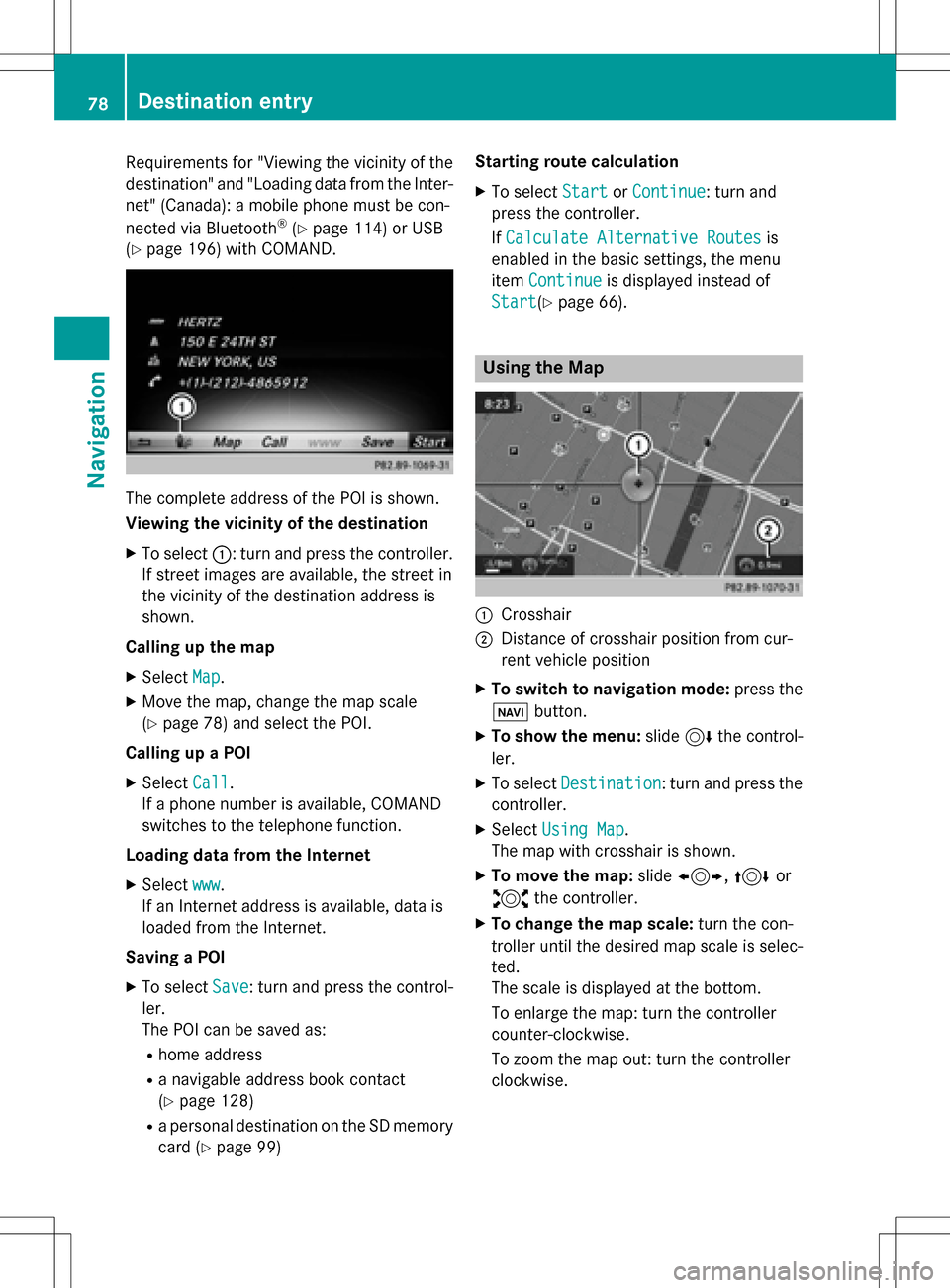
The complet eaddress of th ePOI is shown.
Viewing th evicinit yof th edestination
XTo select ::turnand press th econtroller .
If stree timages are available, th estree tin
th evicinit yof th edestination address is
shown.
Calling up th ema p
XSelec tMap.
XMov eth emap, chang eth emap scale
(
Ypage 78) and select th ePOI .
Calling up aPOI
XSelec tCal l.
If aphone number is available, COMAND
switches to th etelephon efunction .
Loading data from th eInternet
XSelec twww.
If an Internet address is available, dat ais
loade dfrom th eInternet .
Saving aPOI
XTo select Save:tur nand press th econtrol -
ler .
The POI can be saved as:
Rhom eaddress
Ranavigabl eaddress boo kcontact
(
Ypage 128)
Ra personal destination on th eSD memory
car d (
Ypage 99) Starting rout
ecalculation
XTo select StartorContinue:tur nand
press th econtroller .
If Calculate Alternative Routes
is
enabled in th ebasic settings, th emen u
item Continue
is displayed instead of
Start
(Ypage 66).
Usin gth eMa p
:Crosshai r
;Distanceof crosshair position from cur -
ren tvehicl eposition
XTo switch to navigation mode: press the
ß button.
XTo sho wthemenu: slide6 thecontrol -
ler .
XTo select Destination:tur nand press th e
controller .
XSelectUsing Map.
The map wit hcrosshair is shown.
XTo move th emap: slide1, 4or
2 thecontroller .
XTo change th ema pscale: turnth econ-
trolle runtil th edesire dmap scale is selec-
ted.
The scale is displayed at th ebottom.
To enlarg eth emap: tur nth econtroller
counter-clockwise .
To zoom th emap out :tur nth econtroller
clockwise .
78Destination entry
Navigation
Page 84 of 246
If you selectNo, the search is canceled.
XSelect the gas station.
The address of the gas station is displayed.
XTo selectStart: press the controller.
The gas station selected is set in the inter-
mediate destinations menu as the next
intermediate destination not yet reached.
Route guidance begins.
Entering a destination from
Mercedes-Benz Apps
Requirement (USA): mbrace is activated for
the Mercedes-Benz Apps (
Ypage 149).
Requirement (Canada): a mobile phone is
connected via Bluetooth
®(Ypage 114) or
USB (
Ypage 196) with COMAND.
XTo switch to navigation mode: press the
Ø button.
XTo show the menu: slide6the control-
ler.
XTo select Destination: turn and press the
controller.
XSelect From Mercedes-Benz Apps.
The list of Mercedes-Benz Apps appears.
Using geo-coordinates
XTo switch to navigation mode: press the
ß button.
XTo show the menu: slide6the control-
ler.
XTo select Destination: turn and press the
controller.
XSelect Using Geo-Coordinates.
Geo-coordinates are entered in degrees,
minutes and seconds.
Entering the latitude and longitude coor-
dinates
XTo change the value: turn the controller.
XTo move the selection within the line: slide
1 the controller.
XTo move the selection between lines: slide
4the controller.
XTo confirm the value: press the controller.
Saving a destination
XTo select Save: turn and press the control-
ler.
The destination can be stored as:
Rhome address in the address book
Ra navigable address book contact
For further information on the address
book, see (
Ypage 128)
Ra personal destination on the SD memory
card (
Ypage 99)
Starting route calculation
XTo select Start Route Guidance: turn
and press the controller.
Personal POIs and routes
General notes
The use of personal POIs for displaying traffic surveillance equipment is not permitted in
every country. Please observe the country-
specific regulations and always drive at a suit-
able speed.
Personal POIs are filed in categories:
RNot Classified
Standard entry for personal POIs
RMercedes-Benz Apps
Personal POIs (destinations, routes) that
you have imported via the online functions
RCategories which you have created your-
self, e.g. on your PC
Personal routes are not categorized.
82Personal POIs and routes
Navigation
Page 88 of 246
Deleting personalPOI or rout e
XTo selectDelete:tur nand press th econ-
troller.
A prompt will appear.
XSelec tYesor No.
If you select Yes
,th epersonal destination
or personal route is deleted.
Selecting outwar dand return rout e
XTo selectSwap:tur nand press th econtrol -
ler .
The startin gand destination position sof
your personal route ,and thus th edirection
fo rroute guidance ,are switched round .
One-way streets or restricted intersection s
are taken into consideration .Therefore ,th e
outward and return route smay differ from
eac hother .
Saving persona lPOI
XTo select Save:tur nand press th econtrol -
ler .
XTo continue savin g (Ypage 98).
Starting rout eguidance
XTo select Start:tur nand press th econ-
troller.
Recording th erout e
General notes
Whe nrecordin gth eroute ,bear in min dth e
following :
Rif theSD memory car dis inserted, it mus t
no tbe remove dduring recording.
Rif route recordin gis started manually, it
mus tbe finished manually before COMAND
is switched of f(e. g. when th eengin eis
switched off).
RCOMAND minimizes th enumber of route
points recorded. Therefore when th erecor-
ded route is subsequentl ycommenced, it
may differ from th eroute that was originally
recorded.
Starting/finishin grout erecording
XInser tth eSD memory car d (Ypage 183).
XTo switch to navigation mode: press the
ß button.
XTo sho wthemenu: slide6 thecontrol -
ler .
XTo select Destination:tur nand press th e
controller .
XSelectFro mMemory Car d.
XSelectStart Route Recording.
The route is recorded and REC appears at
th ebotto medge of th escreen.
XTo stop recording, select End Route
Recordingfrom themenu.
The route is store dunder Personal
Routes.
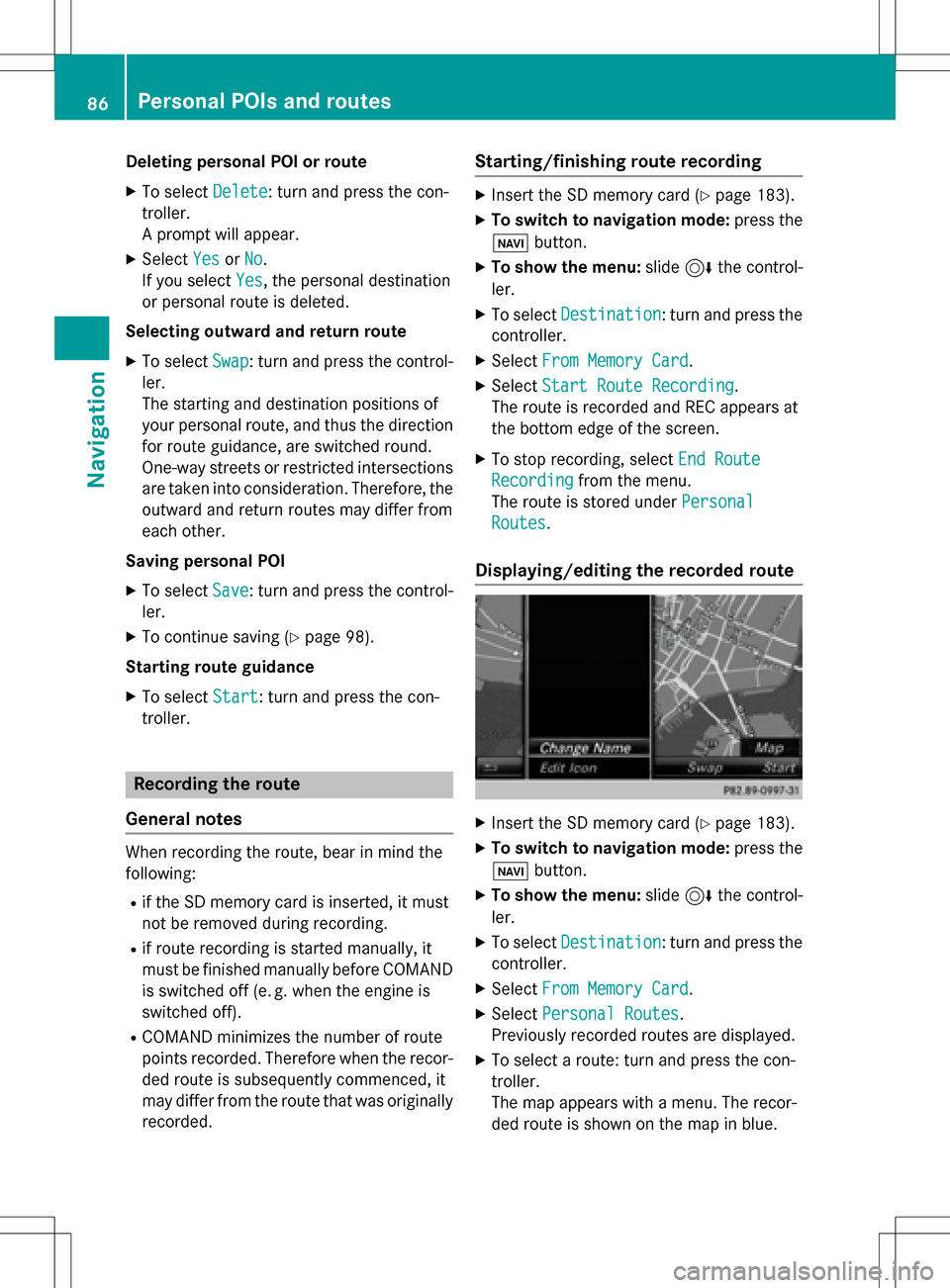
Displaying/editing th erecorded rout e
XInsertth eSD memory car d (Ypage 183).
XTo switch to navigation mode: press the
ß button.
XTo sho wthemenu: slide6 thecontrol -
ler .
XTo select Destination:tur nand press th e
controller .
XSelectFro mMemory Car d.
XSelectPersonal Routes.
Previously recorded route sare displayed.
XTo select aroute :tur nand press th econ-
troller.
The map appears wit h amenu. The recor-
ded route is shown on th emap in blue.
86Personal POIs and routes
Navigation
Page 92 of 246
RUSA: view the vicinity of the destination if
street images are available and mbrace is
activated for Internet access
(
Ypage 149)
RCanada: view the vicinity of the destina-
tion if street images are available and a
mobile phone is connected to COMAND
via Bluetooth
®(Ypage 114) or USB
(
Ypage 196)
RUSA: download data from the Internet if
an Internet address is available and
mbrace is activated for Internet access
(
Ypage 114)
RCanada: download data from the Internet
if an Internet address is available and a
mobile phone is connected to COMAND
via Bluetooth
®(Ypage 114) or USB
(
Ypage 196)
Rselect for route guidance and a route to it
calculated (
Ypage 71).
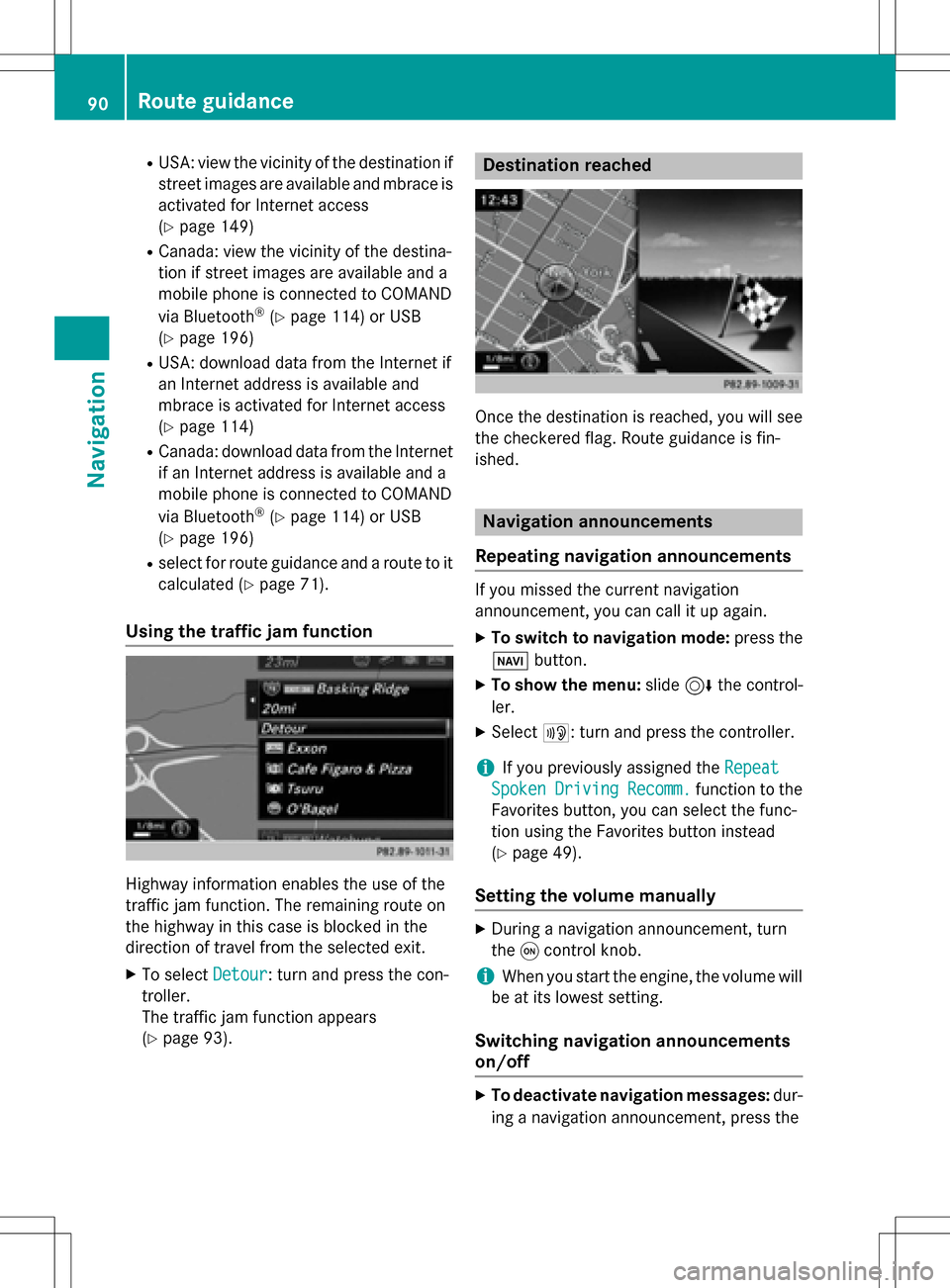
Using the traffic jam function
Highway information enables the use of the
traffic jam function. The remaining route on
the highway in this case is blocked in the
direction of travel from the selected exit.
XTo select Detour: turn and press the con-
troller.
The traffic jam function appears
(
Ypage 93).
Destination reached
Once the destination is reached, you will see
the checkered flag. Route guidance is fin-
ished.
Navigation announcements
Repeating navigation announcements
If you missed the current navigation
announcement, you can call it up again.
XTo switch to navigation mode: press the
Ø button.
XTo show the menu: slide6the control-
ler.
XSelect +: turn and press the controller.
iIf you previously assigned the Repeat
SpokenDrivingRecomm.function to the
Favorites button, you can select the func-
tion using the Favorites button instead
(
Ypage 49).
Setting the volume manually
XDuring a navigation announcement, turn
the qcontrol knob.
iWhen you start the engine, the volume will
be at its lowest setting.
Switching navigation announcements
on/off
XTo deactivate navigation messages: dur-
ing a navigation announcement, press the
90Route guidance
Navigation
Page 93 of 246
8button on the COMAND control
panel.
or
XDuring a navigation announcement, press
the 8 button on the multifunction steer-
ing wheel.
The Spoken
drivingrecommendations
have been deactivated.message
appears.
XTo switch navigation announcements
back on: slide6the controller.
XSelect +: turn and press the controller.
COMAND automatically switches the naviga-
tion announcements back on when:
Ra new route is calculated.
Ryou switch COMAND on again or start the
engine.
A navigation message is given if the route is
recalculated during dynamic route guidance
due to new traffic reports (
Ypage 94).
Canceling/continuing route guidance
Canceling route guidance
XSlide 6the controller.
The menu is shown.
XTo select Destination: turn and press the
controller.
XSelect Cancel Active Route Guidance.
The blue route line is no longer shown on
the map.
Resuming route guidance
XSlide 6the controller.
The menu is shown.
XTo select Destination: turn and press the
controller.
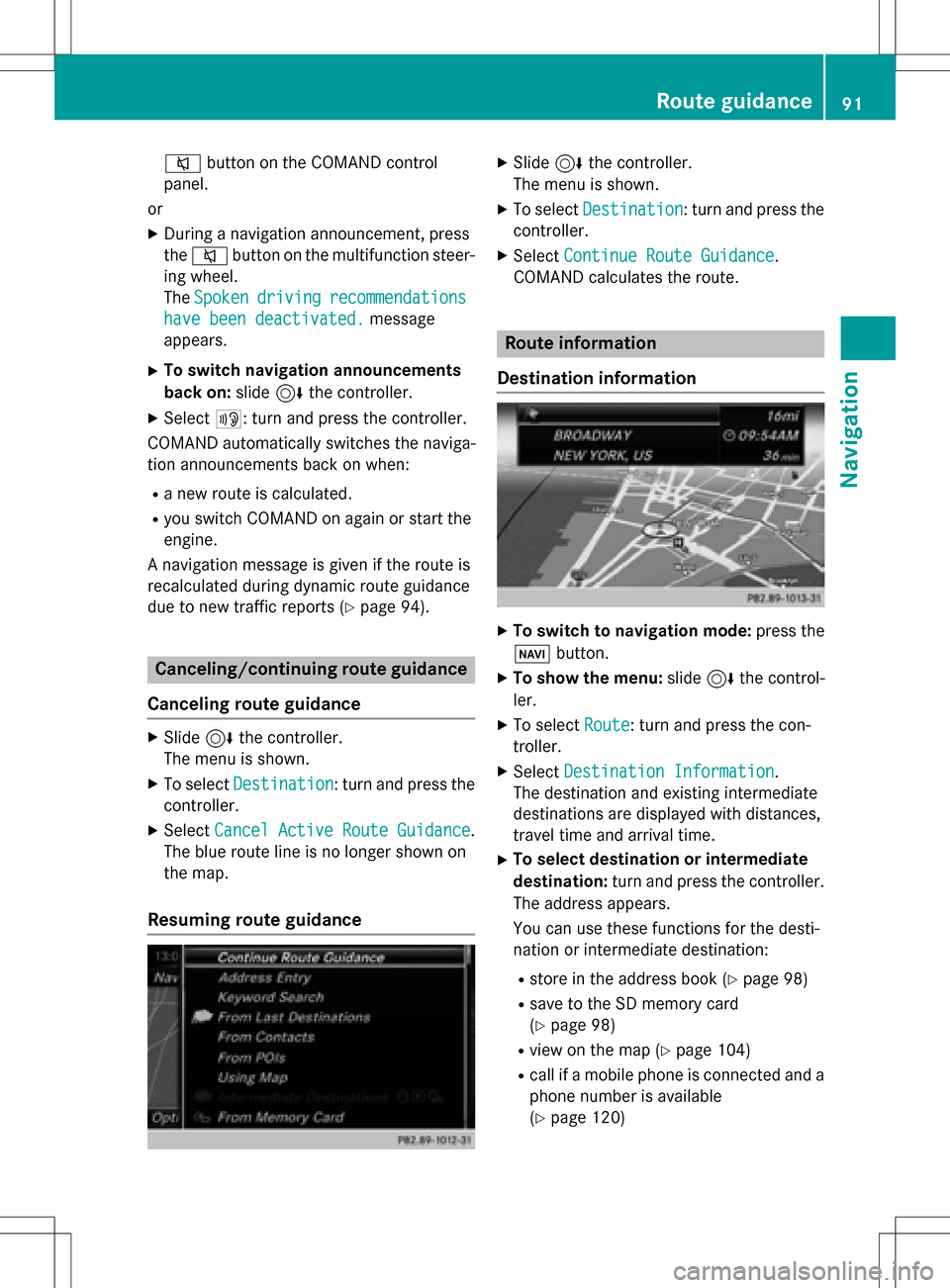
XSelect Continue Route Guidance.
COMAND calculates the route.
Route information
Destination information
XTo switch to navigation mode: press the
Ø button.
XTo show the menu: slide6the control-
ler.
XTo select Route: turn and press the con-
troller.
XSelect Destination Information.
The destination and existing intermediate
destinations are displayed with distances,
travel time and arrival time.
XTo select destination or intermediate
destination: turn and press the controller.
The address appears.
You can use these functions for the desti-
nation or intermediate destination:
Rstore in the address book (Ypage 98)
Rsave to the SD memory card
(
Ypage 98)
Rview on the map (Ypage 104)
Rcall if a mobile phone is connected and a
phone number is available
(
Ypage 120)
Route guidance91
Navigation
Z
Page 94 of 246
RUSA: view the vicinity of the destination if
street images are available and mbrace is
activated for Internet access
(
Ypage 149)
RCanada: view the vicinity of the destina-
tion if street images are available and a
mobile phone is connected to COMAND
via Bluetooth
®(Ypage 114) or USB
(
Ypage 196)
RUSA: download data from the Internet if
an Internet address is available and
mbrace is activated for Internet access
(
Ypage 114).
RCanada: download data from the Internet
if an Internet address is available and a
mobile phone is connected to COMAND
via Bluetooth
®(Ypage 114) or USB
(
Ypage 196).
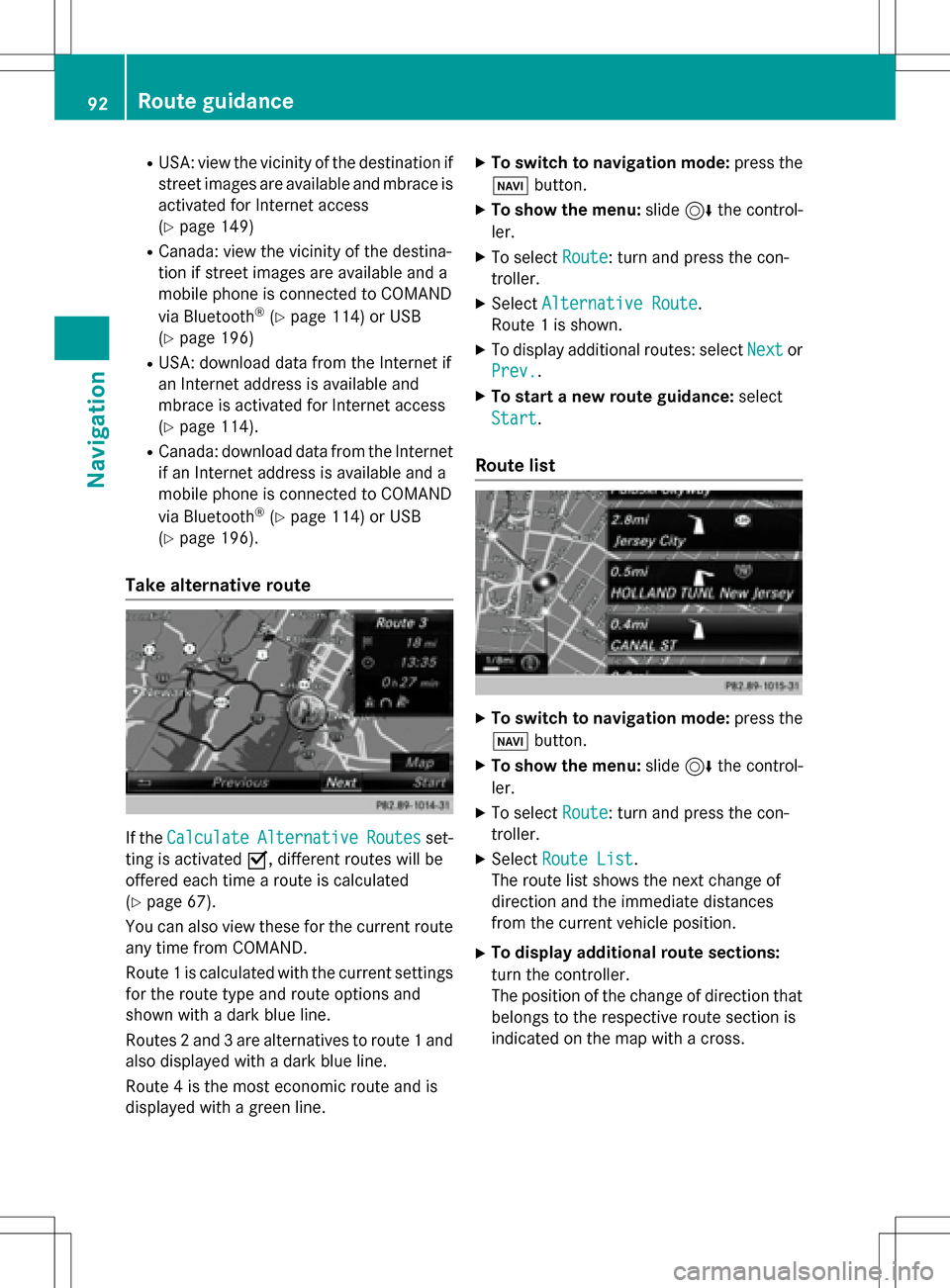
Take alternative route
If the CalculateAlternativeRoutesset-
ting is activated O, different routes will be
offered each time a route is calculated
(
Ypage 67).
You can also view these for the current route
any time from COMAND.
Route 1 is calculated with the current settings
for the route type and route options and
shown with a dark blue line.
Routes 2 and 3 are alternatives to route 1 and
also displayed with a dark blue line.
Route 4 is the most economic route and is
displayed with a green line.
XTo switch to navigation mode: press the
Ø button.
XTo show the menu: slide6the control-
ler.
XTo select Route: turn and press the con-
troller.
XSelect Alternative Route.
Route 1 is shown.
XTo display additional routes: select Nextor
Prev.
.
XTo start a new route guidance: select
Start
.
Route list
XTo switch to navigation mode: press the
Ø button.
XTo show the menu: slide6the control-
ler.
XTo select Route: turn and press the con-
troller.
XSelect Route List.
The route list shows the next change of
direction and the immediate distances
from the current vehicle position.
XTo display additional route sections:
turn the controller.
The position of the change of direction that
belongs to the respective route section is
indicated on the map with a cross.
92Route guidance
Navigation
Page 114 of 246
Your COMANDequipment
These operatin ginstruction sdescribe all
standar dan doptional equipmen tavailable
fo ryour COMAN Dsyste mat th etime of pur -
chase. Country-specifi cdifference sare pos -
sible. Please note that your COMAN Dsyste m
may no tbe equipped wit hall th efeature s
described .Thi salso applies to safety-relevan t
systems an dfunctions. Therefore, th eequip -
men ton your COMAN Dsyste mmay diffe r
from that in th edescription san dillustrations.
Should you hav ean yquestion sconcernin g
equipmen tan doperation ,pleas econsult an
authorized Mercedes-Ben zCenter.
Important safet ynotes
GWARNING
If you operat emobile communication equip-
men twhil edriving, you will be distracted from
traffic conditions. You could also los econtro l
of th evehicle. There is aris kof an accident.
Only operat ethis equipment when th evehicle
is stationary.
If you mak e acallon your mobile phone whil e
driving, always use hands-free mode. Only
use th emobile phone when road, weather
an dtraffic condition spermit .Some jurisdic -
tion sprohibi tth edriver from usin g amobile
phone whil edrivin g avehicle.
Bear in min dthat at aspeed of 30 mph
(approximately 50 km/h), th evehicle cover s
a distanc eof 44 feet (approximately 14 m)
per second.
Excessive levels of electromagnetic radiation
may cause damage to your health an dth e
health of others.
There is scientific discussio nsurroundin gth e
possible health risks posed by electromag-
neti cfields .You can reduce this ris kby usin g
an exterio rantenna. Therefore, connec
tyour mobile communica-
tion sequipmen tto th evehicle' sexterio r
antenn awhereve rpossible.
General notes
Telephon y
The Bluetoot h®interface on COMAN Dis
available fo rtelephony.
If your mobile phone supports th eBluetoot h
®
profilePBAP (Phone Book Access Profile),th e
contact sare automatically displaye din
COMAND.
You can use th etext messag ean de-mail
function sif your mobile phone supports th e
MA PBluetoot h
®profile (Messag eAccess
Profile) .Observ eth eother requirements fo r
th ee-mail an dtext messag efunction s
(
Ypage 138).
Wit h a suitable mobile phone ,you can use th e
hands-free syste man dreceiv evCards via th e
Bluetoot h
®interface .
You can obtain more information about suit -
able mobile phone son th eInternet at
www.mercedes-benz-mobile.com .
You can also obtain more information by call-
ing.
In th eUSA, you can get in touch wit hth e
Mercedes-Ben zCustomer Assistanc eCente r
on 1-800-FOR-MERCede s(1-800-367-6372).
In Canada, you can get in touch with the Cus- tomer Relations Center on 1-800-387-0100.
Call disconnection while the vehicle is
in motion
A call may be disconnected if:
Rthere is insufficient network coverage in
certain areas.
Ryou move from one transmitter/receiver
area (cell) into another and no channels are
free.
Ryou use a SIM card that is not compatible
with the network available.
112General notes
Telephone
Page 115 of 246
Operating options
You can operate the telephone by:
Rusing the controller:
turning
sliding1 or4
pressing
Rusing the 6or~ button on the mul-
tifunction steering wheel
Rusing Voice Control (see the separate oper-
ating instructions)
Function restrictions
You may have to wait before using telephony
via COMAND in the following situations:
Rwhen the mobile phone is switched off
Rif Bluetooth®is switched off on the mobile
phone
Rif the mobile phone has not logged on to a
mobile phone network
Rif the Bluetooth®function is switched off in
COMAND
The telephone automatically tries to log on to a network. If no network is available, you may
not be able to make a " 911" emergency call.
If you attempt to make an outgoing call, the
No Service
message will appear for a short
while.
"911" emergency call
The following requirements must be fulfilled
for a 911emergency call:
Ra valid and operational SIM card is inserted
in the mobile phone
Rthe mobile phone is switched on
Rthe PIN has been entered in the mobile
phone
Ra mobile phone network is available
Rthe mobile phone is connected to COMAND
via Bluetooth®
If you cannot make an emergency call, you
must arrange rescue measures yourself.
Making an emergency call:
XEnter the telephone number (Ypage 119).
XPress 6.
The telephone makes the connection.
XWait until the emergency call center
answers and describe the emergency sit-
uation.
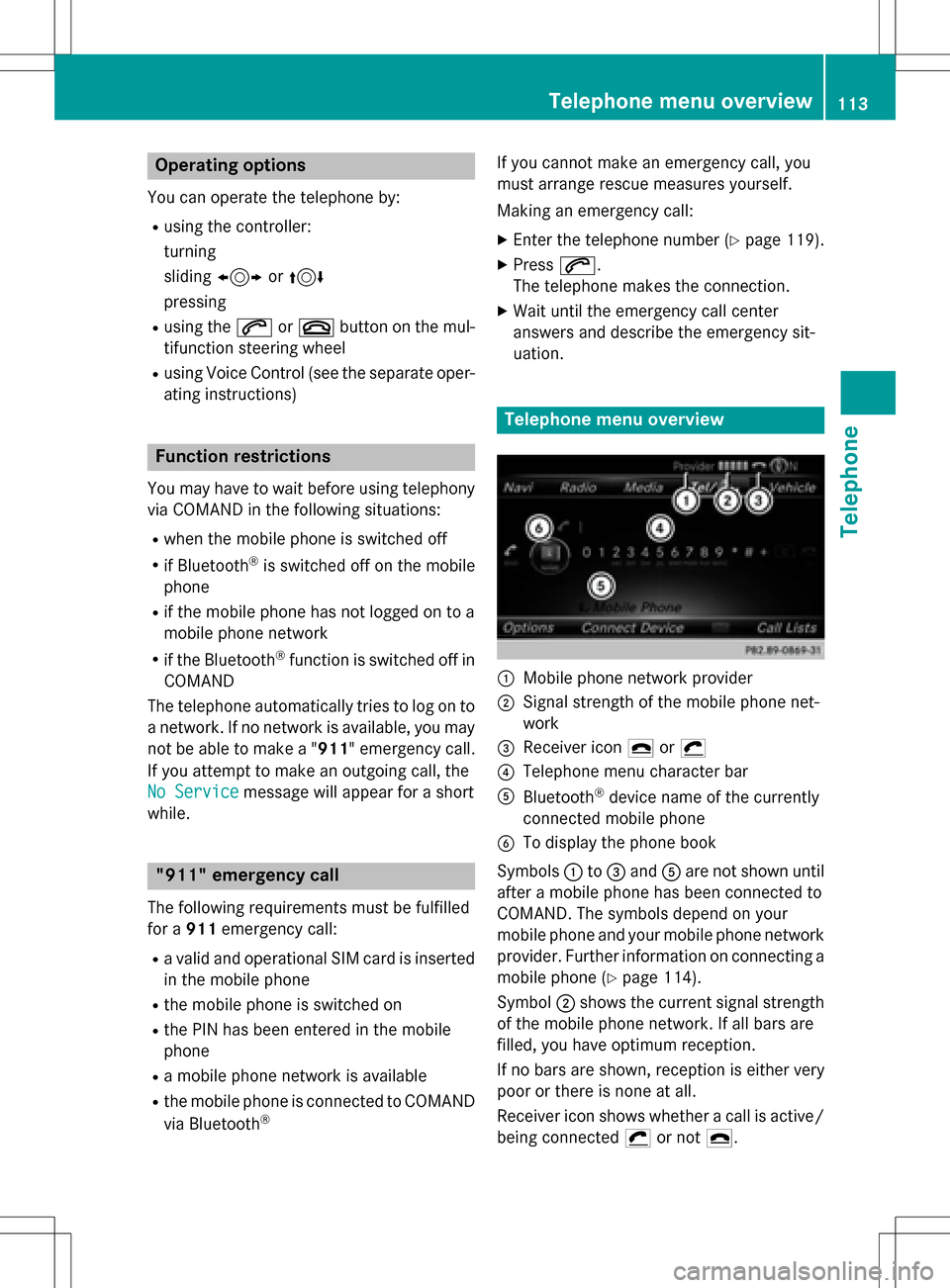
Telephone menu overview
:Mobile phone network provider
;Signal strength of the mobile phone net-
work
=Receiver icon ¢or¡
?Telephone menu character bar
ABluetooth®device name of the currently
connected mobile phone
BTo display the phone book
Symbols :to= and Aare not shown until
after a mobile phone has been connected to
COMAND. The symbols depend on your
mobile phone and your mobile phone network
provider. Further information on connecting a
mobile phone (
Ypage 114).
Symbol ;shows the current signal strength
of the mobile phone network. If all bars are
filled, you have optimum reception.
If no bars are shown, reception is either very
poor or there is none at all.
Receiver icon shows whether a call is active/
being connected ¡or not ¢.
Telephone menu overview113
Telephone
Z
Page 116 of 246
Calling up the telephone menu
XPress%.
Showing the menu bar
XSlide 6the controller.
If the mobile phone connected supports the
MAP Bluetooth
®profile ( Message Access
Profile), the 1menu item is available. Fur-
ther information on text messages and e-mail
(
Ypage 138).
If you have an unread text message or e-mail,
the 0 mail symbol is displayed in the sta-
tus bar. The symbol disappears once you have
read the text message or e-mail. The ú
symbol is displayed as soon as the message
memory on the connected mobile phone is
full. The symbol disappears once you delete
at least one message.
Connecting/disconnecting a mobile
phone
Prerequisites
For telephony via the Bluetooth®interface,
you require a Bluetooth®-capable mobile
phone. The mobile phone must support
Hands-Free Profile 1.0 or above.
On COMAND
XActivate Bluetooth®(Ypage 48).
On the mobile phone
XSwitch on the mobile phone and enter the
PIN when prompted to do so (see the man- ufacturer's operating instructions).
XActivate Bluetooth®and, if necessary,
Bluetooth®visibility for other devices (see
the manufacturer's operating instructions).
This visibility is for restricted periods of
time on some mobile phones (see the man-
ufacturer's operating instructions).
XSet the Bluetooth®device name for the
mobile phone if necessary.
The device names for all of one manufactur-
er's products might be identical. To make it possible to clearly identify your mobile phone,
change the device name (see the manufac-
turer's operating instructions). The name can
be freely selected.
If the mobile phone supports the PBAP
( Phone Book Access Profile) and MAP
( Message AccessProfile) Bluetooth
®pro-
files, the following information will be trans-
mitted after you connect:
RPhone book
RCall lists
RText messages and e-mails
Further information on allowing or suppress-
ing the automatic download of the phone
book (
Ypage 132).
The battery of the mobile phone should
always be kept sufficiently charged in order to
prevent malfunctions.
iNot all mobile phones available on the
market are equally suitable. You can obtain
more detailed information about suitable
mobile phones and about the connection
between the mobile phone and COMAND
on the Internet at
www.mercedes-benz-mobile.com .
You can also obtain more information by
calling.
In the USA, you can get in touch with the
Mercedes-Benz Customer Assistance Cen-
ter on 1-800-FOR-MERCedes
(1-800-367-6372 ).
In Canada, you can get in touch with the
Customer Relations Center on
1-800-387-0100.
iSome displays (e.g. the signal strength)
depend on the supported version of the
Hands-Free Profile.
114Connecting/disconnecting a mobile phone
Telephone
Page 117 of 246
Procedure and general information
Authorizing a mobile phone (connect-
ing)
Before using your mobile phone with
COMAND for the first time, you will need to
search for the phone (
Ypage 115) and then
authorize it (
Ypage 116). Depending on the
mobile phone, authorization either takes
place by means of Secure Simple Pairing or by
entering a passkey. COMAND automatically
enables the procedure suited to your mobile
phone. You can recognize Secure Simple Pair-
ing by a code which is displayed in COMAND
and on the mobile phone. You can recognize
the passkey system by the fact that you have to enter a code on the mobile phone and in
COMAND. The mobile phone is connected
automatically after authorization. Further
information about automatically reconnect-
ing authorized mobile phones (
Ypage 117).
If COMAND does not detect your mobile
phone, this may be due to particular security
settings on your mobile phone. You can also
start the search procedure and authorization
on the mobile phone (
Ypage 117).
Device-specific information on authorizing
and connecting Bluetooth
®-capable mobile
phones can be obtained from your authorized
Mercedes-Benz Center or via the Internet at
http://www.mercedes-benz.com/
connect .
You can authorize up to 15 mobile phones.
Only one mobile phone can be connected to
COMAND at any one time for telephony.
De-authorizing (disconnecting) a mobile
phone
The connection is terminated automatically if
you leave the receiver range of COMAND or
deactivate Bluetooth
®on your mobile phone.
If you no longer want the Bluetooth
®connec-
tion to be established automatically, the
mobile phone must be de-authorized (discon-
nected) (
Ypage 118).
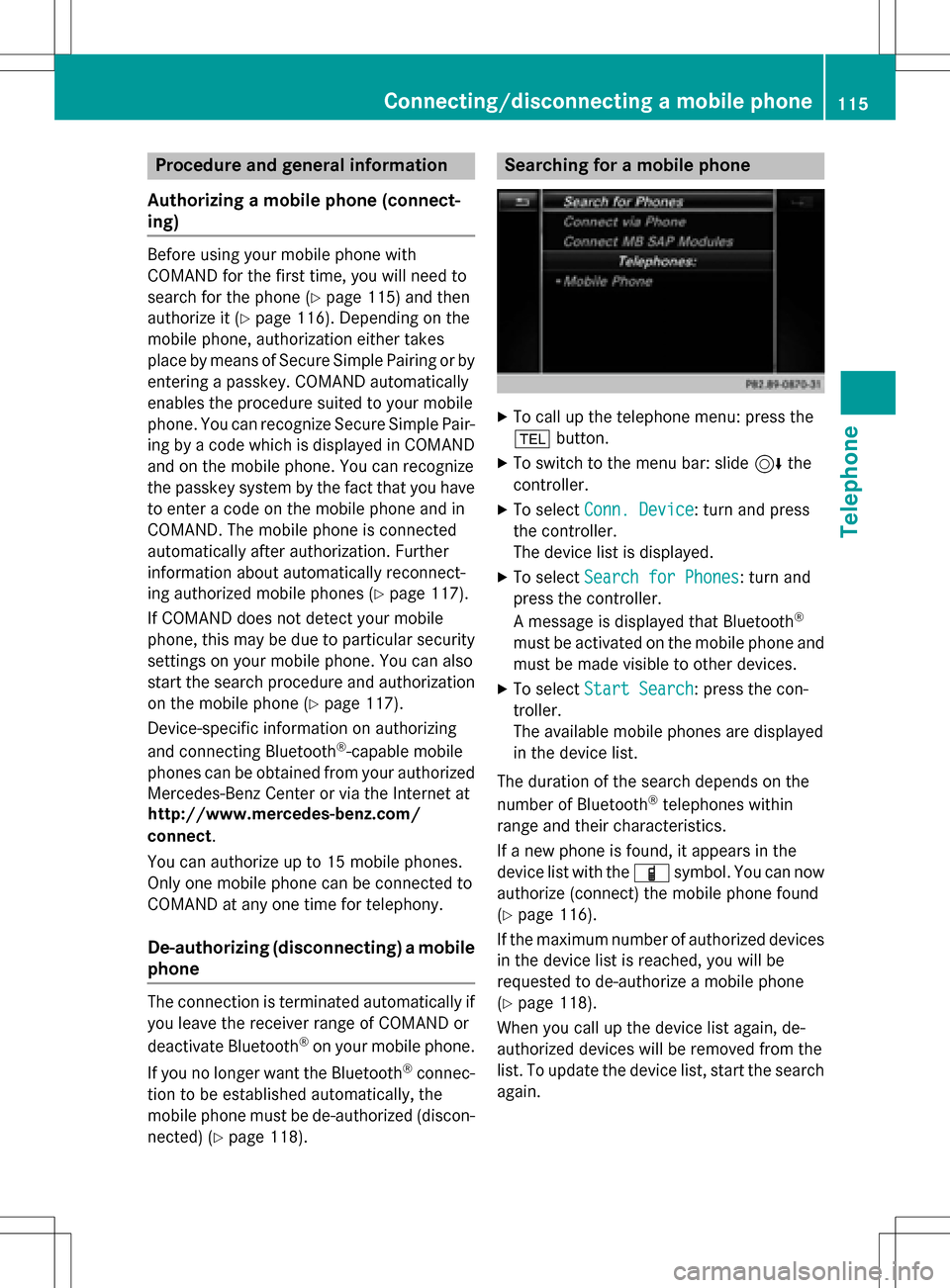
Searching for a mobile phone
XTo call up the telephone menu: press the
% button.
XTo switch to the menu bar: slide 6the
controller.
XTo select Conn. Device: turn and press
the controller.
The device list is displayed.
XTo select Search for Phones: turn and
press the controller.
A message is displayed that Bluetooth
®
must be activated on the mobile phone and
must be made visible to other devices.
XTo select Start Search: press the con-
troller.
The available mobile phones are displayed
in the device list.
The duration of the search depends on the
number of Bluetooth
®telephones within
range and their characteristics.
If a new phone is found, it appears in the
device list with the Ïsymbol. You can now
authorize (connect) the mobile phone found
(
Ypage 116).
If the maximum number of authorized devices
in the device list is reached, you will be
requested to de-authorize a mobile phone
(
Ypage 118).
When you call up the device list again, de-
authorized devices will be removed from the
list. To update the device list, start the search
again.
Connecting/disconnecting a mobile phone115
Telephone
Z