light MERCEDES-BENZ E CLASS 2020 Manual Online
[x] Cancel search | Manufacturer: MERCEDES-BENZ, Model Year: 2020, Model line: E CLASS, Model: MERCEDES-BENZ E CLASS 2020Pages: 550, PDF Size: 20.08 MB
Page 236 of 550
#
Toselect displaycont ent:swipe tothe
ri ght onthelef t-hand Touc hCon trol. #
Swip eupw ards ordown wardson thelef t-
hand Touc hCon trol to select displaycont ent.
When displaycont entisselect ed,thear ea
fo radd itional values 1will brief lybe high‐
light ed.
Ind expoint s2 will displa yth eselect edlist
it em.
The follo wing displa ycon tent can beselect edin
th eClassic andSport designs:
R Tach ome ter
R Navig ation
R ECOdisp lay
R Consu mption
R G-m eter
The follo wing content can beselect edinthePro-
gressive design:
R date
R Navig ation
R ECOdisp lay R
Consu mption
R G-m eter Ov
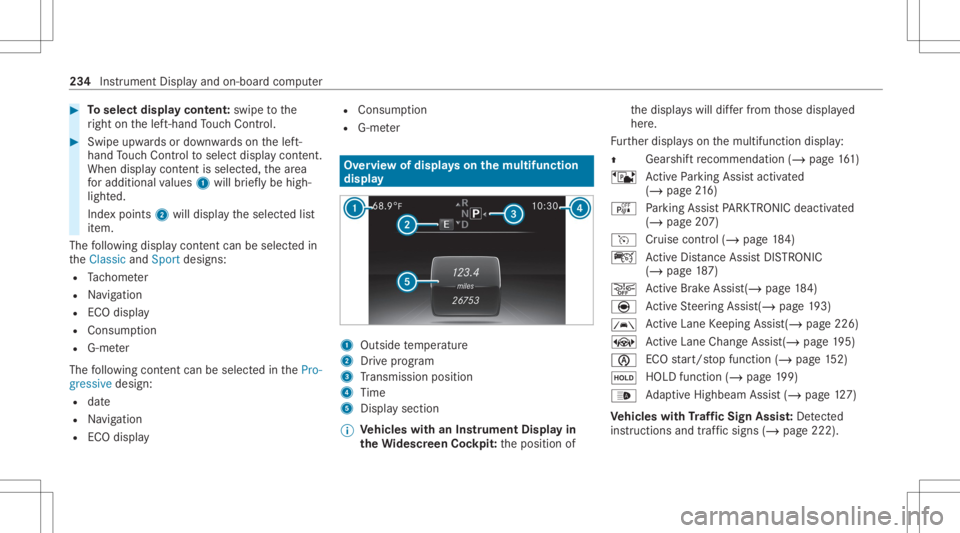
ervie wof displa yson themu ltifunct ion
disp lay 1
Outs idetemp eratur e
2 Drive pr og ram
3 Trans miss ionposit ion
4 Time
5 Displa ysection
% Ve
hicl eswith anIns trument Displayin
th eWi des cree nCo ckpit: theposition of th
edispla yswill differfr om those displa yed
her e.
Fu rther displa yson themultifunc tiondispla y:
0097 Gear
shiftre comme ndation (/page 161)
ë ActivePa rking Assistact ivat ed
(/ page21 6)
é Parking AssistPA RK TRONI Cdeac tiva ted
( / pag e20 7)
h Cruise control (/ page18 4)
ç ActiveDis tance AssistDIS TRONI C
(/ page 187)
00D4 Ac
tiveBr ak eAssi st(/ pag e18 4)
è ActiveSt eer ing Assis t(/ pag e19 3)
00B0 Ac
tiveLa ne Keeping Assist(/page226)
± ActiveLa ne Chang eAssi st(/ pag e19 5)
00D6 EC
Ostar t/ stop funct ion(/ page15 2)
00D9 HO
LD functio n(/ page 199)
00CE Ad
aptiveHig hbeam Assis t(/ page12 7)
Ve hicl eswith Traf fic Sign Assis t:De tected
ins tructi ons and traf fic sig ns (/ page 222). 23
4
Instrument Displayand on-bo ardcom puter
Page 237 of 550
Ad
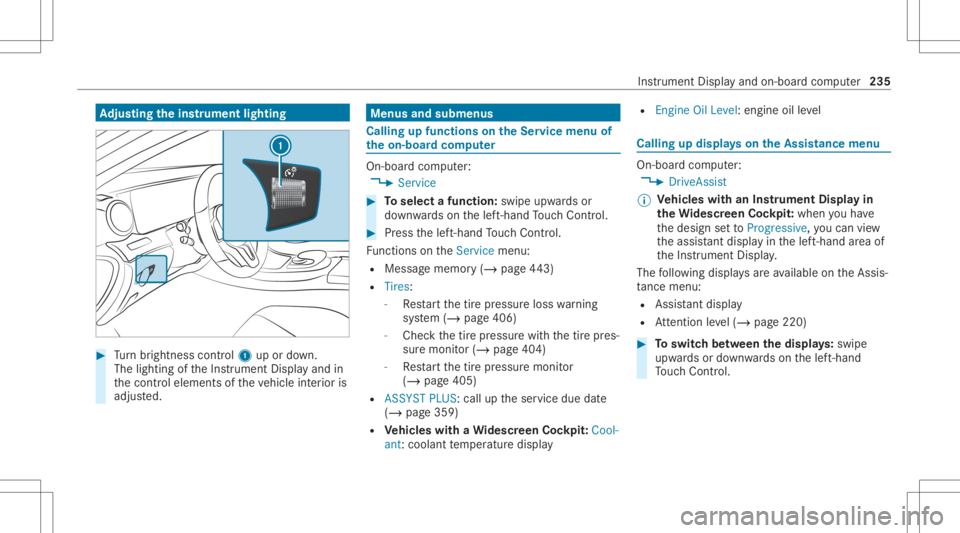
jus tingthe inst ru men tlighti ng #
Turn brightn esscontrol 1 upordown.
The lightin gof theIns trument Displayand in
th econ trol element sof theve hicle interior is
adjus ted. Menus
andsubmenu s Calling
upfunctions ontheSer vice menu of
th eon-boa rdcom puter On-boar
dcom puter:
4 Service #
Toselect afunction: swipeupwards or
do wn wardson thelef t-hand Touc hCon trol. #
Press thelef t-hand Touc hCon trol.
Fu nctio nson theServ icemenu:
R Messag ememor y(/ page44 3)
R Tire s:
- Restar tth etir epr essur eloss warning
sy stem (/ page406)
- Chec kth etir epr essur ewit hth etir epr es‐
sur emonit or(/ page404)
- Restar tth etir epr essur emonit or
(/ page405)
R ASSYST PLUS: calluptheser vice duedate
(/ page359)
R Vehicl eswith aWi des cree nCo ckpit :Co ol-
ant: coolanttemp eratur edispla y R
Engine OilLevel: engine oilleve l Callin
gup displa yson theAssis tance menu On
-bo ardcom puter:
4 DriveA ssist
% Ve
hicl eswith anIns trument Displayin
th eWi des cree nCo ckpit: whenyo uha ve
th edesign setto Progressive ,yo ucan view
th eassis tant displ ayinthelef t-hand area of
th eIns trument Display.
The follo wing displa ysareav ailable ontheAssis‐
ta nce menu :
R Assi stant displa y
R Attentio nleve l(/ page220) #
Toswitc hbe tw een thedisp lays :sw ipe
up wa rdsor down wardson thelef t-hand
To uc hCon trol. In
stru ment Displa yand on-boar dcom puter 235
Page 238 of 550
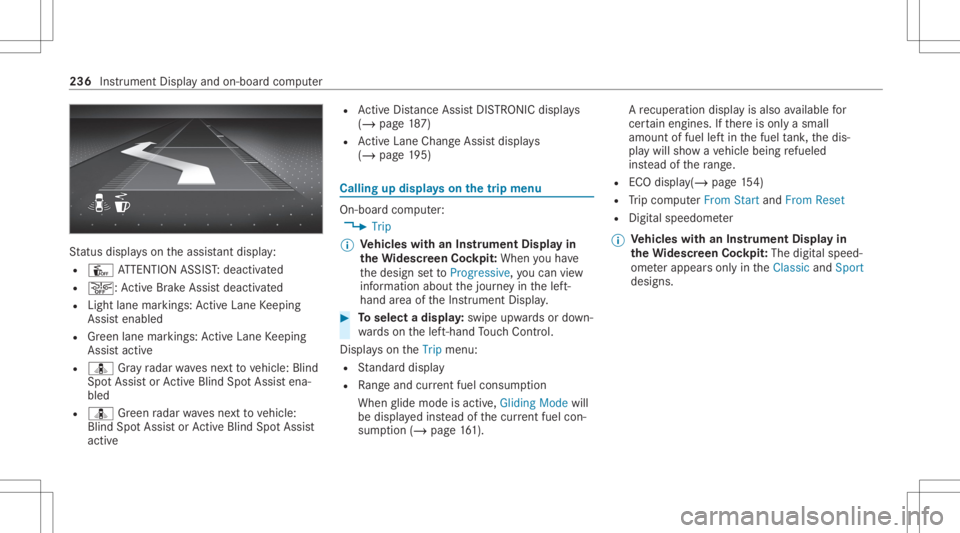
St
atus displa yson theassis tant displ ay:
R Û ATTENTION ASSIST: deactiv ated
R 00D4: ActiveBr ak eAssi stdeactiv ated
R Light lanemarkings: ActiveLa ne Keeping
Assis tenabled
R Green lane marking s:Ac tiveLa ne Keeping
Assis tactiv e
R ¸ Gray radar wavesnext to vehicle: Blind
Spo tAssis tor ActiveBli nd Spo tAssi stena‐
bled
R ¸ Green radar wavesne xt to vehicle:
Blind SpotAssis tor ActiveBli nd Spo tAssi st
act ive R
ActiveDis tance AssistDIS TRONI Cdisp lays
( / pag e18 7)
R ActiveLa ne Chang eAssi stdispla ys
( / pag e19 5) Ca
lling up displ ayson thetrip menu On
-bo ardcom puter:
4 Trip
% Ve
hicl eswith anIns trument Displayin
th eWi des cree nCo ckpit: Whe nyo uha ve
th edesign setto Progressive ,yo ucan view
inf ormat ionabout thejour neyin thelef t-
hand area oftheIns trument Display. #
Toselect adispla y:swipe upwards ordown‐
wa rdson thelef t-hand Touc hCon trol.
Dis playson theTrip menu:
R Standar ddispla y
R Rangeand current fue lconsu mption
Wh englide mode isact ive, Gliding Modewill
be displa yedins tead ofthecur rent fue lcon‐
su mp tion(/ page 161). A
recup erati on displ ayisalso available for
cer tain engin es.Ifth er eis onl ya small
amount offuel leftin thefuel tank ,th edis‐
pla ywill showave hicle being refuel ed
ins tead ofthera ng e.
R ECOdispl ay(/ pag e15 4)
R Trip com puterFro mStart and FromReset
R Digit alspeedom eter
% Ve
hicl eswith anIns trument Displayin
th eWi des cree nCo ckpit: The digit alspe ed‐
ome terapp earsonly intheClassic andSport
designs. 236
Instrument Displayand on-boar dcom puter
Page 245 of 550
Sy
stem limita tions
The visib ilityisinf luenc edbythefo llo wing condi‐
tion s:
R Seat position
R The posit ioningof thedispla yimag e
R Light conditions
R Wetro ads
R Objectson thedispla yco ver
R Polar izat ion insung lasses
% Inextreme sunli ght, sectio nsofthedispla y
ma yappear washed out.Youcan correct this
by switc hingtheHead-up Displayof fand on
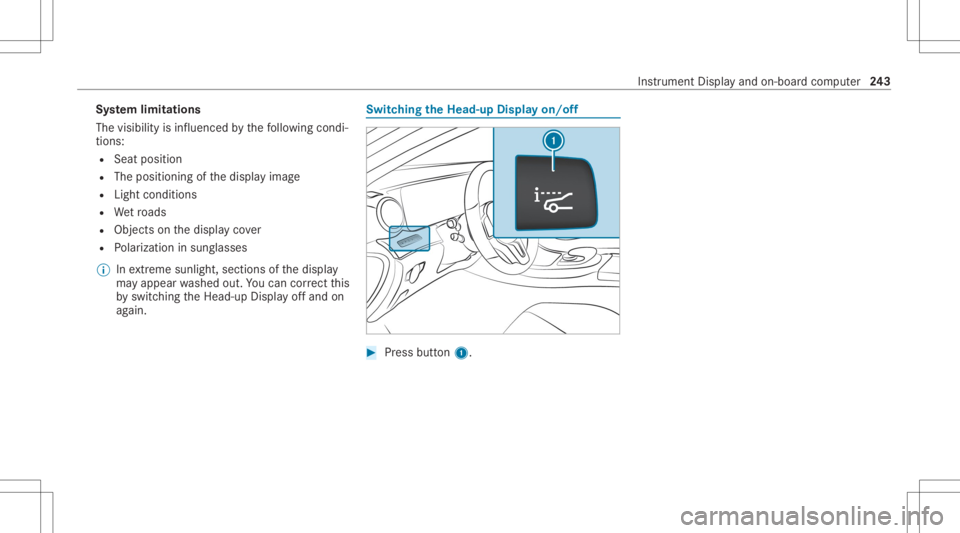
ag ain. Switc
hingtheHead -upDispla yon/of f #
Press butt on1. In
stru ment Displa yand on-boar dcom puter 24
3
Page 258 of 550
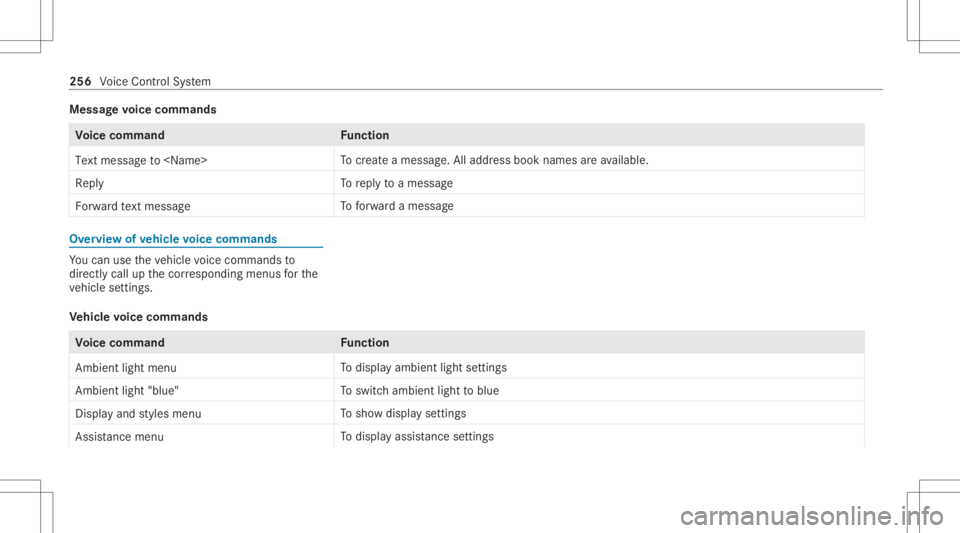
Messag
evo ice comm ands Vo
ice comm and Function
Text message to
crea te ames sage.All addr essbook namesareav ailable.
Reply To
reply toames sage
For ward text mes sage To
forw ardames sage Ov
ervie wof vehicl evo ice comm ands Yo
ucan usetheve hicle voice com mand sto
dir ect lycall upthecor responding menusforth e
ve hicle settin gs.
Ve hicl evo ice comm ands Vo
ice comm and Function
Ambien tlight menu To
displa yambient lightsettings
Ambien tlight "blue" To
switc hambient lighttoblue
Display andstyles menu To
sho wdispla yse ttings
Assistance menu To
displa yassis tance settings 25
6
Voice Cont rolSy stem
Page 259 of 550
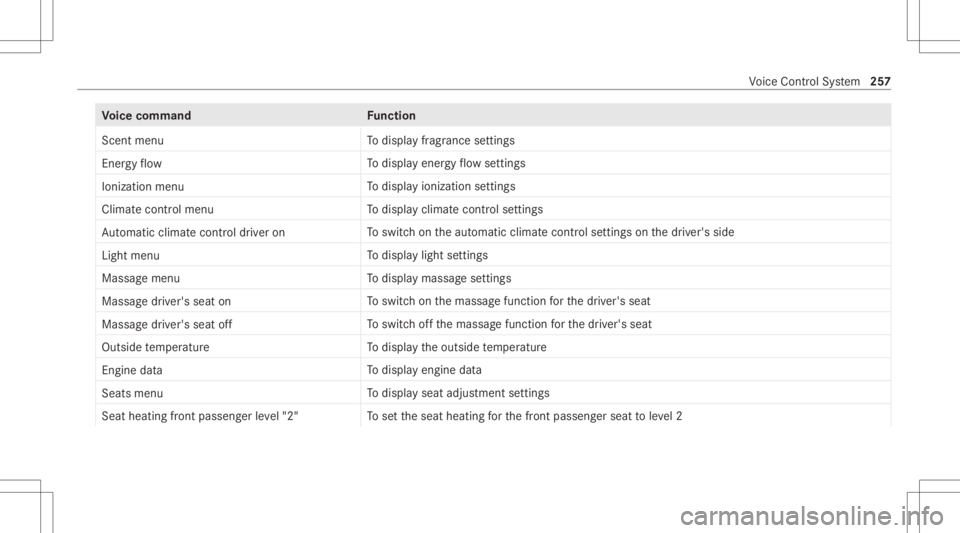
Vo
ice comm and Function
Scen tmenu To
displa yfragr ance settings
En ergy flow To
displa yener gyflow settin gs
Ionization menu To
displa yioniz ation settings
Climate control menu To
displa yclimat econ trol settings
Auto matic climate control driver on To
switc hon theaut omatic climatecon trol settings onthedr iver's side
Light menu To
displa ylight settings
Massage menu To
displa ymassag ese ttings
Massage driver'sseat on To
switc hon themassag efunc tion forth edr iver's seat
Massage driver'sseatoff To
switc hof fth emassag efunc tion forth edr iver's seat
Outside temperature To
displa yth eoutside temp eratur e
En gine data To
displa yengin edat a
Seats menu To
displa yseat adjus tmentse ttings
Seat heating frontpassenger level"2" To
setth eseat heating forth efront passeng erseat toleve l2 Vo
ice Cont rolSy stem 25
7
Page 270 of 550
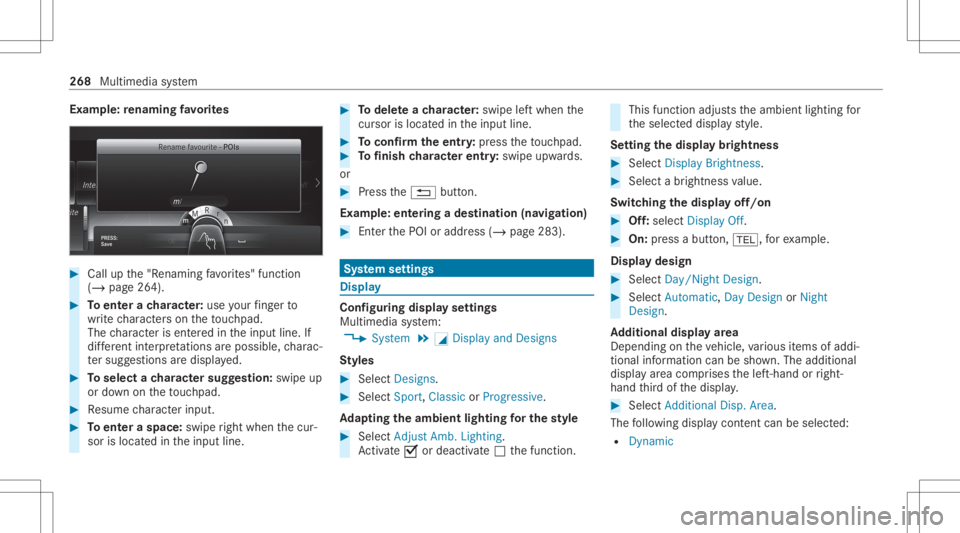
Ex
am ple: renaming favo rite s #
Call upthe"R enaming favo rite s" function
(/ page26 4). #
Toent erach aract er:use your fing er to
wr ite ch aract erson theto uc hpad.
The charact erisent ered intheinput line. If
dif fere nt interpr etatio nsareposs ible, charac‐
te rsugg estions aredisp laye d. #
Toselect ach aract ersugg estion :swi peup
or down ontheto uc hpad. #
Resume charact erinput. #
Toent eraspa ce:swipe right when thecur‐
sor islocat edintheinput line. #
Todel eteach aract er:swi peleftwhe nth e
cur sor isloca tedin theinput line. #
Toconf irm theentr y:press theto uc hpad. #
Tofinish charact erentr y:swipe upwards.
or #
Press the0038 button.
Ex am ple: entering ades tinat ion(navigation) #
Enterth ePOI oraddr ess(/ page283). Sy
stem settings Displa
y Conf
iguringdisp layse ttings
Multi media system:
4 System 5
0043 Display andDesign s
St yles #
Sele ctDes igns. #
Sele ctSpo rt,Classic orProg ressive.
Ad apting theam bient lightingforthe style #
Select Adju stAmb. Lighting .
Ac tivate0073 ordeacti vate 0053 thefunc tion. This
function adjus tstheambient lightingfor
th eselect eddispla yst yle.
Se tting thedisp laybr ight ness #
Sele ctDis play Bright ness. #
Sele ctabr ight nessva lue.
Switc hingthedisp layof f/on #
Off:selec tDis play Off. #
On: press abutt on,002B, forex am ple.
Displ aydes ign #
Select Day /Nig htDesi gn. #
Select Autom atic,Day DesignorNig ht
Desi gn.
Ad diti onaldispl ayarea
Dependi ngon theve hicle, various items ofaddi‐
tional information canbesho wn. The additional
displa yar ea com prises thelef t-hand orright-
hand third of thedispla y. #
Select Addi tiona lDisp .Area .
The follo wing displa ycon tent can beselect ed:
R Dyna mic 26
8
Mu ltimed iasystem
Page 271 of 550
R
Naviga tionMap
R Consumptio n
R Time andDate Ti
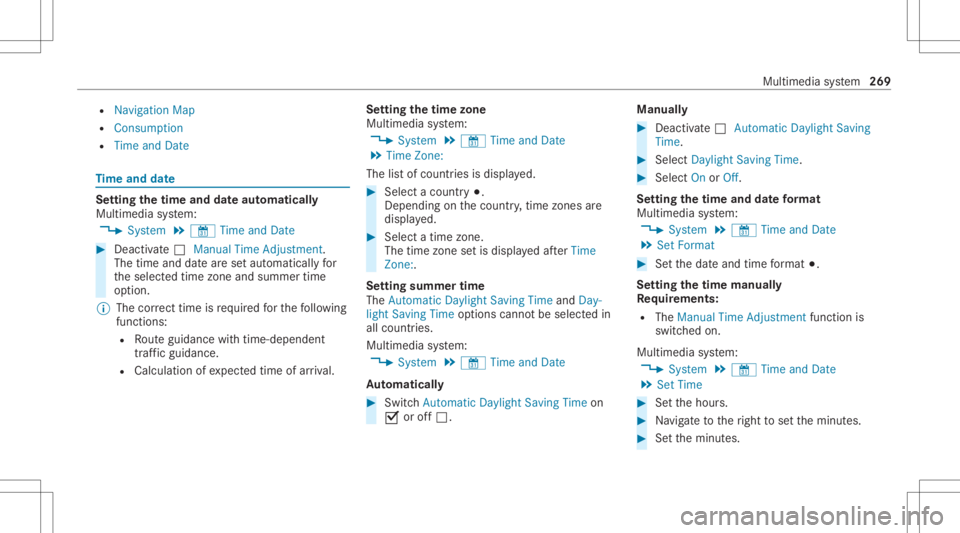
me and date Se
tting thetim eand date aut omatic ally
Mul timedi asy stem:
4 System 5
& TimeandDate #
Deact ivat e0053 Manual TimeAdjustmen t.
The time anddatear ese taut omaticall yfo r
th eselect edtime zoneand summer time
op tion .
% The correct time isrequ ired forth efo llo wing
func tions:
R Routeguidan cewithtim e-depen dent
traf fic gu idance .
R Calcu lation ofexpect edtime ofarriva l. Se
tting thetim ezone
Multi media system:
4 System 5
& TimeandDate
5 Time Zone:
The listof count ries isdispla yed. #
Select acount ry003B.
Dep endingonthecount ry,time zonesare
displa yed. #
Select atime zone.
The time zonese tis displa yedaf te rTime
Zone:.
Se tting summer time
The Automatic Daylight Saving TimeandDay-
lig ht Saving Timeoptions canno tbe sele cted in
all countr ies.
Mul timedi asy stem:
4 System 5
& TimeandDate
Au tomatic ally #
Swi tchAuto matic Day light Saving Time on
0073 oroff0053. Man
ually #
Dea ctivate0053 Auto matic Day light Saving
Ti me. #
Select Day light Saving Time. #
Select OnorOff.
Se ttin gthe time anddatefo rm at
Mul timedi asy stem:
4 System 5
& TimeandDate
5 Set Form at #
Setth edat eand time form at003B.
Se tting thetim ema nua lly
Re quirement s:
R The Manual TimeAdjustm entfunc tion is
switc hedon.
Multime diasystem:
4 System 5
& TimeandDate
5 Set Time #
Setth ehour s. #
Navig ateto theright tosetth eminut es. #
Setth eminut es. Multimedia
system 269
Page 273 of 550
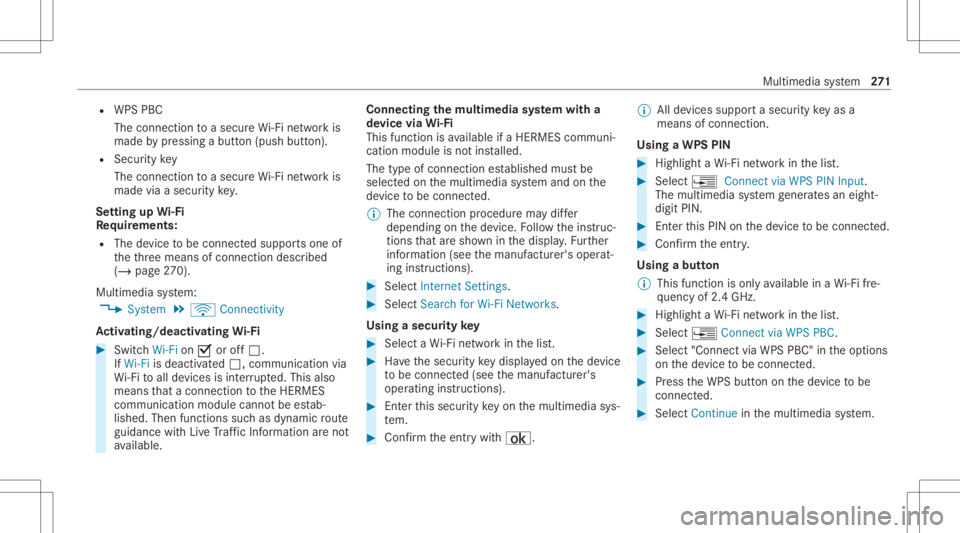
R
WPS PBC
The conn ection toasec ureWi -Fi networkis
mad eby pressing abutt on(push button).
R Secur itykey
The conn ection toasec ureWi -Fi networkis
mad evia asecu rity key.
Se tting upWi-Fi
Re quirement s:
R The device tobe con nectedsuppor tsone of
th eth re emeans ofcon nect iondescr ibed
(/ page27 0).
Mul timediasystem:
4 System 5
ö Connec tivity
Ac tiv atin g/deac tivatin gWi -Fi #
Switc hWi-Fi on0073 oroff0053.
If Wi-Fi isdea ctivated 0053, communi cationvia
Wi -Fi toall devic es isint erru pte d.This also
means that acon nectionto theHERME S
comm unication modulecannotbe estab‐
lished. Thenfunctionssuc has dynamic route
guidan cewithLiv eTr af fic Inf ormati onareno t
av ailable. Connect
ingthemu ltim edia system witha
de vice viaWi-Fi
Thi sfunction isavailable ifaHE RME Scom mun i‐
cat ion modul eis no tins talled.
The type ofcon nection established mustbe
select edon themultimedia system and onthe
de vice tobe con nected.
% The connection procedur ema ydif fer
dependin gon thede vice. Followtheins truc‐
tion sth at aresho wninthedispla y.Fu rther
inf ormation (seethemanuf acturer'soper at‐
ing instruction s). #
Select Internet Setting s. #
Select Search forWi-Fi Network s.
Using asecur itykey #
Select aWi -Fi networkin thelis t. #
Have thesecur itykeydisp laye don thede vice
to be con nected(see themanuf acturer's
oper ating instruction s). #
Enterth is secur itykeyon themultimedia sys‐
te m. #
Conf irm theent rywit h¡. %
Alldevic es suppor ta sec urity keyas a
mean sof conn ection .
Usin gaWPS PIN #
Highlig htaWi -Fi networkin thelis t. #
Select ¥Connec tvia WPS PINInput.
The multimedia system gener ates an eight-
di gitPIN . #
Enterthis PIN onthede vice tobe con nected. #
Conf irm theent ry.
Using abutt on
% This function isonl yav ailable inaWi -Fi fre‐
qu ency of2.4 GHz. #
Highlight aWi -Fi networkin thelis t. #
Select ¥Connec tvia WPS PBC. #
Select "Connec tvia WPS PBC" intheop tion s
on thede vice tobe con nected. #
Press theWPS buttononthede vice tobe
con nected. #
Select Continueinthemultimedia system. Multimedia
system 27
1
Page 274 of 550
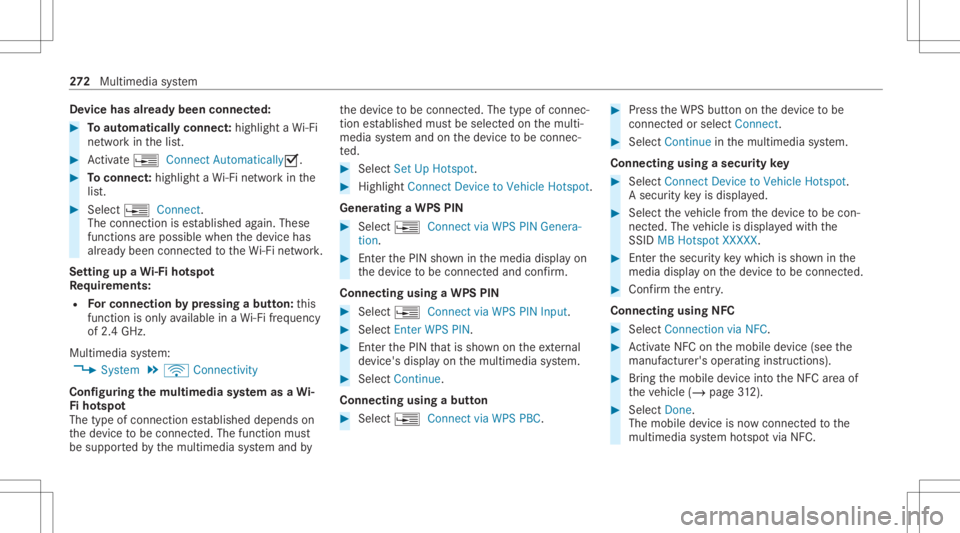
De
vice hasalr ead ybeen connect ed: #
Toaut omatic allyco nne ct:high light aWi -Fi
ne tworkin thelis t. #
Activate¥ Connect Automatica lly0073 . #
Toconnect :high light aWi -Fi networkin the
lis t. #
Selec t¥ Connect.
The connection ises tablished again. These
func tionsar epossible whenthede vice has
alr eady been connect edtotheWi -Fi network.
Se tting upaWi -Fiho tspo t
Re quirement s:
R Forco nn ectio nby pres sin gabutt on:th is
func tion isonl yav ailable inaWi -Fi frequency
of 2.4 GHz.
Mu ltimed iasystem:
4 System 5
ö Connec tivity
Conf iguringthemu ltim edia system asaWi -
Fi ho tspo t
The type ofconnection established depends on
th ede vice tobe con nected. The func tion must
be suppor tedby themultimedia system and by th
ede vice tobe con nected. The type ofcon nec‐
tion established mustbe select edon themulti‐
media system and onthede vice tobe con nec‐
te d. #
Select SetUpHot spot. #
Highlight ConnectDevic eto Vehicle Hotspot.
Gener atingaWPS PIN #
Select ¥Connec tvia WPS PINGenera-
tion . #
Enterth ePIN showninthemedia displayon
th ede vice tobe con nectedand confirm .
Connect ingusin gaWPS PIN #
Sele ct¥ ConnectviaWPS PINInput. #
Sele ctEnter WPS PIN. #
Enterth ePIN that issho wnontheex tern al
de vic e's displa yon themultimedia system. #
Select Continue.
Connecting usingabutt on #
Select ¥Connec tvia WPS PBC. #
Press theWPS buttonon thede vice tobe
con nectedor select Connec t. #
Select Continueinthemultimedia system.
Connecting usingasecur itykey #
Select Connect DevicetoVeh icleHotsp ot.
A secu rity keyis disp laye d. #
Select theve hicle from thede vice tobe con ‐
nec ted. The vehicle isdispla yedwit hth e
SSID MBHotsp otXXX XX. #
Enterthesecur itykeywhic his sho wninthe
media display on thede vice tobe con nected. #
Conf irm theent ry.
Connect ingusin gNFC #
Sele ctConn ection viaNFC. #
ActivateNFC onthemobile device (see the
manuf acturer'soper ating instructions). #
Bring themobile device intoth eNFC area of
th eve hicle (/page31 2). #
Select Done.
The mobi lede vice isno wconnect edtothe
multime diasystem hotspo tvia NFC. 27
2
Multimedia system