atte MERCEDES-BENZ E-CLASS CABRIOLET 2012 Owners Manual
[x] Cancel search | Manufacturer: MERCEDES-BENZ, Model Year: 2012, Model line: E-CLASS CABRIOLET, Model: MERCEDES-BENZ E-CLASS CABRIOLET 2012Pages: 389, PDF Size: 9.32 MB
Page 8 of 389
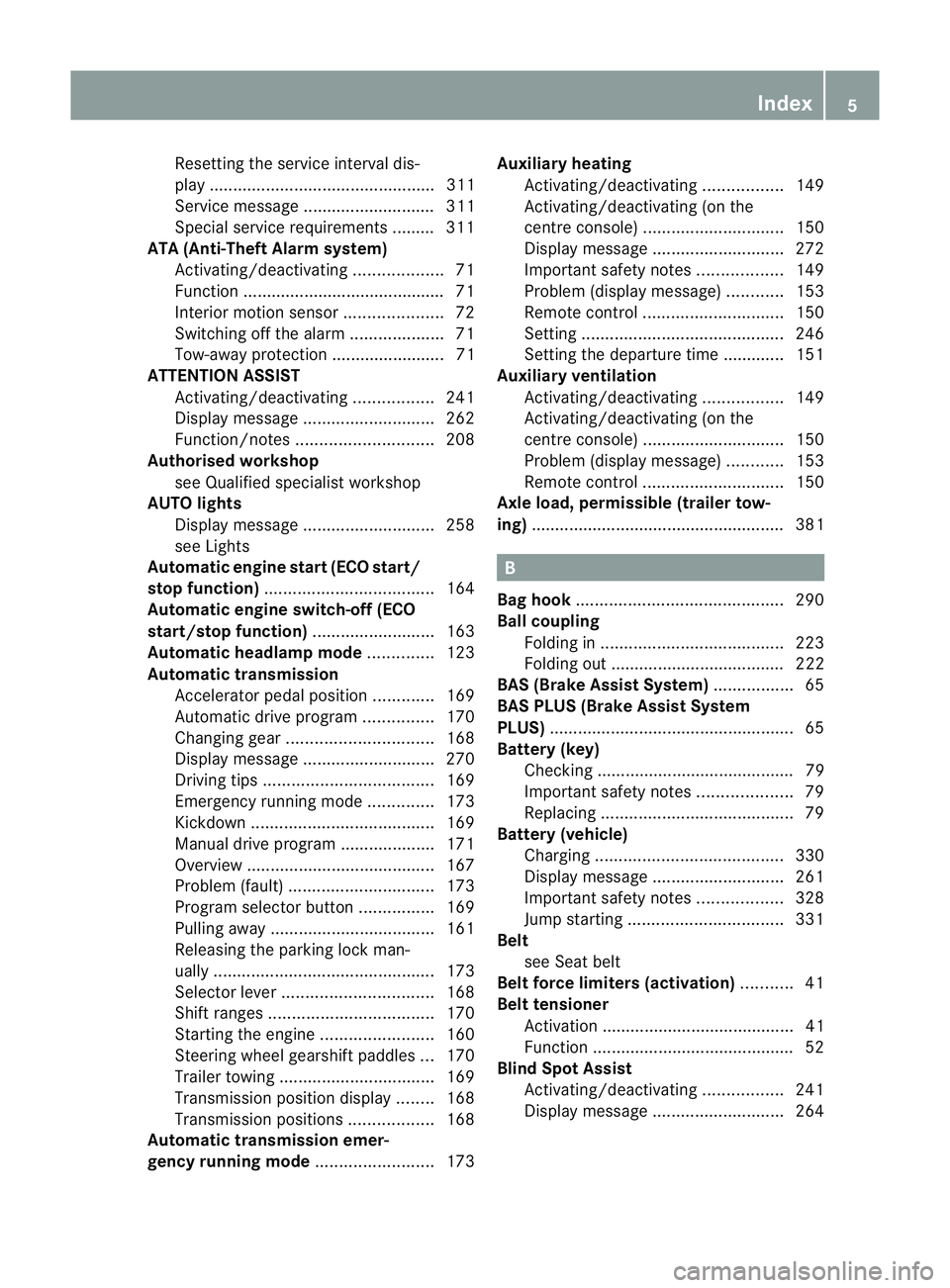
Resetting the service interval dis-
play ................................................ 311
Service message ............................ 311
Special service requirements ........
.311
ATA (Anti-Theft Alarm system)
Activating/deactivating ...................71
Function .......................................... .71
Interior motion sensor .....................72
Switching off the alarm ....................71
Tow-away protection ........................ 71
ATTENTIO NASSIST
Activating/deactivating .................241
Display message ............................ 262
Function/notes ............................. 208
Authorised workshop
see Qualified specialist workshop
AUTO lights
Display message ............................ 258
see Lights
Automatic engine start (ECO start/
stop function) .................................... 164
Automatic engine switch-off (ECO
start/stop function) ..........................163
Automatic headlamp mode ..............123
Automatic transmission Accelerator pedal position .............169
Automatic drive program ...............170
Changing gea r............................... 168
Display message ............................ 270
Driving tips .................................... 169
Emergency running mode ..............173
Kickdow n....................................... 169
Manual drive program ....................171
Overview ........................................ 167
Problem (fault) ............................... 173
Progra mselecto rbutton ................ 169
Pulling away ................................... 161
Releasing the parking lock man-
ually ............................................... 173
Selector leve r................................ 168
Shift range s................................... 170
Starting the engine ........................160
Steering wheel gearshift paddle s... 170
Trailer towing ................................. 169
Transmissio nposition display ........168
Transmission positions ..................168
Automatic transmission emer-
gency running mode .........................173Auxiliary heating
Activating/deactivating .................149
Activating/deactivating (on the
centre console ).............................. 150
Display message ............................ 272
Important safety notes ..................149
Problem (display message) ............153
Remote control .............................. 150
Setting ........................................... 246
Setting the departur etime ............ .151
Auxiliary ventilation
Activating/deactivating .................149
Activating/deactivating (on the
centre console ).............................. 150
Problem (display message) ............153
Remote control .............................. 150
Axle load, permissible (traile rtow-
ing) ...................................................... 381 B
Bag hook ............................................ 290
Ball coupling Folding in ....................................... 223
Folding out ..................................... 222
BAS (Brake Assist System) .................65
BAS PLUS (Brake Assist System
PLUS) .................................................... 65
Battery (key) Checking .......................................... 79
Important safety notes ....................79
Replacing ......................................... 79
Battery (vehicle)
Charging ........................................ 330
Display message ............................ 261
Important safety notes ..................328
Jump starting ................................. 331
Belt
see Seat belt
Belt force limiters (activation) ...........41
Belt tensioner Activation ......................................... 41
Function .......................................... .52
Blind Spo tAssist
Activating/deactivating .................241
Display message ............................ 264 Index
5
Page 12 of 389
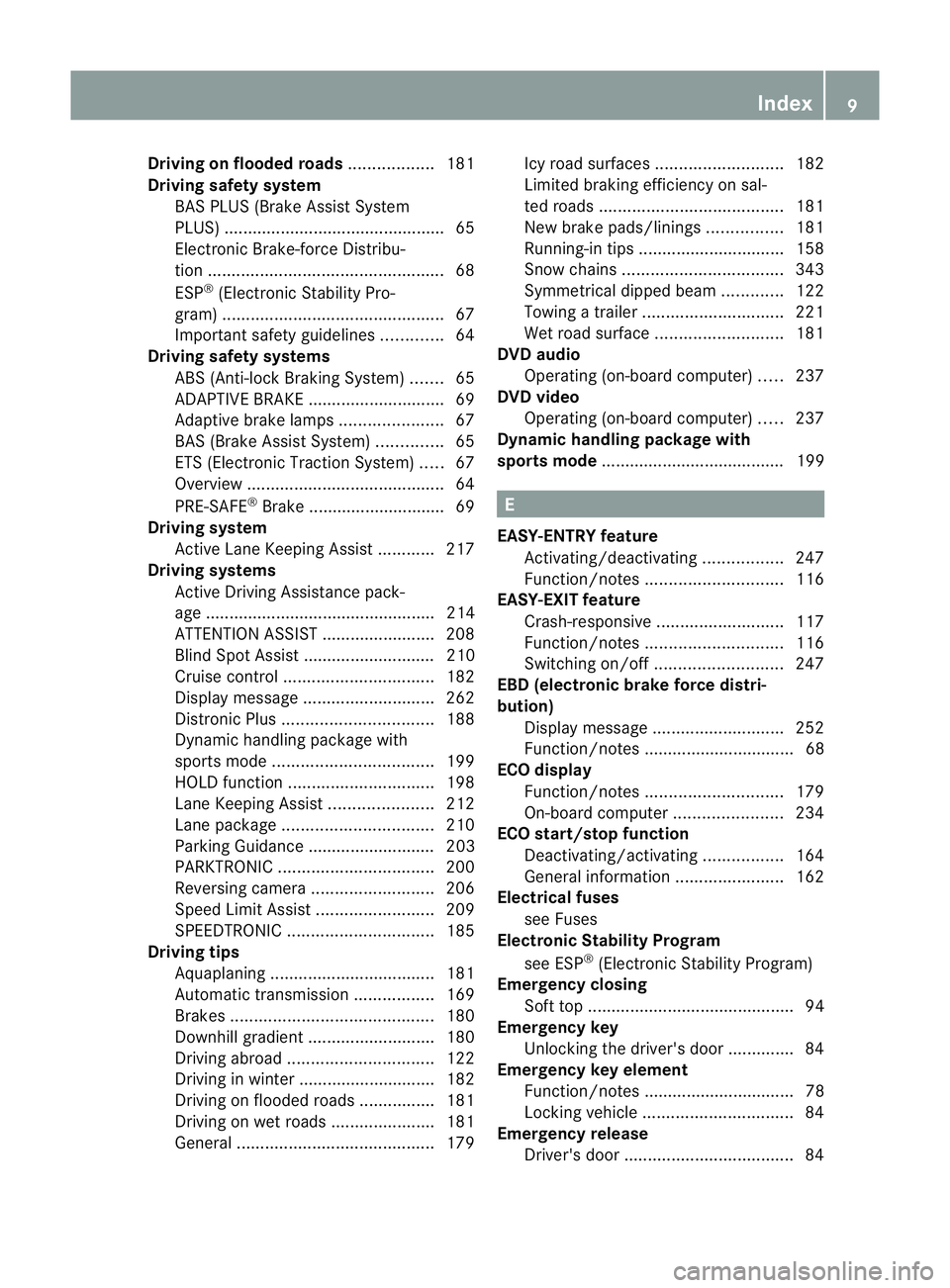
Driving on flooded roads
..................181
Driving safety system BAS PLUS (Brake Assist System
PLUS) .............................................. .65
Electronic Brake-force Distribu-
tio n.................................................. 68
ESP ®
(Electroni cStability Pro-
gram) ............................................... 67
Important safety guidelines .............64
Driving safety systems
ABS (Anti-lock Braking System) .......65
ADAPTIVE BRAKE ............................. 69
Adaptive brake lamps ......................67
BAS (Brake Assist System) ..............65
ETS (Electronic Traction System) .....67
Overview .......................................... 64
PRE-SAFE ®
Brake ............................ .69
Driving system
Active Lane Keeping Assist ............217
Driving systems
Active Driving Assistance pack-
age ................................................. 214
ATTENTION ASSIST ........................208
Blind Spot Assist ............................ 210
Cruise control ................................ 182
Display message ............................ 262
Distronic Plu s................................ 188
Dynami chandling package with
sports mod e.................................. 199
HOLD function ............................... 198
Lane Keeping Assist ......................212
Lane package ................................ 210
Parking Guidance ........................... 203
PARKTRONI C................................. 200
Reversing camera ..........................206
Speed Limi tAssist ......................... 209
SPEEDTRONIC ............................... 185
Driving tips
Aquaplaning ................................... 181
Automatic transmission .................169
Brakes ........................................... 180
Downhill gradient ........................... 180
Driving abroad ............................... 122
Driving in winter ............................ .182
Driving on flooded road s................ 181
Driving on wet road s...................... 181
General .......................................... 179Icy road surfaces
........................... 182
Limited braking efficiency on sal-
ted road s....................................... 181
New brake pads/linings ................181
Running-in tips ............................... 158
Snow chains .................................. 343
Symmetrical dipped bea m............. 122
Towing atrailer .............................. 221
Wet road surface ........................... 181
DVD audio
Operating (on-board computer) .....237
DVD video
Operating (on-board computer) .....237
Dynamic handling package with
sports mode ....................................... 199 E
EASY-ENTRY feature Activating/deactivating .................247
Function/notes ............................. 116
EASY-EXIT feature
Crash-responsive ........................... 117
Function/notes ............................. 116
Switching on/off ........................... 247
EBD (electronic brake force distri-
bution)
Display message ............................ 252
Function/notes ................................ 68
ECO display
Function/notes ............................. 179
On-board computer .......................234
ECO start/stop function
Deactivating/activating .................164
General information .......................162
Electrical fuses
see Fuses
Electronic Stability Program
see ESP ®
(Electroni cStability Program)
Emergenc yclosing
Sof ttop ............................................ 94
Emergency key
Unlocking the driver's door ..............84
Emergency key element
Function/notes ................................ 78
Locking vehicle ................................ 84
Emergency release
Driver's door .................................... 84 Index
9
Page 15 of 389
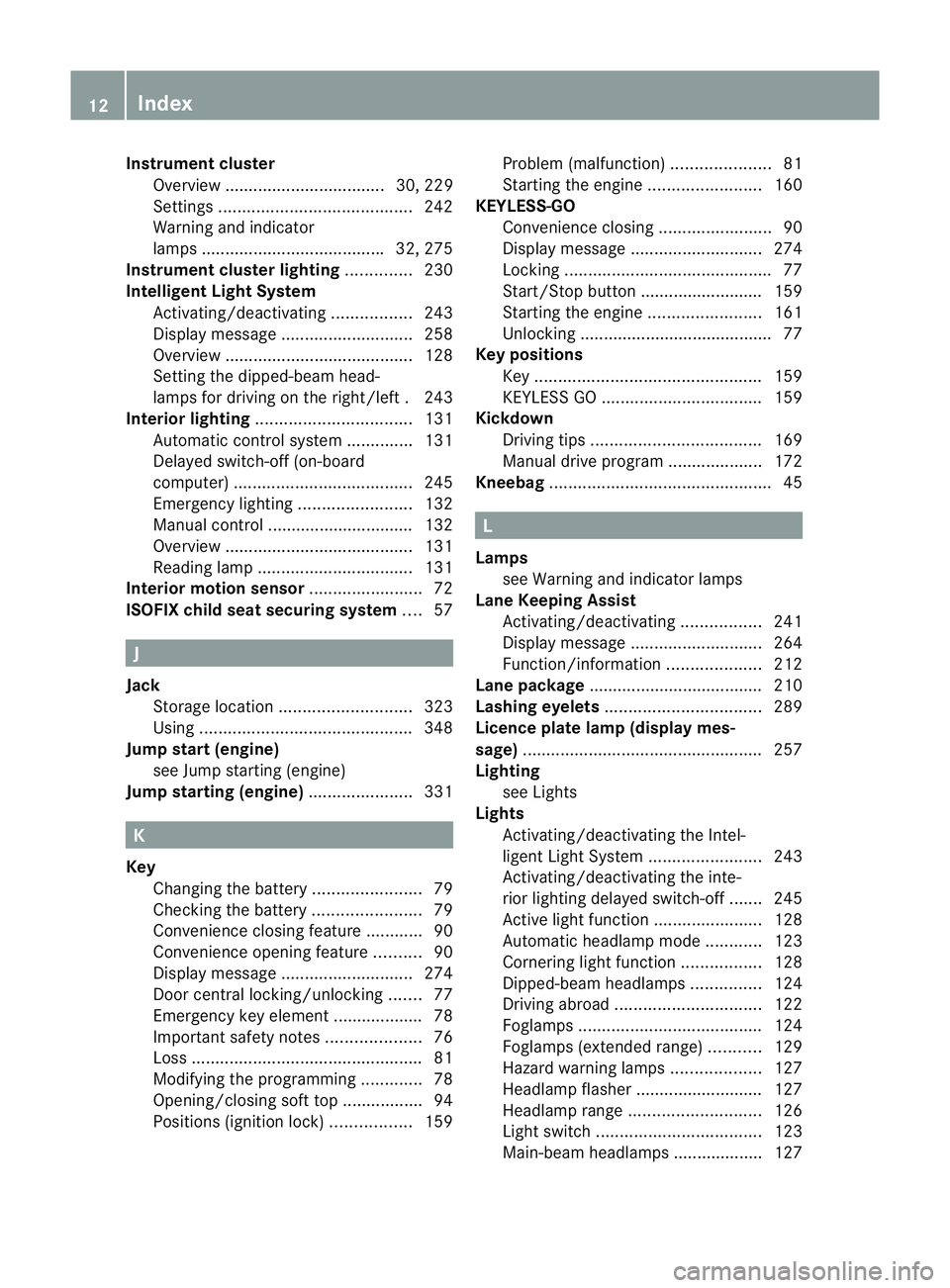
Instrumen
tcluster
Overview .................................. 30, 229
Settings ......................................... 242
Warning and indicator
lamps ...................................... .32, 275
Instrument cluster lighting ..............230
Intelligen tLight System
Activating/deactivatin g................. 243
Display message ............................ 258
Overview ........................................ 128
Setting the dipped-bea mhead-
lamps for driving on the right/left .243
Interior lighting ................................. 131
Automatic control system ..............131
Delayed switch-off (on-board
computer) ...................................... 245
Emergency lighting ........................132
Manual control ............................... 132
Overview ........................................ 131
Reading lamp ................................. 131
Interior motion sensor ........................72
ISOFIX child seat securing system ....57 J
Jack Storage location ............................ 323
Using ............................................. 348
Jump start (engine)
see Jump starting (engine)
Jump starting (engine) ......................331 K
Key Changing the battery .......................79
Checking the battery .......................79
Convenience closing feature ............90
Convenience opening feature ..........90
Display message ............................ 274
Door central locking/unlocking .......77
Emergency key element ................... 78
Important safety notes ....................76
Loss ................................................. 81
Modifying the programming .............78
Opening/closing soft top .................94
Positions (ignition lock) .................159Problem (malfunction)
.....................81
Starting the engine ........................160
KEYLESS-GO
Convenience closing ........................90
Display message ............................ 274
Locking ............................................ 77
Start/Stop button .......................... 159
Starting the engine ........................161
Unlocking ......................................... 77
Keyp ositions
Key ................................................ 159
KEYLESS GO .................................. 159
Kickdown
Driving tips .................................... 169
Manual drive program ....................172
Kneebag ............................................... 45 L
Lamps see Warning and indicator lamps
Lane Keeping Assist
Activating/deactivating .................241
Display message ............................ 264
Function/informatio n.................... 212
Lane package ..................................... 210
Lashing eyelets ................................. 289
Licence plate lamp (display mes-
sage) ................................................... 257
Lighting see Lights
Lights
Activating/deactivating the Intel-
ligent Ligh tSystem ........................ 243
Activating/deactivating the inte-
rior lighting delayed switch-off .......245
Active light function .......................128
Automatic headlamp mode ............123
Cornering light function .................128
Dipped-bea mheadlamps ............... 124
Driving abroad ............................... 122
Foglamps ....................................... 124
Foglamps (extended range) ...........129
Hazard warning lamps ...................127
Headlamp flasher ........................... 127
Headlamp range ............................ 126
Ligh tswitc h................................... 123
Main-beam headlamps ................... 127 12
Index
Page 18 of 389
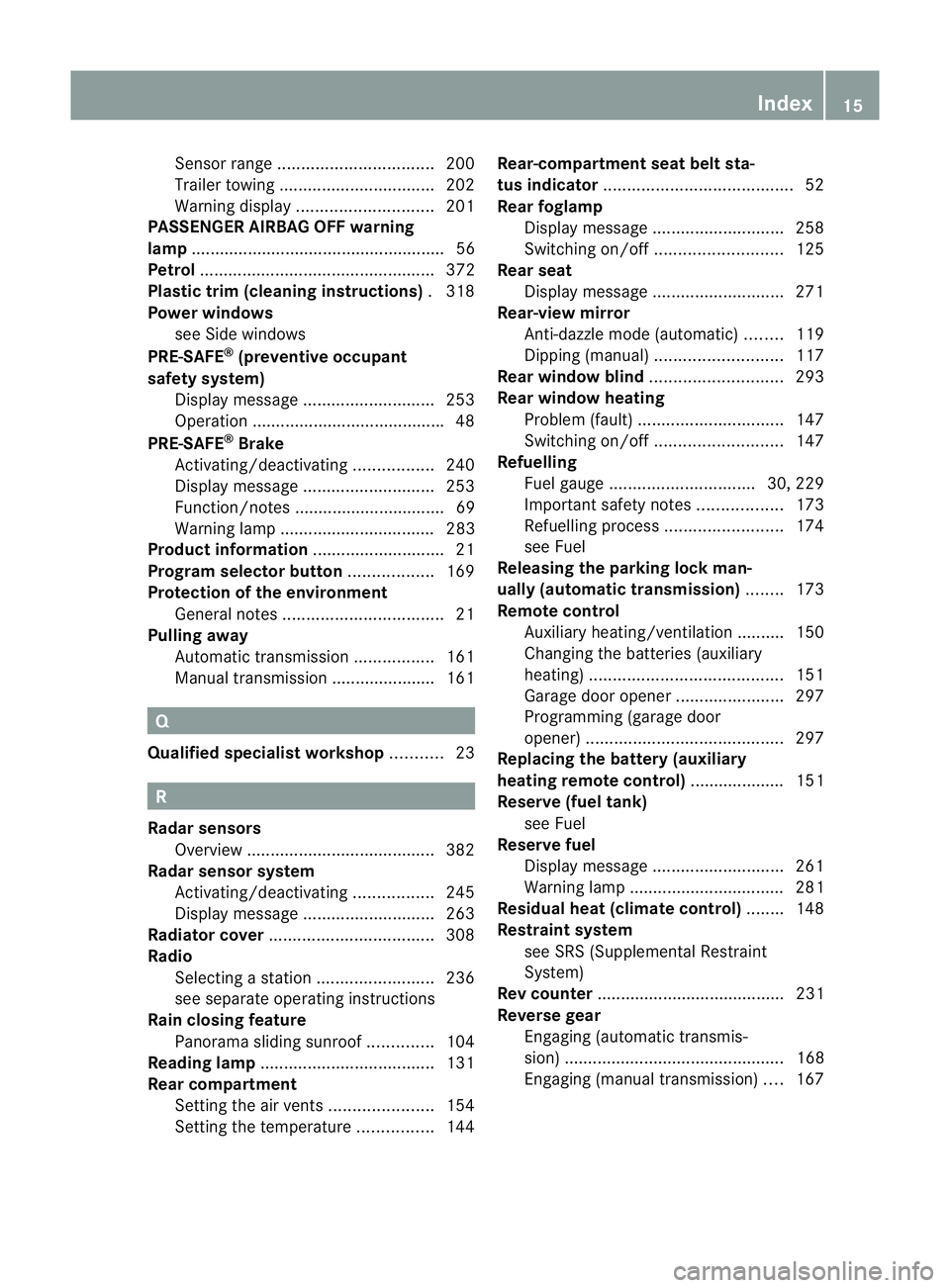
Senso
rrang e................................. 200
Trailer towing ................................. 202
Warning displa y............................. 201
PASSENGE RAIRBAG OFF warning
lamp ...................................................... 56
Petrol .................................................. 372
Plastic trim (cleaning instructions) .318
Power windows see Side windows
PRE-SAFE ®
(preventive occupant
safety system) Display message ............................ 253
Operation ........................................ .48
PRE-SAFE ®
Brake
Activating/deactivating .................240
Display message ............................ 253
Function/notes ................................ 69
Warning lamp ................................. 283
Product information ............................21
Program selector button ..................169
Protection of the environment General notes .................................. 21
Pulling away
Automatic transmission .................161
Manual transmission ..................... .161 Q
Qualifie dspecialis tworkshop ...........23 R
Radar sensors Overview ........................................ 382
Radar sensor system
Activating/deactivating .................245
Display message ............................ 263
Radiator cover ................................... 308
Radio Selecting astation ......................... 236
see separate operating instructions
Rain closing feature
Panorama sliding sunroo f.............. 104
Reading lamp ..................................... 131
Rear compartment Setting the airv ents...................... 154
Setting the temperature ................144Rear-compartment seat belt sta-
tus indicator
........................................ 52
Rear foglamp Display message ............................ 258
Switching on/off ........................... 125
Rear seat
Display message ............................ 271
Rear-view mirror
Anti-dazzle mode (automatic) ........119
Dipping (manual) ........................... 117
Rear window blind ............................293
Rear window heating Problem (fault) ............................... 147
Switching on/off ........................... 147
Refuelling
Fuel gauge ............................... 30, 229
Important safety notes ..................173
Refuelling proces s......................... 174
see Fuel
Releasing the parking loc kman-
ually (automatic transmission) ........173
Remote control Auxiliary heating/ventilation .......... 150
Changing the batteries (auxiliary
heating) ......................................... 151
Garage door opener .......................297
Programming (garage door
opener) .......................................... 297
Replacing the battery (auxiliary
heating remote control) .................... 151
Reserve (fuel tank) see Fuel
Reserve fuel
Display message ............................ 261
Warning lamp ................................. 281
Residual heat (climate control) ........148
Restraint system see SRS (Supplemental Restraint
System)
Rev counter ........................................ 231
Reverse gear Engaging (automatic transmis-
sion) ............................................... 168
Engaging (manual transmission) ....167 Index
15
Page 21 of 389
Surround lighting (on-board com-
puter)
.................................................. 244
Switching off the alarm (ATA) ............71 T
Tail lamps Display message ............................ 257
Tank
see Fuel tank
Technical data
Emergency spare wheel .................364
Information .................................... 368
Trailer loads ................................... 381
Tyres/wheels ................................. 350
Vehicle data ................................... 378
Telephone
Accepting acall............................. 238
Display message ............................ 273
Menu (on-board computer) ............238
Number from the phone book ....... .238
Redialling ....................................... 239
Rejecting/ending acall................. 238
Telephone compartment ................287
Temperature
Coolant .......................................... 230
Outside temperature ..................... .231
Setting (climate control) ................144
TEMPOMAT
Function/notes ............................. 182
Theft-deterrent system
ATA (Anti-Theft Alarm system) .........71
Immobiliser ...................................... 71
Through-loading ................................ 288
Through-loading feature ...................288
Time see Separate Owner' smanual
Tiredness Assist
see ATTENTION ASSIST
TIREFIT kit .......................................... 325
Top Tether ............................................ 58
Total distance recorder ....................233
Tow-away protection ..........................71
Towing Important safety notes ..................333
With the rear axle raised ................334Towing
atrailer
Activ eBlind Spot Assist .................217
Active Lane Keeping Assist ............220
Axle load, permissible ....................381
Bulb failure indicator for LED
lamps ............................................. 224
ESP ®
(Electronic Stability Pro-
gram) ............................................... 68
Towing away
Fitting the towing eye. ...................334
Removing the towing eye. ..............334
With both axles on the ground .......335
Tow-starting
Emergency engine starting ............335
Important safety notes ..................333
Removing the towing eye. ..............334
Trailer
Display message ............................ 272
Trailer coupling
see Towing atrailer
Trailer towing
7-pin connector ............................. 225
Blind Spot Assist ............................ 212
Cleaning the trailer tow hitch ......... 317
Coupling up atrailer ...................... 223
Decoupling atrailer ....................... 223
Driving tips .................................... 221
Folding in the ball coupling ............223
Folding out the ball coupling ..........222
Important safety notes ..................220
Lights displa ymessage .................. 256
Mounting dimensions ....................380
Parking Guidance ........................... 206
Parktroni c...................................... 202
Power supply ................................. 224
Shift range ..................................... 169
Trailer loads ................................... 381
Transmission
see Automatic transmission
see Manual transmission
Transporting the vehicle ..................335
Trim pieces (cleaning instructions) .318
Trip computer (on-board com-
puter) ................................................. .233
Trip meter Calling up ....................................... 233
Resetting (on-board computer) ......234 18
Index
Page 26 of 389

fore be carried out at
aqualified specialist
workshop. G
WARNING
If work on electronic equipment and its soft-
ware is carried out incorrectly, this equipment
could stop working .The electronic systems
are networked via interfaces. Tampering with
these electronic systems could cause mal-
functions in systems which have not been
modified. Malfunctions such as these can
seriously jeopardise the vehicle's operating
safety and therefore your own safety.
You should therefore have all work and mod-
ifications to electronic components carried
out at a qualified specialist workshop. Declarations of conformity
Wireless vehicle components The following information applies to all com-
ponents of the vehicle and the COMAND sys-
tem which receive and/or transmit radio
waves:
The components of this vehicle which receive
and/or transmit radio waves are compliant
with the basic requirements and other rele-
vant provisions of Directive 1999/5/EC. You
can obtain further information from any
Mercedes-Benz Service Centre.
Electromagnetic compatibility The electromagnetic compatibility of the vehi-
cle components has been checked and certi-
fied according to the currently valid version
of Directive 72/245/EEC or the equivalent
ECE Regulation ECE-R 10. Diagnostics connection
G
WARNING
If you connect equipment to a diagnostics
connection, it can affect the operation of the
vehicle systems. This could compromise the operating safety of your vehicle while driving.
There is a risk of an accident.
Do not connect any equipment to a diagnos-
tics connection.
G
WARNING
Loose equipment or cables hanging from a
device which are connected to a diagnostic
connection could impede pedal clearance.
The equipment or cables could get caught
between the pedals when driving and braking
suddenly. This could impair the function of the
pedals. There is a risk of accident.
Do not attach any equipment or cables in the
driver's footwell.
! If the engine is switched off and equip-
ment on the diagnostics connection is
used, the starter battery may discharge.
The diagnostics connection is only intended
for the connection of diagnostic equipment at
a qualified specialist workshop.
Connecting equipment to the diagnostics
connection can lead to emissions monitoring
information being reset, for example. This
may lead to the vehicle failing to meet the
requirements of the next emissions test dur-
ing the main inspection. Qualified specialist workshop
Aq ualified specialist workshop has the nec-
essary special skills, tools and qualifications
to correctly carry out any necessary work on
your vehicle. This particularly applies to work
relevan tto safety.
Observe the notes in the Service Booklet.
Always have the following work carried out at
a qualified specialist workshop:
R work relevant to safety
R service and maintenance work
R repair work
R modifications, installations and conver-
sions
R work on electronic components Introduction
23 Z
Page 27 of 389
Mercedes-Ben
zrecommends that you use a
Mercedes-Benz Service Centre. Vehicle registration
Mercedes-Benz may ask its Service Centres
to carry out technical inspections on certain
vehicles. The quality or safety of the vehicle
is improved as a result of the inspection.
Mercedes-Benzc an only inform you about
vehicle checks if it has your registration data.
It is possible that your vehicle has no tyet
been registered in your name in the following
cases:
R if your vehicle was not purchased at an
authorised specialist dealer.
R if your vehicle has not yet been examined
at a Mercedes-Benz Service Centre.
It is advisable to register your vehicle with a
Mercedes-Benz Service Centre.
Inform Mercedes-Benza s soon as possible
abouta ny change in address or vehicle own-
ership. Correc
tuse G
WARNING
Various warning stickers are affixed to your
vehicle. Their purpose is to draw your atten-
tion, and the attention of others, to various
dangers. Therefore, do not remove any warn-
ing stickers unless the sticker clearly states
that you may do so.
If you remove the warning stickers, you or
others could be injured by failing to recognise
certain dangers.
Observe the following information when driv-
ing your vehicle:
R the safety notes in this manual
R the Technical Data section in this manual
R traffic rules and regulations
R laws and safety standards pertaining to
motor vehicles Implied warranty
! Follow the instructions in this manual
about the proper operation of your vehicle
as well as about possible vehicle damage.
Damage to your vehicle that arises from
culpable contraventions against these
instructions are not covered either by
Mercedes-Benz implied warranty or by the
New or Used-Vehicle Warranty. Data stored in the vehicle
Fault data
Components which are critical for vehicle
operation are equipped with fault data mem-
ories as standard. There are also data storage
devices which record how vehicle compo-
nents have reacted in certain driving situa-
tions (e.g. airbag deployment or ESP ®
inter-
vention).
This data is used exclusively to:
R assist in the rectification of faults and
defects
R help Mercedes-Benz optimise and develop
vehicle functions
The data cannot be used to trace the vehicle's
movements.
When your vehicle is serviced by Mercedes-
Benz, this technical information can be read
out from the fault memory. This is performed
by authorised employees of the Mercedes-
Benz service network using special diagnos-
tic computers.
After a fault has been rectified, the informa-
tion is deleted from the memory. Other mem-
ory data is constantly overwritten. Other devices that store data
Depending on the equipment level, your vehi-
cle may feature communications and/or
entertainment systems (e.g. navigation devi-
ces, telephone systems). These allow you to 24
Introduction
Page 67 of 389
be seriously or even fatally injured by pro-
longed exposure to extreme heat or cold.
Do not expose the child restraint system to
direct sunlight
.Parts of the child restraint sys-
te mc ould heat up and the child could burn
herself/himself on them.
If a child opens a door, the child or other per-
sons could be injured as a result. They could
get out and injure themselves or be injured by
a passing vehicle.
Also observe the notes on HOLD.R elevant
information can be found in the index.
Override feature for the rear side win-
dows G
WARNING
Activate the override switch for the rear side
windows if children are travelling in the vehi-
cle. Otherwise, the children could open the
side windows while the vehicle is moving and
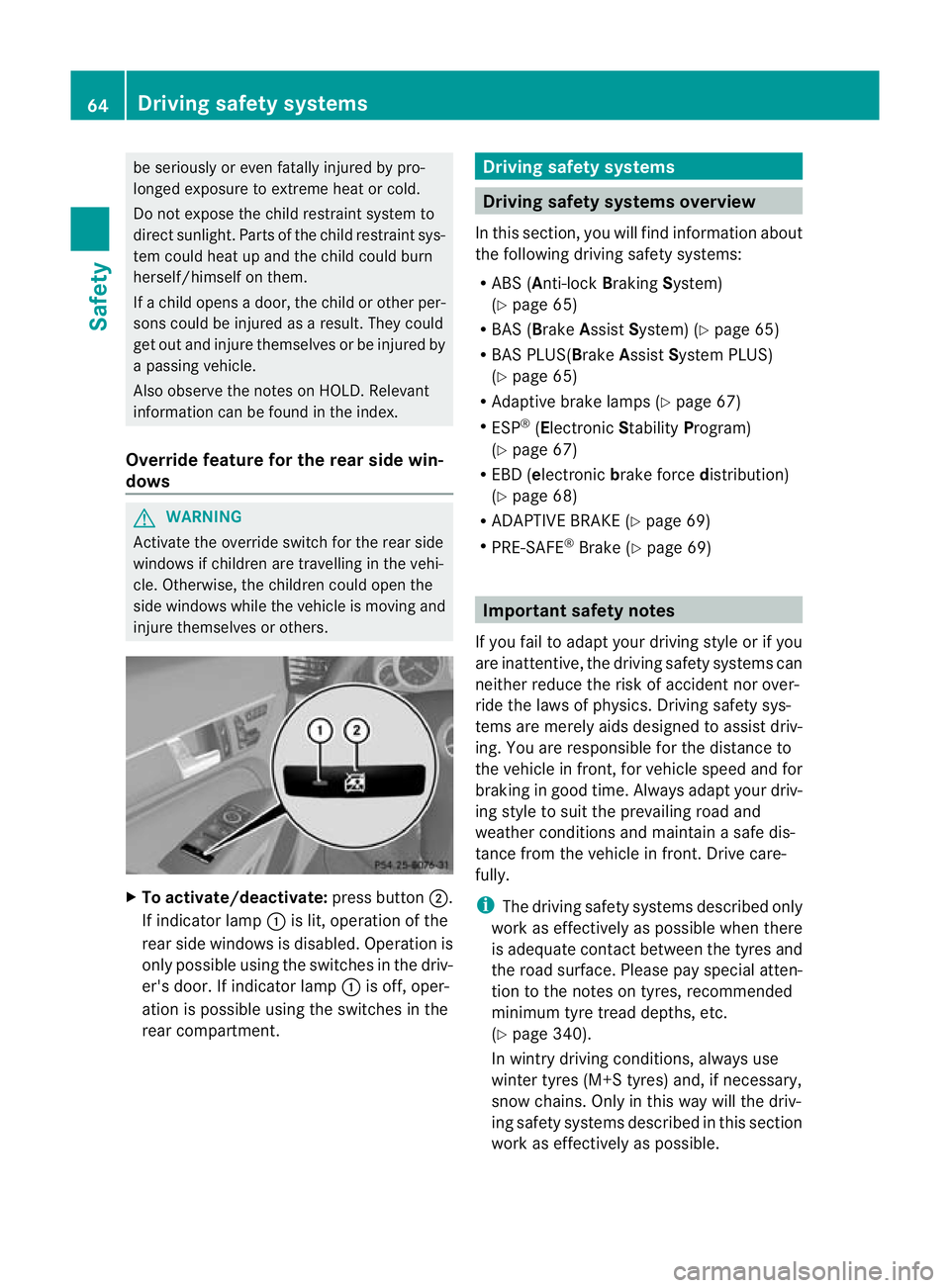
injure themselves or others. X
To activate/deactivate: press button;.
If indicator lamp :is lit, operation of the
rear side windows is disabled. Operation is
only possible using the switches in the driv-
er's door. If indicator lamp :is off, oper-
ation is possible using the switches in the
rear compartment. Driving safety systems
Driving safety systems overview
In this section, you will find information about
the following driving safety systems:
R ABS (Anti-lock BrakingSystem)
(Y page 65)
R BAS (Brake AssistSystem) (Y page 65)
R BAS PLUS(Brake AssistSystem PLUS)
(Y page 65)
R Adaptive brake lamps (Y page 67)
R ESP ®
(Electronic StabilityProgram)
(Y page 67)
R EBD ( electronic brake force distribution)
(Y page 68)
R ADAPTIVE BRAKE (Y page 69)
R PRE-SAFE ®
Brake (Y page 69) Important safety notes
If you fail to adapt your driving style or if you
are inattentive, the driving safety systems can
neither reduce the risk of accident nor over-
ride the laws of physics. Driving safety sys-
tems are merely aids designed to assist driv-
ing. You are responsible for the distance to
the vehicle in front, for vehicle speed and for
braking in good time. Always adapt your driv-
ing style to suit the prevailing road and
weather conditions and maintain a safe dis-
tance from the vehicle in front. Drive care-
fully.
i The driving safety systems described only
work as effectively as possible when there
is adequate contact between the tyres and
the road surface. Please pay special atten-
tion to the notes on tyres, recommended
minimum tyre tread depths, etc.
(Y page 340).
In wintry driving conditions, always use
winter tyres (M+S tyres) and, if necessary,
snow chains. Only in this way will the driv-
ing safety systems described in this section
work as effectively as possible. 64
Driving safet
ysystemsSafety
Page 69 of 389
If you are driving at a speed over
30 km/h:ify
ou depress the brake sharply,
BAS PLUS automatically raises the brake
pressure to a value adapted to the traffic sit-
uation.
If you are driving at a speed under
30 km/h:ify ou depress the brake, BAS PLUS
is activated. Braking will be carried out at the
last possible moment.
If BAS PLUS demands particularly high brak-
ing force, preventative passenger protection
measures (PRE-SAFE ®
) are activated simul-
taneously.
X Keep the brake pedal depressed until the
emergency braking situation is over.
ABS prevents the wheels from locking.
BAS PLUS is deactivated and the brakes func-
tion as usual, if:
R you release the brake pedal.
R there is no longer any danger of a rear-end
collision.
R no obstacle is detected in front of your
vehicle.
The radar sensor system is switched off auto-
matically in the vicinity of radio telescope
facilities in the following vehicles:
R vehicles with COMAND Online and naviga-
tion
R vehicles with Audio 20 and Becker ®
MAP
PILOT
Becker ®
MAP PILOT must be connected;
see the separate operating instructions.
The radar sensor system must be switched off
using the on-board computer in the vicinity of
radio telescope facilities in the following vehi-
cles:
R vehicles without COMAND Online and nav-
igation
R vehicles without Audio 20 and Becker ®
MAP PILOT
R vehicles for Australia
For information on switching off the radar
sensor system using the on-board computer,
see (Y page 245). For BAS PLUS to assist you when driving, the
radar sensor system must:
R
be switched on (Y page 245)
R be operational (Y page 263)
If the radar sensor system is malfunctioning,
BAS PLUS will not be available. The brake
system is still available with complete brake
boosting effect and BAS. G
WARNING
BAS PLUS cannot always clearly identify
objects and complex traffic situations. BAS
PLUS cannot intervene in these cases. There
is a risk of an accident.
Always pay careful attention to the traffic sit-
uation and be ready to brake.
In particular, the detection of obstacles can
be impaired if there is:
R dirt on the sensors or anything else cover-
ing the sensors
R snow or heavy rain
R interference by other radar sources
R the possibility of strong radar reflections,
for example, in multi-storey car parks
R a narrow vehicle travelling in front, e.g. a
motorcycle
R a vehicle travelling in front on a different
line G
WARNING
BAS PLUS does not react:
R to people or animals
R to oncoming vehicles
R to crossing traffic
R when cornering
As aresult, BAS PLUS may not intervene in all
critical situations. There is a risk of an acci-
dent.
Always pay careful attention to the traffic sit-
uation and be ready to brake.
Following damage to the fron tend of the vehi-
cle, have the configuratio nand operatio nof
the rada rsensors checked at a qualified spe- 66
Driving safet
ysystemsSafety
Page 73 of 389
G
WARNING
PRE-SAFE ®
Brake will initially brake yourv ehi-
cle by a partial application of the brakes if a
danger of collision is detected. There may be
a collision unless you also brake. Automatic
emergency braking cannot prevent a colli-
sion. There is a risk of an accident.
Always apply the brakes yourself and try to
take evasive action. G
WARNING
PRE-SAFE ®
Brake cannot always clearly iden-
tify objects and complex traffic conditions.
In these cases, PRE-SAFE ®
Brake may:
R give an unnecessary warning and then
brake the vehicle
R neither give a warning nor intervene
There is a risk of an accident.
Always pay particular attention to the traffic
situation and be ready to brake, especially if
PRE-SAFE ®
Brake warns you. Terminate the
intervention in a non-critical driving situation.
In particular, the detection of obstacles can
be impaired if there is:
R dirt on the sensors or anything else cover-
ing the sensors
R snow or heavy rain
R interference by other radar sources
R the possibility of strong radar reflections,
for example, in multi-storey car parks
R a narrow vehicle travelling in front, e.g. a
motorcycle
R a vehicle travelling in front on a different
line G
WARNING
PRE-SAFE ®
Brake does not react:
R to people or animals
R to oncoming vehicles
R to crossing traffic
R when cornering As a result, PRE-SAFE
®
Brake may neither
give warnings nor intervene in all critical sit-
uations. There is a risk of an accident.
Always pay careful attention to the traffic sit-
uation and be ready to brake.
In order to maintain the appropriate distance
to the vehicle in fron tand thus prevent a col-
lision, you must apply the brakes yourself.
X To activate/deactivate: activate or deac-
tivate PRE-SAFE ®
Brake in the on-board
computer (Y page 240).
When PRE-SAFE ®
Brake is activated, the
Ä symbol appears in multifunctio ndis-
play, as long as the HOL Dfunction is deac-
tivated (Y page 198). On vehicles with the
Active Parking Assist driving system, the
Ä symbol is displayed when position P
is engaged or you are driving faste rthan
35 km/h.
For PRE-SAFE ®
Brake to assist you when driv-
ing, the radar sensor system must be
switched on (Y page 245) and be opera-
tional.
The radar sensor system is switched off auto-
matically in the vicinity of radio telescope
facilities in the following vehicles:
R vehicles with COMAND Online and naviga-
tion
R vehicles with Audio 20 and Becker ®
MAP
PILOT
Becker ®
MAP PILOT must be connected;
see the separate operating instructions.
The radar sensor system must be switched off
using the on-board computer in the vicinity of
radio telescope facilities in the following vehi-
cles:
R vehicles without COMAND Online and nav-
igation
R vehicles without Audio 20 and Becker ®
MAP PILOT
R vehicles for Australia 70
Driving safety systemsSafety