automatic transmission MERCEDES-BENZ E-CLASS CABRIOLET 2018 Owner's Manual
[x] Cancel search | Manufacturer: MERCEDES-BENZ, Model Year: 2018, Model line: E-CLASS CABRIOLET, Model: MERCEDES-BENZ E-CLASS CABRIOLET 2018Pages: 589, PDF Size: 10.56 MB
Page 433 of 589
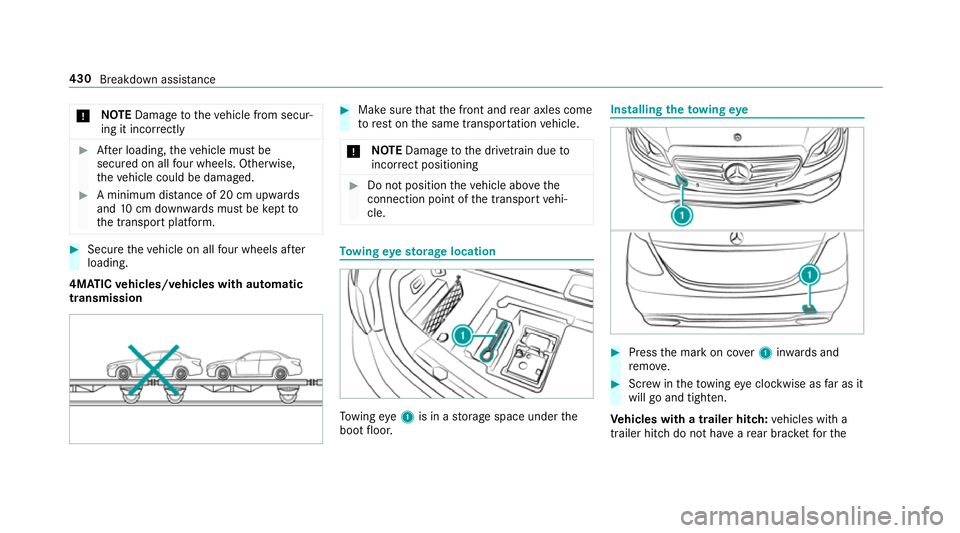
*
NO
TEDama getotheve hicle from secur‐
ing it incor rectly #
After loading, theve hicle must be
secured on all four wheels. Otherwise,
th eve hicle could be damaged. #
A minimum dis tance of 20 cm up wards
and 10cm down wards must be kept to
th e transport platform. #
Secure theve hicle on all four wheels af ter
loading.
4MATIC vehicles/ vehicles with automatic
transmission #
Make sure that the front and rear axles come
to rest on the same transpor tation vehicle.
* NO
TEDama getothe driv etra in due to
incor rect positioning #
Do not position theve hicle abo vethe
connection point of the transport vehi‐
cle. To
wing eyesto rage location To
wing eye1 is in a storage space under the
boot floor. Installing
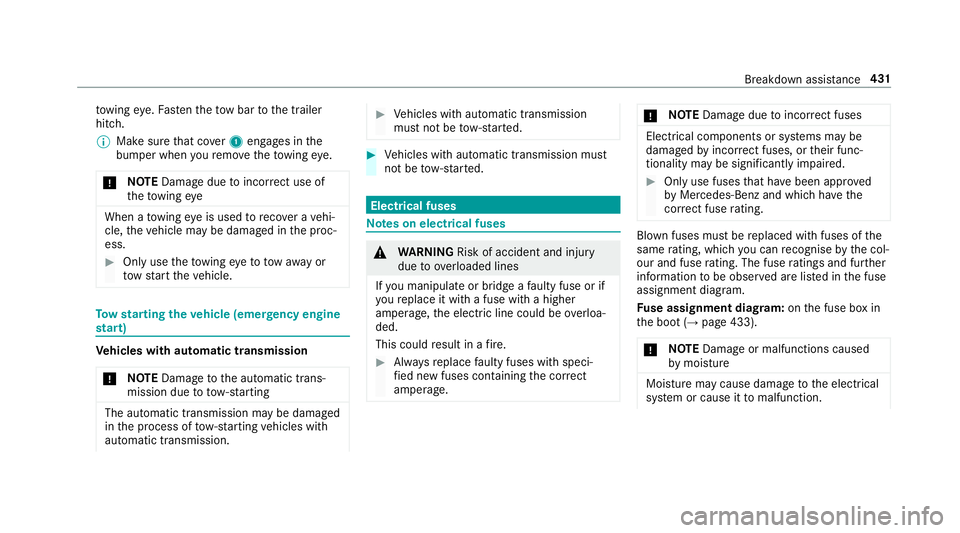
theto wing eye #
Press the mark on co ver1 inwa rds and
re mo ve. #
Screw intheto wing eyeclockwise as far as it
will go and tighten.
Ve hicles with a trailer hitch: vehicles with a
trailer hitch do not ha veare ar brac ketfo rthe 430
Breakdown assis tance
Page 434 of 589
to
wing eye. Fasten theto w bar tothe trailer
hitch.
% Make sure that co ver1 engages in the
bumper when youre mo vetheto wing eye.
* NO
TEDama gedue toincor rect use of
th eto wing eye When a
towing eye is used toreco ver a vehi‐
cle, theve hicle may be damaged in the proc‐
ess. #
Only use theto wing eyeto to waw ay or
to w start theve hicle. To
w starting theve hicle (eme rgency engine
st art) Ve
hicles with automatic transmission
* NO
TEDama getothe automatic trans‐
mission due to tow-starting The automatic transmission may be damaged
in the process of tow- starting vehicles with
automatic transmission. #
Vehicles with automatic transmission
must not be tow- star ted. #
Vehicles with automatic transmission must
not be tow- star ted. Electrical fuses
Note
s on electrical fuses &
WARNING Risk of accident and inju ry
due to ov erloaded lines
If yo u manipulate or bridge a faulty fuse or if
yo ure place it with a fuse with a higher
amperage, the electric line could be overloa‐
ded.
This could result in a fire. #
Alw aysre place faulty fuses with speci‐
fi ed new fuses conta iningthe cor rect
amperage. *
NO
TEDama gedue toincor rect fuses Electrical components or sy
stems may be
damaged byincor rect fuses, or their func‐
tionality may be significant lyimpaired. #
Only use fuses that ha vebeen appr oved
by Mercedes-Benz and which ha vethe
cor rect fuse rating. Blown fuses mu
stbe replaced with fuses of the
same rating, which you can recognise bythe col‐
our and fuse rating. The fuse ratings and fu rther
information tobe obser ved are lis ted in the fuse
assignment diagram.
Fu se assignment diag ram: onthe fuse box in
th e boot (→ page 433).
* NO
TEDama geor malfunctions caused
by moisture Moisture may cause dama
getothe electrical
sy stem or cause it tomalfunction. Breakdown assi
stance 431
Page 451 of 589
R
The vehicle is not on a slope.
R The vehicle is on solid, non-slippery and le vel
ground. #
Apply the electric parking brake manually. #
Movethe front wheels tothest ra ight-ahead
position. #
Vehicles with automatic transmission:
shift into position j.#
Vehicles with le vel control sy stem: setthe
normal vehicle le vel (→ page 217). #
Switch off the engine. #
Make sure that the engine cann otbe star ted. #
Place choc ks orother suitable items under
th e front and rear of the wheel that is diago‐
nally opposite the wheel you wish tochange. #
Remo vethe hub caps if necessary
(→ page 448). #
Raise theve hicle (→ page449). Re
moving and fitting hub caps Re
quirements:
R The vehicle is prepared for a wheel change
(→ page 447).
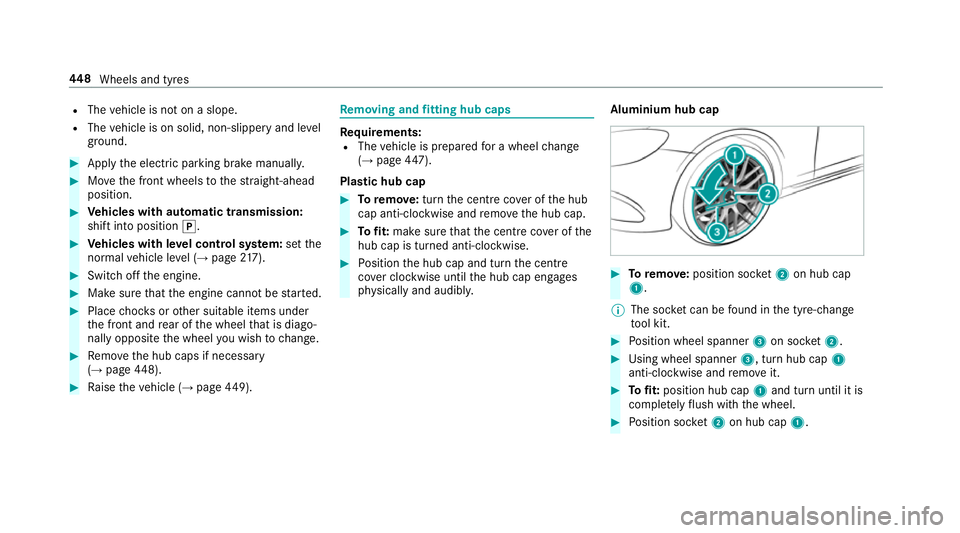
Plas tic hub cap #
Toremo ve:turn the cent recover of the hub
cap anti-clockwise and remo vethe hub cap. #
Tofit: make sure that the cent recover of the
hub cap is turned anti-clockwise. #
Position the hub cap and turn the cent re
co ver clockwise until the hub cap engages
ph ysically and audibly. Aluminium hub cap #
Toremo ve:position soc ket2 on hub cap
1.
% The soc ket can be found in the tyre-change
to ol kit. #
Position wheel spanner 3on soc ket2. #
Using wheel spanner 3, turn hub cap1
anti-clo ckwise and remo veit. #
Tofit: position hub cap 1and turn until it is
comple tely flush with the wheel. #
Position soc ket2 on hub cap 1. 448
Wheels and tyres
Page 509 of 589
Display messages
Possible causes/consequences and M
MSolutions
Ø Top up AdBlue Perf.
reduced in XXX miles See
Owner's Manual *
The low AdBlue ®
leve l will lead tolimited per form ance af terth ere maining dis tance displ ayed has been driven. #
Top up AdBlue ®
immediately (→ page 177). Tr
ansmission Display messages
Possible causes/consequences and M MSolutions
Transmission Malfunction
Stop *
The transmission is malfunctioning. The transmission shifts toposition iautomaticall y. #
Pull over and stop theve hicle safely as soon as possible, paying attention toroad and traf fic conditions. #
Switch the transmission toposition j. #
Consult a qualified specialist workshop.
N permanently active Risk
of vehicle rolling *
While theve hicle is rolling or while you are driving, the transmission has been shif tedto position i. #
Depress the brake pedal tostop and, when theve hicle is stationar y,shift the transmission toposition j. #
Tocontinue your journe y,shift the transmission toposition hork.
*T he transmission is overheating. Pulling away may be temp orarily impaired or not possible. 506
Display messages and warning/indicator lamps
Page 547 of 589
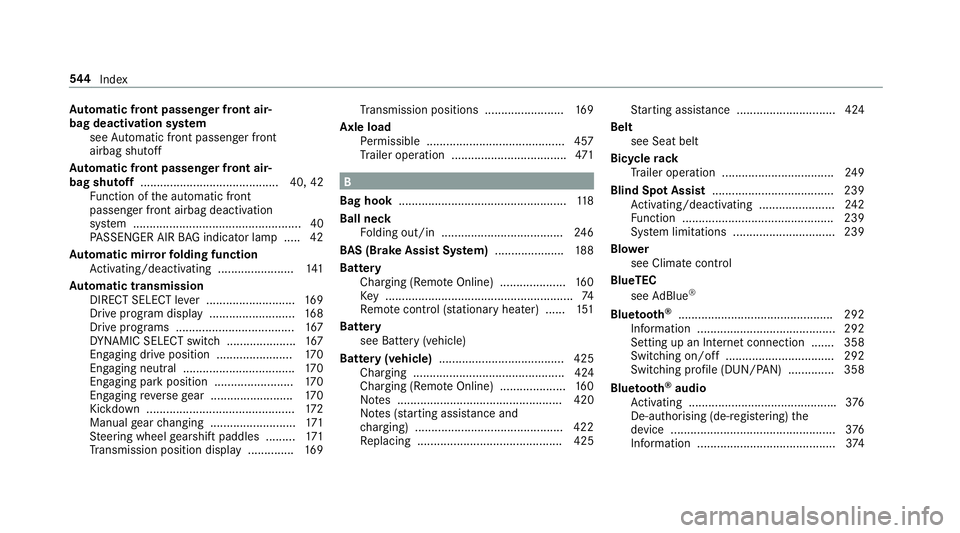
Au
tomatic front passen ger front air‐
bag deacti vation sy stem
see Automatic front passenger front
airbag shutoff
Au tomatic front passen ger front air‐
bag shu toff .......................................... 40, 42
Fu nction of the automatic front
passenger front airbag deactivation
sy stem ................................................... 40
PA SSENGER AIR BAG indicator lamp .... .42
Au tomatic mir rorfo lding function
Ac tivating/deactivating ...................... .141
Au tomatic transmission
DIRECT SELECT le ver ........................... 16 9
Drive program display .......................... 16 8
Drive programs .................................... 167
DY NA MIC SELECT switch ..................... 167
Engaging drive position ....................... 17 0
Engaging neutral .................................. 17 0
Engaging pa rkposition ........................ 17 0
Engaging reve rsege ar ........................ .170
Kickdown ............................................. 172
Manual gear changing .......................... 171
St eering wheel gearshift paddles ........ .171
Tr ansmission position display .............. 16 9Tr
ansmission positions ........................ 16 9
Axle load Perm issible .......................................... 457
Tr ailer operation .................................. .471 B
Bag hook ................................................... 11 8
Ball ne ck
Fo lding out/in .................................... .246
BA S (Brake Assist Sy stem) .................... .188
Battery Cha rging (Remo teOnline) .................... 16 0
Ke y ........................................................ .74
Re mo tecontrol (s tationary heater) ...... 151
Battery see Battery (vehicle)
Battery (vehicle) ...................................... 425
Charging .............................................. 424
Charging (Remo teOnline) .................... 16 0
No tes .................................................. 420
No tes (s tarting assis tance and
ch arging) ............................................ .422
Re placing ............................................ 425 St
arting assis tance .............................. 424
Belt see Seat belt
Bic ycle rack
Tr ailer operation .................................. 24 9
Blind Spot Assi st..................................... 239
Ac tivating/deactivating ...................... .242
Fu nction .............................................. 239
Sy stem limitations ...............................2 39
Blo wer
see Climate control
BlueTEC see AdBlue ®
Blue tooth ®
............................................... 292
Information .......................................... 292
Setting up an Internet connection ....... 358
Switching on/off ................................. 292
Switching profile (DUN/PAN) .............. 358
Blue tooth ®
audio
Ac tivating ............................................ .376
De-authorising (de-regis tering) the
device .................................................. 376
Information ..........................................3 74544
Index