transmission MERCEDES-BENZ E-CLASS CABRIOLET 2018 Owner's Manual
[x] Cancel search | Manufacturer: MERCEDES-BENZ, Model Year: 2018, Model line: E-CLASS CABRIOLET, Model: MERCEDES-BENZ E-CLASS CABRIOLET 2018Pages: 589, PDF Size: 10.56 MB
Page 188 of 589
R
The transmission is in position hork and
yo u depress the accelera tor pedal or you
shift from transmission position jtoh or
k.
R Ifth e transmission is in position k,the boot
lid must be closed.
If th e seat belt tongue is not inser ted into the
seat belt buckle of the driver's seat, thefo llow‐
ing conditions must be fulfilled:
R The driver's door is closed.
R You mo vethe transmission out of transmis‐
sion position joryou ha veprev iously
driven fasterthan 3 km/h.
R Ifth e transmission is in position k,the boot
lid must be closed.
When the electric parking brake is released, the
re d! indicator lamp in the instrument clus‐
te r goes out. Applying/releasing
the electric pa rking
brake manually
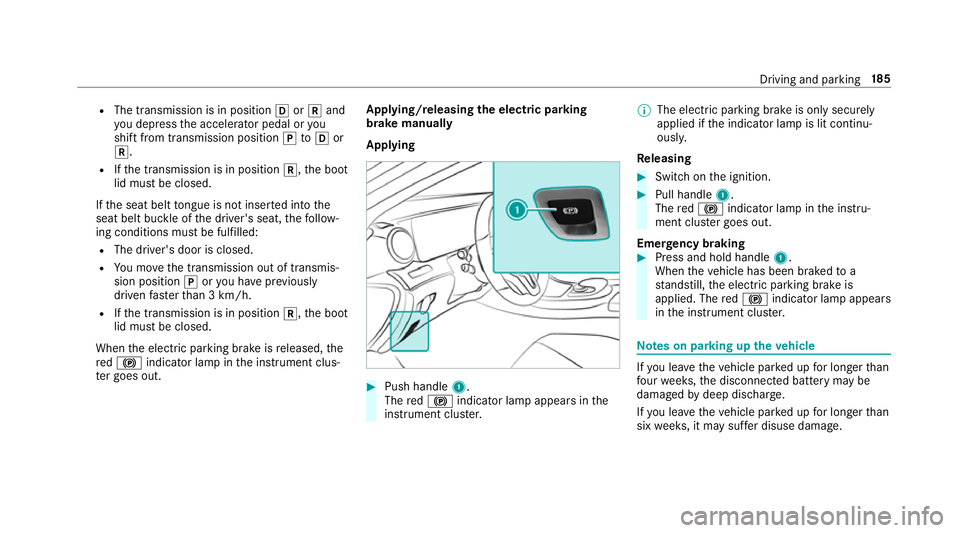
Applying #
Push handle 1.
The red! indicator lamp appears in the
instrument clus ter. %
The electric parking brake is only securely
applied if the indicator lamp is lit continu‐
ously.
Re leasing #
Swit chon the ignition. #
Pull handle 1.
The red! indicator lamp in the instru‐
ment clus ter goes out.
Emer gency braking #
Press and hold handle 1.
When theve hicle has been braked to a
st andstill, the electric parking brake is
applied. The red! indicator lamp appears
in the instrument clus ter. Note
s on parking up theve hicle If
yo u lea vetheve hicle par ked up for longer than
fo ur we eks, the disconnected battery may be
damaged bydeep dischar ge.
If yo u lea vetheve hicle par ked up for longer than
six weeks, it may suf fer disuse dama ge. Driving and pa
rking 18 5
Page 203 of 589
Af
ter completion of kickdown, theva riable lim‐
iter is activated again in thefo llowing situations:
R Ifth e driven speed drops below thestored
speed.
R Ifth estored speed is called up.
R Ifyo ustore a new speed.
Operating cruise control or theva riable lim‐
iter &
WARNING Risk of accident due tostored
speed
If yo u call up thestored speed and this is
lo we rth an your cur rent speed, theve hicle
decelerates. #
Take into account the tra ffic situation
before calling up thestored speed. Re
quirements:
Cruise control
R Cruise control is selected.
R ESP ®
must be activated, but not inter vening.
R The driven speed is at least 20 km/h. R
The transmission is in position h.
Va riable limiter:
R The vehicle has been star ted.
R The variable limiter is selec ted.
Switching between cruise control and the
va riable limi ter #
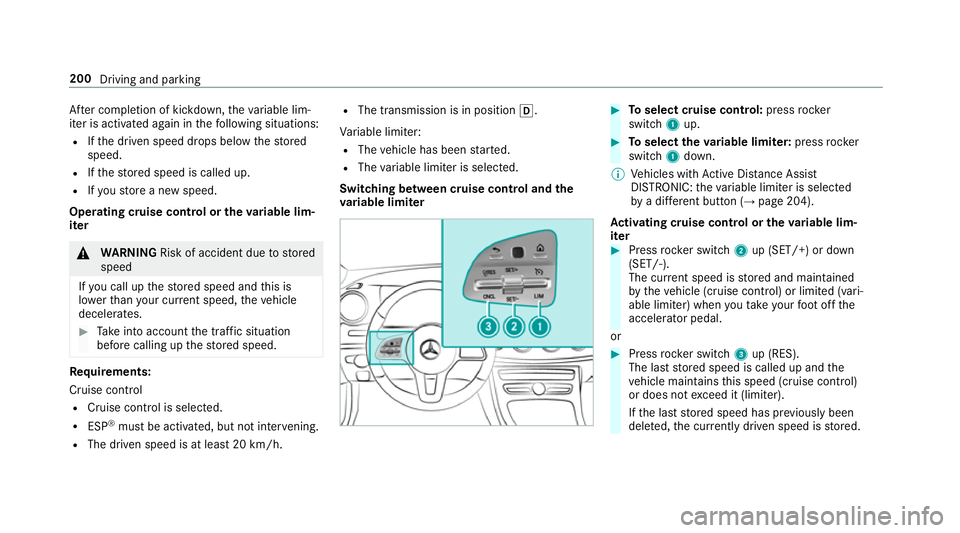
Toselect cruise control: pressrocker
switch 1up. #
Toselect theva riable limi ter: press rocker
switch 1down.
% Vehicles with Active Dis tance Assi st
DISTRONIC: theva riable limiter is selec ted
by a dif fere nt button (→ page 204).
Ac tivating cruise control or the variable lim‐
iter #
Press rocker switch 2up (SET/+) or down
(SET/-).
The cur rent speed is stored and maintained
by theve hicle (cruise contro l) or limited (vari‐
able limiter) when you take your foot off the
accelerator pedal.
or #
Press rocker switch 3up (RES).
The last stored speed is called up and the
ve hicle maintains this speed (cruise control)
or does not exceed it (limiter).
If th e last stored speed has pr eviously been
dele ted, the cur rently driven speed is stored. 200
Driving and parking
Page 207 of 589
Operating
Active Di stance Assist DIST RONIC
Re quirements:
R The vehicle has been star ted.
R The elect ric pa rking brake is released.
R ESP ®
is activated and is not inter vening.
R The transmission is in position h.
R All doors and the bonn etare closed.
R Check of thera dar sensor sy stem has been
successfully comple ted.
R Parking Assist PARKTRONIC is not being
used topark theve hicle or toexit from a
parking space.
R The vehicle does not skid. Switching between
Active Di stance Assist
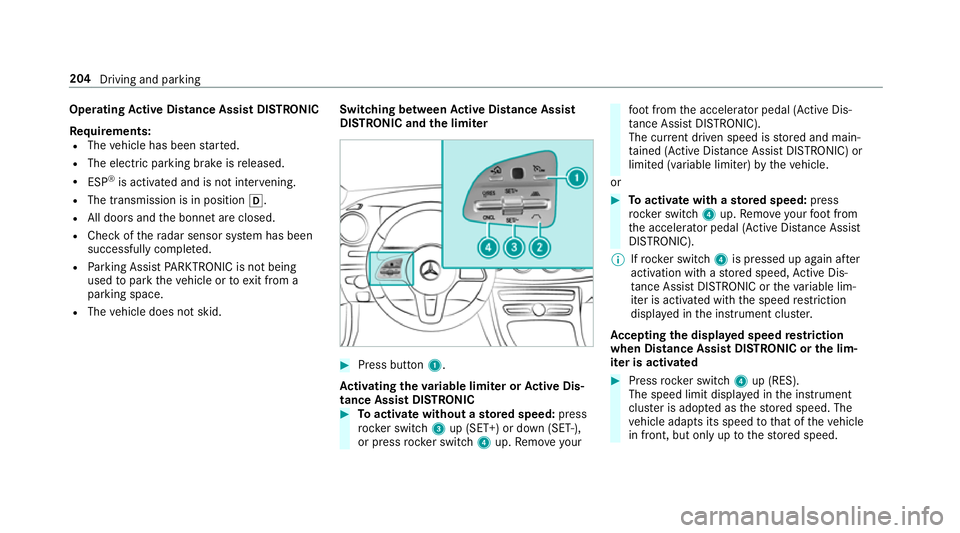
DIST RONIC and the limiter #
Press button 1.
Ac tivating the variable limi ter or Active Dis‐
tance Assi stDISTRONIC #
Toactivate with out astored speed: press
rock er switch 3up (SET+) or down (SET-),
or press rocker switch 4up. Remo veyour fo
ot from the accelerator pedal (Active Dis‐
ta nce Assi stDISTRONIC).
The cur rent driven speed is stored and main‐
ta ined (Active Dis tance Assi stDISTRONIC) or
limited (variable limiter) bytheve hicle.
or #
Toactivate with ast ored speed: press
rock er switch 4up. Remo veyour foot from
th e accelerator pedal (Active Dis tance Assi st
DISTRONIC).
% Ifrock er switch 4is pressed up again af ter
activation with a stored speed, Active Dis‐
ta nce Assi stDISTRONIC or theva riable lim‐
iter is activated with the speed restriction
displ ayed in the instrument clus ter.
Ac cepting the displa yed speed restriction
when Distance Assist DISTRONIC or the lim‐
iter is activated #
Press rocker switch 4up (RES).
The speed limit displa yed in the instrument
clus ter is adopte d asthestored speed. The
ve hicle adapts its speed tothat of theve hicle
in front, but only up tothestored speed. 204
Driving and parking
Page 216 of 589
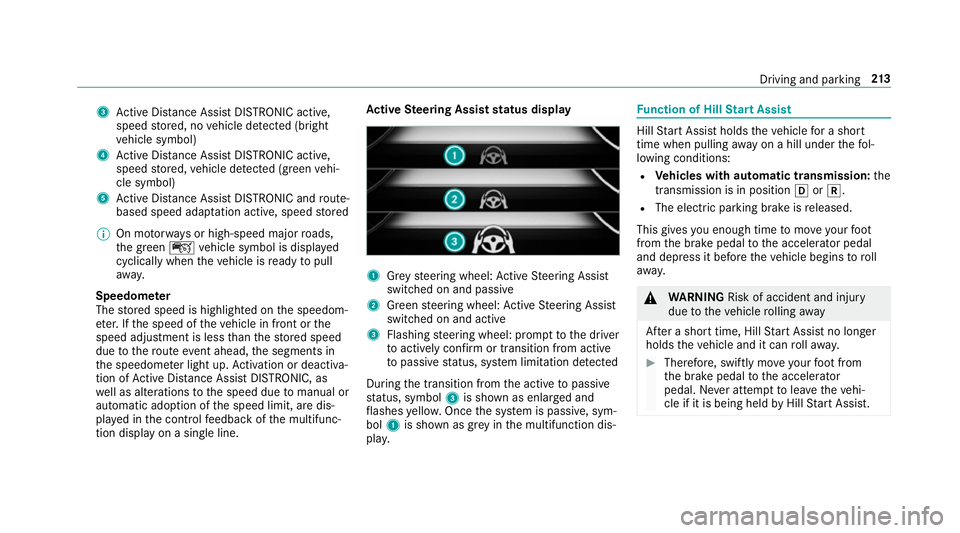
3
Active Dis tance Assi stDISTRONIC acti ve,
speed stored, no vehicle de tected (bright
ve hicle symbol)
4 Active Dis tance Assi stDISTRONIC acti ve,
speed stored, vehicle de tected (green vehi‐
cle symbol)
5 Active Dis tance Assi stDISTRONIC and route-
based speed adap tation acti ve, speed stored
% On mo torw ays or high-speed major roads,
th e green çvehicle symbol is displa yed
cyclically when theve hicle is ready topull
aw ay.
Speedome ter
The stored speed is highlighted on the speedom‐
et er. If the speed of theve hicle in front or the
speed adjustment is less than thestored speed
due tothero ute event ahead, the segments in
th e speedome ter light up. Activation or deacti va‐
tion of Active Dis tance Assi stDISTRONIC, as
we ll as alterations tothe speed due tomanual or
auto matic adoption of the speed limit, are dis‐
pla yed in the control feedback of the multifunc‐
tion display on a single line. Ac
tive Steering Assist status display 1
Grey steering wheel: Active Steering Assist
switched on and passive
2 Green steering wheel: Active Steering Assist
switched on and active
3 Flashing steering wheel: prom pttothe driver
to actively con firm or transition from active
to passive status, sy stem limitation de tected
During the transition from the active topassive
st atus, symbol 3is shown as enlar ged and
fl ashes yello w. Once the sy stem is passive, sym‐
bol 1is shown as gr eyinthe multifunction dis‐
pla y. Fu
nction of Hill Start Assist Hill
Start Assist holds theve hicle for a short
time when pulling away on a hill under thefo l‐
lowing conditions:
R Vehicles with automatic transmission: the
transmission is in position hork.
R The electric pa rking brake is released.
This gives you enough time tomo veyour foot
from the brake pedal tothe accelera tor pedal
and depress it before theve hicle begins toroll
aw ay. &
WARNING Risk of accident and inju ry
due totheve hicle rolling away
Af ter a short time, Hill Start Assist no lon ger
holds theve hicle and it can rollaw ay. #
Therefore, swiftly mo veyour foot from
th e brake pedal tothe accelerator
pedal. Ne ver attem pttolea vetheve hi‐
cle if it is being held byHill Start Assist. Driving and parking
213
Page 217 of 589
HOLD function
HOLD function
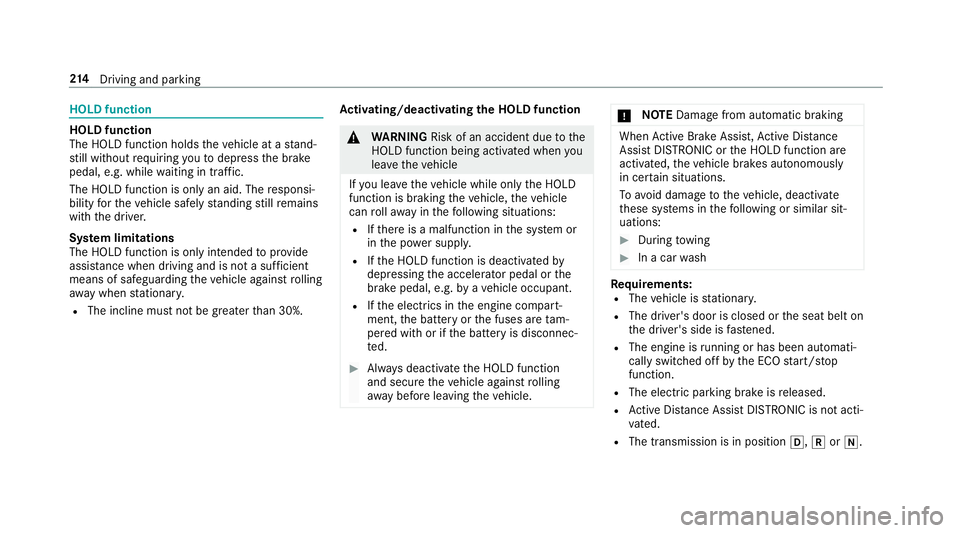
The HOLD function holds
theve hicle at a stand‐
st ill without requ iring youto depress the brake
pedal, e.g. while waiting in traf fic.
The HOLD function is only an aid. The responsi‐
bility forth eve hicle safely standing still remains
with the driver.
Sy stem limitations
The HOLD function is only intended toprov ide
assis tance when driving and is not a su fficient
means of safeguarding theve hicle against rolling
aw ay when stationar y.
R The incline must not be greater than 30%. Ac
tivating/deactivating the HOLD function &
WARNING Risk of an accident due tothe
HOLD function being activated when you
lea vetheve hicle
If yo u lea vetheve hicle while only the HOLD
function is braking theve hicle, theve hicle
can rollaw ay inthefo llowing situations:
R Ifth ere is a malfunction in the sy stem or
in the po wer supply.
R Ifth e HOLD function is deactivated by
depressing the accelerator pedal or the
brake pedal, e.g. byave hicle occupant.
R Ifth e electrics in the engine compart‐
ment, the battery or the fuses are tam‐
pered with or if the battery is disconnec‐
te d. #
Alw ays deactivate the HOLD function
and secure theve hicle against rolling
aw ay before leaving theve hicle. *
NO
TEDama gefrom auto matic braking When
Active Brake Assi st,Ac tive Dis tance
Assi stDISTRONIC or the HOLD function are
activated, theve hicle brakes autonomously
in cer tain situations.
To avo id damage totheve hicle, deactivate
th ese sy stems in thefo llowing or similar sit‐
uations: #
During towing #
In a car wash Re
quirements:
R The vehicle is stationar y.
R The driver's door is closed or the seat belt on
th e driver's side is fastened.
R The engine is running or has been au tomati‐
cally switched off bythe ECO start/ stop
function.
R The electric parking brake is released.
R Active Dis tance Assi stDISTRONIC is not acti‐
va ted.
R The transmission is in position h,kori. 214
Driving and pa rking
Page 218 of 589
Ac
tivating the HOLD function #
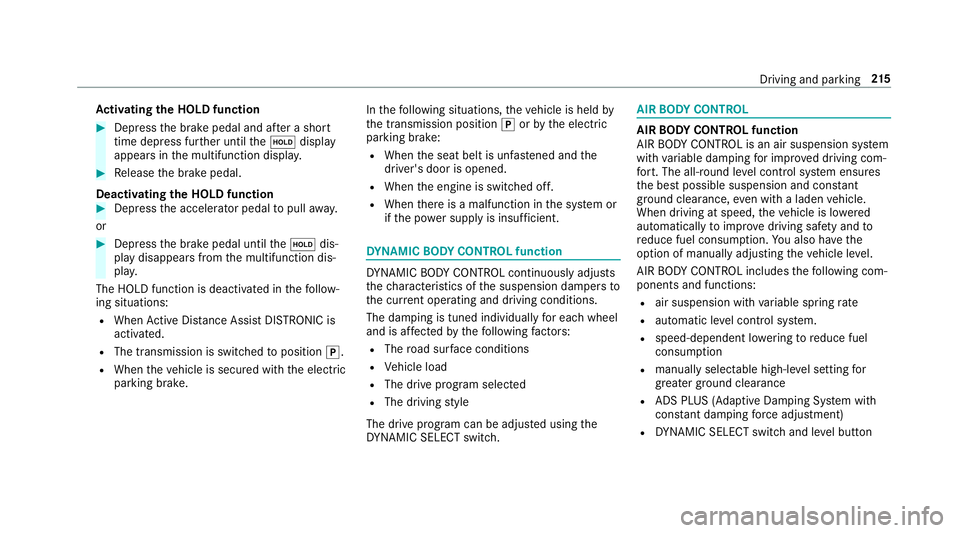
Dep ress the brake pedal and af ter a short
time depress fur ther until theë display
appears in the multifunction displa y.#
Release the brake pedal.
Deactivating the HOLD function #
Depress the accelerator pedal topull away.
or #
Depress the brake pedal until theë dis‐
play disappears from the multifunction dis‐
pla y.
The HOLD function is deactivated in thefo llow‐
ing situations:
R When Active Dis tance Assi stDISTRONIC is
acti vated.
R The transmission is switched toposition j.
R When theve hicle is secured with the electric
parking brake. In
thefo llowing situations, theve hicle is held by
th e transmission position jorby the electric
parking brake:
R When the seat belt is unfas tened and the
driver's door is opened.
R When the engine is switched off.
R When there is a malfunction in the sy stem or
if th e po wer supp lyis insuf ficient. DY
NA MIC BODY CONT ROL function DY
NA MIC BODY CONTROL continuously adjusts
th ech aracteristics of the suspension dampers to
th e cur rent operating and driving conditions.
The da mping is tuned individually for each wheel
and is af fected bythefo llowing factors:
R The road sur face conditions
R Vehicle load
R The drive program selected
R The driving style
The drive program can be adjus ted using the
DY NA MIC SELECT switch. AIR
BODY CONT ROL AIR
BODY CONT ROL function
AIR BODY CONTROL is an air suspension sy stem
with variable damping for impr oved driving com‐
fo rt. The all-round le vel control sy stem ensures
th e best possible suspension and const ant
ground clearance, even wi tha laden vehicle.
When driving at speed, theve hicle is lo wered
automatically toimpr ovedriving saf ety and to
re duce fuel consum ption. You also ha vethe
option of manually adjusting theve hicle le vel.
AIR BODY CONTROL includes thefo llowing com‐
ponents and functions:
R air suspension with variable spring rate
R automatic le vel control sy stem.
R speed-dependent lo wering toreduce fuel
consum ption
R manually selec table high-le vel setting for
greater ground clearance
R ADS PLUS (Adaptive Damping Sy stem with
const ant damping forc e adjustment)
R DYNA MIC SELECT switch and le vel button Driving and parking
215
Page 235 of 589
#
Pay attention toobjects and other road
users. #
Where necessar y,stop theve hicle or
cancel the parking procedure with
Ac tive Parking Assist. #
If,forex ample, thePlease engage reverse
gear message appears in the multimedia sys‐
te m display: select the cor responding trans‐
mission position.
The vehicle drives into the selected parking
space.
On completion of the parking procedure, the
Active Parking Assist finished, take control of
the vehicle. displaymessa geappears. Further
manoeuvring may still be necessar y.#
After completion of the parking procedure,
safeguard theve hicle against rolling away.
When requ ired bylegal requirements or local
conditions: turn the wheels towa rdsth eke rb.
% You can stop theve hicle and change the
transmission position du ring the parking pro‐
cedure. The sy stem then calculates a new ve
hicle path. The parking procedure can
th en be continued. If no new vehicle path is
av ailable, the transmission position will be
ch anged again. If theve hicle has not yet
re ached the parking space, the parking pro‐
cedure will be cancelled, should a gear be
ch anged.
Exiting a pa rking space with Active Parking
Assist
Re quirements:
R The vehicle has been par ked with Active
Pa rking Assist.
% Depending on theve hicle's equipment, the
button may also be located at a dif fere nt
position in the cent reconsole.
Please no tethat you are responsible forth eve hi‐
cle and sur roundings during the entire parking
procedure. #
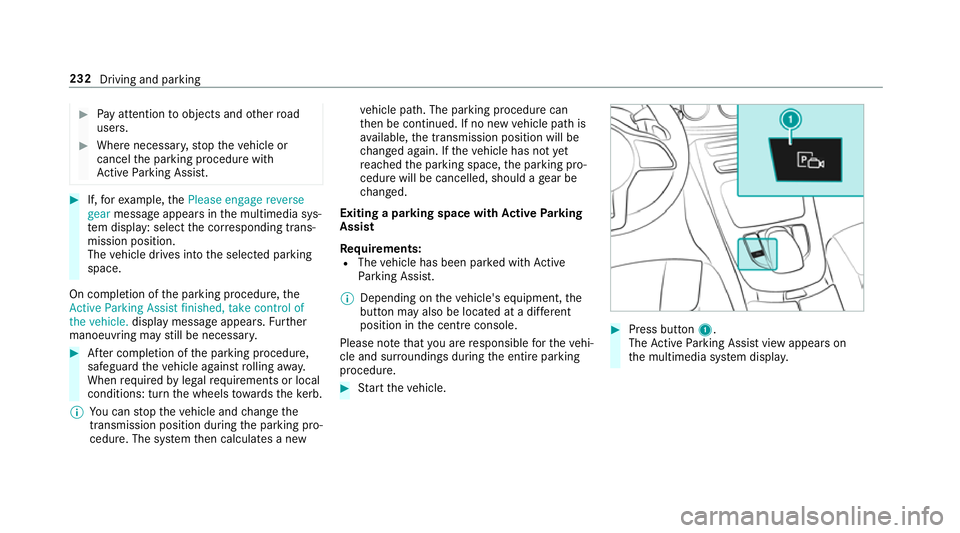
Start theve hicle. #
Press button 1.
The Active Parking Assist view appears on
th e multimedia sy stem displa y. 232
Driving and parking
Page 249 of 589
R
vehicles without LED headlamps or MUL‐
TIBEAM LED headlamps: the headlamps
ha ve been set cor rectl y.
In theeve nt of increased rear axle load, the car/
trailer combination may not exceed a maximum
speed of 100 km/h forre asons concerning the
operating permit. This also applies in countri es
in which the permissible maximum speed for
car/trailer combinations is ab ove100 km/h. Fo
lding the ball neck out/in &
WARNING Risk of accident due tothe
ball neck not being engaged
If th e ball neck is not engaged, the trailer
may come loose. #
Alw ays engage the ball neck as descri‐
bed. &
WARNING Risk of inju ryfrom ball neck
swinging outwards
The ball neck may swing outwards when
unlo cking or when it has not been properly
engaged.
There is a risk of injury within the ball neck's
ra nge of mo vement! #
Unlock the ball neck only when its
ra nge of mo vement is unobstructed. #
Alw ays be sure the ball neck is engaged
when folding in wards. Re
quirements:
R The transmission has been shif tedto posi‐
tion jori.
R The range of mo vement is clear.
R Only when folding in: The trailer cables or
adap ter plugs are remo ved. Fo
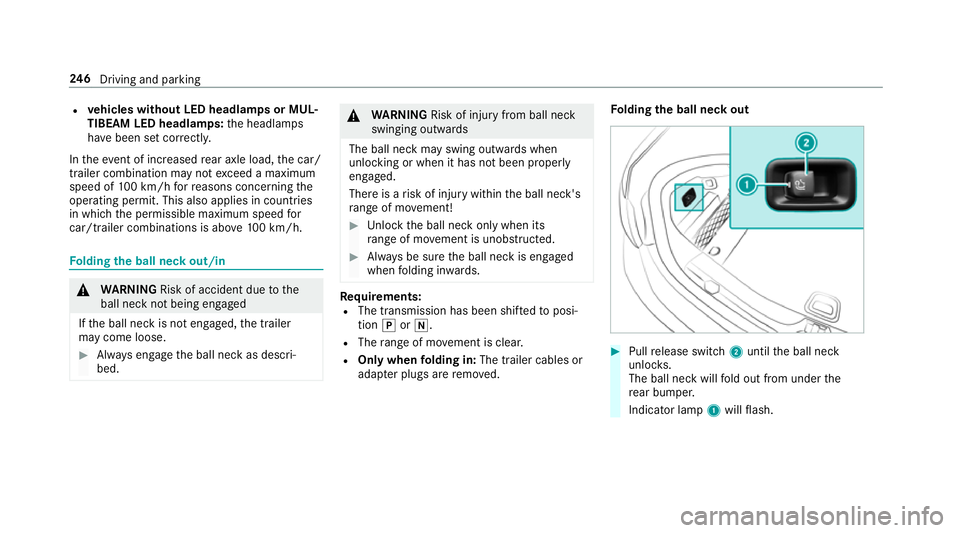
lding the ball neck out #
Pull release switch 2until the ball neck
unloc ks.
The ball neck will fold out from under the
re ar bumper.
Indicator lamp 1will flash. 246
Driving and pa rking
Page 259 of 589
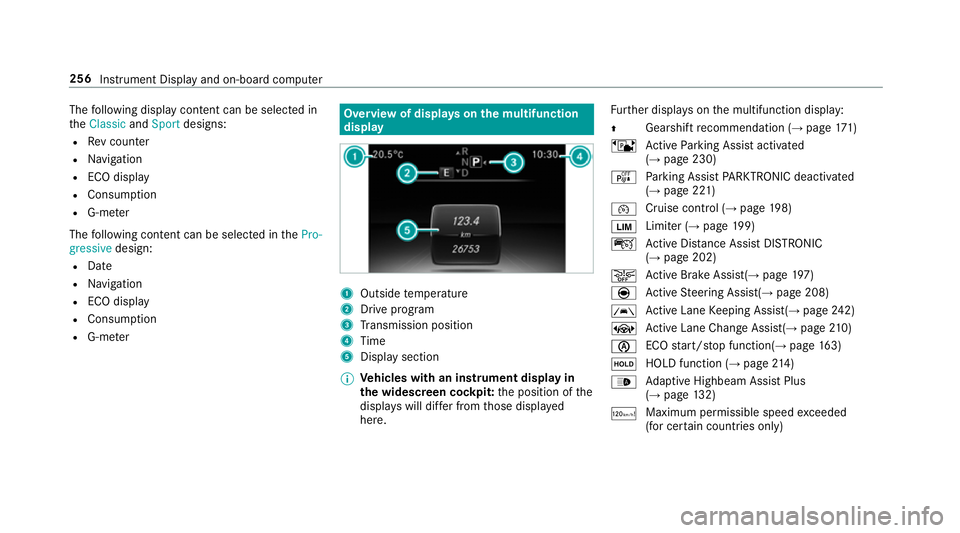
The
following display con tent can be selected in
th eClassic andSport designs:
R Rev counter
R Navigation
R ECO display
R Consu mption
R G-m eter
The following con tent can be selected in thePro-
gressive design:
R Date
R Navigation
R ECO display
R Consu mption
R G-m eter Overview of displa
yson the multifunction
display 1
Outside temp erature
2 Drive prog ram
3 Transmission position
4 Time
5 Display section
% Ve
hicles with an instrument display in
th e widescreen cockpit: the position of the
displa yswill dif fer from those displa yed
here. Fu
rther displa yson the multifunction display:
Z Gearshift
recommendation (→ page 171)
ë Active Parking Assist activated
(→ page 230)
é Parking Assist PARKTRONIC deacti vated
( → page 221)
¯ Cruise control (→
page198)
È Limi
ter (→ page 199)
ç Active Dis tance Assi stDISTRONIC
(→ page 202)
æ Ac
tive Brake Assi st(→ page 197)
è Active Steering Assis t(→ page 208)
à Ac
tive Lane Keeping Assist(→ page242)
± Active Lane Change Assi st(→ page 210)
è ECO
start/ stop function(→ page163)
ë HOLD fu
nction (→ page 214)
_ Ad
aptive Highbeam Assist Plus
(→ page 132)
ð Maximum permissible speed
exceeded
(for cer tain countries only) 256
Instrument Display and on-board computer
Page 295 of 589
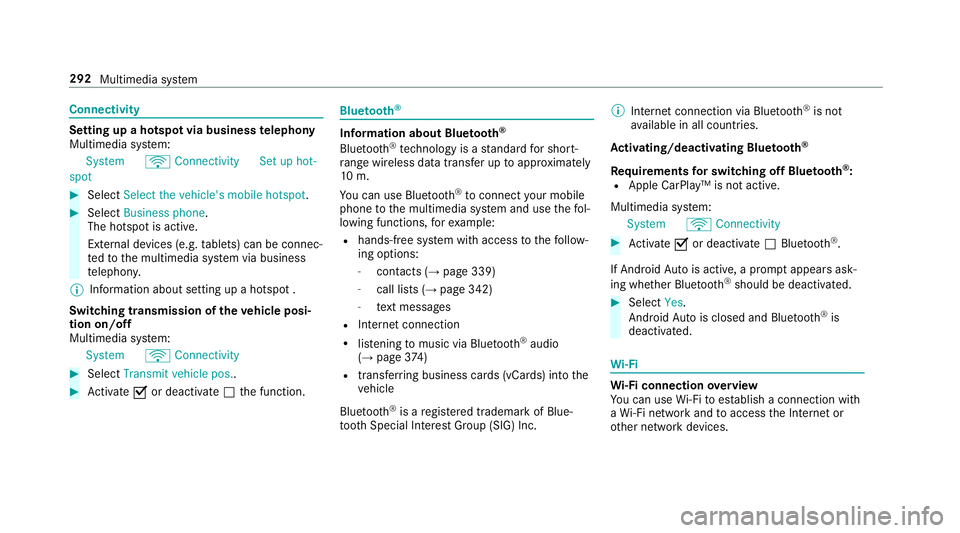
Connectivity
Setting up a hotsp
otvia business telephony
Multimedia sy stem:
System öConnectivit ySet up hot-
spot #
Select Select the vehicle's mobile hotspot .#
Select Business phone.
The hotspot is active.
Exte rnal devices (e.g. tablets) can be connec‐
te dto the multimedia sy stem via business
te lephon y.
% Information about setting up a hotspot .
Switching transmission of theve hicle posi‐
tion on/off
Multimedia sy stem:
System öConnectivity #
Select Transmit vehicle pos.. #
Activate Oor deacti vate ª the function. Blue
tooth ® Information about Blu
etoo th®
Bl ue tooth ®
tech nology is a standard for short-
ra nge wi reless data transfer up toappr oximately
10 m.
Yo u can use Blue tooth®
to connect your mobile
phone tothe multimedia sy stem and use thefo l‐
lowing functions, forex ample:
R hands-free sy stem with access tothefo llow‐
ing options:
- con tacts (→ page 339)
- call lists (→ page 342)
- text messa ges
R Internet connection
R listening tomusic via Blue tooth ®
audio
(→ page 374)
R transfer ring business cards (vCards) into the
ve hicle
Blue tooth ®
is a regis tere d trademark of Blue‐
toot h Special Interest Group (SIG) Inc. %
Internet connection via Blue tooth®
is not
av ailable in all countries.
Ac tivating/deactivating Blue tooth ®
Re quirements for switching off Blue tooth ®
:
R Apple CarPl ay™ is not active.
Multimedia sy stem:
System öConnectivity #
Activate Oor deacti vate ª Bluetoo th®
.
If Android Autois active, a prom ptappears ask‐
ing whe ther Blue tooth®
should be deactivated. #
Select Yes.
Android Autois closed and Blue tooth®
is
deactivated. Wi
-Fi Wi
-Fi connection overview
Yo u can use Wi-Fi toestablish a connection with
a Wi -Fi network and toaccess the Internet or
ot her network devices. 292
Multimedia sy stem