ESP MERCEDES-BENZ E-CLASS CABRIOLET 2019 Manual Online
[x] Cancel search | Manufacturer: MERCEDES-BENZ, Model Year: 2019, Model line: E-CLASS CABRIOLET, Model: MERCEDES-BENZ E-CLASS CABRIOLET 2019Pages: 530, PDF Size: 44.1 MB
Page 267 of 530
Multimedia
system:
System Software Update
Au tomatic update 0007
Swi tchAuto matic Onl ine Update on 0073.
Up dat esareper form ed.
The current status oftheupdat esisdis‐
pla yed.
Manu alupd ate 0007
Deact ivat e0053 Auto matic OnlineUpdate. 0007
Select anupdat efrom thelis tand star tth e
updat e.
Ac tiv atin gthe softwa reupdat e 0007
Restar tth esy stem.
Fu nction ofimpor tant system updates
Im por tant system updat esma ybe neces saryfo r
th esecur ityofyour mult imed iasystem's data.
Please installth ese updat es,orelse thesecur ity
of your mult imed iasystem cann otbe ensur ed.
0009 Ifaut omatic softwareupdat esareactiv ated,
th esy stem updat eswill bedownloaded auto‐
maticall y(→ pag e26 4). As
soon asan updat eis available fordo wnloa d,
a cor responding messageappea rson themedia
displa y.
Yo uha ve thefo llo wing selectionoption s:
R Down load
The updat ewill bedownloaded inthebac k‐
gr ound.
R Det ails
Inf ormation aboutthepending system
updat eis displa yed.
R Later
The updat ecan bedownloaded manuallyata
lat er time (→pag e26 4).
If th edo wnload iscom pletedand theupdat eis
re ady forins tallation ,yo uwill beinformed ofthis
af te rth ene xt ignition cycle, forex am ple.
0009 Park theve hicle safely inasuit able location
bef orest ar tin gth eins tallation .
Re quiremen tsforth eins tallation :
R The ignit ionisswitc hedon.
R The engin eis no tru nning . R
Notesand warnings have been read and
acc epted.
R The parkingbr ak eis applied.
If all requ iremen tsareme t,th eupdat ewill be
ins talled. Themultim ediasystem cann otbe
oper ated while theupdat eis being installed and
ve hicle functionsarere strict ed.
If er ro rs should occurduring theins tallation ,th e
multime diasystem automatic allyatt em ptsto
re stor eth epr ev ious version. Ifre stor ation ofthe
pr ev ious version isno tpossible ,a symbol
appear son thecent ercon sole displa y.Please
cons ultaqu alif ied spec ialistwo rkshop to
re solv eth epr oblem. Re
setfunction Multimedia
system:
System Reset
Pe rsonal datais dele ted, forex am ple:
R Statio npr ese ts
R Con nectedmobile phones Multimedia
system 265
Page 270 of 530
St
arting apr og ram 0007
Select Refres h,Wa rmth, Vitality, Enjoym ent
or Wel l-being.
The select edprogr am willru nfo rte nminu tes.
Conf iguringapr og ram 0007
Call upfurther option sÜ forth edesir ed
pr ogr am. 0007
Switc hth efunc tionsincluded inthepr ogr am
on 0073 oroff0053.
St arting traini ng 0007
Select Training. 0007
Select MuscleRelaxati on,Mus cleStimul a-
tion orBala nce.
The selected trai ning videostar ts and isdis‐
pla yedin themedia display. 0007
Select FullScree n:Vid eo.
The trai ning video isdispl ayed infull screen.
0009 Formor einf ormation onpau sing orskippi ng
th ro ugh videos,see (→pag e32 5). If
,dur ing anact ive pr og ram, afunction requ ire‐
men tis no long erme t,acor responding message
appea rs.The activeprogr am iscanc eled. Na
vig ation Switc
hingnavig ation on Multimedia
system:
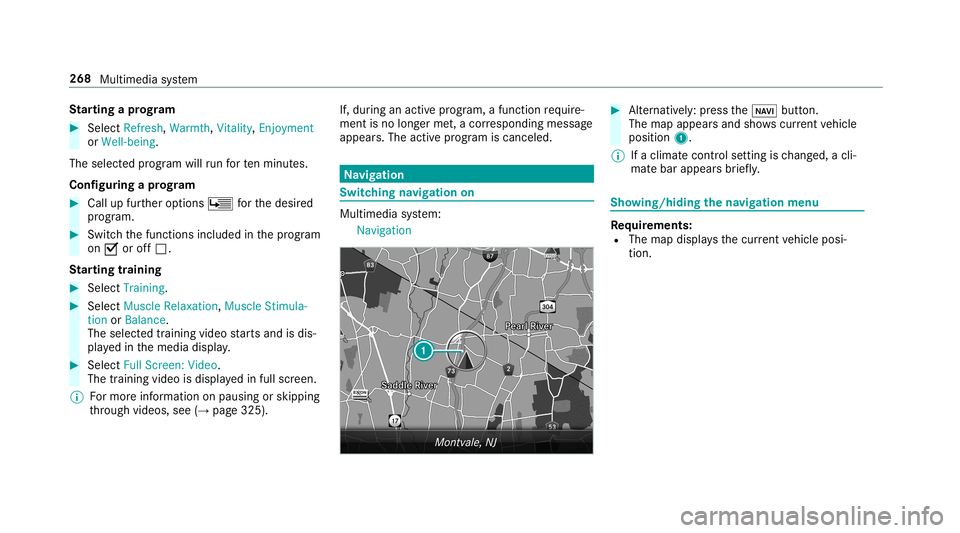
Navigation 0007
Alternativ ely:press the00CB button.
The map appear sand showscurrent vehicle
position 1.
0009 Ifaclimat econt rolse tting isch ang ed, acli‐
mat ebar appear sbr ief ly. Sho
wing/ hiding thena vig ation menu Re
quirement s:
R The map displa ysthecur rent vehicle posi‐
tion. 268
Multimedia system
Page 277 of 530
0009
3wo rdaddr esse sfrom what 3words arean
alt ernat ive addr essingsystem formulti lin‐
gua lge orefer encin gof global locations with
a re solution ofthre eme ters.Usi ngthis grid,
locat ionsontheEar th's sur face areincl uded
whi chdo notha ve abuildin gaddr esssuch
as stre et and house number,fo rex am ple.
The EmpireSt ateBuild inginNe wYo rk has
th efo llo wing languag edepen dent3wo rd
addr ess, forex am ple:
R English: parade.he lp.bleat
R Frenc h:commu n.verbe.bisq uer
R Spanish: suertes.dig a.pesca
3 wo rdaddr esse sar euniq ue,easy to
re member andsuffice formos tro utin eappli‐
cat ions.
The bidir ectionalco nve rsion of3wo rd
addr esse scan becar ried out here:
R atthewe bsit ehtt p:// what3w ords.c om
R inthewhat3w ords apps Selecting
ades tinat iononthema p
Multi media system:
Navigation ZOption s 0007
Select MapMenu.
or 0007
Ifth emap isdispla yedin full screen mode,
pr ess thecent ralcon trol elemen t.
The map menuappear s. 0007
Selec t"mo vemap" inmap menu 2
(→ pag e28 7). 0007
Swipe inanydir ection ontheTo uc hCon trol
or touc hpad.
or 0007
Slid eth econ troller inanydir ect ion.
The map movesin thecor responding direc‐
tion under thecr osshair .The moreyo umo ve
yo ur fing er aw ay from thest ar tin gposit ion
on theto uc hpad, thefa ster themap moves. 0007
Press theTo uc hCon trol, thecon troller orthe
to uc hpad.
If se veraldes tination sar elocat edaround the
cr oss hair,a list sho wstheav ailable POIsand
ro ads. If
ades tinatio nis loc ated exact lyon the
cr oss hair,th edes tinat ionaddr essisdis‐
pla yed. 0007
Select thedes tinat ioninthelis t.
The destinat ionaddr essissho wn.
Se tting thema por ientat ionto2D or3D 0007
Highlight MapOrient ation: 2D/3D. 0007
Press theTo uc hCon trol, theto uc hpad orthe
contr oller.
The map willbe displ ayed intheselect ed
map orient ation.
Sho wing traf fic mes sagesinthevicinit yof
th ema p 0007
Sele ctTraf ficMess agesfortheVic init y.
The map appear s. 0007
Swipe leftor right ontheto uc hpad.
or 0007
Slid eth econ troller tothelef tor right.
The prev ious ornext traf fic inci dent ishig h‐
li ght edon themap. Information onthetra ffic
inc ident isdispla yed. Multimedia
system 27
5
Page 279 of 530
An
eco nomi calrouteis calc ulated. The jour‐
ne ytim ema ybe som ewhat long erthan for
qu icke rro utes.
The symb olforth ecur rent vehicle position is
displa yedin green.
R Fast Route
A ro utewit haqu ick jour neytim eis calc ula‐
te d.
R Shor tRoute
A ro utewit hasho rtdriving distance iscal cu‐
la te d.
Auto matic Traffic JamAvoidan cecan be
switc hedon0073 oroff0053 forth ese routetyp es.
If Aut omat icTraf ficJam Avoidan ceisswit ched
on, Ask inthe Even tof Traffic JamAvoidan cecan
be select ed.
The Autom aticTraffic JamAvoidan ceand Askin
the Even tof Traffic JamAvoidan cesettings are
no tav ailable ineve rycou ntry.
The settings enable thefo llo wing:
R Automat icTraff icJam Avoidanc e The
routeis calc ulatedwithth ecur rently set
ro utetyp e.
Tr af fic re por tsvia LiveTraf fic Inf ormati onare
ta ke nint oacco unt.
Liv eTr af fic Inf ormati onisno tav ailable inall
coun tries.
R Askin theEv ent ofTraf ficJam Avoidan ce
A pr om ptappear swhen ane wrouteis de tec‐
te dwit hashor terjour neytime basedon traf‐
fi c re por ts.Youcan continue touse thecur‐
re nt routeor use thedynamic routeins tead.
Select ingrouteop tions
Mul timedi asy stem:
Navigation ÀRoute andPosi-
tion AvoidOption s
Av oiding areas 0007
Sele ctAreas (→pag e29 0).
Av oiding highways ,fe rries, motorailtrains,
tu nnels, unpavedro ads 0007
Select 0073ordese lect0053avo idop tion . Using
tollro ads 0007
Select UseTollRoa ds. 0007
Select Cash orElectronic Billing orOff .
The routeta ke sint oaccount roads that
re qu ire th epa yment ofausag efe e(toll).
If Off isselect ed,tollro ads areno tta ke nint o
acco unt.
The select edrouteop tio ns can notalw aysbe
im plement ed.Ther efor e, aro utema yinc lude a
fe rry, forins tance, eventh ough theavo idFer ries
op tion isenabled. Amess ageappear sand you
will hear acor responding message.
Using carpool lanes 0007
Select Number ofOccupants inthe Vehicle. 0007
Select number .
When usingcarpool lanes, observetheappli‐
cable legalrequ iremen tsas wellas anycon ‐
dition sper tainin gto when andwher esuc h
lanes maybe used. Carpool lanes mayonl y
be used ifcer tain con dition sar eme t.
These routeop tio ns areno tav ailable ineve ry
cou ntry. Multimedia
system 27
7
Page 291 of 530
Mo
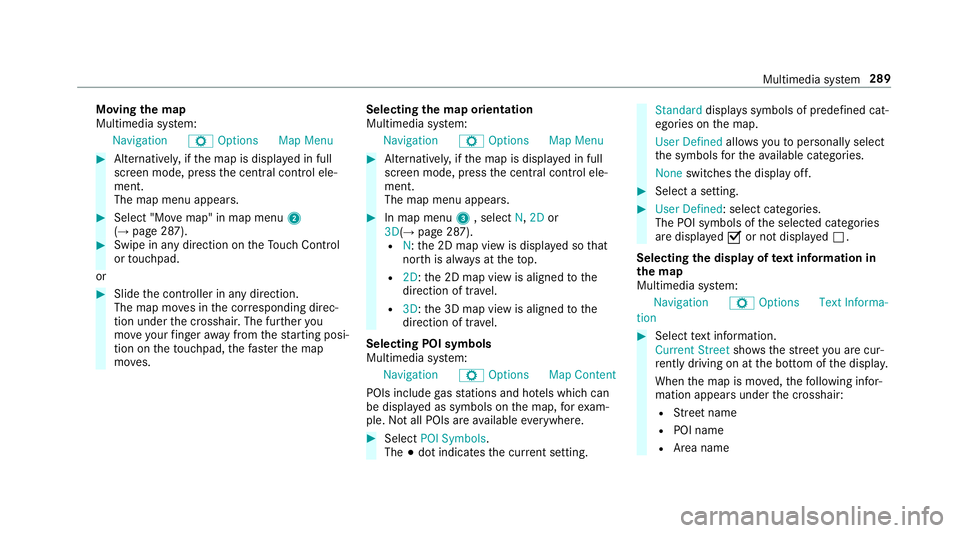
ving thema p
Multi media system:
Navigation ZOption sM apMen u 0007
Alternat ivel y, ifth emap isdispla yedin full
scr een mode, press thecent ralcon trol ele‐
men t.
The map menuappear s. 0007
Selec t"Mo vemap" inmap menu 2
(→ pag e28 7). 0007
Swipe inanydir ection ontheTo uc hCon trol
or touc hpad.
or 0007
Slid eth econ troller inanydir ect ion.
The map movesin thecor responding direc‐
tion under thecr osshair .The further you
mo veyour fing er aw ay from thest ar tin gposi‐
tio non theto uc hpad, thefa ster themap
mo ves. Selec
tingthema por ientat ion
Multi media system:
Navigation ZOption sM apMen u 0007
Alternat ivel y, ifth emap isdispla yedin full
scr een mode, press thecent ralcon trol ele‐
men t.
The map menuappear s. 0007
Inmap menu3 ,selec tN, 2D or
3D( →pag e28 7).
R N:the2D map viewisdispla yedso that
no rth is alw aysat theto p.
R 2D: the2D map viewisaligned tothe
dir ect ion oftra vel.
R 3D: the3D map viewisaligned tothe
dir ect ion oftra vel.
Selecting POIsym bols
Multim ediasystem:
Navigation ZOption sM apCon tent
POI sinc lude gasst atio nsand hotels whic hcan
be displa yedas symbols onthemap, forex am‐
ple. Notall POI sar eav ailable everywher e. 0007
Sele ctPOI Symb ols.
The 003Bdo tindic ates thecur rent setting. Stand
arddispl ayssymbols ofpredef ined cat‐
egor iesonthemap.
User Definedallo wsyouto per sonall yselect
th esymbols forth eav ailable categor ies.
Non eswit ches thedispla yof f. 0007
Select ase tting. 0007
User Defined:select categor ies.
The POIsymbols oftheselect edcategor ies
ar edispla yed0073 ornotdispla yed0053.
Selecting thedisp layof text inf ormat ionin
th ema p
Multi media system:
Navigation ZOption sTextInforma-
tion 0007
Select text informati on.
Cu rrent Streetsho wsthest re et youar ecur ‐
re ntly drivi ng on atthebo ttom ofthedispla y.
When themap ismo ved, thefo llo wing infor‐
matio nappear sunder thecr osshair :
R Street nam e
R POI nam e
R Area nam e Mu
ltimed iasystem 289
Page 308 of 530
0009
The service prov ider isresponsible forth ese
apps andtheser vices andcontent conne c‐
te dto it.
Connecting Mercedes-B enzLink withth e
mu ltim edia system 0007
Conn ecttheMer cedes- BenzLinkcontrol bo x
wit hth e00C2 USBportof themultimedia
con nect ionunit using asuit able connect ing
cable.
0009 Asuit able connect ingcable isavailable sep‐
ar atelyat an aut hor izedMer cedes-Ben zCen‐
te r.
Using Mercedes-Benz Link
Re quirement s:
R The Mercedes- BenzLink control bo xis con ‐
nec tedwit hth emultimedia system using the
00C2 USBport.
Multimedi asy stem:
Connec t 0007
Select Mercedes- BenzLink. 0007
Select MBLink.
The mobile phonefunctionsand apps are
av ailable andshownonthemedia display.
Yo ucan find mor einf orma tionin theMer cedes-
Benz Linkcontrol bo xoper ating instruction s.
Ending Mercedes-Benz Link
Multimedia system:
Connec tMercedes- BenzLink 0007
Select Disconnect.
The connect ionisended.
The mobile phonecontinues tobe supplied
wit helect ricity .
or 0007
Disco nnect thecon nect ingcable between
th eMer cedes- BenzLinkcontrol bo xand the
multime diasystem.
0009 Mer cedes- Benzrecomme ndsdisconnecti ng
th econ nect ingcable onlywhen theve hicle
is statio nary. App
leCar Play™ Ov
ervie wof App leCar Play™ 000A
WARNIN GRisk ofdist ra ction from infor‐
mati onsystems andcomm unication s
eq uipment
If yo uoper ateinf ormat ionand comm unic a‐
tio neq uipme ntintegratedin theve hicle
when driving, youwill bedistract ed from the
tr af fic situ ation. Thiscou ldalso cau seyouto
lose control of theve hicle. 0007
Onlyoper ateth is eq uipmen twhen the
tr af fic situ ation per mits. 0007
Ifyo ucan notbe sur eof this, stop the
ve hicle whilstpa ying attention toroad
and traffic condi tions andoperate the
eq uipment withth eve hicle statio nary. Yo
umus tobse rveth eleg alrequ iremen tsforth e
cou ntryin whi chyouar ecur rentl ydr ivi ng when
op erati ng themultimedia system.
iPhone ®
func tionscan beused viathemultime‐
dia system using Apple CarPla y™.Theyar eoper‐
at ed using thecent ralcon trol elemen tor the 306
Multimedia system
Page 309 of 530
Sir
i®
vo ice- oper ated con trol system. Youcan
act ivat eth evo ice- opera tedcon trol system by
pr essing andholding the00E3 buttononthe
multifu nctionsteer ing wheel.
When usingApple CarPla y™viathevo ice- oper‐
at ed con trol system, themultimedia system can
st ill be oper ated via theVo ice Cont rolSy stem
(→ pag e23 1).
Onl yone mobile phoneatatime canbecon nec‐
te dvia Apple CarPla y™tothemultimedia sys‐
te m.
The availabilit yof App leCarPla y™mayva ry
acc ordin gto thecount ry.
The service prov ider isresponsible forth is appli‐
cat ion and theser vices andcontent conne cted
to it.
Inf orma tion onApp leCar Play™
While usingApple CarPla y™various funct ionsof
th emultimedia system, e.g.telephon yor the
media sourcesBlue tooth®
audio andiPod ®
,ar e
una vailable.
Onl yone routeguidan cecan beact ive at atim e.
If ro uteguidan ceisact ive on themultimedia sys‐ te
m, itis closed whenrouteguidan ceisstar ted
on themobile phone.
Connecting aniPhone ®
via Apple CarPla y™
Re quirement s:
R Apple ®
oper atingsy stem version iOS 8.3or
abo veisins talled ontheiPhone ®
.
R AnInterne tcon nect ionisrequ ired forth efull
ra ng eof func tions forApple CarPla y™.
R The iPho ne®
is connect edtothemultimedia
sy stem viatheUSB port00C2 using asuit a‐
ble cable (→pag e325).
Multimedia system:
Connec tAppleCarPlay
Se tting automat icor manu alstar t
A messa geappear swhen connectedfo rth efirs t
tim e. 0007
Automatic star t:select Automatically.
Start Automatically isactiv ated 0073.
Apple CarPla y™will nowstar timm ediat ely
af te rth eiPhone ®
is con nect edtothemulti‐
media system using aUSB cable. 0007
Manua lst ar t:select Manual ly. 0007
Select theiPhone ®
in thede vice list.
Ac cep ting/r eject ingtheda ta protection reg‐
ulat ions
A messag ewit hth edat apr otect ion regulations
appear s. 0007
Select Accept &Start .
or 0007
Select Decline &End.
Exiting AppleCarPla y™ 0007
Press the00E2 buttononthemultifunc tion
st eer ing wheel, forex am ple.
0009 IfApp leCarPla y™wasno tdispla yedin the
fo re ground beforedisconn ecting,theappli‐
cation star ts inthebac kground when recon‐
nect ed.Youcan callupApple CarPla y™in
th emain menu.
Calling upApple CarPla y™sound settings
Multimedia system:
Connec tAppleCarPlay Sound 0007
Select theto ne menu (→page 342). Mul
timedi asy stem 30
7
Page 310 of 530
Endin
gApp leCar Play™
Mult imedia system:
Connec tAppleCarPlay 0007
Select Disconnect.
The connection isended.
The mobile phonecontinues tobe supplied
wit helect ricity .
or 0007
Disco nnect thecon nect ingcable between
th emobile phoneandmultimedia system.
Mer cedes- Benzrecomme ndsdisconnecti ng
th econ nect ingcable onlywhen theve hicle is
st atio nary. Andr
oidAuto Andr
oidAutoove rview 000A
WARNIN GRisk ofdist ra ction from infor‐
mati onsystems andcomm unication s
eq uipment
If yo uoper ateinf ormat ionand comm unic a‐
tio neq uipme ntintegratedin theve hicle when
driving, youwill bedistract ed from the
tr af fic situ ation. Thiscou ldalso cau seyouto
lose control of theve hicle. 0007
Onlyoper ateth is eq uipmen twhen the
tr af fic situ ation per mits. 0007
Ifyo ucan notbe sur eof this, stop the
ve hicle whilstpa ying attention toroad
and traffic condi tions andoperate the
eq uipment withth eve hicle statio nary. Yo
umus tobse rveth eleg alrequ iremen tsforth e
cou ntryin whi chyouar ecur rentl ydr ivi ng when
op erati ng themultimedia system.
Mobile phonefunctionscan beused with
An droid Autousin gth eAn droid oper ating sys‐
te m on themultimedia system. Itis oper ated
using thecent ralcon trol elemen tor thevo ice
con trol. Youcan activat eth evo ice- opera tedcon ‐
tr ol system bypressing andholding the00E3
butt onon themultifunc tionsteer ing wheel.
When usingAndroid Autovia thevo ice- opera ted
contr olsystem, themultimedia system can still
be opera tedvia theVo ice Cont rolSy stem
(→ pag e23 1). Onl
yone mobile phoneatatime canbecon nec‐
te dvia Android Autoto themultimedia system.
The availabilit yof An droid Autoand Android Auto
App sma yva ry acc ordin gto thecount ry.
The service prov ider isresponsible forth is appli‐
cat ion and theser vices andcontent conne cted
to it.
Inf orma tion onAndr oidAuto
While usingAndroid Auto,va rious funct ionsof
th emultimedia system, forex am ple themedia
sour ceBlue tooth®
audio, areno tav ailable.
On lyone routeguidan cecan beact ive at atim e.
If ro uteguidan ceisact ive on themultimedia sys‐
te m, itis closed whenrouteguidan ceisstar ted
on themobile phone.
Connecting amobile phoneviaAndr oidAuto
Re quirement s:
R The firs tacti vatio nof Andr oid Au toon the
multime diasystem mus tbe car ried out when
th eve hicle isstatio naryfo rsaf etyre ason s.
R The mobi lephon esuppo rts Andr oidAuto
fr om Andr oid5.0. 308
Multimedi asy stem
Page 312 of 530
The
follo wing system information istra nsmit ted:
R Softwarere lease ofthemultimedia system
R System ID(anon ymized)
The transf erofthis dat ais used tooptimize com‐
munication between theve hicle andthemobile
phone.
To do this, and toassig nse veralve hicles tothe
mobil ephone, ave hicle identif ierisrando mly
ge ner ated .
Thi sha sno conne ctionto theve hicle identif ica‐
tion number (VIN)andisdele tedwhen themulti‐
media system isrese t(→ pag e265).
The follo wing drivin gst atus datais transm itted:
R Trans miss ionposit ionengaged
R Distinction between parking,stands till,ro ll‐
ing and drivin g
R Day/n ight mode oftheins trument cluster
The transf erofthis dat ais used toalter how
con tent isdispl ayed tocor respond tothedr iving
situation . The
follo wing positiondatais transm itted:
R Coor dinat es
R Speed
R Com pass direct ion
R Accel erati on dire ction
Thi sda ta isonl ytransf erredwhile thena vig ation
sy stem isactiv ein order toimprove it(e.g. soit
can continue func tioningwhen inatun nel). Mer
cedes meconnect No
teson Mer cedes meconnect
Mer cedes meconn ectprov ides thefo llo wing
ser vice s:
R Accid ent and brea kdo wnmana gement (me
butt on)
R Concierg eSer vice (whe nth eser vice isacti‐
va ted), appointm entrequ ests or similar (me
butt on)
R Mer cedes- Benzemergency callsy stem (aut o‐
matic emergency callor SOS button) The
Mercede s-BenzCustomer Centerand the
Mer cedes-Ben zemer gency callcent erareav aila‐
ble foryo uar oun dth ecloc k.
The mebutt onand theSOS buttoncan befound
on theve hicle's overhead control panel
(→ pag e31 1).
Yo ucan also calltheMer cedes- BenzCustomer
Cent erusi ng themultimedia system
(→ pag e31 1).
Pl eas eno te that Mer cedesme connectis a
Mer cedes-Ben zser vice.In emer gencie s,alwa ys
cal lth enation alemer gency service sfirs tus ing
th est andar dnat ionalemer gency service phone
num bers.In eme rgencies, youcan also usethe
Mer cedes-Ben zemer gency callsy stem
(→ pag e31 3).
Ob serveth econ ditions ofuse forMer cedes me
connect andother services. These canbe
obt ained intheMer cedes meportal:htt ps:/ /
me. secur e.mercedes -benz.com 31
0
Multimedia system
Page 316 of 530
0009
Ifth er eis amalfunct ionintheemer gency
cal lsy stem (e.g. amalfunct ionwithth e
speak er,micr ophone, airbag,SOS button), a
cor responding messageappea rsinthemul‐
tifun ction displa yof theins trument cluster.
Tr igg ering anaut omat icemer gency call
Re quirement s
R The ignit ionisswitc hedon.
R The star terbatt eryis suf ficie ntlych arge d.
If re stra int systems suchas airbags orEmer ‐
ge ncy Tensi oni ng Device sha ve been activated
af te ran accide nt,theMer cedes- Benzemer‐
ge ncy callsy stem mayaut omaticall yinitiat ean
emer gency call.
The eme rgency callhas been made:
R Avo ice con nection ismade totheMer cedes-
Benz emergency callcent er.
R Ames sage withacc iden tdat ais transm itted
to theMer cedes- Benzemergency callcent er.
The Mercedes-B enzeme rgency callcent er
can trans mit theve hicle position datato one
of theemer gency callcent ers. The
SOS button intheove rhead control panel
fl ashes untilth eemer gency callis finis hed .
It is no tpo ssi ble to immed iatelyend anaut o‐
matic emergency call.
If no conne ctioncan bemade totheemer gency
ser vice sei th er,a cor responding message
appea rsinthemedia display. 0007
Dialth elocal emergency num beron your
mob ilephon e.
If an eme rgency callhas been initiat ed:
R Remain intheve hicle ifth ero ad and traffic
condi tions permit youto do sountil avo ice
con nection ises tablished withth eemer‐
ge ncy callcent eroperator.
R Bas edon thecall, theoper ator decides
whe ther itis neces saryto cal lre scue teams
and/ orthepolice totheacciden tsit e.
R Ifno vehicle occupant answers, an ambu‐
lance issent totheve hicle immediat ely.
Tr igg ering ama nual emer gency call 0007
Press and hold theSOS buttonintheove r‐
head controlpanel forat lea stone second. The
emer gency callha sbe en ma de:
R Avo ice con nection ismade totheMer cedes-
Benz emergency callcent er.
R Ames sage withacc iden tdat ais transm itted
to theMer cedes- Benzemergency callcent er.
The Mercedes-Be nzeme rgency callcent er
can trans mit theve hicle position datato one
of theemer gency callcent ers.
R Remain intheve hicle ifth ero ad and traffic
condi tions permit youto do sountil avo ice
con nection ises tablished withth eemer‐
ge ncy callcent erser vice prov ider .
R Onthebasis ofthecall, theser vice prov ider
decide swhe ther itis neces saryto cal lre s‐
cue teams and/ orthepolice totheacciden t
sit e.
If no con nect ioncan bemade totheemer gency
ser vice sei th er,a cor responding message
appea rsinthemedia display. 0007
Dialth elocal emergency num beron your
mob ilephon e. 31
4
Multimedia system