service MERCEDES-BENZ E-CLASS CABRIOLET 2020 User Guide
[x] Cancel search | Manufacturer: MERCEDES-BENZ, Model Year: 2020, Model line: E-CLASS CABRIOLET, Model: MERCEDES-BENZ E-CLASS CABRIOLET 2020Pages: 546, PDF Size: 44.79 MB
Page 143 of 546
#
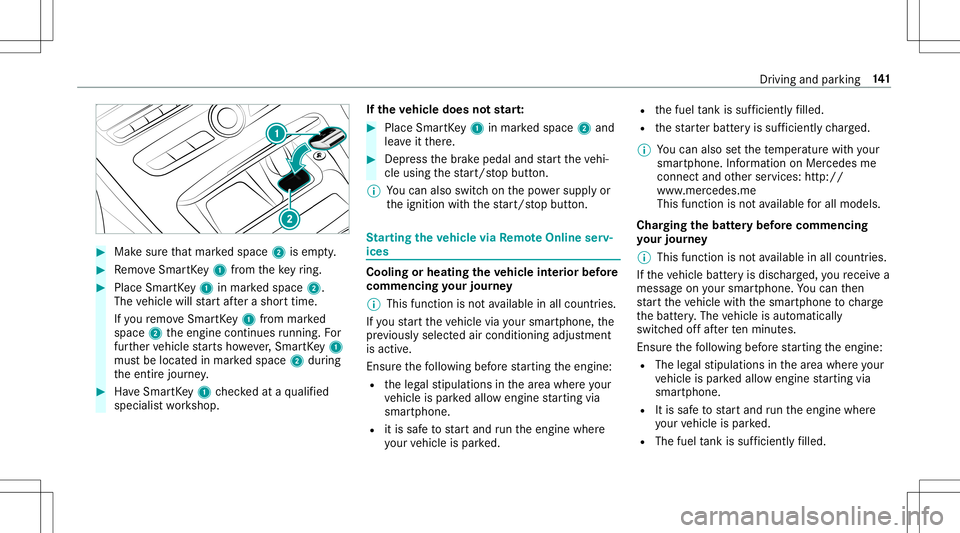
Mak esur eth at mar kedspace 2isem pty. #
Remo veSmar tKey 1 from theke yring. #
Place Sma rtKe y1 inmar kedspace 2.
The vehicle willstar taf te ra shor ttime.
If yo ure mo veSmar tKey 1 from mar ked
space 2theengine continues running .Fo r
fur ther vehicle star ts howe ver,Smar tKey 1
mus tbe locat edinmar kedspace 2during
th eent ire jour ney. #
Have Smar tKey 1 checkedat aqu alif ied
spec ialistwo rkshop. If
th eve hicl edoes notst ar t: #
Place SmartKey 1 inmar kedspace 2and
lea veitth er e. #
Depr essthebr ak epedal andstar tth eve hi‐
cle using thest ar t/ stop butt on.
% Youcan also switchon thepo we rsupp lyor
th eignition withth est ar t/ stop butt on. St
arting theve hicl evia Remo teOnline serv‐
ices Cooling
orheating theve hicl eint erior before
co mmenci ngyour jour ney
% This function isno tav ailable inall coun tries.
If yo ustar tth eve hicle viayour smar tphon e,the
pr ev iousl yselec tedair con dition ingadjus tment
is activ e.
En sur eth efo llo wing beforest ar tin gth eengine:
R theleg alstipulation sin thear ea wher eyo ur
ve hicle ispar kedallo wengin est ar tin gvia
smar tphon e.
R itis saf eto star tand runth eengine where
yo ur vehicle ispar ked. R
thefuel tank issu fficien tly filled.
R thest ar terbatt eryis suf ficie ntly charge d.
% Youcan also setth ete mp eratur ewit hyo ur
smar tphon e.Info rm atio non Mer cedesme
con nectand other services: http://
www .mercedes.me
This funct ionisno tav ailable forall model s.
Char ging thebat tery bef orecommencing
yo ur jour ney
% This function isno tav ailable inall coun tries.
If th eve hicle batteryis disc harged, youre cei vea
messa geon your smar tphon e.Youcan then
st ar tth eve hicle withth esmar tphon eto charge
th ebatt ery. The vehicle isaut omaticall y
switc hedoffaf te rte nminu tes.
Ensur eth efo llo wing beforest ar tin gth eengine:
R The legalstipulation sin thear ea wher eyo ur
ve hicle ispar kedallo wengin est ar tin gvia
smar tphon e.
R Itis saf eto star tand runth eengine where
yo ur vehicle ispar ked.
R The fuel tank issu fficien tly filled. Dr
ivin gand parking 14
1
Page 167 of 546
%
The electr icpar king brak eis onl ysecur ely
applied ifth eindicat orlam pis lit con tinu‐
ously .
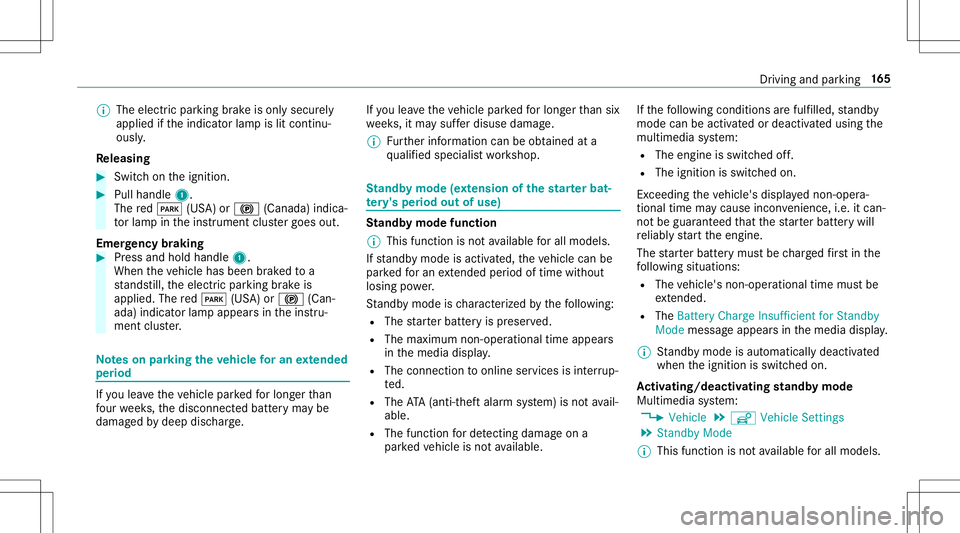
Re leasing #
Swit chon theignition . #
Pull handle 1.
The red0049 (USA)or0024 (Canada) indica‐
to rlam pin theins trument clustergoes out.
Emer gency braking #
Press and hold handle 1.
When theve hicle hasbeen brak ed toa
st ands till,th eelectr icpar king brak eis
applied. Thered0049 (USA)or0024 (Can‐
ada) indicat orlam pappear sin theins tru‐
ment cluster. No
teson par king theve hicl efo ran extended
per iod If
yo ulea vetheve hicle parkedfo rlong erthan
fo ur we eks,thediscon nectedbatt eryma ybe
damag edbydeep discharge. If
yo ulea vetheve hicle parkedfo rlong erthan six
we eks,itma ysuf ferdisu sedama ge.
% Further information canbeobt ained ata
qu alif ied spec ialistwo rkshop. St
andb ymode (ext ens ion ofthe star terbat‐
te ry 's per iod out ofuse) St
andb ymode function
% This function isno tav ailable forall model s.
If standb ymode isact ivat ed, theve hicle canbe
par kedfo ran extende dpe riod oftime without
losing powe r.
St andb ymode isch aract erize dby thefo llo wing:
R The star terbatt eryis preser ved.
R The maximum non-opera tionaltime appear s
in themedia display.
R The conn ection toonline services isint erru p‐
te d.
R The ATA(anti-t heftal ar m system) isno tav ail‐
able.
R The function forde tecting damag eon a
pa rked vehicle isno tav ailable. If
th efo llo wing condition sar efulf illed, standb y
mode canbeact ivat ed ordeac tivated usin gth e
multime diasystem:
R The engine isswitc hedoff.
R The ignition isswitc hedon.
Ex ceeding theve hicle's displayednon -oper a‐
tion altime maycause inconvenience, i.e.it can‐
no tbe guarant eedth at thest ar terbatt erywil l
re liably star tth eengine.
The star terbatt erymus tbe charge dfirs tin the
fo llo wing situat ions:
R The vehicle's non-oper ational timemustbe
ex tende d.
R The Batte ryCh arg eInsu fficie ntfor Stand by
Mod emes sage appear sin themedia display.
% Standb ymode isaut omat icallydeac tivated
when theignition isswitc hedon.
Ac tiv atin g/deac tivatin gst andb ymode
Mul timedi asy stem:
4 Vehicle 5
î Vehicle Setting s
5 Standby Mode
% This function isno tav ailable forall model s. Dr
iving andparking 16
5
Page 227 of 546
0076
Rejects /end sa cal l
5 00E2 Calls up thehome screen
6 Touc hCon trol mult imed iasystem
7 0038 Backbutt on Oper
ating theon-boa rdcom puter &
WARNIN GRisk ofdist ra ction from infor‐
mati onsystems andcomm unication s
eq uipment
If yo uoper ateinf ormat ionand comm unic a‐
tio neq uipme ntintegratedin theve hicle
when driving, youwill bedistract ed from the
tr af fic situ ation. Thiscou ldalso cau seyouto
lose control of theve hicle. #
Onlyoper ateth is eq uipmen twhen the
tr af fic situ ation per mits. #
Ifyo ucan notbe sur eof this, stop the
ve hicle whilstpa ying attention toroad
and traffic condi tions andoperate the
eq uipment withth eve hicle statio nary. Obser
vetheleg alrequ iremen tsforth ecount ry
in whic hyo uar ecur rently drivi ng when operat‐
ing theon- boar dcom puter.
% The on-boar dcom puterdispla yswill appear
on themultifunc tiondispla y(/ page22 7). The
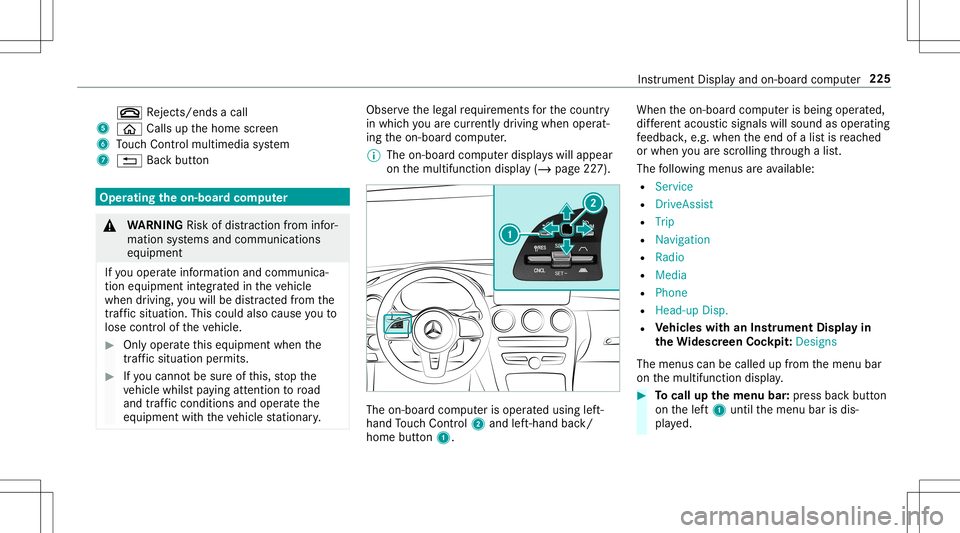
on-boar dcom puterisoper ated using left-
hand Touc hCon trol 2 and left-han dbac k/
hom ebut ton1. Whe
nth eon- boar dcom puterisbeing operated,
dif fere nt aco ustic signa lswillsou ndasoperati ng
fe edbac k,e.g. when theend ofalis tis reac hed
or when youar esc rolling thro ugh alis t.
The follo wing menusareav ailable:
R Service
R DriveA ssist
R Trip
R Navi gation
R Radio
R Media
R Phon e
R Head -upDisp.
R Vehicl eswith anIns trument Displayin
th eWi des cree nCo ckpit: Desi gns
The menu scan becalled up from themenu bar
on themultifunc tiondispla y. #
Tocall upthemenu bar:press backbutt on
on thelef t1 until themenu barisdis‐
pla yed. Ins
trument Displayand on-boar dcom puter 225
Page 230 of 546
Ad
jus tingthe inst ru men tlighti ng #
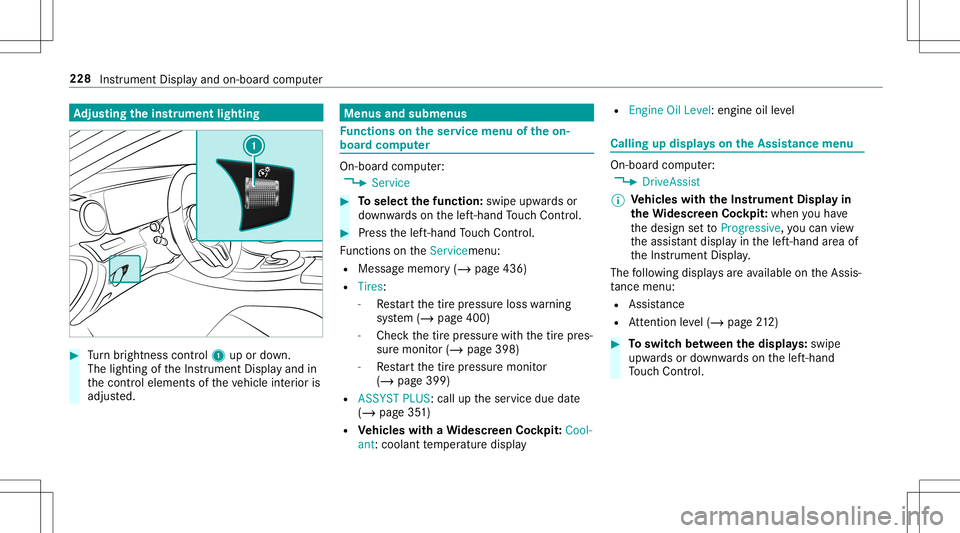
Turn brightn esscontrol 1 upordown.
The lightin gof theIns trument Displayand in
th econ trol element sof theve hicle interior is
adjus ted. Menus
andsubmenu s Fu
nctions ontheser vice menu oftheon-
boar dcom puter On-boar
dcom puter:
4 Service #
Toselect thefun ction: swipeupwards or
do wn wardson thelef t-hand Touc hCon trol. #
Press thelef t-hand Touc hCon trol.
Fu nctio nson theServ icemen u:
R Messag ememor y(/ page436)
R Tires:
- Restar tth etir epr essur eloss warning
sy stem (/ page400)
- Chec kth etir epr essur ewit hth etir epr es‐
sur emonit or(/ page398)
- Restar tth etir epr essur emonit or
(/ page399)
R ASSYST PLUS: calluptheser vice duedate
(/ page35 1)
R Vehicl eswith aWi des cree nCo ckpit :Co ol-
ant: coolanttemp eratur edispla y R
Engine OilLevel: engine oilleve l Callin
gup displa yson theAssis tance menu On
-bo ardcom puter:
4 DriveA ssist
% Ve
hicl eswith theIns trum ent Displa yin
th eWi des cree nCo ckpit: whenyo uha ve
th edesign setto Progressive ,yo ucan view
th eassis tant displ ayinthelef t-hand area of
th eIns trument Display.
The follo wing displa ysareav ailable ontheAssis‐
ta nce menu :
R Assi stanc e
R Attentio nleve l(/ page21 2) #
Toswitc hbe tw een thedisp lays :sw ipe
up wa rdsor down wardson thelef t-hand
To uc hCon trol. 228
Instru ment Displa yand on-boar dcom puter
Page 270 of 546
or
iginat esfrom another vehicle, this isrecog‐
nized during data readin g.
The mult imed iasystem isrestar tedonc eth e
dat ahas been impor ted.
% Current vehicle settin gscan beedit edafte r
th eim por t.
Expor ting
If PIN protect ion isactiv ated, your PIN isrequ es‐
te d. #
Enterth efo ur -di git PIN. #
Select adat ast or ag emedium.
The datais ex por ted. The dataex por tma y
ta ke severalmin utes. Ac
tiv atin g/deac tivatin gPI N protection Multi
media system:
4 System 5
PIN Protec tion
Se tting thePIN #
Sele ctSet PIN. #
Entera fo ur -di git PIN. #
Enterth efo ur -di git PIN again.
If bo th PINs match,PIN protect ion isactiv e.
Changing thePIN
Re quiremen ts
R Acur rent PIN mustbe set. #
Select Change Settings. #
Enterth ecur rent PIN . #
Select Chang ePIN . #
Seta ne wPIN .
Ac tiv atin gPI N protection fordat aex por t #
Select Change Setting s.
Co nfirm with thePIN. #
Select ProtectData Export .
Ac tivate0073 ordeacti vate 0053 thefunc tion.
Un bloc king thePIN
Re quiremen ts:
R Ther eis an Interne tcon nection .
R AMer cedes meaccount exists at htt p:/ /
www .mercedes.me . R
The Person alization service isactiv e
(/ page269).
If th ePIN has been entered incor rectly thre e
tim es,th ePIN willbebloc ked. Youcan have a
sing le-use passwordsent toyouvia the
Mer cedes meconn ectonline portalto rese tth e
PIN protect ion. #
Select Unbloc kPIN. #
Enterth esing le-use password.
PIN protect ion isrese t,and youcan seta
ne wPIN.
% Alternat ivel y, yo ucan have PIN protect ion
re se tat an aut hor ized Mercedes-Benz Cen‐
te r. 268
Multimedia system
Page 271 of 546
User
profile Se
tting auser profile
Multimedia system:
4 System 5
g Person alization
Displa yingauser profile when star ting
If th is func tion isact ive, apr om ptappear swhen
st ar tin gth esy stem asking whichuser profile to
use. #
Select Display Profile Select ion afterStart . #
Activate0073 ordeacti vate 0053 thefunc tion.
Selecting auser profile #
Select GuestProfile orindividual profile 003B.
% Some settings from theuser profile areonl y
loaded whentheve hicle isstatio naryor
when theignition isswitc hedon.
Au tomatic synchronizat ion
Eac htime theignition isswitc hedoffor on, the
indiv idual userprofiles aresync hroniz edon the
multime diasystem and ontheser ver.This
ensur esthat thelat estuser profiles arealw ays
av ailable. #
Select Automat icSyn chron izat ion. #
Activate0073 ordeacti vate 0053 thefunc tion.
% Formor einf ormation aboutimpor ting/
ex por tinguser profiles (/ page269 ).
Cr eating auser profile
Multimedia system:
4 System 5
g Person alization
5 Create Profile #
Entera name. #
Select 0076.
The follo wing informatio nis save din theuser
pr ofile, forex am ple:
R System settings
R Settings intheTV tune r'schann ellist
R Navig ation andtraf fic inf ormati on
The settings differ depending ontheve hicle
eq uipment.
Im por ting/e xportinguser profiles
Re quirement s:
R Ther eis an Interne tcon nection . R
AMer cedes meacco untexists at htt p:/ /
www .mercedes.me .
R The Person alization service isactiv e.
Multimedia system:
4 System 5
g Person alization
5 Manual Export/ Import
This function isno tav ailable inall coun tries.
On lyindi vidu alprofiles can beimpor tedor
ex por ted.
The individual profiles arealw ayscollectiv ely
im por tedor expor ted. #
Impor t:select Import Profiles fromServer.
The Theprofile dataimport overwrites all
existing profiledata.Doyou want tocon-
tinue? messag eappea rs. #
Select Yes.
Use rpr ofiles areim por ted. #
Expor t:select Export Profiles tothe Server.
User profiles areex por ted.
% Certain settings ,suc has addr essbook
ent ries orprev ious destination sfrom the
na vig ation system, areno tex por ted. Multimedia
system 269
Page 277 of 546
Multimedia
system:
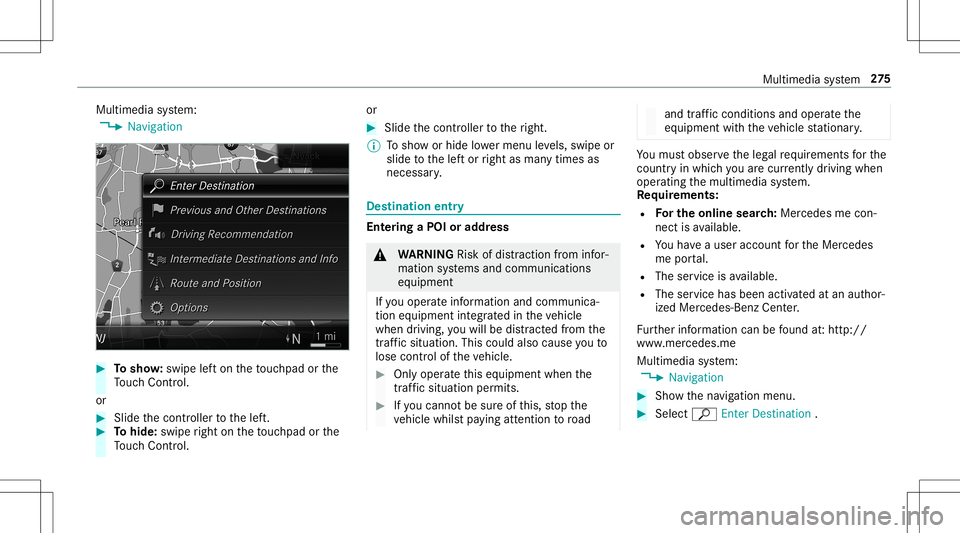
4 Navigation #
Tosho w:swipe lefton theto uc hpad orthe
To uc hCon trol.
or #
Slid eth econ troller tothelef t. #
Tohide: swiperight ontheto uc hpad orthe
To uc hCon trol. or #
Slid eth econ troller totheright.
% Tosho wor hide lowe rmenu leve ls, swipe or
slide tothelef tor right asman ytimes as
necessar y. Des
tinat ion entry Ent
ering aPOI oraddress &
WARNIN GRisk ofdist ra ction from infor‐
mati onsystems andcomm unication s
eq uipment
If yo uoper ateinf ormat ionand comm unic a‐
tio neq uipme ntintegratedin theve hicle
when driving, youwill bedistract ed from the
tr af fic situ ation. Thiscou ldalso cau seyouto
lose control of theve hicle. #
Onlyoper ateth is eq uipmen twhen the
tr af fic situ ation per mits. #
Ifyo ucan notbe sur eof this, stop the
ve hicle whilstpa ying attention toroad and
traffic condi tions andoperate the
eq uipment withth eve hicle statio nary. Yo
umus tobse rveth eleg alrequ iremen tsforth e
cou ntryin whi chyouar ecur rentl ydr ivi ng when
op erati ng themultimedia system.
Re quirement s:
R Forthe online search :Mer cedes mecon‐
nect isavailable.
R Youha ve auser accoun tfo rth eMer cedes
me portal.
R The service isavailable.
R The servicehas been activat ed atan aut hor ‐
ize dMer cedes-Ben zCent er.
Fu rther information canbefound at:ht tp :/ /
www .merced es.me
Mult imed iasystem:
4 Navigation #
Sho wthena vig ation menu. #
Select ªEnter Dest ination . Multimedia
system 27
5
Page 287 of 546

#
Select Yes.
The automatic gasst atio nsear chbegins. The
av ailable gasst atio nsalon gth ero uteor in
th evicinit yar edispla yed. #
Select thega sst atio n. #
When ther eis no route, thega sst atio nis set
as thedes tinat ion.
or #
When ther eis aro ute, thega sst atio nis set
as thene xt int ermediat edes tinat ion.
St arting theaut oma ticser vice station
sear ch
Re quirement s:
R ATTENTION ASSISTand theSuggest Rest
Area function areactiv ated (/ page21 4).
Dr ivi ng situatio n
The ATTENTION ASSISTDoyou wantto sea rch
for arest area?messa geissho wn. #
Selec tYes.
The service statio nsear chstar ts.The availa‐
ble servicest atio nsalon gth ero uteor inthe
vicinity oftheve hicle's current positio nar e
di spl ayed. #
Select theser vice statio n.
The servicest atio naddr essisdispla yed. #
Ifro uteguidan ceisno tact ive, sele ctStart
Rout eGuidan ce.
The selected ser vicest atio nis setas ades ti‐
nat ion.Ro uteguidan cebegin s.
or #
Ifro uteguidan ceisact ive, sele ctStart New
Rout eGuidan ceorSet asNex tWay Point.
St art New RouteGuidan ce:th eselect ed
ser vice statio nis setas ane wdes tinatio n.
The prev ious destination andallintermediat e
des tination sar edele ted. Ro uteguidan ceto
th eser vice statio nbegin s.
Set asNex tWay Point:theselect edser vice
st atio nis setas thene xt int ermediat edes ti‐
nation .Ro uteguidan cebegin s. Ro
uteguidanc e No
teson rout eguidanc e &
WARNIN GRisk ofdist ra ction from oper‐
ati ng integr ated commu nication equip‐
ment whiletheve hicle isin mo tion
If yo uoper ateco mm unic ationeq uipme nt
int egrat edintheve hicle when driving, you
will bedistract edfrom thetra ffic situat ion.
This could alsocause youto lose control of
th eve hicle. #
Onlyoper ateth is eq uipmen twhen the
tr af fic situ ation per mits. #
Ifyo ucan notbe sur eof this, stop the
ve hicle whilstpa ying attention toroad
and traffic condi tions andoperate the
eq uipment withth eve hicle statio nary. Yo
umus tobse rveth eleg alrequ iremen tsforth e
cou ntryin whi chyouar ecur rentl ydr ivi ng when
op erati ng themultimedia system.
Ro uteguidan cebegin son ce aro utehas been
calc ulated. Mult
imed iasystem 285
Page 293 of 546

or
#
Ifro uteguidan ceisact ive, sele ctStart New
Rout eGuidan ceorSet asNex tWay Point.
St art New RouteGuidan ce:th ere cei veddes‐
tin ation addressissetas ane wdes tination.
The prev ious destination sand intermediat e
des tination sar edele ted. Ro uteguidan ceto
th ene wdes tinat ionbegins.
Set asNext WayPoint :th ere cei veddes tina‐
tion addr essissetas thene xt int ermediat e
des tinat ion.Routeguidan cebegin s. #
Ades tination hasbeen receiv edwit hpic‐
tu re informa tion: select Start Route Guid-
ance .
Ro uteguidan cestar ts. Ro
uteguidanc ewith current traf fic re por ts Tr
af fic inf orma tion overview
Tr af fic re por tsarere cei vedusing LiveTr af fic
Inf ormation andareused forro uteguidan ce.
This serviceis una vailable insome countries. %
Ther ema ybe differe nces betwee nth etraf fic
re por tsrecei vedand theactual road and
traf fic condi tions.
Im por tant informa tionon LiveTr af fic Inf orma‐
tion:
R Current traffic repor tsarere cei vedvia the
Int erne tconnection.
R The traf fic situ ation isup datedat shor t,re gu‐
lar interva ls.
R The status oftheser vice subscr iption canbe
displa yed(/ page29 1).
Inf ormation ontheve hicle's position isregular ly
sent toDai mle rAG .The data isimmed iatelyre n‐
de redanon ymous byDai mle rAG and forw arded
to thetra ffic dat apr ov ider .Usin gth is dat a,traf‐
fi c re por tsreleva nt totheve hicle's position are
sent totheve hicle. Thevehicle actsasasensor
fo rth eflow oftraf fic and helpstoimprove the
qu alit yof thetraf fic re por ts.
If yo udo notwa nttotrans mitth eve hicle posi‐
tion, youha ve thefo llo wing option s:
R Youswit choffth etra nsmiss ionoftheve hicle
position (/page263). R
Youha ve theser vice deactiv ated atan
aut hor ized Mercedes- BenzCenter.
Displa yingsubscr iption informat ion
Re quirement s:
R The vehicle iseq uipped withLiv eTr af fic
Inf ormation.
Multime diasystem:
4 Navigation 5
Z Option s
The subscr iption expir ation dateis aut omatic ally
displa yed:
R one mont hbef oreth eex pir ation date.
R one week bef oreth eex pir ation date.
R ontheex pir ation date. #
Todispl aymanu ally:select LiveTraffic Sub-
scription Info.
Depending onthest atus ,on eof thefo llo wing
mess ages appear s:
R theper iod ofvalidity forth esubscr iption
is displa yed.
R thesubscr iption hasexpir ed. Multimedia
system 29
1
Page 296 of 546
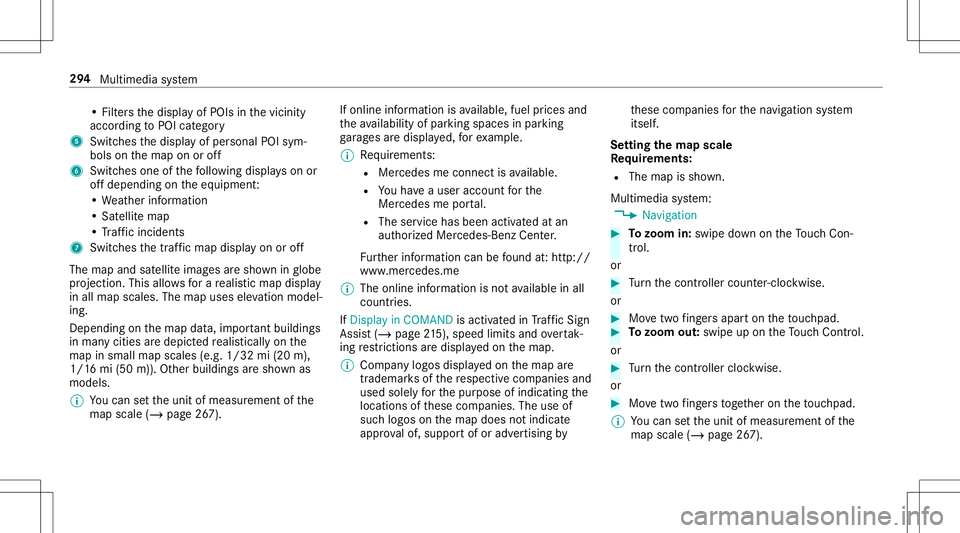
•
Fil ters thedispla yof POIs inthevicinit y
accor dingtoPOI categor y
5 Switc hesthedispla yof per sonal POIsym‐
bols onthemap onoroff
6 Switc hesone ofthefo llo wing displa yson or
of fdepending ontheeq uipment :
• We ather informat ion
• Sat ellit emap
• Traf fic inci dents
7 Switches thetra ffic map displa yon oroff
The map andsatellit eimag esaresho wninglobe
pr oject ion.This allowsfora re alis ticmap displa y
in all map scales. Themap uses elevatio nmod el‐
ing .
Dep endingonthemap data,im por tant buildi ngs
in ma nyciti esaredep icted realis ticallyon the
map insmal lmap scale s(e.g. 1/32 mi(20 m),
1/1 6mi (50 m)). Other buildings aresho wnas
model s.
% Youcan setth eunit ofmeasur ementofthe
map scale (/page26 7). If
online information isavailable, fuelprice sand
th eav ailabilit yof par kingspac esinpar king
ga rage sar edispla yed, forex am ple.
% Requiremen ts:
R Mer cedes meconnectis available.
R Youha ve auser accoun tfo rth e
Mer cedes meportal.
R The service hasbeen activat ed atan
aut hor ized Mercedes -Benz Cent er.
Fu rther information canbefound at:ht tp :/ /
www .merced es.me
% The onlineinf ormat ionisno tav ailable inall
coun tries.
If Dis play inCOMA NDisact ivat ed inTraf fic Sign
Assi st(/ pag e21 5), spee dlimi tsand overtak‐
ing restrictions aredispl ayed on themap.
% Com panylogos displayedon themap are
tra demar ksofthere spectiv ecom panies and
used solely forth epur pose ofindicat ingthe
locat ionsofthese com panies. Theuseof
suc hlogos onthemap does notindicat e
appr oval of, suppo rtof or adv ertising by th
ese com panies forth ena vig ation system
itself.
Se tting thema pscale
Re quirement s:
R The map issho wn.
Multime diasystem:
4 Navigation #
Tozoo min: swi pedown ontheTo uc hCon ‐
tr ol.
or #
Turn thecon troller count er-cloc kwise.
or #
Movetwofing ersap arton theto uc hpad. #
Tozoo mout: swipeup on theTo uc hCon trol.
or #
Turn thecon troller clockwise.
or #
Movetwofing ersto ge ther on theto uc hpad.
% Youcan setth eunit ofmeasur ementofthe
map scale (/page26 7). 29
4
Mul timedi asy stem