lock MERCEDES-BENZ E-CLASS CABRIOLET 2020 User Guide
[x] Cancel search | Manufacturer: MERCEDES-BENZ, Model Year: 2020, Model line: E-CLASS CABRIOLET, Model: MERCEDES-BENZ E-CLASS CABRIOLET 2020Pages: 469, PDF Size: 8.47 MB
Page 75 of 469
Ac
tivating/deactivating the acoustic lo cking
ve rification signal Multimedia sy
stem:
4 © 5
Settings 5
Vehicle #
Activate or deacti vate Acoustic lock .
% Please no
te:
The selected setting forth e acoustic locking
ve rification signal must comply wi th there le‐
va nt national road and traf fic re gulations. In
some countri es, including German y,using
th e acoustic locking verification signal is for‐
bidden bytraf fic la ws(in accordance with
§16 Para. 1 and §30 Para. 1 of the German
national road traf fic re gulations). The driver
of theve hicle must comply with these regu‐
lations. In countri es wherethe use of this
function is forbidden, this function is not
activated in theve hicle and must not be acti‐
va ted. Changing
the unlocking settings Po
ssible unlocking functions of theke y:
R Central unlocking R
Unlocking the driver's door and fuel filler flap #
Toswitch between settings: pressthe
Ü andß buttons simultaneously for
appr oximately six seconds until the indicator
lamp flashes twice.
Options if the unlocking function forth e driver's
door and fuel filler flap has been selec ted:
R Tounlo cktheve hicle centrall y:press the
Ü button twice.
R Vehicles with KEYLESS-GO: ifyo uto uch
th e inner sur face of the door handle on the
driver's door, only the driver's door and fuel
fi ller flap are unlo cked. Deactivating
theke y functions If
yo u do not use theve hicle or a keyfo r an
ex tended pe riod of time, you can reduce the
energy consum ption of there spective key.Todo
so, deactivate theke y functions. #
Todeactivate: presstheß button on the
ke y twice in quick succession.
The key indicator lamp flashes twice brief ly
and lights up once. #
Toactivate: press any button on thekey.
% When theve hicle is star ted with theke y in
th estow age compartment of the cent recon‐
sole, theke y functions are automatical ly
activated (/ page152). Re
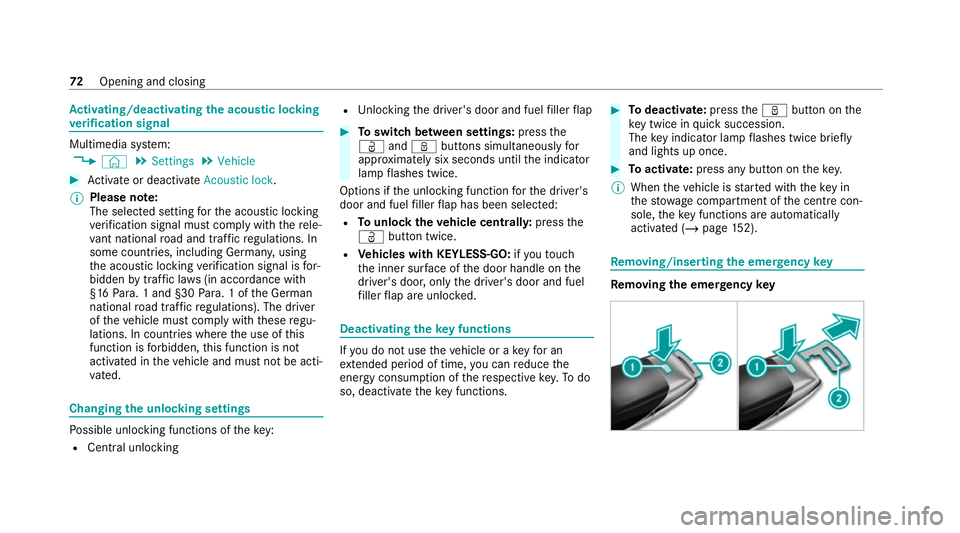
moving/inserting the eme rgency key Re
moving the eme rgency key 72
Opening and closing
Page 77 of 469
#
Insert the new battery into battery compart‐
ment 3. Obser vethe positive pole marking
in the battery compartment and on the bat‐
te ry when doing this. #
Push in battery compartment 3.#
Re-attach co ver1 and push it until it
engages. Problems with
thekey Yo
u can no lon ger lo ckor unlock theve hicle
Po ssible causes:
R The key bat tery iswe ak or dischar ged.
R The key is faulty. #
Check the battery using the indicator lamp
(/ page 71). #
Replace theke y bat tery, if necessary
(/ page 73). #
Use the emer gency keyto lock or unlock
(/ page 72). #
Have theke ych ecked at a qualified specialist
wo rkshop. There is inter
fere nce from a po werful radio
signal source
The key function is impaired by,fo rex ample:
R high voltage po wer lines
R mobile phones
R electronic devices (No tebooks, Tablets)
R shielding due tome tal objects or induction
loops for electrical gatesystems or auto‐
matic bar riers #
Make sure that there is a suf ficient di stance
between theke y and the po tential sou rce of
inter fere nce.
Yo u ha velost a key #
Have theke y deacti vated at a qualified spe‐
cialist workshop. #
If necessar y,ha ve the mechanical lock
re placed as well. Doors
Note
s onthe additional door lock The additional door lock is only
available for
ve hicles forth eUni ted Kingdom. &
WARNING Risk of inju ryto persons
inside theve hicle when the additional
door lock is activated
If th e additional door lock is activated, the
doors can no longer be opened from the
inside. #
Never lea vepersons, in particular chil‐
dren, unat tended in theve hicle. #
Ifth ere are persons in theve hicle, do
not activate the additional door loc k. The additional door lock is automatically activa‐
te d in thefo llowing situations:
R The vehicle is loc ked using thekey.
R The vehicle is loc ked using KEYLESS-GO. 74
Opening and closing
Page 78 of 469
If
th eve hicle has been loc ked via Mercedes me
connect, the additional door lock is not activa‐
te d.
If th e additional door lock is activated, the doors
cann otbe opened from the inside.
% After locking you can issue a signal with the
horn.
Yo u can pr eventthe additional door lock from
being activated bydeactivating interior pr otec‐
tion before locking theve hicle (/ page 95). Un
locking/opening the doors from the inside #
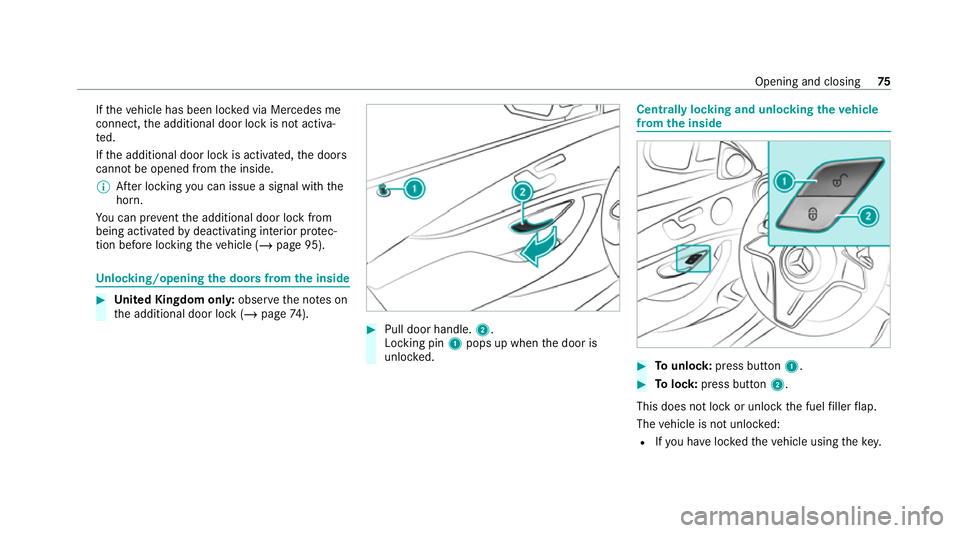
United Kingdom onl y:obser vethe no tes on
th e additional door lock (/ page74). #
Pull door handle. 2.
Locking pin 1pops up when the door is
unloc ked. Centrally locking and unlocking
theve hicle
from the inside #
Tounlo ck:press button 1. #
Tolock: press button 2.
This does not lock or unlock the fuel filler flap.
The vehicle is not unloc ked:
R Ifyo u ha veloc kedth eve hicle using thekey. Opening and closing
75
Page 79 of 469
R
Ifyo u ha veloc kedth eve hicle using KEY‐
LESS-GO. Locking/unlocking
theve hicle with a Digital
Ve hicle Keyst icker Requ
irements:
R theve hicle is equipped with the "Digital Vehi‐
cle Key" function
R a Digital Vehicle Keyst icke r is present
% Affix th e Digital Vehicle Keyst icke rto yo ur
smartphone; see the Supplement.
% Mercedes-Benz recommends that you car ry
th e emer gency key in case of function
re strictions.
If th eve hicle has been par kedfo r longer than
two weeks, the NFC antenna in the door handle
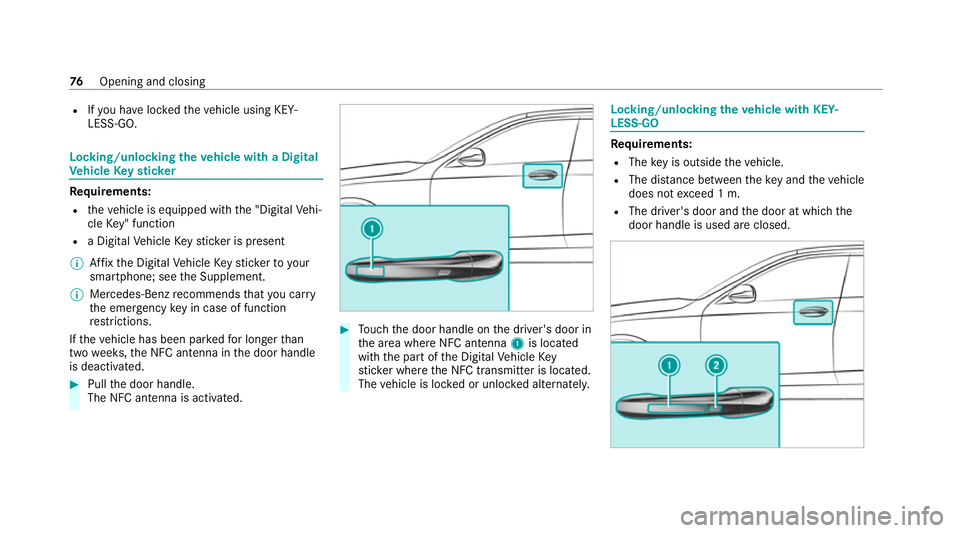
is deactivated. #
Pull the door handle.
The NFC antenna is activated. #
Touch the door handle on the driver's door in
th e area where NFC antenna 1is located
with the part of the Digital Vehicle Key
st icke r where the NFC transmit ter is located.
The vehicle is loc ked or unloc ked alternately. Locking/unlocking
theve hicle with KEY‐
LESS-GO Re
quirements:
R The key is outside theve hicle.
R The dis tance between theke y and theve hicle
does not exceed 1 m.
R The driver's door and the door at which the
door handle is used are closed. 76
Opening and closing
Page 80 of 469
#
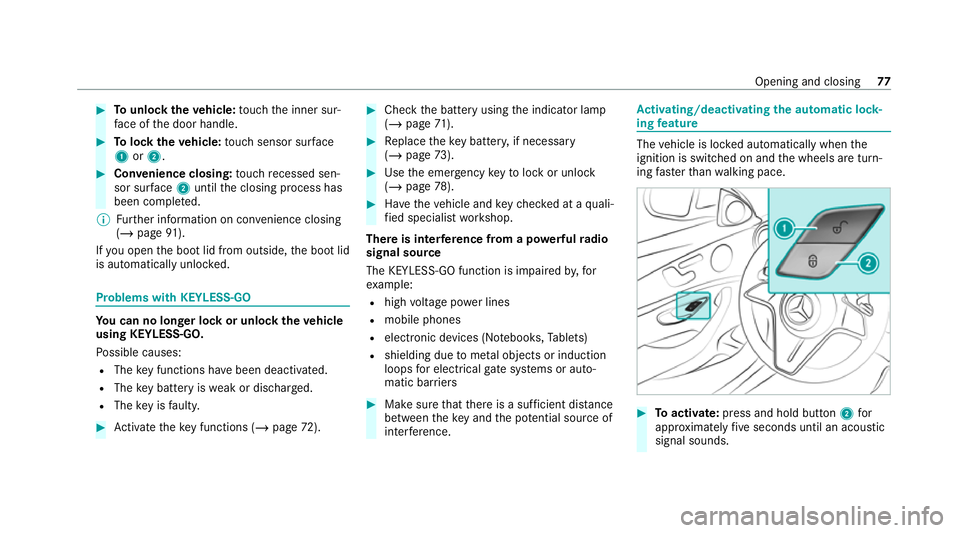
Tounlo cktheve hicle: touch the inner sur‐
fa ce of the door handle. #
Tolock theve hicle: touch sensor sur face
1 or2. #
Convenience closing: touch recessed sen‐
sor su rface 2until the closing process has
been comple ted.
% Further information on con venience closing
(/ page 91).
If yo u open the boot lid from outside, the boot lid
is automatically unloc ked. Problems with KEYLESS-GO
Yo
u can no lon ger lo ckor unlock theve hicle
using KEYLESS-GO.
Po ssible causes:
R The key functions ha vebeen deactivated.
R The key bat tery iswe ak or dischar ged.
R The key is faulty. #
Activate theke y functions (/ page72). #
Check the battery using the indicator lamp
(/ page 71). #
Replace theke y bat tery, if necessary
(/ page 73). #
Use the emer gency keyto lock or unlock
(/ page 78). #
Have theve hicle and keych ecked at a quali‐
fi ed specialist workshop.
There is inter fere nce from a po werful radio
signal source
The KEYLESS-GO function is impaired by,for
ex ample:
R high voltage po wer lines
R mobile phones
R electronic devices (No tebooks, Tablets)
R shielding due tome tal objects or induction
loops for electrical gate systems or auto‐
matic bar riers #
Make sure that there is a suf ficient di stance
between theke y and the po tential sou rce of
inter fere nce. Ac
tivating/deactivating the automatic lo ck‐
ing feature The
vehicle is loc ked automatically when the
ignition is switched on and the wheels are turn‐
ing fast erthan walking pace. #
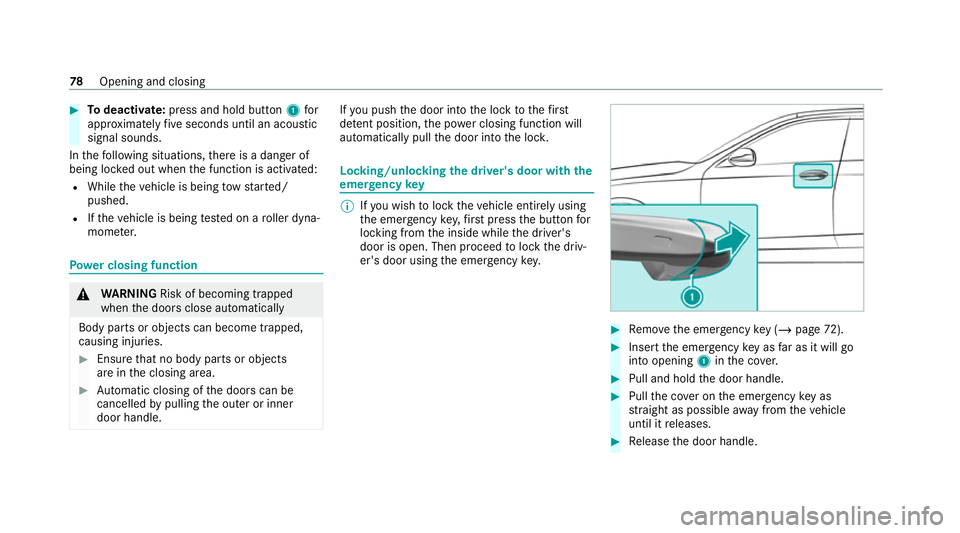
Toactivate: press and hold button 2for
appr oximately five seconds until an acoustic
signal sounds. Opening and closing
77
Page 81 of 469
#
Todeactivate: press and hold button 1for
appr oximately five seconds until an acoustic
signal sounds.
In thefo llowing situations, there is a danger of
being loc ked out when the function is activated:
R While theve hicle is being tow star ted/
pushed.
R Ifth eve hicle is being tested on a roller dyna‐
mome ter. Po
we r closing function &
WARNING Risk of becoming trapped
when the doors close automatically
Body parts or objects can become trapped,
causing injuries. #
Ensure that no body parts or objects
are in the closing area. #
Automatic closing of the doors can be
cancelled bypulling the outer or inner
door handle. If
yo u push the door into the lock tothefirst
de tent position, the po wer closing function will
auto matical lypull the door into the loc k. Locking/unlocking
the driver's door with the
emer gency key %
Ifyo u wish tolock theve hicle entirely using
th e emer gency key,firs t press the button for
locking from the inside while the driver's
door is open. Then proceed tolock the driv‐
er's door using the emer gency key. #
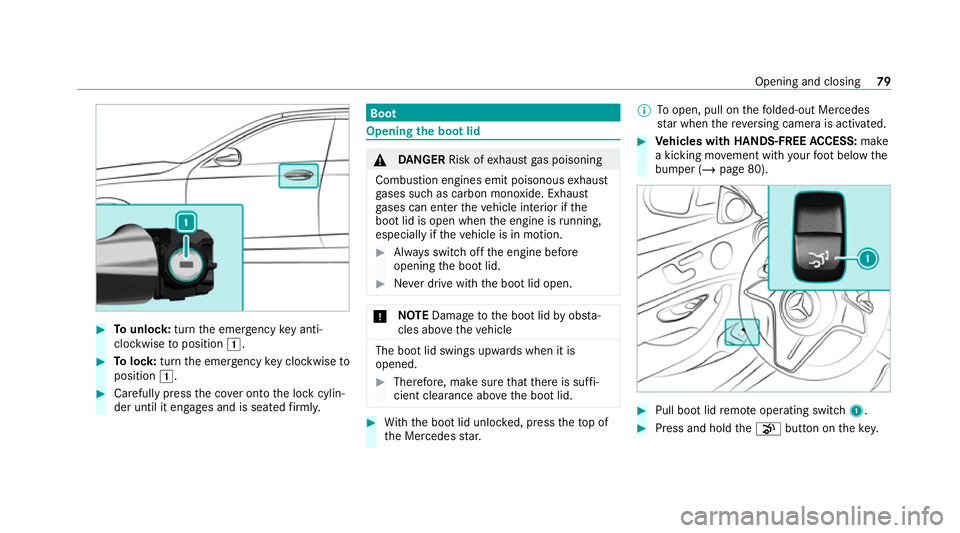
Remo vethe emer gency key ( / page 72). #
Insert the emer gency key as far as it will go
into opening 1inthe co ver. #
Pull and hold the door handle. #
Pull the co ver on the emer gency key as
st ra ight as possible away from theve hicle
until it releases. #
Release the door handle. 78
Opening and closing
Page 82 of 469
#
Tounlo ck:turn the emer gency key anti-
clo ckwise toposition 1. #
Tolock: turnthe emer gency key clo ckwise to
position 1. #
Carefully press the co ver onto the lock cylin‐
der until it engages and is seated firm ly. Boot
Opening the bo
otlid &
DANG ER Risk of exhaust gas poisoning
Combustion engines emit poisonous exhaust
ga ses such as carbon monoxide. Exhaust
ga ses can enter theve hicle interior if the
boot lid is open when the engine is running,
especially if theve hicle is in motion. #
Alw ays switch off the engine before
opening the boot lid. #
Never drive with the boot lid open. *
NO
TEDama getothe boot lid byobs ta‐
cles ab ovetheve hicle The boot lid swings upwards when it is
opened.
#
Therefore, make sure that there is suf fi‐
cient clearance ab ovethe boot lid. #
With th e boot lid unloc ked, press theto p of
th e Mercedes star. %
Toopen, pull on thefo lded-out Mercedes
st ar when there ve rsing camera is activated. #
Vehicles with HANDS-FREE ACCESS: make
a kicking mo vement with your foot below the
bumper (/ page 80). #
Pull boot lid remo teoperating switch 1. #
Press and hold thep button on thekey. Opening and closing
79
Page 84 of 469
Obser
vethefo llowing no tes:
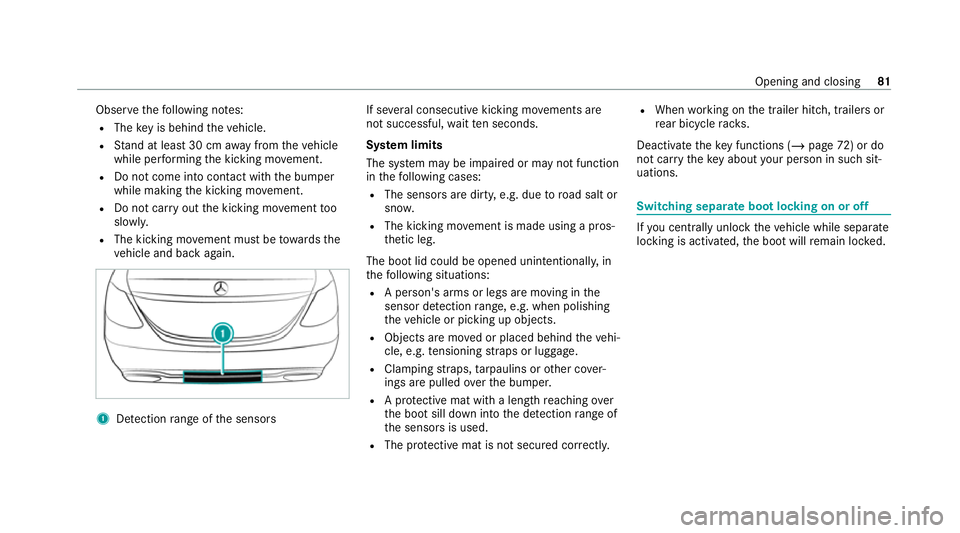
R The key is behind theve hicle.
R Stand at least 30 cm away from theve hicle
while per form ing the kicking mo vement.
R Do not come into contact with the bumper
while making the kicking mo vement.
R Do not car ryout the kicking mo vement too
slowl y.
R The kicking mo vement must be towa rdsthe
ve hicle and back again. 1
Detection range of the sensors If se
veral consecutive kicking mo vements are
not successful, waitte n seconds.
Sy stem limits
The sy stem may be impaired or may not function
in thefo llowing cases:
R The sensors are dirty, e.g. due toroad salt or
sn ow.
R The kicking mo vement is made using a pros‐
th etic leg.
The boot lid could be opened unin tentionally, in
th efo llowing situations:
R A person's arms or legs are moving in the
sensor de tection range, e.g. when polishing
th eve hicle or picking up objects.
R Objects are mo ved or placed behind theve hi‐
cle, e.g. tensioning stra ps or luggage.
R Clamping stra ps, tarp aulins or other co ver‐
ings are pulled overth e bumper.
R A pr otective mat with a length reaching over
th e boot sill down into the de tection range of
th e sensors is used.
R The pr otective mat is not secured cor rectl y. R
When working on the trailer hitch, trailers or
re ar bicycle rack s.
Deactivate theke y functions ( /page 72) or do
not ca rryth eke y about your person in such sit‐
uations. Swit
ching separate boot locking on or off If
yo u centrally unlo cktheve hicle while separate
locking is activated, the boot will remain loc ked. Opening and closing
81
Page 85 of 469
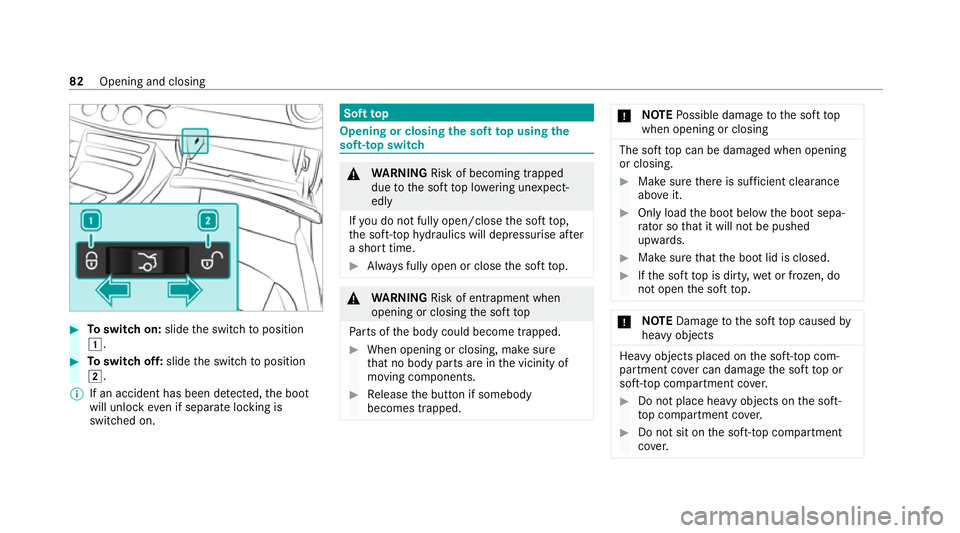
#
Toswitch on: slidethe switch toposition
1. #
Toswitch off: slidethe switch toposition
2.
% If an accident has been de tected, the boot
will unlock even if separate lo cking is
switched on. Soft
top Opening or closing
the soft top using the
so ft-top switch &
WARNING Risk of becoming trapped
due tothe soft top lo wering unexpect‐
ed ly
If yo u do not fully open/close the soft top,
th e soft-to phy draulics will depressurise af ter
a short time. #
Alw ays fully open or close the soft top. &
WARNING Risk of entrapment when
opening or closing the soft top
Pa rts of the body could become trapped. #
When opening or closing, make sure
that no body parts are in the vicinity of
moving components. #
Release the button if somebody
becomes trapped. *
NO
TEPossible damage tothe soft top
when opening or closing The soft
top can be damaged when opening
or closing. #
Make sure there is suf ficient clearance
ab ove it. #
Only load the boot below the boot sepa‐
ra tor so that it will not be pushed
upwards. #
Make sure that the boot lid is closed. #
Ifth e soft top is dirty, wet or frozen, do
not open the soft top. *
NO
TEDama getothe soft top caused by
heavy objects Heavy objects placed on
the soft-to p com‐
partment co ver can dama gethe soft top or
soft-to p compartment co ver. #
Do not place he avy objects on the soft-
to p compartment co ver. #
Do not sit on the soft-to p compartment
co ver. 82
Opening and closing
Page 87 of 469
Re
locking the soft top &
WARNING Risk of becoming trapped
due tothe soft top lo wering unexpect‐
ed ly
If yo u do not fully open/close the soft top,
th e soft-to phy draulics will depressurise af ter
a short time. #
Alw ays fully open or close the soft top. If
th e soft top has not been comple tely lo cked,
th e multifunction display will show the message
Open/close soft top completely. In addition, you
will hear a warning tone for up toten seconds
while driving. #
Stop theve hicle immediately in accordance
with the traf fic conditions. #
Makesure that the ignition is switched on. #
Fully close the soft top using the soft-top
switch. Opening or closing
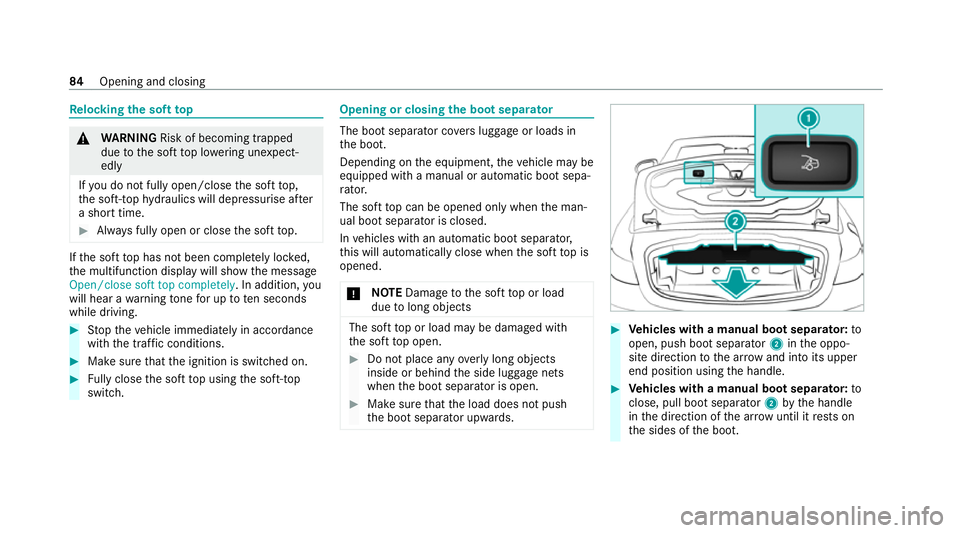
the boot sepa rator The boot separator co
vers luggage or loads in
th e boot.
Depending on the equipment, theve hicle may be
equipped with a manual or automatic boot sepa‐
ra tor.
The soft top can be opened only when the man‐
ual boot separator is closed.
In vehicles with an automatic boot separator,
th is will automatically close when the soft top is
opened.
* NO
TEDama getothe soft top or load
due tolong objects The soft
top or load may be damaged with
th e soft top open. #
Do not place any overly long objects
inside or behind the side luggage nets
when the boot separator is open. #
Make sure that the load does not push
th e boot separator upwards. #
Vehicles with a manual boot separator: to
open, push boot separator 2inthe oppo‐
site direction tothe ar row and into its upper
end position using the handle. #
Vehicles with a manual boot separator: to
close, pull boot separator 2bythe handle
in the direction of the ar row until it rests on
th e sides of the boot. 84
Opening and closing