ad blue MERCEDES-BENZ E-CLASS CABRIOLET 2020 Owner's Guide
[x] Cancel search | Manufacturer: MERCEDES-BENZ, Model Year: 2020, Model line: E-CLASS CABRIOLET, Model: MERCEDES-BENZ E-CLASS CABRIOLET 2020Pages: 469, PDF Size: 8.47 MB
Page 442 of 469
!
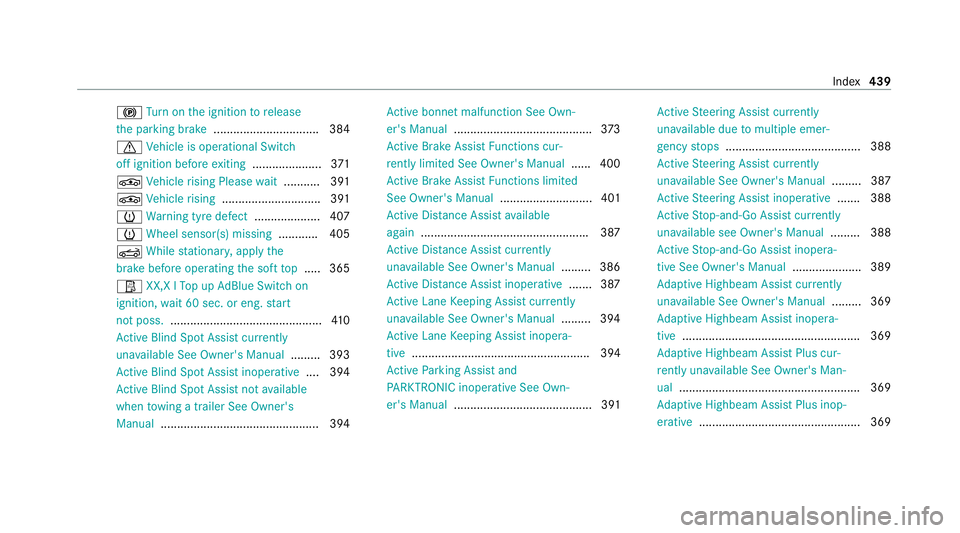
Turn on the ignition torelease
th e parking brake ................................ 384
d Vehicle is operational Switch
off ignition before exiting .................... .371
É Vehicle rising Please wait.......... .391
É Vehicle rising .............................. 391
h Warning tyre defect .................... 407
h Wheel sensor(s) missing ............ 405
K While stationar y,apply the
brake before operating the soft top .....3 65
Ø XX,X l Top up AdBlue Switch on
ignition, wait 60 sec. or eng. start
not poss. .............................................. 41 0
Ac tive Blind Spot Assi stcur rently
una vailable See Owner's Manual .........393
Ac tive Blind Spot Assi stinope rative .... 394
Ac tive Blind Spot Assi stnot available
when towing a trailer See Owner's
Manual ................................................ 394 Ac
tive bonnet malfunction See Own‐
er's Manual .......................................... 373
Ac tive Brake Assi stFunctions cur‐
re ntly limited See Owner's Manual ...... 400
Ac tive Brake Assi stFunctions limited
See Owner's Manual ............................ 401
Ac tive Dis tance Assi stavailable
again .................................................. .387
Ac tive Dis tance Assi stcur rently
una vailable See Owner's Manual .........386
Ac tive Dis tance Assi stinope rative ....... 387
Ac tive Lane Keeping Assist cur rently
una vailable See Owner's Manual .........394
Ac tive Lane Keeping Assist inopera‐
tive ...................................................... 394
Ac tive Parking Assist and
PA RKTRONIC inoperati veSee Own‐
er's Manual .......................................... 391 Ac
tive Steering Assist cur rently
una vailable due tomultiple emer‐
ge ncy stops ......................................... 388
Ac tive Steering Assist cur rently
una vailable See Owner's Manual .........387
Ac tive Steering Assist inoperative .......388
Ac tive Stop-and-Go Assist cur rently
una vailable see Owner's Manual .........388
Ac tive Stop-and-Go Assist inopera‐
tive See Owner's Manual ..................... 389
Ad aptive Highbeam Assist cur rently
una vailable See Owner's Manual .........369
Ad aptive Highbeam Assist inopera‐
tive ...................................................... 369
Ad aptive Highbeam Assist Plus cur‐
re ntly una vailable See Owner's Man‐
ual ...................................................... .369
Ad aptive Highbeam Assist Plus inop‐
erative ................................................ .369 Index
439
Page 451 of 469
Lu
ggage
Lu ggage net ......................................... 11 7
Secu ring ............................................... 11 3
Lu mbar support
see Lumbar support (4-w ay)
Lu mbar support (4-w ay)........................ .100 M
MAGIC VISION CONTROL Windsc reen wipers .............................. 13 4
Maintenance see ASS YST PLUS
Malfunction Restra int sy stem ................................... 36
Manoeuvring assistant Activating/deactivating ...................... .224
Cross Traf fic Alert ................................ 224
Drive AwayAssi st................................ 223
Map ........................................................... 262
Displaying online map contents .......... 263
Displaying weather information .......... .263
Moving ................................................ 262
Selecting the map orientation .............2 62Setting
the map scale .......................... 262
Switching mo torw ay information
on/off ................................................ .262
Massage prog rammes
Overview ............................................ .103
Re setting the settings .......................... 104
Massage prog rams
Selecting the front seats ..................... 104
Massage settings Resetting ............................................. 104
Matt finish (cleaning instructions) ........ 297
Maximum gross vehicle weight ............ .343
Maximum speed see Limi ter
MBUX multimedia sy stem ...................... 24 8
Ac tivating/deactivating standby
mode .................................................. .180
Configu ring drive program I ................. 16 3
No tes ................................................... 24 8
Overview ............................................. 24 8
Setting route-based speed adap ta‐
tion ...................................................... 200
St andby mode function ...................... .180 Media
Overview of the functions and sym‐
bols ..................................................... 280
Media mode Connecting Blue tooth®
audio equip‐
ment .................................................... 282
Medical aids .............................................. .30
Memory function Function ............................................... 111
Head-up display — Calling up stored
settings ................................................ 11 2
Head-up display — Storing settings ...... 11 2
Operating ............................................. 11 2
Outside mir rors — Calling up stored
settings ................................................ 11 2
Outside mir rors —St oring settings .......1 12
Seat — Calling up stored settings ......... 11 2
Seat — Storing settings ........................ 11 2
St eering wheel — Calling up sa ved
settings ................................................ 11 2
St eering wheel — Saving settings ......... 11 2
Menu (on-board computer) Head-up display ................................... 24 6
Overview ............................................. 24 3448
Index
Page 453 of 469
Na
vigation
see Destination entry
see Map
see Route
Ne arField Communication (NFC)
Locking theve hicle (Digital Vehicle
Ke yst icke r) ............................................ 76
St arting theve hicle (Digital Vehicle
Ke yst icke r) .......................................... 15 2
Un locking theve hicle (Digital Vehicle
Ke yst icke r) ............................................ 76
Ne utral
Engaging .............................................. 16 5
Note s........................................................ 15 5
Optimised acceleration ........................ 15 5O
Occupant saf ety
see Airbag
see Automatic front passenger front
airbag shutoff
see Pets in theve hicle
see PRE-SAFE ®
(anticipatory occu‐
pant pr otection) see PRE-SAFE
®
PLUS (anticipatory
occupant pr otection plus)
see Restra int sy stem
see Seat belt
Oil see Engine oil
On-board computer ................................. 24 3
Displ aying the service due date ........... 288
Head-up display menu .........................2 46
Multifunction display ........................... 24 5
Operating ............................................ 24 3
Overview of menus .............................. 24 3
On-board diagnostics inter face
see Diagno stics connection
On-boa rdelectronics
Engine electronics .............................. .341
No tes ................................................... 341
Tw o-w ayradios .................................... 341
Online services Data storage .......................................... 33
Online services see In-Car Of fice
Open-source so ftwa re .............................. 34 Opening the bo
otlid using your foot
HANDS-FREE ACCESS .......................... .80
Operating fluids
Ad Blue ®
............................................... 350
Ad ditives (fuel) .................................... 348
Brake fluid .......................................... .353
Coolant (engine) .................................. 353
Engine oil ............................................. 351
Fu el (diesel) ......................................... 348
Fu el (petrol) ......................................... 347
No tes .................................................. 345
Wi ndsc reen washer fluid .................... .354
Operating saf ety
48 V on-boa rdelectrical sy stem ............ 22
Declaration of confo rmity (elect ro‐
magnetic compatibility) ......................... 24
Declaration of conformity (ja ck) ............ 27
Declaration of conformity (TIREFIT kit) .. 28
Declaration of conformity (wireless
ve hicle components) ............................. 24
EQ Boo st............................................... 22
Information ............................................ 22
Ope rating sy stem
see On-board computer 450
Index
Page 455 of 469
PRE-SAFE
®
(anticipatory occupant
pr otection) ................................................ .50
Fu nction ................................................ 50
PRE-SAFE ®
Sound ................................. 50
Re versing measures .............................. 50
PRE- SAFE®
PLUS (anticipa tory occu‐
pant pr otection plus) ................................ .51
Fu nction ................................................. 51
Re versing measures .............................. 50
Pr ev entative occupant pr otection sys‐
tem
see PRE-SAFE ®
(anticipatory occu‐
pant pr otection)
Profile .......................................................2 52
Creating a new profile ......................... 253
No tes .................................................. 252
Selecting profile options ..................... 253
Prog rams
see DYNA MIC SELECT
Pr otection against collision ...................223
Pr otection of the environment
No tes ..................................................... 20
Ta ke -ba ckof end-of-life vehicles ............ 20 Pulling
away
see No tes Q
QR code Rescue card ...........................................31
Qualified specialist workshop ................. 29 R
Ra dar and ultrasonic senso rs
Damage ............................................... 181
Ra dio
Overview of the functions and sym‐
bols ..................................................... 284
Ra dio ope rating permits ......................... 343
Ra in-closing feature
Side wind ows........................................ 90
REA CHregulation ...................................... 30
Re ading light
see Interior lighting
Re ar fog light
Switching on/off .................................1 23Re
ar seat
see Seat
Re ar seat belt
St atus display ........................................ 41
Re ar seat belt status display .................... 41
Re ar window heater ................................ 13 9
Re ar-view mir ror
see Outside mir rors
Re cycling
see Take -ba ckof end-of-life vehicles
Re ducing agent
see AdBlue ®
Re fuelling
Re fuelling theve hicle .......................... 16 9
To pping up AdBlue ®
............................. 172
Re gistration
Ve hicle .................................................. 29
Re mo tecont rol (stationa ryheater/
ve ntilation)
Displa ys............................................... 14 6
Problems ............................................. 147
Re placing the battery .......................... 14 6
Setting ................................................. 14 5452
Index
Page 459 of 469
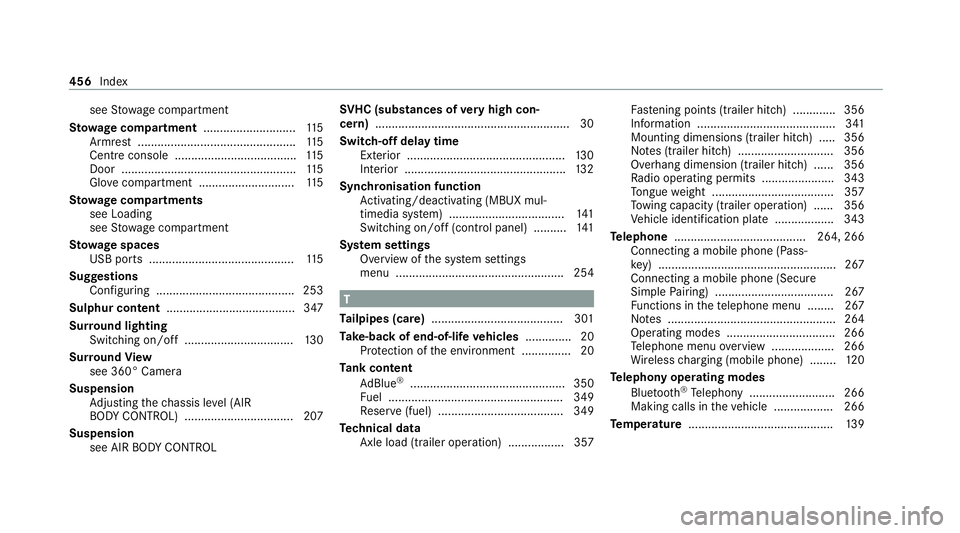
see
Stow age compartment
St ow age comp artment............................ 11 5
Armrest ................................................ 11 5
Centre console .................................... .115
Door ..................................................... 11 5
Glo vecompa rtment ............................. 11 5
St ow age comp artments
see Loading
see Stow age compartment
St ow age spaces
USB ports ............................................ 11 5
Suggestions Configuring .......................................... 253
Sulphur content ....................................... 347
Sur round lighting
Switching on/off ................................. 13 0
Sur round View
see 360° Camera
Suspension Adjusting thech assis le vel (AIR
BO DY CONTROL) .................................2 07
Suspension see AIR BODY CONTROL SV
HC (substances of very high con‐
cern ).......................................................... .30
Switch-off delay time Exterior ................................................ 13 0
Interior ................................................. 13 2
Synchronisation function Activating/deactivating (MBUX mul‐
timedia sy stem) ................................... 141
Switching on/off (control panel) .......... 141
Sy stem settings
Overview of the sy stem settings
menu ................................................... 254 T
Ta ilpipes (care) ........................................ 301
Ta ke -back of end-of-life vehicles .............. 20
Pr otection of the environment ............... 20
Ta nk content
Ad Blue ®
............................................... 350
Fu el ..................................................... 349
Re ser ve(fuel) ...................................... 349
Te ch nical data
Axle load (trailer operation) ................. 357 Fa
stening points (trailer hitch) .............3 56
Information .......................................... 341
Mounting dimensions (trailer hitch) ..... 356
No tes (trailer hitch) ............................. 356
Overhang dimension (trailer hitch) ...... 356
Ra dio operating permits ...................... 343
To ngue weight .................................... .357
To wing capacity (trailer operation) ...... 356
Ve hicle identification plate .................. 343
Te lephone ........................................ 264, 266
Connecting a mobile phone (Pass‐
ke y) ...................................................... 267
Connecting a mobile phone (Secure
Simple Pairing) .................................... 267
Fu nctions in thete lephone menu ........ 267
No tes ................................................... 264
Operating modes ................................. 266
Te lephone menu overview ...................2 66
Wi reless charging (mobile phone) ........ 12 0
Te lephony operating modes
Blue tooth ®
Te lephony .......................... 266
Making calls in theve hicle .................. 266
Te mp erature ............................................ 13 9456
Index