CD changer MERCEDES-BENZ E-Class COUPE 2010 C212 Comand Manual
[x] Cancel search | Manufacturer: MERCEDES-BENZ, Model Year: 2010, Model line: E-Class COUPE, Model: MERCEDES-BENZ E-Class COUPE 2010 C212Pages: 224, PDF Size: 7.4 MB
Page 137 of 224
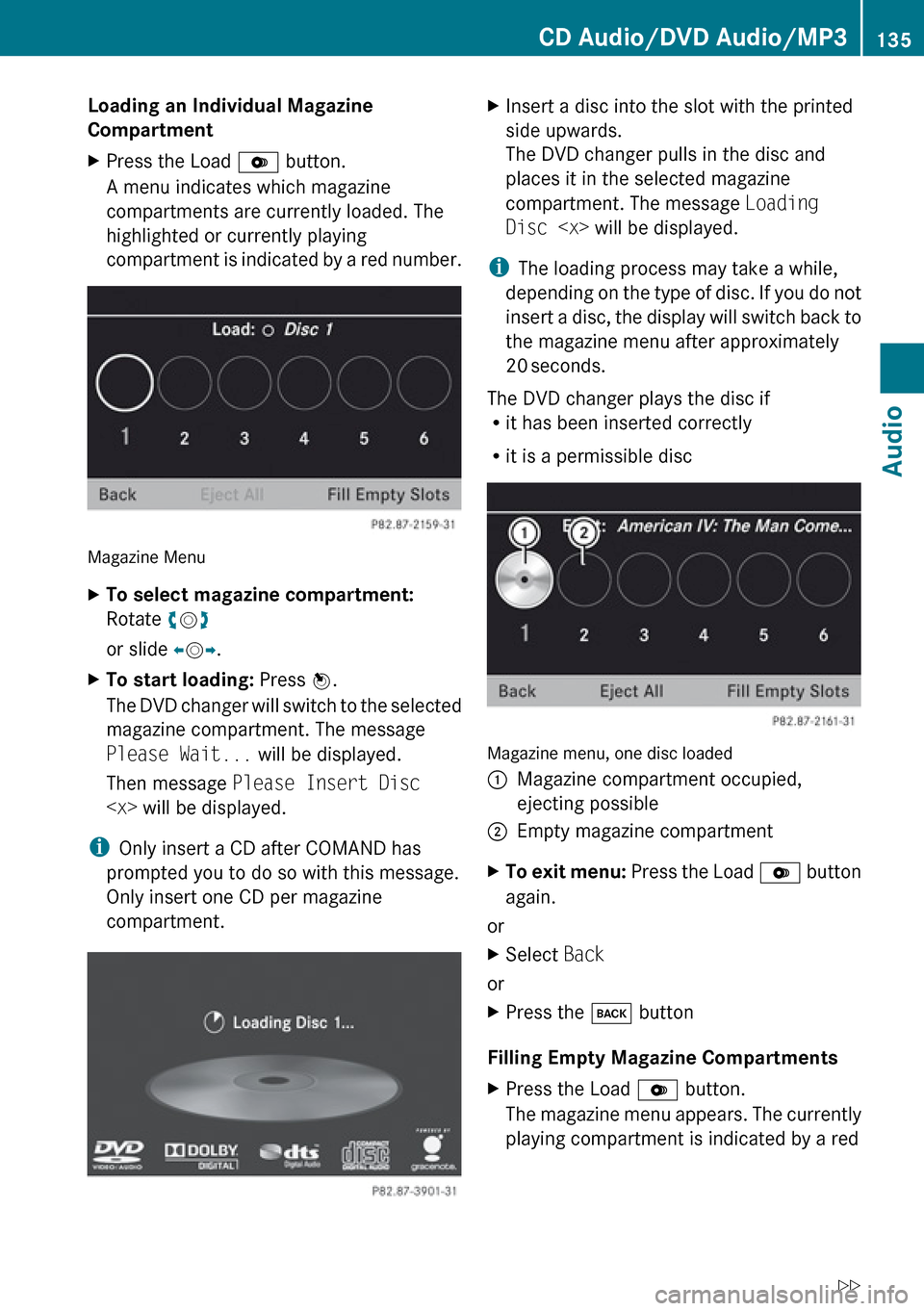
Loading an Individual Magazine
CompartmentXPress the Load V button.
A menu indicates which magazine
compartments are currently loaded. The
highlighted or currently playing
compartment is indicated by a red number.
Magazine Menu
XTo select magazine compartment:
Rotate ym z
or slide om p.XTo start loading: Press n.
The DVD changer will switch to the selected
magazine compartment. The message
Please Wait... will be displayed.
Then message Please Insert Disc
i
Only insert a CD after COMAND has
prompted you to do so with this message.
Only insert one CD per magazine
compartment.
XInsert a disc into the slot with the printed
side upwards.
The DVD changer pulls in the disc and
places it in the selected magazine
compartment. The message Loading
Disc
i
The loading process may take a while,
depending on the type of disc. If you do not
insert a disc, the display will switch back to
the magazine menu after approximately
20 seconds.
The DVD changer plays the disc if
R it has been inserted correctly
R it is a permissible disc
Magazine menu, one disc loaded
1Magazine compartment occupied,
ejecting possible2Empty magazine compartmentXTo exit menu: Press the Load V button
again.
or
XSelect Back
or
XPress the k button
Filling Empty Magazine Compartments
XPress the Load V button.
The magazine menu appears. The currently
playing compartment is indicated by a redCD Audio/DVD Audio/MP3135AudioZ
Page 138 of 224
number or, if the magazine is empty,
compartment 1 is marked.XSelect Fill Empty Slots .
The message Please insert disc
will be displayed.
i Only insert a CD after COMAND has
prompted you to do so with this message.
Only insert one CD per magazine
compartment.
XInsert a disc into the slot with the printed
side facing upwards.
You see the Please wait... message.
Once the disc is loaded, the DVD changer
switches to the next empty compartment.
You see these messages: Please wait
and then Please insert disc
loaded.
The DVD changer plays the last disc you
loaded if it has been inserted correctly and
if it is a permissible type.
If loading is not completed, COMAND plays
the first disc inserted.XTo end loading procedure: Press the Load
V button again.
or
XSelect Back.
or
XPress the k button next to the
COMAND controller.
Loading PCMCIA Memory Card
GWarning
Only load a memory card when the vehicle is
stationary. There is a risk of accident by being
distracted from road and traffic conditions if
you load a memory card while the vehicle is
in motion.
Bear in mind that at a speed of just 30 mph
(appr. 50 km/h), your vehicle is covering a
distance of 44 feet (appr. 14 m) every second.
COMAND supports 16-bit full-size type I and II
PCMCIA memory cards.
i COMAND supports commercially
available PCMCIA cards or PCMCIA card
adapters with storage media that may not
be designed for the temperatures which
occur in the vehicle. You should therefore
remove the PCMCIA card from the vehicle
when not in use since extreme
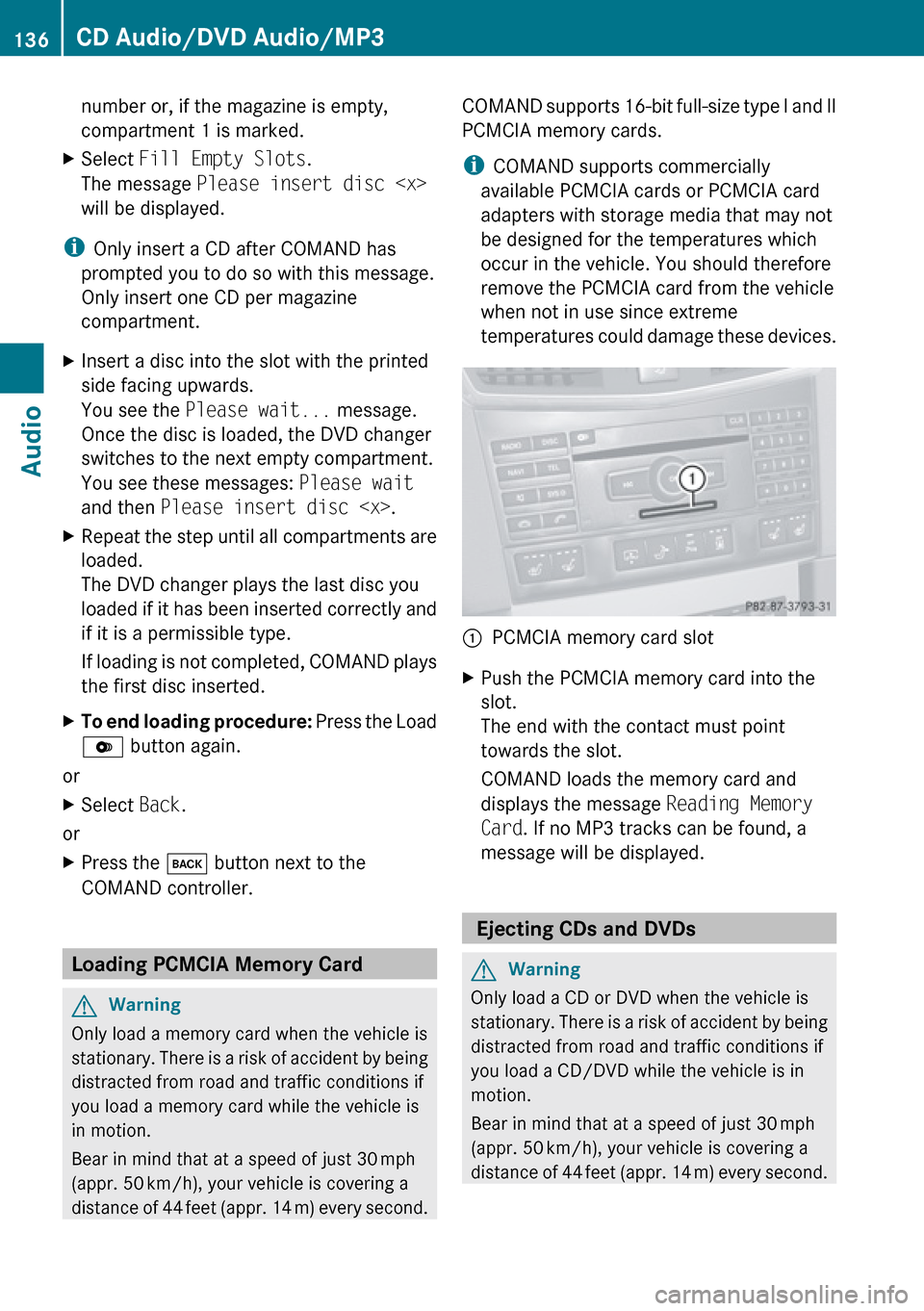
temperatures could damage these devices.1PCMCIA memory card slotXPush the PCMCIA memory card into the
slot.
The end with the contact must point
towards the slot.
COMAND loads the memory card and
displays the message Reading Memory
Card . If no MP3 tracks can be found, a
message will be displayed.
Ejecting CDs and DVDs
GWarning
Only load a CD or DVD when the vehicle is
stationary. There is a risk of accident by being
distracted from road and traffic conditions if
you load a CD/DVD while the vehicle is in
motion.
Bear in mind that at a speed of just 30 mph
(appr. 50 km/h), your vehicle is covering a
distance of 44 feet (appr. 14 m) every second.
136CD Audio/DVD Audio/MP3Audio
Page 139 of 224
iIf you eject a disc while another is being
played, the DVD changer interrupts
playback. Playback will continue once the
disc has been ejected completely.
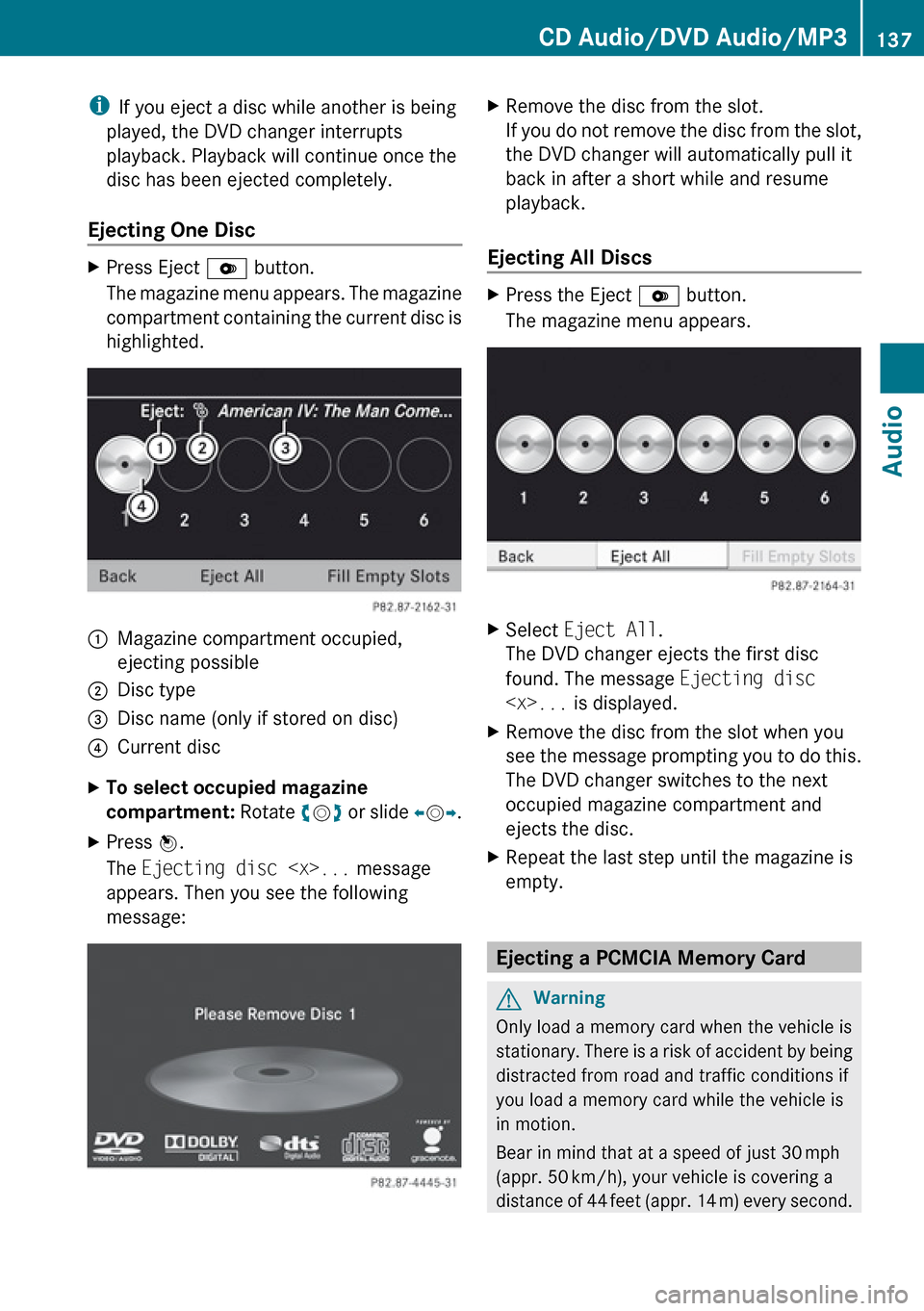
Ejecting One DiscXPress Eject V button.
The magazine menu appears. The magazine
compartment containing the current disc is
highlighted.1Magazine compartment occupied,
ejecting possible2Disc type3Disc name (only if stored on disc)4Current discXTo select occupied magazine
compartment: Rotate ym z or slide om p.XPress n.
The Ejecting disc
appears. Then you see the following
message:XRemove the disc from the slot.
If you do not remove the disc from the slot,
the DVD changer will automatically pull it
back in after a short while and resume
playback.
Ejecting All Discs
XPress the Eject V button.
The magazine menu appears.XSelect Eject All .
The DVD changer ejects the first disc
found. The message Ejecting disc
see the message prompting you to do this.
The DVD changer switches to the next
occupied magazine compartment and
ejects the disc.XRepeat the last step until the magazine is
empty.
Ejecting a PCMCIA Memory Card
GWarning
Only load a memory card when the vehicle is
stationary. There is a risk of accident by being
distracted from road and traffic conditions if
you load a memory card while the vehicle is
in motion.
Bear in mind that at a speed of just 30 mph
(appr. 50 km/h), your vehicle is covering a
distance of 44 feet (appr. 14 m) every second.
CD Audio/DVD Audio/MP3137AudioZ
Page 140 of 224
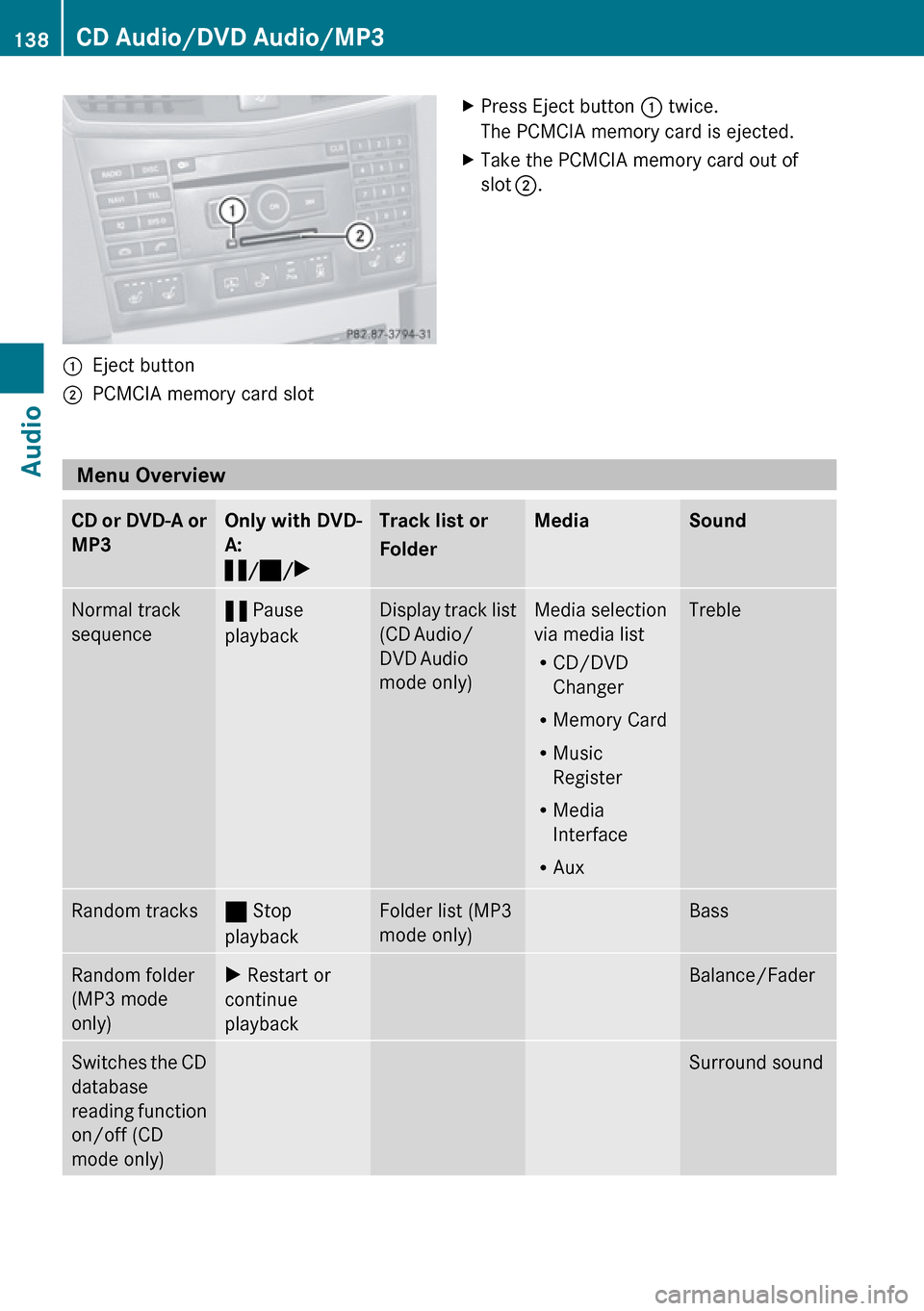
1Eject button2PCMCIA memory card slotXPress Eject button 1 twice.
The PCMCIA memory card is ejected.XTake the PCMCIA memory card out of
slot 2 .
Menu Overview
CD or DVD-A or
MP3Only with DVD-
A:
« /± /XTrack list or
FolderMediaSoundNormal track
sequence« Pause
playbackDisplay track list
(CD Audio/
DVD Audio
mode only)Media selection
via media list
R CD/DVD
Changer
R Memory Card
R Music
Register
R Media
Interface
R AuxTrebleRandom tracks± Stop
playbackFolder list (MP3
mode only)BassRandom folder
(MP3 mode
only)X Restart or
continue
playbackBalance/FaderSwitches the CD
database
reading function
on/off (CD
mode only)Surround sound138CD Audio/DVD Audio/MP3Audio
Page 141 of 224
Switching to CD Audio, DVD Audio or
MP3 Mode
From the Control PanelXInsert a CD/DVD (Y page 134) or a PCMCIA
memory card ( Y page 136).
COMAND loads the medium inserted and
begins playback.
or
XPress the h function button.
i
Pressing the function button switches
directly to the disc mode selected last
(CD Audio, DVD Audio, MP3-CD or DVD
Video). COMAND then accesses all discs in
the DVD changer, the memory card or the
Music Register.
XIf necessary, select CD/DVD Audio/ MP3
media ( Y page 141).
or
XWhen playing a video DVD: Open the
media list as described in "Selecting DVD
media" ( Y page 141).XSelect an audio storage medium.
This switches to the required disc mode.
Via the COMAND Controller
From Another Main Function
XSelect Audio£Audio £Disc or
Memory Card or Music Register in the
audio menu display.
i If the desired mode is also the last active
mode, you only need to select Audio.
Within the Audio Function
XSelect Audio£Disc or Memory card in
the audio menu display.
i Disc accesses audio discs in the DVD
changer. Memory Card selects the slot for
the PCMCIA memory card.
XSelect CD/DVD Audio/MP3 as required
( Y page 141).
The desired disc mode is activated.
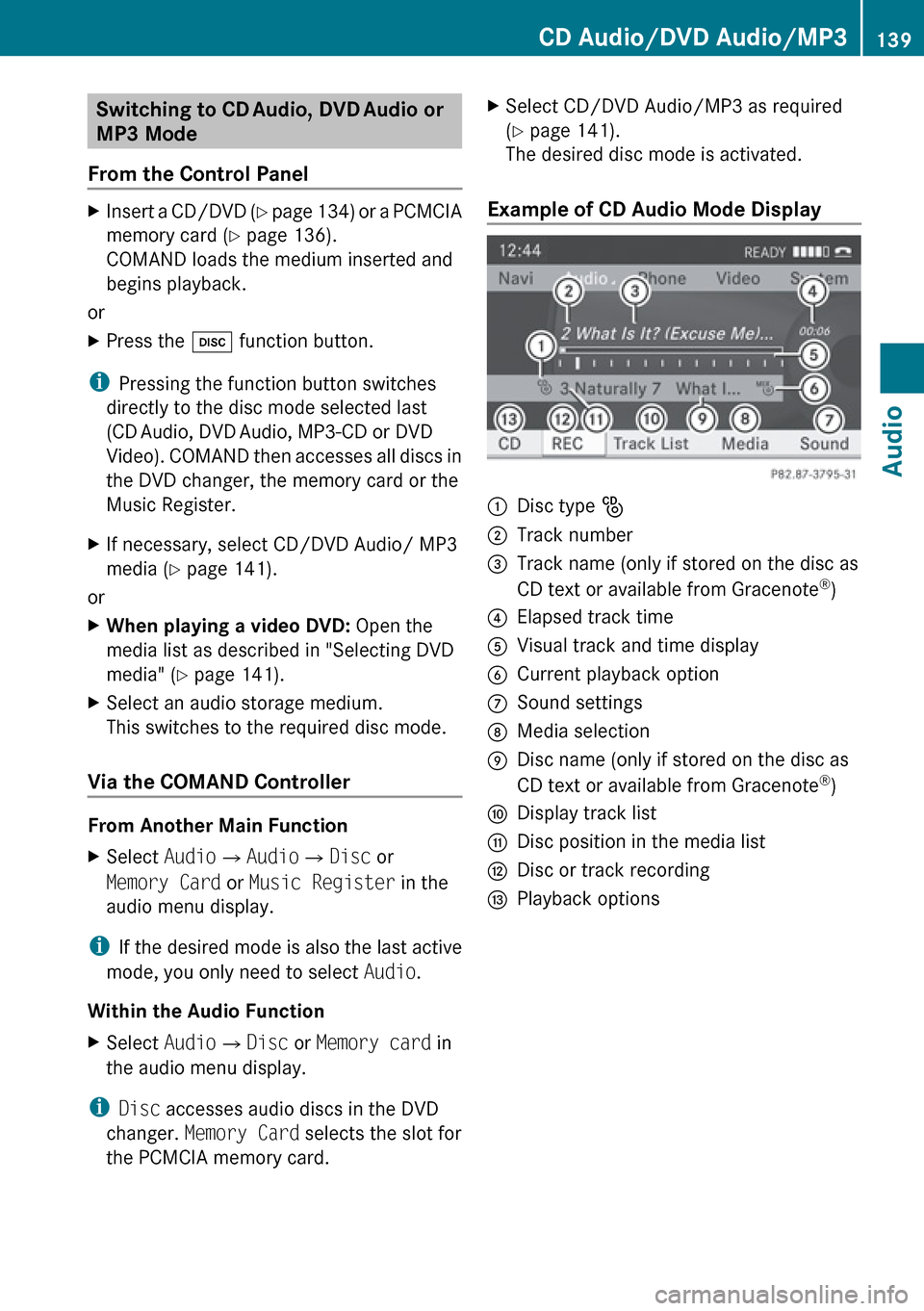
Example of CD Audio Mode Display
1Disc type _2Track number3Track name (only if stored on the disc as
CD text or available from Gracenote ®
)4Elapsed track time5Visual track and time display6Current playback option7Sound settings8Media selection9Disc name (only if stored on the disc as
CD text or available from Gracenote ®
)aDisplay track listbDisc position in the media listcDisc or track recordingdPlayback optionsCD Audio/DVD Audio/MP3139AudioZ
Page 143 of 224
Only in DVD Audio modeXTo pause playback: Switch to DVD Audio
mode.XSelect «.
The display « changes to X.XTo resume playback: Switch to DVD
Audio mode.
Playback continues from the point where it
was paused.XSelect X.
The display X changes to «.
Selecting CD/DVD Audio/MP3 Media
XIn CD Audio, DVD Audio and MP3
mode: Select Media.
or
XIn CD Audio and DVD Audio mode only:
Press n when the main area is highlighted.
The media list appears. The dot R
indicates the medium currently playing.
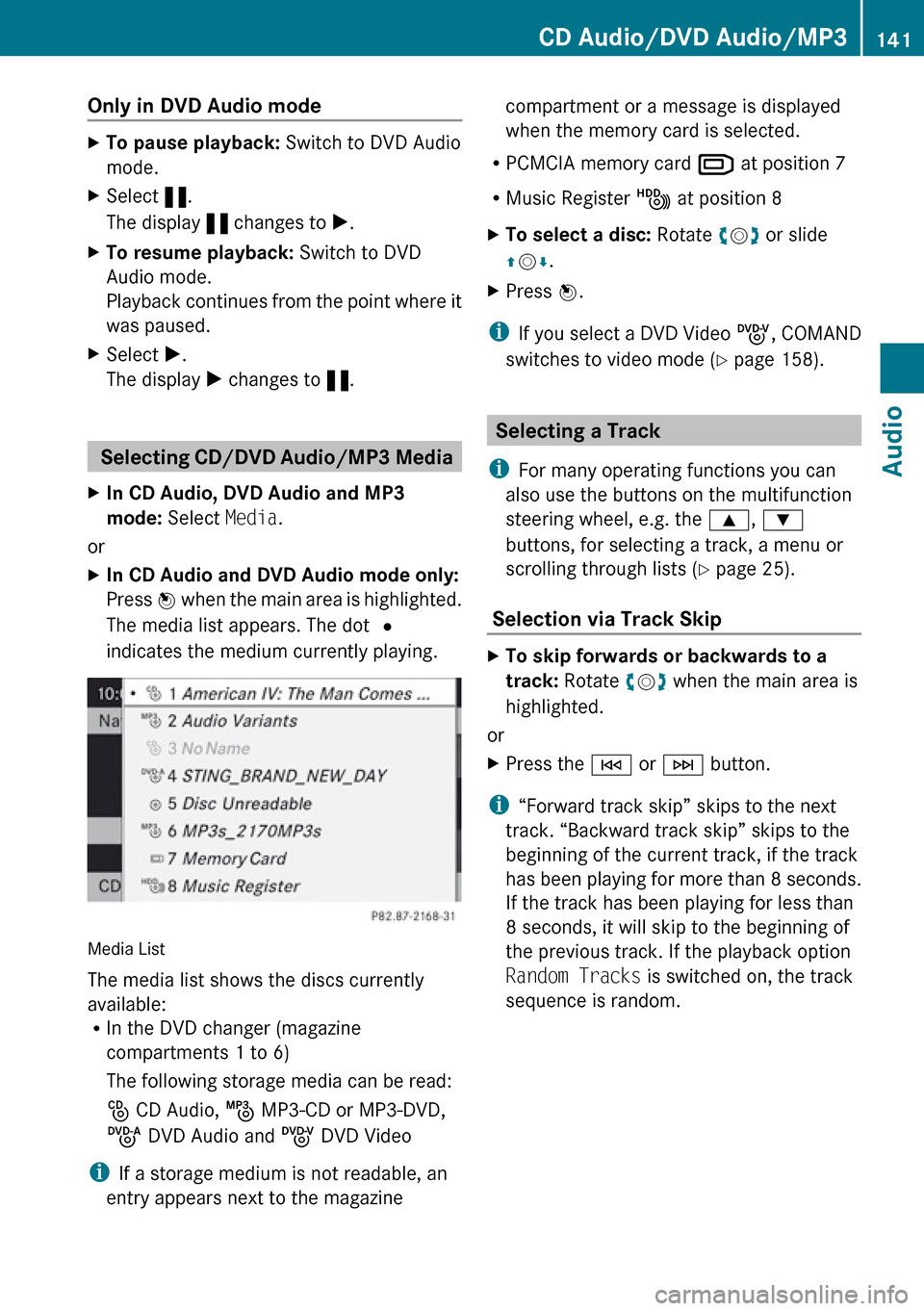
Media List
The media list shows the discs currently
available:
R In the DVD changer (magazine
compartments 1 to 6)
The following storage media can be read:
_ CD Audio, þ MP3-CD or MP3-DVD,
ü DVD Audio and ý DVD Video
i If a storage medium is not readable, an
entry appears next to the magazine
compartment or a message is displayed
when the memory card is selected.
R PCMCIA memory card º at position 7
R Music Register Ñ at position 8XTo select a disc: Rotate ym z or slide
q m r.XPress n.
i
If you select a DVD Video ý, COMAND
switches to video mode ( Y page 158).
Selecting a Track
i For many operating functions you can
also use the buttons on the multifunction
steering wheel, e.g. the 9, :
buttons, for selecting a track, a menu or
scrolling through lists ( Y page 25).
Selection via Track Skip
XTo skip forwards or backwards to a
track: Rotate ym z when the main area is
highlighted.
or
XPress the E or F button.
i
“Forward track skip” skips to the next
track. “Backward track skip” skips to the
beginning of the current track, if the track
has been playing for more than 8 seconds.
If the track has been playing for less than
8 seconds, it will skip to the beginning of
the previous track. If the playback option
Random Tracks is switched on, the track
sequence is random.
CD Audio/DVD Audio/MP3141AudioZ
Page 160 of 224
DVD-Video«/X±MediaSoundActive Aud./Vid.
Source for the RearRear Audio/Video
OffDVD Video
Switching to DVD Video
From the Control Panel
XInsert a DVD Video ( Y page 134).
COMAND loads the medium inserted and
starts playing it.
or
XFrom another main function: Press the
h function button.
The function button takes you directly to
the last active disc mode (CD Audio , DVD
Audio , MP3 CD, Media Interface or DVD
Video). COMAND accesses all discs in the
DVD changer.
If you previously selected DVD Video mode,
it will now be switched on.
If you have another disc mode activated:XSelect Media.
The media list appears.XSelect a DVD Video ( Y page 159).
Via COMAND Controller
XSelect Video from the main function line.
Displaying/Hiding Control Menu
XTo show: Slide qm r.XTo hide: Slide qm r.
or
XWait approximately eight seconds.
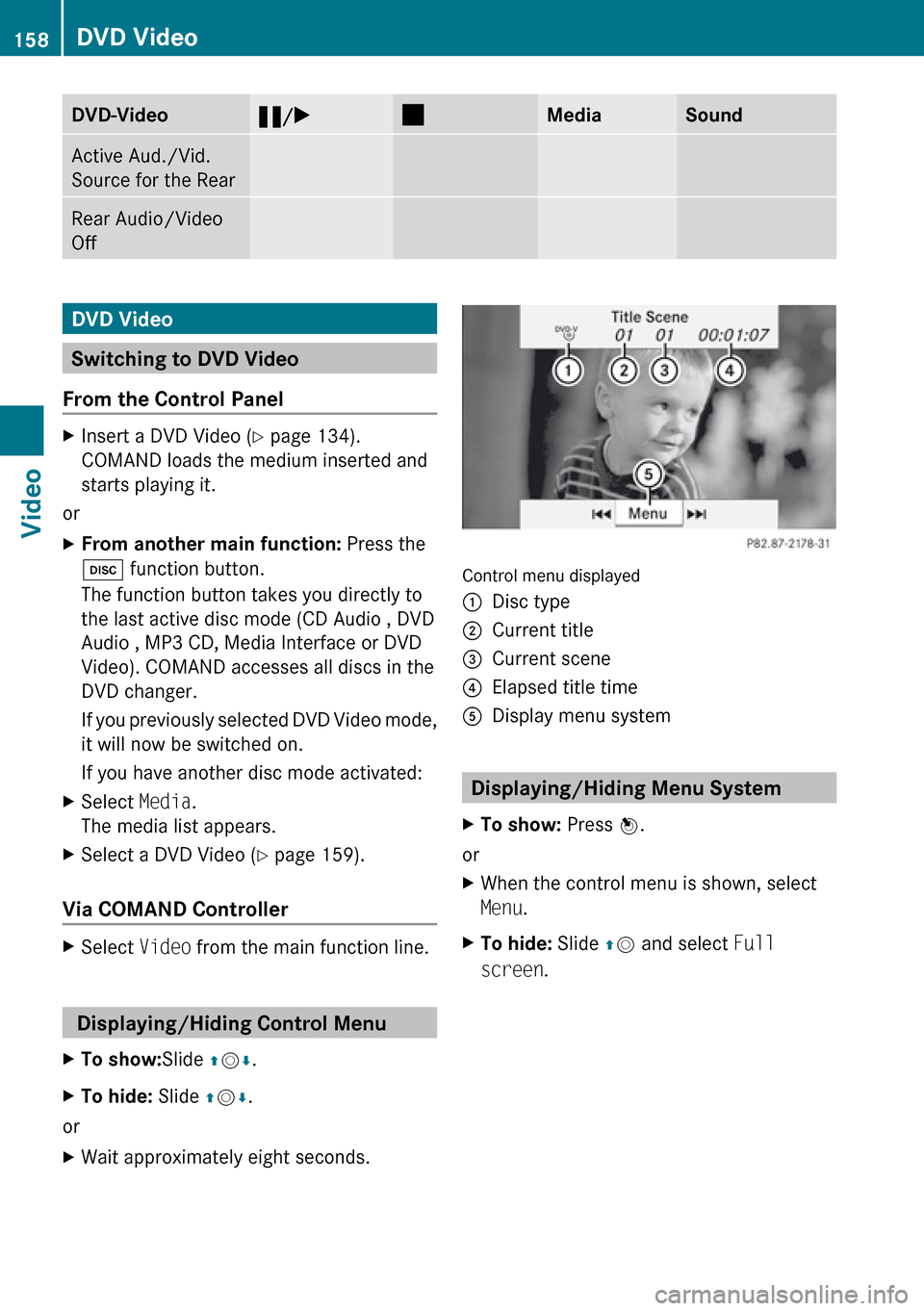
Control menu displayed
1Disc type2Current title3Current scene4Elapsed title time5Display menu system
Displaying/Hiding Menu System
XTo show: Press n.
or
XWhen the control menu is shown, select
Menu .XTo hide: Slide qm and select Full
screen .158DVD VideoVideo
Page 187 of 224
Overview ............................................ 186
Phone ................................................. 188
Navigation ......................................... 191
Address Book .................................... 197
Radio and Satellite Radio .................201
DVD Changer ..................................... 203
External Equipment (Aux) ................205
Command List ................................... 205
Troubleshooting ................................ 211185Voice Control
Page 188 of 224
Overview
Operating Safety
GWarning!
Please devote your attention first and
foremost to the traffic situation you are in.
While the system permits hands-free phone
operation, attention to traffic may be diverted
not only by physical operation of a phone, but
also by the distraction of a phone
conversation while driving. As such, for safety
reasons, we encourage the driver to stop the
vehicle in a safe place before answering or
placing a phone call.
For safety reasons, you should only select a
destination when the vehicle is stationary.
While the navigation system provides
directional assistance, the driver must remain
focused on safe driving behavior, especially
pay attention to traffic and street signs, and
should utilize the system’s audio cues while
driving.
The navigation system does not supply any
information on stop signs, yield signs, traffic
regulations or traffic safety rules. Their
observance always remains in the driver’s
personal responsibility. DVD maps do not
cover all areas nor all routes within an area.
Traffic regulations always have priority over
any route recommendations given.
Bear in mind that at a speed of just 30 mph
(approximately 50 km/h), your vehicle is
covering a distance of 44 feet (approximately
14 m) every second.
GWarning
Navigation announcements are intended to
direct you while driving without diverting your
attention from the road and driving.
Please always use this feature instead of
consulting the map display for directions.
Consulting the symbols or map display for
directions may cause you to divert your
attention from driving and increase your risk
of an accident.
GWarning!
Please do not use the Voice Control System
in an emergency, as the tone of your voice
may change in a stressful situation. This could
cause a delay in completing your phone call
in a timely manner. This could distract you in
an emergency situation and cause you to be
involved in an accident.
Vehicle Equipment
i This Operator’s Manual describes all
features, standard or optional, potentially
available for your vehicle at the time of
purchase. Please be aware that your
vehicle might not be equipped with all
features described in this manual.
Symbols Only Used in this Chapter
The following symbols indicate:
sthat you have to say somethingtthat there is a voice output from the
voice controluthat the system shows information on
the display.
Usage
You can use the voice control system to
operate the following systems depending on
the equipment in your vehicle:
R Phone
R Navigation
R Address book
R Audio (radio, satellite radio, DVD changer,
memory card, music register, media
interface)
Say the commands without pausing between
individual words. If you enter a command that
does not exist or is incorrect, the voice
control system asks you for a new command
with Please repeat or Please repeat
186OverviewVoice Control
Page 205 of 224
If the station you require is read out:XPress the ? button.
The system sets the corresponding
frequency.XTo cancel the dialog: Press the %
button.
You have cancelled the dialog. The system
confirms by responding “Cancel”.
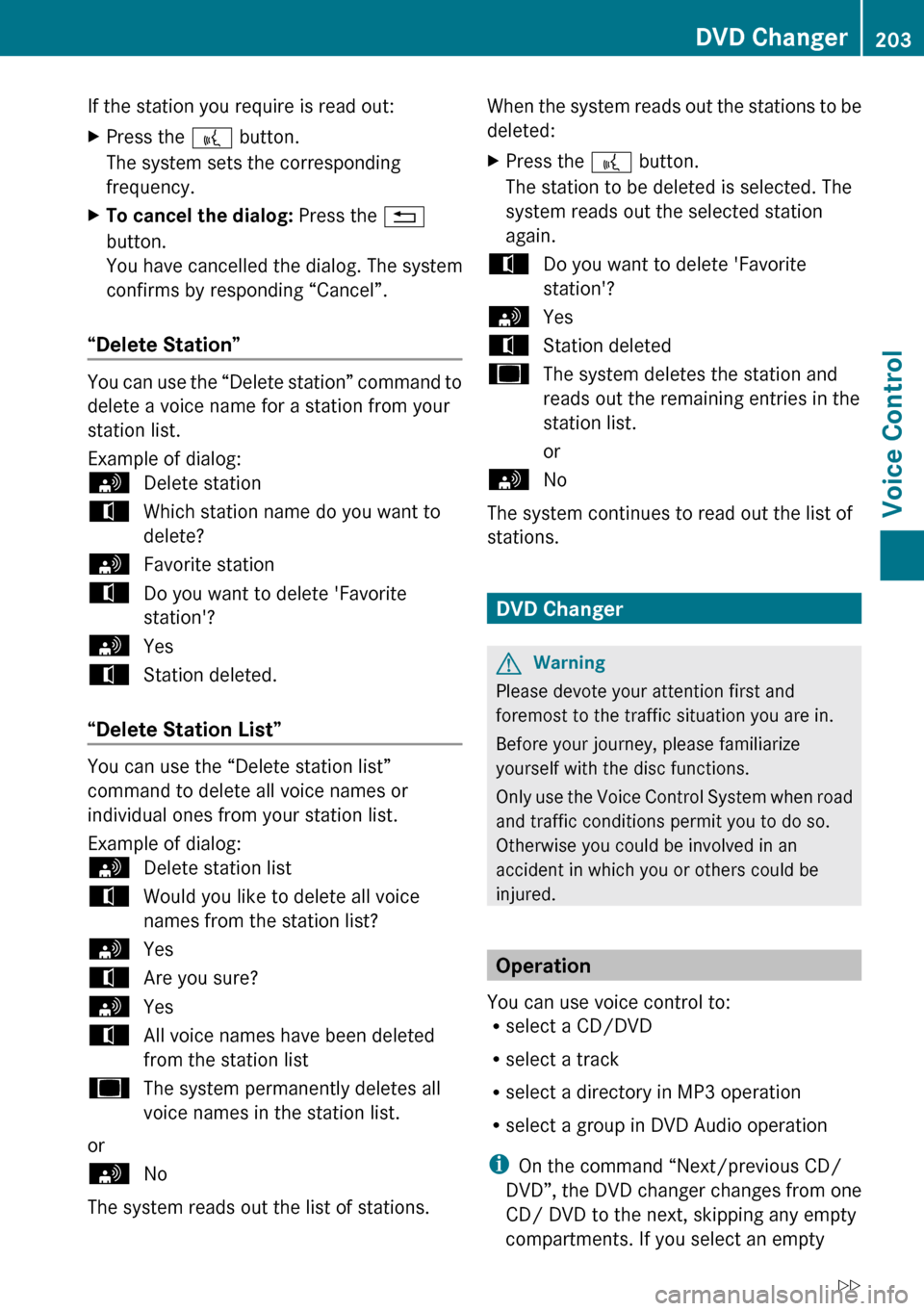
“Delete Station”
You can use the “Delete station” command to
delete a voice name for a station from your
station list.
Example of dialog:
sDelete stationtWhich station name do you want to
delete?sFavorite stationtDo you want to delete 'Favorite
station'?sYestStation deleted.
“Delete Station List”
You can use the “Delete station list”
command to delete all voice names or
individual ones from your station list.
Example of dialog:
sDelete station listtWould you like to delete all voice
names from the station list?sYestAre you sure?sYestAll voice names have been deleted
from the station listuThe system permanently deletes all
voice names in the station list.
or
sNo
The system reads out the list of stations.
When the system reads out the stations to be
deleted:XPress the ? button.
The station to be deleted is selected. The
system reads out the selected station
again.tDo you want to delete 'Favorite
station'?sYestStation deleteduThe system deletes the station and
reads out the remaining entries in the
station list.
orsNo
The system continues to read out the list of
stations.
DVD Changer
GWarning
Please devote your attention first and
foremost to the traffic situation you are in.
Before your journey, please familiarize
yourself with the disc functions.
Only use the Voice Control System when road
and traffic conditions permit you to do so.
Otherwise you could be involved in an
accident in which you or others could be
injured.
Operation
You can use voice control to:
R select a CD/DVD
R select a track
R select a directory in MP3 operation
R select a group in DVD Audio operation
i On the command “Next/previous CD/
DVD”, the DVD changer changes from one
CD/ DVD to the next, skipping any empty
compartments. If you select an empty
DVD Changer203Voice ControlZ