display MERCEDES-BENZ E-Class COUPE 2011 C207 Owner's Guide
[x] Cancel search | Manufacturer: MERCEDES-BENZ, Model Year: 2011, Model line: E-Class COUPE, Model: MERCEDES-BENZ E-Class COUPE 2011 C207Pages: 344, PDF Size: 14.06 MB
Page 48 of 344
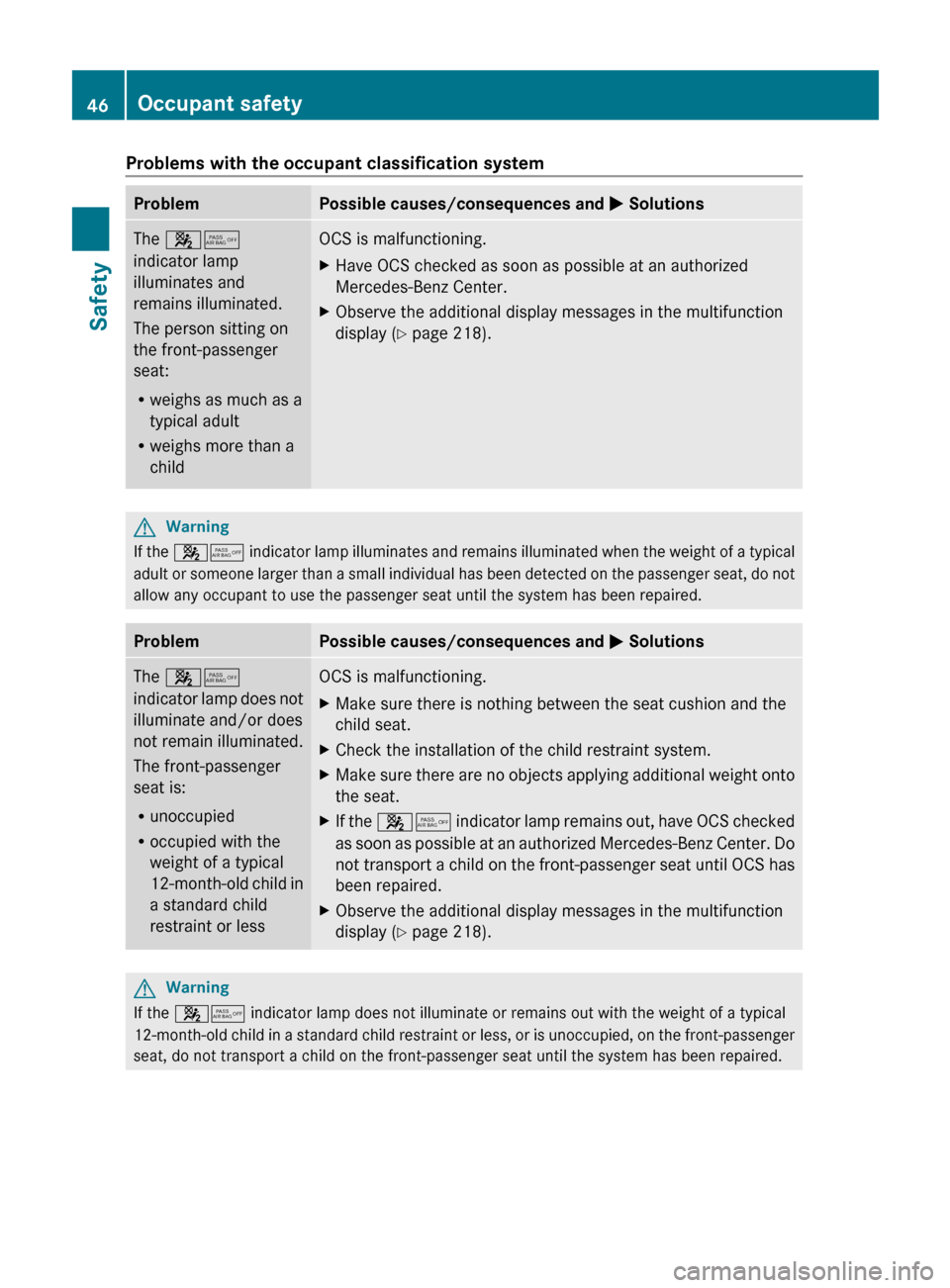
Problems with the occupant classification systemProblemPossible causes/consequences and M SolutionsThe 45
indicator lamp
illuminates and
remains illuminated.
The person sitting on
the front-passenger
seat:
R weighs as much as a
typical adult
R weighs more than a
childOCS is malfunctioning.XHave OCS checked as soon as possible at an authorized
Mercedes-Benz Center.XObserve the additional display messages in the multifunction
display ( Y page 218).GWarning
If the 45 indicator lamp illuminates and remains illuminated when the weight of a typical
adult or someone larger than a small individual has been detected on the passenger seat, do not
allow any occupant to use the passenger seat until the system has been repaired.
ProblemPossible causes/consequences and M SolutionsThe 45
indicator lamp does not
illuminate and/or does
not remain illuminated.
The front-passenger
seat is:
R unoccupied
R occupied with the
weight of a typical
12-month-old child in
a standard child
restraint or lessOCS is malfunctioning.XMake sure there is nothing between the seat cushion and the
child seat.XCheck the installation of the child restraint system.XMake sure there are no objects applying additional weight onto
the seat.XIf the 45 indicator lamp remains out, have OCS checked
as soon as possible at an authorized Mercedes-Benz Center. Do
not transport a child on the front-passenger seat until OCS has
been repaired.XObserve the additional display messages in the multifunction
display ( Y page 218).GWarning
If the 45 indicator lamp does not illuminate or remains out with the weight of a typical
12-month-old child in a standard child restraint or less, or is unoccupied, on the front-passenger
seat, do not transport a child on the front-passenger seat until the system has been repaired.
46Occupant safetySafety
BA 207 USA, CA Edition B 2011; 1; 3, en-USd2sboikeVersion: 3.0.3.62010-05-20T10:38:09+02:00 - Seite 46
Page 52 of 344
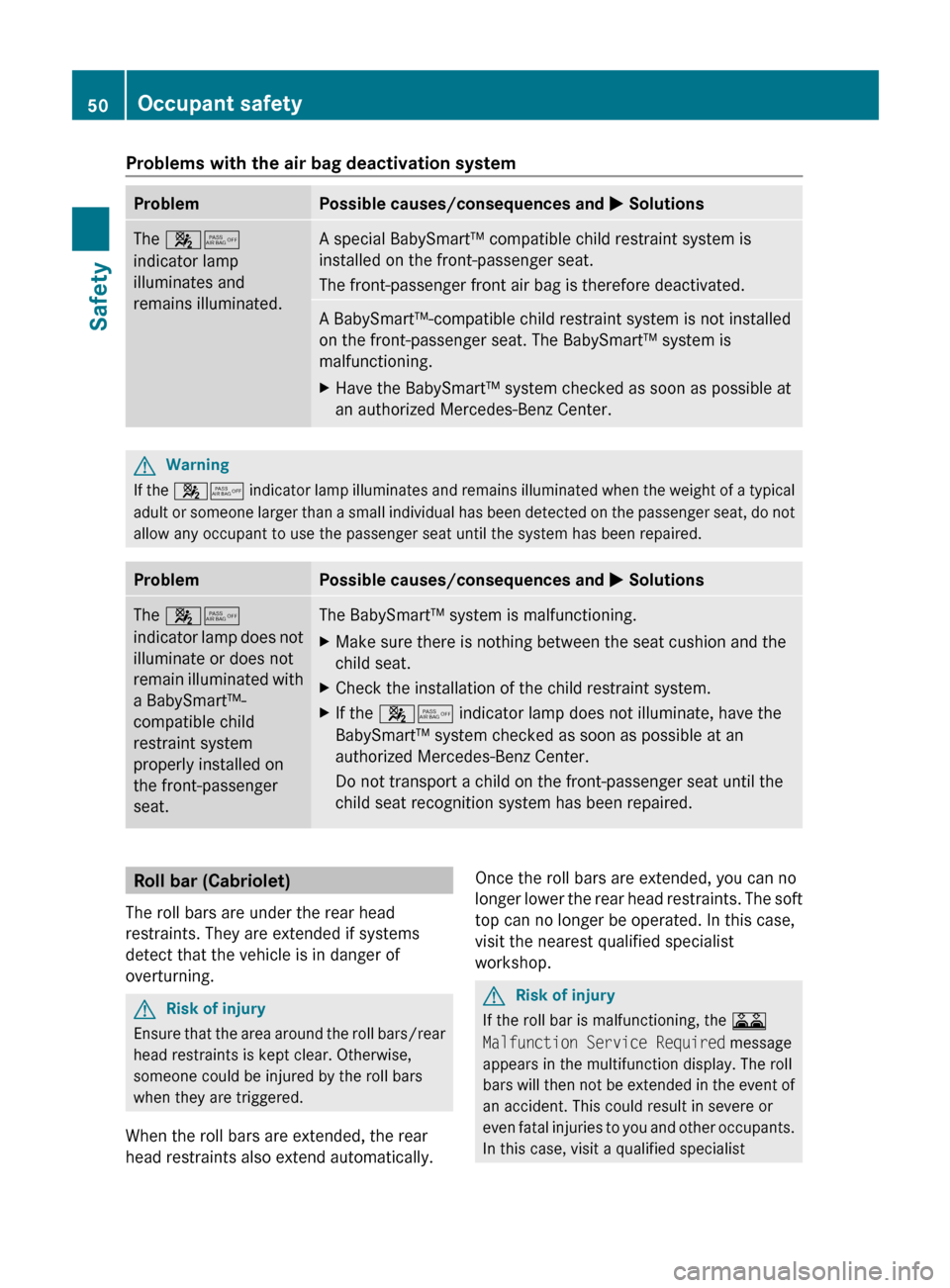
Problems with the air bag deactivation systemProblemPossible causes/consequences and M SolutionsThe 45
indicator lamp
illuminates and
remains illuminated.A special BabySmart™ compatible child restraint system is
installed on the front-passenger seat.
The front-passenger front air bag is therefore deactivated.A BabySmart™-compatible child restraint system is not installed
on the front-passenger seat. The BabySmart™ system is
malfunctioning.XHave the BabySmart™ system checked as soon as possible at
an authorized Mercedes-Benz Center.GWarning
If the 45 indicator lamp illuminates and remains illuminated when the weight of a typical
adult or someone larger than a small individual has been detected on the passenger seat, do not
allow any occupant to use the passenger seat until the system has been repaired.
ProblemPossible causes/consequences and M SolutionsThe 45
indicator lamp does not
illuminate or does not
remain illuminated with
a BabySmart™-
compatible child
restraint system
properly installed on
the front-passenger
seat.The BabySmart™ system is malfunctioning.XMake sure there is nothing between the seat cushion and the
child seat.XCheck the installation of the child restraint system.XIf the 45 indicator lamp does not illuminate, have the
BabySmart™ system checked as soon as possible at an
authorized Mercedes-Benz Center.
Do not transport a child on the front-passenger seat until the
child seat recognition system has been repaired.Roll bar (Cabriolet)
The roll bars are under the rear head
restraints. They are extended if systems
detect that the vehicle is in danger of
overturning.GRisk of injury
Ensure that the area around the roll bars/rear
head restraints is kept clear. Otherwise,
someone could be injured by the roll bars
when they are triggered.
When the roll bars are extended, the rear
head restraints also extend automatically.
Once the roll bars are extended, you can no
longer lower the rear head restraints. The soft
top can no longer be operated. In this case,
visit the nearest qualified specialist
workshop.GRisk of injury
If the roll bar is malfunctioning, the A
Malfunction Service Required message
appears in the multifunction display. The roll
bars will then not be extended in the event of
an accident. This could result in severe or
even fatal injuries to you and other occupants.
In this case, visit a qualified specialist
50Occupant safetySafety
BA 207 USA, CA Edition B 2011; 1; 3, en-USd2sboikeVersion: 3.0.3.62010-05-20T10:38:09+02:00 - Seite 50
Page 66 of 344
iUSA only:
This device complies with the part 15 of the
FCC regulations. Operation is subject to
the following two conditions:
1. This device may not cause interference,
and
2. This device must withstand any
interference received, including
interference that may cause undesired
operation.
Any unauthorized modification to this
device could void the user's authority to
operate the equipment.
i Canada only:
This device complies with the RSS-210
regulations of Industry Canada. Operation
is subject to the following two conditions:
1. This device may not cause interference,
and
2. This device must withstand any
interference received, including
interference that may cause undesired
operation of the device.
Any unauthorized modification to this
device could void the user's authority to
operate the equipment.
Driving safety systems
Overview of driving safety systems
In this section, you will find information about
the following driving safety systems:
R ABS ( Anti-lock Braking System)
R BAS ( Brake Assist System)
R BAS PLUS ( Brake Assist System Plus*)
R ESP ®
(E lectronic Stability Program)
R EBD ( Electronic Brake-power Distribution)
R ADAPTIVE BRAKE
R PRE-SAFE ®
Brake (vehicles with
DISTRONIC PLUS)
Important safety notesGWarning
The following factors increase the risk of
accidents:
R Excessive speed, especially in turns
R Wet and slippery road surfaces
R Following another vehicle too closely
The driving safety systems described in this
section cannot reduce these risks or prevent
the natural laws of physics from acting on the
vehicle. They cannot increase braking or
steering efficiency beyond that afforded by
the condition of the vehicle brakes and tires
or the traction afforded.
Only a safe, attentive, and skillful driver can
prevent accidents.
The capabilities of a vehicle equipped with the
driving safety systems described in this
section must never be exploited in a reckless
or dangerous manner which could jeopardize
the user's safety or the safety of others.
Always adjust your driving style to the
prevailing road and weather conditions and
keep a safe distance to other road users and
objects on the street.
If a driving system malfunctions, other driving
safety systems may also switch off. Observe
indicator and warning lamps that may come
on as well as messages in the multifunction
display that may appear.
i In wintry driving conditions, always use
winter tires (M+S tires) and if necessary,
snow chains. Only in this way will the
driving safety systems described in this
section work as effectively as possible.
ABS (Anti-lock Braking System)
Important safety notes
GWarning
Observe "Important safety notes"
( Y page 64).
64Driving safety systemsSafety
BA 207 USA, CA Edition B 2011; 1; 3, en-USd2sboikeVersion: 3.0.3.62010-05-20T10:38:09+02:00 - Seite 64
Page 67 of 344
GWarning
Do not pump the brake pedal. Use firm, steady
brake pedal pressure instead. Pumping the
brake pedal defeats the purpose of the ABS
and significantly reduces braking
effectiveness.
ABS regulates brake pressure in such a way
that the wheels do not lock when you brake.
This allows you to continue steering the
vehicle when braking.
ABS works from a speed of about
5 mph (8 km/h) upwards, regardless of road-
surface conditions. ABS works on slippery
surfaces, even when you only brake gently.
The ! warning lamp in the instrument
cluster lights up when the ignition is switched
on. It goes out when the engine is running.
Braking
If ABS intervenes when braking, you will feel
a pulsing in the brake pedal.
XIf ABS intervenes: continue to depress the
brake pedal with force until the braking
situation is over.XTo make a full brake application:
depress the brake pedal with full force.GWarning
If the ABS malfunctions, other driving systems
such as the BAS or the ESP ®
are also switched
off. Observe indicator and warning lamps that
may come on as well as messages in the
multifunction display that may appear.
If the ABS malfunctions, the wheels may lock
during hard braking, reducing the steering
capability and extending the braking distance.
The pulsating brake pedal can be an
indication of hazardous road conditions and
functions as a reminder to take extra care
while driving.
BAS (Brake Assist)GWarning
Observe "Important safety notes"
( Y page 64).
BAS operates in emergency braking
situations. If you depress the brake pedal
quickly, BAS automatically boosts the braking
force, thus shortening the stopping distance.
XKeep the brake pedal firmly depressed until
the emergency braking situation is over.
ABS prevents the wheels from locking.
The brakes will function as usual once you
release the brake pedal. BAS is deactivated.
GWarning
If the BAS malfunctions, the brake system still
functions, but without the additional brake
boost available that the BAS would normally
provide in an emergency braking maneuver.
Therefore, the braking distance may increase.
BAS PLUS (Brake Assist PLUS)
GWarning
Observe "Important safety notes"
( Y page 64).
At speeds above approximately
20 mph (30 km/h), BAS PLUS assists you
when braking in hazardous situations and
uses the radar sensor system to evaluate the
traffic conditions.
GWarning!
BAS PLUS is a convenience system designed
to assist the driver during vehicle operation.
The responsibility for the vehicle speed and
the distance to the vehicle ahead, including
most importantly brake operation to assure
safe stopping distance, always remains with
the driver.
Always pay attention to traffic conditions
even while BAS PLUS is switched on.
Otherwise, you may not be able to recognize
dangerous situations until it is too late and
Driving safety systems65SafetyBA 207 USA, CA Edition B 2011; 1; 3, en-USd2sboikeVersion: 3.0.3.62010-05-20T10:38:09+02:00 - Seite 65Z
Page 70 of 344

GWarning
When the å ESP OFF warning lamp lights
up, ESP is switched off.
When the ä ESP warning lamp and the
å ESP OFF warning lamp are on
continuously, ESP is not operational due to a
malfunction.
When ESP is switched off or not operational,
the vehicle's stability during standard driving
maneuvers is reduced.
Adapt your driving style to suit the prevailing
road conditions/weather conditions and to
the non-operating status of ESP.
! Avoid spinning a drive wheel for an
extended period with ESP ®
switched off.
This could cause serious damage to the
drive train.
XTo activate: (Y page 207).
The å warning lamp in the instrument
cluster goes out.
EBD
GWarning
Observe "Important safety notes"
( Y page 64).
EBD monitors and controls the brake
pressure on the rear wheels to improve
driving stability while braking.
GWarning!
If the EBD malfunctions, the brake system will
still function with full brake boost. However,
the rear wheels could lock up during
emergency braking situations, for example.
You could lose control of the vehicle and
cause an accident.
Adapt your driving style to the changed
driving characteristics.
Adaptive Brake
ADAPTIVE BRAKE enhances braking safety
and offers increased braking comfort. In
addition to the braking function, ADAPTIVE
BRAKE also has the HOLD function
( Y page 184) and hill start assist
( Y page 154). For further information, see
Driving tips ( Y page 168).
PRE-SAFE ®
Brake (vehicles with
DISTRONIC PLUS)
PRE-SAFE ®
Brake can help you to minimize
the risk of a frontal collision with a vehicle
ahead or reduce the effects of such a
collision.
This function warns you from a speed of
approximately 20 mph (30 km/h) when you
are rapidly approaching a vehicle in front. An
intermittent warning tone sounds and the
· distance warning lamp lights up in the
instrument cluster.
Due to the nature of the system, particularly
complicated driving conditions may cause the
system to display an unnecessary warning.
At speeds of above approximately
20 mph (30 km/h), if the driver and
passengers have fastened their seat belts,
the PRE-SAFE ®
Brake can:
R brake the vehicle automatically at speeds
ranging up to approximately 124 mph
(200 km/h)
R trigger preventative occupant protection
measures (PRE-SAFE ®
) ( Y page 51)
GWarning!
An intermittent warning sounds and the
distance warning lamp · in the instrument
cluster is illuminated if the PRE-SAFE ®
Brake
calculates that the distance to the vehicle
ahead and your vehicle's current speed
indicate that the PRE-SAFE ®
Brake will not be
capable of slowing the vehicle sufficiently to
maintain the preset following distance, which
creates a danger of a collision.
68Driving safety systemsSafety
BA 207 USA, CA Edition B 2011; 1; 3, en-USd2sboikeVersion: 3.0.3.62010-05-20T10:38:09+02:00 - Seite 68
Page 72 of 344
GWarning
Depending on the vehicle speed, PRE-SAFE®
Brake brakes your vehicle with a maximum of
13 ft/s 2
(4 m/s 2
) before a possible hard stop.
This corresponds to about 40 % of the
maximum deceleration ability of your vehicle.
The driver must apply the brakes additionally
in order to prevent a collision. The self-acting
hard stop will be initiated when the imminent
danger of a collision exists, e.g. when an
evasive maneuver cannot avoid an accident.
In order to maintain the appropriate distance
to the vehicle in front and thus prevent a
collision, you must apply the brakes yourself.
At speeds up to approximately
40 mph (70 km/h), PRE-SAFE ®
Brake can
also detect stationary obstacles, for example
stopped or parked vehicles.
GWarning!
If you do not receive visual or acoustic
warning signals, the PRE-SAFE ®
Brake may
R not have recognized the collision risk
R have been deactivated
R be malfunctioning
Apply the brakes yourself to avoid a collision.
XTo activate: activate PRE-SAFE ®
Brake in
the on-board computer ( Y page 207).
The Ä symbol appears in the lower
multifunction display, as long as the HOLD
function is not activated ( Y page 184).
On vehicles with parking guidance, the P
gear must be engaged for the icon to be
displayed.
For PRE-SAFE ®
Brake to assist you when
driving, the radar sensor system must be
switched on and operational.
PRE-SAFE ®
Brake does not always detect
complex traffic situations properly. You can
terminate the braking action of PRE-SAFE ®
Brake in a non-critical driving situation at any
time if:
R an acoustic and visual warning occurs
R the vehicle brakes
To end this, you can either depress the
accelerator pedal further, activate kickdown
or release the brake pedal.
The braking action of PRE-SAFE ®
Brake is
ended automatically if:
R you maneuver to avoid the obstacle
R you drive slower than approximately
9 mph (15 km/h)
R there is no longer an obstacle detected in
front of your vehicle
R there is no longer any danger of a collision
Following a collision or accident-related
damage to the front end of the vehicle, have
the configuration and operation of the radar
sensors checked. Choose a qualified
specialist workshop for this which has the
necessary specialist knowledge and tools for
the work required. Mercedes-Benz
recommends that you use an authorized
Mercedes-Benz Center for this purpose.
Anti-theft systems
Immobilizer
The immobilizer prevents your vehicle from
being started without the correct key.
When leaving the vehicle, always take the
SmartKey with you and lock the vehicle. The
engine can be started by anyone with a valid
key that is left inside the vehicle.
XTo activate with the SmartKey: remove
the SmartKey from the ignition lock.XTo activate with KEYLESS-GO: switch the
ignition off and open the driver's door.XTo deactivate: switch on the ignition.70Anti-theft systemsSafety
BA 207 USA, CA Edition B 2011; 1; 3, en-USd2sboikeVersion: 3.0.3.62010-05-20T10:38:09+02:00 - Seite 70
Page 78 of 344
RTo open or close the vehicle, the KEYLESS-
GO key should be no more than 3 ft (1 m)
from the door or trunk.
RWhen the vehicle is parked for more than
72 hours, the KEYLESS-GO function is
deactivated. Pull one of the outer door
handles and turn on the ignition to
reactivate the KEYLESS-GO function.
RIf the KEYLESS-GO key is not near the
vehicle, it is possible that the system may
not recognize it. In this case, the vehicle
cannot be locked or started with KEYLESS-
GO.
RIf the KEYLESS-GO key has been removed
from the vehicle (e.g. if a passenger leaves
the vehicle with the KEYLESS-GO key):
-while someone is holding the Start/Stop
button or attempting to lock the vehicle
with the outer door handle, the message
Key not detected appears in the
multifunction display
-while the engine is running, the red
message Key not detected appears in
the multifunction display as you pull
away. Find the KEYLESS-GO key or
change its current position immediately
(e.g. place it on the front-passenger seat
or carry it in your shirt pocket.)
RIf you have started the engine using the
Start/Stop button, you can turn if off again
by:
-pressing the Start/Stop button again
-inserting the KEYLESS-GO key in the
ignition lock when the vehicle is
stationary and the automatic
transmission is in parking position P.
RYou may accidentally unlock the vehicle if
the KEYLESS-GO key is within 3 ft (1 m) of
the vehicle and:
-an outer door handle comes into contact
with water
or
-you are cleaning an outer door handle.
RNote that the engine can be started by any
vehicle occupant if a KEYLESS-GO key is in
the vehicle.
Option 1: there is a KEYLESS-GO key in the
vehicle and a KEYLESS-GO key outside the
vehicle. If you leave the KEYLESS-GO key
behind when you get out and lock the
vehicle, a message does not appear in the
multifunction display.
Option 2: there is a KEYLESS-GO key in the
vehicle but no KEYLESS-GO key outside the
vehicle. When you get out and try to lock
the vehicle, the message Key still in
vehicle appears in the multifunction
display. The vehicle is not locked in this
case.
When starting the engine and while driving,
KEYLESS-GO also checks whether a valid key
is in the vehicle by periodically establishing
radio contact.
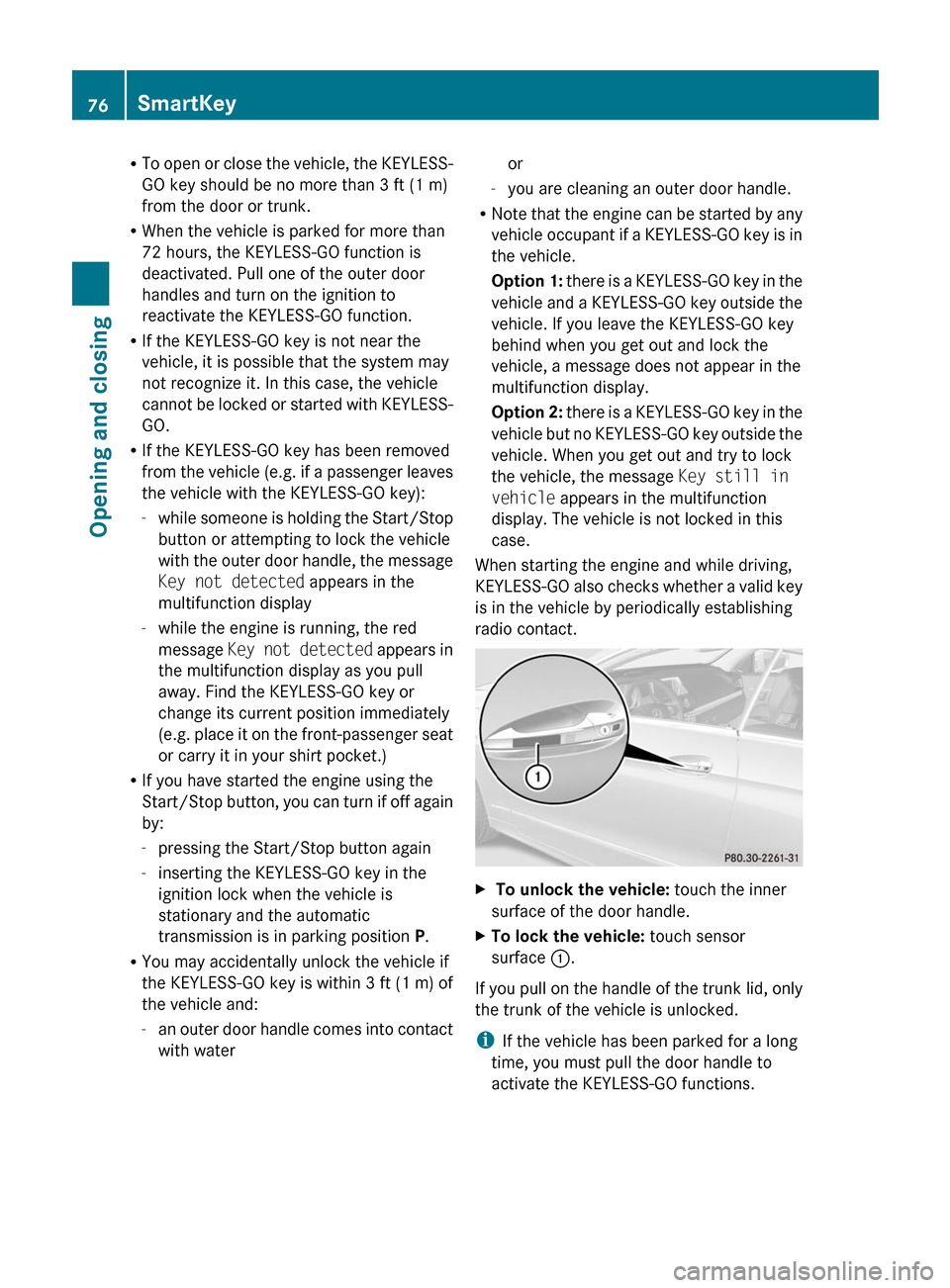
X To unlock the vehicle: touch the inner
surface of the door handle.
XTo lock the vehicle: touch sensor
surface :.
If you pull on the handle of the trunk lid, only
the trunk of the vehicle is unlocked.
iIf the vehicle has been parked for a long
time, you must pull the door handle to
activate the KEYLESS-GO functions.
76SmartKeyOpening and closing
BA 207 USA, CA Edition B 2011; 1; 3, en-USd2sboikeVersion: 3.0.3.62010-05-20T10:38:09+02:00 - Seite 76
Page 91 of 344

If the side window opens again slightly:XPull the corresponding switch again
immediately and hold it for approximately
one second.
Problems with the side windows
Problem: a side window cannot be closed
because an object is obstructing the side
window.
XRemove the object(s).XClose the side window.
Problem: a side window cannot be closed,
and you cannot see the cause.
GWarning!
Closing the side windows with increased force
or without the anti-entrapment feature could
lead to serious or even fatal injury. Make sure
that nobody can become trapped when
closing the side windows.
If a side window is obstructed during closing
and reopens again slightly:
XImmediately after the window blocks, pull
on the corresponding switch again until the
side window has closed.
The side window is closed with increased
force.
If a side window is obstructed again during
closing and reopens again slightly:
XImmediately after the window blocks, pull
on the corresponding switch again until the
side window has closed.
The side window is closed without the anti-
entrapment feature.GWarning!
Pulling and holding the switch to close the
window immediately after it had been blocked
two times will cause the window to close
without the anti-entrapment feature for as
long as you hold the switch.
Soft top (Cabriolet)
Important safety notes
You can open or close the soft top either
when the vehicle is stationary or when driving
up to a speed of 40 km/h.
If there is a strong head wind, it may not be
possible to close the soft top fully. In this
case, reduce speed or stop in order to close
the soft top fully.
For safety reasons, Mercedes-Benz
recommends that you only open or close the
soft top when the vehicle is stationary.
GRisk of accident and injury
Only drive with the soft top fully open or
closed.
If the soft top does not open or close fully, the
soft-top hydraulics are depressurized and the
soft top is lowered:
R after about seven minutes if the ignition is
switched on
R immediately if the ignition is switched off
A warning tone sounds shortly beforehand.
The Convertible Top Opening/Closing
Not Finished message appears in the
multifunction display.
Lock the soft top again before driving on.
Otherwise, the unlocked soft top could open
during the journey and cause you to lose
control of your vehicle. You or other persons
could be injured as a result.
! Never sit on the soft-top compartment
cover and do not store any heavy objects
on it. You will otherwise damage the soft
top and soft-top compartment cover of the
vehicle.
Soft top (Cabriolet)89Opening and closingBA 207 USA, CA Edition B 2011; 1; 3, en-USd2sboikeVersion: 3.0.3.62010-05-20T10:38:09+02:00 - Seite 89Z
Page 92 of 344
! The soft top swings upwards when it is
opened or closed. In order to avoid
damaging the soft top or other parts of the
vehicle when opening or closing the soft
top, observe the following:
R there must be sufficient clearance above
the vehicle.
R the trunk partition must be closed and
must not be pushed upwards by the
cargo.
R there must not be any objects on the
soft-top compartment cover.
R the trunk lid must be closed.
R the fabric must not be dirty, wet or
frozen.
Opening and closing the roof with the
soft top switch
Important safety notes
GRisk of injury
Make sure nobody can be trapped or injured
by moving parts, such as the soft-top linkage
or soft-top compartment cover, when opening
or closing the soft top.
Release the soft-top switch in the event of
danger. The soft-top mechanism stops
immediately.
GRisk of accident
If the vehicle speed exceeds 40 km/h, the
soft top stops the opening or closing
movement and remains in that position. This
could impair your rear view. At high speeds
the soft top may be damaged.
Reduce your speed to below 40 km/h or stop
the vehicle in accordance with the traffic
conditions. Press the soft-top switch again in
order to open or close the soft top fully.
i Make sure the soft top is dry before
closing it. Otherwise, water could enter the
interior or trunk.
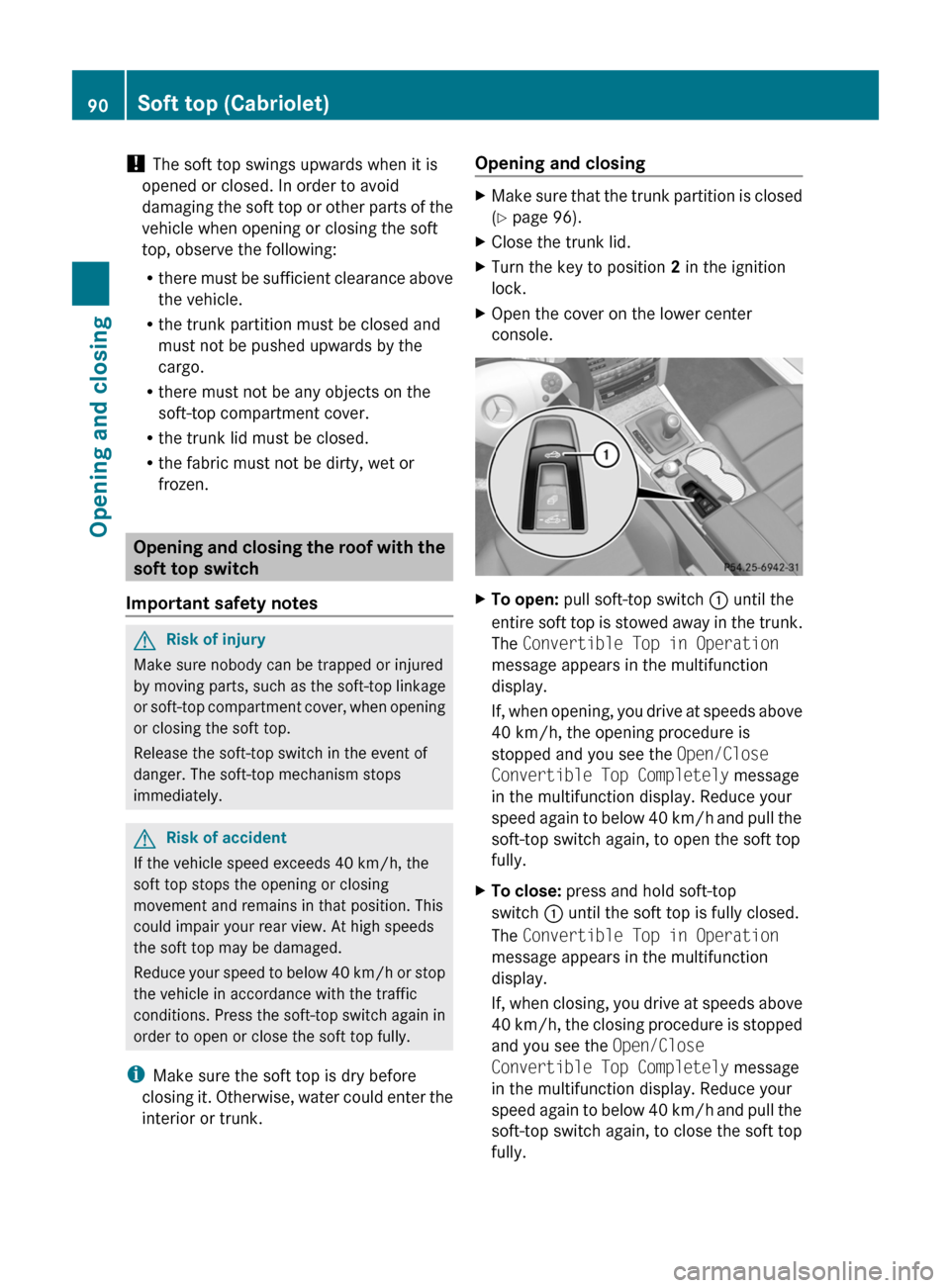
Opening and closingXMake sure that the trunk partition is closed
( Y page 96).XClose the trunk lid.XTurn the key to position 2 in the ignition
lock.XOpen the cover on the lower center
console.XTo open: pull soft-top switch : until the
entire soft top is stowed away in the trunk.
The Convertible Top in Operation
message appears in the multifunction
display.
If, when opening, you drive at speeds above
40 km/h, the opening procedure is
stopped and you see the Open/Close
Convertible Top Completely message
in the multifunction display. Reduce your
speed again to below 40 km/h and pull the
soft-top switch again, to open the soft top
fully.XTo close: press and hold soft-top
switch : until the soft top is fully closed.
The Convertible Top in Operation
message appears in the multifunction
display.
If, when closing, you drive at speeds above
40 km/h, the closing procedure is stopped
and you see the Open/Close
Convertible Top Completely message
in the multifunction display. Reduce your
speed again to below 40 km/h and pull the
soft-top switch again, to close the soft top
fully.90Soft top (Cabriolet)Opening and closing
BA 207 USA, CA Edition B 2011; 1; 3, en-USd2sboikeVersion: 3.0.3.62010-05-20T10:38:09+02:00 - Seite 90
Page 93 of 344
Opening and closing with the key
Important safety notes
GRisk of injury
Make sure nobody can be trapped or injured
by moving parts such as the soft-top linkage
or soft-top compartment cover when opening
or closing the soft top.
If there is a risk of entrapment, immediately
release the % or & button on the
SmartKey. The soft-top mechanism stops
immediately.
Opening and closing
iThe key must be near the handle of the
driver's door.
XPoint the tip of the SmartKey at the driver's
door handle.
XTo open: press and hold the % button
on the key until the soft top is fully opened.
The Convertible Top in Operation
message appears in the multifunction
display. The seat ventilation is switched on.
The rear side windows open.
XTo close: press and hold the & button
on the key until the soft top is fully closed.
The Convertible Top in Operation
message appears in the multifunction
display. The soft top and the side windows
close.
Closing the soft top manually
If the soft top cannot be closed automatically,
check the following points:
Ris the trunk partition engaged
(Y page 96)?
Rare the head restraints on the rear bench
seats extended?
Ris the trunk lid closed?
Ris the on-board voltage sufficient?
Start the engine if necessary.
If automatic operation still does not work, the
soft top can be closed manually.
This work must be performed by two persons.
iClosing the soft top manually is a
complex, technically demanding process
which requires a great deal of force. Only
close the soft top manually in extreme
emergencies. In these situations, it is
better to get in touch with a qualified
specialist workshop, e.g. an authorized
Mercedes-Benz Center.
GRisk of injury
Remove wristwatches and any jewelry such
as rings or bracelets. You could otherwise get
caught, be injured and damage the vehicle.
Always grip the soft top at the indicated
gripping points when closing the soft top
manually. You could otherwise be injured.
XDepress the parking brake.XOpen the side windows.XLower the head restraints (automatically
(Y page 109) or manually (Y page 109)).
XRemove the key from the ignition lock.XOpen the trunk.XTake the two straps out of the vehicle tool
kit (Y page 287).
XTake the Allen key out of the Operator's
Manual wallet and keep it with you.
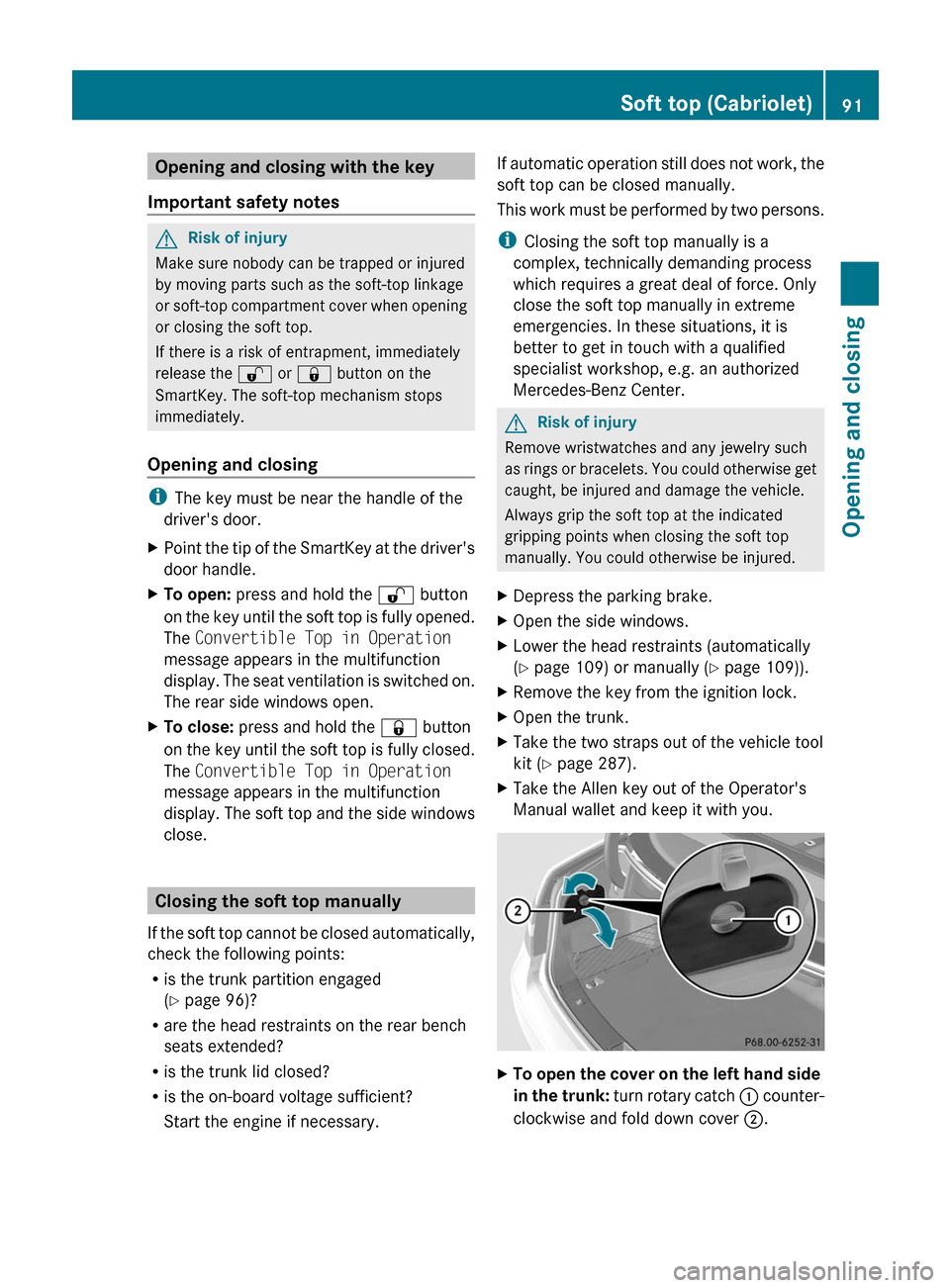
XTo open the cover on the left hand side
in the trunk: turn rotary catch : counter-
clockwise and fold down cover ;.
Soft top (Cabriolet)91Opening and closingBA 207 USA, CA Edition B 2011; 1; 3, en-USd2sboikeVersion: 3.0.3.62010-05-20T10:38:09+02:00 - Seite 91Z