phone MERCEDES-BENZ E-CLASS COUPE 2011 User Guide
[x] Cancel search | Manufacturer: MERCEDES-BENZ, Model Year: 2011, Model line: E-CLASS COUPE, Model: MERCEDES-BENZ E-CLASS COUPE 2011Pages: 353, PDF Size: 8.42 MB
Page 224 of 353
Telephon
emenu
Introduction Functions and displays ar
edependen tonthe
optional equipment installed in your vehicle.
You can place your mobile phone in the
mobile phone bracket (Y page 273), or set
up aB luetooth ®
connection to the audios ys-
tem or COMAND APS (see the separate oper-
ating instructions).
i You can obtain further information about
suitable mobile phones and connecting
mobile phones via Bluetooth ®
:
R in any Mercedes Benz Service Centre
R on the Internet at http://
www.mercedes-benz.com/connect G
WARNING
Observe the legal requirements of the country
in which you are currently driving regarding
the use of mobile phones in the vehicle.
If it is permitted to use mobile phones while
the vehicle is in motion, you should only use
them when the road and traffic conditions
allow.O therwise, yo umaybe distracted from
the traffi cconditions ,cause an accident and
injure yourself and others.
X Switch on the mobil ephone and audi osys-
tem or COMAND APS (see the separate
operating instructions).
X Press the =or; button on the steer-
ing whee ltoselect theTel menu.
Yo uw ills ee one of the following displa ymes-
sage sint he multifunctio ndisplay:
R Please enter PIN :t
he mobile phone has
been placed in the mobile phone bracket
and the PIN has not been entered.
X Enter the PIN using the mobile phone, LIN-
GUATRONIC, the audios ystem or
COMAND APS.
The mobile phone will search for anetwork. R
Telephone ready or the name of the net-
work provider: the mobile phone has found
an etwork and is ready to receive.
R Telephone No Service :non
etwork is
available, or the mobile phone is searching
for anetwork.
Accepting acall If someone call
syou whe nyou are in the
Tel menu,
adisplay message appears in the
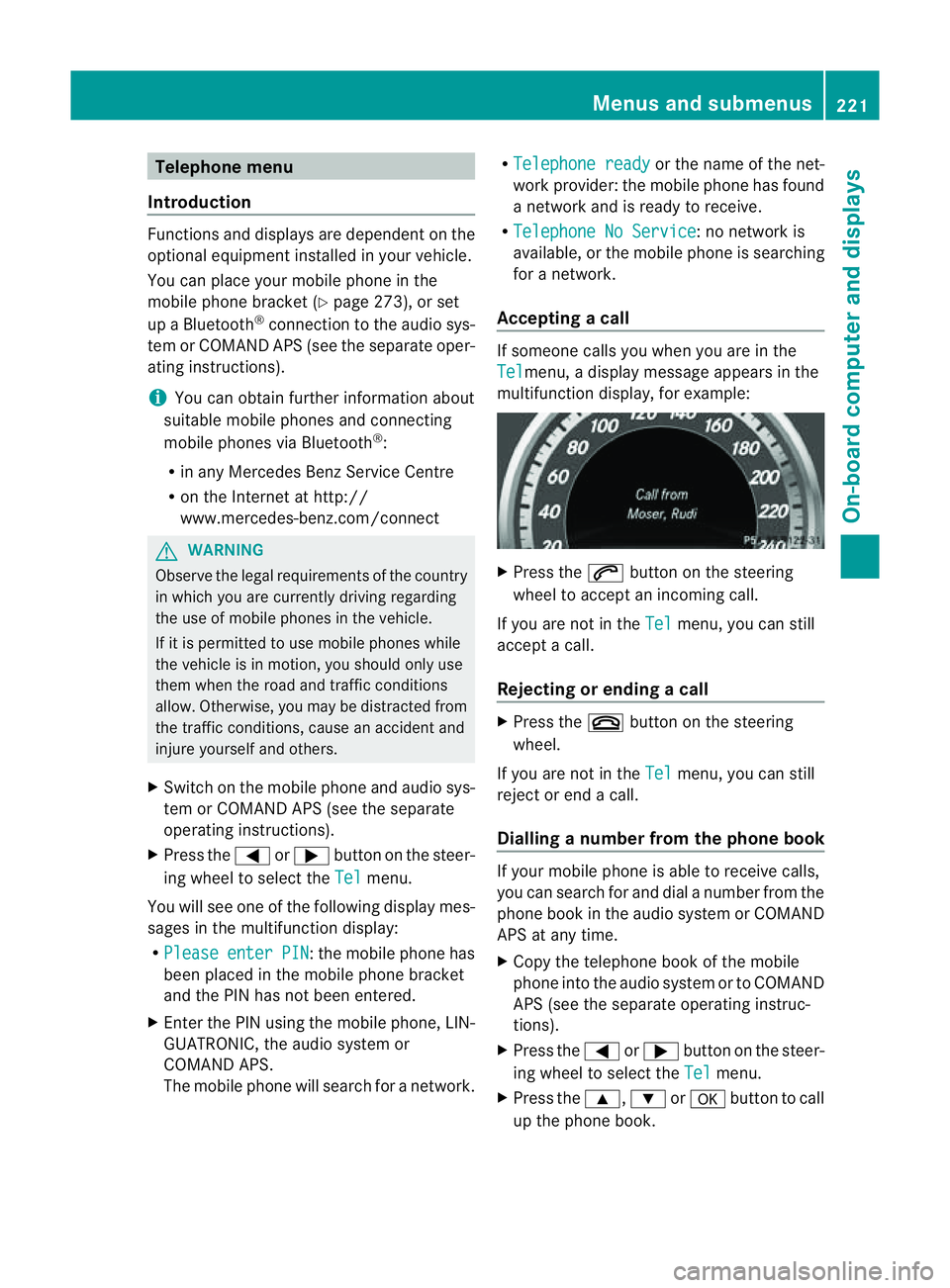
multifunction display ,for example: X
Press the 6button on the steering
wheel to accept an incomin gcall.
If you are not in the Tel menu, you can still
accept acall.
Rejecting or ending acall X
Press the ~button on the steering
wheel.
If you are not in the Tel menu, you can still
reject or end acall.
Dialling anumber from the phone book If you
rmobile phone is able to receive calls,
you can search for and dial anumber from the
phone book in the audio system or COMAND
APS at any time.
X Copy the telephone book of the mobile
phone into the audio system or to COMAND
APS (see the separate operating instruc-
tions).
X Press the =or; button on the steer-
ing wheel to select the Tel menu.
X Press the 9,:ora button to call
up the phone book. Menus and submenus
221On-board computer and displays Z
Page 225 of 353
X
Press the 9or: button to select the
desired name.
To start scrolling rapidly, press and hold the
9 or: button for longer than one
second. After ashort time, the rapid scroll
speeds up.
Rapid scrolling stops when you release the
button or reach the end of the list.
X If only one telephone number is stored
for aname: press the 6ora button
to start dialling.
or
X If thereism ore thanone number for a
particular name: press the6ora
button to display the numbers.
X Press the 9or: button to select the
number you want to dial.
X Press the 6ora button to start dial-
ling.
or
X If you do not want to makeac all:press
the ~ or% button.
Redialling The on-board computer saves the last names
or numbers dialled in the redial memory.
X Press the =or; button on the steer-
ing wheel to select the Tel menu.
X Press the 6button to switch to the
redial memory.
X Press the 9or: button to select the
desired name or number.
X Press the 6ora button to start dial-
ling.
or
X If you do not want to makeac all:press
the ~ or% button. Assistance menu
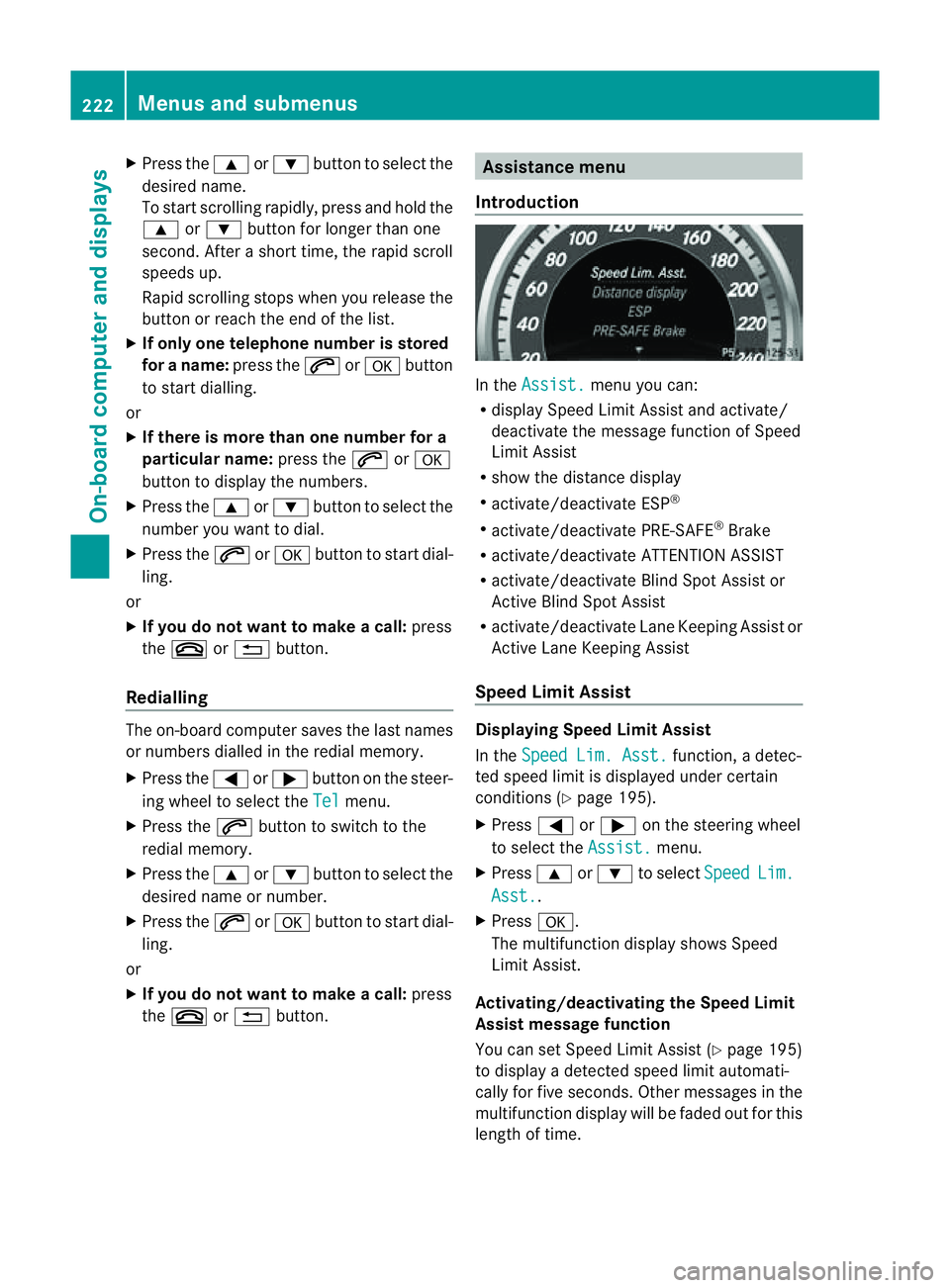
Introduction In the
Assist. menu you can:
R display Speed Limit Assist and activate/
deactivat ethe message function of Speed
Limit Assist
R show the distanc edisplay
R activate/deactivate ESP ®
R activate/deactivate PRE-SAFE ®
Brake
R activate/deactivate ATTENTION ASSIST
R activate/deactivate Blind Spot Assist or
Active Blind Spot Assist
R activate/deactivate Lane Keeping Assist or
Active Lane Keeping Assist
Speed Limit Assist Displaying Speed Limit Assist
In the
Speed Lim. Asst. function,
adetec-
ted speed limit is displaye dunder certain
conditions (Y page 195).
X Press =or; on the steerin gwheel
to select the Assist. menu.
X Press 9or: to select Speed Lim.
Asst. .
X Press a.
The multifunction display shows Speed
Limit Assist.
Activating/deactivating the Speed Limit
Assist message function
You can set Speed Limit Assist (Y page 195)
to display adetected speed limit automati-
cally for five seconds. Other messages in the
multifunction display will be faded out for this
length of time. 222
Menus and submenusOn-board computer and displays
Page 255 of 353
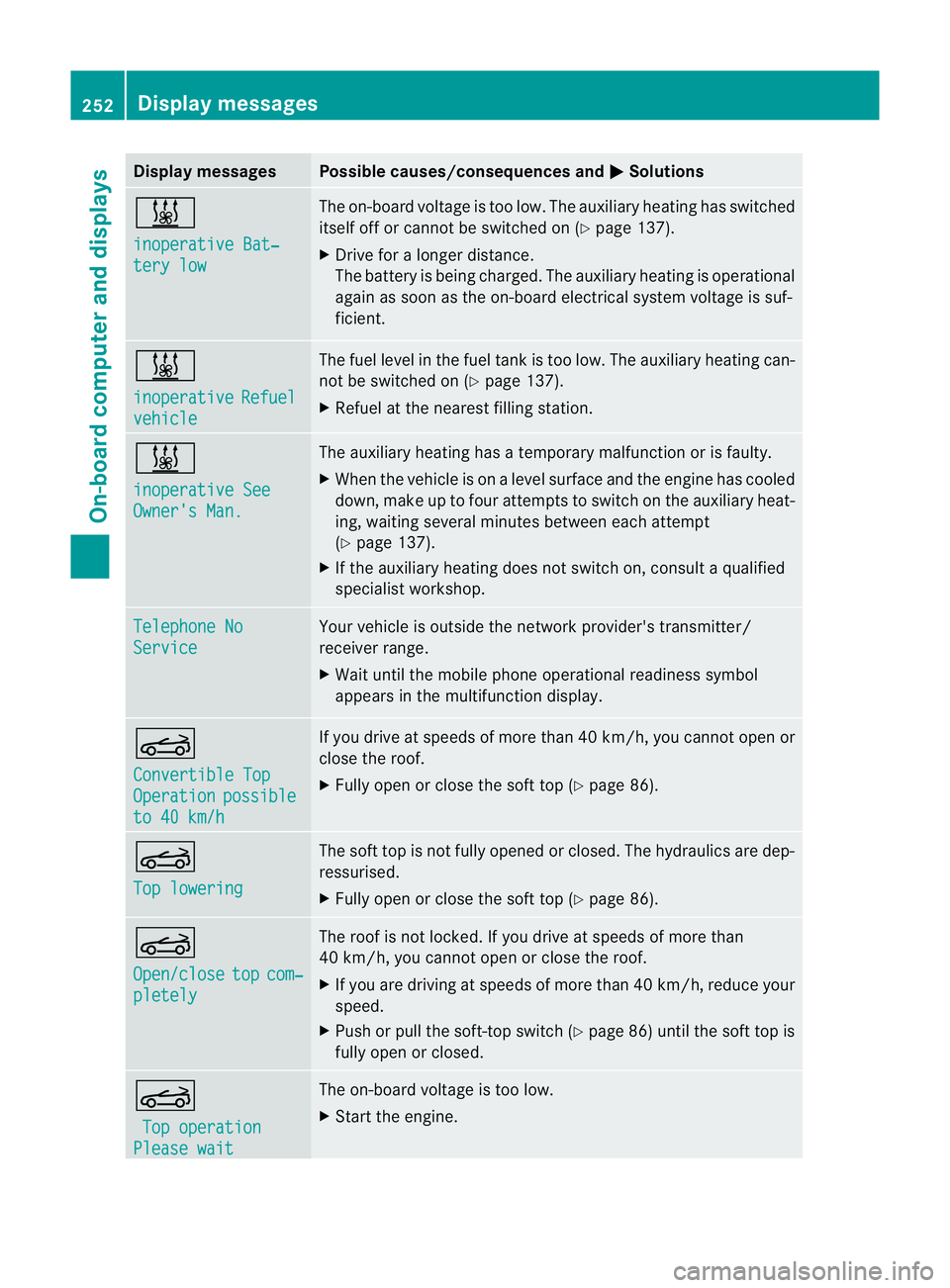
Display messages Possible causes/consequences and
M Solutions
&
inoperative Bat‐
ter
yl ow The on-boar
dvoltag eistoolow. The auxiliar yheatin ghas switched
itself of forcannot be switched on (Y page 137).
X Drive for alonger distance.
The battery is bein gcharged. The auxiliary heating is operational
again as soon as th eon-bo ard electrical system voltage is suf-
ficient. &
inoperative
Refuel
vehicle The fuel leve
linthefuel tan kistoo low. The auxiliary heating can-
not be switched on (Y page 137).
X Refuel at the nearest filling station. &
inoperative See
Owner's Man. The auxiliary heating has
atemporary malfunction or is faulty.
X When the vehicle is on alevel surface and the engin ehas cooled
down, make up to four attempts to switch on the auxiliary heat-
ing, waiting several minutes between each attempt
(Y page 137).
X If the auxiliary heating does not switch on, consult aqualified
specialist workshop. Telephone No
Service Your vehicle is outside the network provider's transmitter/
receiver range.
X
Wait until the mobile phone operational readiness symbol
appears in the multifunction display. K
Convertible Top
Operation possible
to 40 km/h If you drive at speeds of more than 40 km/h,
you cannotopen or
close the roof.
X Fully open or close the soft top (Y page 86).K
Top lowering The soft top is not fully opened or closed. The hydraulics are dep-
ressurised.
X
Fully open or close the soft top (Y page 86).K
Open/close
top com‐
pletely The roof is not locked. If you drive at speeds of more than
40 km/h, you cannot open or close the roof.
X
If you are driving at speeds of more than 40 km/ h,reduce your
speed.
X Push or pullt he soft-top switch (Y page86) until the soft top is
full yopen or closed. K
Top operation Please wait The on-board voltag
eistoo low.
X Start the engine. 252
Display messagesOn-board computer and displays
Page 268 of 353
Fron
tstowage compartments Glov
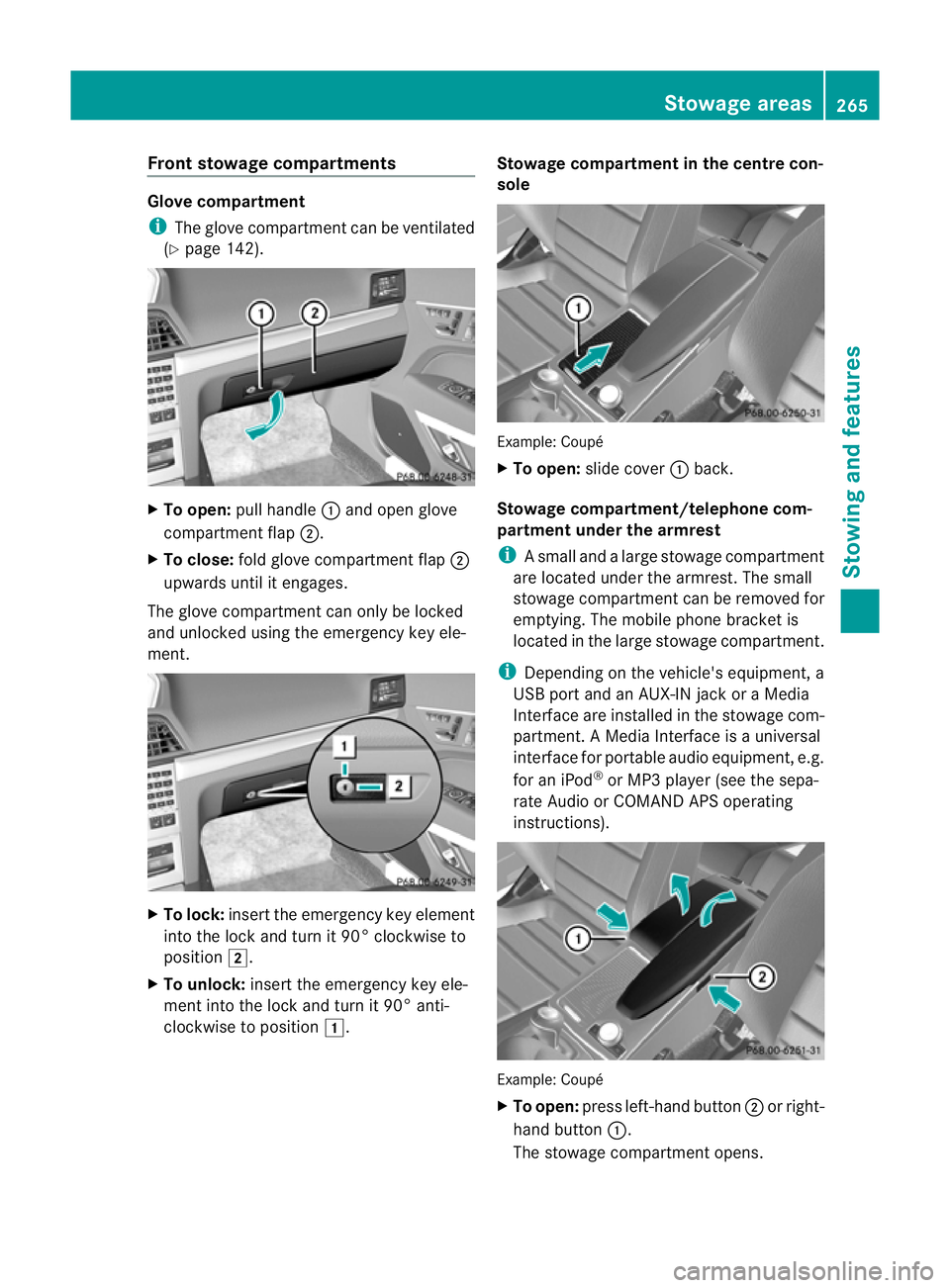
ecompartment
i The glov ecom partmen tcan be ventilated
(Y page 142). X
To open: pull handle :and open glove
compartmen tflap ;.
X To close: fold glovecom partmen tflap ;
upwards until it engages.
The glove compartmen tcan only be locked
and unlocked usin gthe emergenc ykey ele-
ment. X
To lock: insert theemergenc ykey element
int ot he locka nd tur nit90°clockwise to
position 2.
X To unlock: insert theemergenc ykey ele-
men tint ot he locka nd tur nit90°anti-
clockwise to position 1. Stowage compartment in th
ecentre con-
sole Example
:Coupé
X To open: slide cover :back.
Stowage compartment/telephone com-
partment under the armrest
i Asmall and alarg estowage compartment
are located under the armrest. The small
stowage compartment can be removed for
emptying. The mobil ephone bracket is
located in the larg estowage compartment.
i Depending on the vehicle's equipment, a
USB port and an AUX-IN jack or aMedia
Interface are installed in the stowage com-
partment. AMediaInterface is auniversal
interface for portable audio equipment, e.g.
for an iPod ®
or MP3 player (see the sepa-
rate Audio or COMAND APS operating
instructions). Example: Coupé
X
To open: press left-hand button ;or right-
hand button :.
The stowage compartment opens. Stowage areas
265Stowing and features Z
Page 276 of 353
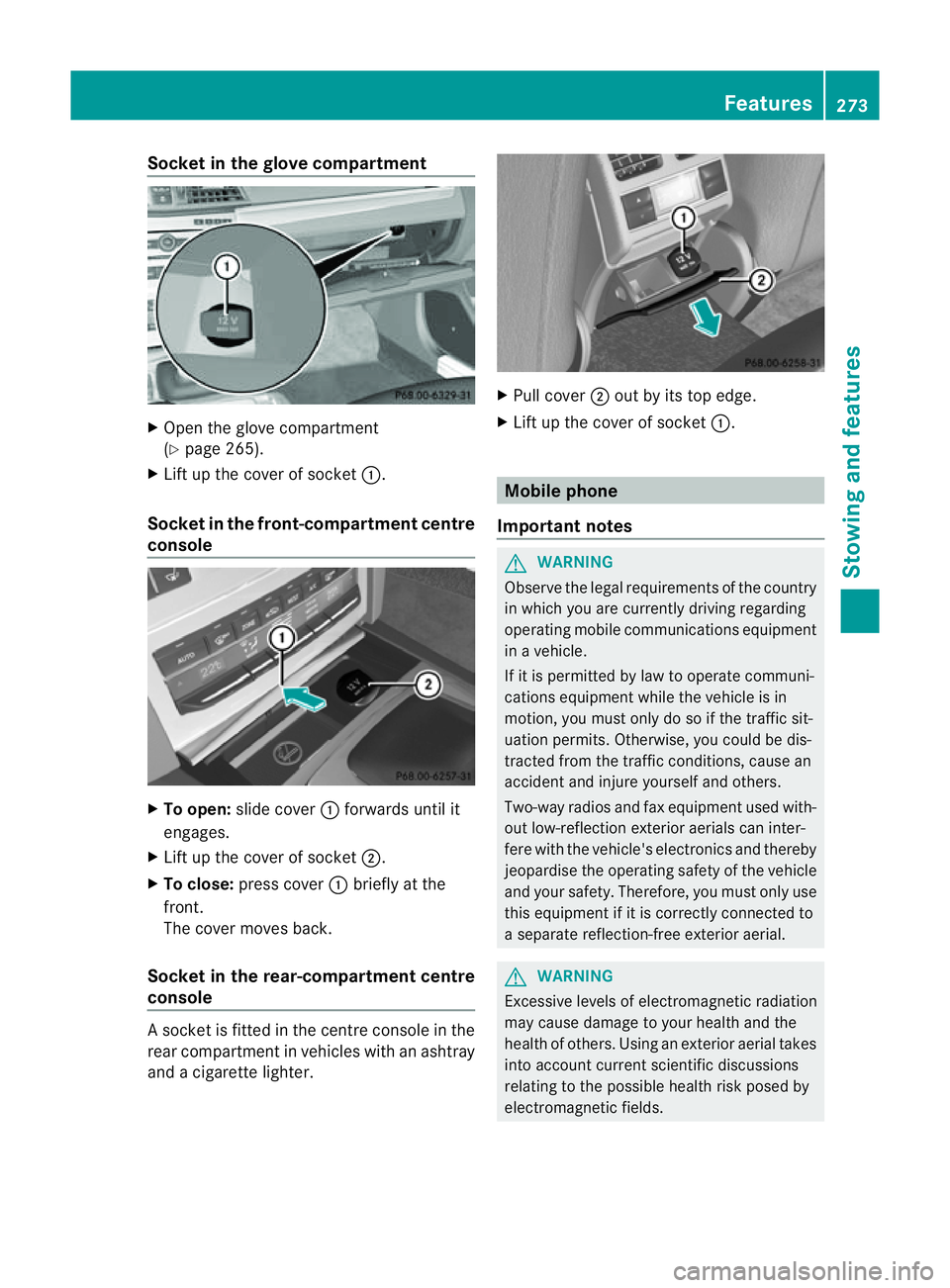
Socket in the glove compartment
X
Open the glove compartment
(Y page 265).
X Lift up the cover of socket :.
Socket in the front-compartment centre
console X
To open: slide cover :forwards until it
engages.
X Lift up the cover of socket ;.
X To close: press cover :briefly at the
front.
The cover moves back.
Socket in the rear-compartment centre
console As
ocket is fitted in the centre console in the
rear compartment in vehicles with an ashtray
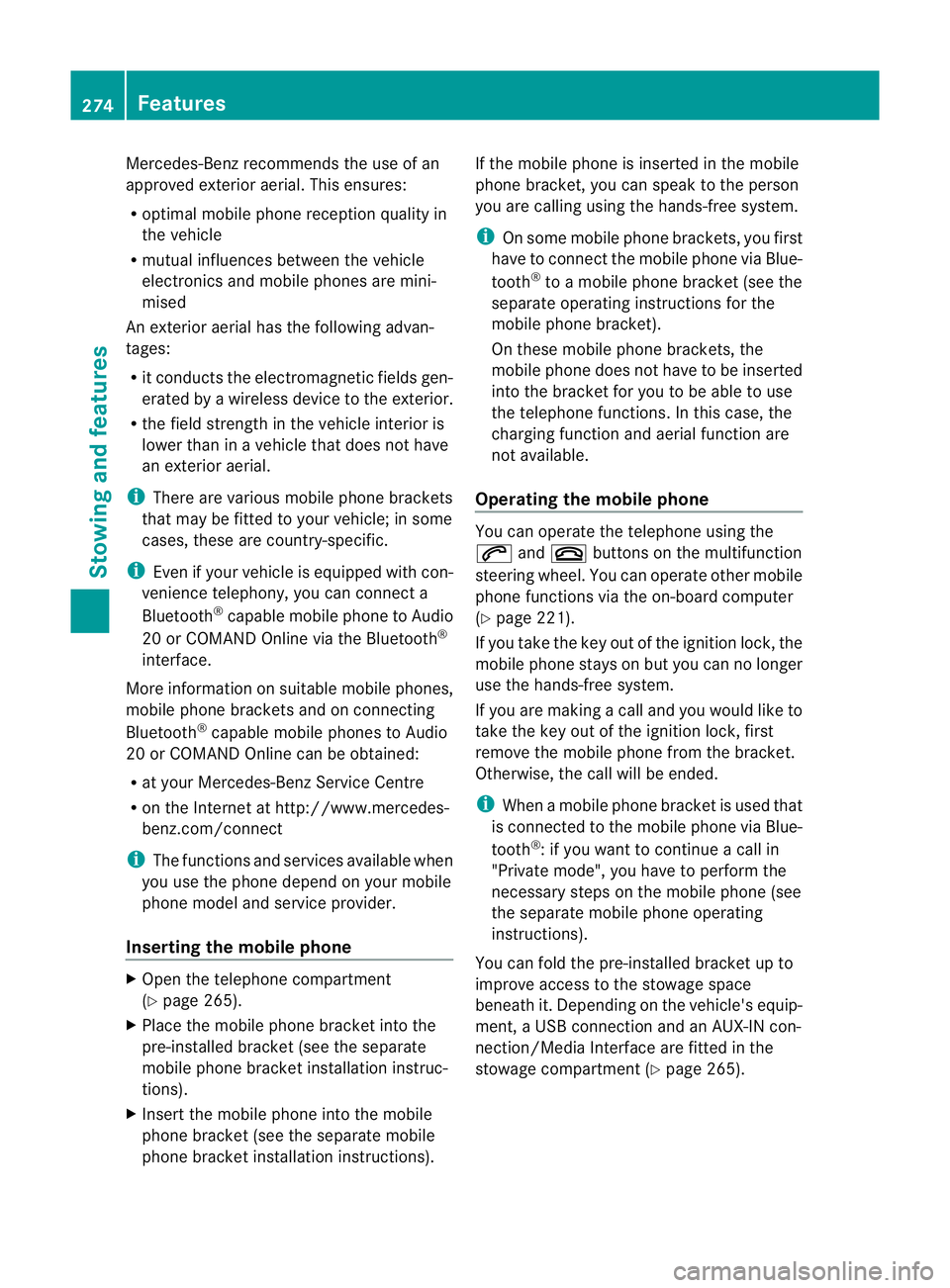
and acigarett elighter. X
Pull cover ;out by its top edge.
X Lift up the cover of socket :. Mobile phone
Important notes G
WARNING
Observe the legal requirements of the country
in which you are currently driving regarding
operating mobile communications equipment
in av ehicle.
If it is permitted by law to operate communi-
cations equipment while the vehicle is in
motion ,you must only do so if the traffic sit-
uation permits. Otherwise, you could be dis-
tracted from the traffic conditions, cause an
accident and injure yourself and others.
Two-way radios and fax equipment used with-
out low-reflection exterior aerials can inter-
fere with the vehicle's electronics and thereby
jeopardise the operating safety of the vehicle
and your safety. Therefore, you must only use
this equipment if it is correctly connected to
as eparate reflection-free exterior aerial. G
WARNING
Excessive levels of electromagnetic radiation
may cause damage to your health and the
health of others. Using an exterior aerial takes
into account current scientific discussions
relating to the possible health risk posed by
electromagnetic fields. Features
273Stowing and features Z
Page 277 of 353
Mercedes-Ben
zrecommends the use of an
approved exterior aerial. This ensures:
R optimal mobile phone reception quality in
the vehicle
R mutual influences between the vehicle
electronics and mobile phones are mini-
mised
An exterior aerial has the following advan-
tages:
R it conducts the electromagnetic fields gen-
erated by awireless device to the exterior.
R the field strengt hinthe vehicle interior is
lower than in avehicle that does not have
an exterior aerial.
i There are various mobile phone brackets
that may be fitted to your vehicle; in some
cases, these are country-specific.
i Even if your vehicle is equipped with con-
venience telephony, you can connecta
Bluetooth ®
capable mobil ephone to Audio
20 or COMAND Online via the Bluetooth ®
interface.
More information on suitabl emobilephones,
mobil ephone brackets and on connecting
Bluetooth ®
capable mobil ephones to Audio
20 or COMAND Online can be obtained:
R at your Mercedes-Benz Service Centre
R on the Internet at http://www.mercedes-
benz.com/connect
i The functions and service savailablew hen
you use the phone depend on yourm obile
phone model and service provider.
Inserting the mobile phone X
Open the telephone compartment
(Y page 265).
X Place the mobile phone bracket into the
pre-installed bracket (see the separate
mobile phone bracket installation instruc-
tions).
X Insert the mobile phone into the mobile
phone bracket (see the separate mobile
phone bracket installation instructions). If the mobile phone is inserted in the mobile
phone bracket
,you can speak to the person
you are calling using the hands-free system.
i On some mobile phone brackets, you first
have to connect the mobile phone via Blue-
tooth ®
to am obile phone bracket (see the
separate operating instructions for the
mobile phone bracket).
On these mobile phone brackets, the
mobile phone does not have to be inserted
into the bracket for you to be able to use
the telephone functions. In this case, the
charging function and aerial function are
not available.
Operating the mobile phone You can operate the telephone using the
6
and~ button sonthe multifunction
steerin gwheel. You can operate other mobile
phone functions via the on-board computer
(Y page 221).
If you take the key out of the ignition lock, the
mobile phone stays on but you can no longer
use the hands-free system.
If you are making acall and you would like to
take the key out of the ignition lock, first
remove the mobile phone from the bracket.
Otherwise, the call will be ended.
i When amobile phone bracket is used that
is connected to the mobile phone via Blue-
tooth ®
:ify ou want to continue acall in
"Private mode", you have to perform the
necessary steps on the mobile phone (see
the separate mobile phone operating
instructions).
You can fold the pre-installed bracket up to
improve access to the stowage space
beneath it. Dependin gonthe vehicle's equip-
ment,aU SB connection and an AUX-IN con-
nection/Media Interface are fitted in the
stowage compartment (Y page 265).274
FeaturesStowing and features
Page 281 of 353
Frequencies for th
egarage door opener The radio typ
eapproval number and th efrequency range for th egarag edoor opener can be
foun dont heInternet at: http://www.mercedes-benz.de/betriebsanleitung. Floorma
tonthedriver's side G
WARNING
Mak esure that there is sufficien tclearance
around the pedals when floormats are used,
and that the floormats are properly secured.
The floormats must be correctly secured at all
times using retainer sand press-studs.
Before you drive off ,chec kthe floormats and
secure if necessary. Afloormat which is not
properly secured can slip and, thereby, inter-
fere with the movemen tofthe pedals.
Do not place floormats on top of one another. X
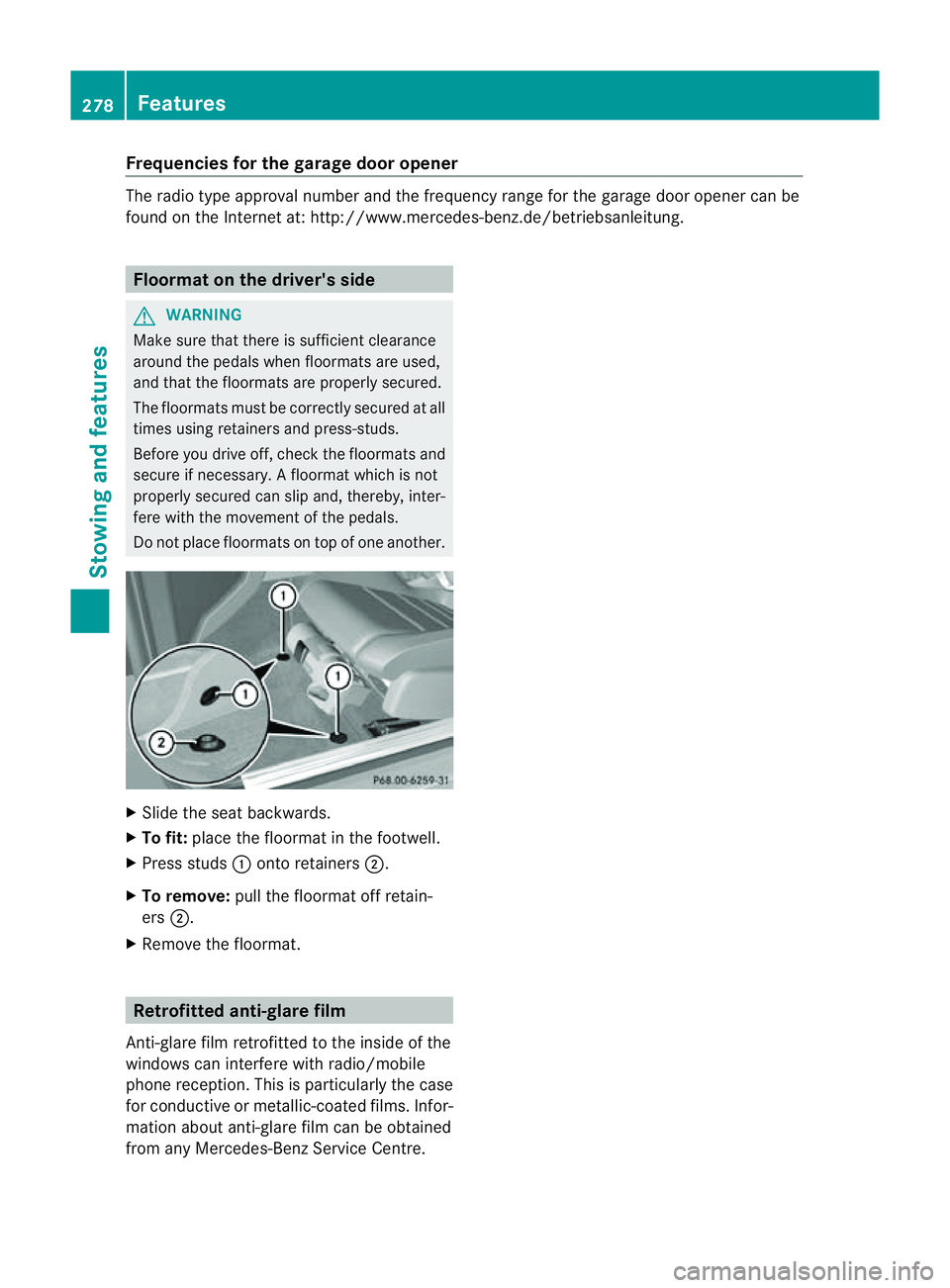
Slide the seat backwards.
X To fit: place the floormat in the footwell.
X Press studs :onto retainers ;.
X To remove: pull the floormat off retain-
ers ;.
X Remove the floormat. Retrofitted anti-glaref
ilm
Anti-glare film retrofitted to the inside of the
windows can interferew ith radio/mobile
phone reception. This is particularly the case
for conductive or metallic-coated films. Infor-
mation about anti-glare film can be obtained
from any Mercedes-Ben zService Centre. 278
FeaturesStowing and features
Page 286 of 353
X
Slowl yslide oi ldipstick :into the guide
tub etot he stop ,and take it ou tagain.
The oil level is correc tifthe level is between
MIN mark =and MAX mark ;.
X Top up the oil if necessary.
Adding engine oil H
Environmental note
When topping up the oil, take care not to spill
any. If oil enters the soil or waterways, it is
harmful to the environment. G
WARNING
If engine oil comes into contact with hot
engine parts, it may ignite and you could burn
yourself. Do not spill any engine oil on hot
engine parts. Example: engine oil cap
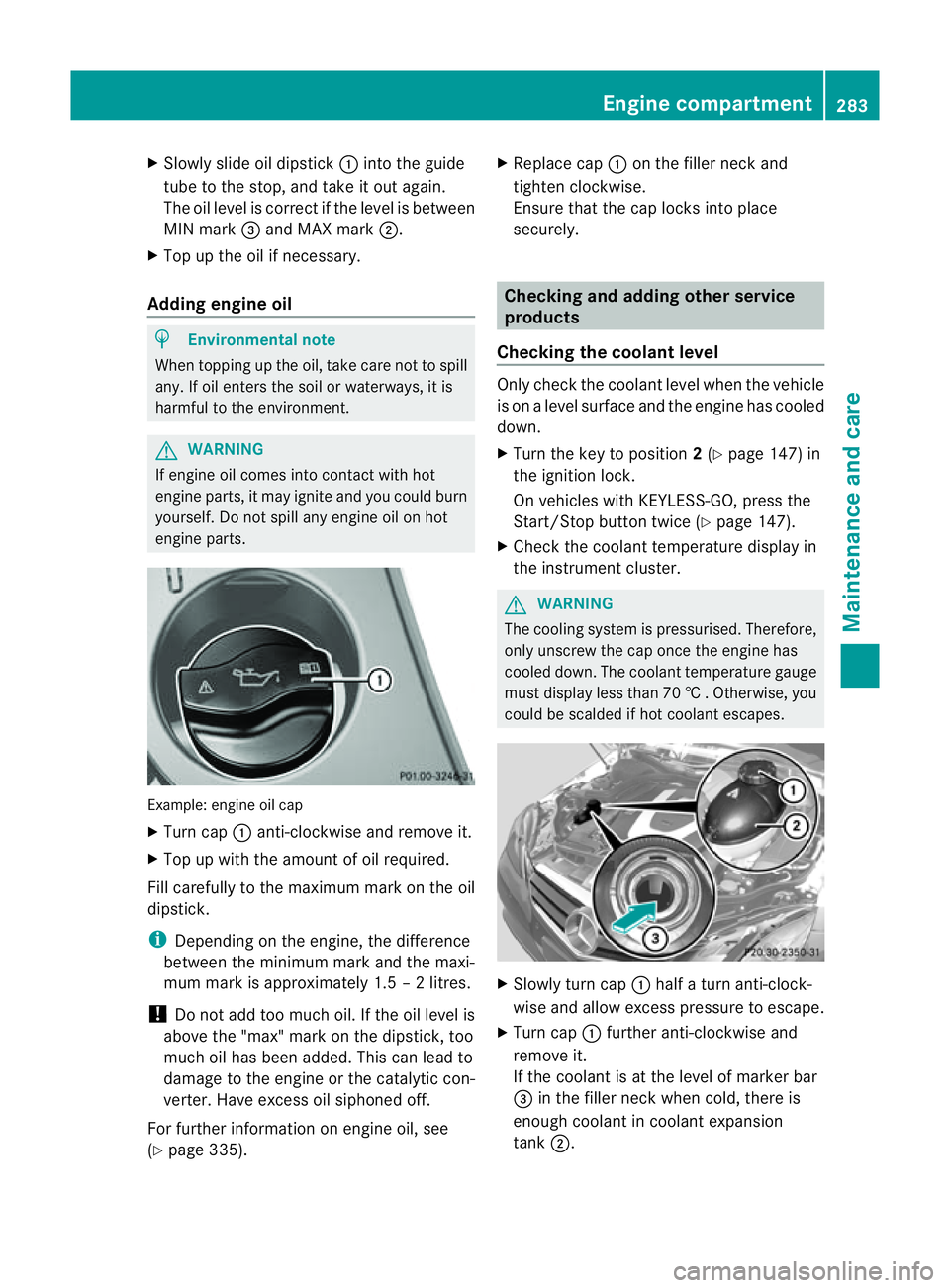
X
Turn cap :anti-clockwise and remove it.
X Top up with the amount of oil required.
Fill carefully to the maximum mark on the oil
dipstick.
i Depending on the engine, the difference
between the minimum mark and the maxi-
mum mark is approximately 1.5 –2litres.
! Do not add too much oil. If the oil level is
above the "max" mark on the dipstick, too
much oil has been added. This can lead to
damage to the engine or the catalytic con-
verter. Have excess oil siphoned off.
For further information on engine oil, see
(Y page 335). X
Replace cap :on the filler neck and
tighten clockwise.
Ensure that the cap locks into place
securely. Checking and adding other service
products
Checking the coolant level Only check the coolant level when the vehicle
is on alevel surface and the engine has cooled
down.
X Turn the key to position 2(Y page 147) in
the ignition lock.
On vehicles with KEYLESS-GO, press the
Start/Stop button twice (Y page 147).
X Check the coolant temperature displayin
the instrumentc luster. G
WARNING
The cooling system is pressurised. Therefore,
only unscrew the cap once the engine has
cooled down. The coolant temperature gauge
must display less than 70 †.Otherwise, you
could be scalded if hot coolant escapes. X
Slowl yturnc ap : half aturna nti-clock-
wise and allow exces spressure to escape.
X Turn cap :further anti-clockwis eand
remove it.
If th ecoolan tisatt heleve lofm arkerbar
= in th efille rneck when cold, there is
enough coolant in coolant expansion
tank ;. Engine compartment
283Maintenance and care Z
Page 288 of 353
You can obtain further information fro
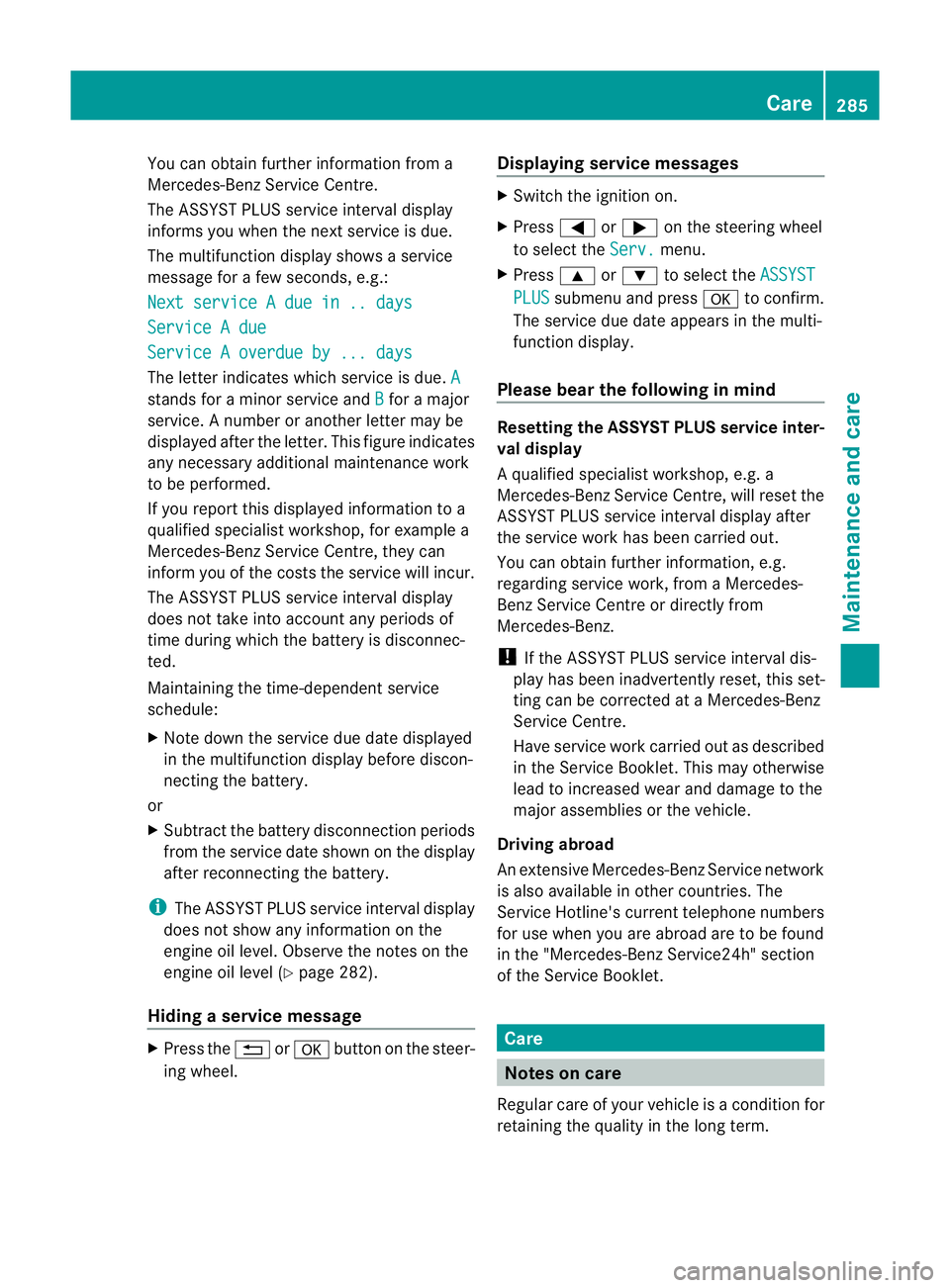
ma
Mercedes-Ben zService Centre.
The ASSYS TPLUS service interval display
informs you when the nex tservice is due.
The multifunction display shows aservice
message for afew seconds, e.g.:
Next service Adue in .. days Service
Adue Service
Aoverdue by ... days The letter indicates which servic
eisdue.A stands for
aminor servic eand B for
am ajor
service. Anumber or another letter may be
displayed after the letter. This figure indicates
any necessary additional maintenanc ework
to be performed.
If you report this displayed information to a
qualified specialist workshop, for example a
Mercedes-Benz Service Centre, they can
infor myou of the costst he service will incur.
The ASSYST PLUS service interval display
does not take into account any periods of
time during which the battery is disconnec-
ted.
Maintaining the time-dependent service
schedule:
X Note down the service due date displayed
in the multifunction display before discon-
necting the battery.
or
X Subtract the battery disconnection periods
from the service date shown on the display
after reconnecting the battery.
i The ASSYST PLUS service interval display
does not show any information on the
engine oil level. Observe the notes on the
engine oil level (Y page 282).
Hiding aservice message X
Pres sthe % ora button on th esteer-
ing wheel. Displaying service messages X
Switch th eignitio non.
X Press =or; on the steering wheel
to select the Serv. menu.
X Press 9or: to select the ASSYST PLUS submenu and press
ato confirm.
The servic eduedate appear sinthe multi-
functio ndisplay.
Please bear th efollowing in mind Resetting th
eASSYST PLUS service inter-
val display
Aq ualified specialist workshop, e.g. a
Mercedes-Ben zService Centre, will reset the
ASSYST PLUS servic einterval display after
the servic ework has been carried out.
You can obtain further information ,e.g.
regarding servic ework, from aMercedes-
Benz Service Centr eordirectly from
Mercedes-Benz.
! If the ASSYST PLUS servic einterval dis-
play has been inadvertently reset ,this set-
tingc an be corrected at aMercedes-Benz
Service Centre.
Have servic ework carried out as described
in the Service Booklet. This may otherwise
lead to increased wear and damage to the
major assemblies or the vehicle.
Driving abroad
An extensive Mercedes-Benz Service network
is also available in other countries. The
Service Hotline's curren ttelephone numbers
for use when you are abroad are to be found
in the "Mercedes-BenzS ervice24h" section
of the Service Booklet. Care
Notes on care
Regular care of your vehicle is acondition for
retaining the quality in the long term. Care
285Maintenance and care Z
Page 334 of 353
H
Environmenta
lnote
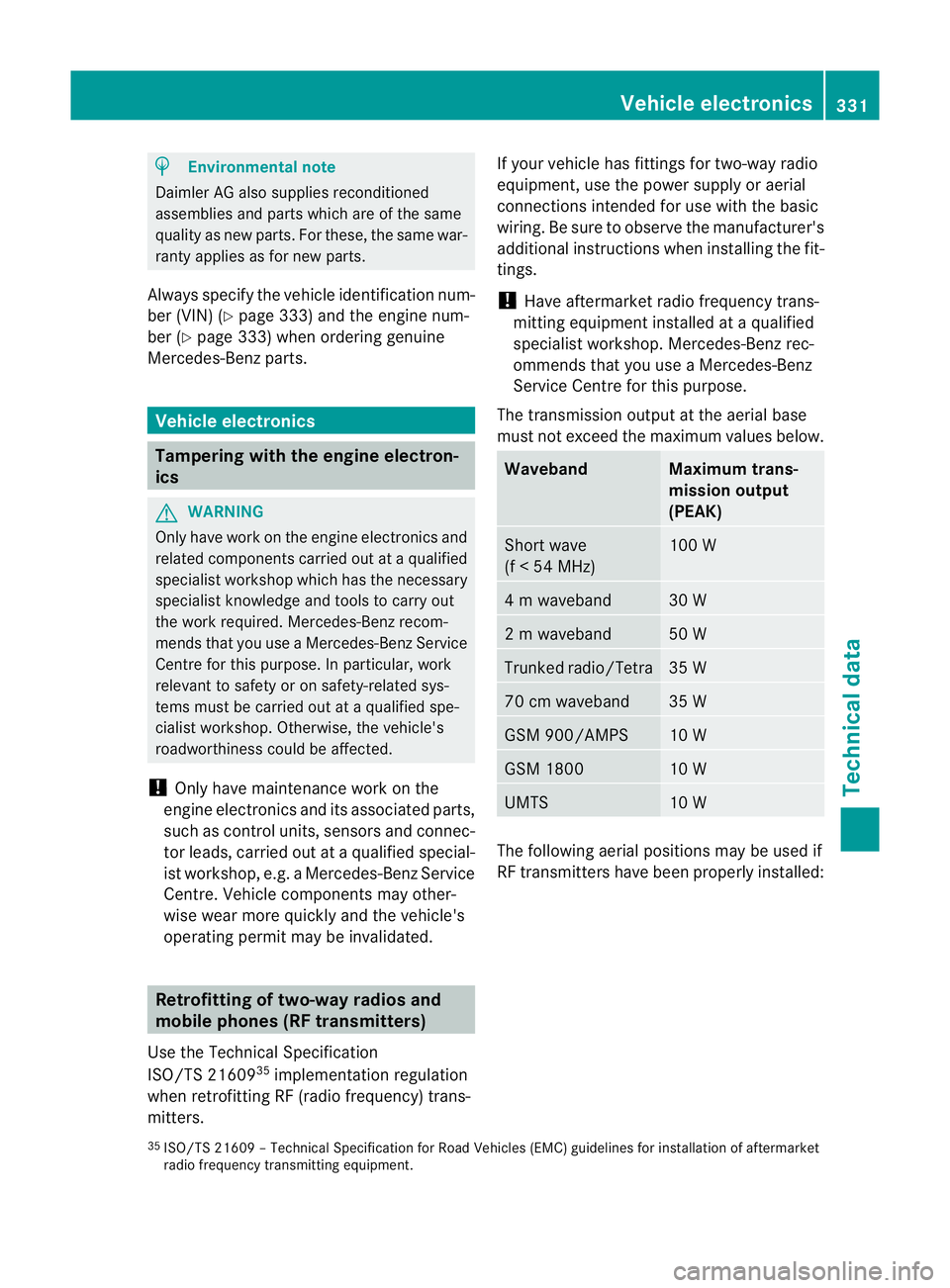
Daimler AG also supplies reconditioned
assemblies and part swhicha re of th esame
quality as new parts. For these, th esame war-
ranty applies as for new parts.
Always specify th evehicle identification num-
ber (VIN )(Y page 333) and th eengine num-
ber (Y page 333) when orderin ggenuine
Mercedes-Ben zparts. Vehicle electronics
Tampering with th
eengine electron-
ics G
WARNING
Only have work on th eenginee lectronics and
related component scarried out at aqualified
specialist worksho pwhichh as th enecessary
specialist knowledg eand tools to carry out
th ew ork required .Mercedes-Ben zrecom-
mends that you use aMercedes-Ben zService
Centr efor this purpose. In particular, work
relevant to safety or on safety-related sys-
tems must be carried out at aqualified spe-
cialist workshop. Otherwise, the vehicle's
roadworthiness could be affected.
! Only have maintenanc ework on the
engine electronics and its associated parts,
such as control units, sensor sand connec-
tor leads, carried out at aqualified special-
ist workshop, e.g. aMercedes-Benz Service
Centre. Vehicle componentsm ay other-
wise wear mor equickly and th evehicle's
operatin gpermit may be invalidated. Retrofitting of two-way radios and
mobile phones (RF transmitters)
Use th eTechnical Specification
ISO/TS 21609 35
implementation regulation
when retrofitting RF (radi ofrequency) trans-
mitters. If your vehicle has fittings for two-way radio
equipment, use th
epower supply or aerial
connection sintended for use wit hthe basic
wiring. Be sure to observ ethe manufacturer's
additional instruction swhen installing th efit-
tings.
! Hav eaftermarket radio frequency trans-
mittin gequipmen tinstalled at aquali fied
specialist workshop .Mercedes-Benzr ec-
ommends that you use aMercedes-Benz
Service Centr efor this purpose.
The transmission output at the aerial base
must not exceed the maximum values below. Waveband Maximum trans-
mission output
(PEAK)
Short wave
(f
<54M Hz) 100 W
4mw
aveband 30 W
2mw
aveband 50 W
Trunked radio/Tetra 35 W
70 cm waveband 35 W
GSM 900/AMPS 10 W
GSM 1800 10 W
UMTS 10 W
The following aerial position
smay be used if
RF transmitters have been properly installed:
35 ISO/TS 2160 9–Technical Specification for Road Vehicles (EMC) guidelines for installation of aftermarket
radio frequenc ytransmitting equipment. Vehicle electronics
331Technical data Z