ignition MERCEDES-BENZ E-Class COUPE 2013 C207 Owner's Guide
[x] Cancel search | Manufacturer: MERCEDES-BENZ, Model Year: 2013, Model line: E-Class COUPE, Model: MERCEDES-BENZ E-Class COUPE 2013 C207Pages: 372, PDF Size: 12.69 MB
Page 82 of 372
X
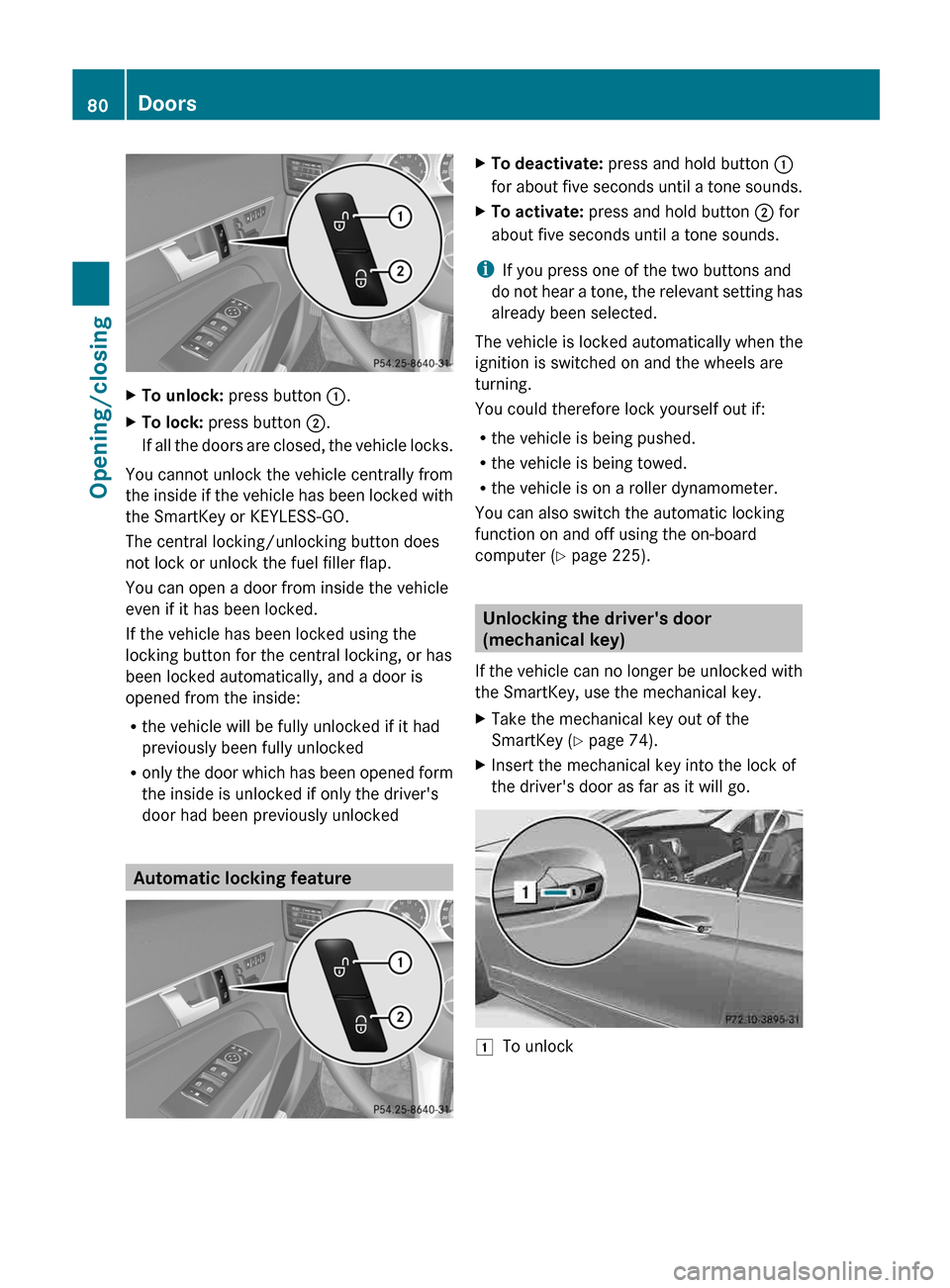
To unlock: press button :.
X To lock: press button ;.
If all the doors are closed, the vehicle locks.
You cannot unlock the vehicle centrally from
the
inside if the vehicle has been locked with
the SmartKey or KEYLESS-GO.
The central locking/unlocking button does
not lock or unlock the fuel filler flap.
You can open a door from inside the vehicle
even if it has been locked.
If the vehicle has been locked using the
locking button for the central locking, or has
been locked automatically, and a door is
opened from the inside:
R the vehicle will be fully unlocked if it had
previously been fully unlocked
R only the door which has been opened form
the inside is unlocked if only the driver's
door had been previously unlocked Automatic locking feature X
To deactivate: press and hold button :
for
about five seconds until a tone sounds.
X To activate: press and hold button ; for
about five seconds until a tone sounds.
i If you press one of the two buttons and
do
not hear a tone, the relevant setting has
already been selected.
The vehicle is locked automatically when the
ignition is switched on and the wheels are
turning.
You could therefore lock yourself out if:
R the vehicle is being pushed.
R the vehicle is being towed.
R the vehicle is on a roller dynamometer.
You can also switch the automatic locking
function on and off using the on-board
computer (Y page 225). Unlocking the driver's door
(mechanical key)
If
the vehicle can no longer be unlocked with
the SmartKey, use the mechanical key.
X Take the mechanical key out of the
SmartKey (Y page 74).
X Insert the mechanical key into the lock of
the driver's door as far as it will go. 1
To unlock80
Doors
Opening/closing
Page 83 of 372
X
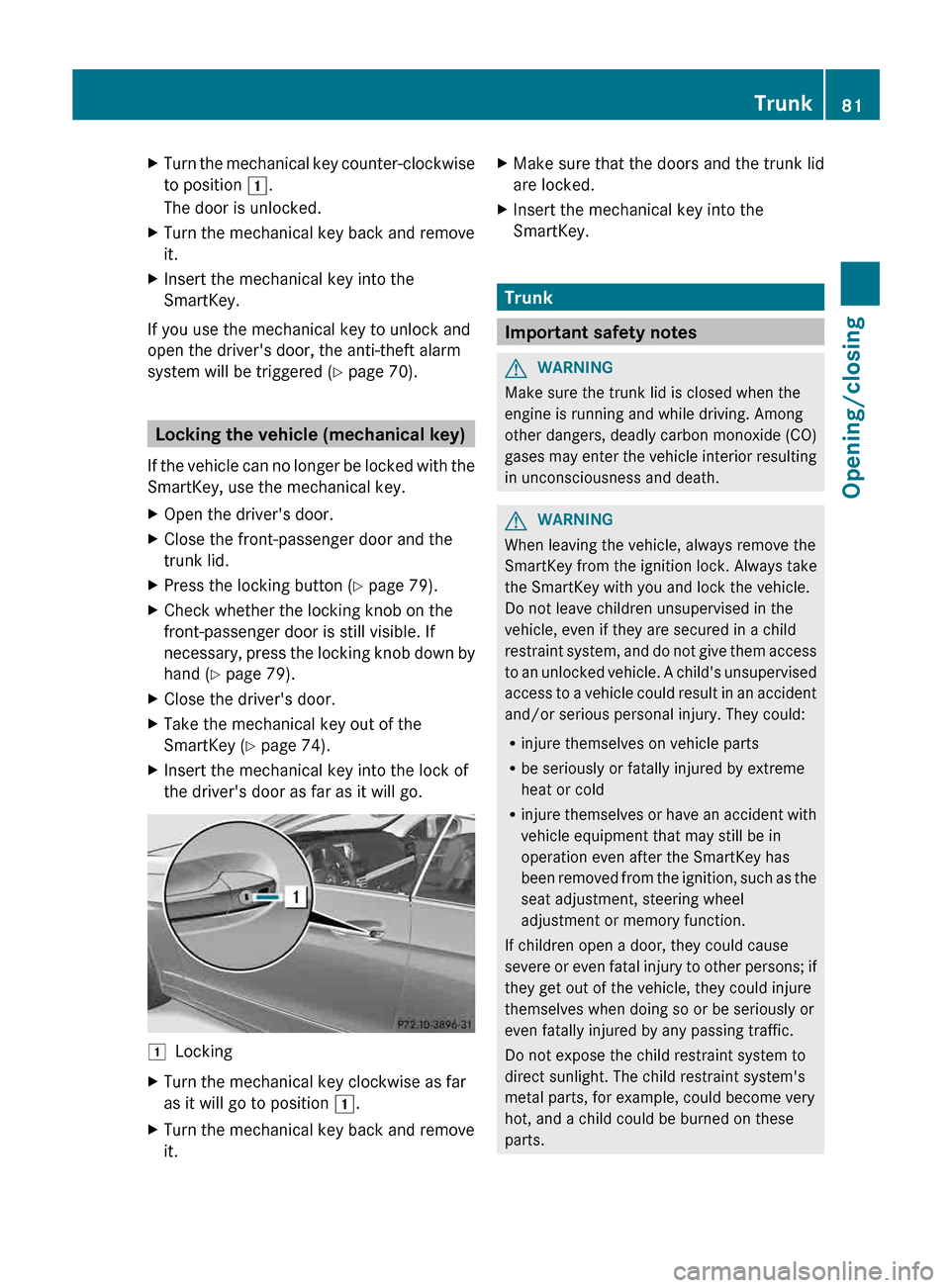
Turn the mechanical key counter-clockwise
to position 1.
The door is unlocked.
X Turn the mechanical key back and remove
it.
X Insert the mechanical key into the
SmartKey.
If you use the mechanical key to unlock and
open the driver's door, the anti-theft alarm
system will be triggered
(Y page 70). Locking the vehicle (mechanical key)
If
the vehicle can no longer be locked with the
SmartKey, use the mechanical key.
X Open the driver's door.
X Close the front-passenger door and the
trunk lid.
X Press the locking button (Y page 79).
X Check whether the locking knob on the
front-passenger door is still visible. If
necessary,
press the locking knob down by
hand ( Y page 79).
X Close the driver's door.
X Take the mechanical key out of the
SmartKey (Y page 74).
X Insert the mechanical key into the lock of
the driver's door as far as it will go. 1
Locking
X Turn the mechanical key clockwise as far
as it will go to position 1.
X Turn the mechanical key back and remove
it. X
Make sure that the doors and the trunk lid
are locked.
X Insert the mechanical key into the
SmartKey. Trunk
Important safety notes
G
WARNING
Make sure the trunk lid is closed when the
engine is running and while driving. Among
other dangers, deadly carbon monoxide (CO)
gases
may enter the vehicle interior resulting
in unconsciousness and death. G
WARNING
When leaving the vehicle, always remove the
SmartKey from the ignition lock. Always take
the SmartKey with you and lock the vehicle.
Do not leave children unsupervised in the
vehicle, even if they are secured in a child
restraint
system, and do not give them access
to an unlocked vehicle. A child's unsupervised
access to a vehicle could result in an accident
and/or serious personal injury. They could:
R injure themselves on vehicle parts
R be seriously or fatally injured by extreme
heat or cold
R injure themselves or have an accident with
vehicle equipment that may still be in
operation even after the SmartKey has
been removed from the ignition, such as the
seat adjustment, steering wheel
adjustment or memory function.
If children open a door, they could cause
severe or even fatal injury to other persons; if
they get out of the vehicle, they could injure
themselves when doing so or be seriously or
even fatally injured by any passing traffic.
Do not expose the child restraint system to
direct sunlight. The child restraint system's
metal parts, for example, could become very
hot, and a child could be burned on these
parts. Trunk
81
Opening/closing Z
Page 87 of 372
pane and the door frame and trap it there. If
there is a risk of entrapment, release the
switch and pull it to close the window.
Opening and closing the side
windows
The
switches for all side windows are located
on the driver's door. There is also a switch on
the front-passenger door as well as on the
doors in the rear compartment on the left and
right-hand sides for the respective side
window.
The switches on the driver's door take
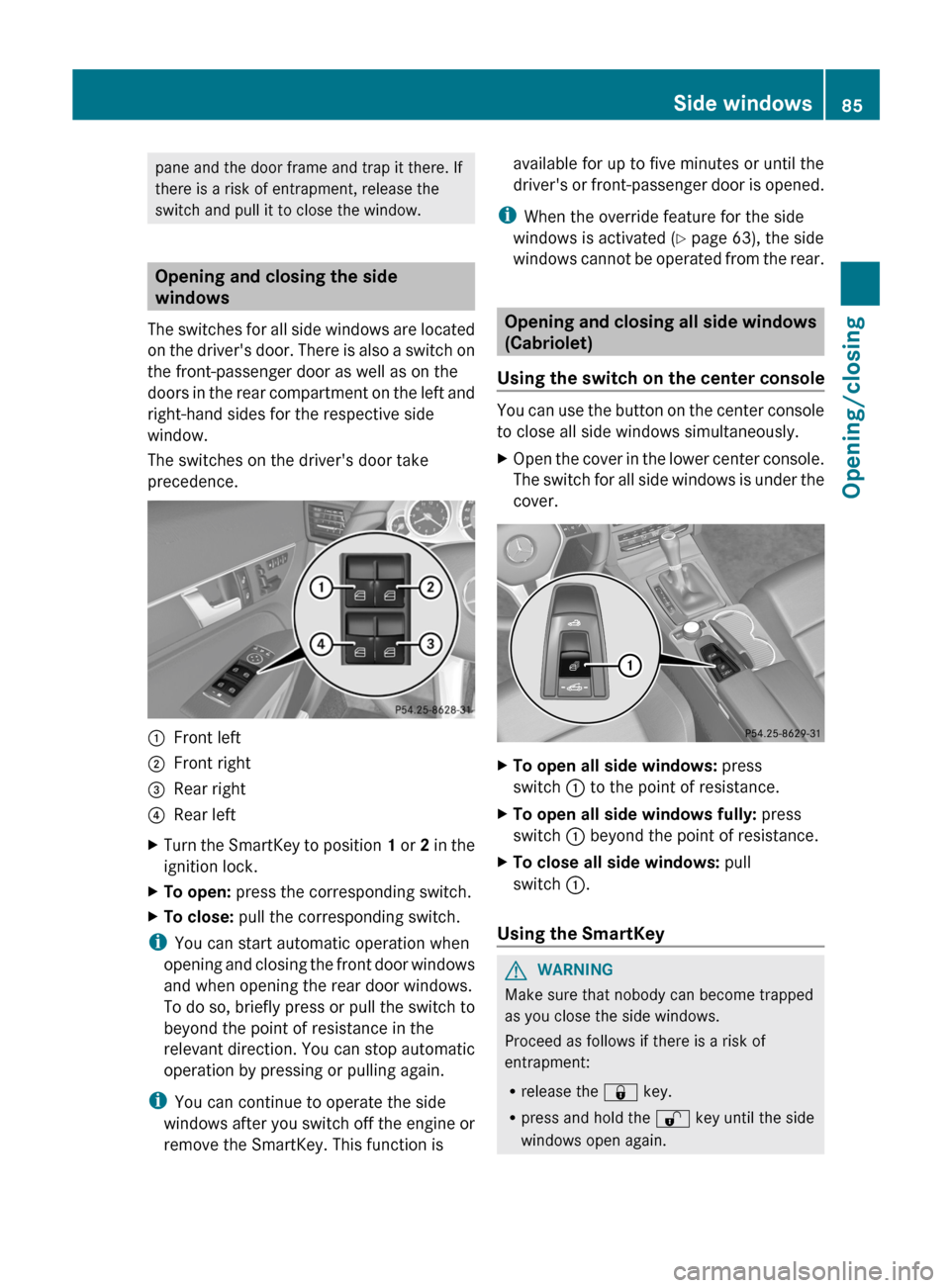
precedence. :
Front left
; Front right
= Rear right
? Rear left
X Turn the SmartKey to position 1
or 2 in the
ignition lock.
X To open: press the corresponding switch.
X To close: pull the corresponding switch.
i You can start automatic operation when
opening
and closing the front door windows
and when opening the rear door windows.
To do so, briefly press or pull the switch to
beyond the point of resistance in the
relevant direction. You can stop automatic
operation by pressing or pulling again.
i You can continue to operate the side
windows after you switch off the engine or
remove the SmartKey. This function is available for up to five minutes or until the
driver's
or front-passenger door is opened.
i When the override feature for the side
windows is activated ( Y page 63), the side
windows cannot be operated from the rear. Opening and closing all side windows
(Cabriolet)
Using the switch on the center console You can use the button on the center console
to close all side windows simultaneously.
X
Open the cover in the lower center console.
The
switch for all side windows is under the
cover. X
To open all side windows: press
switch : to the point of resistance.
X To open all side windows fully: press
switch : beyond the point of resistance.
X To close all side windows: pull
switch :.
Using the SmartKey G
WARNING
Make sure that nobody can become trapped
as you close the side windows.
Proceed as follows if there is a risk of
entrapment:
R release the & key.
R press and hold the % key until the side
windows open again. Side windows
85
Opening/closing Z
Page 90 of 372
X
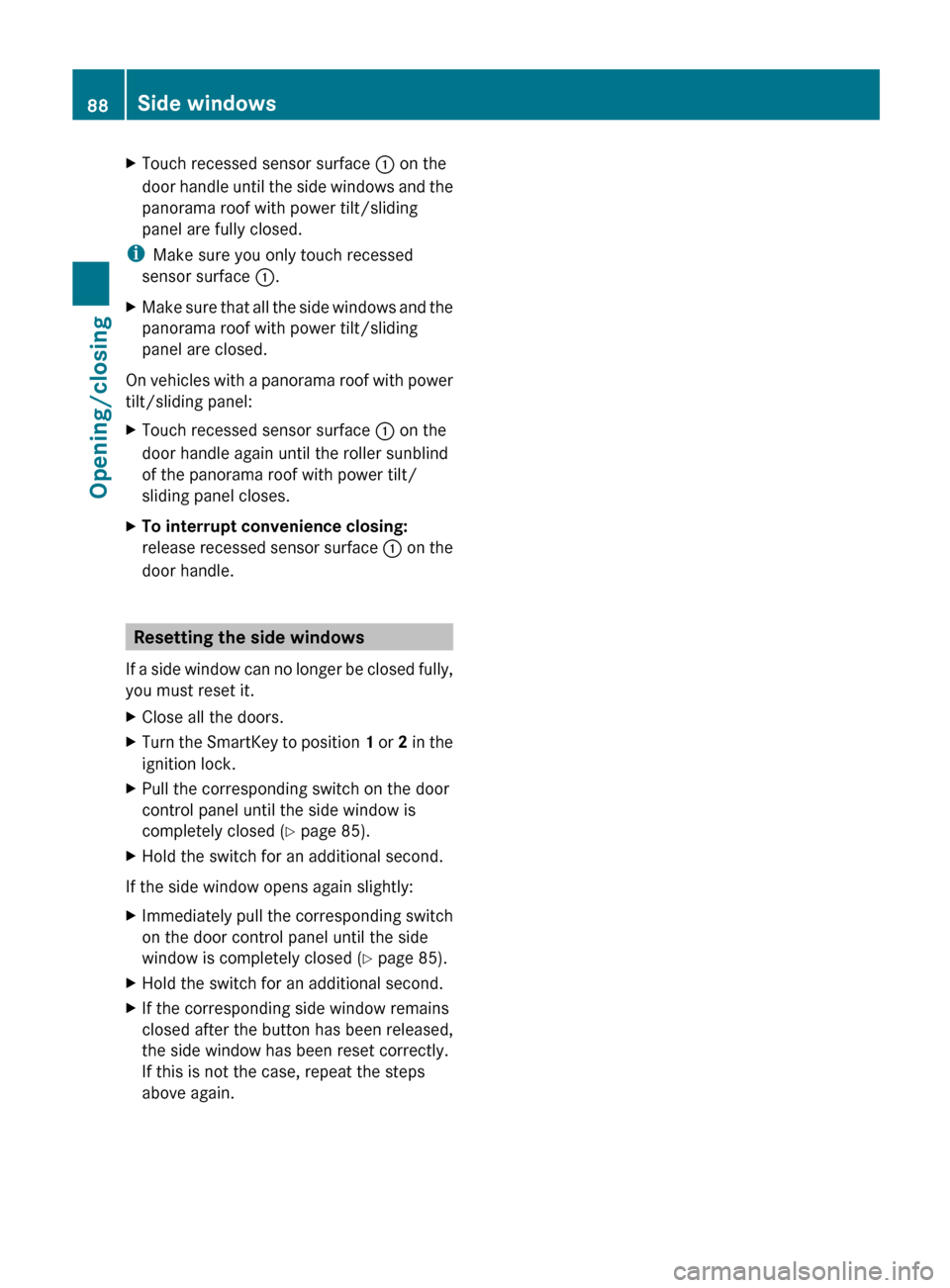
Touch recessed sensor surface : on the
door handle until the side windows and the
panorama roof with power tilt/sliding
panel are fully closed.
i Make sure you only touch recessed
sensor surface :.
X Make sure that all the side windows and the
panorama roof with power tilt/sliding
panel are closed.
On vehicles with a panorama roof with power
tilt/sliding panel:
X Touch recessed sensor surface : on the
door handle again until the roller sunblind
of the panorama roof with power tilt/
sliding panel closes.
X To interrupt convenience closing:
release
recessed sensor surface : on the
door handle. Resetting the side windows
If
a side window can no longer be closed fully,
you must reset it.
X Close all the doors.
X Turn the SmartKey to position 1
or 2 in the
ignition lock.
X Pull the corresponding switch on the door
control panel until the side window is
completely closed
(Y page 85).
X Hold the switch for an additional second.
If the side window opens again slightly:
X Immediately pull the corresponding switch
on the door control panel until the side
window is completely closed
(Y page 85).
X Hold the switch for an additional second.
X If the corresponding side window remains
closed after the button has been released,
the side window has been reset correctly.
If this is not the case, repeat the steps
above again.88
Side windows
Opening/closing
Page 91 of 372
Problems with the side windows
G
WARNING
Closing the side windows with increased force or without the anti-entrapment feature could lead
to serious or even fatal injury. Make sure that nobody can become trapped when closing the side
windows. G
WARNING
Pulling and holding the switch to close the window immediately after it had been blocked two
times
will cause the window to close without the anti-entrapment feature for as long as you hold
the switch. Problem Possible causes/consequences and
M SolutionsA side window cannot
be closed because it is
blocked
by objects, e.g.
leaves in the window
guide. X
Remove the objects.
X Close the side window. A side window cannot
be closed and you
cannot see the cause. If a side window is obstructed during closing and reopens again
slightly:
X
Immediately after the window blocks, pull the corresponding
switch again until the side window has closed.
The side window is closed with increased force.
If a side window is obstructed again during closing and reopens
again slightly:
X Immediately after the window blocks, pull the corresponding
switch again until the side window has closed.
The
side window is closed without the anti-entrapment feature. Soft top (Cabriolet)
Important safety notes
G
WARNING
Only drive with the soft top fully open or
closed.
If
the soft top does not open or close fully, the
soft-top hydraulics are depressurized and the
soft top is lowered:
R after about seven minutes if the ignition is
switched on
R immediately if the ignition is switched off A warning tone sounds shortly beforehand.
The Convertible Top Opening/Closing
Not Finished message appears in the
multifunction display.
Lock the soft top again before driving on.
Otherwise, the unlocked soft top could open
during the journey and cause you to lose
control of your vehicle. You or other persons
could be injured as a result.
! Never sit on the soft-top compartment
cover and do not store any heavy objects
on it. You will otherwise damage the soft Soft top (Cabriolet)
89
Opening/closing Z
Page 92 of 372
top and soft-top compartment cover of the
vehicle.
! When opening and closing the soft top,
make sure that:
R there is sufficient clearance above it, as
the soft top swings upwards
R the trunk partition is closed.
R the trunk is only loaded to below the
trunk partition.
R the trunk partition is not pushed up by
the load.
R the trunk lid is closed.
R no objects are on the soft-top
compartment cover
R the fabric is not dirty, wet or frozen.
You could otherwise damage the soft top,
trunk and other parts of the vehicle.
i Make sure that the soft top is dry and
clean
before closing it. Otherwise, water or
dirt could enter the vehicle interior or trunk.
You can open or close the soft top:
R when the vehicle is stationary or
R when the speed does not exceed 25 mph
(40 km/h).
If there is a strong head wind, it may not be
possible to close the soft top fully. In this
case, reduce speed or stop in order to close
the soft top fully.
For safety reasons, Mercedes-Benz
recommends that you only open or close the
soft top when the vehicle is stationary. Opening and closing with the soft top
switch
Important safety notes G
WARNING
Make sure nobody can be trapped or injured
by moving parts, such as the soft-top linkage
or
soft-top compartment cover, when opening
or closing the soft top. Release the soft-top switch in the event of
danger. The soft-top mechanism stops
immediately.
G
WARNING
The soft top stops moving during the opening
or closing procedure if you drive faster than
25
mph (40 km/h). This could impair your rear
view. At high speeds the soft top may be
damaged.
Reduce your speed to below 25 mph
(40 km/h) or stop in accordance with traffic
conditions. Press or pull the soft-top switch
again in order to open or close the soft top
fully.
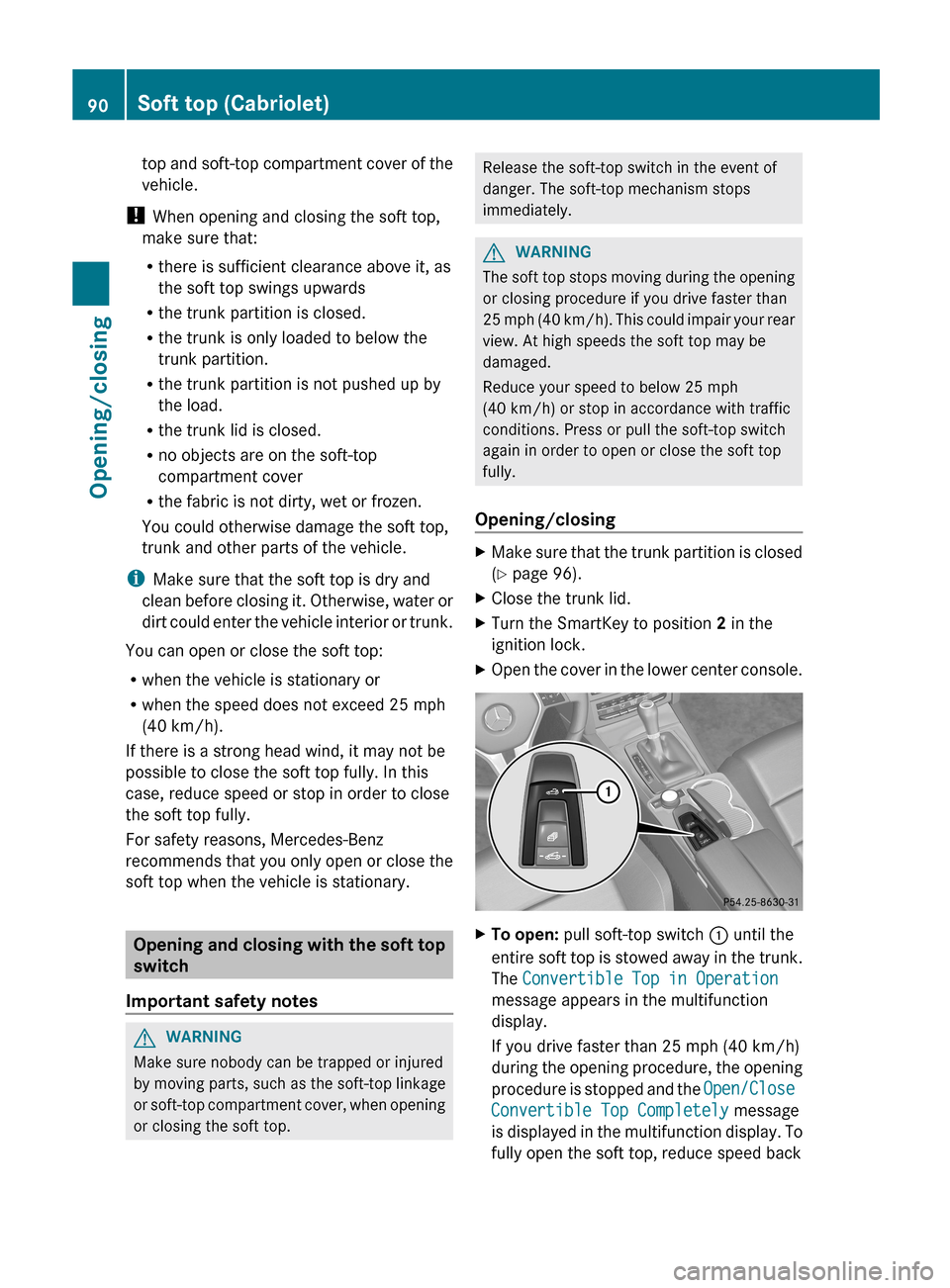
Opening/closing X
Make sure that the trunk partition is closed
(Y page 96).
X Close the trunk lid.
X Turn the SmartKey to position 2 in the
ignition lock.
X Open the cover in the lower center console. X
To open: pull soft-top switch : until the
entire
soft top is stowed away in the trunk.
The Convertible Top in Operation
message appears in the multifunction
display.
If you drive faster than 25 mph (40 km/h)
during the opening procedure, the opening
procedure is stopped and the Open/Close
Convertible Top Completely message
is displayed in the multifunction display. To
fully open the soft top, reduce speed back 90
Soft top (Cabriolet)
Opening/closing
Page 94 of 372
Closing the soft top
X
Apply the parking brake.
X Open the side windows.
X Lower the head restraints automatically or
manually, see the Digital Operator's
Manual, keyword "Head restraint".
X Remove the SmartKey from the ignition
lock.
X Open the trunk.
X Take the two straps out of the vehicle tool
kit ( Y page 308).
X Take the hex-socket wrench out of the
Operator's Manual wallet and keep it with
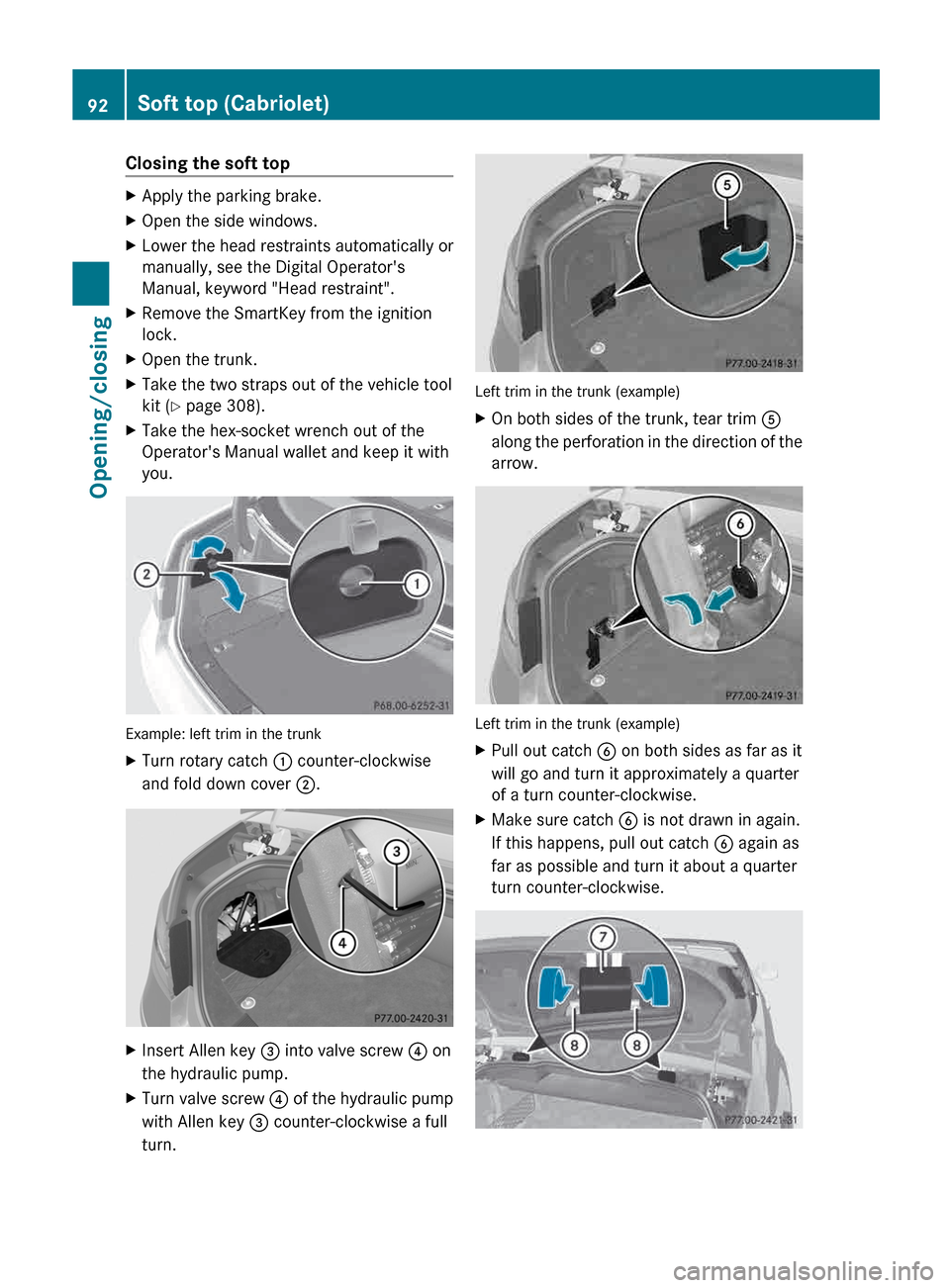
you. Example: left trim in the trunk
X
Turn rotary catch : counter-clockwise
and fold down cover ;. X
Insert Allen key = into valve screw ? on
the hydraulic pump.
X Turn valve screw ? of the hydraulic pump
with Allen key = counter-clockwise a full
turn. Left trim in the trunk (example)
X
On both sides of the trunk, tear trim A
along
the perforation in the direction of the
arrow. Left trim in the trunk (example)
X
Pull out catch B on both sides as far as it
will go and turn it approximately a quarter
of a turn counter-clockwise.
X Make sure catch B is not drawn in again.
If this happens, pull out catch B again as
far as possible and turn it about a quarter
turn counter-clockwise. 92
Soft top (Cabriolet)
Opening/closing
Page 98 of 372
The soft top is not locked if:
R
the Convertible Top in Operation
message appears in the multifunction
display.
R you hear a warning tone for up to ten
seconds
when pulling away or while driving.
Locking You can lock the soft top again if it is not
locked fully.
X
Pull over and stop the vehicle safely as soon
as possible, paying attention to road and
traffic conditions.
X Turn the SmartKey to position 2 in the
ignition lock.
X Press the soft-top switch (Y page 90). Trunk partition
General notes !
To avoid damaging the soft top or load
when
folding back the soft top, observe the
following:
R when the trunk partition is open, do not
place any objects in or behind the net on
the side that are so long they could
obstruct the trunk partition or damage
the opened soft top.
R make sure that the cargo does not push
the trunk partition upwards.
The soft top can only be opened when the
trunk partition is closed.
The trunk partition can be used to cover
luggage and loads in the trunk. Opening/closing
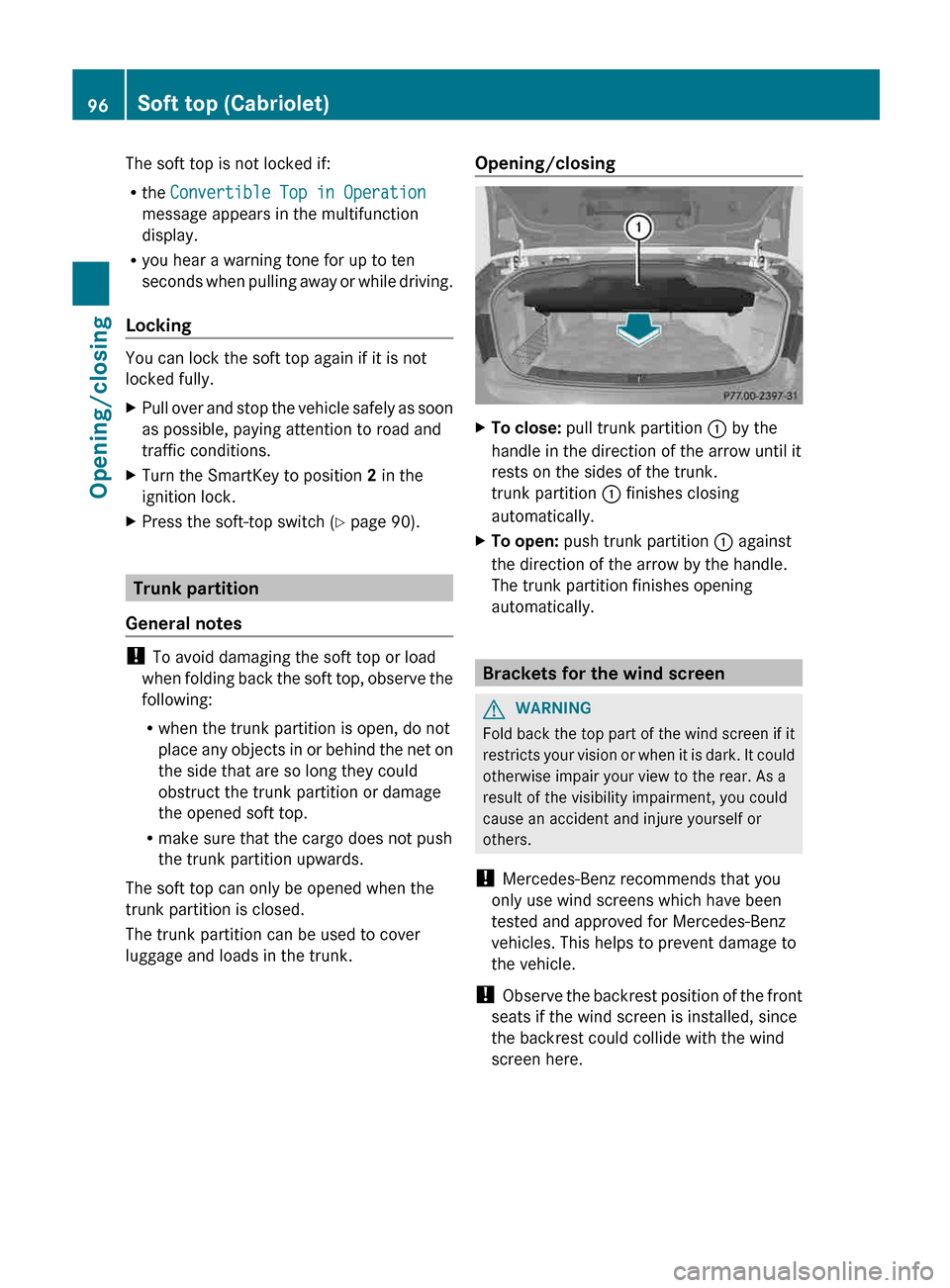
X
To close: pull trunk partition : by the
handle in the direction of the arrow until it
rests on the sides of the trunk.
trunk partition : finishes closing
automatically.
X To open: push trunk partition : against
the direction of the arrow by the handle.
The trunk partition finishes opening
automatically. Brackets for the wind screen
G
WARNING
Fold back the top part of the wind screen if it
restricts
your vision or when it is dark. It could
otherwise impair your view to the rear. As a
result of the visibility impairment, you could
cause an accident and injure yourself or
others.
! Mercedes-Benz recommends that you
only use wind screens which have been
tested and approved for Mercedes-Benz
vehicles. This helps to prevent damage to
the vehicle.
! Observe the backrest position of the front
seats if the wind screen is installed, since
the backrest could collide with the wind
screen here. 96
Soft top (Cabriolet)
Opening/closing
Page 99 of 372
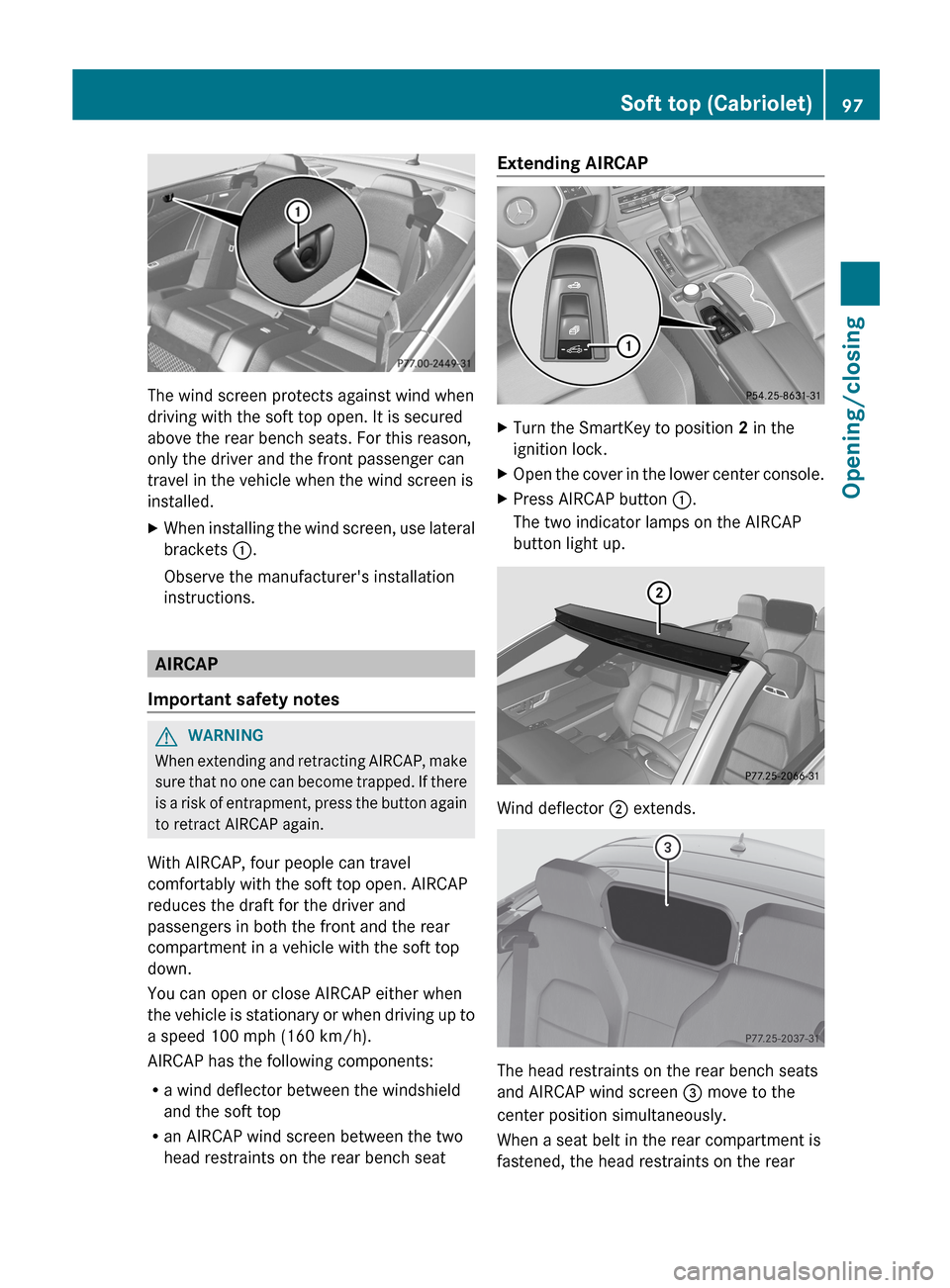
The wind screen protects against wind when
driving with the soft top open. It is secured
above the rear bench seats. For this reason,
only the driver and the front passenger can
travel in the vehicle when the wind screen is
installed.
X
When installing the wind screen, use lateral
brackets :.
Observe the manufacturer's installation
instructions. AIRCAP
Important safety notes G
WARNING
When extending and retracting AIRCAP, make
sure that no one can become trapped. If there
is a risk of entrapment, press the button again
to retract AIRCAP again.
With AIRCAP, four people can travel
comfortably with the soft top open. AIRCAP
reduces the draft for the driver and
passengers in both the front and the rear
compartment in a vehicle with the soft top
down.
You can open or close AIRCAP either when
the vehicle is stationary or when driving up to
a speed 100 mph (160 km/h).
AIRCAP has the following components:
R a wind deflector between the windshield
and the soft top
R an AIRCAP wind screen between the two
head restraints on the rear bench seat Extending AIRCAP
X
Turn the SmartKey to position 2 in the
ignition lock.
X Open the cover in the lower center console.
X Press AIRCAP button :.
The two indicator lamps on the AIRCAP
button light up. Wind deflector ; extends.
The head restraints on the rear bench seats
and AIRCAP wind screen = move to the
center position simultaneously.
When a seat belt in the rear compartment is
fastened, the head restraints on the rear Soft top (Cabriolet)
97
Opening/closing Z
Page 100 of 372
bench seats and AIRCAP wind screen =
move to the upper position.
i
If you park your vehicle with the soft top
down and remove the SmartKey, the wind
deflector
and the head restraints in the rear
compartment retract automatically. When
you start the engine again, the wind
deflector and the head restraints in the rear
compartment extend again automatically.
i It is no longer possible to retract/extend
AIRCAP if you are driving faster than
100 mph (160 km/h).
Retracting AIRCAP X
Turn the SmartKey to position 2 in the
ignition lock.
X Open the cover in the lower center console.
X Press AIRCAP button :.
The two indicator lamps on the AIRCAP
button go out. Wind deflector ; retracts.
The head restraints on the rear bench seats
and AIRCAP wind screen = move to the
lower position simultaneously.
i If
there are passengers wearing seat belts
in the rear compartment, the head
restraints on the rear bench seats and the
AIRCAP wind screen remain in the upper
position.
Retracting the head restraints on the
rear bench seats from the driver's seat To improve the rear view, you can retract the
head restraints on the rear bench seats
individually
(Y page 109). The wind deflector
remains in its current position. Installing and removing the AIRCAP
wind screen
Preparation You will need a 4 mm Allen key to install/
remove the AIRCAP wind screen. Before installing or removing the AIRCAP
wind screen:
X
Turn the SmartKey to position 2 in the
ignition lock.
X Open the folding roof fully ( Y page 90).
X Extend the head restraints in the rear
compartment fully (Y page 109).
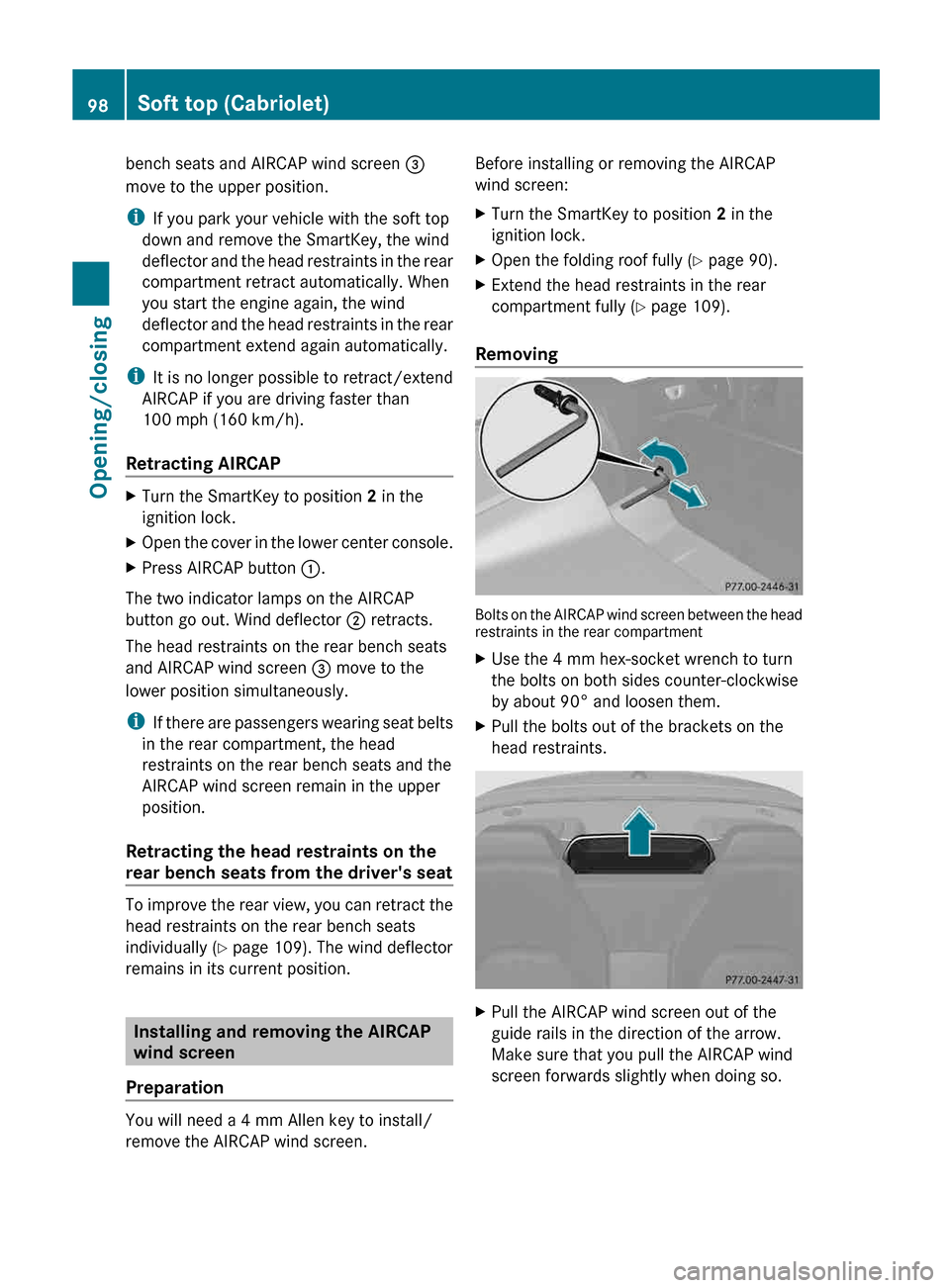
Removing Bolts on the AIRCAP wind screen between the head
restraints in the rear compartment
X
Use the 4 mm hex-socket wrench to turn
the bolts on both sides counter-clockwise
by about 90° and loosen them.
X Pull the bolts out of the brackets on the
head restraints. X
Pull the AIRCAP wind screen out of the
guide rails in the direction of the arrow.
Make sure that you pull the AIRCAP wind
screen forwards slightly when doing so.98
Soft top (Cabriolet)
Opening/closing