mmi MERCEDES-BENZ E-Class COUPE 2013 C207 Owner's Manual
[x] Cancel search | Manufacturer: MERCEDES-BENZ, Model Year: 2013, Model line: E-Class COUPE, Model: MERCEDES-BENZ E-Class COUPE 2013 C207Pages: 372, PDF Size: 12.69 MB
Page 12 of 372
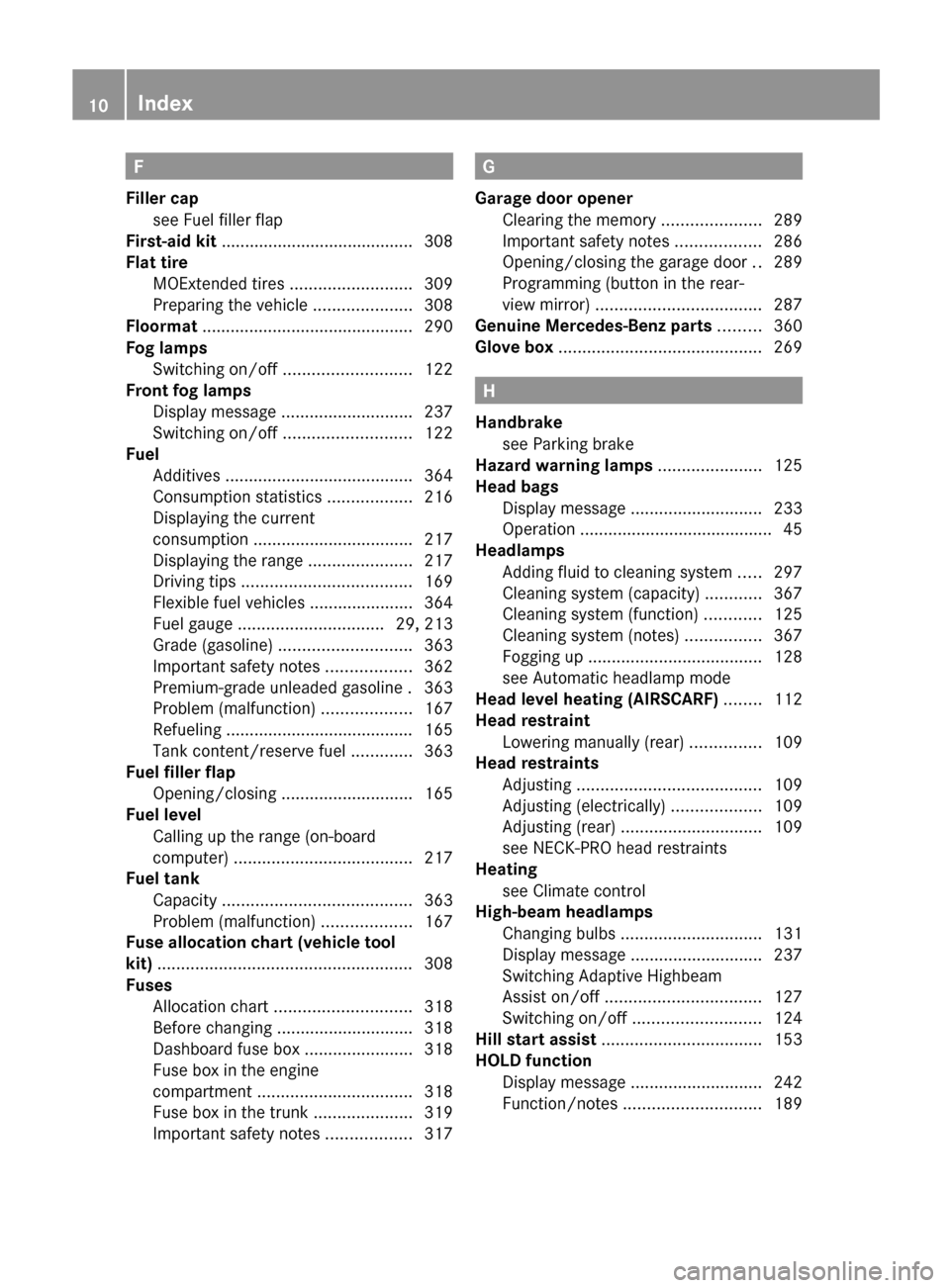
F
Filler cap see Fuel filler flap
First-aid kit ......................................... 308
Flat tire MOExtended tires .......................... 309
Preparing the vehicle .....................308
Floormat ............................................. 290
Fog lamps Switching on/off ........................... 122
Front fog lamps
Display message ............................ 237
Switching on/off ........................... 122
Fuel
Additives ........................................ 364
Consumption statistics ..................216
Displaying the current
consumption .................................. 217
Displaying the range ...................... 217
Driving tips .................................... 169
Flexible fuel vehicles ......................364
Fuel gauge ............................... 29, 213
Grade (gasoline) ............................ 363
Important safety notes .................. 362
Premium-grade unleaded gasoline . 363
Problem (malfunction) ...................167
Refueling ........................................ 165
Tank content/reserve fuel .............363
Fuel filler flap
Opening/closing ............................ 165
Fuel level
Calling up the range (on-board
computer) ...................................... 217
Fuel tank
Capacity ........................................ 363
Problem (malfunction) ...................167
Fuse allocation chart (vehicle tool
kit) ...................................................... 308
Fuses Allocation chart ............................. 318
Before changing ............................. 318
Dashboard fuse box ....................... 318
Fuse box in the engine
compartment ................................. 318
Fuse box in the trunk ..................... 319
Important safety notes .................. 317 G
Garage door opener Clearing the memory
.....................289
Important safety notes .................. 286
Opening/closing the garage door ..289
Programming (button in the rear-
view mirror) ................................... 287
Genuine Mercedes-Benz parts ......... 360
Glove box ........................................... 269 H
Handbrake see Parking brake
Hazard warning lamps ......................125
Head bags Display message ............................ 233
Operation ......................................... 45
Headlamps
Adding fluid to cleaning system .....297
Cleaning system (capacity) ............ 367
Cleaning system (function) ............ 125
Cleaning system (notes) ................367
Fogging up ..................................... 128
see Automatic headlamp mode
Head level heating (AIRSCARF) ........112
Head restraint Lowering manually (rear) ...............109
Head restraints
Adjusting ....................................... 109
Adjusting (electrically) ...................109
Adjusting (rear) .............................. 109
see NECK-PRO head restraints
Heating
see Climate control
High-beam headlamps
Changing bulbs .............................. 131
Display message ............................ 237
Switching Adaptive Highbeam
Assist on/off ................................. 127
Switching on/off ........................... 124
Hill start assist .................................. 153
HOLD function Display message ............................ 242
Function/notes ............................. 18910
Index
Page 14 of 372
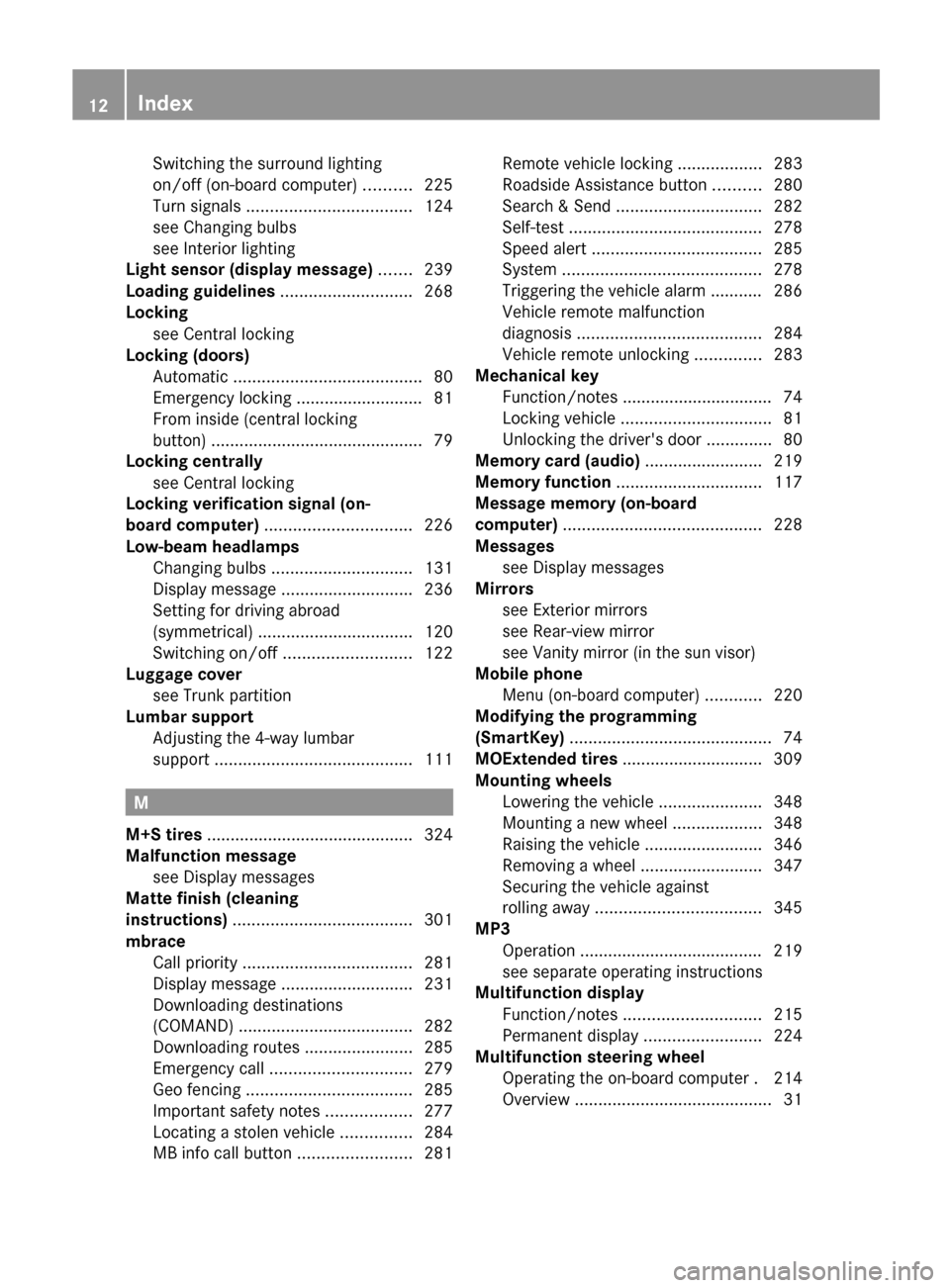
Switching the surround lighting
on/off (on-board computer)
..........225
Turn signals ................................... 124
see Changing bulbs
see Interior lighting
Light sensor (display message) .......239
Loading guidelines ............................268
Locking see Central locking
Locking (doors)
Automatic ........................................ 80
Emergency locking ........................... 81
From inside (central locking
button) ............................................. 79
Locking centrally
see Central locking
Locking verification signal (on-
board computer) ............................... 226
Low-beam headlamps Changing bulbs .............................. 131
Display message ............................ 236
Setting for driving abroad
(symmetrical) ................................. 120
Switching on/off ........................... 122
Luggage cover
see Trunk partition
Lumbar support
Adjusting the 4-way lumbar
support .......................................... 111M
M+S tires ............................................ 324
Malfunction message see Display messages
Matte finish (cleaning
instructions) ...................................... 301
mbrace Call priority .................................... 281
Display message ............................ 231
Downloading destinations
(COMAND) ..................................... 282
Downloading routes .......................285
Emergency call .............................. 279
Geo fencing ................................... 285
Important safety notes .................. 277
Locating a stolen vehicle ............... 284
MB info call button ........................ 281Remote vehicle locking ..................
283
Roadside Assistance button .......... 280
Search & Send ............................... 282
Self-test
......................................... 278
Speed alert .................................... 285
System .......................................... 278
Triggering the vehicle alarm ........... 286
Vehicle remote malfunction
diagnosis ....................................... 284
Vehicle remote unlocking .............. 283
Mechanical key
Function/notes ................................ 74
Locking vehicle ................................ 81
Unlocking the driver's door ..............80
Memory card (audio) ......................... 219
Memory function ............................... 117
Message memory (on-board
computer) .......................................... 228
Messages see Display messages
Mirrors
see Exterior mirrors
see Rear-view mirror
see Vanity mirror (in the sun visor)
Mobile phone
Menu (on-board computer) ............ 220
Modifying the programming
(SmartKey) ........................................... 74
MOExtended tires .............................. 309
Mounting wheels Lowering the vehicle ......................348
Mounting a new wheel ................... 348
Raising the vehicle ......................... 346
Removing a wheel ..........................347
Securing the vehicle against
rolling away ................................... 345
MP3
Operation ....................................... 219
see separate operating instructions
Multifunction display
Function/notes ............................. 215
Permanent display ......................... 224
Multifunction steering wheel
Operating the on-board computer . 214
Overview .......................................... 3112
Index
Page 16 of 372
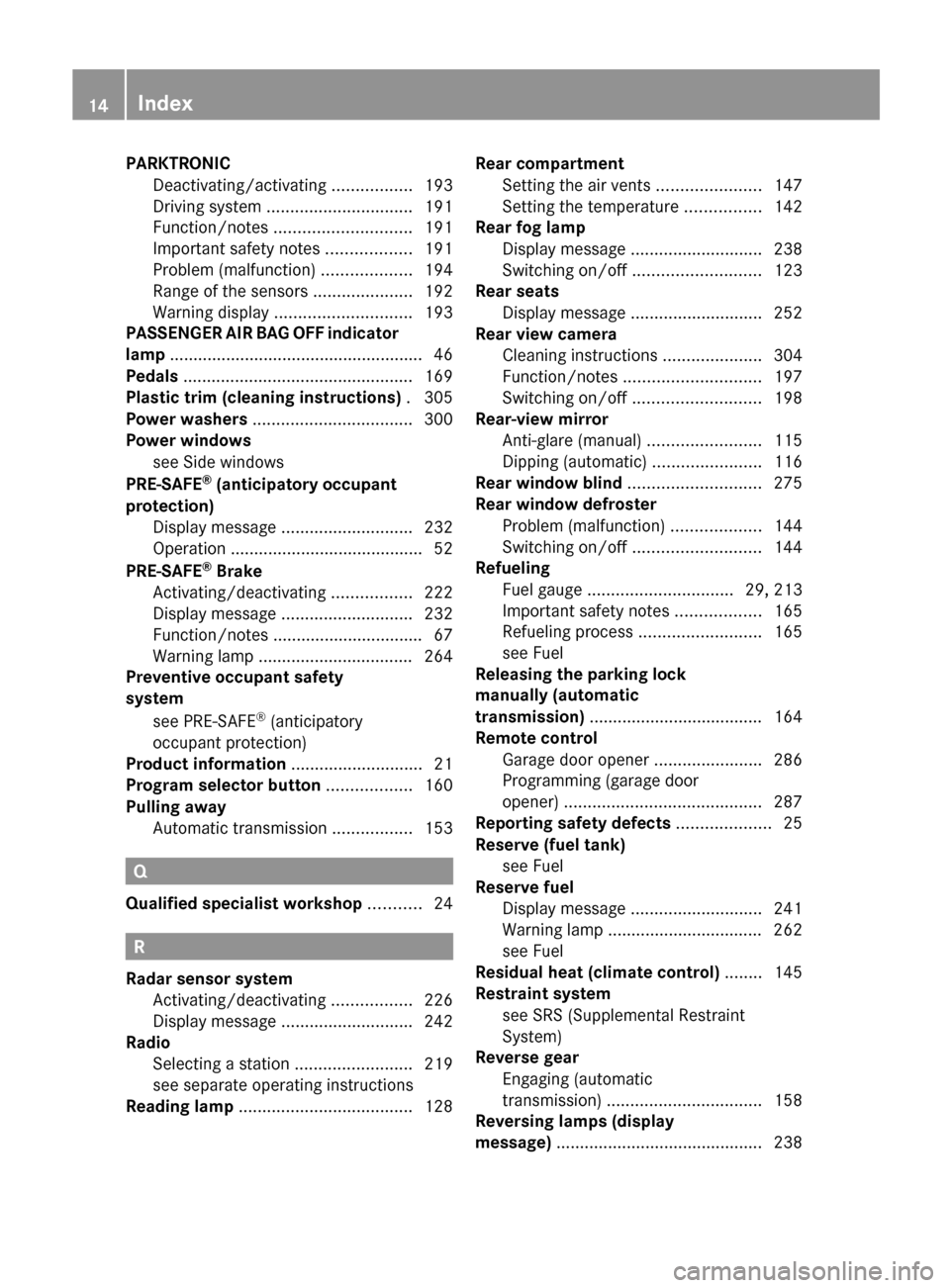
PARKTRONIC
Deactivating/activating .................193
Driving system ............................... 191
Function/notes ............................. 191
Important safety notes .................. 191
Problem (malfunction) ...................194
Range of the sensors ..................... 192
Warning display ............................. 193
PASSENGER AIR BAG OFF indicator
lamp ...................................................... 46
Pedals ................................................. 169
Plastic trim (cleaning instructions) . 305
Power washers .................................. 300
Power windows see Side windows
PRE-SAFE ®
(anticipatory occupant
protection) Display message ............................ 232
Operation ......................................... 52
PRE-SAFE ®
Brake
Activating/deactivating ................. 222
Display message ............................ 232
Function/notes ................................ 67
Warning lamp ................................. 264
Preventive occupant safety
system
see PRE-SAFE ®
(anticipatory
occupant protection)
Product information ............................21
Program selector button .................. 160
Pulling away Automatic transmission ................. 153Q
Qualified specialist workshop ...........24R
Radar sensor system Activating/deactivating
.................226
Display message ............................ 242
Radio
Selecting a station .........................219
see separate operating instructions
Reading lamp ..................................... 128Rear compartment
Setting the air vents
...................... 147
Setting the temperature ................ 142
Rear fog lamp
Display message ............................ 238
Switching on/off ........................... 123
Rear seats
Display message ............................ 252
Rear view camera
Cleaning instructions ..................... 304
Function/notes ............................. 197
Switching on/off ........................... 198
Rear-view mirror
Anti-glare (manual) ........................115
Dipping (automatic) .......................116
Rear window blind ............................ 275
Rear window defroster Problem (malfunction) ...................144
Switching on/off ........................... 144
Refueling
Fuel gauge ............................... 29, 213
Important safety notes .................. 165
Refueling process .......................... 165
see Fuel
Releasing the parking lock
manually (automatic
transmission) ..................................... 164
Remote control
Garage door opener .......................286
Programming (garage door
opener) .......................................... 287
Reporting safety defects .................... 25
Reserve (fuel tank) see Fuel
Reserve fuel
Display message ............................ 241
Warning lamp ................................. 262
see Fuel
Residual heat (climate control) ........145
Restraint system see SRS (Supplemental Restraint
System)
Reverse gear
Engaging (automatic
transmission) ................................. 158
Reversing lamps (display
message) ............................................ 23814
Index
Page 18 of 372
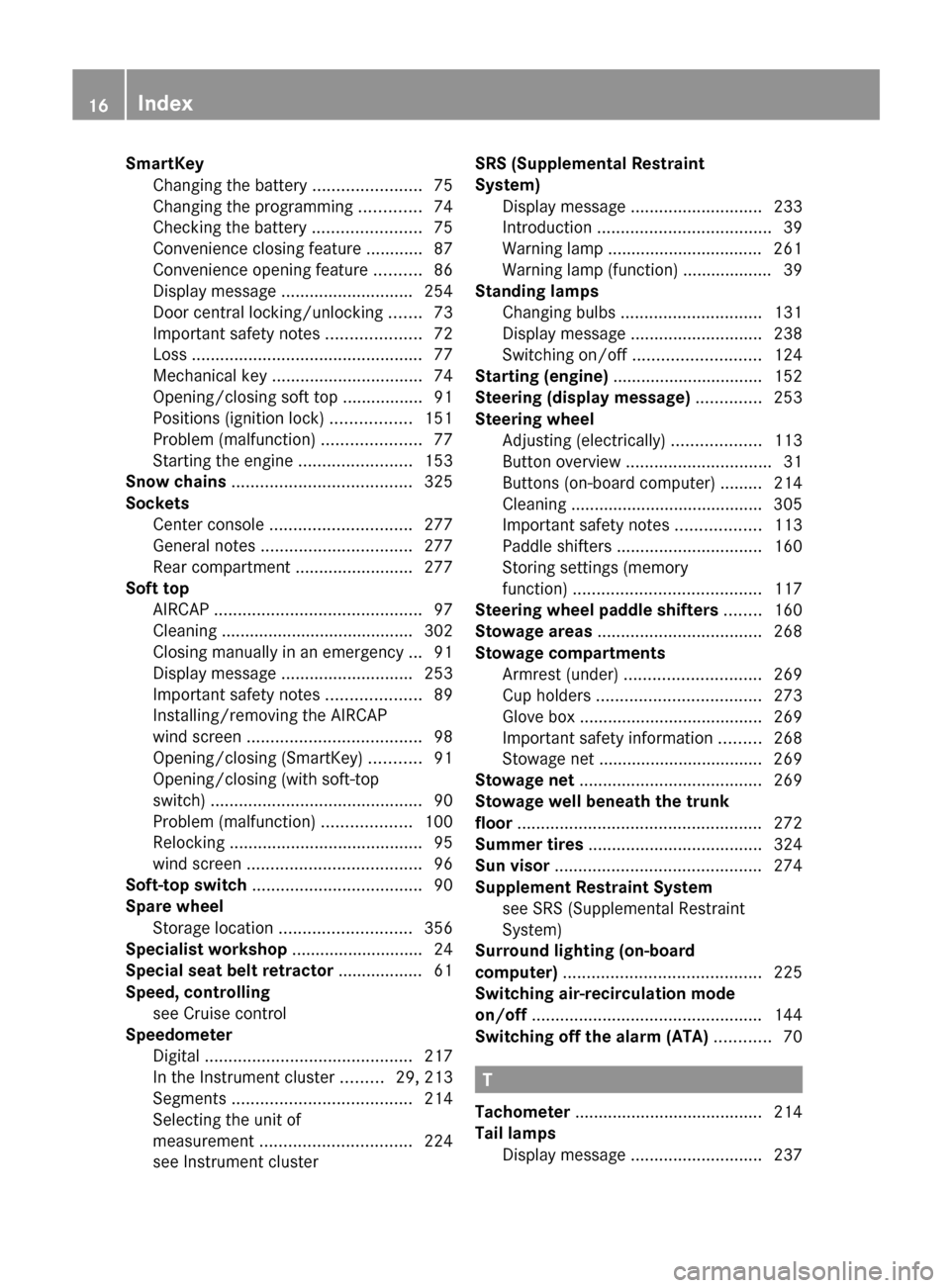
SmartKey
Changing the battery ....................... 75
Changing the programming ............. 74
Checking the battery ....................... 75
Convenience closing feature ............ 87
Convenience opening feature .......... 86
Display message
............................ 254
Door central locking/unlocking ....... 73
Important safety notes .................... 72
Loss ................................................. 77
Mechanical key ................................ 74
Opening/closing soft top ................. 91
Positions (ignition lock) ................. 151
Problem (malfunction) .....................77
Starting the engine ........................ 153
Snow chains ...................................... 325
Sockets Center console .............................. 277
General notes ................................ 277
Rear compartment ......................... 277
Soft top
AIRCAP ............................................ 97
Cleaning ......................................... 302
Closing manually in an emergency ... 91
Display message ............................ 253
Important safety notes .................... 89
Installing/removing the AIRCAP
wind screen ..................................... 98
Opening/closing (SmartKey) ........... 91
Opening/closing (with soft-top
switch) ............................................. 90
Problem (malfunction) ...................100
Relocking ......................................... 95
wind screen ..................................... 96
Soft-top switch .................................... 90
Spare wheel Storage location ............................ 356
Specialist workshop ............................ 24
Special seat belt retractor .................. 61
Speed, controlling see Cruise control
Speedometer
Digital ............................................ 217
In the Instrument cluster ......... 29, 213
Segments ...................................... 214
Selecting the unit of
measurement ................................ 224
see Instrument cluster SRS (Supplemental Restraint
System)
Display message
............................ 233
Introduction ..................................... 39
Warning lamp ................................. 261
Warning lamp (function) ................... 39
Standing lamps
Changing bulbs .............................. 131
Display message ............................ 238
Switching on/off ........................... 124
Starting (engine) ................................ 152
Steering (display message) ..............253
Steering wheel Adjusting (electrically) ...................113
Button overview ............................... 31
Buttons (on-board computer) ......... 214
Cleaning ......................................... 305
Important safety notes .................. 113
Paddle shifters ............................... 160
Storing settings (memory
function) ........................................ 117
Steering wheel paddle shifters ........160
Stowage areas ................................... 268
Stowage compartments Armrest (under) ............................. 269
Cup holders ................................... 273
Glove box ....................................... 269
Important safety information ......... 268
Stowage net ................................... 269
Stowage net ....................................... 269
Stowage well beneath the trunk
floor .................................................... 272
Summer tires ..................................... 324
Sun visor ............................................ 274
Supplement Restraint System see SRS (Supplemental Restraint
System)
Surround lighting (on-board
computer) .......................................... 225
Switching air-recirculation mode
on/off ................................................. 144
Switching off the alarm (ATA) ............70 T
Tachometer ........................................ 214
Tail lamps Display message
............................ 23716
Index
Page 54 of 372
restraint cushion and the cover. Failure to
observe this could result in injuries.
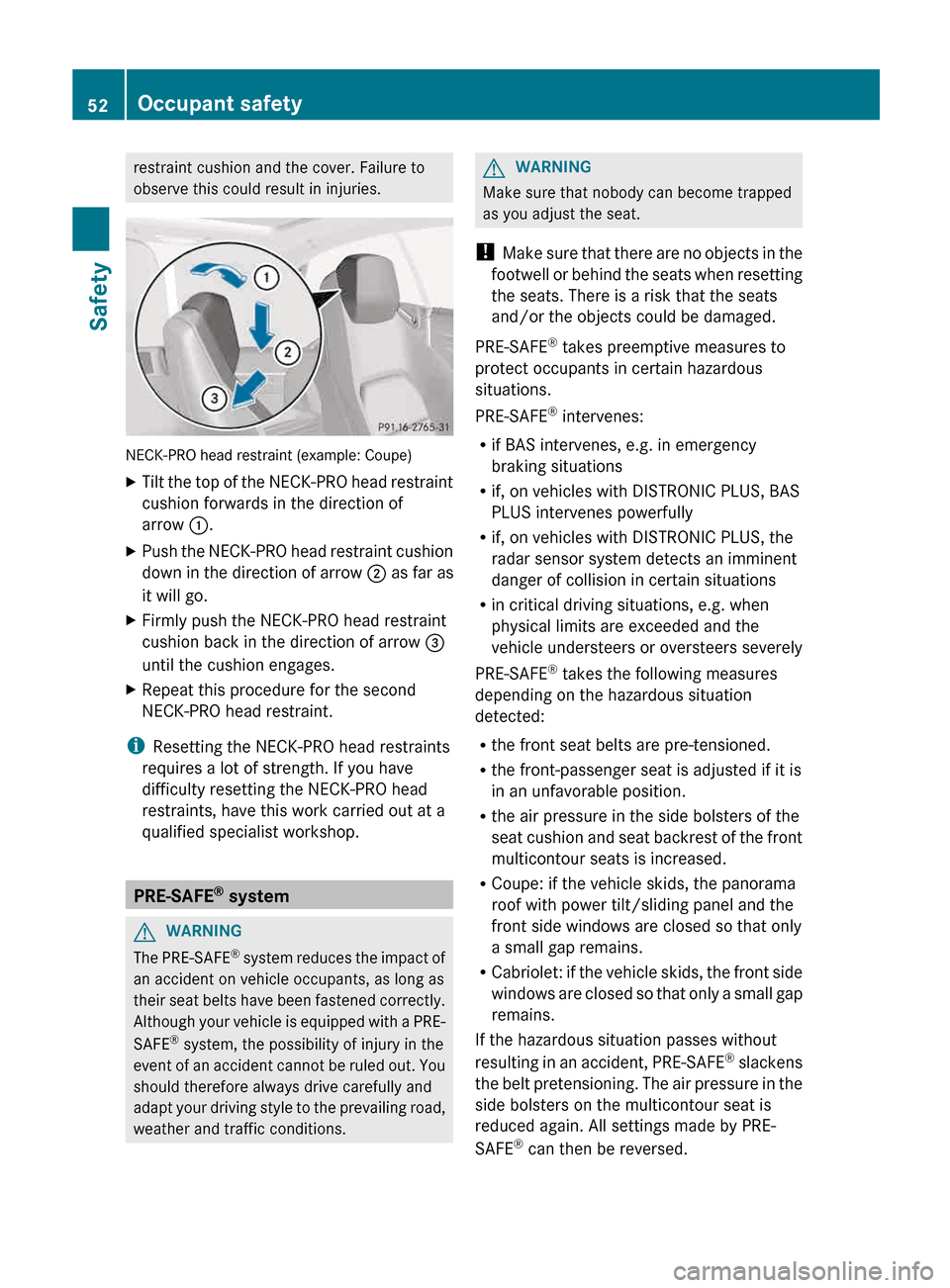
NECK-PRO head restraint (example: Coupe)
X
Tilt the top of the NECK-PRO head restraint
cushion forwards in the direction of
arrow :.
X Push the NECK-PRO head restraint cushion
down
in the direction of arrow ; as far as
it will go.
X Firmly push the NECK-PRO head restraint
cushion back in the direction of arrow =
until the cushion engages.
X Repeat this procedure for the second
NECK-PRO head restraint.
i Resetting the NECK-PRO head restraints
requires a lot of strength. If you have
difficulty resetting the NECK-PRO head
restraints, have this work carried out at a
qualified specialist workshop. PRE-SAFE
®
system G
WARNING
The PRE-SAFE ®
system reduces the impact of
an accident on vehicle occupants, as long as
their seat belts have been fastened correctly.
Although your vehicle is equipped with a PRE-
SAFE ®
system, the possibility of injury in the
event of an accident cannot be ruled out. You
should therefore always drive carefully and
adapt your driving style to the prevailing road,
weather and traffic conditions. G
WARNING
Make sure that nobody can become trapped
as you adjust the seat.
! Make
sure that there are no objects in the
footwell or behind the seats when resetting
the seats. There is a risk that the seats
and/or the objects could be damaged.
PRE-SAFE ®
takes preemptive measures to
protect occupants in certain hazardous
situations.
PRE-SAFE ®
intervenes:
R if BAS intervenes, e.g. in emergency
braking situations
R if, on vehicles with DISTRONIC PLUS, BAS
PLUS intervenes powerfully
R if, on vehicles with DISTRONIC PLUS, the
radar sensor system detects an imminent
danger of collision in certain situations
R in critical driving situations, e.g. when
physical limits are exceeded and the
vehicle understeers or oversteers severely
PRE-SAFE ®
takes the following measures
depending on the hazardous situation
detected:
R the front seat belts are pre-tensioned.
R the front-passenger seat is adjusted if it is
in an unfavorable position.
R the air pressure in the side bolsters of the
seat cushion and seat backrest of the front
multicontour seats is increased.
R Coupe: if the vehicle skids, the panorama
roof with power tilt/sliding panel and the
front side windows are closed so that only
a small gap remains.
R Cabriolet: if the vehicle skids, the front side
windows are closed so that only a small gap
remains.
If the hazardous situation passes without
resulting in an accident, PRE-SAFE ®
slackens
the belt pretensioning. The air pressure in the
side bolsters on the multicontour seat is
reduced again. All settings made by PRE-
SAFE ®
can then be reversed. 52
Occupant safety
Safety
Page 288 of 372
simultaneously. Different settings are
possible for each area.
USA only: these settings can be called up
under "Owners Online" at http://
www.mbusa.com.
Alternatively, you can trigger an MB Info call
and inform the customer service
representative that you wish to activate geo
fencing.
Currently inactive areas can be activated by
SMS.
Triggering the vehicle alarm
With this function, you can trigger the
vehicle's panic alarm via SMS. An alarm
sounds and the exterior lighting flashes.
Depending on the setting, the panic alarm
lasts five or ten seconds. Afterwards, the
alarm switches off.
Garage door opener
Important safety notes G
WARNING
Before programming the integrated remote
control to a garage door opener or gate
operator, make sure people and objects are
out of the way of the device to prevent
potential harm or damage. When
programming
a garage door opener, the door
moves up or down. When programming a gate
operator, the gate opens or closes.
Do not use the integrated remote control with
any garage door opener that lacks safety stop
and reverse features as required by U.S.
federal safety standards (this includes any
garage door opener model manufactured
before April 1, 1982). A garage door that
cannot detect an object - signaling the door
to stop and reverse - does not meet current
U.S. federal safety standards.
When programming a garage door opener,
park vehicle outside the garage. Do not run the engine while programming the
integrated remote control. Inhalation of
exhaust gas is hazardous to your health. All
exhaust gas contains carbon monoxide (CO),
and inhaling it can cause unconsciousness
and possible death. All exhaust gas contains
carbon monoxide (CO), and inhaling it can
cause unconsciousness and possible death.
The HomeLink ®
garage door opener
integrated in the rear-view mirror allows you
to
operate up to three different door and gate
systems.
i Certain garage door drives are
incompatible with the integrated garage
door opener. If you have difficulty
programming the integrated garage door
opener, contact an authorized Mercedes-
Benz Center.
Alternatively, you can call the following
telephone assistance services:
R USA: Mercedes-Benz Customer
Assistance Center at
1-800-FOR-MERCedes
R Canada: Customer Service at
1-800-387-0100
R HomeLink ®
hotline 1-800-355-3515
(free of charge)
More information on HomeLink ®
and/or
compatible products is also available
online at http://www.homelink.com.
i USA only:
This device complies with part 15 of the
FCC Rules. Operation is subject to the
following two conditions:
1. This device may not cause harmful
interference, and
2. this device must accept any interference
received, including interference that may
cause undesired operation.
Any unauthorized modification to this
device could void the user's authority to
operate the equipment.
FCC ID: CB2HMIHL4 286
Features
Stowage and features
Page 289 of 372
i
Canada only:
This device complies with the RSS-210
Rules of Industry Canada. Operation is
subject to the following two conditions:
1. This device may not cause harmful
interference, and
2.
this device must accept any interference
received, including interference that may
cause undesired operation of the device.
Any unauthorized modification to this
device could void the user's authority to
operate the equipment.
IC: 279B-HMIHL4
Programming Programming buttons
G
WARNING
Only press the button on the integrated
garage
door opener if there are no persons or
objects present within the sweep of the
garage door. Persons could otherwise be
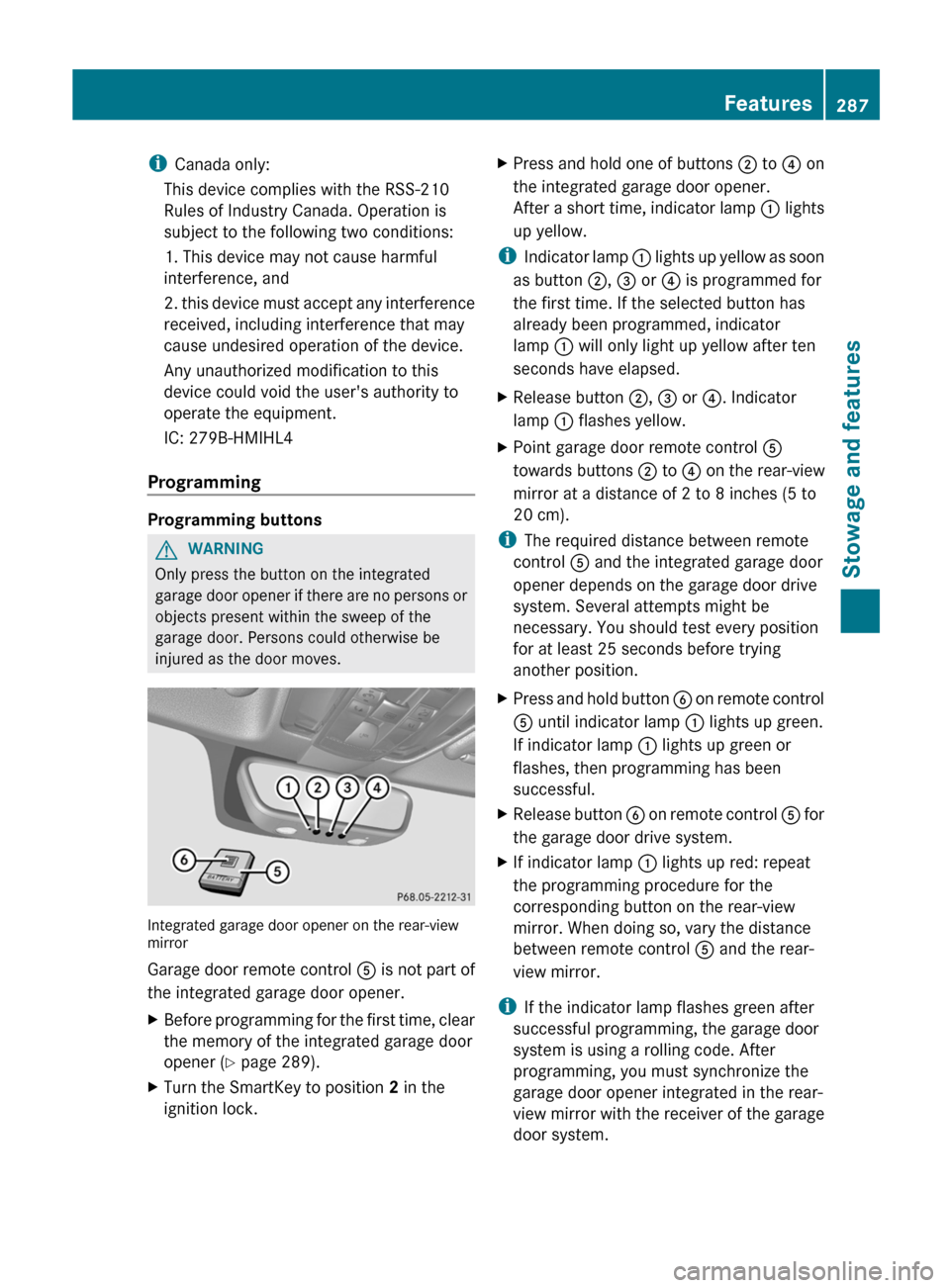
injured as the door moves. Integrated garage door opener on the rear-view
mirror
Garage door remote control
A is not part of
the integrated garage door opener.
X Before programming for the first time, clear
the memory of the integrated garage door
opener (Y page 289).
X Turn the SmartKey to position 2 in the
ignition lock. X
Press and hold one of buttons ; to ? on
the integrated garage door opener.
After
a short time, indicator lamp : lights
up yellow.
i Indicator
lamp : lights up yellow as soon
as button ;, = or ? is programmed for
the first time. If the selected button has
already been programmed, indicator
lamp : will only light up yellow after ten
seconds have elapsed.
X Release button ;, = or ?. Indicator
lamp : flashes yellow.
X Point garage door remote control A
towards buttons ; to ? on the rear-view
mirror at a distance of 2 to 8 inches
(5 to
20 cm).
i The required distance between remote
control A and the integrated garage door
opener depends on the garage door drive
system. Several attempts might be
necessary. You should test every position
for at least 25 seconds before trying
another position.
X Press and hold button B
on remote control
A until indicator lamp : lights up green.
If indicator lamp : lights up green or
flashes, then programming has been
successful.
X Release button B
on remote control A for
the garage door drive system.
X If indicator lamp : lights up red: repeat
the programming procedure for the
corresponding button on the rear-view
mirror. When doing so, vary the distance
between remote control A and the rear-
view mirror.
i If the indicator lamp flashes green after
successful programming, the garage door
system is using a rolling code. After
programming, you must synchronize the
garage door opener integrated in the rear-
view
mirror with the receiver of the garage
door system. Features
287
Stowage and features Z
Page 290 of 372
Synchronizing the rolling code
Your vehicle must be within reach of the
garage
door or exterior gate drive. Make sure
that neither your vehicle nor any persons/
objects are present within the sweep of the
door or gate.
Observe the safety notes when performing
the rolling code synchronization.
X Turn the SmartKey to position 2 in the
ignition lock.
X Press the programming button of the door
or gate drive (see the door or gate drive
operating instructions, e.g. under
"Programming of additional remote
controls").
i Usually, you now have
30seconds to
initiate the next step.
X Press previously programmed button ;,
= or ? of the integrated garage door
opener until the door closes.
The rolling code synchronization is then
complete.
Notes on programming the remote
control
Canadian radio frequency laws require a
"break" (or interruption) of the transmission
signals
after broadcasting for a few seconds.
Therefore, these signals may not last long
enough for the integrated garage door
opener. The signal is not recognized during
programming. Comparable with Canadian
law, some U.S. garage door openers are
designed to "time-out" in the same manner.
Proceed as follows:
R if you live in Canada
R if you have difficulties programming the
garage door opener (regardless of where
you live) when using the programming
steps X
Press and hold one of buttons ; to ? on
the integrated garage door opener.
After
a short time, indicator lamp : lights
up yellow.
X Release the button.
Indicator lamp : flashes yellow.
X Press button B of garage door remote
control A
for two seconds, then release it
for two seconds.
X Press button B again for two seconds.
X Repeat this sequence on button B of
remote control A until indicator lamp :
lights up green.
If indicator lamp : turns red, repeat the
process.
X Continue with the other programming
steps (see above).
Problems when programming
If you are experiencing problems
programming the integrated garage door
opener on the rear-view mirror, take note of
the following instructions:
R Check
the transmitter frequency of garage
door drive remote control A. This can
usually be found on the back of the remote
control.
The integrated garage door opener is
compatible with devices that have units
which operate in the frequency range of
280to 433MHz.
R Replace the batteries in garage door
remote control A. This increases the
likelihood that garage door remote control
A will transmit a strong and precise signal
to the integrated garage door opener in the
rear-view mirror.
R When programming, hold remote control
A at varying distances and angles from the
button that you are programming. Try
various angles at a distance between 2and
12 inches (5to 30 cm) or at the same angle
but at varying distances.
R If another remote control for the same
garage door drive is available, repeat the288
FeaturesStowage and features
Page 291 of 372
same programming steps with this remote
control. Before performing these steps,
make sure that new batteries have been
installed in garage door drive remote
control
A.
R Note that some remote controls only
transmit for a limited amount of time (the
indicator lamp on the remote control goes
out). Press button B on remote control
A again before transmission ends.
R Align
the antenna cable of the garage door
opener unit. This can improve signal
reception/transmission.
Opening/closing the garage door After it has been programmed, the integrated
garage door opener performs the function of
the garage door system remote control.
Please also read the operating instructions
for the garage door system.
X
Turn the SmartKey to position 2 in the
ignition lock.
X Press button ;, = or ? which you have
programmed to operate the garage door.
Garage door system with a fixed code:
indicator lamp : lights up green.
Garage door system with a rolling code:
indicator lamp : flashes green.
i The transmitter will transmit a signal as
long as the button is pressed. The
transmission is halted after a maximum of
ten seconds and indicator lamp : lights
up
yellow. Press button ;, = or ? again
if necessary.
Clearing the memory X
Turn the SmartKey to position 2 in the
ignition lock.
X Press buttons ; and ?.
The indicator lamp lights up yellow.
X Press and hold buttons ;
and ? until the
indicator lamp turns green. i
Make sure that you clear the memory of
the integrated garage door opener before
selling the vehicle. Compass
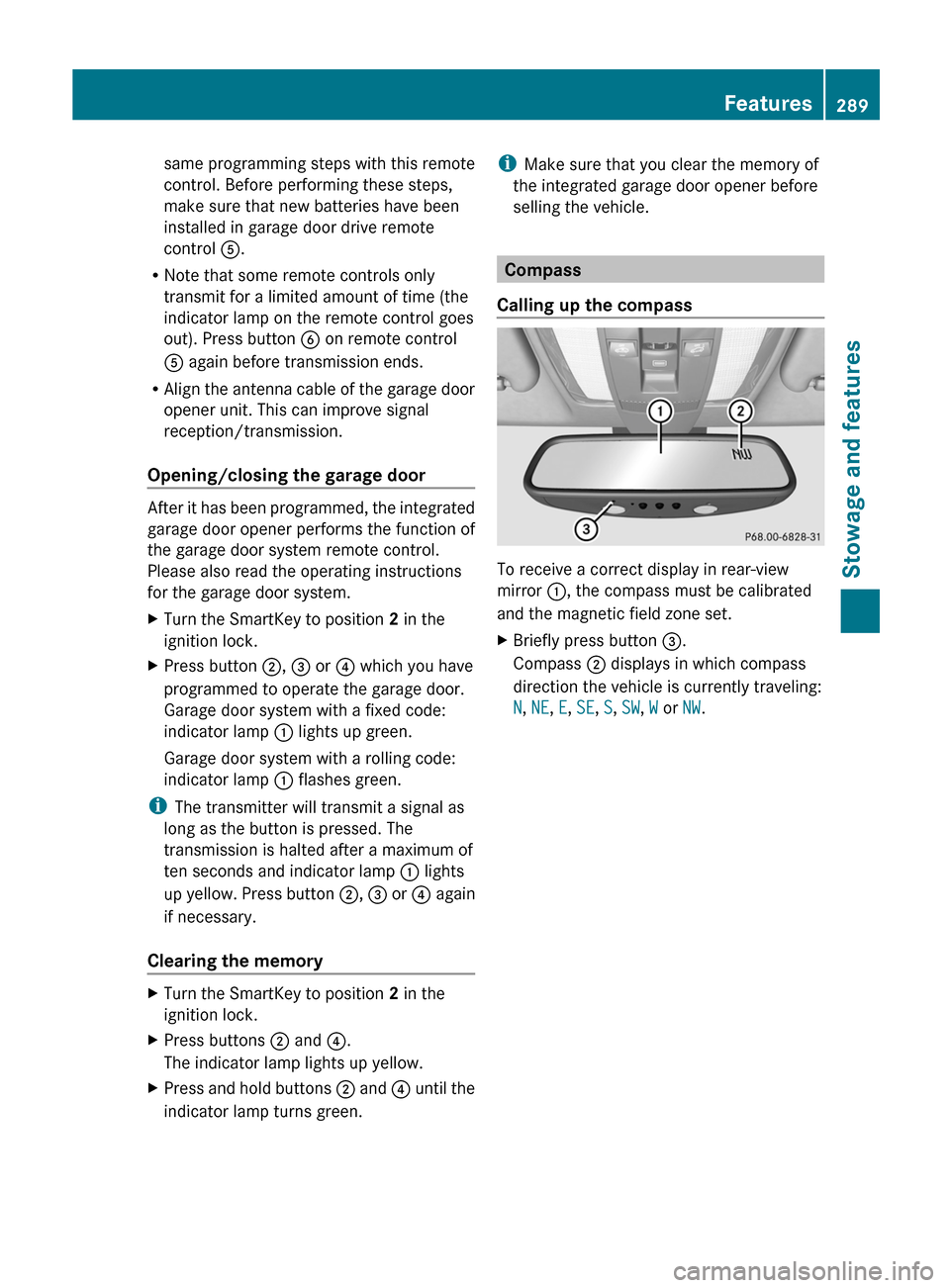
Calling up the compass To receive a correct display in rear-view
mirror :, the compass must be calibrated
and the magnetic field zone set.
X
Briefly press button =.
Compass ; displays in which compass
direction the vehicle is currently traveling:
N, NE, E, SE, S, SW, W or NW. Features
289
Stowage and features Z