brake MERCEDES-BENZ E-CLASS COUPE 2015 Manual PDF
[x] Cancel search | Manufacturer: MERCEDES-BENZ, Model Year: 2015, Model line: E-CLASS COUPE, Model: MERCEDES-BENZ E-CLASS COUPE 2015Pages: 345, PDF Size: 11.42 MB
Page 216 of 345
Rejecting or ending a call
X
Press the ~button on the steering wheel
to reject or end an incoming call.
Selecting an entry in the phone book X
Press the =or; button on the steering
wheel to select the Tel
Tel menu.
X Press the 9,:ora button to
switch to the phone book.
X Authorise access to the phone book on the
phone.
X Press the 9or: button to select the
desired name.
or
X To start rapid scrolling: press and hold:
or 9 for longer than one second.
The names in the phone book are displayed
quickly one after the other.
Rapid scrolling stops when you release the
button or reach the end of the list.
X If only one telephone number is stored for
a name: press the 6ora button to
start dialling.
or
X If there is more than one number for a
particular name: press the6ora
button to display the numbers.
X Press the 9or: button to select the
number you want to dial.
X Press the 6ora button to start dial-
ling.
or
X To exit the telephone book: press the~
or % button.
Redialling The on-board computer saves the last names or
numbers dialled in the redial memory.
X Press the =or; button on the steering
wheel to select the Tel
Tel menu.
X Press the 6button to switch to the redial
memory.
X Press the 9or: button to select the
desired name or number. X
Press the 6ora button to start dial-
ling.
or X To exit the redial memory: press the~
or % button. Assistance menu
Introduction Depending on the equipment fitted in the vehi-
cle, you have the following options in the
Assist. Assist. menu:
R Showing the assistance graphic
(Y page 213)
R Activating/deactivating the Traffic Sign
Assist display (Y page 214)
R Deactivating/activating ESP ®
(Y page 214)
R Activating/deactivating Steering Assist and
Stop&Go Pilot of DISTRONIC PLUS
(Y page 215)
R Activating/deactivating PRE-SAFE ®
Brake
(Y page 214)
R Activating/deactivating COLLISION PREVEN-
TION ASSIST PLUS (Y page 214)
R Activating/deactivating ATTENTION ASSIST
(Y page 215)
R Activating/deactivating Blind Spot Assist or
Active Blind Spot Assist (Y page 215)
R Activating/deactivating Lane Keeping Assist
or Active Lane Keeping Assist (Y page 215)
Showing the assistance graphic X
Press the =or; button on the steering
wheel to select the Assist. Assist.menu.
X Press 9or: to select Assist.
Assist.
graphic
graphic.
X Press ato confirm.
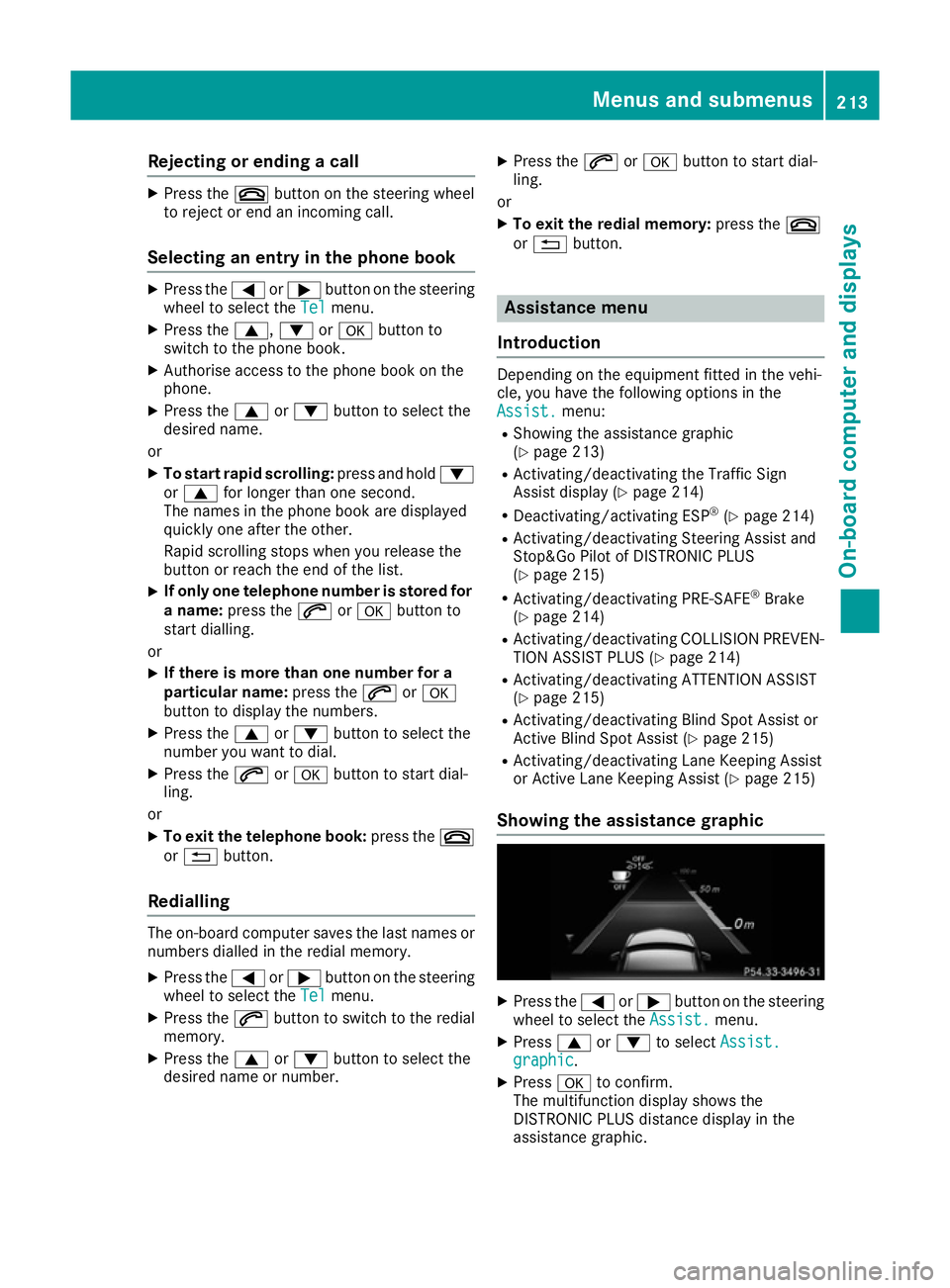
The multifunction display shows the
DISTRONIC PLUS distance display in the
assistance graphic. Menus and submenus
213On-board computer and displays Z
Page 217 of 345
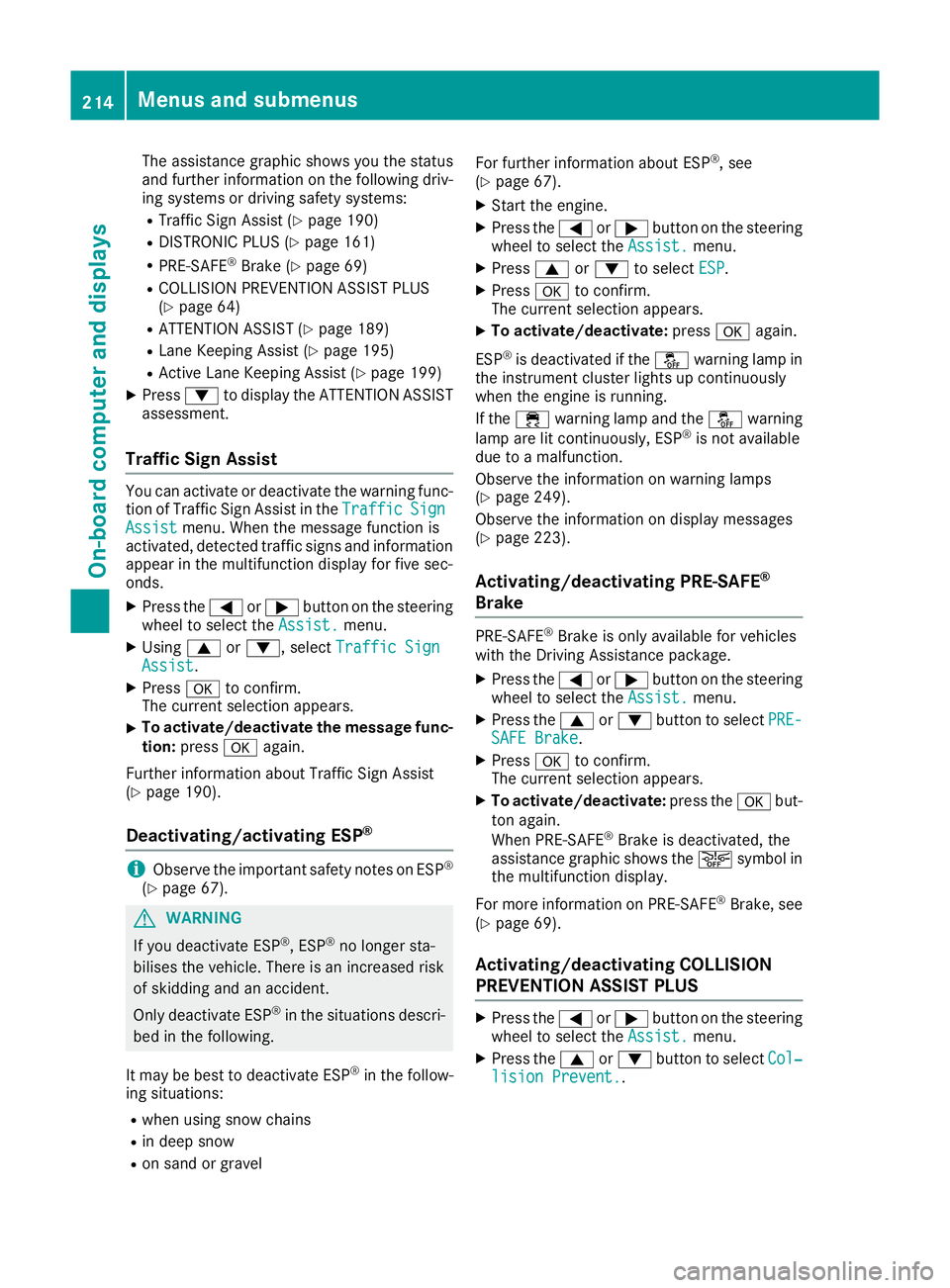
The assistance graphic shows you the status
and further information on the following driv- ing systems or driving safety systems:
R Traffic Sign Assist (Y page 190)
R DISTRONIC PLUS (Y page 161)
R PRE-SAFE ®
Brake (Y page 69)
R COLLISION PREVENTION ASSIST PLUS
(Y page 64)
R ATTENTION ASSIST (Y page 189)
R Lane Keeping Assist (Y page 195)
R Active Lane Keeping Assist (Y page 199)
X Press :to display the ATTENTION ASSIST
assessment.
Traffic Sign Assist You can activate or deactivate the warning func-
tion of Traffic Sign Assist in the Traffic TrafficSign
Sign
Assist
Assist menu. When the message function is
activated, detected traffic signs and information appear in the multifunction display for five sec-
onds.
X Press the =or; button on the steering
wheel to select the Assist.
Assist. menu.
X Using 9or:, select Traffic Sign
Traffic Sign
Assist
Assist.
X Press ato confirm.
The current selection appears.
X To activate/deactivate the message func-
tion: press aagain.
Further information about Traffic Sign Assist
(Y page 190).
Deactivating/activating ESP ®i
Observe the important safety notes on ESP ®
(Y page 67). G
WARNING
If you deactivate ESP ®
, ESP ®
no longer sta-
bilises the vehicle. There is an increased risk
of skidding and an accident.
Only deactivate ESP ®
in the situations descri-
bed in the following.
It may be best to deactivate ESP ®
in the follow-
ing situations:
R when using snow chains
R in deep snow
R on sand or gravel For further information about ESP
®
, see
(Y page 67).
X Start the engine.
X Press the =or; button on the steering
wheel to select the Assist.
Assist. menu.
X Press 9or: to select ESP ESP.
X Press ato confirm.
The current selection appears.
X To activate/deactivate: pressaagain.
ESP ®
is deactivated if the åwarning lamp in
the instrument cluster lights up continuously
when the engine is running.
If the ÷ warning lamp and the åwarning
lamp are lit continuously, ESP ®
is not available
due to a malfunction.
Observe the information on warning lamps
(Y page 249).
Observe the information on display messages
(Y page 223).
Activating/deactivating PRE-SAFE ®
Brake PRE
‑SAFE ®
Brake is only available for vehicles
with the Driving Assistance package.
X Press the =or; button on the steering
wheel to select the Assist. Assist.menu.
X Press the 9or: button to select PRE-
PRE-
SAFE Brake
SAFE Brake.
X Press ato confirm.
The current selection appears.
X To activate/deactivate: press theabut-
ton again.
When PRE-SAFE ®
Brake is deactivated, the
assistance graphic shows the æsymbol in
the multifunction display.
For more information on PRE ‑SAFE®
Brake, see
(Y page 69).
Activating/deactivating COLLISION
PREVENTION ASSIST PLUS X
Press the =or; button on the steering
wheel to select the Assist. Assist.menu.
X Press the 9or: button to select Col‐
Col‐
lision Prevent.
lision Prevent.. 214
Menus and submenusOn-board computer and displays
Page 226 of 345
Safety systems
Display messages
Possible causes/consequences and
M
MSolutions !÷
currently unavaila‐
currently unavaila‐
ble ble See
SeeOwner's
Owner's Man‐
Man‐
ual
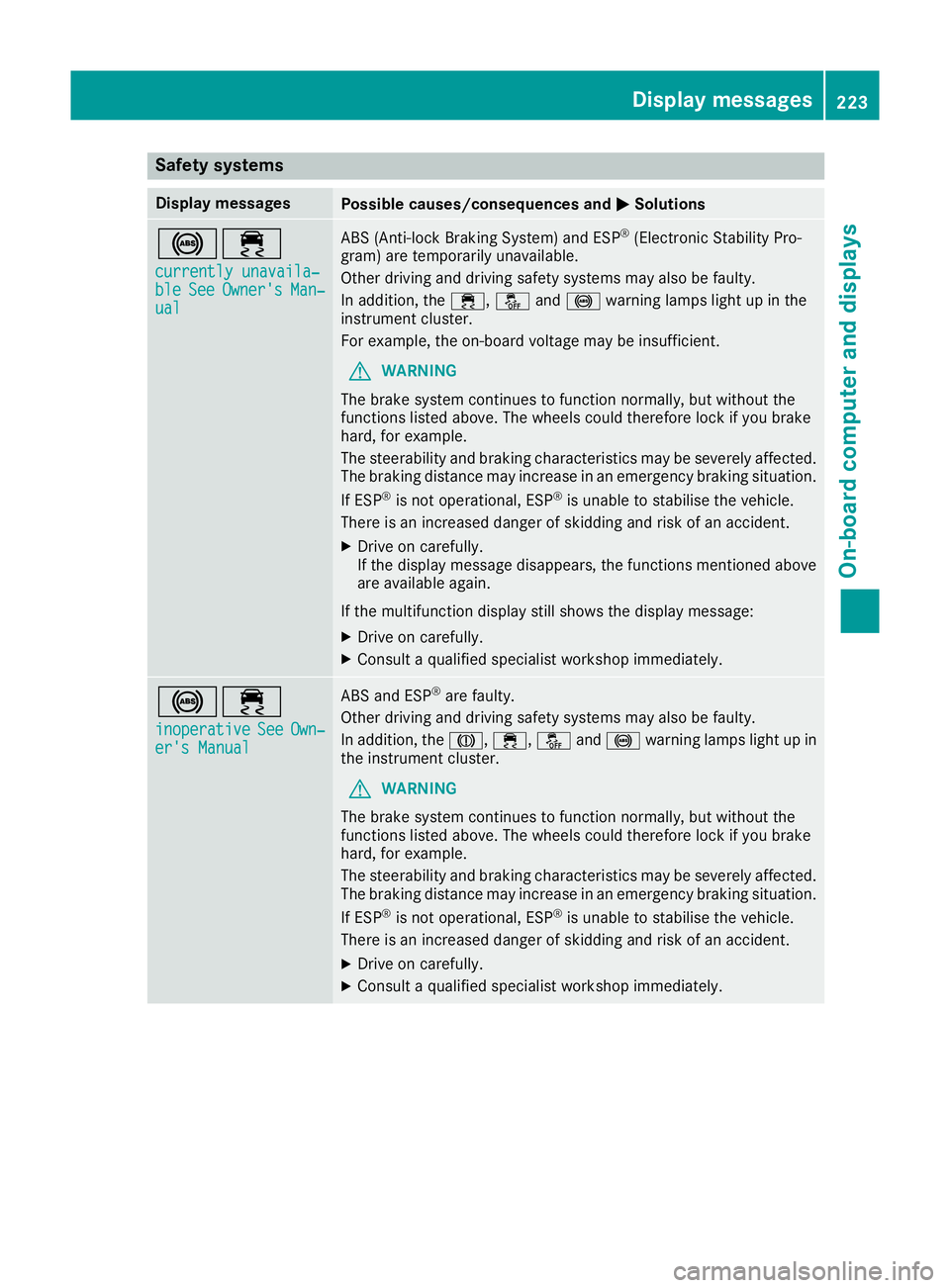
ual ABS (Anti-lock Braking System) and ESP
®
(Electronic Stability Pro-
gram) are temporarily unavailable.
Other driving and driving safety systems may also be faulty.
In addition, the ÷,åand! warning lamps light up in the
instrument cluster.
For example, the on-board voltage may be insufficient.
G WARNING
The brake system continues to function normally, but without the
functions listed above. The wheels could therefore lock if you brake
hard, for example.
The steerability and braking characteristics may be severely affected. The braking distance may increase in an emergency braking situation.
If ESP ®
is not operational, ESP ®
is unable to stabilise the vehicle.
There is an increased danger of skidding and risk of an accident.
X Drive on carefully.
If the display message disappears, the functions mentioned above
are available again.
If the multifunction display still shows the display message: X Drive on carefully.
X Consult a qualified specialist workshop immediately. !÷
inoperative inoperative See
See Own‐ Own‐
er's Manual
er's Manual ABS and ESP
®
are faulty.
Other driving and driving safety systems may also be faulty.
In addition, the J,÷, åand! warning lamps light up in
the instrument cluster.
G WARNING
The brake system continues to function normally, but without the
functions listed above. The wheels could therefore lock if you brake
hard, for example.
The steerability and braking characteristics may be severely affected. The braking distance may increase in an emergency braking situation.
If ESP ®
is not operational, ESP ®
is unable to stabilise the vehicle.
There is an increased danger of skidding and risk of an accident.
X Drive on carefully.
X Consult a qualified specialist workshop immediately. Display messages
223On-board computer and displays Z
Page 227 of 345
Display messages
Possible causes/consequences and
M
MSolutions ÷
inoperative inoperative
See
SeeOwn‐
Own‐
er's Manual
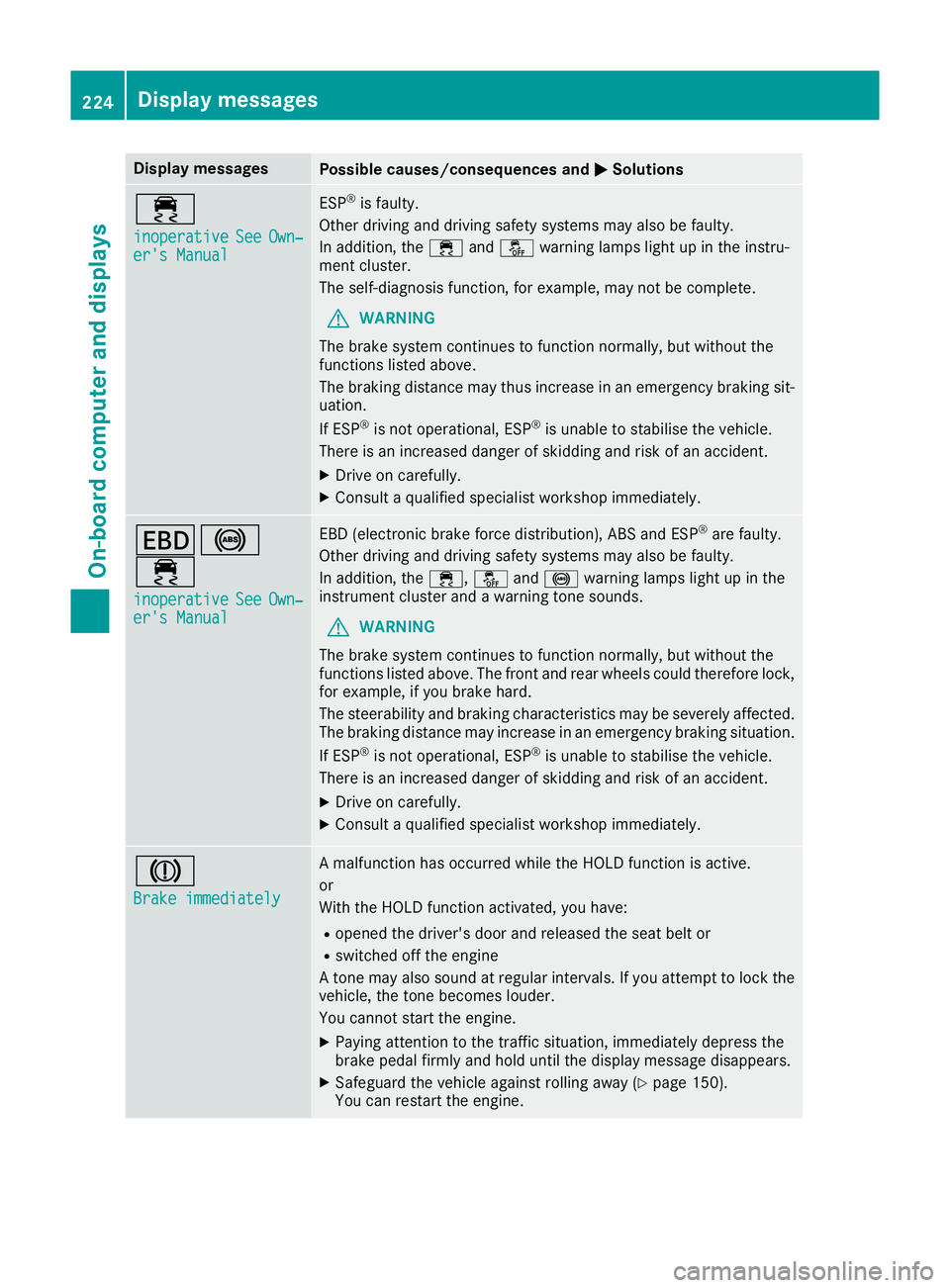
er's Manual ESP
®
is faulty.
Other driving and driving safety systems may also be faulty.
In addition, the ÷andå warning lamps light up in the instru-
ment cluster.
The self-diagnosis function, for example, may not be complete.
G WARNING
The brake system continues to function normally, but without the
functions listed above.
The braking distance may thus increase in an emergency braking sit-
uation.
If ESP ®
is not operational, ESP ®
is unable to stabilise the vehicle.
There is an increased danger of skidding and risk of an accident.
X Drive on carefully.
X Consult a qualified specialist workshop immediately. T!
÷
inoperative inoperative See SeeOwn‐
Own‐
er's Manual
er's Manual EBD (electronic brake force distribution), ABS and ESP
®
are faulty.
Other driving and driving safety systems may also be faulty.
In addition, the ÷,åand! warning lamps light up in the
instrument cluster and a warning tone sounds.
G WARNING
The brake system continues to function normally, but without the
functions listed above. The front and rear wheels could therefore lock, for example, if you brake hard.
The steerability and braking characteristics may be severely affected.The braking distance may increase in an emergency braking situation.
If ESP ®
is not operational, ESP ®
is unable to stabilise the vehicle.
There is an increased danger of skidding and risk of an accident.
X Drive on carefully.
X Consult a qualified specialist workshop immediately. J
Brake immediately Brake immediately A malfunction has occurred while the HOLD function is active.
or
With the HOLD function activated, you have:
R opened the driver's door and released the seat belt or
R switched off the engine
A tone may also sound at regular intervals. If you attempt to lock the
vehicle, the tone becomes louder.
You cannot start the engine.
X Paying attention to the traffic situation, immediately depress the
brake pedal firmly and hold until the display message disappears.
X Safeguard the vehicle against rolling away (Y page 150).
You can restart the engine. 224
Display
messagesOn-board computer and displays
Page 228 of 345
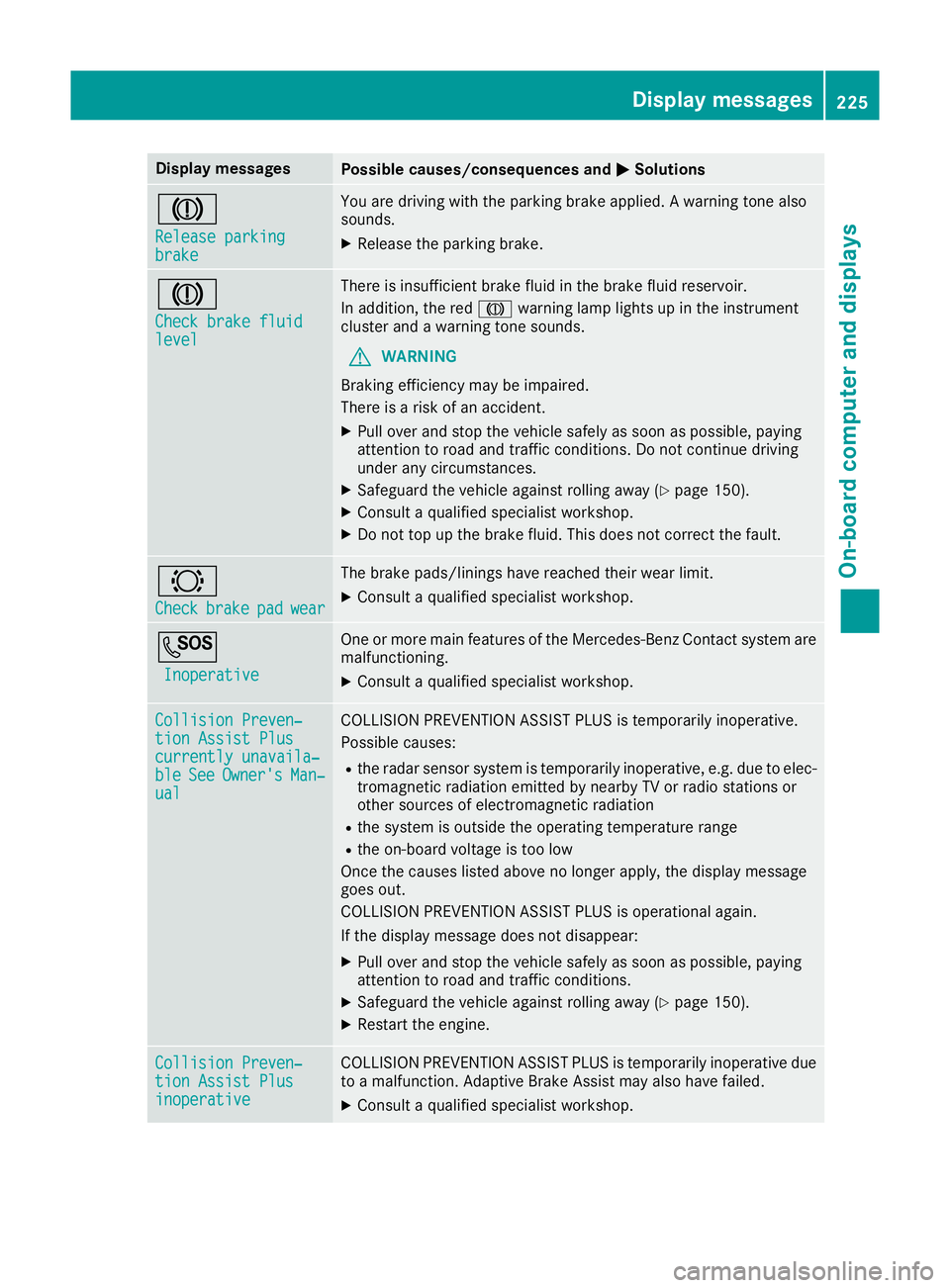
Display messages
Possible causes/consequences and
M
MSolutions J
Release parking Release parking
brake brake You are driving with the parking brake applied. A warning tone also
sounds.
X Release the parking brake. J
Check brake fluid Check brake fluid
level level There is insufficient brake fluid in the brake fluid reservoir.
In addition, the red Jwarning lamp lights up in the instrument
cluster and a warning tone sounds.
G WARNING
Braking efficiency may be impaired.
There is a risk of an accident.
X Pull over and stop the vehicle safely as soon as possible, paying
attention to road and traffic conditions. Do not continue driving
under any circumstances.
X Safeguard the vehicle against rolling away (Y page 150).
X Consult a qualified specialist workshop.
X Do not top up the brake fluid. This does not correct the fault. #
Check Check
brake
brakepad
padwear
wear The brake pads/linings have reached their wear limit.
X Consult a qualified specialist workshop. G
Inoperative
Inoperative One or more main features of the Mercedes-Benz Contact system are
malfunctioning.
X Consult a qualified specialist workshop. Collision Preven‐
Collision Preven‐
tion Assist Plus tion Assist Plus
currently unavaila‐ currently unavaila‐
ble ble
See
SeeOwner's
Owner's Man‐
Man‐
ual
ual COLLISION PREVENTION ASSIST PLUS is temporarily inoperative.
Possible causes:
R the radar sensor system is temporarily inoperative, e.g. due to elec-
tromagnetic radiation emitted by nearby TV or radio stations or
other sources of electromagnetic radiation
R the system is outside the operating temperature range
R the on-board voltage is too low
Once the causes listed above no longer apply, the display message
goes out.
COLLISION PREVENTION ASSIST PLUS is operational again.
If the display message does not disappear:
X Pull over and stop the vehicle safely as soon as possible, paying
attention to road and traffic conditions.
X Safeguard the vehicle against rolling away (Y page 150).
X Restart the engine. Collision Preven‐ Collision Preven‐
tion Assist Plus tion Assist Plus
inoperative inoperative COLLISION PREVENTION ASSIST PLUS is temporarily inoperative due
to a malfunction. Adaptive Brake Assist may also have failed.
X Consult a qualified specialist workshop. Display
messages
225On-board computer and displays Z
Page 229 of 345
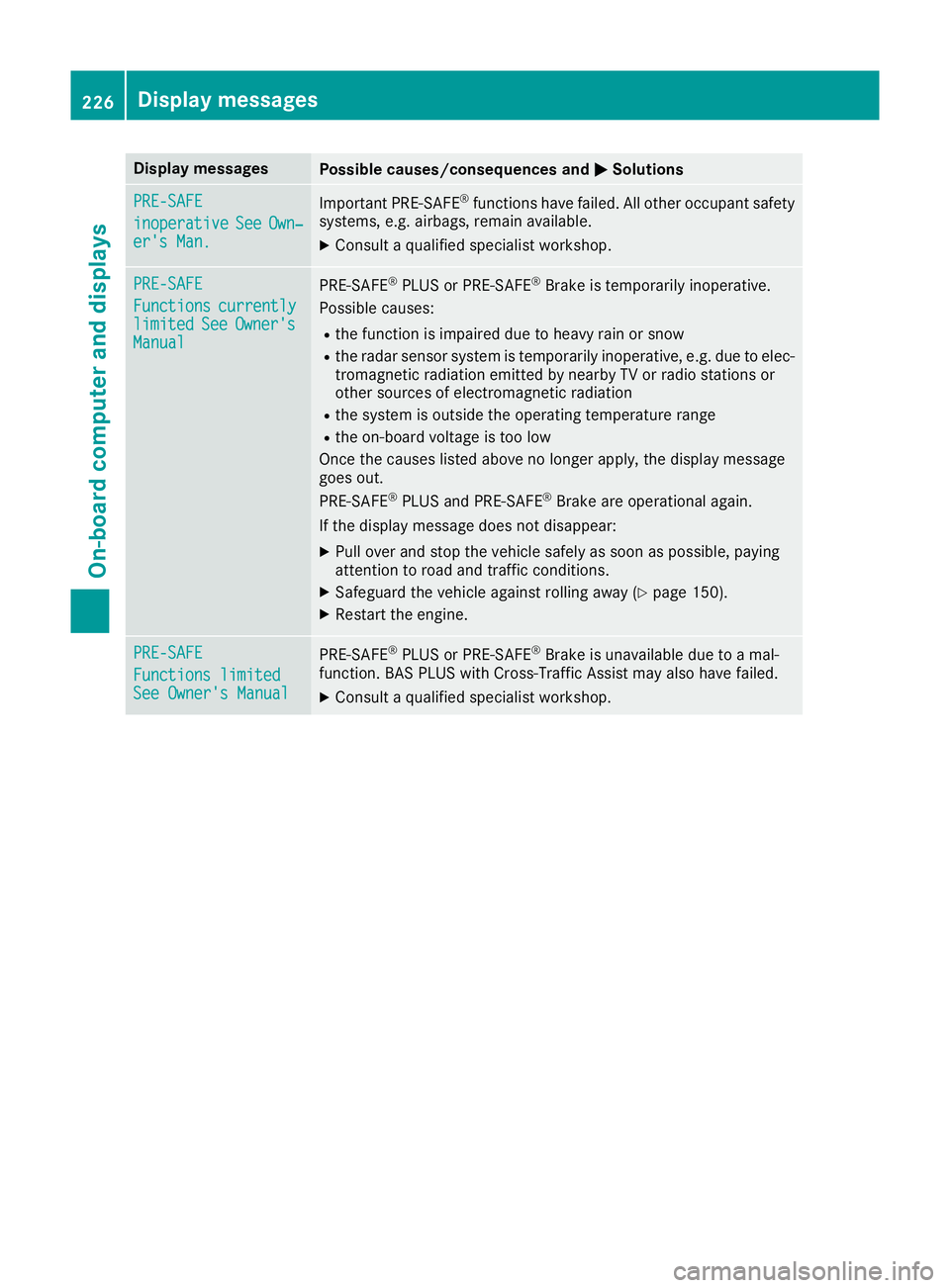
Display messages
Possible causes/consequences and
M
MSolutions PRE-SAFE
PRE-SAFE
inoperative inoperative
See
SeeOwn‐
Own‐
er's Man.
er's Man. Important PRE-SAFE
®
functions have failed. All other occupant safety
systems, e.g. airbags, remain available.
X Consult a qualified specialist workshop. PRE-SAFE
PRE-SAFE
Functions Functions
currently
currently
limited
limited See
SeeOwner's
Owner's
Manual
Manual PRE
‑SAFE ®
PLUS or PRE‑ SAFE®
Brake is temporarily inoperative.
Possible causes:
R the function is impaired due to heavy rain or snow
R the radar sensor system is temporarily inoperative, e.g. due to elec-
tromagnetic radiation emitted by nearby TV or radio stations or
other sources of electromagnetic radiation
R the system is outside the operating temperature range
R the on-board voltage is too low
Once the causes listed above no longer apply, the display message
goes out.
PRE ‑SAFE ®
PLUS and PRE ‑SAFE®
Brake are operational again.
If the display message does not disappear:
X Pull over and stop the vehicle safely as soon as possible, paying
attention to road and traffic conditions.
X Safeguard the vehicle against rolling away (Y page 150).
X Restart the engine. PRE-SAFE PRE-SAFE
Functions limited Functions limited
See Owner's Manual See Owner's Manual
PRE
‑SAFE ®
PLUS or PRE‑ SAFE®
Brake is unavailable due to a mal-
function. BAS PLUS with Cross-Traffic Assist may also have failed.
X Consult a qualified specialist workshop. 226
Display
messagesOn-board computer and displays
Page 230 of 345
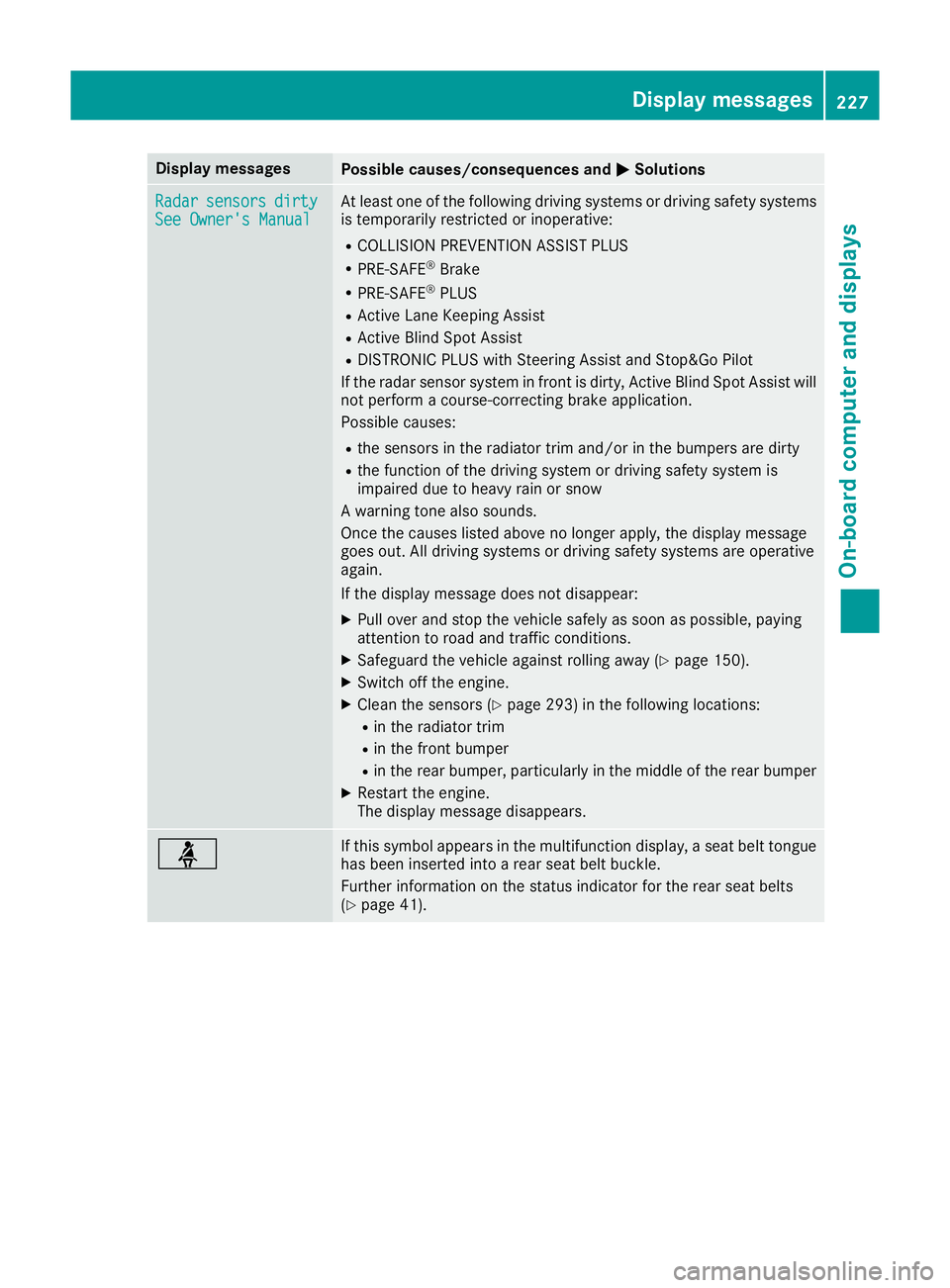
Display messages
Possible causes/consequences and
M
MSolutions Radar
Radar
sensors
sensors dirty
dirty
See Owner's Manual
See Owner's Manual At least one of the following driving systems or driving safety systems
is temporarily restricted or inoperative:
R COLLISION PREVENTION ASSIST PLUS
R PRE-SAFE ®
Brake
R PRE-SAFE ®
PLUS
R Active Lane Keeping Assist
R Active Blind Spot Assist
R DISTRONIC PLUS with Steering Assist and Stop&Go Pilot
If the radar sensor system in front is dirty, Active Blind Spot Assist will not perform a course-correcting brake application.
Possible causes:
R the sensors in the radiator trim and/or in the bumpers are dirty
R the function of the driving system or driving safety system is
impaired due to heavy rain or snow
A warning tone also sounds.
Once the causes listed above no longer apply, the display message
goes out. All driving systems or driving safety systems are operative
again.
If the display message does not disappear:
X Pull over and stop the vehicle safely as soon as possible, paying
attention to road and traffic conditions.
X Safeguard the vehicle against rolling away (Y page 150).
X Switch off the engine.
X Clean the sensors (Y page 293) in the following locations:
R in the radiator trim
R in the front bumper
R in the rear bumper, particularly in the middle of the rear bumper
X Restart the engine.
The display message disappears. ü If this symbol appears in the multifunction display, a seat belt tongue
has been inserted into a rear seat belt buckle.
Further information on the status indicator for the rear seat belts
(Y page 41). Display
messages
227On-board computer and displays Z
Page 237 of 345
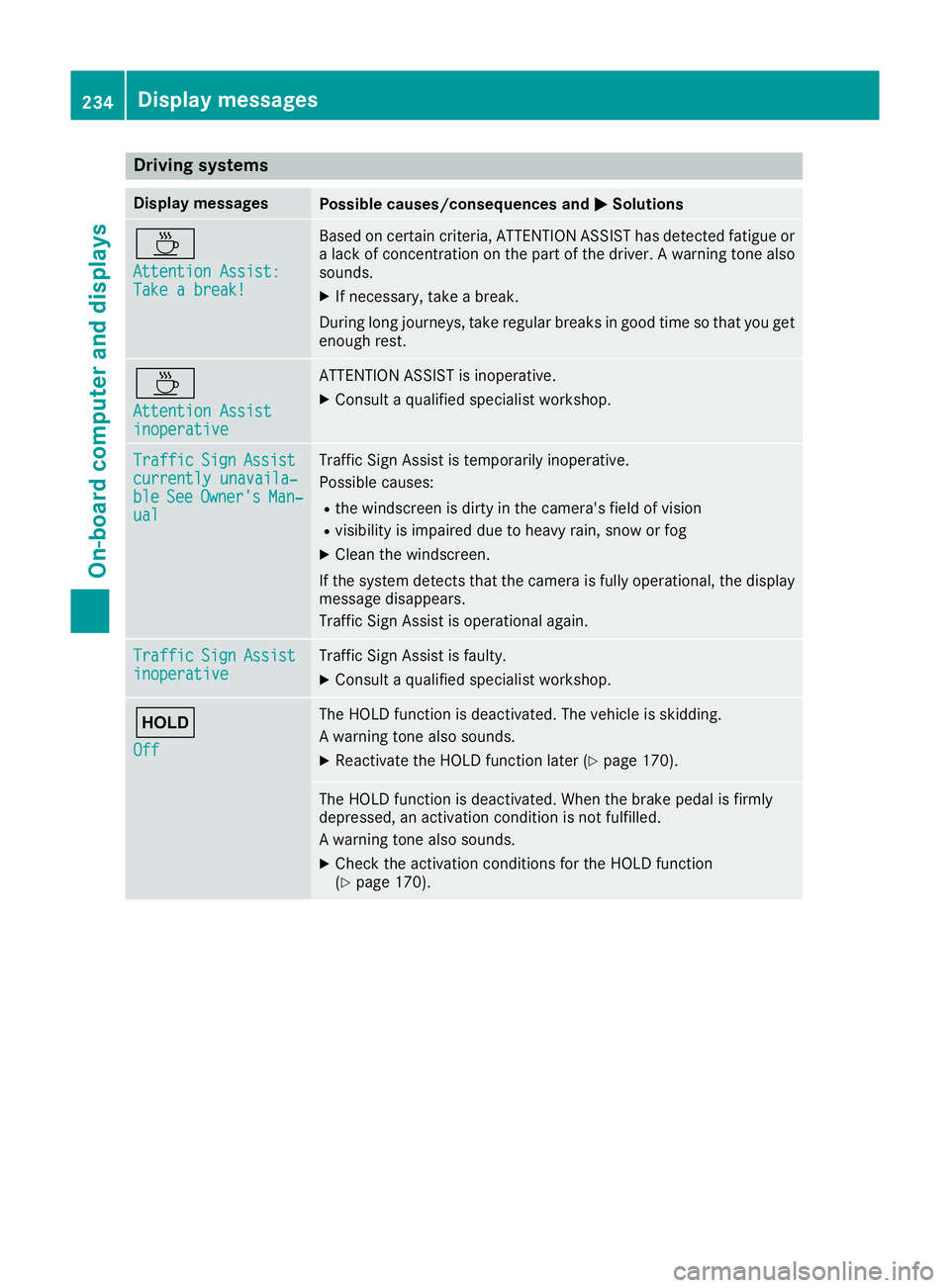
Driving systems
Display messages
Possible causes/consequences and
M
MSolutions À
Attention Assist: Attention Assist:
Take a break! Take a break! Based on certain criteria, ATTENTION ASSIST has detected fatigue or
a lack of concentration on the part of the driver. A warning tone also
sounds.
X If necessary, take a break.
During long journeys, take regular breaks in good time so that you get
enough rest. À
Attention Assist Attention Assist
inoperative inoperative ATTENTION ASSIST is inoperative.
X Consult a qualified specialist workshop. Traffic
Traffic
Sign
SignAssist
Assist
currently unavaila‐
currently unavaila‐
ble ble See
SeeOwner's
Owner's Man‐
Man‐
ual
ual Traffic Sign Assist is temporarily inoperative.
Possible causes:
R the windscreen is dirty in the camera's field of vision
R visibility is impaired due to heavy rain, snow or fog
X Clean the windscreen.
If the system detects that the camera is fully operational, the display message disappears.
Traffic Sign Assist is operational again. Traffic Traffic
Sign
SignAssist
Assist
inoperative
inoperative Traffic Sign Assist is faulty.
X Consult a qualified specialist workshop. ë
Off Off The HOLD function is deactivated. The vehicle is skidding.
A warning tone also sounds.
X Reactivate the HOLD function later (Y page 170). The HOLD function is deactivated. When the brake pedal is firmly
depressed, an activation condition is not fulfilled.
A warning tone also sounds.
X Check the activation conditions for the HOLD function
(Y page 170). 234
Display
messagesOn-board computer and displays
Page 240 of 345
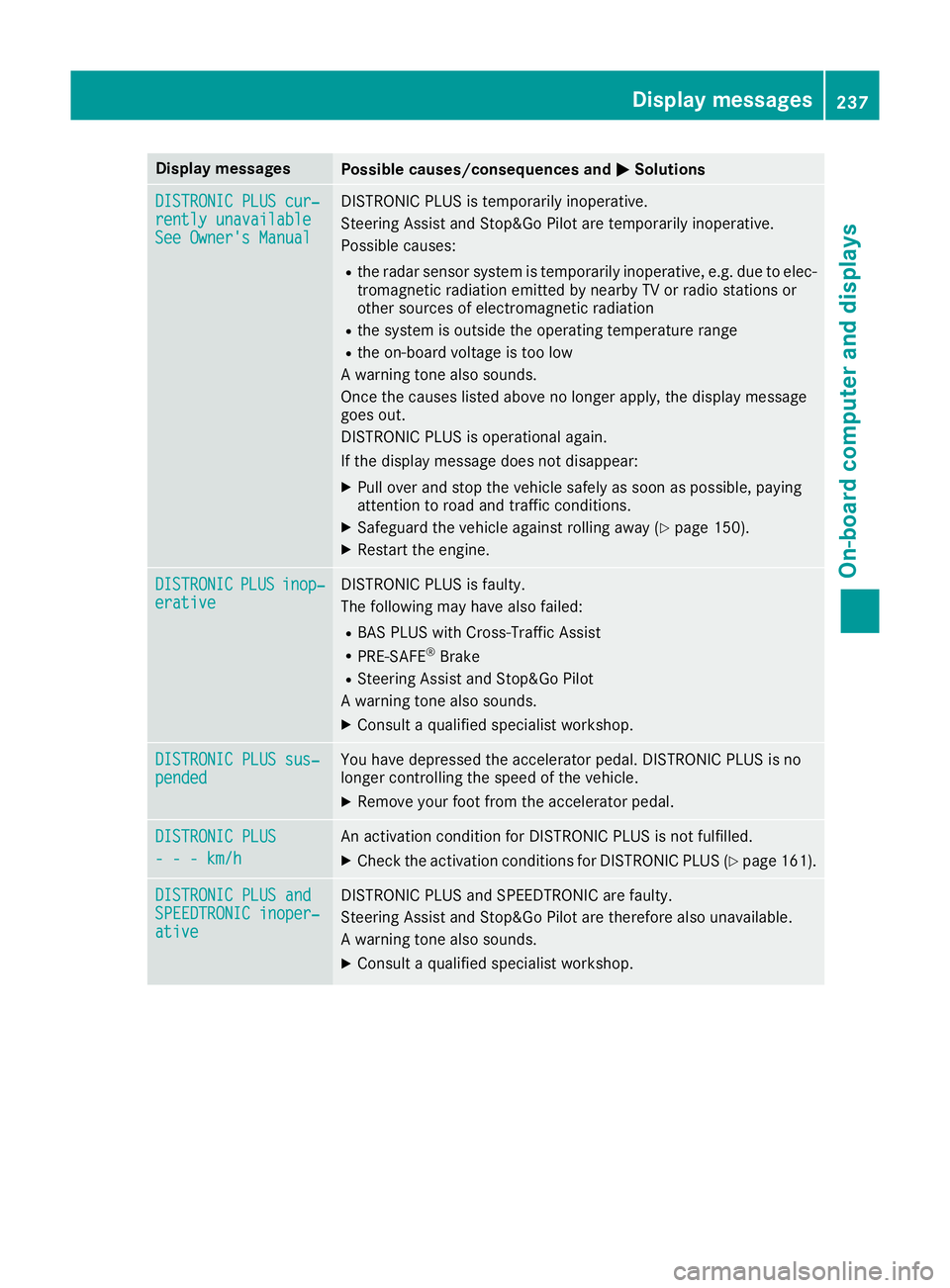
Display messages
Possible causes/consequences and
M
MSolutions DISTRONIC PLUS cur‐
DISTRONIC PLUS cur‐
rently unavailable rently unavailable
See Owner's Manual See Owner's Manual DISTRONIC PLUS is temporarily inoperative.
Steering Assist and Stop&Go Pilot are temporarily inoperative.
Possible causes:
R the radar sensor system is temporarily inoperative, e.g. due to elec-
tromagnetic radiation emitted by nearby TV or radio stations or
other sources of electromagnetic radiation
R the system is outside the operating temperature range
R the on-board voltage is too low
A warning tone also sounds.
Once the causes listed above no longer apply, the display message
goes out.
DISTRONIC PLUS is operational again.
If the display message does not disappear:
X Pull over and stop the vehicle safely as soon as possible, paying
attention to road and traffic conditions.
X Safeguard the vehicle against rolling away (Y page 150).
X Restart the engine. DISTRONIC DISTRONIC
PLUS
PLUSinop‐
inop‐
erative
erative DISTRONIC PLUS is faulty.
The following may have also failed:
R BAS PLUS with Cross-Traffic Assist
R PRE-SAFE ®
Brake
R Steering Assist and Stop&Go Pilot
A warning tone also sounds.
X Consult a qualified specialist workshop. DISTRONIC PLUS sus‐ DISTRONIC PLUS sus‐
pended pended You have depressed the accelerator pedal. DISTRONIC PLUS is no
longer controlling the speed of the vehicle.
X Remove your foot from the accelerator pedal. DISTRONIC PLUS
DISTRONIC PLUS
- - - km/h - - - km/h An activation condition for DISTRONIC PLUS is not fulfilled.
X Check the activation conditions for DISTRONIC PLUS (Y page 161).DISTRONIC PLUS and
DISTRONIC PLUS and
SPEEDTRONIC inoper‐ SPEEDTRONIC inoper‐
ative ative DISTRONIC PLUS and SPEEDTRONIC are faulty.
Steering Assist and Stop&Go Pilot are therefore also unavailable.
A warning tone also sounds.
X Consult a qualified specialist workshop. Display
messages
237On-board computer and displays Z
Page 243 of 345

Display messages
Possible causes/consequences and
M
MSolutions Rectify
Rectify
tyre pressure tyre pressure The tyre pressure is too low in at least one of the tyres, or the tyre
pressure difference between the wheels is too great.
X Check the tyre pressures at the next opportunity (Y page 318).
X If necessary, correct the tyre pressure.
X Restart the tyre pressure monitor (Y page 320).Check
Check
tyre(s)
tyre(s) The tyre pressure in one or more tyres has dropped significantly. The
wheel position is shown in the multifunction display.
A warning tone also sounds.
G WARNING
Underinflated tyres pose the following risks:
R the tyres may burst, especially as the load and vehicle speed
increase
R the tyres may wear excessively and/or unevenly, which may greatly
impair tyre traction
R the driving characteristics, as well as steering and braking, may be
greatly impaired
There is a risk of an accident.
X Stop the vehicle without making any sudden steering or braking
manoeuvres. Pay attention to the traffic conditions as you do so.
X Safeguard the vehicle against rolling away (Y page 150).
X Check the tyres and, if necessary, follow the instructions for a flat
tyre (Y page 298).
X Check the tyre pressure (Y page 318).
X If necessary, correct the tyre pressure. Warning Warning
tyre defect tyre defect The tyre pressure in one or more tyres has dropped suddenly. The
wheel position is shown in the multifunction display.
G WARNING
If you drive with a flat tyre, there is a risk of the following hazards: R a flat tyre affects the ability to steer or brake the vehicle
R you could lose control of the vehicle
R continued driving with a flat tyre will cause excessive heat build-up
and possibly a fire
There is a risk of an accident.
X Stop the vehicle without making any sudden steering or braking
manoeuvres. Pay attention to the traffic conditions as you do so.
X Safeguard the vehicle against rolling away (Y page 150).
X Check the tyres and, if necessary, follow the instructions for a flat
tyre (Y page 298). 240
Display
messagesOn-board computer and displays