service indicator MERCEDES-BENZ E-CLASS COUPE 2015 Owners Manual
[x] Cancel search | Manufacturer: MERCEDES-BENZ, Model Year: 2015, Model line: E-CLASS COUPE, Model: MERCEDES-BENZ E-CLASS COUPE 2015Pages: 345, PDF Size: 11.42 MB
Page 6 of 345
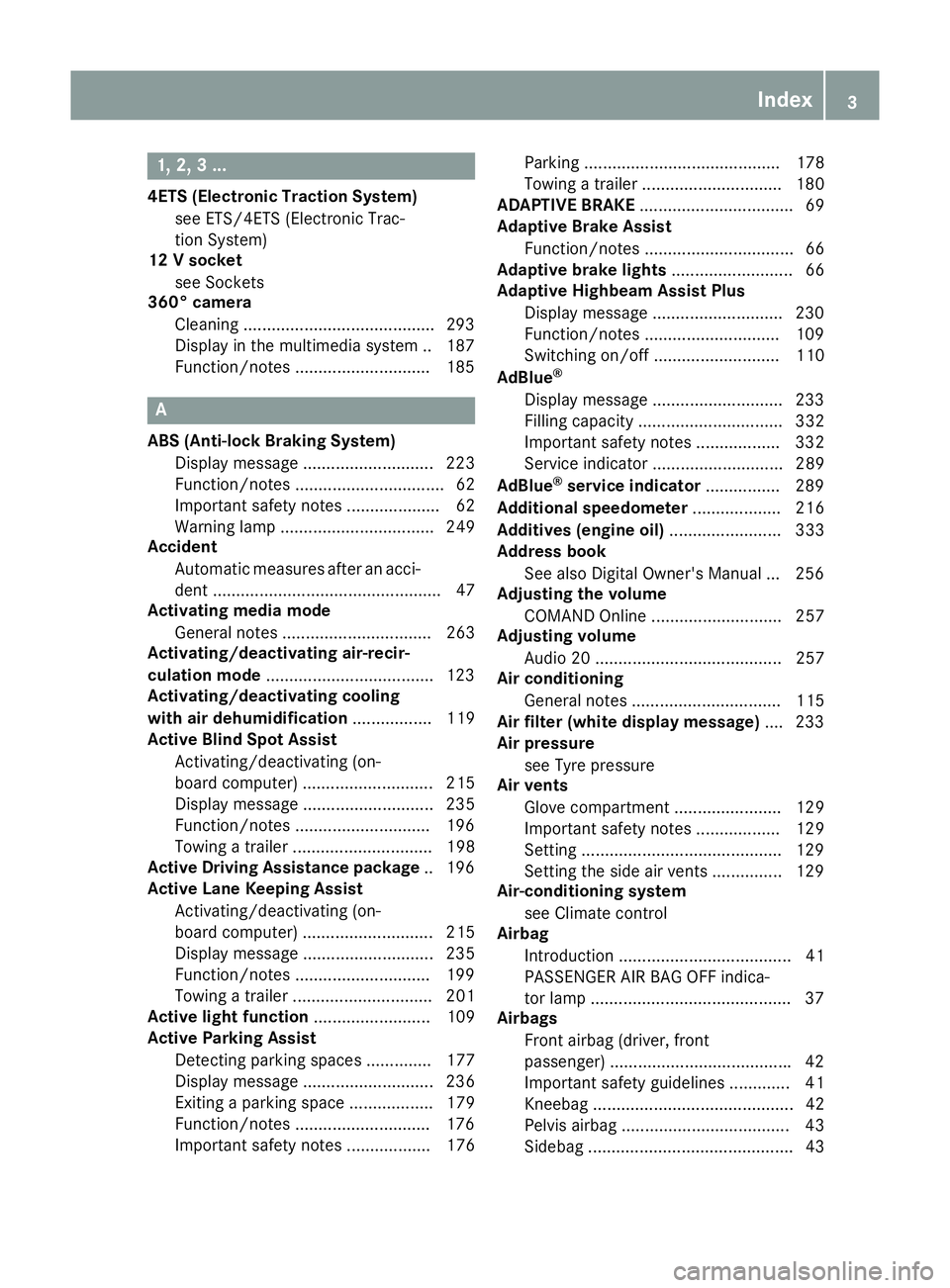
1, 2, 3 ...
4ETS (Electronic Traction System) see ETS/4ETS (Electronic Trac-
tion System)
12 V socket
see Sockets
360° camera
Cleaning .........................................2 93
Display in the multimedia system .. 187
Function/notes ............................ .185 A
ABS (Anti-lock Braking System) Display message ............................ 223
Function/notes ................................ 62
Important safety notes .................... 62
Warning lamp ................................. 249
Accident
Automatic measures after an acci-
dent ................................................. 47
Activating media mode
General notes ................................ 263
Activating/deactivating air-recir-
culation mode ................................... .123
Activating/deactivating cooling
with air dehumidification ................. 119
Active Blind Spot Assist
Activating/deactivating (on-
board computer) ............................ 215
Display message ............................ 235
Function/notes ............................ .196
Towing a trailer .............................. 198
Active Driving Assistance package .. 196
Active Lane Keeping Assist
Activating/deactivating (on-
board computer) ............................ 215
Display message ............................ 235
Function/notes ............................ .199
Towing a trailer .............................. 201
Active light function ......................... 109
Active Parking Assist
Detecting parking spaces .............. 177
Display message ............................ 236
Exiting a parking space .................. 179
Function/notes ............................ .176
Important safety notes .................. 176 Parking .......................................... 178
Towing a trailer .............................. 180
ADAPTIVE BRAKE ................................. 69
Adaptive Brake Assist
Function/notes ................................ 66
Adaptive brake lights .......................... 66
Adaptive Highbeam Assist Plus
Display message ............................ 230
Function/notes ............................ .109
Switching on/off ........................... 110
AdBlue ®
Display message ............................ 233
Filling capacity ............................... 332
Important safety notes .................. 332
Service indicator ............................ 289
AdBlue ®
service indicator ................ 289
Additional speedometer ................... 216
Additives (engine oil) ........................ 333
Address book
See also Digital Owner's Manual ... 256
Adjusting the volume
COMAND Online ............................ 257
Adjusting volume
Audio 20 ........................................ 257
Air conditioning
General notes ................................ 115
Air filter (white display message) .... 233
Air pressure
see Tyre pressure
Air vents
Glove compartment ....................... 129
Important safety notes .................. 129
Setting .......................................... .129
Setting the side air vents .............. .129
Air-conditioning system
see Climate control
Airbag
Introduction ..................................... 41
PASSENGER AIR BAG OFF indica-
tor lamp .......................................... .37
Airbags
Front airbag (driver, front
passenger) ...................................... .42
Important safety guidelines .............41
Kneebag ........................................... 42
Pelvis airbag .................................... 43
Sidebag ............................................ 43 Index
3
Page 16 of 345
Switching the daytime driving
lights on/off (on-board com-
puter) ............................................. 217
Switching the exterior lighting
delayed switch-off on/off (on-
board computer) ............................ 218
Switching the surround lighting
on/off (on-board computer) .......... 218
Turn signals ................................... 108
see Interior lighting
see Replacing bulbs
LIM indicator lamp
Cruise control ................................ 156
DISTRONIC PLUS ........................... 162
Variable SPEEDTRONIC ................. 159
Limiting the speed
see SPEEDTRONIC
LINGUATRONIC
see Separate operating instructions
Loading guidelines ............................ 265
Locking
see Central locking
Locking (doors)
Automatic ........................................ 82
Emergency locking ........................... 82
From inside (central locking but-
ton) .................................................. 81
Locking centrally
see Central locking
Locking verification signal (on-
board computer) ............................... 219
Lumbar support
Adjusting the 4-way lumbar sup-
port .................................................. 97 M
M+S tyres ........................................... 315
Main-beam headlamps
Adaptive Highbeam Assist PLUS .... 109
Changing bulb s.............................. 112
Display message ............................ 229
Switching on/of f........................... 108
Maintenance
see ASSYST PLUS
Manual transmission
Engaging reverse gear ................... 139
Gear lever ...................................... 139 Pulling away ................................... 134
Shift recommendation ................... 140
Starting the engine ........................ 134
Matt finish (cleaning instructions) .. 291
Media Interface
USB port in the armrest of the
centre console ............................... 267
see Separate operating instructions
Memory card (audio) ......................... 211
Memory function ............................... 104
Mercedes-Benz Contact
Display message ............................ 225
Mercedes-Benz emergency call
system
Switch in the overhead control
panel .............................................. 275
Mercedes-Benz Intelligent Drive
360°camera .................................. 185
Active Blind Spot Assist ................. 196
Active Lane Keeping Assist ............ 199
Active Parking Assist ..................... 176
ATTENTION ASSIST ........................ 189
Blind Spot Assist ............................ 193
Cruise control ................................ 156
DISTRONIC PLUS ........................... 161
DISTRONIC PLUS with Steering
Assist and Stop&Go Pilot ............... 169
General notes ................................ 155
Lane Keeping Assist ...................... 195
PARKTRONIC ................................. 172
PRE-SAFE ®
(anticipatory occu-
pant protection) ............................... 46
PRE-SAFE ®
PLUS (anticipatory
occupant protection PLUS) .............. 47
Reversing camera .......................... 181
SPEEDTRONIC ............................... 158
Traffic Sign Assist .......................... 190
Mercedes-Benz Service Centre
see Qualified specialist workshop
Message memory (on-board com-
puter) .................................................. 222
Messages
see Display messages
Mirrors
see Exterior mirrors
see Rear-view mirror
see Vanity mirror (in sun visor) Index
13
Page 17 of 345
Mobile phone
Connecting (Bluetooth ®
inter-
face) ............................................. .259
Connecting another mobile
phone ............................................ 260
Connecting the telephone module
with Bluetooth ®
(SAP profile) ......... 262
Frequencies ................................... 327
Installation ..................................... 327
Menu (on-board computer) ............ 212
Notes/placing in the bracket ......... 275
Transmission output (maximum) .... 327
Mobile telephone
Pre-installed bracket ..................... .276
Modifying the programming (key) ..... 76
MOExtended tyres .............................298
Motorway mode ................................ 109
MP3
Operating ....................................... 211
See also Digital Owner's Manual ... 256
Multicontour seat
Adjusting (on the seat) ..................... 97
Multifunction display
Function/notes ............................ .208
Permanent display ......................... 216
Multifunction steering wheel
Operating the on-board computer .. 207
Overview .......................................... 31
Multimedia system
see Separate operating instructions
Music files
See also Digital Owner's Manual ... 256 N
Navigation Menu (on-board computer) ............ 210
See also Digital Owner's Manual ... 256
NECK-PRO head restraints
Important safety notes .................... 45
Operation ......................................... 45
Resetting triggered .......................... 46
Notes on running in a new vehicle .. 131O
Occupant safety Airbags ............................................ 41 Automatic measures after an acci-
dent ................................................. 47
Children in the vehicle ..................... 47
Important safety notes .................... 36
PASSENGER AIRBAG indicator
lamp ................................................. 37
Pets in the vehicle ........................... 61
PRE-SAFE ®
(anticipatory occu-
pant protection) ............................... 46
PRE-SAFE ®
PLUS (anticipatory
occupant protection PLUS) .............. 47
Restraint system introduction .......... 36
Restraint system warning lamp ....... .37
Odometer ...........................................2 08
Oil
see Engine oil
On-board computer
Assistance menu ........................... 213
Audio menu ................................... 211
Convenience submenu .................. 220
Display messages .......................... 222
Displaying a service message ....... .288
DISTRONIC PLUS ........................... 166
Factory setting submenu .............. .221
Heating submenu ........................... 219
Important safety notes .................. 206
Instrument cluster submenu .......... 216
Light submenu ............................... 216
Menu overview .............................. 208
Message memory .......................... 222
Navigation menu ............................ 210
Operating the TV ............................ 212
Operating video DVD ..................... 211
Operation ....................................... 207
Service menu ................................. 215
Settings menu ............................... 216
Standard display ............................ 208
Telephone menu ............................ 212
Trip menu ...................................... 208
Vehicle submenu ........................... 218
Operating instructions
Vehicle equipment ........................... 24
Operating safety
Declaration of conformity ................ 25
Important safety note ..................... .24
Operating system
see On-board computer 14
Index
Page 20 of 345
Seat
Adjusting the multicontour seat .......97
Seat backrest display message ..... 243
Seat belt
Automatic comfort-fit feature .......... 40
Correct usage .................................. 39
Switching belt adjustment on/off
(on-board computer) ...................... 220
Seat belts
Adjusting the driver's and front-
passenger seat belt ......................... 40
Cleaning ......................................... 295
Display message ............................ 227
Fastening ......................................... 39
Important safety guidelines ............. 38
Introduction ..................................... 37
Rear seat belt status indicator ......... 41
Releasing ......................................... 40
Warning lamp ................................. 247
Warning lamp (function) ................... 41
Seats
Adjusting (electrically) ..................... 95
Adjusting (manually and electri-
cally) ................................................ 94
Adjusting the 4-way lumbar sup-
port .................................................. 97
Adjusting the head restraint ............ 95
Cleaning the cover ......................... 295
Correct driver's seat position ........... 93
Folding the backrests forward/
back ................................................. 96
Important safety notes .................... 93
Overview .......................................... 93
Seat heating .................................... 97
Seat heating problem ...................... 99
Storing settings (memory func-
tion) ............................................... 104
Switching seat heating on/of f......... 97
Switching the seat ventilation on/
off .................................................... 98
Section
Boot ................................................. 82
Securing a load
see Stowage space
Securing luggage ............................... 269
Selector lever
Cleaning ......................................... 295
Sensors (cleaning instructions) ....... 293Service
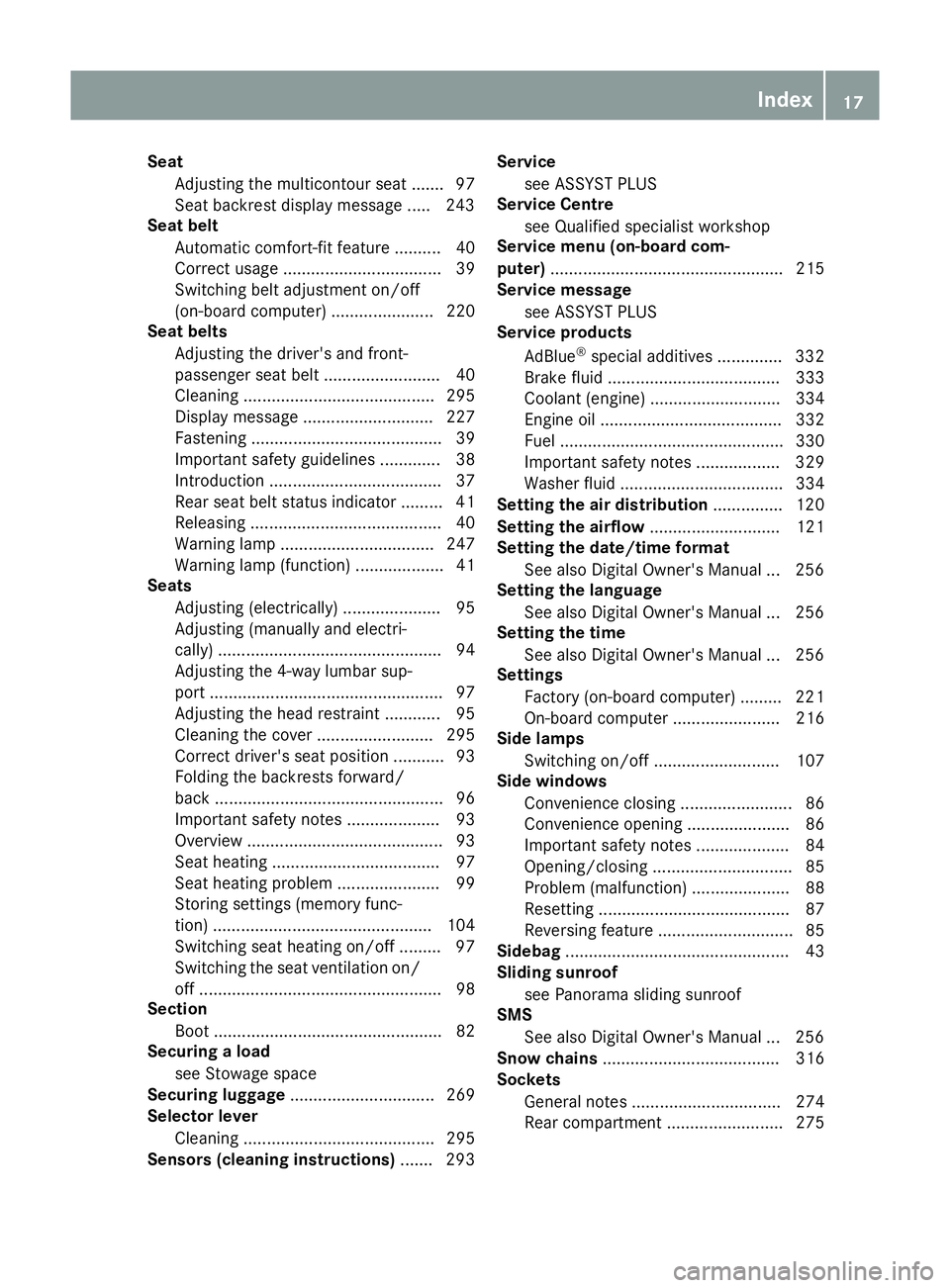
see ASSYST PLUS
Service Centre
see Qualified specialist workshop
Service menu (on-board com-
puter) .................................................. 215
Service message
see ASSYST PLUS
Service products
AdBlue ®
special additive s.............. 332
Brake fluid ..................................... 333
Coolant (engine) ............................ 334
Engine oil ....................................... 332
Fuel ................................................ 330
Important safety notes .................. 329
Washer fluid ................................... 334
Setting the air distribution ............... 120
Setting the airflow ............................ 121
Setting the date/time format
See also Digital Owner's Manua l... 256
Setting the language
See also Digital Owner's Manua l... 256
Setting the time
See also Digital Owner's Manua l... 256
Settings
Factory (on-board computer) ......... 221
On-board compute r....................... 216
Side lamps
Switching on/of f........................... 107
Side windows
Convenience closing ........................ 86
Convenience opening ...................... 86
Important safety notes .................... 84
Opening/closing .............................. 85
Problem (malfunction) ..................... 88
Resetting ......................................... 87
Reversing feature ............................. 85
Sidebag ................................................ 43
Sliding sunroof
see Panorama sliding sunroof
SMS
See also Digital Owner's Manua l... 256
Snow chains ...................................... 316
Sockets
General notes ................................ 274
Rear compartment ......................... 275 Index
17
Page 155 of 345
Parking brake
G
WARNING
If you must brake the vehicle with the parking brake, the braking distance is considerably
longer and the wheels could lock. This increa-
ses the risk of skidding and an accident.
Only use the parking brake to brake the vehi- cle when the service brake is faulty. Do not
apply the parking brake too firmly. If the
wheels lock, release the parking brake until
the wheels begin turning again. G
WARNING
If you leave children unattended in the vehi-
cle, they may be able to set the vehicle in
motion if, for example, they:
R release the parking brake
R shift the automatic transmission out of park
position Por shift manual transmission into
neutral
R start the engine
In addition, they may operate vehicle equip-
ment and become trapped. There is a risk of
an accident and injury.
When leaving the vehicle, always take the key with you and lock the vehicle. Never leave
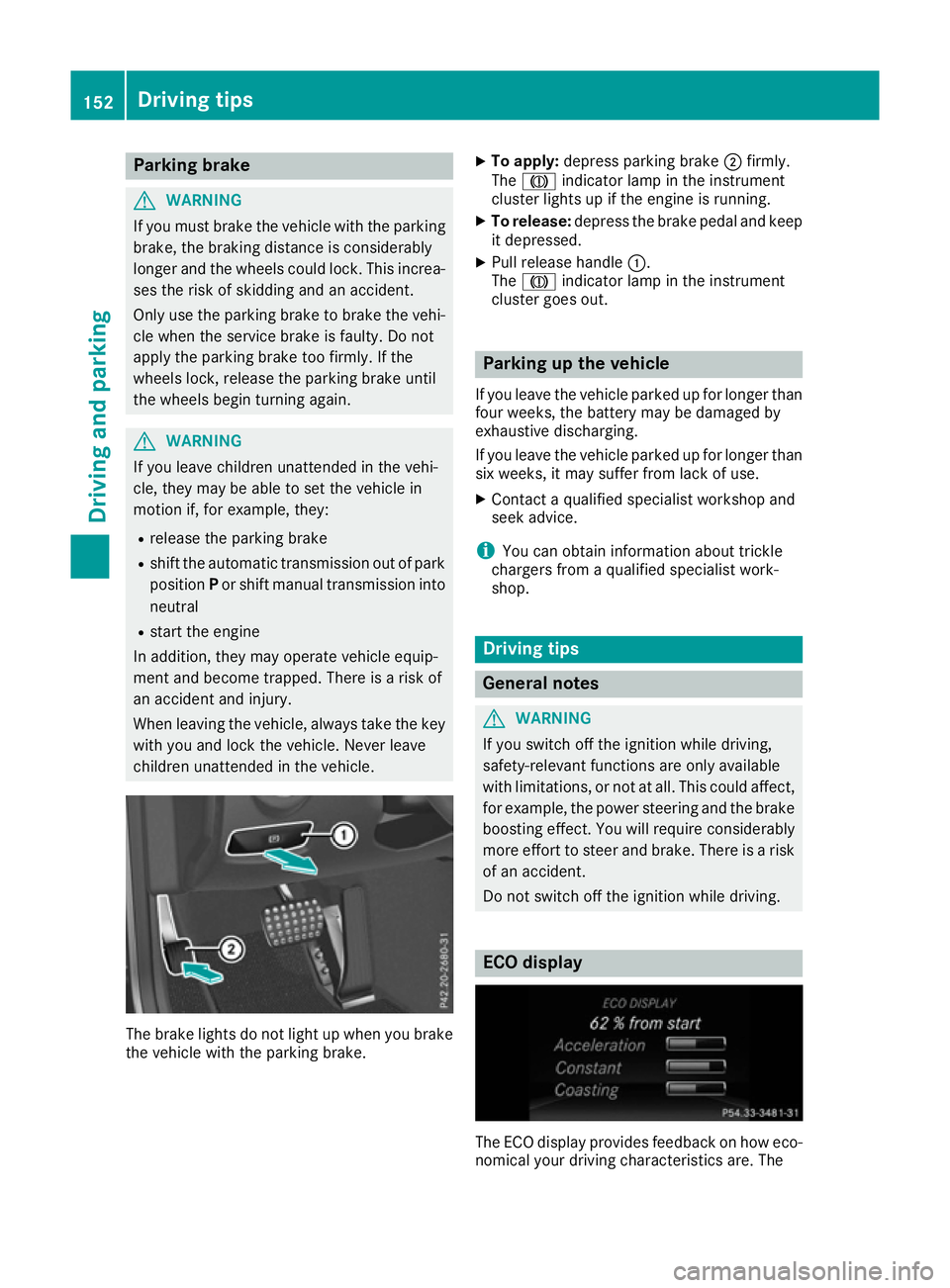
children unattended in the vehicle. The brake lights do not light up when you brake
the vehicle with the parking brake. X
To apply: depress parking brake ;firmly.
The J indicator lamp in the instrument
cluster lights up if the engine is running.
X To release: depress the brake pedal and keep
it depressed.
X Pull release handle :.
The J indicator lamp in the instrument
cluster goes out. Parking up the vehicle
If you leave the vehicle parked up for longer than
four weeks, the battery may be damaged by
exhaustive discharging.
If you leave the vehicle parked up for longer than six weeks, it may suffer from lack of use.
X Contact a qualified specialist workshop and
seek advice.
i You can obtain information about trickle
chargers from a qualified specialist work-
shop. Driving tips
General notes
G
WARNING
If you switch off the ignition while driving,
safety-relevant functions are only available
with limitations, or not at all. This could affect, for example, the power steering and the brake
boosting effect. You will require considerably
more effort to steer and brake. There is a risk of an accident.
Do not switch off the ignition while driving. ECO display
The ECO display provides feedback on how eco-
nomical your driving characteristics are. The 152
Driving tipsDriving and parking
Page 292 of 345
ated under increased loads. Further information
can be obtained at a qualified specialist work-
shop, e.g. a Mercedes-Benz Service Centre.
Driving abroad An extensive Mercedes-Benz Service network is
also available in other countries. You can obtain
further information from any Mercedes-Benz
Service Centre. AdBlue
®
service indicator
i For BlueTEC vehicles only.
To function properly, BlueTEC exhaust gas after-
treatment must be operated with the reducing
agent AdBlue ®
. AdBlue ®
is topped up as part of
the service. Under normal operating conditions,
a full tank of AdBlue ®
should last until the next
service due date.
Depending on how and where the vehicle is
used, there may be an increase in the AdBlue ®
consumption, resulting in the next service due
date being brought forward.
Certain display messages show that AdBlue ®
must be topped up, e.g.:
Refill Refill AdBlue
AdBlue at
atworkshop
workshop See
SeeOwner's
Owner's
Manual
Manual
Refill AdBlue at workshop No start Refill AdBlue at workshop No start
in .. km
in .. km
A warning signal also sounds.
You can no longer start the vehicle when the
AdBlue ®
supply has been used up (Y page 233).
! Have the AdBlue ®
tank topped up at a quali-
fied specialist workshop only. The vehicle
may otherwise be damaged or soiled.
Before driving your vehicle outside Europe, have the AdBlue ®
supply checked at a qualified spe-
cialist workshop. If necessary, have AdBlue ®
topped up. Before a prolonged stay outside of
Europe, consult a qualified specialist workshop.
Observe the notes on AdBlue ®
(Y page 332).
Further information about BlueTEC exhaust gas
aftertreatment and AdBlue ®
can be obtained at
a qualified specialist workshop, e.g. a
Mercedes-Benz Service Centre. Care
General notes
H
Environmental note
Dispose of empty packaging and cleaning
cloths in an environmentally responsible man- ner.
! For cleaning your vehicle, do not use any of
the following:
R dry, rough or hard cloths
R abrasive cleaning agents
R solvents
R cleaning agents containing solvents
Do not scrub.
Do not touch the surfaces or protective films
with hard objects, e.g. a ring or ice scraper.
You could otherwise scratch or damage the
surfaces and protective film.
! Do not park up the vehicle for an extended
period straight after cleaning it, particularly
after having cleaned the wheels with wheel
cleaner. Wheel cleaners could cause
increased corrosion of the brake discs and
brake pads/linings. For this reason, you
should drive for a few minutes after cleaning. Braking heats the brake discs and the brake
pads/linings, thus drying them. The vehicle
can then be parked up.
Regular care of your vehicle is a condition for
retaining the quality in the long term.
Use care products and cleaning agents recom-
mended and approved by Mercedes-Benz. Washing the vehicle and cleaning the
paintwork
Automatic car wash G
WARNING
Braking efficiency is reduced after the vehicle has been washed. There is a risk of an acci-
dent.
After washing the vehicle, brake carefully
while paying attention to the traffic conditions in order to restore full braking efficiency. Care
289Maintenance and care Z
Page 307 of 345
occupants from suffering acid burns should the
battery be damaged in the event of an accident.
In order for the battery to achieve the maximum possible service life, it must always be suffi-
ciently charged.
Like other batteries, the vehicle battery may
discharge over time if you do not use the vehicle. In such cases, have the battery disconnected ata qualified specialist workshop. You can also
charge the battery with a charger recommended
by Mercedes-Benz. For more information,
please contact a qualified specialist workshop.
Have the battery charge checked more fre-
quently if you use the vehicle mainly for short
trips or if you leave it standing idle for a lengthy period. Consult a qualified specialist workshop
if you wish to leave your vehicle parked up for a
long period of time.
When you park the vehicle, remove the key if you do not require any electrical consumers. The
vehicle will then use very little energy, thus con- serving battery power.
If the power supply has been interrupted, e.g. if the battery was discharged, you will have to:
R set the clock. Information on setting the clock
can be found in the Digital Owner's Manual.
On vehicles with a multimedia system, the
time is set automatically.
R reset the function for folding the exterior mir-
rors in/out automatically, by folding the mir-
rors out once (Y page 103). Charging the battery
G
WARNING
During charging and jump-starting, explosive
gases can escape from the battery. There is a risk of an explosion.
Particularly avoid fire, naked flames, creating
sparks and smoking. Ensure there is sufficient
ventilation while charging and jump-starting.
Do not lean over a battery. G
WARNING
Battery acid is caustic. There is a risk of injury. Avoid contact with the skin, eyes or clothing.
Do not breathe in any battery gases. Do not
lean over the battery. Keep the batteries out
of the reach of children. Immediately rinse off battery acid thoroughly with plenty of clean
water and seek medical attention at once. G
WARNING
A discharged battery can freeze at tempera-
tures below freezing point. When jump-start-
ing the vehicle or charging the battery, gases can escape from the battery. There is a risk of
an explosion.
Allow the frozen battery to thaw out before
charging it or jump-starting.
! Only use battery chargers with a maximum
charging voltage of 14.8 V.
! Only charge the battery using the jump-start
connection point.
The jump-starting connection point is in the
engine compartment (Y page 305).
X Open the bonnet.
X Connect the battery charger to the positive
terminal and earth point in the same order as
when connecting the donor battery in the
jump-starting procedure (Y page 305).
If the indicator/warning lamps do not light up at
low temperatures, it is very likely that the dis-
charged battery has frozen. In this case, you
may neither charge the battery nor jump-start
the vehicle. The service life of a battery that has been thawed may be reduced. The starting char-
acteristics may be impaired, especially at low
temperatures. Have the thawed battery
checked at a qualified specialist workshop.
Never charge a battery still installed in the vehi-
cle unless a battery charger unit approved by
Mercedes-Benz is being used. A battery charger unit specially adapted for Mercedes-Benz vehi-
cles and tested and approved by Mercedes-
Benz is available as an accessory. This device
permits charging of the battery in position. Con-
tact a Mercedes-Benz Service Centre for infor-
mation and availability. Read the battery charg- er's operating instructions before charging the
battery. 304
Battery (vehicle)Breakdown assistance
Page 308 of 345
Jump-starting
For the jump-starting procedure, use only the jump-starting connection point, consisting of a pos- itive terminal and an earth point, in the engine compartment. G
WARNING
Battery acid is caustic. There is a risk of injury.
Avoid contact with the skin, eyes or clothing. Do not breathe in any battery gases. Do not lean over the battery. Keep the batteries out of the reach of children. Immediately rinse off battery acid
thoroughly with plenty of clean water and seek medical attention at once. G
WARNING
During charging and jump-starting, explosive gases can escape from the battery. There is a risk of an explosion.
Particularly avoid fire, naked flames, creating sparks and smoking. Ensure there is sufficient
ventilation while charging and jump-starting. Do not lean over a battery. G
WARNING
During the charging process, a battery produces hydrogen gas. If a short circuit occurs or sparks
are created, the hydrogen gas can ignite. There is a risk of an explosion.
R Make sure that the positive terminal of a connected battery does not come into contact with
vehicle parts.
R Never place metal objects or tools on a battery.
R It is important that you observe the described order of the battery terminals when connecting
and disconnecting a battery.
R When jump-starting, make sure that the battery poles with identical polarity are connected.
R It is particularly important to observe the described order when connecting and disconnecting
the jump leads.
R Never connect or disconnect the battery terminals while the engine is running. G
WARNING
A discharged battery can freeze at temperatures below freezing point. When jump-starting the
vehicle or charging the battery, gases can escape from the battery. There is a risk of an explosion.
Allow the frozen battery to thaw out before charging it or jump-starting.
! Vehicles with a petrol engine:
avoid repeated and lengthy starting attempts. Otherwise, the
non-combusted fuel may damage the catalytic converter.
If the indicator/warning lamps do not light up at low temperatures, it is very likely that the dis-
charged battery has frozen. In this case you may neither jump-start the vehicle nor charge the
battery. The service life of a battery that has been thawed may be reduced. The starting charac-
teristics may be impaired, especially at low temperatures. Have the thawed battery checked at a
qualified specialist workshop. Jump-starting
305Breakdown assistance Z
Page 314 of 345
Blown fuses must be replaced with fuses of the
same rating, which you can recognise by the
colour and fuse rating. The fuse ratings are listed in the fuse allocation chart.
The fuse allocation chart is located in the vehicletool kit in the stowage compartment under the
boot floor (Y page 297).
If the newly inserted fuse also blows, have the
cause traced and rectified at a qualified special-
ist workshop, e.g. a Mercedes-Benz Service
Centre.
! Only use fuses that have been approved for
Mercedes-Benz vehicles and which have the
correct fuse rating for the system concerned.
Otherwise, components or systems could be
damaged.
! Make sure that no moisture can enter the
fuse box when the cover is open.
! When closing the cover, make sure that it is
lying correctly on the fuse box. Moisture seep-
ing in or dirt could otherwise impair the oper-
ation of the fuses.
The fuses in your vehicle disconnect faulty cir-
cuits. If a fuse blows, all the components on the
circuit and their functions will fail. Before replacing a fuse
Observe the important safety notes
(Y page 310).
X Switch off the engine.
X Switch off all electrical consumers.
X Safeguard the vehicle against rolling away
(Y page 150).
X Remove the key from the ignition lock.
or, on vehicles with KEYLESS ‑GO:
X Open the driver's door.
The on-board electronics now have status 0.
This is the same as the key having been
removed.
X Remove the Start/Stop button from the igni-
tion lock (Y page 132).
All indicator lamps in the instrument cluster
must be off. The fuses are located in various fuse boxes:
R fuse box on the driver's side of the dashboard
R fuse box in the engine compartment on the
left-hand side of the vehicle, when viewed in
the direction of travel
R fuse box in the boot on the right-hand side of
the vehicle, when viewed in the direction of
travel Dashboard fuse box
Pay attention to the important safety notes
(Y page 310).
! Do not use a pointed object such as a screw-
driver to open the cover in the dashboard. You
could damage the dashboard or the cover.
! Make sure that no moisture can enter the
fuse box when the cover is open.
! When closing the cover, make sure that it is
lying correctly on the fuse box. Moisture seep-
ing in or dirt could otherwise impair the oper- ation of the fuses. X
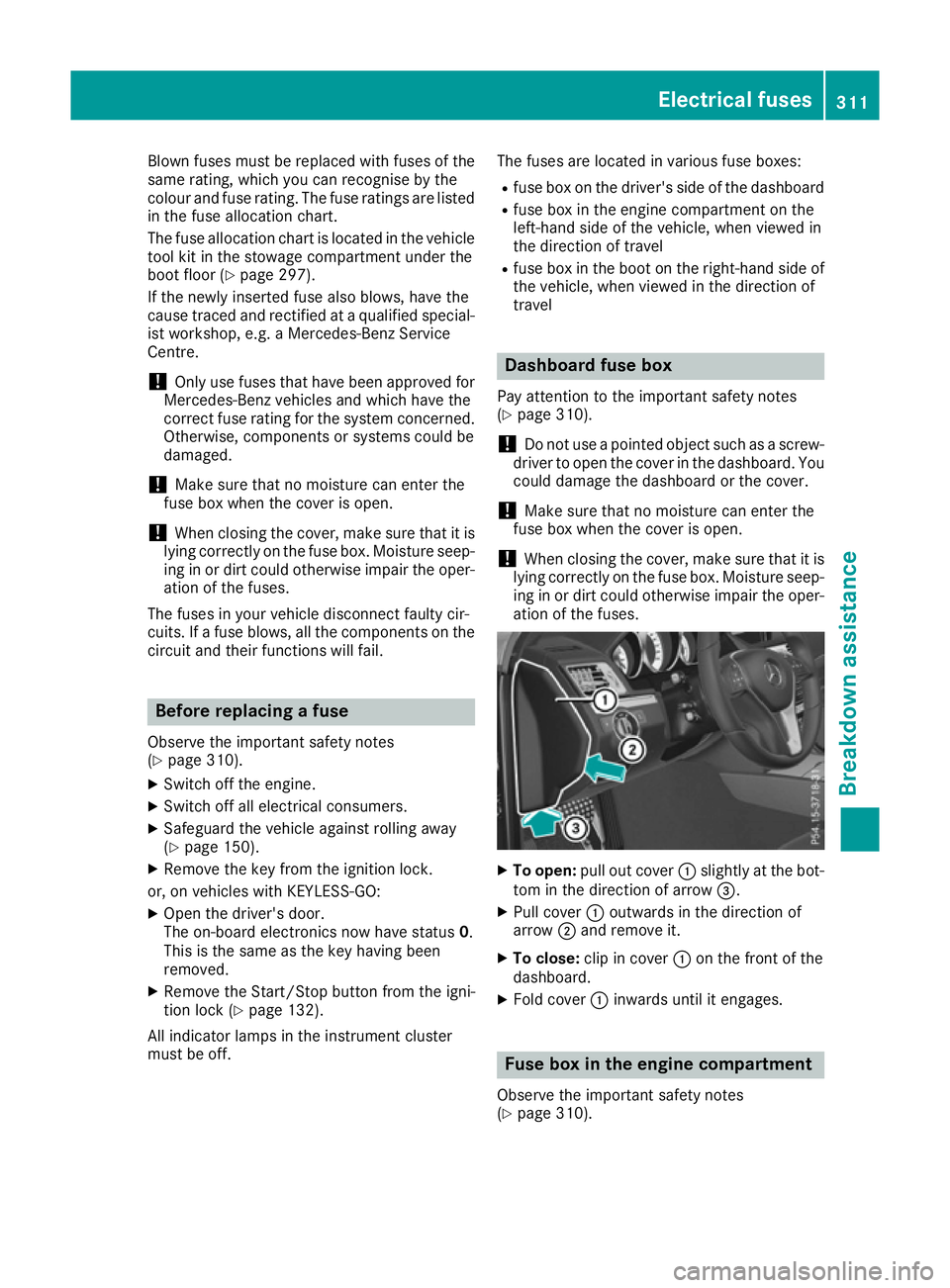
To open: pull out cover :slightly at the bot-
tom in the direction of arrow =.
X Pull cover :outwards in the direction of
arrow ;and remove it.
X To close: clip in cover :on the front of the
dashboard.
X Fold cover :inwards until it engages. Fuse box in the engine compartment
Observe the important safety notes
(Y page 310). Electrical fuses
311Breakdown assistance Z
Page 320 of 345
pressure that is too low may result in a tyre
blow-out. There is a risk of accident.
R Check the tyre for foreign objects.
R Check whether the wheel is losing air or the
valve is leaking.
If you are unable to rectify the damage, con-
tact a qualified specialist workshop. H
Environmental note
Check the tyre pressure regularly, at least
every 14 days.
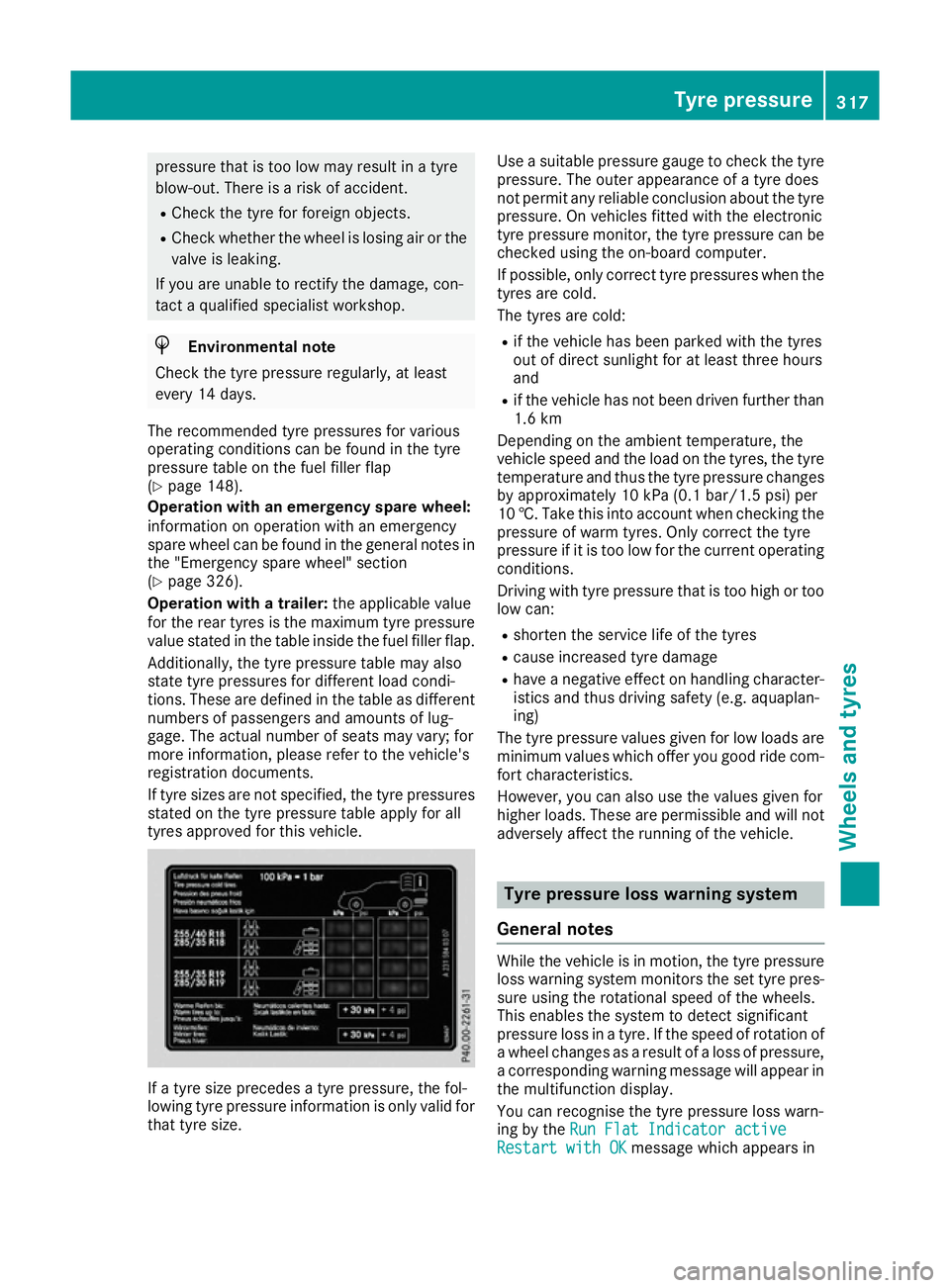
The recommended tyre pressures for various
operating conditions can be found in the tyre
pressure table on the fuel filler flap
(Y page 148).
Operation with an emergency spare wheel:
information on operation with an emergency
spare wheel can be found in the general notes in the "Emergency spare wheel" section
(Y page 326).
Operation with a trailer: the applicable value
for the rear tyres is the maximum tyre pressure
value stated in the table inside the fuel filler flap.
Additionally, the tyre pressure table may also
state tyre pressures for different load condi-
tions. These are defined in the table as different numbers of passengers and amounts of lug-
gage. The actual number of seats may vary; for
more information, please refer to the vehicle's
registration documents.
If tyre sizes are not specified, the tyre pressures stated on the tyre pressure table apply for all
tyres approved for this vehicle. If a tyre size precedes a tyre pressure, the fol-
lowing tyre pressure information is only valid for
that tyre size. Use a suitable pressure gauge to check the tyre
pressure. The outer appearance of a tyre does
not permit any reliable conclusion about the tyre
pressure. On vehicles fitted with the electronic
tyre pressure monitor, the tyre pressure can be checked using the on-board computer.
If possible, only correct tyre pressures when the
tyres are cold.
The tyres are cold:
R if the vehicle has been parked with the tyres
out of direct sunlight for at least three hours
and
R if the vehicle has not been driven further than
1.6 km
Depending on the ambient temperature, the
vehicle speed and the load on the tyres, the tyre temperature and thus the tyre pressure changes
by approximately 10 kPa (0.1 bar/1.5 psi) per
10 †. Take this into account when checking the
pressure of warm tyres. Only correct the tyre
pressure if it is too low for the current operating conditions.
Driving with tyre pressure that is too high or too
low can:
R shorten the service life of the tyres
R cause increased tyre damage
R have a negative effect on handling character-
istics and thus driving safety (e.g. aquaplan-
ing)
The tyre pressure values given for low loads are minimum values which offer you good ride com-
fort characteristics.
However, you can also use the values given for
higher loads. These are permissible and will not adversely affect the running of the vehicle. Tyre pressure loss warning system
General notes While the vehicle is in motion, the tyre pressure
loss warning system monitors the set tyre pres-
sure using the rotational speed of the wheels.
This enables the system to detect significant
pressure loss in a tyre. If the speed of rotation of a wheel changes as a result of a loss of pressure,
a corresponding warning message will appear in
the multifunction display.
You can recognise the tyre pressure loss warn-
ing by the Run Flat Indicator active
Run Flat Indicator active
Restart with OK
Restart with OK message which appears in Tyre pressure
317Wheels and tyres Z