tyre pressure MERCEDES-BENZ E-CLASS COUPE 2015 Owners Manual
[x] Cancel search | Manufacturer: MERCEDES-BENZ, Model Year: 2015, Model line: E-CLASS COUPE, Model: MERCEDES-BENZ E-CLASS COUPE 2015Pages: 345, PDF Size: 11.42 MB
Page 6 of 345
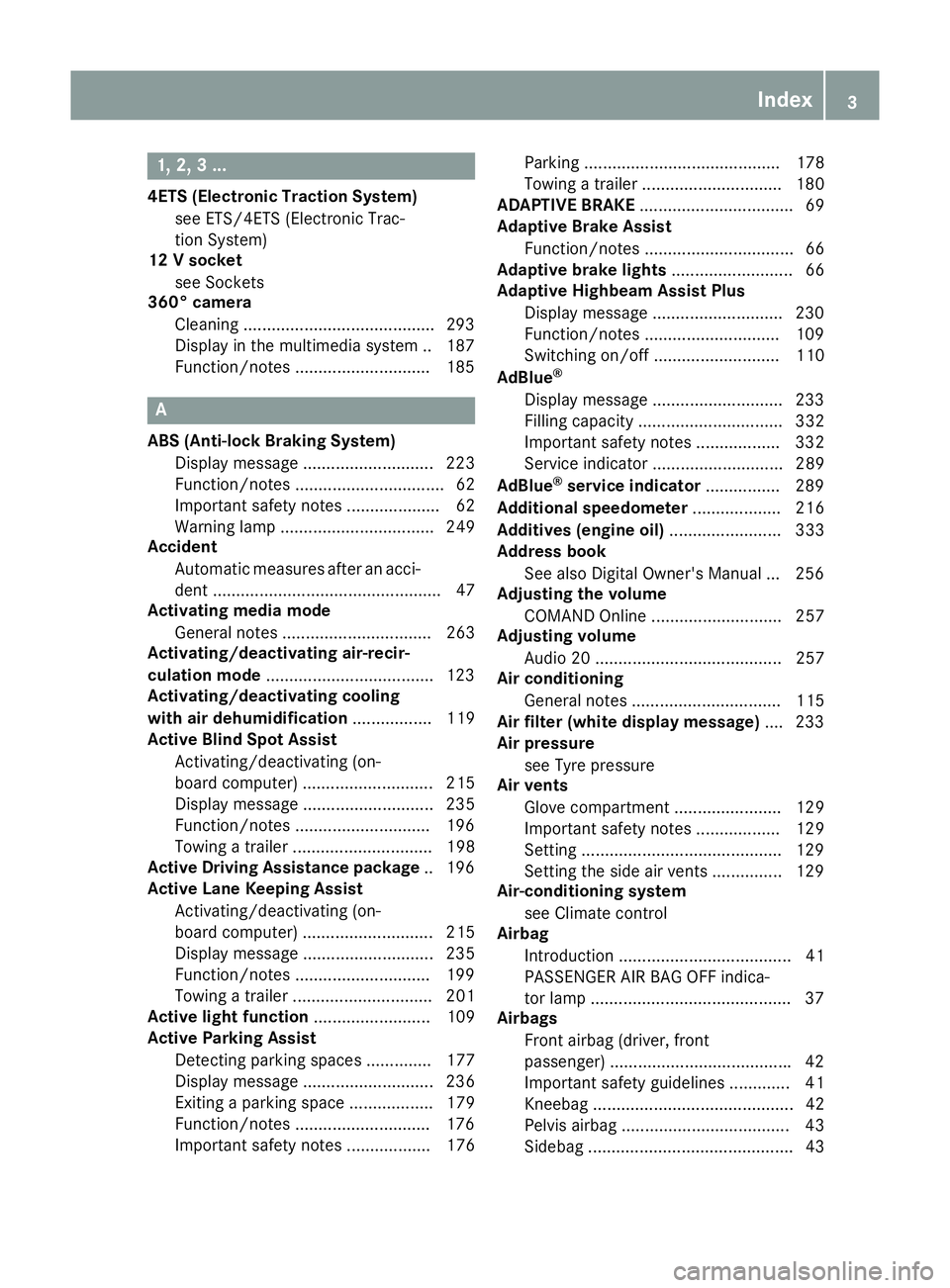
1, 2, 3 ...
4ETS (Electronic Traction System) see ETS/4ETS (Electronic Trac-
tion System)
12 V socket
see Sockets
360° camera
Cleaning .........................................2 93
Display in the multimedia system .. 187
Function/notes ............................ .185 A
ABS (Anti-lock Braking System) Display message ............................ 223
Function/notes ................................ 62
Important safety notes .................... 62
Warning lamp ................................. 249
Accident
Automatic measures after an acci-
dent ................................................. 47
Activating media mode
General notes ................................ 263
Activating/deactivating air-recir-
culation mode ................................... .123
Activating/deactivating cooling
with air dehumidification ................. 119
Active Blind Spot Assist
Activating/deactivating (on-
board computer) ............................ 215
Display message ............................ 235
Function/notes ............................ .196
Towing a trailer .............................. 198
Active Driving Assistance package .. 196
Active Lane Keeping Assist
Activating/deactivating (on-
board computer) ............................ 215
Display message ............................ 235
Function/notes ............................ .199
Towing a trailer .............................. 201
Active light function ......................... 109
Active Parking Assist
Detecting parking spaces .............. 177
Display message ............................ 236
Exiting a parking space .................. 179
Function/notes ............................ .176
Important safety notes .................. 176 Parking .......................................... 178
Towing a trailer .............................. 180
ADAPTIVE BRAKE ................................. 69
Adaptive Brake Assist
Function/notes ................................ 66
Adaptive brake lights .......................... 66
Adaptive Highbeam Assist Plus
Display message ............................ 230
Function/notes ............................ .109
Switching on/off ........................... 110
AdBlue ®
Display message ............................ 233
Filling capacity ............................... 332
Important safety notes .................. 332
Service indicator ............................ 289
AdBlue ®
service indicator ................ 289
Additional speedometer ................... 216
Additives (engine oil) ........................ 333
Address book
See also Digital Owner's Manual ... 256
Adjusting the volume
COMAND Online ............................ 257
Adjusting volume
Audio 20 ........................................ 257
Air conditioning
General notes ................................ 115
Air filter (white display message) .... 233
Air pressure
see Tyre pressure
Air vents
Glove compartment ....................... 129
Important safety notes .................. 129
Setting .......................................... .129
Setting the side air vents .............. .129
Air-conditioning system
see Climate control
Airbag
Introduction ..................................... 41
PASSENGER AIR BAG OFF indica-
tor lamp .......................................... .37
Airbags
Front airbag (driver, front
passenger) ...................................... .42
Important safety guidelines .............41
Kneebag ........................................... 42
Pelvis airbag .................................... 43
Sidebag ............................................ 43 Index
3
Page 22 of 345
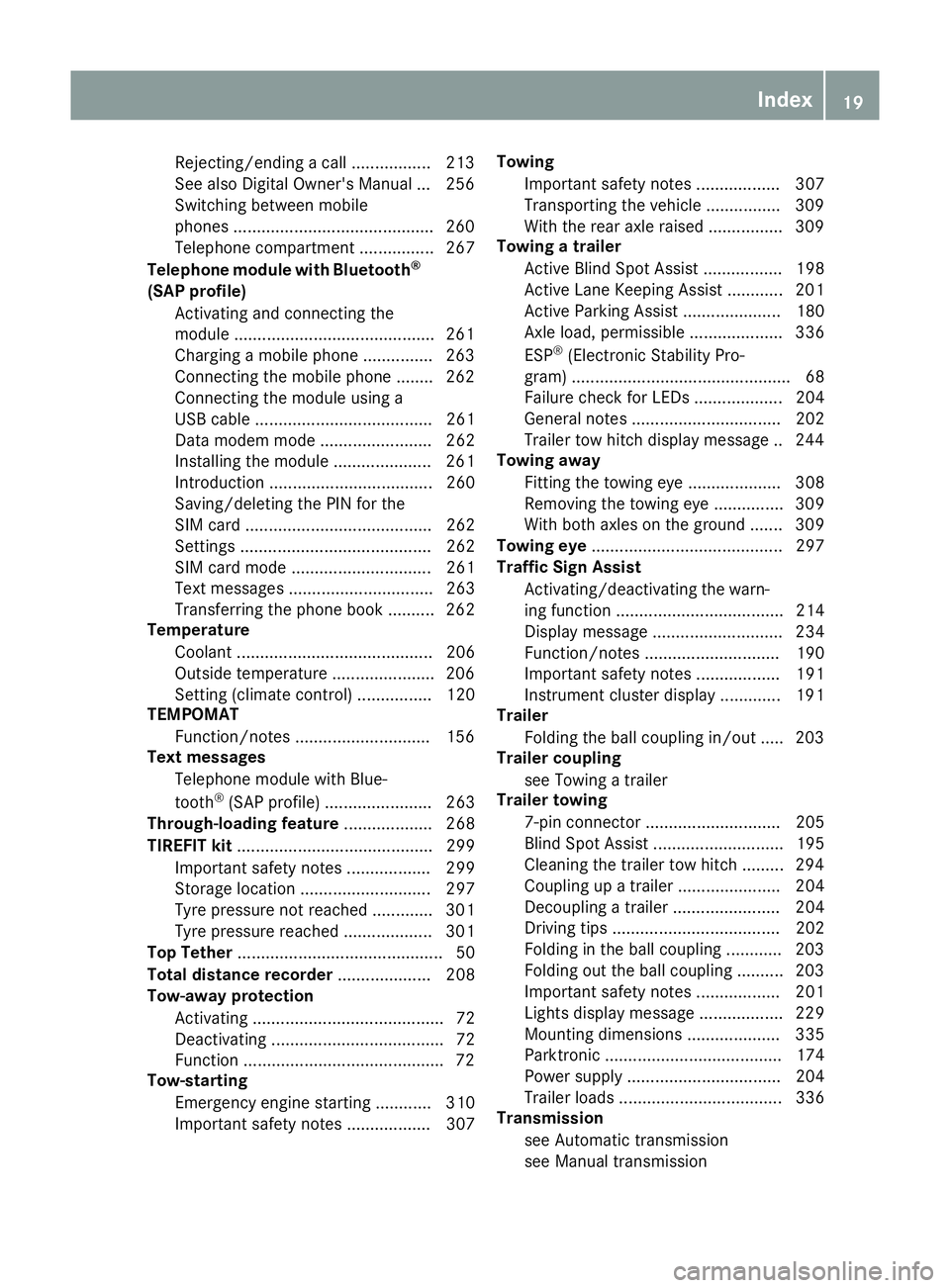
Rejecting/ending a call ................
.213
See also Digital Owner's Manual ... 256
Switching between mobile
phones .......................................... .260
Telephone compartment ................ 267
Telephone module with Bluetooth ®
(SAP profile) Activating and connecting the
module .......................................... .261
Charging a mobile phone .............. .263
Connecting the mobile phone ....... .262
Connecting the module using a
USB cable ...................................... 261
Data modem mode ........................ 262
Installing the module ..................... 261
Introduction ................................... 260
Saving/deleting the PIN for the
SIM card ........................................ 262
Settings ......................................... 262
SIM card mode .............................. 261
Text messages ............................... 263
Transferring the phone book .......... 262
Temperature
Coolant .......................................... 206
Outside temperature ..................... .206
Setting (climate control) ................ 120
TEMPOMAT
Function/notes ............................ .156
Text messages
Telephone module with Blue-
tooth ®
(SAP profile) ....................... 263
Through-loading feature ................... 268
TIREFIT kit .......................................... 299
Important safety notes .................. 299
Storage location ............................ 297
Tyre pressure not reached ............. 301
Tyre pressure reached ................... 301
Top Tether ............................................ 50
Total distance recorder .................... 208
Tow-away protection
Activating ......................................... 72
Deactivating ..................................... 72
Function .......................................... .72
Tow-starting
Emergency engine starting ............ 310
Important safety notes .................. 307 Towing
Important safety notes .................. 307
Transporting the vehicle ................ 309
With the rear axle raised ................ 309
Towing a trailer
Active Blind Spot Assist ................. 198
Active Lane Keeping Assist ............ 201
Active Parking Assist ..................... 180
Axle load, permissibl e.................... 336
ESP ®
(Electronic Stability Pro-
gram) ............................................... 68
Failure check for LEDs ................... 204
General notes ................................ 202
Trailer tow hitch display message .. 244
Towing away
Fitting the towing ey e.................... 308
Removing the towing eye ............... 309
With both axles on the ground ....... 309
Towing eye ......................................... 297
Traffic Sign Assist
Activating/deactivating the warn-ing function .................................... 214
Display message ............................ 234
Function/note s............................. 190
Important safety notes .................. 191
Instrument cluster display ............. 191
Trailer
Folding the ball coupling in/out ..... 203
Trailer coupling
see Towing a trailer
Trailer towing
7-pin connecto r............................. 205
Blind Spot Assist ............................ 195
Cleaning the trailer tow hitch ......... 294
Coupling up a traile r...................... 204
Decoupling a trailer ....................... 204
Driving tips .................................... 202
Folding in the ball coupling ............ 203
Folding out the ball coupling .......... 203
Important safety notes .................. 201
Lights display message .................. 229
Mounting dimensions .................... 335
Parktronic ...................................... 174
Power supply ................................. 204
Trailer load s................................... 336
Transmission
see Automatic transmission
see Manual transmission Index
19
Page 23 of 345
Transmission position display
......... 140
Transmission position display
(DIRECT SELECT lever) ...................... 140
Transporting the vehicle .................. 309
Trim pieces (cleaning instruc-
tions) .................................................. 295
Trip computer (on-board com-
puter) .................................................. 209
Trip meter
Calling up ....................................... 208
Resetting (on-board computer) ...... 209
Turn signals
Switching on/off ........................... 108
TV
Operating (on-board computer) ..... 212
see Separate operating instructions
Two-way radio
Frequencies ................................... 327
Installation ..................................... 327
Transmission output (maximum) .... 327
Type identification plate
see Vehicle identification plate
Tyre changing tool kit ....................... 297
Tyre inflation compressor
see TIREFIT kit
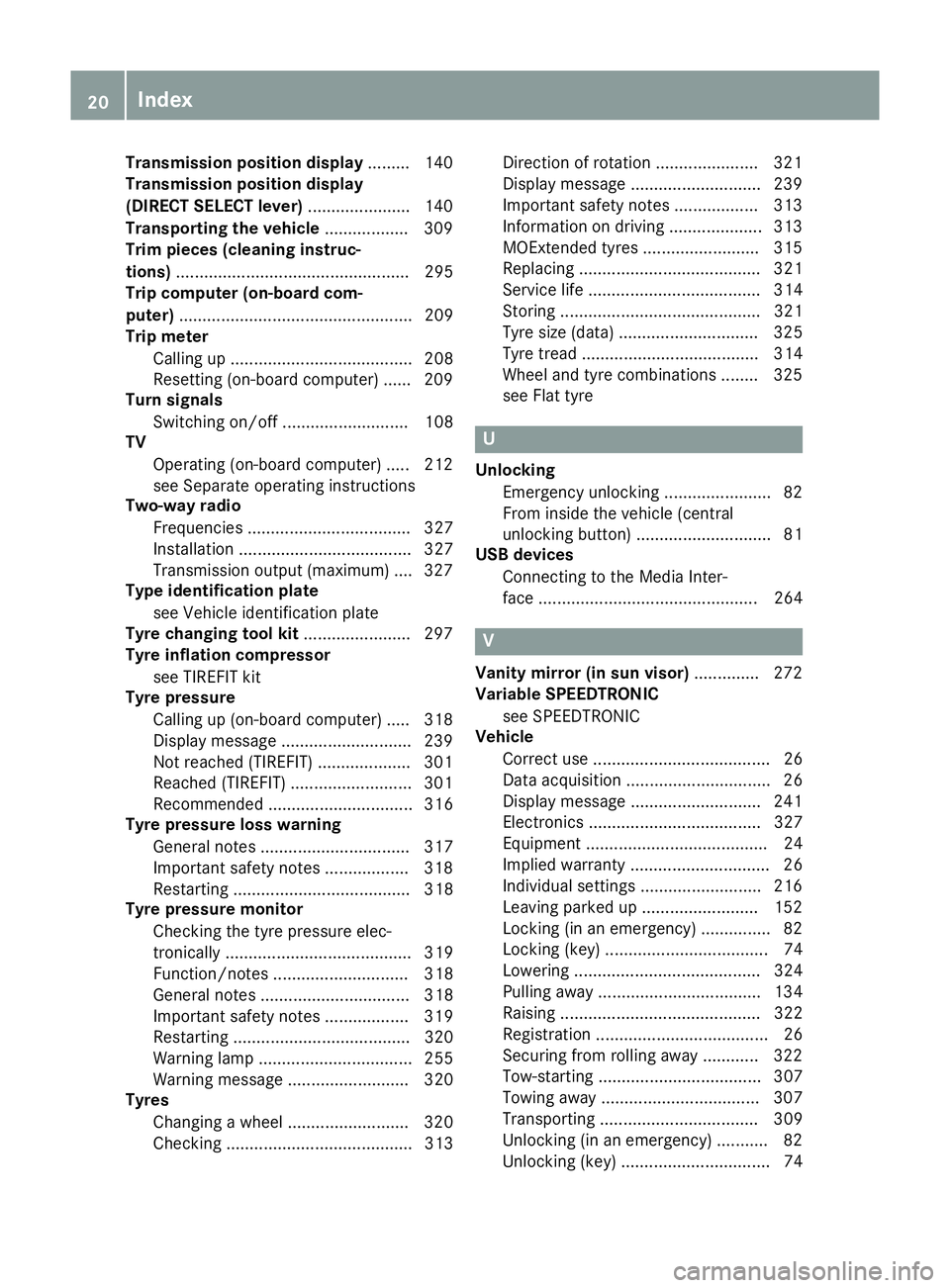
Tyre pressure
Calling up (on-board computer) ..... 318
Display message ............................ 239
Not reached (TIREFIT) .................... 301
Reached (TIREFIT) .......................... 301
Recommended ............................... 316
Tyre pressure loss warning
General notes ................................ 317
Important safety notes .................. 318
Restarting ...................................... 318
Tyre pressure monitor
Checking the tyre pressure elec-
tronically ........................................ 319
Function/note s............................. 318
General notes ................................ 318
Important safety notes .................. 319
Restarting ...................................... 320
Warning lamp ................................. 255
Warning message .......................... 320
Tyres
Changing a whee l.......................... 320
Checking ........................................ 313 Direction of rotation ...................... 321
Display message ............................ 239
Important safety notes .................. 313
Information on driving .................... 313
MOExtended tyre s......................... 315
Replacing ....................................... 321
Service life ..................................... 314
Storing ........................................... 321
Tyre size (data ).............................. 325
Tyre tread ...................................... 314
Wheel and tyre combinations ........ 325
see Flat tyre U
Unlocking Emergency unlocking ....................... 82
From inside the vehicle (central
unlocking button) ............................. 81
USB devices
Connecting to the Media Inter-
face ............................................... 264 V
Vanity mirror (in sun visor) .............. 272
Variable SPEEDTRONIC
see SPEEDTRONIC
Vehicle
Correct use ...................................... 26
Data acquisition ............................... 26
Display message ............................ 241
Electronics ..................................... 327
Equipment ....................................... 24
Implied warranty .............................. 26
Individual settings .......................... 216
Leaving parked up ......................... 152
Locking (in an emergency) ............... 82
Locking (key) ................................... 74
Lowering ........................................ 324
Pulling away ................................... 134
Raising ........................................... 322
Registration ..................................... 26
Securing from rolling away ............ 322
Tow-starting ................................... 307
Towing away .................................. 307
Transporting .................................. 309
Unlocking (in an emergency) ........... 82
Unlocking (key) ................................ 74 20
Index
Page 24 of 345
Vehicle data ................................... 335
Vehicle data ....................................... 335
Vehicle dimensions ........................... 335
Vehicle emergency locking ................ 82
Vehicle identification number
see VIN
Vehicle identification plate .............. 328
Vehicle tool kit .................................. 297
Video
Operating the DVD .........................2 11
See also Digital Owner's Manual ... 256
VIN
Seat ............................................... 329
Type plate ...................................... 328 W
Warning and indicator lamps ABS ................................................ 249
Brakes .......................................... .248
Distance warning signal ................. 254
ESP ®
.............................................. 249
ESP ®
OFF ....................................... 250
Fuel tank ........................................ 252
General notes ................................ 246
LIM (cruise control) ........................ 156
LIM (DISTRONIC PLUS) .................. 162
LIM (variable SPEEDTRONIC) ......... 159
Overview .......................................... 30
PASSENGER AIR BAG OFF .............. .37
Reserve fuel .................................. .252
Seat belt ........................................ 247
Tyre pressure monitor ................... 255
Warning triangle ................................ 296
Washer fluid
Display message ............................ 245
Wheel and tyre combinations
Tyres .............................................. 325
Wheel bolt tightening torque ........... 324
Wheel chock ...................................... 322
Wheels
Changing a wheel .......................... 320
Changing/replacing ....................... 321
Checking ........................................ 313
Cleaning ......................................... 292
Emergency spare wheel ................. 325
Fitting a new wheel ........................ 324
Fitting a wheel ............................... 321 Important safety notes .................. 313
Information on driving .................... 313
Removing a wheel .......................... 323
Storing .......................................... .321
Tightening torque ........................... 324
Wheel size/tyre size ..................... .325
Windowbag
Operation ......................................... 43
Windows
Cleaning ......................................... 292
see Side windows
Windscreen
Demisting ...................................... 121
Windscreen washer fluid
see Windscreen washer system
Windscreen washer system
Important safety notes .................. 334
Topping up ..................................... 287
Windscreen wipers
Problem (malfunction) ................... 114
Replacing the wiper blades ............ 112
Switching on/off ........................... 112
Winter operation
Important safety notes .................. 315
Radiator cover ............................... 285
Slippery road surfaces ................... 155
Snow chains .................................. 316
Winter tyres
Limiting the speed (on-board com-
puter) ............................................. 218
M+S tyres ...................................... 315
Wiper blades
Cleaning ......................................... 292
Important safety notes .................. 112
Replacing ....................................... 112
Wooden trim (cleaning instruc-
tions) ................................................. .295
Workshop
see Qualified specialist workshop Z
ZONE function Switching on/off ........................... 121 Index
21
Page 26 of 345
Protection of the environment
General notes
H
Environmental note
Daimler's declared policy is one of compre-
hensive environmental protection.
Our objectives are to use the natural resour-
ces which form the basis of our existence on
this planet sparingly and in a manner which
takes the requirements of both nature and
humanity into consideration.
You too can help to protect the environment
by operating your vehicle in an environmen-
tally-responsible manner.
Fuel consumption and the rate of engine,
transmission, brake and tyre wear depend on
the following factors:
R operating conditions of your vehicle
R your personal driving style
You can influence both factors. Therefore,
please bear the following in mind:
Operating conditions:
R avoid short trips, as these increase fuel
consumption.
R observe the correct tyre pressure.
R do not carry any unnecessary weight in the
vehicle.
R remove the roof rack once you no longer
need it.
R a regularly serviced vehicle will contribute
to environmental protection. You should
therefore adhere to the service intervals.
R all maintenance work should be carried out
at a qualified specialist workshop.
Personal driving style:
R do not depress the accelerator pedal when
starting the engine.
R do not warm up the engine when the vehicle
is stationary.
R drive carefully and maintain a safe distance
from the vehicle in front.
R avoid frequent, sudden acceleration and
braking. R
change gear in good time and use each gear
only up to Ôof its maximum engine speed.
R switch off the engine in stationary traffic.
R monitor the vehicle's fuel consumption. Returning an end-of-life vehicle
EU countries only:
Mercedes-Benz will take back your old vehicle to
dispose of it in an environmentally-responsible
manner in accordance with the European Union (EU) End of Life Vehicles Directive.
There is a network of return points and disas-
sembly plants available. You can return your
vehicle to these plants free of charge. This
makes a valuable contribution to the recycling
process and the conservation of resources.
For further information on recycling old vehi-
cles, recovery and the terms of the policy, visit
the Mercedes-Benz homepage. Genuine Mercedes-Benz parts
H
Environmental note
Daimler AG also supplies reconditioned
assemblies and parts which are of the same
quality as new parts. For these, the same war-
ranty applies as for new parts.
! Airbags and seat belt tensioners, as well as
control units and sensors for these restraint
systems, may be installed in the following
areas of your vehicle:
R doors
R door pillars
R door sills
R seats
R dashboard
R instrument cluster
R centre console
Do not install accessories such as audio sys-
tems in these areas. Do not carry out repairs
or welding. You could impair the operating
efficiency of the restraint systems.
Have accessories retrofitted at a qualified
specialist workshop. Genuine Mercedes-Benz parts
23Introduction Z
Page 33 of 345
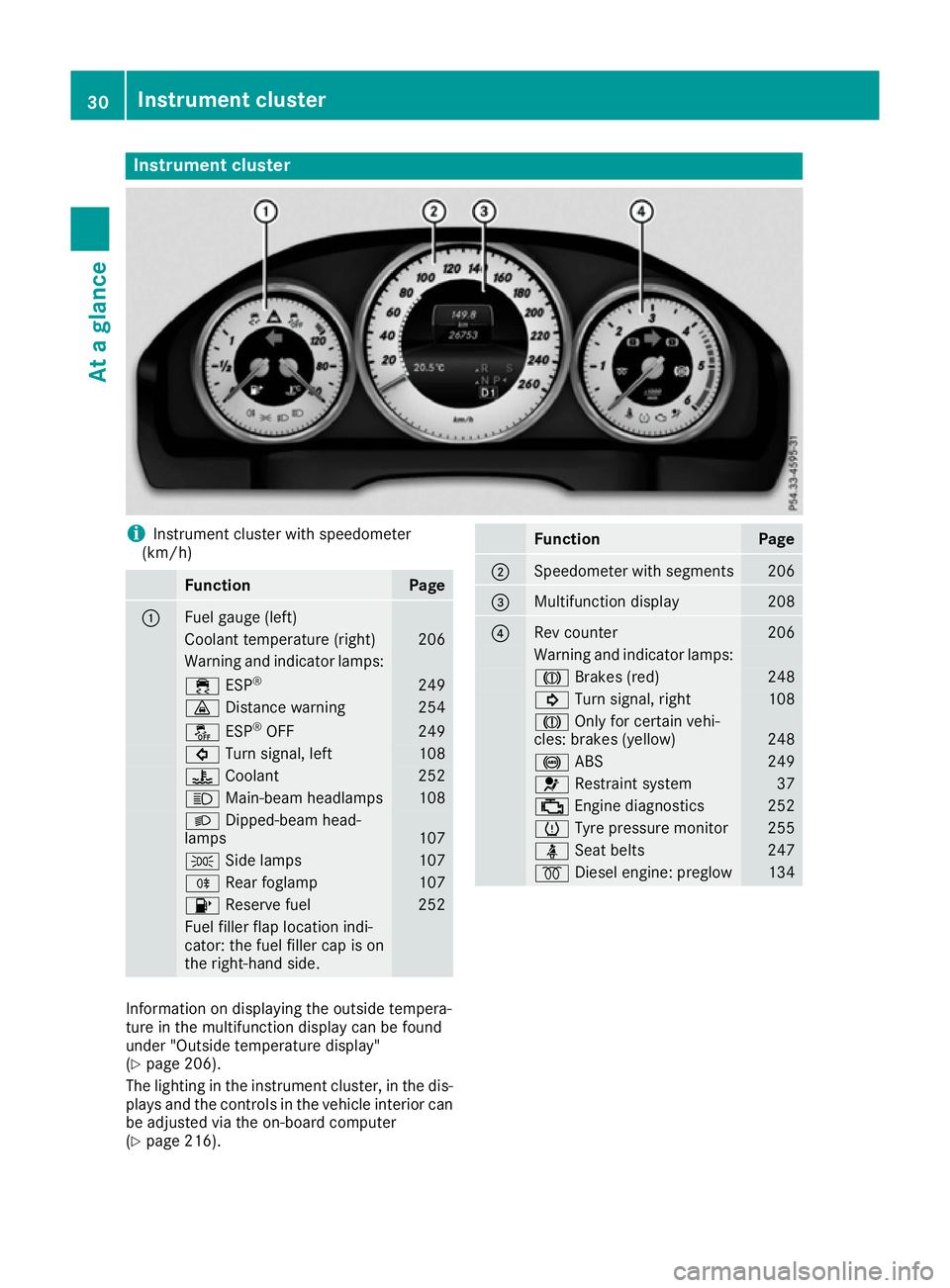
Instrument cluster
i
Instrument cluster with speedometer
(km/h) Function Page
:
Fuel gauge (left)
Coolant temperature (right) 206
Warning and indicator lamps:
÷
ESP® 249
·
Distance warning 254
å
ESP®
OFF 249
#
Turn signal, left 108
?
Coolant 252
K
Main-beam headlamps 108
L
Dipped-beam head-
lamps 107
T
Side lamps 107
R
Rear foglamp 107
8
Reserve fuel 252
Fuel filler flap location indi-
cator: the fuel filler cap is on
the right-hand side. Function Page
;
Speedometer with segments 206
=
Multifunction display 208
?
Rev counter 206
Warning and indicator lamps:
J
Brakes (red) 248
!
Turn signal, right 108
J
Only for certain vehi-
cles: brakes (yellow) 248
!
ABS 249
6
Restraint system 37
;
Engine diagnostics 252
h
Tyre pressure monitor 255
ü
Seat belts 247
%
Diesel engine: preglow 134
Information on displaying the outside tempera-
ture in the multifunction display can be found
under "Outside temperature display"
(Y
page 206).
The lighting in the instrument cluster, in the dis- plays and the controls in the vehicle interior can
be adjusted via the on-board computer
(Y page 216). 30
Instrument clusterAt a glance
Page 151 of 345
G
WARNING
Electrostatic charge can cause sparks and
thereby ignite fuel vapours. There is a risk of
fire and explosion.
Always touch the vehicle body before opening the fuel filler flap or touching the fuel pump
nozzle. This discharges any electrostatic
charge that may have built up. G
WARNING
Vehicles with a diesel engine:
If you mix diesel fuel with petrol, the flash
point of this fuel mixture is lower than that of pure diesel fuel. When the engine is running,
components in the exhaust system may over-
heat unnoticed. There is a risk of fire.
Never refuel with petrol. Never add petrol to
diesel fuel.
! Do not use diesel to refuel vehicles with a
petrol engine. Do not switch on the ignition if you accidentally refuel with the wrong fuel.
Otherwise, the fuel will enter the fuel system.
Even small amounts of the wrong fuel can
result in damage to the fuel system and the
engine. Notify a qualified specialist workshop
and have the fuel tank and fuel lines drained
completely.
! Do not use petrol to refuel vehicles with a
diesel engine. Do not switch on the ignition if you accidentally refuel with the wrong fuel.
Otherwise, fuel can enter the fuel system.
Even small amounts of the wrong fuel could
result in damage to the fuel system and the
engine. The repair costs are high. Notify a
qualified specialist workshop and have the
fuel tank and fuel lines drained completely.
! Overfilling the fuel tank could damage the
fuel system.
! Take care not to spill any fuel on painted
surfaces. You could otherwise damage the
paintwork.
! Use a filter when adding fuel from a fuel can.
The fuel lines and/or the fuel injection system could otherwise be blocked by particles fromthe fuel can. Do not get into the vehicle again during the refu-
elling process. Otherwise, electrostatic charge
could build up again.
If you overfill the fuel tank, some fuel may spray out when you remove the fuel pump nozzle.
Further information on fuel and fuel quality
(Y page 330). Refuelling
General notes Observe the important safety notes
(Y
page 147).
The fuel filler flap is unlocked or locked auto-
matically when you unlock or lock the vehicle
with the key or using KEYLESS-GO.
The position of the 8fuel filler cap is dis-
played in the instrument cluster. The arrow next to the filling pump indicates the side of the vehi-
cle.
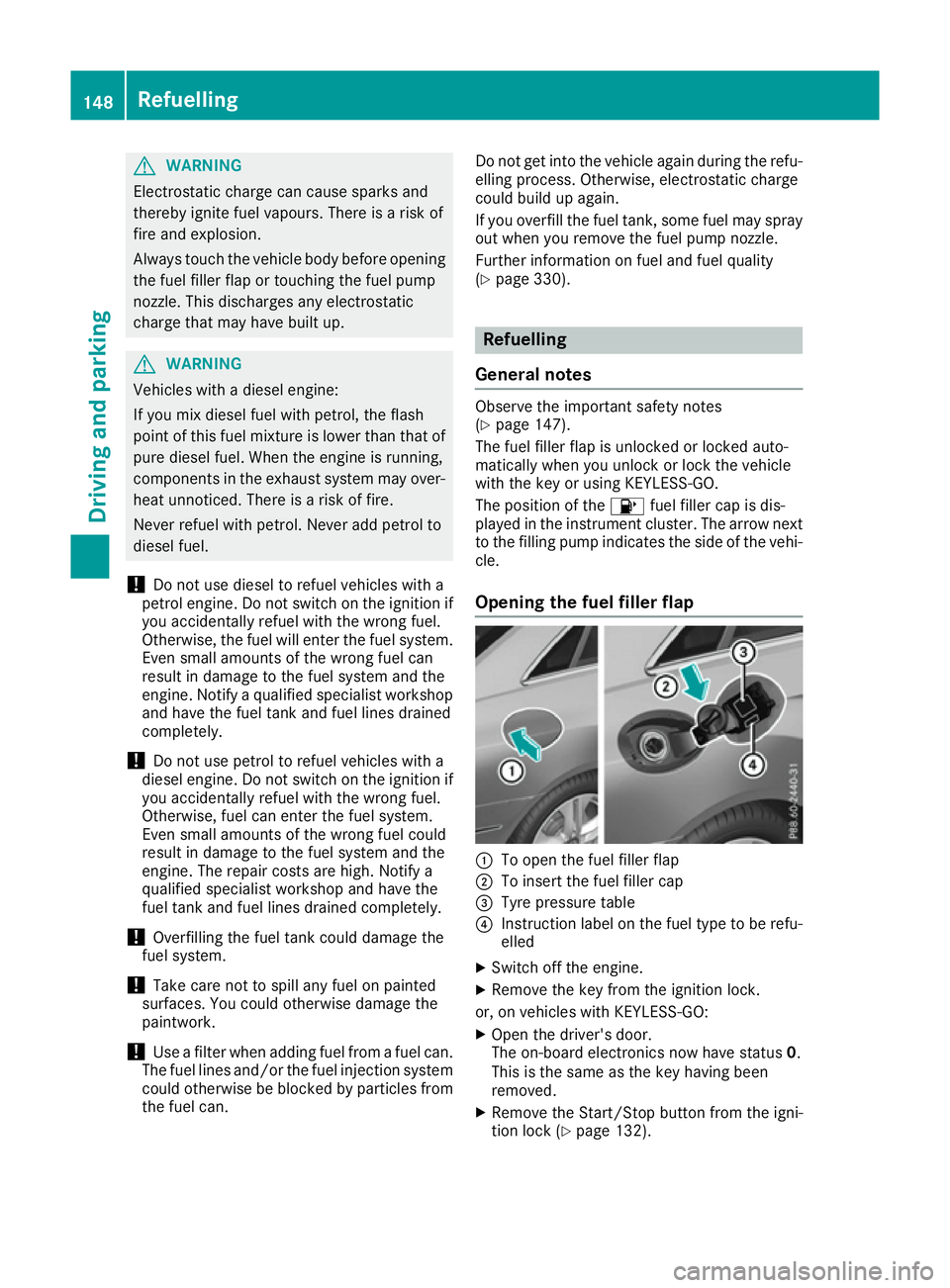
Opening the fuel filler flap :
To open the fuel filler flap
; To insert the fuel filler cap
= Tyre pressure table
? Instruction label on the fuel type to be refu-
elled
X Switch off the engine.
X Remove the key from the ignition lock.
or, on vehicles with KEYLESS‑ GO:
X Open the driver's door.
The on-board electronics now have status 0.
This is the same as the key having been
removed.
X Remove the Start/Stop button from the igni-
tion lock (Y page 132).148
RefuellingDriving and parking
Page 156 of 345
ECO display assists you in achieving the most
economical driving style for the selected set-
tings and prevailing conditions. Consumption
can be significantly influenced by your driving
style.
The ECO display consists of three bars:
R Acceleration Acceleration
R Constant
Constant
R Coasting
Coasting
The percentage count is the mean value of the
three bar values. The three bars and the mean
value begin at the value of 50%. A higher per-
centage count indicates a more economical
driving style.
The ECO display does not indicate the actual fuel
consumption. A fixed percentage count in the
ECO display does not indicate a fixed consump- tion.
In addition to driving style, the consumption is
affected by many other factors, such as:
R load
R tyre pressure
R cold start
R choice of route
R the use of electrical consumers
These factors are not included in the ECO dis-
play.
The evaluation of your driving style takes the
following three categories into consideration:
R Acceleration
Acceleration (evaluation of all acceleration
processes):
- the bar fills up: moderate acceleration,
especially at higher speeds
- the bar empties: sporty acceleration
R Constant
Constant (assessment of driving behaviour
at all times):
- the bar fills up: constant speed and avoid-
ance of unnecessary acceleration and
deceleration
- the bar empties: fluctuations in speed
R Coasting Coasting (assessment of all deceleration
processes):
- the bar fills up: anticipatory driving, keep-
ing your distance and early release of the
accelerator. The vehicle can coast without
use of the brakes.
- the bar empties: frequent braking
i An economical driving style involves driving
at a moderate engine speed. To achieve a higher value in the categories
Acceleration Acceleration andConstant
Constant:
R observe the gearshift recommendation
R drive the vehicle in drive program E(vehi-
cles with automatic transmission)
i On long journeys at a constant speed, e.g.
on the motorway, only the bar for Constant
Constant
will change.
i The ECO display summarises the driving
characteristics from the start of the journey to
its completion. Therefore, there are dynamic
changes in the bars at the start of a journey.
During a prolonged driving time, these
changes are smaller. For more dynamic
changes, perform a manual reset.
Further information on the ECO display
(Y page 209). Brakes
Important safety notes G
WARNING
If you shift down on a slippery road surface in an attempt to increase the engine's braking
effect, the drive wheels could lose their grip.
This increases the risk of skidding and having
an accident.
Do not shift down for additional engine brak-
ing on a slippery road surface.
Downhill gradients Do not depress the brake pedal continuously
while the vehicle is in motion, e.g. never cause
the brakes to rub by constantly applying light
pressure to the pedal. This results in excessive
and premature wear to the brake pads.
Change into a lower gear in good time on long
and steep downhill gradients.
Take particular note of this when driving a laden vehicle and when towing a trailer.
i This also applies if you have activated cruise
control, SPEEDTRONIC or DISTRONIC PLUS.
This will use the braking effect of the engine, so
less braking will be required to maintain vehicle
speed. This relieves the load on the brake sys-
tem and prevents the brakes from overheating
and wearing too quickly. Driving
tips
153Driving an d parking Z
Page 164 of 345
i
The last speed stored is cleared when you
switch off the engine.
Permanent SPEEDTRONIC You can use the on-board computer to limit the
speed permanently to a value between
160 km/h( e.g. for driving on winter tyres) and
the maximum speed (Y page 218).
Shortly before the stored speed is reached, it
appears in the multifunction display.
Permanent SPEEDTRONIC remains active, even
if variable SPEEDTRONIC is deactivated.
You cannot exceed the stored limit speed, even if you depress the accelerator pedal beyond the
pressure point (kickdown). DISTRONIC PLUS
General notes DISTRONIC PLUS regulates the speed and auto-
matically helps you maintain the distance to the vehicle detected in front. Vehicles are detected
with the aid of the radar sensor system.
DISTRONIC PLUS brakes automatically so that
the set speed is not exceeded.
Change into a lower gear in good time on long
and steep downhill gradients. Take particular
note of this when driving a laden vehicle. By
doing so, you will make use of the braking effect
of the engine. This relieves the load on the brake system and prevents the brakes from overheat- ing and wearing too quickly.
If DISTRONIC PLUS detects that there is a risk of
a collision, you will be warned visually and
acoustically. Without your intervention,
DISTRONIC PLUS cannot prevent a collision. An
intermittent warning tone will then sound and
the distance warning lamp will light up in the
instrument cluster. Brake immediately to
increase the distance to the vehicle driving in
front, or take evasive action, provided it is safe
to do so.
For DISTRONIC PLUS to assist you, the radar
sensor system must be operational.
DISTRONIC PLUS operates in the range
between 0 km/h and 200 km/h.
Do not use DISTRONIC PLUS while driving on
roads with steep gradients. Important safety notes G
WARNING
DISTRONIC PLUS does not react to:
R people or animals
R stationary obstacles on the road, e.g. stop-
ped or parked vehicles
R oncoming and crossing traffic
As a result, DISTRONIC PLUS may neither give
warnings nor intervene in such situations.
There is a risk of an accident.
Always pay careful attention to the traffic sit- uation and be ready to brake. G
WARNING
DISTRONIC PLUS cannot always clearly rec-
ognise other road users and complex traffic
conditions.
In such cases, DISTRONIC PLUS may:
R give an unnecessary warning and then
brake the vehicle
R neither give a warning nor intervene
R accelerate or brake unexpectedly
There is a risk of an accident.
Continue to drive carefully and be prepared to
brake, particularly if DISTRONIC PLUS warns
you. G
WARNING
DISTRONIC PLUS brakes your vehicle with up to 50% of the maximum possible deceleration.
If this deceleration is not sufficient,
DISTRONIC PLUS alerts you with a visual and
acoustic warning. There is a risk of an acci-
dent.
Apply the brakes yourself in these situations
and try to take evasive action.
! When DISTRONIC PLUS or the HOLD func-
tion is activated, the vehicle brakes automat- ically in certain situations. Driving systems
161Driving and parking Z
Page 173 of 345
DISTRONIC PLUS Steering Assist does not pro-
vide assistance:
R on very sharp corners
R if a loss of tyre pressure or a defective tyre has
been detected and displayed
Pay attention also to the important safety notes
for DISTRONIC PLUS (Y page 161).
The steering interventions are carried out with a limited steering moment. The system requires
the driver to keep his hands on the steering
wheel and to steer himself.
If you do not steer yourself or if you take your
hands off the steering wheel for a prolonged
period of time, the system will first alert you with a visual warning. A steering wheel symbol
appears in the multifunction display. If you have
still not started to steer and have not taken hold
of the steering wheel after five seconds at the
latest, a warning tone also sounds to remind you to take control of the vehicle. Steering Assist
and Stop&Go Pilot switch to passive mode.
DISTRONIC PLUS remains active.
Activating Steering Assist and Stop&Go
Pilot X Activate the DISTRONIC PLUS with Steering
Assist and Stop&Go Pilot function using the
on-board computer (Y page 215).
The DTR+: steering assistant On DTR+: steering assistant On mes-
sage appears in the multifunction display.
Steering Assist and Stop&Go Pilot are active.
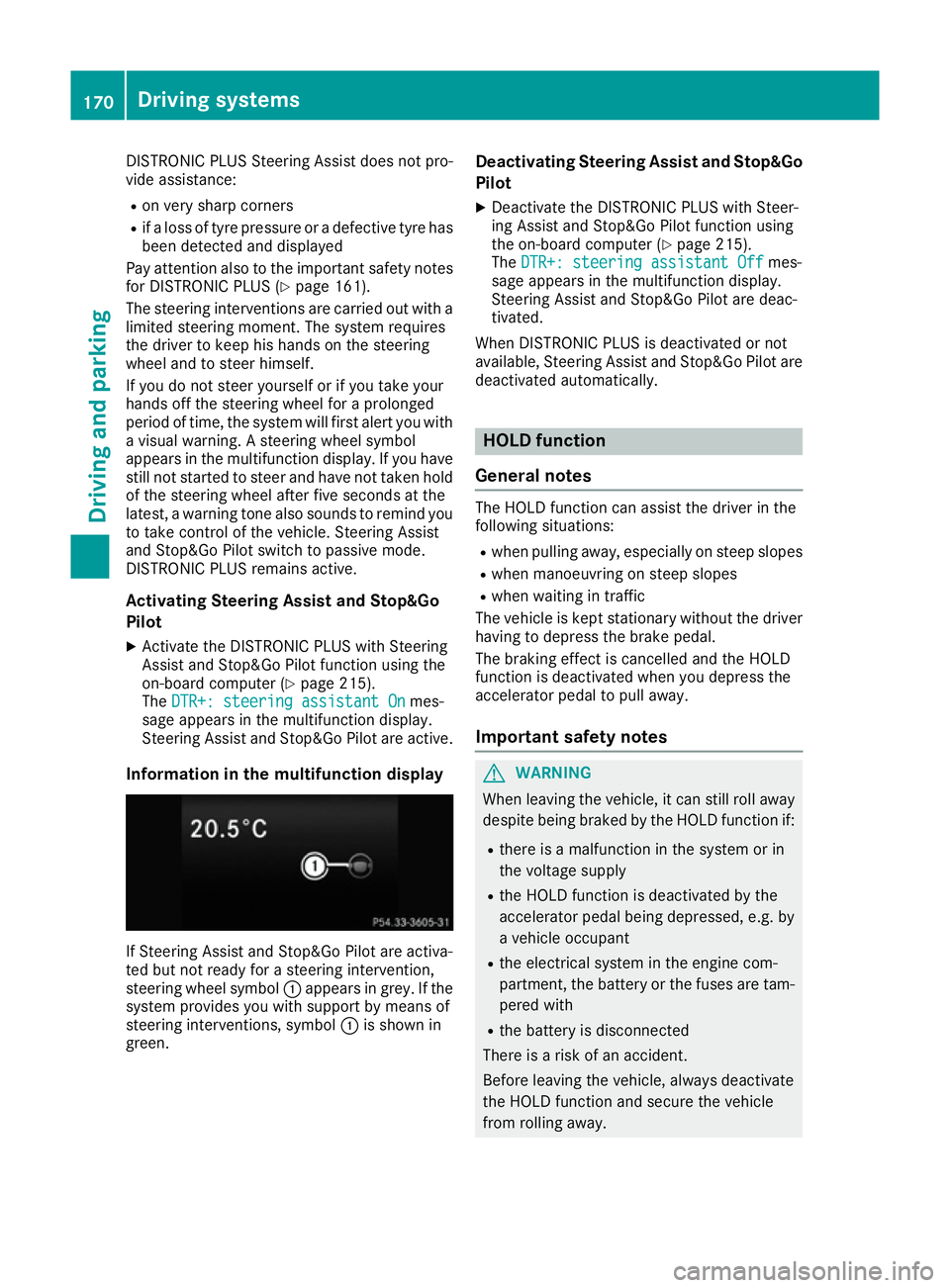
Information in the multifunction display If Steering Assist and Stop&Go Pilot are activa-
ted but not ready for a steering intervention,
steering wheel symbol :appears in grey. If the
system provides you with support by means of
steering interventions, symbol :is shown in
green. Deactivating Steering Assist and Stop&Go
Pilot
X Deactivate the DISTRONIC PLUS with Steer-
ing Assist and Stop&Go Pilot function using
the on-board computer (Y page 215).
The DTR+: steering assistant Off DTR+: steering assistant Off mes-
sage appears in the multifunction display.
Steering Assist and Stop&Go Pilot are deac-
tivated.
When DISTRONIC PLUS is deactivated or not
available, Steering Assist and Stop&Go Pilot are deactivated automatically. HOLD function
General notes The HOLD function can assist the driver in the
following situations:
R when pulling away, especially on steep slopes
R when manoeuvring on steep slopes
R when waiting in traffic
The vehicle is kept stationary without the driver
having to depress the brake pedal.
The braking effect is cancelled and the HOLD
function is deactivated when you depress the
accelerator pedal to pull away.
Important safety notes G
WARNING
When leaving the vehicle, it can still roll away despite being braked by the HOLD function if:
R there is a malfunction in the system or in
the voltage supply
R the HOLD function is deactivated by the
accelerator pedal being depressed, e.g. by
a vehicle occupant
R the electrical system in the engine com-
partment, the battery or the fuses are tam-
pered with
R the battery is disconnected
There is a risk of an accident.
Before leaving the vehicle, always deactivate
the HOLD function and secure the vehicle
from rolling away. 170
Driving systemsDriving an
d parking