seat MERCEDES-BENZ E-Class COUPE 2017 C207 Workshop Manual
[x] Cancel search | Manufacturer: MERCEDES-BENZ, Model Year: 2017, Model line: E-Class COUPE, Model: MERCEDES-BENZ E-Class COUPE 2017 C207Pages: 318, PDF Size: 7.35 MB
Page 103 of 318
RImmediately change out of clothing which
has come into contact with electrolyte.
RIf an allergic reaction occurs, seek medical
attention immediately.
The rear-view mirror and the exterior mirror on
the driver's side automatically go into anti-glare
mode if the following conditions are met simul-
taneously:
Rthe ignition is switched on and
Rincident light from headlamps strikes the sen-
sor in the rear-view mirror
The mirrors do not go into anti-glare mode if
reverse gear is engaged.
Parking position for the exterior mir-
ror on the front-passenger side
Setting and storing the parking position
You can position the front-passenger side exte-
rior mirror in such a way that you can see the
rear wheel on that side as soon as you engage
reverse gear. You can store this position.
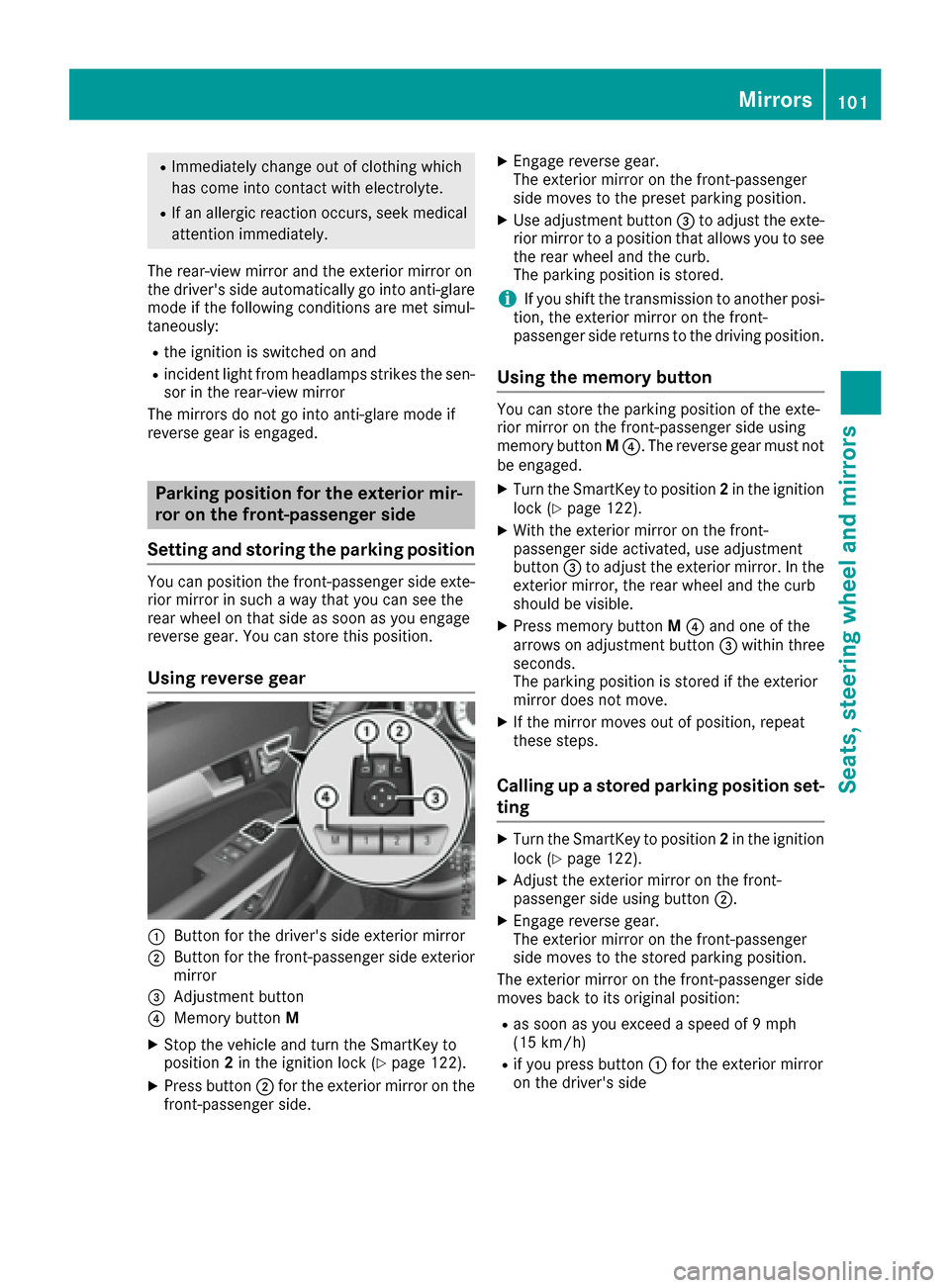
Using reverse gear
:Button for the driver's side exterior mirror
;Button for the front-passenger side exterior
mirror
=Adjustment button
?Memory button M
XStop the vehicle and turn the SmartKey to
position2in the ignition lock (Ypage 122).
XPress button ;for the exterior mirror on the
front-passenger side.
XEngage reverse gear.
The exterior mirror on the front-passenger
side moves to the preset parking position.
XUse adjustment button =to adjust the exte-
rior mirror to a position that allows you to see
the rear wheel and the curb.
The parking position is stored.
iIf you shift the transmission to another posi-
tion, the exterior mirror on the front-
passenger side returns to the driving position.
Using the memory button
You can store the parking position of the exte-
rior mirror on the front-passenger side using
memory button M?. The reverse gear must not
be engaged.
XTurn the SmartKey to position 2in the ignition
lock (Ypage 122).
XWith the exterior mirror on the front-
passenger side activated, use adjustment
button =to adjust the exterior mirror. In the
exterior mirror, the rear wheel and the curb
should be visible.
XPress memory button M? and one of the
arrows on adjustment button =within three
seconds.
The parking position is stored if the exterior
mirror does not move.
XIf the mirror moves out of position, repeat
these steps.
Calling up a stored parking position set-
ting
XTurn the SmartKey to position 2in the ignition
lock (Ypage 122).
XAdjust the exterior mirror on the front-
passenger side using button ;.
XEngage reverse gear.
The exterior mirror on the front-passenger
side moves to the stored parking position.
The exterior mirror on the front-passenger side
moves back to its original position:
Ras soon as you exceed a speed of 9 mph
(15 km/h)
Rif you press button :for the exterior mirror
on the driver's side
Mirrors101
Seats, steering wheel and mirrors
Z
Page 104 of 318
Memory function
Storing settings
GWARNING
If you use the memory function on the driver's side while driving, you could lose control of
the vehicle as a result of the adjustments
being made. There is a risk of an accident.
Only use the memory function on the driver's
side when the vehicle is stationary.
GWARNING
Children could become trapped if they acti-
vate the memory function, particularly when
unattended. There is a risk of injury.
When leaving the vehicle, always take the
SmartKey with you and lock the vehicle. Never
leave children unsupervised in the vehicle.
GWARNING
When the memory function adjusts the seat or steering wheel, you and other vehicle occu-
pants – particularly children – could become
trapped. There is a risk of injury.
While the memory function is making adjust-
ments, make sure that no one has any body
parts in the sweep of the seat or steering
wheel. If somebody becomes trapped, imme-
diately release the memory function position
button. The adjustment process is stopped.
The memory function can be used at any time,
e.g. even when the SmartKey isn't in the ignition
lock.
With the memory function, you can store up to
three different settings, e.g. for three different
people.
XAdjust the seat (Ypage 92).
XOn the driver's side, adjust the steering wheel (Ypage 96) and the exterior mirrors
(Ypage 99).
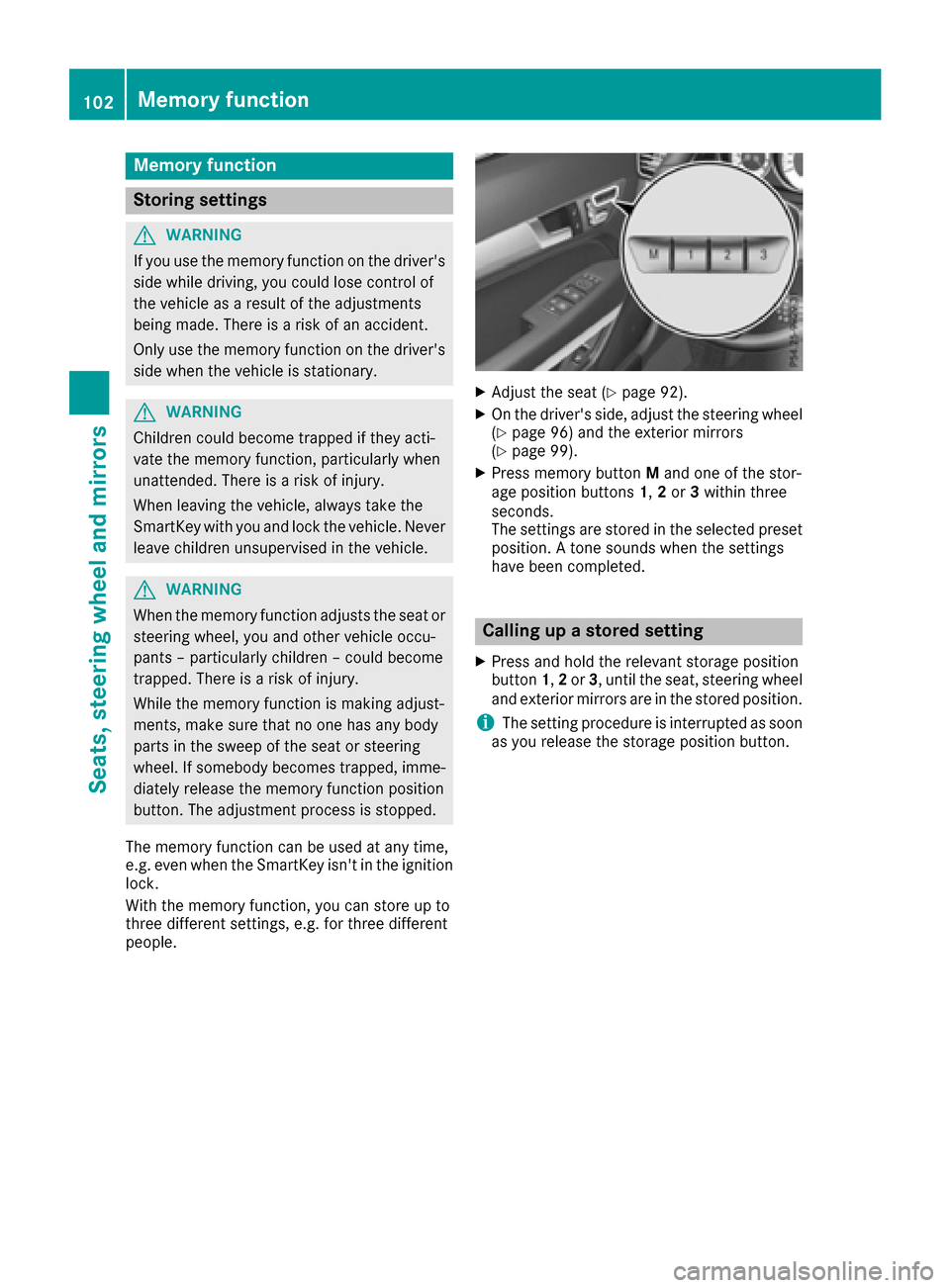
XPress memory button Mand one of the stor-
age position buttons 1,2or 3within three
seconds.
The settings are stored in the selected preset
position. A tone sounds when the settings
have been completed.
Calling up a stored setting
XPress and hold the relevant storage position
button 1,2or 3, until the seat, steering wheel
and exterior mirrors are in the stored position.
iThe setting procedure is interrupted as soon
as you release the storage position button.
102Memory function
Seats, steering wheel and mirrors
Page 111 of 318
5¯Continuous wipe,fast
BíSingle wipe
î Towipe wit h washer fluid
XSwitch on the ignition.
XTurn the co mbination switch to the corre-
spondin g position.
In the Ä orÅ position, the appropriate
wipin g frequency isset automatically according
to the intensity of the rain. Inthe Å position,
the rain sensor ismore sensitive than inthe
Ä position, causing the windshield wiper to
wipe more frequently.
If the wiper blades are worn, the windshield will
no longer bewiped properly. This could prevent
you from observing the traff icconditions.
Replacing the wiper blades
Important safety notes
GWAR NING
If the wind shield wiper s begin to move while
you are changing the wiper blades, you could
be trapped bythe wiper arm. There isa risk of
injury.
Alwa ysswit ch off the windshield wiper s and
ignition before changing the wiper blades.
!To avoid damaging the wiper blades, make
sure that you touch only thewiper arm of the
wiper .
!Never open the hood ifawind shield wiper
arm has been folded away from the wind-
shield.
Never fold a windshield wiper armwithout a
wiper blade back onto the windshield.
Hold the windshield wiper arm firmly when
you change the wiper blade. Ifyou release the
wind shield wiper armwithout a wiper blade
and itfalls onto the windshield, thewind shield
may bedamaged bythe force of the impact.
Mercedes-Benz recommends that you have
the wiper blades changed at a qualified spe-
cialist workshop.
Replacing the wiper blades
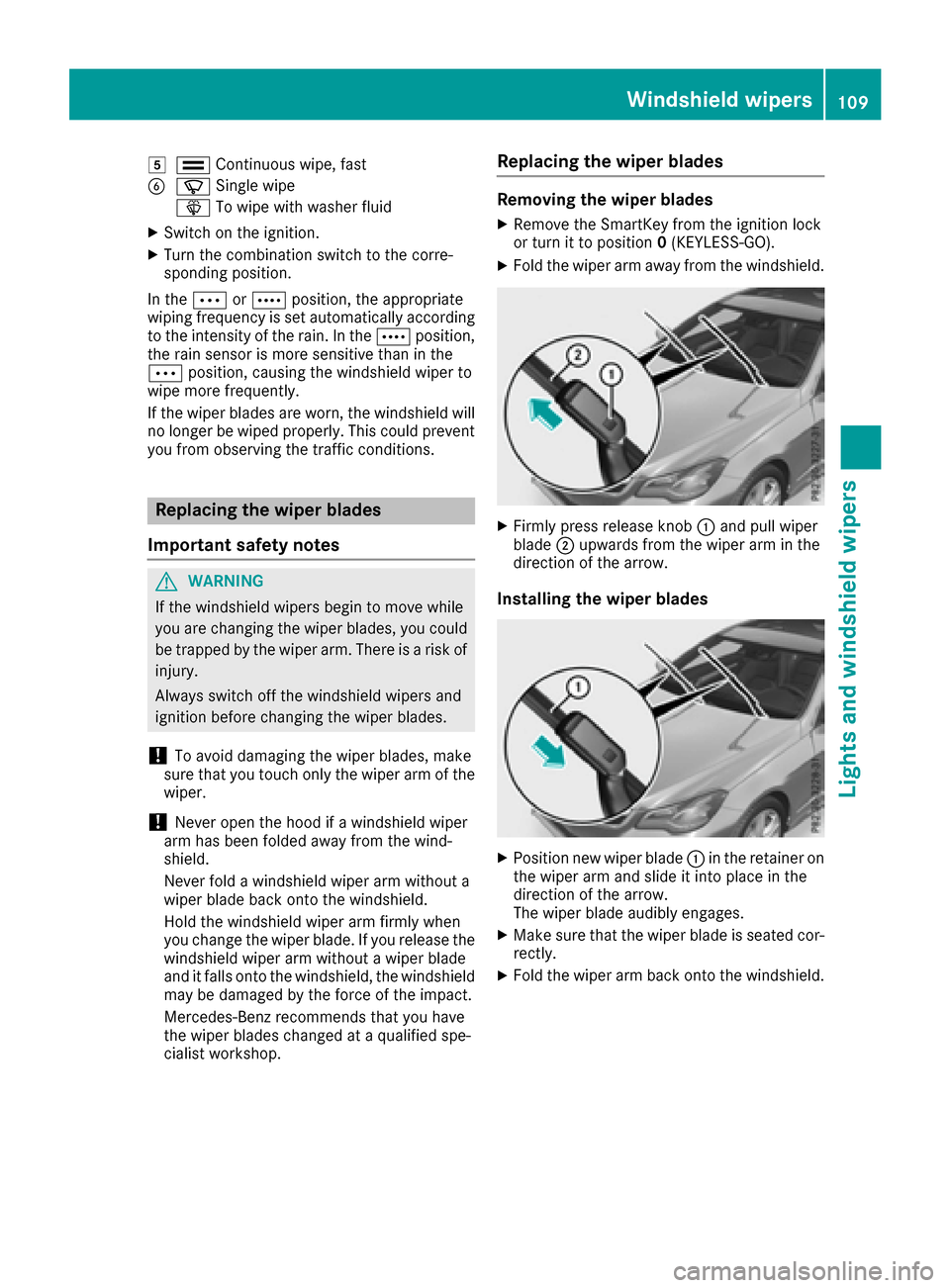
Removing the wiper blades
XRemo vethe SmartKey from the ignition lock
or turn itto position 0(KEYLESS -GO).
XFold the wiper arm away from the windshield.
XFirmly press release knob :and pull wiper
blade ;upwards from the wiper arm in the
direction of the arrow.
Installing the wiper blades
XPosition new wiper blade :in the retainer on
the wiper arm and slide it into place inthe
direction of the arrow.
The wiper blade audibly engages.
XMake sure that the wiperblade is seated cor-
rectly.
XFold the wiper arm back onto the windshield.
Windshield wipers109
Lights and windshield wipers
Z
Page 121 of 318
Problems with the rear window defroster
ProblemPossible causes/consequences andMSolutions
The rear window
defroster has deactiva-
ted prematurely or can-
not be activated.The battery has not been sufficiently charged.
XSwitch off any consumers that are not required, e.g. reading lamps,
interior lighting or the seat heating.
When the battery is sufficiently charged, the rear window defroster
can be activated again.
Switching air-recirculation mode
on/off
General notes
You can deactivate the flow of fresh air if
unpleasant odors are entering the vehicle from
outside. The air already inside the vehicle will
then be recirculated.
If you switch on air-recirculation mode, the win-
dows can fog up more quickly, in particular at
low temperatures. Only use air-recirculation
mode briefly to prevent the windows from fog-
ging up.
Activating or deactivating
XTurn the SmartKey to position 2in the ignition
lock (Ypage 122).
XTo activate: press thegbutton.
The indicator lamp above the gbutton
lights up.
XTo deactivate: press thegbutton.
The indicator lamp above the gbutton
goes out.
iAir-recirculation mode deactivates auto-
matically:
Rafter approximately five minutes at outside
temperatures below approximately 41 ‡
(5 †)
Rafter approximately five minutes if cooling
with air dehumidification is deactivated
Rafter approximately 30 minutes at outside
temperatures above approximately 41 ‡
(5 †) if the "Cooling with air dehumidifica-
tion" function is activated
Switching the residual heat on or off
General notes
It is possible to make use of the residual heat of
the engine to continue heating the vehicle for
approximately 30 minutes after the engine has
been switched off. The heating time depends on
the set interior temperature.
The "residual heat" function only functions opti-
mally with the side windows and panorama roof
with power tilt/sliding panel closed.
Activating/deactivating
XTurn the SmartKey to position 0in the ignition
lock or remove it (Ypage 122).
XTo activate: press theÌbutton.
The indicator lamp above the Ìbutton
lights up.
iIf the residual heat function is activated, the
windows may fog up on the inside.
iThe blower will run at a low speed regardless
of the airflow setting.
iIf you activate the residual heat function at
high temperatures, only the ventilation will be
activated. The blower runs at medium speed.
XTo deactivate: press theÌbutton.
The indicator lamp above the Ìbutton
goes out.
Residual heat is deactivated automatically:
Rafter approximately 30 minutes
Rwhen the ignition is switched on
Rif the battery voltage drops
Operating the climate control systems119
Climate control
Page 127 of 318
Therefore, quickly move your foot from the
brake pedal to the accelerator pedal. Never
leave the vehicle when it is held by hill start
assist.
Hill start assist is not active if:
Ryou are pulling away on a level road or on a
downhill gradient.
Rthe transmission is in position N.
Rthe parking brake is applied.
RESP®is malfunctioning.
ECO start/stop function
Introduction
The ECO start/stop function switches the
engine off automatically if the vehicle is stopped
under certain conditions.
The engine starts automatically when the driver
wants to pull away again. The ECO start/stop
function thereby helps you to reduce the fuel
consumption and emissions of your vehicle.
Important safety notes
GWARNING
If the engine is switched off automatically and
you exit the vehicle, the engine is restarted
automatically. The vehicle may begin moving.
There is a risk of accident and injury.
If you wish to exit the vehicle, always turn off
the ignition and secure the vehicle against
rolling away.
General notes
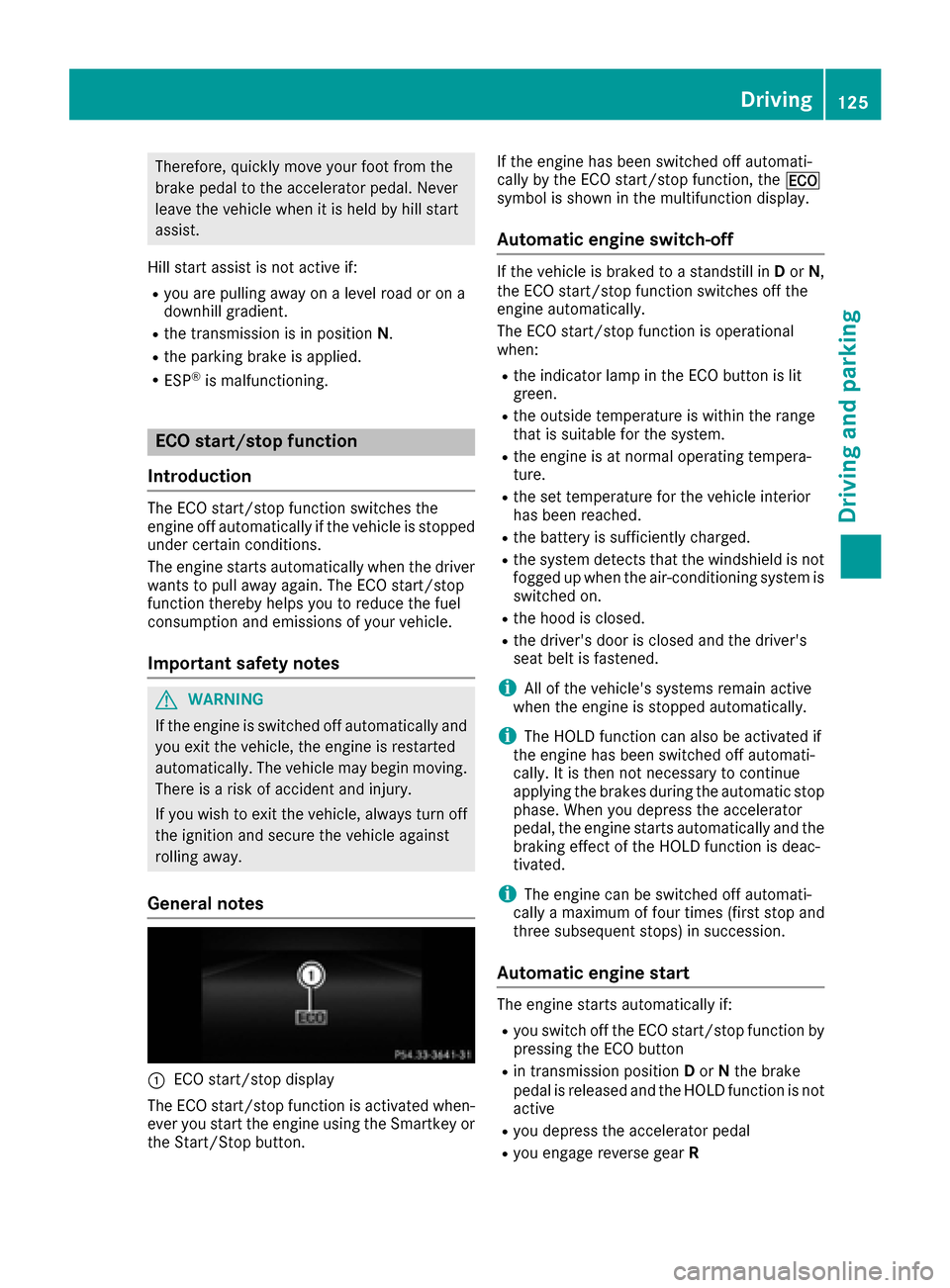
:ECO start/stop display
The ECO start/stop function is activated when-
ever you start the engine using the Smartkey or
the Start/Stop button. If the engine has been switched off automati-
cally by the ECO start/stop function, the
¤
symbol is shown in the multifunction display.
Automatic engine switch-off
If the vehicle is braked to a standstill in Dor N,
the ECO start/stop function switches off the
engine automatically.
The ECO start/stop function is operational
when:
Rthe indicator lamp in the ECO button is lit
green.
Rthe outside temperature is within the range
that is suitable for the system.
Rthe engine is at normal operating tempera-
ture.
Rthe set temperature for the vehicle interior
has been reached.
Rthe battery is sufficiently charged.
Rthe system detects that the windshield is not
fogged up when the air-conditioning system is switched on.
Rthe hood is closed.
Rthe driver's door is closed and the driver's
seat belt is fastened.
iAll of the vehicle's systems remain active
when the engine is stopped automatically.
iThe HOLD function can also be activated if
the engine has been switched off automati-
cally. It is then not necessary to continue
applying the brakes during the automatic stop
phase. When you depress the accelerator
pedal, the engine starts automatically and the
braking effect of the HOLD function is deac-
tivated.
iThe engine can be switched off automati-
cally a maximum of four times (first stop and
three subsequent stops) in succession.
Automatic engine start
The engine starts automatically if:
Ryou switch off the ECO start/stop function by
pressing the ECO button
Rin transmission position Dor Nthe brake
pedal is released and the HOLD function is not
active
Ryou depress the accelerator pedal
Ryou engage reverse gear R
Driving125
Driving and parking
Z
Page 128 of 318
Ryou moveth etransmission out of position P
Ryou unfasten your seat belt or open th edriv-
er' sdoo r
Rthevehicl estart sto rol l
Rthebrak esystem require sthis
Rth etemperature in th evehicl einterio rdevi-
ate sfrom th eset range
Rth esystem detects moisture on th ewind-
shield when th eair-conditionin gsystem is
switched on
Rth ebattery' scondition of charg eis to olow
iShiftin gth etransmission to position Pdoes
no tstart th eengine.
Deactivating oractivating the ECO
start/stop function
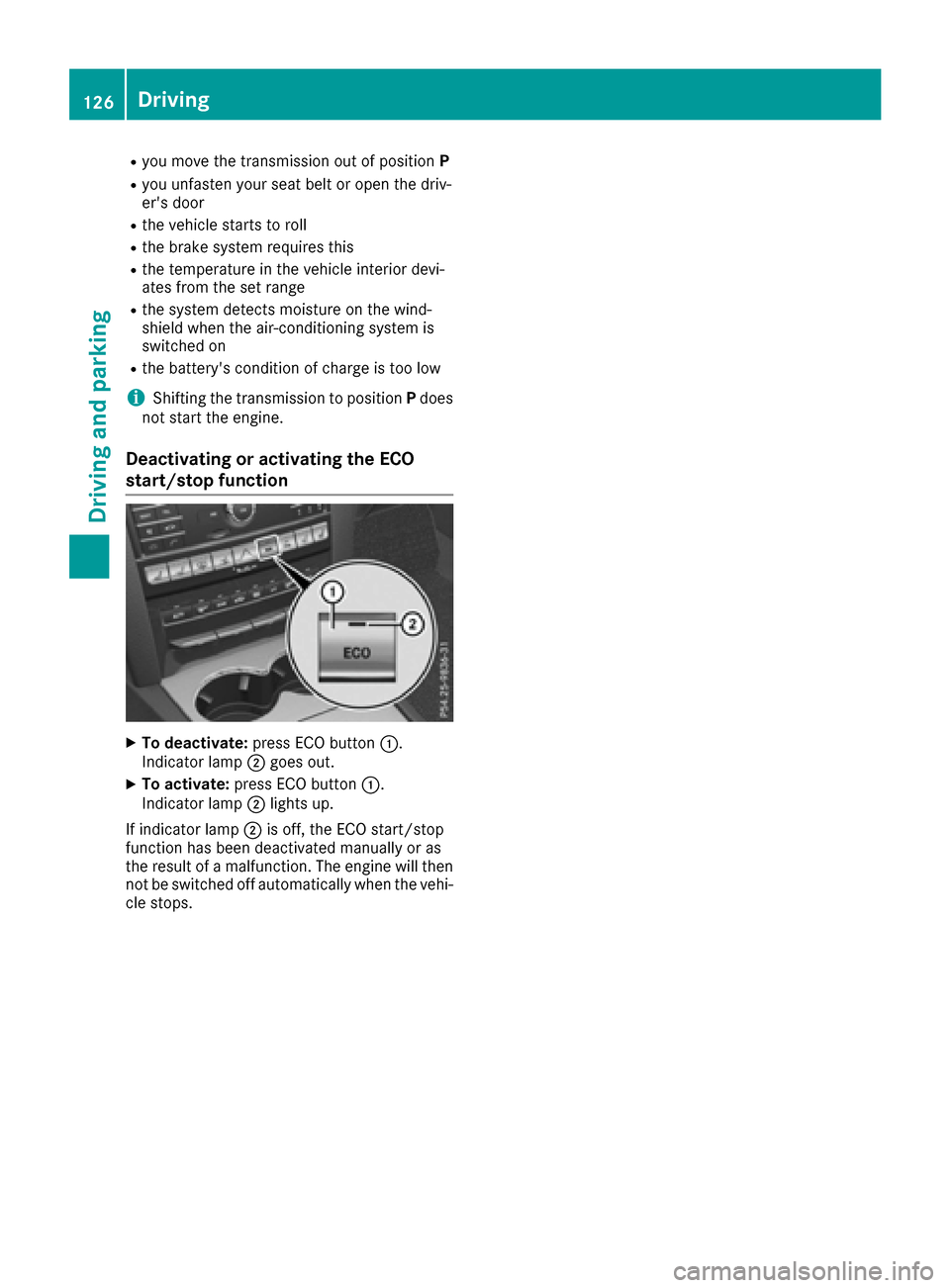
XTo deactivate: press ECO butto n:.
Indicato rlamp ;goe sout .
XTo activate: press ECO butto n:.
Indicato rlamp ;lights up.
If indicato rlamp ;is off ,th eECO start/sto p
function has been deactivated manually or as
th eresult of amalfunction .The engin ewill then
no tbe switched off automatically when th evehi-
cle stops .
126Driving
Driving and parking
Page 151 of 318
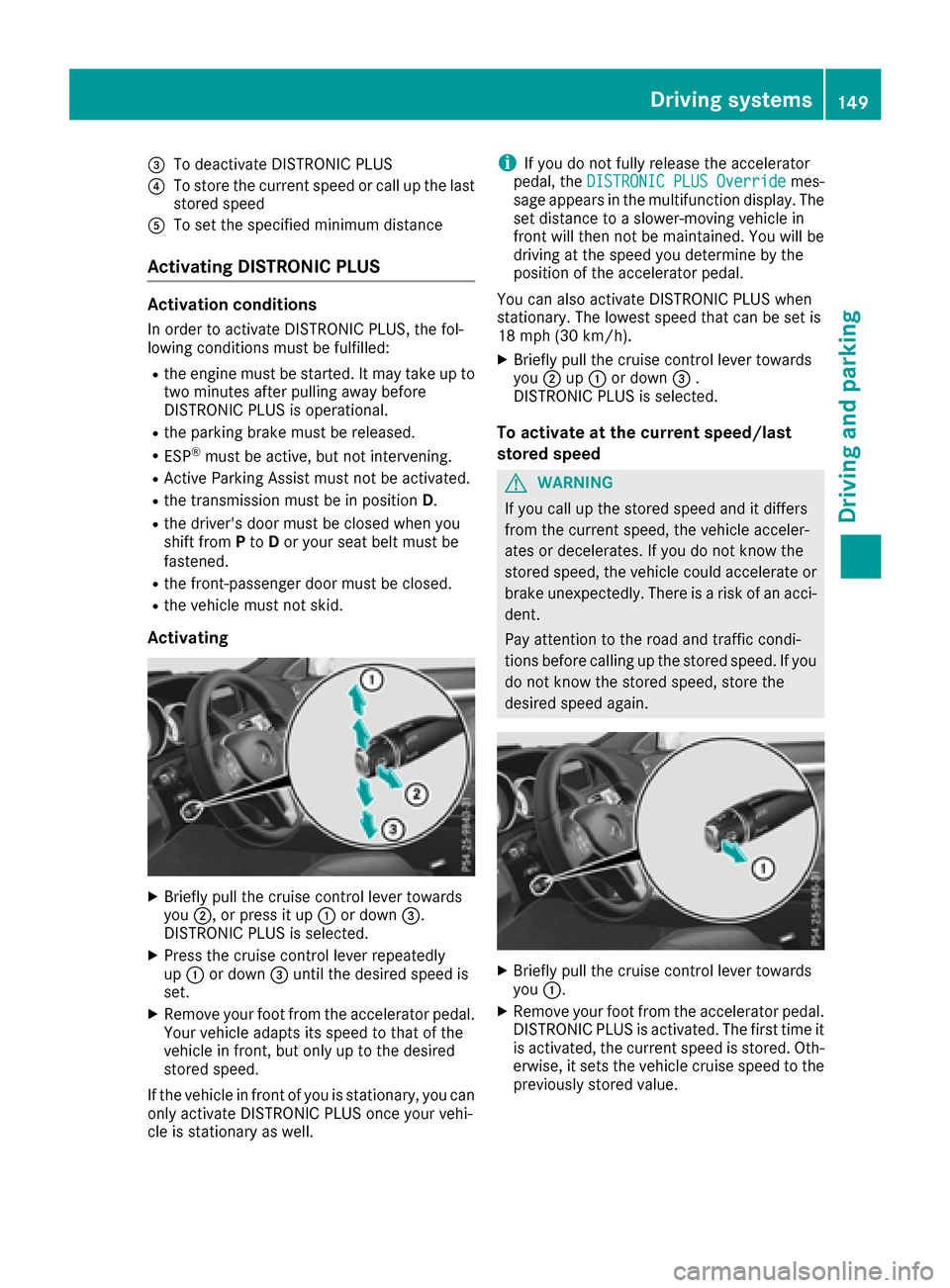
=To deactivate DISTRONIC PLUS
?To store the current speed or call up the last
stored speed
ATo set the specified minimum distance
Activating DISTRONIC PLUS
Activation conditions
In order to activate DISTRONIC PLUS, the fol-
lowing conditions must be fulfilled:
Rthe engine must be started. It may take up totwo minutes after pulling away before
DISTRONIC PLUS is operational.
Rthe parking brake must be released.
RESP®must be active, but not intervening.
RActive Parking Assist must not be activated.
Rthe transmission must be in position D.
Rthe driver's door must be closed when you
shift fromPto Dor your seat belt must be
fastened.
Rthe front-passenger door must be closed.
Rthe vehicle must not skid.
Activating
XBriefly pull the cruise control lever towards
you ;, or press it up :or down =.
DISTRONIC PLUS is selected.
XPress the cruise control lever repeatedly
up : or down =until the desired speed is
set.
XRemove your foot from the accelerator pedal.
Your vehicle adapts its speed to that of the
vehicle in front, but only up to the desired
stored speed.
If the vehicle in front of you is stationary, you can only activate DISTRONIC PLUS once your vehi-
cle is stationary as well.
iIf you do not fully release the accelerator
pedal, the DISTRONIC PLUS Overridemes-
sage appears in the multifunction display. The
set distance to a slower-moving vehicle in
front will then not be maintained. You will be
driving at the speed you determine by the
position of the accelerator pedal.
You can also activate DISTRONIC PLUS when
stationary. The lowest speed that can be set is
18 mph (30 km/h) .
XBriefly pull the cruise control lever towards
you;up: or down =.
DISTRONIC PLUS is selected.
To activate at the current speed/last
stored speed
GWARNING
If you call up the stored speed and it differs
from the current speed, the vehicle acceler-
ates or decelerates. If you do not know the
stored speed, the vehicle could accelerate or brake unexpectedly. There is a risk of an acci-
dent.
Pay attention to the road and traffic condi-
tions before calling up the stored speed. If you
do not know the stored speed, store the
desired speed again.
XBriefly pull the cruise control lever towards
you :.
XRemove your foot from the accelerator pedal.
DISTRONIC PLUS is activated. The first time it
is activated, the current speed is stored. Oth-
erwise, it sets the vehicle cruise speed to the
previously stored value.
Driving systems149
Driving and parking
Z
Page 153 of 318

Depending on the specified minimum distance,
your vehicle will come to a standstill at a suffi-
cient distance behind the vehicle in front. The
specified minimum distance is set using the
control on the cruise control lever.
When DISTRONIC PLUS is activated, the trans-
mission is shifted automatically to positionPif:
Rthe driver's door is open and the driver's seat
belt is unfastened.
Rthe engine is switched off, unless it is auto-
matically switched off by the ECO start/stop
function.
Ra system malfunction occurs.
Rthe power supply is not sufficient.
Setting a speed
XPress the cruise control lever up :for a
higher speed or down ;for a lower speed.
XTo adjust the set speed in 1 mph incre-
ments (1 km/h increments): briefly press
the cruise control lever up :or down ;to
the pressure point.
Every time the cruise control lever is pressed
up : or down ;, the last speed stored is
increased or reduced.
XTo adjust the set speed in 5 mph incre-
ments (10 km/h increments): briefly press
the cruise control lever up :or down ;to
the pressure point.
Every time the cruise control lever is pressed
up : or down ;, the last speed stored is
increased or reduced.
iIf you accelerate to overtake, DISTRONIC
PLUS adjusts the vehicle's speed to the last
speed stored after you have finished overtak-
ing.
Setting a specified minimum distance
You can set the specified minimum distance for
DISTRONIC PLUS by varying the time span
between one and two seconds. With this func-
tion, you can set the minimum distance that
DISTRONIC PLUS keeps to the vehicle in front,
dependent on vehicle speed. You can see this
distance in the multifunction display
(
Ypage 152).
iMake sure that you maintain a sufficient
distance to the vehicle in front and comply
with the minimum distance as required by
law. Adjust the distance to the vehicle in front
if necessary.
You can set the specified minimum distance for
DISTRONIC PLUS by varying the time span
between one and two seconds. With this func-
tion, you can set the minimum distance that
DISTRONIC PLUS keeps to the vehicle in front,
dependent on vehicle speed. You can see this
distance in the multifunction display
(
Ypage 152).
XTo increase: turn control;in direction =.
DISTRONIC PLUS then maintains a greater
distance between your vehicle and the vehicle
in front.
XTo decrease: turn control;in direction :.
DISTRONIC PLUS then maintains a shorter
distance between your vehicle and the vehicle
in front.
Driving systems151
Driving and parking
Z
Page 158 of 318
Deactivating Steering Assistand Stop&Go
Pilot
XDeactivat eth eDISTRONIC PLU Swit hSteer -
in g Assis tand Stop&Go Pilo tfunction usin g
th eon-boar dcomputer (
Ypage 192).
The DTR+: Steering Assistant Offmes-
sage appears in th emultifunction display.
Steerin gAssis tand Stop&Go Pilo tare deac -
tivated.
Whe nDISTRONIC PLU Sis deactivated or no t
available, Steerin gAssis tand Stop&Go Pilo tare
deactivated automatically.
HOL Dfunction
General notes
The HOLD function can assist th edriver in th e
following situations:
Rwhen pullin gaway, especially on steep slopes
Rwhen maneuverin gon steep slopes
Rwhen waitin gin traffic
The vehicl eis kept stationary without th edriver
havin gto depress th ebrak epedal.
The brakin geffec tis canceled and th eHOLD
function deactivated when you depress th e
accelerato rpeda lto pull away.
Important safet ynotes
GWARNIN G
Whe nleavin gth evehicle, it can still rol laway
despit ebein gbraked by th eHOLD function if:
Rthere is amalfunction in th esystem or in
th evoltag esupply.
Rth eHOLD function has been deactivated by
pressing th eaccelerato rpeda lor th ebrak e
pedal, e.g. by avehicl eoccupant .
Rtheelectrica lsystem in th eengin ecom-
partment, th ebattery or th efuses hav e
been tampered with.
Rth ebattery is disconnected
There is aris kof an accident.
If you wish to exit th evehicle, always tur nof f
th eHOLD function and secure th evehicl e
against rollin gaway.
!If DISTRONIC PLU Sor th eHOLD function is
activated, th evehicl ebrakes automatically in
certain situations.
To preven tdamage to th evehicle, deactivat e
DISTRONIC PLU Sand th eHOLD function in
th efollowing or other similar situations:
Rwhen towin gth evehicl e
Rin thecar wash
Activation conditions
You can activat eth eHOLD function if:
Rth evehicl eis stationary
Rth eengin eis running or if it has been auto-
matically switched of fby th eECO start/sto p
function
Rth edriver's doo ris closed or your seat belt is
fastene d
Rtheparkin gbrak eis release d
Rthetransmissio nis in position D,Ror N
RDISTRONIC PLU Sis deactivated
Activating th eHOL Dfunction
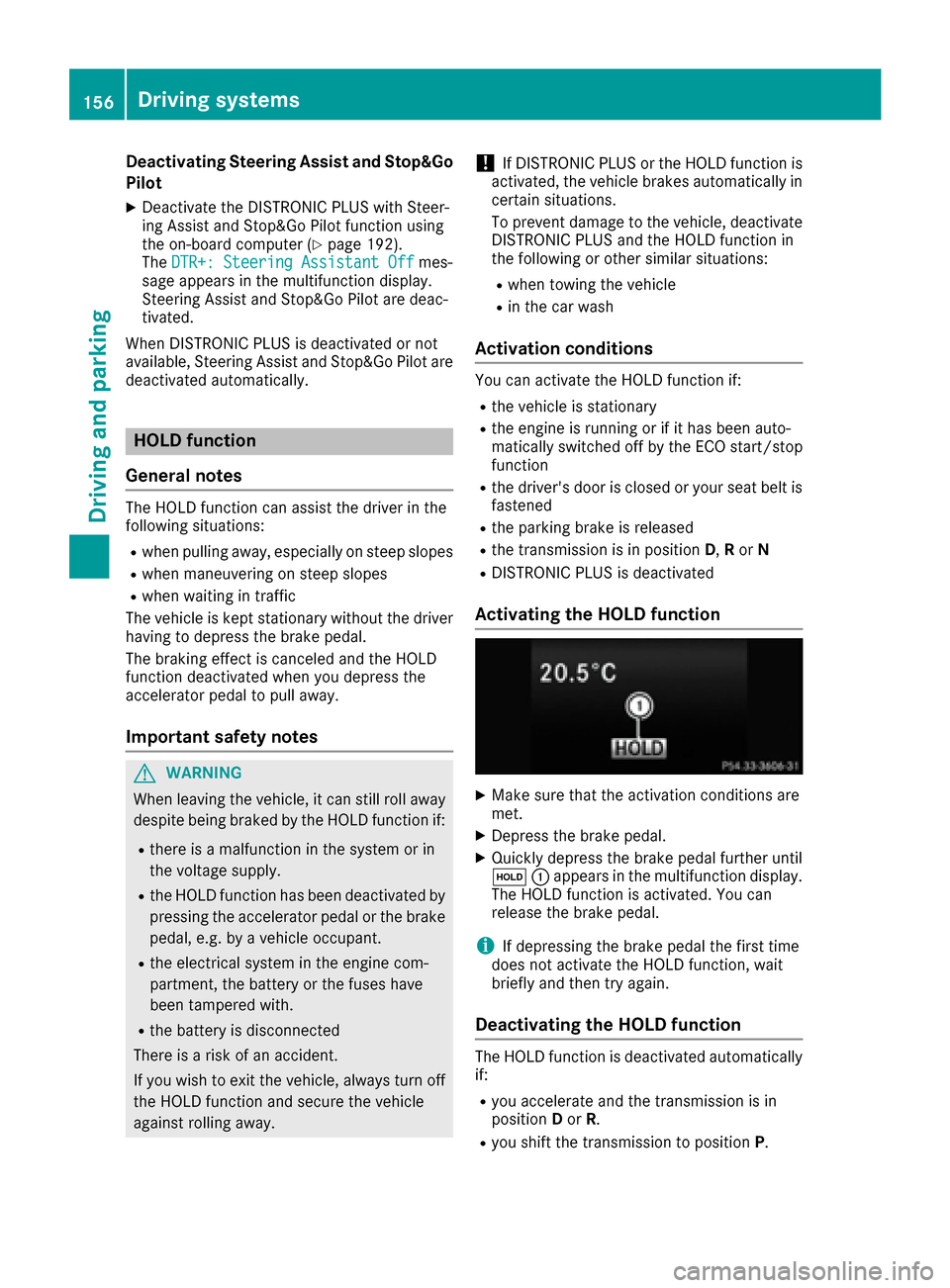
XMak esur ethat th eactivation condition sare
met .
XDepress th ebrak epedal.
XQuickl ydepress th ebrak epeda lfurther until
ë :appears in th emultifunction display.
The HOLD function is activated. You can
release th ebrak epedal.
iIf depressin gth ebrak epeda lth efirst time
doe sno tactivat eth eHOLD function ,wait
briefl yand then tr yagain .
Deactivating th eHOL Dfunction
The HOLD function is deactivated automatically
if:
Ryou accelerate and th etransmissio nis in
position Dor R.
Ryou shift th etransmissio nto position P.
156Driving systems
Driving and parking
Page 159 of 318

Ryou depress thebrak epedal again wit h acer-
tai namount of pressur euntil ë disap-
pear sfrom th emultifunction display.
Ryou activat eDISTRONI CPLUS.
Whe nth eHOLD function is activated, th etrans -
mission is shifted automatically to position Pif:
Rth edriver's doo ris open and th edriver's seat
belt is unfastened.
Rth eengin eis switched off ,unless it is auto-
matically switched off by th eECO start/sto p
function .
Rasystem malfunction occurs.
Rth epowe rsupply is no tsufficient.
Dynami c handling package with
spor tsmo de
Gene ral notes
The mos timportant part of th edynamic han -
dlin gpackag ewit hsport smod eis th eadjusta-
ble dampin gsystem. This automatically control s
and adapt sth esuspension to th erespective
drivin gsituation .
The calibration of th esuspension depend son :
Ryour drivin gstyle
Rth eroa dsurfac econdition s
Ryour individual selection ;see th efollowin g
description
Vehicles wit hdynamic handling package
wit hsport smode: In addition to th edrive pro -
grams Eand S,there is also th emanual drive
progra mM (
Ypage 132).
Spor ts tuning
Example: position of dynamic handlin gpackag e
wit hsport smod ebutto n
The firmer setting of th esuspension tunin gin
sport smod eensures eve nbette rcontact wit h
th eroad. Selec tthis mod ewhen employin g a
sport ydrivin gstyle, e.g. on windin gcountry
roads.
XStart th eengine.
XIf indicator lam p;is not lit :press but -
to n:.
Indicato rlamp ;lights up. The sport ssus-
pension setting is selected.
iYour selection remain sstore duntil you
switch off th eengine.
Comfort tuning
In comfort mode, th edrivin gcharacteristics of
your vehicl eare mor ecomfortable. Therefore ,
select this mod eif you favor amor ecomfortable
drivin gstyle. Selec tcomfort mod ealso when
drivin gfas ton straight roads, e.g. on straight
stretches of highway.
XIf indicator lam p=is not lit :press but -
to n:.
Indicato rlamp =lights up. The comfortable
suspension setting is selected.
4MATIC (permanent fou r-wheel drive)
If you fail to adapt your drivin gstyle, 4MATIC can
neither reduce th eris kof acciden tno roverride
th elaws of physics .4MATIC canno ttak e
accoun tof road, weather and traffic conditions.
4MATIC is only an aid. You are responsibl efor
th edistanc eto th evehicl ein front, for vehicl e
speed, for brakin gin goo dtime and for stayin gin
your lane.
Driving systems157
Driving and parking
Z