air condition MERCEDES-BENZ E-Class COUPE 2017 C207 Owner's Manual
[x] Cancel search | Manufacturer: MERCEDES-BENZ, Model Year: 2017, Model line: E-Class COUPE, Model: MERCEDES-BENZ E-Class COUPE 2017 C207Pages: 318, PDF Size: 7.35 MB
Page 5 of 318
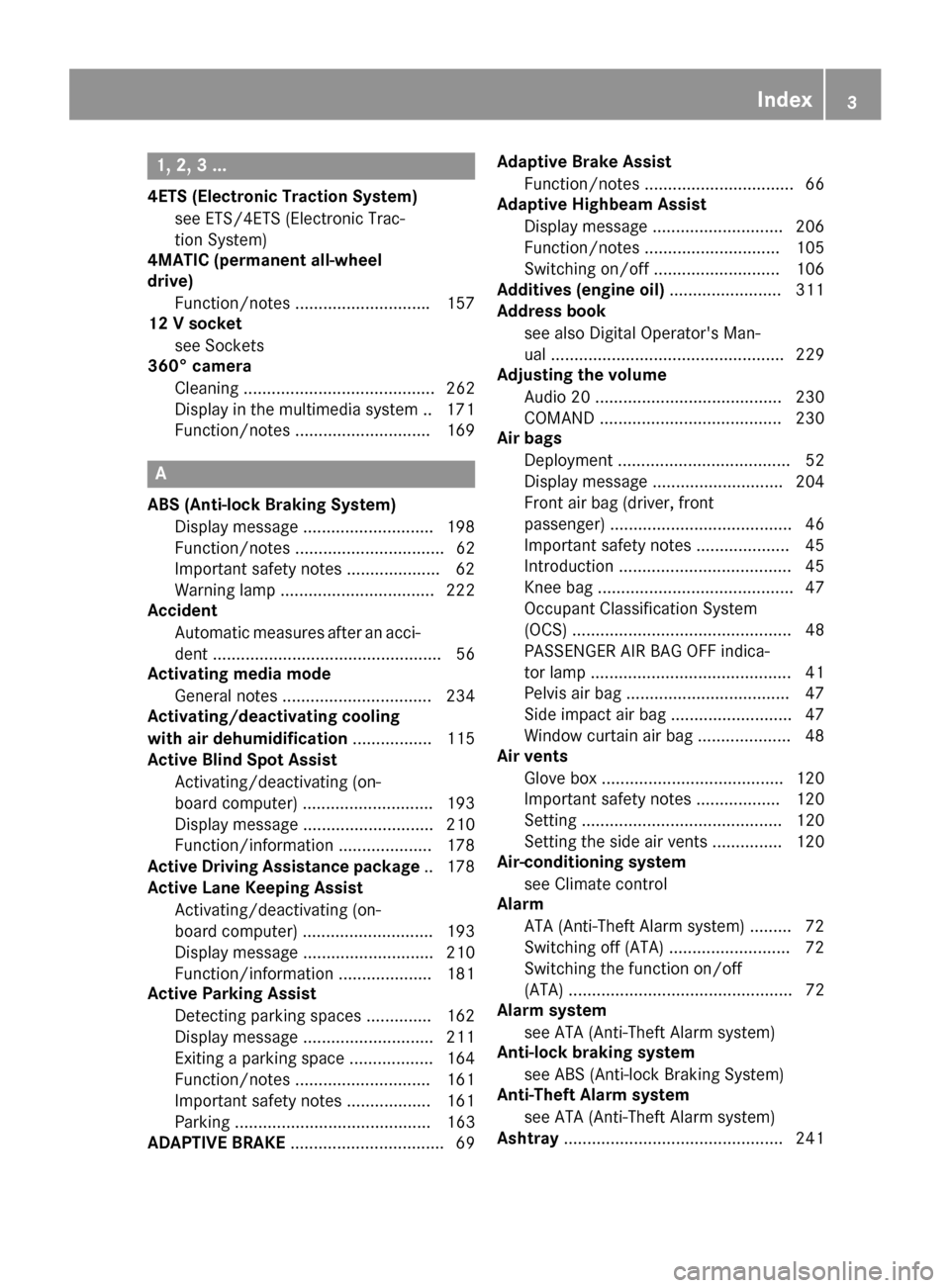
1, 2, 3 ...
4ETS (Electronic Traction System)see ETS/4ETS (Electronic Trac-
tion System)
4MATIC (permanent all-wheel
drive)
Function/notes ............................ .157
12 V socket
see Sockets
360° camera
Cleaning ......................................... 262
Display in the multimedia system .. 171
Function/notes .............................1 69
A
ABS (Anti-lock Braking System)
Display message ............................ 198
Function/notes ................................ 62
Important safety notes .................... 62
Warning lamp ................................. 222
Accident
Automatic measures after an acci-
dent ................................................. 56
Activating media mode
General notes ................................ 234
Activating/deactivating cooling
with air dehumidification ................. 115
Active Blind Spot Assist
Activating/deactivating (on-
board computer) ............................ 193
Display message ............................ 210
Function/information .................... 178
Active Driving Assistance package .. 178
Active Lane Keeping Assist
Activating/deactivating (on-
board computer) ............................ 193
Display message ............................ 210
Function/information .................... 181
Active Parking Assist
Detecting parking spaces .............. 162
Display message ............................ 211
Exiting a parking space .................. 164
Function/notes ............................. 161
Important safety notes .................. 161
Parking .......................................... 163
ADAPTIVE BRAKE ................................. 69 Adaptive Brake Assist
Function/notes ................................ 66
Adaptive Highbeam Assist
Display message ............................ 206
Function/notes ............................. 105
Switching on/off ........................... 106
Additives (engine oil) ........................ 311
Address book
see also Digital Operator's Man-
ual .................................................. 229
Adjusting the volume
Audio 20 ........................................ 230
COMAND ....................................... 230
Air bags
Deployment ..................................... 52
Display message ............................ 204
Front air bag (driver, front
passenger) ....................................... 46
Important safety notes .................... 45
Introduction ..................................... 45
Knee bag .......................................... 47
Occupant Classification System
(OCS) ............................................... 48
PASSENGER AIR BAG OFF indica-
tor lamp ........................................... 41
Pelvis air bag ................................... 47
Si
de impact air bag .......................... 47
Window curtain air bag .................... 48
Air vents
Glove box ....................................... 120
Important safety notes .................. 120
Setting ........................................... 120
Setting the side air vents ............... 120
Air-conditioning system
see Climate control
Alarm
ATA (Anti-Theft Alarm system) ......... 72
Switching off (ATA) .......................... 72
Switching the function on/off
(ATA) ................................................ 72
Alarm system
see ATA (Anti-Theft Alarm system)
Anti-lock braking system
see ABS (Anti-lock Braking System)
Anti-Theft Alarm system
see ATA (Anti-Theft Alarm system)
Ashtray ............................................... 241
Index3
Page 8 of 318
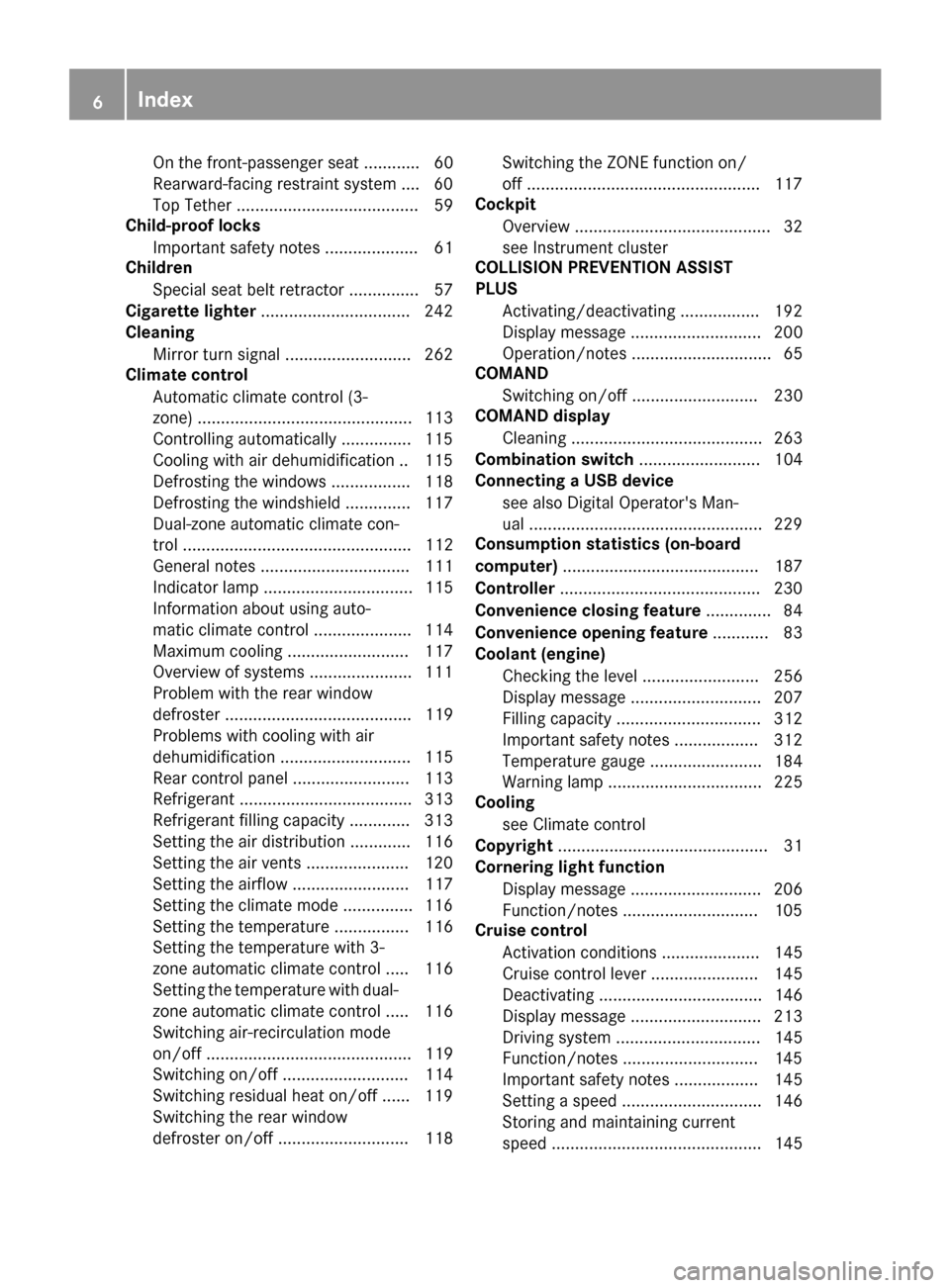
On the front-passenger seat ............ 60
Rearward-facing restraint system ....60
Top Tether ....................................... 59
Child-proof locks
Important safety notes .................... 61
Children
Special seat belt retractor ............... 57
Cigarette lighter ................................ 242
Cleaning
Mirror turn signal ........................... 262
Climate control
Automatic climate control (3-
zone) ..............................................1 13
Controlling automatically ...............1 15
Cooling with air dehumidification .. 115
Defrosting the windows ................. 118
Defrosting the windshield .............. 117
Dual-zone automatic climate con-
trol ................................................. 112
General notes ................................ 111
Indicator lamp ................................ 115
Information about using auto-
matic climate control ..................... 114
Maximum cooling .......................... 117
Overview of systems ......................1 11
Problem with the rear window
defroster ........................................ 119
Problems with cooling with air
dehumidification ............................ 115
Rear control panel ......................... 113
Refrigerant ..................................... 313
Refrigerant filling capacity ............. 313
Setting the air distribution ............. 116
Setting the air vents ......................1 20
Setting the airflow ......................... 117
Setting the climate mode ...............1 16
Setting the temperature ................ 116
Setting the temperature with 3-
zone automatic climate control ..... 116
Setting the temperature with dual-
zone automatic climate control ..... 116
Switching air-recirculation mode
on/off ............................................ 119
Switching on/off ........................... 114
Switching residual heat on/off ...... 119
Sw
itching the rear window
defroster on/off ............................ 118 Switching the ZONE function on/
off ..................................................1
17
Cockpit
Overview .......................................... 32
see Instrument cluster
COLLISION PREVENTION ASSIST
PLUS
Activating/deactivating ................. 192
Display message ............................ 200
Operation/notes .............................. 65
COMAND
Switching on/off ........................... 230
COMAND display
Cleaning ......................................... 263
Combination switch .......................... 104
Connecting a USB device
see also Digital Operator's Man-
ual ..................................................2 29
Consumption statistics (on-board
computer) .......................................... 187
Controller ...........................................2 30
Convenience closing feature .............. 84
Convenience opening feature ............ 83
Coolant (engine)
Checking the level ......................... 256
Display message ............................ 207
Filling capacity ............................... 312
Important safety notes .................. 312
Temperature gauge ........................ 184
Warning lamp ................................. 225
Cooling
see Climate control
Copyright ............................................. 31
Cornering light function
Display message ............................ 206
Function/notes .............................1 05
Cruise control
Activation conditions ..................... 145
Cruise control lever ....................... 145
Deactivating ................................... 146
Display message ............................ 213
Driving system ............................... 145
Function/notes .............................1 45
Important safety notes .................. 145
Setting a speed .............................. 146
Storing and maintaining current
speed ............................................. 145
6Index
Page 15 of 318
Multifunction displayFunction/notes ............................. 186
Permanent display ......................... 193
Multifunction steering wheel
Operating the on-board computer .. 185
Overview .......................................... 34
Multimedia system
see Separate operating instructions
Music files
see also Digital Operator's Man-
ual .................................................. 229
N
NavigationMenu (on-board computer) ............ 188
see also Digital Operator's Man-
ual .................................................. 229
NECK-PRO head restraints
Important safety notes .................... 54
Operation .........................................5 4
Resettin gtriggered .......................... 55
Notes on breaking-in anew vehi-
cle ...................................................... .121
O
Occupant Classification System
(OCS)
Conditions ....................................... 49
Faults ............................................... 52
Operation ......................................... 49
System self-test ............................... 51
Occupant safety
Air bags ...........................................4 5
Automatic measures after an acci-
dent ................................................. 56
Children in the vehicle ..................... 56
Important safety notes .................... 40
Introduction to the restraint sys-
tem .................................................. 40
Occupant Classification System
(OCS) ............................................... 48
PASSENGER AIR BAG indicator
lamps ............................................... 41
Pets in the vehicle ........................... 62
PRE-SAFE
®(anticipatory occu-
pant protection) ............................... 55 PRE-SAFE
®PLUS (anticipatory
occupant protection PLUS) .............. 56
Restraint system warning lamp ........ 40
OCS
Conditions ....................................... 49
Faults ............................................... 52
Operation ......................................... 49
System self-test ............................... 51
Odometer ........................................... 186
Oil
see Engine oil
On-board computer
Assistance menu ........................... 191
Audio menu ................................... 189
Convenience submenu .................. 195
Display messages .......................... 197
Displaying a service message ........ 258
DISTRONIC PLUS ........................... 152
Factory settings submenu ............. 196
Important safety notes .................. 184
Instrument cluster submenu .......... 193
Lighting submenu .......................... 194
Menu overview .............................. 186
Message memory .......................... 197
Navigation menu ............................ 188
Operation ....................................... 185
Service menu ................................. 193
Settings menu ............................... 193
Standard display ............................ 186
Telephone menu ............................ 190
Trip menu ...................................... 186
Vehicle submenu ........................... 195
Video DVD operation ..................... 189
Operating safety
Declaration of conformity ................ 27
Important safety notes .................... 27
Ope rating s
ystem
see On-board computer
Operation
Digital Operator's Manual ................ 22
Operator's Manual
Vehicle equipment ........................... 25
Outside temperature display ........... 184
Overhead control panel ...................... 38
Override feature
Rear side windows ........................... 61
Index13
Page 17 of 318
Radio-wave reception/transmis-
sion in the vehicleDeclaration of conformity ................ 27
Reading lamp ..................................... 107
Rear compartment
Setting the temperature ................ 116
Rear fog lamp
Display message ............................ 206
Switching on/off ........................... 104
Rear seats
Display message ............................ 217
Rear view camera
Cleaning instructions ..................... 262
Display in the multimedia system .. 166
Function/notes ............................. 165
Switching on/off ........................... 166
Rear window blind ............................ 241
Rear window defroster
Problem (malfunction) ................... 119
Switching on/off ........................... 118
Rear-view mirror
Anti-glare (manual) .......................... 99
Dipping (automatic) ....................... 100
Refrigerant (air-conditioning sys-
tem)
Important safety notes .................. 313
Refueling
Fuel gauge ....................................... 33
Important safety notes .................. 135
Refueling process .......................... 136
see Fuel
Remote control
Garage door opener ....................... 250
Programming (garage door
opener) .......................................... 250
Replacing bulbs
Important safety notes .................. 107
Overview of bulb types .................. 108
Reporting safety defects .................... 28
Rescue card ......................................... 29
Reserve (fuel tank)
see Fuel
Reserve fuel
Display message ............................ 208
Warning lamp ................................. 225
see Fuel
Residual heat (climate control) ........ 119Restraint system
Display message ............................ 202
Introduction ..................................... 40
Problem (malfunction) ................... 224
Warning lamp (function) ................... 40
Reversing feature
Panorama sliding sunroof ................ 87
Roller sunblinds ............................... 88
Side windows ................................... 82
Sliding sunroof ................................. 87
Reversing lamps (display mes-
sage) ................................................... 206
Roads ide A
ssistance (breakdown)
.... 26
Roller sunblind
Panorama roof with power tilt/
sliding panel ..................................... 87
Rear window .................................. 241
Roof lining and carpets (cleaning
guidelines) ......................................... 265
Roof load (maximum) ........................ 313
Route guidance
see also Digital Operator's Man-
ual .................................................. 229
S
SafetyChildren in the vehicle ..................... 56
see Occupant safety
Safety system
see Driving safety systems
SD memory card
Ejecting .......................................... 234
Inserting ........................................ 234
Inserting/removing ........................ 234
see also Digital Operator's Man-
ual .................................................. 229
Selecting ........................................ 189
Search & Send
see also Digital Operator's Man-
ual .................................................. 229
Seat belts
Adjusting the driver's and front-
passenger seat belt ......................... 45
Automatic comfort-fit feature .......... 44
Cleaning ......................................... 264
Correct usage .................................. 43
Fastening ......................................... 43
Index15
Page 18 of 318
Important safety guidelines .............42
Introduction .....................................4 1
Releasin g ......................................... 44
Switching belt adjustment on/off
(on-board computer) ...................... 196
Warning lamp ................................. 220
Warning lamp (function) ................... 45
Seats
Adjusting (electrically) ..................... 92
Adjusting the 4-way lumbar sup-
port .................................................. 94
Adjusting the head restraint ............ 93
Adjusting the multicontour seat ....... 94
Cleaning the cover ......................... 264
Correct driver's seat position ........... 91
Folding the backrests forward/
back ................................................. 93
Important safety notes .................... 91
Overview .......................................... 91
Seat backrest display message ..... 217
Seat heating .................................... 95
Seat heating problem ...................... 96
Storing settings (memory func-
tion) ............................................... 102
Switching seat heating on/off ......... 95
Switching seat ventilation on/
off .................................................... 95
Section
Trunk ............................................... 80
Securing cargo .................................. 238
Selector lever
Cleaning ......................................... 263
Sensors (cleaning instructions) ....... 262
Service menu (on-board com-
puter) .................................................. 193
Service message
see ASSYST PLUS
Service products
Brake fluid ..................................... 311
Coolant (engine) ............................ 312
Engine oil ....................................... 311
Fuel ................................................ 309
Important safety notes .................. 308
Refrigerant (air-conditioning sys-
tem) ............................................... 313
Washer fluid ................................... 312
Setting the air distribution ............... 116Setting the airflow
............................ 117
Setting the date/time format
see also Digital Operator's Man-
ual .................................................. 229
Setting the language
see also Digital Operator's Man-
ual .................................................. 229
Setting the time
see also Digital Ope rator's Ma
n-
ual .................................................. 229
Settings
Factory (on-board computer) ......... 196
On-board computer ....................... 193
Side impact air bag ............................. 47
Side marker lamp (display mes-
sage) ................................................... 206
Side windows
Cleaning ......................................... 261
Convenience closing feature ............ 84
Convenience opening feature .......... 83
Important safety information ........... 82
Opening/closing .............................. 83
Problem (malfunction) ..................... 86
Resetting ......................................... 85
Reversing feature ............................. 82
SIRIUS services
see also Digital Operator's Man-
ual .................................................. 229
Sliding sunroof
see Panorama roof with power
tilt/sliding panel
SmartKey
Changing the battery ....................... 76
Changing the programming ............. 74
Checking the battery ....................... 76
Convenience closing feature ............ 84
Convenience opening feature .......... 83
Display message ............................ 218
Door central locking/unlocking ....... 73
Important safety notes .................... 73
Loss ................................................. 77
Mechanical key ................................ 75
Overview .......................................... 73
Positions (ignition lock) ................. 122
Problem (malfunction) ..................... 77
Starting the engine ........................ 124
16Index
Page 26 of 318
Protection of the environment
General notes
HEnvironmental note
Daimler's declared policy is one of compre-
hensive environmental protection.
The objectives are for the natural resources
that form the basis of our existence on this
planet to be used sparingly and in a manner
that takes the requirements of both nature
and humanity into account.
You too can help to protect the environment
by operating your vehicle in an environmen-
tally responsible manner.
Fuel consumption and the rate of engine,
transmission, brake and tire wear are affected by these factors:
Roperating conditions of your vehicle
Ryour personal driving style
You can influence both factors. You should
bear the following in mind:
Operating conditions:
Ravoid short trips as these increase fuel con-
sumption.
Ralways make sure that the tire pressures
are correct.
Rdo not carry any unnecessary weight.
Rremove roof racks once you no longer need
them.
Ra regularly serviced vehicle will contribute
to environmental protection. You should
therefore adhere to the service intervals.
Ralways have service work carried out at a
qualified specialist workshop.
Personal driving style:
Rdo not depress the accelerator pedal when
starting the engine.
Rdo not warm up the engine when the vehicle
is stationary.
Rdrive carefully and maintain a safe distance
from the vehicle in front.
Ravoid frequent, sudden acceleration and
braking.
Rchange gear in good time and use each gear
only up to Ôof its maximum engine speed.
Rswitch off the engine in stationary traffic.
Rkeep an eye on the vehicle's fuel consump-
tion.
Environmental concerns and recom-
mendations
Wherever the operating instructions require you
to dispose of materials, first try to regenerate or
re-use them. Observe the relevant environmen-
tal rules and regulations when disposing of
materials. In this way you will help to protect the
environment.
Genuine Mercedes-Benz parts
HEnvironmental note
Daimler AG also supplies reconditioned major
assemblies and parts which are of the same
quality as new parts. They are covered by the
same Limited Warranty entitlements as new
parts.
!Air bags and Emergency Tensioning Devi-
ces, as well as control units and sensors for
these restraint systems, may be installed in
the following areas of your vehicle:
Rdoors
Rdoor pillars
Rdoor sills
Rseats
Rcockpit
Rinstrument cluster
Rcenter console
Do not install accessories such as audio sys-
tems in these areas. Do not carry out repairs or welding. You could impair the operating
efficiency of the restraint systems.
Have aftermarket accessories installed at a
qualified specialist workshop.
You could jeopardize the operating safety of
your vehicle if you use parts, tires and wheels as
well as accessories relevant to safety which
have not been approved by Mercedes-Benz. This
could lead to malfunctions in safety-relevant
24Genuine Mercedes-Benz parts
Introduction
Page 27 of 318
systems, e.g. the brake system. Use only genu-
ine Mercedes-Benz parts or parts of equal qual-ity. Only use tires, wheels and accessories that
have been specifically approved for your vehi-
cle.
Genuine Mercedes-Benz parts are subject to
strict quality control. Every part has been spe-
cifically developed, manufactured or selected
for and adapted to Mercedes-Benz vehicles.
Only genuine Mercedes-Benz parts should
therefore be used.
More than 300,000 different genuine
Mercedes-Benz parts are available for
Mercedes-Benz models.
All authorized Mercedes-Benz Centers maintain
a supply of genuine Mercedes-Benz parts for
necessary service and repair work. In addition,
strategically located parts delivery centers pro-
vide quick and reliable parts service.
Always specify the vehicle identification number
(VIN) when ordering genuine Mercedes-Benz
parts (
Ypage 307).
Operator's Manual
Vehicle equipment
i
This Operator's Manual describes all models
and all standard and optional equipment of
your vehicle available at the time of going to
print. Country-specific differences are possi-
ble. Bear in mind that your vehicle may not
feature all functions described here. This also applies to safety-relevant systems and func-
tions. The equipment in your vehicle may
therefore differ from that shown in the
descriptions and illustrations.
The original purchase agreement lists all sys-
tems installed in your vehicle.
Should you have any questions concerning
equipment and operation, please consult an
authorized Mercedes-Benz Center.
The Operator's Manual and Maintenance Book-
let are important documents and should be kept
in the vehicle.
Service and vehicle operation
Warranty
The implied warranty for your vehicle applies in
accordance with the warranty terms and condi- tions in the Service and Warranty Information
booklet.
Your authorized Mercedes-Benz Center will
replace and repair all factory-installed parts in
accordance with the following warranty terms
and conditions:
RNew Vehicle Limited Warranty
REmission System Warranty
REmission Performance Warranty
RCalifornia, Connecticut, Maine, Massachu-
setts, New York, Pennsylvania, Rhode Island
and Vermont Emission Control System War-
ranty
RState warranty enforcement laws (lemon
laws)
Replacement parts and accessories are covered
by the Mercedes-Benz Parts and Accessories
warranties. These are available at any author-
ized Mercedes-Benz Center.
iShould you lose your Service and Warranty
Information booklet, have an authorized
Mercedes-Benz Center arrange for a replace-
ment. The new Service and Warranty Infor-
mation booklet will be posted to you.
Information for customers in Califor-
nia
Under California law you may be entitled to a
replacement of your vehicle or a refund of the
purchase price or lease price, if after a reason-
able number of repair attempts Mercedes-Benz
USA, LLC and/or its authorized repair or service
facilities fail to fix one or more substantial
defects or malfunctions in the vehicle that are
covered by its express warranty.
During the period of 18 months from original
delivery of the vehicle or the accumulation of
18,000 miles (approximately 29,000 km) on the
odometer of the vehicle, whichever occurs first,
a reasonable number of repair attempts is pre-
sumed for a retail buyer or lessee if one or more of the following occurs:
(1) the same substantial defect or malfunction results in a condition that is likely to cause
death or serious bodily injury if the vehicle is
driven, that defect or malfunction has been
subject to repair two or more times, and you
Service and vehicle operation25
Introduction
Z
Page 29 of 318
Operating safety
Important safety notes
GWARNING
If you do not have the prescribed service/
maintenance work or any required repairs
carried out, this can result in malfunctions or system failures. There is a risk of an accident.
Always have the prescribed service/mainte-
nance work as well as any required repairs
carried out at a qualified specialist workshop.
GWARNING
Flammable material such as leaves, grass or
twigs may ignite if they come into contact with
hot parts of the exhaust system. There is a risk of fire.
When driving off road or on unpaved roads,
check the vehicle's underside regularly. In
particular, remove parts of plants or other
flammable materials which have become
trapped. In the case of damage, contact a
qualified specialist workshop.
GWARNING
Modifications to electronic components, their software as well as wiring can impair their
function and/or the function of other net-
worked components. In particular, systems
relevant to safety could also be affected. As a
result, these may no longer function as inten-
ded and/or jeopardize the operating safety of
the vehicle. There is an increased risk of an
accident and injury.
Never tamper with the wiring as well as elec-
tronic components or their software. You
should have all work to electrical and elec-
tronic equipment carried out at a qualified
specialist workshop.
!There is a risk of damage to the vehicle if:
Rthe vehicle becomes stuck, e.g. on a high
curb or an unpaved road
Ryou drive too fast over an obstacle, e.g. a
curb or a hole in the road
Ra heavy object strikes the undercarriage or
parts of the chassis
In situations like this, the body, the undercar-
riage, chassis parts, wheels or tires could be
damaged without the damage being visible.
Components damaged in this way can unex-
pectedly fail or, in the case of an accident, no
longer withstand the strain they are designed to.
If the underbody paneling is damaged, com-
bustible materials such as leaves, grass or
twigs can gather between the underbody and
the underbody paneling. If these materials
come in contact with hot parts of the exhaust
system, they can catch fire.
In such situations, have the vehicle checked
and repaired immediately at a qualified spe-
cialist workshop. If on continuing your jour-
ney you notice that driving safety is impaired,
pull over and stop the vehicle immediately,
paying attention to road and traffic condi-
tions. In such cases, consult a qualified spe-
cialist workshop.
Declarations of conformity
Vehicle components which receive
and/or transmit radio waves
USA: "The wireless devices of this vehicle com-
ply with Part 15 of the FCC Rules. Operation is
subject to the two following two conditions: 1)
These devices may not cause harmful interfer-
ence, and 2) These devices must accept any
interference received, including interference
that may cause undesired operation. Changes
or modifications not expressly approved by the
party responsible for compliance could void the
user’s authority to operate the equipment."
Canada: "The wireless devices of this vehicle
comply with Industry Canada license-exempt
RSS standard(s). Operation is subject to the fol-
lowing two conditions: (1) These devices may
not cause interference, and (2) These devices
must accept any interference, including inter-
ference that may cause undesired operation of
the device."
Operating safety27
Introduction
Z
Page 31 of 318
The following text is published as required of
manufacturers under Title 49, Code of U.S. Fed-
eral Regulations, Part 575 pursuant to the
"National Traffic and Motor Vehicle Safety Act of
1966".
If you believe that your vehicle has a defect
which could cause a crash or could cause injury
or death, you should immediately inform the
National Highway Traffic Safety Administration
(NHTSA) in addition to notifying Mercedes-Benz USA, LLC.
If NHTSA receives similar complaints, it may
open an investigation, and if it finds that a safety
defect exists in a group of vehicles, it may order
a recall and remedy campaign. However, NHTSA
cannot become involved in individual problems
between you, your dealer, or Mercedes-Benz
USA, LLC.
To contact NHTSA, you may call the Vehicle
Safety Hotline toll-free at
1-888-327-4236(TTY: 1-800-424-9153); go to
http://www.safercar.gov ; or write to: Admin-
istrator, NHTSA, 400 Seventh Street, SW.,
Washington, DC 20590.
You can also obtain other information about
motor vehicle safety from
http://www.safercar.gov
Limited Warranty
!
Follow the instructions in this manual about
the proper operation of your vehicle as well as
about possible vehicle damage. Damage to
your vehicle that arises from culpable contra-
ventions against these instructions is not cov- ered either by the Mercedes-Benz Limited
Warranty or by the New or Used-Vehicle War-
ranty.
QR codes for the rescue card
The QR codes are secured in the fuel filler flap
and on the opposite side on the B-pillar. In the
event of an accident, rescue services can use
the QR code to quickly find the appropriate res- cue card for your vehicle. The current rescue
card contains the most important information
about your vehicle in a compact form, e.g. the
routing of the electric cables.
You can find more information under http://
portal.aftersales.i.daimler.com/public/ content/asportal/en/communication/
informationen_fuer/QRCode.html.
Data stored in the vehicle
Data storage
A wide range of electronic components in your
vehicle contain data memories.
These data memories temporarily or perma-
nently store technical information about:
Rvehicle's operating state
Rincidents
Rmalfunctions
In general, this technical information docu-
ments the state of a component, a module, a
system or the surroundings.
These include, for example:
Roperating conditions of system components,
e.g. fluid levels
Rthe vehicle's status messages and those of its
individual components, e.g. number of wheel
revolutions/speed, deceleration in move-
ment, lateral acceleration, accelerator pedal
position
Rmalfunctions and defects in important system
components, e.g. lights, brakes
Rvehicle reactions and operating conditions in
special driving situations, e.g. air bag deploy-
ment, intervention of stability control sys-
tems
Rambient conditions, e.g. outside temperature
This data is of an exclusively technical nature
and can be used to:
Rassist in recognizing and rectifying malfunc-
tions and defects
Ranalyze vehicle functions, e.g. after an acci-
dent
Roptimize vehicle function
The data cannot be used to trace the vehicle's
movements.
When your vehicle is serviced, technical infor-
mation can be read from the event data memory
and malfunction data memory.
Services include, for example:
Rrepair services
Rservice processes
Rwarranties
Rquality assurance
Data stored in the vehicle29
Introduction
Z
Page 32 of 318
The vehicle is read out by employees of the ser-
vice network (including the manufacturer) using
special diagnostic testers. More detailed infor-
mation is obtained from it, if required.
After a malfunction has been rectified, the infor-
mation is deleted from the malfunction memory
or is continually overwritten.
When operating the vehicle, situations are con-
ceivable in which this technical data, in connec-
tion with other information (if necessary, under
consultation with an authorized expert), could
be traced to a person.
Examples include:
Raccident reports
Rdamage to the vehicle
Rwitness statements
Further additional functions that have been con-
tractually agreed upon with the customer allow
certain vehicle data to be conveyed by the vehi- cle as well. The additional functions include, for
example, vehicle location in case of an emer-
gency.
COMAND/mbrace
If the vehicle is equipped with COMAND or
mbrace, additional data about the vehicle's
operation, the use of the vehicle in certain sit-
uations, and the location of the vehicle may be
compiled through COMAND or the mbrace sys-
tem.
For additional information please refer to the
COMAND User Manual or the Digital Operator's
Manual and/or the mbrace Terms and Condi-
tions.
Event data recorders
This vehicle is equipped with an event data
recorder (EDR). This vehicle is equipped with an
event data recorder (EDR). The main purpose of
an EDR is to record, in certain crash or near
crash-like situations, such as an air bag deploy- ment or hitting a road obstacle, data that will
assist in understanding how a vehicle's systems
performed. The EDR is designed to record data
related to vehicle dynamics and safety systems for a short period of time, typically 30 seconds
or less. The EDR in this vehicle is designed to record
such data as:
RHow various systems in your vehicle were
operating
RWhether or not the driver and passenger
safety belts were buckled/fastened
RHow far (if at all) the driver was depressing the
accelerator and/or brake pedal and
RHow fast the vehicle was traveling.
These data can help provide a better under-
standing of the circumstances in which acci-
dents and injuries occur. NOTE: EDR data are
recorded by your vehicle only if a non-trivial
crash situation occurs; no data is recorded by
the EDR under normal driving conditions and no
personal data (e.g. name, gender, age and acci-
dent location) are recorded. However, other par- ties, such as law enforcement could combine
EDR data with the type of personally identifying
data routinely acquired during a crash investi-
gation.
Access to the vehicle and/or the EDR is needed
to read data that is recorded by the EDR, and
special equipment is required. In addition to the
vehicle manufacturer, other parties that have
the special equipment, such as law enforce-
ment, can read the information by accessing the
vehicle or the EDR.
EDR data may be used in civil and criminal mat-ters as a tool in accident reconstruction, acci-
dent claims and vehicle safety. Since the Crash
Data Retrieval CDR tool that is used to extract
data from the EDR is commercially available,
Mercedes-Benz USA, LLC ("MBUSA") expressly
disclaims any and all liability arising from the
extraction of this information by unauthorized
Mercedes-Benz personnel.
MBUSA will not share EDR data with others
without the consent of the vehicle owners or, if
t
he vehicle is leased, without the consent of the
lessee. Exceptions to this representation
include responses to subpoenas by law enforce-
ment; by federal, state or local government; in
connection with or arising out of litigation involv-
ing MBUSA or its subsidiaries and affiliates; or,
as required by law.
Warning: The EDR is a component of the
Restraint System Module. Tampering with, alter-
ing, modifying or removing the EDR component
may result in a malfunction of the Restraint Sys-
tem Module and other systems.
State laws or regulations regarding EDRs that
conflict with federal regulation are pre-empted.
30Data stored in the vehicle
Introduction