ad blue MERCEDES-BENZ E-CLASS COUPE 2017 User Guide
[x] Cancel search | Manufacturer: MERCEDES-BENZ, Model Year: 2017, Model line: E-CLASS COUPE, Model: MERCEDES-BENZ E-CLASS COUPE 2017Pages: 541, PDF Size: 10.71 MB
Page 300 of 541
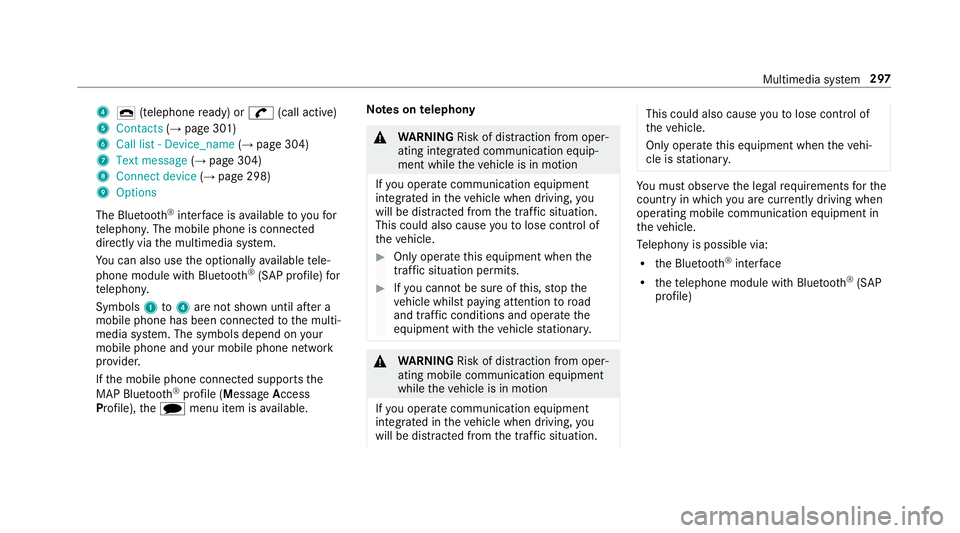
4
¢ (telephone ready) or w(call active)
5 Contacts (→page 301)
6 Call list - Device_name (→page 304)
7 Text message (→page 304)
8 Connect device (→page 298)
9 Options
The Blue tooth®
inter face is available toyoufor
te lephon y.The mobile phone is connected
directly via the multimedia sy stem.
Yo u can also use the optionally available tele‐
phone module with Blue tooth®
(SAP profile) for
te lephon y.
Symbols 1to4 are not shown until af ter a
mobile phone has been connected tothe multi‐
media sy stem. The symbols depend on your
mobile phone and your mobile phone network
pr ov ider.
If th e mobile phone connected supports the
MAP Blue tooth®
profile (M essageAccess
Pro file), thei menu item is available. Note
s ontelephony &
WARNING Risk of di stra ction from oper‐
ating integrated communication equip‐
ment while theve hicle is in motion
If yo u operate communication equipment
integ rated in theve hicle when driving, you
will be distracted from the tra ffic situation.
This could also cause youto lose control of
th eve hicle. #
Only operate this equipment when the
traf fic situation permits. #
Ifyo u cannot be sure of this, stop the
ve hicle whilst paying attention toroad
and traf fic conditions and ope rate the
equipment with theve hicle stationar y. &
WARNING Risk of di stra ction from oper‐
ating mobile communication equipment
while theve hicle is in motion
If yo u operate communication equipment
integrated in theve hicle when driving, you
will be distracted from the tra ffic situation. This could also cause
youto lose control of
th eve hicle.
Only operate this equipment when theve hi‐
cle is stationar y. Yo
u must obse rveth e legal requ irements forthe
country in whi chyou are cur rently driving when
operating mobile communication equipment in
th eve hicle.
Te lephony is possible via:
R the Blue tooth®
inter face
R thete lephone module with Blue tooth®
(SAP
profile) Multimedia sy
stem 297
Page 301 of 541
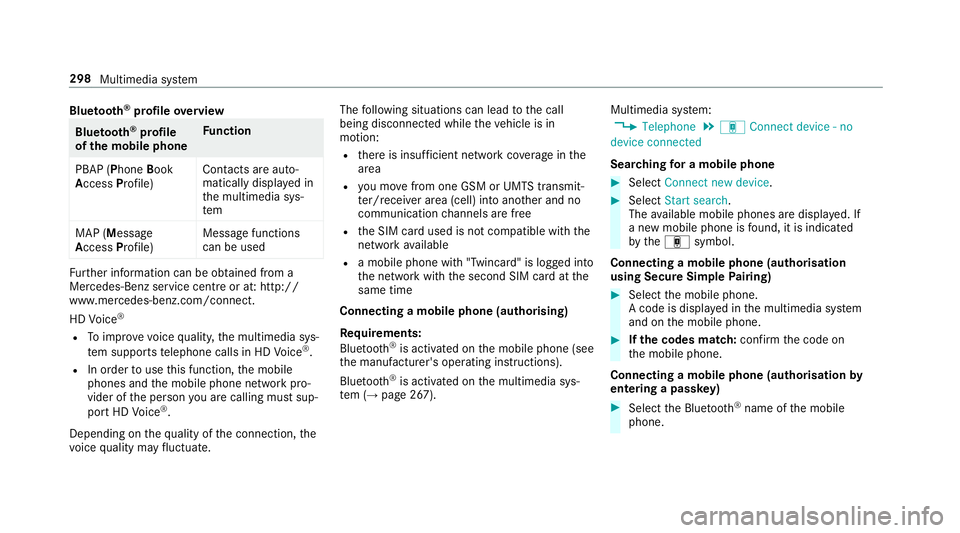
Blue
tooth ®
profile overview Blue
tooth ®
profile
of the mobile phone Fu
nction
PBAP (Phone Book
Access Profile) Contacts are auto‐
matically displa
yed in
th e multimedia sys‐
tem
MAP (Message
Access Profile) Message functions
can be used Fu
rther information can be obtained from a
Mercedes-Benz service centre or at: http://
www.mercedes-benz.com/connect.
HD Voice ®
R Toimpr ove vo icequalit y,the multimedia sys‐
te m supports telephone calls in HD Voice ®
.
R In order touse this function, the mobile
phones and the mobile phone network pro‐
vider of the person you are calling must sup‐
port HD Voice ®
.
Depending on thequ ality of the connection, the
vo ice quality may fluctuate. The
following situations can lead tothe call
being disconnected while theve hicle is in
motion:
R there is insuf ficient network co verage inthe
area
R you mo vefrom one GSM or UMTS transmit‐
te r/receiver area (cell) into ano ther and no
communication channels are free
R the SIM card used is not compatible with the
network available
R a mobile phone with "Twincard" is logged into
th e network with the second SIM card at the
same time
Connecting a mobile phone (authorising)
Re quirements:
Blue tooth ®
is activated on the mobile phone (see
th e manufacturer's operating instructions).
Blue tooth ®
is activated on the multimedia sys‐
te m (→ page 267). Multimedia sy
stem:
, Telephone .
á Connect device - no
device connected
Sear ching for a mobile phone #
Select Connect new device . #
Select Start search .
The available mobile phones are displa yed. If
a new mobile phone is found, it is indicated
by theá symbol.
Connecting a mobile phone (authorisation
using Secure Simple Pairing) #
Select the mobile phone.
A code is displa yed in the multimedia sy stem
and on the mobile phone. #
Ifth e codes match: confirm the code on
th e mobile phone.
Connecting a mobile phone (authorisation by
entering a passk ey) #
Select the Blue tooth®
name of the mobile
phone. 298
Multimedia sy stem
Page 306 of 541
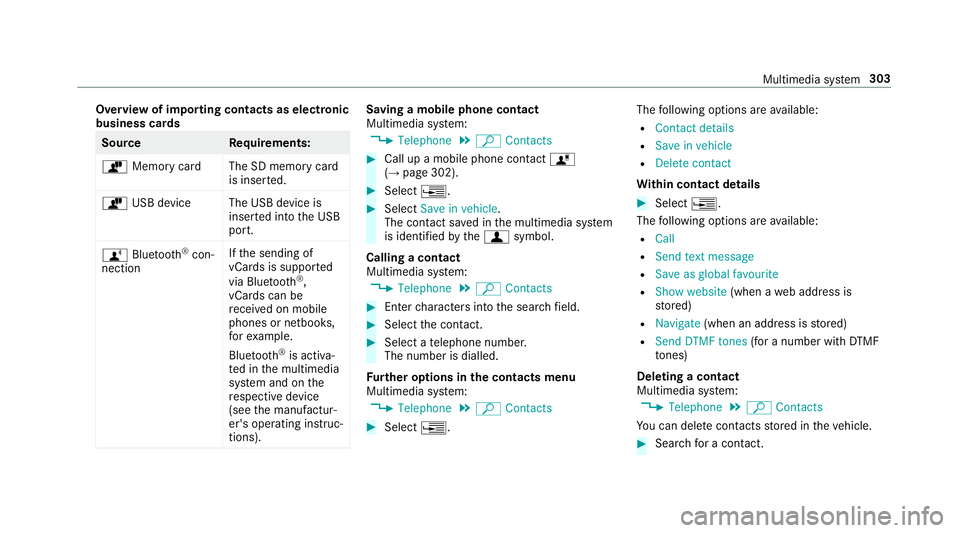
Overview of importing contacts as electronic
business cards Source
Requirements:
ò Memory car dThe SD memory card
is inser ted.
ò USB device The USB device is
inserted into the USB
port.
ñ Bluetooth ®
con‐
nection If
th e sending of
vCards is suppor ted
via Blue tooth®
,
vCard s can be
re cei ved on mobile
phones or netbooks,
fo rex ample.
Blue tooth ®
is activa‐
te d in the multimedia
sy stem and on the
re spective device
(see the manufactur‐
er's operating instruc‐
tions). Saving a mobile phone contact
Multimedia sy
stem:
, Telephone .
ª Contacts #
Call up a mobile phone conta ctó
(→ page 302). #
Select ¥. #
Select Save in vehicle.
The contact sa ved in the multimedia sy stem
is identified bythef symbol.
Calling a contact
Multimedia sy stem:
, Telephone .
ª Contacts #
Ente rch aracters into the sear chfield. #
Select the conta ct. #
Select a telephone number.
The number is dialled.
Fu rther options in the contacts menu
Multimedia sy stem:
, Telephone .
ª Contacts #
Select ¥. The
following options are available:
R Contact details
R Save in vehicle
R Delete contact
Wi thin contact details #
Select ¥.
The following options are available:
R Call
R Send text message
R Save as global favourite
R Show website (when aweb address is
st ored)
R Navigate (when an address is stored)
R Send DTMF tones (for a number with DTMF
to nes)
Deleting a contact
Multimedia sy stem:
, Telephone .
ª Contacts
Yo u can dele tecontacts stored in theve hicle. #
Sear chfor a contact. Multimedia sy
stem 303
Page 307 of 541
#
Select the conta ct. #
Select ¥. #
Select Delete contact .#
Select Yes. Call li
st Call list
overview
If yo ur mobile phone suppo rts th e PBAP Blue‐
tooth ®
profile, the call lists from the mobile
phone are displa yed in the multimedia sy stem.
When connecting the mobile phone, you may
ha ve toconfirm the connection forth e PBAP
Blue tooth ®
profile.
If yo ur mobile phone does not suppo rtthe PBAP
Blue tooth ®
profile, the multimedia sy stem gener‐
ates its own call li sts. These are not the same as
th e call lists in your mobile phone. Making a call from
the call list
Multimedia sy stem:
, Telephone .
ø Call list -
Device_name #
Select an entry. #
Make the call.
Options in the call list
Multimedia sy stem:
, Telephone .
ø Call list -
Device_name #
Highlight the entry. #
Select ¥.
The following options are available:
R Send text message
R Open contact Te
xt messages Note
s onthete xt message functions
If th e connected mobile phone supports the
MAP Blue tooth®
profile, thete xt messa gefunc‐
tions can be used on the multimedia sy stem. Yo
u can obtain fur ther information about set‐
tings and suppor ted functions of Blue tooth ®
-
capable mobile phones from a Mercedes-Benz
service centre or at: http://www.mercedes-
benz.com/connect
Some mobile phones require fur ther settings
af te r being connected tothe multimedia sy stem
(see manufacturer's Owner's Manual).
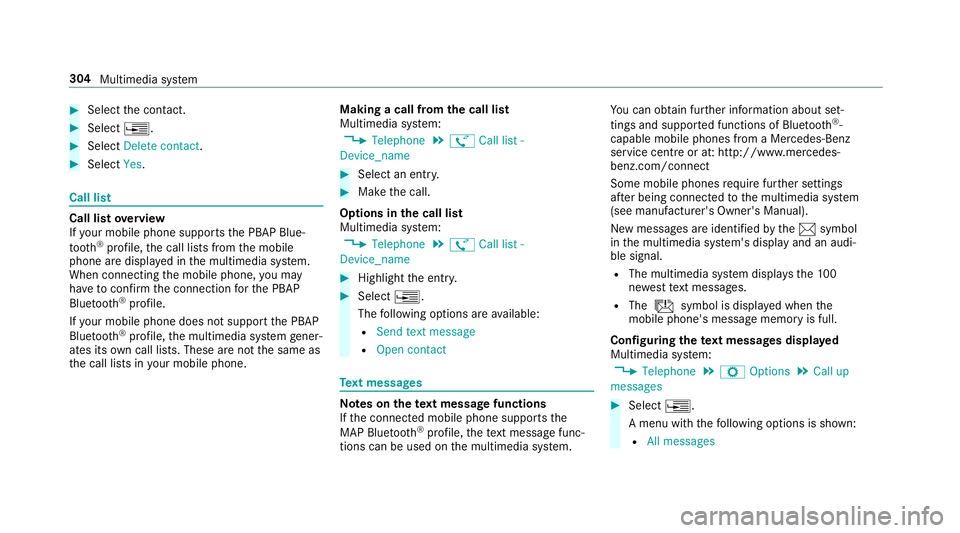
New messages are identified bythe1 symbol
in the multimedia sy stem's display and an audi‐
ble signal.
R The multimedia sy stem displa ys the100
ne we sttext messa ges.
R The ú symbol is displa yed when the
mobile phone's messa gememory is full.
Confi guring thete xt messages displa yed
Multimedia sy stem:
, Telephone .
Z Options .
Call up
messages #
Select ¥.
A menu with thefo llowing options is shown:
R All messages 304
Multimedia sy stem
Page 309 of 541
Calling a
text message sender
Multimedia sy stem:
, Telephone .
i Text message #
Select a text messa ge. #
Select ¥. #
Select Call sender.
Deleting text messages
Multimedia sy stem:
, Telephone .
i Text message #
Select ¥. #
Select Delete. Te
lephone module with Blue tooth ®
(SAP pro‐
fi le) Fi
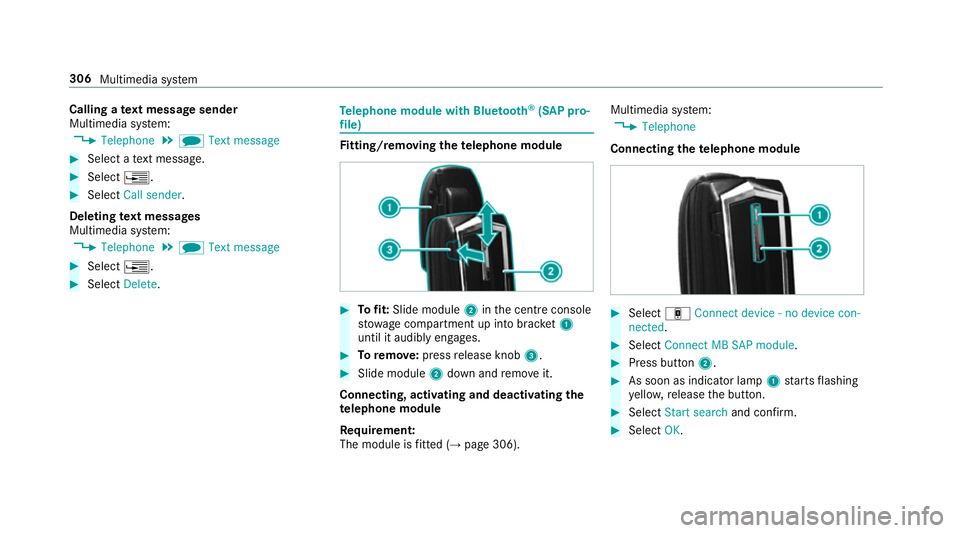
tting/ removing the telephone module #
Tofit: Slide module 2inthe cent reconsole
stow age compartment up into brac ket1
until it audibly engages. #
Toremo ve: press release knob 3. #
Slide module 2down and remo veit.
Connecting, acti vating and deactivating the
te lephone module
Re quirement:
The module is fitted (→ page 306). Multimedia sy
stem:
, Telephone
Connecting thete lephone module #
Select áConnect device - no device con-
nected. #
Select Connect MB SAP module. #
Press button 2. #
As soon as indicator lamp 1starts flashing
ye llo w, release the button. #
Select Start search and confirm. #
Select OK. 306
Multimedia sy stem
Page 310 of 541
Ac
tivating the telephone module #
Select áConnect device - Mobile phone .#
Select Activate MB SAP module and confirm.
Disconnecting thete lephone module #
Select áConnect device - Mobile phone .#
Select ¥. #
Select Disconnect MB SAP module. #
Select Yes.
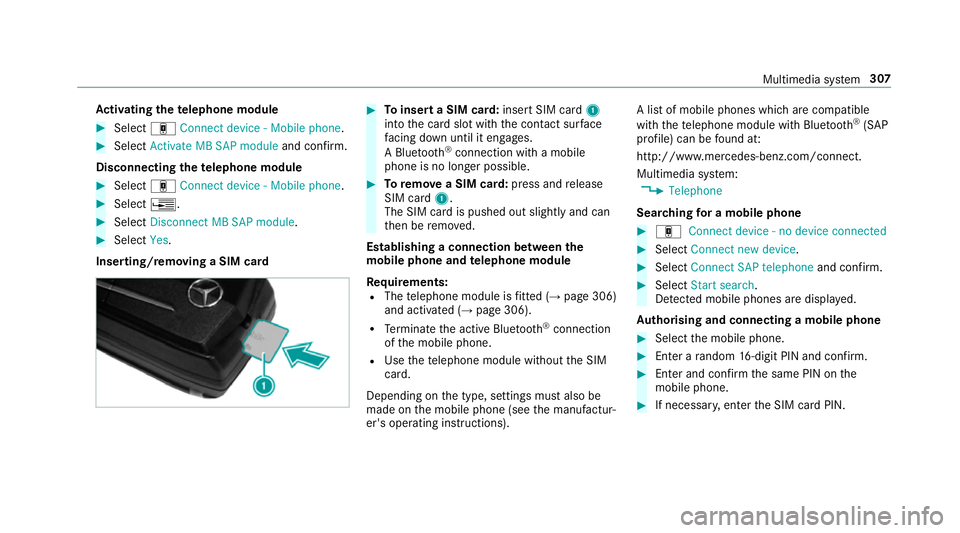
Inserting/removing a SIM card #
Toinsert a SIM card: insert SIM card1
into the card slot with the conta ct surface
fa cing down until it engages.
A Blu etoo th®
connection wi tha mobile
phone is no lon ger possible. #
Toremo vea SIM card: press andrelease
SIM card 1.
The SIM card is pushed out slightly and can
th en be remo ved.
Establishing a connection between the
mo bile phone and telephone module
Re quirements:
R The telephone module is fitted (→ page 306)
and activated (→ page 306).
R Term inate the active Blue tooth ®
connection
of the mobile phone.
R Use thete lephone module without the SIM
card.
Depending on the type, settings must also be
made on the mobile phone (see the manufactur‐
er's operating instructions). A list of mobile phones which are compatible
with thete lephone module with Blue tooth®
(SAP
profile) can be found at:
http://www.mercedes-benz.com/connect.
Multimedia sy stem:
, Telephone
Sear ching for a mobile phone #
á Connect device - no device connected #
Select Connect new device . #
Select Connect SAP telephone and confirm. #
Select Start search .
De tected mobile phones are displ ayed.
Au thorising and connecting a mobile phone #
Select the mobile phone. #
Ente r arandom 16-digit PIN and confirm. #
Enter and confirm the same PIN on the
mobile phone. #
If necessar y,enter the SIM card PIN. Multimedia sy
stem 307
Page 311 of 541
Obser
vethefo llowing no tes:
R a mobile phone which has already been
authorised is automatically connected.
R the multimedia sy stem alw ays sear ches for
th e last connected mobile phone. If this is
not available, the pr eviously connec ted
mobile phone is searched for.
R only one mobile phone can be connected to
th e module at any one time.
Switching tothe mobile phone on thete le‐
phone module
Requ irement:
Yo u can on ly switchtoano ther authorised
mobile phone if you are not cur rently making a
call. Multimedia sy
stem:
, Telephone .
á Connect device -
Mobile phone #
Select the mobile phone on theSA P module
device list.
The mobile phone is sear ched for and con‐
nected if it is within Blue tooth®
ra nge and if
Blu etoo th®
is activated. #
Confirm the module's connection requ est on
th e mobile phone (see the manufacturer's
operating instructions). #
Where necessar y,enter the SIM card PIN
into the multimedia sy stem and confi rm.
The cur rently connected mobile phone is indica‐
te dby the# dot in the Blue tooth®
phone list.
A maximum of 15mobile phones can be auth or‐
ised on the module. Sto
ring the SIM card PIN in thete lephone
module
Multimedia sy stem:
, Telephone .
á Connect device - no
device connected .
SIM Card #
Select ¥. #
Switch Store PIN onO.
Te lephone module settings
Settings for using the telephone module with
th e mobile phone
Nu m‐
ber Fu
nction
0003 1A ctivates caller ID transmission
00030 Deacti vates caller ID transmission
0006 1A ctivates da taroaming
0006 0D eactivates data roaming
00 071A ctivates network pr ovider restric‐
tion 308
Multimedia sy stem
Page 312 of 541
00070 Deactivates network pr
ovider
re striction
0008 1A ctivates text messa getrans fer
00080 Deactivates text messa getrans fer
00082 Sets situation-rela ted dimming of
th e indicator lamp
0008 3D oes not change the brightness of
th e indicator lamp Setting
theringtone for the telephone mod‐
ule
Multimedia sy stem:
, Telephone .
á Connect device -
Mobile phone #
Highlight a mobile phone. #
Select ¥. #
Select Ringtones. #
Select a ringtone.
The ringtone is pl ayed.
The settings are applied once youex itthe
menu. Tr
ansfer ring the phone book via thete le‐
phone module
The transfer take s place automatically once a
connection has been es tablished via Blue tooth®
:
R Ifth e mobile phone supports the PBAP
(Phone BookAccess Profile), the sy stem
gives priority toloading phone book ent ries
from the phone memor y.
R Ifth ere are no entri es inthe phone memor y,
th e phone book entri es fromthe SIM card
are impor ted.
A list of compatible mobile phones can be found
at:
http://www.mercedes-benz.com/connect
Note s onreceiving text messages when
using thete lephone module
Obser vethefo llowing no tes when using thete le‐
phone module with Blue tooth®
(SAP profile):
R it is only possible toaccess thete xt messa ge
memory of the SIM card.
R incoming text messa ges are sa ved on the
SIM card. R
depending on the mobile phone, text mes‐
sa ge s are not directly visible and must first
be selected (see the manufacturer's operat‐
ing instructions).
A list of mobile phones which are compatible
with thete lephone module with Blue tooth®
(SAP
profile) can be found on the Internet at:
http://www.mercedes-benz.com/connect
Deleting call lists in thete lephone module
Call lists are only available in thete lephone mod‐
ule if the connected mobile phone supports the
Blu etoo th®
PA P (Phonebook AccessProfile) pro‐
fi le.
Deleting call lists Nu mbe rF unction
0002 Call lists inthete le‐
phone module are
dele ted Multimedia sy
stem 309
Page 313 of 541
Te
rm inating the connection between the
mo bile phone and thete lephone module
There are two waysof disconnecting the
mo bile phone and module:
Au tomatic discon‐
nection Occu
rsafte r leaving
th ere ception range
Manual disconnec‐
tion Occu
rsby term inating
th e Blue tooth®
con‐
nection on the mobile
phone (see the manu‐
fa cturer's ope rating
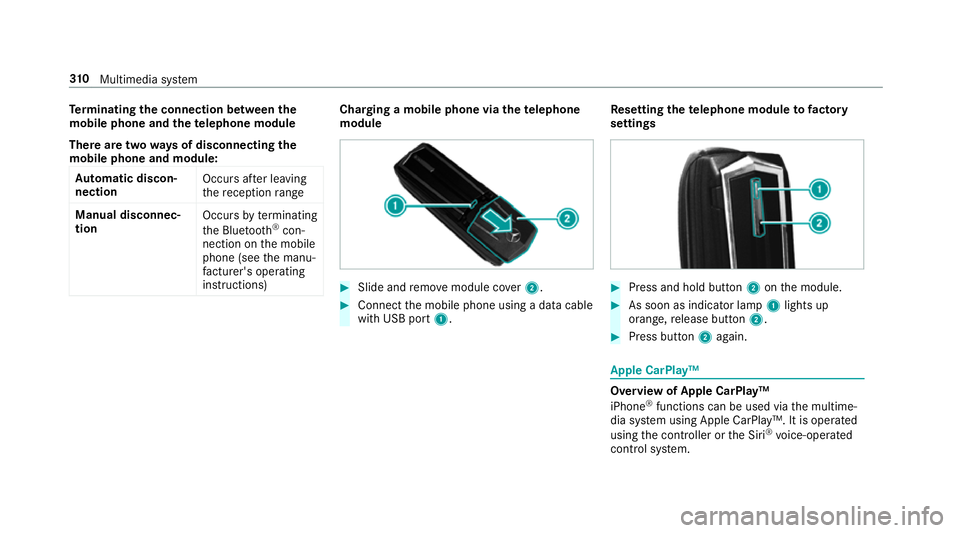
instructions) Charging a mobile phone via the
telephone
module #
Slide and remo vemodule co ver2. #
Connect the mobile phone using a data cable
with USB port 1. Re
setting thete lephone module to factory
settings #
Press and hold button 2onthe module. #
As soon as indicator lamp 1lights up
orange, release button 2. #
Press button 2again. Apple CarPlay™
Overview of Apple CarPlay™
iPhone
®
functions can be used via the multime‐
dia sy stem using Apple CarPlay™. It is operated
using the controller or the Siri ®
vo ice-operated
control sy stem. 310
Multimedia sy stem
Page 315 of 541
Android
Auto Android
Autoove rview
Mobile phone functions can be used with
Android Autousing the Android operating sys‐
te m on the multimedia sy stem. It is operated
using the controller or thevo ice-operated con‐
trol sy stem.
Only one mobile phone at a time can be connec‐
te d via Android Auto to the multimedia sy stem.
Va rious multimedia sy stem functions, e.g. navi‐
ga tion, are una vailable while using Android Auto.
The availability of Android Autoand Android Auto
Apps may vary according tothe count ry.
The service pr ovider is responsible forth is appli‐
cation and the services and conte nt connected
to it.
Connecting a mobile phone via Android Auto
Requ irements:
R The firs t acti vation of Android Autoon the
multimedia sy stem must be car ried out when
th eve hicle is stationary for saf etyre asons. R
The mobile phone suppo rts Android Auto
from Android 5.0.
R The Android AutoApp is ins talled on the
mobile phone.
R In order touse thete lephone functions, a
mobile phone must be connec tedto the mul‐
timedia sy stem via Blue tooth®
(→ page 298).
If th ere was no prior internet connection, this
is es tablished with the use of the mobile
phone with Android Auto.
R The mobile phone is connected tothe multi‐
media sy stem via the USB port çusing a
suitable cable (→ page 330).
R The full range of functions for Android Autois
only possible with an Internet connection.
Multimedia sy stem:
, Connect .
Android Auto #
Select the mobile phone from the device list.
Ac cepting/rejecting the data pr otection reg‐
ulations
A message with the data pr otection regulations
appears. #
Select Accept and start.
or #
Select Reject and end.
Ac tivating automatic start #
Select Start automatically O.
St arting manually #
Select the mobile phone from the device list.
Exiting Android Auto #
Press theò button.
Calling up the Android Auto to ne settings
Multimedia sy stem:
, Connect .
Android Auto .
Sound #
Select theto ne menu (→ page 349).
Ending Android Auto
Multimedia sy stem:
, Connect .
Android Auto #
Select Disconnect.
The connection is ended. 312
Multimedia sy stem