buttons MERCEDES-BENZ E-CLASS COUPE 2017 User Guide
[x] Cancel search | Manufacturer: MERCEDES-BENZ, Model Year: 2017, Model line: E-CLASS COUPE, Model: MERCEDES-BENZ E-CLASS COUPE 2017Pages: 541, PDF Size: 10.71 MB
Page 139 of 541
#
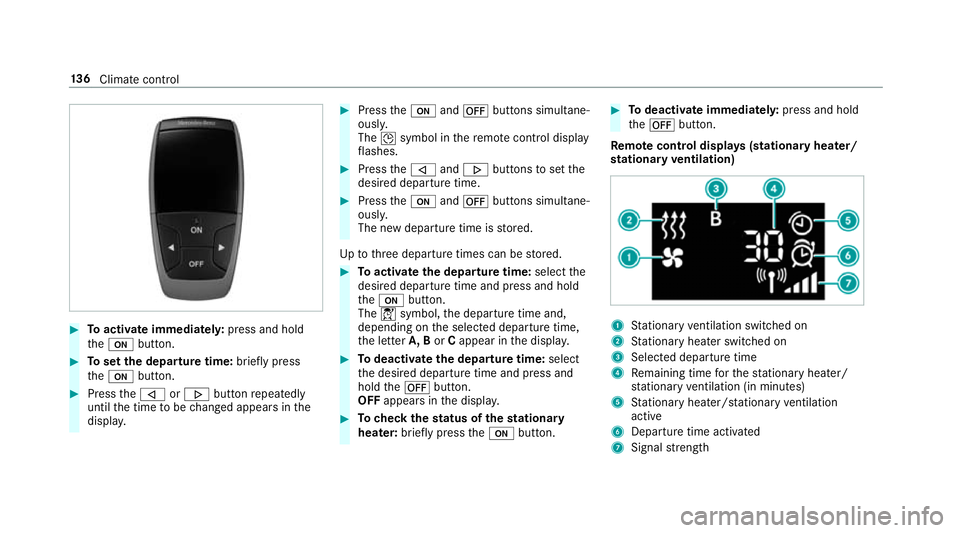
Toactivate immediatel y:press and hold
th eu button. #
Toset the departu retime: briefly press
th eu button. #
Press the, or. button repeatedly
until the time tobe changed appears in the
displa y. #
Press theu and^ buttons simultane‐
ousl y.
The Îsymbol in there mo tecontrol displ ay
fl ashes. #
Press the, and. buttons toset the
desired departure time. #
Press theu and^ buttons simultane‐
ousl y.
The new departure time is stored.
Up tothre e departure times can be stored. #
Toactivate the departu retime: select the
desired departure time and press and hold
th eu button.
The Ísymbol, the departure time and,
depending on the selected departure time,
th e letter A, BorCappear in the displa y. #
Todeactivate the departure time: select
th e desired departure time and press and
hold the^ button.
OFF appears in the displa y. #
Tocheck thest atus of thest ationary
heater: briefly press theu button. #
Todeactivate immediatel y:press and hold
th e^ button.
Re mo tecont rol displa ys(stationary heater/
st ationary ventilation) 1
Stationary ventilation switched on
2 Stationary heater swit ched on
3 Selected departure time
4 Remaining time forth est ationary heater/
st ationary ventilation (in minu tes)
5 Stationary heater/ stationary ventilation
acti ve
6 Departure time acti vated
7 Signal stre ngth 13 6
Climate cont rol
Page 164 of 541
#
Vehicles with manual transmission:
Engage firs t1 orreve rsege ar k. #
Vehicles with automatic transmission:
Engage transmission position j.#
Apply the electric parking brake. #
Press button 1once.
% When you swit choff theve hicle, you can still
opera tethe side windo wsand the panoramic
sliding sunroof forfive minutes. Garage door opener
Prog
ramming buttons for the garage door
opener &
WARNING Risk ofexhaust gas poisoning
Combustion engines emit poisonous exhaust
ga ses such as carbon monoxide. Inhaling
th ese exhaust gases causes poisoning. #
Never lea vethe engine running in an
enclosed space wi thout suf ficient venti‐
lation. &
WARNING Risk of inju ryand ent rapment
when opening thega rage door using the
ga rage door opener
When you operate or program thega rage
door with the integrated garage door opener,
persons in thera nge of mo vement of the
ga rage door can become trapped or stru ck
by thega rage door. #
When using the integrated garage door
opener, alw ays make sure that nobody
is within the sweep of thega rage door. Prior
toprog ramming a garage door opener, park
th eve hicle outside thega rage and swit choff the
engine. #
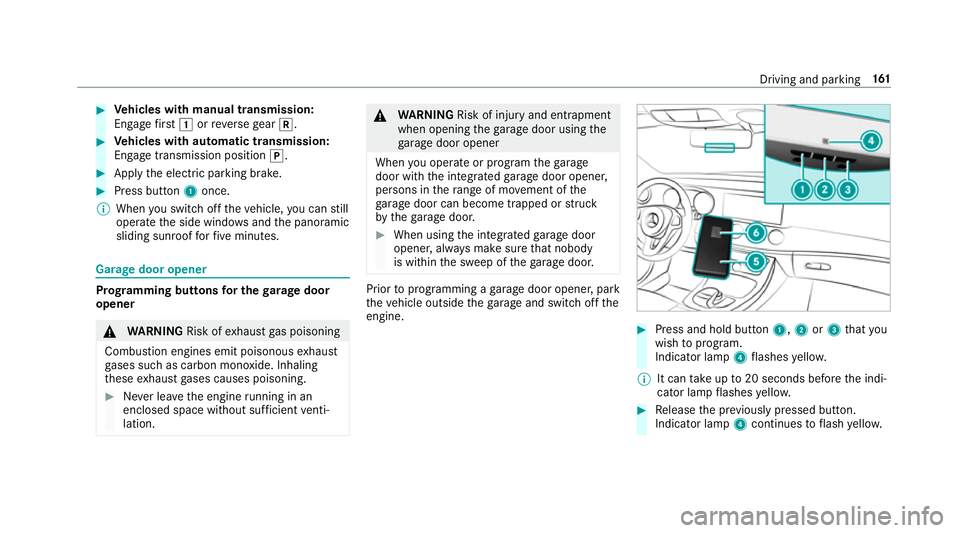
Press and hold button 1,2or3 that you
wish toprog ram.
Indicator lamp 4flashes yello w.
% It can take up to20 seconds before the indi‐
cator lamp flashes yello w. #
Release the pr eviously pressed button.
Indicator lamp 4continues toflash yello w. Driving and pa
rking 161
Page 165 of 541
#
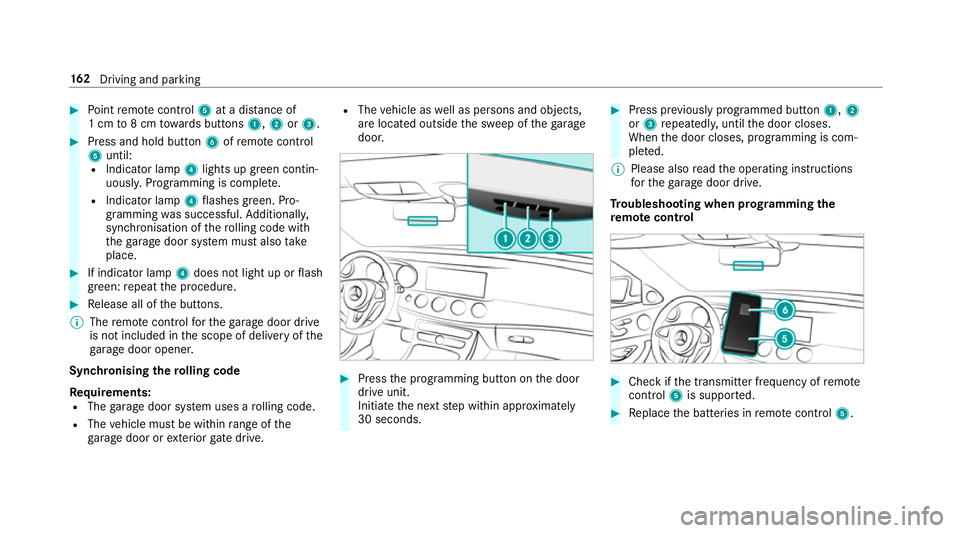
Point remo tecontrol 5at a di stance of
1 cm to8 cm towa rds buttons 1,2or3. #
Press and hold button 6ofremo tecontrol
5 until:
R Indicator la mp4lights up green contin‐
uousl y.Programming is comple te.
R Indicator lamp 4flashes green. Pro‐
gr amming was successful. Additionally,
synchronisation of thero lling code with
th ega rage door sy stem must also take
place. #
If indicator lamp 4does not light up or flash
green: repeat the procedure. #
Release all of the buttons.
% The remo tecontrol forth ega rage door drive
is not included in the scope of delivery of the
ga rage door opener.
Synchronising thero lling code
Re quirements:
R The garage door sy stem uses a rolling code.
R The vehicle must be within range of the
ga rage door or exterior gate drive. R
The vehicle as well as persons and objects,
are located outside the sweep of thega rage
door. #
Press the programming button on the door
drive unit.
Initiate the next step within appr oximately
30 seconds. #
Press pr eviously prog rammed button 1,2
or 3 repeatedl y,until the door closes.
When the door closes, programming is com‐
ple ted.
% Please also read the operating instructions
fo rth ega rage door drive.
Tr oubleshooting when prog ramming the
re mo tecont rol #
Check if the transmit ter frequency of remo te
control 5is suppo rted. #
Replace the batteries in remo tecontrol 5. 16 2
Driving and pa rking
Page 166 of 541
#
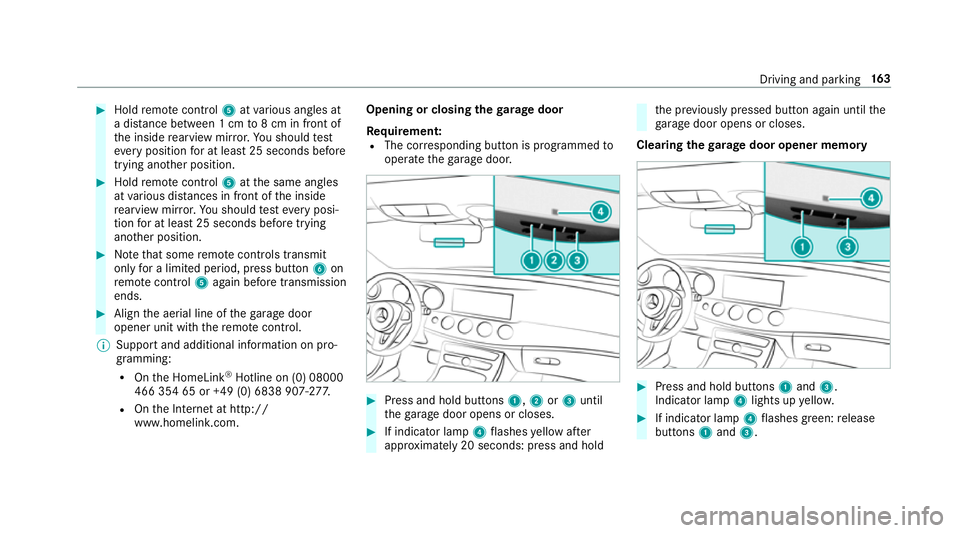
Hold remo tecontrol 5atvarious angles at
a dis tance between 1 cm to8 cm in front of
th e inside rearview mir ror.Yo u should test
eve ryposition for at least 25 seconds before
trying ano ther position. #
Hold remo tecontrol 5atthe same angles
at various dis tances in front of the inside
re arview mir ror.Yo u should test eve ryposi‐
tion for at least 25 seconds before trying
ano ther position. #
Notethat some remo tecontrols transmit
only for a limi ted period, press button 6on
re mo tecontrol 5again before transmission
ends. #
Align the aerial line of thega rage door
opener unit with there mo tecontrol.
% Support and additional information on pro‐
gramming:
R Onthe HomeLink ®
Hotline on (0) 08000
466 354 65 or +49 (0) 6838 907-2 77.
R Onthe Internet at http://
www.homelin k.com. Opening or closing the
garage door
Requ irement:
R The cor responding button is programmed to
operate thega rage door. #
Press and hold buttons 1,2or3 until
th ega rage door opens or closes. #
If indicator lamp 4flashes yellow af ter
appr oximately 20 seconds: press and hold th
e pr eviously pressed button again until the
ga rage door opens or closes.
Clearing thega rage door opener memo ry #
Press and hold buttons 1and 3.
Indicator lamp 4lights up yello w. #
If indicator lamp 4flashes green: release
buttons 1and 3. Driving and parking
16 3
Page 247 of 541
tions (dialled,
recei ved and missed calls) are dis‐
pla yed in theTelephone menu. #
Toselect thete lephone number: swipe
upwards or down wards on the left-hand
To uch Control. #
Press the left-hand Touch Control.
If th ere is only one telephone number
sa ve dto an entr y:thete lephone number is
selec ted. #
Ifth ere are multiple telephone numbers
sa ve dto an entr y:swipe upwards or down‐
wa rds on the left-hand Touch Control to
select the desired telephone number. #
Press the left-hand Touch Control.
The telephone number is dialled.
The following displa ysmay appear ins tead of the
te lephone numbers dialled:
R Please wait... :th e application is starting.
When a Blue tooth®
connection tothe mobile
phone is not es tablished, the menu for
authorising and connecting a mobile phone is
displa yed in the multimedia sy stem
(→ page 298). R
Updating data...: the call list is being upda‐
te d.
R Importing contacts... :th e conta cts from the
mobile phone or from a storage medium are
being impor ted.
Ac cepting/rejecting a call
When youre cei vea call, a message appears in
th e Head-up-Display Incoming call. #
Swipe upwards or down wards on the left-
hand Touch Control and select 6(Accept)
or ~ (Reject). #
Press the left-hand Touch Control.
The call may be accep ted/rejec ted using the
6 or~ buttons on thesteering wheel. Ad
justing the head-up display settings in the
on-board co mputer On-board computer:
, HUD
The following head-up display settings can be
adjus ted:
R Position R
Brightness
R Display content #
Toselect the setting: swipe upwards or
down wards on the left-hand Touch Control. #
Press the left-hand Touch Control. #
Toadjust theva lue: swipe upwards or
down wards on the left-hand Touch Control. #
Press the left-hand Touch Control. 244
Instrument Display and on-board computer
Page 504 of 541
Brake
forc e distribution
EBD (Elect ronic Brake forc e Distribu‐
tion) ..................................................... 174
Brakes ABS (Anti-lock Braking Sy stem) ........... 17 0
Ad aptive brake lights .......................... .180
BA S (Brake Assi stSystem) .................. 17 0
Driving tips .......................................... 14 4
EBD (Electronic Brake forc e Distribu‐
tion) ..................................................... 174
HOLD function .................................... .193
Limi ted braking ef fect (salt-trea ted
ro ads) .................................................. 14 4
New/replaced brake linings/brake
discs .................................................... 14 3
Ru nning-in no tes ..................................1 43
Brakes see Active Brake Assi st
Braking assistance see BAS (Brake Assi stSystem)
Breakdown ............................................... 369
Assis tance overview .............................. 16
To w- starting ........................................ 384
To wing away ........................................ 380 Tr
ansporting theve hicle ......................3 82
Wheel change ...................................... 401
Breakdown assistance call see Service call
Breakdown management see Service call
Bu rm ester ®
high-end 3D sur round
sound sy stem
Ad justing the balance/fader ............... 350
Ad justing the sound optimisation ........ 351
Ad justing treble, mid and bass ............ 350
Calling up the sound menu .................. 350
Information .......................................... 350
Setting the sound profile ..................... 351
Burmes ter®
sur round sound sy stem .....3 49
Ad justing the balance/fader ............... 350
Ad justing the sound focus ................... 350
Ad justing treble, mid and bass ............ 350
Calling up the sound menu .................. 349
Information .......................................... 349
Switching the sur round sound on/off
............................................................ .350
Buttons Steering wheel .................................... 235 C
CA module (TV) ........................................ 349
Calling up a menu ................................ 349
Inse rting .............................................. 348
Call list Making a call ...................................... .304
Options in the call list .......................... 304
Overview ............................................. 304
Calling up the sound menu
Burmes ter®
high-end 3D sur round
sound sy stem ...................................... 350
Burmes ter®
sur round sound sy stem ... 349
Calls ..........................................................3 00
Ac cepting ............................................ 300
Ac tivating functions du ring a call ......... 301
Calls wi thseveral participants ............ .301
Declining ............................................. 300
Ending a call ........................................ 300
Incoming call du ring an existing call .... 301
Making ................................................ 300
Vi ath eove rhead control panel
(Mercedes me connect) ....................... 314
Camera see 360° Camera Index
501
Page 516 of 541
G
Garage door opener Clearing the memory ........................... 16 3
Opening or closing thega rage door .....1 63
Programming buttons .......................... 161
Ra dio equipment appr oval number ...... 16 4
Re solving problems ............................. 16 2
Synchronising thero lling code ............ 16 2
Gearshift paddles see Steering wheel gearshift paddles
Gea rshift recommendation ............150, 15 3
Genuine parts ............................................ 20
Genuine wood (Care) .............................. 365
Glide mode .............................................. .154
Glo vebox
Air vent ................................................ 13 9
Locking/unlocking ...............................1 01
Gross mass ............................................... 41 0H
Handbrake see Electric parking brake Handling
characteristics (unusual) ....... 388
HANDS-FREE ACCESS ................................ 70
HANDS-FREE ACCESS
see Opening the boot lid using your foot
Hands-free sy stem .................................... 63
Hazard warning lights ............................ .116
HD prog rammes
see CAmodule (TV)
Head restra int .......................................... .89
Fr ont (adjusting manually) ..................... 89
Re ar (adjusting) .................................... .91
Head-up display Adjusting brightness (on-board com‐
pu ter) .................................................. 24 4
Ad justing display elements (on-board
compu ter) ............................................ 24 4
Fu nction .............................................. 24 5
Menu (on-board computer) .................. 24 4
Setting the position (on-board com‐
puter) .................................................. 24 4
Switching on/off ................................. 24 6
Using the memory function ...................98 Head-up display
see Menu (on-boa rdcompu ter)
Head-up display menu see On-board computer
Headlamp flashing ................................... 11 6
Heating see Climate control
High-pressure cleaner (care) ................. 360
Hill start assi st........................................ 19 3
HOLD function ......................................... 19 3
Ac tivating/deactivating ...................... .193
Fu nction/no tes ................................... 19 3 I
i-Size child seat attachment
Seats suitable for attaching ................... 53
i-Size child seat securing sy stem
Mounting .............................................. .44
Identification pla te
Engine ................................................. .410
Ve hicle .................................................4 10 Index
513
Page 522 of 541
Damage de
tection (pa rked vehicle) ...... 167
Locking theve hicle ................................ 63
St arting theve hicle .............................. 141
Un locking theve hicle ............................63
Wi reless charging ................................ .112
Mobile phone see Hands-free sy stem
see Locking/unlocking
see Telephone
Mobile phone voice recognition
St arting .............................................. .300
St opping ..............................................3 00
Model type ................................................ 41 0
MOExtended tyres .................................. 369
Mo torw ay mode ....................................... 11 8
MULTIBEAM LED see Intelligent Light Sy stem
Multifunction display (on-board com‐
puter) ........................................................ 237
Multifunction steering wheel
Overview of buttons ............................ 235
Multifunction steering wheel
see Steering wheel Multimedia sy
stem ........................ .258, 266
Ac tivating/deactivating standby
mode .................................................. .168
Ad justing thevo lume .......................... .264
Calling up lists and menus .................. .261
Central cont rol elements .................... .258
Configu ring displ aysettings ................2 66
Main functions ..................................... 261
Overview ............................................. 258
Re storing thefa ctory settings .............. 273
Switching the sound on/off ................2 63 N
Na vigation
Ac tivating ............................................ .274
Calling up the Digital Owner's Man‐
ual .......................................................2 96
Menu (on-boa rdcompu ter) .................. 241
Showing/hiding the menu ...................2 74
Up dating the map data ........................ 294
Vo ice commands (LINGU ATRO NIC) ...... 251
Na vigation
see Destination
see Destination entry
see Map see
Route
see Route guidance
see Traf fic information
Na vigation announcements ...................284
Ac tivating/deactivating ...................... .284
Ad justing thevo lume .......................... .285
Re peating ............................................ 285
Switching audio fadeout on/off .......... 285
Switching on/off during a phone call .. 284
Na vigation messages
On-board computer .............................. 241
Ne arField Communication (NFC) .......... 299
Connecting the mobile phone tothe
multimedia sy stem .............................. 299
St arting theve hicle (mobile phone) ..... 141
Switching Blu etoo th®
audio equip‐
ment .................................................... 338
Swit ching mobile phones .................... 299
Ne utral
Selecting ............................................. 15 2
NFC see Near Field Communication (NFC)
No ise
Wheels and tyres ................................ .388 Index
519
Page 530 of 541
St
ation list
Calling up ............................................ 340
St ation presets
Editing ................................................. 340
St ationary heater/ventilation
Displ ays (remo tecontrol) .................... 13 6
Problems (remo tecontrol) ................... 13 8
Setting (using the multimedia sys‐
te m) ..................................................... 13 5
Setting (via remo tecontrol) ................. 13 5
Switching on/off (via control panel) .... 13 4
ST EER CONT ROL
Fu nction/no tes .................................... 175
Ste ering Pilot .......................................... .190
Ac tive Emergency Stop Assist .............1 92
Ac tive Lane Change Assi st................... 191
Fu nction .............................................. 19 0
Switching on/off ................................. 191
Sy stem limits ....................................... 19 0
Ste ering wheel ........................................ 235
Ad justing (electrically) ........................... 96
Ad justing (manually) .............................. 95
Buttons ................................................ 235
St eering wheel heater ............................97 Using
the memory function ...................98
Ste ering wheel gearshift paddles ..........15 3
Ste ering wheel heater
Swit ching on/off .................................. .97
St opping the ala rm(ATA ).......................... 82
St ow age areas
see Laden
see Stow age compartment
St ow age comp artment........................... 100
Armrest ............................................... 100
Centre console .................................... 100
Door ................................................... .100
Glove box .............................................1 00
Spectacles compartment ..................... 101
St ow age comp artments
see Laden
see Stow age compartment
St ow age space under the boot floor .....1 04
Sulphur content ....................................... 413
Sun visor Operating ............................................. 127Sur
round lighting
Setting ................................................ .120
Sur round View
see 360° Camera
Suspension Damping characteristics ...................... 194
DY NA MIC BODY CONTROL .................. 194
Setting the suspension le vel ................ 19 6
Suspension see AIR BODY CONTROL
Suspension le vel
Setting ................................................. 19 6
Switch-off delay time Interior .................................................1 21
Switching the sur round sound on/off
Burmes ter®
sur round sound sy stem ... 350
Synchronisation function Activating/deactivating (control
panel) ................................................... 131
Ac tivating/deactivating (multimedia
sy stem) ................................................ 13 2
Sy stem settings
Language ............................................ .270 Index
527