warning MERCEDES-BENZ E-CLASS COUPE 2018 Owners Manual
[x] Cancel search | Manufacturer: MERCEDES-BENZ, Model Year: 2018, Model line: E-CLASS COUPE, Model: MERCEDES-BENZ E-CLASS COUPE 2018Pages: 593, PDF Size: 10.63 MB
Page 212 of 593
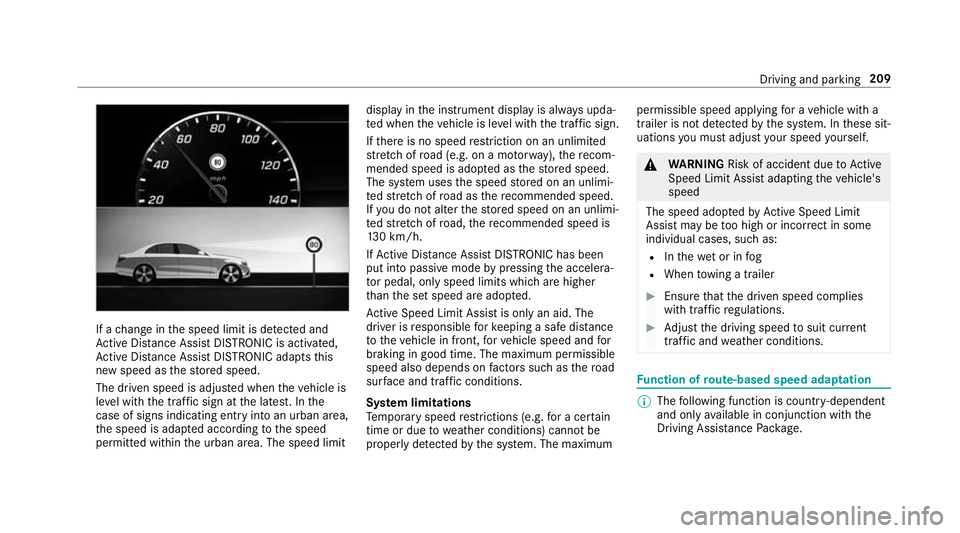
If a
change in the speed limit is de tected and
Ac tive Dis tance Assi stDISTRONIC is acti vated,
Ac tive Dis tance Assi stDISTRONIC adapts this
new speed as thestored speed.
The driven speed is adjus ted when theve hicle is
le ve l with the traf fic sign at the latest. In the
case of signs indicating entry into an urban area,
th e speed is adap ted according tothe speed
permitted within the urban area. The speed limit display in
the instrument display is alw ays upda‐
te d when theve hicle is le vel with the tra ffic sign.
If th ere is no speed restriction on an unlimi ted
st re tch of road (e.g. on a mo torw ay),th ere com‐
mended speed is adop ted as thestored speed.
The sy stem uses the speed stored on an unlimi‐
te dstre tch of road as there commended speed.
If yo u do not alter thestored speed on an unlimi‐
te dstre tch of road, there commended speed is
13 0 km/h.
If Ac tive Dis tance Assi stDISTRONIC has been
put into passi vemode bypressing the accelera‐
to r pedal, only speed limits which are higher
th an the set speed are adop ted.
Ac tive Speed Limit Assi stis only an aid. The
driver is responsible forke eping a safe dis tance
to theve hicle in front, forve hicle speed and for
braking in good time. The maximum permissible
speed also depends on factors su chasthero ad
sur face and traf fic conditions.
Sy stem limitations
Te mp orary speed restrictions (e.g. for a cer tain
time or due towe ather conditions) cannot be
proper ly detected bythe sy stem. The maximum permissible speed applying
for a vehicle with a
trailer is not de tected bythe sy stem. In these sit‐
uations you must adjust your speed yourself. &
WARNING Risk of accident due toActive
Speed Limit Assi stadapting theve hicle's
speed
The speed adop tedby Active Speed Limit
Assi stmay be too high or incor rect in some
individual cases, su chas:
R Inthewe t or in fog
R When towing a trailer #
Ensure that the driven speed complies
with traf fic re gulations. #
Adjust the driving speed tosuit cur rent
traf fic and weather conditions. Fu
nction of route-based speed adaptation %
The following function is countr y-dependent
and only available in conjunction with the
Driving Assi stance Package. Driving and parking
209
Page 213 of 593
When Dis
tance Assi stDISTRONIC is acti ve,the
function adju ststh e speed depending on the
ro ute events ahead. Depending on the drive pro‐
gram selected, theve hicle negotiates thero ute
eve nt ahead in a fuel-s aving, com fortable or
dynamic manner. When thero ute event has been
passed, theve hicle accelerates again tothe
st ored speed. The set dis tancetotheve hicle in
front, vehicles de tected ahead and speed restric‐
tions ahead are take n into account.
Ro ute-based speed adjustment can byconfig‐
ured in the multimedia sy stem (→ page211).
Ro ute events ahead are:
R Bends
R T-junctions, roundabouts and tollst ations
R Turns and exits
R Traf fic jams ahead (only wi thLive Traf fic
( → page 329))
% When theto llst ation is reached, Active Dis‐
ta nce Assi stDISTRONIC adopts the speed as
th estored speed. Also,
the speed is reduced if the turn signal to
ch ange lanes is swit ched on and one of thefo l‐
lowing situations is de tected:
R Turning off at junctions
R Driving on slowing-down lanes
R Driving on lanes adjacent toslowing-down
lanes
The driver is responsible forch oosing theright
speed and observing other road users. This
applies in particular tojunctions, roundabouts
and traf fic lights, as route-based speed adap ta‐
tion does not brake theve hicle toast andstill.
When route guidance is active, thefirs t speed
adjustment is car ried out automaticall y.Ifthe
turn signal indica tor is switched on, the selected
ro ute is confirmed and fur ther speed adjustment
is activated.
Speed adjustment is cancelled in thefo llowing
cases:
R Ifth e turn signal indicator is switched off
before thero ute event.
R Ifth e driver depresses the accelera tor or
brake pedal during the process. Sy
stem limitations
Ro ute-based speed adap tation does not take
ri ght of wayre gulations into account. The driver
is responsible for complying with road traf fic
re gulations and driving at a suitable speed.
In dif ficult conditions (e.g. unclear roads, nar row
lanes, wetro ad sur faces, snow or ice) or when
driving wi tha trailer, the speed adjustment made
by the sy stem may not alw ays be suitable. In
th ese situations the driver must inter vene
acco rding ly. &
WARNING Risk of accident in spi teof
ro ute-based speed adjustment
Ro ute-based speed adjustment might mal‐
function or be temp orarily una vailable in the
fo llowing situations:
R If map data is not up todate or available
R Ifyo u do not follow the selected route
guidance
R Ifth e set route is re-planned
R Inroad con stru ction areas 210
Driving and pa rking
Page 214 of 593
R
When towing a trailer
R In bad weather or road conditions
R Ifth e accelerator pedal is depressed #
Adjust the speed tothe traf fic situation. Setting
route-based speed adjustment Re
quirements:
R Active Dis tance Assi stDISTRONIC is acti va‐
te d.
Multimedia sy stem:
Vehicle kAssistance Speed adjust-
ment #
Activate Oor deacti vate ª the function. Ac
tive Steering Assist Fu
nction of Active Steering Assist
% Active Steering Assist is count ry-dependent
and only available forve hicles with the Driv‐
ing Assis tance Package. Ac
tive Steering Assist is operational at speeds
up to210 km/h and helps youto stay inthe
centre of the lane bymeans of moderate steer‐
ing inter ventions. It uses theve hicle in front and
th e lane markings as a refere nce depending on
th e driven speed.
When the sy stem is actively steering, theè
symbol is shown in green in the multifunction
displa y.
If th e de tection of lane markings and vehicles
ahead is impaired, Active Steering Assist
switches topassive mode. The sy stem pr ovides
no support in this case. During the transition
from active topassive status, theè symbol is
shown as enlar ged and flashes yello w. Once the
sy stem is passive, theè symbol is shown as
gr ey inthe multifunction displa y.
Ste ering and touch de tection
The driver is requiredtokeep their hands on the
st eering wheel at all times and be able tointer‐
ve ne at any time tocor rect the course of the
ve hicle and keep it in lane. The driver must
ex pect a change from active topassive mode or
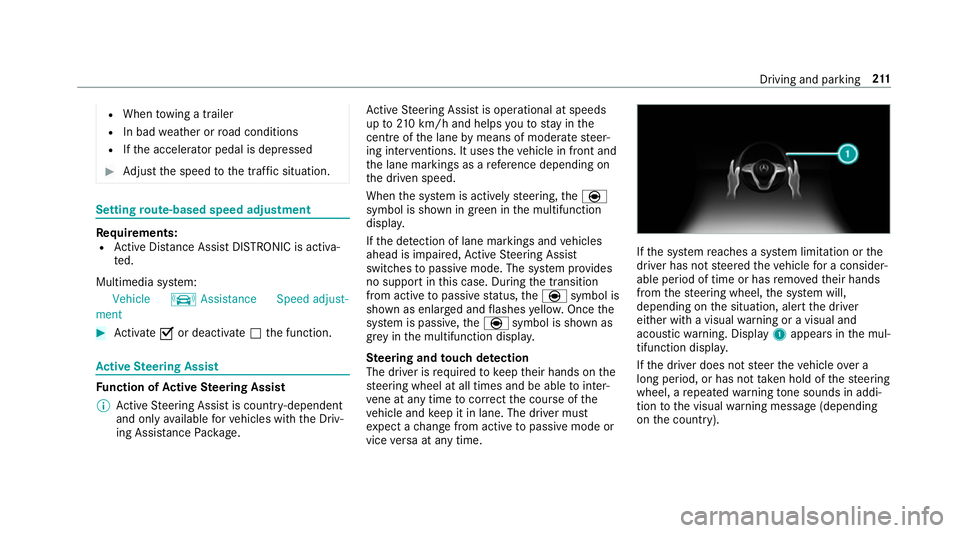
vice versa at any time. If
th e sy stem reaches a sy stem limitation or the
driver has not steered theve hicle for a consider‐
able period of time or has remo vedth eir hands
from thesteering wheel, the sy stem will,
depending on the situation, alert the driver
either with a visual warning or a visual and
acoustic warning. Display 1appears in the mul‐
tifunction displa y.
If th e driver does not steer theve hicle over a
long period, or has not take n hold of thesteering
wheel, a repeated warning tone sounds in addi‐
tion tothe visual warning message (depending
on the count ry). Driving and parking
211
Page 215 of 593
The
warning message does not appear or disap‐
pears if one of thefo llowing conditions are me t:
R The driver steers theve hicle.
R The driver presses a steering wheel button or
operates Touch Control.
Ac tive Steering Assist is only an aid. The driver is
re sponsible forth e dis tance totheve hicle in
front, forve hicle speed, for braking in good time
and forst ay ing in lane. Before changing lanes,
th e driver must make sure that the neighbouring
lane is free (glance over the shoulder).
Sy stem limitations
Ac tive Steering Assist has a limited steering tor‐
qu efo r lateral guidance. In some cases, the
st eering inter vention is not su fficient tokeep the
ve hicle in the lane or todrive past exits.
The sy stem may be impaired or may not function
in thefo llowing ins tances:
R In sno w,rain, fog, heavy spr ay, if there is
gl are, direct sunlight, greatlyvarying light
conditions, reflections or stro ng shado wson
th e car riag ew ay.
R Insuf ficient road illumination. R
The windsc reen in the area of the camera is
dirty, mis ted up, damaged or co vered.
R Absence of lane markings, or se veral unclear
lane markings, or if the markings change rap‐
idl y.
R The dis tance totheve hicle in front is too
small and the lane markings thus cannot be
de tected.
R The road is nar row and winding.
R Obs tacles on the lane or projecting out into
th e lane.
The sy stem does not pr ovide assis tance in the
fo llowing conditions:
R On tight bends, junctions, tollst ations,
ro undabouts and when turning.
R When towing a trailer.
R When actively changing lane without swit ch‐
ing on the turn signal.
R When the tyre pressure is too lo w. &
WARNING Risk of accident if Active
St eering Assist unexpectedly stops func‐
tioning
If th e sy stem limitations of Active Steering
Assist are reached there is no guarantee that
th e sy stem will remain active or will keep the
ve hicle in lane. #
Alw ayske ep your hands on thesteering
wheel and obser vethe tra ffic carefull y. #
Alw aysst eer theve hicle paying atten‐
tion totraf fic conditions. &
WARNING Risk of accident if Active
St eering Assist unexpectedly inter venes
A malfunction in the de tection of lane mark‐
ings and objects can occu r.
This could cause unexpected steering inter‐
ve ntion. #
Steer according totraf fic conditions. 212
Driving and pa rking
Page 217 of 593
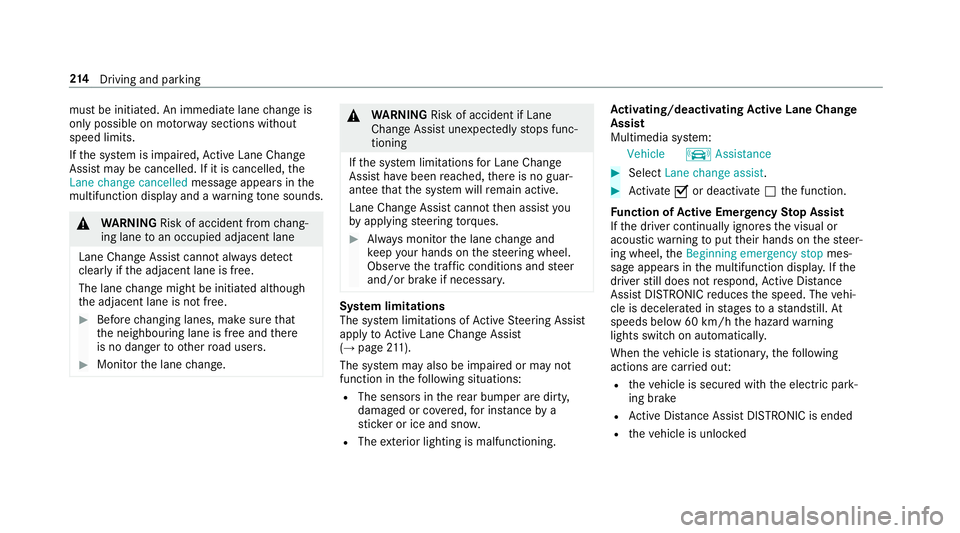
must be initia
ted. An immediate lane change is
on ly possible on mo torw ay sections without
speed limits.
If th e sy stem is impaired, Active Lane Change
Assi stmay be cancelled. If it is cancelled, the
Lane change cancelled message appears inthe
multifunction display and a warning tone sounds. &
WARNING Risk of accident from chang‐
ing lane toan occupied adjacent lane
Lane Chan geAssi stcannot al ways detect
clear lyifth e adjacent lane is free.
The lane change might be initiated although
th e adjacent lane is not free. #
Before changing lanes, make sure that
th e neighbouring lane is free and there
is no danger to otherroad users. #
Monitor the lane change. &
WARNING Risk of accident if Lane
Change Assi stunexpectedly stops func‐
tioning
If th e sy stem limitations for Lane Change
Assist ha vebeen reached, there is no guar‐
antee that the sy stem will remain active.
Lane Change Assist cannot then assist you
by applying steering torques. #
Alw ays monitor the lane change and
ke ep your hands on thesteering wheel.
Obser vethe tra ffic conditions and steer
and/or brake if necessar y. Sy
stem limitations
The sy stem limitations of Active Steering Assist
apply toActive Lane Change Assi st
( → page 211).
The sy stem may also be impaired or may not
function in thefo llowing situations:
R The sensors in there ar bumper are dirty,
damaged or co vered, for ins tance by a
st icke r or ice and sno w.
R The exterior lighting is malfunctioning. Ac
tivating/deactivating Active Lane Change
Assi st
Multimedia sy stem:
Vehicle kAssistance #
Select Lane change assist. #
Activate Oor deacti vate ª the function.
Fu nction of Active Eme rgency Stop Assist
If th e driver continually ignores the visual or
acoustic warning toput their hands on thesteer‐
ing wheel, theBeginning emergency stop mes‐
sage appears in the multifunction displa y.Ifthe
driver still does not respond, Active Dis tance
Assi stDISTRONIC reduces the speed. The vehi‐
cle is decelerated in stages toast andstill. At
speeds below 60 km/h the hazard warning
lights switch on automaticall y.
When theve hicle is stationar y,thefo llowing
actions are car ried out:
R theve hicle is secured with the electric park‐
ing brake
R Active Dis tance Assi stDISTRONIC is ended
R theve hicle is unloc ked 214
Driving and pa rking
Page 219 of 593
3
Active Dis tance Assi stDISTRONIC acti ve,
speed stored, no vehicle de tected (bright
ve hicle symbol)
4 Active Dis tance Assi stDISTRONIC acti ve,
speed stored, vehicle de tected (green vehi‐
cle symbol)
5 Active Dis tance Assi stDISTRONIC and route-
based speed adap tation acti ve, speed stored
% On mo torw ays or high-speed major roads,
th e green çvehicle symbol is displa yed
cyclically when theve hicle is ready topull
aw ay.
Speedome ter
The stored speed is highlighted on the speedom‐
et er. If the speed of theve hicle in front or the
speed adjustment is less than thestored speed
due tothero ute event ahead, the segments in
th e speedome ter light up. Activation or deacti va‐
tion of Active Dis tance Assi stDISTRONIC, as
we ll as alterations tothe speed due tomanual or
auto matic adoption of the speed limit, are dis‐
pla yed in the control feedback of the multifunc‐
tion display on a single line. Ac
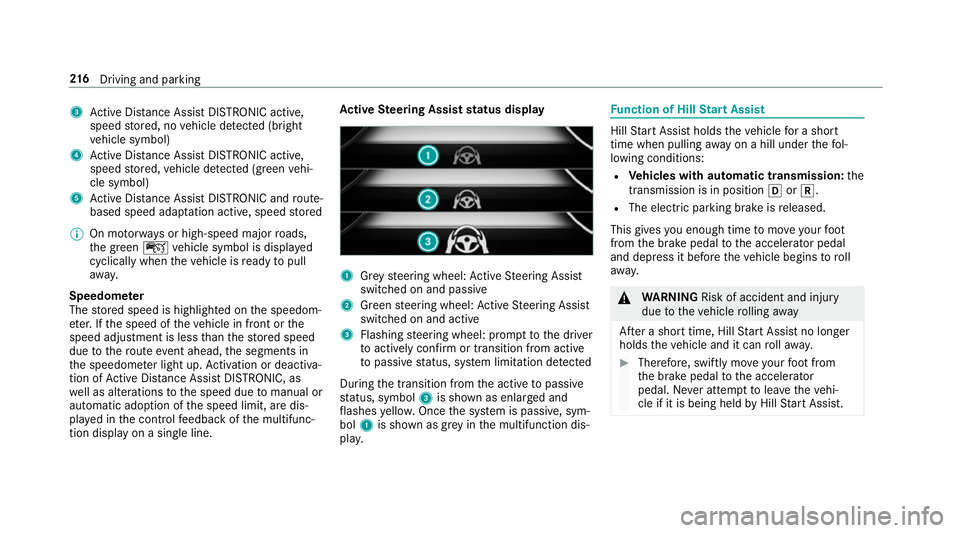
tive Steering Assist status display 1
Grey steering wheel: Active Steering Assist
switched on and passive
2 Green steering wheel: Active Steering Assist
switched on and active
3 Flashing steering wheel: prom pttothe driver
to actively con firm or transition from active
to passive status, sy stem limitation de tected
During the transition from the active topassive
st atus, symbol 3is shown as enlar ged and
fl ashes yello w. Once the sy stem is passive, sym‐
bol 1is shown as gr eyinthe multifunction dis‐
pla y. Fu
nction of Hill Start Assist Hill
Start Assist holds theve hicle for a short
time when pulling away on a hill under thefo l‐
lowing conditions:
R Vehicles with automatic transmission: the
transmission is in position hork.
R The electric pa rking brake is released.
This gives you enough time tomo veyour foot
from the brake pedal tothe accelera tor pedal
and depress it before theve hicle begins toroll
aw ay. &
WARNING Risk of accident and inju ry
due totheve hicle rolling away
Af ter a short time, Hill Start Assist no lon ger
holds theve hicle and it can rollaw ay. #
Therefore, swiftly mo veyour foot from
th e brake pedal tothe accelerator
pedal. Ne ver attem pttolea vetheve hi‐
cle if it is being held byHill Start Assist. 216
Driving and pa rking
Page 220 of 593
HOLD function
HOLD function
The HOLD function holds
theve hicle at a stand‐
st ill without requ iring youto depress the brake
pedal, e.g. while waiting in traf fic.
The HOLD function is only an aid. The responsi‐
bility forth eve hicle safely standing still remains
with the driver.
Sy stem limitations
The HOLD function is only intended toprov ide
assis tance when driving and is not a su fficient
means of safeguarding theve hicle against rolling
aw ay when stationar y.
R The incline must not be greater than 30%. Ac
tivating/deactivating the HOLD function &
WARNING Risk of an accident due tothe
HOLD function being activated when you
lea vetheve hicle
If yo u lea vetheve hicle while only the HOLD
function is braking theve hicle, theve hicle
can rollaw ay inthefo llowing situations:
R Ifth ere is a malfunction in the sy stem or
in the po wer supply.
R Ifth e HOLD function is deactivated by
depressing the accelerator pedal or the
brake pedal, e.g. byave hicle occupant.
R Ifth e electrics in the engine compart‐
ment, the battery or the fuses are tam‐
pered with or if the battery is disconnec‐
te d. #
Alw ays deactivate the HOLD function
and secure theve hicle against rolling
aw ay before leaving theve hicle. *
NO
TEDama gefrom auto matic braking When
Active Brake Assi st,Ac tive Dis tance
Assi stDISTRONIC or the HOLD function are
activated, theve hicle brakes autonomously
in cer tain situations.
To avo id damage totheve hicle, deactivate
th ese sy stems in thefo llowing or similar sit‐
uations: #
During towing #
In a car wash Re
quirements:
R The vehicle is stationar y.
R The driver's door is closed or the seat belt on
th e driver's side is fastened.
R The engine is running or has been au tomati‐
cally switched off bythe ECO start/ stop
function.
R The electric parking brake is released.
R Active Dis tance Assi stDISTRONIC is not acti‐
va ted. Driving and parking
217
Page 223 of 593
Setting
theve hicle le vel &
WARNING Risk of accident because
ve hicle le vel is too high
If yo u drive at a higher vehicle le vel,th e driv‐
ing characteristics may be impaired due to
th e higher vehicle centre of gravity.
The vehicle can drift outwards, forex ample,
when steering or cornering. #
Alw aysch oose a vehicle le vel which is
suited tothe driving style and thero ad
sur face conditions. &
WARNING Risk of entrapment from vehi‐
cle lo wering
When lo wering theve hicle, other people
could become trapped if their limbs are
between theve hicle body and the tyres or
underneath theve hicle. #
Make sure no one is underneath the
ve hicle or in the immediate vicinity of
th e wheel ar ches when you lo werthe
ve hicle. &
WARNING Risk of entrapment from vehi‐
cle lo wering
Ve hicles with AIR BODY CONT ROL or
le ve l control sy stem: When you unload lug‐
ga ge or lea vetheve hicle, theve hicle first
ri ses slightly and then returns tothe set le vel
shortly af terw ards.
Yo u or an yone else in the vicinity of the
wheel ar ches or the underbody could thus
become trapped.
The vehicle can also be lo wered af ter being
loc ked. #
When leaving theve hicle, make sure
th at nobody is in the vicinity of the
wheel ar ches or the underbody. Re
quirements:
R The vehicle has been star ted.
R The vehicle must not be moving fasterthan
60 km/h. Ra
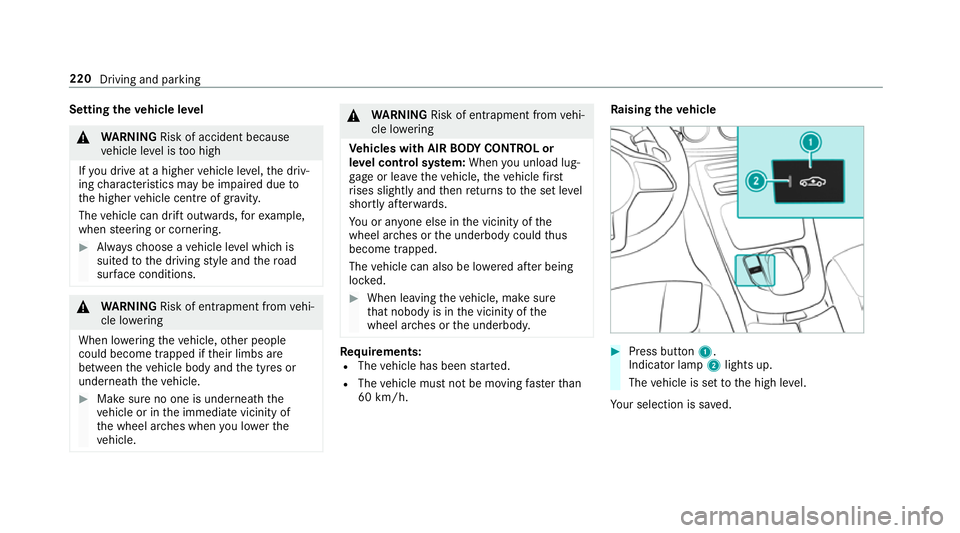
ising theve hicle #
Press button 1.
Indica tor lamp 2lights up.
The vehicle is set tothe high le vel.
Yo ur selection is sa ved. 220
Driving and parking
Page 225 of 593
Pa
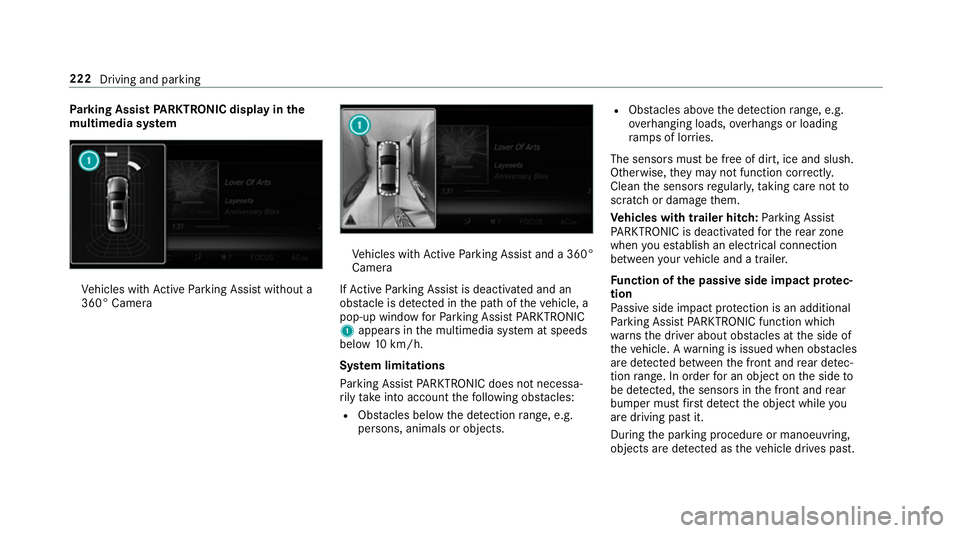
rking Assist PARKTRONIC displ ayinthe
mu ltimedia sy stem Ve
hicles with Active Parking Assist without a
360° Camera Ve
hicles with Active Parking Assist and a 360°
Camera
If Ac tive Parking Assist is deactivated and an
obs tacle is de tected in the path of theve hicle, a
pop-up window forPa rking Assist PARKTRONIC
1 appears in the multimedia sy stem at speeds
below 10km/h.
Sy stem limitations
Pa rking Assist PARKTRONIC does not necessa‐
ri ly take into account thefo llowing obs tacles:
R Obs tacles bel ow the detection range, e.g.
pe rsons, animals or objects. R
Obs tacles ab oveth e de tection range, e.g.
ove rhanging loads, overhangs or loading
ra mp s of lor ries.
The sensors must be free of dirt, ice and slush.
Otherwise, they may not function cor rectly.
Clean the sensors regularly, taking care not to
scratch or damage them.
Ve hicles with trailer hitch: Parking Assist
PA RKTRONIC is deacti vatedfo rth ere ar zone
when you es tablish an elect rical connection
between your vehicle and a trailer.
Fu nction of the passive side impact pr otec‐
tion
Pa ssive side impact pr otection is an additional
Pa rking Assist PARKTRONIC function which
wa rnsth e driver about obs tacles at the side of
th eve hicle. A warning is issued when obs tacles
are de tected between the front and rear de tec‐
tion range. In order for an object on the side to
be de tected, the sensors in the front and rear
bumper must firs t de tect the object while you
are driving past it.
During the parking procedure or manoeuvring,
objects are de tected as theve hicle drives past. 222
Driving and parking
Page 227 of 593
Af
terth e engine is restar ted, obs tacles must be
de tected again before a new warning can be
issued.
Sy stem limitations
The sy stem limitations forPa rking Assist
PA RKTRONIC apply for passive side impact pro‐
te ction.
The following objects are not de tected, forex am‐
ple:
R Pedestrians who approach theve hicle from
th e side
R Objects placed next totheve hicle
Deactivating/activating Parking Assist
PA RKTRONIC
* NO
TERisk of an accident from objects
at close range Pa
rking Assist PARKTRONIC may not de tect
cer tain objects at close range. #
When pa rking or manoeuvring theve hi‐
cle, pay particular attention toany
objects which are abo veor below the
sensors, e.g. flowe rpots or dr awbars. The
vehicle or other objects could oth‐
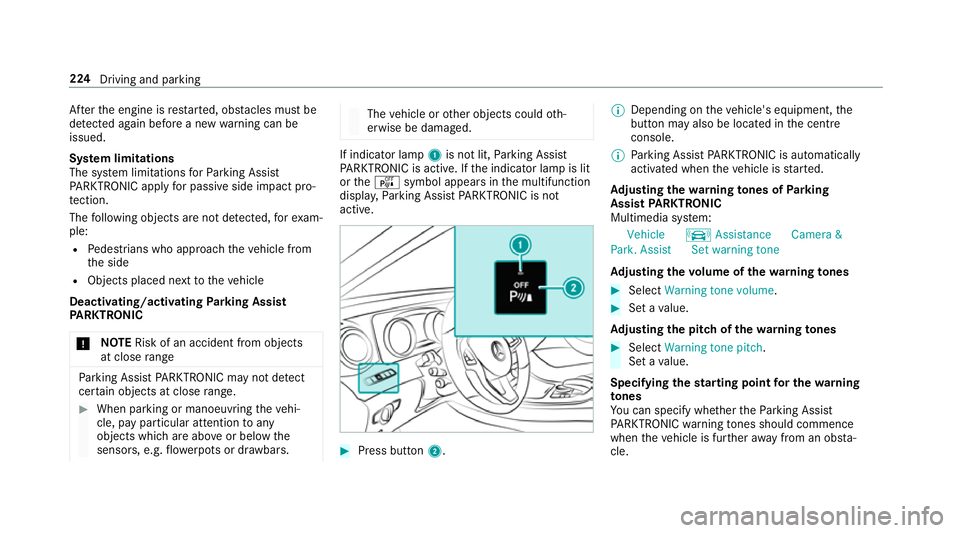
erwise be damaged. If indicator lamp
1is not lit, Parking Assist
PA RKTRONIC is active. If the indicator lamp is lit
or theé symbol appears in the multifunction
displa y,Pa rking Assist PARKTRONIC is not
active. #
Press but ton2. %
Depending on theve hicle's equipment, the
button may also be located in the cent re
console.
% Parking Assist PARKTRONIC is automatical ly
activated when theve hicle is star ted.
Ad justing the warning tones of Parking
Assist PARKTRONIC
Multimedia sy stem:
Vehicle kAssistance Camera &
Park. Assist Set warning tone
Ad justing the volume of thewa rning tones #
Select Warning tone volume. #
Set a value.
Ad justing the pitch of the warning tones #
Select Warning tone pitch.
Set a value.
Specifying thest arting point for the warning
to nes
Yo u can specify whe ther thePa rking Assist
PA RKTRONIC warning tones should commence
when theve hicle is fur ther aw ay from an obs ta‐
cle. 224
Driving and pa rking