trailer MERCEDES-BENZ E-CLASS COUPE 2018 Service Manual
[x] Cancel search | Manufacturer: MERCEDES-BENZ, Model Year: 2018, Model line: E-CLASS COUPE, Model: MERCEDES-BENZ E-CLASS COUPE 2018Pages: 593, PDF Size: 10.63 MB
Page 500 of 593
Display messages
Possible causes/consequences and M
MSolutions #
Clean the windscreen.
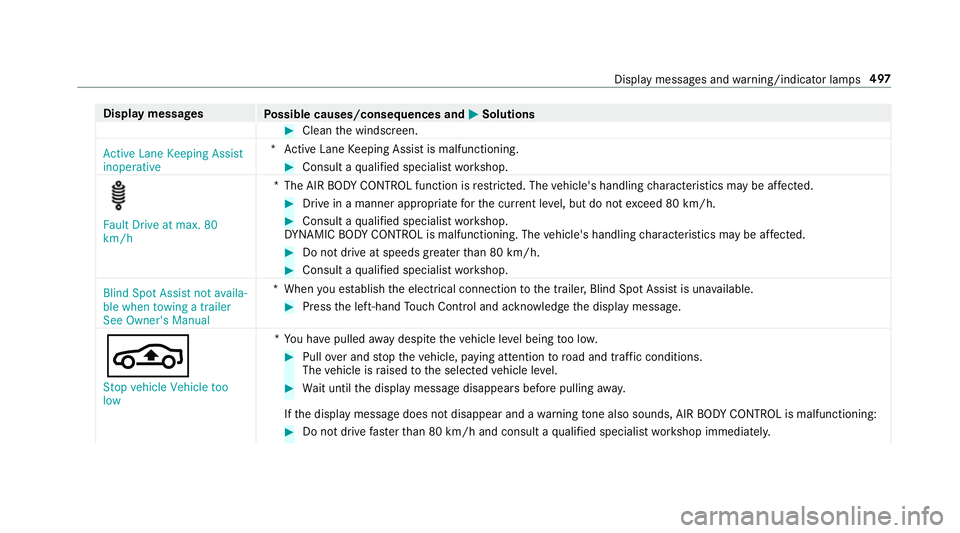
Active Lane Keeping Assist
inoperative *A
ctive Lane Keeping Assist is malfunctioning. #
Consult a qualified specialist workshop. Fault Drive at max. 80
km/h
*T
he AIR BODY CONTROL function is restricted. The vehicle's handling characteristics may be af fected. #
Drive in a manner appropria teforth e cur rent le vel, but do not exceed 80 km/h. #
Consult a qualified specialist workshop.
DY NA MIC BODY CONT ROL is malfunctioning. The vehicle's handling characteristics may be af fected. #
Do not drive at speeds grea terth an 80 km/h. #
Consult a qualified specialist workshop.
Blind Spot Assist not availa-
ble when towing a trailer
See Owner's Manual *W
hen you es tablish the electrical connection tothe trailer, Blind Spot Assist is una vailable. #
Press the left-hand Touch Control and ackn owledge the display message.
É Stop vehicle Vehicle too
low *Y
ou ha vepulled away despite theve hicle le vel being too lo w. #
Pull over and stop theve hicle, paying attention toroad and traf fic conditions.
The vehicle is raised tothe selected vehicle le vel. #
Wait until the display message disappears before pulling away.
If th e display message does not disappear and a warning tone also sounds, AIR BODY CONTROL is malfunctioning: #
Do not drive fasterthan 80 km/h and consult a qualified specialist workshop immediatel y. Displ
aymessa ges and warning/indicator lamps 497
Page 524 of 593
Display messages
Possible causes/consequences and M
MSolutions
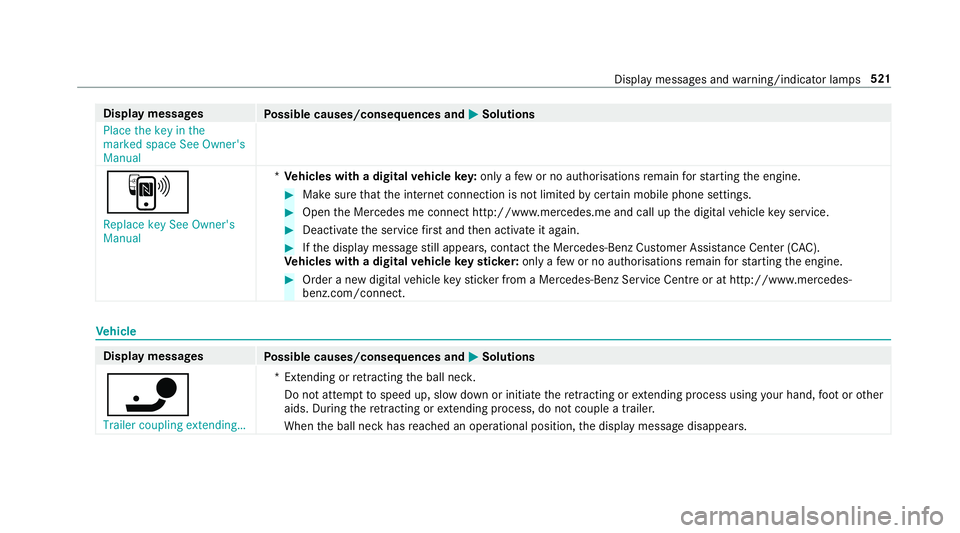
Place the key in the
marked space See Owner's
Manual
À
Replace key See Owner's
Manual *
Ve hicles with a digital vehicle key:only a few or no authorisations remain forst arting the engine. #
Make sure that the internet connection is not limited bycer tain mobile phone settings. #
Open the Mercedes me connect http://www.mercedes.me and call up the digital vehicle key service. #
Deactivate the service firs t and then activate it again. #
Ifth e display message still appears, con tact the Mercedes-Benz Cus tomer Assis tance Center (C AC).
Ve hicles with a digital vehicle keyst icke r:on lyafe w or no authorisations remain forst arting the engine. #
Order a new digital vehicle keyst icke r from a Mercedes-Benz Service Centre or at http://www.mercedes-
benz.com/connect. Ve
hicle Display messages
Possible causes/consequences and M MSolutions
ï Trailer coupling extending… *E
xtending or retracting the ball nec k.
Do not attem pttospeed up, slow down or initiate there tracting or extending process using your hand, foot or other
aids. During there tracting or extending process, do not couple a traile r.
When the ball neck has reached an operational position, the display message disappears. Display messages and
warning/indicator lamps 521
Page 528 of 593
Display messages
Possible causes/consequences and M
MSolutions #
Never drive with the boot lid open. #
Close the boot lid.
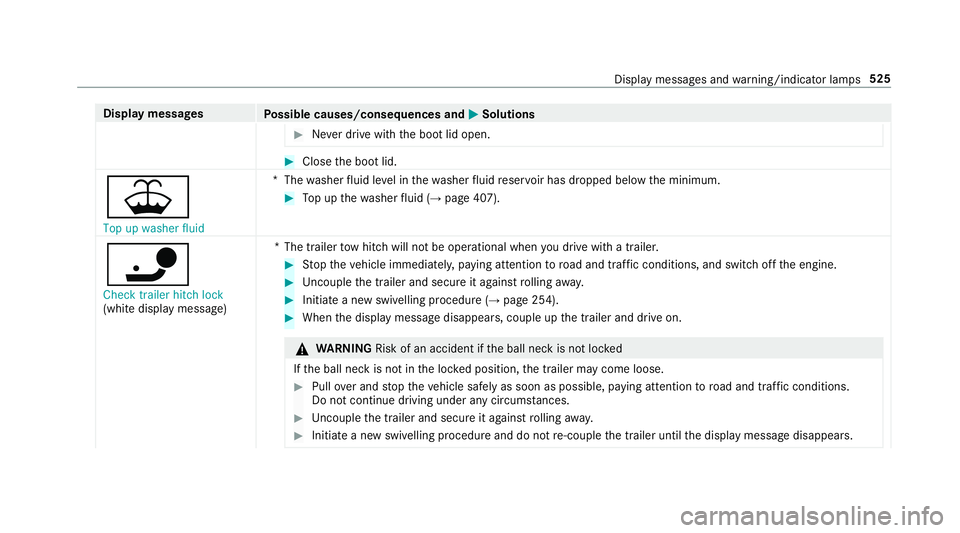
¥ Top up washer fluid *T
hewasher fluid le vel in thewa sher fluid reser voir has dropped below the minimum. #
Top up thewa sher fluid (→ page 407).
ï
Check trailer hitch lock
(white displ aymessa ge) *T
he trailer tow hit chwill not be operational when you drive with a trailer. #
Stop theve hicle immediately, paying attention toroad and traf fic conditions, and switch off the engine. #
Uncouple the trailer and secure it against rolling away. #
Initiate a new swivelling procedure (→ page 254). #
When the display message disappears, couple up the trailer and drive on. &
WARNING Risk of an accident if the ball neck is not loc ked
If th e ball neck is not in the loc ked position, the trailer may come loose. #
Pull over and stop theve hicle safely as soon as possible, paying attention toroad and traf fic conditions.
Do not continue driving under any circums tances. #
Uncouple the trailer and secure it against rolling away. #
Initiate a new swivelling procedure and do not re-couple the trailer until the display message disappears. Display messages and
warning/indicator lamps 525
Page 529 of 593
Display messages
Possible causes/consequences and M
MSolutions
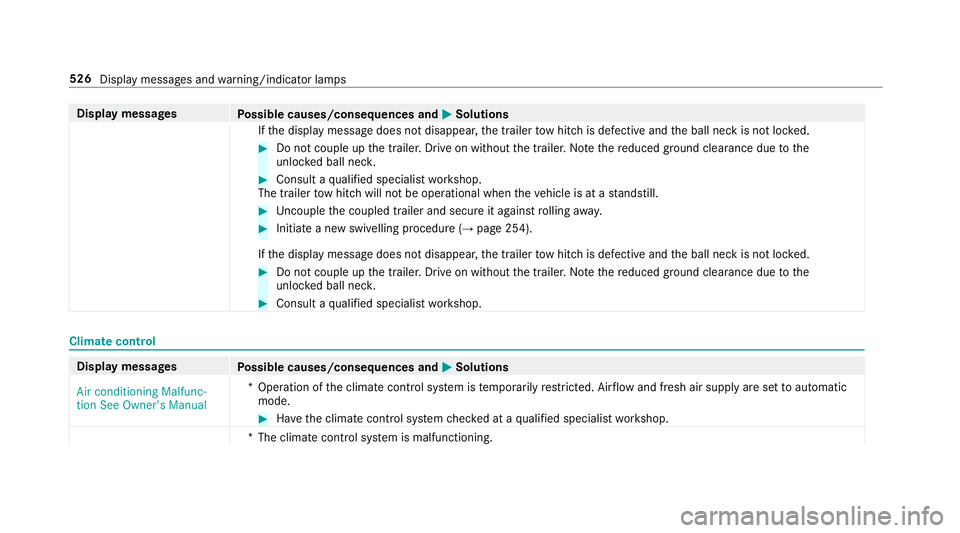
If th e display message does not disappear, the trailer tow hit chis defective and the ball neck is not loc ked. #
Do not couple up the trailer. Drive on without the trailer. No tethere duced ground clearance due tothe
unlo cked ball nec k. #
Consult a qualified specialist workshop.
The trailer tow hit chwill not be operational when theve hicle is at a standstill. #
Uncouple the coupled trailer and secure it against rolling away. #
Initiate a new swivelling procedure (→ page 254).
If th e display message does not disappear, the trailer tow hit chis defective and the ball neck is not loc ked. #
Do not couple up the trailer. Drive on without the trailer. No tethere duced ground clearance due tothe
unlo cked ball nec k. #
Consult a qualified specialist workshop. Climate control
Display messages
Possible causes/consequences and M
MSolutions
Air conditioning Malfunc-
tion See Owner's Manual *O
peration of the climate control sy stem is temp orarily restricted. Air flow and fresh air supply are set toautomatic
mode. #
Have the climate control sy stem checked at a qualified specialist workshop.
*T he climate contro l system is malfunctioning. 526
Display messages and warning/indicator lamps
Page 532 of 593
Display messages
Possible causes/consequences and M
MSolutions
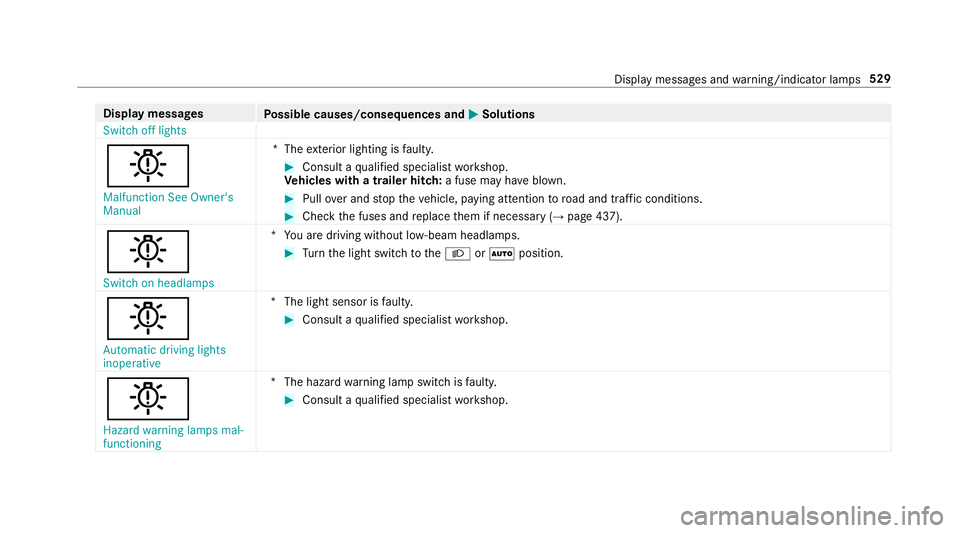
Switch off lights
b
Malfunction See Owner's
Manual *T
heexterior lighting is faulty. #
Consult a qualified specialist workshop.
Ve hicles with a trailer hitch: a fuse may haveblown. #
Pull over and stop theve hicle, paying attention toroad and traf fic conditions. #
Check the fuses and replace them if necessary (→ page 437).
b
Switch on headlamps *Y
ou are driving without lo w-beam headlamps. #
Turn the light switch totheL orà position.
b
Automatic driving lights
inoperative *T
he light sensor is faulty. #
Consult a qualified specialist workshop.
b Hazard warning lamps mal-
functioning *T
he hazard warning lamp switch is faulty. #
Consult a qualified specialist workshop. Display messages and
warning/indicator lamps 529
Page 547 of 593
Wa
rning/indicator lamp
Possible causes/consequences and M
MSolutions
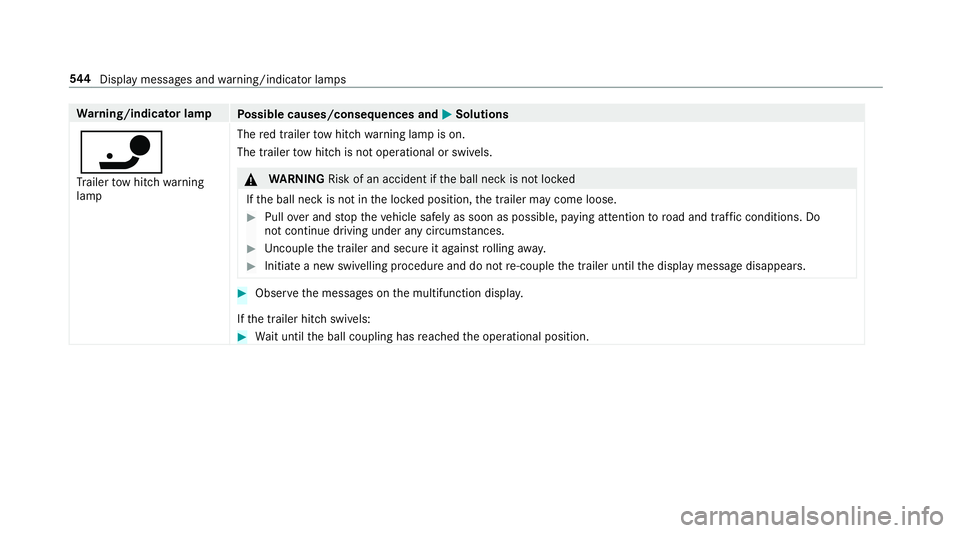
ï Tr ailer tow hit chwarning
lamp The
red trailer tow hit chwarning lamp is on.
The trailer tow hit chis not operational or swivels. &
WARNING Risk of an accident if the ball neck is not loc ked
If th e ball neck is not in the loc ked position, the trailer may come loose. #
Pull over and stop theve hicle safely as soon as possible, paying attention toroad and traf fic conditions. Do
not continue driving under any circums tances. #
Uncouple the trailer and secure it against rolling away. #
Initiate a new swivelling procedure and do not re-couple the trailer until the display message disappears. #
Obser vethe messages on the multifunction displa y.
If th e trailer hitch swivels: #
Wait until the ball coupling has reached the operational position. 544
Displaymessa ges and warning/indicator lamps
Page 558 of 593
DIRECT SELECT le
ver............................... 171
Engaging drive position ........................ 172
Engaging neutral .................................. 172
Engaging pa rkposition ........................ 172
Engaging pa rkposition automatically .. 172
Engaging reve rsege ar ........................ .172
Fu nction ............................................... 171
Display Care .................................................... .416
Display (multimedia sy stem)
Settings .............................................. .298
Display (on-board comp uter)
Displ ays on the multifunction display .. 264
Display content Setting the additional value range ....... 263
Displ aymessage ...................................... 478
Calling up (on-board co mputer) .......... .478
No tes ................................................... 478
Display messages ¯ - - - km/h .................................. .500
ç - - - km/h ................................... 499
È - - - km/h ................................... 500 #12
V battery See Owner's Man‐
ual ....................................................... 504
#48 V battery See Owner's Man‐
ual ....................................................... 507
Ac tive Blind Spot Assi stcur rently
una vailable See Owner's Manual .........502
Ac tive Blind Spot Assi stinope rative .... 498
Ac tive Blind Spot Assi stnot available
when towing a trailer See Owner's
Manual ................................................ 493
Ac tive bonnet malfunction See Own‐
er's Manual .......................................... 524
Ac tive Brake Assi stFunctions cur‐
re ntly limited See Owner's Manual ...... 492
Ac tive Brake Assi stFunctions limited
See Owner's Manual ........................... 490
Ac tive Dis tance Assi stavailable
again .................................................. .500
Ac tive Dis tance Assi stcur rently
una vailable See Owner's Manual .........499 Ac
tive Dis tance Assi stinope rative ...... 499
Ac tive Lane Keeping Assist Camera
view restricted See Owner's Manual ... 501
Ac tive Lane Keeping Assist cur rently
una vailable See Owner's Manual .........495
Ac tive Lane Keeping Assist inopera‐
tive ...................................................... 497
bAc tive Light Sy stem inoperative .. 528
Ac tive Parking Assist and
PA RKTRONIC inoperati veSee Own‐
er's Manual ......................................... 502
Ac tive Steering Assist cur rently
una vailable See Owner's Manual .........494
Ac tive Steering Assist inoperative .......494
Ad aptive Highbeam Assist Plus Cam‐
era view restricted See Owner's
Manual ................................................ 530
Ad aptive Highbeam Assist Plus cur‐
re ntly una vailable See Owner's Man‐
ual ...................................................... .530 Index
555
Page 559 of 593
Ad
aptive Highbeam Assist Plus inop‐
erative ................................................ .530
¯ AdBlue sy stem fault Engine
st art not possible ................................ .512
¯ AdBlue sy stem fault Perf.
re duced in XXX km See Owner's
Manual .................................................5 11
¯ AdBlue sy stem fault Perf.
re duced: XXX mph No start in XXX
miles .................................................... 511
¯ AdBlue sy stem fault See Own‐
er's Manual .......................................... 511
4 Add 1 litre engine oil when next
re fuelling ............................................. 509
Air conditioning Malfunction See
Owner's Manual .................................. 526
Apply brake todeselect Park (P)
position ................................................ 513
App lybrake toselect R ........................ 514
À ATTENTION ASSIST inoperative ... 498ÀAT
TENTION ASSIS T:Take a
break! .................................................. 495
bAu tomatic driving lights inoper‐
ative .................................................... 529
Au xilia rybattery malfunction ...............514
Beginning eme rgency stop .................. 490
Blind Spot Assist cur rently una vaila‐
ble See Owner's Manual ...................... 501
Blind Spot Assist inope rative ............... 494
Blind Spot Assi stnot available when
to wing a trailer See Owner's Manual ...4 97
Cann otstart engine See Owner's
Manual ................................................ 505
ÁChan gekey bat teries .................. 520
JCheck brake fluid le vel................ 483
Check brake pads See Owner's Man‐
ual ...................................................... .493
4Che ckeng. oil le v.when next
re fuelling .............................................. 51 0ï
Check trailer hit chlock (white
display message) ................................ .525
Che cktyre pressu resth en restart
Ru n Flat Indicator ................................. 519
h Check tyre(s) .............................. .516
! Clean the fuel filter .................... .503
?Coolant Stop vehicle Switch
engine off ............................................ 505
Cruise contro l and Limiter inope ra‐
tive ...................................................... 500
Cruise control inope rative ................... 500
Cruise control off ................................ 500
!cu rrently unavailable See Own‐
er's Manual ........................................ .485
÷cur rently una vailable See Own‐
er's Manual .......................................... 479
5 Engine oil le vel cannot be
measured ............................................ 507
4Engine oil le velRe duce oil le vel...5 08 556
Index
Page 562 of 593
Tr
af fic Sign Assi stinope rative ............. 495
ïTr ailer coupling extending… ......... 521
Tr ansmission Malfunction Stop ............ 513
! Turn on the ignition torelease
th e parking brake ................................ 479
h Tyre press. monitor cur rently
una vailable .......................................... .517
h Tyre press. monitor inoperative
No wheel sensors ................................ 51 8
h Tyre press. monitor inoperative ...518
Ty re pressure Check tyres ...................515
Ty re(s) ove rheated ...............................5 18
É Vehicle rising Please wait............ 494
ÉVe hiclerising ...............................4 96
hWa rning tyre defect .....................515
h Wheel sensor(s) missing ..............517
Wi thout changing gear, consult work‐
shop ..................................................... 514
Display on the windscreen
see Head-up display Distance control
see Active Dis tance Assi stDISTRONIC
Di stance recorder
see Trip dis tance
DI STRO NIC
see Active Dis tance Assi stDISTRONIC
Door Additional door lock .............................. 75
Locking (emergency key) ...................... .79
Opening (from the inside) ......................75
Un locking (emer gency key) .................. .79
Un locking (from the inside) ...................75
Door cont rol panel .................................... .14
Dr aw bar
see Tow- bar sy stem
Drive Away Assist .................................... 24 2
Drive position Engaging ..............................................1 72
Drive prog ram display ............................. 17 0
Drive prog rams
see DYNA MIC SELECT
Driver's seat see Seat Driving abroad
Symmetrical dipped beam ...................1 28
Driving lights see Automatic driving lights
Driving saf ety sy stem ............................ .189
ABS (Anti-lock Braking Sy stem) ........... 19 0
Ac tive Brake Assi st.............................. 19 6
Ad aptive brake lights .......................... .201
BA S (Brake Assi stSystem) ...................1 91
EBD (Electronic Brake forc e Distribu‐
tion) ..................................................... 19 5
ESP ®
Crosswind Assi st........................ 19 5
ESP ®
trailer stabilisation .................... .195
Overview ............................................. 19 0
Ra dar sensors ...................................... 19 0
Re sponsibility ...................................... 189
ST EER CONTROL ................................. 19 6
Driving sy stem
DY NA MIC BODY CONTROL .................. 218
Driving sy stem
see 360° Camera
see Active Blind Spot Assi st
see Active Dis tance Assi stDISTRONIC
see Active Emergency Stop Assist Index
559
Page 582 of 593
Switching
the sur round sound on/off
Burmes ter®
sur round sound sy stem ... 398
Synchronisation function Activating/deactivating (multimedia
sy stem) ................................................ 14 8
Switching on/off (control panel) ......... 14 8
Sy stem settings
Ac tivating/deactivating PIN pr otec‐
tion ...................................................... 305
Re set function (multimedia sy stem) ....3 09
Setting the dis tance unit ..................... 304
Setting the time and date automati‐
cally ..................................................... 299
Setting the time zone .......................... 299
Setting the time/date form at .............. 299
Swit ching transmission of theve hicle
position on/off .................................... 300
Sy stem settings
see Blue tooth®
see Data import/export
see Language
see Software update
see Wi-Fi T
Ta ilpipes (Care) ........................................ 414
Ta ke -back of end-of-life vehicles .............. 19
Pr otection of the environment ............... 19
Ta nk content
Ad Blue ®
............................................... 470
Fu el ..................................................... 469
Re ser ve(fuel) ...................................... 469
Te ch nical data
Axle load (trailer operation) ................. 477
Fa stening points (trailer hitch) .............4 76
Information .......................................... 461
Mounting dimensions (trailer hitch) ..... 476
No tes (trailer hitch) .............................. 475
Overhang dimension (trailer hitch) .......4 76
To ngue weight .................................... .477
To wing capacity (trailer operation) ...... .476
Ty re pressure monitoring sy stem ........ 446
Ve hicle identification plate .................. 463
Te lephone ........................................ 270, 339
Ac tivating functions du ring a call ......... 347
Auth orising a mobile phone (Remo te
Pa rking Assist) .................................... .241
Business telephony settings ................ 344 Call and
ringtone volume .................... .346
Calls with se veral participants ............ .347
Connecting a mobile phone (busi‐
ness telephony) .................................. .342
Connecting a mobile phone (Near
Field Communication (NFC)) .............. .345
Connecting a mobile phone (Pass‐
ke y) .................................................... .340
Connecting a mobile phone (Secu re
Simple Pairing) .................................... 340
De-authorising a mobile phone ............ 345
Disconnecting a mobile phone ............ 345
Importing con tacts .............................. 349
Importing contacts (o verview) ............ .349
Incoming call during an existing call .... 347
Information .......................................... 340
Inter changing mobile phones .............. 344
Locking theve hicle (mobile phone) .......76
Menu (on-board computer) .................. 270
Mobile phone voice recognition .......... 346
No tes .................................................. 338
Operating modes ................................. 340
Re ception and transmission volume .... 346
St arting theve hicle (mobile phone) ..... 16 0
Switching mobile phones (Near Field
Communication (NFC)) ........................ 345 Index
57 9