fuel MERCEDES-BENZ E-CLASS COUPE 2018 Repair Manual
[x] Cancel search | Manufacturer: MERCEDES-BENZ, Model Year: 2018, Model line: E-CLASS COUPE, Model: MERCEDES-BENZ E-CLASS COUPE 2018Pages: 593, PDF Size: 10.63 MB
Page 574 of 593
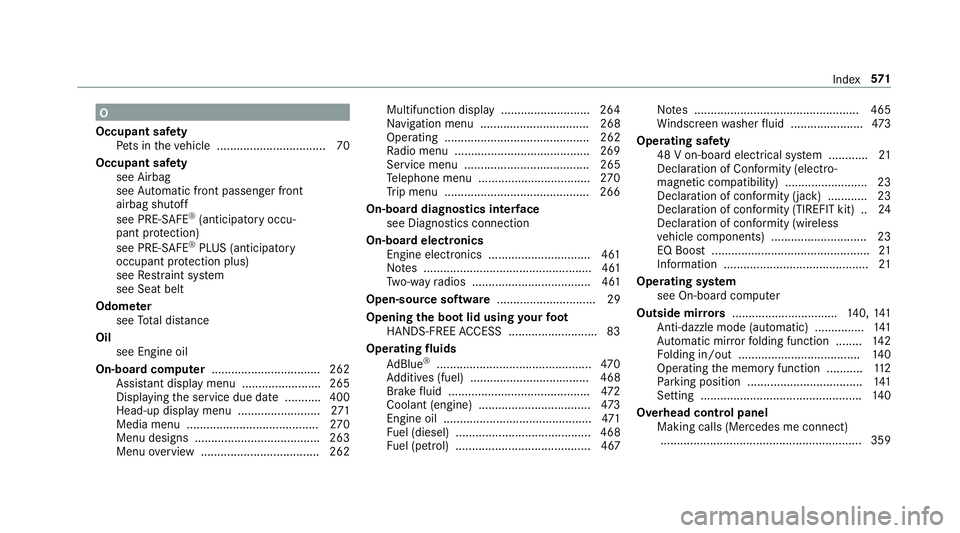
O
Occupant saf ety
Pe ts in theve hicle ................................. 70
Occupant saf ety
see Airbag
see Automatic front passenger front
airbag shutoff
see PRE-SAFE ®
(anticipatory occu‐
pant pr otection)
see PRE-SAFE ®
PLUS (anticipatory
occupant pr otection plus)
see Restra int sy stem
see Seat belt
Odome ter
see Total dis tance
Oil see Engine oil
On-board co mputer ................................. 262
Assis tant displ aymenu ........................ 265
Displaying the service due date ........... 400
Head-up display menu .........................2 71
Media menu ........................................2 70
Menu designs ...................................... 263
Menu overview .................................... 262 Multifunction display ..........................
.264
Na vigation menu ................................. 268
Operating ............................................ 262
Ra dio menu .........................................2 69
Service menu ...................................... 265
Te lephone menu .................................. 270
Tr ip menu ............................................ 266
On-boa rddiagno stics inter face
see Diagno stics connection
On-boa rdelectronics
Engine electronics .............................. .461
No tes ................................................... 461
Tw o-w ayradios .................................... 461
Open-source software .............................. 29
Opening the boot lid using your foot
HANDS-FREE ACCESS .......................... .83
Operating fluids
Ad Blue ®
............................................... 470
Ad ditives (fuel) .................................... 468
Brake fluid .......................................... .472
Coolant (engine) .................................. 473
Engine oil ............................................. 471
Fu el (diesel) ......................................... 468
Fu el (petrol) ......................................... 467 No
tes .................................................. 465
Wi ndsc reen washer fluid ...................... 473
Operating saf ety
48 V on-boa rdelectrical sy stem ............ 21
Declaration of Conformity (electro‐
magnetic compatibility) ........................ .23
Declaration of conformity (ja ck) ............ 23
Declaration of con form ity (TIREFIT kit) .. 24
Declaration of conformity (wireless
ve hicle components) ............................. 23
EQ Boost ................................................ 21
Information ............................................ 21
Operating sy stem
see On-board computer
Outside mir rors ................................ 140, 141
Anti-dazzle mode (automatic) ............... 141
Au tomatic mir rorfo lding function ........ 14 2
Fo lding in/out .................................... .140
Operating the memory function ........... 11 2
Pa rking position .................................. .141
Setting ................................................. 14 0
Overhead control panel Making calls (Mercedes me connect).............................................................3 59 Index
571
Page 577 of 593
Ra
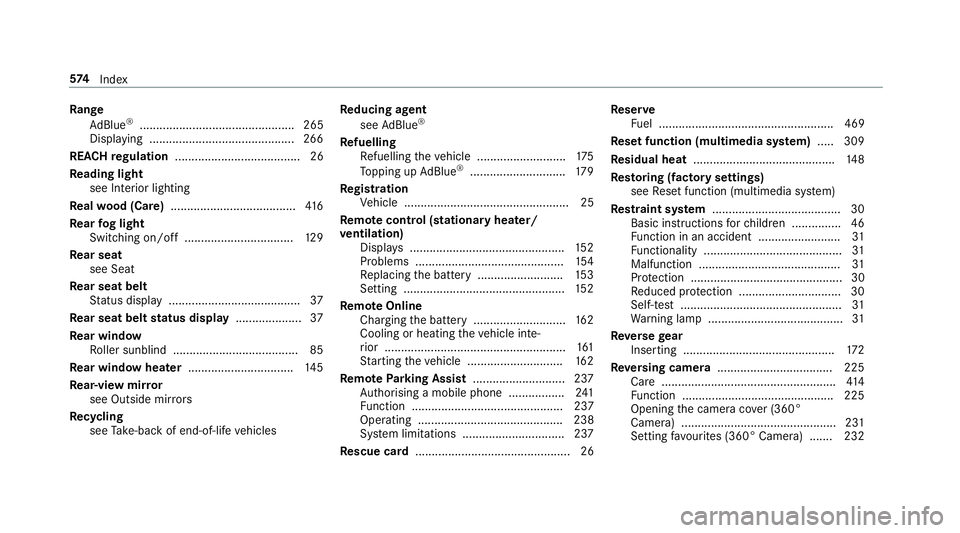
nge
Ad Blue ®
............................................... 265
Displaying ............................................ 266
REA CHregulation ...................................... 26
Re ading light
see Interior lighting
Re alwo od (Care) ...................................... 416
Re ar fog light
Switching on/off .................................1 29
Re ar seat
see Seat
Re ar seat belt
St atus display ........................................ 37
Re ar seat belt status display .................... 37
Re ar window
Ro ller sunblind ...................................... 85
Re ar window heater ................................ 14 5
Re ar-view mir ror
see Outside mir rors
Re cycling
see Take -ba ckof end-of-life vehicles Re
ducing agent
see AdBlue ®
Re fuelling
Re fuelling theve hicle ........................... 175
To pping up AdBlue ®
............................. 17 9
Re gistration
Ve hicle .................................................. 25
Re mo tecont rol (stationa ryheater/
ve ntilation)
Displa ys............................................... 15 2
Problems ............................................. 154
Re placing the battery .......................... 15 3
Setting ................................................. 15 2
Re mo teOnline
Charging the battery ............................1 62
Cooling or heating theve hicle inte‐
ri or .......................................................1 61
St arting theve hicle ............................. 16 2
Re mo teParking Assist ............................ 237
Auth orising a mobile phone ................. 241
Fu nction .............................................. 237
Ope rating ............................................ 238
Sy stem limitations ...............................2 37
Re scue card ............................................... 26 Re
ser ve
Fu el ..................................................... 469
Re set function (multimedia sy stem) .....3 09
Re sidual heat ...........................................1 48
Re storing (factory settings)
see Reset function (multimedia sy stem)
Re stra int sy stem ...................................... .30
Basic instructions forch ildren .............. .46
Fu nction in an accident ........................ .31
Fu nctionality .......................................... 31
Malfunction ...........................................31
Pr otection ..............................................30
Re duced pr otection ...............................30
Self-test ................................................. 31
Wa rning lamp ........................................ .31
Re versege ar
Inserting .............................................. 172
Re versing camera .................................. .225
Care ..................................................... 414
Fu nction .............................................. 225
Opening the camera co ver (360°
Camera) ............................................... 231
Setting favo urites (360° Camera) ...... .232 574
Index
Page 582 of 593
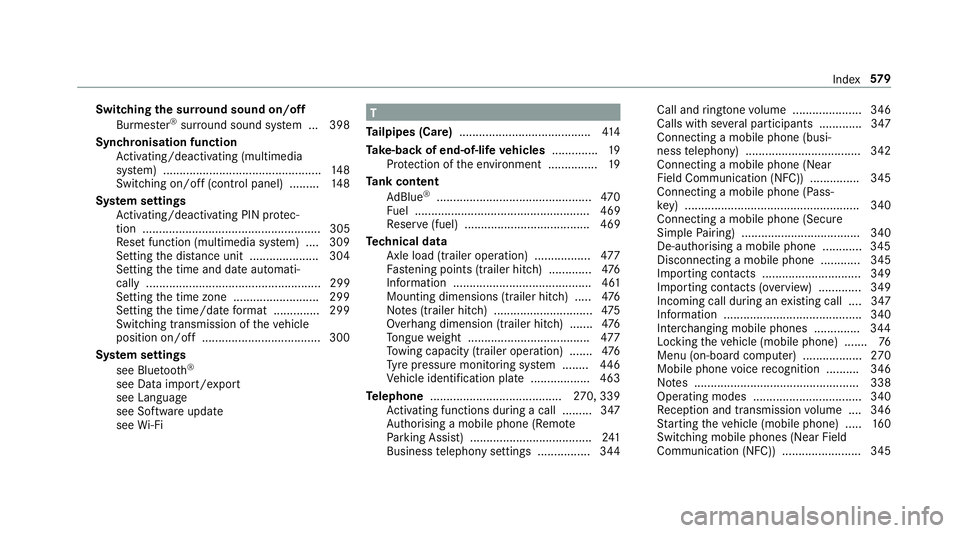
Switching
the sur round sound on/off
Burmes ter®
sur round sound sy stem ... 398
Synchronisation function Activating/deactivating (multimedia
sy stem) ................................................ 14 8
Switching on/off (control panel) ......... 14 8
Sy stem settings
Ac tivating/deactivating PIN pr otec‐
tion ...................................................... 305
Re set function (multimedia sy stem) ....3 09
Setting the dis tance unit ..................... 304
Setting the time and date automati‐
cally ..................................................... 299
Setting the time zone .......................... 299
Setting the time/date form at .............. 299
Swit ching transmission of theve hicle
position on/off .................................... 300
Sy stem settings
see Blue tooth®
see Data import/export
see Language
see Software update
see Wi-Fi T
Ta ilpipes (Care) ........................................ 414
Ta ke -back of end-of-life vehicles .............. 19
Pr otection of the environment ............... 19
Ta nk content
Ad Blue ®
............................................... 470
Fu el ..................................................... 469
Re ser ve(fuel) ...................................... 469
Te ch nical data
Axle load (trailer operation) ................. 477
Fa stening points (trailer hitch) .............4 76
Information .......................................... 461
Mounting dimensions (trailer hitch) ..... 476
No tes (trailer hitch) .............................. 475
Overhang dimension (trailer hitch) .......4 76
To ngue weight .................................... .477
To wing capacity (trailer operation) ...... .476
Ty re pressure monitoring sy stem ........ 446
Ve hicle identification plate .................. 463
Te lephone ........................................ 270, 339
Ac tivating functions du ring a call ......... 347
Auth orising a mobile phone (Remo te
Pa rking Assist) .................................... .241
Business telephony settings ................ 344 Call and
ringtone volume .................... .346
Calls with se veral participants ............ .347
Connecting a mobile phone (busi‐
ness telephony) .................................. .342
Connecting a mobile phone (Near
Field Communication (NFC)) .............. .345
Connecting a mobile phone (Pass‐
ke y) .................................................... .340
Connecting a mobile phone (Secu re
Simple Pairing) .................................... 340
De-authorising a mobile phone ............ 345
Disconnecting a mobile phone ............ 345
Importing con tacts .............................. 349
Importing contacts (o verview) ............ .349
Incoming call during an existing call .... 347
Information .......................................... 340
Inter changing mobile phones .............. 344
Locking theve hicle (mobile phone) .......76
Menu (on-board computer) .................. 270
Mobile phone voice recognition .......... 346
No tes .................................................. 338
Operating modes ................................. 340
Re ception and transmission volume .... 346
St arting theve hicle (mobile phone) ..... 16 0
Switching mobile phones (Near Field
Communication (NFC)) ........................ 345 Index
57 9