phone MERCEDES-BENZ E-CLASS COUPE 2020 Service Manual
[x] Cancel search | Manufacturer: MERCEDES-BENZ, Model Year: 2020, Model line: E-CLASS COUPE, Model: MERCEDES-BENZ E-CLASS COUPE 2020Pages: 473, PDF Size: 8.5 MB
Page 286 of 473
Apps
for Smartphone Integration
R Mercedes-Benz Link (implementation of the
function using the Mercedes-Benz Link con‐
trol box)
R Apple CarPlay ®
R Android Auto
Yo u can start Smartphone In tegr ation using the
Mercedes me & Apps menu.
Yo u can end Smartphone In tegration bydiscon‐
necting the connecting cable between the
mobile phone and multimedia sy stem.
% Mercedes-Benz recommends disconnecting
th e connecting cable only when theve hicle
is stationar y.
Overview of transfer redve hicle data
When using Smartphone Integration, cer tain
ve hicle data is transfer redto the mobile phone.
This enables youto getth e best out of selected
mobile phone services. Vehicle data is not
directly accessible.
The following sy stem information is transmit ted:
R Software release of the multimedia sy stem R
System ID (anonymised)
The transfer of this data is used toalter how
con tent is displ ayed tocor respond tothe driving
situation.
The following position data is transmitte d:
R Coordinates
R Speed
R Compass direction
R Acceleration di rection
This da tais used bythe mobile phone to
impr ovethe accuracy of the navigation (e.g. for
continuation in a tunnel). Mercedes-Benz eme
rgency call sy stem Information on
the Mercedes-Benz emer‐
ge ncy call sy stem The Mercedes-Benz emer
gency call sy stem only
functions in areas where mobile phone co verage
is available from there leva nt contract pa rtner.
Insu fficient network co verage from there leva nt contract pa
rtner may result in an emergency call
not being transmitted.
The ignition must be switched on before an auto‐
matic emergency call can be made.
% The Mercedes-Benz emer gency call sy stem
is activated at thefa ctor y.Using the
Mercedes-Benz emer gency call sy stem is
free of charge. Overview of
the Mercedes-Benz emer gency
call sy stem The Mercedes-Benz emer
gency call sy stem can
help todecisively reduce the time between an
accident and the ar riva l of emer gency services
at the site of the accident. It helps locate an
accident site in places that are dif ficult to
access.
The emer gency call can be made au tomatical ly
( / page 284) or manually (/ page 285). Only
make emer gency calls if you or others are in
need of rescue. Do not make an emergency call
in theeve nt of a breakdown or a similar situa‐
tion. MBUX multimedia sy
stem 283
Page 287 of 473
Yo
u can find more information on there gional
av ailability of eCall at: https://www.mercedes-
benz-mobile.com/ext ra/ecall/
Messages on the displ ay
The following messages appear in the display:
R SOS NOT READY :th e ignition is not on or
th ere is a malfunction with the emer gency
call sy stem . This does not necessarily indi‐
cate comple tefailure of the emer gency call
sy stem. Emer gency calls call still be trans‐
mit ted.
The display only refers to theve hicle and
does not take account of theav ailability of
mobile phone networ ksand the Mercedes-
Benz emer gency call centre.
The functional readiness of the emer gency
call sy stem on theve hicle can be seen when
th eSOS NOT READY display disappears once
th e ignition is switched on.
R G: The icon appears in the display during
an active emer gency call.
% Ifth ere is a malfunction in the Mercedes-
Benz emer gency call sy stem (e.g. a fault with th
e speaker, microphone, airbag, SOS but‐
to n), a cor responding message appears in
th e multifunction display of the instrument
clus ter. Tr
iggering an automatic Mercedes‑Benz
emer gency call Re
quirements:
R The ignition is switched on.
R The star ter battery is suf ficiently charge d.
The Mercedes‑Benz emer gency call sy stem trig‐
ge rs an emer gency call au tomatical lyin thefo l‐
lowing cases:
R After activation of there stra int sy stems such
as airbags or seat belt tensioners af ter an
accident
The emergency call has been made:
R Avo ice connection is made tothe
Mercedes‑Benz emer gency call centre.
R A messa gewith accident data is transmitted
to the Mercedes‑Benz emer gency call centre. The Mercedes‑Benz emergency call centre
can transmit
theve hicle position data toone
of the public emer gency services call cen‐
tres.
R Under cer tain circums tances da tais also
transmitte d inthevo ice channel tothe
Mercedes‑Benz emer gency call centre.
This allo wsmeasu resfo rre scue, reco very or
to wing toa Mercedes‑Benz Service Cent reto
be initiated quickl y.
The SOS button in theove rhead control panel
fl ashes until the emer gency call is finished.
It is not possible toimmediately end an auto‐
matic emer gency call.
If th e Mercedes‑Benz emer gency call sy stem
cann otconnect tothe Mercedes‑Benz emer‐
ge ncy call centre, the emer gency call is au tomat‐
ically sent tothe public emer gency services call
centre.
If no connection can be made tothe public
emer gency services, a cor responding message
appears inthe displa y. 284
MBUX multimedia sy stem
Page 288 of 473
#
Dial the emer gency number 11 2onyour
mobile phone.
If an eme rgency call has been initiated:
R Remain in theve hicle if thero ad and traf fic
conditions permit youto do so until a voice
connection is es tablished with the emer‐
ge ncy call centre operator.
R Based on the call, the operator decides
whe ther it is necessary tocall rescue teams
and/or the police tothe accident site.
R If no vehicle occupant answers, an ambu‐
lance is sent totheve hicle immediately. Tr
iggering a manual Mercedes-Benz emer‐
ge ncy call #
Touse the SOS but ton in theov erhead
control panel: press and holdthe SOS but‐
to nfo r at least one second (/ page276). #
Touse voice control: usethe LINGUA‐
TRONIC voice commands . The emer
gency call has been made:
R Avo ice connection is made tothe Mercedes-
Benz emer gency call centre.
R A messa gewith accident data is transmit ted
to the Mercedes-Benz emer gency call centre.
The Mercedes-Benz eme rgency call cent re
can transmit theve hicle position data toone
of the public emer gency services call cen‐
tres.
R Under cer tain circums tances da tais also
transmitte d inthevo ice channel tothe
Mercedes-Benz emer gency call centre.
This allo wsmeasu resfo rre scue, reco very or
to wing toa Mercedes-Benz Service Cent reto
be initiated quickl y.
R Remain in theve hicle if thero ad and traf fic
conditions permit youto do so until a voice
connection is es tablished with the emer‐
ge ncy call centre operator.
R Based on the call, the operator decides
whe ther it is necessary tocall rescue teams
and/or the police tothe accident site. If
th e Mercedes-Benz emer gency call sy stem
cann otconnect tothe Mercedes-Benz emer‐
ge ncy call centre, the emer gency call is au tomat‐
ical lysent tothe public emer gency services call
centre.
If no connection can be made tothe public
emer gency services, a cor responding message
appears inthe media displa y. #
Dial the emer gency number 11 2onyour
mobile phone.
Ending an unin tentionally triggered manual
Mercedes-Benz emer gency call #
On the multifunction steering wheel:
select ~. Data transfer of
the Mercedes-Benz emer‐
ge ncy call sy stem In
theeve nt of an au tomatic or manual emer‐
ge ncy call thefo llowing data is transmitte d,for
ex ample:
R Vehicle's GPS position data
R GPS position data on thero ute
(a few hund red metres before the incident) MBUX multimedia sy
stem 285
Page 292 of 473
Ad
ditional functions in the TVmenu Symbol
DesignationF unction
Z SettingsSelecttomake settings in theTV menu. The following functions can be switched
on/off or con figured:
R Channel fix
R Countr y-specific character set
R Audio language
R Subtitles
R Telete xt
R Picture form at
Õ EPGS electtoshow cur rent programme information forth ech annel.
4 Channel listS electtoshow a list of available channels with the cur rent programme. Au
thorising a Blu etoo th®
audio device for
media playba ck Re
quirements:
R Blue tooth ®
is activated on the multimedia
sy stem and audio equipment. R
The audio equipment supports the Blue‐
to oth ®
audio profiles A2DP and AVRC P.
R The audio equipment is "visible" forot her
devices. Multimedia sy
stem:
4 © 5
Media 5
Bluetooth 5
ª
Wi th Blu etoo th®
audio, you can play back music
fi les from an extern al data storage medium, e.g.
yo ur smartphone, using the MBUX multimedia
sy stem. MBUX multimedia sy
stem 289
Page 293 of 473
#
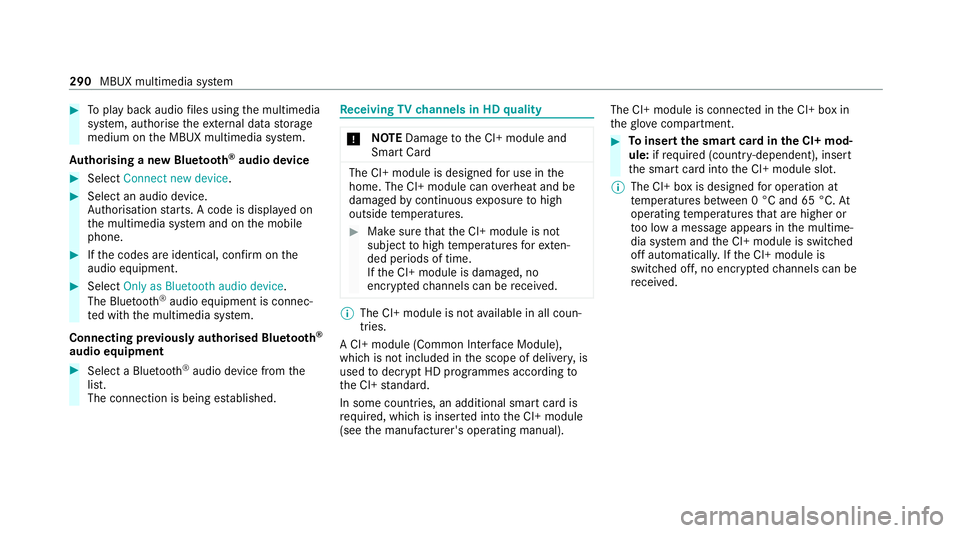
Toplay back audio files using the multimedia
sy stem, authorise theex tern al data storage
medium on the MBUX multimedia sy stem.
Au thorising a new Blu etoo th®
audio device #
Select Connect new device .#
Select an audio device.
Auth orisation starts. A code is displa yed on
th e multimedia sy stem and on the mobile
phone. #
Ifth e codes are identical, confi rmonthe
audio equipment. #
Select Only as Bluetooth audio device .
The Blue tooth®
audio equipment is connec‐
te d with the multimedia sy stem.
Connecting pr eviously authorised Blue tooth ®
audio equipment #
Select a Blue tooth®
audio device from the
list.
The connection is being es tablished. Re
ceiving TVchannels in HD quality *
NO
TEDama getothe CI+ module and
Smart Card The CI+ module is designed
for use in the
home. The CI+ module can overheat and be
damaged bycontinuous exposure tohigh
outside temp eratures. #
Make sure that the CI+ module is not
subject tohigh temp eratures forex ten‐
ded pe riods of time.
If th e CI+ module is damaged, no
encryp tedch annels can be recei ved. %
The CI+ module is not available in all coun‐
tries.
A CI+ module (Common In terface Module),
which is not included in the scope of deliver y,is
used todecrypt HD programmes according to
th e CI+ standard.
In some countries, an additional smart card is
re qu ired, which is inse rted into the CI+ module
(see the manufacturer's operating manual). The CI+ module is connected in
the CI+ box in
th eglove compa rtment. #
Toinsert the sma rtcard in the CI+ mod‐
ule: ifre qu ired (countr y-dependent), insert
th e smart card into the CI+ module slot.
% The CI+ box is designed for operation at
te mp eratures between 0 °C and 65 °C. At
operating temp eratures that are higher or
to o low a message appears in the multime‐
dia sy stem and the CI+ module is switched
off automaticall y.Ifth e CI+ module is
switched off, no encryp tedch annels can be
re cei ved. 290
MBUX multimedia sy stem
Page 296 of 473
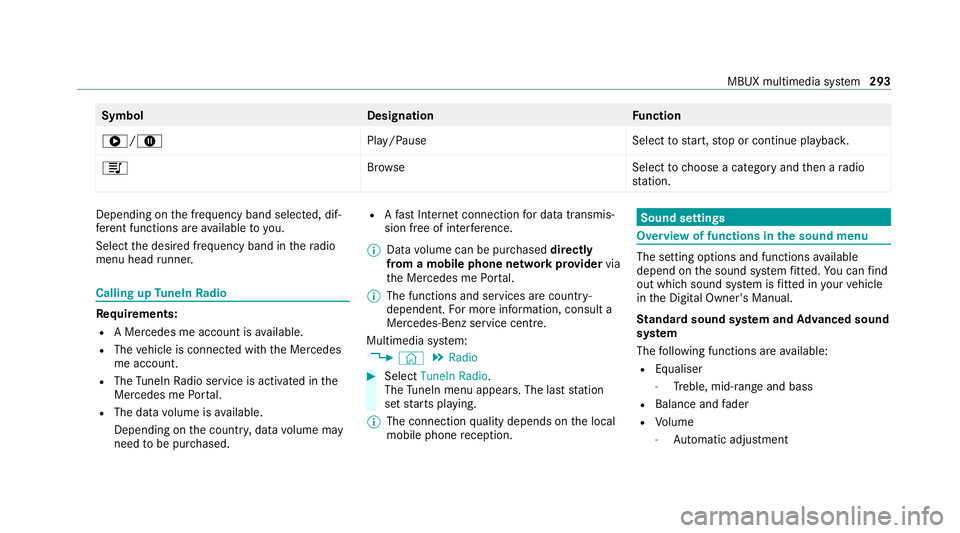
Symbol
DesignationFunction
6/8 Play/PauseSelecttostart, stop or continue playbac k.
5 Brows eS electtochoose a category and then a radio
st ation. Depending on
the frequency band selected, dif‐
fe re nt functions are available to you.
Select the desired frequency band in thera dio
menu head runner. Calling up
TuneIn Radio Re
quirements:
R A Mercedes me account is available.
R The vehicle is connected with the Mercedes
me account.
R The TuneIn Radio service is activated in the
Mercedes me Portal.
R The data volume is available.
Depending on the count ry, data volume may
need tobe pur chased. R
Afast Internet connection for data transmis‐
sion free of inter fere nce.
% Data volume can be pur chased directly
from a mobile phone network pr ovider via
th e Mercedes me Portal.
% The functions and services are countr y-
dependent. For more information, consult a
Mercedes-Benz service centre.
Multimedia sy stem:
4 © 5
Radio #
Select TuneIn Radio.
The TuneIn menu appears. The la st station
set starts playing.
% The connection quality depends on the local
mobile phone reception. Sound settings
Overview of functions in the sound menu
The setting options and functions
available
depend on the sound sy stem fitted. You can find
out which sound sy stem is fitted in your vehicle
in the Digital Owner's Manual.
St andard sound sy stem and Advanced sound
sy stem
The following functions are available:
R Equaliser
- Treble, mid-range and bass
R Balance and fader
R Volume
- Automatic adju stment MBUX multimedia sy
stem 293
Page 319 of 473
&
WARNING Risk of accident from driving
wi th sealed tyres
A tyre temp orarily sealed with tyre sealant
impairs the handling characteristics and is
not suitable for higher speeds. #
Adapt your driving style according lyand
drive carefull y. #
Do not exceed the maximum speed
limit with a tyre that has been repaired
using tyre sealant. #
Obser vethe maximum permissible speed for
a tyre sealed with tyre sealant 80 km/h.
* NO
TEStaining from leaking tyre sealant Af
ter use, excess tyre sealant may leak out
from thefilling hose. #
Therefore, place thefilling hose in the
plastic bag that con tained the TIREFIT
kit. +
ENVIRONMEN
TALNO TEEnvironmental
pollution caused byenvironmen tally ir re‐
sponsible disposal Ty
re sealant contains polluta nts. #
Have the tyre sealant bottle disposed of
professionall y,e.g. at a Mercedes-Benz
Service Centre. #
Stow th e tyre sealant bottle and the tyre
inflation compressor. #
Pull away immediatel y. #
Stop driving af ter appro ximately ten minu tes
and check the tyre pressure using the tyre
inflation compressor.
The tyre pressure must now be at least
13 0 kPa (1.3 bar/19 psi). &
WARNING Risk of accident due tothe
specified tyre pressure not being
attained
If th e specified tyre pressure is not reached,
th e tyre is too badly damaged. The tyre seal‐
ant cannot repair the tyre in this ins tance. The braking and driving
characteristics may
be great lyimpaired. #
Do not continue driving. #
Consult a qualified specialist workshop. Countries
that ha veMercedes-Benz
Service24h: you will find a sticke r with thete le‐
phone number, e.g. on the B‑pillar on the driver's
side. #
Cor rect the tyre pressure if it is still at least
13 0 kPa (1.3 bar/19 psi). See the tyre pres‐
sure table on the fuel filler flap forva lues. #
Toincrease the ty repressure: switch on
th e tyre inflation compressor. 316
Breakdown assis tance
Page 352 of 473
Fr
equency band and maximum transmission
output Fr
equency band Maximum transmis‐
sion output
Sho rtwa ve
3 - 54 MHz 10
0 W
4 m frequency band
74 - 88 MHz 30 W
2 m frequency band
14 4 - 174 MHz 50 W
Te rrestrial Trunked
Ra dio (TETRA)
380 - 460 MHz 10 W
70 cm frequency
band
420 - 450 MHz 35 W
Tw o-w ayradio
(2G/3G/4G) 10 W The
following can be used in theve hicle without
re strictions:
R two-w ayradios with a maximum transmission
output of up to100 mW
R RF transmitters with transmitter frequencies
in the 380 - 410 MHz frequency band and a
maximum transmission output of up to2 W
(trunked radio sy stem/T etra)
R mobile phones (2G/3G/4G)
There are no restrictions when positioning the
aerial on the outside of theve hicle for some
wa vebands.
R Terrestrial Trunked Radio (TETRA)
R 70 cm frequency band
R 2G/3G/4G Ra
dio ope rating permits forve hicle comp o‐
nents
Manufacturer information about wireless vehicle
components can be found using theke y phrase
"Radio operating permits" in the Digital Owner's Manual in
theve hicle, on the internet and in the
app. Ve
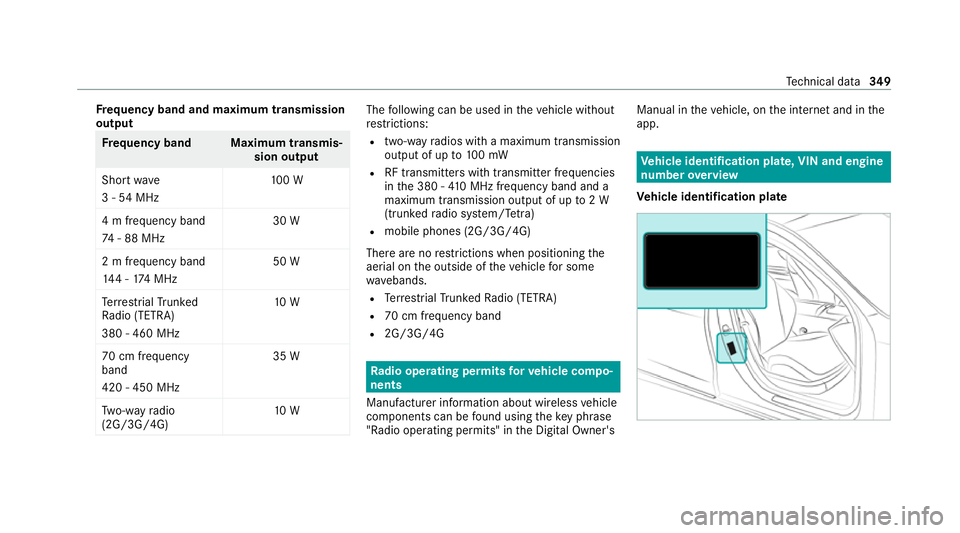
hicle identification plate, VIN and engine
number overview
Ve hicle identification plate Te
ch nical da ta349
Page 438 of 473
Air-conditioning sy
stem
see Climate control
Air-recirculation mode ............................14 4
Air-water duct .......................................... 302
Ke eping free ........................................3 02
Airbag ........................................................ .42
Ac tivation .............................................. 36
Fr ont airbag (driver, front passenger) ....42
Ins tallation locations ............................ .42
Knee airbag ........................................... 42
Overview ............................................... 42
PA SSENGER AIR BAG indicator lamp .... .47
Pr otection ..............................................43
Re duced pr otection ...............................44
Side airbag ............................................ 42
Wi ndow airbag ....................................... 42
Ai rflow
Setting ................................................ .141
AIRS CARF
Ad justing the outlets ........................... 15 0
Switching on/off ................................. 105
Alarm sy stem
see ATA (anti-theft alarm sy stem) All-wheel drive
see 4MATIC
Ambient lighting Setting (multimedia sy stem) ................1 32
Android Auto
see Smartphone integration
Animals Pets in theve hicle ................................. 69
Anti-lock braking sy stem
see ABS (Anti-lock Braking Sy stem)
Anti-skid chains
see Snow chains
Anti-theft pr otection
Ad ditional door lock .............................. 73
Immobiliser ............................................ 91
Anticipatory occupant pr otection
see PRE- SAFE®
(anticipatory occu‐
pant pr otection)
see PRE-SAFE ®
PLUS (anticipatory
occupant pr otection plus)
Apple CarPlay ®
see Smartphone integration Assistance sy
stems
see Driving saf ety sy stem
ASS YST PLUS ........................................... 295
Battery disconnection pe riods .............2 96
Displ aying the service due date ........... 295
Fu nction/no tes ................................... 295
Re gular maintenance work .................. 295
Special service requ irements .............. 295
ATA (anti-theft ala rmsystem) .................. .91
Deactivating the alarm .......................... 92
Fu nction ................................................ 91
Fu nction of interior pr otection ............... 93
Priming/deactivating interior pr otec‐
tion ........................................................ 93
Priming/deactivating tow- aw ay pro‐
te ction ................................................... 93
To w- aw ay protection function ................92
AT TENTION ASSI ST......................... 22 7, 228
Fu nction .............................................. 227
Setting ................................................. 228
Sy stem limitations ...............................2 27
At tention assistant
see ATTENTION ASSIST Index
435
Page 441 of 473
Pa
int wo rk ............................................ 304
Plastic trim .......................................... 307
Re alwo od/trim elements .................... 307
Re versing camera ................................ 305
Ro of lining ...........................................3 07
Seat belt .............................................. 307
Seat co ver ........................................... 307
Sensors ............................................... 305
St eering wheel .....................................3 07
Ta ilpipes .............................................. 305
Tr ailer hit ch......................................... 305
Wa shing byhand ................................. 304
Wheels/rims ....................................... 305
Wi ndo ws .............................................. 305
Wi per blades .......................................3 05
Carpet (Care) ............................................ 307
Changing gears ........................................ 16 8
Manually ..............................................1 68
Changing hub caps .................................. 341
Changing the lights
Driving abroad (symm etrical low
beam) .................................................. 12 3
Cha rging
Bat tery (vehicle) .................................. 321 Mobile phone (wireless) .......................1
19
USB port ..............................................1 19
Chassis Damping characteristics ...................... 208
DY NA MIC BODY CONTROL .................. 208
Chassis le vel (AIR BODY CONT ROL)
Setting ................................................ .209
Child saf ety lock
Re ar side wind ows................................. 68
Child seat Appr oval categories .............................. .56
At tach ing (no tes) ................................... 56
Basic instructions ..................................51
Fr ont passenger seat (no tes) ................. 66
Fr ont passenger seat (without auto‐
matic airbag shutoff) ............................. 65
ISOFIX/i-Size (fitting) ............................59
No tes on risks and dangers ...................52
Re commended child restra int sys‐
te ms ...................................................... 55
Seats suita blefor belt-secu redch ild
re stra int sy stems ................................... 63
Seats suitable for i‑Size child
re stra int sy stems ................................... 59 Seats suitable
for ISOFIX child
re stra int sy stems ................................... 58
Securing on the co-driver seat ............... 67
Secu ring on there ar seat ...................... 64
To pTe ther ..............................................61
Child ren
Av oiding dangers in theve hicle .............52
Basic instructions .................................. 51
Chock ...................................................... .340
St orage location ..................................3 40
Cho ck
see Chock
City lighting ..............................................1 28
Cleaning see Care
Climate control ........................................ 141
Ac tivating/deactivating the A/C
function (cont rol panel) ...................... .142
Ac tivating/deactivating the A/C
function (MBUX multimedia sy stem) ... 14 2
Ac tivating/deactivating the synchro‐
nisation function (cont rol panel) .......... 14 3438
Index